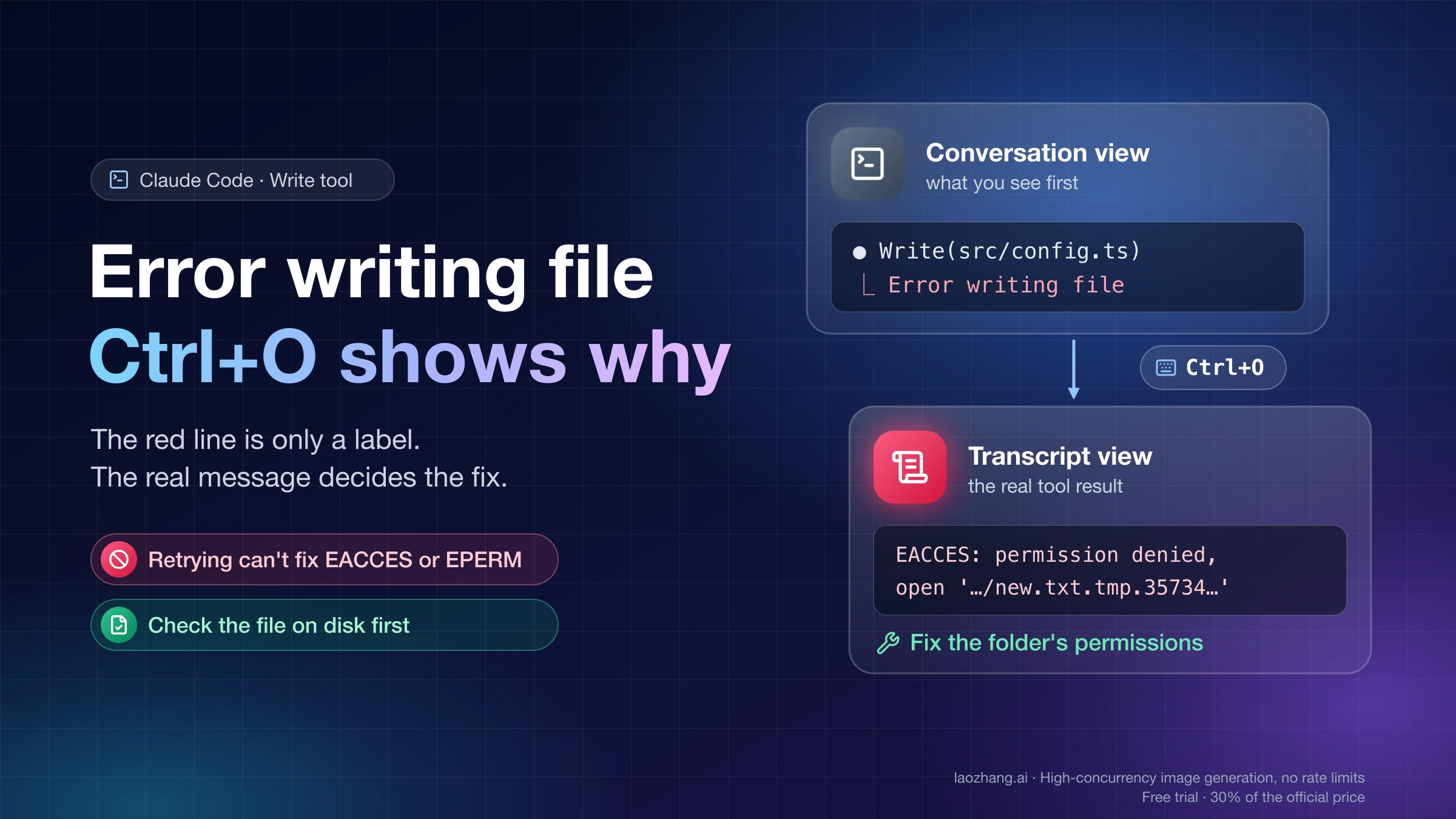
Claude Code API Error 500 or 529: Resume Without Duplicating Work
Claude Code API Error 500 is a server-side failure, not your prompt or account. Check status, then retry, sign in again, or resume after checking finished work.
On this page
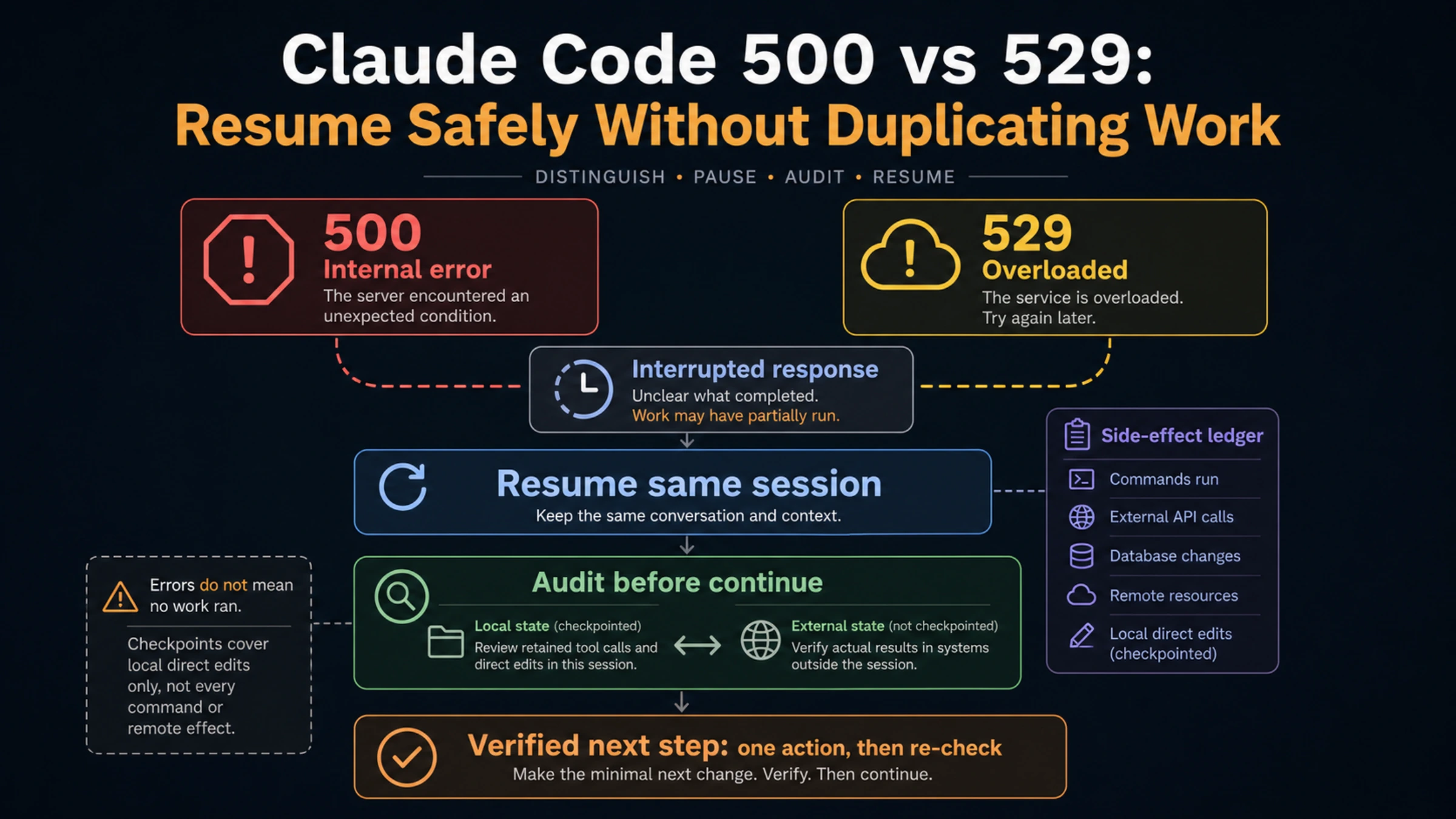
Claude Code's API Error: 500 means the API that answered failed internally. The Claude Code error reference says it is not caused by your prompt, settings, or account. Your next move depends on where the error appeared. If it interrupted a task, check status and retry only after confirming which edits, commands, or deployments already happened. If it appeared while you were signing in, nothing has run yet: check status, then reset the login. If one resumed conversation fails on every turn while a new session works, try the documented resume steps, then continue in a new session from a verified record of finished work, not by replaying the original instruction.
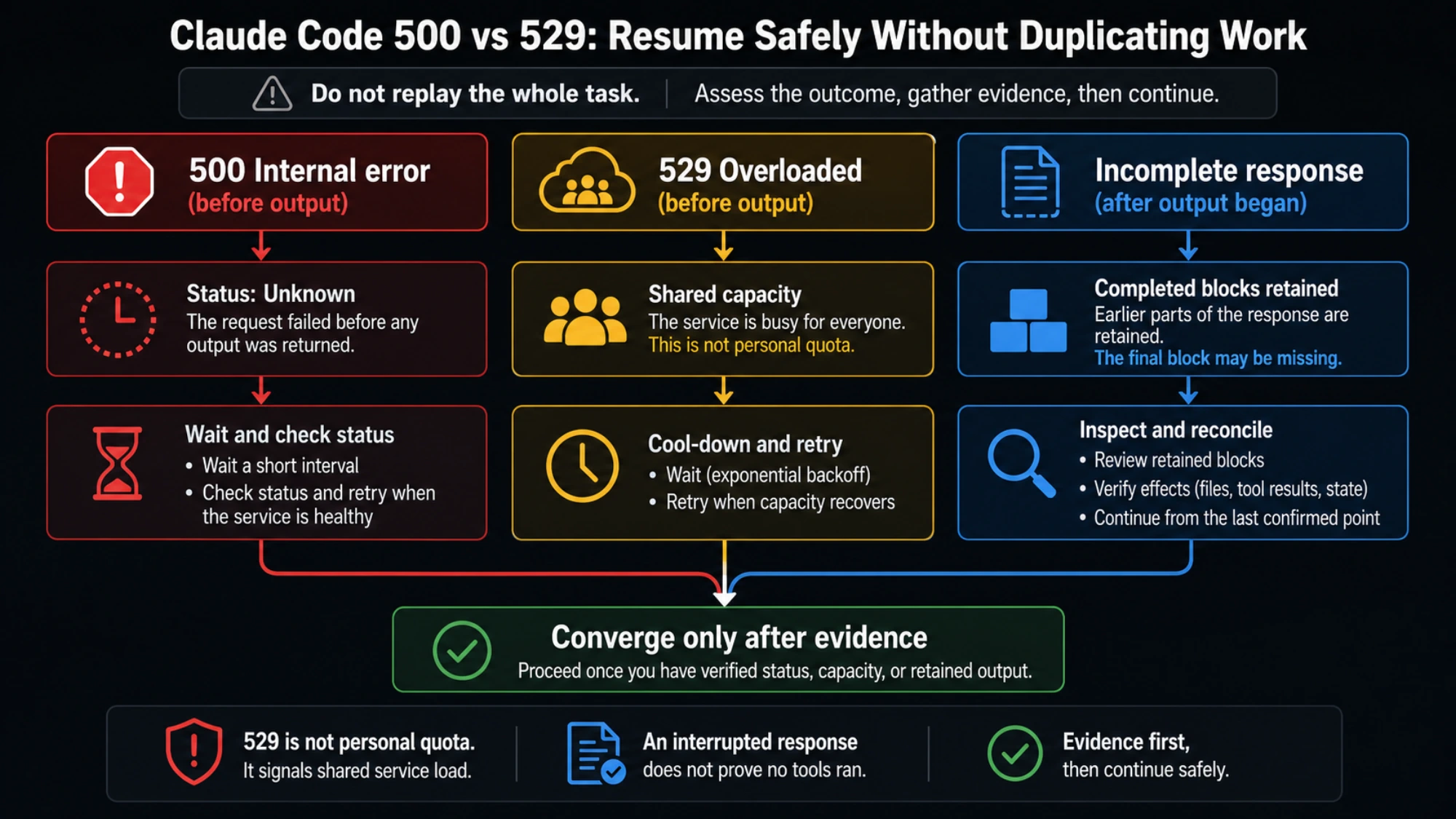
The error code tells you why a request stopped; the retained output tells you where to resume. A broken response does not undo an edit or cancel a deployment that was already accepted. A repeated 529 is a different signal: the model's service is overloaded, and it does not count against your quota. If no action completed, a short wait and retry is appropriate. If tools may have run, follow the recovery steps below before sending another instruction.
Read the full API Error 500 line and note how far the turn got
On the Anthropic API, the current Claude Code message reads:
API Error: 500 Internal server error. This is a server-side issue, usually temporary — try again in a moment. If it persists, check https://status.claude.com.The final sentence names where to check service health. On Amazon Bedrock, Google Cloud's Agent Platform, or Microsoft Foundry, it names that provider's status page; with a custom ANTHROPIC_BASE_URL, it names the gateway host. A green Claude Status page cannot establish the health of a different gateway, and even the correct status page cannot prove that one request succeeded.
| Message or symptom | Meaning | First action |
|---|---|---|
API Error: 500 Internal server error during a task | An unexpected failure inside the API that answered | Check the named status page; if no action completed, wait about a minute and retry |
OAuth error: Request failed with status code 500 while signing in | The sign-in step failed before any task started | Check status, then reset the login as described in the next section |
| A 500 on every turn of one resumed conversation, while a new session works | Requests from that saved conversation keep failing even though the service responds | Resume once more, update Claude Code, then hand off to a new session |
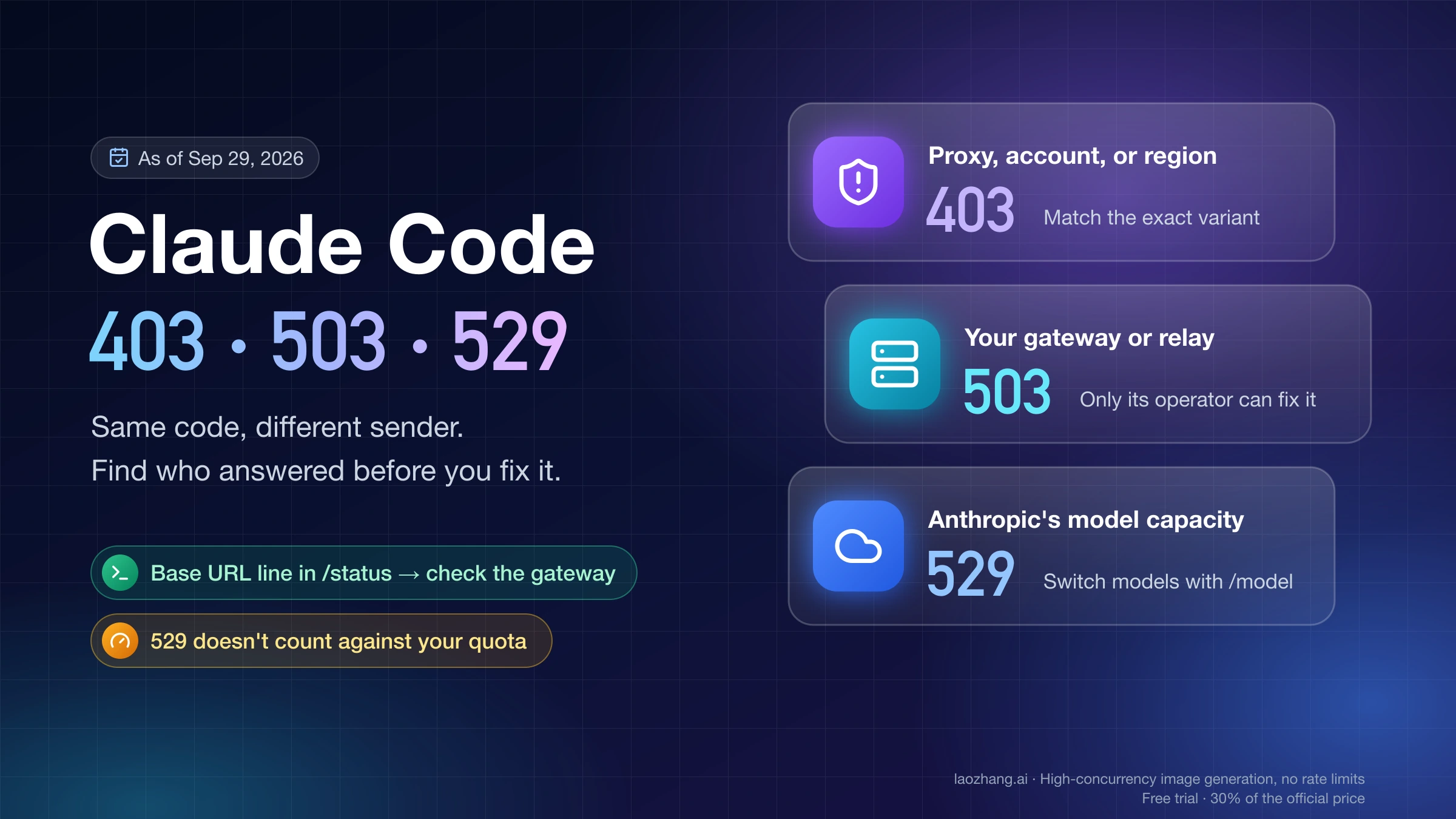
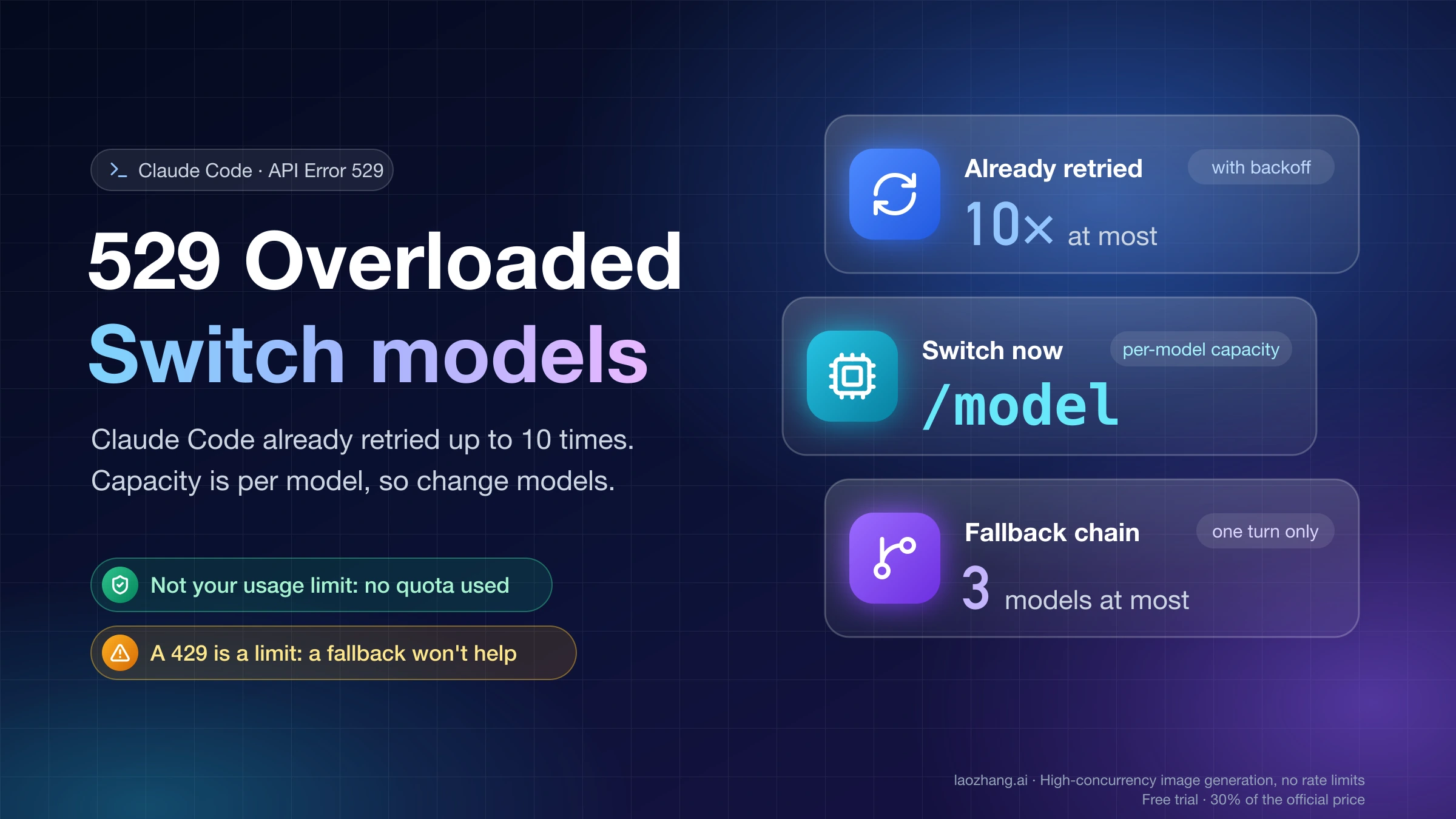
API Error: Repeated 529 Overloaded errors | The model's service is temporarily at capacity | Wait a few minutes or choose another suitable model with /model |
The response above may be incomplete | A response broke after reaching the stage where replay could duplicate tools | Preserve the conversation, inspect completed work, and continue from the verified state |
Server is temporarily limiting requests (not your usage limit) | A short server-side throttle | Wait briefly; check status if it persists |
Request rejected (429) | An API-key or provider-project limit | Confirm the credential with /status and check that provider's limits |
You've hit your session limit or weekly limit, with a reset time | A subscription usage window is exhausted | Check /usage and the displayed reset time |
The 500 and 529 instructions cover failures while the API is processing a request. Because a 500 from that API does not come from your prompt, settings, or account, reinstalling Claude Code or signing in again is not the default repair for a mid-task 500. A 500 at the sign-in step is a separate case with its own checks.
For repeated 529, Claude Code's documentation says it is not your usage limit and does not count against your quota. Upgrading a plan is not the first response to overload. The trailing provider or gateway name still matters: a custom service may have its own limits and billing rules.
Some neighboring messages need a different guide. A connection failure with no HTTP status, such as ECONNRESET, is covered in Claude Code Unable to Connect to API. A 403 or 503 returned by a proxy or gateway is covered in Claude Code 403, 503, and 529 errors. If your own code calls the Claude API directly, Claude API Error 500 covers SDK retries and request IDs.
Why “it started answering” is not enough to choose a retry
Claude Code applies automatic retries before it displays many failures. The documented general policy is up to 10 retries with backoff; that is not a universal count of 10 total attempts. The response stage changes the behavior:
| Stage reached when the response fails | Current documented behavior | What you should do |
|---|---|---|
| No response has streamed | Applicable server failures, overloads, and timeouts can use the normal retry budget | Let the existing retry finish before starting another attempt |
| Thinking finished, but no text or tool call started | Since v2.1.284, a server error or overloaded response at this stage can be retried up to twice | Thinking alone does not prove a tool ran; check the final message |
| A text or tool-call block completed, or one started after thinking finished | Claude Code avoids replaying the original request, keeps completed blocks, runs finished tool calls, and continues from their results | Inspect the retained work and verify its effects before continuing |
| The response finished before the connection failed | Claude Code keeps the complete response and ends normally | Verify the result rather than repeat a finished turn |
Connection drops and stalled streams have their own conditions and retry budgets. Use the exact message and the automatic retry rules, rather than treating every partial stream as either always retried or never retried.
In particular, “The response above may be incomplete” means Claude Code retains completed blocks and discards an interrupted final block. The missing part might be a final sentence or a tool call. It does not mean the whole task failed or that every intended step finished. The incomplete-response documentation explains this boundary.
API Error 500 while signing in: check status, then reset the login
When the 500 appears at the sign-in step, no task has started, so there are no edits or commands to reconcile. GitHub reports from March and April 2026 (#33226, #44271, #44725) show what it looks like:
- The terminal prints
OAuth error: Request failed with status code 500, sometimes afterOAuth error: timeout of 15000ms exceeded. - The browser shows “Authorization failed — Internal server error” on the Claude authorization page.
- One variant reads
OAuth error: Failed to fetch user roles: Request failed with status code 500.
These are user reports, and Anthropic did not state a cause in those threads. The official troubleshooting page sends API Error: 500 to the error reference and does not list a separate fix for a sign-in 500. The order below therefore combines the status check with the documented login steps:
- Check status first. Sign-in itself has had incidents. On August 24, 2026, Claude Status recorded two short login incidents that explicitly included Claude Code subscription sign-in, from 16:02 to 16:08 UTC and from 20:00 to 20:08 UTC (status history). If an incident is open, wait until it is resolved, then try once.
- Reset the login. Run
/logout, close Claude Code, start it again withclaude, and complete sign-in. If the browser does not open, or the URL wraps in a narrow terminal, presscto copy the sign-in URL. Note that/logoutremoves all stored credentials, including saved MCP server logins and plugin secrets, so expect to re-authorize those afterward. - Check the callback on remote setups. In WSL2, over SSH, or inside a container, the browser usually opens on a different host, and its redirect cannot reach Claude Code's local callback port. Paste the code the browser shows at the
Paste code here if promptedprompt, or runclaude auth login, which reads the pasted code from standard input.OAuth error: Invalid codemeans the code expired or was cut off during copying; retry promptly. - Compare another machine. If the same account signs in on a different machine, look at the failing machine's own path: firewall, proxy, or the local callback port. In #44725, the failing Windows machine had a managed firewall with an inbound-block policy while the same account worked elsewhere. That is one report, not a confirmed cause.
Steps 2 and 3 come from the official login and authentication guide. Once sign-in succeeds, run /status to see which authentication method is active. An approved ANTHROPIC_API_KEY takes precedence over your subscription login, and with -p a key that is present is always used, so later requests may not go through the account you just signed into. Claude Code API billing vs subscription explains which credential pays.
An inaccurate system clock or a locked macOS Keychain, which claude doctor reports as macOS Keychain is not writable, explains repeated requests to log in again, not a sign-in 500. Other login messages, such as Login expired, Not logged in, or a revoked token, are covered in the Claude “Temporarily Unable to Authenticate” guide. If sign-in still returns a 500 while the status page is green, report the exact message, time and timezone, Claude Code version, and operating system to Anthropic support.
Recover the correct conversation after a mid-task 500
If the interactive session is still open, use that conversation. Read the retained output and note the last completed tool result. If the screen is showing an active retry countdown, allow it to finish before creating another executor.
If the process exited, open a terminal in the project or worktree where the task belongs and launch the session picker:
claude --resumeChoose the conversation that matches the task, working directory, and last activity. Do not select a different session merely because it is newer. Inside an already running Claude Code session, /resume also opens the picker.
When you know the session ID, resume that exact conversation instead. Replace the placeholder with the ID from your original run or the recovery message:
claude --resume <session-id>Current Claude Code searches the current project first, then other projects on the same machine for that ID. Before v2.1.223, the search was limited to the current project and its worktrees. The picker can be widened to all projects with Ctrl+A. These details and the failure cases below are documented under session resume errors.
Verify that you landed in the intended conversation before issuing work: its visible history should contain the original request and the retained results you expect. Also verify the working directory and branch. Recovering a transcript does not establish that a running shell job or external operation has stopped.
The session is missing, unreadable, or already running
Use the message you actually receive:
No conversation found with session ID: check the ID and the original machine. Transcripts are local and normally retained for 30 days, so a deleted or expired transcript may be unavailable. Sessions created withclaude -por the Agent SDK do not appear in the interactive picker; use thesession_idfrom the original JSON output. Duplicate transcript copies can also prevent an unambiguous lookup.Failed to resume the conversation: retry the ID shown in the message. The command-line picker exits with code 1; a failed/resumeinside a running session leaves that current session running. For versions before v2.1.285, the official failed-resume guidance says to runclaude updateand resume again, because those versions fail when the saved transcript contains an entry they cannot read. If recovery still fails, use the fallback below.This session is running in another terminal: continue in the process that owns it, or close that process deliberately before reopening it. The current agent view refuses to open a second process for an already held conversation; this is a specific ownership safeguard, not a reason to launch parallel copies yourself.This session has no saved transcript: a background session stopped before its first response finished may not have its own saved history. The conversation it was backgrounded from remains intact. Return to that parent conversation; respawning the stopped child starts fresh rather than recovering its missing transcript. See the background-session explanation.
If the terminal itself is frozen, try Ctrl+C to cancel the current operation. If it remains unresponsive, restart the terminal and use claude --resume; the official troubleshooting instructions describe that sequence. Cancellation or closing a terminal still does not prove that an external service abandoned an accepted request.
When the original conversation cannot be recovered, check the files and other state first, then start a new session with a short record of the completed work and the remaining task. Do not paste the original instruction as though nothing happened. A new conversation can work from a verified handoff, but it cannot guarantee recovery of missing history.
One resumed conversation returns 500 on every turn
Sometimes the service is fine but one particular conversation is not. You resume it, every message returns a 500, /rewind does not help, and a new session in another tab answers normally. GitHub reports describe this pattern. In #58827 (May 2026, v2.1.50), old sessions of non-trivial size failed with API Error: 500 status code (no body) while new chats worked. In #70650 (June 2026, v2.1.178), a session that had run for several days failed on every attempt, including after /rewind. The #58827 reporter traced the failures to saved transcript content that the API rejected when the conversation was sent again. That is the reporter's analysis on an older version, not an Anthropic statement.
Use a new session as a control test before you decide where the problem is:
- A new session in the same project, with the same credential, also fails. The saved conversation is not the cause. Check the status page the message names, confirm the active credential with
/status, and check the gateway if a customANTHROPIC_BASE_URLis set. A 500 on every prompt in every session belongs here. - Only the resumed conversation fails. The failure travels with that conversation's saved history, so further retries of the same conversation are unlikely to change the result.
The official error reference documents this comparison for several 400 errors in which content carried in saved history made every turn of a resumed session fail on older versions. Its wording is that if the error returns in a fresh conversation, “the cause is on the request path, not in the saved conversation” (error reference). The reference does not say that a 500 comes from the transcript; the same comparison only tells you which side to work on.
When only that conversation fails, work through the documented recovery in order:
- Wait about a minute and resume it once more with
claude --resumeand its session ID, in case the failure was momentary. - Run
claude update, then resume again. Versions before v2.1.285 fail to resume when the saved transcript contains an entry they cannot read, and the error reference lists several every-turn failures from saved history that later versions handle. - If it still fails, stop retrying that conversation. Verify files, jobs, and external changes with the checks in the next section, then start a new session with
claudeand give it the completed-work record and the remaining steps. Inside a running session,/clearalso starts a conversation that does not carry the old history.
Do not edit the saved transcript files by hand, run third-party transcript-repair tools, or delete the ~/.claude folder. None of these is a documented fix, and that folder also holds your other sessions and settings. If you report the problem, include the session ID, the Claude Code version, and whether a new session works; the failing conversation is the most useful evidence.
Check completed tools, files, jobs, and external changes
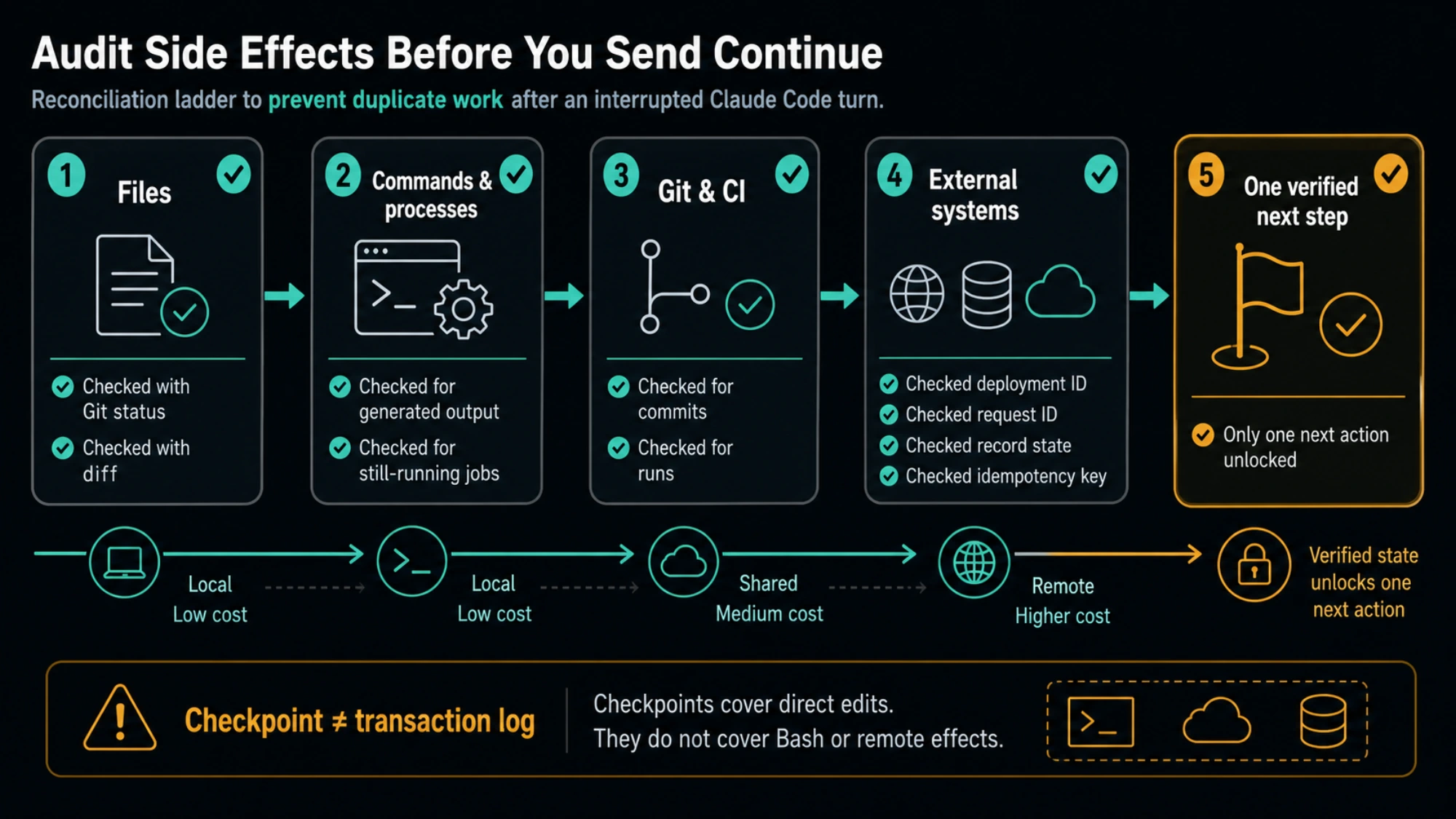
Treat the retained tool results as a list of actions to verify. A completed edit result may correspond to a changed file; a shell result may correspond to generated output or a job that is still running. Match each consequential action to evidence outside the conversation.
For a Git project, start with this read-only check from the intended repository or worktree:
git status --short
git branch --show-current
git diff --stat
git diff
git log -3 --oneline
git diff shows uncommitted changes, so also read the affected files and recent commits when appropriate. A clean working tree can mean the work was committed; it does not mean no work happened. Review untracked outputs separately, because their contents are not included in an ordinary diff.
Then check the actions that a Git diff cannot settle:
| Interrupted action | What to inspect | Decision before continuing |
|---|---|---|
| File edit or generated output | Current file contents, diff, untracked files, expected output | Keep completed work; identify any missing or partial result |
| Test, build, shell job, or background agent | Original terminal, task list, process status, output log or report | Wait for the existing run or stop it deliberately before launching another |
| Commit, branch change, or push | Current branch, recent commits, remote repository when a push was possible | Continue from the observed state; a local commit alone does not prove a push |
| CI or deployment | Run ID, deployment ID, provider status, deployed revision | Wait for the accepted run or address its actual failure; do not create a duplicate |
| Database or external API write | Migration table, record state, audit log, request ID, or idempotency key | Verify whether it was accepted or applied before attempting the write again |
These checks follow from the documented behavior of keeping completed tool results. They do not claim that Git can verify remote state or that a response error automatically rolls anything back.
If a deployment's completion is uncertain, use its dashboard or API with your existing access. If you cannot inspect it, mark that step as unresolved and pause that write. You can still continue unrelated, verified local work. Do not convert “I cannot see the result” into “the operation failed.”
A concrete recovery example
Suppose the request was: “Update the parser, run the tests, then deploy.” The stream stopped after a file-edit result and a deployment tool call. The following is an illustrative state check, not a measured Claude Code recovery:
| What you find | What it establishes | Remaining work |
|---|---|---|
| The parser diff contains the requested edit | The edit exists | Review it; do not apply the edit again |
| The test process has ended and its report records a pass | That test run completed | Keep the report unless a later code change requires another run |
Deployment deploy-123 is still building the expected revision | The provider accepted the deployment | Wait for that deployment; do not submit another |
| That deployment later succeeds | Deployment completed | Check the deployed behavior and report the result |
If instead the test report is absent but the process is still active, wait for the existing process. If no run exists and no test report is present, running the tests may be the next remaining action. If the deployment ID is missing and the provider cannot be checked, deployment remains uncertain; that uncertainty blocks a second deployment, not the review of local files.
Continue only the remaining steps
Once the provider's service is available again and you have reconciled the consequential actions, continue in the recovered conversation. For a text-only interruption, the documented interactive instruction is continue. For a tool-bearing task, attach the verified state so the next turn has an explicit starting point. The same record is what you give a new session when the original conversation cannot be used.
A reusable instruction is:
Continue the interrupted task from the verified state below.

Completed: [edits and tool actions confirmed by their actual results].
Still running: [existing jobs or external run IDs; do not start duplicates].
Uncertain: [actions whose completion has not been established].
Remaining: [the steps that have not completed].

Use the retained conversation and read-only checks to reconcile this list.
Do not repeat completed actions. If an uncertain action could create an
external change, establish its result before attempting it again.
Proceed with the next remaining step within the original authorization,
and verify its result before continuing.
Replace the bracketed fields with your observations. In the parser example, the instruction might say: “The parser edit and tests are complete. Deployment deploy-123 is building the expected revision. Wait for that run, then verify the deployed parser. Do not edit, retest, or deploy again unless the verification identifies a new problem.”
Success means the intended conversation is active, the observed files and job states agree with the completed-work record, and the next action addresses a remaining step. A successful model response alone does not prove that the deployment, migration, or test finished.
For non-interactive -p, Agent SDK, or cloud runs, current Claude Code can automatically continue a cut-off main response containing text and no tool calls up to three times before surfacing the notice. That behavior, introduced in v2.1.246, is described in the incomplete-response reference. It does not authorize a wrapper to replay a whole tool-bearing task. Check whether the original process is still recovering before launching another run.
Handle 529 overload and real usage limits without losing the recovery state
For repeated 529, wait a few minutes and check the provider named in the error. Capacity is model-specific, so /model can offer a workable alternative if the task permits it. Keep the same conversation and the verified completed-work record when switching. If you need model or fallback configuration, see Claude Code overload and fallback models; an unlimited retry loop is not a substitute for checking uncertain external writes.
For a displayed 500 with no completed action, the official next step is a short wait followed by a retry. The original message remains in the conversation, so typing try again can replace repasting a long prompt. If the error persists with no posted incident, run /feedback so Anthropic can investigate with your request details. Green status alone does not show that your saved conversation is broken; the new-session comparison above does that, and signing in again does not repair a mid-task API failure.
Real usage limits need a different decision:
- Session or weekly allowance: wait for the reset shown by the product. These limits are shared across models; switching models does not restore access.
- Opus or Sonnet family allowance:
/modelcan switch to an available model outside that family. Model switching may rebuild the prompt cache, so it can affect subsequent usage. - Temporary limiting: the explicit “not your usage limit” message means a short throttle. Waiting briefly is appropriate; it is not evidence of plan exhaustion.
- API or provider
429: use/statusto confirm the active credential and check the matching Console or provider project. An approvedANTHROPIC_API_KEYcan send requests through an API key instead of a subscription.
The current usage and throttling guidance supplies these distinctions. Subscription interactive sessions can offer to wait and continue after a reset. If that wait is active, avoid starting another executor. The Desktop session-limit checkbox and CLI automatic-continue setting are separate controls.
A direct API 429 can also mean a monthly usage-tier spend cap or a Claude Code workspace spend limit. In particular, a tier spend-cap 429 has no retry-after header and continues failing until access resumes, according to the API error reference. Repeated retries do not increase a spending allowance.
If the question is why usage drained unexpectedly, the Claude Code token usage audit explains how to separate subscription meters, API spend, context growth, cache churn, and MCP overhead. If your error is a generic Claude.ai banner rather than a Code terminal error, use the Claude internal server error guide for that surface.
Use /rewind deliberately, and keep the details for a report
/rewind is a code-recovery option, not the default response to a server error. First establish which edits you intend to undo. The current rewind warnings explain that a restore can skip tracked paths because they became links, their directory changed, or the backup cannot be safely read. Skipped files retain their current contents; No files were restored means nothing was restored.
Check the restore message and actual file state afterward. A code restore does not establish that a process was canceled or an external operation was undone. Keep using the job or provider's own records for those effects.
If recovery remains blocked, collect the exact error, time and timezone, Claude Code version, model, active provider or credential type, session ID, and available request or run IDs. Include what the status page showed at that time, which recovery attempt failed, and which actions are confirmed complete or still uncertain. Send that information through /feedback or the applicable support channel, omitting secrets and private content.
FAQ
Is Claude Code down when it shows API Error 500?
Not necessarily. Check the status page named at the end of the message: status.claude.com for Anthropic, your cloud provider's page, or your gateway. An open incident explains the error; a green page only rules out a posted incident, not a failure of your particular request. If nothing ran, wait about a minute and retry, and run /feedback if the error persists with no incident.
Is Claude Code 529 a rate limit, and will a higher plan fix it?
The documented Repeated 529 Overloaded errors message means capacity overload, not your usage allowance, and does not count against quota. Wait or choose another suitable model; a plan upgrade is not the first fix. See the official 529 guidance. A custom gateway can have additional limits of its own.
Why does Claude Code show a 500 error when I log in?
The sign-in step itself failed before any task started, so there is no work to recover. Check status first, because login incidents have included Claude Code subscription sign-in. Then run /logout, restart claude, and sign in again. In WSL2, over SSH, or in a container, paste the browser's code or use claude auth login.
Does an incomplete response mean no tool ran?
No. Claude Code keeps completed blocks and runs finished tool calls rather than replaying the original request. Check files, jobs, and external records, then continue the remaining work. The interrupted final block can be missing, so retained output alone is not a complete work record. See the incomplete-response rules.
Why does only my resumed Claude Code session keep failing?
A new session working while one conversation fails points to that conversation's saved history rather than an outage. Try the documented resume steps first: resume once more, then run claude update and resume again. If only that conversation still fails while new sessions work, verify files and external changes, then start a new session with the completed work, unresolved actions, and remaining steps. Do not paste the original task as though nothing happened, and do not edit the saved transcript by hand.
Can I resume Claude Code after hitting a usage limit?
Yes, provided the conversation remains available. Resume it and use the displayed reset time or an available model outside the exhausted model family. Shared session and weekly limits apply across models, so a model switch does not bypass them. Current subscription interactive sessions can also wait and continue at reset; see the usage-limit rules.
Why does the session picker not show my scripted run?
Sessions created with claude -p or the Agent SDK are excluded from the interactive picker. Pass the original session_id from the JSON output to claude --resume, on the machine where the run occurred. A missing or expired local transcript can still prevent recovery; see the session lookup guidance.
Sources11
External pages this guide links to, in the order they appear. Last updated Oct 5, 2026.
Sources11
External pages this guide links to, in the order they appear. Last updated Oct 5, 2026.
- 1.Claude Code error referencecode.claude.com/docs/en/errors
- 2.Claude Statusstatus.claude.com
- 3.#33226github.com/anthropics/claude-code/issues/33226
- 4.#44271github.com/anthropics/claude-code/issues/44271
- 5.#44725github.com/anthropics/claude-code/issues/44725
- 6.status historystatus.claude.com/history
- 7.login and authentication guidecode.claude.com/docs/en/troubleshoot-install
- 8.troubleshooting instructionscode.claude.com/docs/en/troubleshooting
- 9.#58827github.com/anthropics/claude-code/issues/58827
- 10.#70650github.com/anthropics/claude-code/issues/70650
- 11.API error referenceplatform.claude.com/docs/en/api/errors