Claude Code MCP Context Overload (2026): Why Too Many Servers Blow Up Your Window and How to Shrink Them
MCP context overload is not just server count. Use this Claude Code budget ledger to separate tool definitions, tool results, session residue, and tool design, then shrink the setup without losing real access.
On this page
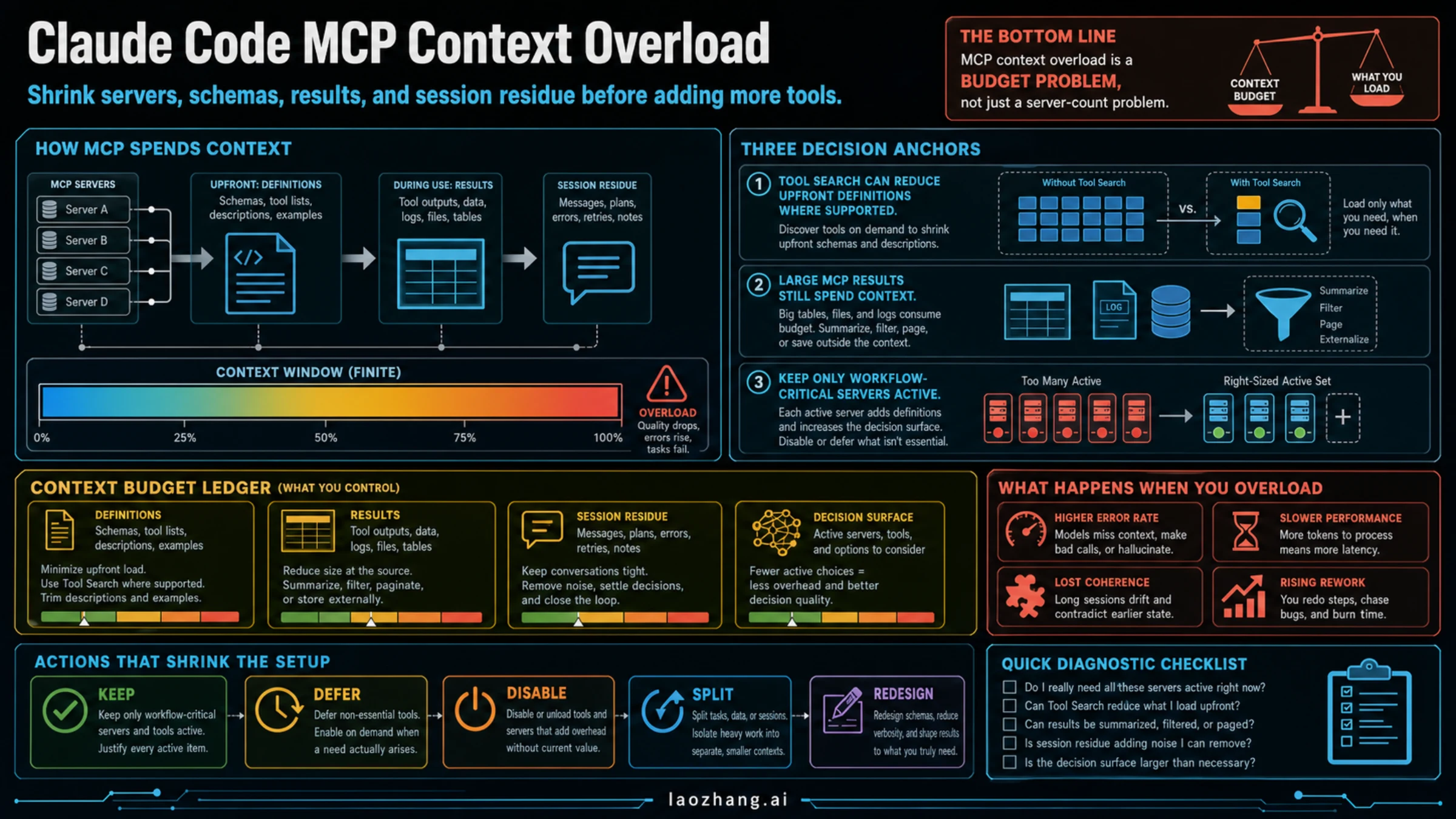
Too many MCP servers can make Claude Code feel slower because each integration adds a context cost: tool definitions, tool results, extra session residue, or more choices for the model to consider. Tool Search changes one part of that cost by deferring tool discovery and loading where supported, but it does not make irrelevant servers, large database dumps, verbose logs, or stale conversations free.
Current as of July 8, 2026: Claude Code documents Tool Search and MCP controls as enabled by default on supported paths, with only tool names and server instructions loaded at session start and used tools entering context later. The same docs still warn when MCP tool output exceeds 10,000 tokens and document a 25,000-token default max. If you use Google Cloud Agent Platform, an alternate ANTHROPIC_BASE_URL, a proxy, an unsupported model, or an alwaysLoad server, verify the behavior in your own setup before assuming Tool Search is protecting the context window.
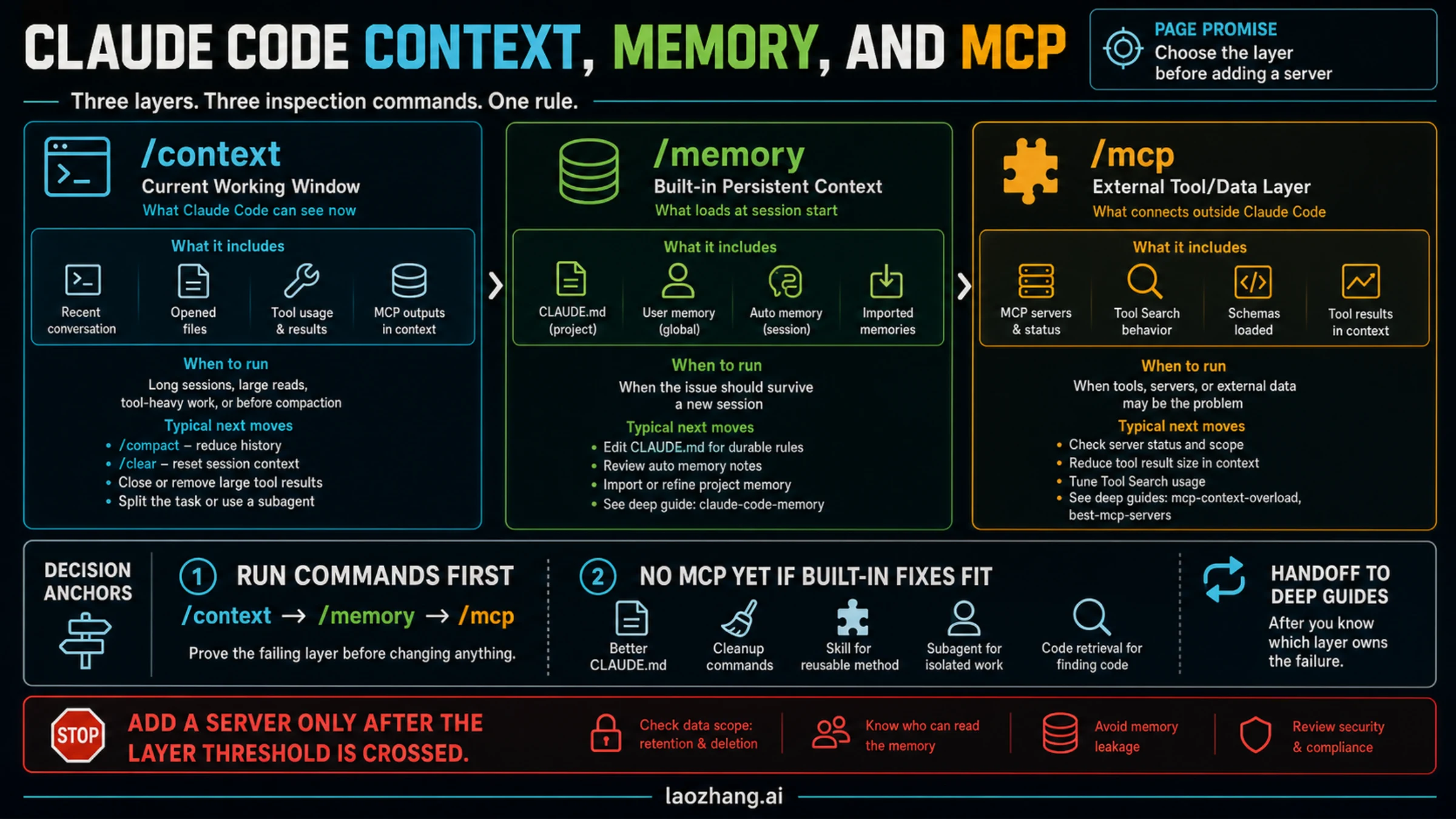
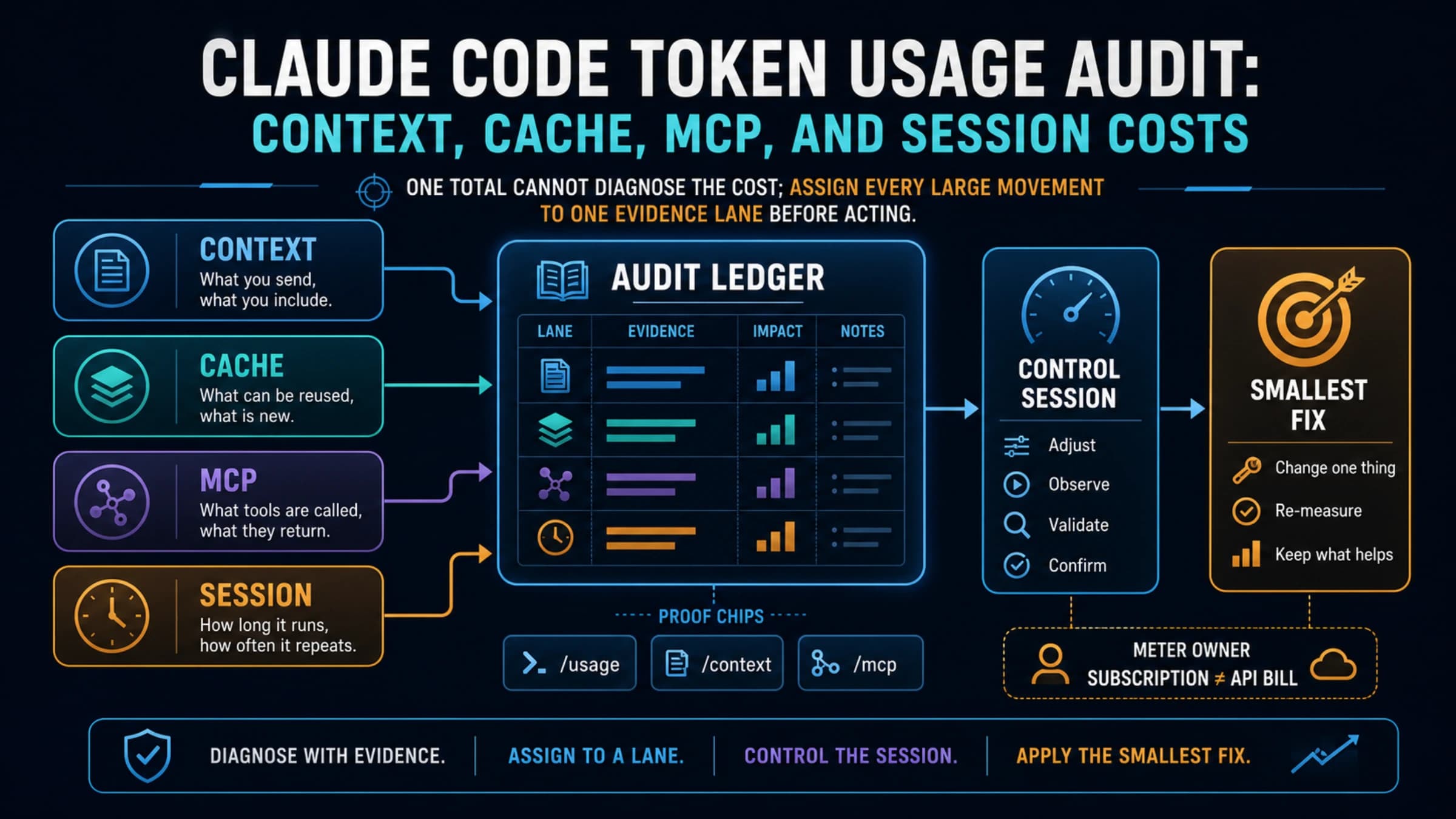
If the symptom is high CPU, memory pressure, hangs, search failures, or general slow performance rather than one obvious oversized tool call, run /doctor first. Then use /context to see where the window is going, /compact or /clear to recover the working thread, and claude --safe-mode to check whether a plugin, MCP server, or hook is causing the slowdown.
Start with a context budget ledger, not a server list:
| Cost | What it looks like | First fix |
|---|---|---|
| Definition load | Many tool names, descriptions, schemas, and examples are visible before work starts. | Use Tool Search where supported; disable or defer servers that do not own the current workflow. |
| Result load | Tables, logs, files, traces, or database rows flood the conversation after a tool call. | Summarize, filter, paginate, cap, or return file handles instead of raw dumps. |
| Session residue | Retries, errors, old plans, and abandoned branches stay in the working thread. | Close stale loops, summarize the current decision, or start a clean thread. |
| Decision surface | Several active servers expose similar tools, so Claude has more ways to choose badly. | Keep one owner per workflow; split or redesign broad custom servers. |
The first action is narrow: run /mcp, list the servers that are active for this task, and mark each one as keep, defer, disable, split, or redesign. If the missing piece is only a repeatable method, use a skill instead of another MCP server. If the missing piece is live external data or an action surface, keep only the MCP server that owns that workflow and compress what it returns.
Context Budget Ledger
MCP context overload starts with the fact that an MCP server is not just a name in a settings file. The Model Context Protocol tool specification defines tools with names, descriptions, input schemas, optional output schemas, and returned content. Depending on the client path and loading behavior, some of that tool definition material may become model-visible context before a tool is called.
That is the first cost, but it is not the only cost. Anthropic's engineering write-up on code execution with MCP separates two scaling problems that matter here: tool definitions and intermediate results. A cleaner tool list helps with the first problem. Smaller, better-shaped tool returns help with the second.
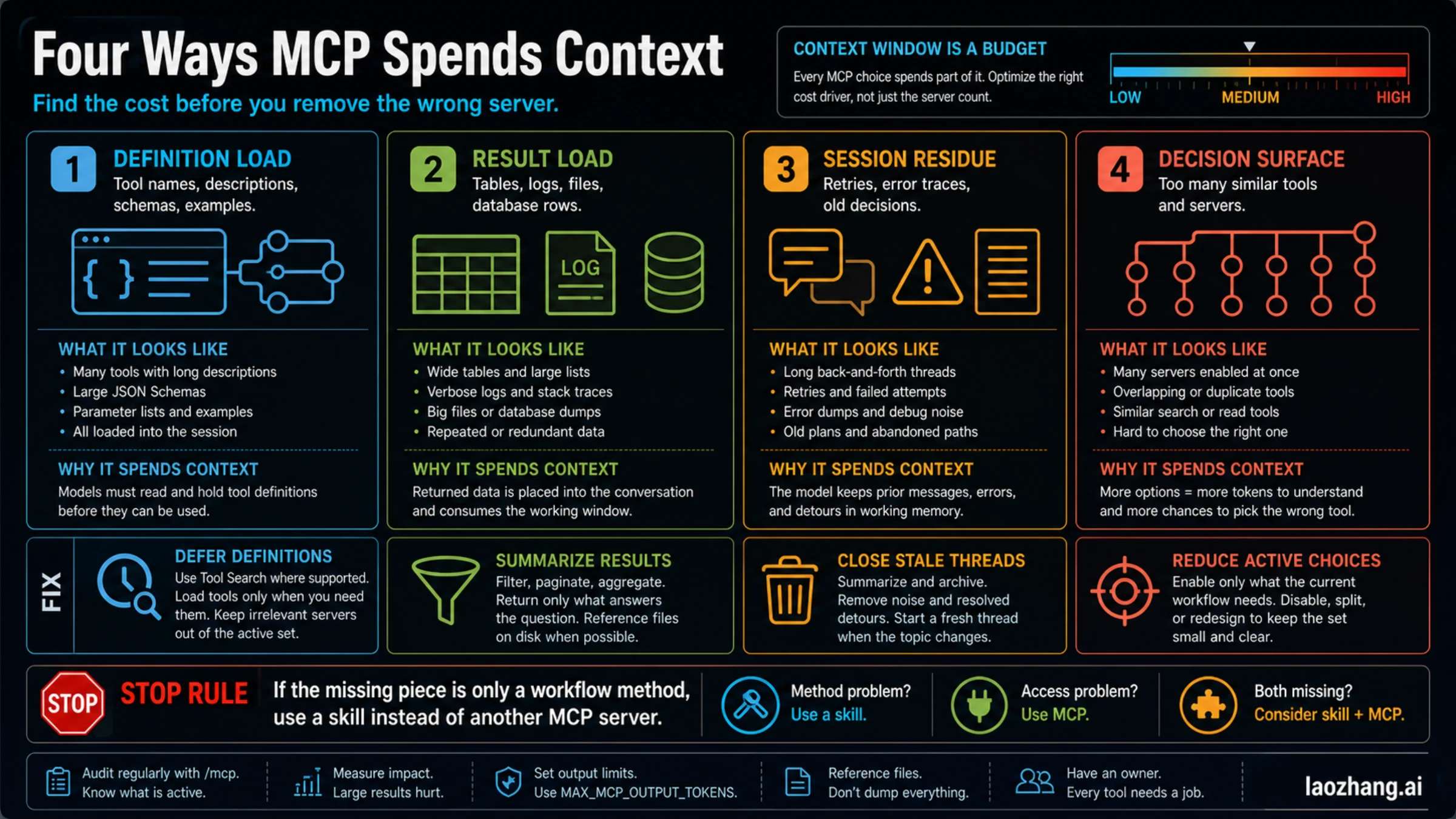
The mistake is treating all context pressure as "too many MCP servers." Sometimes that is true. A setup with twenty active servers and overlapping tools is probably too broad. But a single database MCP can also overload a thread if it returns 8,000 rows, verbose stack traces, or full documents when the question needed a count and three examples.
Use this quick diagnosis:
| If Claude Code feels... | Likely cost | What to inspect |
|---|---|---|
| slow before any external call | definition load or decision surface | /mcp, claude mcp list, duplicated tool names, broad descriptions |
| fine until one tool call, then confused | result load | output size, tables, logs, traces, files, raw database rows |
| worse after repeated fixes | session residue | old errors, abandoned plans, repeated tool calls, unresolved branches |
| unsure which tool to call | decision surface | overlapping servers, generic tool names, similar read/search/list actions |
This is why the best cleanup is not a dramatic purge. It is a budget pass. You want fewer active choices, smaller returned payloads, and clearer ownership for each external workflow.
Tool Search Helps, But Results Still Count
Tool Search is the current Claude Code feature that changes older advice about MCP context load. Current Claude Code docs describe Tool Search as enabled by default on supported paths: MCP tools are deferred rather than loaded into context upfront, while tool names and server instructions still load at session start.
That is useful, but it is not a blank check. Tool Search is mostly about discovery and definition load. Once Claude calls a tool, the returned data still enters the conversation and can consume the working context window. Anthropic's context-window docs are explicit about the basic model: the context window is working memory for the current interaction, and conversation turns accumulate inside it.
For cleanup, treat Tool Search as a definition-control feature first. It changes when Claude sees tool schemas; it does not decide whether a tool should return 20 rows, 2,000 rows, or a file handle.
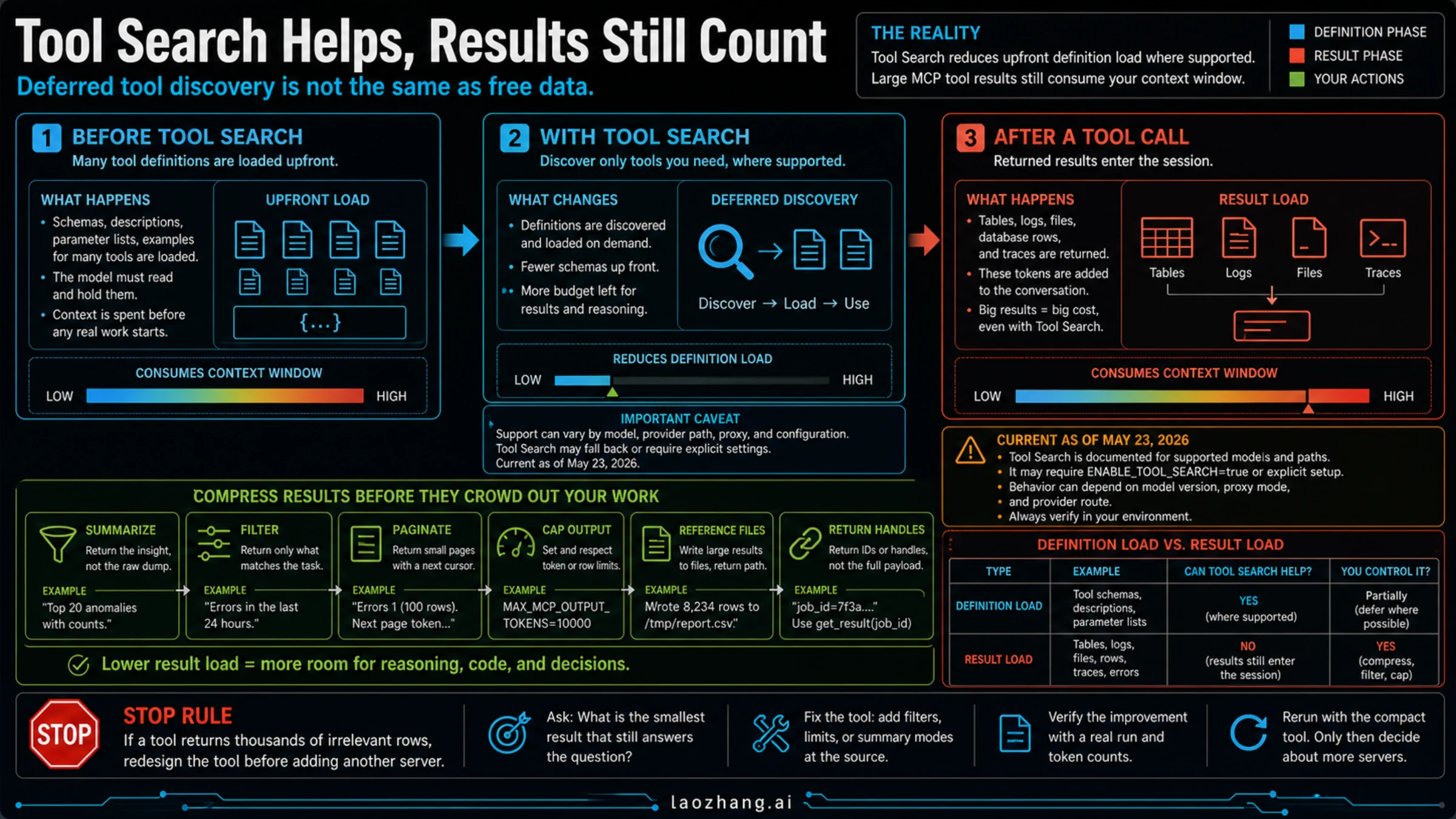
Keep three boundaries straight:
| Boundary | What Tool Search can help | What it does not fix |
|---|---|---|
| Upfront tool definitions | Discovering and loading only needed tools where supported | Bad tool names, vague descriptions, or too many similar workflow owners |
| Tool results | Nothing by itself | Large returned tables, logs, files, traces, and unfiltered API payloads |
| Session residue | Nothing by itself | Long back-and-forth threads, repeated retries, old errors, stale decisions |
There are also implementation caveats. Claude Code docs note provider and model path details around Tool Search, including Google Cloud Agent Platform defaults, non-first-party ANTHROPIC_BASE_URL behavior, ENABLE_TOOL_SEARCH, models that do not support tool_reference, and alwaysLoad servers that intentionally bypass deferral. If you are using an alternate provider route, do not reason from blog summaries. Check the behavior in the actual Claude Code environment you run.
The practical test is simple: after enabling or verifying Tool Search, do one real workflow and look at where the pain remains. If the session still degrades after a database call, log fetch, file search, or browser result, your next fix is output compression, not another Tool Search argument.
Keep, Defer, Disable, Split, Or Redesign
Once you know the cost, make a concrete decision for each server. Do not keep a server active because it may be useful someday. "Maybe useful" is how an MCP setup becomes a permanent context tax.
| Action | Use it when | Example |
|---|---|---|
| Keep | The server owns the current workflow and cannot be replaced by local files, memory, or a skill. | GitHub MCP during PR review, docs MCP during framework migration, observability MCP during incident work. |
| Defer | The server is valuable, but only for a later phase or rare branch. | Keep browser QA off until the UI fix is ready to verify. |
| Disable | The server does not help the current workflow or duplicates another active owner. | Two docs servers that both answer the same library questions. |
| Split | One server bundles unrelated workflows or exposes too many broad actions. | Separate read-only issue search from deployment or write actions. |
| Redesign | The server is yours and the tool shape creates large, vague, or noisy returns. | Replace a broad database dump tool with narrow query, filter, and summary tools. |
Use /mcp inside Claude Code to inspect configured servers. Use claude mcp list, claude mcp get, and claude mcp remove when you need a terminal-level pass over configured servers. The point is not just to make the list shorter. It is to make the active list explainable.
A server earns active space when you can finish this sentence: "For this task, this MCP server owns ____." If the blank is vague, the server is not a current owner. It is a possible future convenience, and possible future convenience should not sit in the main session by default.
That boundary matters. If you are still deciding which servers are worth installing first, use the workflow-first Best Claude Code MCP Servers guide. The cleanup path here assumes the setup already grew too broad and you need to shrink it.
Compress Tool Output Before It Enters The Conversation
After Tool Search, output compression often matters more than server count. A single high-volume tool call can do more damage than several quiet servers.
Claude Code documents warnings for MCP outputs above 10,000 tokens and a default maximum output limit of 25,000 tokens controlled by MAX_MCP_OUTPUT_TOKENS. It also gives server authors an anthropic/maxResultSizeChars annotation and recommends pagination for large results. Treat those controls as guardrails, not as the design goal. The best output is not "barely under the limit." The best output is the smallest answer that still lets Claude make the next decision.
Use these output rules:
| Rule | Bad return shape | Better return shape |
|---|---|---|
| Summarize first | full log stream | top anomalies, counts, and three example lines |
| Filter at the source | every row in a table | rows matching service, time range, status, or owner |
| Paginate | one giant response | first batch plus next_cursor |
| Cap by default | unlimited files or matches | limit: 20 with explicit override |
| Return handles | full file contents or full dataset | file path, object id, job id, or stored result handle |
| Separate preview from deep dive | raw payload immediately | summary first, raw fetch only when requested |
For tool users, this means asking tighter questions. Instead of "read the database," ask for "top 20 errors in the last 24 hours, grouped by service, with a count and one sample trace each." Instead of "show logs," ask for "only failed deployment logs after timestamp X, with unrelated health checks omitted."
For server authors, it means designing tools that make the compact path natural. A tool that defaults to raw output invites context overload. A tool that defaults to summary, filter, limit, and cursor gives Claude more room to reason.
The API-level MCP connector also matters here. Anthropic's MCP connector docs include toolset controls such as enabling, allowlisting, denylisting, and deferred loading. If you are building an agent outside the interactive Claude Code client, those controls are direct compression levers.
Design Compact MCP Servers
If you control the MCP server, the highest-leverage fix is not toggling it. It is redesigning what the model sees.
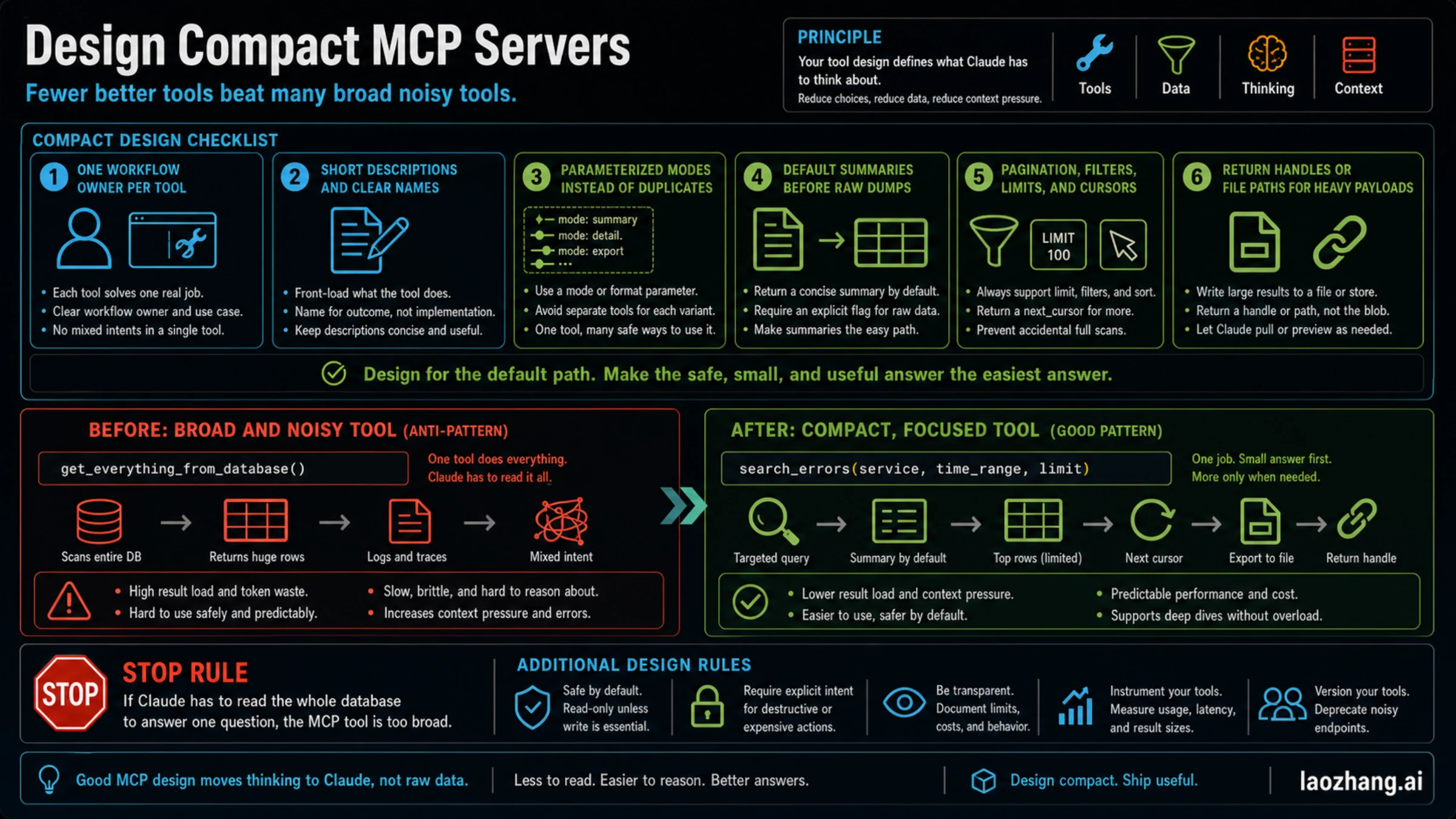
A compact MCP server has fewer, clearer tools. Each tool has a workflow owner, short description, bounded output, safe default behavior, and a way to fetch more only when the user actually needs more.
Use this checklist:
- Give each tool one job. Avoid a tool that reads issues, logs, metrics, files, and deployments in one call.
- Name the outcome, not the implementation.
search_recent_errorsis better thanquery_system. - Keep descriptions short and discriminating. A description should help Claude choose the tool, not document your whole backend.
- Use parameters for modes instead of duplicating similar tools.
mode: "summary" | "detail" | "export"is often cleaner than three overlapping tools. - Make summaries the default. Require an explicit parameter for raw output.
- Always support filters, limits, pagination, or cursors on high-volume data.
- Return file paths, ids, or handles when the payload is too large for the conversation.
- Mark destructive or expensive actions clearly and keep read-only exploration separate from writes.
The before and after can be as simple as this:
| Broad tool | Compact tool |
|---|---|
get_everything_from_database() | search_errors(service, time_range, limit) |
| returns rows, logs, traces, and unrelated metadata | returns summary, top rows, and next_cursor |
| one call creates a huge context dump | one call answers the question and offers a next step |
The stop rule is blunt: if Claude has to read the whole database to answer one question, the MCP tool is too broad. Do not solve that by adding another server. Fix the tool shape.
Move Heavy Work Out Of The Main Thread
Sometimes the right answer is not "less MCP." It is "less MCP in the main thread."
Claude Code subagents can help when exploratory work would otherwise pollute the main conversation. A focused subagent can inspect noisy data, run a branch investigation, and return a compact summary. That preserves the main thread for the decision that matters.
The caution is tool inheritance. The subagents docs warn that omitted tool fields can inherit broad access. A subagent that inherits every tool is not automatically a compression boundary. Give exploratory agents only the tools they need and ask them to return findings, not raw payloads.
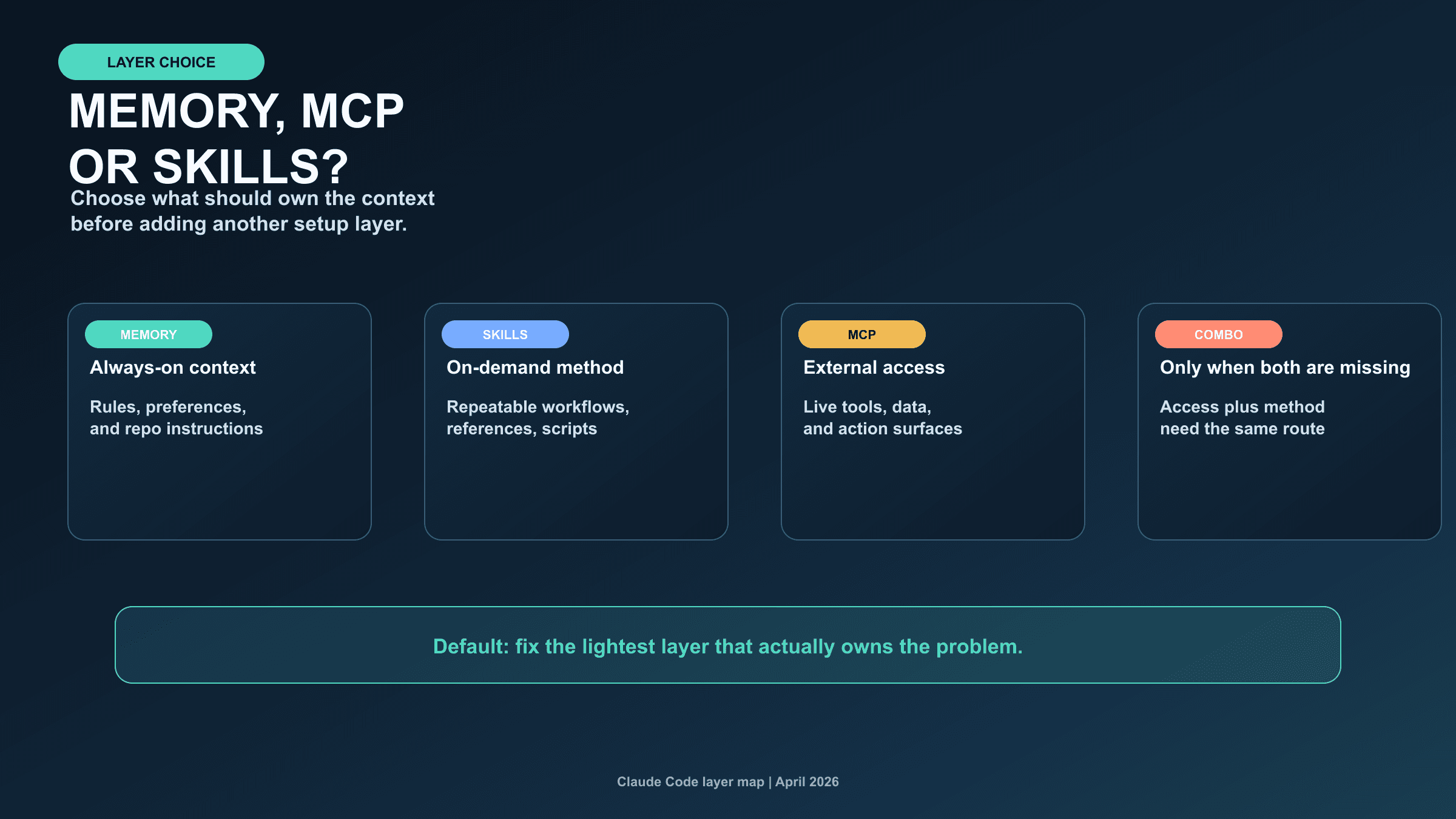
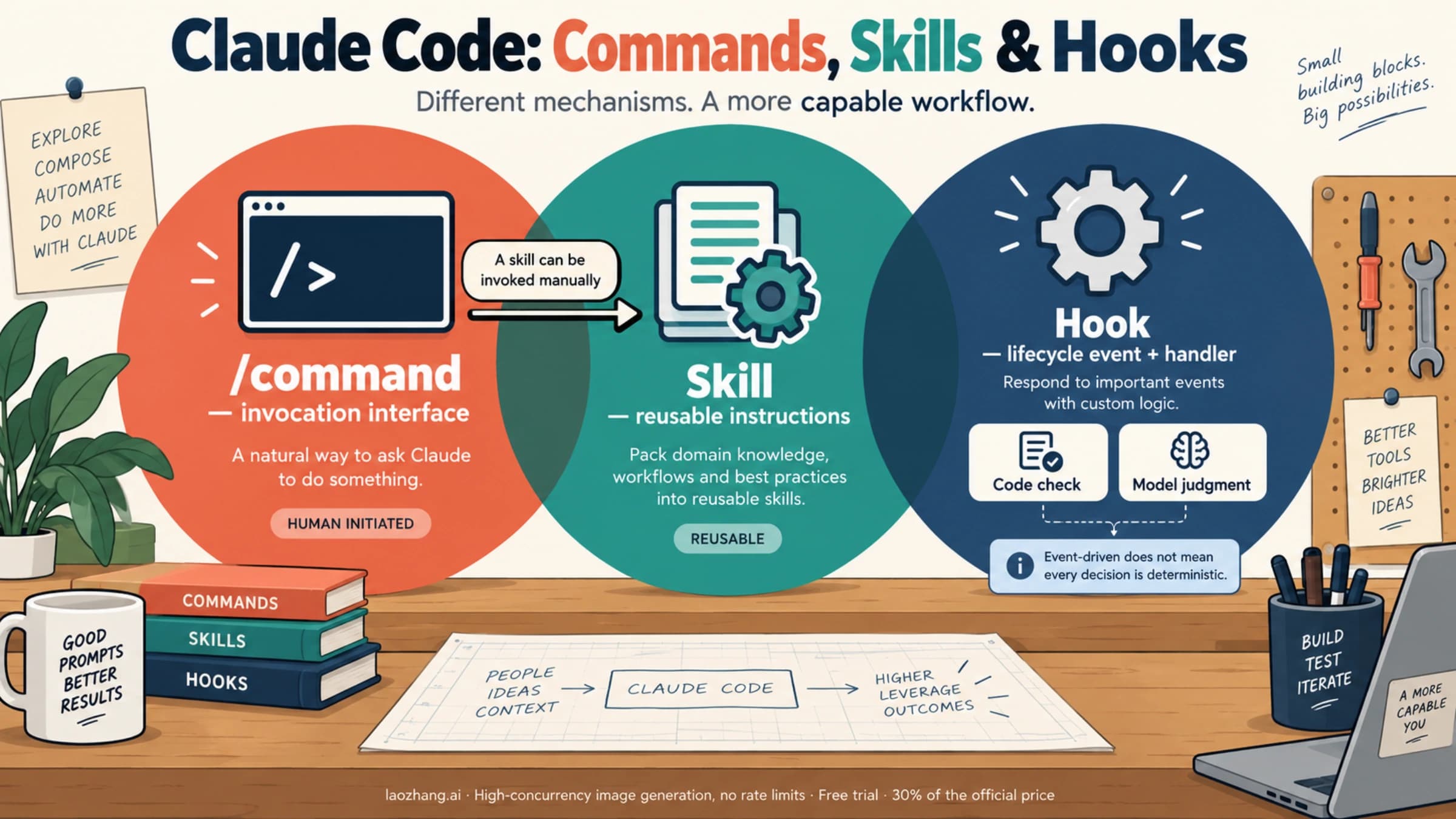
Skills are another compression route, but they solve a different problem. If the missing piece is a repeatable method, use a skill. If the missing piece is external data or an action surface, use MCP. If both are missing, combine them intentionally. The deeper layer-choice map is in Claude Code Memory vs MCP vs Skills, and the dedicated workflow catalog is in Best Claude Code Skills.
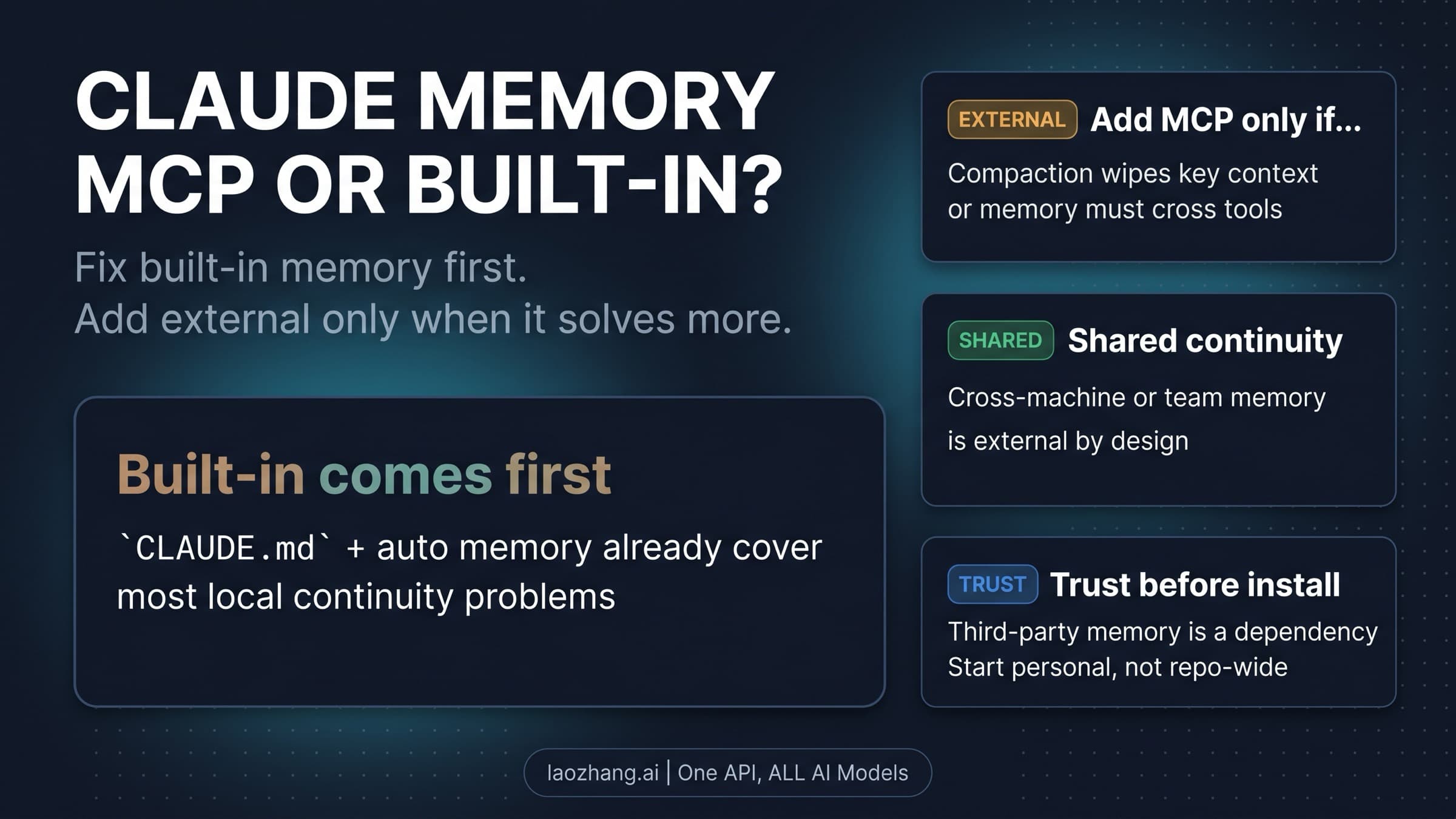
There is also plain context hygiene. When a session has accumulated old plans, failed branches, and irrelevant outputs, summarize the current decision and start a fresh thread. If a rule must persist across sessions, put it in the right memory surface instead of relying on a long transcript. The Claude Code Memory guide covers that always-on layer.
A 20-Minute MCP Cleanup Pass
Use this when Claude Code feels slower, more confused, or prematurely context-heavy after you added several MCP servers.
- Run
/mcpand write down the active servers. - For the current task, assign every server one label: keep, defer, disable, split, or redesign.
- Remove or defer anything without a current workflow owner.
- Run the same task again and watch whether pain appears before tool calls or after tool calls.
- If pain appears before tool calls, inspect definitions, duplicated tool names, broad descriptions, and Tool Search support.
- If pain appears after tool calls, inspect output volume and redesign the tool return shape.
- If pain appears after many retries or auto-compaction starts thrashing, summarize the current state and start a clean thread.
- If the missing piece is method, write or use a skill instead of adding a server.
The useful metric is not the total number of configured servers. It is the number of active, relevant choices Claude must consider for the current job, plus the size of data you let tool calls return into the conversation.
FAQ
Does Tool Search solve Claude Code MCP context overload?
No. Tool Search can reduce upfront tool-definition load where supported, which is valuable. It does not remove the context cost of large tool results, stale conversation history, duplicated active servers, or broad custom tool design.
Why is Claude Code slow after I add MCP servers?
First separate startup or pre-call slowness from post-call slowness. Pre-call pain usually points to active server choice, tool definitions, duplicate names, unsupported Tool Search, plugins, hooks, or local environment pressure; run /doctor, inspect /context, and retry with claude --safe-mode. Post-call pain usually points to oversized tool output, so compress, paginate, filter, or return handles before the result enters the conversation.
How many MCP servers should I enable in Claude Code?
There is no universal number. Enable the servers that own the current workflow and disable or defer the rest. A small setup with one high-volume database dump can still overload context, while a few quiet, clearly owned servers may be fine.
What should I do when MCP tool output is huge?
Compress at the source. Ask for summaries, filters, pagination, limits, file references, or handles. For custom servers, make the compact return the default and require explicit parameters for raw data.
Should I use a skill instead of MCP?
Use a skill when the missing piece is method: a repeatable workflow, checklist, reference bundle, or script sequence. Use MCP when Claude needs external access. If the workflow needs both, let MCP provide reach and the skill provide the operating method.
How do I design a compact MCP server?
Expose fewer tools with clearer owners, shorter descriptions, bounded outputs, filters, limits, and cursors. Return summaries first and handles for heavy payloads. Avoid broad tools that return everything just because they can.
Is disabling all MCP servers the safest fix?
No. Disabling everything is only a diagnostic move. The better long-term fix is a compact active set: keep workflow-critical access, defer or remove nonessential servers, and redesign tools that return too much data.
Claude Code MCP context overload is fixable when you stop treating it as a popularity contest for integrations. Budget the context window. Keep only the access that owns the current workflow. Compress results before they enter the conversation. Move method into skills and heavy exploration into focused contexts. The smallest useful MCP setup is usually the one Claude can reason with best.
Sources6
External pages this guide links to, in the order they appear. Last updated Jul 8, 2026.
Sources6
External pages this guide links to, in the order they appear. Last updated Jul 8, 2026.
- 1.Tool Search and MCP controlscode.claude.com/docs/en/mcp
- 2.Model Context Protocol tool specificationmodelcontextprotocol.io/specification/2025-06-18/server/tools
- 3.code execution with MCPanthropic.com/engineering/code-execution-with-mcp
- 4.context-window docsplatform.claude.com/docs/en/build-with-claude/context-windows
- 5.MCP connector docsplatform.claude.com/docs/en/agents-and-tools/mcp-connector
- 6.subagentscode.claude.com/docs/en/sub-agents