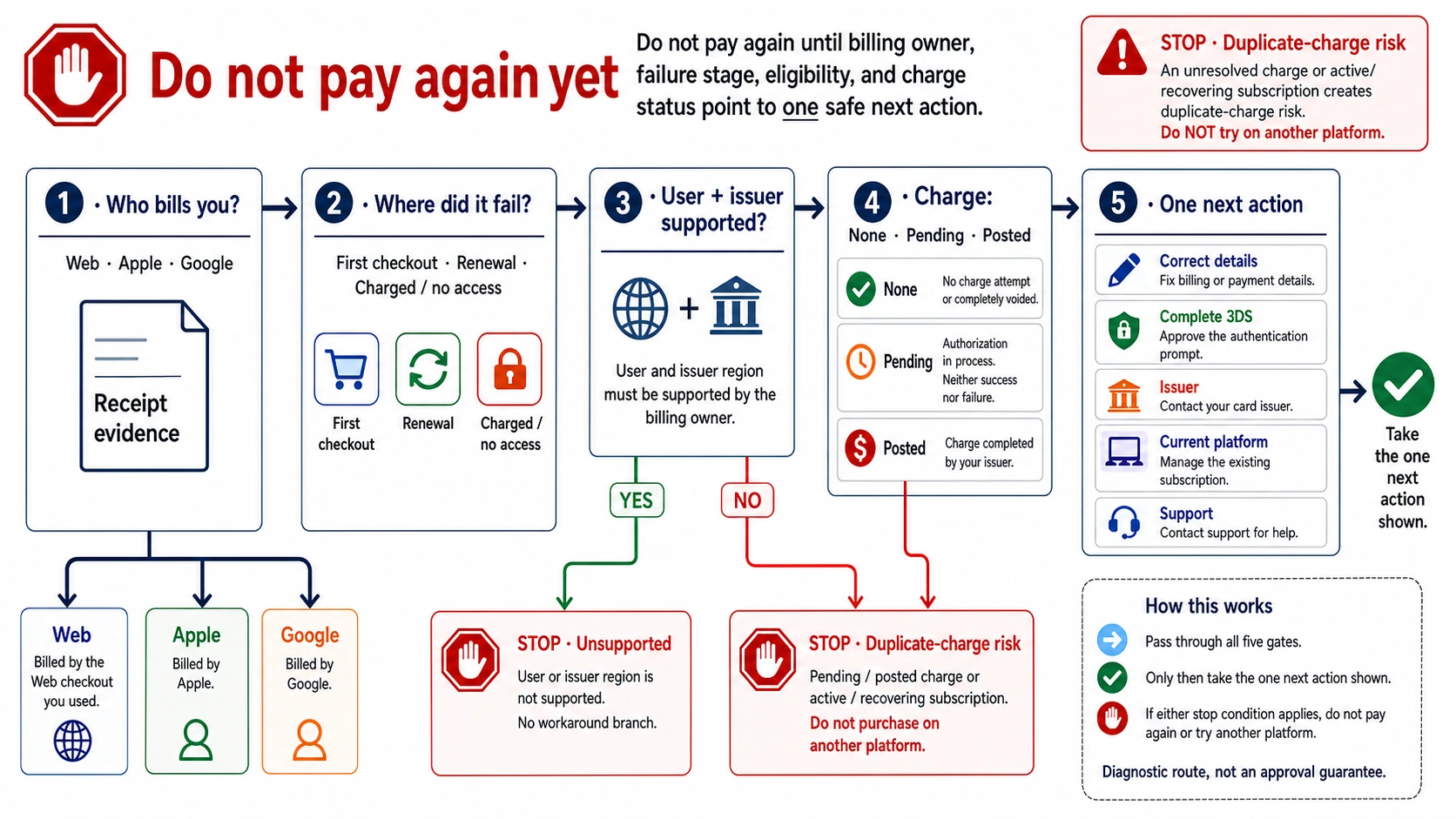
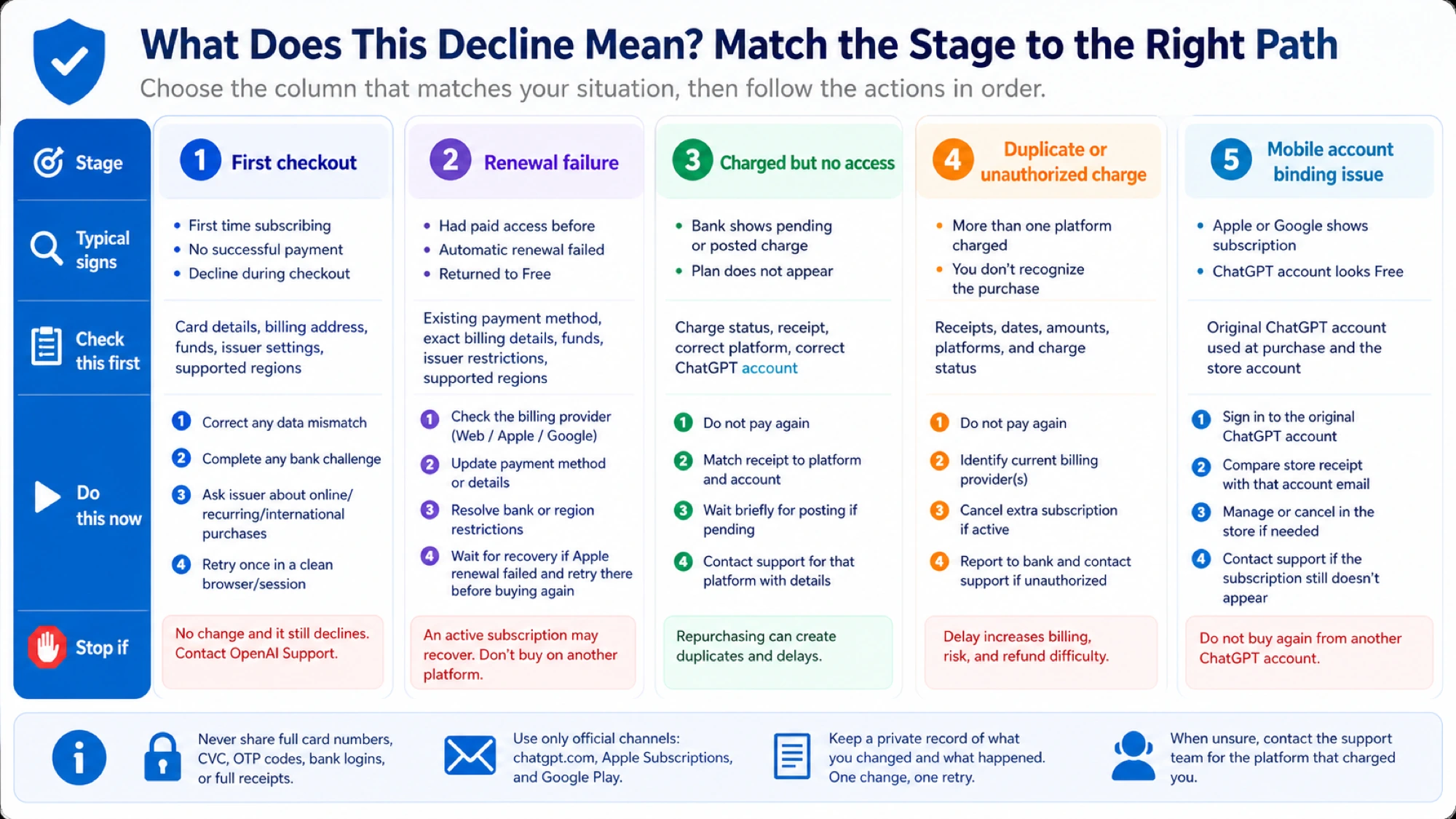
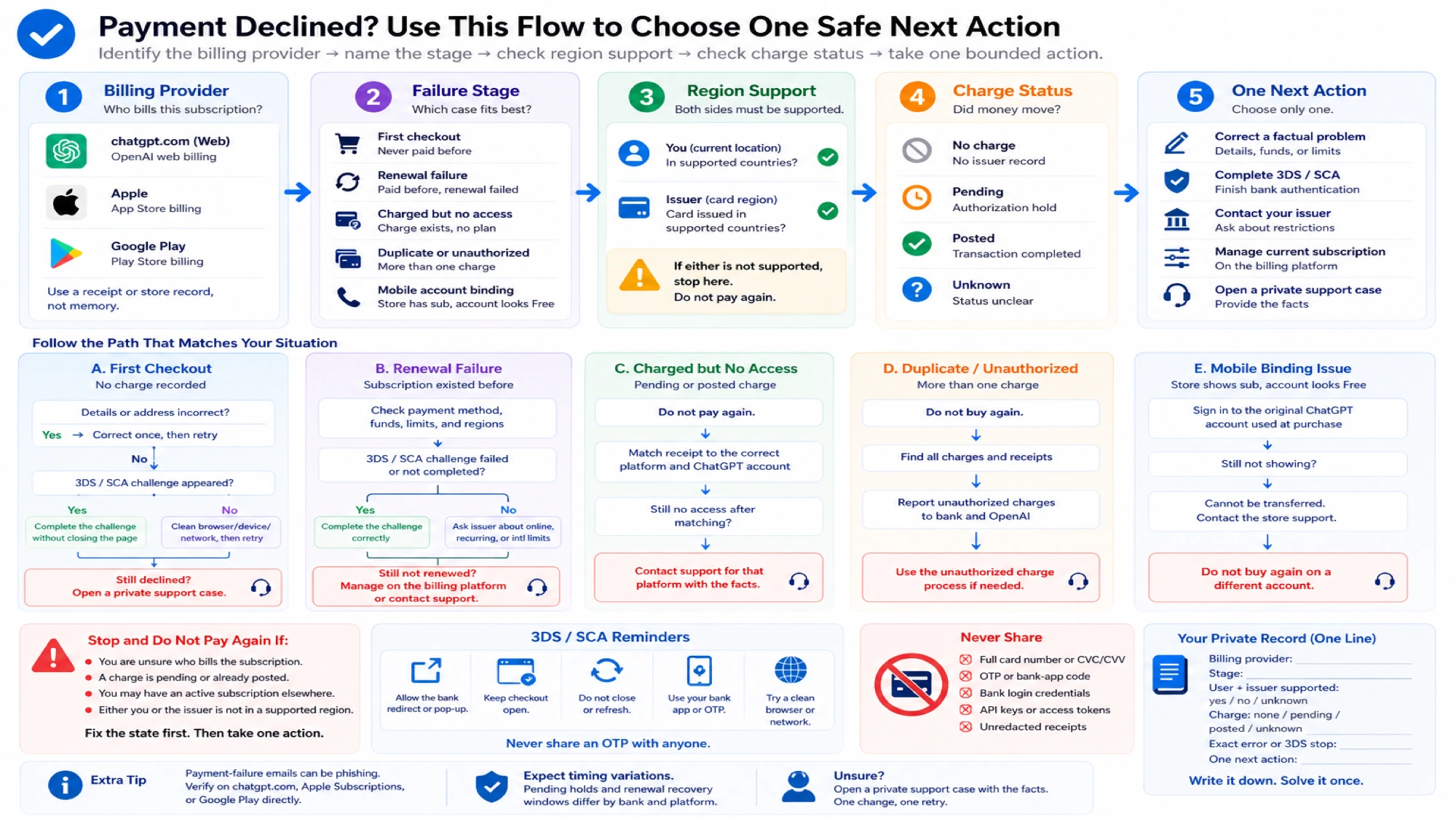
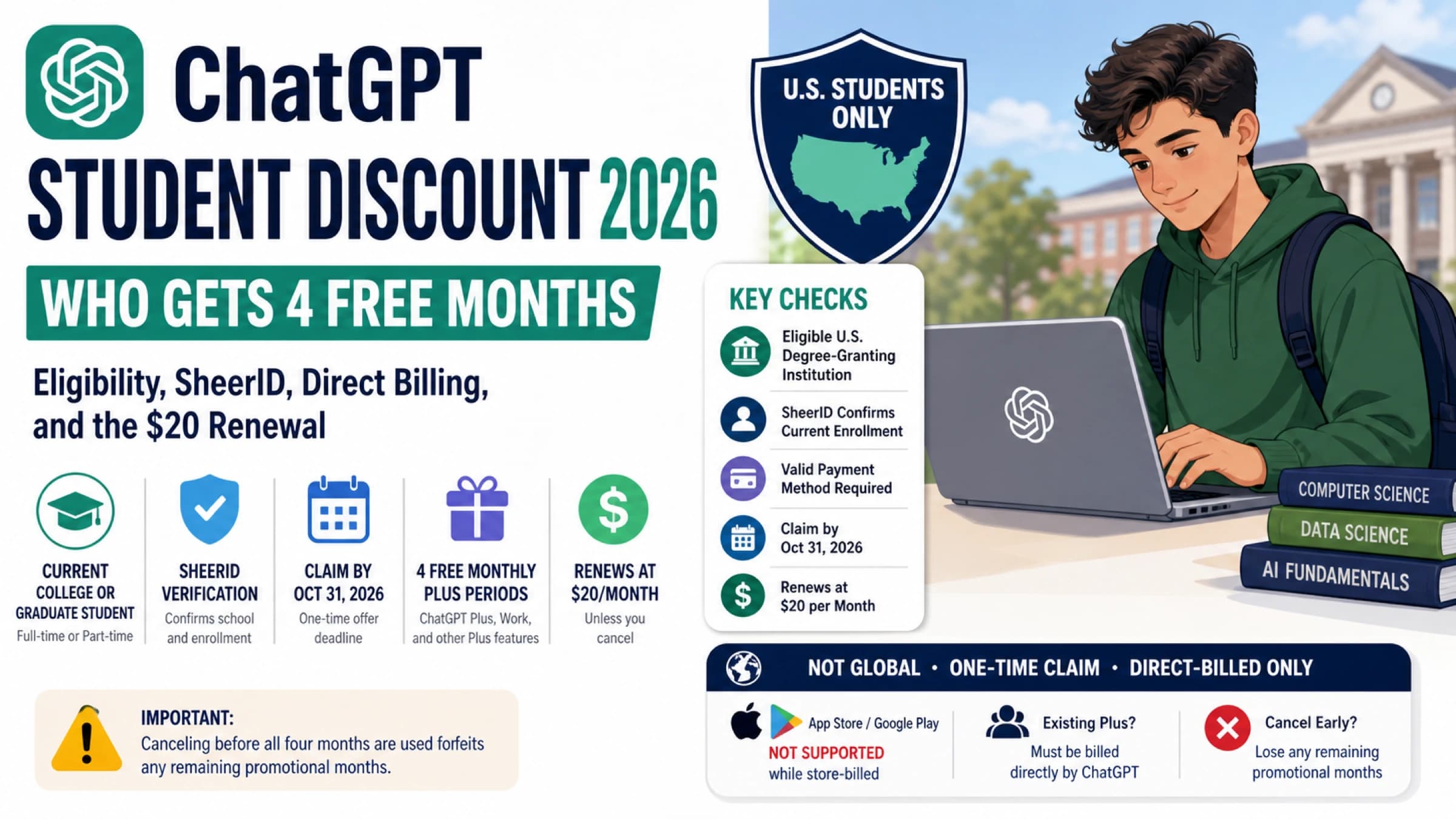
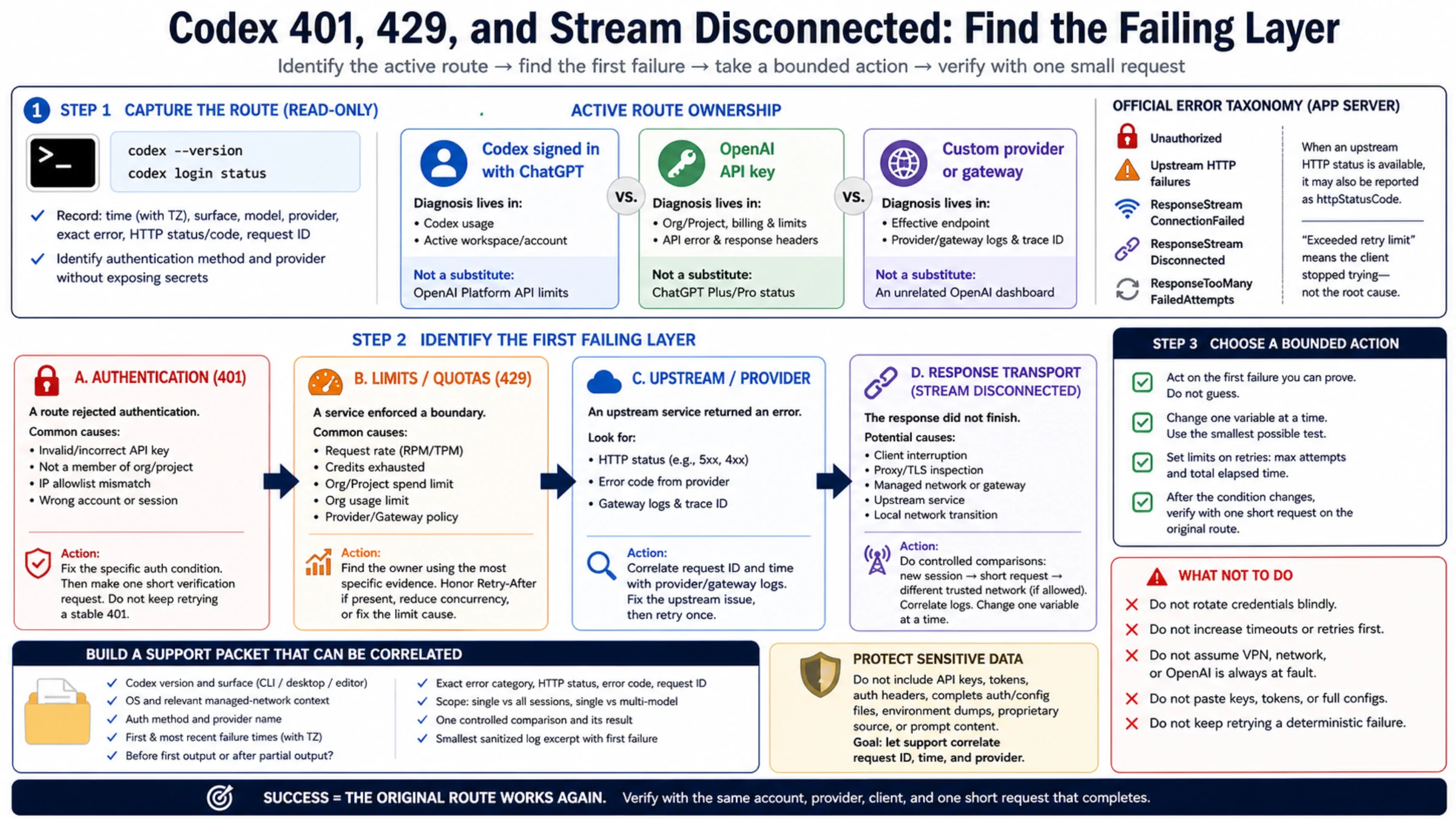
ChatGPT payments get declined primarily for three reasons: your bank blocking the international transaction to Stripe (OpenAI's payment processor), your card being issued in an unsupported region, or a 3D Secure authentication failure. According to community reports, roughly 34% of international users encounter payment issues when subscribing to ChatGPT Plus or Pro. The quickest fix is trying incognito mode with a credit card (not debit), which resolves the issue for most users. If that doesn't work, this guide covers every error type with targeted solutions, including the new ChatGPT Go plan at $8/month as a lower-cost alternative.
TL;DR
Getting your ChatGPT payment declined is frustrating, especially when you need access for work or study. The good news is that almost every payment failure has a specific fix, and most can be resolved in under five minutes. The most common cause is your bank flagging the international charge to Stripe, which processes all OpenAI payments from the United States. Credit cards succeed about 78% of the time compared to just 61% for debit cards, so switching card types alone often resolves the issue. If your card keeps failing, try purchasing through the ChatGPT mobile app using Apple Pay or Google Pay, which bypasses traditional card processing entirely and has an 83% success rate according to community data. For users in regions with low payment success rates, virtual cards from providers like Wise or Revolut offer the highest success rate at approximately 89%. OpenAI also introduced the ChatGPT Go plan at $8/month (openai.com/chatgpt/pricing, February 2026), which provides a more affordable entry point that may face fewer bank friction points due to the lower charge amount. If you need API access rather than a ChatGPT subscription, API aggregators like laozhang.ai accept a wider range of payment methods and eliminate the direct OpenAI billing complexity entirely.
Why ChatGPT Keeps Declining Your Payment

Understanding why your payment failed is the critical first step to fixing it, because different error types require completely different solutions. OpenAI processes all payments through Stripe, one of the world's largest payment processors headquartered in San Francisco. When you enter your card details on ChatGPT's subscription page, the transaction travels from your browser to Stripe's servers, then to your card network (Visa, Mastercard, or others), then to your issuing bank, and finally back through the same chain. A failure at any point in this chain results in a declined payment, but the error message you see rarely tells you exactly where the breakdown occurred.
The first and most common failure category is a bank-side decline, which accounts for the majority of all ChatGPT payment failures. Your bank sees an international charge from "OPENAI" or "STRIPE" originating in the United States, and its fraud detection system flags it as potentially unauthorized. This is especially common with cards from banks in Asia, Latin America, and the Middle East, where international online transactions face stricter scrutiny. The typical error message is simply "Your card has been declined" with no additional context, which makes it particularly confusing because the issue isn't with your card itself but with your bank's risk assessment of the specific transaction.
The second category involves 3D Secure authentication failures, which appear as "authentication_required" or "authentication failed" errors. 3D Secure is a security protocol that requires your bank to send you a one-time verification code via SMS or app notification before approving the transaction. The problem arises when Stripe requests 3D Secure verification but your bank either doesn't support it, sends the code to an outdated phone number, or the verification page times out before you can complete it. This is particularly common with banks in the European Union, where Strong Customer Authentication regulations make 3D Secure mandatory for most online purchases.
The third category is region-based restrictions. OpenAI officially supports ChatGPT subscriptions in approximately 89 countries (help.openai.com, February 2026), but Stripe's payment processing is available in 164 countries. This gap means users in dozens of countries can access the free version of ChatGPT but cannot pay for premium features through normal channels. If your billing address is in an unsupported region, you'll typically see errors like "This payment method is not available in your region" or a generic decline message after entering your card details.
The fourth category is card type restrictions. OpenAI's payment system through Stripe accepts most major credit cards but has notable limitations with certain card types. Prepaid cards generally cannot be used for API credits according to OpenAI's official help documentation (help.openai.com). Some virtual debit cards and corporate cards with spending restrictions also face higher decline rates. The error message for these cases is often identical to a standard decline, making it hard to diagnose without trying a different card type.
The fifth category covers technical and browser-related failures, which include cached payment form data causing conflicts, browser extensions interfering with Stripe's JavaScript, VPN or proxy connections triggering Stripe's fraud detection, and expired browser sessions. These are actually the easiest to fix because they don't involve your bank or card at all, just your local browsing environment.
| Error Message | Likely Cause | Quick Fix |
|---|---|---|
| "Your card has been declined" | Bank fraud block | Call bank to approve, or try incognito mode |
| "Authentication required" / "Authentication failed" | 3D Secure failure | Update phone number with bank, use a different browser |
| "Payment method not available in your region" | Region restriction | Use a virtual card with a supported billing address |
| "Card not supported" | Prepaid or unsupported card type | Switch to a major credit card (Visa/Mastercard) |
| "Something went wrong" / "Try again later" | Technical/browser issue | Clear cache, use incognito mode, disable VPN |
Quick Fixes That Work in Under 5 Minutes
Before diving into complex solutions, try these proven quick fixes that resolve the majority of ChatGPT payment failures. These work because they address the most common root causes without requiring you to contact your bank or set up new payment methods, and each one can be completed in less than five minutes.
The incognito mode fix is the single most effective quick solution and should be your first attempt. Open a new incognito or private browsing window (Ctrl+Shift+N in Chrome, Cmd+Shift+N on Mac), navigate to chat.openai.com, log into your account, and attempt the payment again. This works because incognito mode eliminates cached payment data, disables browser extensions that might interfere with Stripe's checkout JavaScript, and removes any cookies that could be causing session conflicts. Community reports suggest this alone fixes roughly 20-30% of payment failures, particularly those caused by ad blockers, privacy extensions, or corrupted cached data from previous failed attempts.
The address verification fix targets the second most common quick-fix scenario. Stripe verifies your billing address against what your bank has on file, and even minor discrepancies can trigger a decline. Go to your ChatGPT account settings, navigate to the billing section, and ensure your billing address matches exactly what your bank has recorded, including apartment numbers, zip codes, and the correct country. Pay particular attention to the formatting: some banks store addresses differently than how you might type them (e.g., "Apt 4B" vs "Apartment 4B" vs "#4B"). If you recently moved and updated your address with your bank, it can take several business days for the change to propagate to the card network's verification system.
The bank pre-approval approach works for the subset of failures caused by fraud detection. Call your bank's customer service number (typically on the back of your card) and tell them you're about to make an international online purchase from "OpenAI" or "Stripe" in the United States. Most banks can add a temporary authorization note to your account that tells their fraud system to approve the next transaction matching that description. Some banks even allow you to do this through their mobile app under a "travel notification" or "international transaction" setting. After notifying your bank, wait at least 15 minutes before retrying the payment to ensure the authorization has propagated through their system.
The mobile app purchase method bypasses traditional card processing entirely and has the highest quick-fix success rate. Download the official ChatGPT app from the Apple App Store or Google Play Store, log into your account, and subscribe through the in-app purchase flow. When you pay through the App Store or Google Play, Apple or Google processes the payment using your stored payment method, which means the transaction goes through their payment infrastructure rather than directly through Stripe. This means your bank sees a charge from Apple or Google (which it's likely already familiar with) rather than from an unfamiliar international merchant. The success rate for mobile app purchases is approximately 83% according to community reports, compared to 78% for direct credit card payments on the web. The trade-off is that Apple and Google take a commission, but OpenAI absorbs this cost so the subscription price remains the same for you.
The card switching strategy is straightforward but effective: if one card fails, try another. Specifically, switch from a debit card to a credit card if possible, because credit cards have significantly higher approval rates for international online transactions. If you have cards from multiple banks, try each one because different banks have different risk thresholds for international transactions. Visa and Mastercard generally have the highest acceptance rates with Stripe, followed by American Express. Some users report success with switching between personal and business cards, as business cards often have higher international transaction limits and less aggressive fraud detection.
The timing and retry strategy is a less obvious but surprisingly effective approach. Payment processing infrastructure experiences variable load throughout the day, and Stripe's risk scoring algorithms also factor in temporal patterns. If your payment was declined during peak hours (typically 9 AM to 5 PM in your time zone), try again during off-peak hours when both Stripe's systems and your bank's fraud detection operate under less load. Additionally, some users report that waiting 24-48 hours after a failed payment attempt before retrying with the same card can make a difference, because repeated rapid attempts on the same card can escalate the risk score in Stripe's system, making each subsequent attempt more likely to be declined. If you've already tried multiple times within a short period, pause for a day before trying again with a fresh incognito session.
Region-Specific Payment Solutions

Payment success rates vary dramatically by region, and understanding your region's specific challenges can save you hours of troubleshooting the wrong solutions. Users in North America and Western Europe face the fewest payment issues, while users in South Asia, Africa, and the Middle East encounter the most friction. The data below is based on community reports and payment processor analysis, and while not officially published by OpenAI, it reflects patterns consistently reported across forums, Reddit, and support communities throughout 2025 and into 2026.
For users in North America (United States and Canada), the payment success rate sits at approximately 95%, the highest globally. The few failures that occur are almost always caused by insufficient funds, expired cards, or overly aggressive fraud alerts on new accounts. If you're in this region and experiencing a decline, the incognito mode fix or a quick call to your bank will resolve almost every case. Make sure your billing address matches your bank records exactly, as the Address Verification System (AVS) is particularly strict for US-based transactions.
United Kingdom and Western Europe users enjoy an 84-91% success rate, but face a unique challenge: the EU's Strong Customer Authentication (SCA) regulation requires 3D Secure verification for most online transactions. If your payment fails with an "authentication" error, check that your bank has your current mobile phone number for sending verification codes. Some European banks also have online banking portals where you can approve pending transactions manually. Users in Germany and France report slightly lower success rates due to local banking regulations that add an extra verification layer for international transactions.
For Japan and South Korea (approximately 79% success rate), the main issue is that many local banks issue cards that are configured primarily for domestic use. Japanese users with cards from local banks like Sumitomo Mitsui or Mizuho often need to contact their bank to enable international online transactions, which is sometimes a separate setting from in-person international purchases. Korean users report that cards from Shinhan, Hana, and Woori generally work better than those from smaller regional banks. Both countries have strong Apple Pay adoption, making the mobile app purchase method particularly effective.
Latin America (68% success rate) and Southeast Asia (64% success rate) face moderate challenges primarily related to currency conversion and international transaction limits. Many banks in these regions set low default limits for international online purchases, sometimes as low as $10-50 per transaction. Users in Brazil, Mexico, Indonesia, and the Philippines often find success by requesting their bank to temporarily increase their international transaction limit. Virtual cards from international fintech providers like Wise (formerly TransferWise) work particularly well in these regions because they provide a card with a US or EU billing address.
Eastern Europe (58% success rate), the Middle East (51%), Africa (43%), and South Asia (38%) face the most significant payment challenges. In these regions, the combination of strict capital controls, limited international banking infrastructure, and higher fraud rates creates a perfect storm of payment difficulties. For users in these regions, the direct credit card approach is often the least effective option. Instead, the recommended path is to use a virtual card from an international provider or purchase through the mobile app. For developers and technical users in these regions who primarily need API access, API aggregator platforms like laozhang.ai (docs.laozhang.ai) can provide access to ChatGPT's models through alternative payment channels, eliminating the need to navigate OpenAI's direct billing system entirely.
| Region | Success Rate | Primary Issue | Best Solution |
|---|---|---|---|
| USA / Canada | ~95% | Fraud alerts | Call bank to approve |
| UK | ~91% | 3D Secure timeout | Update bank phone number |
| Western Europe | ~84% | SCA regulation | Complete 3D Secure in bank app |
| Japan / Korea | ~79% | Domestic-only cards | Enable international transactions |
| Latin America | ~68% | Low intl. limits | Increase bank limit or use Wise |
| Southeast Asia | ~64% | Currency conversion | Virtual card with USD account |
| Eastern Europe | ~58% | Banking restrictions | Virtual card (Wise/Revolut) |
| Middle East | ~51% | Capital controls | Apple Pay via mobile app |
| Africa | ~43% | Limited infrastructure | Virtual card or gift card |
| South Asia | ~38% | Multiple barriers | Virtual card + mobile app |
Alternative Payment Methods That Actually Work

When your regular card keeps failing, these alternative payment methods offer proven paths to successfully subscribing to ChatGPT. Each method has different trade-offs in terms of setup time, cost, and availability, so choose based on your specific situation and how urgently you need access.
Apple Pay and Google Pay offer the fastest alternative for users who already have these set up on their devices. As discussed in the quick fixes section, purchasing through the ChatGPT mobile app routes the payment through Apple or Google's payment infrastructure rather than directly through Stripe, which dramatically reduces bank-side declines. To use this method, simply download the ChatGPT app, go to Settings, tap on your subscription option, and complete the purchase using Face ID, Touch ID, or your Google account credentials. The success rate is approximately 83%, and the entire process takes less than two minutes if you already have a payment method linked to your Apple or Google account.
Virtual cards represent the highest success rate option at approximately 89% and are the recommended solution for users in regions with low direct payment success rates. A virtual card is a digital card number issued by a fintech company that functions like a regular Visa or Mastercard but exists only online. The key providers worth considering are Wise (available in 60+ countries, issues a multi-currency debit card with a US billing address option), Revolut (available in 35+ countries, offers instant virtual cards), and Privacy.com (US-only, specifically designed for online subscriptions). The setup process typically takes 15-30 minutes: you create an account, verify your identity, fund the card via local bank transfer, and then use the virtual card number on ChatGPT's payment page. The advantage is that these international fintech cards are specifically designed for cross-border online transactions and face far fewer fraud flags than traditional bank cards.
Gift cards and prepaid credit cards offer the highest individual success rate at approximately 92% for supported types. You can purchase ChatGPT subscriptions using Apple Gift Cards (for iOS purchases) or Google Play Gift Cards (for Android purchases) through the respective mobile apps. The process is straightforward: buy a gift card from an authorized retailer (online or physical), add the balance to your Apple or Google account, then subscribe to ChatGPT through the mobile app. This method is particularly valuable for users under 18 who don't have their own credit cards, users in heavily restricted regions where even virtual cards face issues, and users who prefer not to link any card directly to OpenAI. Note that gift cards purchased from authorized retailers in your country can be used regardless of whether your country is in OpenAI's supported payment list, because the actual payment processing happens through Apple or Google.
The ChatGPT Go plan at $8/month (openai.com/chatgpt/pricing, February 2026) is OpenAI's newest subscription tier and deserves special attention in the context of payment issues. At $8 compared to $20 for Plus or $200 for Pro, the lower charge amount faces less friction from bank fraud detection systems, which tend to scrutinize higher international charges more aggressively. The Go plan provides access to GPT-5.2 Instant with a generous message allowance, making it a practical starting point for users who keep hitting payment walls with the more expensive plans. If you're primarily interested in what ChatGPT Plus offers, you can learn more about ChatGPT Plus usage limits and what you get for $20/month to decide which tier best fits your needs.
For users who primarily need access to OpenAI's models through the API rather than the ChatGPT interface, API aggregator platforms provide an alternative path that avoids OpenAI's direct billing entirely. Services like laozhang.ai aggregate multiple AI model APIs (including GPT-5.2 series, Claude, and others) and accept a wider range of payment methods including local payment options in many countries. This approach is particularly relevant for developers building applications, researchers who need programmatic access, or teams that need to manage API costs centrally. You can explore the documentation at docs.laozhang.ai for setup details.
| Method | Success Rate | Setup Time | Cost | Best For |
|---|---|---|---|---|
| Direct Credit Card | ~78% | Instant | $0 | Users in high-success regions |
| Apple Pay / Google Pay | ~83% | 2 min | $0 | iPhone/Android users |
| Virtual Card (Wise/Revolut) | ~89% | 15-30 min | $0-5 card fee | International users |
| Gift Card | ~92% | 10 min | Face value + markup | Restricted regions, minors |
| Go Plan ($8) | Higher than Plus | Instant | Saves $12/mo | Budget-conscious users |
| API Aggregator | ~95% | 10 min | Pay-per-use | Developers, API users |
Is It Safe? Account Security and Payment Concerns
One topic that virtually no other guide addresses is the security implications of the various payment workarounds, and this matters because some popular "fixes" can actually put your account or financial information at risk. Understanding what's safe and what's risky helps you make informed decisions rather than blindly following advice that could lead to account bans or financial exposure.
Using a virtual card from a reputable provider like Wise, Revolut, or Privacy.com is completely safe and presents no risk to your OpenAI account. These are legitimate financial products issued by regulated fintech companies, and from Stripe's perspective, they appear as standard Visa or Mastercard transactions. OpenAI's Terms of Service do not prohibit the use of virtual cards, and there is no mechanism for them to distinguish between a virtual card and a physical card. The billing address you provide with a virtual card should be the address associated with your virtual card account (typically the fintech provider's registered address or the address you used during signup), not a fabricated address. Using your real information with a legitimate virtual card is both safe and ToS-compliant.
Purchasing through the Apple App Store or Google Play Store is also completely safe and is, in fact, an officially supported payment method that OpenAI themselves recommend when direct card payments fail. Your payment details are handled entirely by Apple or Google, meaning OpenAI never sees your card number, expiration date, or CVV. This makes it arguably the most secure payment method available, as it adds an additional layer of insulation between your financial information and any potential data exposure.
The area that requires more caution is using VPN services to mask your location during payment. While using a VPN is not illegal and doesn't violate OpenAI's Terms of Service by itself, there are nuances worth understanding. Stripe's fraud detection system analyzes the IP address of the person making the payment, and if your IP location doesn't match your billing address country, it can trigger a decline or flag the transaction for review. More importantly, if you use a VPN to appear as though you're in a supported country when you're actually in an unsupported region, you're essentially misrepresenting your location to access a service not available in your area. While enforcement has been minimal, this technically falls into a gray area of OpenAI's Terms of Service, which require you to comply with "applicable laws and regulations" in your jurisdiction.
What you should absolutely avoid is purchasing ChatGPT accounts or subscriptions from third-party resellers, sharing accounts with strangers, or using stolen or generated card numbers. These activities clearly violate OpenAI's Terms of Service and can result in permanent account bans, loss of your conversation history and custom GPTs, and potential legal liability. The "shared account" services that advertise ChatGPT Plus access at discounted rates are particularly risky because they typically use a single payment method across many accounts, which Stripe's fraud detection eventually catches, resulting in all associated accounts being suspended simultaneously.
Your payment data security with OpenAI is handled by Stripe, which is PCI DSS Level 1 certified, the highest level of payment security certification available. OpenAI does not store your full card number on their servers; instead, Stripe tokenizes your payment information and only provides OpenAI with a token for recurring charges. This means that even in the unlikely event of a data breach at OpenAI, your actual card details would not be exposed. You can verify this by checking your browser's network requests during checkout, where you'll see that card data is sent directly to Stripe's servers (js.stripe.com) rather than to OpenAI's backend.
How to Prevent Future Payment Failures
Once you've successfully subscribed to ChatGPT, taking a few proactive steps can prevent the frustration of payment failures during automatic renewals. Subscription renewals fail more often than initial payments because they happen automatically without you being present to troubleshoot in real time, and a failed renewal can result in immediate loss of your Plus, Go, or Pro features.
The most important prevention step is bank whitelisting for recurring charges. Contact your bank and ask them to add "OPENAI" and "STRIPE" as approved merchants for recurring international transactions. Most banks have a "trusted merchant" or "recurring payment authorization" feature that tells their fraud detection system to always approve charges from specific merchants. Some banks require you to do this through their online banking portal under payment settings or card management, while others need a phone call to customer service. This single step prevents the most common renewal failure scenario, which is your bank's automated system blocking the recurring charge because it looks like a suspicious international transaction.
Setting up a backup payment method in your OpenAI account provides a safety net when your primary card fails. Go to chat.openai.com, navigate to Settings, then Billing, and add a secondary payment method. If your primary card is declined during renewal, Stripe will automatically attempt the backup card before canceling your subscription. Ideally, your primary and backup cards should be from different banks, because if one bank's fraud system flags the charge, a card from a different bank may still approve it. You can add up to several payment methods and arrange their priority order in the billing settings.
Keeping your billing address current across all linked services is another often-overlooked prevention measure. If you move, change banks, or get a new card, update your billing address in your OpenAI account immediately. Address Verification System (AVS) mismatches are a leading cause of renewal failures, and because renewals happen automatically, you won't get a chance to correct the address in real time like you would during an initial purchase. Set a calendar reminder to verify your billing details every six months, especially if you've made any changes to your banking setup.
Monitoring your card expiration dates is equally important. When your card is reissued with a new expiration date or card number, most banks participate in Visa Account Updater or Mastercard Automatic Billing Updater, which automatically shares updated card details with recurring merchants. However, this doesn't always work perfectly, and some banks or card types don't participate in these programs at all. If you receive a new card, proactively update the details in your OpenAI billing settings rather than waiting for the renewal to fail. OpenAI sends email notifications before renewal charges, so keep an eye on these emails and ensure they're not going to your spam folder.
Maintaining a small buffer in your account is essential if you're using a debit card or a prepaid virtual card. Unlike credit cards that can authorize charges against a credit line, debit and virtual cards require actual available funds at the moment of the charge. If your ChatGPT subscription renews and your debit card or virtual card has insufficient funds, the renewal will fail. Setting up automatic top-ups for virtual cards or maintaining a small surplus in the linked bank account for debit cards prevents this easily avoidable failure mode.
Understanding OpenAI's retry and grace period behavior is also valuable for managing renewals. When an automatic renewal fails, Stripe typically retries the charge several times over a period of approximately 7-14 days before the subscription is fully canceled. During this retry window, you still have access to your paid features, giving you time to update your payment method or resolve the issue with your bank. OpenAI sends email notifications at each failed attempt, so make sure your account email is current and that emails from OpenAI are not being filtered to spam. If you catch a failed renewal quickly, you can update your payment method in Settings before the retry window expires, and the next automatic retry will use your new payment information without requiring you to re-subscribe from scratch.
FAQ: ChatGPT Payment Declined
Why does ChatGPT keep declining my Visa card?
Visa cards are among the most widely accepted for ChatGPT payments, so a Visa-specific decline almost always points to your issuing bank rather than the card network itself. The most common cause is your bank's fraud detection flagging the international charge from Stripe in the United States. Call your bank, inform them about the upcoming charge from "OPENAI" or "STRIPE," and retry the payment. If that doesn't work, try the incognito mode method or purchase through the ChatGPT mobile app using Apple Pay or Google Pay, which routes the payment through a domestic intermediary.
Can I use PayPal to pay for ChatGPT?
As of February 2026, OpenAI does not accept PayPal as a direct payment method for ChatGPT subscriptions. All web-based payments are processed through Stripe, which supports credit cards, debit cards, and some local payment methods but not PayPal. Your alternatives are Apple Pay (via iOS app), Google Pay (via Android app), or using a virtual card. Some users have worked around this by linking their PayPal account to a virtual card service and then using that virtual card on ChatGPT's payment page.
What is the cheapest ChatGPT plan available?
The most affordable paid plan is ChatGPT Go at $8/month (openai.com/chatgpt/pricing, February 2026), which provides access to GPT-5.2 Instant with a generous usage allowance. This is significantly cheaper than ChatGPT Plus at $20/month and ChatGPT Pro at $200/month. The lower price point also means fewer payment friction points, as banks are less likely to flag an $8 charge compared to a $20 or $200 charge.
Will using a VPN to subscribe get my account banned?
Using a VPN during payment is not explicitly prohibited by OpenAI's Terms of Service, and there are no widely reported cases of accounts being banned solely for VPN use during checkout. However, using a VPN can actually cause more payment failures because the IP address mismatch between your VPN location and your billing address triggers Stripe's fraud detection. If you use a VPN for privacy reasons, consider temporarily disconnecting it during the payment process and reconnecting afterward.
What should I do if nothing works and I still can't subscribe?
If you've tried all the methods above and still can't complete a ChatGPT payment, you have several remaining options. First, try the gift card method through the mobile app, which has the highest success rate regardless of region. Second, if you primarily need API access for development, consider using an API aggregator that accepts alternative payment methods. Third, consider trying again in a few days, as both Stripe's risk assessment and your bank's fraud detection can change over time. Fourth, explore alternative AI assistants like Claude's subscription options that use different payment processors and may work with cards that ChatGPT's system declines. Finally, contact OpenAI support directly at help.openai.com, as they can sometimes process payments manually for users experiencing persistent difficulties.
Does ChatGPT charge in USD? Will I pay currency conversion fees?
Yes, all ChatGPT subscriptions are billed in US dollars (USD). If your card is in a different currency, your bank will perform a currency conversion at their exchange rate, which typically includes a 1-3% conversion fee on top of the mid-market rate. Virtual cards from providers like Wise often offer better exchange rates with lower conversion fees (0.35-1%), which can save you money over time if you're paying from a non-USD currency. The actual amount charged to your card will appear in your local currency on your bank statement.