Getting Started with Grok Bot: Install, Sign In, and Create Your First Bot
Install Grok Bot on macOS, Windows, or Linux, sign in with the right Cursor account, create your first Bot, and turn an attached document into a report you can check and save.
On this page
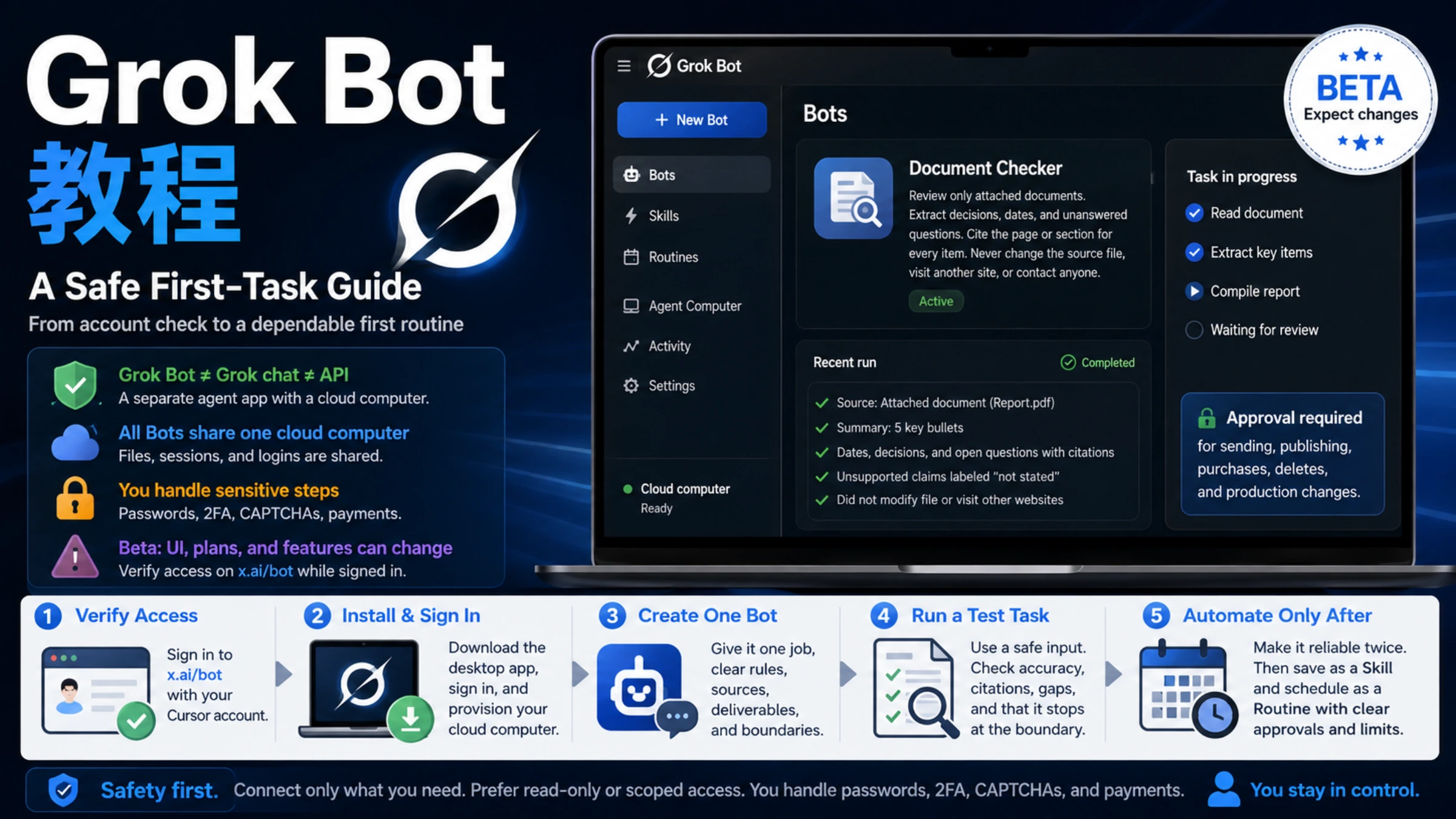
To get started with Grok Bot, download the official app, sign in through Cursor, and create a teammate for a specific job. This walkthrough uses a document review: you attach a PDF, ask for a report with citations, then open and save the result. It gives you a complete first task without needing to connect an email account or another service.
Grok Bot is a separate agent app with named Bots that work through a shared cloud computer. It is distinct from chatting with Grok in X or using the xAI API. The installation and account information below was checked against first-party documentation on September 8, 2026; the document request is an example you can run yourself.
Check which account will receive access
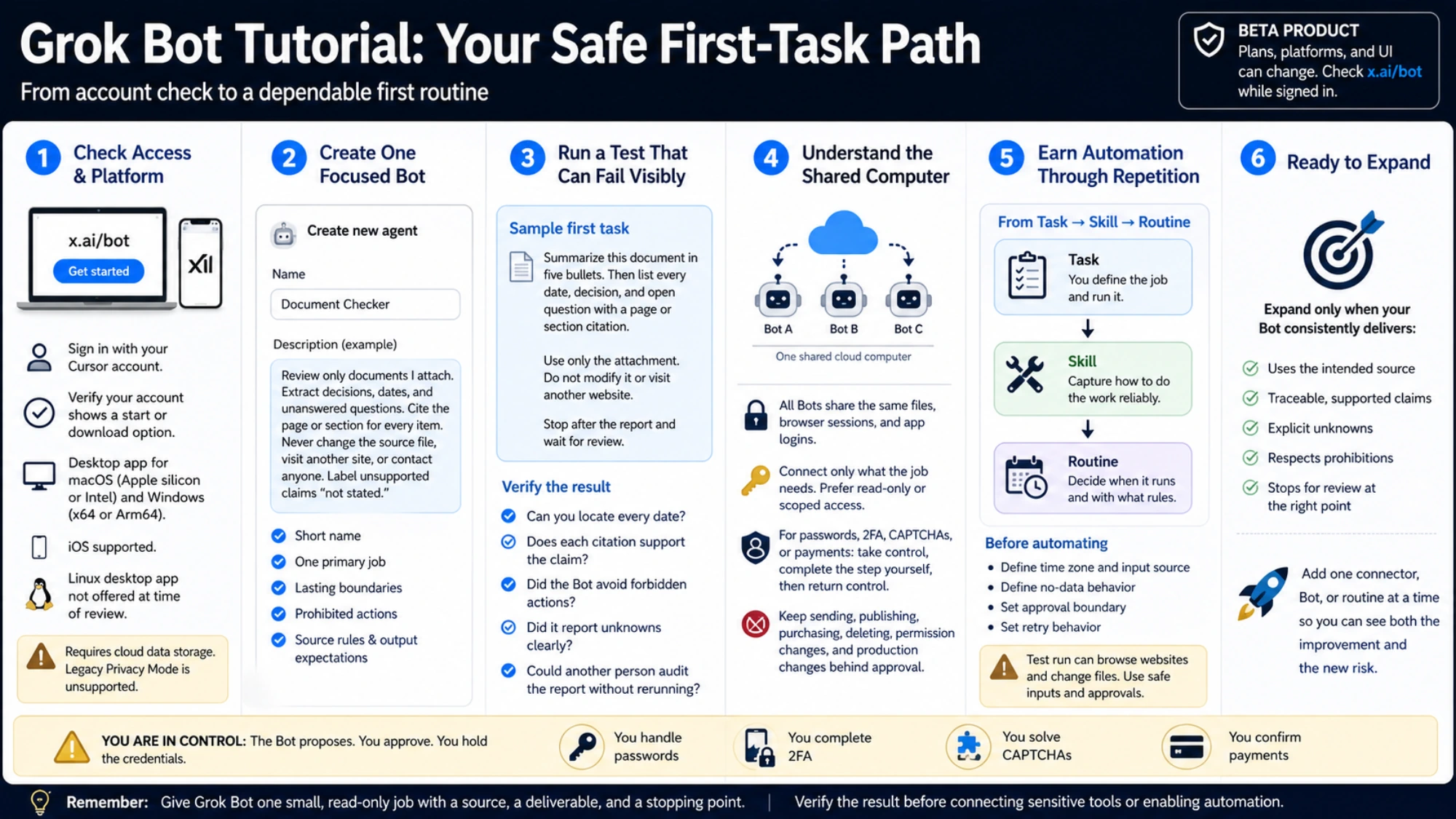
Grok Bot uses a Cursor account to sign in, including when your access comes from a Grok or X subscription. Decide which Cursor account you want to use before linking a subscription, especially if you have separate personal and work accounts.
As of September 8, Cursor's Grok Bot plans documentation lists access for all paid individual Cursor plans and self-serve Teams plans. That includes basic Cursor Pro. Eligible individual SuperGrok, SuperGrok Plus, SuperGrok Heavy, and X Premium+ subscriptions can also provide Bot usage through account linking. Cursor Enterprise access goes through the account team; SuperGrok Lite, Team, and Enterprise subscriptions do not qualify for this individual linking flow.
xAI's older Get started eligibility list is narrower than the current Cursor documentation. xAI announced the expansion to more plans on August 26, so the older list should not be read as excluding basic Pro or SuperGrok. Bot usage has its own allowance; access does not mean unlimited use.
For a Grok or X subscription, use the following sequence after signing in:
- Confirm the receiving Cursor account in the app's
Settings. - On the plan screen, choose
Link Grok AccountorLink X Account, whichever matches your subscription. These links are not in the main app's Settings screen. - Complete the subscription account sign-in and return to Grok Bot. Look for the access confirmation before continuing.
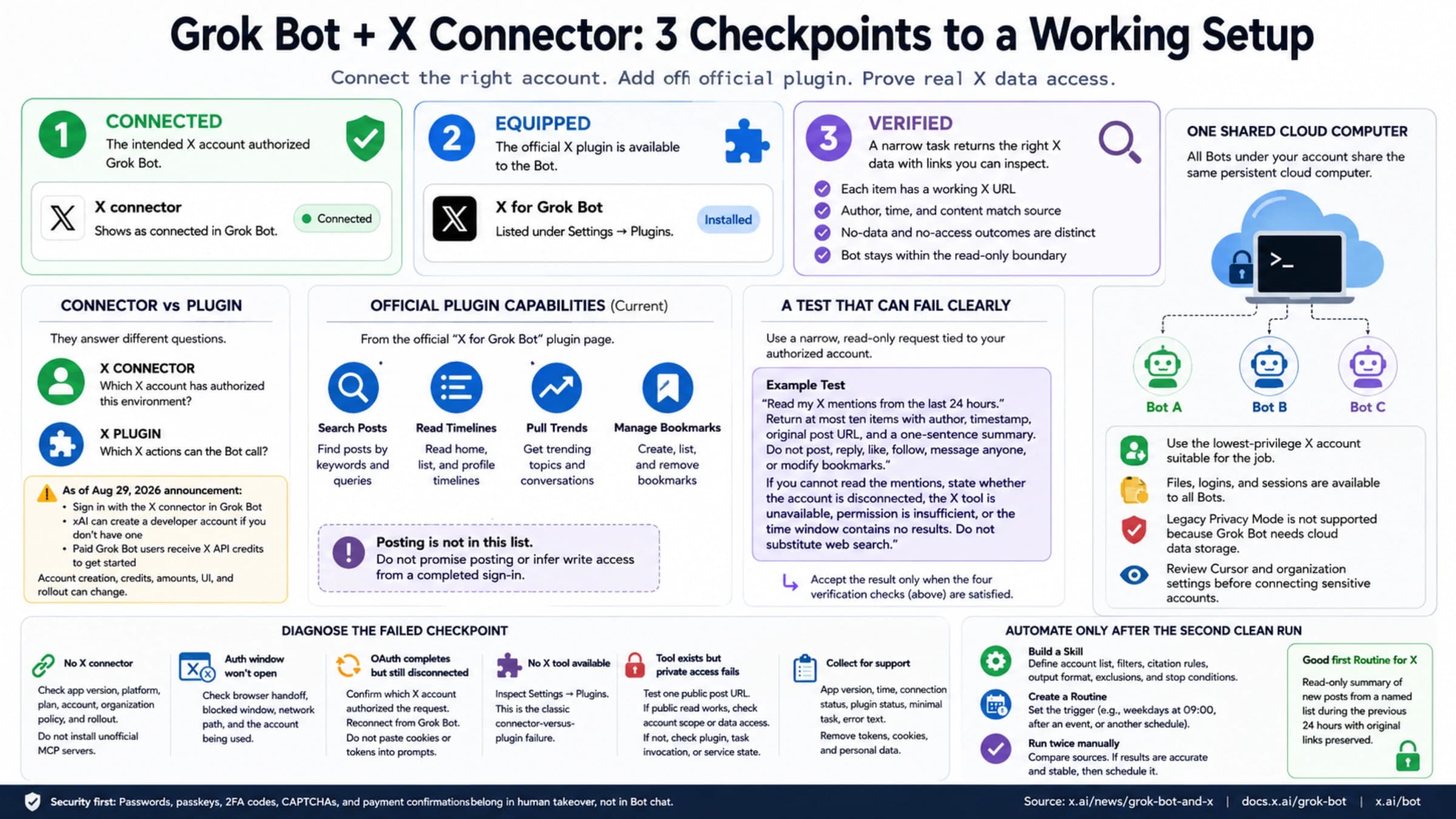
According to Cursor's account-linking instructions, a link cannot be self-unlinked or moved to another Cursor account. If you linked the wrong account, contact support. Matching email addresses alone do not perform the link, and linking does not convert or cancel your Cursor subscription. Link X Account grants subscription usage; connecting X as a source for Bot work is a separate task covered in our Grok Bot X tutorial.
Download and install the right desktop build
Start at x.ai/bot and use the official download for your operating system. The current installation guide includes macOS, Windows, and Linux.
| Your computer | Check the architecture | Choose and install |
|---|---|---|
| macOS | Open Apple menu → About This Mac. An Apple M-series chip means Apple silicon; an Intel processor means Intel. | Download the matching Mac build, open the disk image, and move Grok Bot to Applications. Launch it from Applications. |
| Windows | Open Settings → System → About and read System type. | Choose x64 for an x64-based processor or Arm64 for an ARM-based processor. Run the downloaded installer, follow its prompts, and open Grok Bot from the Start menu. |
| Linux | Run uname -m: x86_64 corresponds to x64; aarch64 corresponds to Arm64. | Choose the matching architecture and .deb, .rpm, or .AppImage package. Use .deb for Debian/Ubuntu-based systems or .rpm for RPM-based systems; install with your distribution's package installer. For AppImage, allow the downloaded file to execute, then launch it. |
Open the app and select Get started. Complete Cursor authentication in the browser, return to Grok Bot, and allow the cloud computer to finish provisioning. Check the account in Settings if the browser already had a Cursor session open; an existing browser login can be the wrong account for your subscription.
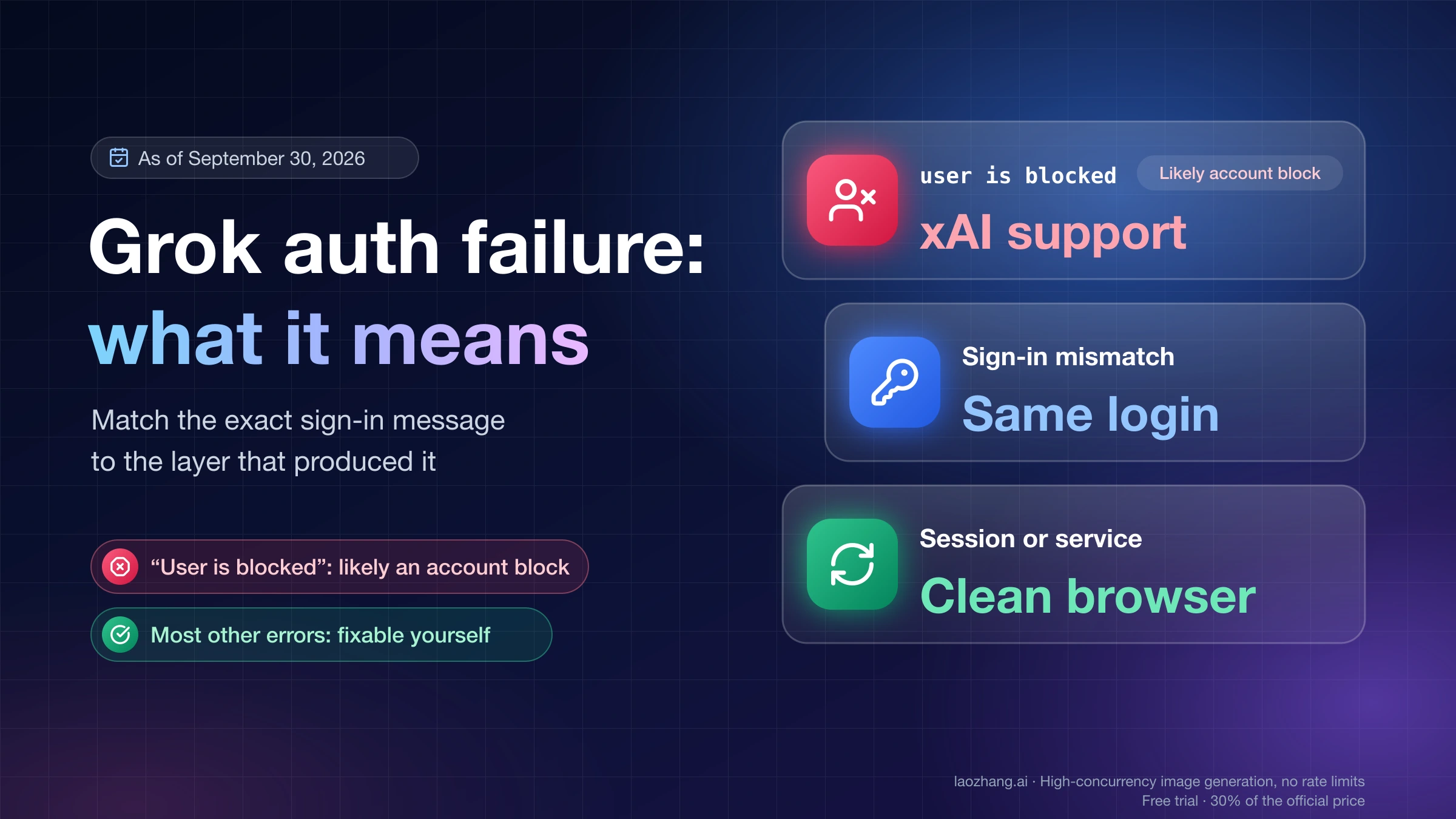
If sign-in completes but the app still asks you to choose a plan, check the receiving account and the linking steps above. For a stuck app, fully quit and reopen it first. Cursor's sign-in help covers persistent authentication problems, and its getting-started help warns that resetting the app can lose unsynced content. Reinstalling is not a substitute for resolving account access.
Grok Bot also has mobile apps for iPhone on iOS 18 or later and Android 9 or later. Sign in with the same Cursor account to use your Bots, conversations, and shared cloud computer across desktop and phone.
Before uploading a document, check whether cloud storage is allowed for it. Grok Bot stores data in the cloud and does not support Legacy Privacy Mode, as explained in the privacy documentation. Use a public or non-sensitive file for this walkthrough.
Create your first document teammate
On first launch, the setup flow presents Meet a future teammate. You can choose a suggestion or select Create your own. After that initial setup, the path for adding another Bot is New → Create new agent.
For this example, create a Bot with:
- Name: Document Checker
- Job or title: Document review assistant
- Description: Use the text below as its recurring instructions.
Review documents I attach and turn them into concise reports. Separate stated facts from missing information. Cite the source page or section for each decision, date, and action item. Preserve the original file. Ask for clarification if you cannot read the document or identify the intended source. Wait for my review before sharing results with anyone.
Choose its appearance if prompted, then open its conversation. Keep the description focused on ongoing responsibilities. The particular PDF, output filename, and questions for today's review belong in the task message.
The setup may ask which tools you use. Answering that question does not automatically connect or authorize those tools. A service connection has its own flow, such as a Connect card. The attached-file exercise below needs no additional account connection.
Attach a document and ask for a useful report
Choose a short public PDF you can also read yourself, such as published meeting minutes or a project brief. Use the attachment button in the message composer, or drag the file into it, and wait until it appears as an attachment. The files and results guide documents this upload flow and the generated-file cards used for results.
Send the following request with that one attachment:
Review the PDF attached to this message. Use only this file, and start by stating its title and which pages you could read.
Create a Markdown report named
document-review.mdcontaining:
- A five-bullet summary of the document.
- A table of decisions and action items, with columns for item, responsible person, deadline, and source page or section.
- A list of unanswered questions that would prevent someone from acting on the document.
For missing people, deadlines, or answers, write “not stated.” Do not infer a deadline from the document's publication date. Use the PDF page number for citations; if printed page labels differ, include both. If the attachment is unreadable or incomplete, tell me what is missing before attempting the report.
Preserve the original PDF. Return the report as a file I can open and save, and include a short summary in the conversation. Do not browse other websites or send the report anywhere. Stop after returning it and wait for my review.
This request gives the Bot a source, a concrete output, and a way to handle gaps. A scanned, encrypted, or damaged PDF may not be readable. If the Bot reports that problem, supply an accessible copy or text export rather than asking it to guess from the filename.
When the report arrives, open its file card to preview it. Compare the report with the original PDF before saving your working copy: check that the document title matches, each decision appears on its cited page, and names and deadlines come from the source. An unanswered question should remain unanswered when the PDF supplies no answer.
Ask for a specific correction when needed. For example:
In the action table, you used the publication date as the deadline for the budget review. Page 3 gives no deadline. Change that cell to “not stated,” check the other deadlines for the same mistake, and return the corrected
document-review.mdfile.
Open the corrected result, verify the changed row, and use the file card's save option to keep it on your computer. You should now have a report you can locate, open, and check against the source.
Connect services only when the next task needs them
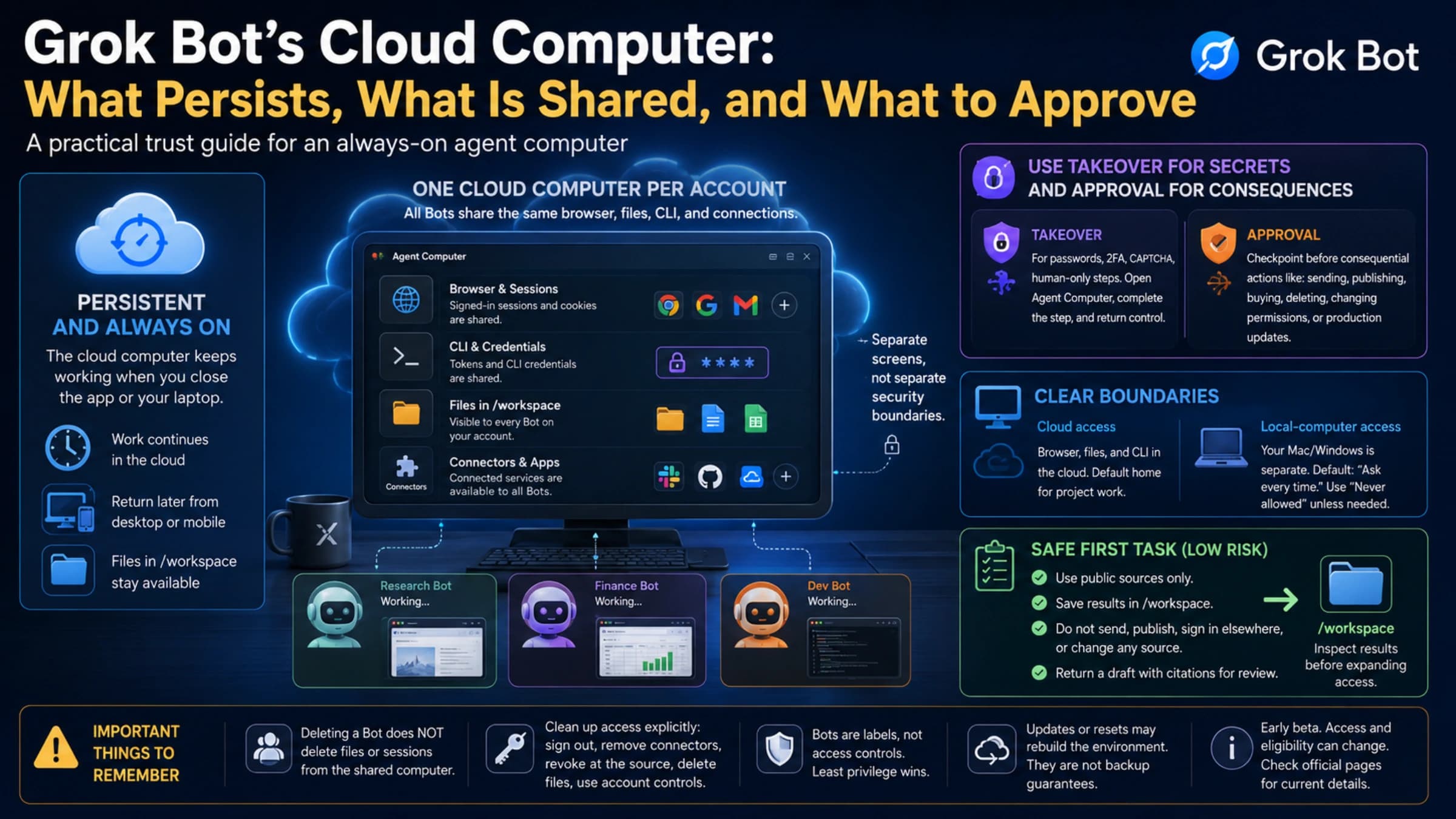
All Bots on an account share a persistent cloud computer, including files, browser sessions, and credentials. Creating a second Bot with a different job does not give it a separate computer or isolate it from existing logins. Our Grok Bot cloud computer guide explains that environment in more detail.
When a later task requires a login, open Agent Computer and take control to enter passwords, passkeys, or two-factor codes yourself. Keep secrets out of ordinary chat. Review requests to send, publish, purchase, delete, or change permissions before approving them; connecting a service should follow the actual work you want the Bot to do.
Save a repeatable method as a Skill, then consider a Routine
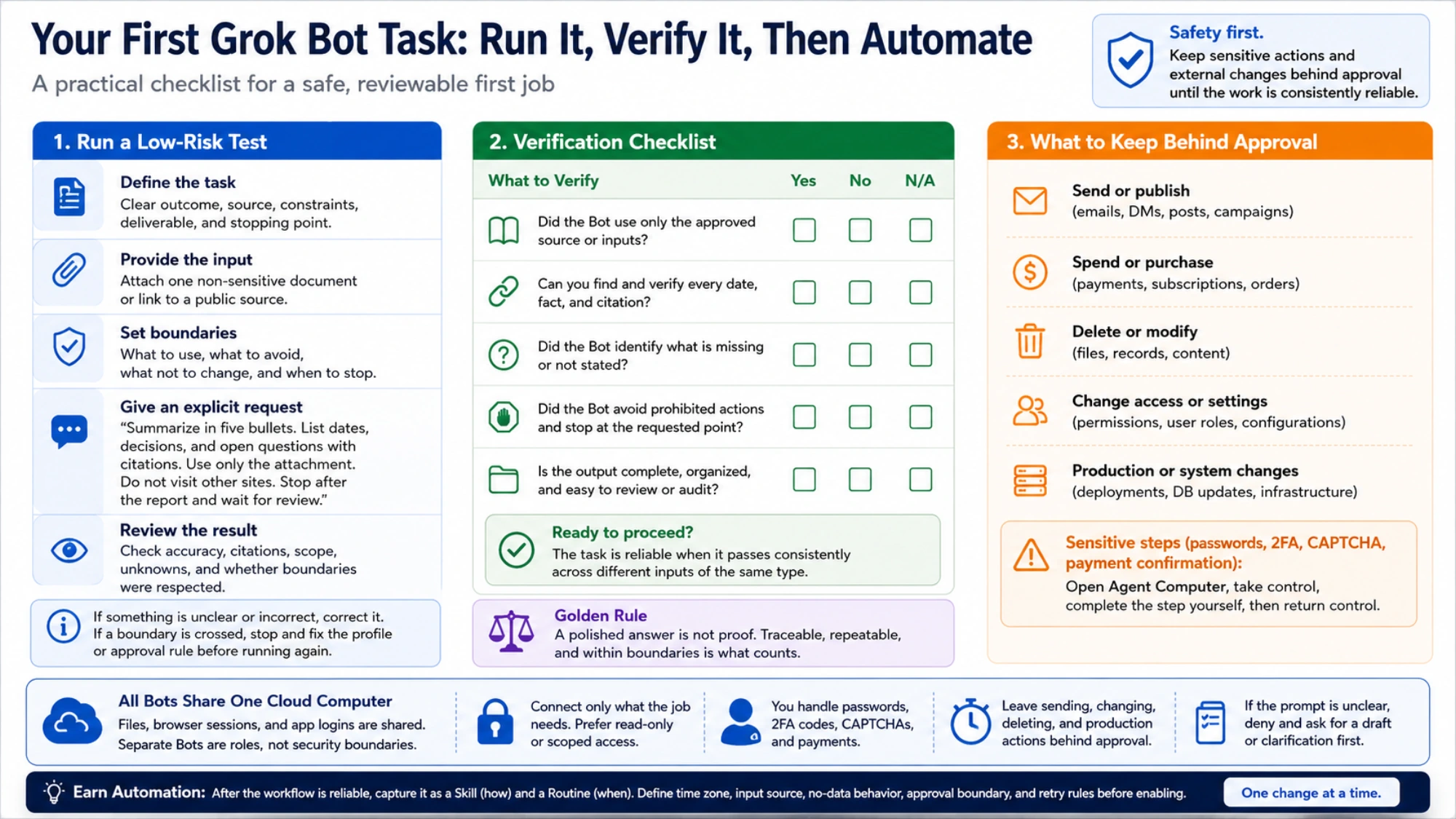
After completing the first document review, try the workflow on other representative inputs, including one with missing dates or unclear responsibilities. Correct the method until it consistently preserves citations, identifies gaps, and returns a usable file.
A Skill records how to do the work. A Routine determines when a Bot runs it. The skills and routines documentation recommends making the one-time task reliable before automating it. For a recurring document review, specify where new files come from, the schedule and time zone, where reports should be saved, and what should happen when no file is available or a file cannot be read.
Treat Test run as a real execution: it can use tools and change files. Start with the same limited inputs and review steps you used manually. Once you have a saved, checked first report, you have completed this walkthrough; adding a connector or schedule can be a separate next step.
Sources11
External pages this guide links to, in the order they appear. Last updated Sep 8, 2026.
Sources11
External pages this guide links to, in the order they appear. Last updated Sep 8, 2026.
- 1.Cursor's Grok Bot plans documentationcursor.com/help/grok-bot/plans
- 2.Get started eligibility listdocs.x.ai/grok-bot/get-started
- 3.expansion to more plans on August 26x.ai/news/grok-bot-more-plans
- 4.Cursor's account-linking instructionscursor.com/help/grok-bot/supergrok
- 5.x.ai/botx.ai/bot
- 6.Cursor's sign-in helpcursor.com/help/grok-bot/sign-in
- 7.getting-started helpcursor.com/help/grok-bot/getting-started
- 8.mobile apps for iPhone on iOS 18 or later and Android 9 or laterdocs.x.ai/grok-bot/mobile
- 9.privacy documentationdocs.x.ai/grok-bot/approvals-security-and-privacy
- 10.files and results guidedocs.x.ai/grok-bot/files-and-results
- 11.skills and routines documentationdocs.x.ai/grok-bot/skills-routines-and-automations