ChatGPT Pro の Codex quota reset を確認する方法: Usage、/status、Pro 5x/20x、credits
ChatGPT Pro は Codex の余力を増やしますが、無制限ではありません。Usage と /status で reset を確認し、credits と API key を分けます。
目次
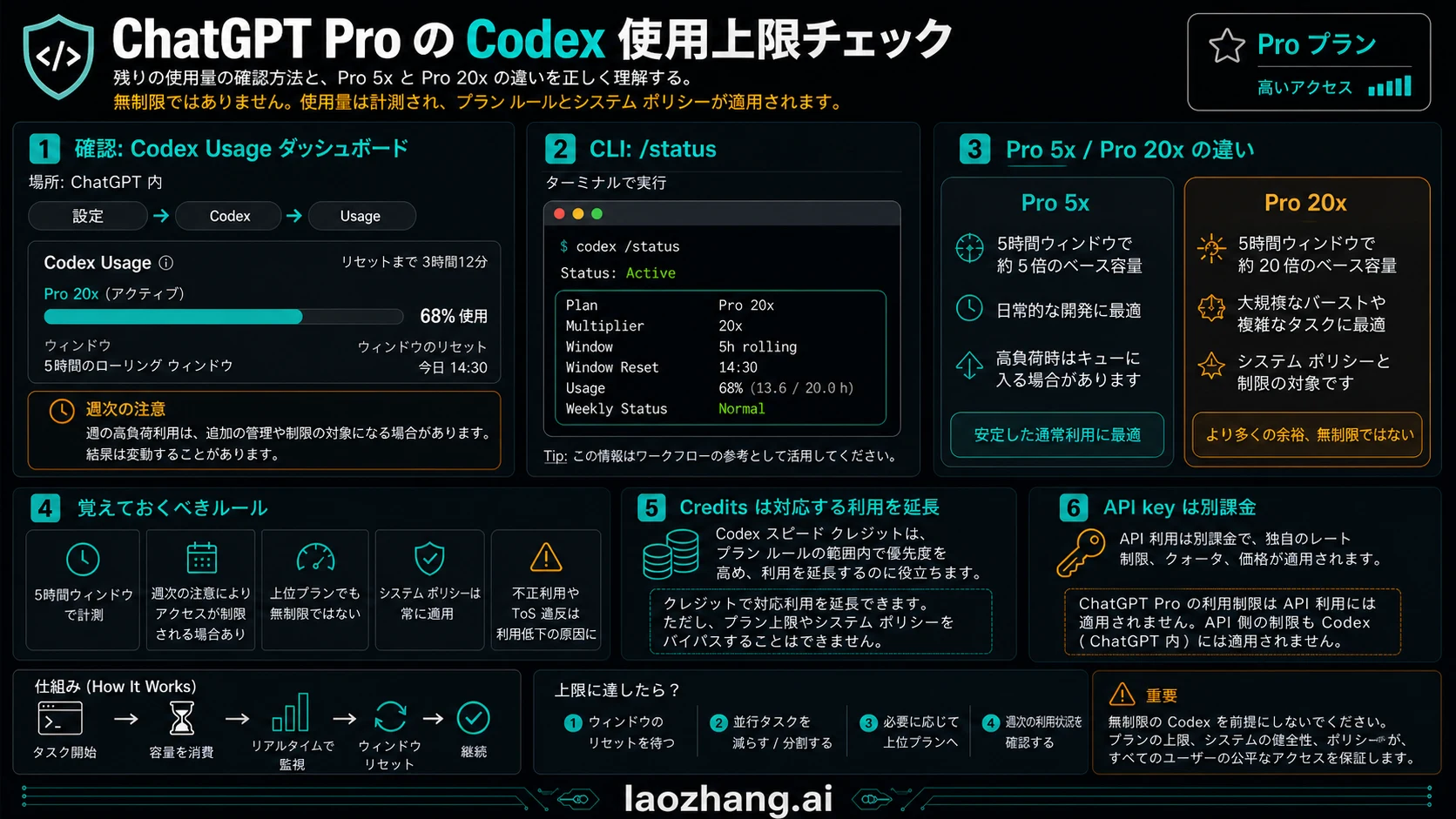
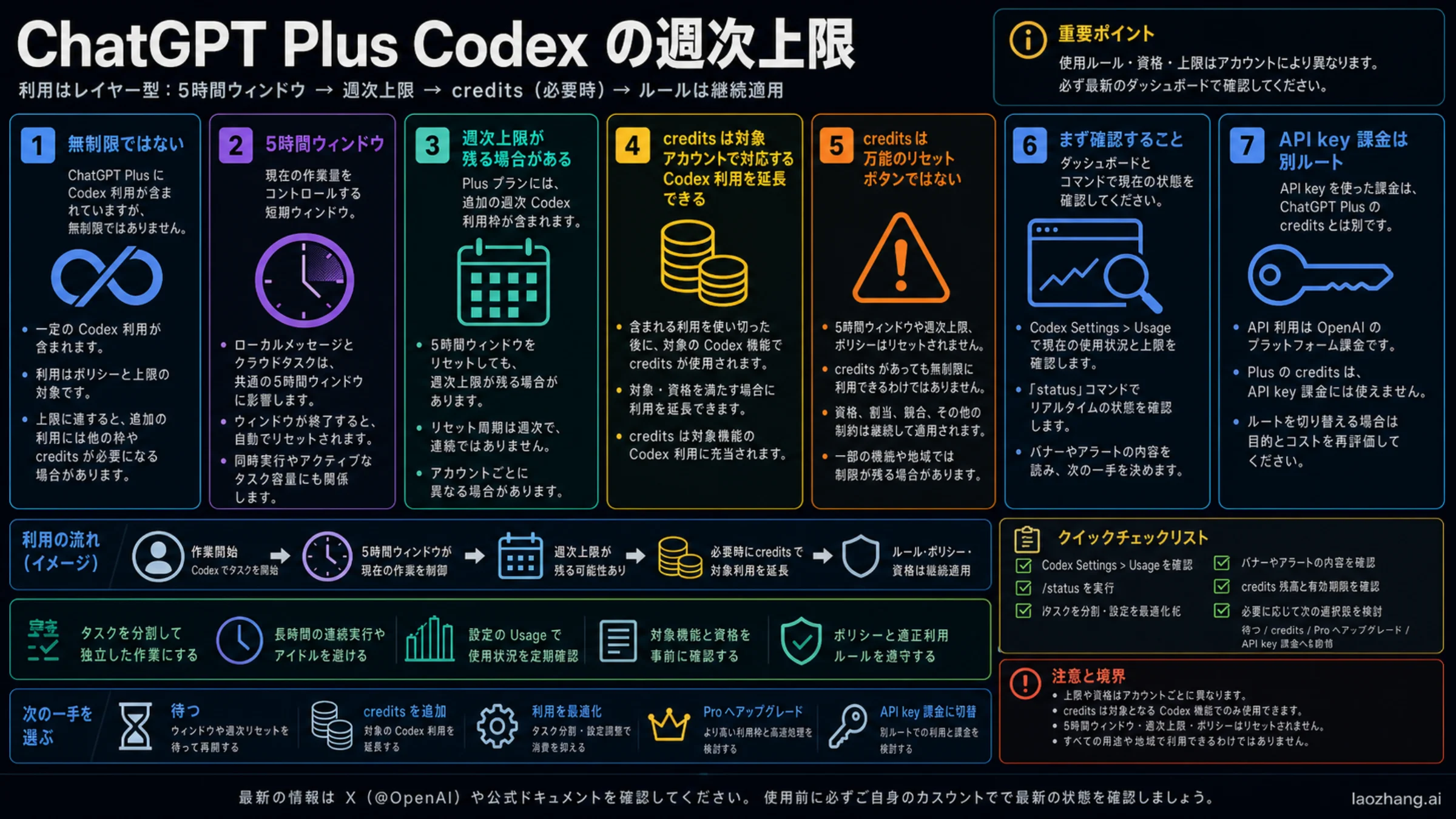
ChatGPT Pro は Codex の余力を大きく増やしますが、無制限ではありません。まず Codex Usage パネルまたは limit banner を開き、現在の Codex CLI セッションで /status を実行してから、表示された reset window、週次の圧力、credits、API key の境界を分けて読みます。
2026 年 6 月 1 日時点で、OpenAI の説明は Pro 5x と Pro 20x を大きな利用枠のプラン形態として扱っています。モデル、タスクの大きさ、local と cloud、code review、fast mode、image work によって消費速度は変わります。
最短回答:まず正しい reset 確認先を選ぶ
Usage パネルまたは limit banner はアカウント側の証拠で、残量、reset、credits、利用可能な選択肢を見る場所です。/status は現在の CLI セッションの証拠で、モデル、設定、コンテキスト、実行状態を確認する場所です。
| 質問 | 最初に見る場所 | 証明できること | 証明できないこと |
|---|---|---|---|
| Codex quota right now | Codex Usage / limit banner | account-side availability and reset | API-key spend |
| Active CLI state | /status | model, config, context pressure | full account history |
| Pro 5x or Pro 20x | ChatGPT plan / Codex pricing | included plan shape | unlimited access |
| Compatible overflow | credits panel | paid continuation path | all policy boundaries |
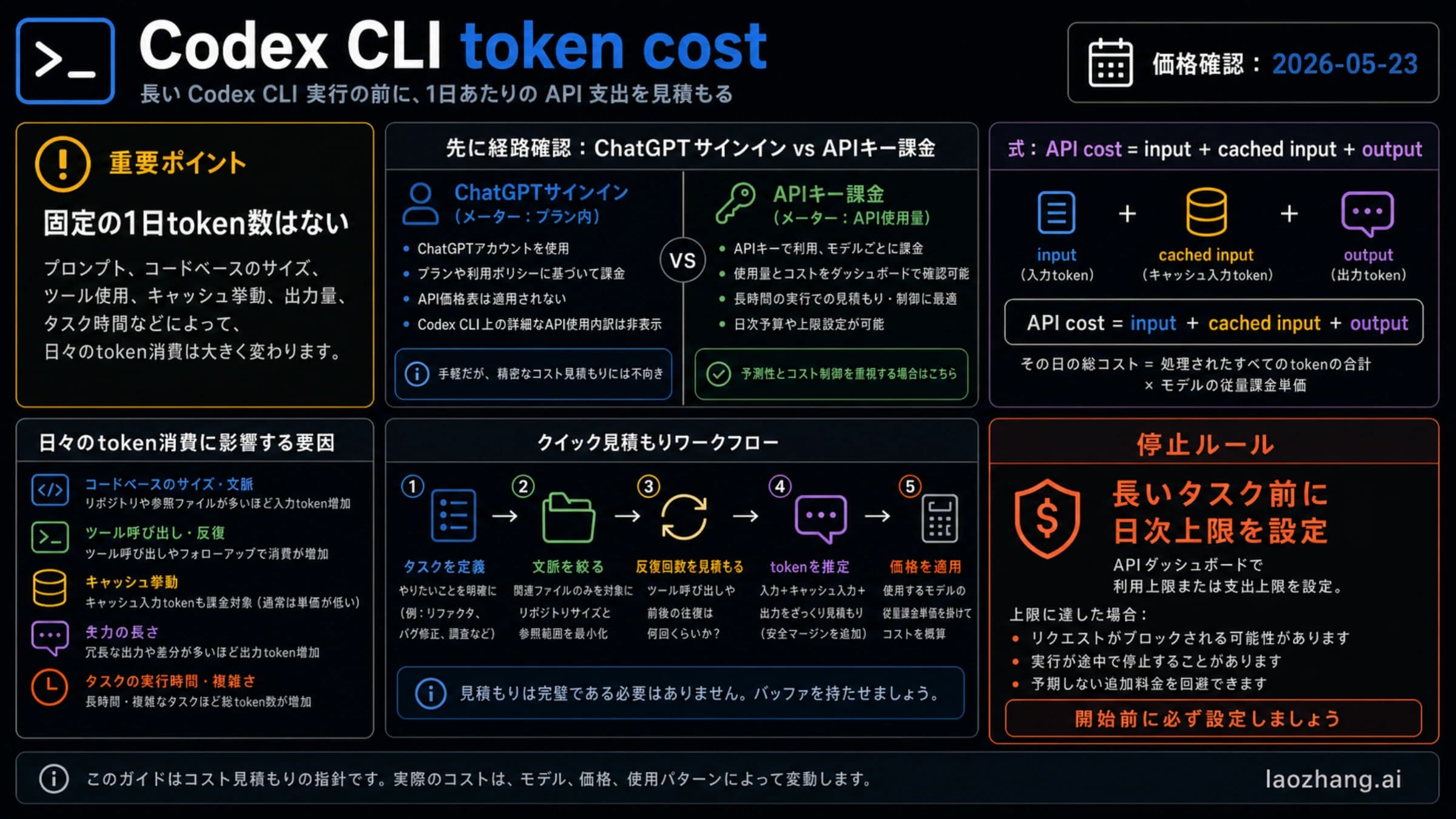
| API spend | OpenAI Platform Usage | API organization billing | ChatGPT Pro subscription pool |
詳しいプラン表は Codex usage limits、token と context の読み方は Codex token usage を参照してください。
Codex quota reset の読み方
| reset の質問 | 確認先 | 安全な解釈 |
|---|---|---|
| 現在の 5 時間枠が制限されているか | Codex Usage または limit banner | reset time が見えるなら、その枠を待つ、モデルを下げる、タスクを分割する、または対応 credits を使う。 |
| 週次または cyclic limit が関係しているか | Usage、plan state、最近の task history | 短い 1 枠が正常でも、週次の圧力がないとは限らない。 |
| CLI セッション自体の問題か | アクティブな会話の /status | model、configuration、token/context state は確認できるが、subscription ledger 全体ではない。 |
| API billing を使っているか | OpenAI Platform Usage と API billing | API key の作業は ChatGPT Pro の subscription pool ではない。 |
保存すべきメモは 4 つです: plan shape、表示された reset wording、work mode、credits/API billing の有無。この 4 つがないと「Pro quota reset が変」という報告は診断しにくくなります。
Pro 5x / Pro 20x: high headroom, not unlimited mode
Pro 5x と Pro 20x は plan shape として読みます。どちらが大きいかだけでなく、どの work mode が含まれる枠を消費しているかが重要です。Local CLI、cloud tasks、code review、fast mode、image work、shared agentic usage は live account state に影響します。
OpenAI は Pro の 2x/boost promotion を 2026 年 5 月 31 日までの date-bound として説明しています。今日は 2026 年 6 月 1 日なので、live account panel に新しい offer がない限り、その promotion multiplier を 6 月の計画に持ち込まないでください。
Usage dashboard and /status together
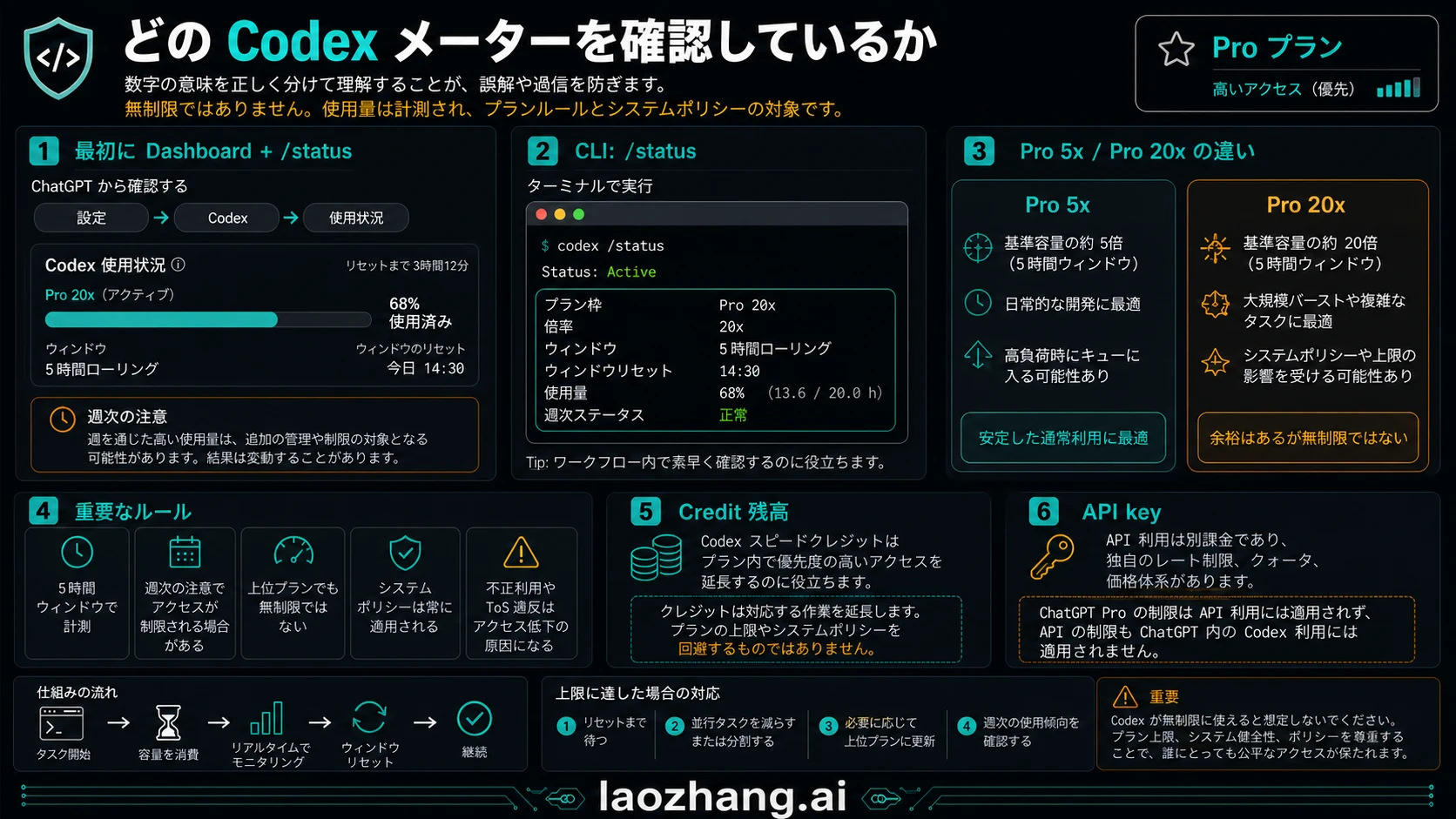
Usage パネルまたは limit banner はアカウント側の証拠で、残量、reset、credits、利用可能な選択肢を見る場所です。/status は現在の CLI セッションの証拠で、モデル、設定、コンテキスト、実行状態を確認する場所です。
/status判断前に 4 点を記録します: active plan shape、表示された reset wording、消費を生んだ work mode、credits が提示されているか。これがないと percentage や reset time を誤読しやすくなります。
Why a Pro limit can arrive early
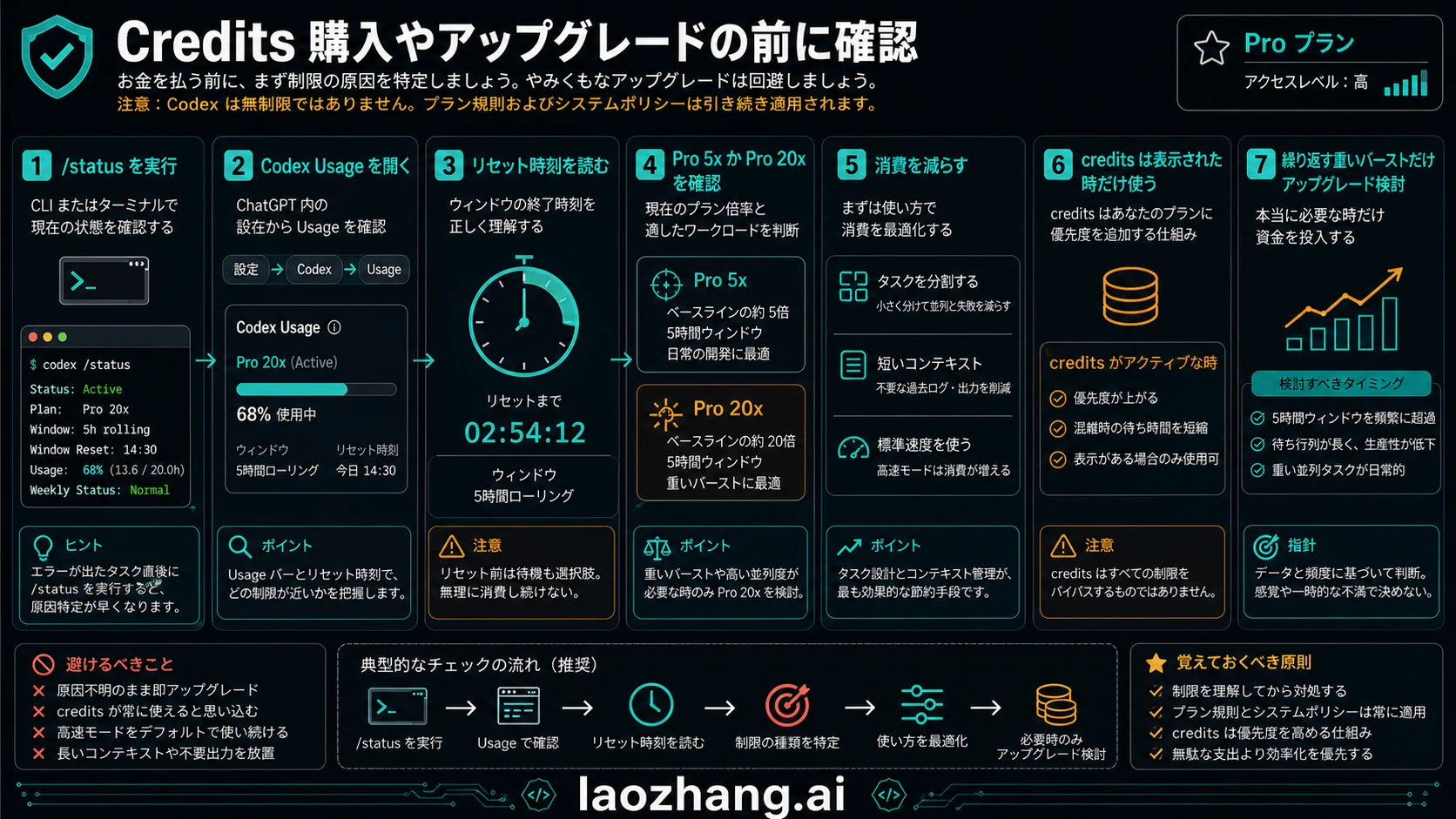
Pro の上限が早く来たように見える原因は、公開された倍率だけで判断することです。長い cloud task、大きな refactor、review loop、fast mode、連続した重い作業は、含まれる枠を早く消費します。
- Model and mode can change burn rate.
- Local and cloud work can share the same short window.
- Large refactors and review loops are heavier than quick edits.
- Weekly pressure can matter even when one window looks normal.
- Shared agentic features can draw from the included pool.
実務では、まず現在の作業を local CLI、cloud task、code review、API key のどれかに分けます。local CLI なら /status、アカウント残量なら Usage、API 費用なら OpenAI Platform を見る、という順番にすると誤読が減ります。
長い作業で上限に当たった場合は、Usage の状態、/status の状態、利用したモデルと mode を残します。fast mode、重いモデル、review loop、cloud run は消費速度を大きく変えるため、単純な回数だけでは判断できません。
Credits, API key, and the boundary
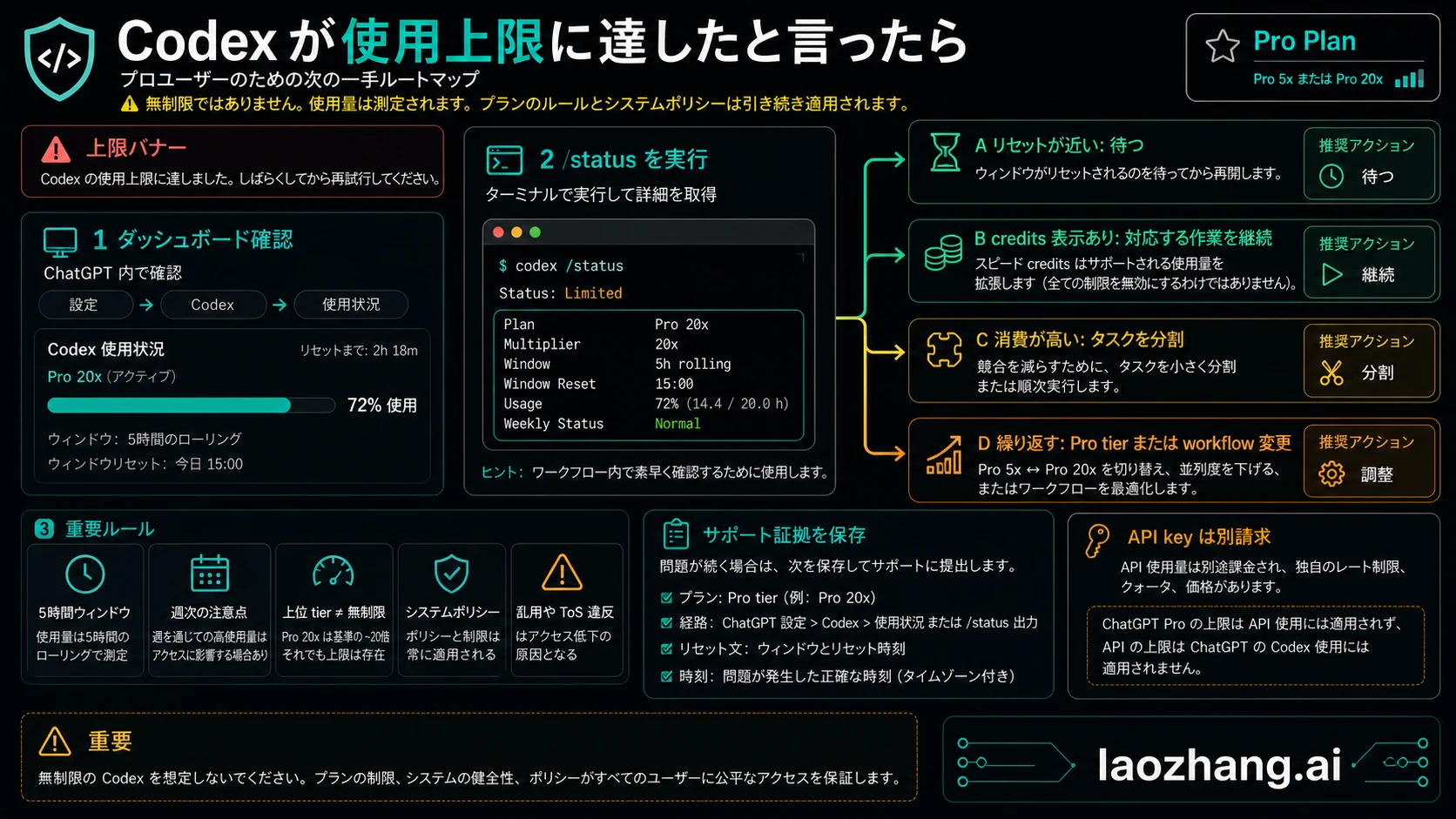
credits は対応する Codex 作業を継続するための追加手段ですが、すべてのプラン規則を消すものではありません。API key の利用は OpenAI Platform billing 側であり、ChatGPT Pro の残量とは別です。
For API/subscription separation see Codex API key vs subscription. For Plus-side comparison use Plus Codex weekly credits as a boundary, not as a Pro answer.
Decision table after a limit
| 見えている状態 | 意味 | 次の行動 |
|---|---|---|
| dashboard shows reset | included pool is constrained | wait, downshift, or split work |
| credits option appears | compatible overflow may exist | buy only when work belongs in ChatGPT/Codex |
/status looks fine but dashboard is blocked | session state differs from account allowance | trust dashboard for plan availability |
| API usage rises | API billing lane is active | inspect Platform Usage |
| fast mode or review burns quickly | work mode is heavier | reduce concurrency or schedule reset windows |
よくある質問
ChatGPT Pro の Codex は無制限ですか?
いいえ。Pro 5x と Pro 20x は余力を増やしますが、時間枠、週次の境界、credits、ポリシーは残ります。
Pro の Codex 残量はどこで確認しますか?
ChatGPT の Codex Usage パネルまたは limit banner を先に見ます。CLI の現在セッションは /status で確認します。credits を買う前に plan shape、reset wording、work mode、API/credits lane を記録してください。
ChatGPT Pro Codex quota はどのくらいで reset されますか?
OpenAI は Codex を 5 時間枠と、場合によっては週次制限で説明しています。実際に従う reset は、自分の Codex Usage または limit banner に表示された時間であり、全アカウント共通の公開時計ではありません。
/status は Pro アカウント全体を示しますか?
示しません。/status は現在の CLI セッション向けで、サブスクリプション全体や API billing ではありません。
credits で Codex は無制限になりますか?
なりません。credits は対応作業を延長しますが、プラン、ポリシー、システム条件を消しません。
API key は ChatGPT Pro の Codex 枠を使いますか?
API key は Platform billing と API limits 側です。ChatGPT sign-in はサブスクリプションと Codex credits 側です。