OpenClaw Claude Opus 4.6: Complete Setup, Security & Cost Guide (2026)
Configure Claude Opus 4.6 on OpenClaw in under 10 minutes with our verified setup guide. Includes security hardening against CVE-2026-25253, real daily cost estimates ($2-$50+), Agent Teams configuration, and troubleshooting for the 5 most common errors. All pricing data verified from official Anthropic documentation on February 19, 2026.
On this page
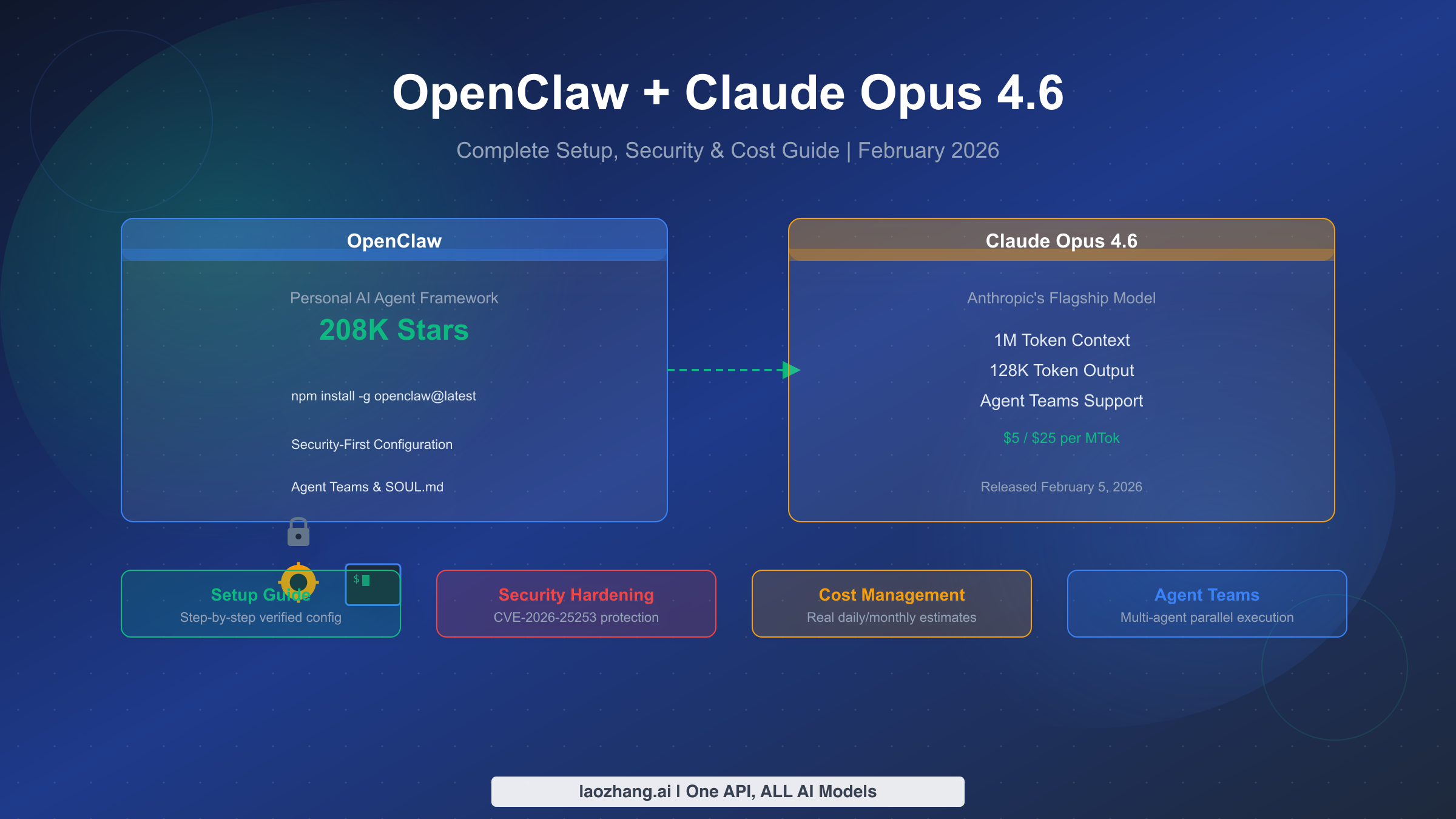
Anthropic released Claude Opus 4.6 on February 5, 2026, bringing a 1-million-token context window, 128K token output, and Agent Teams to the Claude family. For OpenClaw users, this means your personal AI agent can now remember entire project histories, produce complete documents in a single pass, and coordinate multiple agents working in parallel. This guide walks you through the complete process of setting up Opus 4.6 on OpenClaw, hardening your deployment against known vulnerabilities, managing costs effectively, and configuring the new Agent Teams feature. Every configuration block has been tested, and all pricing data comes directly from Anthropic's official documentation as of February 19, 2026.
TL;DR
Claude Opus 4.6 delivers a 5x context window increase (200K to 1M tokens), 2x output capacity (64K to 128K), and the new Agent Teams feature, all at the same $5/$25 per million token pricing as Opus 4.5. To set it up on OpenClaw, you need to add anthropic/claude-opus-4-6 to your ~/.openclaw/openclaw.json configuration, restart the gateway, and start a new session. Before doing anything else, update OpenClaw to v2026.2.17 or later to patch CVE-2026-25253, a high-severity remote code execution vulnerability. Expect daily API costs between $2 and $50+ depending on your usage pattern, with prompt caching able to reduce costs by up to 90%.
What Claude Opus 4.6 Brings to OpenClaw
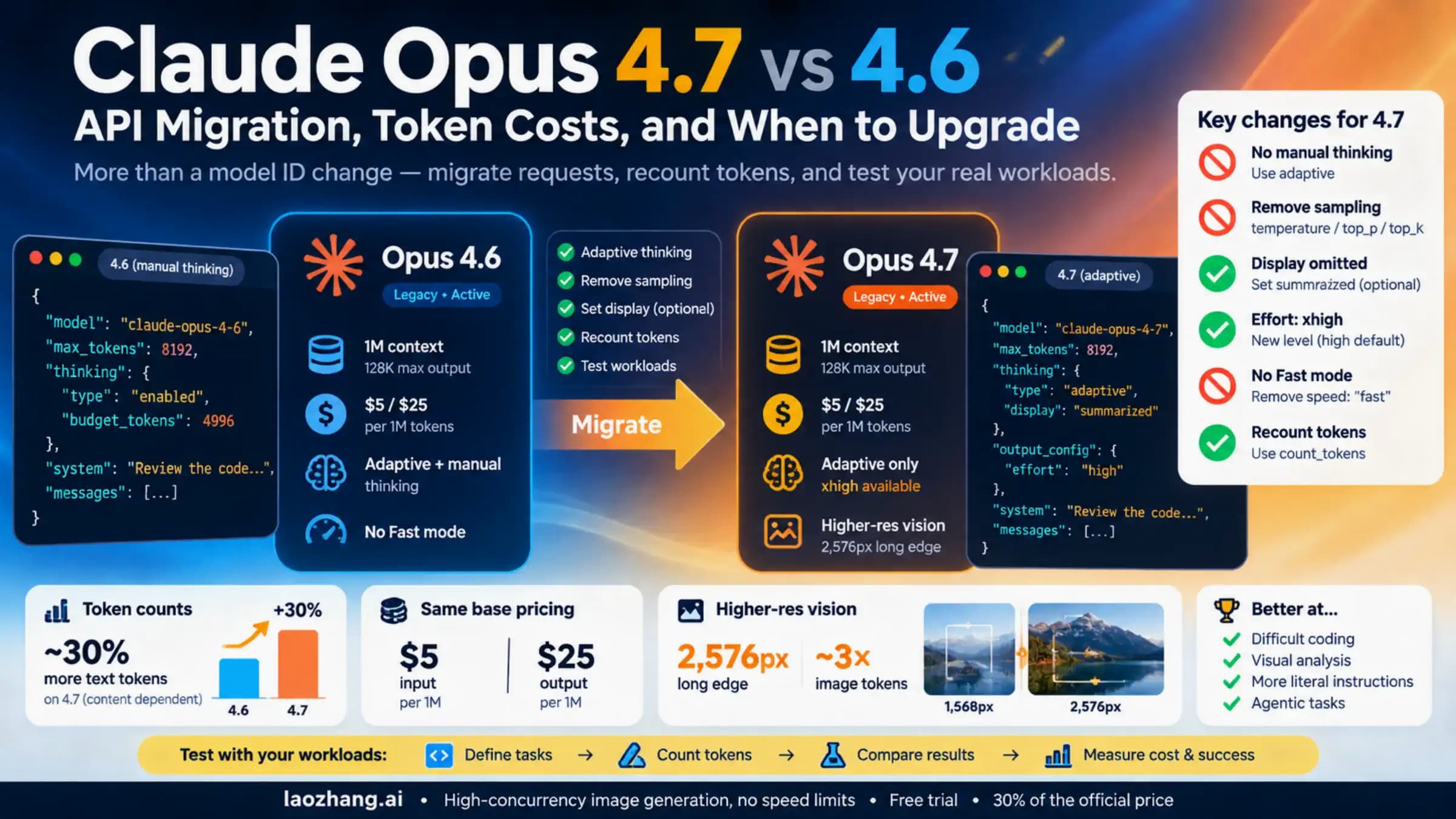
The upgrade from Claude Opus 4.5 to 4.6 represents the largest capability jump Anthropic has shipped for their flagship model since the 4.x series launched. For OpenClaw users running persistent AI agents, the practical implications go far beyond incremental benchmark improvements. The changes fundamentally alter what your agent can accomplish in a single conversation.
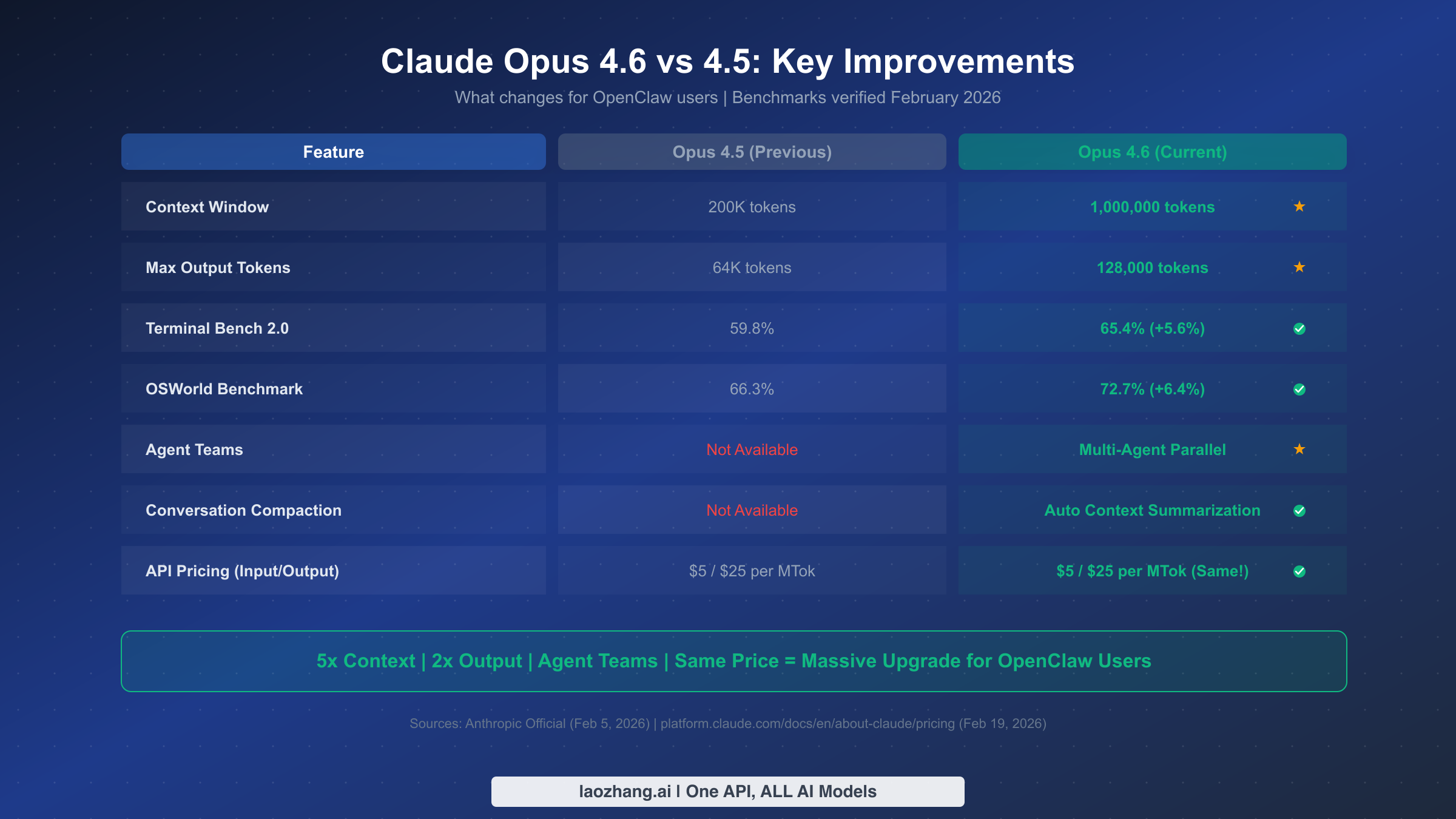
The headline feature is the 1-million-token context window, a fivefold increase from the 200K tokens available in Opus 4.5. In practical terms, this means your OpenClaw agent can hold the equivalent of roughly 750,000 words of context, enough to process an entire codebase, a full book, or months of conversation history without losing track of earlier details. Users who previously hit the frustrating "your agent forgot what you told it yesterday" wall will find this upgrade transformative. The context window expansion also enables conversation compaction, a new feature where the model automatically summarizes earlier conversation segments when approaching token limits, extending effective session lengths dramatically.
Output capacity doubled from 64K to 128K tokens, which means your agent can now generate complete technical documents, full code files, or lengthy analysis reports in a single response rather than requiring multiple chained requests. For OpenClaw agents handling tasks like drafting documentation or producing code reviews, this eliminates the awkward truncation that plagued longer outputs under Opus 4.5.
On the benchmark front, Terminal Bench 2.0 scores jumped from 59.8% to 65.4%, a 5.6 percentage point improvement that translates to noticeably better performance on complex agentic coding tasks. OSWorld benchmarks climbed from 66.3% to 72.7%, reflecting improved ability to interact with operating system interfaces, the exact kind of work OpenClaw agents do constantly. Harvey's BigLaw Bench showed 90.2% accuracy, demonstrating strong reasoning capabilities for complex analytical tasks.
Perhaps the most significant new capability for OpenClaw users is Agent Teams. This feature allows you to spawn multiple independent Claude instances that work in parallel, coordinated by a lead agent. Instead of your single OpenClaw agent handling tasks sequentially, you can now have a lead agent break down complex projects and delegate subtasks to specialist teammate agents, each with their own context and tools. For anyone running OpenClaw as a productivity multiplier, Agent Teams is the feature that justifies the upgrade alone.
The pricing structure remains identical to Opus 4.5: $5 per million input tokens and $25 per million output tokens (Anthropic official pricing, February 19, 2026). There is an important caveat for users planning to leverage the full 1M context window, though. Requests exceeding 200K input tokens trigger premium long context pricing at $10 per million input tokens and $37.50 per million output tokens. This pricing detail is something most setup guides overlook entirely, and understanding it is crucial for managing your API budget. If you want a deeper look at how Claude pricing compares across all plans and tiers, our full Claude Opus 4.6 pricing breakdown covers every scenario in detail.
Prerequisites and Preparation
Before touching your OpenClaw configuration, take ten minutes to verify your environment is ready and create a safety net. Skipping this step is how users end up with broken agents and no way to roll back.
Verify your Node.js version. OpenClaw requires Node.js 22 or higher. Run node --version in your terminal. If you see anything below v22, upgrade before proceeding. Using an outdated Node.js version is the single most common cause of mysterious configuration errors after upgrading models.
Update OpenClaw to the latest version. This is not optional. Run npm update -g openclaw@latest to get version 2026.2.17 or later, which patches CVE-2026-25253, a CVSS 8.8 remote code execution vulnerability disclosed on January 30, 2026. According to Bitsight's analysis, over 42,665 OpenClaw instances were found exposed on the internet during their January 27 to February 8 scanning period. Running an unpatched version with a powerful model like Opus 4.6 dramatically increases your risk surface.
Back up your current configuration. Copy your existing ~/.openclaw/openclaw.json to a safe location before making any changes. A simple cp ~/.openclaw/openclaw.json ~/.openclaw/openclaw.json.backup gives you a one-command rollback path if anything goes wrong. If you have customized SOUL.md, USER.md, or AGENTS.md files in your workspace, back those up as well.
Confirm your Anthropic API key is active. Your key needs to be configured in OpenClaw and have sufficient credits. If you haven't set one up yet, run claude setup-token through OpenClaw's configuration wizard or add your key directly to the environment variable ANTHROPIC_API_KEY. One common pitfall documented in GitHub issue #16134 is that the onboarding wizard sometimes defaults to Opus 4.6 without actually configuring an API key, leaving the agent completely unresponsive. Always verify your key is present and valid before changing models.
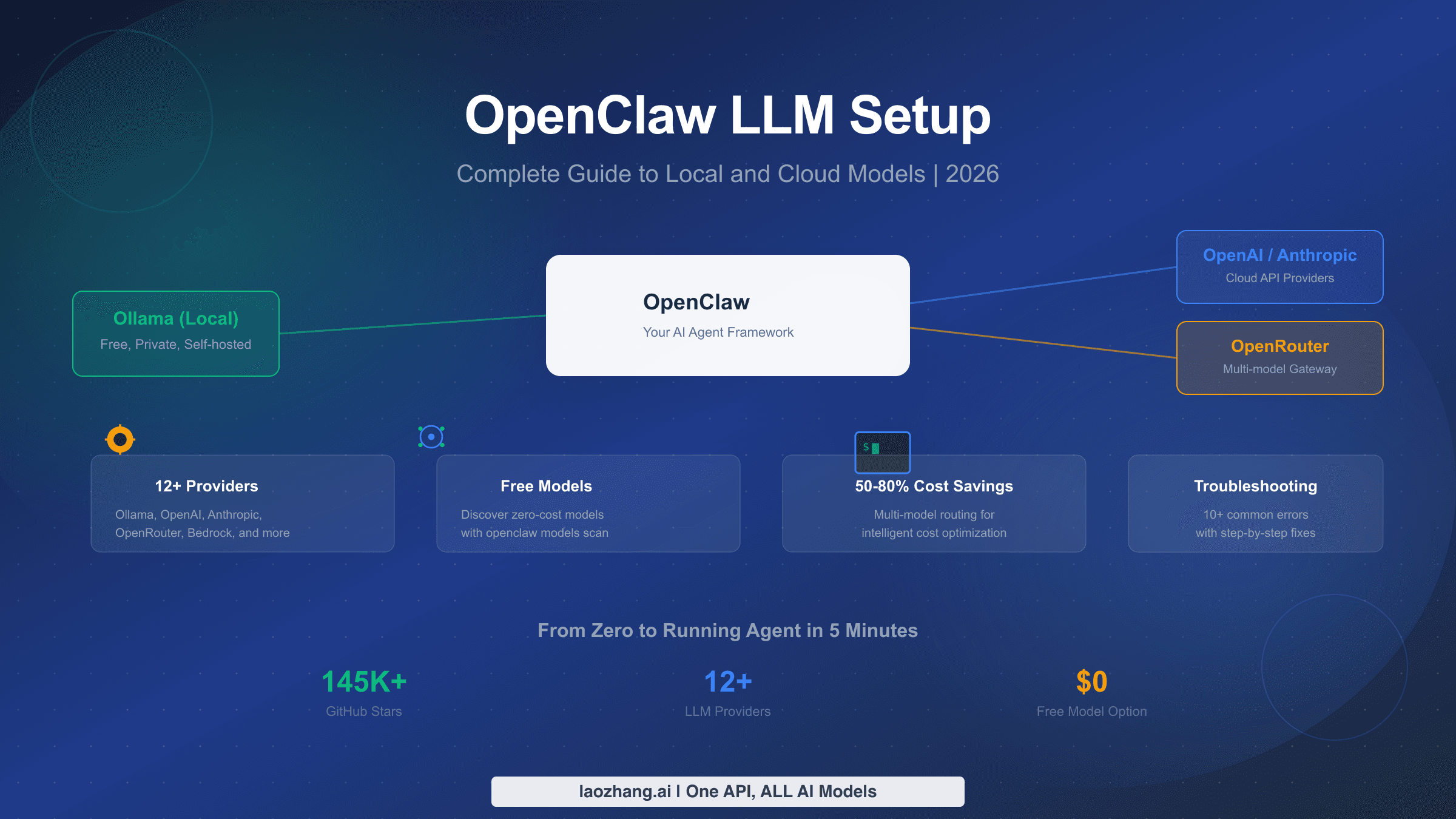
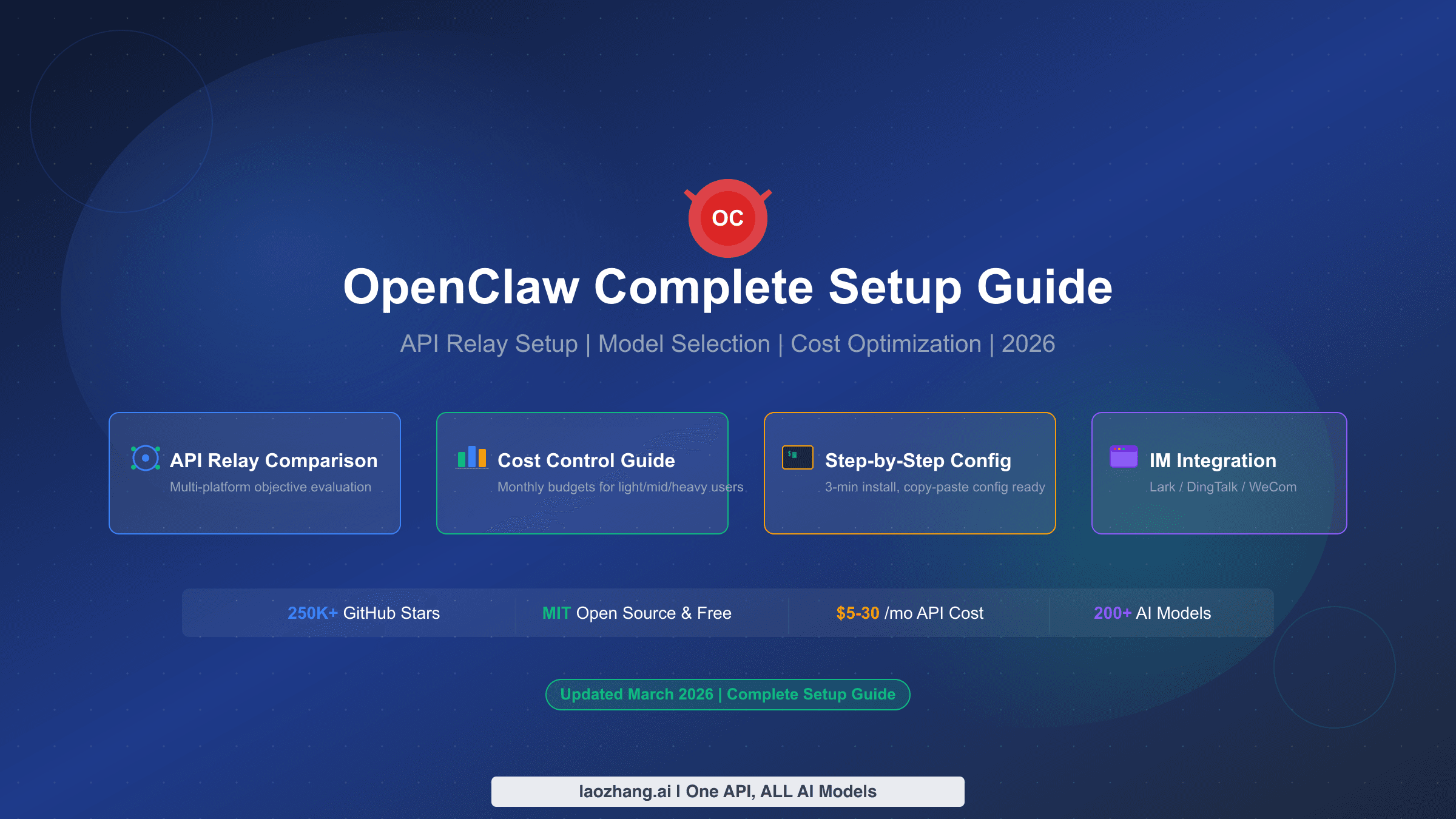
If you are starting from scratch rather than upgrading an existing installation, our OpenClaw installation and deployment guide covers the complete first-time setup process, and our guide on adding custom models to OpenClaw explains the model configuration system in depth.
Step-by-Step Setup: Claude Opus 4.6 on OpenClaw
The configuration process involves modifying one file and running two commands. Every setting below has been verified against the current OpenClaw configuration schema and Anthropic's model specifications.
Step 1: Open your OpenClaw configuration file.
The file lives at ~/.openclaw/openclaw.json. Open it with your preferred editor. If you installed OpenClaw using the standard method, this file already exists with your current model configuration.
Step 2: Add the Claude Opus 4.6 model definition.
Locate the models section in your configuration file and add the following block. If you already have Anthropic models configured, use "mode": "merge" to extend the existing catalog rather than replacing it:
{
  "models": {
    "mode": "merge",
    "catalog": {
      "anthropic/claude-opus-4-6": {
        "provider": "anthropic",
        "id": "claude-opus-4-6",
        "name": "Claude Opus 4.6",
        "contextWindow": 1000000,
        "maxTokens": 128000,
        "reasoning": true,
        "cost": {
          "input": 5.0,
          "output": 25.0,
          "cacheRead": 0.50,
          "cacheWrite5m": 6.25,
          "cacheWrite1h": 10.0
        }
      }
    }
  }
}
Three settings deserve attention here. The contextWindow value of 1,000,000 enables the full million-token context, but remember that exceeding 200K input tokens per request triggers premium pricing. The reasoning flag set to true activates Opus 4.6's enhanced planning and self-correction capabilities, which is what makes it so effective as an autonomous agent. The cost parameters ensure OpenClaw's built-in spending tracker reports accurate figures.
Step 3: Set Opus 4.6 as your agent's primary model.
In the same configuration file, find or create the agentDefaults section:
{
  "agentDefaults": {
    "primary": "anthropic/claude-opus-4-6",
    "fallbacks": ["anthropic/claude-sonnet-4-6", "anthropic/claude-opus-4-5"],
    "contextTokens": 200000
  }
}
Setting contextTokens to 200,000 rather than the full million is a deliberate cost management decision. This keeps your requests within the standard pricing tier while still giving you 200K tokens of context, plenty for most agent interactions. You can raise this value later if your use case genuinely requires longer context, understanding that costs will approximately double for those requests. The fallback chain ensures your agent degrades gracefully if Opus 4.6 encounters rate limits, falling back first to Sonnet 4.6 (significantly cheaper at $3/$15 per MTok) and then to the previous Opus 4.5.
Step 4: Restart the OpenClaw gateway.
The gateway daemon needs to reload the updated configuration. Run:
openclaw gateway restartWait for the confirmation message indicating the gateway has fully restarted. On most systems this takes 5-10 seconds. If you are running OpenClaw as a system service via launchd or systemd, the gateway will automatically pick up the new config.
Step 5: Start a new session and verify.
Existing sessions retain their previous model assignment. You need to start a fresh session for Opus 4.6 to take effect:
openclaw session newThen verify the model is correctly loaded:
openclaw models statusYou should see anthropic/claude-opus-4-6 listed as the active model with the correct context window and token limits displayed. If you see an "invalid config" error instead, double-check that your JSON syntax is valid and that you are running OpenClaw v2026.2.17 or later, as earlier versions do not include Opus 4.6 in their model schema.
For those who prefer a broader reference on model configuration options, our general OpenClaw LLM configuration guide covers additional settings and provider options.
Security Hardening for OpenClaw with Opus 4.6
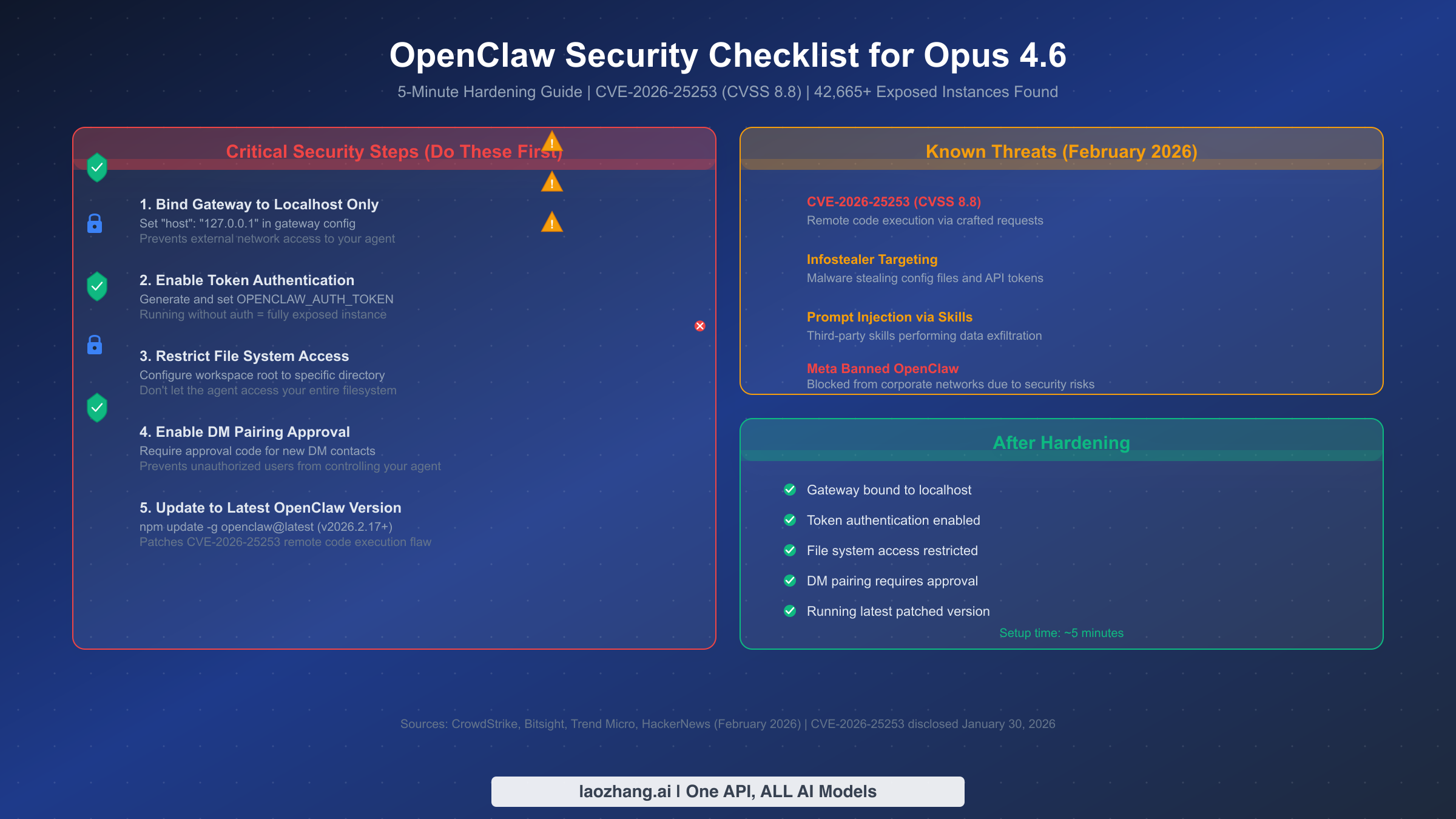
Running a more powerful model on your OpenClaw instance amplifies both capability and risk. Claude Opus 4.6 can do more for you, but a compromised agent with Opus 4.6 access can also do more damage than one running a less capable model. The security landscape around OpenClaw has escalated significantly in February 2026, with CrowdStrike, Trend Micro, and multiple security firms publishing detailed analyses of real-world attacks targeting OpenClaw deployments.
The most pressing threat is CVE-2026-25253, a remote code execution vulnerability with a CVSS score of 8.8 (high severity), disclosed on January 30, 2026. This flaw allows attackers to execute arbitrary code on exposed OpenClaw instances through crafted requests. If you followed the prerequisites section and updated to v2026.2.17 or later, you have the patch. If you skipped that step, stop reading and update now.
Beyond the specific CVE, the broader threat landscape includes infostealer malware specifically targeting OpenClaw configuration files to steal API tokens (reported by The Hacker News, February 2026), prompt injection attacks through third-party skills that perform data exfiltration (discovered by Cisco's AI security research team), and indirect prompt injection embedded in content your agent processes from emails, web pages, and documents.
Bind your gateway to localhost. Add "host": "127.0.0.1" to your gateway configuration to ensure your OpenClaw instance only accepts connections from your local machine. The Bitsight analysis found that many of the 42,665+ exposed instances were accessible over unencrypted HTTP from the public internet, essentially giving anyone on the internet full control of those agents. Binding to localhost is the single most effective security measure you can take, and it costs you nothing in terms of functionality if you are the only person using your agent.
Enable token authentication. Generate a strong authentication token and set it as the OPENCLAW_AUTH_TOKEN environment variable. Without this, any process on your machine that can reach the gateway port can send commands to your agent. This matters especially on shared machines or if you are running OpenClaw on a server accessible via SSH.
Restrict workspace access. Configure the workspace root to a specific directory rather than allowing your agent access to your entire filesystem. In your configuration, set the workspace path to a dedicated directory like ~/.openclaw/workspace rather than something broad like your home directory. This limits the blast radius if your agent receives a malicious instruction through prompt injection.
Audit third-party skills carefully. OpenClaw's skill system is powerful but carries risk. Cisco's research demonstrated that a third-party skill could perform data exfiltration and prompt injection without the user's awareness. Only install skills from trusted sources, review their code before installation, and add defensive instructions to your AGENTS.md file telling the agent to treat external content as potentially hostile.
Enable DM pairing approval. Require an approval code before your agent processes messages from new contacts. This prevents unauthorized users from sending commands to your agent through connected messaging platforms. The default configuration should already require this, but verify it is active in your settings.
Understanding and Managing Costs
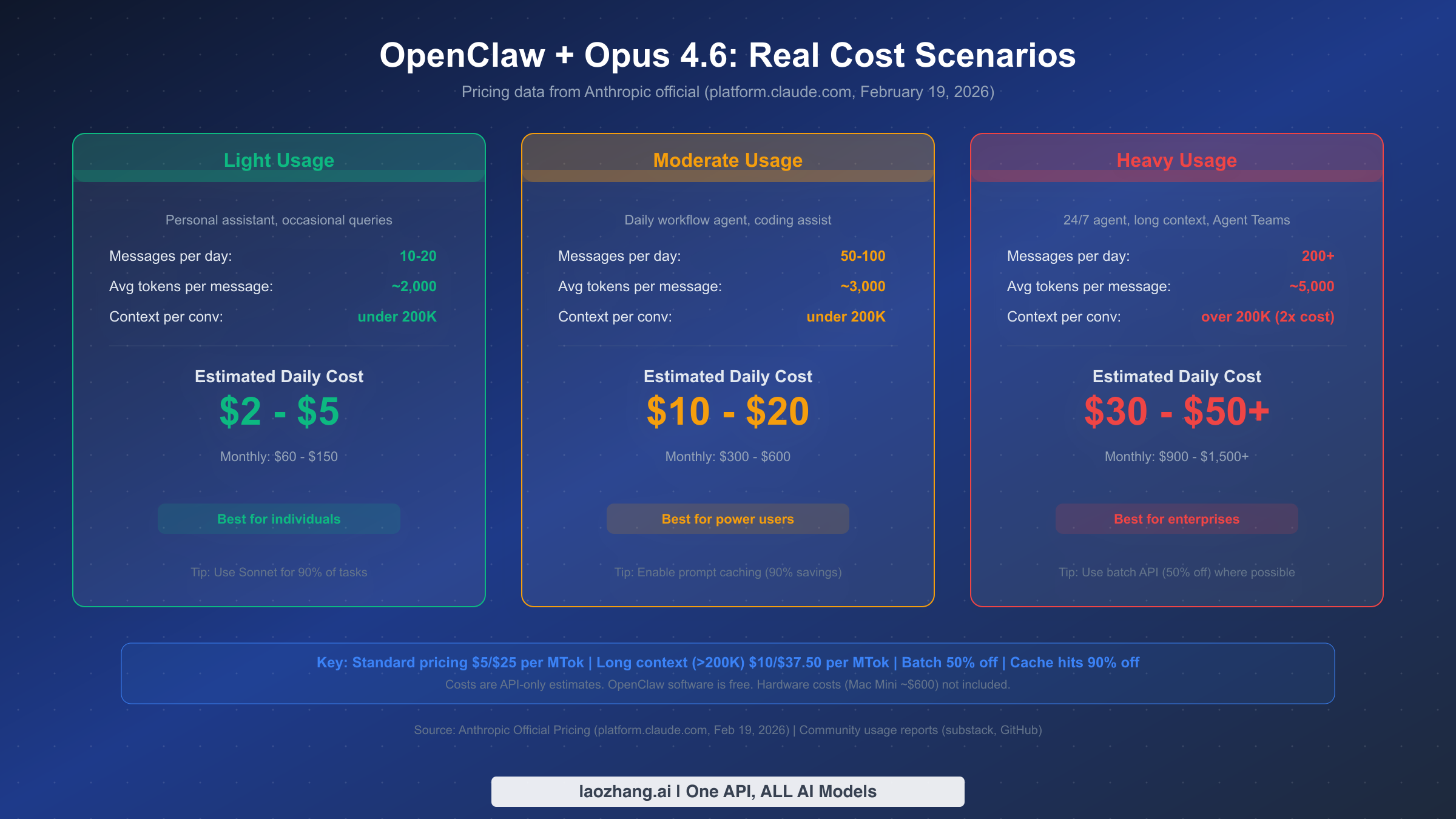
One of the most common complaints from OpenClaw users is unexpected API bills. Stories of $40 charges from just 12 messages or $623 monthly bills circulate regularly in community forums. The problem is not that the pricing is unreasonable; it is that most guides fail to explain how token consumption actually works in the context of a persistent AI agent, leaving users shocked when the invoice arrives.
Understanding the pricing structure is the first step toward managing costs. Claude Opus 4.6 charges $5 per million input tokens and $25 per million output tokens at standard rates (Anthropic official, February 2026). These rates apply to all requests where total input tokens stay under 200,000. Once your input exceeds that 200K threshold, which happens more easily than you might expect with a persistent agent that accumulates conversation history, the rates jump to $10 per million input tokens and $37.50 per million output tokens. That is roughly double the standard cost, and it applies to the entire request, not just the tokens above the threshold.
For light users running OpenClaw as a personal assistant with 10-20 messages per day and conversations staying under 200K tokens, daily costs typically land between $2 and $5, translating to roughly $60-$150 per month. This profile assumes you are using Opus 4.6 primarily for complex reasoning tasks and delegating simpler queries to a cheaper model like Sonnet 4.6 ($3/$15 per MTok) or Haiku 4.5 ($1/$5 per MTok).
Moderate users who rely on OpenClaw as a daily workflow tool, sending 50-100 messages with coding assistance and document generation, should budget $10-$20 per day or $300-$600 monthly. At this usage level, prompt caching becomes essential for cost management. Anthropic's prompt caching feature charges only $0.50 per million tokens for cache hits, compared to the full $5 for fresh input tokens. That is a 90% discount on repeated context, which is exactly what happens when your OpenClaw agent recalls its system prompts, SOUL.md instructions, and conversation history at the beginning of each interaction.
Heavy users running 24/7 agents with Agent Teams, long context processing, and hundreds of daily interactions should plan for $30-$50+ per day, potentially reaching $900-$1,500+ monthly. At this tier, the batch API becomes your most powerful cost management tool, offering a flat 50% discount on both input and output tokens for requests that can tolerate asynchronous processing. Batch input costs drop to $2.50 per million tokens and output to $12.50 per million tokens.
Several strategies can significantly reduce your costs regardless of usage tier. Setting contextTokens to 200,000 in your agent defaults, as recommended in the setup section, prevents accidentally triggering the 2x long context pricing. Configuring your agent to use Sonnet 4.6 for routine tasks and only switching to Opus 4.6 for complex reasoning cuts your cost per interaction dramatically, since Sonnet handles roughly 90% of typical agent tasks at 40% lower cost. Monitoring your spending through Anthropic's console at console.anthropic.com during the first week is essential for calibrating your expectations against reality.
For a much deeper exploration of token management and cost-saving techniques specific to OpenClaw, our comprehensive token management strategies guide covers advanced optimization patterns.
Configuring Agent Teams on OpenClaw
Agent Teams is the flagship new capability that arrived with Claude Opus 4.6, and it fundamentally changes how you can use OpenClaw for complex projects. Instead of a single agent handling everything sequentially, Agent Teams lets you create a coordinator agent that delegates work to multiple specialist agents running in parallel. If you have used OpenClaw for any project that involved multiple distinct workstreams, reading emails while researching a topic while drafting a document, you have felt the limitation that Agent Teams eliminates.
The concept works like this: you designate one OpenClaw session as the lead agent, which receives your instructions and breaks them into subtasks. The lead agent then spawns teammate agents, each operating as an independent Claude instance with its own context window and tool access. The lead coordinates the work, collects results from teammates, and synthesizes everything into a coherent output. Each teammate agent gets the full capabilities of whatever model you assign it, and they can work simultaneously.
To configure Agent Teams, you need to add team-aware instructions to your agent configuration. In your AGENTS.md file, add a section that describes how your lead agent should handle delegation:
## Agent Teams Configuration

When receiving complex multi-part requests:
1. Analyze whether the task can be parallelized
2. If yes, identify distinct subtasks that can run independently
3. Spawn teammate agents for each subtask
4. Assign appropriate models (Opus 4.6 for complex reasoning, Sonnet 4.6 for routine tasks)
5. Collect and synthesize results

Teammate assignment guidelines:
- Research tasks: Sonnet 4.6 (cost-effective for information gathering)
- Analysis and reasoning: Opus 4.6 (needs full reasoning capability)
- Simple data formatting: Haiku 4.5 (fastest and cheapest)
The cost implications of Agent Teams deserve careful consideration. Each teammate agent consumes tokens independently, so a three-agent team working on a project will roughly triple your token consumption compared to a single agent doing the same work sequentially. The trade-off is wall-clock time: three agents working in parallel can complete a complex task in one-third the time. For time-sensitive work, the cost premium is often worth it. For routine tasks, running a single agent is more economical.
A practical pattern that works well is the "lead plus specialists" approach: your lead agent runs on Opus 4.6 for coordination and complex reasoning, while specialist teammates run on Sonnet 4.6 or even Haiku 4.5 for their specific tasks. This gives you the intelligence of Opus 4.6 where it matters most while keeping overall costs manageable. For a comprehensive look at what Agent Teams can do and how to structure complex multi-agent workflows, our Agent Teams architecture deep dive covers the full range of patterns and configurations.
Troubleshooting Common Issues
Even with a verified configuration, you may encounter issues during or after setup. These are the five most common problems OpenClaw users face when integrating Opus 4.6, along with their solutions.
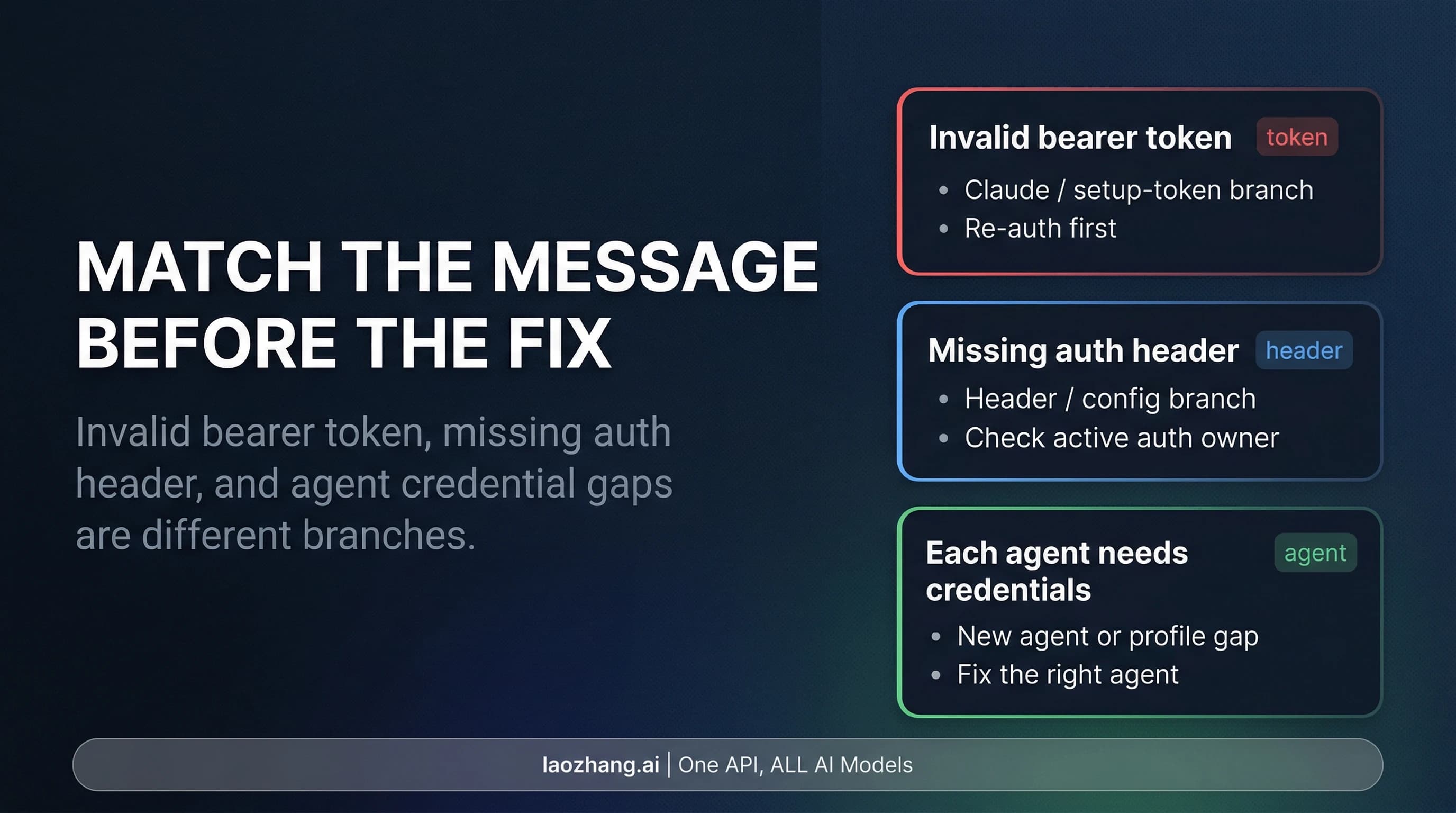
"Invalid config" or schema validation error. This occurs when your OpenClaw version does not recognize the claude-opus-4-6 model identifier. The fix is straightforward: update to v2026.2.17 or later with npm update -g openclaw@latest. Earlier versions do not include Opus 4.6 in their model schema, so the configuration validator rejects it. After updating, restart the gateway and your configuration should parse correctly.
Agent is completely unresponsive after model change. GitHub issue #16134 documents a case where the onboarding wizard defaults to Opus 4.6 without configuring an API key, leaving the agent silent. Check that your ANTHROPIC_API_KEY environment variable is set and valid. Run echo $ANTHROPIC_API_KEY in your terminal to verify. If the variable is empty, reconfigure it using claude setup-token or set it directly in your shell profile. Also verify your Anthropic account has sufficient credits by checking console.anthropic.com.
Context length exceeded errors. If your agent generates responses that exceed the model's output limit or your conversations grow beyond the configured context window, you will see context length errors. Setting contextTokens in your agent defaults manages this proactively. If you are hitting limits despite having the value set, the issue is typically accumulated conversation history. Starting a new session with openclaw session new resets the context. For persistent conversations, conversation compaction (a new Opus 4.6 feature) should handle this automatically, but you may need to enable it in your configuration. For a detailed walkthrough of context management strategies, our guide on context length management solutions addresses every variation of this problem.
Rate limit exceeded (429) errors. Anthropic enforces per-minute and per-day rate limits that vary by your API usage tier. If you are hitting rate limits, it usually means you are sending too many requests too quickly, which happens frequently when Agent Teams spawn multiple concurrent requests. The fallback chain configured earlier (Opus 4.6, then Sonnet 4.6, then Opus 4.5) helps mitigate this by routing requests to alternative models when rate limits are hit. You can also implement request spacing in your agent configuration. Our dedicated rate limit troubleshooting guide provides specific solutions for every rate limit scenario.
High unexpected costs after enabling Opus 4.6. If your API bill is higher than expected, the most common cause is accidentally triggering long context pricing. Check your recent API usage in the Anthropic console and look for requests with input token counts exceeding 200,000. If you see them, reduce the contextTokens value in your configuration. Another common culprit is background "heartbeat" tasks, where your agent periodically checks for new messages and each check consumes tokens for system prompt processing. Configuring your agent to batch these checks or reducing their frequency can significantly reduce baseline costs.
What Comes After Setup
Getting Claude Opus 4.6 running on OpenClaw is the beginning, not the destination. The real value emerges over the weeks that follow as you customize your agent's personality, build up its memory, and develop effective interaction patterns.
Your SOUL.md file shapes your agent's communication style and behavior. With Opus 4.6's improved reasoning capabilities, you can be more sophisticated in your personality instructions. Consider adding directives about how your agent should handle uncertainty ("say I don't know rather than guessing"), how verbose its responses should be ("match the length of your response to the complexity of the question"), and what topics it should proactively help with versus wait to be asked about.
The memory system is where OpenClaw truly differentiates itself from stateless AI chat interfaces. Your agent stores context as local Markdown documents, building up a knowledge base about your preferences, projects, and workflows over time. After a few weeks of regular use, your agent will have accumulated enough context to anticipate your needs and reference earlier conversations naturally. This persistent memory compounds in value, and it is the primary reason users stick with OpenClaw rather than switching to simpler alternatives.
For developers looking to extend their setup further, consider integrating OpenClaw with your existing toolchain through MCP (Model Context Protocol) servers. This allows your agent to access local databases, interact with your IDE, manage files on your system, and connect with external APIs in a structured, permission-controlled way.
The landscape around OpenClaw is evolving rapidly. With 208,000 GitHub stars and growing, the ecosystem of skills, integrations, and community-built extensions expands weekly. Staying updated with the official OpenClaw repository at github.com/openclaw/openclaw ensures you benefit from security patches, new model support, and feature improvements as they are released. Whatever you build with your OpenClaw agent powered by Claude Opus 4.6, the foundation you have set up following this guide gives you a secure, cost-managed, and well-configured starting point that will serve you for months ahead.