Nano Banana 2 Free 4K: Free Is 1K, and 4K Costs $0.055–$0.151
No Google option gives Nano Banana 2 4K for free: without a plan the Gemini app downloads at 1K. Native 4K is paid API output at $0.055–$0.151 per image.
On this page
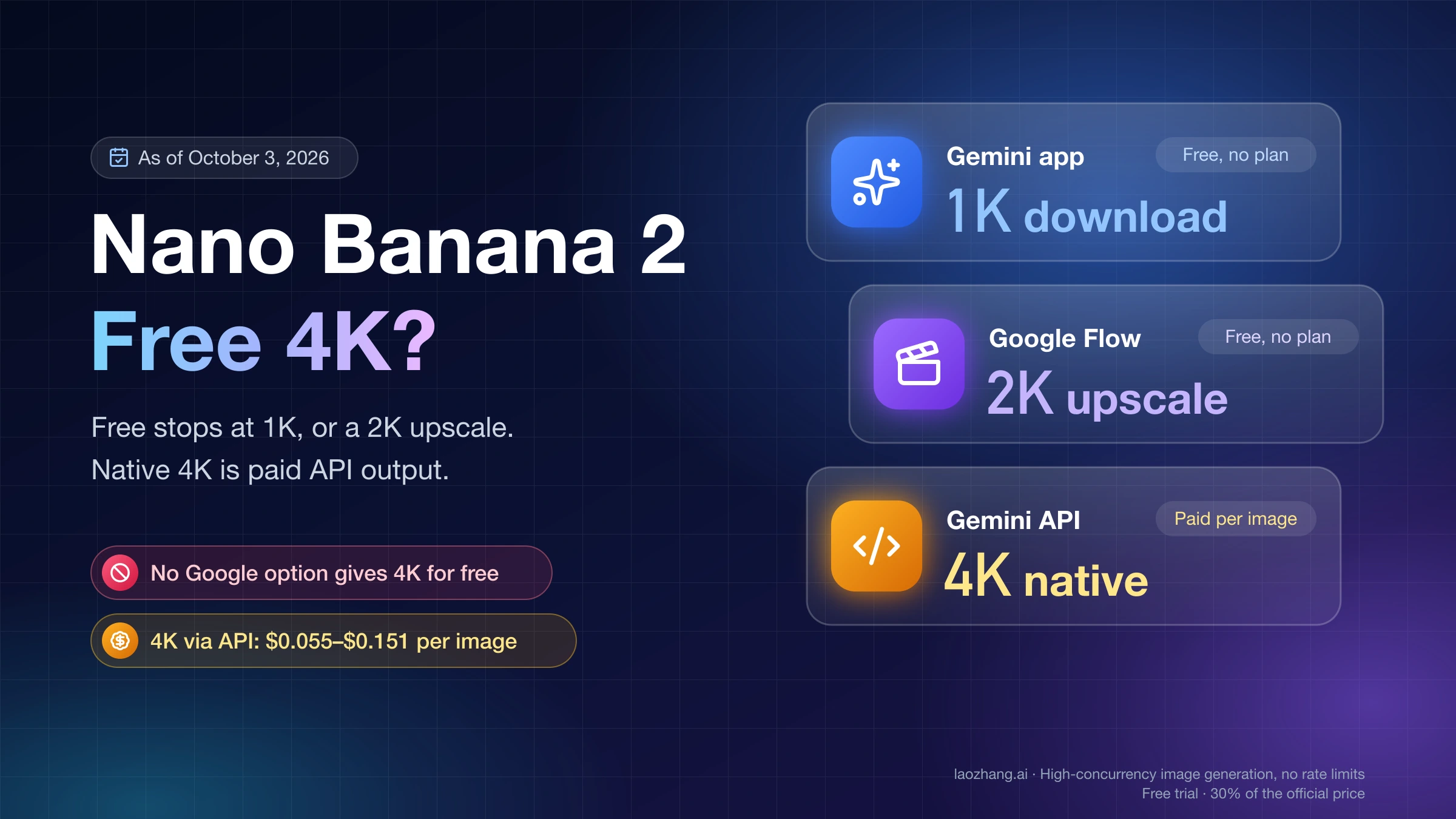
Nano Banana 2 can generate 4K images, but none of Google's no-cost options hands you one. As of October 3, 2026, the Gemini app lets you "download images at 2K resolution with a Google AI plan or at 1K without an AI plan," and Google's help page documents no 4K download in the app at any plan level. Google Flow offered a 1K original and a 2K upscaled download on an account with no plan, with the 4K upscaled option locked behind an upgrade. Native 4K comes from the API, which is paid: $0.151 per image at Google's rate, or $0.055 per call through the laozhang.ai gateway.
Disclosure: laozhang.ai is our own service. Its prices are platform pricing, not an independent comparison.
That last figure comes with a measured file. A 4K request sent to gemini-3.1-flash-image on October 2, 2026 returned a 5504×3072 JPEG of 9.4 MB in 31.7 seconds. The same prompt at 1K returned 1376×768 and 0.86 MB. The request, what was and was not run, and the cost math are all below.
What each no-cost Nano Banana 2 option gives you: 1K, or a 2K upscale
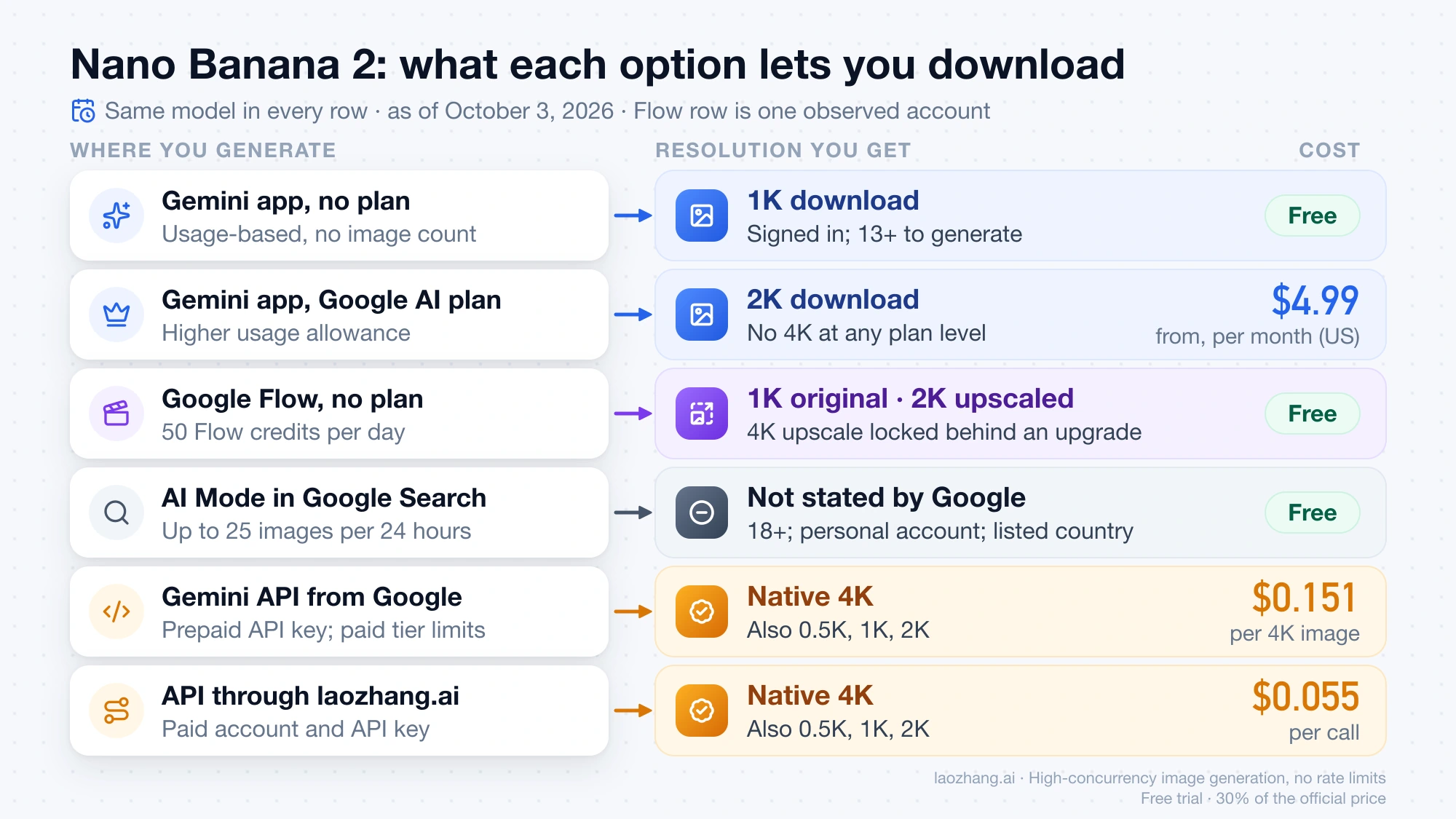
The resolution you get depends on where you generate, not on the model. Nano Banana 2 is the same model (Gemini 3.1 Flash Image) in every row of this table.
| Where you generate | Cost | Resolution you can download | Limit | Main conditions |
|---|---|---|---|---|
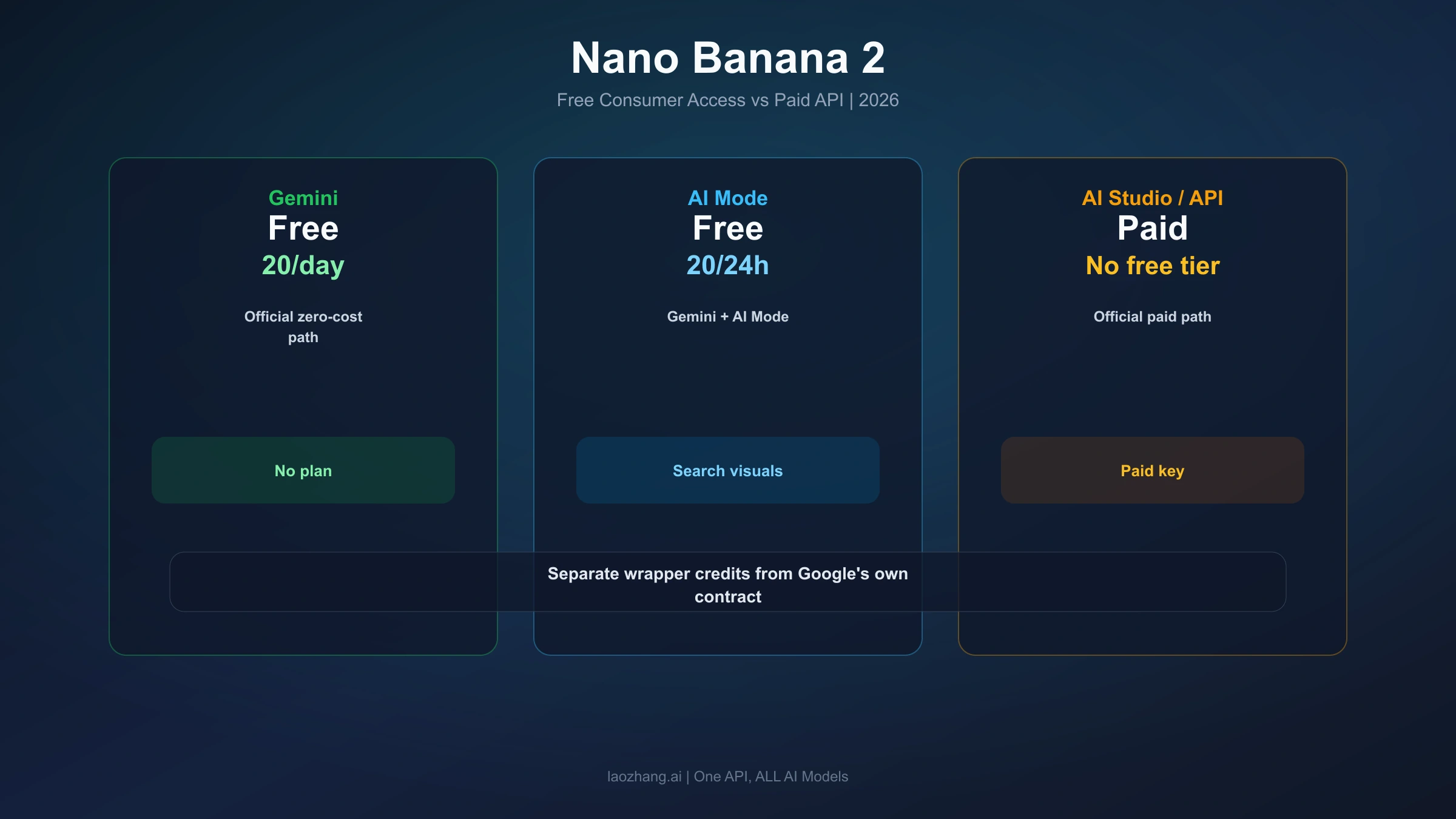
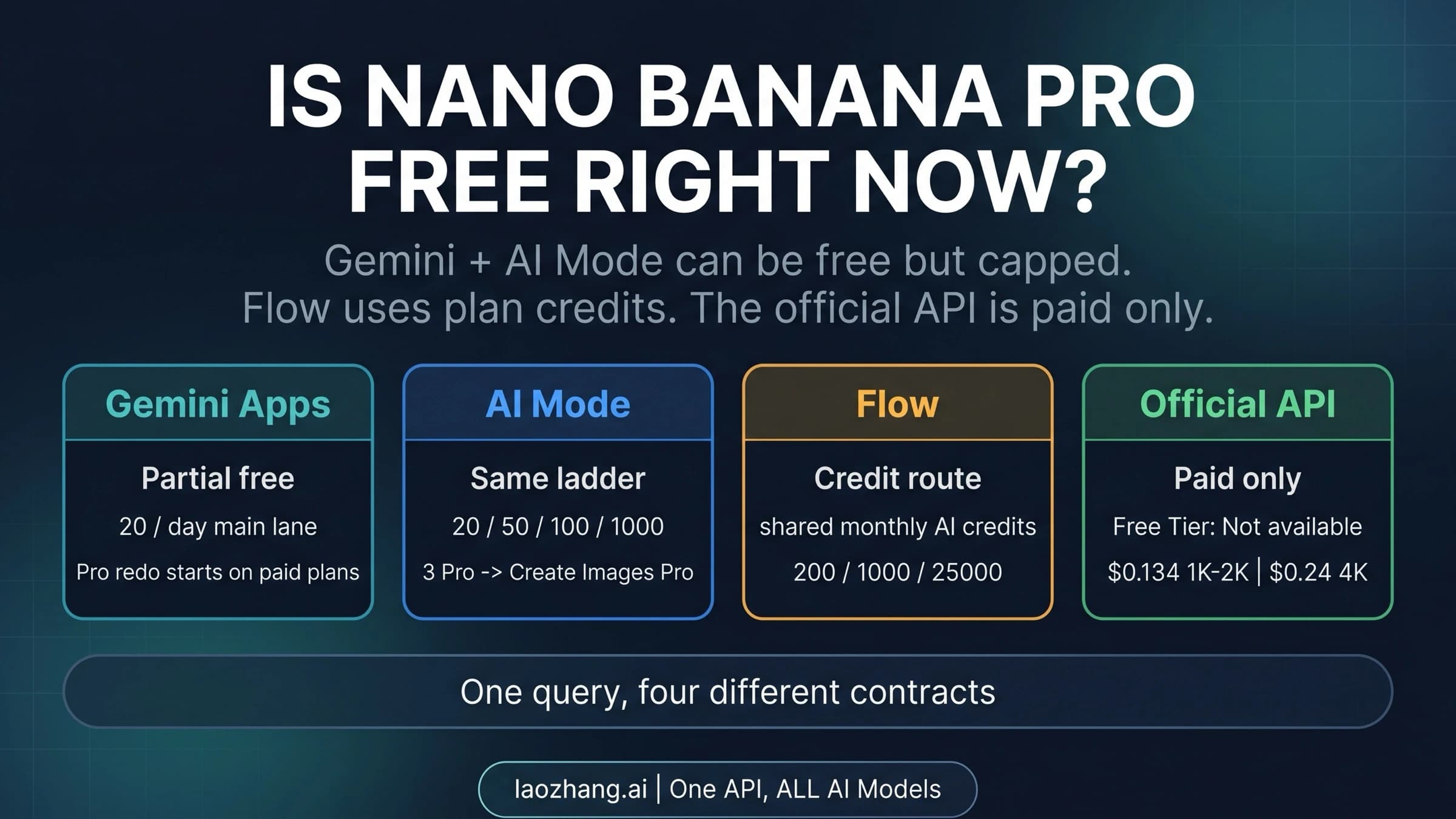
| Gemini app, no Google AI plan | Free | 1K | Usage-based, no image count printed | Signed in; 13+ to generate, 18+ to generate and edit |
| Gemini app with a Google AI plan | From $4.99 per month (Google AI Plus, US) | 2K | Higher usage allowance | Plan available in your country |
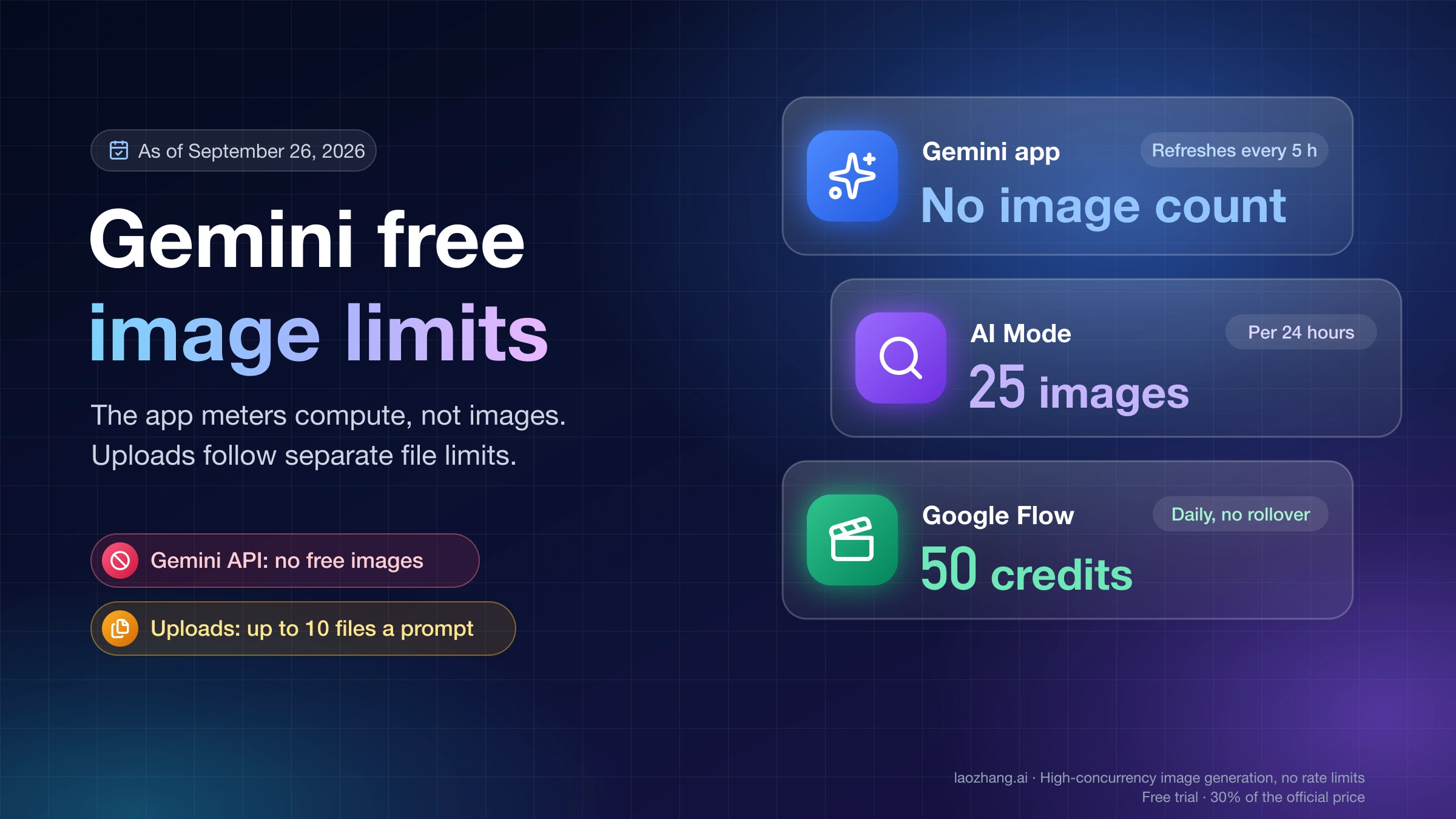
| Google Flow, no plan | Free | 1K original, 2K upscaled; 4K upscaled is locked behind an upgrade | 50 Flow credits per day | 18+; listed country |
| AI Mode in Google Search, no plan | Free | Not stated by Google | Up to 25 images in a 24-hour period | 18+; personal account; listed country |
| Gemini API, direct from Google | $0.151 per 4K image | Native 4K (also 0.5K, 1K, 2K) | Paid tier rate limits | Prepaid API key |
| Gemini-native API through laozhang.ai | $0.055 per call | Native 4K (also 0.5K, 1K, 2K) | Provider account balance | Paid account and API key |
Disclosure: laozhang.ai is our own service. Its prices are platform pricing, not an independent comparison.
The Flow row is one observation on one account on October 3, 2026, and Google's help pages do not document Flow's image download sizes. The AI Mode count comes from Google Search Help as of September 23, 2026. The Google AI Plus price is the US list price as of September 22, 2026.
Three practical readings follow from the table. If 1K is enough, the Gemini app costs nothing. If you want more pixels without paying, Flow's 2K upscale is the largest free file that was available. If you need a file that was generated at 4K, you pay per image through the API.
Gemini app: 1K without a Google AI plan, 2K with one
The Gemini app does not give 4K to anyone. Google's wording is "Download images at 2K resolution with a Google AI plan or at 1K without an AI plan," and the string "4K" does not appear on that help page. To get the largest file your account allows, hover over the image and choose "Download full size."
Nano Banana 2 is the model used when Gemini is set to Flash or Pro. Setting the model to Flash-Lite switches you to Nano Banana 2 Lite, which is a 1K-only model. Nano Banana Pro appears only as "Redo with Pro," and that requires a Google AI plan.
Google no longer prints an image count for the app. The per-day table that the help page once carried (20, 50, 100 and 1,000 images) is gone. Usage is now measured by compute, refreshes every five hours and is capped by a weekly limit, and a plan multiplies the allowance. You can see your own consumption at gemini.google.com/usage. The mechanics are covered in Nano Banana 2 Limits: How Gemini Usage and API Rate Limits Work.
Paying for a plan buys 2K, not 4K. Google AI Plus is the cheapest plan at $4.99 per month in the US, and any Google AI plan moves the download to 2K. What else each plan changes is in Nano Banana 2 Subscription Price: What Google AI Plans Change.
Google Flow: a 1K original, a 2K upscale, and 4K behind an upgrade
Flow is the only free Google option where a file larger than 1K was available without a plan, and that file is an upscale. On October 3, 2026, one 16:9 image was generated in Flow on a signed-in personal account with no Google AI plan, with Nano Banana 2 selected. The download menu for that image showed three items:
- a 1K item marked as the original size, selectable
- a 2K item marked as upscaled, selectable
- a 4K item marked as upscaled, greyed out, with an Upgrade button next to it
The wording matters. Flow labels both larger sizes as upscales, so even the locked 4K item is an enlargement of a 1K image, not an image generated at 4K.
Several things were not done in that session, and they limit what can be said:
- Nothing was downloaded, so the exact pixel dimensions of the 1K and 2K files are unmeasured.
- The Upgrade button was not clicked, so the plan that unlocks the 4K item is unknown. Google's Flow credit table has one 4K upscaling row, which sits next to the video models and reads "Ultra subscribers: 50" credits. Whether that row also governs image downloads is not documented.
- The menu was seen in a Chinese-language interface, so the English labels may read differently.
- It was a single image on a single account, located in Taiwan.
On cost, Google states that "with or without a subscription, you receive 50 Google Flow credits per day," that the refresh is triggered by your first generation, and that unused credits do not roll over. On the observed account, the balance was still 50 after the Nano Banana 2 image. That is one sample and not a promise that Nano Banana 2 always costs zero credits in Flow.
Check the model name in the prompt-box settings before you generate. Google's own pages disagree about the default: the models page calls Nano Banana 2 Lite "the default model available at no charge," the how-to says Flow "sets the model to Nano Banana Pro," and the observed account had Nano Banana 2 preselected. Flow is limited to adults in listed countries, which include the US.
Native 4K from the API: a measured 5504×3072 file
A 4K file that Nano Banana 2 actually generated at 4K comes from the API, by setting imageSize to 4K. Google's image generation docs list four output sizes for gemini-3.1-flash-image, with 1K as the default:
| Aspect ratio | 0.5K | 1K | 2K | 4K |
|---|---|---|---|---|
| 1:1 | 512×512 | 1024×1024 | 2048×2048 | 4096×4096 |
| 16:9 | 688×384 | 1376×768 | 2752×1536 | 5504×3072 |
| 9:16 | 384×688 | 768×1376 | 1536×2752 | 3072×5504 |
Here is what a real request returned on October 2, 2026 (16:52–16:56 UTC), one call per size, same prompt, 16:9:
imageSize | Response time | Pixel size | File | Image tokens |
|---|---|---|---|---|
4K | 31.7 s | 5504×3072 | JPEG, 9,448,189 bytes (9.4 MB) | 2,520 |
1K | 15.6 s | 1376×768 | JPEG, 859,017 bytes (0.86 MB) | 1,120 |
Both results match Google's table exactly. They are single samples, so expect timing and file size to vary with the prompt and with load.
The scope of the test was narrow:
- Run: two
generateContentcalls from Python through the laozhang.ai Gemini-native endpoint, and a pixel-size check of both files with macOSsips. - Not run: Google's own endpoint, a cURL version of the request, and the gateway's OpenAI-compatible endpoint.
- Not checked: the picture itself (detail at 4K, the lettering the prompt asks for) and the charge recorded in the gateway's call log.
Disclosure: laozhang.ai is our own service. Its prices are platform pricing, not an independent comparison.
The URL, headers and body below are exactly what the test sent. The lines that save the file are shortened from the test script, and this shortened version was not executed as shown.
import base64, json, os, urllib.request

body = {
    "contents": [{"role": "user", "parts": [{"text":
        "Generate an image of a lighthouse on a rocky coast at dusk, "
        "wide cinematic view, with the words \"NORTH POINT\" painted "
        "in small white letters on the lighthouse door."}]}],
    "generationConfig": {
        "responseModalities": ["IMAGE"],
        "imageConfig": {"aspectRatio": "16:9", "imageSize": "4K"},
    },
}
req = urllib.request.Request(
    "https://api.laozhang.ai/v1beta/models/gemini-3.1-flash-image:generateContent",
    data=json.dumps(body).encode(),
    headers={
        "Authorization": f"Bearer {os.environ['LAOZHANG_API_KEY']}",
        "Content-Type": "application/json",
    },
)
with urllib.request.urlopen(req, timeout=300) as r:
    res = json.loads(r.read())

for part in res["candidates"][0]["content"]["parts"]:
    blob = part.get("inlineData")
    if blob:  # mimeType was image/jpeg in the test
        with open("nb2-4k.jpg", "wb") as f:
            f.write(base64.b64decode(blob["data"]))
Three details decide whether the call works:
- Write the size with an uppercase K.
1kis rejected. - Use the current model id,
gemini-3.1-flash-image. The oldergemini-3.1-flash-image-previewid is outdated. - Allow a long timeout. The 4K call took more than 30 seconds, and a client that gives up early may still be billed.
On laozhang.ai, size and aspect ratio can only be set on the Gemini-native endpoint; the OpenAI-compatible endpoint returns a 1:1 image at 1K. The key's token billing mode must be "Usage first" or "Per-call." Setup is described in the laozhang.ai Nano Banana image docs.
What a 4K image costs: $0.151 from Google, $0.055 per call via a gateway
Neither paid option has a free allowance, so the comparison is per image.
Google's Gemini API. Image output is billed at $60 per 1,000,000 tokens, and a 4K image is 2,520 tokens: 2,520 × $60 ÷ 1,000,000 = $0.151. The same formula gives $0.101 at 2K, $0.067 at 1K and $0.045 at 0.5K. Input and thinking tokens are billed on top. Batch mode halves the output price, to $0.076 per 4K image. As of September 2026, Google's pricing page lists the free tier as "Not available" for this model, Google AI Studio needs a prepaid API key (minimum $5) to generate images with it, requests fail with HTTP 402 at a zero balance, and Gemini API usage is excluded from the $300 Google Cloud free-trial credit.
laozhang.ai. The provider's public price, dated September 24, 2026, is $0.055 per call for gemini-3.1-flash-image at 0.5K, 1K, 2K or 4K: "each model has one price, whatever the output size." It is a paid third-party service, its docs state no free credit, and prices can change.
Disclosure: laozhang.ai is our own service. Its prices are platform pricing, not an independent comparison.
| Google Gemini API | laozhang.ai | |
|---|---|---|
| One 4K image | $0.151 | $0.055 |
| 100 images at 4K | 100 × $0.151 = $15.10 | 100 × $0.055 = $5.50 |
| One 1K image | $0.067 | $0.055 |
| One 0.5K image | $0.045 | $0.055 |
At 4K the per-call price is about 64% lower (1 − 0.055 ÷ 0.151). At 0.5K, Google is cheaper. Two caveats keep the comparison honest: Google's figure excludes input and thinking tokens, and the gateway figure is the documented price, not a charge confirmed in the call log.
Per-call billing has its own rules, and they matter for batches. According to the provider's docs, an HTTP 200 response with no image is "charged as one call," a client timeout may still be charged ("Check call logs before you retry"), and requests rejected with 429 or 503 before generation are "usually not charged."
For scale, one month of Google AI Plus at $4.99 equals about 90 gateway calls ($4.99 ÷ $0.055) or 33 4K images at Google's API rate ($4.99 ÷ $0.151). The plan buys 2K downloads in the app; the API money buys 4K files.
Do you need 4K? 16.9 megapixels against a 2K upscale
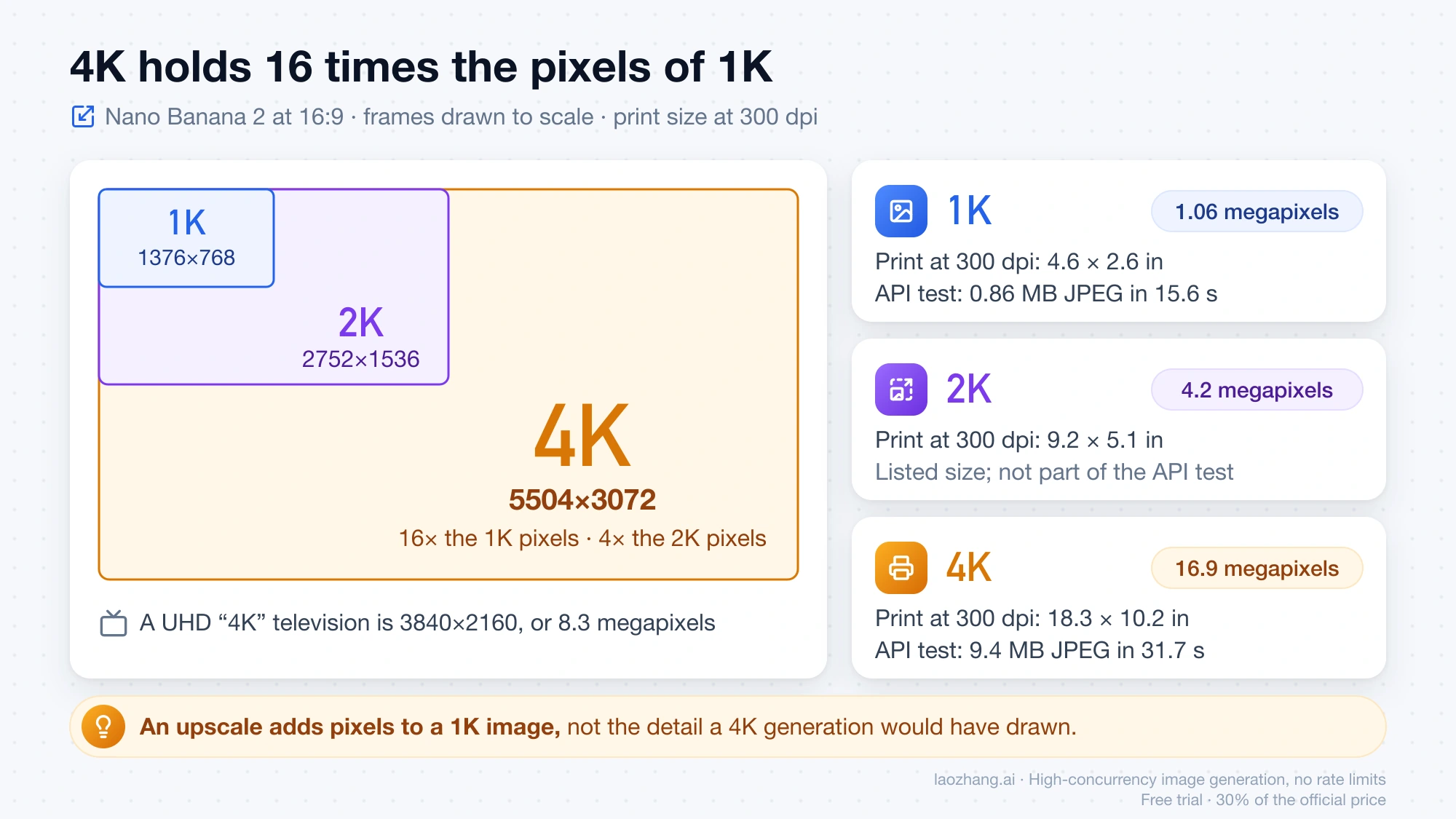
A 16:9 4K file from Nano Banana 2 holds 16 times the pixels of the 1K file and four times the 2K file:
| Size at 16:9 | Pixels | Megapixels | Print size at 300 dpi |
|---|---|---|---|
| 1K | 1376×768 | 1.06 | 4.6 × 2.6 in (11.7 × 6.5 cm) |
| 2K | 2752×1536 | 4.2 | 9.2 × 5.1 in (23.3 × 13.0 cm) |
| 4K | 5504×3072 | 16.9 | 18.3 × 10.2 in (46.6 × 26.0 cm) |
Print size is pixels divided by 300. For comparison, a UHD "4K" television is 3840×2160, or 8.3 megapixels, so Nano Banana 2's 16:9 4K output is roughly twice that.
The numbers suggest a simple rule. For a social post, a slide or a web page, where the image is shown at well under 2,000 pixels wide, the free 1K file or Flow's 2K upscale covers the display size. For a large print, a tight crop, or artwork a client will zoom into, pay for the native 4K file. An upscale adds pixels to a 1K image; it does not add the detail a 4K generation would have drawn.
How to read a "free 4K" Nano Banana 2 site before you sign up
Sites that advertise free 4K Nano Banana 2 are third-party services, and on their own pages "free" is a small credit grant while 4K sits on a paid tier or is an upscale. Three examples, quoted from the sites' pages as of October 3, 2026. No account was created and nothing was generated on any of them. None of the three states an affiliation with Google.
- nano-banana2.com presents itself as a "Free 4K AI Image Generator." Its pricing page lists "Supports 2K/4K generation" on the Pro plan ($23.99 per month, billed yearly) and Premium, not on Starter ($11.99 per month).
- nanobanana.org offers "20 Free Credits … no credit card required" and says the model "outputs images at native 2K quality and upscales to stunning 4K resolution." 4K is listed from the Pro plan at $19.99 per month, billed annually.
- easemate.ai headlines "Free Nano Banana 2 Online, No Sign-up." The body says "Every user gets one complimentary creation," and the FAQ says "After signing up, you can generate and edit an image … for free."
Those prices are sale prices and will move. The questions to ask of any such page stay the same:
- How many free images or credits are there, and do they require an account?
- On which plan does 4K appear in the pricing table?
- Does the page say "native," or does it say "upscales to"?
- Which model generates the image, and does the site say so?
- What are the pixel dimensions of the file you actually receive?
How to check whether a downloaded file is really 4K
Read the pixel dimensions from the file itself, not from the label on the download button. On macOS this is the command used to measure the two test files:
sips -g pixelWidth -g pixelHeight image.jpgIt prints pixelWidth: 5504 and pixelHeight: 3072 for the 4K test image. Other tools report the same property, such as the file's Properties dialog on Windows, Get Info in Finder, or ImageMagick's identify; only sips was run for the measurements above.
Compare the result with Google's size table. A 16:9 image from Nano Banana 2 at 4K is 5504×3072, and a square one is 4096×4096. A "4K" file that measures 3840×2160 did not come out of the model at that size.
Pixel size proves dimensions only. An upscaled file can carry 4K dimensions without 4K detail, so also open it at 100% and look at fine texture, hair and small text. The dimensions cannot tell you whether that detail is there; only looking can.
Questions about free Nano Banana 2 and 4K
Can I use Nano Banana 2 for free?
Yes, at lower resolutions. The Gemini app is free at 1K for signed-in users, Google Flow gives 50 credits per day with or without a subscription, and AI Mode in Google Search allows up to 25 images in a 24-hour period without a plan. Each has age and country requirements, and AI Mode image creation is not listed for the UK or the EU. The full list for the Nano Banana family is in Can You Use Nano Banana for Free? Google's No-Cost Options.
How can I get a photo in 4K quality for free?
Not as a native Nano Banana 2 generation. Google documents no free 4K download, and the API has no free tier for this model. The largest free file observed was Flow's 2K upscale. Enlarging an existing image to 4K dimensions with an upscaler is a different operation from generating at 4K: it changes the pixel count, not the detail the model drew.
Is there a free Nano Banana 2 4K download on iOS?
No. Google's download rule for the Gemini app is 1K without a Google AI plan and 2K with one, and it documents no 4K download in the app.
Is Nano Banana 2 4K free in Google AI Studio?
No. As of September 2026, Google lists the free tier as "Not available" for gemini-3.1-flash-image, and generating images with it in AI Studio needs a prepaid API key. The $300 Google Cloud free-trial credit does not cover Gemini API usage.
Can I get Nano Banana Pro for free?
Not in the Gemini app, where Nano Banana Pro is offered only as "Redo with Pro" with a Google AI plan. How the three models differ is covered in Nano Banana 2 Lite vs 2 vs Pro: Pick the Right Route.
What happens if a paid 4K call returns no image?
It depends on the provider. On laozhang.ai, an HTTP 200 response without an image is charged as one call, and a client-side timeout may still be charged, so check the call log before retrying. Requests rejected with 429 or 503 before generation are usually not charged.
Disclosure: laozhang.ai is our own service. Its prices are platform pricing, not an independent comparison.
Sources5
External pages this guide links to, in the order they appear. Last updated Oct 3, 2026.
Sources5
External pages this guide links to, in the order they appear. Last updated Oct 3, 2026.
- 1.Google's help pagesupport.google.com/gemini/answer/14286560
- 2.Google's rateai.google.dev/gemini-api/docs/pricing
- 3.Google Search Helpsupport.google.com/websearch/answer/16649374
- 4.Google's Flow credit tablesupport.google.com/flow/answer/16526234
- 5.Google's image generation docsai.google.dev/gemini-api/docs/image-generation