Nano Banana API: Google vs. LaoZhang Cost and Image Delivery
Nano Banana 2 is deprecated; as of October 10, 2026, 2.1 costs $0.0336–$0.113 per image on Google. LaoZhang lists $0.045 per call, above Standard only at 1K.
On this page
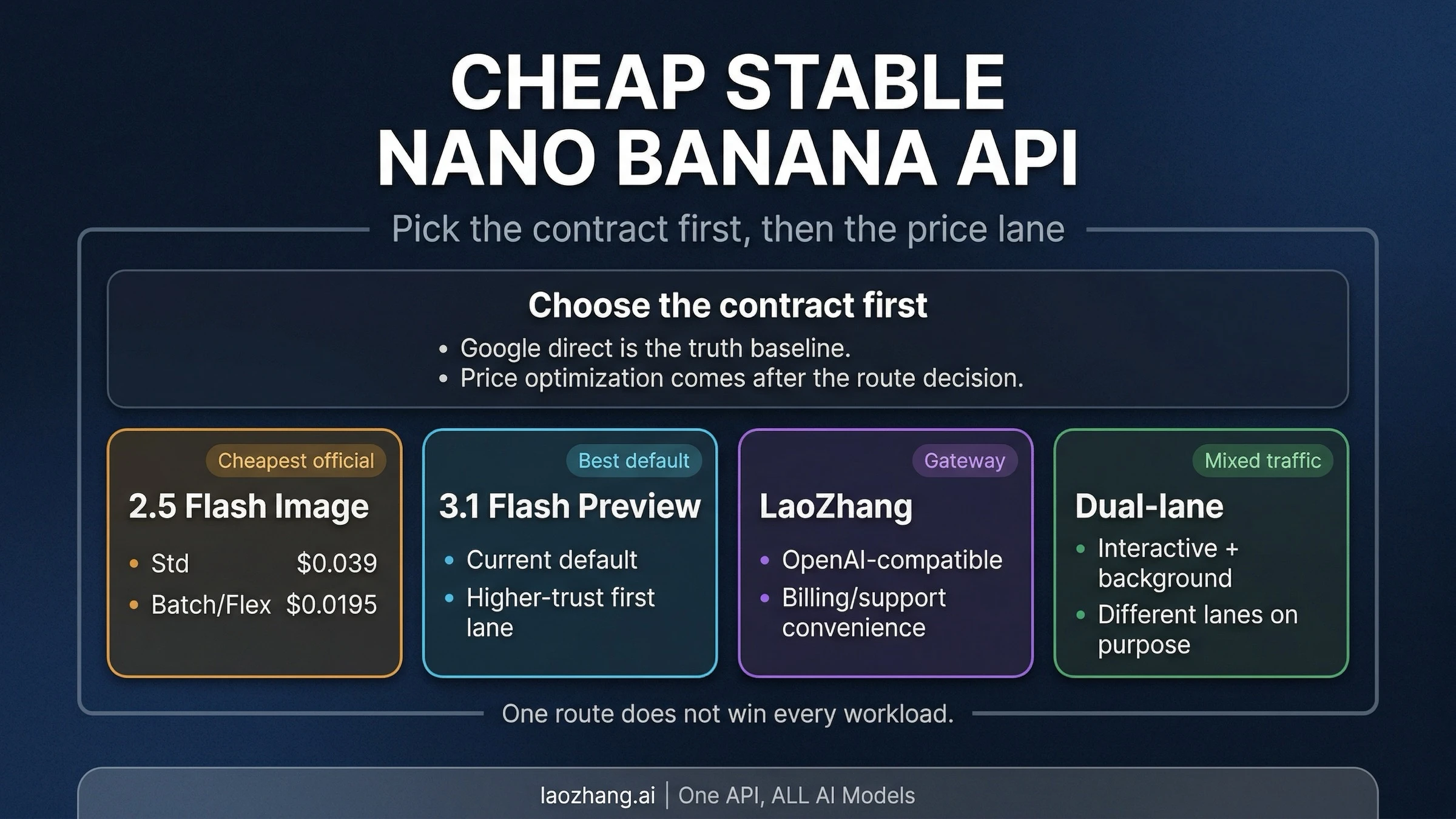
Google deprecated Nano Banana 2 (gemini-3.1-flash-image, the Gemini 3.1 Flash Image model) on October 6, 2026 and points new work to Nano Banana 2.1, which costs $0.0336 per 1K image against Nano Banana 2's $0.067. LaoZhang lists $0.055 per Nano Banana 2 call, $0.045 per Nano Banana 2.1 call, and $0.09 per Nano Banana Pro call. Those prices undercut Google's Standard image-output charges for Nano Banana 2 at 1K and above, for Pro, and for 2.1 at 2K and 4K. For 2.1 at 1K, Google's $0.0336 is lower than LaoZhang's $0.045, and Google Batch halves Google's price when the job can wait.
None of these price comparisons tells you which service will reliably deliver the images your application needs: a billed call, an HTTP 200 response, and a usable image are different outcomes. The practical choice is to price the same model and output size, implement image extraction correctly, and compare settled charges against files your application actually accepts. Prices and model status below are as of October 10, 2026. The guide includes an executable example, but no paid API benchmark or independently measured uptime ranking.
Compare the same Nano Banana model first
Four Gemini API image IDs matter here, as of October 10, 2026:
gemini-nano-banana-2.1for Nano Banana 2.1, Google's current Flash image model, priced at 1K, 2K, and 4K.gemini-3.1-flash-imagefor Nano Banana 2, deprecated on October 6, 2026 with no shutdown date announced. It is the only one with 0.5K output, and it also covers 1K, 2K, and 4K.gemini-3.1-flash-lite-imagefor Nano Banana 2 Lite, priced at 1K only.gemini-3-pro-imagefor Nano Banana Pro, at 1K, 2K, and 4K. Plan prices and per-image costs are in the Nano Banana Pro price guide.
Google's pricing page lists Batch prices for all four. The original Nano Banana (gemini-2.5-flash-image) is a separate, older model. A cheaper offer for it or for Lite does not establish the cost of running Pro at 4K. Google's Nano Banana 2.1 model page, Nano Banana 2 model page, Pro model page.
For a comparison your team can reproduce, fix the model ID, image size, aspect ratio, number of requested images, prompt, and any input images. Keep grounding settings and response modalities consistent too. Otherwise, differences in the request can explain both the bill and the resulting image.
Google direct gives you Google's endpoint, billing relationship, and project quota. LaoZhang supplies a gateway endpoint and its own billing terms. The useful question is whether the latter's price and integration fit your application; neither arrangement alone proves better delivery reliability.
What 1,000 image outputs or billed calls cost
Google prices image output in tokens; LaoZhang publishes a per-call price. The table deliberately keeps those units visible. Google figures below use its published image-token counts and token rates, rather than multiplying rounded per-image labels. LaoZhang figures assume 1,000 successfully billed calls. Google pricing, LaoZhang image-generation pricing.
Disclosure: laozhang.ai is our own service. Its prices are platform pricing, not an independent comparison.
| Model and size | Google Standard: 1,000 image outputs | Google Batch: 1,000 image outputs | LaoZhang: 1,000 billed calls |
|---|---|---|---|
| Nano Banana 2.1, 1K | $33.60 | $16.80 | $45.00 |
| Nano Banana 2.1, 4K | $113.40 | $56.70 | $45.00 |
| Nano Banana 2 (deprecated), 1K | $67.20 | $33.60 | $55.00 |
| Nano Banana 2 (deprecated), 4K | $151.20 | $75.60 | $55.00 |
| Nano Banana 2 Lite, 1K | $33.60 | $16.80 | $25.00 |
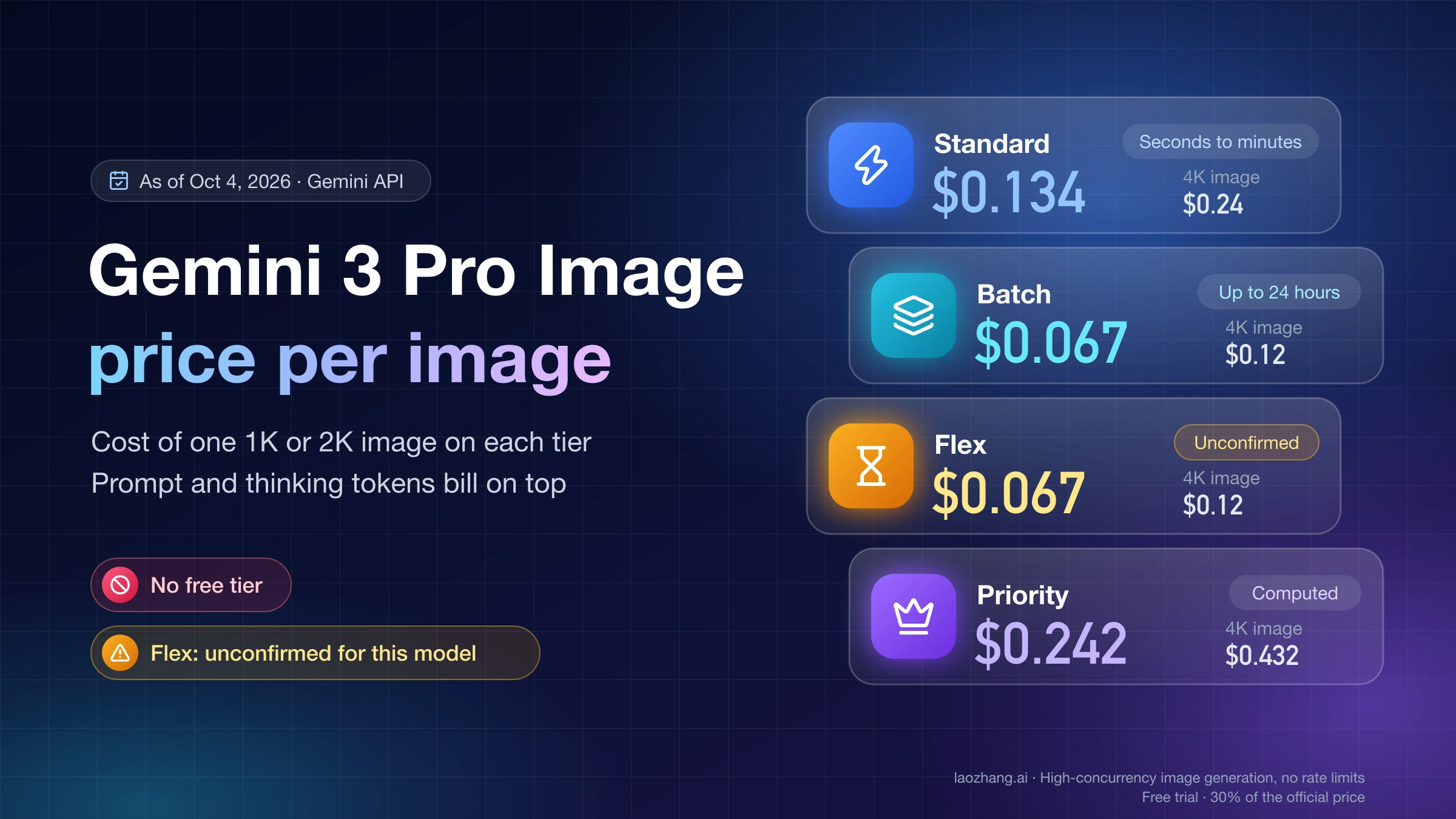
| Nano Banana Pro, 1K or 2K | $134.40 | $67.20 | $90.00 |
| Nano Banana Pro, 4K | $240.00 | $120.00 | $90.00 |
For example, Nano Banana 2 at 1K uses 1,120 image-output tokens at $60 per million tokens in Standard: 1,000 × 1,120 × $60 / 1,000,000 = $67.20. Nano Banana 2.1 uses the same 1,120 tokens at 1K but bills image output at $30 per million, and a 4K image uses 3,780 tokens: 1,000 × 3,780 × $30 / 1,000,000 = $113.40, which Google rounds to $0.113 per image. Input, text or thinking output, and applicable search charges can increase Google's total. These image models have no free tier for image output. Google's displayed approximate Standard rates also include $0.045 at 0.5K and $0.101 at 2K for Nano Banana 2, and $0.0504 at 2K for 2.1. Google pricing.
Two of Google's Standard rates sit below LaoZhang's call price for the same model: Nano Banana 2 at 0.5K ($0.045 vs. $0.055) and Nano Banana 2.1 at 1K ($0.0336 vs. $0.045). At 2K, 2.1 costs $0.0504 on Google against LaoZhang's $0.045.
LaoZhang currently lists $0.055 per Nano Banana 2 call, $0.045 per Nano Banana 2.1 call, $0.025 per Nano Banana 2 Lite call, and $0.09 per Pro call, with no separate price by output size on its price list. Its specific model documentation explains that billing depends on a successful Google call: a successful response containing only text may still be charged. Therefore, read its price as a call price, not a guarantee that every charge buys a delivered image. LaoZhang Nano Banana 2 documentation, Pro documentation.
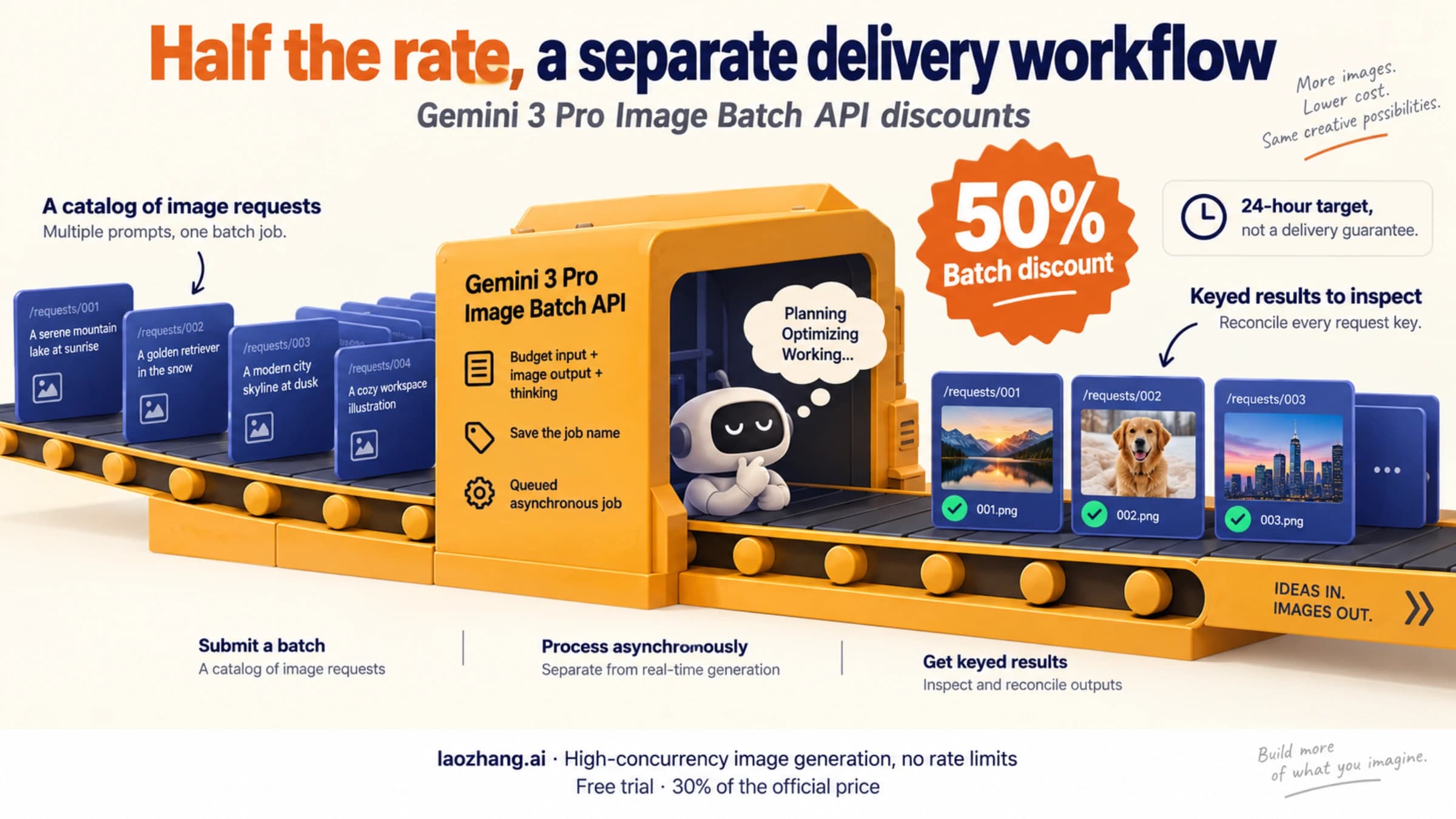
Batch is a different scheduling choice. Google describes asynchronous processing with a target turnaround of 24 hours and a 50% discount against Standard. It suits deferred catalog images or scheduled creative work, not an immediate retry for a user waiting on screen. For the rows above, Google Batch has the lower listed component in every 1K and 2K row, including Nano Banana 2 Lite ($16.80 vs. $25.00 per 1,000). LaoZhang has the lower listed price in every 4K row. Google Batch API.
Use Standard and Batch for this budget. Google's Pro pricing page also lists Flex/Priority prices, while its model page says those modes are unsupported. Those documents conflict; a price row alone does not establish that your image request supports that mode. Check the applicable model documentation before building a workload around it. Pro model documentation, pricing.
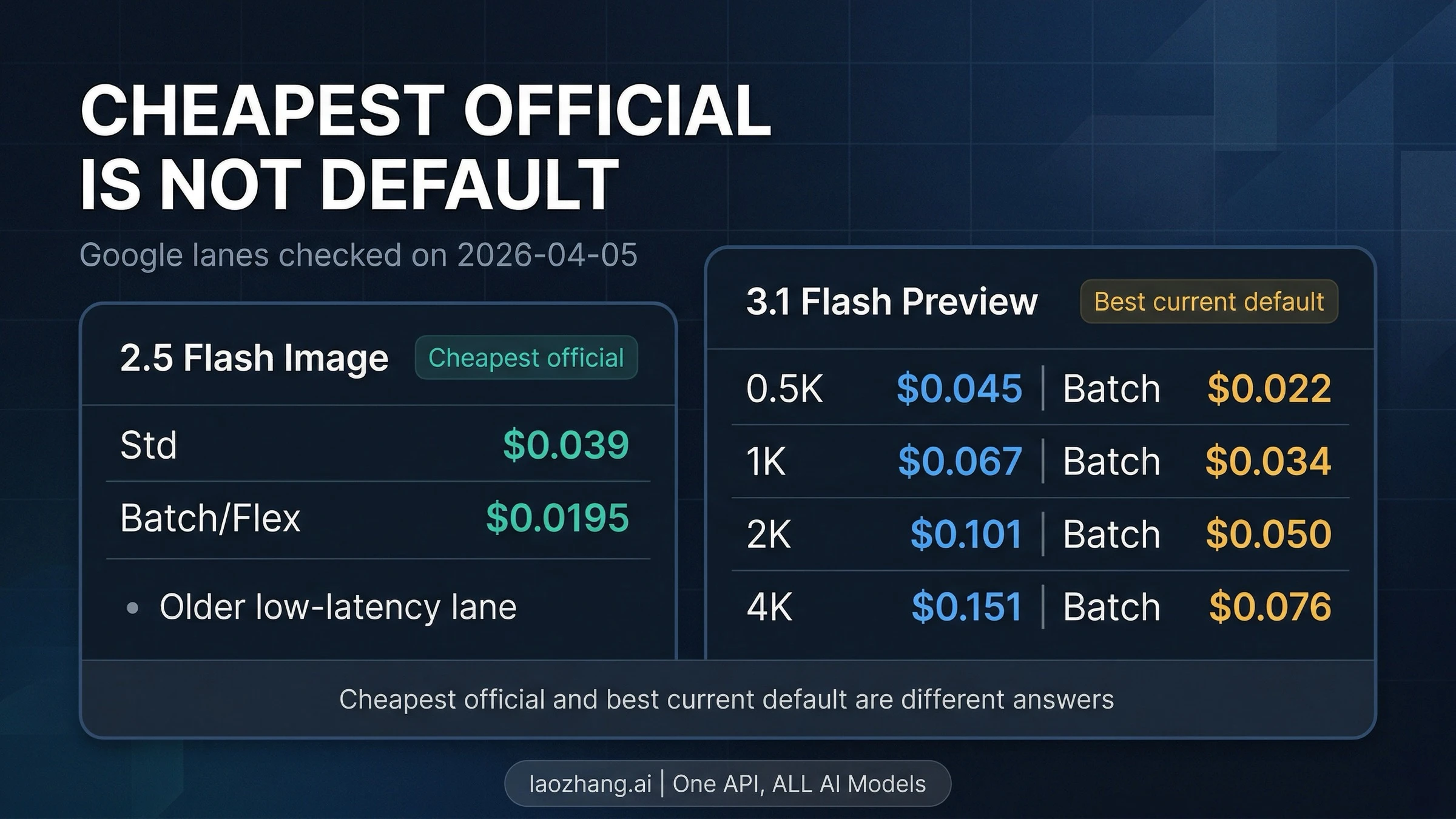
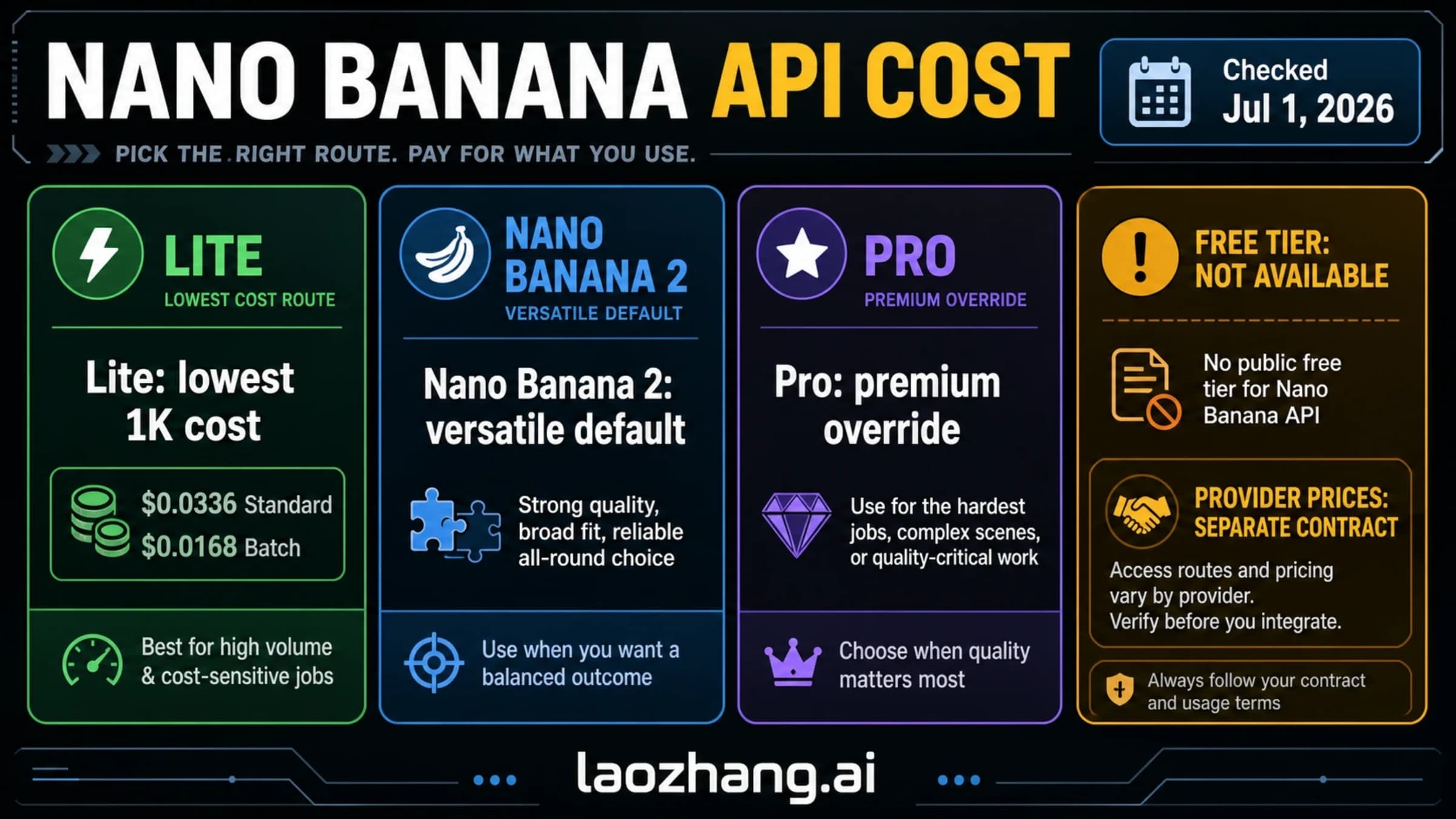
This chart predates the October 10, 2026 update: it shows Nano Banana 2 as the default and leaves out Nano Banana 2.1. Use the tables in this guide for current prices.
Gemini 3.1 Flash Image (Nano Banana 2) API: deprecated, 2.1 is cheaper
gemini-3.1-flash-image, the Gemini 3.1 Flash Image model that Google also calls Nano Banana 2, was deprecated on October 6, 2026. Google's changelog gives no shutdown date and names gemini-nano-banana-2.1 as the replacement. Deprecated is not the same as shut down: as of October 10, 2026, Nano Banana 2 is still on the pricing page at its usual rates. Gemini API changelog, Gemini API deprecations page.
Per-image prices for the three Flash image models, as of October 10, 2026:
| Model and ID | Google Standard, per image | Google Batch, per image | LaoZhang listed price, per call |
|---|---|---|---|
Nano Banana 2.1, gemini-nano-banana-2.1 | $0.0336 (1K), $0.0504 (2K), $0.113 (4K) | $0.0168 (1K), $0.0252 (2K), $0.0567 (4K) | $0.045 |
Nano Banana 2 (deprecated), gemini-3.1-flash-image | $0.045 (0.5K), $0.067 (1K), $0.101 (2K), $0.151 (4K) | Half of Standard, about $0.034 at 1K | $0.055 |
Nano Banana 2 Lite, gemini-3.1-flash-lite-image | $0.0336 (1K only) | $0.0168 | $0.025 |
None of the three has a free API tier, so every image call needs billing on the Google project; the Gemini image API free-tier guide covers what a first top-up buys. The full Nano Banana 2 price history is in the Nano Banana 2 API pricing guide. Google pricing.
The cheapest listed route for a Nano Banana 2 workload is to move it to 2.1. Batch costs $0.0168 per 1K image there, a quarter of Nano Banana 2's $0.067 Standard price, if the job can wait. For images a user is waiting for, 2.1 Standard at $0.0336 is the lowest Google price at 1K, the same as Lite, which has no larger sizes. LaoZhang's per-call prices are above Google Standard for 2.1 at 1K and for Nano Banana 2 at 0.5K, and above Google Batch at every size except 4K.
Moving to 2.1 is a model-ID change in the same generateContent request, with three things to check first:
- 2.1 has no 0.5K size, so 512px previews either stay on Nano Banana 2 or move to 1K.
- Input and thinking tokens cost more on 2.1 and are billed on top of the per-image price. The Nano Banana 2.1 API pricing breakdown works out when that cancels the saving.
- Output changes between models, so re-run your own prompts through the acceptance check described below before switching all traffic.
"Stable" also has a model-lifecycle meaning: Nano Banana 2 is still listed and priced, but Google can add a shutdown date at any time, and a gateway that serves Google's model inherits the same deprecation. Watch Google's deprecations page rather than relying on any provider's stability claim; delivery reliability is a separate measurement, covered in the sections below.
Make both services deliver the same image file
Use the native generateContent format for the comparison below. Google's REST response contains image data in candidates[].content.parts[].inlineData, alongside possible text parts. Skip parts marked thought: true so intermediate thinking images are not counted as final output. The raw JSON field is inlineData; Python SDK examples may instead expose inline_data. Indexing the first part can miss an image when text comes first. Google image-generation guide.
| Setting | Google direct | LaoZhang |
|---|---|---|
| Base URL | https://generativelanguage.googleapis.com | https://api2.laozhang.ai |
| Request path | /v1beta/models/{model}:generateContent | /v1beta/models/{model}:generateContent |
| Authentication | x-goog-api-key: ... | Authorization: Bearer ... |
| Example model | gemini-3.1-flash-image | gemini-3.1-flash-image |
| Example output | One square 2K image | One square 2K image |
Disclosure: laozhang.ai is our own service. Its prices are platform pricing, not an independent comparison.
The LaoZhang host and stable model IDs above follow its current examples. Its Pro documentation limits Chat Completions mode to 1:1 at 1K and directs custom aspect ratios and 2K/4K requests to Google format. Do not substitute /v1/images/generations without documentation for that endpoint. Google also offers OpenAI compatibility; compatibility alone is not a gateway advantage, and it does not establish identical image-feature support. LaoZhang Pro request formats, Google OpenAI compatibility.
Save the following as nano_banana.py and install its two dependencies with python -m pip install requests Pillow. Set IMAGE_PROVIDER to google or laozhang, and supply the corresponding GOOGLE_API_KEY or LAOZHANG_API_KEY through your environment. Set IMAGE_MODEL=gemini-3-pro-image to compare Pro; otherwise, it uses Nano Banana 2. Running the script sends a potentially billable request to the selected service.
import base64
import io
import os
import time
import uuid
from pathlib import Path

import requests
from PIL import Image


def save_images(payload, output_root):
    formats = {
        "image/png": ("PNG", ".png"),
        "image/jpeg": ("JPEG", ".jpg"),
        "image/webp": ("WEBP", ".webp"),
    }
    validated = []
    for candidate in payload.get("candidates", []):
        for part in candidate.get("content", {}).get("parts", []):
            if part.get("thought") is True:
                continue
            inline = part.get("inlineData")
            if inline is None:
                continue
            mime = inline.get("mimeType")
            if mime not in formats:
                raise ValueError("Unsupported image MIME type")
            expected_format, extension = formats[mime]
            raw = base64.b64decode(inline.get("data", ""), validate=True)
            with Image.open(io.BytesIO(raw)) as picture:
                picture.verify()
            with Image.open(io.BytesIO(raw)) as picture:
                picture.load()
                if picture.format != expected_format:
                    raise ValueError("MIME type does not match image bytes")
                if picture.size != (2048, 2048):
                    raise ValueError(f"Expected square 2K; got {picture.size}")
            validated.append((raw, extension))
    if not validated:
        raise ValueError("No decodable image returned; inspect response and billing")
    folder = Path(output_root) / uuid.uuid4().hex
    folder.mkdir(parents=True)
    paths = []
    for index, (raw, extension) in enumerate(validated, start=1):
        path = folder / f"image-{index}{extension}"
        path.write_bytes(raw)
        paths.append(path)
    return paths


def main():
    provider = os.environ.get("IMAGE_PROVIDER", "google")
    if provider == "google":
        base = "https://generativelanguage.googleapis.com"
        headers = {"x-goog-api-key": os.environ["GOOGLE_API_KEY"]}
    elif provider == "laozhang":
        base = "https://api2.laozhang.ai"
        headers = {"Authorization": "Bearer " + os.environ["LAOZHANG_API_KEY"]}
    else:
        raise ValueError("IMAGE_PROVIDER must be google or laozhang")
    model = os.environ.get("IMAGE_MODEL", "gemini-3.1-flash-image")
    if model not in {"gemini-3.1-flash-image", "gemini-3-pro-image"}:
        raise ValueError("Choose Nano Banana 2 or Pro")
    body = {
        "contents": [{"parts": [{"text":
            "Create one square studio product photo of a blue ceramic cup."
        }]}],
        "generationConfig": {
            "responseModalities": ["IMAGE"],
            "imageConfig": {"aspectRatio": "1:1", "imageSize": "2K"},
        },
    }
    started = time.monotonic()
    response = requests.post(
        f"{base}/v1beta/models/{model}:generateContent",
        headers=headers, json=body, timeout=(10, 180),
    )
    response.raise_for_status()
    paths = save_images(response.json(), "generated-images")
    elapsed = time.monotonic() - started
    print(f"{provider} {model}: {len(paths)} saved image(s), {elapsed:.2f}s")
    for path in paths:
        print(path)


if __name__ == "__main__":
    main()
This example inspects every candidate and part, skips thinking content, strictly decodes Base64, opens and loads the image, checks MIME consistency and the requested square 2K dimensions, then writes files to a new directory. It intentionally stops on malformed images instead of reporting partial validation as success. If you change the requested size or ratio, change the dimension check to match. The script predates Nano Banana 2.1: its model check accepts only Nano Banana 2 and Pro, and it has not been run against gemini-nano-banana-2.1. The check establishes a usable file of the requested dimensions; your application still needs to decide whether the content meets the user's request.
The example's (10, 180) timeout specifies connection and read timeouts in requests; it is not a guaranteed 190-second total deadline. The printed elapsed time includes the request, decoding, and file writes. A production worker should also enforce its overall job deadline and record the result even when an exception occurs.
The parsing and saving function was checked offline with synthetic image responses, including text before an image, an image in a later candidate, thinking-only images, text-only responses, malformed Base64, truncated files, wrong dimensions, and a MIME mismatch. Those checks validate the local handling code, not either service's live response, speed, or availability. For initial account setup, see the Nano Banana API setup guide.
Compare settled cost per usable image
A low call price only helps if enough calls produce images you can use. Calculate:
Cost per usable image = net settled charges / accepted image files
Include all related attempts, retries, input charges, and final credits in the numerator. In the denominator, count delivered files that decode, match the requested output specification, and pass your application's content acceptance criteria. If no images are usable, the metric is undefined; report the charge and zero deliveries instead of a misleading price per image.
For a hypothetical Nano Banana 2 run, suppose LaoZhang bills 1,000 calls at $0.055, yielding 950 usable images. With no further charges or credits, the effective cost is $55 / 950 = $0.0579 per usable image. Suppose a matching Google run settles at $70 including its other charges and yields 990 usable images: $70 / 990 = $0.0707. LaoZhang is cheaper in that example. If those same 1,000 billed calls yield only 700 usable images, its figure becomes $55 / 700 = $0.0786, reversing the outcome. These are illustrative assumptions, not observed delivery rates.
Keep the request count separate from the image count: a response can contain no images or multiple images. Also keep API failures separate from editorial rejection. A correctly delivered picture that your designer dislikes still has an associated cost, but it is a different problem from a response that cannot be decoded.
Recover from missing images and ambiguous failures
The first recovery action depends on what failed. Use the response, your job record, and the provider's billing or order record together; do not classify every failure as an automatically refundable request.
| Observed result | First action | Retry decision |
|---|---|---|
| HTTP 200 with text only | Inspect returned text, finish reason, and any safety feedback; check the charge | Correct the request or handle the refusal before another attempt; LaoZhang may bill a successful text-only call |
| Invalid Base64 or an unreadable image | Preserve the response securely and record decoding failure | Check whether your parser used raw REST fields correctly before paying for another generation |
| Wrong dimensions | Compare the saved file, requested imageSize, aspect ratio, and endpoint mode | Correct the format or settings before repeating the request |
| HTTP 400/401/403 | Inspect the reported validation, credential, or access problem | Fix that cause; repeated identical calls will not resolve it |
| HTTP 429 | Check the service's active limits and any retry guidance | Apply bounded backoff and reduce concurrency |
| HTTP 5xx or a timeout | Look for an existing result and check provider records for completion or charging | Reconcile ambiguous attempts before resubmitting; a client timeout does not prove cancellation |
LaoZhang's published successful-call rule does not establish the final settlement of every timeout, validation failure, or 5xx. Reconcile those cases in the console instead of assuming an automatic refund. LaoZhang Pro billing notes.
Disclosure: laozhang.ai is our own service. Its prices are platform pricing, not an independent comparison.
For Google, rate limits apply per project, not per API key. Adding keys to the same project does not multiply its quota. Check the active limits in AI Studio, and use the Nano Banana Pro quota guide if capacity is the actual problem. Meeting a tier threshold is not a guarantee that every concurrency level will work. Google rate limits.
Track each logical job with your own ID and each submission as a separate attempt. Save provider request IDs when available, model settings, timestamps, HTTP status, decoding outcome, delivered dimensions, and the final charge. An internal job ID helps reconciliation; it does not make a provider request idempotent or prevent duplicate billing.
Choose using measured image delivery
For an interactive application, compare both services during the same defined period and workload: for example, a planned evaluation of square 2K requests at your expected concurrency over one business week. Record attempted requests, delivered files, text-only outcomes, invalid files, HTTP errors, timeouts, and settled charges. Use the same content acceptance rules for both services.
Measure latency through the saved, validated file. If you report P95 for successful deliveries, label it that way and state the sample count, measurement dates, concurrency, and timeout policy. Report timeout and failure rates over all attempted requests beside it. Removing failed requests from the latency sample without showing their rate can make an unreliable service look fast.
Google direct is a sensible starting point when you want the direct billing and project-quota relationship. LaoZhang is worth evaluating when its published call prices improve your expected cost, particularly for 4K, and its endpoint fits your integration. For Nano Banana 2.1 at 1K, Google's Standard price is already the lower one. Google Batch deserves a separate budget for work that can wait. Keep whichever meets your delivery and cost requirements; the public documentation does not establish a universal stability winner.
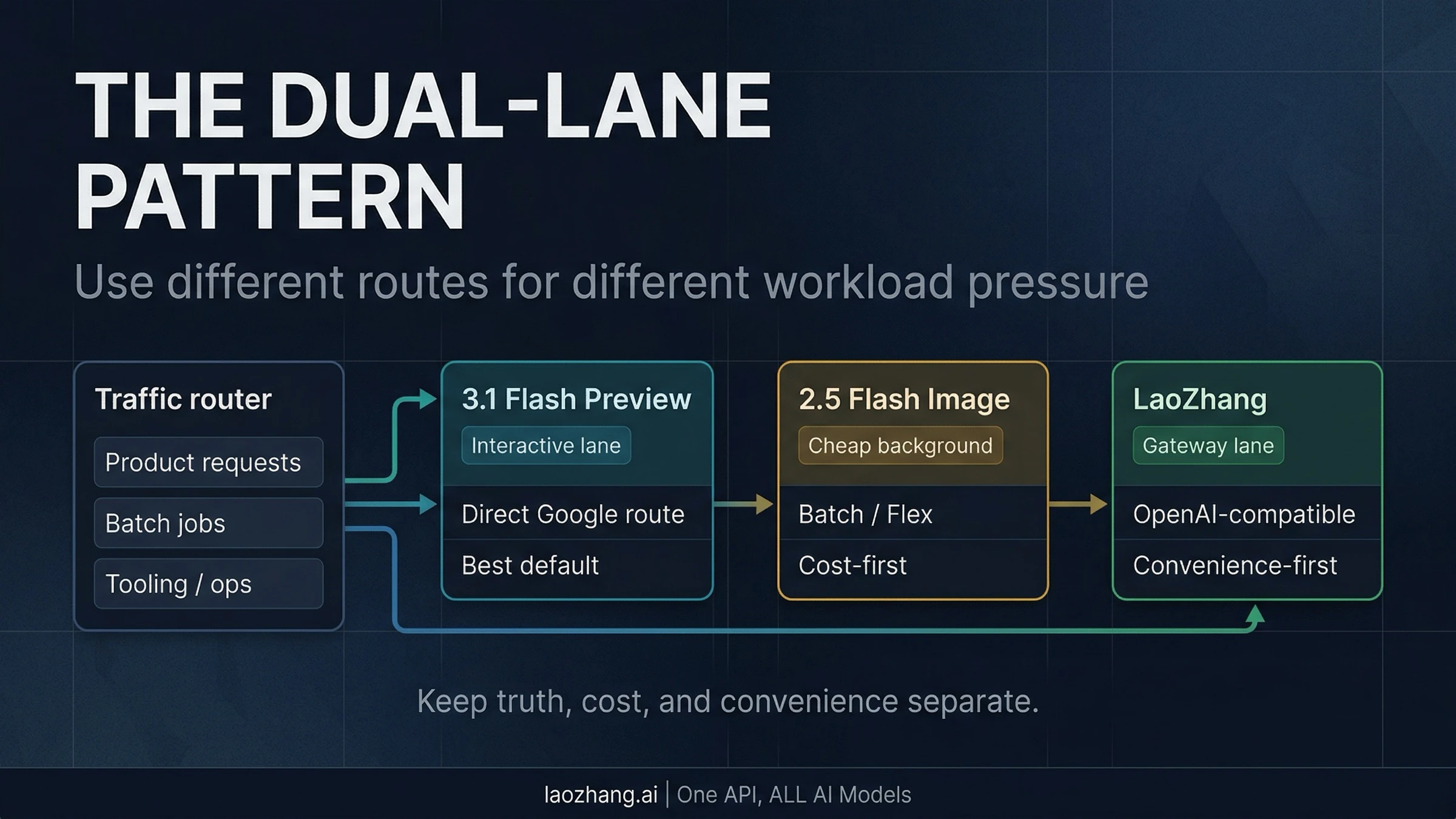
This diagram predates the October 10, 2026 update: Google now points the interactive Flash lane to Nano Banana 2.1, not the deprecated 3.1 Flash image model.
A second provider can give your application another submission option, but Google direct and a gateway serving Google's models may share upstream failures. Add failover only with explicit retry limits, duplicate-job handling, and separate billing reconciliation. Two endpoints are useful operational choices, not proof of independent capacity.
Sources10
External pages this guide links to, in the order they appear. Last updated Oct 10, 2026.
Sources10
External pages this guide links to, in the order they appear. Last updated Oct 10, 2026.
- 1.Google's Nano Banana 2.1 model pageai.google.dev/gemini-api/docs/models/gemini-nano-banana-2.1
- 2.Nano Banana 2 model pageai.google.dev/gemini-api/docs/models/gemini-3.1-flash-image
- 3.Pro model pageai.google.dev/gemini-api/docs/models/gemini-3-pro-image
- 4.Google pricingai.google.dev/gemini-api/docs/pricing
- 5.Google Batch APIai.google.dev/gemini-api/docs/batch-api
- 6.Gemini API changelogai.google.dev/gemini-api/docs/changelog
- 7.Gemini API deprecations pageai.google.dev/gemini-api/docs/deprecations
- 8.Google image-generation guideai.google.dev/gemini-api/docs/generate-content/image-generation
- 9.Google OpenAI compatibilityai.google.dev/gemini-api/docs/openai
- 10.Google rate limitsai.google.dev/gemini-api/docs/rate-limits