Nano Banana 2 API Pricing: $0.045–$0.151 per Image (Deprecated)
Nano Banana 2 (gemini-3.1-flash-image) costs $0.067 per 1K image and $0.151 per 4K, half on Batch. It is deprecated; Nano Banana 2.1 costs half at 1K and 2K.
On this page
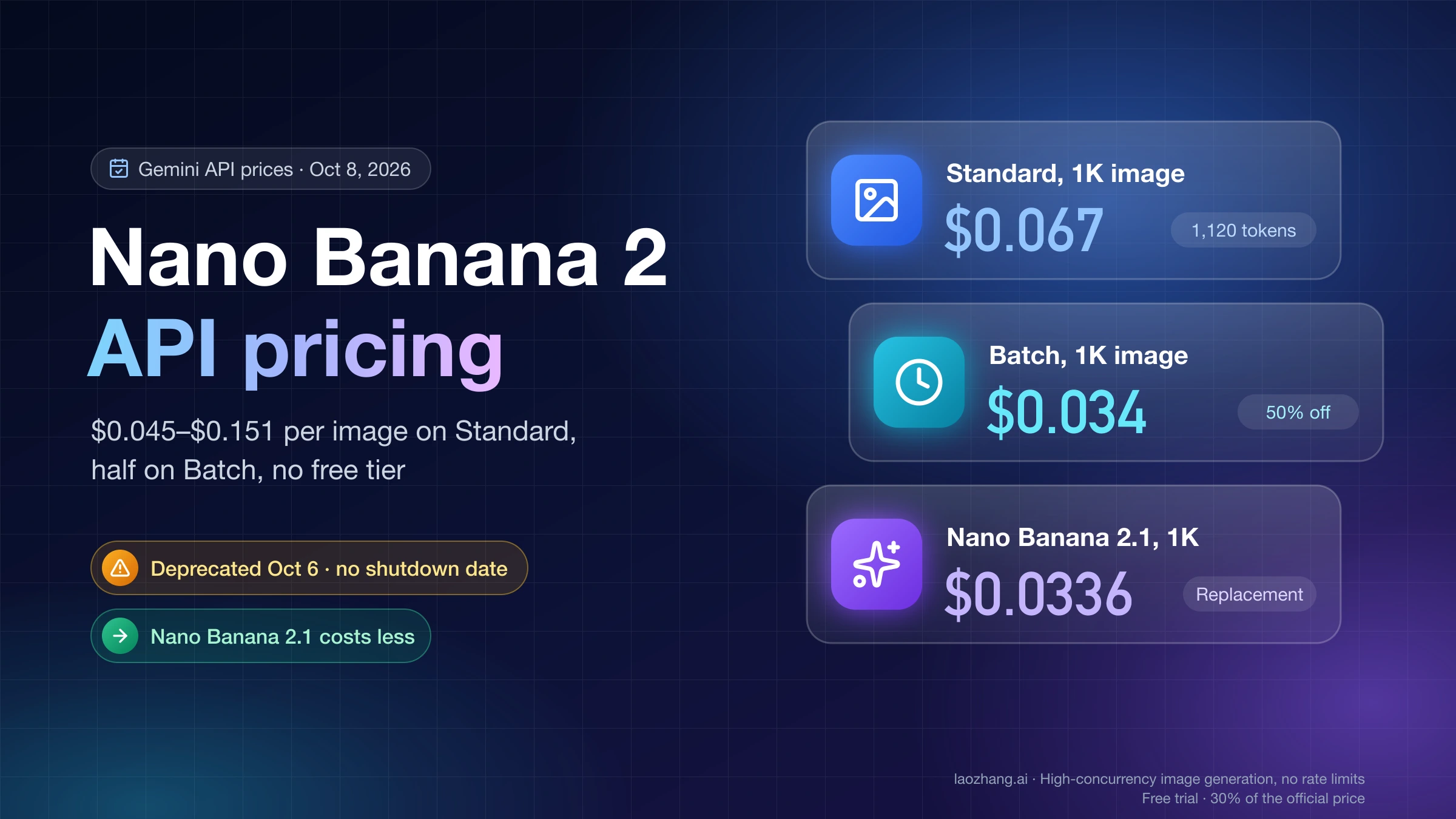
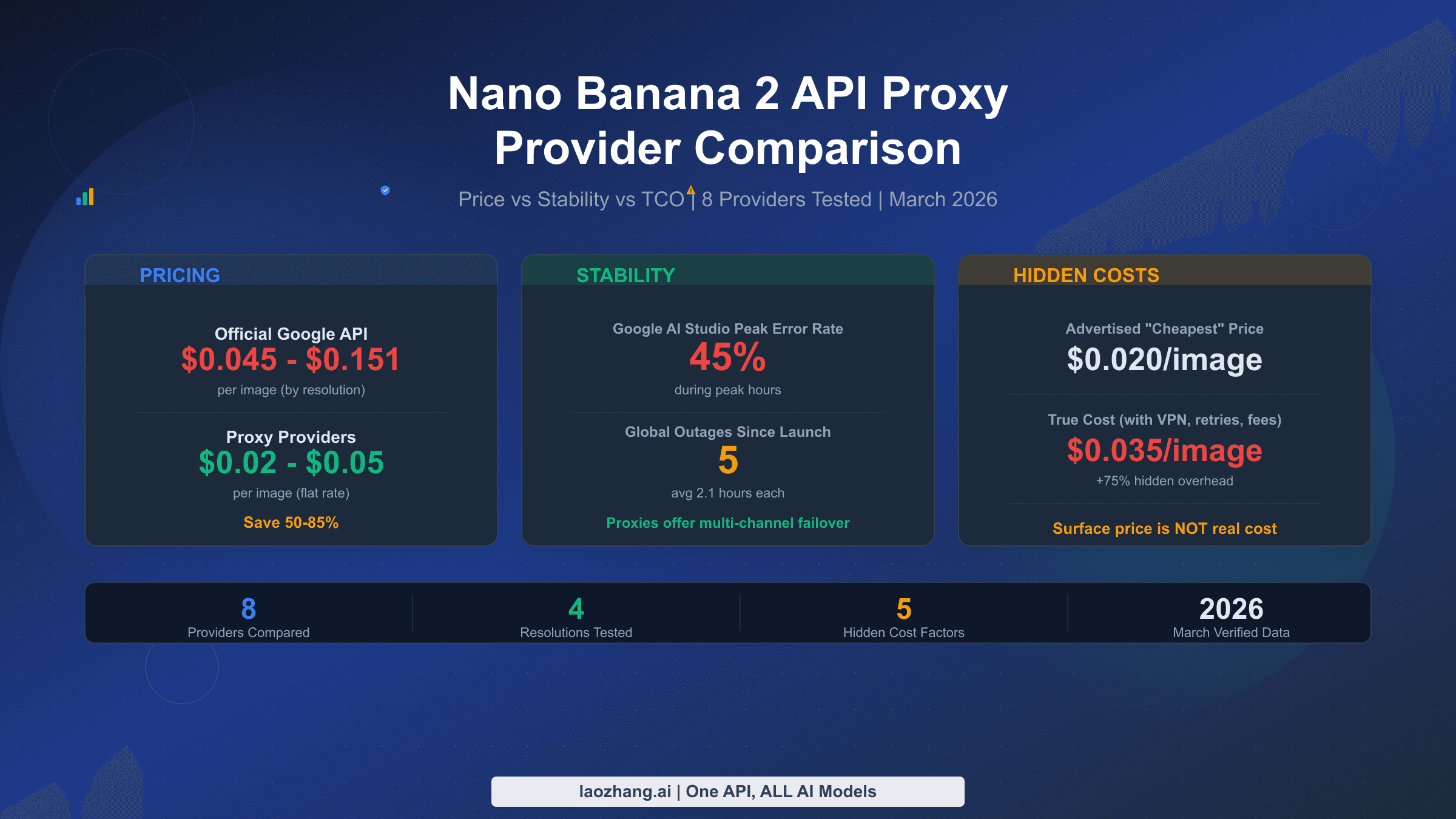
As of October 8, 2026, Google charges $0.045, $0.067, $0.101 and $0.151 for each Nano Banana 2 image at 0.5K, 1K, 2K and 4K on the paid Standard tier of the Gemini API. Batch costs half: $0.022, $0.034, $0.050 and $0.076. Image output has no free tier, so the first image needs a billing account with at least $5 prepaid. The model ID is gemini-3.1-flash-image; the older gemini-3.1-flash-image-preview was shut down on June 25, 2026. All prices come from Google's Gemini Developer API pricing page, last updated October 7, 2026.
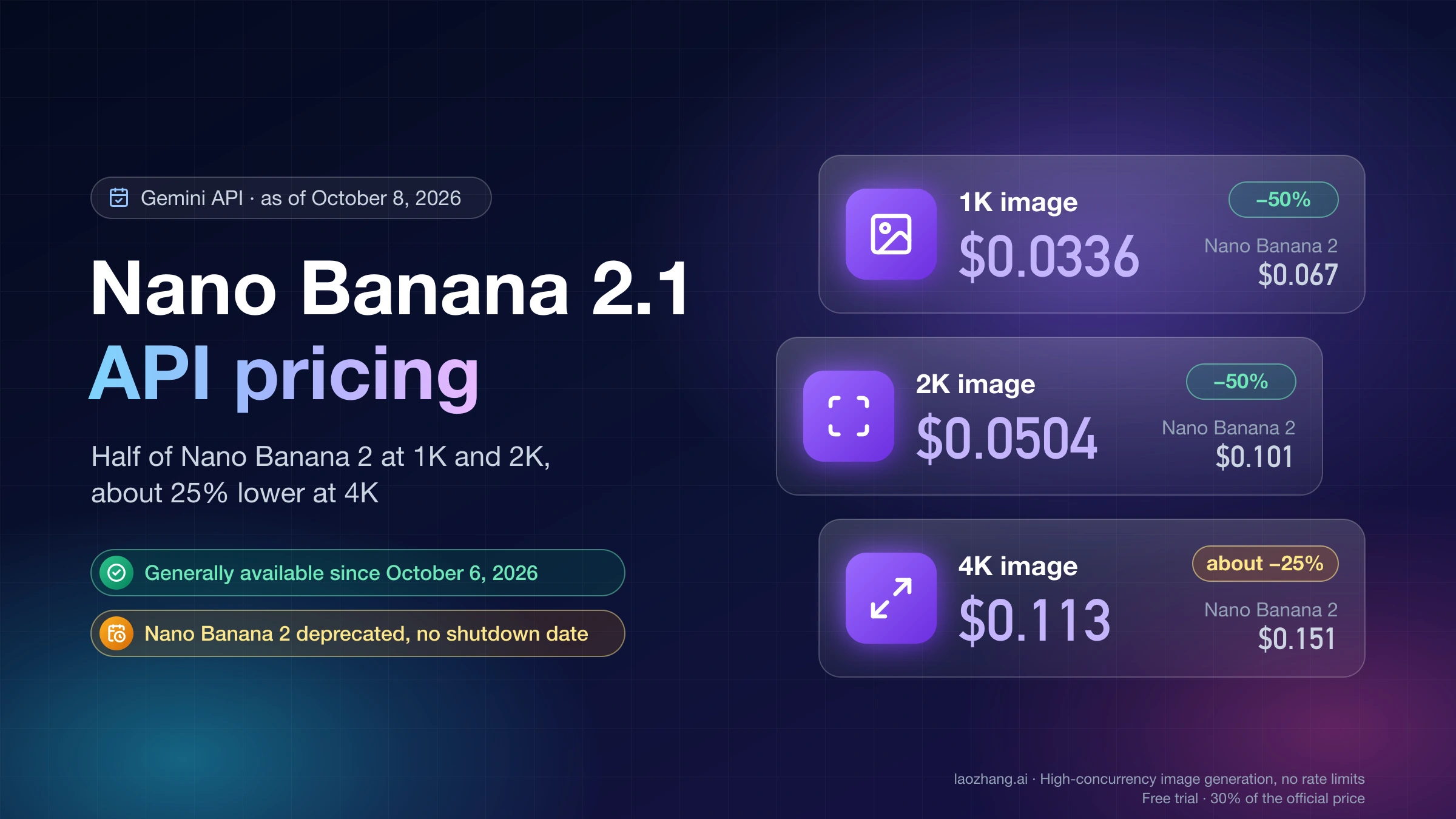
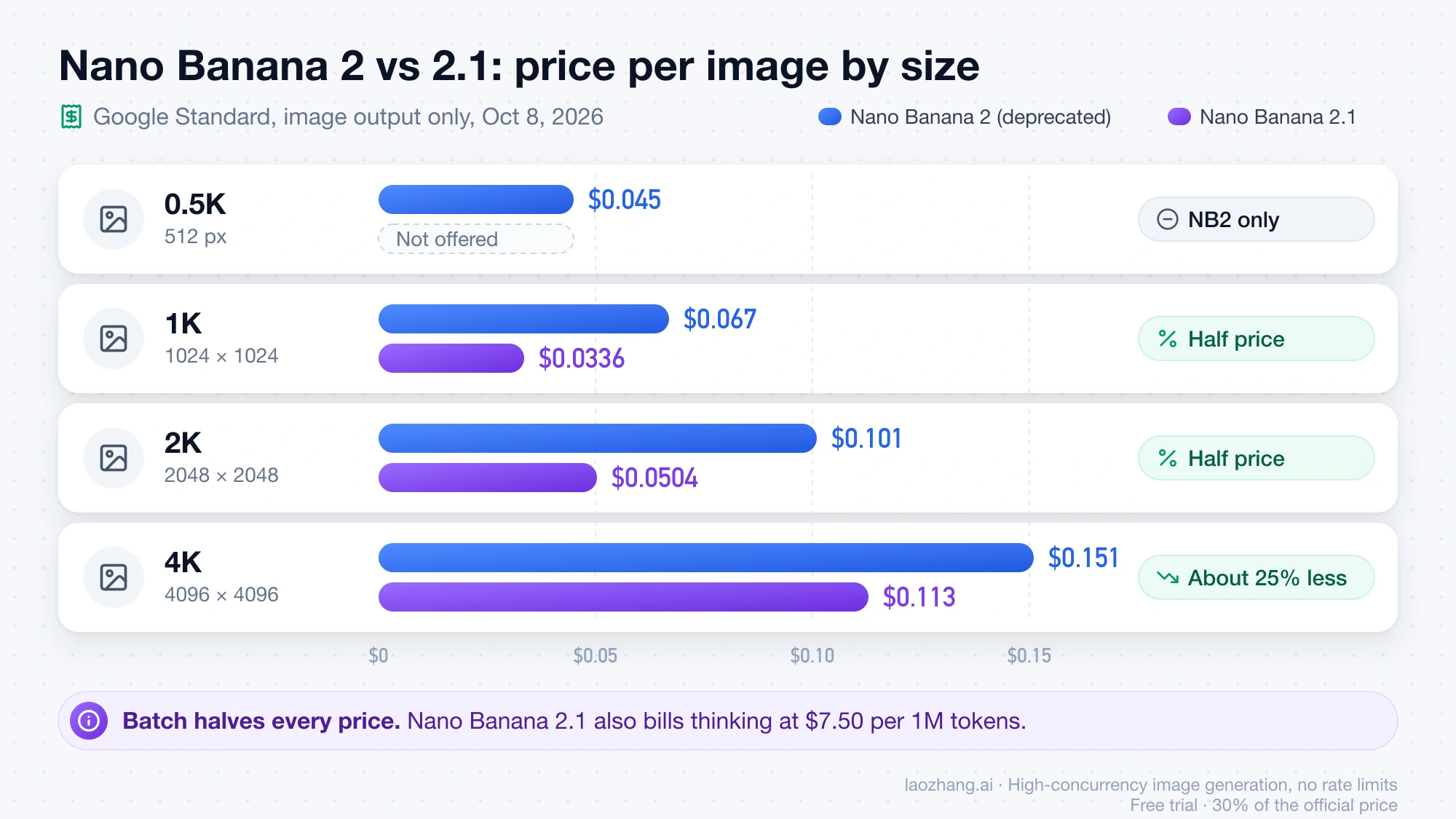
Nano Banana 2 is now deprecated. The October 6, 2026 entry in the Gemini API changelog says gemini-3.1-flash-image is deprecated with no shutdown date announced and points to Nano Banana 2.1 (gemini-nano-banana-2.1) as the replacement. Nano Banana 2's prices have not changed and existing calls still work. Nano Banana 2.1 costs half as much per image at 1K and 2K and about 25% less at 4K, but it has no 0.5K size and bills thinking at a higher rate. The comparison follows the price table below.
The per-image figure covers only the picture. Prompts, reference images, any text or thinking the model returns, and Google Search grounding are billed on top. For most jobs they add a fraction of a cent, but grounding past the monthly free allowance can change a budget.
Nano Banana 2 API price per image at 0.5K, 1K, 2K and 4K
Google prices Nano Banana 2 image output at $60 per 1 million tokens on Standard and $30 per 1 million on Batch. Each output size uses a fixed number of tokens, so the price per image is simply tokens × rate:
| Output size | Image tokens | Standard (Google's listed price) | Standard, token math | Batch (Google's listed price) | Batch, token math |
|---|---|---|---|---|---|
| 0.5K (512 px) | 747 | $0.045 | $0.04482 | $0.022 | $0.02241 |
| 1K (1024 × 1024) | 1,120 | $0.067 | $0.0672 | $0.034 | $0.0336 |
| 2K (2048 × 2048) | 1,680 | $0.101 | $0.1008 | $0.050 | $0.0504 |
| 4K (4096 × 4096) | 2,520 | $0.151 | $0.1512 | $0.076 | $0.0756 |
Pixel sizes are Google's 1:1 examples. The 1K row works like this: 1,120 tokens × $60 / 1,000,000 = $0.0672 on Standard, and 1,120 × $30 / 1,000,000 = $0.0336 on Batch. Google rounds these to $0.067 and $0.034 on its pricing page. Your invoice follows the tokens, so the budgets below use the unrounded figures.
Two details matter when you pick a size. The 0.5K option exists only on Nano Banana 2, not on Nano Banana 2.1, Pro or Lite. And 4K costs 3.4 times as much as 0.5K ($0.1512 / $0.04482 = 3.37), so generating everything at 4K "just in case" multiplies the bill even when the image is shown as a thumbnail.
Google's pricing page lists only Standard and Batch for Nano Banana 2. It shows no Flex or Priority rates for this model.
Is Nano Banana 2.1 cheaper than Nano Banana 2? Half the image price at 1K and 2K
Yes, for image output. Nano Banana 2.1 bills image tokens at $30 per 1 million instead of $60, so at the same size it costs half as much at 1K and 2K. Its 4K image uses 3,780 tokens instead of 2,520, which narrows the saving to about 25%. Google's prices as of October 8, 2026, image output only:
| Output size | Nano Banana 2, Standard | Nano Banana 2.1, Standard | Nano Banana 2, Batch | Nano Banana 2.1, Batch |
|---|---|---|---|---|
| 0.5K | $0.045 | Not offered | $0.022 | Not offered |
| 1K | $0.067 | $0.0336 | $0.034 | $0.0168 |
| 2K | $0.101 | $0.0504 | $0.050 | $0.0252 |
| 4K | $0.151 | $0.113 | $0.076 | $0.0567 |
The other token rates move the other way. Nano Banana 2.1 charges $1.50 per 1 million input tokens, three times Nano Banana 2's $0.50, and $7.50 per 1 million text and thinking tokens, 2.5 times Nano Banana 2's $3. It also thinks at medium by default, while Nano Banana 2 defaults to minimal. In the test calls reported in the Nano Banana 2.1 API pricing guide, each image came with 772 to 1,434 thinking and text tokens. At $7.50 per 1 million that adds $0.006 to $0.011, and a 1K image came to about $0.043 in total. That is still well under Nano Banana 2's $0.067 before its own thinking tokens. Reference images cost more to send, but the amounts are small. If one reference counts as 560 tokens, as Google documents for Pro, it adds $0.00084 on Nano Banana 2.1 and $0.00028 on Nano Banana 2.
Staying on Nano Banana 2 still makes sense in two cases:
- You need 512px output. Nano Banana 2.1 has no 0.5K size. Price is not the reason to stay here, since 2.1's 1K image ($0.0336) already costs less than Nano Banana 2's 0.5K image ($0.045) in image output.
- You run a stable pipeline and don't want to re-test it yet. Google has announced no shutdown date and the prices above still apply. Switching is a model ID change, but outputs and the default thinking level change with it, so check your prompts on 2.1 before moving volume.
For new projects, Google recommends Nano Banana 2.1. Its test results, migration steps and per-call costs are covered in Nano Banana 2.1 API Pricing: Per-Image Price vs Cost per Call.
Nano Banana 2 API cost formula: what is billed besides the image
A full request is billed in four parts:
request cost = image tokens × $60/1M
             + input tokens × $0.50/1M          (prompt text and any input images)
             + text and thinking tokens × $3/1M (anything the model writes)
             + grounding searches beyond the free 5,000 per month × $14/1,000
On Batch, the first three rates halve to $30, $0.25 and $1.50 per 1 million tokens.
Prompt text is close to free. A 100-token prompt costs 100 × $0.50 / 1,000,000 = $0.00005.
Reference and edit images are billed as input tokens at the same $0.50 per 1 million. Google prints a per-image input count only for Nano Banana Pro, where one input image is 560 tokens. If Nano Banana 2 counts input images the same way, an edit with three references adds 1,680 × $0.50 / 1,000,000 = $0.00084, so a 1K edit costs about $0.068 instead of $0.0672. Nano Banana 2 accepts up to 10 object images and up to 4 character images per request, according to Google's image generation guide. Even at the maximum, the output size dominates the cost.
Text and thinking output costs $3 per 1 million tokens. Nano Banana 2 always thinks before drawing. The default thinking_level is minimal; high trades latency for quality and writes more thinking tokens. Google doesn't publish how many thinking tokens an image uses, so read the token counts in the response's usage data for your own prompts. For scale, 1,000 thinking tokens cost $0.003. The interim "thought images" the model draws while reasoning are not charged.
Grounding with Google Web and Image Search includes 5,000 free search requests per month, shared across all Gemini 3.x models. After that, each 1,000 searches costs $14. One prompt can trigger more than one search, and each search counts. If a product grounds 30,000 searches a month, the extra cost is (30,000 − 5,000) × $14 / 1,000 = $350. That is more than 5,000 extra 1K images would cost on Standard. Leave grounding off unless the image needs current facts.
Failed requests that return 400 or 500 errors are not charged, but they still count against your rate limits. Limits apply per Google Cloud project rather than per API key, so extra keys in one project add no capacity. The current requests-per-day and images-per-minute numbers for your tier are shown in Google AI Studio.
Is the Nano Banana 2 API free? No free tier, $5 prepay to start
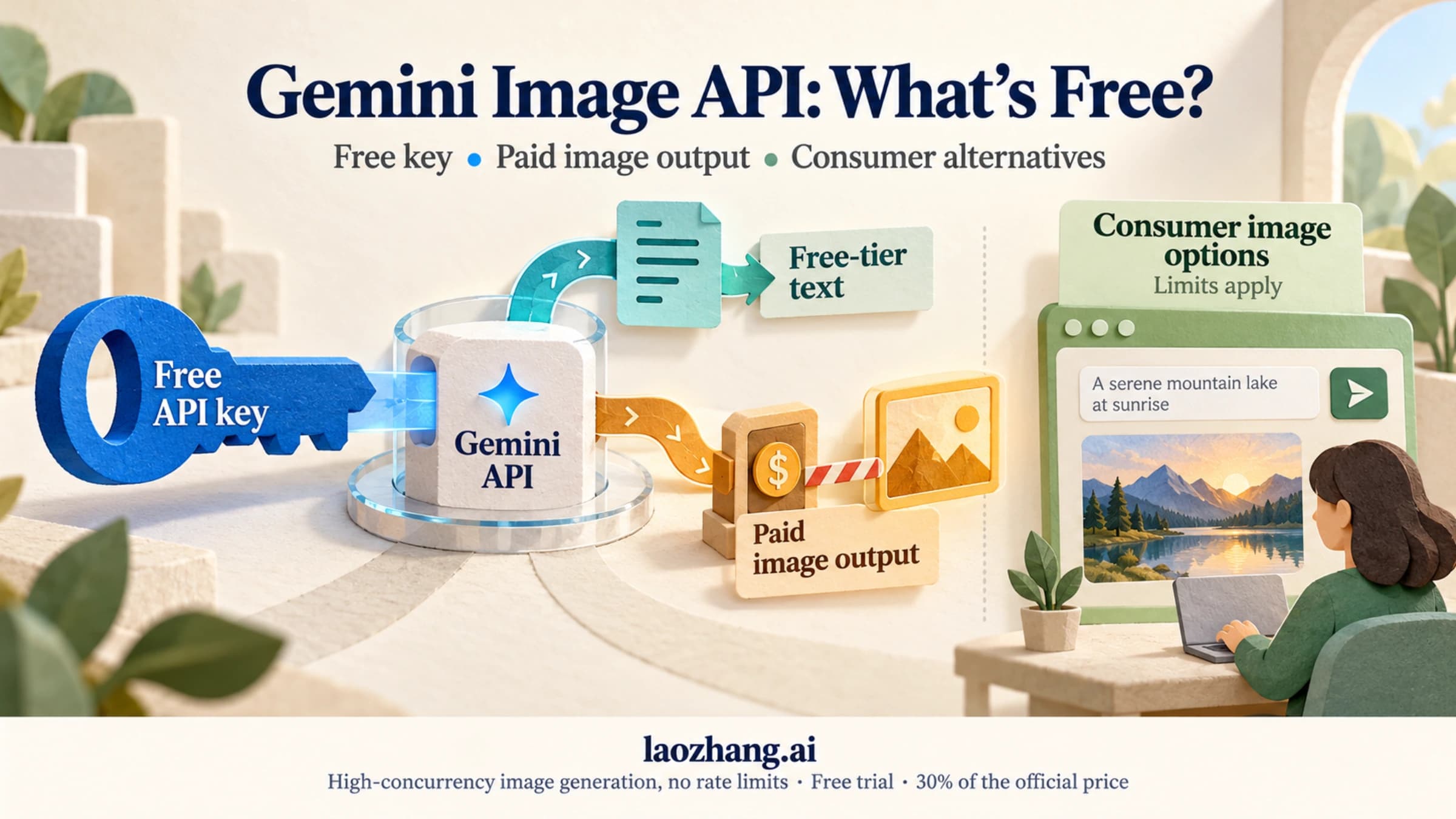
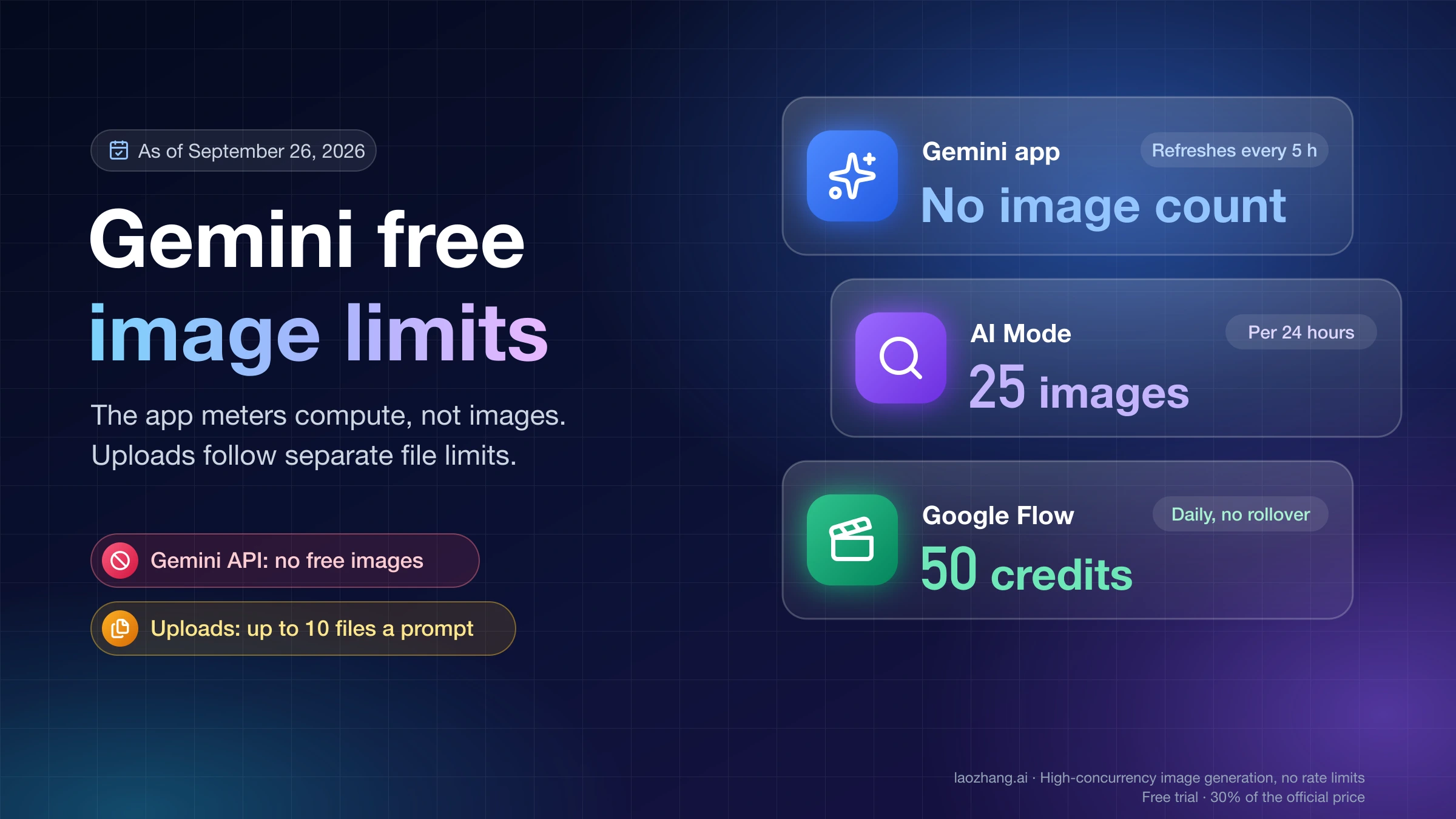
There is no free tier for Nano Banana 2 in the Gemini API. Google lists both input and output as "Not available" on the free tier, and the same applies to Nano Banana 2.1. As of October 5, 2026, selecting the model in the AI Studio playground without a paid key or Google AI plan shows "Nano Banana 2 is only available in the Playground via a Google AI Plan or an API key."
To generate images through the API you need a linked billing account and a prepaid balance of at least $5. When the balance reaches $0, requests fail with HTTP 402. Since March 2026, Gemini API usage is excluded from the $300 Google Cloud Free Trial, so new trial credits can't pay for these images (billing docs).
What $5 buys, counting image output only:
| Option | Calculation | Images for $5 |
|---|---|---|
| Nano Banana 2, 0.5K Standard | $5 / $0.04482 | 111 |
| Nano Banana 2, 1K Standard | $5 / $0.0672 | 74 |
| Nano Banana 2, 1K Batch | $5 / $0.0336 | 148 |
| Nano Banana 2, 4K Standard | $5 / $0.1512 | 33 |
| Nano Banana 2.1, 1K Standard | $5 / $0.0336 | 148, fewer once thinking tokens are added |
On the paid tier, Google marks your prompts and images as not used to improve its products.
Outside the API, the Gemini app still gives Nano Banana 2 to free users. Nano Banana 2.1 there requires a Google AI Pro, Plus or Ultra plan, according to Google's Gemini image generation page as of October 8, 2026. Other free ways to try Google's image models are covered in Gemini Image API Free? No Free Tier, but $5 Buys 148 Images. The consumer plans are compared in Nano Banana 2 subscription price.
Nano Banana 2 vs Lite vs Pro: cost of the same 1,000-image job
Google sells four image models in the Gemini API, and Nano Banana 2 is the deprecated one. For 1,000 square images, image output only, as of October 8, 2026:
| Model and size | Standard | Batch | Notes |
|---|---|---|---|
Nano Banana 2 Lite (gemini-3.1-flash-lite-image), 1K | $33.60 | $16.80 | 1K only; up to 14 object images, no character-consistency references |
Nano Banana 2 (gemini-3.1-flash-image), 1K | $67.20 | $33.60 | 0.5K to 4K; up to 10 object and 4 character images; deprecated |
| Nano Banana 2, 4K | $151.20 | $75.60 | |
Nano Banana 2.1 (gemini-nano-banana-2.1), 1K | $33.60 | $16.80 | 1K to 4K; thinking billed at $7.50 per 1M on top |
| Nano Banana 2.1, 4K | $113.40 | $56.70 | 3,780 image tokens per 4K image |
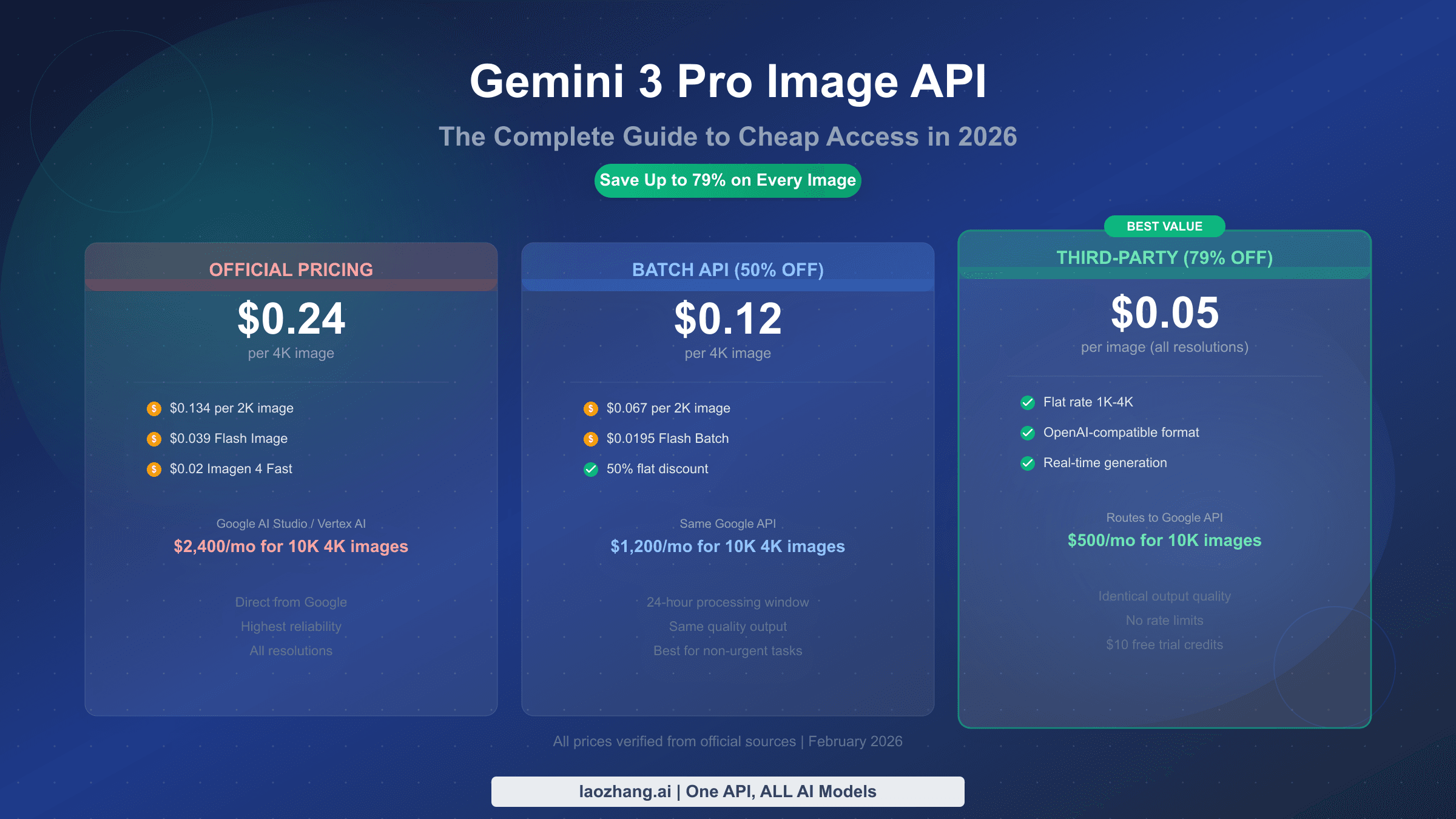
Nano Banana Pro (gemini-3-pro-image), 1K or 2K | $134.40 | $67.20 | Same token count at 1K and 2K; up to 6 object, 5 character and 3 style images |
| Nano Banana Pro, 4K | $240 | $120 |
Each cell is 1,000 × tokens × rate. Lite and Nano Banana 2.1 at 1K use 1,120 tokens at $30 per 1 million. Pro uses 1,120 tokens at 1K/2K and 2,000 tokens at 4K, at $120 per 1 million.
Three readings of that table:
- Nano Banana 2 on Batch costs exactly what Lite and Nano Banana 2.1 cost on Standard at 1K: $0.0336 per image. Waiting a day for Nano Banana 2 no longer buys a price that real-time requests can't get.
- Lite is the cheapest real-time option with no thinking surcharge but only at 1K. Google describes it as not optimized for multiple reference inputs or multi-turn sequential editing. For edit chains or character consistency, Nano Banana 2.1 now costs less than Nano Banana 2.
- At 2K, Pro costs 1.33 times Nano Banana 2 ($0.1344 vs $0.1008). At 1K the gap is 2 times. At 4K, Pro is $0.24 against $0.1512, or 1.59 times. If 2K output is enough and Pro's quality matters for your images, 2K is where the premium is smallest.
Pro's full tier breakdown is in Gemini 3 Pro Image API pricing. For a side-by-side of Lite, Nano Banana 2 and Pro with route options, see Nano Banana API cost across Lite, Nano Banana 2 and Pro; note that it still lists the retired first-generation gemini-2.5-flash-image, which was shut down on October 2, 2026.
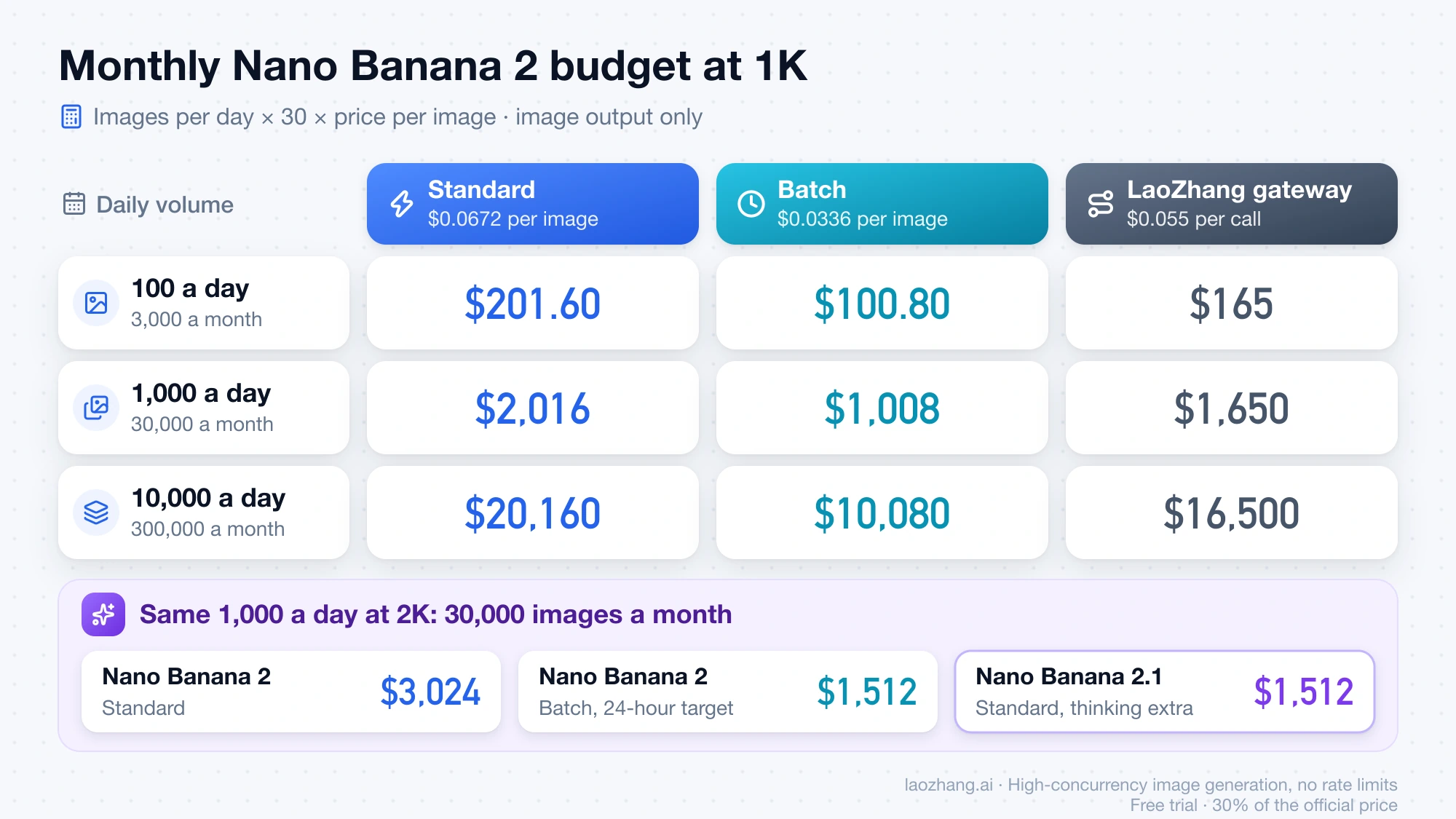
Monthly Nano Banana 2 budget at 100, 1,000 and 10,000 images a day
Monthly cost = images per day × 30 × price per image. At 1K, image output only:
| Daily volume | Images per month | Standard ($0.0672) | Batch ($0.0336) | LaoZhang gateway ($0.055) |
|---|---|---|---|---|
| 100 | 3,000 | $201.60 | $100.80 | $165 |
| 1,000 | 30,000 | $2,016 | $1,008 | $1,650 |
| 10,000 | 300,000 | $20,160 | $10,080 | $16,500 |
Size changes the picture more than tier does. At 1,000 images a day (30,000 a month):
| Size | Standard | Batch | LaoZhang gateway |
|---|---|---|---|
| 0.5K | $1,344.60 | $672.30 | $1,650 |
| 1K | $2,016 | $1,008 | $1,650 |
| 2K | $3,024 | $1,512 | $1,650 |
| 4K | $4,536 | $2,268 | $1,650 |
For example, 2K on Standard is 30,000 × $0.1008 = $3,024. Switching that volume to Batch saves $1,512 a month, or $18,144 a year. Moving it to Nano Banana 2.1 on Standard instead costs 30,000 × $0.0504 = $1,512 in image output, plus thinking tokens at $7.50 per 1 million.
Add your own extras on top: input images, thinking tokens and grounding from the formula above, plus retries. Every regenerated image is billed again, so if 5% of images need a second attempt, image cost rises 5%. Requests that fail with 400 or 500 errors add nothing to the bill.
When Nano Banana 2 Batch is worth the wait: half price, 24-hour target
Batch charges 50% of Standard for every token type. Google's target turnaround is 24 hours, though most jobs finish much sooner (Batch API docs). You send requests inline for small jobs or as a JSON Lines file for larger ones, then collect the results when the job completes.
Batch is worth it when nobody is waiting on screen: product catalogs, scheduled social posts, dataset generation, overnight asset runs. The saving is $33.60 per 1,000 images at 1K and $75.60 per 1,000 at 4K. It is the wrong choice for anything interactive, such as a user clicking "generate" in your app, because a 24-hour target means you can't promise a delivery time.
A common split is Standard for live requests and Batch for everything that can queue. With 30% of 30,000 monthly 1K images live and 70% batched, the bill is 9,000 × $0.0672 + 21,000 × $0.0336 = $604.80 + $705.60 = $1,310.40, compared with $2,016 all on Standard.
If you batch Nano Banana 2 only for the discount, compare Nano Banana 2.1 first. Its Standard image price at 1K equals Nano Banana 2's Batch price, without the wait, and its own Batch tier halves that again to $0.0168.
The same economics for Nano Banana Pro, including where Batch stops being the cheapest, are worked through in Nano Banana Pro Batch API cost.
What a gateway changes: LaoZhang at $0.055 per Nano Banana 2 call
LaoZhang's API gateway forwards requests to Google's gemini-3.1-flash-image and charges a flat $0.055 per call at any output size, according to its Nano Banana models and pricing docs (public pricing as of October 7, 2026). The flat price includes high thinking and 4K. Against Google's token prices:
Disclosure: laozhang.ai is our own service. Its prices are platform pricing, not an independent comparison.
| Size | Google Standard | Google Batch | LaoZhang per call | LaoZhang vs Standard | LaoZhang vs Batch |
|---|---|---|---|---|---|
| 0.5K | $0.04482 | $0.02241 | $0.055 | 23% more | 145% more |
| 1K | $0.0672 | $0.0336 | $0.055 | 18% less | 64% more |
| 2K | $0.1008 | $0.0504 | $0.055 | 45% less | 9% more |
| 4K | $0.1512 | $0.0756 | $0.055 | 64% less | 27% less |
Percentages are 1 − $0.055 / Google price, or $0.055 / Google price − 1 when the gateway costs more. For example, at 2K Standard: 1 − 0.055 / 0.1008 = 45%.
So the gateway is cheaper than Google's Standard tier from 1K upward, and cheaper than Batch only at 4K. At 0.5K, Google is cheaper on both tiers. The gateway has no batch discount of its own.
The same docs list Nano Banana 2.1 at a flat $0.045 per call for 1K, 2K and 4K, and say Nano Banana 2 remains available at $0.055. Against Google's direct 2.1 cost including thinking, about $0.043 at 1K, $0.060 at 2K and $0.119 at 4K in the test calls from the 2.1 guide, the flat call is roughly even at 1K and cheaper at 2K and 4K.
Before routing traffic there, check five conditions from LaoZhang's docs:
- Size works only on the Gemini-native route. Calls through the OpenAI-compatible endpoint return a 1:1 image at 1K. If you rely on the 4K savings, use the native
generateContentformat. - An HTTP 200 response without an image is billed as one call. Prompts that often come back with no image cost the full $0.055 each time.
- A client timeout can still be billed if the server finishes generating after you disconnect.
- Grounding is billed per search. Each Google Search query adds $0.014 to the call price.
- Google's safety behavior is unchanged. The gateway forwards to Google's model, so prompts Google blocks are blocked there too.
These are the provider's published terms, not independent measurements. Delivery rates, failure handling and a full Google-versus-gateway comparison are covered in Nano Banana API: Google vs. LaoZhang cost and image delivery.
Choosing between Nano Banana 2, Nano Banana 2.1 and a billing tier
Pick the cheapest combination that still meets your delivery time and display size:
- New work at 1K, 2K or 4K: Nano Banana 2.1, at $0.0336, $0.0504 or $0.113 per image on Google Standard plus thinking tokens, or $0.045 per call through the gateway.
- Previews, thumbnails, chat-sized images at 512px: Nano Banana 2 at 0.5K on Google Standard ($0.045) or Batch ($0.022).
- Existing Nano Banana 2 pipeline, 1K, real time: Standard at $0.067. If every image is 1K and you don't edit with references, Lite costs $0.0336.
- Existing pipeline, 1K, can wait: Batch at $0.034.
- Existing pipeline, 2K or 4K, real time: a flat $0.055 gateway call costs less than Google Standard, provided you call it on the native route and accept its billing rules.
- Existing pipeline, 2K, can wait: Google Batch ($0.050) is slightly cheaper than a $0.055 gateway call.
- Existing pipeline, 4K, any timing: $0.055 per call undercuts Google Batch ($0.076). If you stay with Google, Batch halves the $0.151 Standard price.
Request code, size parameters and response handling for the current model IDs are in the Gemini image API guide.
Nano Banana 2 API pricing FAQ
Is Nano Banana 2 being shut down?
Not on a set date. Google deprecated gemini-3.1-flash-image on October 6, 2026 and, as of October 8, 2026, lists "No shutdown date announced" on its Gemini API deprecations page; a date shown briefly on launch day was removed. Prices are unchanged until Google says otherwise.
Does Vertex AI charge the same for Nano Banana 2?
The prices in this guide are for the Gemini Developer API. On Vertex AI, Nano Banana 2 is billed through Google Cloud, so check the Vertex AI generative AI pricing page for the rate in your region.
Can I still use gemini-3.1-flash-image-preview?
No. Google shut down the preview ID on June 25, 2026. Requests must use gemini-3.1-flash-image, which is billed at the prices above.
Does a Google AI Pro or Ultra subscription cover Nano Banana 2 API calls?
No. A Google AI plan can unlock Nano Banana 2 in the AI Studio playground, but API calls made with a key are billed per token to your Gemini API billing account, at the rates in this guide.
How much does one Nano Banana 2 image edit cost?
An edit is billed like a generation: the output image at its size price plus the input images as input tokens. If each reference counts as 560 tokens, as Google documents for Pro, a 1K edit with three references costs about $0.068 on Standard, with thinking at the default level and grounding off.
Sources9
External pages this guide links to, in the order they appear. Last updated Oct 8, 2026.
Sources9
External pages this guide links to, in the order they appear. Last updated Oct 8, 2026.
- 1.Gemini Developer API pricing pageai.google.dev/gemini-api/docs/pricing
- 2.Gemini API changelogai.google.dev/gemini-api/docs/changelog
- 3.image generation guideai.google.dev/gemini-api/docs/image-generation
- 4.Google AI Studioaistudio.google.com
- 5.billing docsai.google.dev/gemini-api/docs/billing
- 6.Gemini image generation pagegemini.google/overview/image-generation
- 7.Batch API docsai.google.dev/gemini-api/docs/batch-api
- 8.Gemini API deprecations pageai.google.dev/gemini-api/docs/deprecations
- 9.Vertex AI generative AI pricing pagecloud.google.com/vertex-ai/generative-ai/pricing