GPT-6 Astra API Access: Check Your Project and Make a First Request
GPT-6 Astra API access depends on the service, organization, and project behind your key. Use a complete first-request example to check access, read the response correctly, and identify the next step when a call fails.
On this page
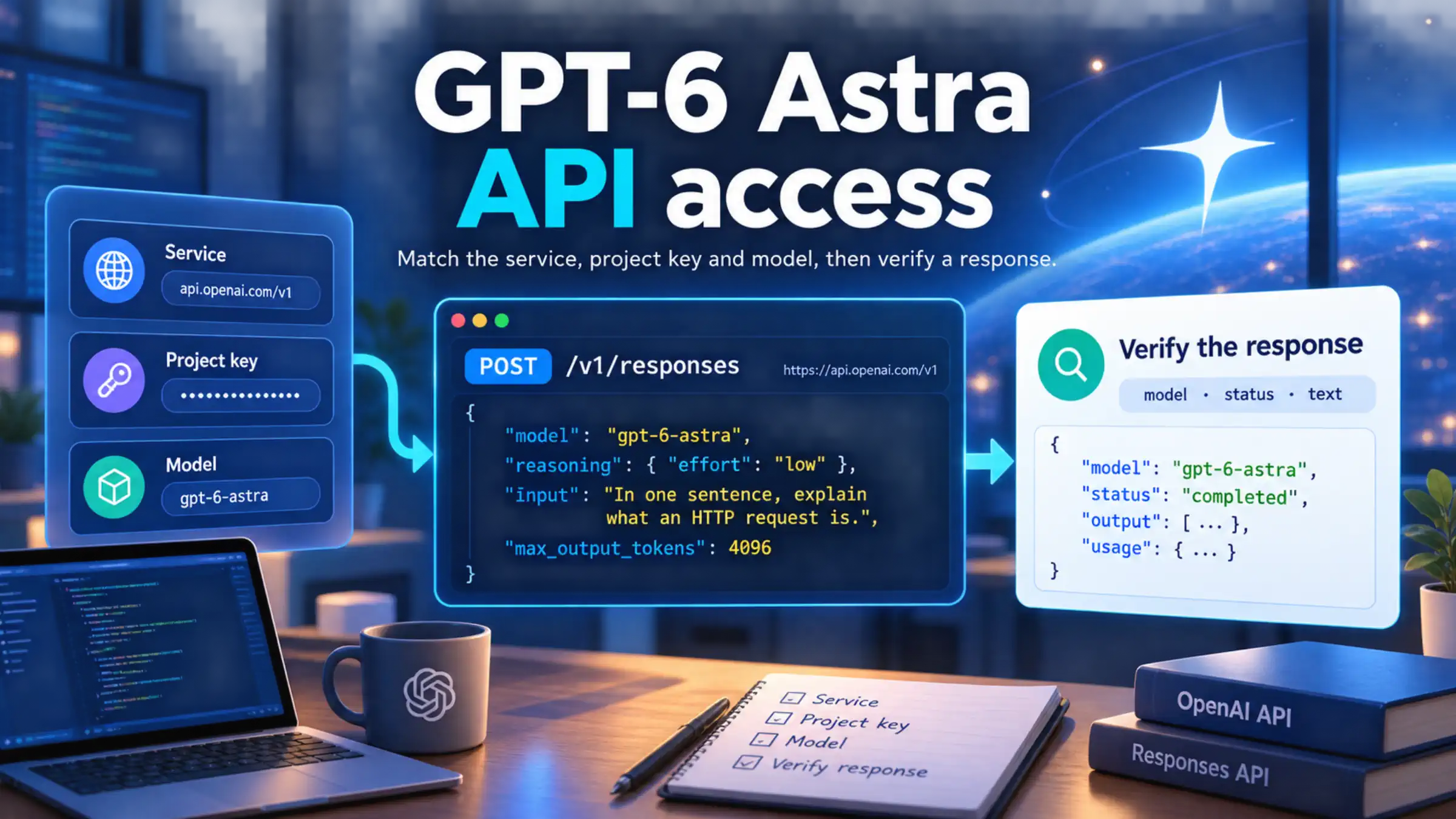
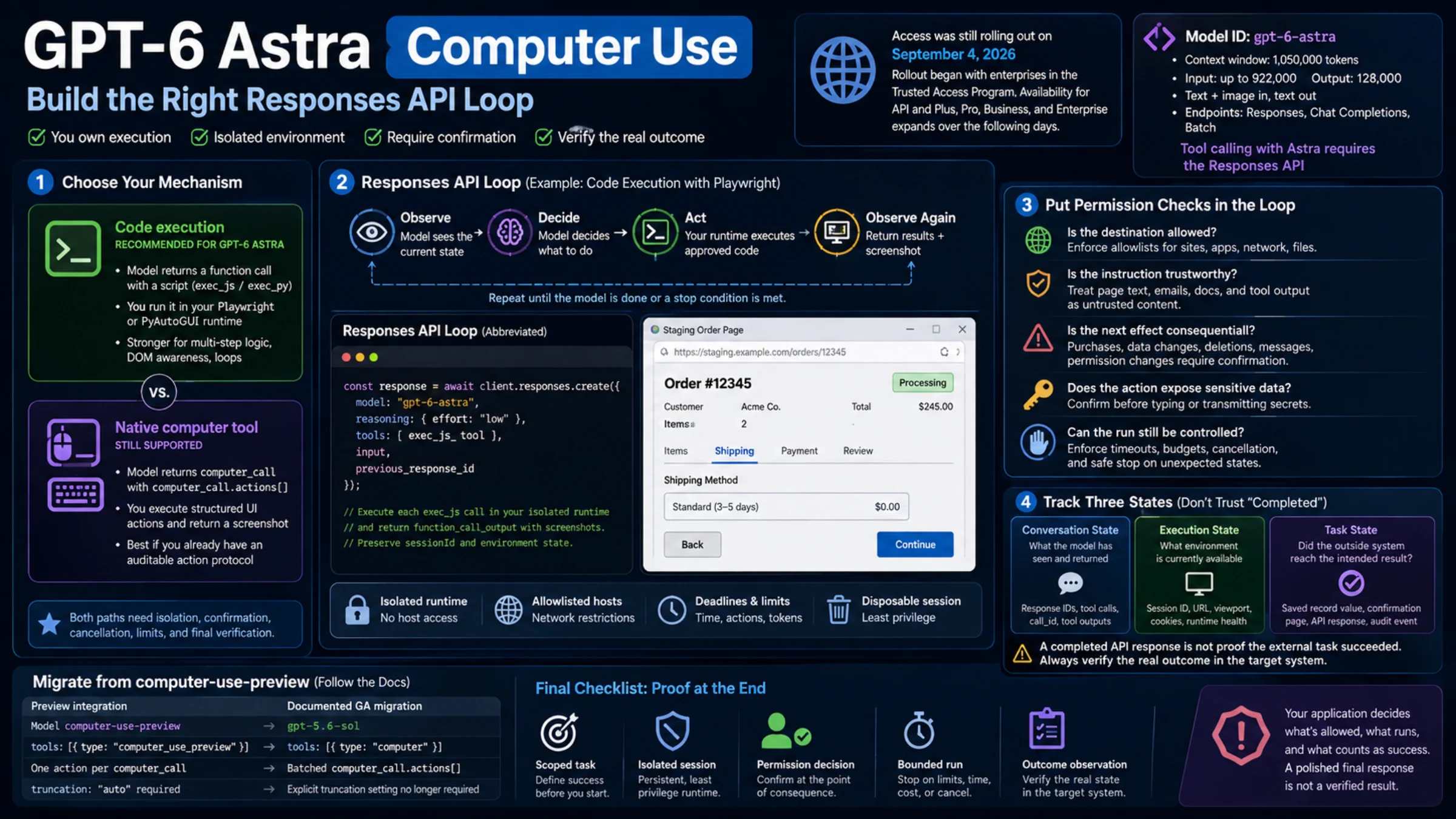
GPT-6 Astra is live in the API as of September 5, 2026, according to OpenAI's latest availability update. Its direct OpenAI API model ID is gpt-6-astra. Start with the Responses API and a key from the project you intend to use. Astra also supports Chat Completions, but its tool calling requires Responses. OpenAI's Astra guide documents the supported configuration.
The remaining question is whether your project can use it. Seeing Astra in ChatGPT or Codex does not settle that: API-key access follows the associated OpenAI organization and project, and enabling Astra in a ChatGPT workspace does not grant API access. OpenAI's workspace availability guidance makes that distinction explicit.
As of October 8, 2026, the Astra model page lists rate limits only for the Build, Launch, and Grow usage tiers, with no row for the Free tier. A paid API balance is therefore needed. Organizations that are eligible for OpenAI's data-sharing offer and share their API traffic get complimentary daily tokens that include gpt-6-astra, but those tokens also require a positive balance. A payment or published tier limit alone still cannot establish your project's model permission. The useful check is a request made with the credentials and endpoint your application will actually use. If your question is about ChatGPT rather than the API, Is GPT-6 Free in ChatGPT? explains which GPT-6 model the Free plan gets.
Establish which account your request uses
Before changing code, identify these three values: the service receiving the request, the project associated with the key, and the model identifier that service accepts.
For direct OpenAI access, use https://api.openai.com/v1, an OpenAI Platform API key, and gpt-6-astra. In the OpenAI Platform, select the intended organization and project before checking API keys, billing, limits, and available model settings. If a teammate created the key, have them confirm its project and permissions. Matching email addresses across ChatGPT and the API dashboard are not sufficient to identify the credentials your running application uses.
For an OpenAI-compatible provider, consult that provider's documentation for all three values. Its key will not authenticate against OpenAI's endpoint, and its model identifier may include a prefix or alias. A provider listing establishes what the provider advertises; it does not establish access for your direct OpenAI project or prove that every OpenAI feature behaves identically.
Location is a separate requirement. The United States is on the OpenAI API supported-country list, but you should check the list for the location from which you access the service. English-language documentation and a working website login do not establish regional API eligibility.
If Astra works in Codex with ChatGPT sign-in but fails with API-key authentication, check the API project first. OpenAI also notes that early API-key use in Codex can require client configuration through an account team. That is a Codex setup issue to investigate when applicable, not a reason to add an undocumented parameter to an ordinary HTTP request. See the authentication-specific guidance.
Make one small, inspectable request
The following example uses direct OpenAI access, curl, and Python 3. It saves the response body and headers so you can inspect a failure without losing the request ID. Use it to collect a result from your own project with the documented API format.
Create a key for your intended project using the official quickstart. Set it in the terminal where you will run the request, or inject it through your application's secret manager:
export OPENAI_API_KEY="YOUR_PROJECT_API_KEY"Keep the real value out of source control and client-side application code. Run this request in an empty working directory so the diagnostic files do not overwrite earlier results:
curl --silent --show-error --max-time 120 \
  https://api.openai.com/v1/responses \
  --header "Authorization: Bearer $OPENAI_API_KEY" \
  --header "Content-Type: application/json" \
  --dump-header astra-headers.txt \
  --output astra-response.json \
  --write-out 'HTTP status: %{http_code}\n' \
  --data '{
    "model": "gpt-6-astra",
    "reasoning": {"effort": "low"},
    "input": "In one sentence, explain what an HTTP request is.",
    "max_output_tokens": 4096
  }'
The short input and low reasoning effort keep the first check focused. The 4,096-token output cap is a limit chosen for this example, not a guaranteed completion budget. Reasoning tokens count toward max_output_tokens, so a response can reach the cap before producing visible text. OpenAI's reasoning guide explains this behavior and the incomplete_details field.
If curl reports a connection or timeout error, resolve that before running the parser below. An HTTP response, including an HTTP error response, is different from a connection that never completed. A client timeout also does not establish that the server performed no work; avoid launching a rapid series of duplicate requests.
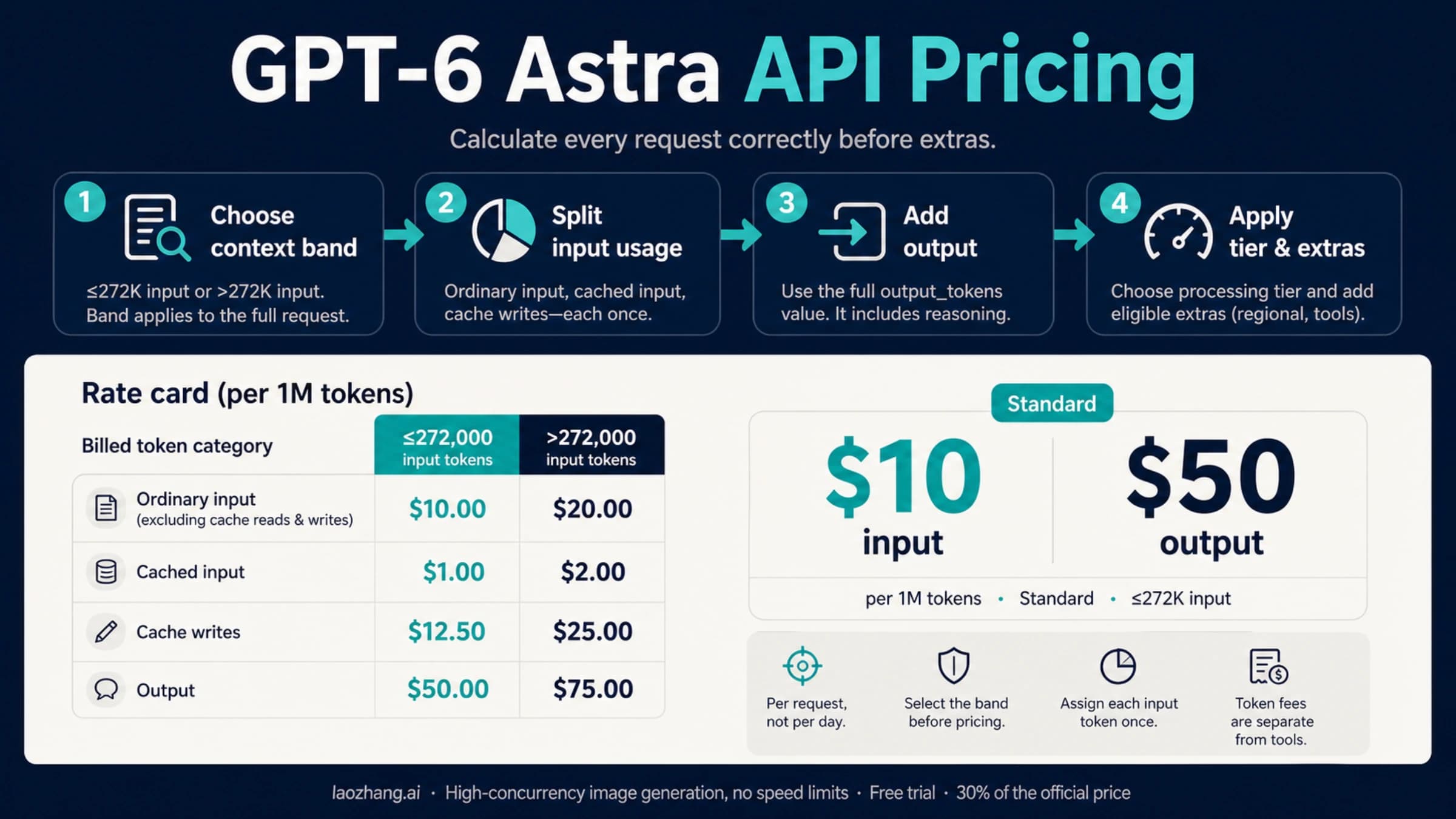
The example uses a 120-second client timeout for diagnostics. It is not a promised response time. Each generation can incur API charges; for rates and the effect of reasoning tokens, use the GPT-6 Astra API pricing guide.
Verify the response, including its text
An HTTP success code is only the first check. Read the returned model, generation status, text, and usage. For this simple text request, a useful completed result has status: "completed" and nonempty answer text.
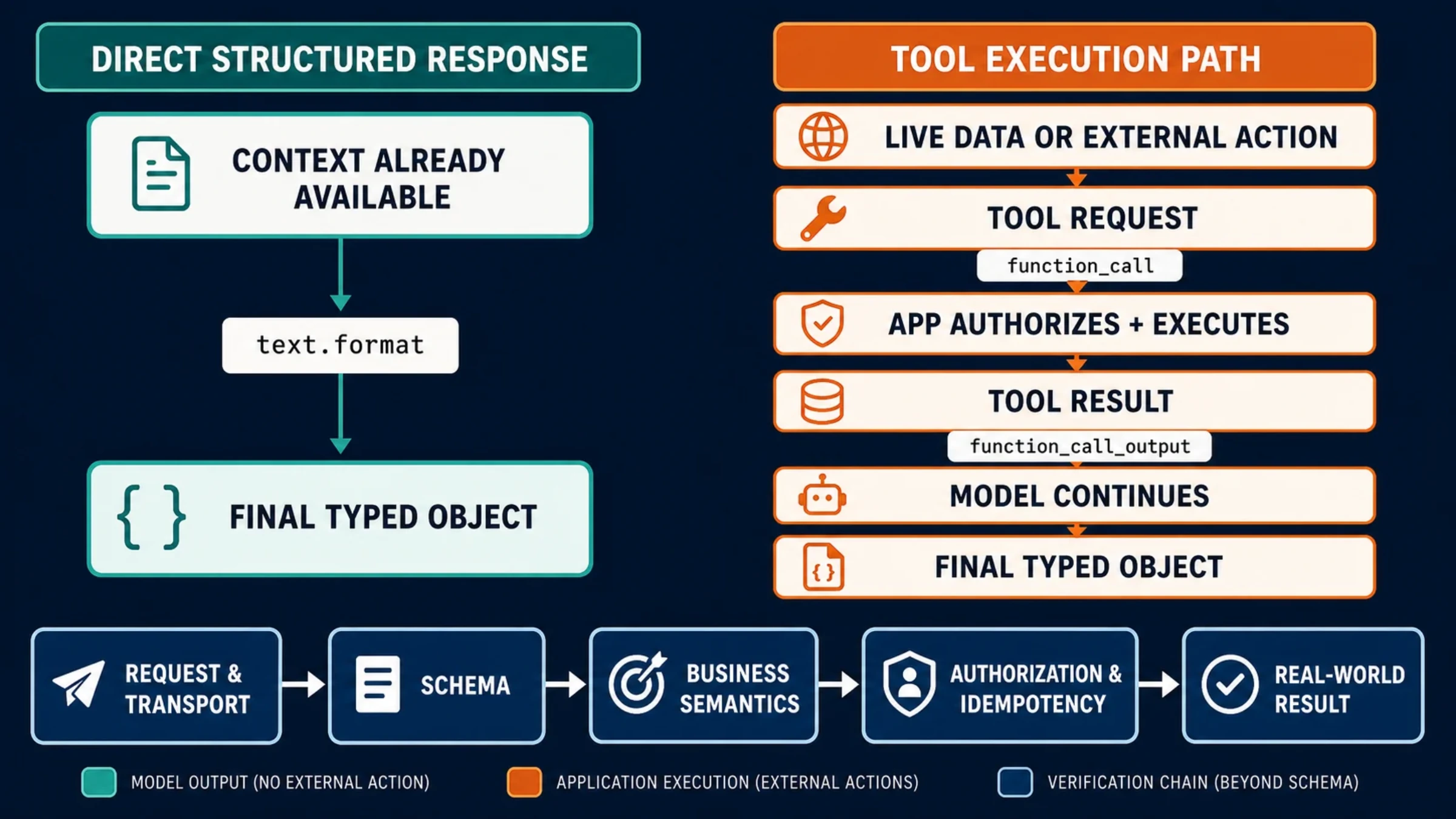
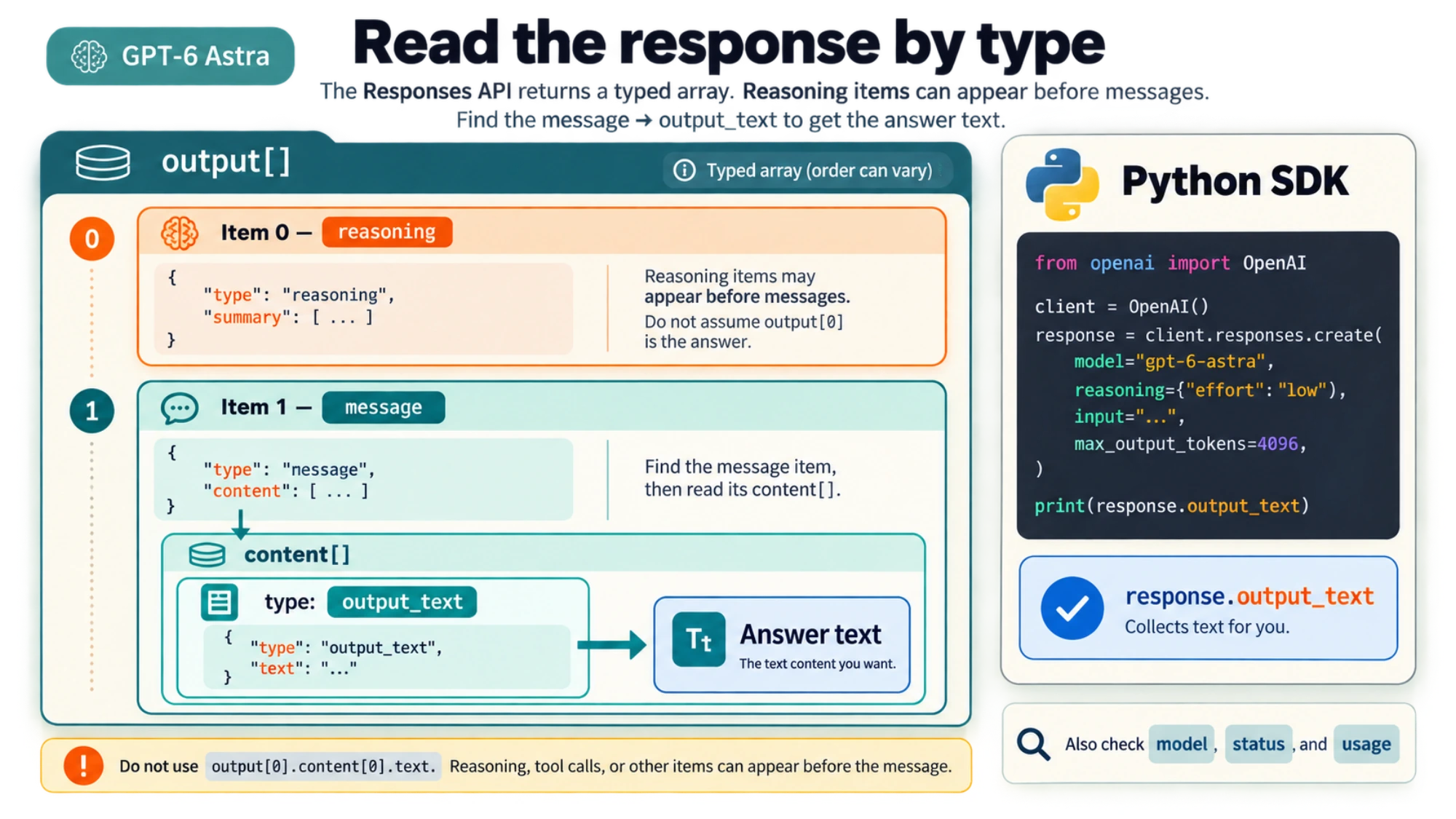
Raw Responses API JSON contains an output array with typed items. Reasoning items or tool calls can appear alongside messages, so output[0].content[0].text is not a reliable extraction path. The official SDKs' output_text property is a convenience that collects the text for you; it is not a reason to expect that same top-level field in raw REST JSON. OpenAI's text-generation guide describes the distinction.
Run this parser after receiving an HTTP response:
python3 - <<'PY'
import json
from pathlib import Path

headers = Path("astra-headers.txt").read_text()
for line in headers.splitlines():
    if line.lower().startswith(("x-request-id:", "retry-after:")):
        print(line)

response = json.loads(Path("astra-response.json").read_text())
if response.get("error"):
    print("API error:", json.dumps(response["error"], indent=2))
    raise SystemExit(1)

text = "\n".join(
    part.get("text", "")
    for item in response.get("output", [])
    if item.get("type") == "message"
    for part in item.get("content", [])
    if part.get("type") == "output_text"
)
print("Response ID:", response.get("id"))
print("Returned model:", response.get("model"))
print("Status:", response.get("status"))
print("Usage:", json.dumps(response.get("usage"), indent=2))
print("Answer:", text)

if response.get("status") != "completed" or not text.strip():
    print("Incomplete details:", response.get("incomplete_details"))
    print("Inspect output:", json.dumps(response.get("output"), indent=2))
    raise SystemExit("No completed text answer; inspect the details above.")
PY
Compare the returned model metadata with the intended model. Asking the generated answer “Which model are you?” is not an access test. When calling a third-party service, its returned metadata remains that service's report; it is not independent verification of the upstream system.
If you receive incomplete with reason max_output_tokens, the request reached generation. Your next step is to review usage and allow more output budget if appropriate, rather than replacing the key or assuming the account lacks access. If the response is completed but has no text, inspect the typed output items for a refusal or another result your parser or application needs to handle. Keep those outcomes distinct from authentication failures.
For an application that already uses the official Python SDK, the equivalent text call is shorter:
from openai import OpenAI

client = OpenAI()
response = client.responses.create(
    model="gpt-6-astra",
    reasoning={"effort": "low"},
    input="In one sentence, explain what an HTTP request is.",
    max_output_tokens=4096,
)
print(response.model, response.status)
print(response.output_text)
print(response.usage)
Install the package with python3 -m pip install --upgrade openai if needed. The SDK reads OPENAI_API_KEY from the environment. Apply the same status and empty-text checks in your application; a convenient accessor does not guarantee a completed answer. The SDK quickstart covers installation and environment setup.
Match a failed call to the right fix
Start with the HTTP status and the JSON error's code, type, and message. The same status can represent problems that need different remedies. These distinctions follow OpenAI's current error guide.
| Result | What to check | Next action |
|---|---|---|
401 authentication error | Key validity, associated organization/project, endpoint permissions, and any IP allowlist mentioned in the error | Correct the credentials or project configuration. Repeating the same invalid request will not help. |
403 with an unsupported-country message | The current supported-country list and the location of API access | Resolve the service-eligibility issue. A model-name change does not resolve geography. |
Model missing or access denied, including model_not_found when returned | Exact model ID, receiving service, key's project, and model permission | Correct any mismatch. If all values are right, ask your API administrator or support to check that project's access. The error alone does not identify the rollout as the cause. |
400 with a parameter error | The field named in the error and Astra's supported parameters | Remove or replace the incompatible field before retrying. |
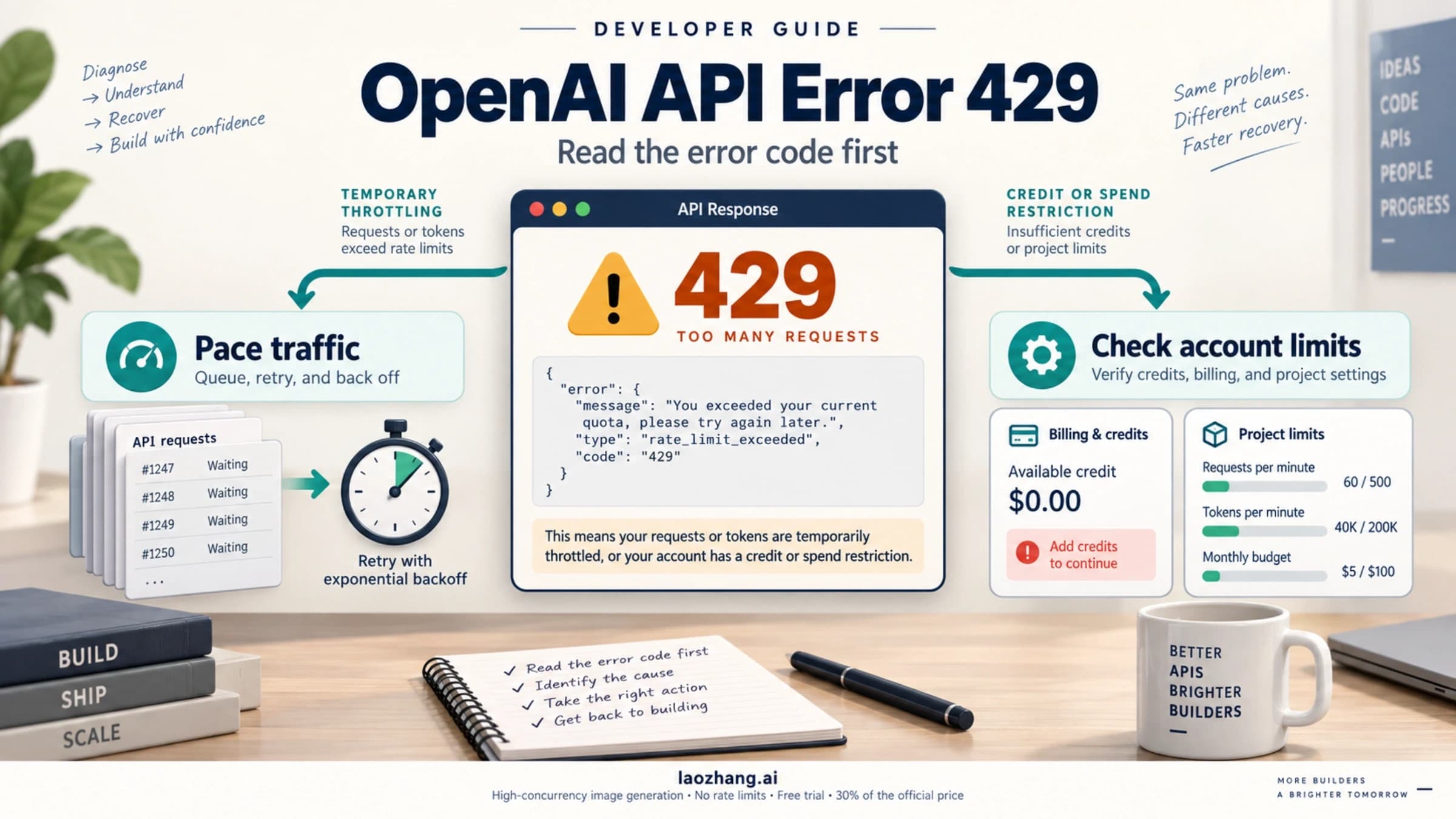
429 with credit_balance_exhausted | Organization prepaid balance | Have the billing administrator review the balance and add credits if intended. |
429 with project_spend_limit_exceeded, organization_spend_limit_exceeded, or organization_usage_limit_exceeded | The specific project, organization, or approved usage limit named by the code | Review that limit with the administrator; request or approve a change where appropriate. |
429 for request rate, including slow_down | Request frequency, concurrency, and Retry-After | Reduce traffic and retry after the indicated delay. See the API rate-limit guide for sustained workloads. |
503 with server_is_overloaded | Retry-After and service status | Retry after the indicated delay, with bounded backoff. |
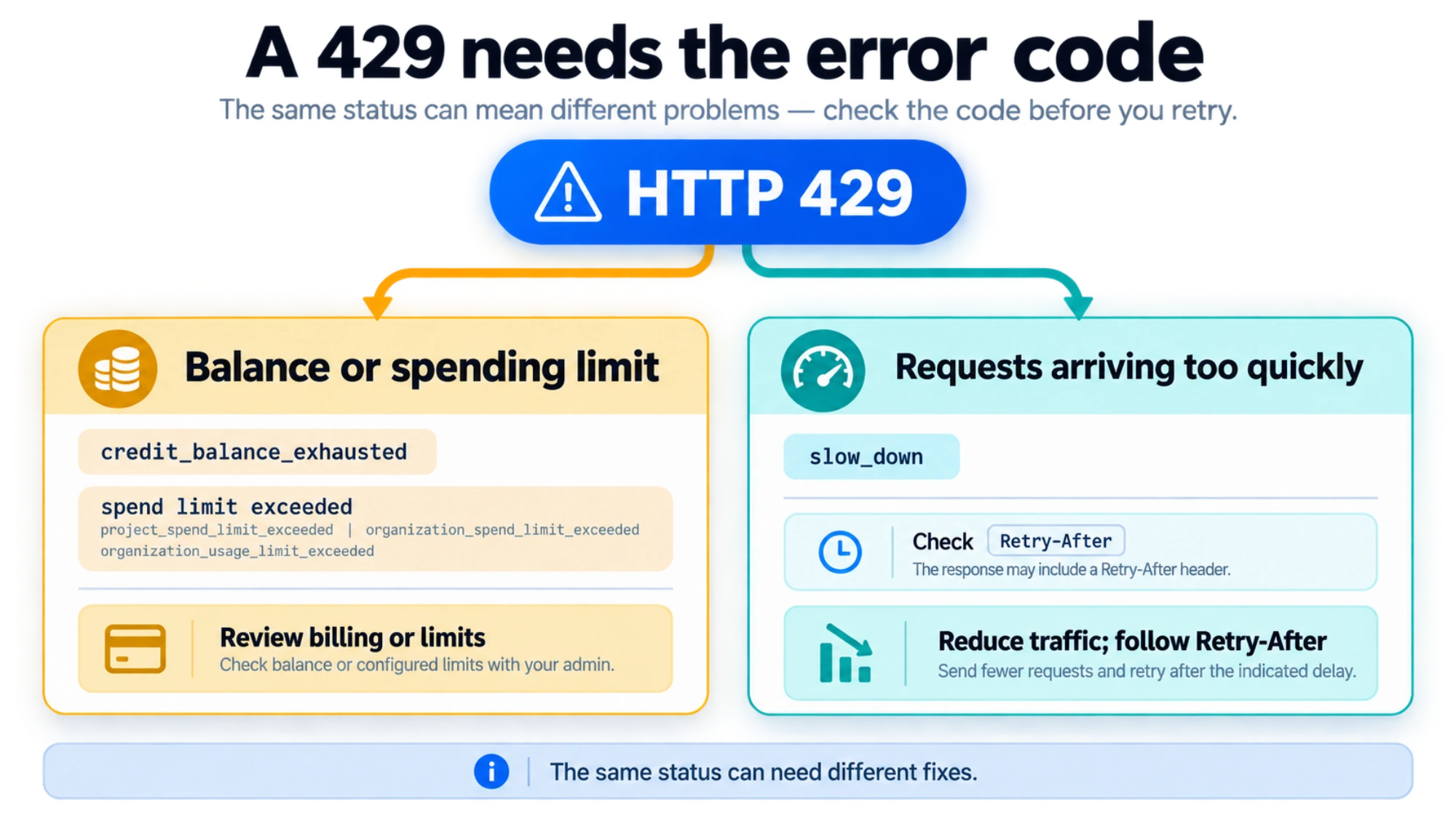
A billing-related 429 is not fixed by exponential backoff. Conversely, a traffic-related 429 is not proof that buying more credits will help. Preserve the exact code before deciding which setting to change.
If your earlier model worked and the Astra request fails, compare request bodies before troubleshooting account access. The Astra migration guide requires removing temperature, top_p, and top_logprobs. Remove logprobs from Chat Completions requests and message.output_text.logprobs from the Responses include field. Use low, medium, high, xhigh, or max for reasoning; none and minimal are not valid Astra choices. For EU data-residency projects, use Standard processing instead of service_tier: "fast" or "priority".
These compatibility changes matter even when the API key and billing are already correct. First get a plain text request working, then reintroduce streaming, tools, structured output, and application defaults one feature at a time.
When project access is still unclear
Send your API administrator or OpenAI support a compact diagnostic: the service hostname, organization and project identifiers, model ID, UTC timestamp, HTTP status, exact error code/message, and x-request-id if present. Include a sanitized request body when the problem may involve parameters. Never include the API key.
Describe whether the same credentials can call another model and whether the failure occurs in direct HTTP, an SDK, or Codex. That narrows the investigation without treating success in another product as proof of API permission. Workspace-specific Daybreak instructions should only be applied to the workspace scenario described in OpenAI's availability guidance; they do not establish a universal application process for every API developer.
Once the intended project returns a completed text answer with the expected model metadata, you have established that this request works for those credentials at that time. Use that working request as the baseline for your integration, then size the budget and throughput for the actual workload.
Sources10
External pages this guide links to, in the order they appear. Last updated Oct 8, 2026.
Sources10
External pages this guide links to, in the order they appear. Last updated Oct 8, 2026.
- 1.OpenAI's latest availability updatethreads.com/@openai/post/Dc4YdbEjP4d/gpt-astra-is-now-available-to-all-pro-enterprise-and-business-premium-users-in
- 2.OpenAI's Astra guidedevelopers.openai.com/api/docs/guides/latest-model
- 3.OpenAI's workspace availability guidancelearn.chatgpt.com/docs/enterprise/workspace-model-availability
- 4.Astra model pagedevelopers.openai.com/api/docs/models/gpt-6-astra
- 5.OpenAI Platformplatform.openai.com
- 6.OpenAI API supported-country listdevelopers.openai.com/api/docs/supported-countries
- 7.official quickstartdevelopers.openai.com/api/docs/quickstart
- 8.OpenAI's reasoning guidedevelopers.openai.com/api/docs/guides/reasoning
- 9.OpenAI's text-generation guidedevelopers.openai.com/api/docs/guides/text
- 10.OpenAI's current error guidedevelopers.openai.com/api/docs/guides/error-codes