Gemini 3.8 Flash Slow in Antigravity? Find the Delay Before Retrying
If Gemini 3.8 Flash feels slow in Antigravity, first identify what is waiting: the first answer, an active tool, server capacity, a repeated command, or the app itself. Each calls for a different response.
On this page
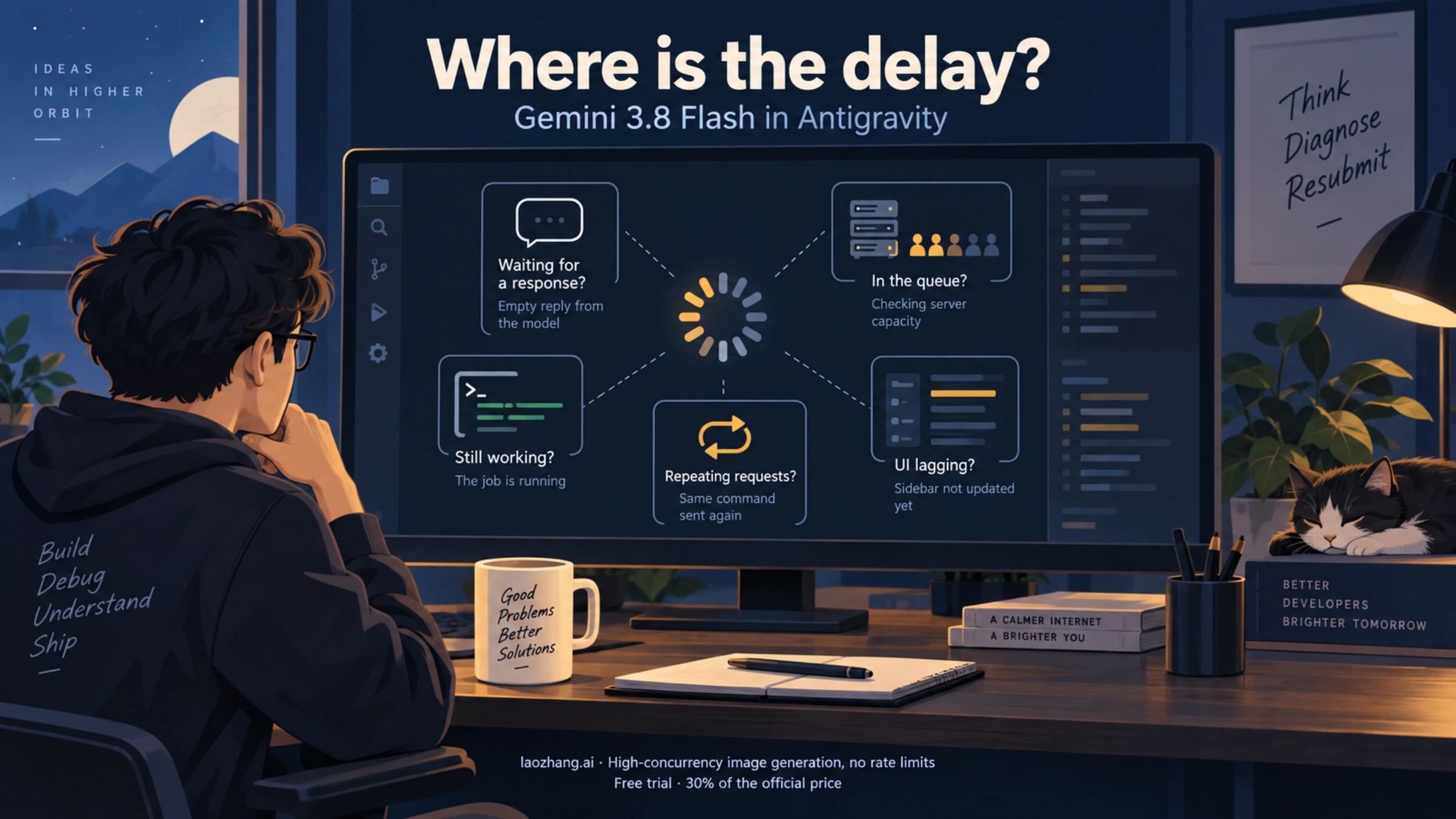
When Gemini 3.8 Flash is slow in Antigravity, the most useful first step is to locate the delay. A blank conversation waiting for its first answer, an agent running a long command, and a sidebar that takes seconds to switch conversations can look like the same problem. They need different fixes.
Start with one short request in a fresh conversation that does not need tools. Compare that with the task that is stuck. If the short request also stalls, investigate model availability or a broader service problem. If it responds promptly, inspect the original task's current tool, permissions, and progress. If commands are repeating without useful changes, stop the run and inspect the work already done before trying again.
These are diagnostic suggestions, not a measured speedup recipe. The evidence checked for this guide on September 21, 2026 includes Google's release notes and dated forum reports; we did not run an Antigravity latency benchmark.
Match the symptom to the next step
Before changing settings, look at what Antigravity last did. Use the distinctions below to choose what to check next instead of simply waiting longer.
| What you can observe | What it suggests | Useful next step |
|---|---|---|
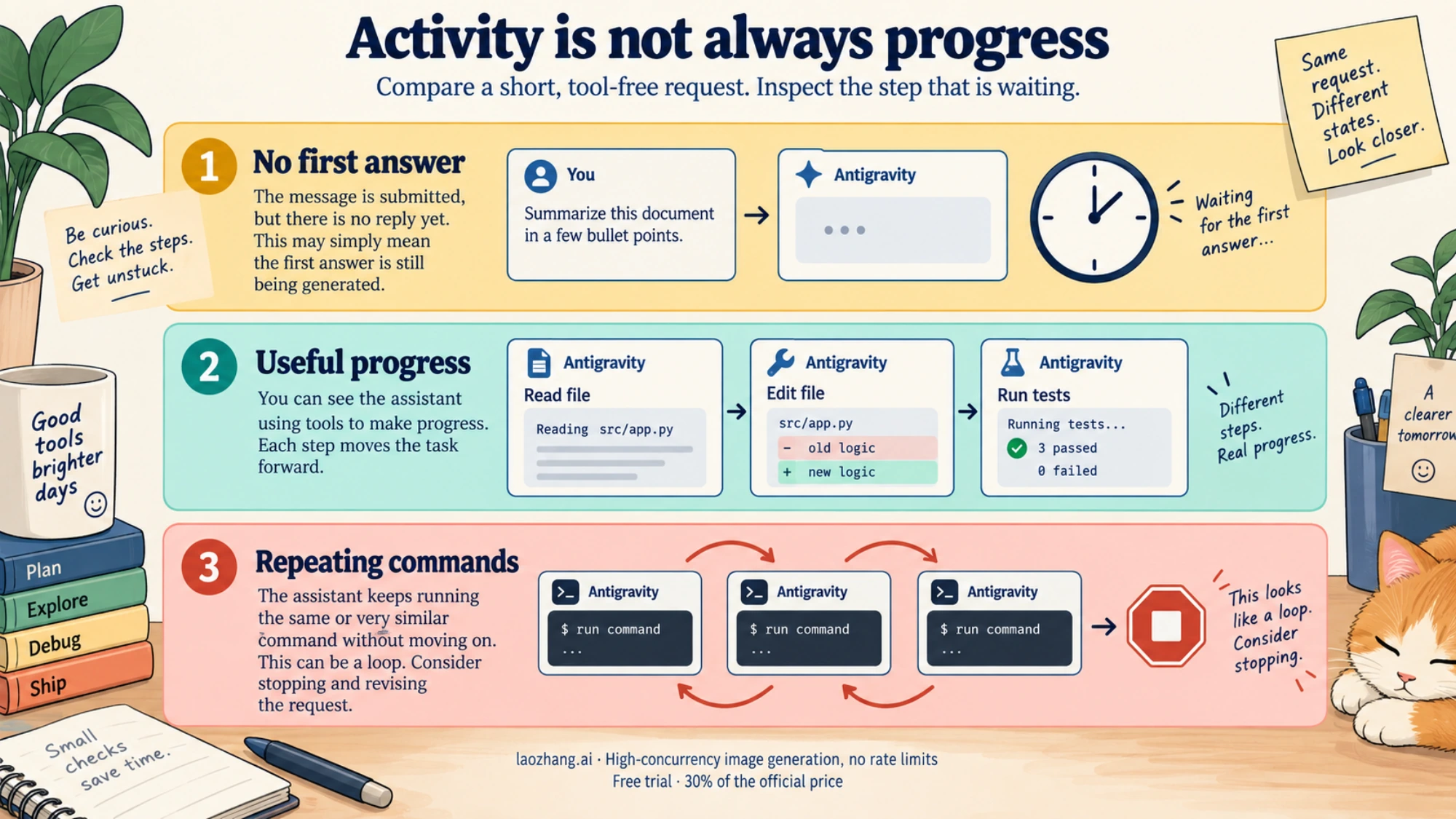
| A short, tool-free request waits a long time before any answer | The delay is happening before useful output; the size of your coding task does not explain this test | Record the model, thinking level, time, and any error; compare one other available model |
| New tool results or file changes keep appearing | The agent is doing work, even if the overall task is taking too long | Inspect the slowest step and narrow the remaining task if appropriate |
503 UNAVAILABLE with MODEL_CAPACITY_EXHAUSTED | The reported failure concerns server model capacity | Save the error and pause repeated submissions; do not assume your personal quota is exhausted |
| The same command runs repeatedly without new information or meaningful changes | The task may be stuck in a loop | Stop the run, review the terminal output and diff, then resume with a smaller, explicit objective |
| Switching conversations or interacting with the sidebar is sluggish | Client performance may be contributing | Check the exact Antigravity product and build against its release notes |
The capacity-error row reflects an error pasted by a user in the September 15 Antigravity performance thread. The other checks are a practical way to isolate the delay; none establishes a cause by itself.
What the September reports actually establish
There is a reason to investigate a shared service issue before blaming your repository. In the September 15 thread, users described unusually slow first responses, including a greeting in a new, empty chat. One user posted a server-capacity error. That is different from a large codebase simply taking longer to analyze.
A forum support reply said the engineering team was investigating performance degradation and suggested trying Gemini 3.7 temporarily. A later reply in the same thread, dated September 15, said the issue was resolved. However, follow-up users reported further slowdowns on September 16–18.
Those reports support a limited conclusion: users experienced delays, the thread received a resolution statement, and some users subsequently reported more trouble. They do not establish a continuing global outage on September 21, or prove that every account had recovered. A dated “resolved” comment is useful history, but it cannot diagnose the request currently waiting on your screen.
Model-switch reports were mixed, too. Some users found 3.7 faster, while others reported that it was also slow. Treat a switch as a comparison you can make on your account, rather than a guaranteed workaround.
Run a small comparison before restarting your project
Use a simple request such as “Reply with the word ready” in a new conversation. Avoid attaching the repository or asking the agent to read files. Note when you submitted it and when the first useful answer arrived. You do not need a particular number of seconds to make the observation useful: compare it with what you normally see and with the time you can afford to wait.
Keep the client, account, network, selected model, and thinking level unchanged for that first comparison. Then change one relevant setting at a time. Sending several copies of your full coding job makes it harder to tell which change helped and can leave multiple runs operating on the same work.
If the small request is also slow, the original task's complexity is a less convincing explanation. Record any visible error and try one other model offered in your model picker. If both models stall, preserve that result for a support report instead of repeatedly sending the same request.
If the small request is fast, return to the original task and inspect its last action. Is it waiting for a permission decision? Is a terminal command still running? Does the tool need input? Is an external operation taking longer than expected? Use the first stalled step in the original session as your next checkpoint.
If you move work to a new conversation, carry over a short description of the objective, changes already made, and the remaining step. Check the working tree first. Starting fresh should not mean losing the distinction between completed work and work that still needs to be done.
Lower thinking effort can help some tasks, but not every stall
Google's Gemini 3.8 Flash announcement for Antigravity describes adjustable thinking levels as a tradeoff between reasoning depth and latency. Its model launch explanation also says complex agent tasks can involve additional reasoning and iterative tool calls, particularly at higher effort.
That makes lower effort a reasonable option when the task is bounded and the agent is visibly progressing: a small code edit, a straightforward explanation, or a check with clear success criteria. Reducing the amount of work requested can also make the next run easier to inspect. Ask it to investigate one failing test or finish one remaining change, rather than resubmitting a broad project request.
This explanation has a limit. Extra reasoning does not, on its own, explain a capacity error or show why a simple greeting produces no answer. In a September 18 report, one user said delays persisted across thinking levels and fresh chats. That is an individual report, not proof that those options never help; it is a good reason to evaluate their effect instead of assuming success.
If Gemini 3.7 is available in your client, you can use it for the same small comparison. Google retained it as an efficiency option at launch. Your current model picker is the relevant check for what your account can select.
Stop repeated commands before trying to make them faster
A long-running agent is not necessarily a productive agent. Look for new information: a completed command, a changed file, a test result, or a different next step. If it keeps issuing essentially the same command without incorporating the result, stop and review the run.
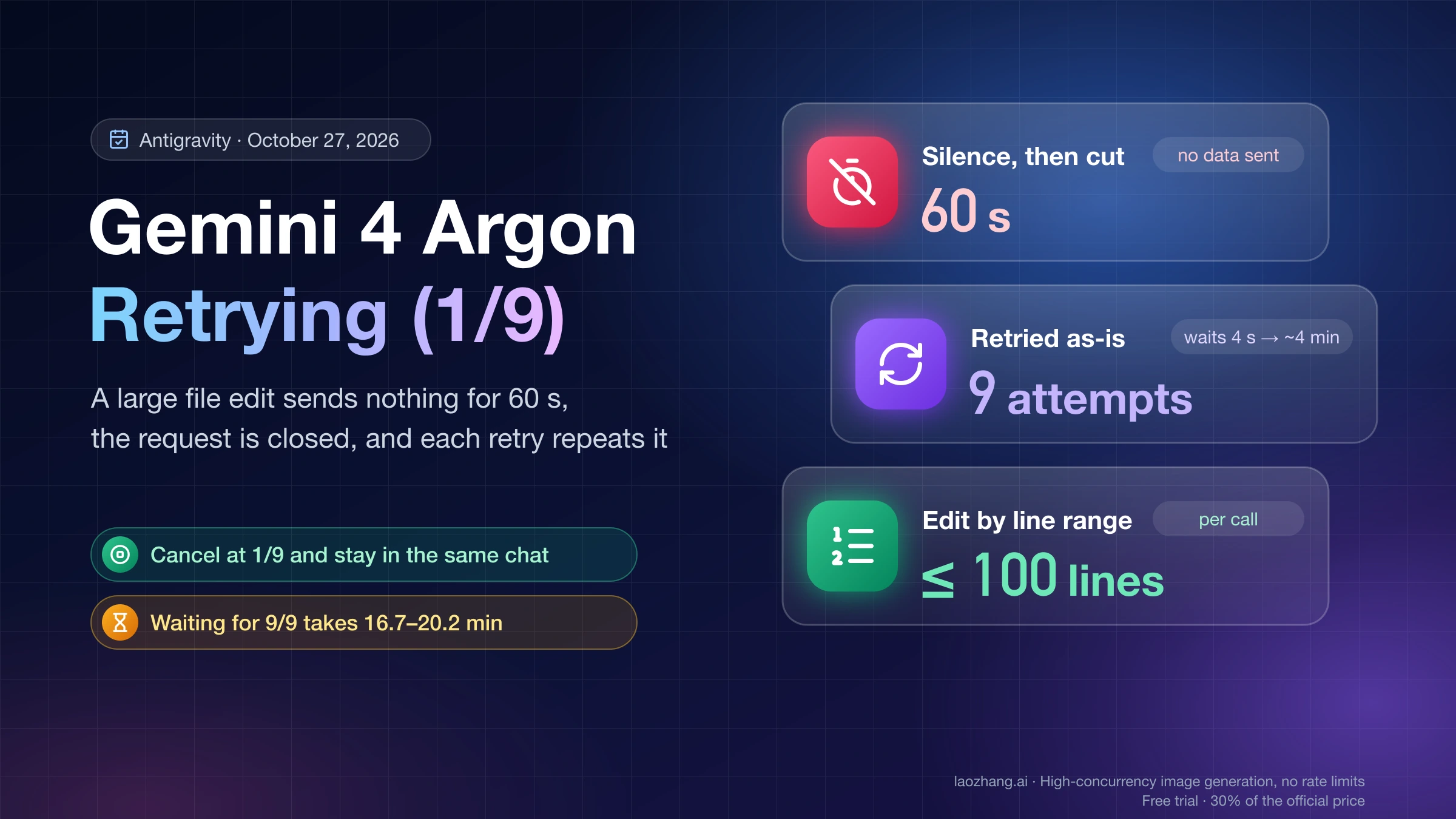
The September 18 user report included repeated basic commands as well as latency. When your own activity log repeats without progress, review that step rather than just waiting longer.
After stopping, inspect the actual file changes and terminal output. Keep useful changes and identify the precise point where progress stopped. Before restarting the client or handing the task to another conversation, save that state. Give the next run a limited objective and a clear stop condition, such as reporting the failing command and its output before attempting further changes.
Avoid deleting project files or caches as a general speed fix. Nothing in the cited reports establishes that destructive cleanup resolves server-capacity delays, and losing local state makes recovery harder.
Check app lag separately from response latency
If the sidebar or conversation switching is slow even when you are not submitting a request, check client performance separately. Google's Antigravity changelog lists relevant fixes in Antigravity 2.0 version 2.15.0, dated September 18: improved conversation-switching performance and a fix for duplicate permission entries that inflated conversation files and slowed the app. The release also addressed saved settings and project state being overwritten.
Check that these notes apply to the product and version you actually use. They are specifically listed for Antigravity 2.0, so do not assume that the same version number or fix applies to every IDE or CLI. Google also notes that updates roll out gradually over several days.
Installing an applicable update is sensible for those client symptoms. It does not establish that a backend capacity issue has been fixed. After saving work and updating, compare the same symptom: conversation switching for UI lag, or a short new request for response latency.
Keep capacity, quota, and billing questions separate
MODEL_CAPACITY_EXHAUSTED in a server error is not sufficient evidence that you have used all your personal allowance. Check the allowance shown in your own client and retain the exact error text. Antigravity 2.0's changelog documents quota information under Settings and Models, including a distinction between used and remaining amounts; labels may differ in other clients or builds.
Likewise, a user report of quota drain does not establish how a particular failed request was accounted for. The September 18 forum post mixes Antigravity symptoms with separate Gemini API billing complaints. Do not treat that as a confirmed billing policy for Antigravity subscriptions, evidence that every failed request is charged, or a refund promise.
The model string gemini-3.8-flash-medium appeared in a diagnostic error in the September 15 thread. It can help identify the reported failure, but it is not evidence that this is a documented public Gemini API model ID. Keep it in the error record; do not copy it into an API integration on the strength of that forum log.
Send a report that makes the delay reproducible
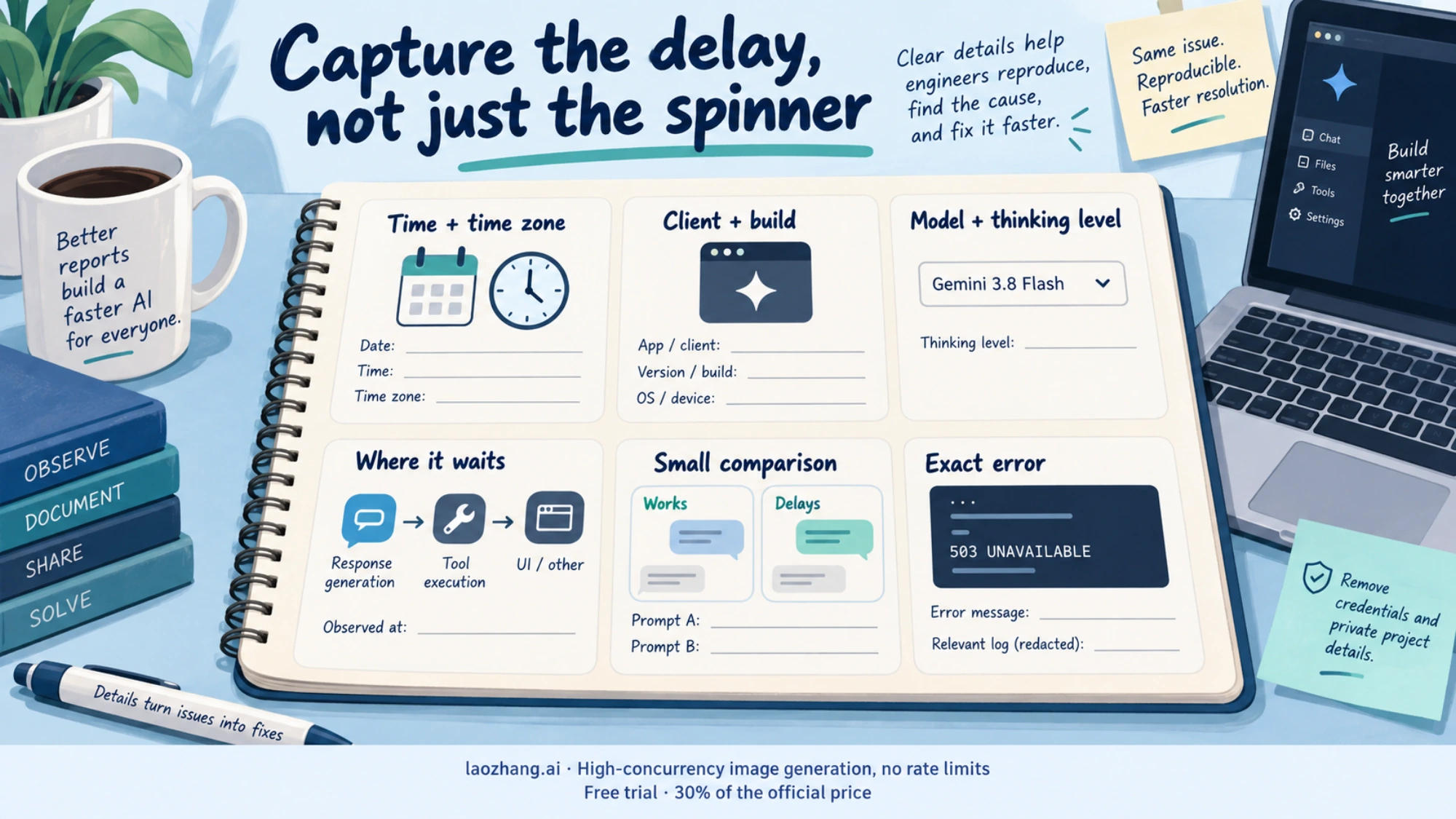
If a small request still stalls or the issue repeatedly returns, save a compact record for the relevant support channel:
- The date, time, and time zone of the failed or delayed request.
- Your Antigravity product and build, selected model, and thinking level.
- Whether the delay occurred before any answer, during a specific tool, in a repeated command, or while using the interface.
- The short test request and what happened when you tried it in a new conversation.
- Whether one other available model behaved differently under the same conditions.
- The exact error or a relevant log excerpt, with credentials and private project information removed.
For a quota question, include the allowance display and observation times. For a billing question, use the relevant usage or transaction records rather than inferring a charge from a spinning interface. The available sources do not verify a blanket reset or refund for these reports.
The immediate goal is to recover useful work. Continue when tools are making meaningful progress within your time budget. Narrow or stop a run that is repeating itself. Use a model comparison for a silent delay, and an applicable client update for interface lag. If the short comparison also fails, the recorded result is more useful than another copy of the same full job.
Sources8
External pages this guide links to, in the order they appear. Last updated Sep 21, 2026.
Sources8
External pages this guide links to, in the order they appear. Last updated Sep 21, 2026.
- 1.September 15 Antigravity performance threaddiscuss.ai.google.dev/t/gemini-3-8-in-antigravity-is-too-slow/183057
- 2.forum support replydiscuss.ai.google.dev/t/gemini-3-8-in-antigravity-is-too-slow/183057/15
- 3.later reply in the same threaddiscuss.ai.google.dev/t/gemini-3-8-in-antigravity-is-too-slow/183057/19
- 4.follow-up users reported further slowdowns on September 16–18discuss.ai.google.dev/t/gemini-3-8-in-antigravity-is-too-slow/183057
- 5.Gemini 3.8 Flash announcement for Antigravityantigravity.google/blog/gemini-3-8-flash-in-google-antigravity
- 6.model launch explanationblog.google/innovation-and-ai/models-and-research/gemini-models/3-8-flash-and-3-8-flash-cyber
- 7.September 18 reportdiscuss.ai.google.dev/t/gemini-3-8-flash-in-antigravity-severe-latency-command-looping-quota-drain-api-503-billing-issues/183550
- 8.Antigravity changelogantigravity.google/changelog