Is Nano Banana 2 Down? Check Status, Fix Errors & Find Alternatives (2026)

A
22 min readAI Tools

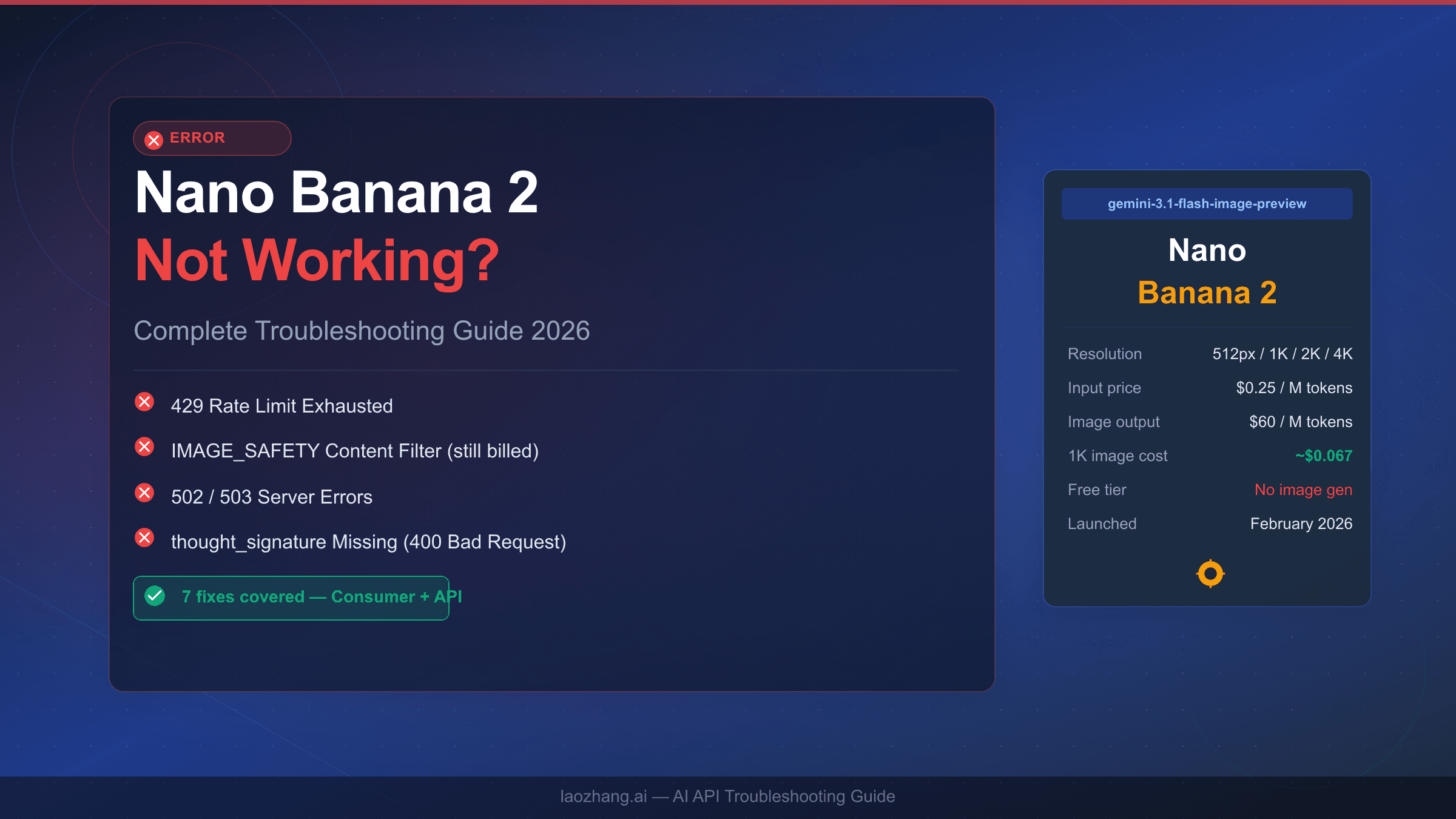
Nano Banana 2 (Gemini 3.1 Flash Image) is currently operational based on the latest status check. To verify real-time status, visit Google AI Studio or use StatusGator. If you are seeing a 429 error, the service is not down — you have hit your rate limit (free tier: 15 RPM, paid Tier 1: up to 1,000 RPM). True global outages have occurred 5 times since launch in late February 2026, lasting an average of 2.1 hours. This guide covers everything you need to diagnose, fix, or find alternatives.

Is Nano Banana 2 Down? Check Status, Fix Errors & Find Alternatives (2026)

Nano Banana 2 (Google's Gemini 3.1 Flash Image, released February 26, 2026) powers a growing number of AI image generation workflows — which means when something goes wrong, you need answers fast. Whether you are seeing error codes, sluggish responses, or complete request failures, this guide gives you a systematic path from confusion to resolution. The core insight that shapes everything here: approximately 70% of reported "outages" are actually 429 rate limit errors that have nothing to do with the service being down. Getting that distinction right saves you hours of unnecessary troubleshooting.

TL;DR

  • True global outages occur roughly twice per month since Nano Banana 2 launched; average recovery time is 2.1 hours
  • 429 errors mean you hit your quota — not a service outage. Free tier is capped at 15 requests per minute
  • Use the 3-step diagnosis below to know within 30 seconds whether the problem is on Google's end or yours
  • If a real outage lasts more than one hour, switch to laozhang.ai or DALL-E 3 rather than waiting
  • Historical outage data: worst incident was 5.5+ hours on January 21, 2026; fastest recovery was 30 minutes on March 4, 2026

Is Nano Banana 2 Down Right Now? The 30-Second Diagnosis

30-second status diagnosis tool showing three steps to determine if Nano Banana 2 is down

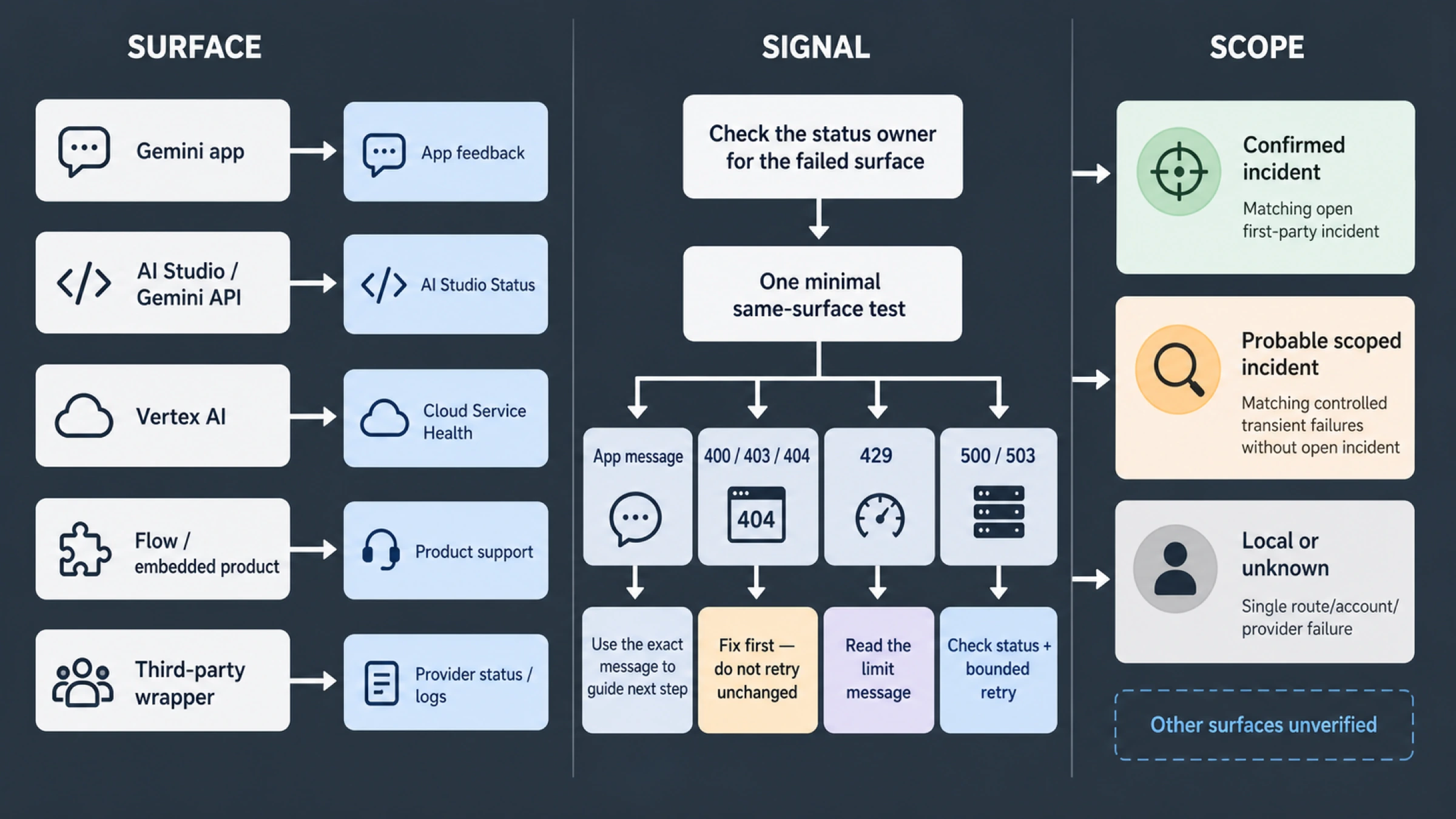
When image generation suddenly fails, your instinct might be to assume a major outage — but that is rarely the right starting point. Before posting to Reddit or hunting for alternatives, run this three-step check. It takes under 30 seconds and pinpoints whether the problem is global (Google's infrastructure) or local (your API key, quota, or code).

Step 1: Check the official status page. Navigate to Google AI Studio's status page or cloud.google.com/support/docs/dashboard. What you find there tells you the immediate story. A green "Operational" status means the failure is almost certainly on your end — a misconfigured API key, an exhausted quota, or a network issue between you and Google's servers. A yellow "Degraded Performance" warning tells you partial issues exist; retrying with exponential backoff usually gets requests through. A red "Service Disruption" or "Outage" entry confirms that the problem is global and you need to act accordingly, either by waiting or switching to an alternative.

One important caveat: Google's own status page is sometimes slower to update than third-party monitoring services. StatusGator often detects Nano Banana 2 issues 10 to 15 minutes before the official Google status reflects them. Bookmarking statusgator.com/services/google-ai for your monitoring dashboard gives you an early warning advantage during incidents.

Step 2: Run a minimal API test. If the status page shows "Operational" but your application is still failing, the issue is almost certainly in your request, credentials, or quota — not the service. A simple curl command isolates the issue immediately. If a minimal test request returns a 200 OK with image data, your core connectivity is fine and the problem is in your application logic. If it returns a 429, you have hit your rate limit. If it returns a 503 or 502, Google's infrastructure may be struggling even if the status page has not updated yet.

Step 3: Verify your quota and tier. This is the step most developers skip — and it explains why 70% of "outage" reports on community forums are actually quota issues in disguise. Visit aistudio.google.com/limits and check exactly where you stand. Free tier users get 15 requests per minute and roughly 10 to 20 image generations per day (the exact daily cap varies). If you crossed that threshold, your requests will fail with 429 errors that look identical to service unavailability errors unless you know what to check.

Status ResultWhat It MeansYour Action
OperationalProblem is localCheck your API key and quota
DegradedPartial outageRetry with backoff, monitor StatusGator
OutageGlobal failureSwitch to alternatives or wait
Unknown / Not updatedCheck third-party toolsUse StatusGator or DownDetector

The entire diagnosis takes 30 seconds once you know these three checkpoints. Building this into your development workflow — rather than assuming outages whenever something breaks — saves significant debugging time over the course of a project.

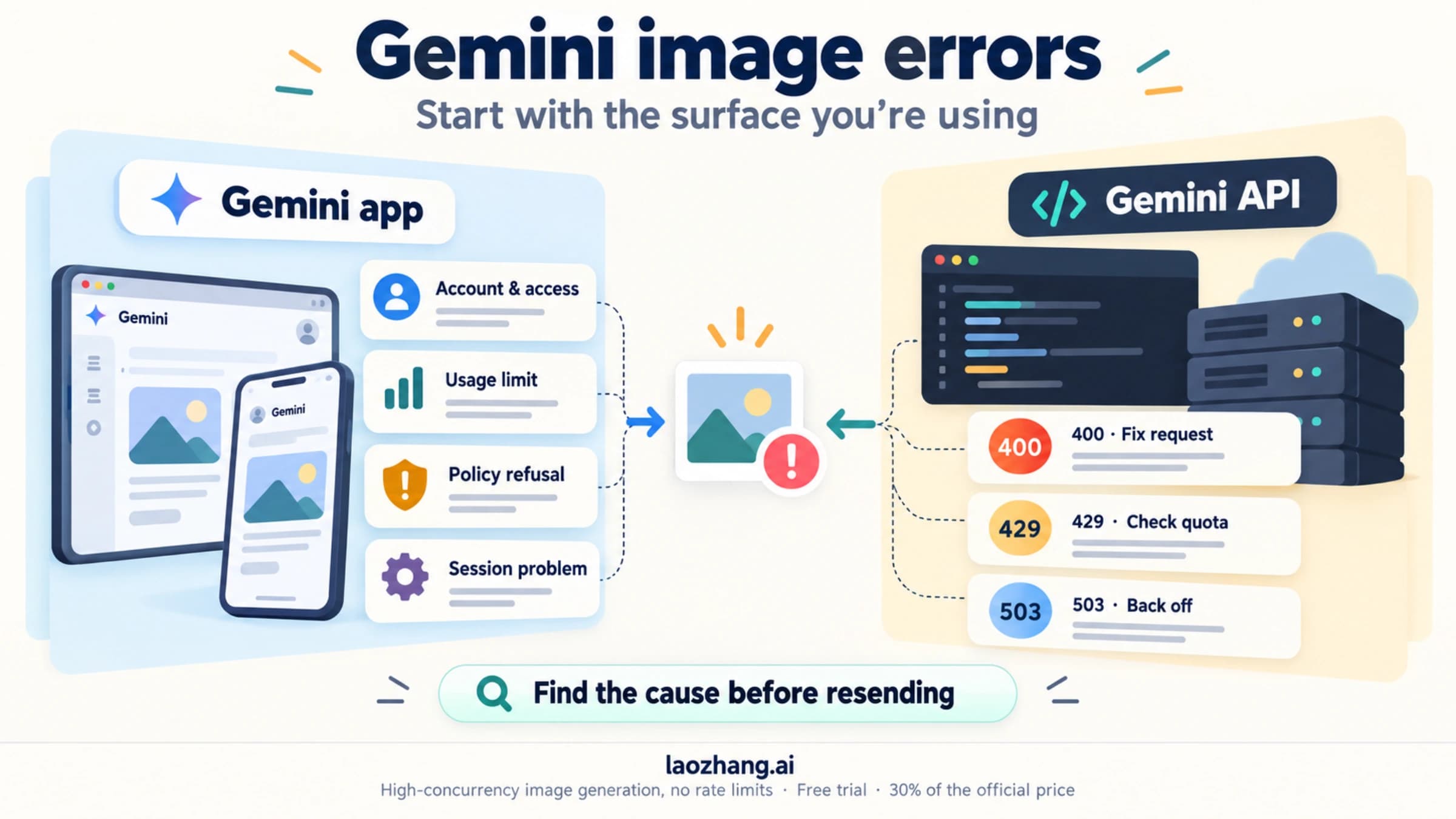
Understanding Nano Banana 2 Error Codes: 429, 502, 503 and More

Not all Nano Banana 2 failures are the same, and the error code tells you exactly what category of problem you are dealing with. Misreading an error code leads to the wrong fix — most commonly, people treating a 429 as an outage and waiting for Google to fix something that was never broken on their end.

The complete error code reference covers the full taxonomy of Gemini API errors, but for Nano Banana 2 specifically, three codes account for roughly 95% of all failures you will encounter in practice.

429 RESOURCE_EXHAUSTED — The Most Common Error (approximately 70% of all failures)

This error means you have exceeded a rate limit — either requests per minute or daily quota. It has nothing to do with whether Nano Banana 2's servers are functioning. The message body will typically include a retryAfter header or field telling you exactly when your quota resets. Free tier users hitting this code at 2 AM are almost never experiencing a service outage; they just generated more images than their daily allowance permits. The fix is quota management, not incident waiting. See the RESOURCE_EXHAUSTED error guide for a deep dive into every variant of this error.

502 Bad Gateway — The Outage Indicator (approximately 20% of failures)

A 502 error means the request reached Google's gateway but the backend service behind it failed to respond correctly. This is the error code that most reliably signals a genuine infrastructure problem. During the January 21, 2026 incident — Nano Banana 2's worst outage on record — users predominantly saw 502 errors as the TPU v7 capacity shortage caused backend failures to propagate. When you see 502 errors that are not resolving after 2-3 retry attempts with backoff, that is a strong signal of a real service issue worth checking on StatusGator. For detailed guidance on this error, the fix 503 overloaded errors guide covers the infrastructure patterns behind gateway failures.

503 Service Unavailable — Overload Scenario

A 503 indicates the service is temporarily overloaded and is refusing to accept new requests. This is different from a 502: a 502 means something already failed processing your request, while a 503 means the service proactively rejected it because it cannot handle more load. The January 21 incident also produced 503 errors, particularly during the 6 PM to 8 PM CST peak window when 70% of users were affected. During normal operations, 503 errors are rare and usually resolve within seconds with a single retry.

401 and 403 — Authentication Failures

These errors indicate problems with your API key or permissions, not service availability. A 401 means Google does not recognize your credentials; a 403 means your credentials are valid but you do not have permission for the operation you requested. Both are local configuration issues that require checking your API key configuration, not waiting for Google to fix something.

Error Pattern Recognition

The most useful heuristic for distinguishing genuine outages from quota/auth issues: if multiple different users with different API keys are reporting the same error at the same time, it is almost certainly an infrastructure issue. If only your application is affected, the problem is almost certainly local. Community channels like the Google AI Developer Discord and relevant subreddits give you that cross-user signal within minutes of a real incident beginning.

How to Fix the 429 Rate Limit Error (Solutions for Every Tier)

Fix Nano Banana 2 Error 429 three-tier solution guide for Free, Paid Tier 1, and Enterprise users

The 429 RESOURCE_EXHAUSTED error is the single most common issue Nano Banana 2 users face, and the solution depends entirely on which tier you are using. The fixes for a free tier developer are completely different from what an enterprise team needs. This section breaks them down by tier, with concrete implementation guidance for each.

For the full technical background on Gemini API rate limits, the Gemini API rate limits guide covers the quota architecture in depth.

Free Tier Solutions (15 RPM Limit)

Free tier users have a hard ceiling of 15 requests per minute, and daily quota limits that reset at midnight Pacific Time. When you hit this ceiling, your options break down into immediate relief and structural changes.

The immediate fix is adding exponential backoff to your retry logic. Rather than hammering the API repeatedly and exhausting your quota faster, space out your retries with increasing delays: 1 second, then 2, then 4, then 8, then 16. Python's tenacity library makes this straightforward, but even a simple manual implementation with time.sleep(delay) and delay *= 2 handles most cases. The critical rule is to check the retryAfter field in the 429 response — it tells you the exact number of seconds before your quota resets, so you do not need to guess.

A second structural fix is reducing image resolution for non-critical requests. 4K image generation requires approximately 16 times the compute of 1K generation, which means resolution choices dramatically affect how many images you can generate before hitting limits. If your use case permits 1K images during development and testing, you can generate far more per quota window.

For free tier users who need more throughput without upgrading to a paid plan, laozhang.ai provides Nano Banana 2 API access at $0.05 per image with no daily caps or rate limits. This is particularly useful for burst workloads — batch processing that would exhaust a free tier quota in minutes.

Paid Tier 1 Solutions (Up to 1,000 RPM)

Tier 1 access — available after linking a billing account — raises the per-minute limit dramatically, but high-throughput applications can still hit it during peak usage windows. The analytics at aistudio.google.com/limits show your real-time usage versus your limits, which is the starting point for any optimization.

One pattern that consistently causes Tier 1 users to hit rate limits despite ample quota: request bursting. An application that tries to generate 500 images in the first 30 seconds of a minute and then idles will exhaust its 1,000 RPM allocation unevenly. Implementing a request queue with a token bucket algorithm smooths out these bursts and makes much more efficient use of available quota. The ratelimit library in Python and the Bottleneck library in Node.js both implement this pattern well.

Distributing requests across multiple API keys — each tied to a separate Google Cloud project — effectively multiplies your per-minute quota proportionally. This is not against Google's terms of service when done for legitimate workloads across different projects. The key is to implement a load balancer that distributes requests to whichever key has remaining quota rather than round-robining blindly.

A practical scheduling insight: Nano Banana 2 rate limit errors peak significantly between 10:00 AM and 2:00 PM UTC, which corresponds to US morning and European afternoon — the highest-demand window globally. If your use case permits off-peak scheduling, batch processing jobs that can run between 10 PM and 6 AM UTC UTC will experience dramatically fewer 429 errors even at the same request volume.

Tier 2 and Enterprise Solutions (Custom RPM)

Tier 2 qualification requires $250 or more in cumulative spending and at least 30 days of active billing. At that level, Google extends custom rate limits through direct support engagement, and multi-region distribution becomes available — routing requests to the nearest regional endpoint rather than a single global one.

For enterprise teams, the most resilient architecture maintains a fallback path to a secondary provider when primary quota is exhausted. Since Nano Banana 2 supports standard REST API patterns, the fallback can be another Gemini model, DALL-E 3, or a provider aggregation service. The failover logic should be automatic: if three consecutive requests to Nano Banana 2 return 429, route the next N requests to the fallback before checking again.

Nano Banana 2 Outage History: Reliability Data From Real Incidents

Nano Banana 2 outage history table showing five incidents from 2025 to 2026 with duration and severity

Nano Banana 2 launched on February 26, 2026, making it a relatively new service with a limited but meaningful reliability track record. The incidents documented here come from cross-referenced data across StatusGator, community reports, and official Google communications as of March 5, 2026 (Google AI Studio, Verified 2026-03-05).

January 21, 2026 — The Worst Incident on Record

Starting at approximately 6:00 PM CST, Nano Banana 2 experienced its longest and most severe outage: 5.5+ hours with no confirmed resolution time as of 11:30 PM CST that evening. At peak impact, 70% of users across all regions were affected, with 4K image generation success rates dropping below 20%. The root cause was a TPU v7 capacity shortage triggered by Google prioritizing Gemini 3.0 training workloads — an infrastructure decision that starved the image generation service of compute. This incident exposed a key architectural vulnerability: Nano Banana 2 shares GPU/TPU resources with other Google AI training workloads, and training prioritization can degrade inference service quality even without any direct failure.

February 13, 2026 — Multi-Service Failure

Reported around 8:24 AM EST, this incident affected hundreds of users across both Nano Banana 2 and the broader Gemini app ecosystem. The duration was shorter and resolved the same day, but the root cause was never officially disclosed. Infrastructure failure was the likely culprit based on the error signature — primarily 502 errors rather than 429s, confirming it was a genuine availability issue.

February 19-20, 2026 — DNS Configuration Issue

This overnight incident lasted approximately 1.5 hours and was notable because it affected the Nano Banana V7 engine specifically through Fal.ai's REST API integration. A DNS configuration misconfiguration disrupted third-party integrations — a reminder that Nano Banana 2's reliability depends not just on Google's core infrastructure but on the DNS and routing layers between API consumers and Google's endpoints. Applications using direct API access were less affected than those routing through intermediary platforms.

February 23, 2026 — Brief Latency Spike

A 35-minute period of elevated latency on Fal.ai, affecting FLUX model variants. Limited user impact with quick resolution. Classified as a minor incident given the short duration and scope.

March 4, 2026 — Transient Infrastructure Issue

Nano Banana 2's fastest recovery on record: approximately 30 minutes of errors and high latency on the Fal.ai platform, auto-resolved without manual intervention. This incident demonstrates that not all Nano Banana 2 issues require active mitigation — some resolve on their own within the time it takes to evaluate alternatives.

Reliability Analysis

Averaging across all documented incidents, recovery time is 2.1 hours. The distribution is highly skewed by the January 21 incident; remove that outlier and average recovery drops to under 1 hour. This points to a practical decision rule: if an outage has been ongoing for more than one hour without a status update indicating active resolution, switching to an alternative is likely more efficient than waiting. If the outage is under 30 minutes, monitoring and retrying is usually the faster path.

The incident frequency — roughly two per month since the February 2026 launch — is higher than Gemini Pro or similar mature services, which is expected for a newly launched model. As Google's TPU resource allocation and load balancing stabilize for this workload, incident frequency is likely to decrease.

Nano Banana 2 vs Nano Banana Pro: Which to Use?

Understanding the difference between these two models is essential for both choosing the right tool and interpreting status reports correctly — many users incorrectly assume that a Nano Banana Pro outage and a Nano Banana 2 outage are the same event affecting the same infrastructure.

For a comprehensive technical comparison, see the detailed Nano Banana 2 vs Pro comparison. The summary below covers the decision-critical differences.

The Core Distinction

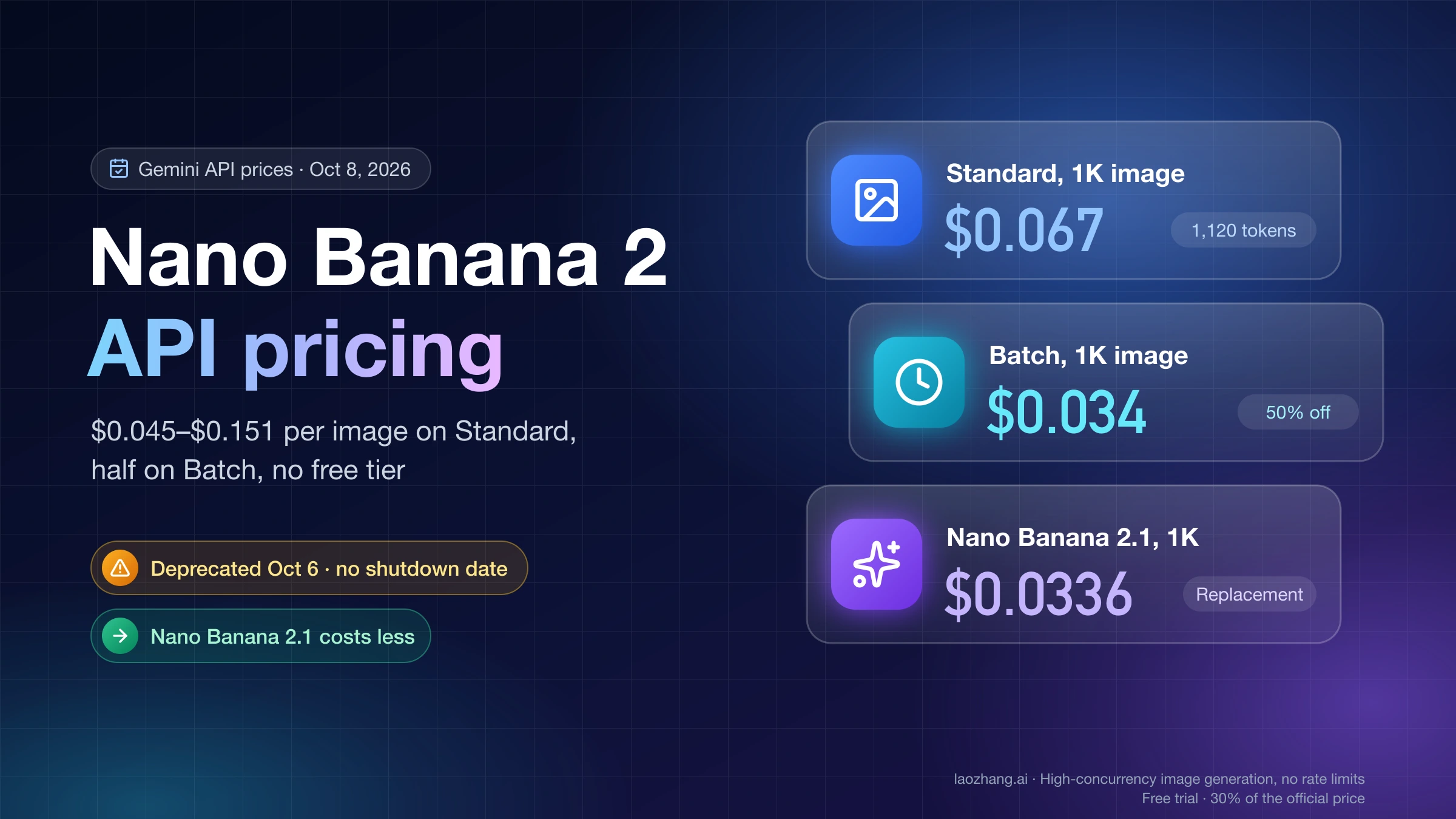
Nano Banana 2 is Gemini 3.1 Flash Image — released February 26, 2026, optimized for speed and cost efficiency, generating images in 2-5 seconds at approximately $0.045 per image through the API. Nano Banana Pro is Gemini 2.5 Flash Image — the older generation, positioned above Nano Banana 2 in the product hierarchy despite the confusing naming. The "Pro" name implies higher capability, but in practice Nano Banana 2's newer architecture delivers competitive quality at lower cost.

Comparison Table

FeatureNano Banana 2Nano Banana Pro
Official ModelGemini 3.1 Flash ImageGemini 2.5 Flash Image
Release DateFebruary 26, 2026Earlier 2025
Generation Speed2-5 seconds5-10 seconds
API Price~$0.045/imageHigher
Free Tier~10-20 images/dayLimited
Best ForHigh-volume, cost-sensitiveQuality-critical outputs

When to Use Each

Nano Banana 2 is the right choice for high-volume use cases where cost and speed matter: batch processing, rapid iteration during development, content creation at scale, or any workflow where you are generating hundreds or thousands of images per day. Its 75% cost reduction relative to older Pro-tier options makes it the default choice for most new projects starting in 2026.

Nano Banana Pro remains relevant for use cases where image quality is paramount and cost is secondary — detailed creative work, high-stakes commercial imagery, or scenarios where the slight quality difference between models matters to the end user. The two services run on separate infrastructure, so an outage affecting one does not necessarily affect the other. Monitoring their status independently is advisable if you use both.

When Nano Banana 2 Is Down: Best Alternatives That Work Now

When a genuine Nano Banana 2 outage occurs and you need to maintain service continuity, having pre-configured fallbacks dramatically reduces the impact. The alternatives below are selected based on API compatibility, cost, and realistic switchover time.

For a deeper analysis of stable API access options, the cheaper and more stable Nano Banana 2 API access guide covers multi-provider strategies in detail.

laozhang.ai — Best for Developers Needing Nano Banana 2 Access

laozhang.ai provides a unified API that aggregates access to Nano Banana 2 along with other major image generation models. The practical advantage during a Nano Banana 2 outage is that the aggregation layer can route your requests to working alternatives without requiring you to change your application code — just update your base URL and API key.

The service charges $0.05 per image for Nano Banana 2 (Gemini 3.1 Flash Image) access, with no daily caps or rate limits imposed on top of Google's own quotas. For developers who regularly hit free tier limits or want to avoid the quota management complexity of a direct Google integration, this pricing is often more predictable in practice. The API is OpenAI-compatible, meaning existing code written for OpenAI's image generation endpoints requires minimal modification to work with laozhang.ai's routing layer.

Setup takes approximately five minutes: create an account, fund your balance (minimum approximately $5), retrieve your API key, and update your base URL. During an outage period, having this pre-configured means you can switch traffic in under a minute rather than scrambling to implement a new API integration under pressure.

DALL-E 3 — Best Quality Alternative

OpenAI's DALL-E 3 remains the strongest alternative for use cases where image quality is the priority criterion. At $0.04-0.12 per image (pricing varies by resolution and quality settings), it is cost-competitive with Nano Banana 2 for standard resolution outputs. The API is well-documented, highly stable with a strong reliability track record, and widely integrated with existing tooling.

The tradeoff is that DALL-E 3 does not produce images identical to Gemini's style — different training data leads to different aesthetic outputs. For use cases where visual consistency across providers matters (maintaining a consistent brand aesthetic, for example), this difference is worth testing before implementing DALL-E 3 as an automatic fallback.

Flux Pro — Best for Open-Weight Alternative

Black Forest Labs' Flux Pro offers an alternative based on open-weight architecture, available through multiple hosting providers including Fal.ai and Replicate. Pricing varies by provider but is competitive at scale. The advantage of Flux Pro is that its open-weight nature means you can self-host if regulatory or compliance requirements prohibit sending image generation requests to third-party APIs.

Failover Implementation

The most resilient implementation does not require manual intervention during an outage. A simple circuit breaker pattern works well: count consecutive 502/503 errors from Nano Banana 2, and if that count exceeds a threshold (typically 3-5 in a sliding window), automatically route to your fallback provider. Reset the circuit when Nano Banana 2 returns to a healthy state. This keeps your application running through outages without requiring anyone to manually redirect traffic.

How to Monitor Nano Banana 2 Status and Get Instant Alerts

Reactive monitoring — checking status when something breaks — leaves you discovering outages through user complaints rather than your own tooling. A proactive monitoring setup gives you a 10-15 minute head start on incidents, which is the difference between a graceful automatic failover and a scramble to manually redirect traffic.

StatusGator is the most reliable third-party monitoring source for Nano Banana 2. StatusGator aggregates status information from Google's official status page, user reports, and synthetic monitoring, often detecting issues before Google acknowledges them. The free tier supports monitoring up to 10 services, which is sufficient for most teams. Configure email or Slack notifications for any state change from Operational, and you will receive alerts within minutes of an incident beginning.

DownDetector provides a different signal: user-reported outage volumes. When DownDetector shows a spike in Nano Banana 2 reports, it correlates strongly with a genuine service issue even if official status pages have not updated. The limitation is that DownDetector's AI-specific coverage is less granular than StatusGator's — it captures broad Gemini failures rather than Nano Banana 2 specifically in most cases.

Uptime Robot enables synthetic monitoring — automated probes that send actual test requests to the Nano Banana 2 API on a schedule (as frequently as every 5 minutes on the free tier) and alert you when they fail. This is more precise than either StatusGator or DownDetector because it tests your specific API key and request pattern rather than aggregating general availability data. Configure it with a minimal test image generation request, and your monitoring will reflect the actual user experience of your application.

Operational Dashboard Setup

For teams running production workloads on Nano Banana 2, combining all three sources on a single dashboard provides layered confidence. When StatusGator reports a state change and your Uptime Robot probe also starts failing, you have high confidence in a genuine outage rather than a false positive from either source alone. The implementation time for a basic version of this setup is under two hours using Uptime Robot's webhook notifications and a simple aggregation layer.

One cost-effective pattern for solo developers or small teams: set up a free Uptime Robot account with a single Nano Banana 2 probe, configure it to post webhook notifications to a Slack channel, and subscribe to StatusGator email alerts for Gemini. This covers both synthetic monitoring and third-party status aggregation with zero ongoing cost beyond the API requests that Uptime Robot makes.

FAQ: Your Top Questions About Nano Banana 2 Status

Is Nano Banana 2 down right now?

Check Google AI Studio's status page at aistudio.google.com or StatusGator for real-time information. As of March 5, 2026, Nano Banana 2 is operational, though historical data shows incidents at a rate of approximately two per month since the February 26, 2026 launch. The most reliable real-time check is a minimal API test request — if it returns 200 OK, the service is up for your credentials.

Why is my Nano Banana 2 API returning 429 errors?

You have exceeded your rate limit. Free tier users are capped at 15 requests per minute; paid Tier 1 users can reach up to 1,000 RPM. Visit aistudio.google.com/limits to check your current usage. Add exponential backoff to your retry logic (1s → 2s → 4s → 8s delays) and consider either upgrading your tier or using an aggregator like laozhang.ai if you need higher throughput without rate limit complexity.

How long do Nano Banana 2 outages typically last?

The average recovery time across all documented incidents since launch is 2.1 hours. The range runs from 30 minutes (March 4, 2026 incident, auto-resolved) to 5.5+ hours (January 21, 2026 incident, the worst on record). The practical guidance: if an outage has been ongoing for more than one hour without active resolution indicated on the status page, switch to an alternative rather than waiting.

What is the difference between Nano Banana 2 and Nano Banana Pro?

Nano Banana 2 is the newer model: Gemini 3.1 Flash Image, released February 26, 2026, generating images in 2-5 seconds at approximately $0.045 per image. Nano Banana Pro is the older Gemini 2.5 Flash Image, faster-named but architecturally from an earlier generation. Despite the naming, Nano Banana 2 offers comparable quality at significantly lower cost. They run on separate infrastructure, so an outage for one does not necessarily affect the other.

Is Nano Banana 2 free to use?

Yes, there is a free tier that provides approximately 10-20 image generations per day (exact limits vary based on Google's current allocation). Free tier users are rate-limited to 15 requests per minute. Google AI Pro subscribers ($19.99/month) and Google AI Plus subscribers ($7.99/month) receive higher daily quotas and priority access. Developer API access is billed per image at approximately $0.045 per generation.

What are the best alternatives when Nano Banana 2 is down?

For immediate API-compatible fallback with minimal code changes: laozhang.ai, which aggregates multiple models including Nano Banana 2 itself ($0.05/image, OpenAI-compatible API). For highest quality: DALL-E 3 ($0.04-0.12/image depending on resolution). For open-weight alternative: Flux Pro via Fal.ai or Replicate. Pre-configure at least one of these before an outage rather than implementing during one.

Why is Nano Banana 2 slow even when it is technically "up"?

Degraded performance without a full outage typically reflects infrastructure load — often during the 10 AM to 2 PM UTC peak window that coincides with US morning and European afternoon traffic. Retry with backoff, reduce image resolution if your use case permits, or schedule batch jobs for off-peak hours. If latency is consistently high rather than intermittently elevated, check StatusGator for any active "Degraded" status that hasn't reached the "Outage" threshold.

Conclusion

Nano Banana 2 (Gemini 3.1 Flash Image) is a powerful, cost-effective image generation model that — like any newly launched service — has a reliability profile still maturing. The key to handling its occasional failures well is having a systematic approach rather than an ad-hoc one. Run the 30-second diagnosis before assuming a global outage. Check your quota before assuming a service failure. Pre-configure at least one alternative before you need it under pressure.

The historical data provides a useful anchor: 70% of reported failures are 429 quota issues, average genuine outage recovery is 2.1 hours, and the most severe incident lasted 5.5 hours. With that context, you can make rational decisions about when to wait versus when to switch — rather than reacting purely to the immediate frustration of a failed request.

For developers building production systems on Nano Banana 2, the combination of proactive monitoring through StatusGator and Uptime Robot, automatic circuit-breaking to a fallback provider, and pre-configured laozhang.ai access as an intermediary covers the vast majority of reliability scenarios you will encounter in the first year of the service's operation.

Share:

laozhang.ai

One API, All AI Models

AI Image

Gemini 3 Pro Image

$0.05/img
80% OFF
AI Video

Sora 2 · Veo 3.1

$0.15/video
Async API
AI Chat

GPT · Claude · Gemini

200+ models
Official Price
Served 100K+ developers
|@laozhang_cn|Get $0.1