Is GPT Image 2 Free? How to Start Without Paying Up Front
You can start with GPT Image 2 through Puter's free monthly allowance, but each user covers their own usage. OpenAI's API has no Free tier, and ChatGPT's current free image tool is Images 2.5.
On this page
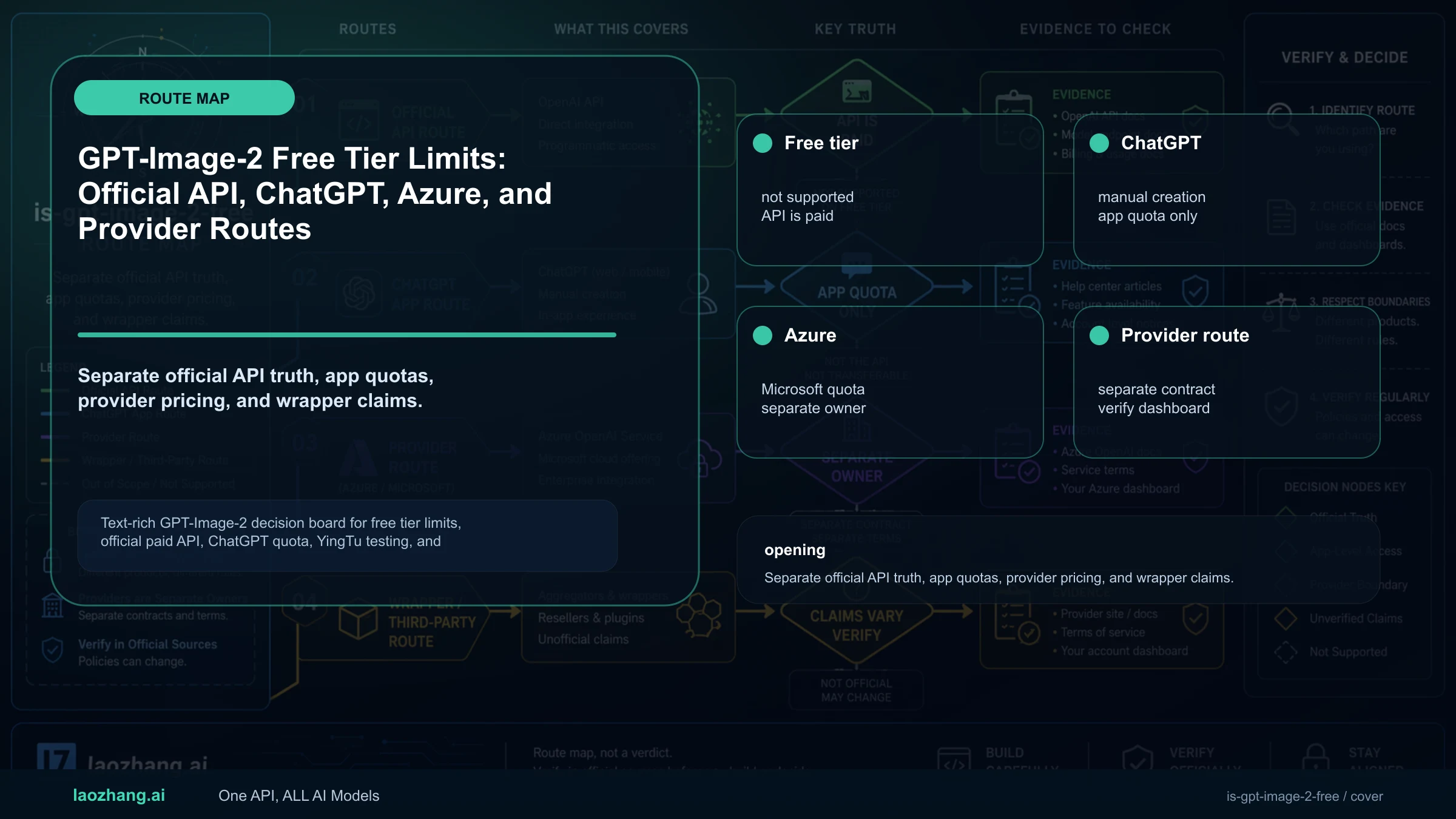
You can try GPT Image 2 without paying up front through Puter's monthly allowance; OpenAI's direct API requires paid access. Puter lists the exact model, openai/gpt-image-2, and gives each user a free monthly allowance. Generation uses your Puter account's resources; when that allowance runs out, Puter offers an upgrade. Its current documentation does not specify how many GPT Image 2 images the allowance buys. Puter's model list and User-Pays explanation describe this arrangement.
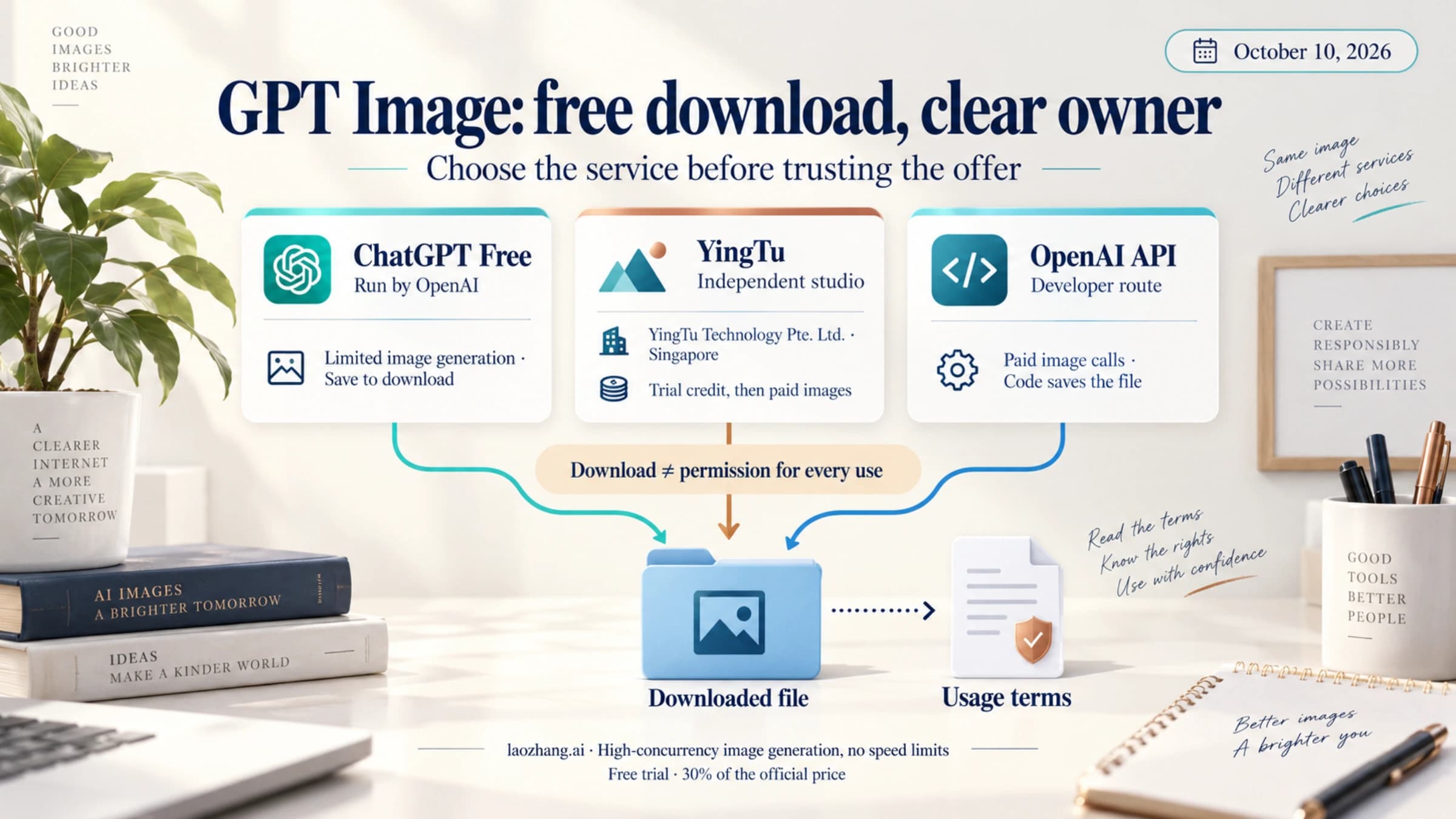
For a simpler, no-code start, ChatGPT Free can create and save images, with separate image-tool limits. There is an important version difference: OpenAI's current help page describes ChatGPT Images 2.5. Use it if you want an image without setting up an API; choose an explicit GPT Image 2 route if that particular model matters. ChatGPT Free FAQ, ChatGPT Images FAQ.
The options below reflect the documentation available on October 12, 2026. The examples are documentation-based instructions, not results from live generation or billing tests.
Which free starting point should you choose?
| What you need | Starting point | What covers the image? | What happens at the limit? |
|---|---|---|---|
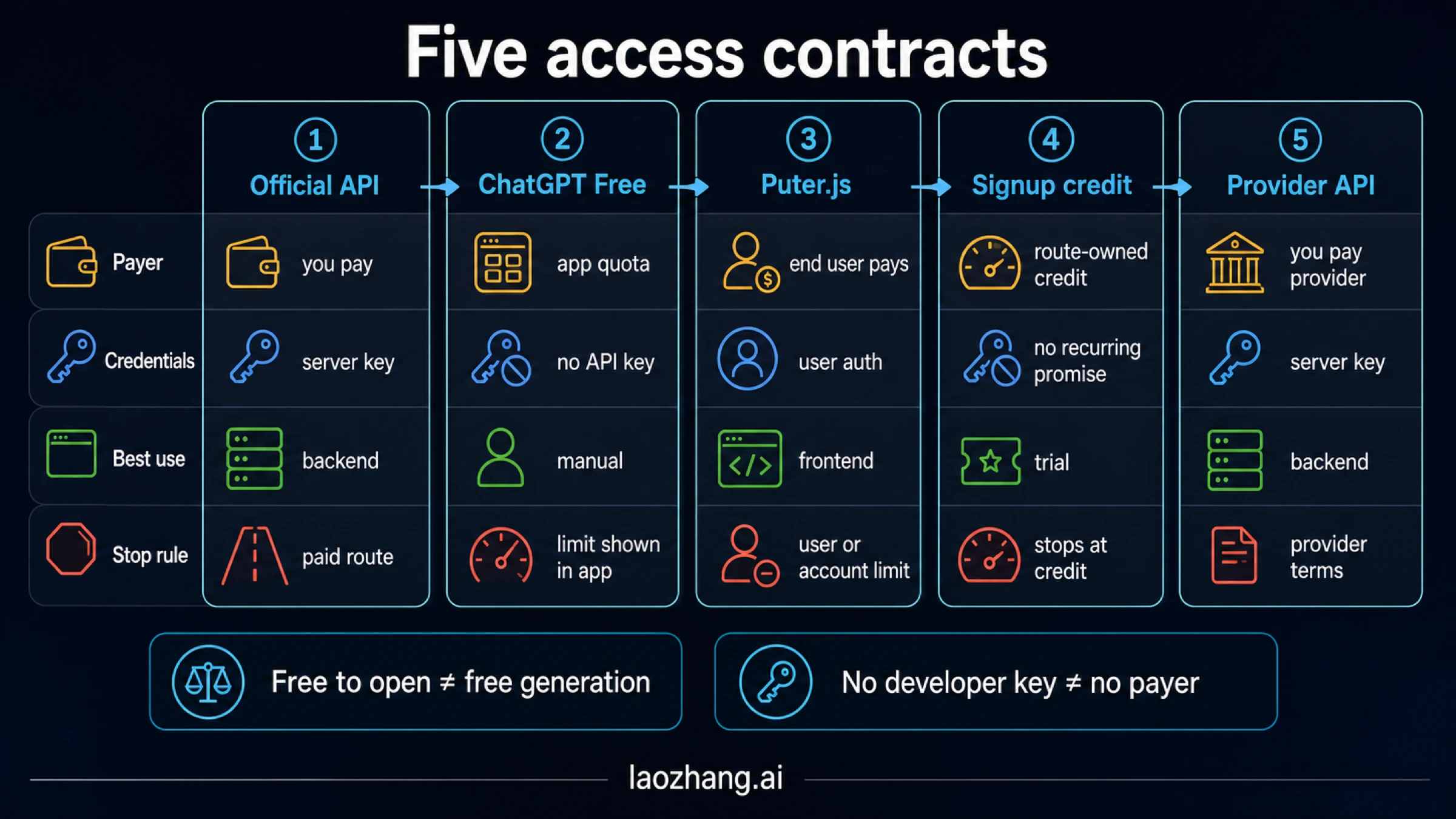
| An image you can create manually and download, without requiring model 2 | ChatGPT Free, currently ChatGPT Images 2.5 | Your plan's image allowance | Wait until the tool becomes available again; follow the message in ChatGPT |
| The exact GPT Image 2 model without buying OpenAI API credit first | Puter.js with model: "openai/gpt-image-2" | Your Puter account's free monthly allowance, then its paid resources if you upgrade | Stop when the allowance cannot cover another image, or choose Puter's paid option |
| Requests billed to your own OpenAI project | OpenAI API with model: "gpt-image-2" | Your API organization's paid usage | Paid account limits and billing apply; the Free tier is not supported |
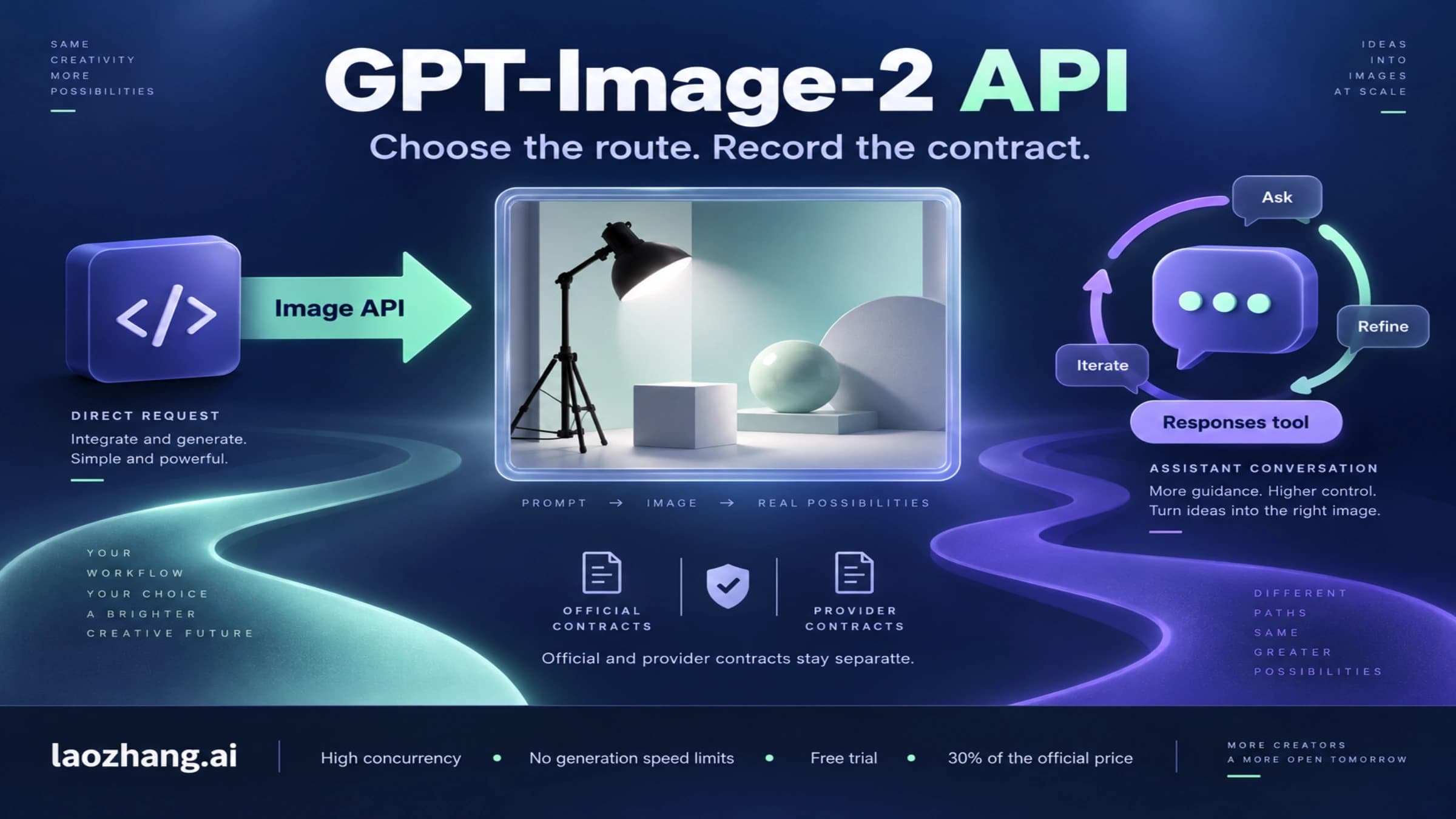
The first two options have different models and account rules. They do not provide a free OpenAI project key. OpenAI's GPT Image 2 model page explicitly marks its API Free tier as Not supported, and ChatGPT and API billing are separate.
Start with the exact GPT Image 2 through Puter
Puter is a useful starting point if you are comfortable with a small browser example and signing in with a Puter account. You do not need to supply an OpenAI API key. The account whose allowance is used is the Puter user running the request—including you when you try your own app.
Who pays, and how much is free?
Under Puter's User-Pays Model, every user starts with a free monthly allowance and can check usage in their dashboard. The documentation says users can upgrade after exhausting it, but does not publish an allowance amount or a fixed number of images. A monthly allowance should therefore be treated as a limited starting budget, not unlimited free GPT Image 2 generation.
If you add Puter to an app, your users authenticate with their own Puter accounts and cover their own resource usage. The developer is not buying each user's images with a shared OpenAI key. When you use the app yourself, you are a user too: your allowance or paid resources cover those requests.
The tutorial's “free, unlimited” wording describes the developer's ability to serve users under that arrangement. It does not mean each user has an unlimited balance. This distinction matters before you promise free generation to someone else.
Generate one image and keep a copy
Put the following HTML on a browser-accessible development page. Allow the Puter authentication flow when prompted, using the account whose allowance you intend to spend. This example makes one real generation request when you click the button; it does not use sample-image test mode.
It explicitly selects openai/gpt-image-2 and low quality. The current tutorial now demonstrates 2.5 models, while the method documentation lists GPT Image 2 as the OpenAI default. Setting the model yourself avoids relying on either default.
<!doctype html>
<html lang="en">
<meta charset="utf-8">
<title>My first GPT Image 2 image</title>
<body>
  <h1>Generate a GPT Image 2 image</h1>
  <button id="generate">Generate one image</button>
  <p id="status">Uses your Puter account's available allowance.</p>
  <div id="result"></div>

  <script src="https://js.puter.com/v2/"></script>
  <script>
    const button = document.getElementById("generate");
    const status = document.getElementById("status");
    const result = document.getElementById("result");

    button.addEventListener("click", async () => {
      button.disabled = true;
      status.textContent = "Generating and saving to Puter…";
      try {
        const image = await puter.ai.txt2img(
          "An editorial illustration of a bicycle outside a neighborhood bookstore, warm afternoon light, no lettering",
          {
            model: "openai/gpt-image-2",
            quality: "low",
            test_mode: false,
            puter_output_path: "gpt-image-2-first.png"
          }
        );
        image.alt = "A bicycle outside a neighborhood bookstore";
        image.style.maxWidth = "100%";
        result.replaceChildren(image);
        status.textContent = "Image created; copy saved to your Puter filesystem.";
      } catch (error) {
        status.textContent = error.message || "Generation failed. Check your account and error details.";
      } finally {
        button.disabled = false;
      }
    });
  </script>
</body>
</html>
A successful request displays the returned image and saves it as gpt-image-2-first.png in Puter. According to the saving documentation, a relative path resolves under your home directory when called outside a Puter app, or under that app's data directory inside an app. You must have write permission to the destination.
To keep a device copy, use your browser's Save image as action on the displayed image. Saving to Puter and downloading to your device are separate actions. Do not rely on the returned image.src as permanent storage: it can be a data URI or a hosted URL, and hosted URLs are temporary.
If the call reports insufficient_funds with HTTP 402, your account cannot cover the estimated image cost. Check the available allowance before trying again; repeatedly clicking Generate will not add credit. If it reports moderation_flagged, change the prompt rather than resubmitting it unchanged. Both errors are described in the method reference.
Can Puter run on a server?
Yes. Puter's current txt2img() documentation lists Node.js and Workers alongside websites and Puter apps. In a browser, it returns an HTMLImageElement; in Node.js and Workers, it returns an object with src and string-conversion methods. The browser code above depends on the DOM and must be adapted for those runtimes. Puter runtime and return-value documentation.
Server support does not change who pays. It is still Puter's authenticated account and User-Pays arrangement, not a free key for an OpenAI project. Choose the runtime that fits your app, then configure authentication and billing according to Puter's documentation.
Create and download an image in ChatGPT Free
If the exact GPT Image 2 model is optional, ChatGPT Free is the simpler manual choice. OpenAI says Free users can create images, and its current Images FAQ describes ChatGPT Images 2.5 as available on all tiers.
- Open ChatGPT with your account.
- Ask it to create an image, or select More → Images and enter your prompt.
- Describe the subject, purpose, aspect ratio, and any text that must appear. For example: “Create a square illustrated flyer for a neighborhood book exchange, with the headline ‘Bring a book, take a book’ and space below for the date.”
- When the image is ready, select it. If you want changes, describe them in the conversation or use the image editor.
- Select Save in the image controls to download it to your device. You can also revisit created images from Images in the sidebar.
Those are the documented creation and saving steps. Editing a highlighted area can affect content outside the selection, so inspect the whole result before using it.
There is no fixed daily image count in the current Free Tier FAQ. Image generation has its own tool limit, separate from ordinary text chatting. If you reach it, wait until it becomes available again and follow the in-product limit message. Numbers such as “three images a day” or “50 every three hours” should not be treated as current guaranteed allowances.
A saved ChatGPT image proves you have a file. It does not prove that gpt-image-2 produced it, and your ChatGPT plan does not fund calls to the OpenAI API.
Why the official GPT Image 2 API costs money
The direct API uses gpt-image-2, with the snapshot gpt-image-2-2026-04-21. Its model page supports paid usage tiers and marks the Free tier as unsupported. Images-per-minute and tokens-per-minute limits are throughput caps, not free image credits.
ChatGPT Plus or Pro does not remove that bill. OpenAI explains that API usage is billed separately from a ChatGPT subscription. If a developer request is charged while your ChatGPT app still lets you create images, these separate billing systems explain the difference.
What does one image cost?
For standard GPT Image 2 API usage, OpenAI lists $30 per million image output tokens, $8 per million image input tokens, and $5 per million text input tokens. Its output-cost examples for a 1024×1024 image are:
| Quality | Estimated output cost for one square image | Output cost for 20 such images |
|---|---|---|
| Low | $0.006 | $0.12 |
| Medium | $0.053 | $1.06 |
| High | $0.211 | $4.22 |
These are output estimates in USD, not complete request bills or a free allowance. The twenty-image column is arithmetic using OpenAI's examples. Add prompt input, reference-image input for edits, and any further generation requests. Sources: OpenAI image pricing and image cost calculation.
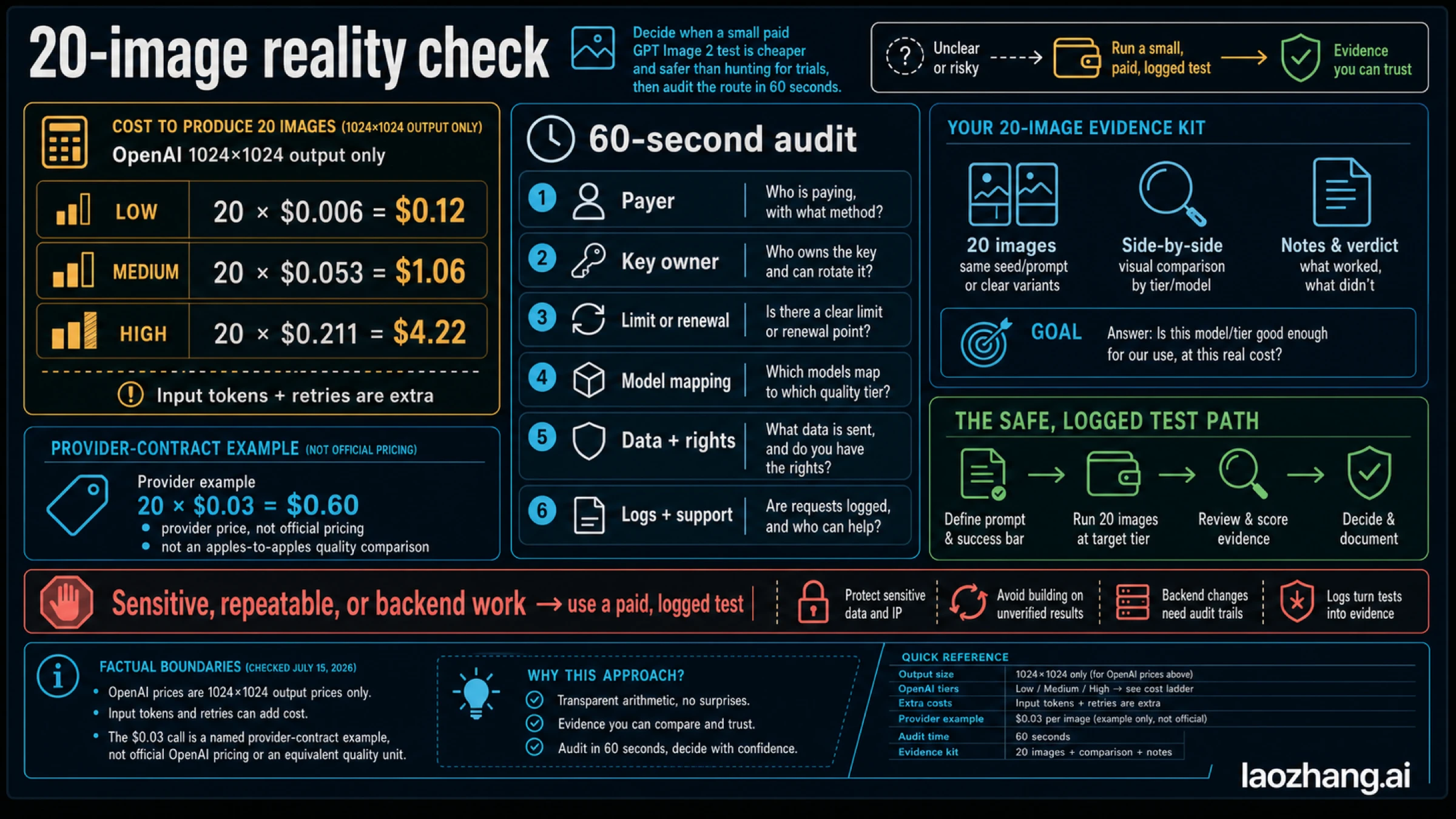
Batch rates are half the standard token rates, but Batch remains paid. Cached input pricing for GPT Image 2 applies to the image-generation tool in the Responses API, not direct Images API requests such as /v1/images/edits. Neither discount creates a Free tier. OpenAI pricing, cached input rules.
Make one paid request and save its output
If you decide to use your own paid API project, start with one low-quality square image. The following Node.js example requires the OpenAI SDK installed and a valid OPENAI_API_KEY configured in your server environment. API organization verification may also be required. Keep that secret on your server, outside browser code.
Save the example as an .mjs file. It selects model 2 explicitly, decodes the returned image, and writes a PNG:
import fs from "node:fs";
import OpenAI from "openai";

const client = new OpenAI({ apiKey: process.env.OPENAI_API_KEY });
const result = await client.images.generate({
  model: "gpt-image-2",
  prompt: "A studio photograph of a blue watering can beside a small fern, pale background",
  size: "1024x1024",
  quality: "low"
});

const base64 = result.data?.[0]?.b64_json;
if (!base64) throw new Error("The response did not contain image data.");
fs.writeFileSync("gpt-image-2-first.png", Buffer.from(base64, "base64"));
console.log("Saved gpt-image-2-first.png");
OpenAI's generation guide documents the generation-and-base64-saving pattern. Its leading examples now use 2.5 models; this example retains your requested gpt-image-2. Check that the saved PNG opens and review your API usage before increasing volume. For endpoint choices, edits, and a fuller implementation, continue with the GPT Image 2 API guide.
How to read “free credits” and “no signup” offers
A website can offer its own trial credits without changing OpenAI's pricing. Before spending time on that offer, look for the exact model, credits consumed per image, whether the grant renews, and whether downloading requires an account or paid plan. Ten credits do not necessarily mean ten images.
For example, ChatCut's free-access article describes signup credits for its editor, but gives 20 in its introduction and 15 later in the article. Its comparisons also refer to May 2026. That makes it useful as a description of the editor's workflow, not a reliable current allowance to promise readers.
The two app routes described here require accounts: a ChatGPT account for the manual alternative, or a Puter account for the exact-model example. “No OpenAI API key” means you do not supply that particular credential. It does not mean no authentication, no usage limit, or no bill after an allowance ends.
Frequently asked questions
Is there a free GPT Image 2 API?
OpenAI's direct gpt-image-2 API has no supported Free tier. Puter offers access under a different arrangement: each authenticated user starts with a free monthly allowance and covers their own usage. Select openai/gpt-image-2 explicitly; the allowance amount is not specified in the current documentation. OpenAI model page, Puter User-Pays Model, Puter model list.
Does ChatGPT Free still generate GPT Image 2?
ChatGPT Free can create images, but the current help page describes ChatGPT Images 2.5. It does not establish that a current ChatGPT Free generation uses model 2. For that exact model, use an explicitly selected gpt-image-2 route. ChatGPT Images FAQ.
How many free images can I make?
There is no single number across these services. ChatGPT's current Free FAQ specifies a separate image-tool limit without a fixed daily count. Puter specifies a free monthly allowance without an amount or a GPT Image 2 image count. Check the account's available usage before generating; a third-party site's credit grant is separate again. ChatGPT Free FAQ, Puter allowance rules.
Does Puter's test mode generate a free GPT Image 2 image?
No. test_mode: true returns a sample image without using credits. It can exercise your display code, but it does not generate your prompt with GPT Image 2. Use the real mode only when you intend to consume your account's available resources. Puter method reference.
Can I use GPT Image 2 without signing up?
The Puter route described here requires Puter authentication; the ChatGPT alternative uses a ChatGPT account. Neither requires you to create a paid OpenAI API project just to use the app route. A separate site's “no signup” offer follows that site's own limits and download conditions. Puter authentication and payment arrangement.
Does paying for ChatGPT give me free API credits?
No. ChatGPT and the OpenAI API have separate billing. A ChatGPT subscription does not fund your API project's image requests. OpenAI billing explanation.
Sources11
External pages this guide links to, in the order they appear. Last updated Oct 12, 2026.
Sources11
External pages this guide links to, in the order they appear. Last updated Oct 12, 2026.
- 1.Puter's model listdeveloper.puter.com/tutorials/free-unlimited-image-generation-api
- 2.User-Pays explanationdocs.puter.com/user-pays-model
- 3.ChatGPT Free FAQhelp.openai.com/en/articles/9275245-chatgpt-free-tier-faq
- 4.ChatGPT Images FAQhelp.openai.com/en/articles/11084440-chatgpt-images-faq
- 5.GPT Image 2 model pagedevelopers.openai.com/api/docs/models/gpt-image-2
- 6.ChatGPT and API billing are separatehelp.openai.com/en/articles/9039756-billing-settings-in-chatgpt-vs-platform
- 7.method documentationdocs.puter.com/AI/txt2img
- 8.ChatGPTchatgpt.com
- 9.OpenAI image pricingdevelopers.openai.com/api/docs/pricing
- 10.image cost calculationdevelopers.openai.com/api/docs/guides/image-generation
- 11.ChatCut's free-access articlechatcut.io/blog/free-gpt-image-2