Fix Gemini Image Generation Errors: 400, 429, 503 and Retry Rules
Gemini app image failures are usually sign-in, age, quota or a policy refusal. In the API, retry 429 and 5xx with backoff, and never retry 400, 402 or 403.
On this page
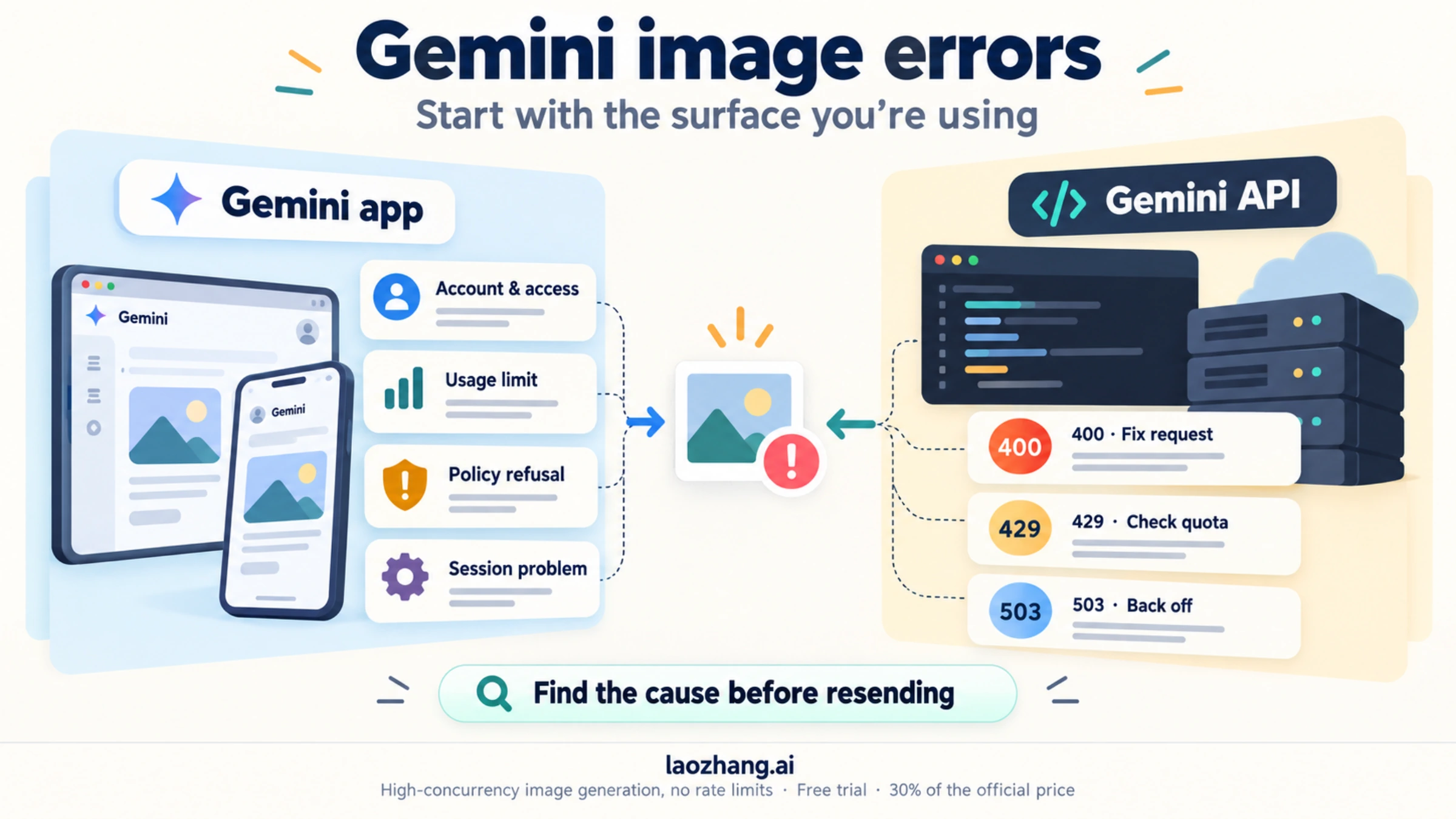
Gemini image generation errors come from two places, and the fix depends on which one you're in. If the Gemini app on the web, Android or iPhone won't make or edit an image, the cause is almost always your account, a usage limit or a policy refusal, and sending the same request again rarely helps. If your code calls the Gemini API, the response carries an error code, and Google's rules say what to do with it: retry 429 and 5xx errors with exponential backoff, and never retry 400, 402 or 403, because those only clear after you change something.
App users need only the first section. Developers can skip to the error-code table. Codes, retry rules and model IDs below follow Google's API errors reference and troubleshooting guide as of October 5, 2026.
Why Gemini isn't letting you generate images: six app causes
Match what you see on screen to a row, then take that row's next step. The requirements come from Google's Gemini image help page and usage limits page.
| What you see | Likely cause | Next step |
|---|---|---|
| No Images option, or a prompt to sign in | Signed out, or signed in with a different Google account | Sign in. Image generation requires a signed-in account, so check which profile Gemini is using. |
| New images work, but editing an uploaded photo doesn't | Personal account under 18 | Google states that "Editing images isn't available to users under 18." Generating images needs age 13 or the local minimum. |
| A message that the feature isn't available | Unsupported country or language, or a work or school account | Check that your country and language are supported. Work and school accounts can have their own restrictions, so ask the admin. |
| A notice that you've reached a limit | Usage limit or the daily Nano Banana 2 image quota | Wait for the refresh time Gemini shows. Limits refresh every 5 hours up to a weekly cap. See how many images Gemini lets you make for free. |
| Gemini says it can't create that image, often when a person is involved | Policy refusal | Change what you're asking for. A refusal is a decision about the content, not a fault. See why Gemini refuses some images of people. |
| Endless spinner, blank result, or "Something went wrong" with a number | Session problem or a problem on Google's side | Save your prompt, start a new chat and try a simple request without uploads. Then follow the Nano Banana troubleshooting steps for the Gemini app. |
The causes are the same on iPhone, Android and the web, so switching devices only helps with the last row. Numbers such as "Something went wrong (5)" or "(13)" have no published meaning. Nano Banana Pro error 5 shows how to tell whether the failure is on your side or Google's.
Two app rules catch Pro users. Redo with Pro needs a Google AI plan (Plus, Pro or Ultra), and once you hit the daily Nano Banana 2 quota, you can't redo images with Pro either. Paid plans raise the shared usage limit: Plus 2x, Pro 4x, and Ultra higher still, per Google's limits page. Google publishes no fixed number of images per day.
A policy refusal has no workaround, and you shouldn't look for one. Google's Generative AI Prohibited Use Policy lists "circumvention of abuse protections or safety filters" as a violation in its own right, and repeated violations can restrict your Google account.
Is Gemini image generation down right now? How to tell
Run one control test. Ask for something plain, like a bowl of fruit on a table, in a new chat with no uploaded files. If that fails too, try another device and, if you have one, another Google account. Failures everywhere point to Google's side, so wait and try later. If only your original request fails, the cause is in that request or that account, and the table above applies.
For the API, check the Google AI Studio status page. Vertex AI incidents appear on Google Cloud Service Health. A run of 500 or 503 errors on small, valid requests while the status page shows an incident means you should wait rather than change your code.
Gemini API error codes for image generation: fix, wait or retry
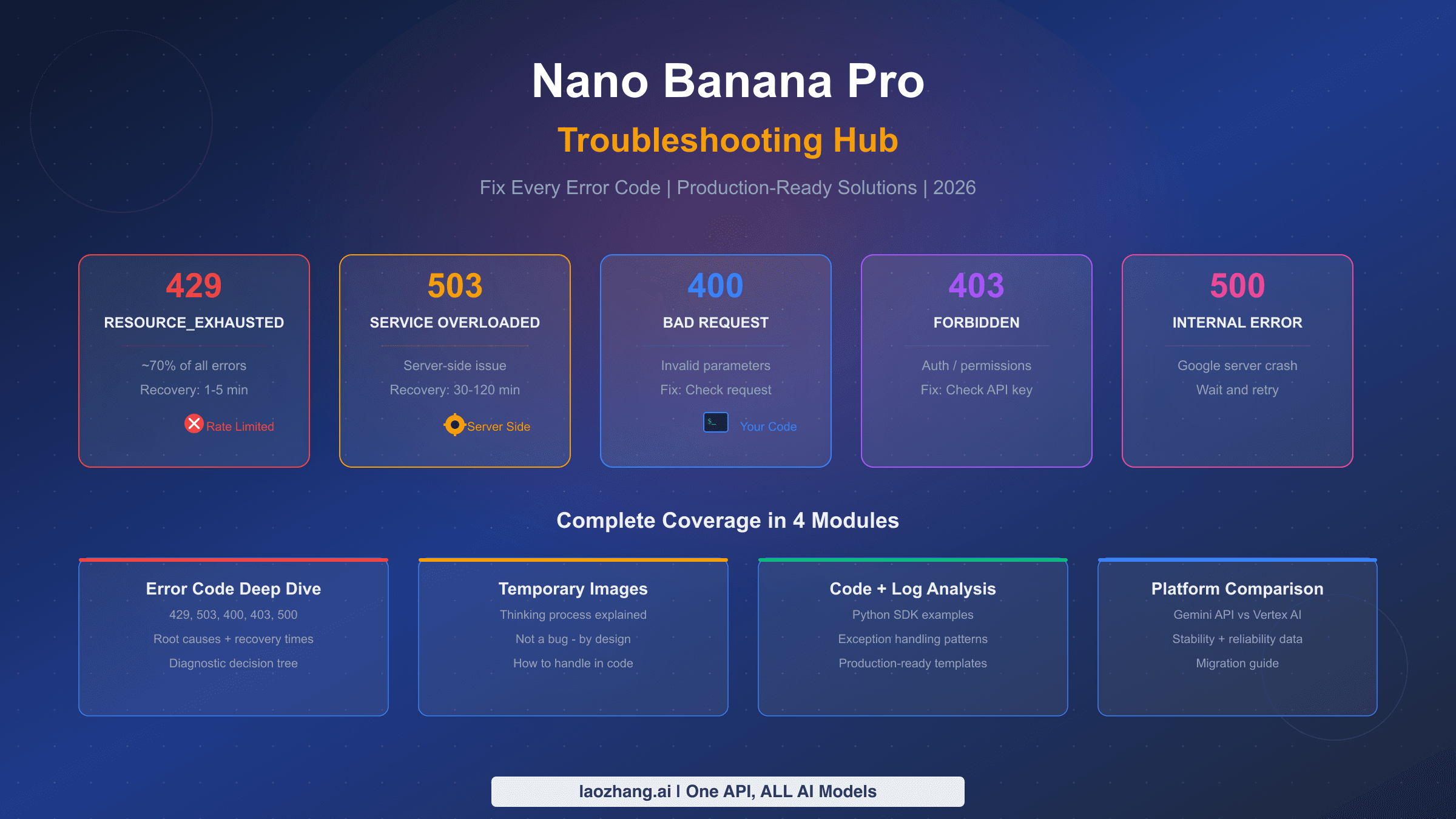
Read the error code before you touch the prompt. The Code column is the code string returned by the Interactions API, which Google's image guide now uses for its examples. generateContent reports the same situations as an HTTP status plus a status value in the error body, such as RESOURCE_EXHAUSTED.
| Code | HTTP | generateContent status | What it means for an image call | What to do | Retry? |
|---|---|---|---|---|---|
invalid_request | 400 | INVALID_ARGUMENT | Malformed body or a bad value, such as a lowercase "1k" size or a modality combination the model doesn't support | Fix the request using the checklist below | No |
parameter_unknown | 400 | INVALID_ARGUMENT | A field the API doesn't recognize | Remove the field | No |
failed_precondition | 400 | FAILED_PRECONDITION | A prerequisite is missing, for example billing disabled on the project | Finish billing or account setup in AI Studio | No |
authentication | 401 | UNAUTHENTICATED | API key missing, invalid or expired | Check the key the running process actually uses | No |
payment_required | 402 | none listed | Prepay credit balance is at $0 | Add credits or turn on auto-reload | No |
permission_denied | 403 | PERMISSION_DENIED | The key has no permission for this resource or project | Check key permissions and project access | No |
model_not_found | 404 | NOT_FOUND | Wrong model name, or a model that has been shut down | Switch to a current model ID | No |
rate_limit_exceeded | 429 | RESOURCE_EXHAUSTED | Per-minute or per-second limit hit; image models also count images per minute | Back off, then retry | Yes |
quota_exceeded | 429 | RESOURCE_EXHAUSTED | Daily quota used up | Wait for the reset or request a higher limit | Only after the reset |
api_error | 500 | INTERNAL | Unexpected server error | Retry, and contact support if it persists | Yes |
service_unavailable | 503 | UNAVAILABLE | Service overloaded or down | Back off, then retry | Yes |
deadline_exceeded | 504 | DEADLINE_EXCEEDED | The request didn't finish before the deadline | Raise or remove your client deadline, then retry | Yes |
A few rows need more detail:
- 402 stops everything on the billing account. When the Prepay balance reaches $0, Google's billing page says every API key in every project linked to that billing account stops working until you add credits. Retrying only adds noise to your logs.
- 404 often means a retired model ID. On the Gemini API,
gemini-3-pro-image-previewandgemini-3.1-flash-image-previewwere shut down on June 25, 2026, the Imagen 4 models on August 17, 2026, andgemini-2.5-flash-imageon October 2, 2026, according to Google's deprecations page. Older tutorials still use these IDs. - A leaked key stops working. Google blocks keys that have been published, with the message "Your API key was reported as leaked. Please use another API key." Create a new key in AI Studio and keep it out of public code.
- Failed 400 and 500 requests aren't billed, but they still count against your quota. A loop that resends a broken request uses up your limit without producing an image.
- Region matters. The Gemini API and AI Studio work only in Google's list of available regions, which doesn't include mainland China, Hong Kong or Russia. AI Studio also requires users to be 18 or older.
Blocked or empty results: IMAGE_SAFETY, IMAGE_OTHER and NO_IMAGE
Some failures arrive with HTTP 200 and no image. In generateContent, look at finishReason on the candidate and promptFeedback.blockReason on the response. In the Interactions API, the same cases come back as the error codes below.
| Interactions code | generateContent finishReason | Meaning | Next step |
|---|---|---|---|
image_safety | IMAGE_SAFETY | The generated image broke a safety rule | Change the request |
image_prohibited_content | IMAGE_PROHIBITED_CONTENT | The image fell under prohibited content | Change the request |
image_recitation | IMAGE_RECITATION | The output resembled existing protected material too closely | Make the request more original |
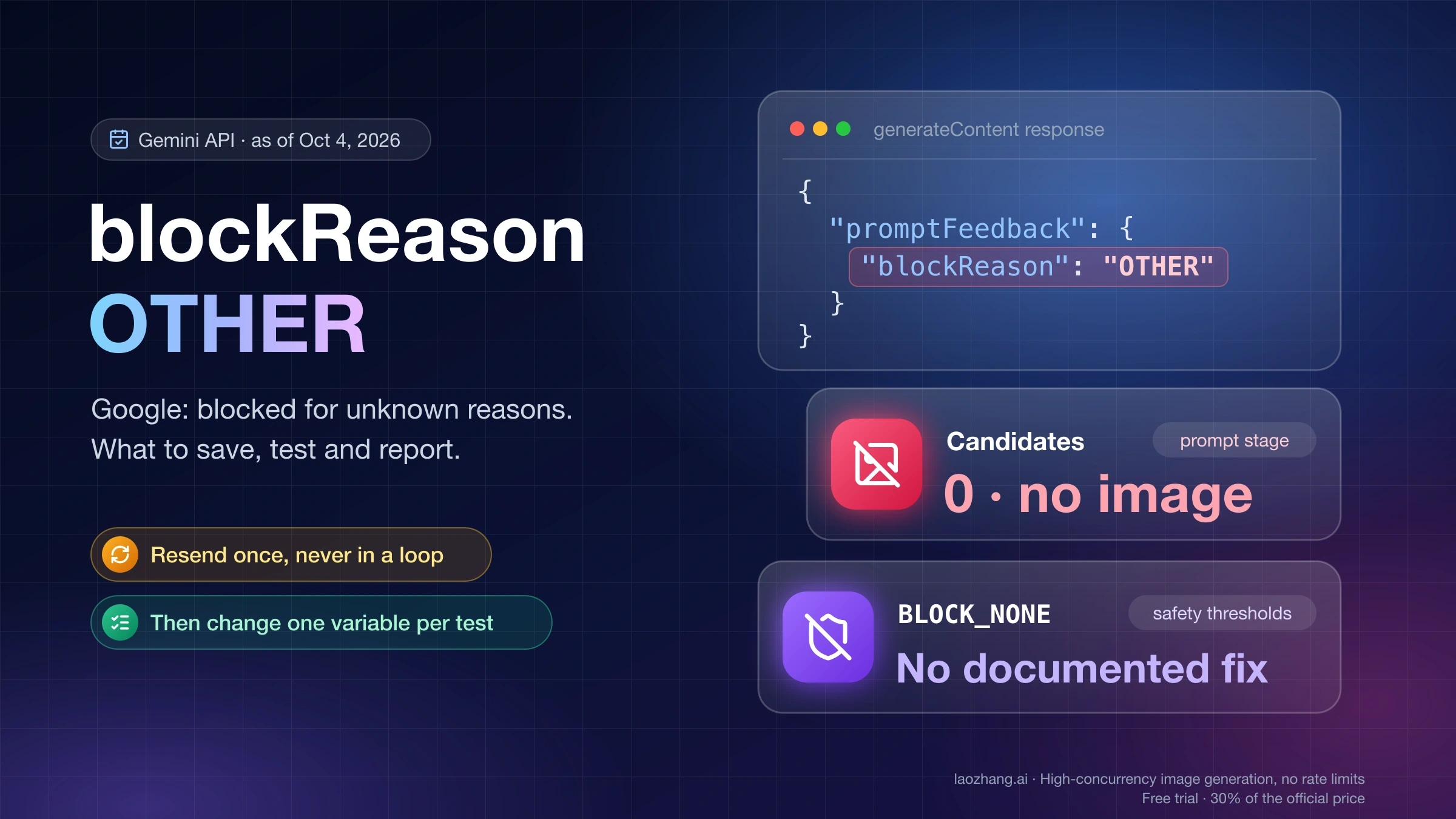
image_other | IMAGE_OTHER | Google gives no specific reason | Read what blockReason OTHER means for Nano Banana 2 |
no_image | NO_IMAGE | The model was expected to produce an image but didn't | Follow the no-image diagnosis for HTTP 200 responses |
missing_thought_signature | 400 INVALID_ARGUMENT on the next turn | A multi-turn edit sent back the earlier image without its thought signature | Return the previous response parts unchanged. See the Nano Banana 2 thought signature error |
For the blocked codes, Google's instruction is to "modify your input and retry." Resending the same request is pointless. Adjustable safety filters are already off by default for current Gemini models, so setting BLOCK_NONE or OFF doesn't lift IMAGE_SAFETY, IMAGE_PROHIBITED_CONTENT or IMAGE_OTHER. That follows from the defaults in Google's safety settings guide, and the Interactions API doesn't accept custom safety settings at all. Developers have reported IMAGE_OTHER on plainly harmless prompts in Google's AI developer forum. If yours is one of them, simplify the request and report the case there rather than rewording it to slip past a filter. Nano Banana Pro's safety filters explains which settings you can and can't change.
429 on image models: rate limit, daily quota, spend cap or limit 0
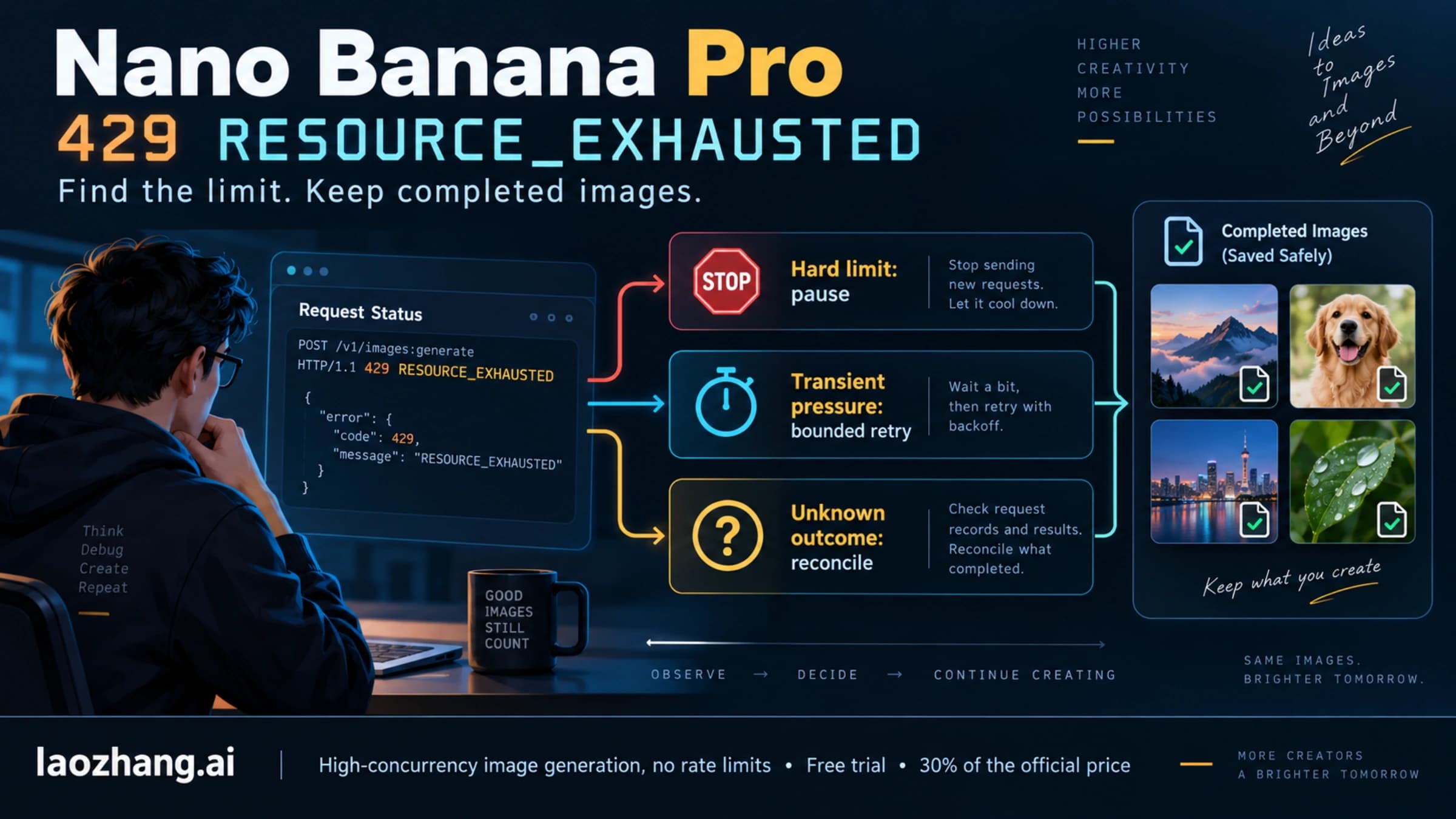
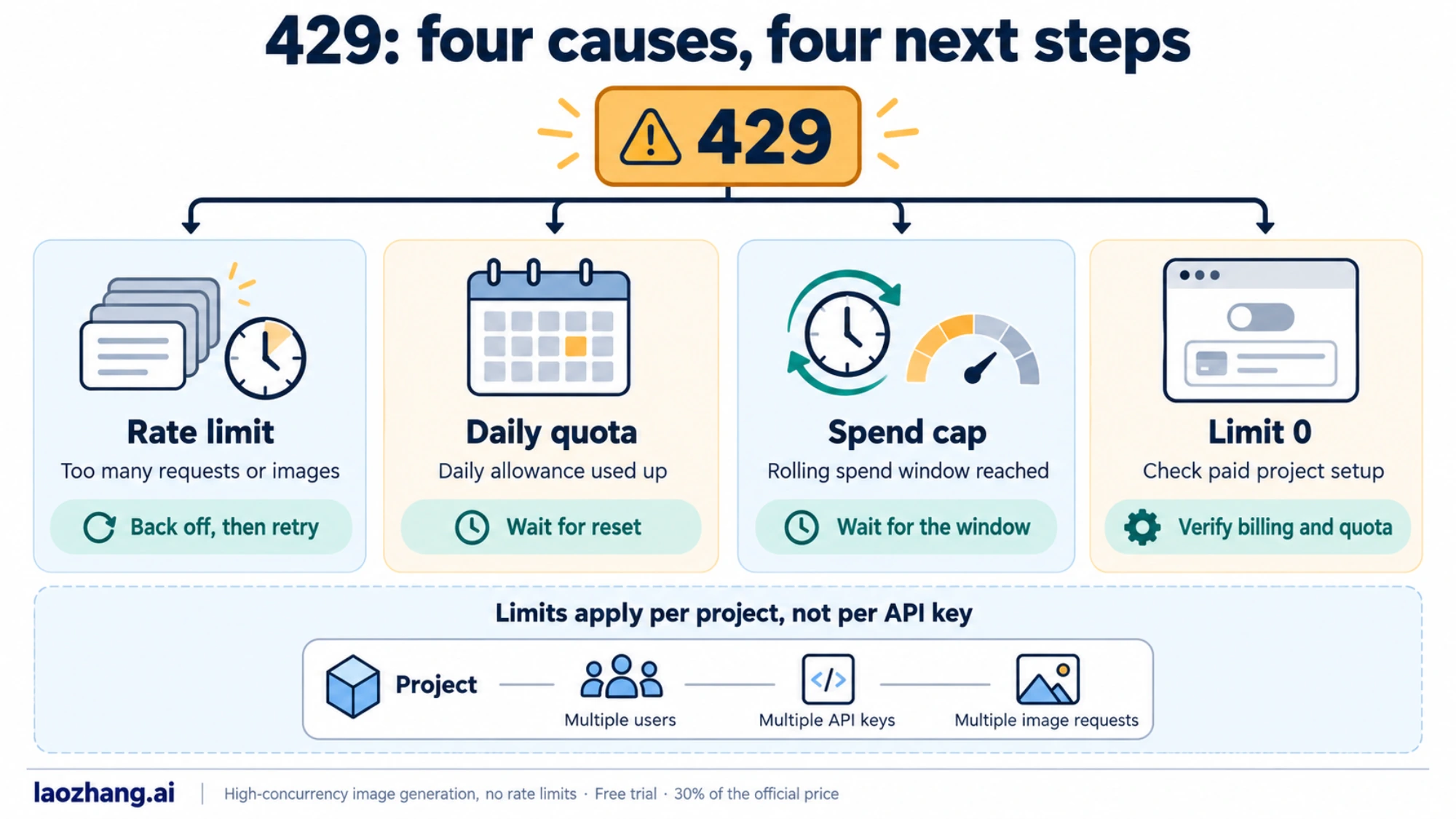
A 429 can mean four different things, and only the first one goes away with a short wait. Google's rate limits page applies to all of them.
- Per-minute limit (
rate_limit_exceeded). Image models have an images-per-minute limit on top of requests and tokens per minute. Limits apply per project, not per API key, so adding keys to the same project changes nothing. Your current numbers are shown in AI Studio. - Daily quota (
quota_exceeded). Requests-per-day quotas reset at midnight Pacific time. Retrying before then only produces more 429s. - Spend-based limit. Depending on your billing history, Google also caps spend over a rolling 10-minute window: $10 on Tier 1, $50 on Tier 2 and $200 on Tier 3. Hitting the cap returns
429 RESOURCE_EXHAUSTED. At Nano Banana Pro's standard price of $0.134 per 1K or 2K image, $10 covers about 74 images ($10 ÷ $0.134 = 74.6), so a fast batch on a new Tier 1 project can reach the cap in minutes. - Limit 0. Image output has no free tier on any current Gemini image model, so an image request from a project without paid billing fails on quota. Developers report seeing
free_tier_requestswith a limit of 0. If your project is paid and still shows it, read paid tier getting free_tier_requests limit 0. For what image output costs, see whether the Gemini image API is free.
The full 429 walkthrough is in how to fix the Gemini image 429 rate limit. For Nano Banana Pro batch jobs that stop mid-run, see Nano Banana Pro RESOURCE_EXHAUSTED.
Retry rules from Google: back off on 429 and 5xx, stop on 400, 402, 403
Google's troubleshooting guide sets four rules for retries:
- Retry only transient errors: 429, 408 and 5xx.
- Never retry 400, 402 or 403. They mean a bad request, an empty Prepay balance or a key problem.
- Use exponential backoff, for example 1, 2, 4 and then 8 seconds, and add random jitter so clients don't all retry at the same moment.
- Set a maximum number of attempts.
Don't assume the Python SDK retries for you. Google's troubleshooting guide says it "automatically retries transient errors up to four times with an initial delay of approximately 1 second and a maximum delay of 60 seconds." That isn't the default in google-genai 2.28.0. In a test on October 5, 2026 against a local server that always returned 429, a default genai.Client() sent one request and raised the error at once. That test used client.models.generate_content; client.interactions.create in the same version behaved differently and retried a 429 on its own (four requests in about three seconds). Retries started only after they were switched on explicitly:
from google import genai
from google.genai import types

client = genai.Client(http_options=types.HttpOptions(retry_options=types.HttpRetryOptions()))
With that setting, the same 429 produced 5 requests (the first plus 4 retries), with delays starting around 1 second and capped at 60 seconds. The JavaScript, Go and Java SDKs weren't part of that test, so check their retry settings in your own version.
Pick one retry layer. Either enable HttpRetryOptions and let the SDK handle 429 and 5xx, or keep the SDK default and run your own loop. If you do both, one image can turn into 25 requests (5 outer attempts × 5 SDK requests each), and every one of them counts against the same per-project limit.
For direct REST calls, or SDK calls without HttpRetryOptions, this helper encodes Google's rules. It contains no API call and runs as written:
import random

def should_retry(status: int) -> bool:
    """Google's rule: retry 408, 429 and 5xx; never 400, 402 or 403."""
    if status == 501:  # unimplemented: the feature isn't supported, so retrying can't help
        return False
    return status in (408, 429) or 500 <= status < 600

def backoff_delays(max_retries: int = 5, base: float = 1.0, cap: float = 60.0):
    """Exponential backoff with full jitter: up to 1s, 2s, 4s, 8s, 16s."""
    for attempt in range(max_retries):
        yield random.uniform(0, min(cap, base * 2 ** attempt))

# Example: a 503 is retried, a 402 is not
print(should_retry(503), should_retry(402))  # True False
Call your request function, check should_retry on its status, and sleep for the next value from backoff_delays before trying again. A quota_exceeded 429 is the exception to the backoff rule: when the message says the daily quota is used up, stop until the reset instead of burning through the retry budget.
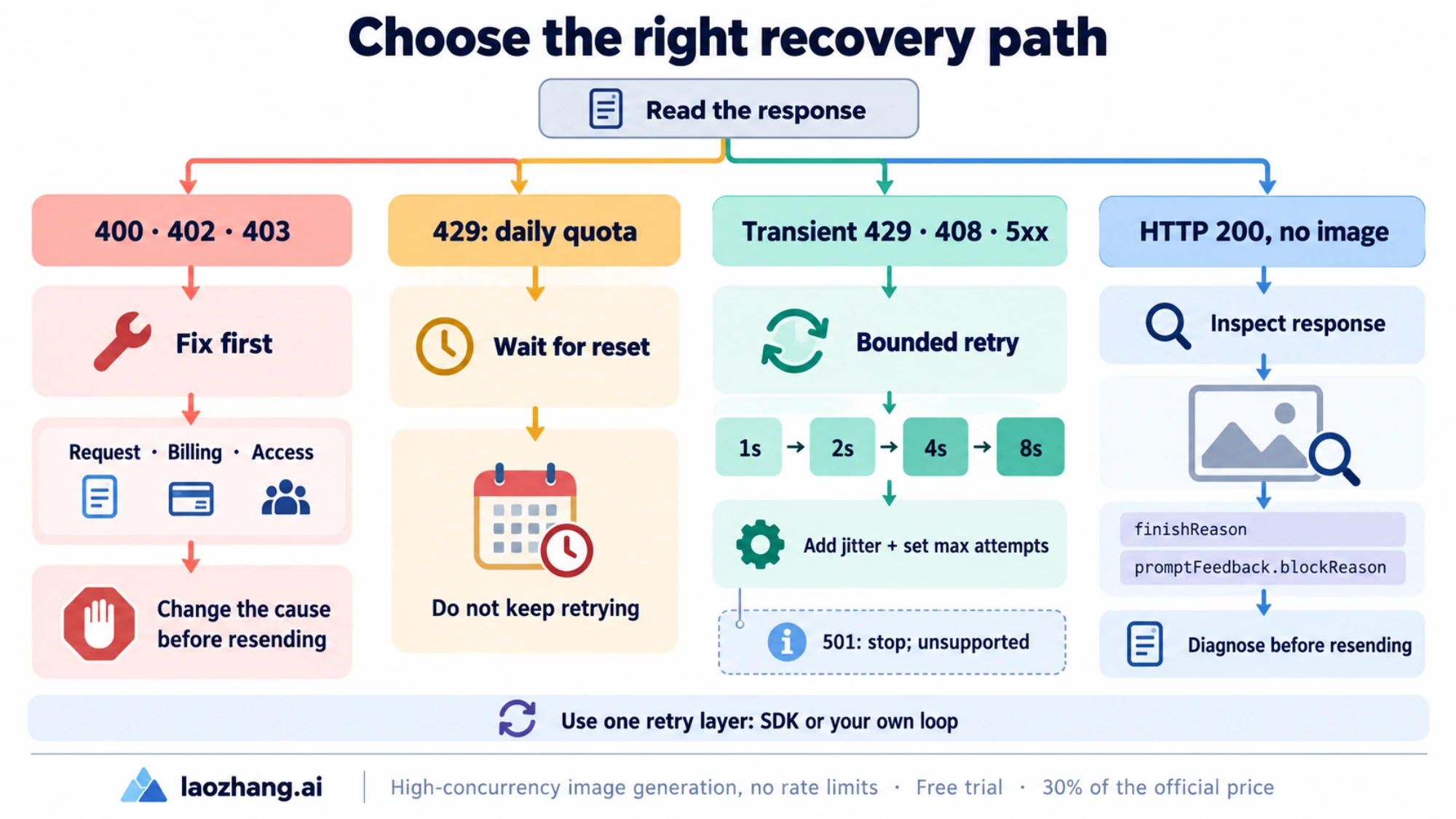
Request checklist before you resend a 400
Most 400s on image calls come from a few fields. Check these before changing your prompt:
- Model ID. Use
gemini-3.1-flash-image(Nano Banana 2),gemini-3-pro-image(Nano Banana Pro) orgemini-3.1-flash-lite-image(Nano Banana 2 Lite). Preview IDs andgemini-2.5-flash-imageare shut down. - Image size. Use an uppercase K:
"1K","2K"or"4K". Google's image guide says lowercase values such as"1k"are rejected."512"works only on Nano Banana 2, and Nano Banana 2 Lite outputs 1K only. - Where the size goes. In
generateContent, put it ingenerationConfig.imageConfig.imageSizeandaspectRatio. In the Interactions API, it goes inresponse_formatasimage_sizeandaspect_ratio. Sending one interface's fields to the other can returnparameter_unknownorinvalid_request. - Endpoint version. Call
https://generativelanguage.googleapis.com/v1beta/models/MODEL_ID:generateContent. Google notes that Beta features exist only under/v1beta. - Response modalities. The API returns an error if
responseModalitiesdoesn't match a combination the model supports. Copy the combination from Google's current example for your model. - Other parameters. Candidate count must be 1–8. Google recommends leaving temperature, topP and topK at their defaults for Gemini 3.x models.
- Multi-turn editing. Send the previous model turn back exactly as you received it. Removing parts or rebuilding the image part drops its thought signature.
The Gemini image API guide has working requests for all three current models.
Which guide to open for each Gemini image error
- 429 on any Gemini image model: Gemini image 429 rate limit
- Nano Banana Pro RESOURCE_EXHAUSTED during a batch: resume Nano Banana Pro image jobs after a 429
- Paid project still shows limit 0: free_tier_requests limit 0 on a paid tier
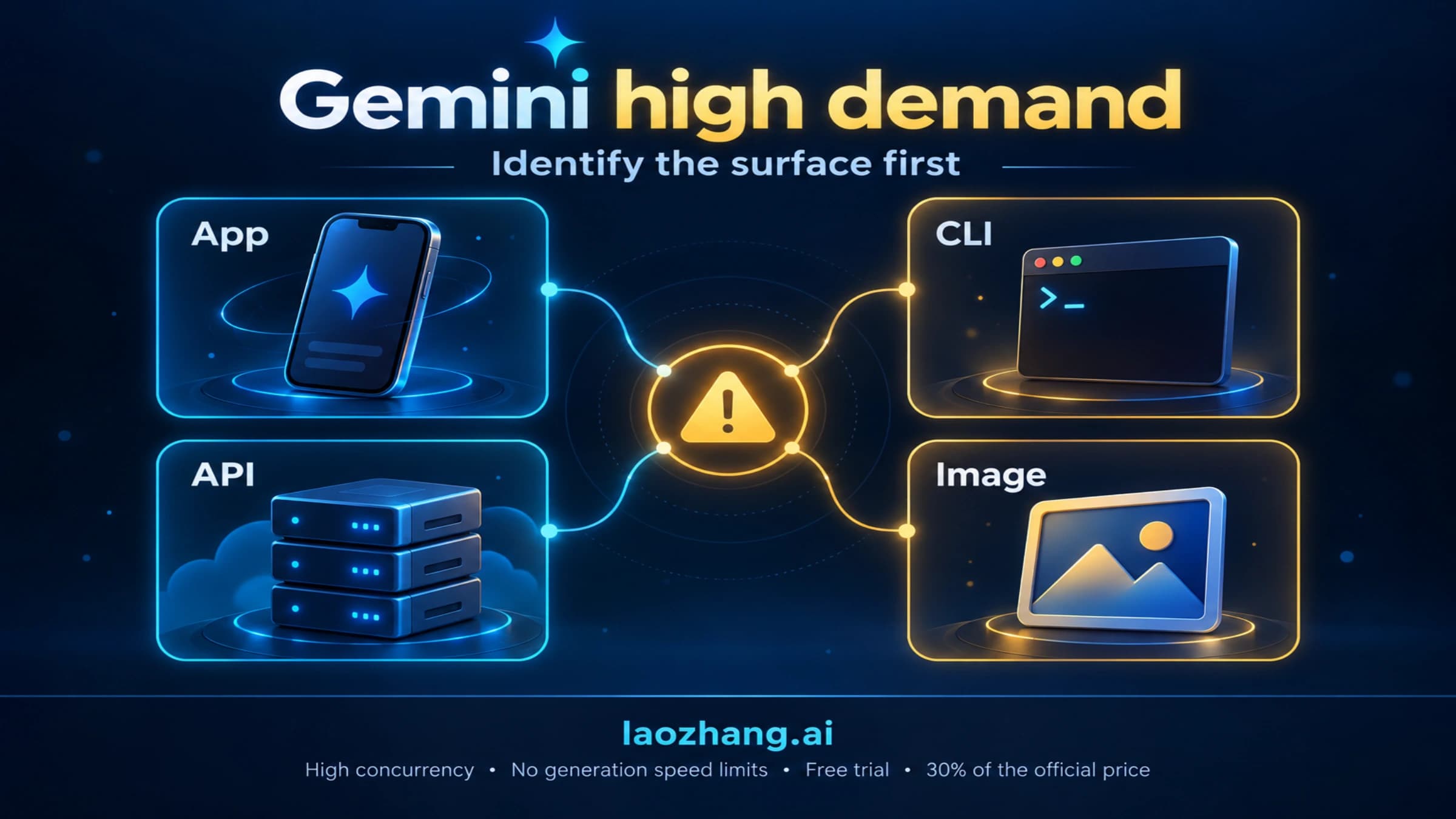
- 503 "model overloaded" or "deadline expired": fix Gemini 3 Pro Image 503 errors, or the Gemini high demand error for the app message
- IMAGE_OTHER or blockReason OTHER: Nano Banana 2 blockReason OTHER
- HTTP 200 without an image: Nano Banana API returns no image
- Thought signature errors in multi-turn edits: Nano Banana 2 thought signature error
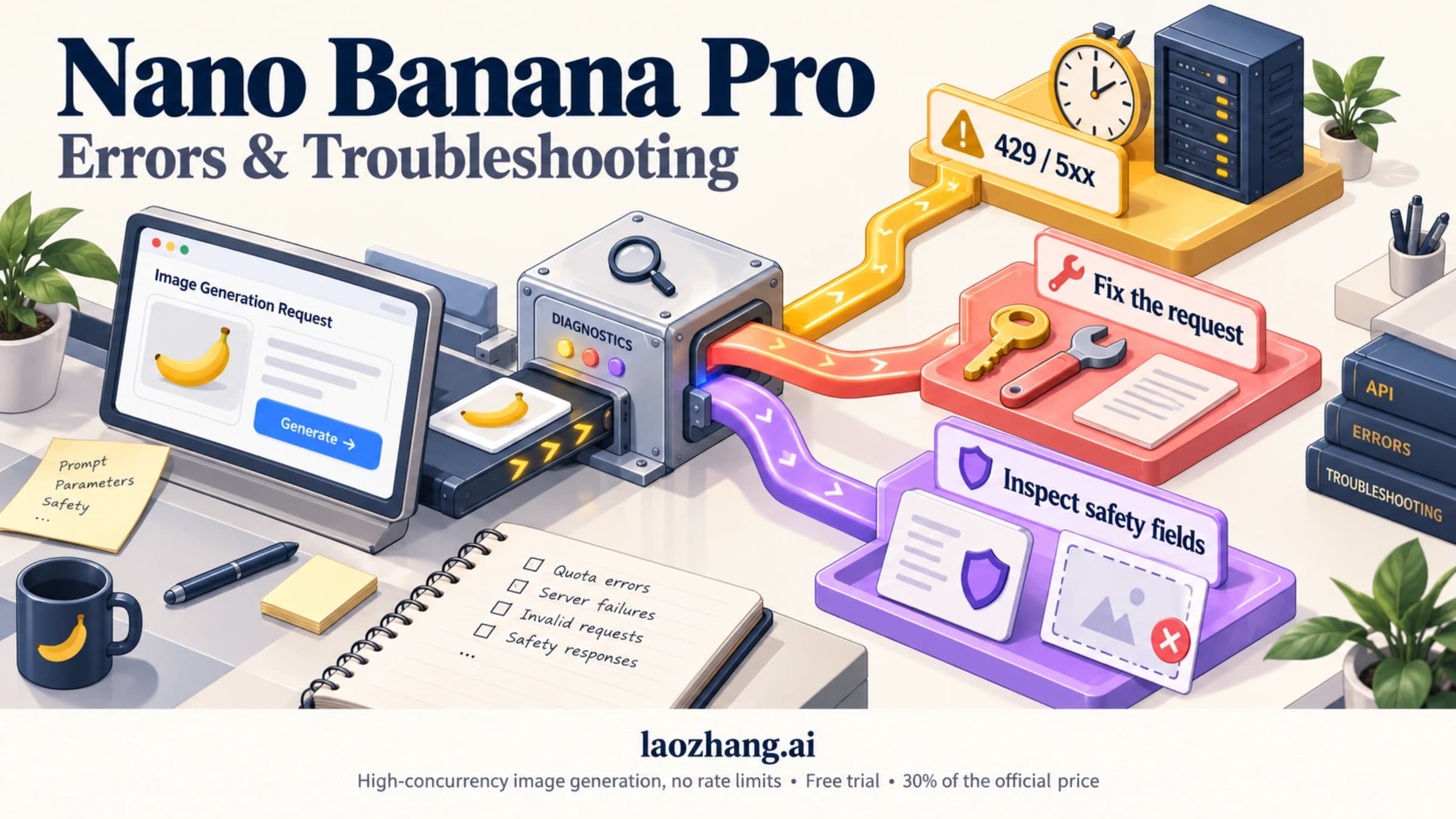
- Every Nano Banana Pro error in one place: Nano Banana Pro errors and troubleshooting hub
Sources12
External pages this guide links to, in the order they appear. Last updated Oct 5, 2026.
Sources12
External pages this guide links to, in the order they appear. Last updated Oct 5, 2026.
- 1.API errors referenceai.google.dev/gemini-api/docs/api-errors
- 2.troubleshooting guideai.google.dev/gemini-api/docs/troubleshooting
- 3.Gemini image help pagesupport.google.com/gemini/answer/14286560
- 4.usage limits pagesupport.google.com/gemini/answer/16275805
- 5.Generative AI Prohibited Use Policypolicies.google.com/terms/generative-ai/use-policy
- 6.Google AI Studio status pageaistudio.google.com/status
- 7.Google Cloud Service Healthstatus.cloud.google.com
- 8.billing pageai.google.dev/gemini-api/docs/billing
- 9.deprecations pageai.google.dev/gemini-api/docs/deprecations
- 10.list of available regionsai.google.dev/gemini-api/docs/available-regions
- 11.safety settings guideai.google.dev/gemini-api/docs/safety-settings
- 12.rate limits pageai.google.dev/gemini-api/docs/rate-limits