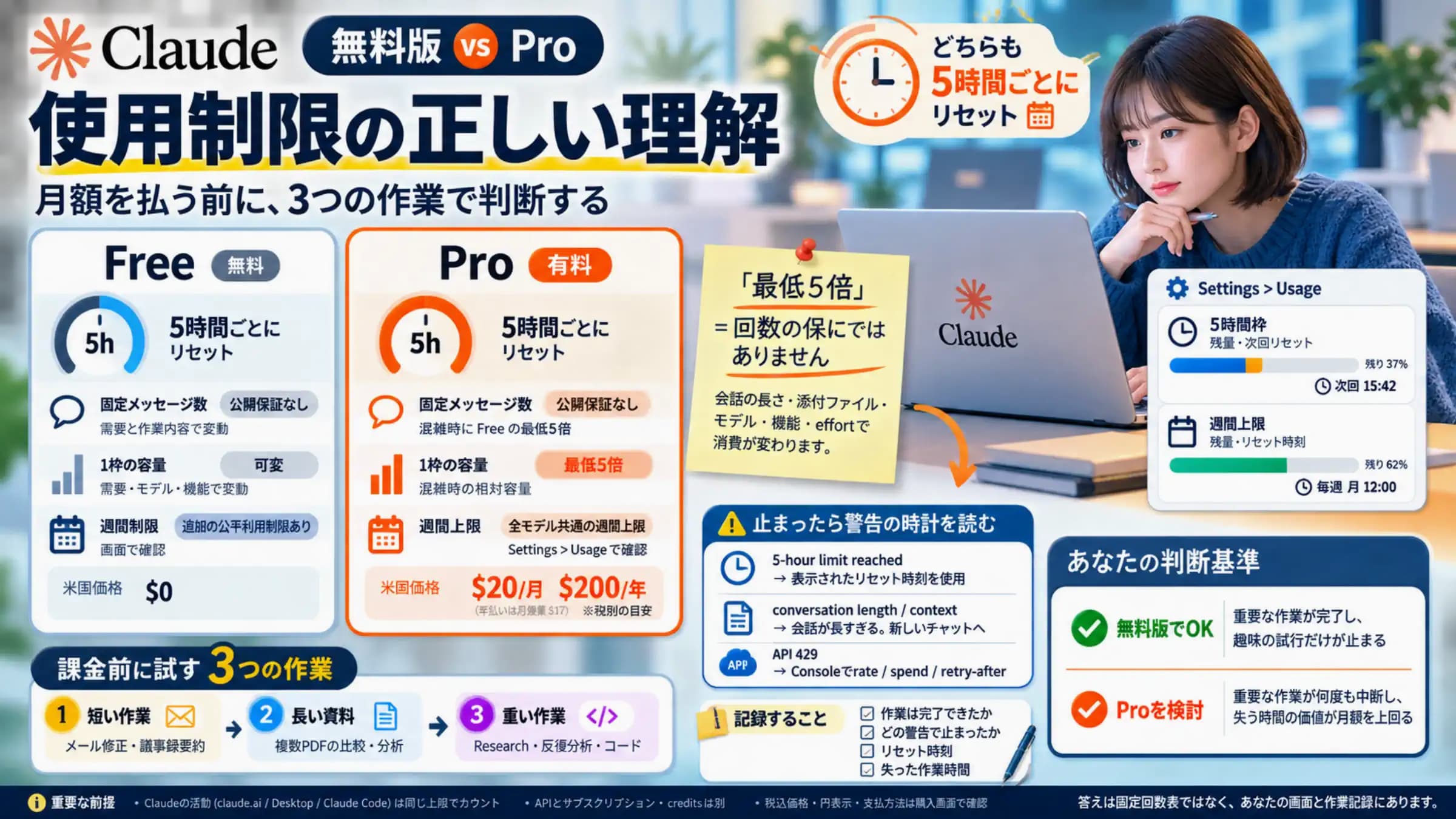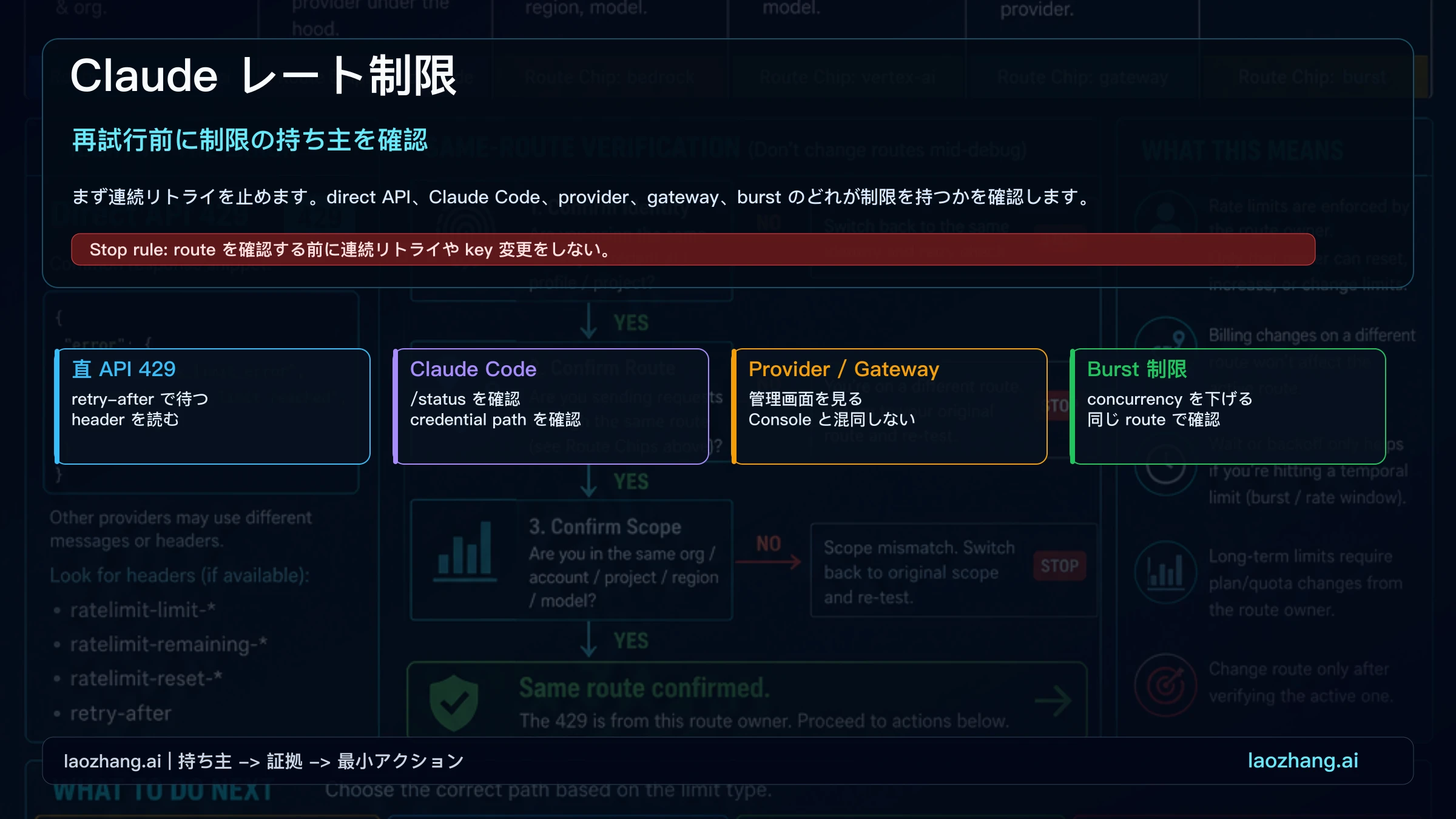
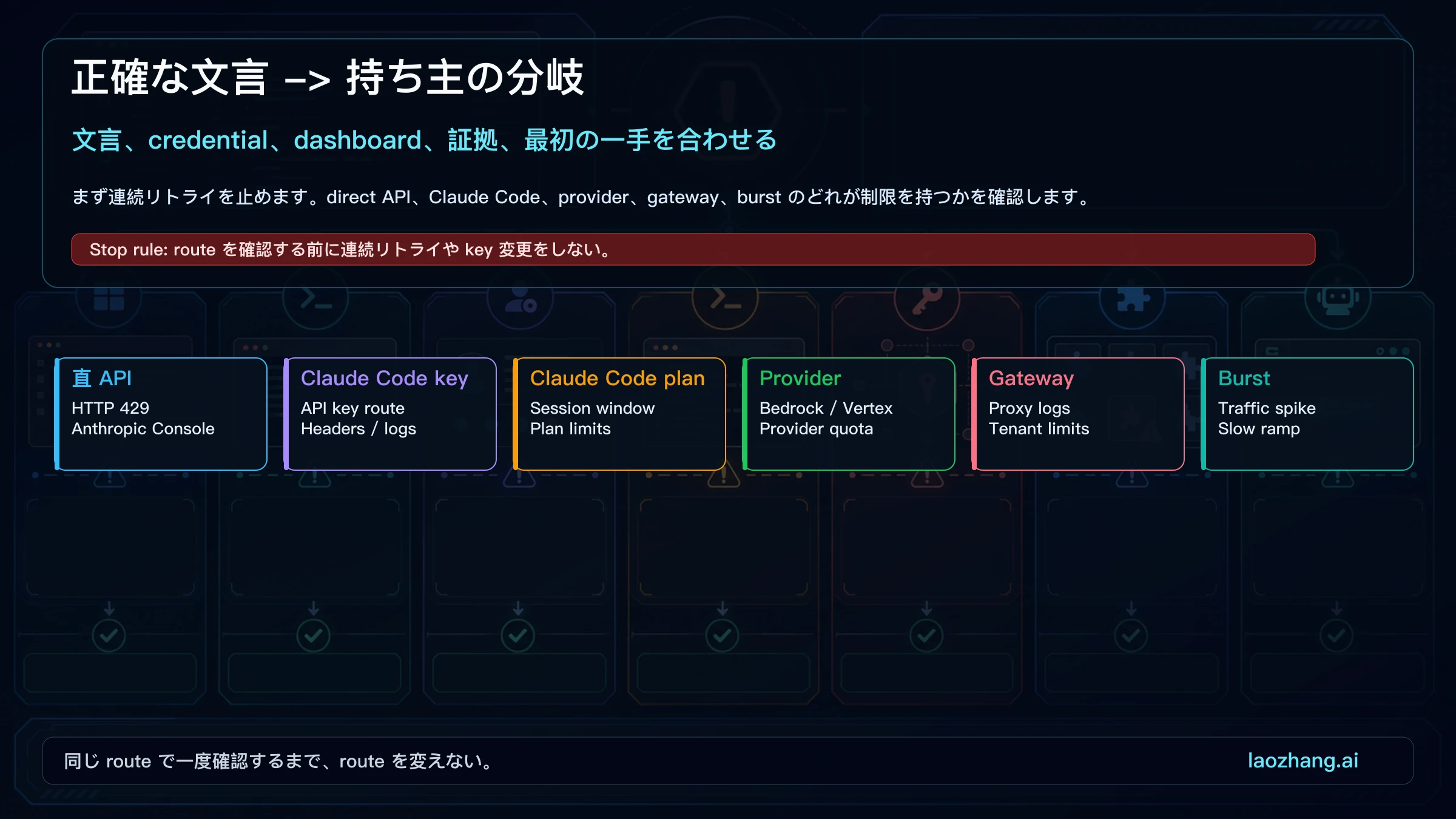
Claude が "Rate Exceeded"、"Claude Error: Rate limit reached"、または Claude Code の 429 を出したら、すぐに一つの API quota と決めないでください。まず発生 surface を分けます。Claude.ai / Desktop の usage window、Claude Code の subscription auth、Claude Code の API key route、direct Anthropic API、Bedrock / Vertex AI、gateway、または一時的な capacity / burst 制御です。reset signal と owner はそれぞれ違います。
| Surface | Owner | First move | Proof | Next step |
|---|---|---|---|---|
| Claude.ai / Desktop / mobile | Claude plan usage window or capacity | Settings > Usage を確認し、長い chat/files を減らす | 5-hour/session/weekly reset、usage bar、capacity message | 小さい新規 chat、待機、extra usage、後で retry |
| Claude Code subscription auth | Claude surface と共有される plan/session window | /usage または reset message を見る | session limit、weekly limit、model limit | reset まで待つ、model/workload を下げる |
| Claude Code API key | Console workspace / cloud project | /status で active credential を確認 | API-key route、provider logs、429 body | concurrency を下げ、owner dashboard を確認 |
| Direct Anthropic API | Anthropic workspace/model rate limit | retry-after で待ち、request を小さくする | HTTP 429、rate_limit_error、rate-limit headers | 同じ route で小さい request を一回 retry |
| Bedrock / Vertex AI / gateway | provider project、region、tenant、proxy policy | provider/gateway logs を見る | Provider 429、throttling、tenant policy | quota 調整または operator に連絡 |
| Capacity / burst / acceleration | service load または traffic shape | 少し待ち、status を確認し、ramp を遅くする | capacity text、recent incident、RPS spike | 後で retry または小さい同路 request で確認 |
停止ルールは明確です。owner を確認する前に key、plan、provider、model を変えないでください。route を変えて消えた error は、診断ではなく回避かもしれません。
まず制限を出した route を特定する
rate limit reached という文言だけでは、どの bucket が詰まったかは分かりません。api.anthropic.com への direct request なら HTTP 429、response body、rate-limit headers を見ます。Claude Code は ANTHROPIC_API_KEY があれば API-key workspace の問題になり、subscription session とは別です。Bedrock、Vertex AI、gateway では provider 側の quota や tenant policy が owner になる場合があります。
確認するのは、処理した credential、owner dashboard、同じ model/provider/region/prompt で一回だけ再現できるかです。
Claude Code の 500、529、plan window は Claude Code 500/529/rate limit router を使ってください。Claude Code の rate limit 固有の話は Claude Code rate limit です。
Claude.ai / Desktop は usage window を先に見る
Claude.ai、Desktop、mobile で HTTP headers がない error なら、まず product surface の limit として扱います。usage limits は一定時間で Claude をどれだけ使えるか、length limits は一つの conversation がどれだけ長くなれるかです。長い chat、大きな file、tools、Research、connectors、重い model は usage window を速く消費します。
API key の修正から始めないでください。Settings > Usage を確認し、reset time を読み、current thread が大きければ小さい新規 chat に切り替え、不要な files/tools を外します。capacity constraints は一時的な load management で、status page incident として見えない場合があります。
Direct Anthropic API は header を先に見る
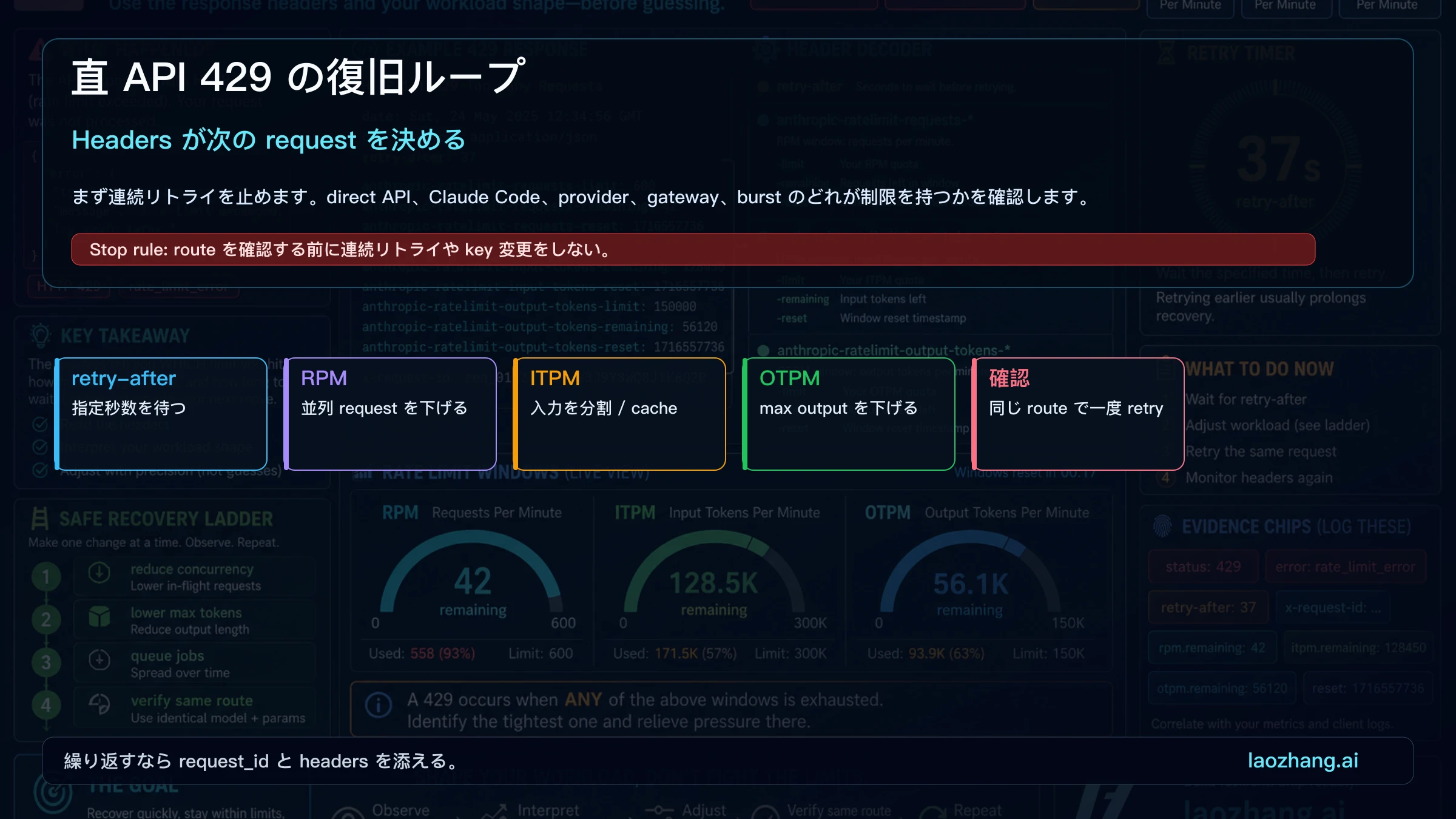
Direct Anthropic API の HTTP 429 は rate_limit_error です。retry-after、anthropic-ratelimit headers、RPM、input tokens per minute、output tokens per minute が次の行動を決めます。月次の残量が見えていても、短い rolling window は詰まります。
次の request は小さく、遅く、検証しやすくします。concurrency を下げ、max output を抑え、job を分割し、cache を使い、同じ route で一回だけ retry します。
Claude Code は active route を確認する
Claude Code では /status と credential path が先です。ANTHROPIC_API_KEY が有効なら、subscription の問題ではなく API key workspace の問題かもしれません。API key vs subscription billing と Claude Code API configuration で境界を確認してください。
usage が残っているのに止まる理由
Rate limit は単一の月次 counter ではなく rolling bucket です。長い context は input token、長い回答は output token、多数の小 request は RPM、急な増加は acceleration control に触れます。
次の request を安全に直す
一度に一つだけ変えます。jitter backoff、worker 制限、max output 低下、queue、request_id と header の logging を入れます。検証は同じ route、同じ credential、同じ model で行います。
Provider または gateway の制限
Bedrock、Vertex AI、gateway 経由では、Anthropic Console が持ち主ではないことがあります。provider quota、project/location limits、gateway logs を見てから上位対応に進みます。
上位対応用の証拠セット
同じ route での再現がまだ失敗する場合、exact message、timestamp、request_id、headers、model、workspace/project/region、制限の持ち主、status result、最小 reproduction をまとめます。key、token、個人データは送らないでください。
直 API なら request_id と headers が中心です。Bedrock や Vertex AI なら project、region、quota page が中心です。gateway なら tenant、upstream route、policy hit が中心です。この区別を先に書くと、support はどの窓口で処理すべきかを早く判断できます。
よくある質問
常に direct API 429 ですか?
いいえ。制限の持ち主を先に証明します。
調査メモには何を残すべきですか?
成功した最後の request、失敗した最初の request、現在の request を並べ、route、credential、model、region、input size、output limit、concurrency、status result を残します。これで単なる感覚ではなく、どの bucket が変わったかを説明できます。
API key を変えるべきですか?
最初の手ではありません。active route を確認してからです。
usage が残るのはなぜですか?
月次 usage と rolling RPM/token/burst window は別物です。
status が正常なら?
headers、/status、provider dashboard、gateway logs を続けて確認します。
support に送るタイミングは?
同じ route で再現し、evidence packet が揃った後です。