Veo 3 Price 2026: API Pricing, Flow Credits, and Real Cost per Video
Veo 3.1 API pricing starts at $0.05/sec with audio, but Flow credits, Google Cloud video-only rows, providers, and Veo Cam hardware are different price systems.
On this page
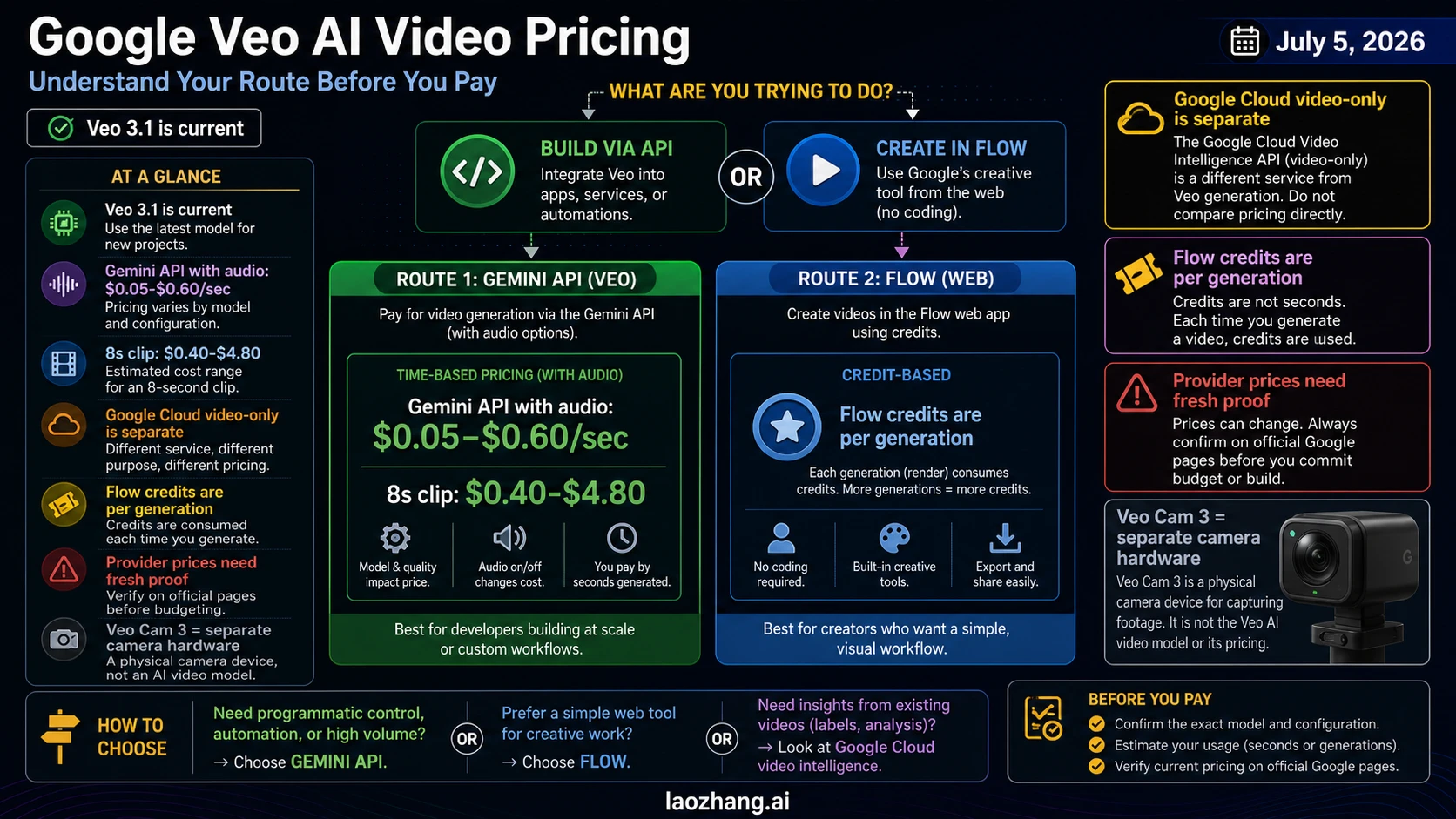
As of July 5, 2026, budget new Google Veo AI video work from Veo 3.1, not legacy Veo 3.0 rows. On the Gemini API with audio, official prices run from $0.05/sec to $0.60/sec, so a typical 8-second clip ranges from about $0.40 to $4.80 before taxes, retries, provider markup, or route-specific limits. Google Cloud video-only rows, Flow subscription credits, provider prices, and Veo Cam 3 camera hardware are separate price systems; compare them only after you know which route you are actually using.
| If your route is... | Start with this price system | Do not compare it directly with... |
|---|---|---|
| Developer API video with audio | Gemini API Veo 3.1 per-second rows | Google Cloud video-only rows or Flow credits |
| No-audio or enterprise Cloud workload | Google Cloud video-only rows | Gemini API with-audio rows |
| Creator workflow in Flow or Gemini app | Flow credits per generation | API seconds or provider price sheets |
| Third-party gateway or provider | Current provider proof checklist | Official Google pricing until route, unit, and terms are verified |
The short answer: Veo 3.1 API pricing is $0.05/sec to $0.60/sec
For new developer work, the actionable official API row is Veo 3.1. Google's Gemini API pricing page lists Veo 3.1 video generation in paid-tier rows and separates Lite, Fast, and Standard model variants. Google's Veo API guide describes Veo 3.1 as generating 8-second videos at 720p, 1080p, or 4K with native audio.
That gives a simple starting budget:
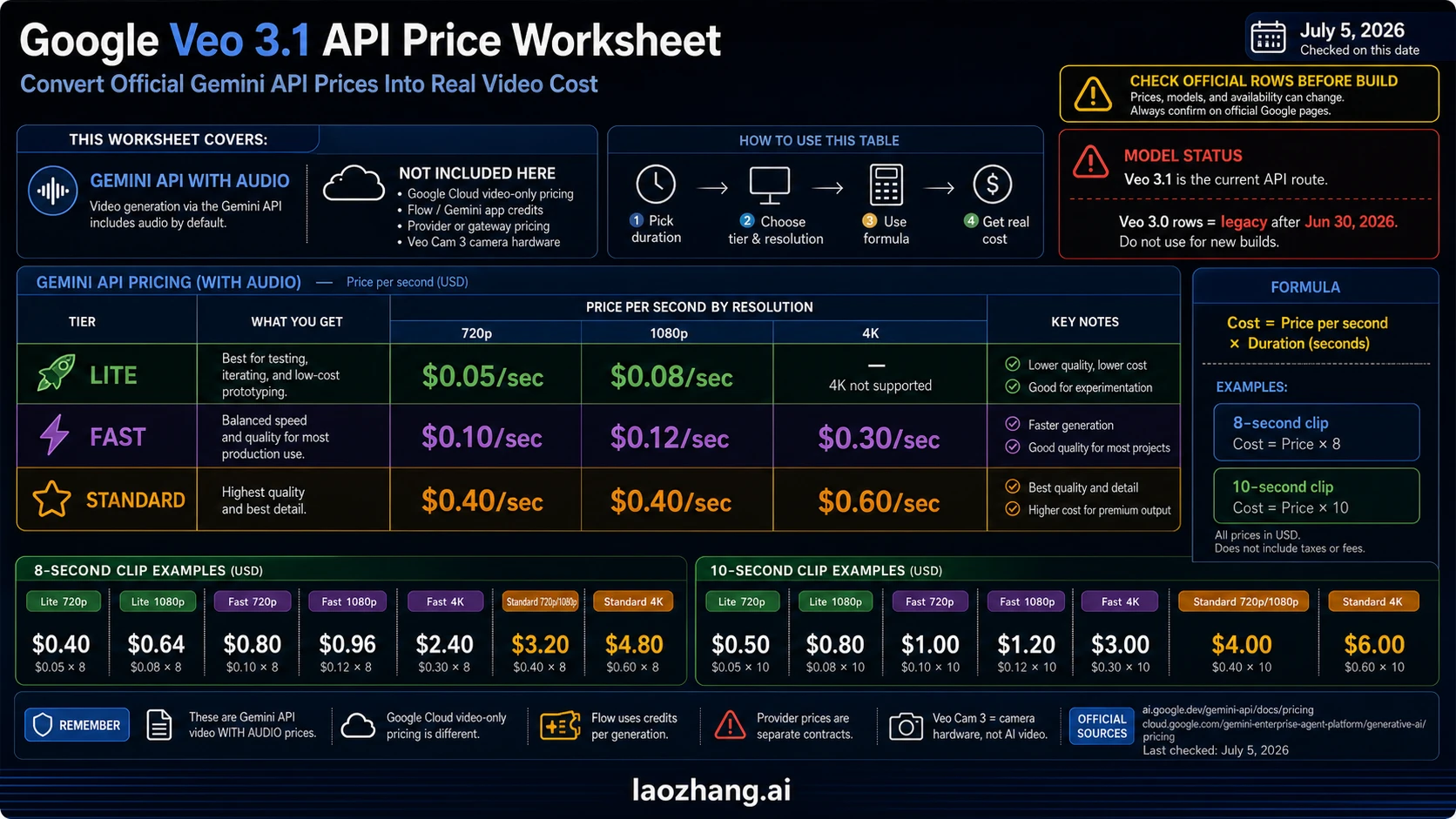
| Gemini API route with audio | 720p | 1080p | 4K | 8-second example | 10-second example | Best use |
|---|---|---|---|---|---|---|
| Veo 3.1 Lite | $0.05/sec | $0.08/sec | Not listed | $0.40 to $0.64 | $0.50 to $0.80 | Cheapest official with-audio tests when 4K is not needed. |
| Veo 3.1 Fast | $0.10/sec | $0.12/sec | $0.30/sec | $0.80 to $2.40 | $1.00 to $3.00 | Iteration, volume tests, previews, and production drafts. |
| Veo 3.1 Standard | $0.40/sec | $0.40/sec | $0.60/sec | $3.20 to $4.80 | $4.00 to $6.00 | Highest-quality official API lane when the output needs more polish. |
This is the cleanest answer to "what is the Veo 3 price?" if you mean API video generation with audio. The cost formula is:
video cost = official per-second price x generated secondsDo not use old Veo 3.0 rows for a new budget. The same Google pricing page identifies veo-3.0-generate-001 and veo-3.0-fast-generate-001 as deprecated rows scheduled for shutdown on June 30, 2026. On July 5, 2026, those rows are migration context, not the right anchor for a new production plan.
Google Cloud video-only rows are a different budget
Google Cloud's Gemini Enterprise Agent Platform generative AI pricing page lists separate video-only rows for Veo 3.1. These can look cheaper because they are not the same route as the Gemini API with-audio rows. Use them when your workload is genuinely a Google Cloud video-only workflow and your implementation, account, region, and product surface match that pricing table.
| Google Cloud video-only row | 720p | 1080p | 4K | 8-second example | What it means |
|---|---|---|---|---|---|
| Veo 3.1 Lite video only | $0.03/sec | $0.05/sec | Not listed | $0.24 to $0.40 | Lowest no-audio Cloud row. |
| Veo 3.1 Fast video only | $0.08/sec | $0.10/sec | $0.25/sec | $0.64 to $2.00 | Cheaper iteration lane when native audio is not part of the bill. |
| Veo 3.1 Standard video only | $0.20/sec | $0.20/sec | $0.40/sec | $1.60 to $3.20 | Standard no-audio Cloud lane. |
The decision rule is straightforward: if your product needs native audio generation through the Gemini API, start from the with-audio rows. If your Cloud workload is explicitly video-only, use the Google Cloud rows. If a spreadsheet mixes both without labeling the route, it is not a reliable price comparison.
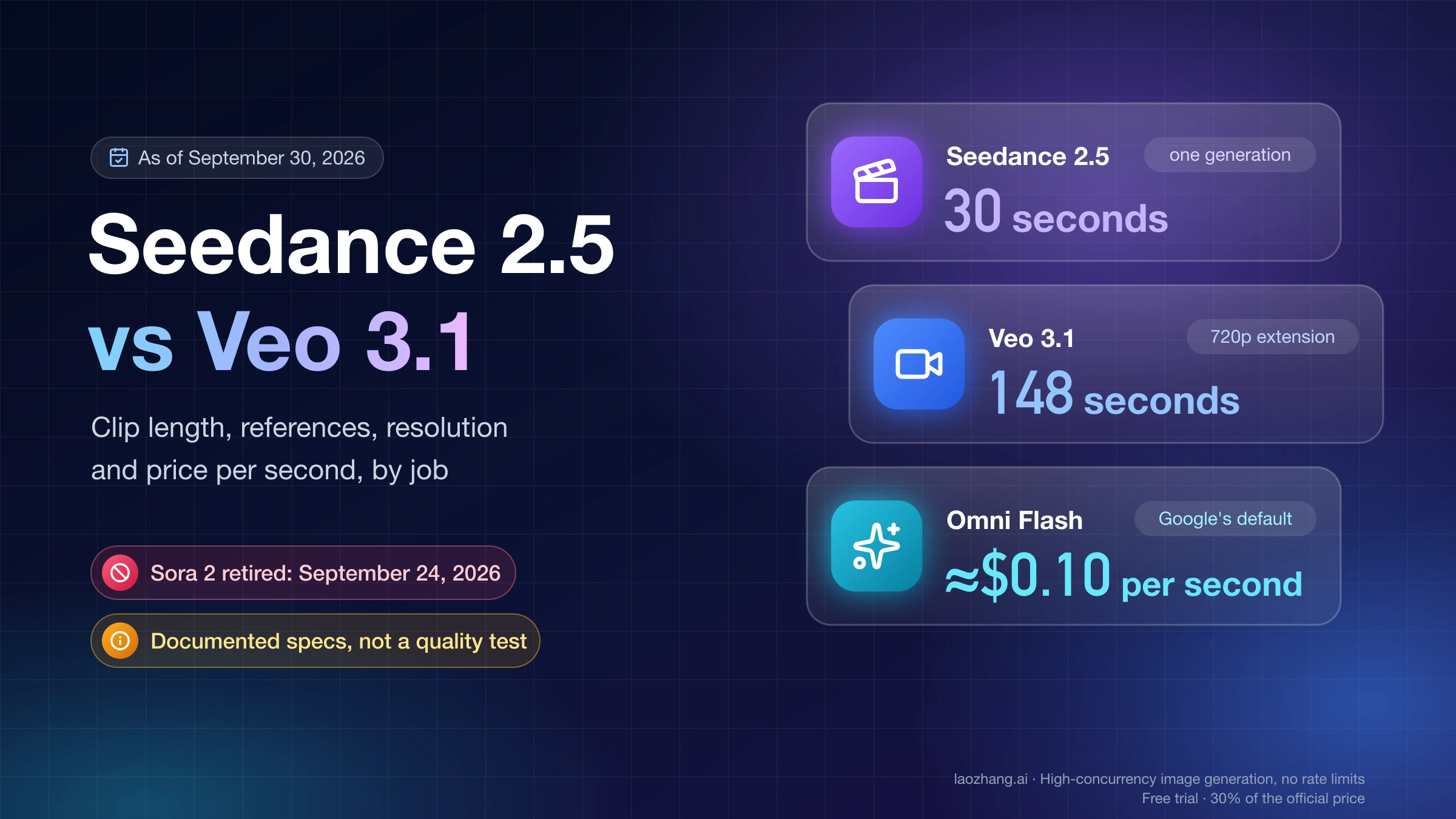
This separation also matters when you compare Veo to other video models. A fair route comparison should use the same billing unit and the same output requirements. For broader model choice, see Sora 2 API vs Veo 3.1, Seedance 2 vs Veo 3 vs Sora 2, and Best AI Video Model.
Flow credits answer a creator workflow, not an API bill
Google Flow does not ask creators to multiply seconds by an API price. Google's Flow credits help page defines credits per generation, and Google's Gemini subscription page publishes USD plan prices and included Flow credit allowances for the checked subscription surface.
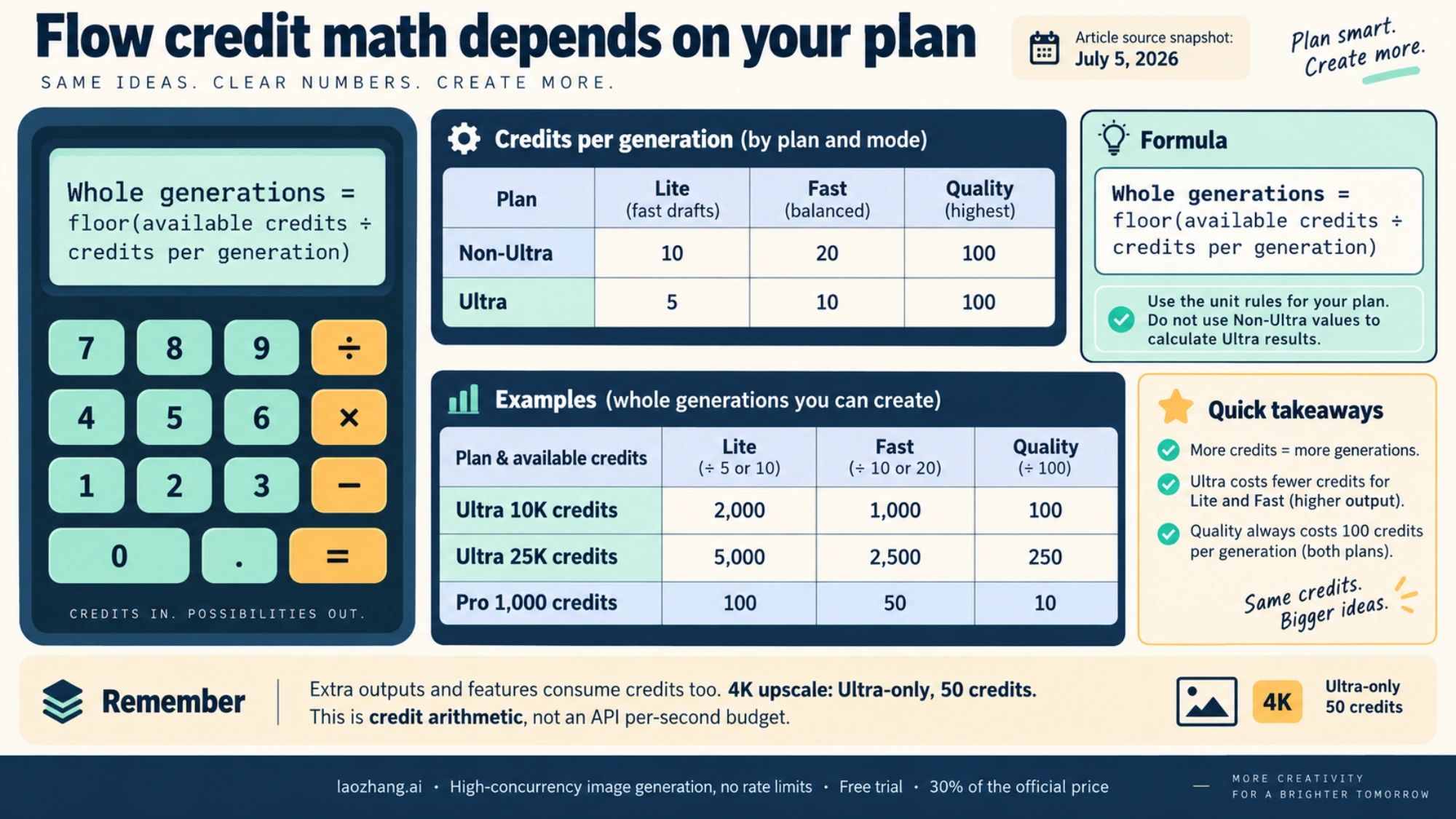
| Flow route | Listed credit allowance | Lite generations | Fast generations | Quality generations | Pricing interpretation |
|---|---|---|---|---|---|
| Free Flow allowance | 50 credits/day | 5/day | 2/day plus 10 credits left | Not enough for one Quality generation | Trial and casual experimentation, not a stable API budget. |
| Google AI Plus | 200 credits/month | 20/month | 10/month | 2/month | Low-volume creator plan, listed at $4.99/month on the checked subscription page. |
| Google AI Pro | 1,000 credits/month | 100/month | 50/month | 10/month | Main creator subscription lane, listed at $19.99/month on the checked subscription page. |
| Google AI Ultra, 10K credits | 10,000 credits/month | 2,000/month | 1,000/month | 100/month | High-volume creator lane, listed at $99.99/month on the checked subscription page. |
| Google AI Ultra, 25K credits | 25,000 credits/month | 5,000/month | 2,500/month | 250/month | Higher Ultra allowance, listed at $199.99/month on the checked subscription page. |
Those generation counts use the Flow help-page rules checked on July 5, 2026: Lite costs 10 credits for non-Ultra users and 5 for Ultra users, Fast costs 20 credits for non-Ultra users and 10 for Ultra users, Quality costs 100 credits for all users, and 4K upscale is Ultra-only at 50 credits.
Flow is often the right route if you are a creator deciding whether to pay for a subscription. It is the wrong route if you are budgeting backend API jobs, because a Flow generation credit is not the same unit as an API second. Local checkout prices, plan names, trials, taxes, and availability can also differ from the checked USD subscription page, so treat the table as a route calculator, not a universal invoice promise.
Provider and gateway prices need route proof before comparison
A third-party gateway can still be useful when you need a multi-model API surface, account setup help, or a provider-managed integration path. The spending mistake is to treat a provider rate as if it were Google's official API price. Keep those lanes separate.
For laozhang.ai specifically, use the current provider documentation as a route proof source rather than a stale numeric shortcut. Current laozhang.ai docs describe the Veo 3.1 overview and model pricing pages, while also marking the old custom Veo route as deprecated or unavailable and pointing users toward official forwarding behavior. The safe recommendation is to verify the current provider route, model ID, unit, and availability before using it for a budget. Do not republish an old per-request figure as if it were the current official Google price.
Use this provider checklist before you compare a gateway with official Google rows:
| Proof item | What to verify | Why it changes price |
|---|---|---|
| Model and route | Exact model ID, whether it is official forwarding, and whether the route is currently available | A deprecated route can make a low advertised price unusable. |
| Billing unit | Per second, per request, per generation, token-equivalent, or subscription credit | Different units cannot be compared in one row. |
| Output settings | Duration, resolution, audio, 4K, upscale, queueing, and region | Veo price changes with the output contract. |
| Failure billing | Which failures are not charged and which retries are billed | Failure policy can move the real cost above the headline rate. |
| Account terms | Top-up, refund, minimum balance, support SLA, and rate limits | Cash-flow terms matter as much as unit price in production. |
| Last verified date | Current docs, console, invoice, or support proof | Provider claims and model availability are volatile. |
That checklist is not a warning against providers. It is the minimum evidence needed to make a fair provider-route recommendation. If the provider helps you reach a working API route faster, compare it as a provider route with its own proof, not as an official Google price row.
Which Veo 3 price system should you use?
The right answer depends on the job, not on the lowest visible number in an unlabeled price snippet.
| Reader job | Use this route first | Budget anchor | Stop rule |
|---|---|---|---|
| Build an app that generates video with audio | Gemini API Veo 3.1 | $0.05/sec to $0.60/sec depending on model and resolution | Stop if the model, resolution, or paid-tier access is not available in your account. |
| Run no-audio Cloud video generation | Google Cloud video-only Veo 3.1 rows | $0.03/sec to $0.40/sec depending on model and resolution | Stop if your workload is not actually on the listed Cloud route. |
| Make videos inside a creator workflow | Flow or Gemini app subscription credits | Credits per generation and monthly plan allowance | Stop if you need API keys, automation, or predictable backend billing. |
| Use a third-party API gateway | Provider docs, console proof, and current route test | Provider-specific unit and terms | Stop if unit, model, failure billing, or route owner is unclear. |
| Buy a camera or hardware product | Hardware retail price | Product price, not AI generation price | Stop if the result is about Veo Cam 3 or another device instead of Google's Veo AI model. |
For most developers, the practical default is Gemini API Fast or Lite for test volume, then Standard only where quality justifies the jump. For creators, Flow credits are easier to reason about than API seconds. For enterprise Cloud work, the Cloud price table matters only after the workload is confirmed as video-only or otherwise covered by that service's terms.
What changed from old Veo 3 pricing?
Google's September 2025 developer update announced lower Veo 3 and Veo 3 Fast pricing at the time, including new configurations and resolution options. That update explains why older summaries still quote previous Veo 3 numbers or talk about a past price drop.
For a July 2026 budget, use the current pricing pages first. The historical update is useful context, but it is not the source of truth for a new budget. The current Gemini API pricing page has moved the actionable model set to Veo 3.1 rows and labels old Veo 3.0 rows as deprecated. The pricing rule is: if a source does not say Veo 3.1, route, resolution, audio status, and checked date, treat it as background rather than a price anchor.
How to estimate your real Veo 3 monthly cost
Start with direct generation cost, then add operational waste. A realistic API budget should include at least four lines:
| Budget line | How to estimate it | Example |
|---|---|---|
| Successful generations | Per-second price x seconds x completed outputs | 100 Fast 720p videos x 8 seconds x $0.10/sec = $80. |
| Review and rejected outputs | Expected extra generations for prompt iteration and quality selection | If every accepted video takes 2 attempts, double the direct generation cost. |
| Route overhead | Provider markup, subscription plan, Cloud terms, taxes, or top-up constraints | Flow credits and provider balances do not behave like raw API seconds. |
| Engineering operations | Storage, logging, moderation, retries, monitoring, and support time | Often larger than the per-video API line in production workflows. |
For example, a prototype that generates 100 accepted 8-second Veo 3.1 Fast 720p videos through the Gemini API has an official generation baseline of about $80. If the team averages two attempts per accepted output, the generation line becomes about $160 before tax, infrastructure, provider route differences, and human review. The exact number should come from your account's pricing page and billing export, but this model keeps the budget honest.
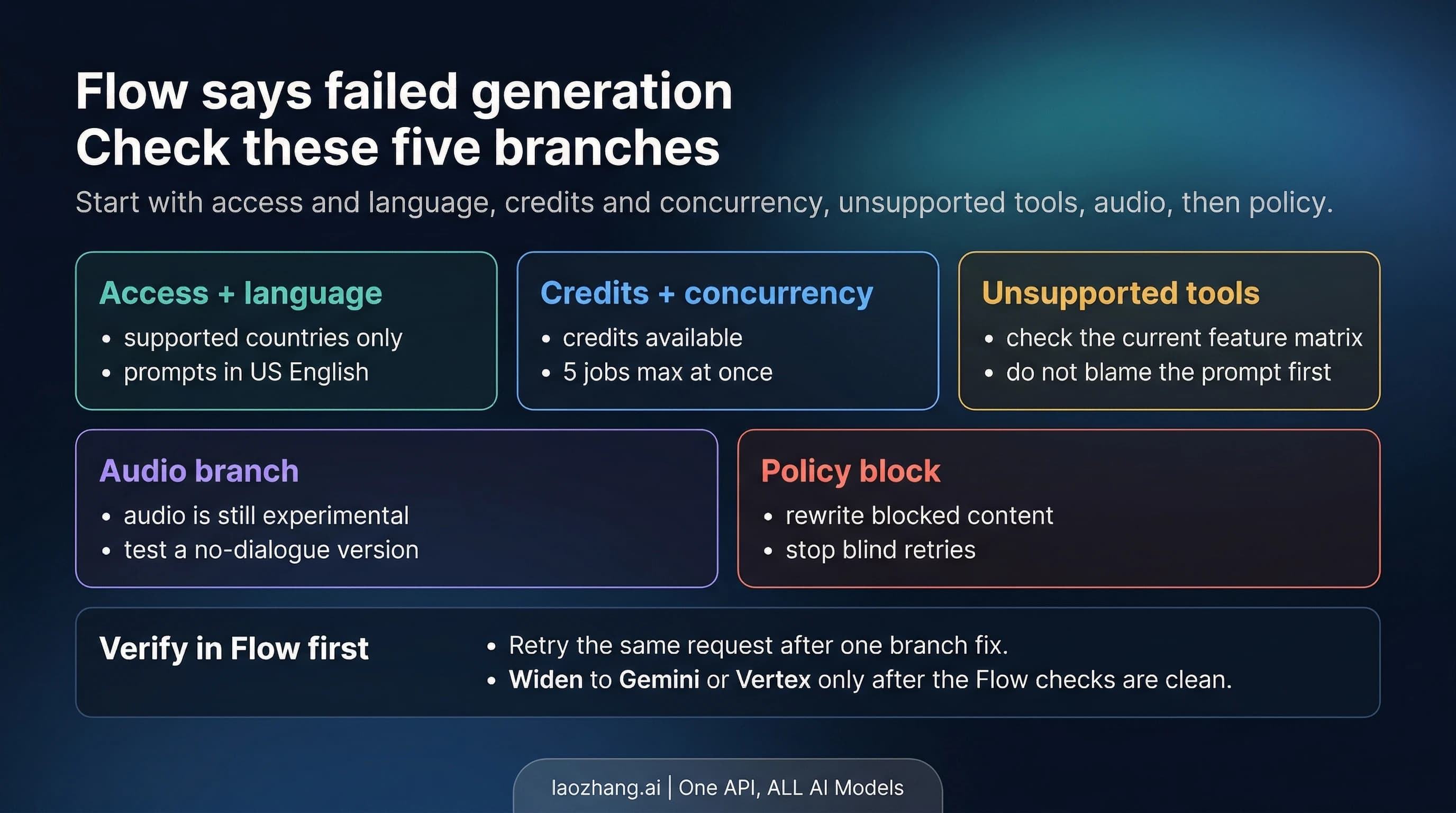
For troubleshooting generation failures before they become repeat spend, see Veo 3 Failed Generation Error.
FAQ
How much does Veo 3 cost per second?
For new Gemini API work checked on July 5, 2026, Veo 3.1 with audio ranges from $0.05/sec for Lite 720p to $0.60/sec for Standard 4K. Google Cloud video-only rows are separate and range from $0.03/sec to $0.40/sec on the checked Cloud pricing table.
How much does an 8-second Veo 3 video cost?
On the Gemini API with audio, an 8-second Veo 3.1 video costs about $0.40 to $4.80 depending on Lite, Fast, Standard, and resolution. On Google Cloud video-only rows, an 8-second example ranges from about $0.24 to $3.20. Flow uses credits per generation, not API seconds.
Is Veo 3 free?
There is a Flow free allowance listed as 50 credits per day, but that is a creator credit route, not a universal free API. Gemini API Veo 3.1 pricing is listed under paid-tier rows. Whether a specific account sees trials, free credits, or local offers depends on the route and current account state.
Is Google Flow cheaper than the Veo API?
Flow can be cheaper for creator experimentation because it bundles credits into a subscription or free allowance. It is not directly comparable to API seconds because it does not provide the same developer contract, automation surface, or billing unit. Use Flow for creator workflow decisions and API rows for backend product budgets.
Why do Google Cloud video-only rows look cheaper?
They are a different pricing lane. Video-only rows do not represent the same with-audio Gemini API route. If your workload needs native audio through the Gemini API, use the with-audio API rows. If your workload is a confirmed Cloud video-only route, use the Cloud table.
Can I use laozhang.ai or another provider for Veo 3.1?
Yes, a provider route can be useful for integration, gateway access, or account workflow, but compare it only after verifying the current model ID, route owner, unit, availability, failure billing, and account terms. Do not label provider pricing as official Google pricing.
Is Veo Cam 3 part of Veo 3 AI video pricing?
No. Veo Cam 3 and similar product listings are hardware or camera-price listings. They are not the price of Google's Veo AI video generation model. If a shopping or hardware surface shows a camera carousel, ignore it for API or Flow budgeting.
What should I recheck before spending?
Recheck the official Gemini API pricing page, the relevant Google Cloud pricing page if you are using Cloud, the Flow credits help page if you are using Flow, and your provider console if you are using a gateway. For volatile fields, verify model availability, paid-tier access, resolution, audio status, failure billing, credits, taxes, and local checkout price on the day you spend.
Sources
External pages this guide links to, in the order they appear. Last updated Oct 5, 2026.