How to Fix the Veo 3 Failed Generation Error in Flow, Gemini, and Vertex AI (2026)
If Veo 3 keeps failing to generate, the problem is usually not one generic bug. This guide shows how to separate Flow and Gemini credit issues, unsupported Veo 3.1 feature combinations, audio-generation failures, policy blocks, and Vertex AI 429/503/504 errors.
On this page
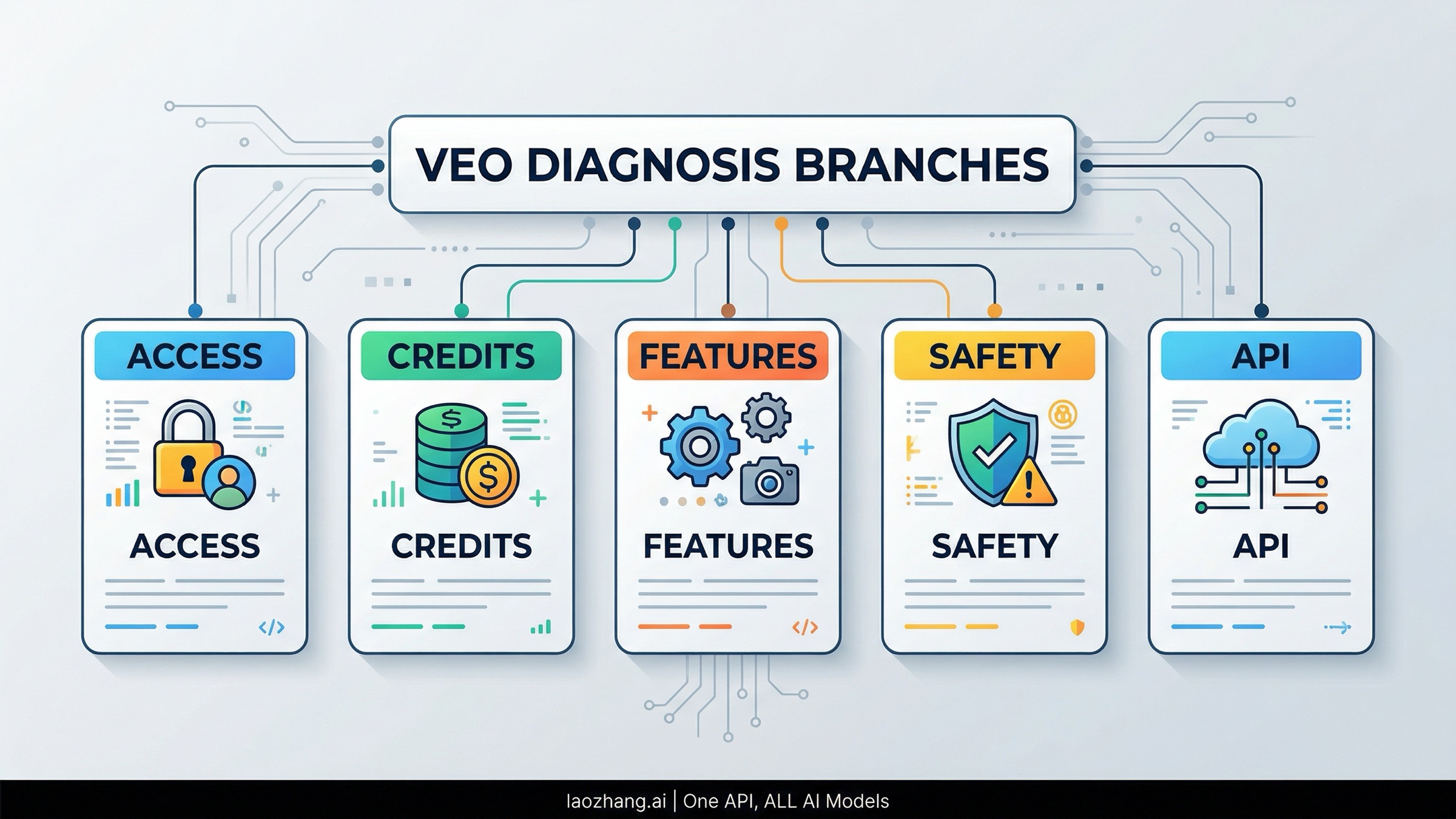
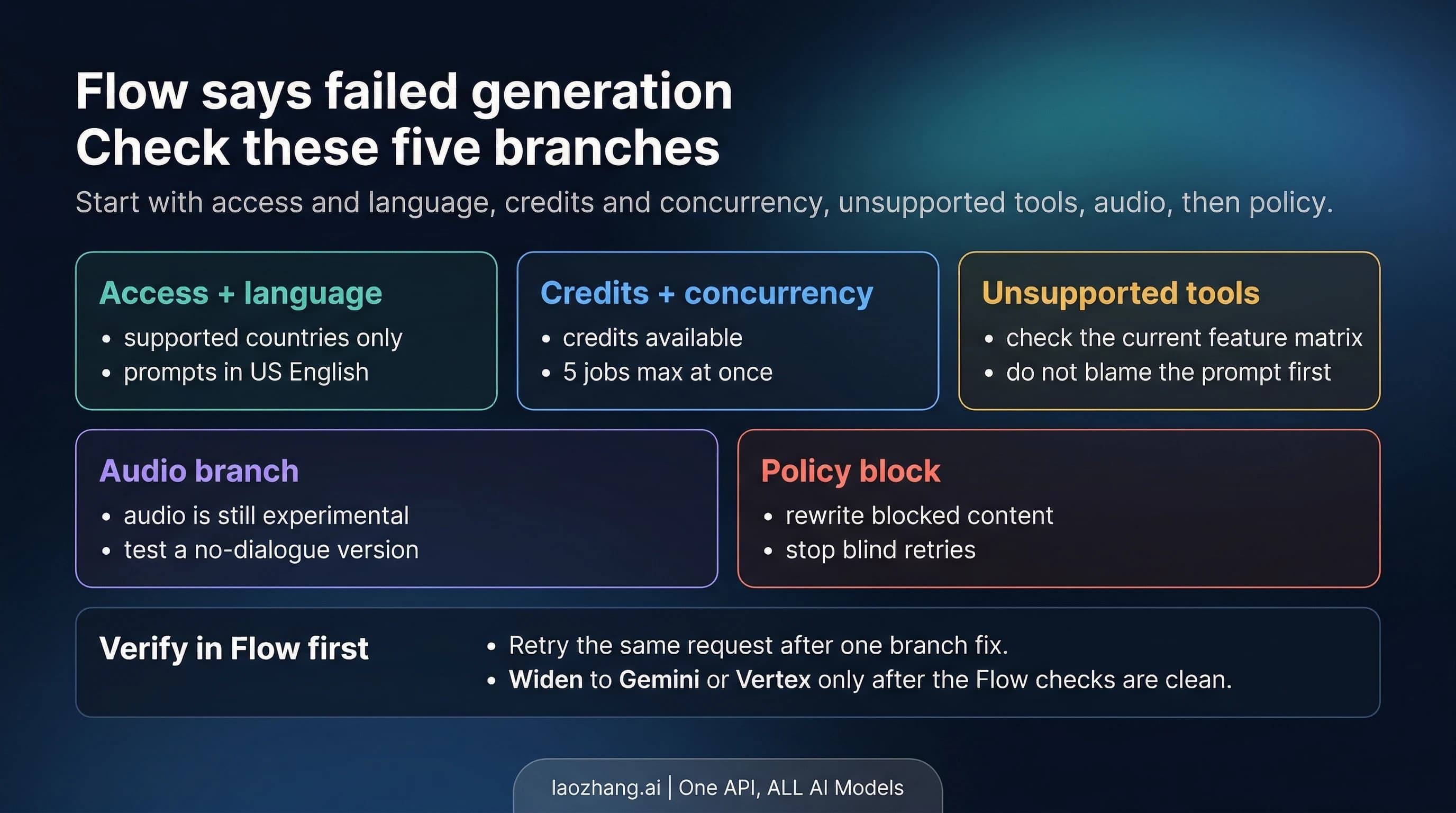
If you keep seeing a Veo 3 failed generation message, the fastest way to fix it is to stop treating it like one universal bug. Google's current documentation spreads the answer across multiple surfaces, but the pattern is clear: the failure usually belongs to one of six buckets, and the right fix depends on which Veo surface you are actually using.
Google's live help pages now document the Flow route as Veo 3.1 Fast and Veo 3.1 Quality, while developers may be calling Veo through Vertex AI. Those are not the same contract. A Flow failure is often about region, credits, concurrency, unsupported feature combinations, or experimental audio. A Vertex failure is more likely to surface as safety-filter blocks, 429 RESOURCE_EXHAUSTED, 503 UNAVAILABLE, or deadline problems. If you diagnose the surface first, the error becomes much easier to fix.
Evidence note: the plan, credit, feature, safety, and API-error details below were rechecked against Google Flow Help, Google One Help, and Google Cloud docs on March 30, 2026.
TL;DR
| What you see | Most likely cause | Fastest next check | Best next action |
|---|---|---|---|
| Flow or Gemini says generation failed before you get a clip | wrong surface, unsupported region/language, or no credits | confirm you are on a supported Flow/Gemini route and still have AI credits | check Flow availability, credit balance, and request cost before retrying |
| Flow fails only when you use a certain feature | unsupported Veo 3.1 feature combination | compare your request against the current Flow feature matrix | switch to a supported model/feature pairing or simplify the request |
| Flow fails when you ask for dialogue or heavy sound design | experimental audio path failed | test the same prompt without audio instructions | simplify the audio request or split sound design from the first test |
| Prompt says it might violate policy | safety filter triggered | remove public figures, protected IP, or sensitive content cues | rewrite the blocked part rather than retrying the same wording |
Vertex returns 429 RESOURCE_EXHAUSTED | quota overage or shared server overload | check quota and current traffic shape | back off, smooth spikes, and raise quota if needed |
Vertex returns 503 or 504 | temporary overload or too-short client deadline | inspect retry policy and timeout settings | retry carefully and use a longer deadline |
Start By Identifying Which Veo Surface Is Actually Failing
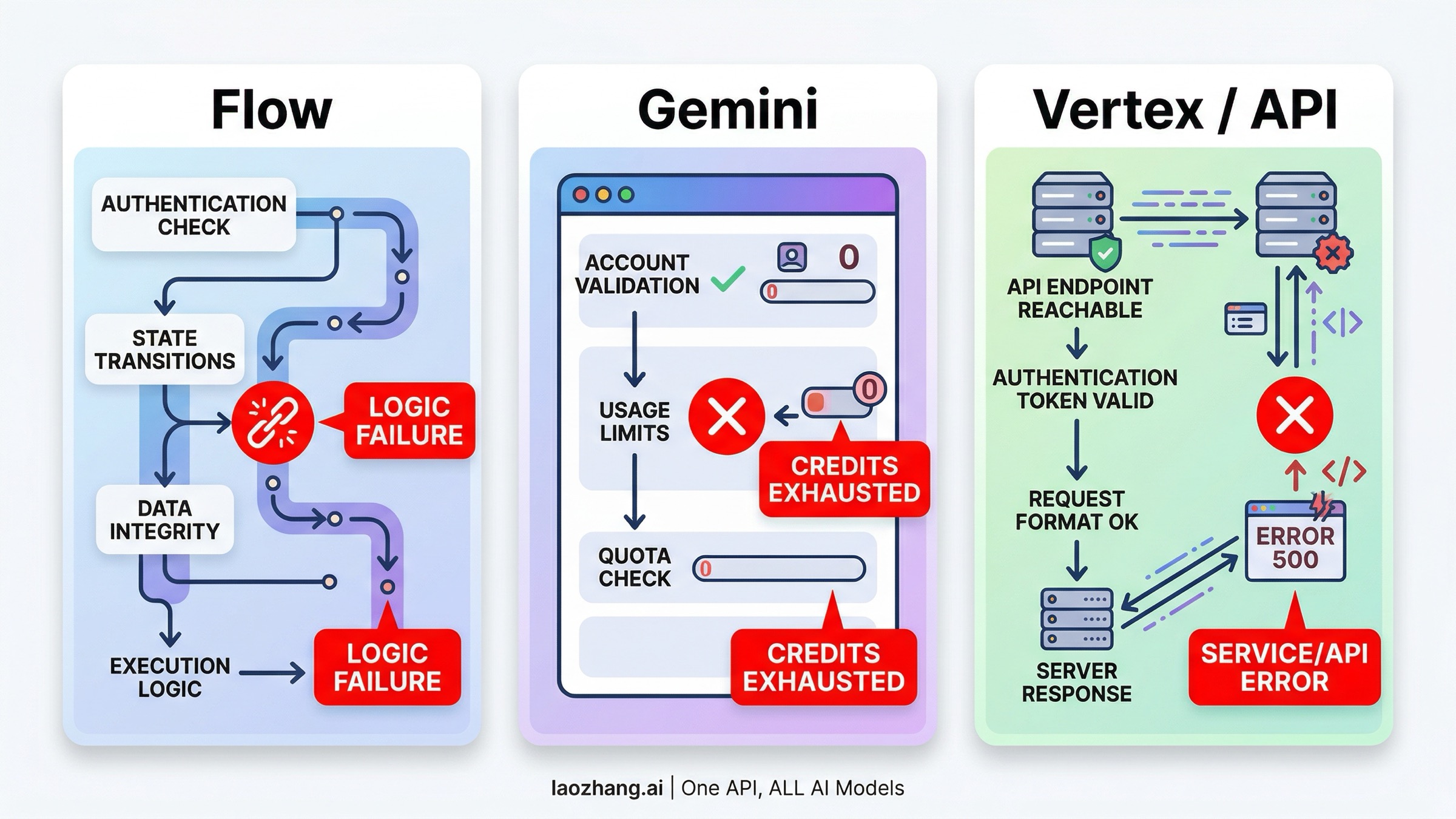
The phrase Veo 3 failed generation sounds like one product problem, but Google currently exposes Veo through more than one route.
If you are using Flow or the Gemini subscription path, you are operating inside Google's AI-credit system. Google documents Flow as available only in supported countries and territories, and Flow Help currently lists English as the supported language. The Google AI Pro help page is even more specific: it says prompts to Flow are currently supported in US English only. That matters because a failed generation on this route can be a consumer-surface problem before it is ever a model problem.
If you are using Vertex AI or another API path built on Google's Veo models, you are operating inside a different contract. Here the useful signals are HTTP and gRPC-style failures, safety-filter codes, quotas, deadlines, and traffic shape. Google documents these separately from Flow and Gemini Help, and the fixes are different enough that mixing the two systems is how readers waste half a day retrying the wrong thing.
So ask one question before anything else:
Am I debugging a consumer Veo route or an API Veo route?
If it is consumer Flow or Gemini, keep reading the next three sections first. If it is Vertex or an API provider using Vertex underneath, jump ahead to the API error section after you check the policy section.
For Flow And Gemini Users, Credits And Request Shape Are The First Real Check
The current Google One contract is much more specific than the generic upgrade advice most blocked users start with.
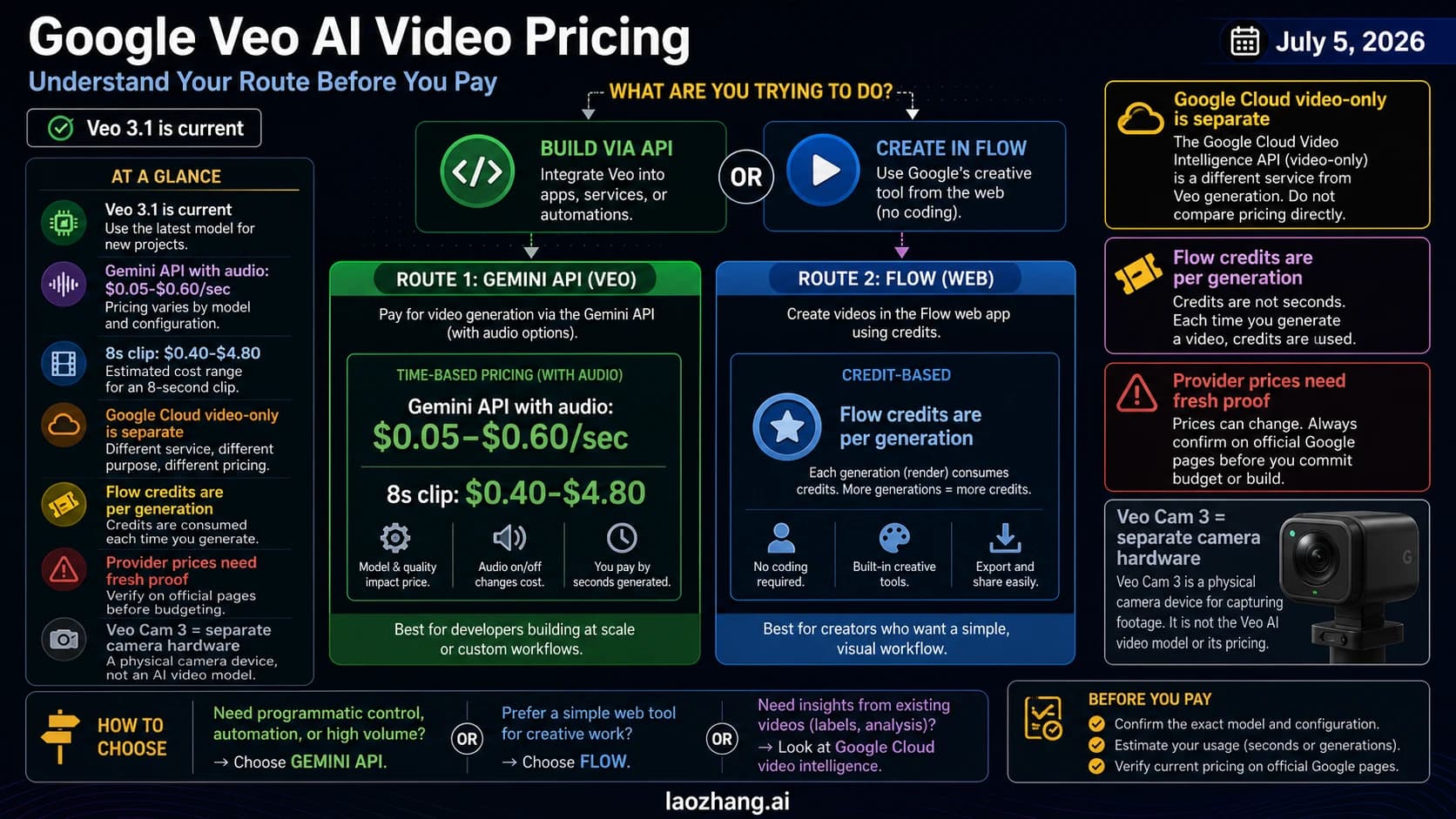
For personal Google accounts without a Google AI membership plan, Google currently documents 50 daily AI credits that can be used with Flow and Whisk to create videos in supported regions. For paid plans, Google documents 1,000 monthly AI credits for Google AI Pro and 25,000 monthly AI credits for Google AI Ultra. Those credits refresh on a schedule and do not roll over.
The second thing most readers miss is the per-generation pricing. Google's current credit table shows:
Veo 3.1 Fast: 20 AI credits per generation on Google AI ProVeo 3.1 Quality: 100 AI credits per generationVeo 3.1 Fast: 10 AI credits per generation on Google AI Ultra
That still understates the practical burn if you do not read the fine print. Google explicitly notes that some features create multiple generations per request, and Flow can generate two videos from a single request. That means one click can consume more credits than the reader thinks, even before they start iterating.
Google's current AI Pro help also documents a 5 concurrent generations limit in Flow. If you have multiple jobs already pending, the problem may not be your prompt at all. It may simply be that you are trying to stack more work on top of an already saturated queue.
This is the best first consumer-side checklist:
- Check whether Flow is supported in your current country or territory.
- Check that you are using the supported language route.
- Check your remaining AI credits and recent AI credit activity.
- Check whether your request shape is generating more than one video.
- Check whether you already have multiple concurrent generations running.
Google also gives one reassuring but important note here: if an AI tool fails, your remaining AI credits should not be permanently affected, but there may be a delay before the credits reappear. On the Flow-specific side, Google separately notes that if a video generation fails, the AI credits are re-credited. So if your balance looks wrong immediately after a failure, that does not automatically mean the credits are gone for good.
What it does mean is that you should stop blind-retrying while the same job is still unresolved. Check the credit activity first. If the generation keeps failing with enough credits available, move to feature and audio checks next.
A Large Share Of "Failed Generation" Cases Are Really Unsupported-Feature Or Audio Problems
Google's current Flow docs are especially useful here because they document the active feature matrix rather than treating every failure as a pure prompt issue.
Google's Learn about Flow models & supported features page now documents that Veo 3.1 Fast and Veo 3.1 Quality do not support exactly the same set of tools. That means a generation can fail or confuse the reader simply because the requested feature is not supported on the selected model.
Current documented examples include:
Camera Control: not supportedExtend: landscape onlyIngredients to Video: supported onVeo 3.1 Fast, not supported onVeo 3.1 Quality
Google also says that if you select a feature not yet supported by Veo 3.1, Flow will notify you. In practice, this means you should stop treating every failure as a prompt-writing problem. If the request only fails when you switch to Quality, only fails when you try Ingredients, or only fails when you try to extend a portrait clip, the feature matrix is the more likely root cause.
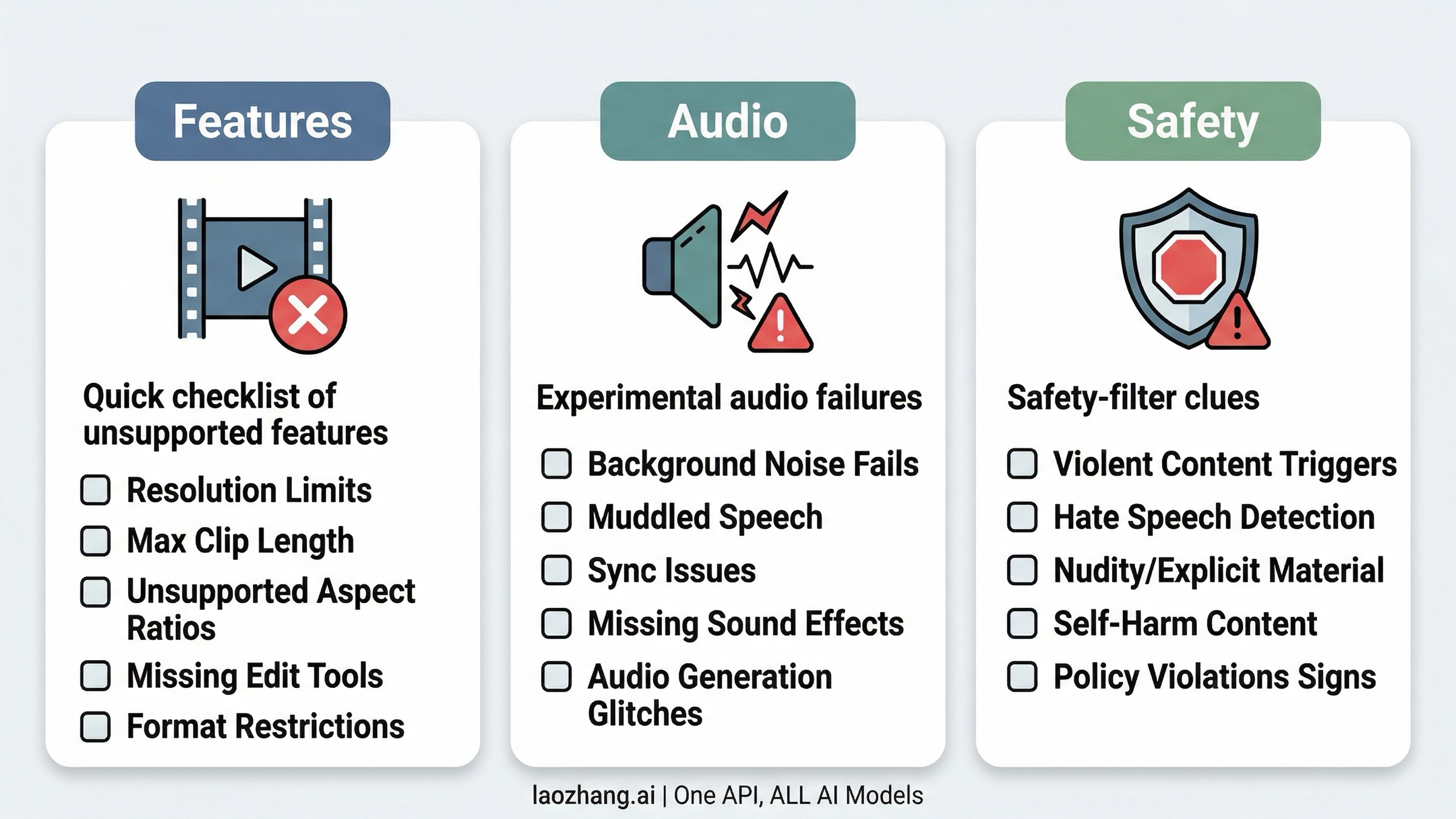
Audio is its own branch, and Google is unusually explicit about that. The current Flow docs label audio generation as an experimental feature on Veo 3.1 only. Google says you can add sound effects, background noise, and in some cases speech, but it also says something operationally important:
Sometimes Veo can produce low-quality audio, in which case your video will not be generated.
Google's documented behavior for that case is that your credits will be refunded, and the suggested next move is to try again or try another prompt. The same page also says speech generation performs better with longer text transcripts, and it names two current known issues:
- speech is muted on generations depicting minors
- generated speech may incorrectly trigger on-screen subtitles
That gives you a much better troubleshooting ladder than generic "improve your prompt" advice:
- Test the scene without dialogue or sound instructions.
- If the silent version works, the failure is probably on the audio branch.
- Re-add speech or sound in a more controlled way.
- If minors are central to the scene, assume audio limitations may apply.
- If subtitles are appearing incorrectly, treat that as a known model issue rather than proof that your entire prompt is broken.
The practical lesson is simple: if the clip fails only when you ask Veo to speak, sing, or carry a dense soundscape, debug audio separately from the rest of the scene.
If The Error Mentions Policy, Stop Retrying The Same Prompt
When Veo fails because of safety or policy, more retries usually do not help.
Google's Veo responsible-AI documentation on the Vertex side explains the behavior clearly enough to be useful even for consumer users. Google says prompts are assessed against safety filters, and if the model responds with an error such as The prompt couldn't be submitted or it might violate our policies, the input is triggering a safety filter. Google also notes that if fewer videos than requested are returned, some generated output may have been blocked for safety reasons rather than the whole request failing at the transport layer.
The most useful part of the docs is the category mapping. Google explicitly maps support codes to categories such as:
| Support code | Category | What it implies |
|---|---|---|
17301594 | Child | child depiction request blocked unless the required settings or allowlist are in place |
15236754 | Celebrity | photorealistic prominent-person request blocked or not allowlisted |
35561575 | Third-party content | third-party content guardrail triggered |
42237218 | Video safety violation | broader safety failure |
43188360 | Sexual | sexual or suggestive content blocked |
56562880 | Violence | violent content blocked |
If you are in Flow rather than Vertex, you may not see the same code. But these documented Veo categories still give you a better way to reason about the failure than generic guesses do. If a prompt seems harmless to you but keeps failing, check for one of these buckets:
- a photorealistic public figure
- a copyrighted or trademark-heavy character or brand asset
- violence, sexual content, or child-safety sensitive framing
- wording that sounds harmless conversationally but maps to a protected category
The fix here is not "be more patient." It is to remove or reframe the blocked element.
For example:
- replace a named public figure with an original, descriptive character
- remove specific branded or copyrighted references
- tone down sensitive conflict or physical-harm wording
- separate the creative idea from the blocked identity reference
That support-code table is what makes policy troubleshooting practical: it turns a vague rejection into a category you can actually work with.
For Vertex And API Users, Read The HTTP Error Before You Touch The Prompt
If you are using Veo through Vertex AI or an API provider built on top of it, your next move should be driven by the actual error code, not by guesswork.
Google's current Vertex error guide gives a clean split:
| Error | What Google says it can mean | What to do next |
|---|---|---|
429 RESOURCE_EXHAUSTED | API quota limit or shared server overload | check quota, smooth bursts, retry after a few seconds, or plan for more capacity |
500 UNKNOWN / INTERNAL | temporary overload or dependency failure | retry after a few seconds |
503 UNAVAILABLE | service temporarily unavailable | retry carefully, escalate if persistent |
504 DEADLINE_EXCEEDED | request did not finish within the deadline, often because the client timeout is too short | remove the short client deadline or use a longer one |
Google's own guidance matters here because it corrects two common mistakes.
The first mistake is assuming every 429 is purely "your fault." Google explicitly says 429 can be either quota over the limit or server overload due to shared server capacity. That means the right response is not always "upgrade right now." Sometimes it is simply to smooth a burst, wait a few seconds, or move away from traffic spikes.
The second mistake is setting a short client timeout and then treating the resulting 504 as model instability. Google's docs spell this out: if your client sets a deadline shorter than the server default, you can create your own deadline errors. Google currently calls out 10 minutes as the server default in this context, which is much longer than the tiny client deadlines many developers set out of habit.
Google also recommends a fairly conservative retry posture:
- avoid spikes in traffic
- retry no more than two times
- start with at least a one-second delay
- back off exponentially
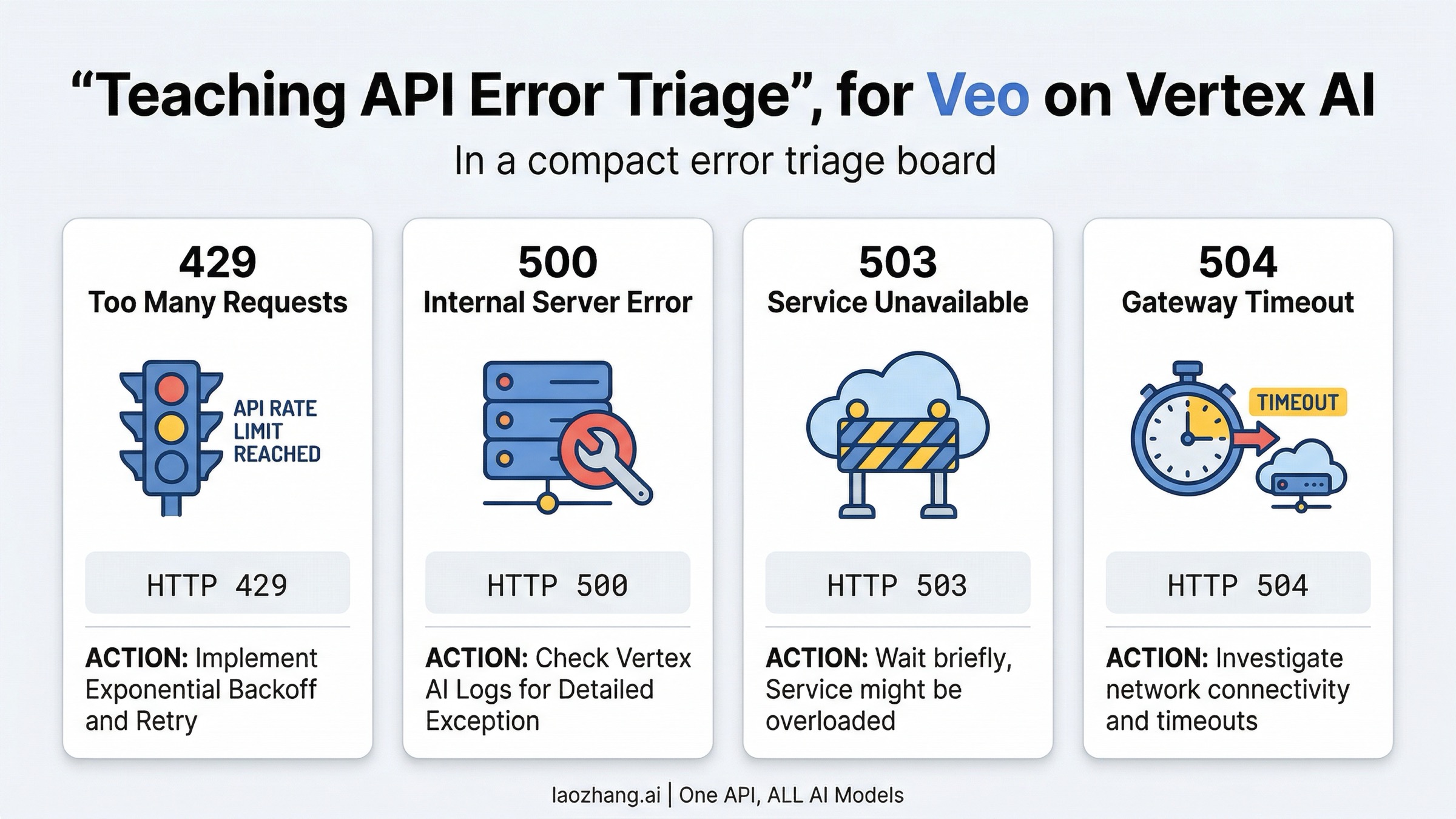
So if you are on the API side, the clean diagnostic order is:
- Check the error code.
- If it is
429, inspect quota and traffic shape before rewriting prompts. - If it is
504, inspect deadlines before blaming Veo. - If it is
500or503, retry conservatively and watch whether the failure persists for hours rather than seconds. - If the request also includes a policy-style message, go back to the safety section before you keep retrying.
When To Keep Troubleshooting Veo And When To Change The Path
By this point, the question is not just "how do I fix this one failure?" It is "what is the right system decision if this keeps happening?"
Keep troubleshooting Veo on the current surface when the issue is clearly local and finite:
- you ran out of credits
- you stacked too many concurrent Flow jobs
- you used a currently unsupported feature combination
- audio is the only unstable part of the prompt
- your API client deadline is obviously too short
Change the surface but stay on Veo when the model still fits your work and the current contract is the problem. For example:
- move from a casual Flow workflow to a more explicit API or queueing setup
- stop using the consumer route for work that really needs programmatic control
- redesign your request pipeline around burst smoothing instead of manual retries
Change the model path only when the failures expose a deeper mismatch between Veo and the job you actually need done. If you are already thinking at that level, the useful follow-up is no longer "how do I retry one more time?" but "what is the right alternative video route?" Our comparison of Sora 2 API vs Veo 3.1 is the narrow migration read, while Seedance 2.0 vs Veo 3.1 vs Sora 2 is the broader selection guide. If the real blocker is cost rather than capability, how much AI video generators cost is the next useful read.
That distinction matters. A lot of frustration around Veo comes from trying to solve the wrong level of problem. If the issue is credits, fix credits. If the issue is unsupported features, change the request. If the issue is policy, rewrite the content. If the issue is transport or capacity, debug the API contract. Only switch systems when the failures are telling you the whole route no longer fits your workflow.
FAQ
Is Veo 3 failed generation the same thing as a Veo outage?
No. It can mean unsupported access, no credits, unsupported features, audio failure, safety filters, or API overload. Some of those are local to your request. Some are temporary. Some are structural.
Do failed Veo generations refund credits?
Google's current help pages say failed AI-tool activity should not permanently consume your remaining credits, though the credits may take time to reappear. On the Flow video side, Google also explicitly says failed video generation is re-credited.
Why does Veo fail only when I ask for dialogue?
Because audio generation in Flow is still experimental on Veo 3.1, and Google says low-quality audio can cause the video not to generate. Test the same scene without audio, then add speech or sound back more carefully.
Can the issue be my plan?
Sometimes, but not in the lazy way many posts suggest. The useful question is not simply "do I need a more expensive plan?" It is whether you have enough credits for the request shape you are making and whether you are on the right surface for your workload.
What if my prompt says it might violate policy even though it seems harmless?
Treat that as a real safety-filter clue. Check for public figures, protected IP, child-safety-sensitive framing, sexual content, violence, or other protected categories before you retry.
What is the fastest API-side fix for 504 DEADLINE_EXCEEDED?
Increase or remove the too-short client deadline first. Google's current Vertex docs explicitly call that out as a common source of 504 errors.