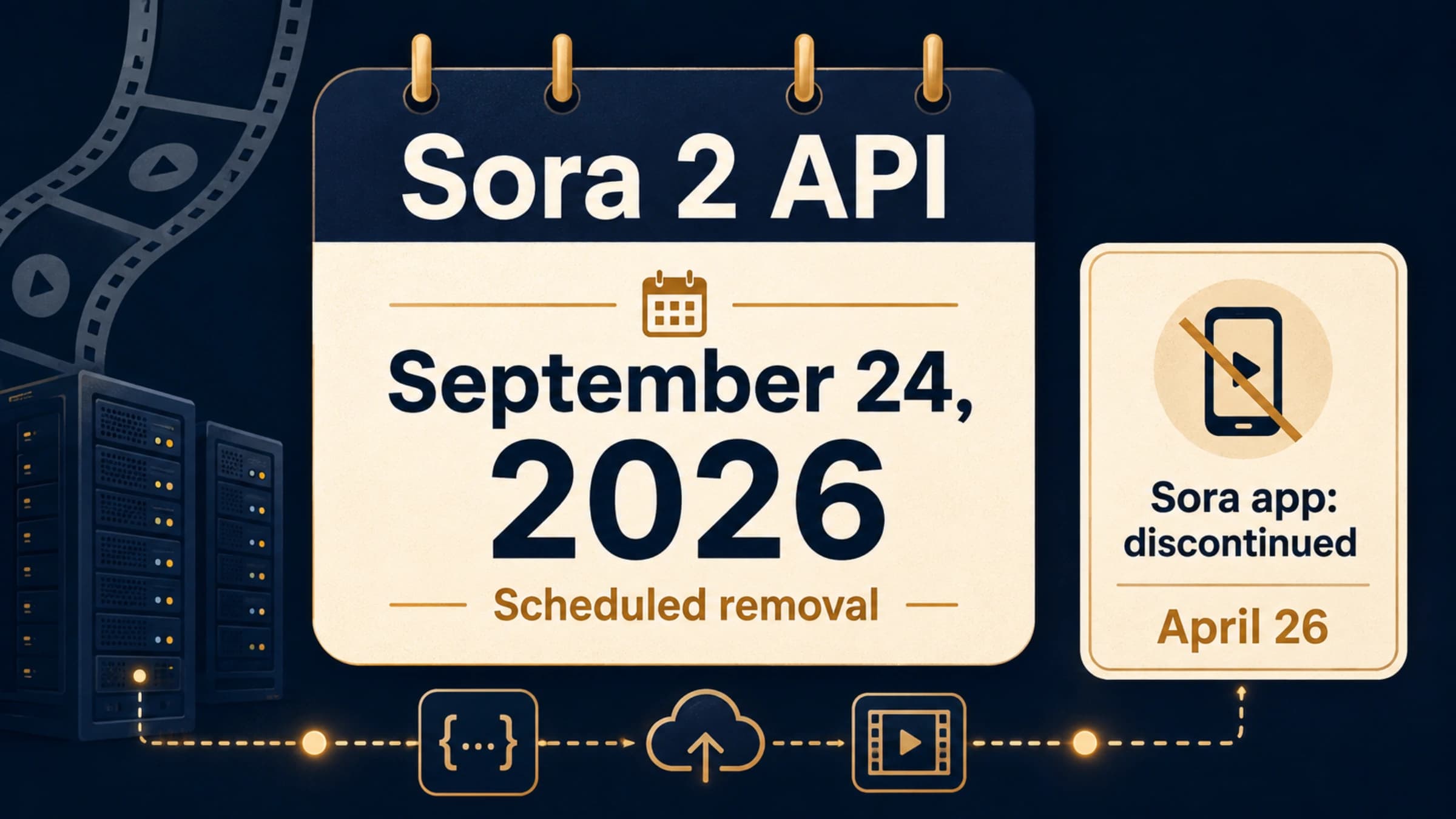
Plan your Sora 2 API migration around September 24, 2026. OpenAI lists that date for removal of the Videos API, sora-2, sora-2-pro, and their listed snapshots. March 24 was the notification date; as of September 5, the removal date is still ahead. OpenAI does not name a replacement in that deprecation entry. OpenAI's deprecation schedule
Veo 3.1 is a candidate if your application can work with short generated shots and you can adapt its background video worker. It supports text and image inputs, generated audio, landscape and portrait output, and resolutions up to 4K. The Gemini API models remain in preview, so keep the model ID configurable. Veo 3.1 documentation
The important migration question is whether your application can still deliver the video the customer requested. An eight-second product shot, a 20-second uninterrupted scene, and a reusable character workflow have different migration costs. Changing the model name alone does not resolve those differences.
Where Veo 3.1 fits—and where the workflow changes
Start with the promises your product currently makes: duration, dimensions, audio, input assets, and what the customer can edit or extend afterward. The comparison below uses OpenAI's native API and Google's Gemini Developer API. A gateway may expose a different interface.
| Existing requirement | Sora 2 API behavior | Veo 3.1 migration consequence |
|---|---|---|
| A short generated shot | Sora creates an asynchronous video job. | Veo creates a long-running operation; the worker still needs to wait and download. |
| A 16- or 20-second scene | Both Sora variants support these generation lengths. | Veo 3.1 and Fast generate 4, 6, or 8 seconds per initial request. Longer scenes require a different production plan. |
| Portrait output | Sora supports portrait dimensions, including 720 × 1280. | Veo supports 9:16; map the aspect ratio separately from resolution. |
| Full HD or 4K output | Sora 2 Pro supports 1920 × 1080 and 1080 × 1920. | Veo 3.1 and Fast support 1080p and 4K at an eight-second duration; documented output is 24 fps. |
| A controlled opening image | Sora uses input_reference to condition the first frame. | Veo uses image; rebuild the request from the source image. |
| A reusable subject | Sora supports reusable non-human character assets. | Veo supports up to three asset reference images. Sora character IDs do not transfer. |
| Generated sound | Sora 2 produces synchronized audio. | Native audio is always on in this Veo interface; assess the resulting audio as part of the deliverable. |
Sources: OpenAI video guide, Sora 2 model specification, and Veo API parameters and features.
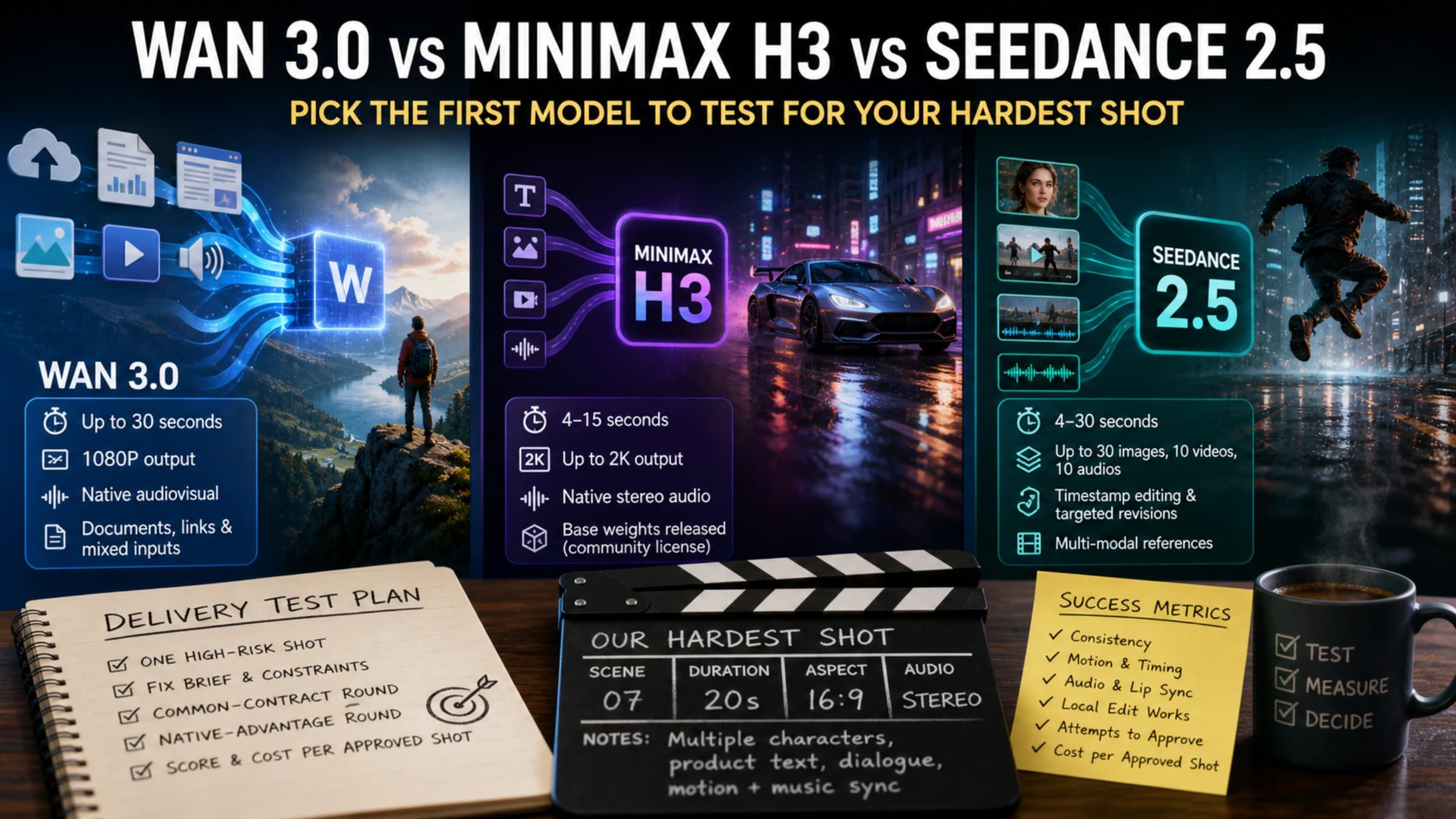
These specifications establish compatibility limits, not a visual-quality winner. They do not establish that Veo will preserve your mascot, reproduce the same camera motion, or speak a particular line more reliably than Sora. Test those requirements with the assets and scenes your product actually serves.
Longer scenes need a deliberate choice
If customers ask for 20 seconds, silently changing the request to eight seconds breaks the product even when the API succeeds. You can offer shorter shots, assemble multiple shots in an editor, or evaluate Veo's extension workflow. Each option changes either continuity, editing work, or the user experience.
Veo extensions operate on videos previously generated with Veo, add seven seconds at a time, and allow up to 20 extensions. The documented extension output is 720p. An existing Sora MP4 is not an interchangeable input for this feature. Veo video extension guide
Consequently, a continuous 20-second 1080p Sora job cannot be translated into a single equivalent Veo request. Decide whether the application can accept cuts or a different resolution before spending time on endpoint changes.
Preserve assets separately from provider IDs
Keep your original images, source clips, scene descriptions, and accepted outputs in your own storage. A Sora video ID identifies a job within OpenAI; it cannot identify a Google operation. The same applies to Sora character assets.
For Veo image-to-video, the input image defines the opening frame. When you need a specified ending frame, Google's Python interface uses last_frame together with image. Asset reference images serve a different purpose: they guide the appearance of the subject. These inputs are not interchangeable, and reference-image generation requires an eight-second duration. Veo image and frame controls
Reusing a still from your existing materials can give the next generation a starting point. It does not import the previous scene's motion, audio, or character history. Check the new output for those properties before treating the asset migration as complete.
Compare API costs at the same duration and resolution
The following are published generation prices in US dollars, checked September 5, 2026. Veo prices are for the Gemini Developer API paid tier with audio. OpenAI prices are for its native Sora API. Consumer subscriptions and third-party service prices are outside this comparison. Sora 2 pricing, Sora 2 Pro pricing, Veo 3.1 pricing
| Model and output | Per generated second | One eight-second video |
|---|---|---|
| Sora 2, 1280 × 720 or 720 × 1280 | $0.10 | $0.80 |
| Sora 2 Pro, 1280 × 720 or 720 × 1280 | $0.30 | $2.40 |
| Sora 2 Pro, 1792 × 1024 or 1024 × 1792 | $0.50 | $4.00 |
| Sora 2 Pro, 1920 × 1080 or 1080 × 1920 | $0.70 | $5.60 |
| Veo 3.1 Standard, 720p or 1080p | $0.40 | $3.20 |
| Veo 3.1 Standard, 4K | $0.60 | $4.80 |
| Veo 3.1 Fast, 720p | $0.10 | $0.80 |
| Veo 3.1 Fast, 1080p | $0.12 | $0.96 |
| Veo 3.1 Fast, 4K | $0.30 | $2.40 |
| Veo 3.1 Lite, 720p | $0.05 | $0.40 |
| Veo 3.1 Lite, 1080p | $0.08 | $0.64 |
The last column is arithmetic: eight seconds multiplied by the listed rate. Lite has no 4K option; do not assume it supports every workflow available in Standard or Fast.
For 100 successfully generated eight-second 720p videos, Sora 2 and Veo 3.1 Fast each total $80 at these rates. Veo 3.1 Standard totals $320. That makes the destination model a budget decision as well as an implementation decision; migrating to Veo does not automatically lower the bill.
Google says you are charged only when a video is successfully generated, and Veo has no free API tier. A successfully generated clip you reject because the motion or dialogue is wrong still belongs in your production costs. Google's Veo billing terms
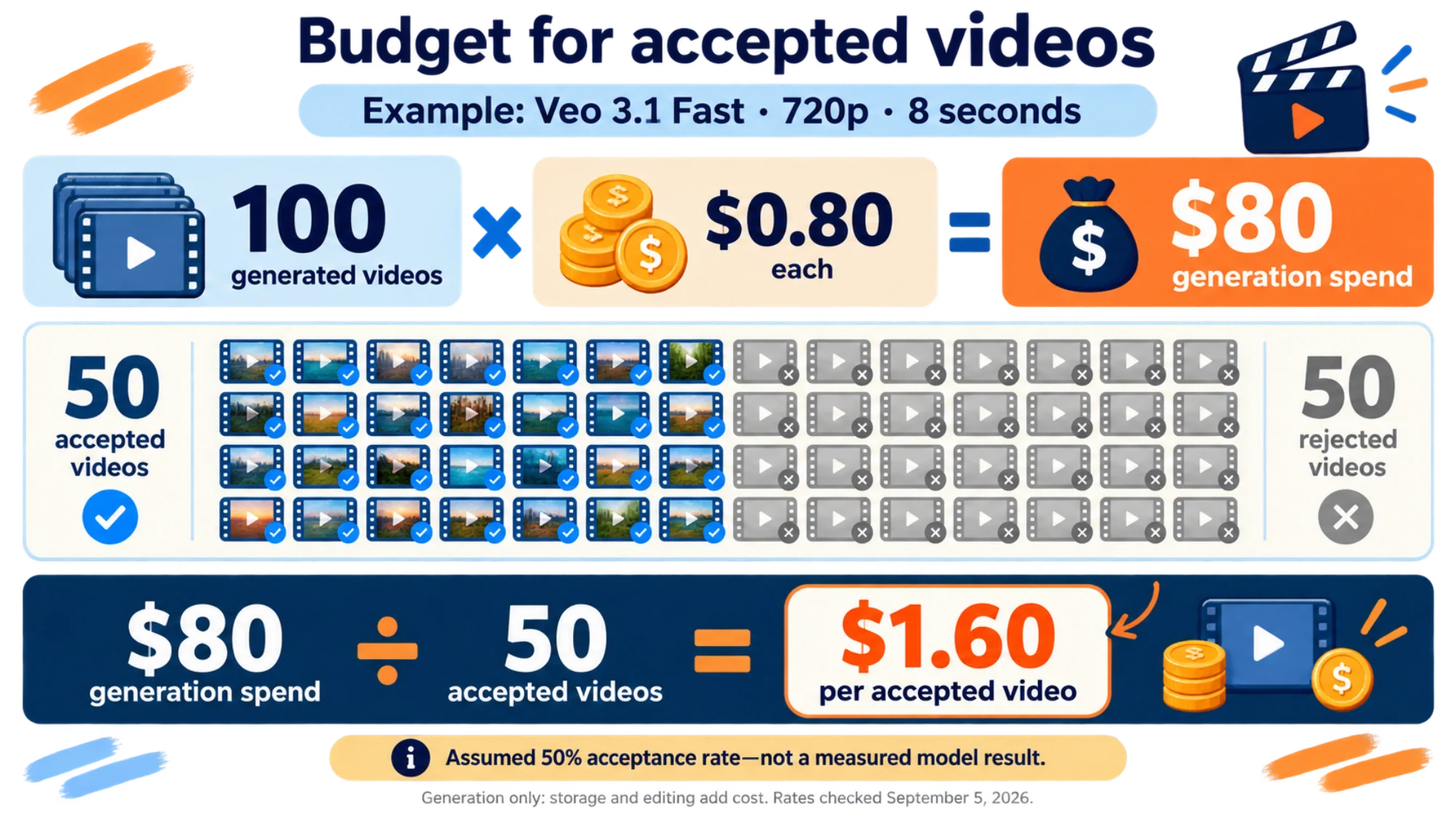
Track generation spend divided by accepted deliverables during your pilot. For example, if you generate 100 eight-second Fast videos at 720p and accept 50, the $80 generation bill works out to $1.60 per accepted video. The 50% acceptance rate is an example assumption, not a measured model result. Storage, editing, and any further generations would add to that cost.
Replace the video worker's protocol
An existing queue, customer job ID, storage bucket, and delivery page can often stay. The provider-specific calls and the interpretation of their results must change.
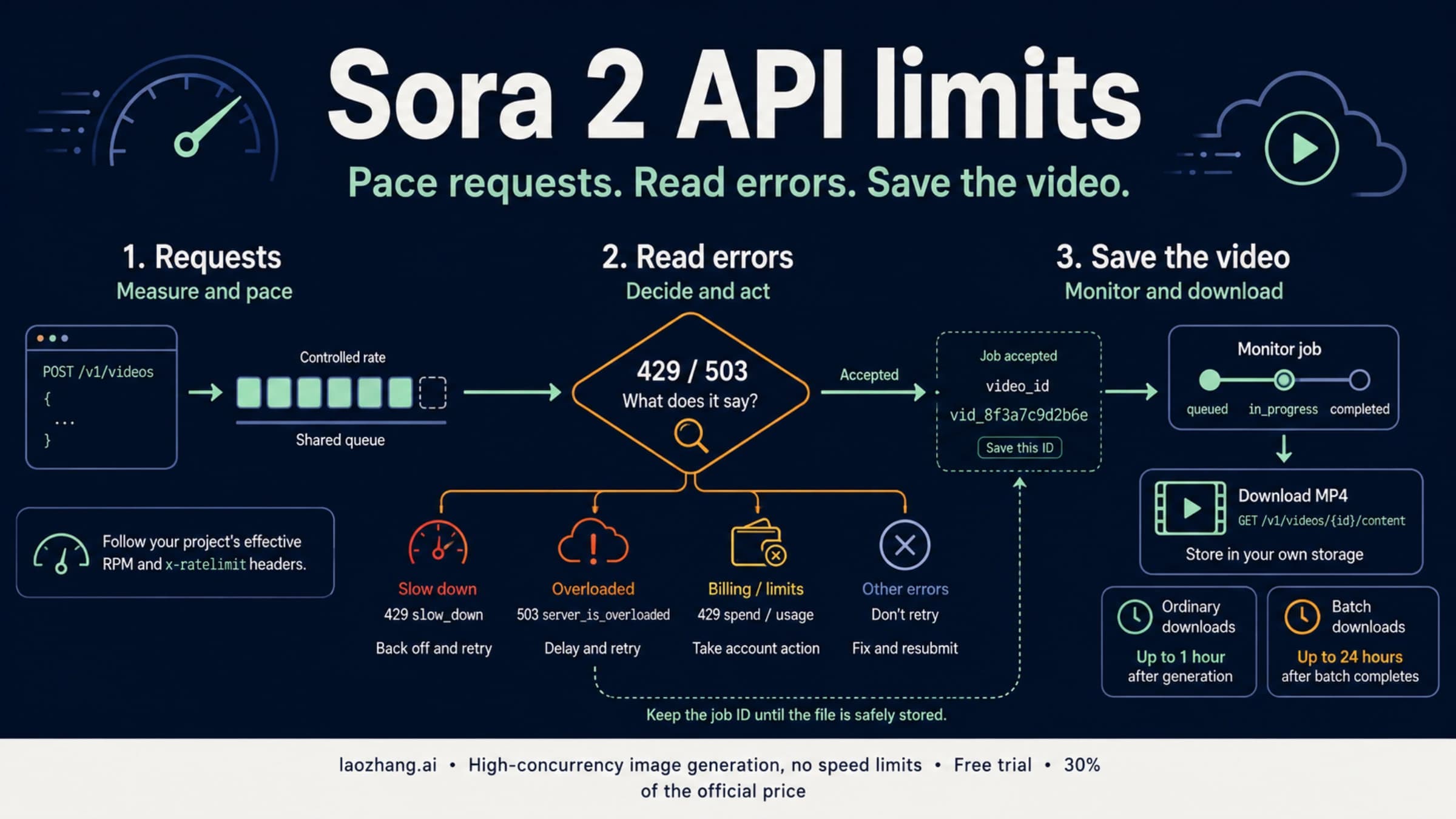
OpenAI's native video workflow creates a job at POST /v1/videos, checks its status at GET /v1/videos/{id}, and downloads completed output at GET /v1/videos/{id}/content. Its job states include queued, in_progress, completed, and failed. Applications can also receive video.completed or video.failed webhooks. OpenAI video lifecycle
The Gemini REST workflow instead uses predictLongRunning and an operation name. Polling returns done, then either an error or a generation response containing a download URI. The download is authenticated. Google's SDK wraps this workflow with generate_videos, operations.get, and files.download. Google's asynchronous video operations
| Worker responsibility | Native Sora API | Gemini Developer API |
|---|---|---|
| Authenticate | OpenAI API key | A Gemini API key for the eligible, billed project |
| Create | POST /v1/videos | POST /v1beta/models/veo-3.1-generate-preview:predictLongRunning |
| Persist provider identifier | Response id | Response name |
| Poll | GET /v1/videos/{id} | GET /v1beta/{operation_name} |
| Interpret termination | completed or failed | done, followed by inspection of error and output |
| Fetch media | GET /v1/videos/{id}/content | Authenticated request to the returned video URI |
The Gemini base host for these REST calls is https://generativelanguage.googleapis.com; its API-key header is x-goog-api-key. Do not reuse an OpenAI key or send the Sora request body to this endpoint.
Also inspect integrations that currently wait exclusively for OpenAI webhooks. Replacing the create call while leaving that worker untouched can produce completed Google operations that your application never collects. The example below uses polling throughout.
Generate, wait, and save with the Google SDK
Install the SDK with python -m pip install -U google-genai and make your Gemini API key available as GEMINI_API_KEY. The United States is on Google's supported-region list; project access and billing still need to be configured. Gemini API region availability
This documentation-based example creates one Standard 720p video. Running it can incur generation charges. Its 15-minute polling budget is an application choice, not a promised generation time. Use a new local directory for each new job.
pythonimport json
import os
import time
from pathlib import Path

from google import genai
from google.genai import types

client = genai.Client(api_key=os.environ["GEMINI_API_KEY"])
job_record = Path("veo-operation.json")
output = Path("veo-output.mp4")
partial = Path("veo-output.partial.mp4")

# Prevent a routine rerun from creating a second paid generation.
if job_record.exists() or output.exists():
    raise RuntimeError("Existing job found. Resume it instead of submitting again.")

operation = client.models.generate_videos(
    model="veo-3.1-generate-preview",
    prompt=(
        "An eight-second locked-off shot of a ceramic mug on a desk. "
        "Morning sunlight moves softly across the surface. "
        "Quiet room ambience, no dialogue."
    ),
    config=types.GenerateVideosConfig(
        aspect_ratio="16:9",
        resolution="720p",
    ),
)

# Save the returned name before waiting or downloading.
job_record.write_text(
    json.dumps({"operation_name": operation.name}, indent=2),
    encoding="utf-8",
)
print("Operation:", operation.name, flush=True)

deadline = time.monotonic() + 15 * 60
while not operation.done:
    if time.monotonic() >= deadline:
        raise TimeoutError(
            "Stopped waiting; the operation may still be running. "
            "Use the saved operation name to check it again."
        )
    time.sleep(10)
    operation = client.operations.get(operation)

if operation.error:
    raise RuntimeError(f"Generation failed: {operation.error}")

videos = (
    operation.response.generated_videos
    if operation.response else None
)
if not videos or not videos[0].video:
    raise RuntimeError("Operation finished without a downloadable video.")

client.files.download(file=videos[0].video, destination=str(partial))
if not partial.exists() or partial.stat().st_size == 0:
    raise RuntimeError("Download did not produce a nonempty file.")

partial.replace(output)
print(f"Saved {output}; validate playback before delivering it.")
The SDK calls and configuration follow Google's video generation examples. The file guard, saved operation name, polling budget, and partial-file rename are application safeguards added here. The example is a single-job demonstration, not a durable queue worker: the file guard does not coordinate concurrent processes, and a lost create response can still leave the submission outcome unknown.
If polling or downloading fails after the operation name has been saved, retrieve that operation again rather than rerunning creation. At REST level, use the saved name with GET https://generativelanguage.googleapis.com/v1beta/{operation_name} and the x-goog-api-key header. For successful completed operations, the REST video URI is under response.generateVideoResponse.generatedSamples[0].video.uri; an error must be handled before reading that field. REST polling and download example
In a production worker, save the provider name, exact model ID, operation name, request settings, customer job ID, and storage location in your database. Claim each application job once before submission. Keep failed reads and downloads attached to that same job so recovery does not accidentally create another generation.
Make delivery and retries part of the cutover
A completed operation is not yet a delivered video. Google's servers retain generated videos for two days, so download promptly into storage you control. Saving the provider's temporary URI as the permanent customer asset is insufficient. Veo retention limits
Before marking a job deliverable, verify that the saved file contains a decodable video stream, has the requested dimensions and duration, and plays through without truncation. Check the audio stream as well as listening to the result. A nonempty file check, such as the one in the example, catches an empty download but cannot establish any of those properties.
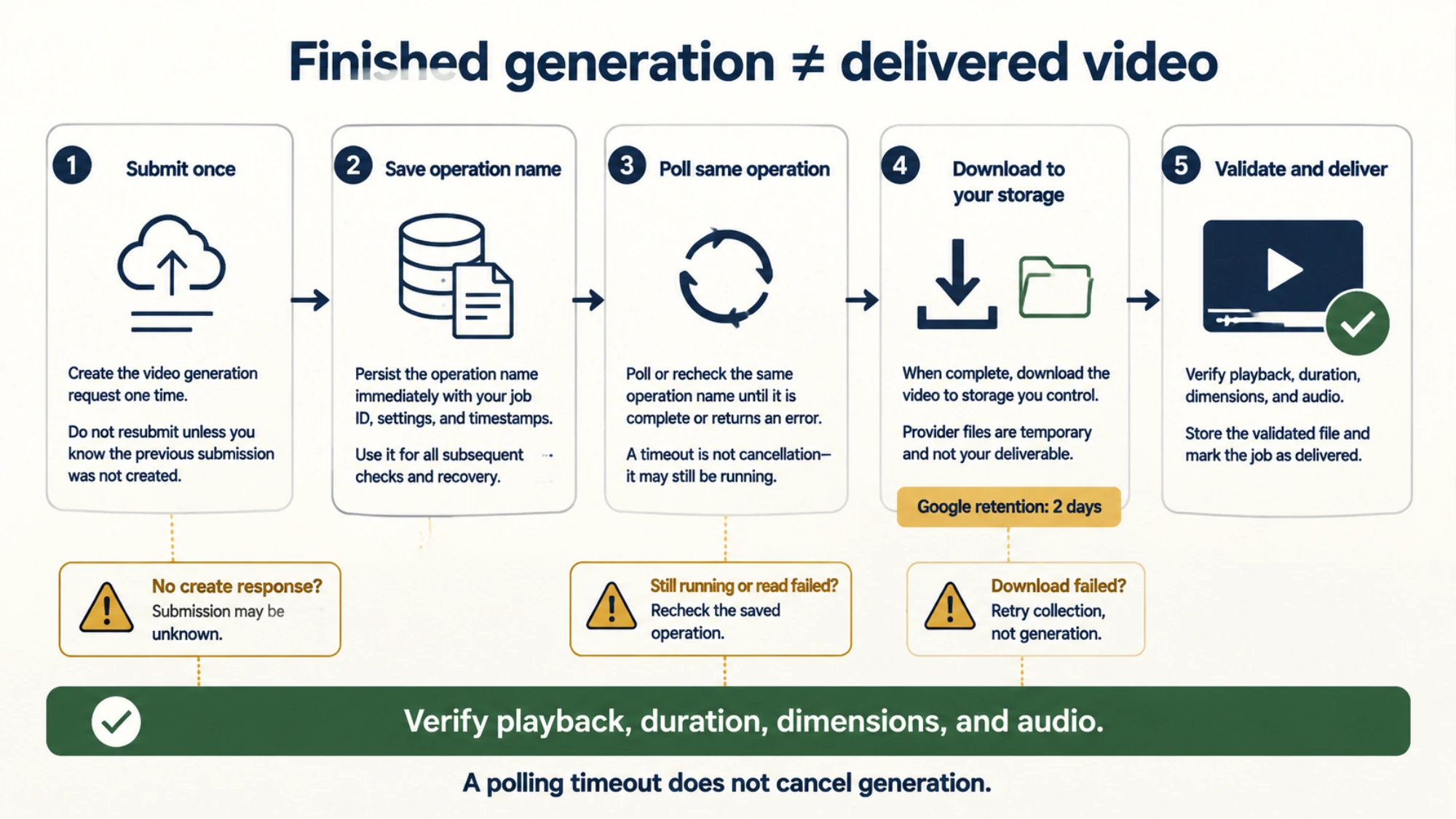
Separate recovery by the point of failure:
- Create returned no usable response: the submission outcome may be unknown. Record that uncertainty and investigate before a fresh paid submission; a timeout does not establish that Google rejected the job.
- A saved operation is still running: continue checking that operation. Exceeding your polling budget does not cancel it.
- Polling encountered a temporary network error: retry the read with bounded backoff, keeping the operation name unchanged.
- Generation terminated with an error or no video: record the returned details. Audio processing or safety filtering can block output; do not keep resubmitting the unchanged request automatically.
- Generation succeeded but the download failed: retry collection of that output within its retention window. A storage failure does not mean the generation itself failed.
Google documents audio-related generation failures in its Veo limitations. The retry distinctions above follow from the asynchronous workflow; they are engineering recommendations, not a promise of cancellation or duplicate-request protection from either provider.
For the cutover, take a sample of real requests spanning your supported durations, aspect ratios, source-image types, camera motion, and audio needs. Define what counts as acceptable before reviewing results. Compare the delivered files, time to a saved result, and spend per accepted video. English is fully supported according to Google, but that is not a guarantee that every spoken line will be accurate. Veo language support
Move an initial portion of eligible jobs to Veo, verify that operation names and stored outputs reconcile with customer jobs, and then expand. Unsupported requests should receive a clear product choice—for example, a shorter shot—rather than being silently shortened. Drain existing Sora jobs and save needed outputs before the scheduled API removal. A rollback plan that depends on Sora cannot extend beyond that removal date.
What an API gateway can simplify
If your application already uses a gateway, inspect that service's video API before deciding how much code must change. A shared key or normalized job schema can be useful, but compatibility belongs to that service; it is not a property of the native OpenAI and Gemini video APIs.
LaoZhang's API documentation lists an asynchronous video generation API with Veo 3.1 and unified authentication. For an existing LaoZhang integration, use its documented video workflow to check the request format, job identifier, polling response, and download behavior. Determine pricing from that service's applicable model terms instead of importing the Google prices above.
Whether you call Google directly or use a gateway, the acceptance criterion stays concrete: a customer request becomes a correctly sized, playable video saved to your storage, and the corresponding job and cost can be traced. That is the point at which the Sora-to-Veo migration is ready for your workload.