Best ChatGPT Alternatives for AI Image Editing in 2026
Choose the right AI editor for an uploaded image: simple chat edits, preserve-first work, free recurring routes, text-heavy layouts, design canvases, APIs, and open models.
On this page
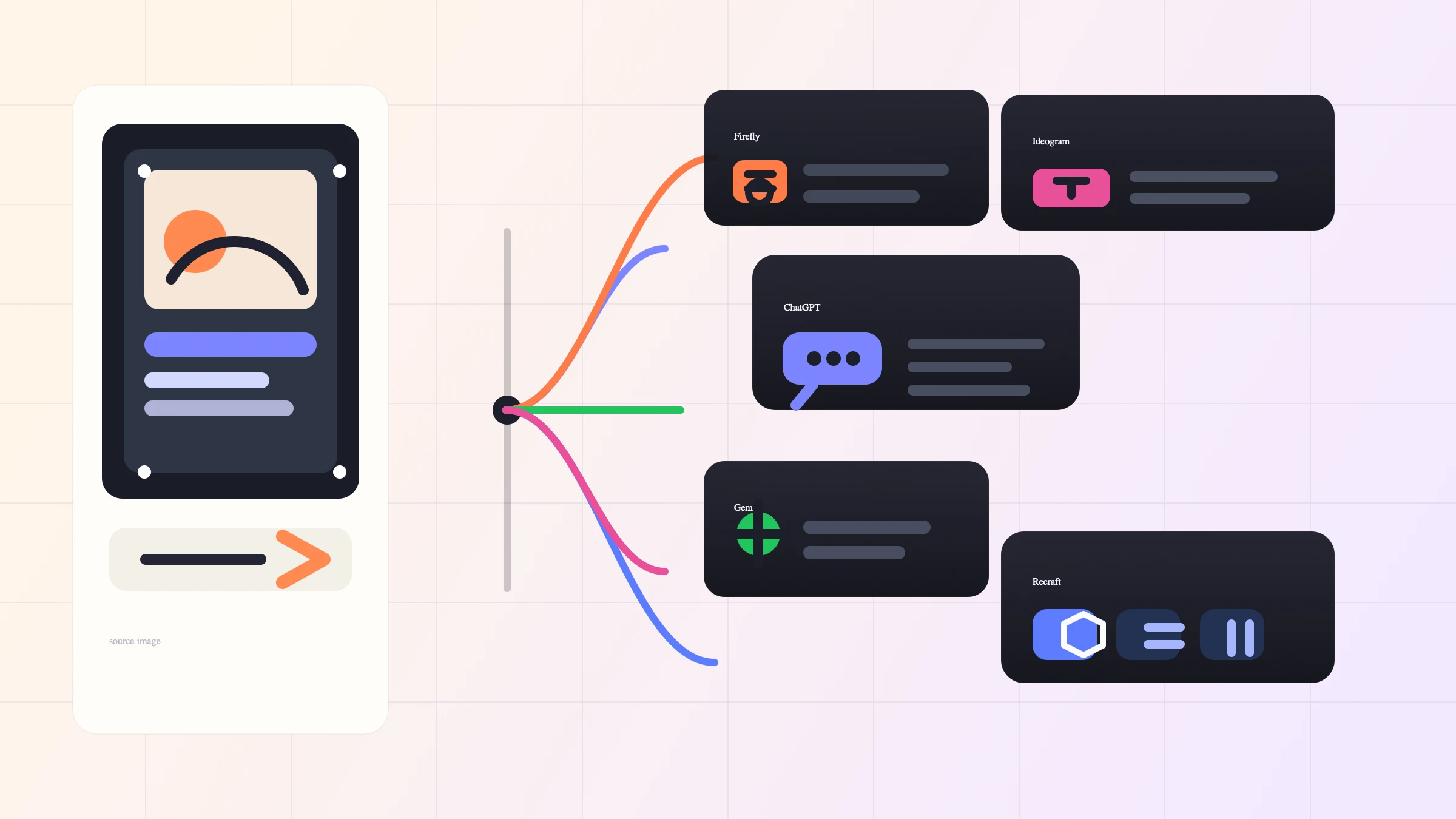
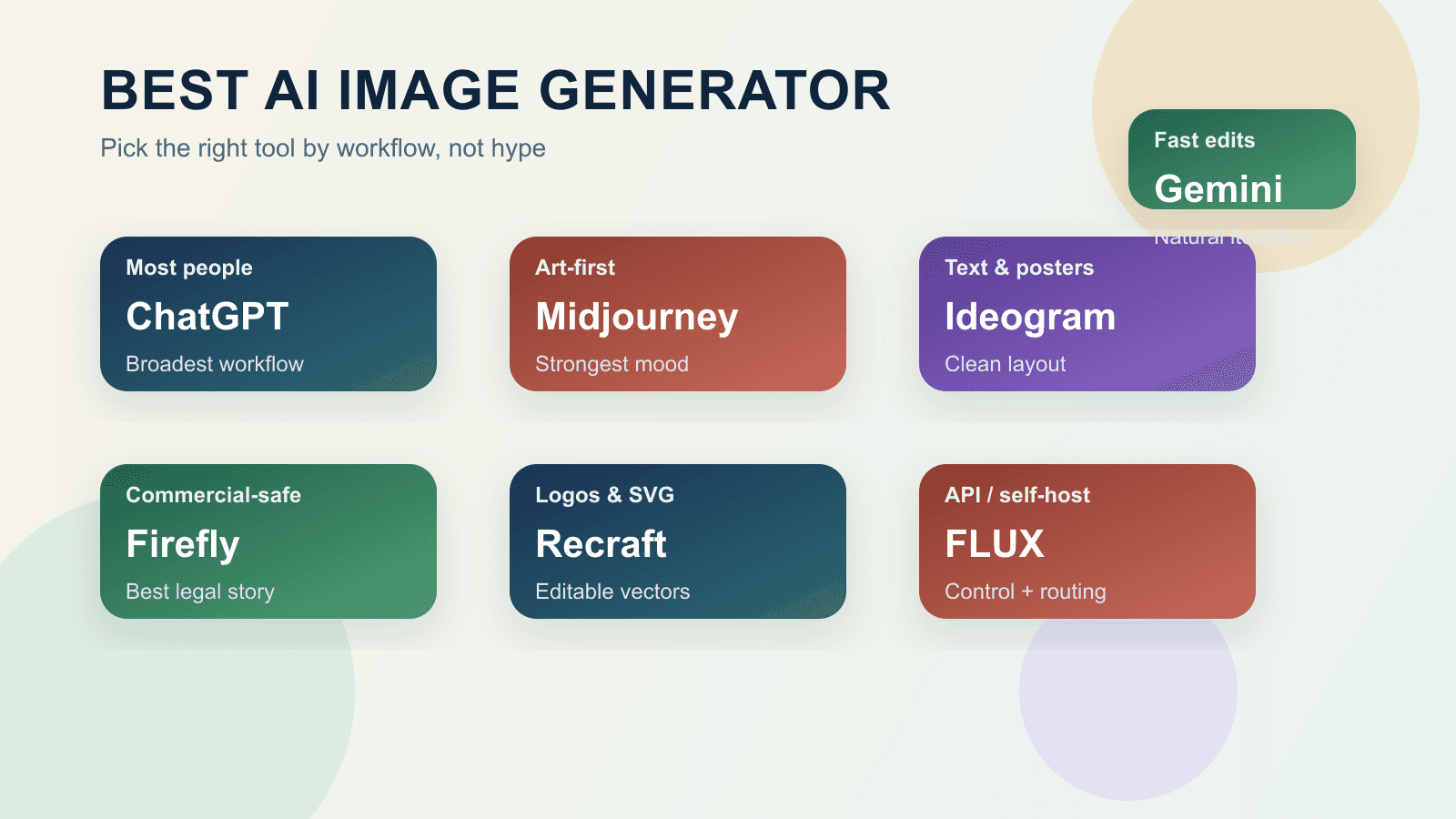
If you want a ChatGPT alternative for AI image editing, do not start with a universal "best tool" list. Start with the edit contract. ChatGPT Images is still the easiest default for simple conversational edits, but Gemini, Adobe Firefly, OpenArt/Felo, Recraft, Ideogram, API routes, and open models each win different jobs when the same uploaded image needs different control.
| Your editing job | Open first | Why this route fits | Stop rule |
|---|---|---|---|
| Quick conversational edits | ChatGPT Images | Lowest-friction upload, prompt, and iterate loop | Switch if preservation, text, or layout matters more than speed |
| Chat-style alternative workflow | OpenArt or Felo | Familiar prompt flow with wrapper-style model menus | Verify the current model menu, privacy terms, and credits before relying on it |
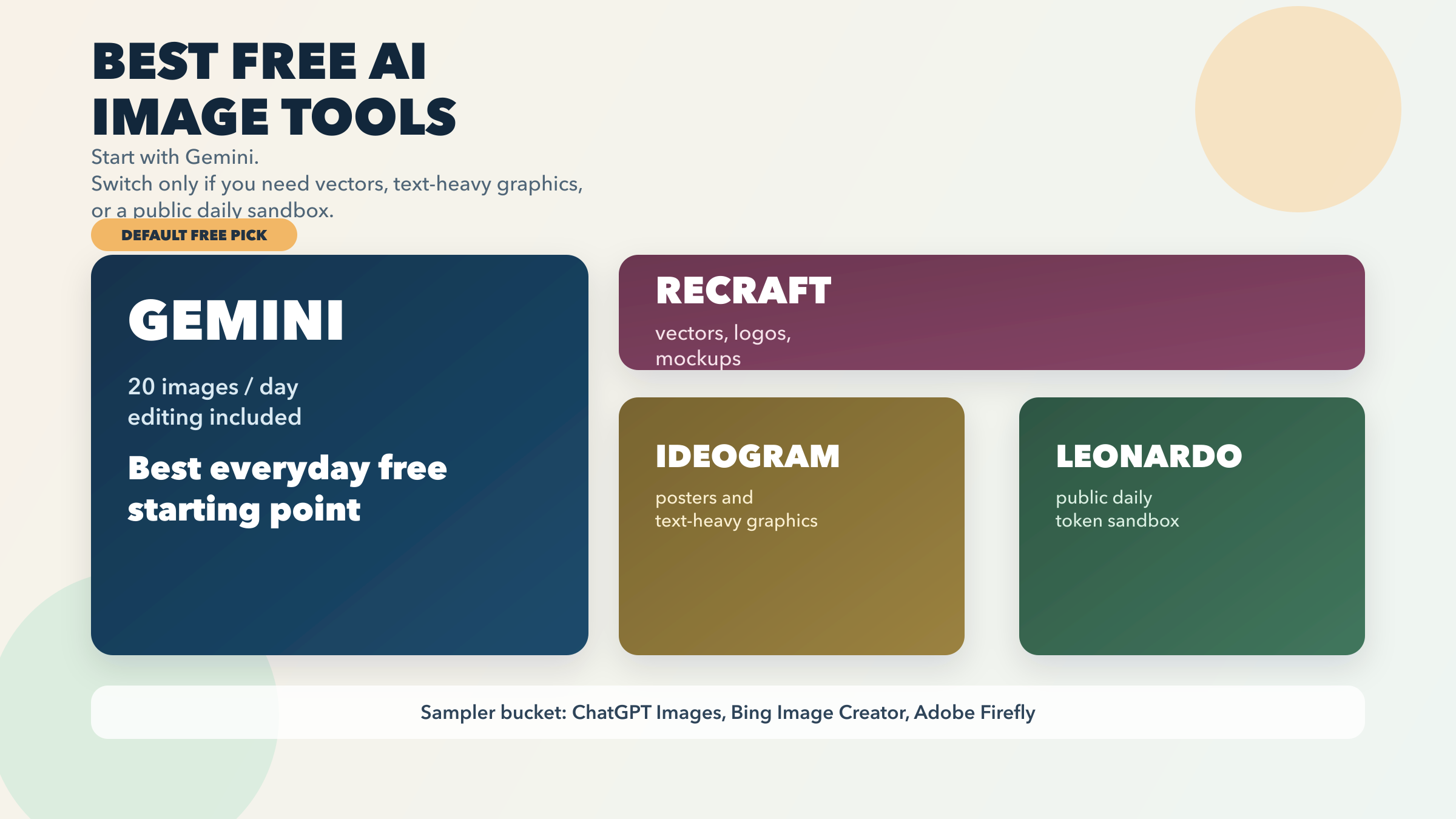
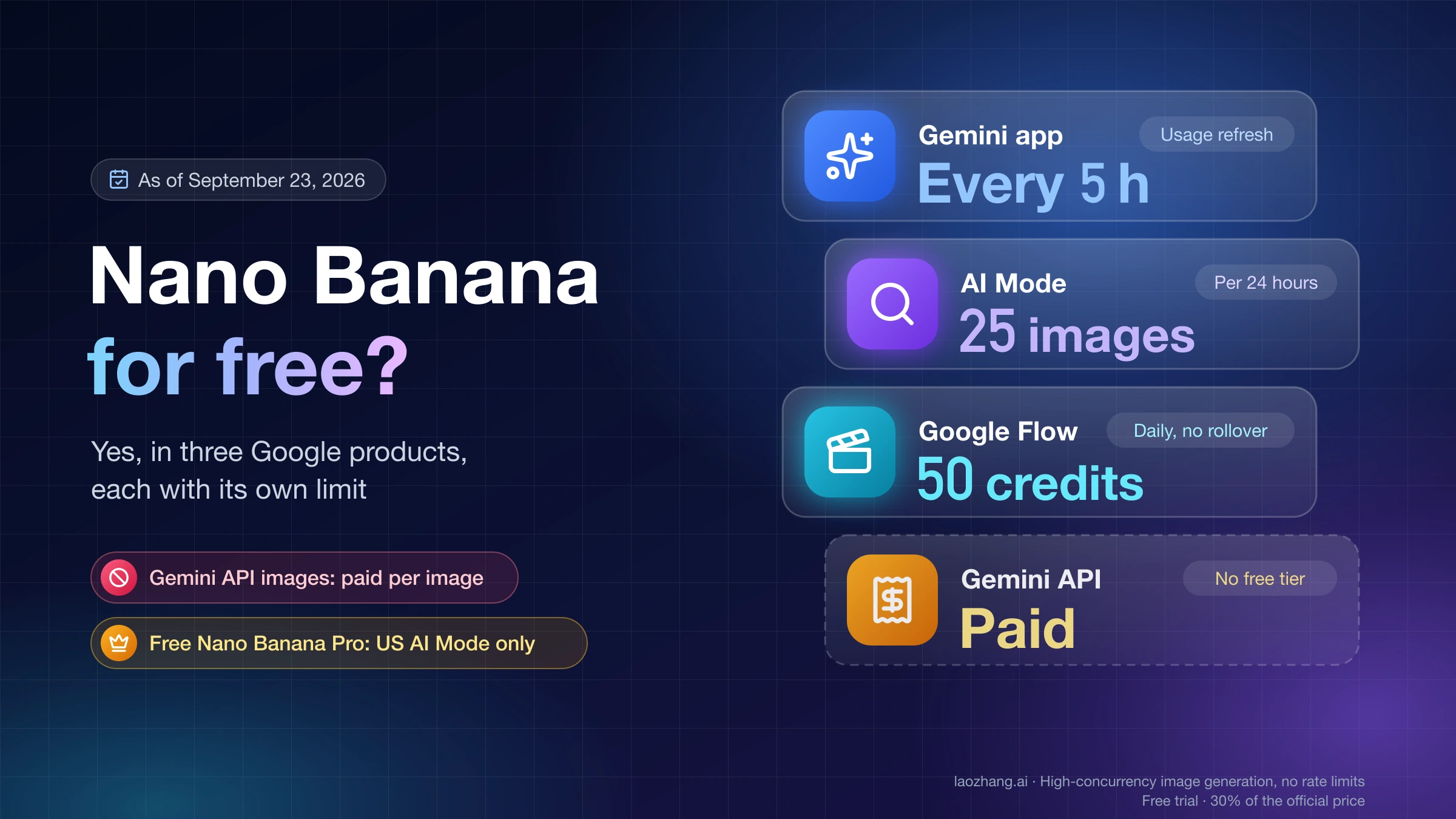
| Free recurring experiments | Gemini / Nano Banana | Strong Google app route for fast image edits and concept tests | Treat limits and access as changeable |
| Preserve-first work | Adobe Firefly | Better fit when faces, product labels, or brand details must stay intact | Stop if identity, labels, or small text drift |
| Text, poster, or design layout | Recraft or Ideogram | Better canvas, typography, reference, and export workflows | Check plan gates and export needs before starting real work |
| Scale, API, or open control | OpenAI API, Recraft API, FLUX Kontext, or Qwen-Image-Edit | More control for automation, model choice, or local/open experiments | Test setup, rights, cost, and repeatability before production |
Limits, plan gates, model menus, and wrapper capabilities change, so treat every route as current only after you check the live tool menu. The durable rule is simpler: choose the route by what must stay the same in the uploaded image.
Before you migrate a real project, run the same uploaded image through the candidate route with one small edit. If identity, labels, readable text, or product details drift, do not scale that route; switch to a preserve-first editor or a different access lane.
Why Alternatives Differ
AI image editing is not one job. A tool can be excellent at turning a rough uploaded image into a new style and still be weak when the face, label, product shape, or brand mark must survive. Another tool can be strong at masking and local edits but annoying for fast creative play. A wrapper can make several models feel simple, but the wrapper does not own every model it exposes. An API can scale, but it adds cost, safety, file handling, and repeatability work.
The practical split is preserve-first versus restyle-first.
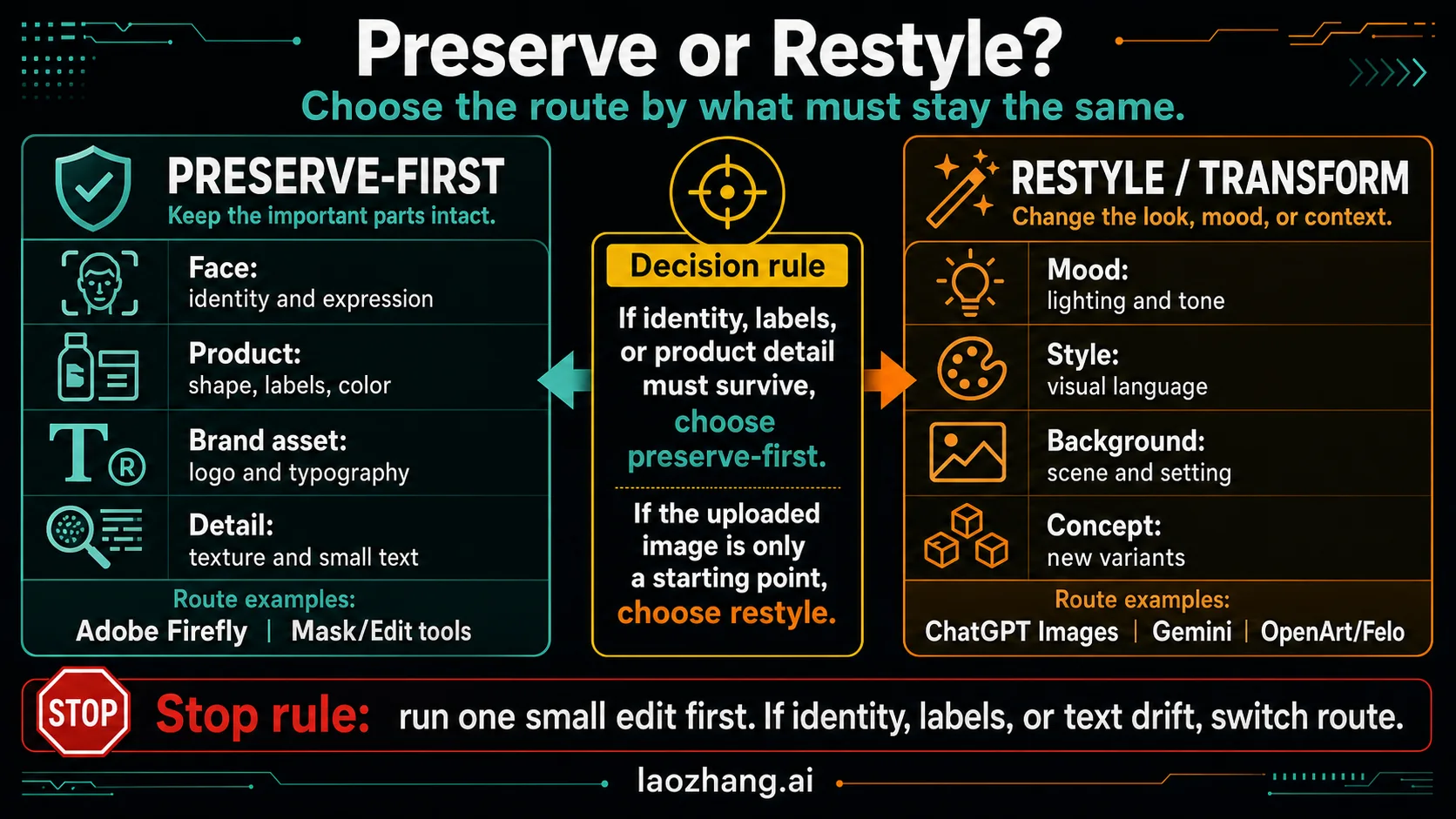
Use a preserve-first route when the image is already valuable: a product photo, a person, a client asset, a brand visual, a screenshot-like layout, or any image where small mistakes matter. Use a restyle route when the uploaded image is more like a starting sketch: you want mood, lighting, composition, or concept variations and can tolerate interpretation.
That distinction matters more than the model name. If the job is "make the jacket black and keep the person recognizable," you need a route that protects identity and local detail. If the job is "turn this room into a cozy cyberpunk lounge," a more creative route can be better because the goal is transformation.
Route 1: ChatGPT Images
Use ChatGPT Images when the edit is conversational, low-risk, and easier to describe than to mask manually. OpenAI's Help Center says ChatGPT can edit existing images after you upload one, describe the change, and use the Select tool for targeted edits. The same help page also says ChatGPT Images can follow precise instructions, add text, add details, and make backgrounds transparent where supported: Creating images in ChatGPT.
That is why ChatGPT remains the default route for many everyday edits:
| Use ChatGPT first when | Avoid ChatGPT first when |
|---|---|
| You want to upload, describe, inspect, and revise in one chat | The original face, product label, or exact layout must be protected |
| The edit is small, such as background cleanup, mood change, object removal, or style variation | You need a fixed canvas workflow with layers, exports, and design review |
| Speed and comfort matter more than repeatable production control | You need an API, batch workflow, or local model control |
| The output is a draft, social visual, concept, or personal asset | Legal, brand, medical, product, or client-sensitive detail cannot drift |
The free tier needs special caution. OpenAI's Free Tier FAQ lists image creation as available to free users, but it also says tool limits are separate from the text limit and that users must wait when a tool-specific limit is reached: ChatGPT Free Tier FAQ. Do not plan production work around a fixed free image count unless the live account screen shows it at the moment you work.
Route 2: Chat-Style Wrappers
OpenArt and Felo are useful when you want a ChatGPT-like editing surface but also want model menus, style presets, or creative exploration in one place. OpenArt's chat image editor currently presents chat-based editing with Gemini, OpenAI, Flux Kontext, Qwen Image Edit, and other model options: OpenArt AI Image Editor. Felo's AI Image page emphasizes plain-language generation, several model routes, visual styles, and browser-based editing actions: Felo AI Image.
Treat these as wrapper routes, not as model owners. A wrapper can be the fastest way to compare several engines, but it also adds another contract layer:
| Check before relying on a wrapper | Why it matters |
|---|---|
| Which model is actually selected for the edit | Model menus change, and names can be mapped differently across tools |
| Whether uploaded images can be deleted, kept private, or reused | Image editing often includes personal, product, or client files |
| Credit cost for each model and retry | A cheap first generation can become expensive after three failed edits |
| Export resolution and watermark behavior | Good previews can fail when you need final assets |
| Whether the wrapper supports masks, references, or only full-image prompts | A chat box alone does not guarantee preservation control |
Use wrappers for exploration, mood boards, quick comparisons, and one-off creative tasks. Avoid them for sensitive client assets until you verify data handling, model route, plan terms, and export quality.
Route 3: Gemini And Nano Banana
Gemini is the right route when the question is not "which tool feels most like ChatGPT?" but "which Google image route can I keep using for fast edits and experiments?" Google's Gemini image overview positions Nano Banana as an image generator and photo editor that can create images and edit photos, including uploading an image to edit: Gemini image generation overview. Google's Gemini API documentation also describes Nano Banana as Gemini's native image generation capability for conversational image creation, editing, and iteration with text and images: Nano Banana image generation.
The useful part is the route shape: Gemini can be a fast app route for uploaded-image changes, creative variations, and recurring experiments. It is especially attractive when a reader wants a non-ChatGPT path that does not immediately require a design canvas or developer setup.
The risk is limit language. Google's Gemini Apps limits page says limits are compute-based, refresh on a schedule until weekly limits apply, and may change without notice because of capacity: Gemini Apps limits and upgrades. That means a responsible recommendation is "good route to test," not "stable unlimited free editor."
Use Gemini when:
- You want fast concept edits and are comfortable with Google account access.
- The uploaded image can be transformed creatively, not preserved pixel-for-pixel.
- You want to compare a Google route against ChatGPT without setting up an API.
- You can tolerate changing limits, model menus, and subscription gates.
Avoid Gemini as the only route when the job is a client product edit, a legal or medical visual, an exact text correction, or a workflow that must run the same way every week without checking the live limit screen.
Route 4: Adobe Firefly
Use Adobe Firefly when the original image matters more than the novelty of the transformation. Adobe's current Firefly help page says the image editor can upload an image and use text prompts to add, remove, modify, or transform objects and backgrounds, with the goal of precise, visually consistent edits: Edit images using text prompts.
That makes Firefly the preserve-first recommendation in this set. It is not always the fastest or most playful route, but it fits jobs where drift is expensive:
| Preserve-first job | Why Firefly fits |
|---|---|
| Product photo cleanup | The product shape, label, material, and color need protection |
| Portrait or people edits | The likeness should not become a new person |
| Background replacement | The subject should survive while the setting changes |
| Brand or ecommerce visual | The image needs reviewable, conservative changes |
| Local object change | Add, remove, or modify a region without reinventing the entire scene |
Firefly also has its own model menu and credit mechanics, so the same caveat applies: check the current plan and generation cost before scaling. The reason to open Firefly first is not that it is magic. The reason is that its editing shell is built around controlled image modifications instead of only conversational restyling.
Route 5: Recraft And Ideogram
Recraft and Ideogram are the strongest routes when the uploaded image needs to become design work, not merely an edited photo.
Recraft fits reference-heavy and canvas-heavy work. Its documentation says imported images can be used for prompt-based editing, reference generation, vectorization, background removal, mockups, outpainting, custom styles, and upscaling: Recraft importing docs. Recraft's natural-language editing docs also describe targeted edits with integrated external models such as Nano Banana, GPT-4o, Seedream, Flux Kontext, and Qwen-Image, plus optional reference images: Editing images with natural language.
Open Recraft when the job includes one or more of these:
- A product or brand asset needs variants, not just one edit.
- You need references, custom styles, vectorization, outpainting, or mockups.
- You want to compare model routes without leaving the same design workspace.
- The final image may become a campaign visual, social asset, ecommerce image, or presentation graphic.
Ideogram fits text and poster-style work. Its Canvas feature page describes an infinite creative board with Magic Fill, Extend, uploaded images, and advanced text rendering, with uploaded-image editing tied to Plus or Pro access: Ideogram Canvas. Ideogram's docs also describe Canvas tools for Generate, Remix, Magic Fill, Extend, Text, and final export: Canvas overview.
Open Ideogram when the edited image must behave like a graphic: poster, ad, label, thumbnail, card, campaign concept, or layout with readable words. Avoid it as the first stop for a quick casual cleanup if the uploaded-image route or plan gate is more friction than the job deserves.
Route 6: API Or Open Model
Use an API or open/local model when the editing route needs to be repeatable, programmable, or owned by your workflow rather than a consumer app. This route is not for everyone, but it is the right answer when you need batch jobs, product pipelines, integration tests, audit logs, custom UI, or local experimentation.
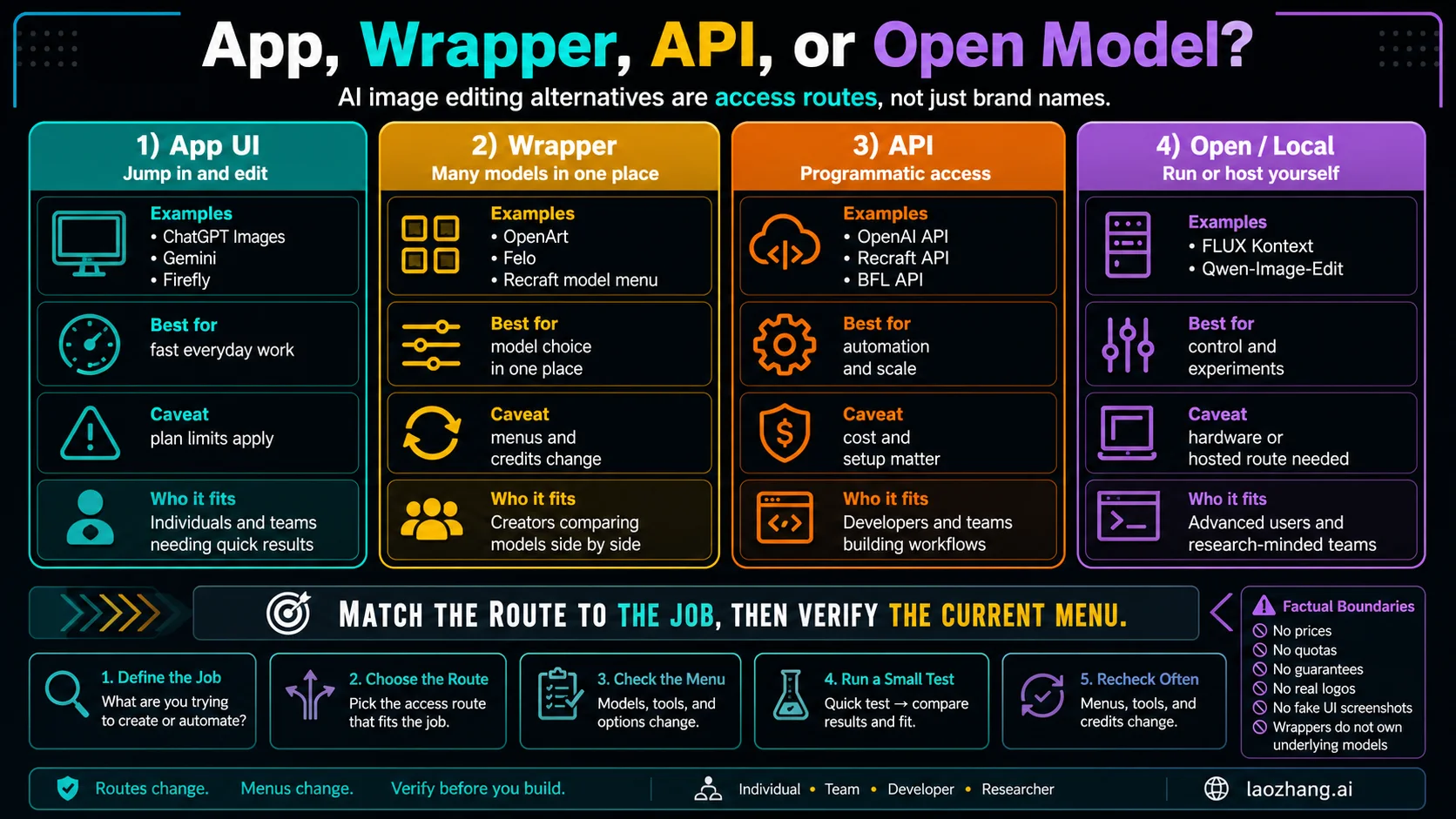
The OpenAI API is the cleanest first-party route if the job belongs in an application. OpenAI's image generation docs say the Image API provides generation and edits endpoints, and the edit endpoint can modify existing images, use images as references, and edit masked regions. The same docs say the Responses API is better for conversational, multi-turn image experiences: OpenAI image generation docs.
Choose the OpenAI API route when:
- You need a controlled application workflow rather than a manual chat session.
- A single image edit can be modeled as input image plus prompt or mask.
- You need logging, retries, and cost tracking.
- Your team can handle API keys, file storage, content policy, and output review.
Choose an open or local route when the problem is control, research, privacy, or experimentation. Black Forest Labs positions FLUX.1 Kontext as an image generation and editing family, with FLUX.1 Kontext [dev] available as open weights and capable of running on consumer hardware: FLUX.1 Kontext. Qwen's repository and model pages position Qwen-Image and Qwen-Image-Edit around complex text rendering and precise image editing: Qwen-Image on GitHub and Qwen-Image-Edit.
The power route has a high setup tax. You need hardware or hosted inference, license review, model-specific prompts, safety checks, and a way to measure whether the output is actually better than an app route. Use it when those costs buy something real: privacy, automation, specialized editing, custom evaluation, or open experimentation.
The Same-Image Test
Do not switch image editors because one demo looks good. Test the same uploaded image, the same edit, and the same success criteria across candidate routes.
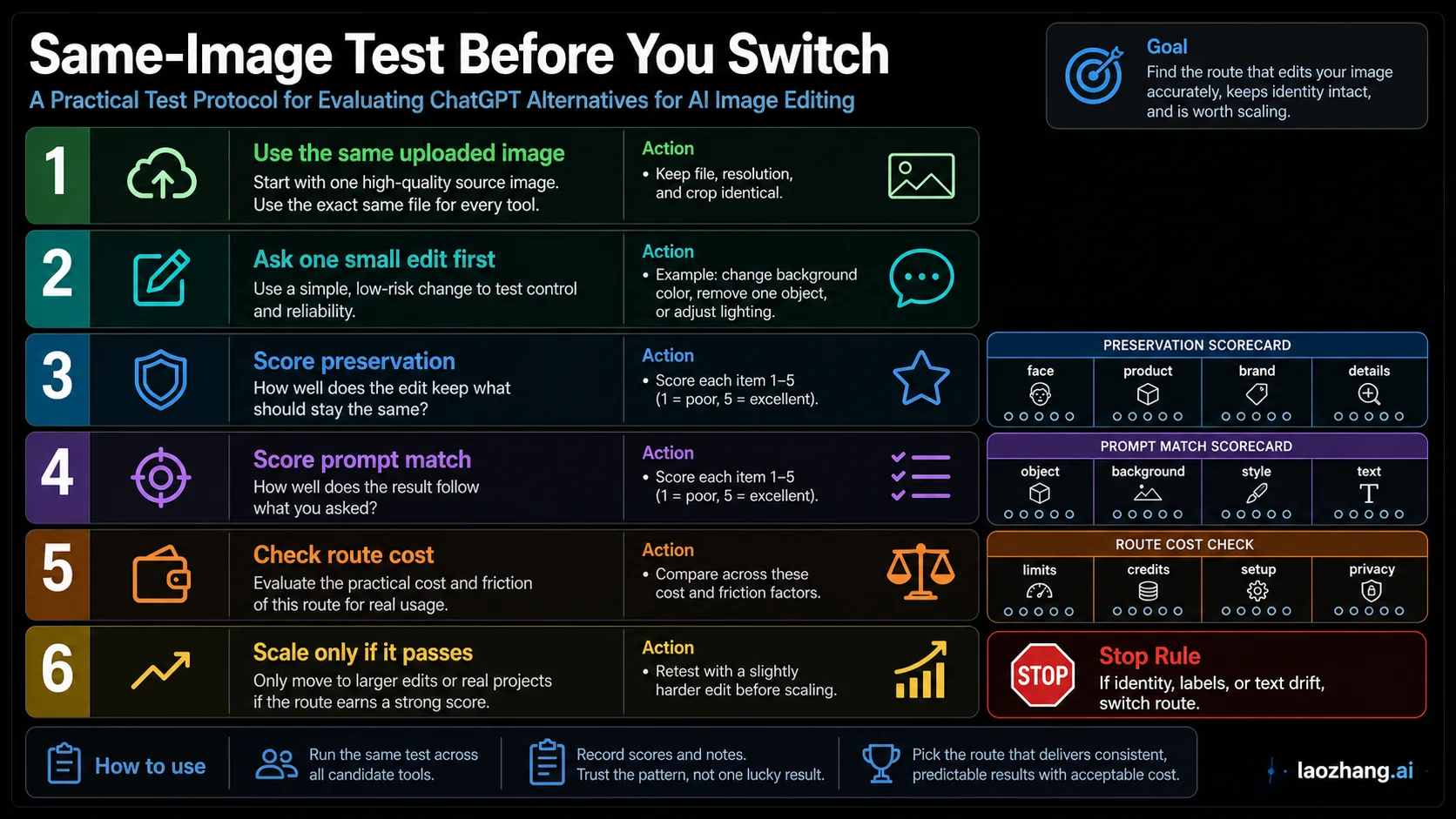
Use this test before paying, migrating, or building around a tool:
- Pick one high-quality source image.
- Ask for one small edit first.
- Keep the prompt short and identical across routes where possible.
- Score preservation before you score style.
- Repeat with a slightly harder edit.
- Scale only if the route stays consistent.
| Score | What to inspect | Fail condition |
|---|---|---|
| Preservation | Face, product shape, logo, label, composition, small details | The subject looks reinterpreted instead of edited |
| Prompt match | The requested object, color, background, or mood actually changed | The model made a pretty image but missed the instruction |
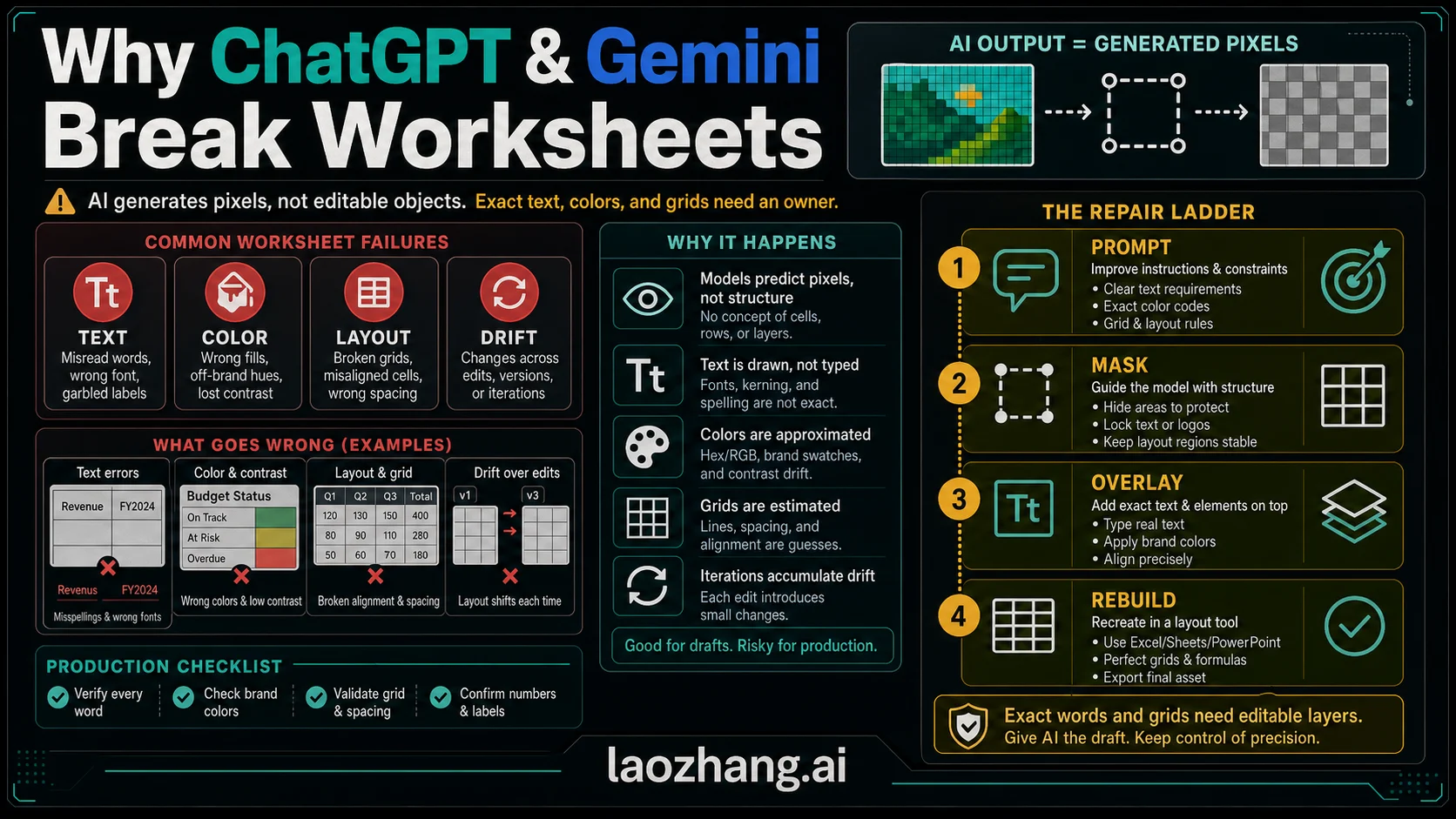
| Text handling | Any label, poster word, UI-like text, or typography remains readable | Text becomes fake, misspelled, or layout-breaking |
| Artifacts | Hands, edges, masks, shadows, reflections, and seams | The edit draws attention to itself |
| Repeatability | A second run can produce a similar usable result | The first result was a lucky sample |
| Cost and friction | Credits, plan gate, upload time, exports, privacy, API setup | The workflow is too expensive or too brittle for the real job |
For most people, this test will produce a mixed result. That is expected. One route may preserve a face better, another may make a stronger poster, and another may be easier to use repeatedly. The winner is the route that passes the job's minimum bar with the least friction.
Prompt Patterns That Travel Well
The best prompt is not a magic paragraph. It is a short instruction that tells the route what must change, what must stay, and how to judge the result.
For preserve-first edits:
Edit the uploaded image only in the selected area. Change [specific object or background]. Keep the person's identity, facial expression, clothing shape, product label, lighting direction, and camera angle unchanged. If the label or face cannot stay stable, make a minimal edit instead of replacing the image.For restyle edits:
Use the uploaded image as the starting composition. Transform the mood into [style or setting]. Keep the main subject recognizable, but allow lighting, background, texture, and color palette to change. Do not add text unless requested.For text or poster work:
Turn the uploaded image into a clean [poster/banner/card] layout. Preserve the main subject. Add only this exact text: "[short text]". Keep the text large, readable, and spelled exactly. Leave empty margin around the text for cropping.For API tests:
Make one controlled edit to the input image: [exact change]. Preserve identity, product shape, brand label, camera angle, and background geometry unless explicitly changed. Return a production-safe result without extra objects or decorative text.The prompt should change less than the route. If you rewrite the prompt for every tool, you are no longer comparing editors; you are comparing your own ability to adapt to each interface.
Where Each Route Fails
ChatGPT Images can fail when the job needs rigid preservation. If a face, product label, or exact layout keeps drifting, switch to a preserve-first or mask-driven route instead of asking the same chat for five more regenerations.
Gemini can fail when limit, model, or app-surface availability changes mid-project. Treat it as a strong experiment route, not a fixed production contract unless your account plan and workflow are stable.
OpenArt, Felo, and similar wrappers can fail when the visible model menu changes, credit behavior surprises you, or data terms are unclear. Use them for discovery and comparison, then verify the underlying route before committing sensitive work.
Firefly can fail when the job is not actually preservation work. If you want a wild style transformation or quick creative play, Firefly's controlled editing shell may feel heavier than a chat route.
Recraft can fail when the user only needs one simple edit. Its canvas and model options are valuable when the image becomes a design project, but extra workflow can slow a casual fix.
Ideogram can fail when uploaded-image editing or export behavior is gated behind the wrong plan for your task. It shines on text and layout, but plan friction matters.
API and open/local routes can fail when the setup is larger than the edit. If you do not need automation, privacy, repeatability, or custom evaluation, a consumer app may be the better engineering decision.
Current Links To Check Before You Pay
Use official pages for product facts and vendor pages for current menus. Do not let a forum post, video demo, or model leaderboard override the live contract of the route you are about to use.
| Route | Check these pages before scaling |
|---|---|
| ChatGPT Images | Creating images in ChatGPT, ChatGPT Free Tier FAQ |
| OpenAI API | OpenAI image generation docs |
| Gemini / Nano Banana | Gemini image generation overview, Gemini Apps limits, Gemini API image generation |
| Adobe Firefly | Edit images using text prompts, AI Markup |
| OpenArt and Felo | OpenArt chat image editor, Felo AI Image |
| Recraft | About importing, Natural language editing, External models |
| Ideogram | Ideogram Canvas, Canvas overview, Image upload |
| Open and local models | FLUX.1 Kontext, FLUX.1 Kontext dev, Qwen-Image, Qwen-Image-Edit |
If your actual job is broader text-to-image generation rather than editing an uploaded image, use the broader AI image model comparison. If the job is mainly outpainting or expanding a frame, use the focused AI image expansion workflow.
FAQ
What is the best ChatGPT alternative for AI image editing?
The best alternative depends on the edit contract. Use Gemini for fast Google-route experiments, Firefly for preserve-first edits, OpenArt or Felo for chat-style wrapper exploration, Recraft or Ideogram for design and text layouts, and API or open-model routes for programmable control.
What is the best free ChatGPT alternative for editing images?
Gemini is the first route to test when free recurring access matters, but do not treat any free limit as permanent. Google's own limits page says Gemini Apps limits are compute-based and may change without notice. Check your account's live usage screen before planning real work.
Which route is best for realistic photo editing?
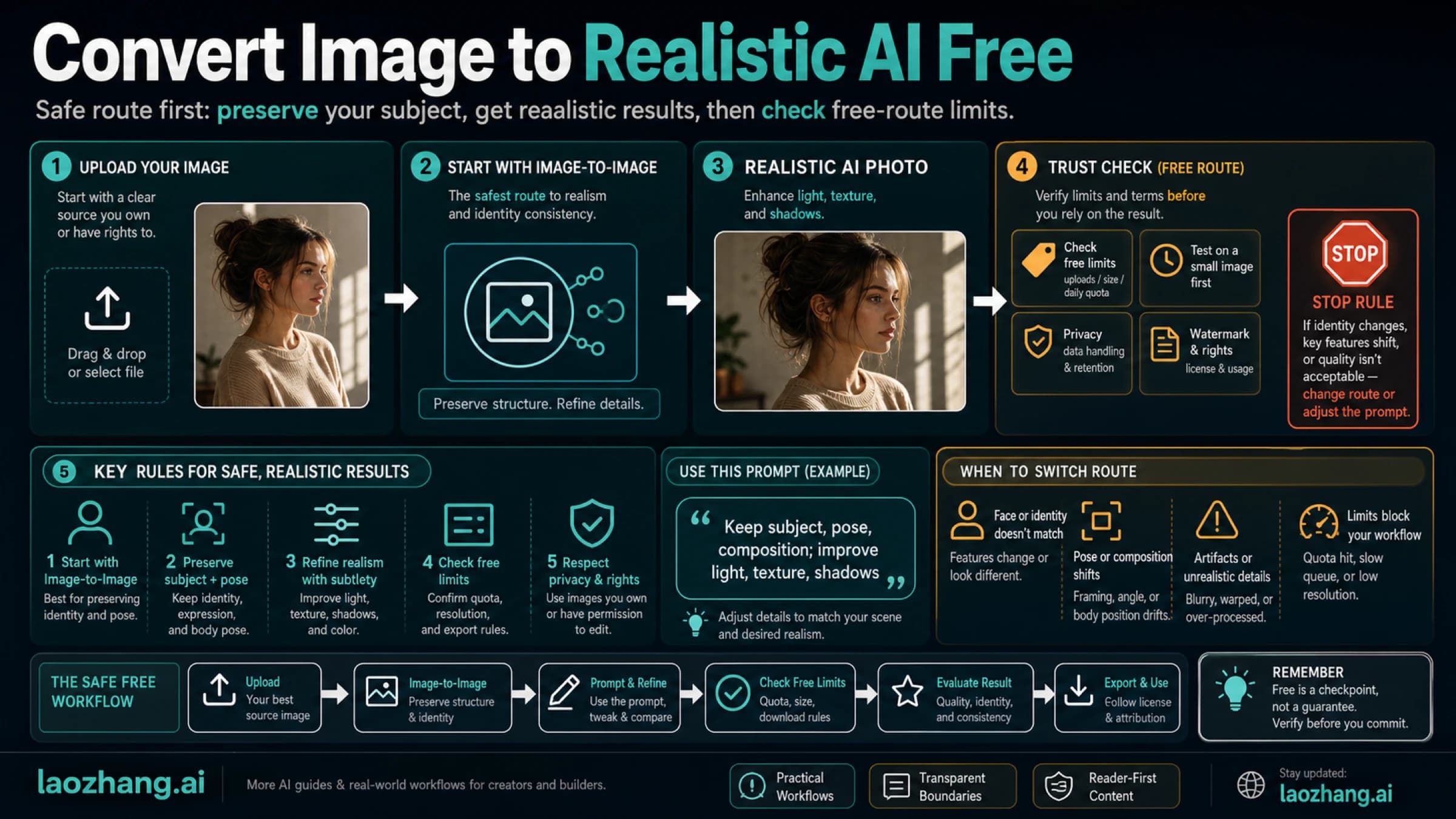
If "realistic" means small, believable changes while preserving the original person or product, start with Adobe Firefly or another preserve-first editor. If "realistic" means creative photorealistic variations, ChatGPT Images, Gemini, Recraft, or a Flux/Qwen route may be worth testing with the same-image protocol.
Which route is best when the image includes text?
Use a text-aware design route first. Ideogram is a strong candidate for poster-style layouts and readable words. Recraft can also fit when the image sits inside a broader design canvas. For open/local experiments, Qwen-Image-Edit is worth testing because the Qwen team positions it around precise text editing, including English and Chinese.
Can I use the OpenAI API instead of ChatGPT for image editing?
Yes, if you need a programmable workflow. The OpenAI Image API supports image edits, reference images, and masks with GPT Image models, while the Responses API is better for multi-turn image experiences. Use the API when logging, batching, repeatability, or integration matters more than manual convenience.
Are OpenArt and Felo real alternatives or just wrappers?
They are real access routes, but they are wrapper routes. That means they can be useful because they put several model options behind a simple interface, but you still need to verify the selected model, credits, privacy terms, and export behavior before using them for important work.
Should I run FLUX Kontext or Qwen locally?
Only if local control, research, privacy, or custom evaluation is worth the setup. Open/local routes can be powerful, but they require hardware or hosted inference, license review, model-specific workflows, and quality checks. For one simple edit, a consumer app is usually faster.
When is ChatGPT still the best choice?
ChatGPT is still the best default when the edit is simple, conversational, and low-risk: clean a background, change mood, remove a minor object, restyle a draft, or iterate quickly with natural language. Switch routes when preservation, text layout, API scale, plan stability, or local control matters more.