Best Free AI Image Generation Tools in 2026: What Is Actually Free?
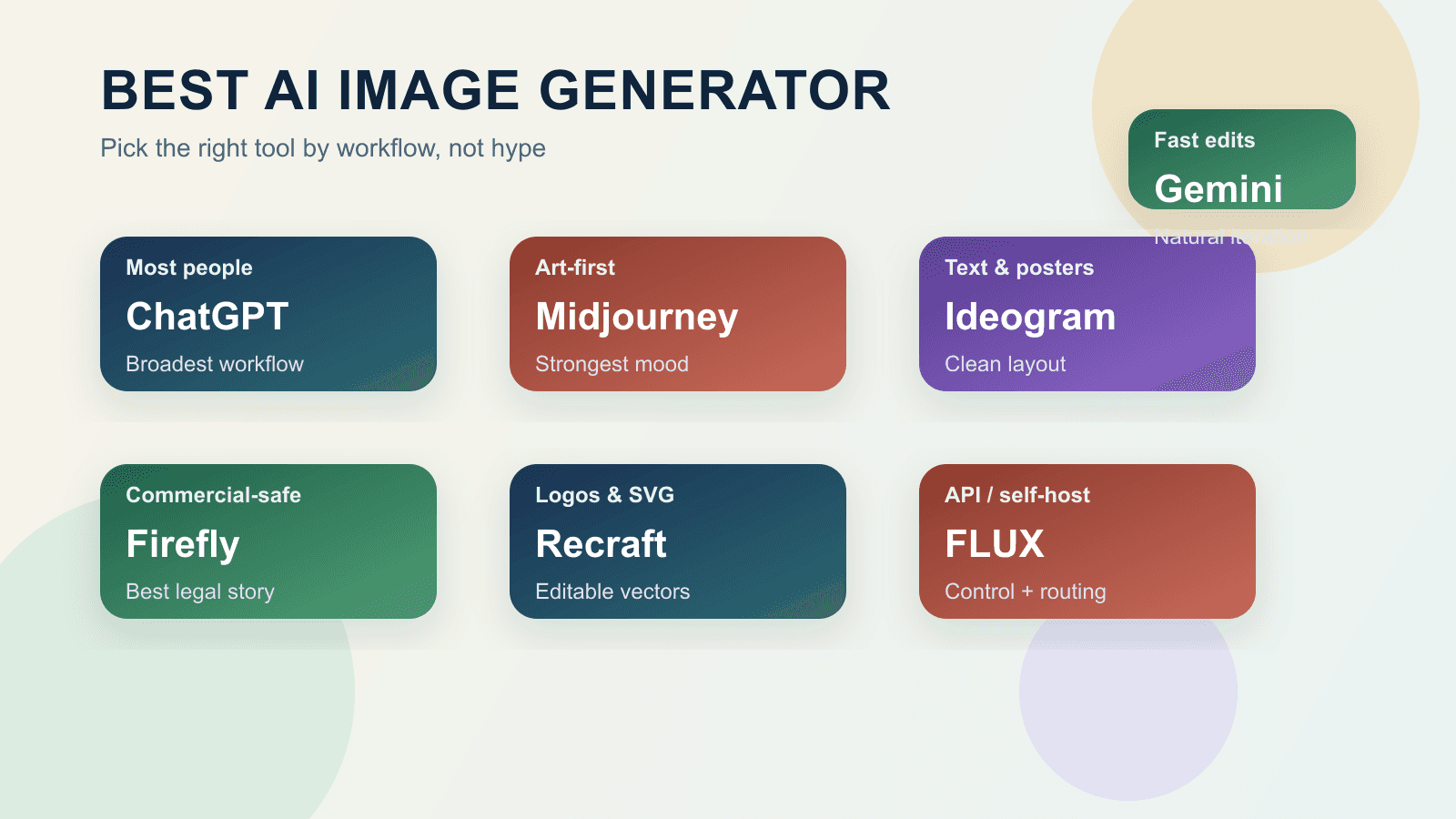
If you want one free AI image generator that still feels usable after the signup novelty wears off, start with Gemini. But if you need vectors, text-heavy graphics, or a public daily sandbox, Recraft, Ideogram, or Leonardo may be the better free fit.
On this page
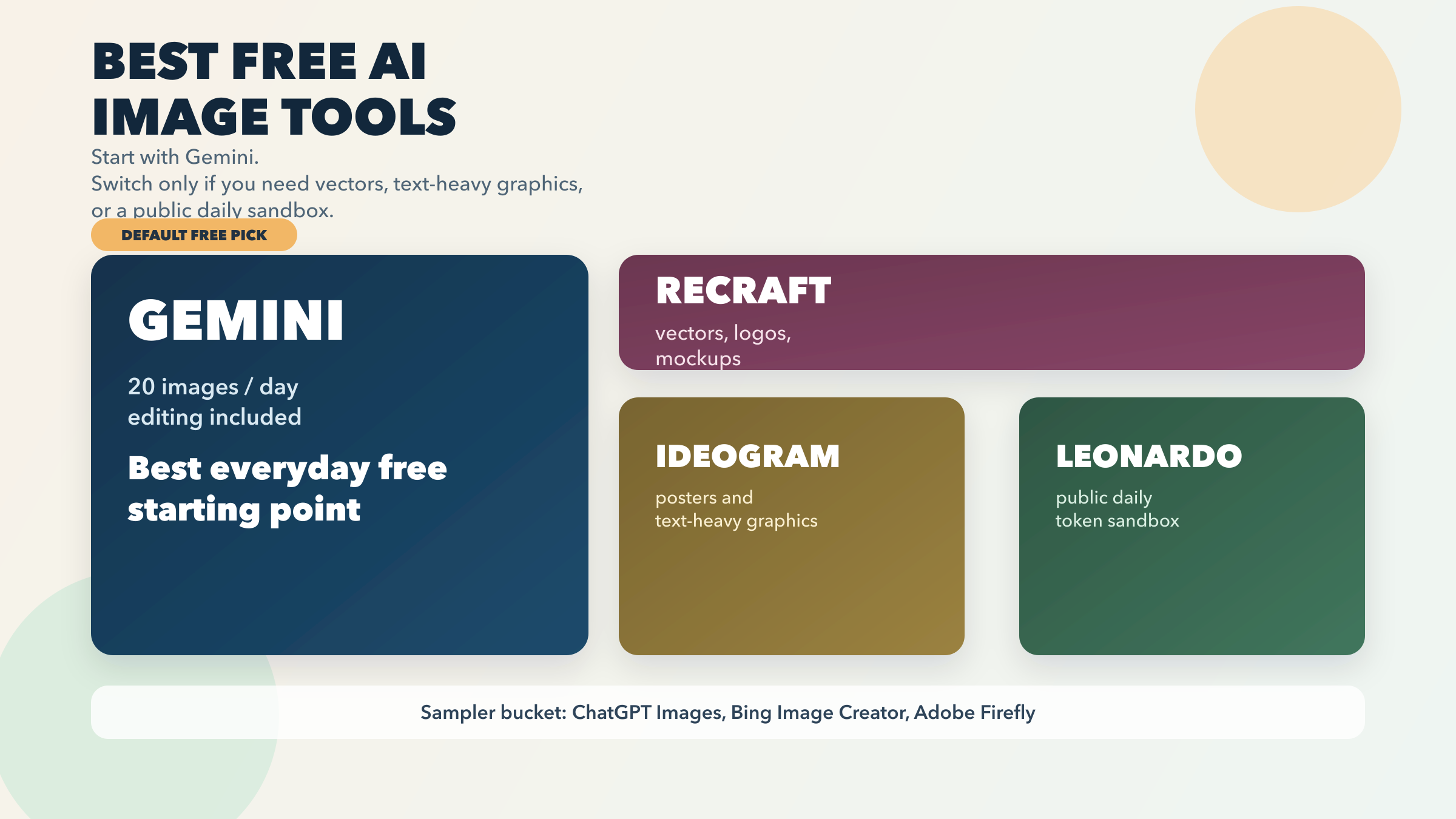
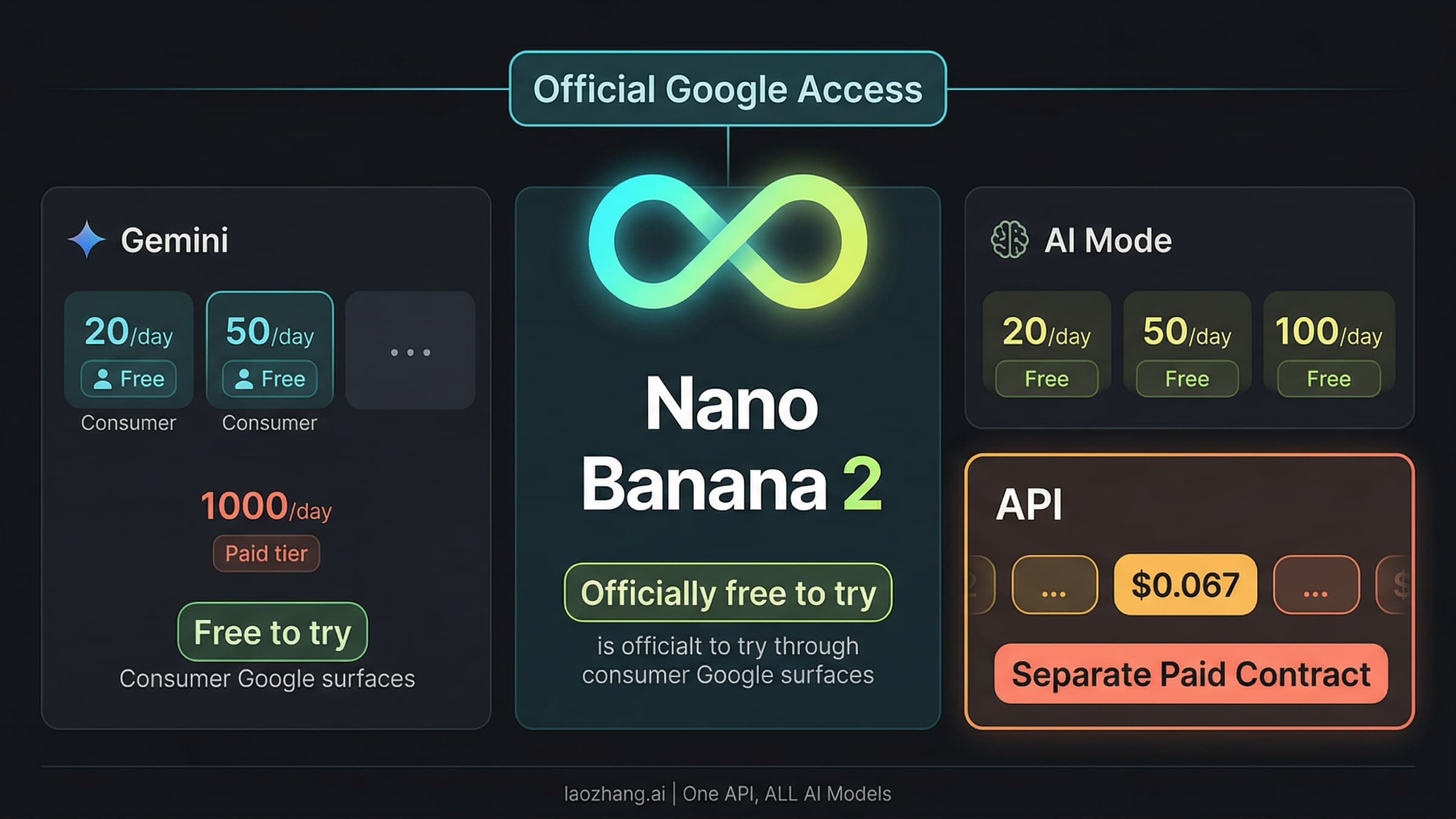
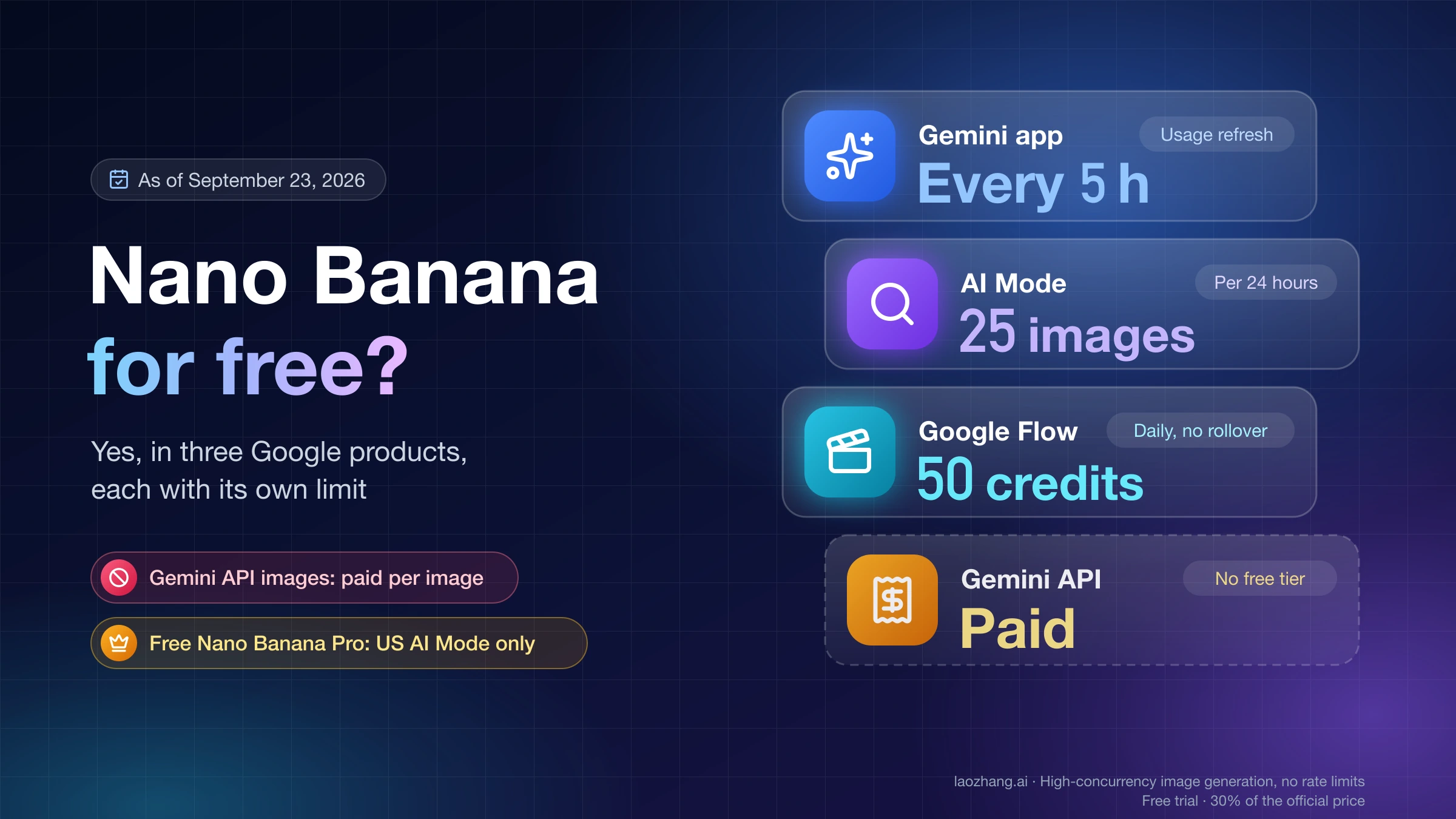
If you want one free AI image generator that still feels useful after the signup novelty wears off, start with Gemini. Google's current Gemini Apps help page says the free Basic plan gets up to 20 images / day with Nano Banana 2 and includes image editing, with the quota resetting daily. That does not mean Gemini is the best answer for every image job. It is not. If you need vectors, logos, or design-system-friendly assets, Recraft is the better free tool. If text inside the image matters more than general image quality, Ideogram is the better free specialist. If you want a public sandbox with a daily experimentation budget and you can live with token math, Leonardo is worth the trial.
That distinction matters because “free AI image generation” hides several very different contracts. Some tools publish a real daily allowance. Some give you a smaller weekly specialist budget. Some are public-by-default sandboxes. Some are genuinely free to start but do not publish a stable image count. Others are better understood as free samplers for a paid ecosystem.
All freshness-sensitive facts below were rechecked against official product, help, or pricing pages on March 27, 2026. When a vendor's own language is fuzzy or internally inconsistent, I call that out directly instead of pretending the free story is cleaner than it is.
TL;DR
Here is the short answer.
| If this is your real job | Best free starting point | Why it wins | Main catch |
|---|---|---|---|
| You want one free image tool for everyday prompts and edits | Gemini | Officially published daily image quota plus editing on the free plan | Google explicitly warns the limits may change frequently |
| You need logos, icons, vectors, or design assets | Recraft | 30 daily credits, vector generation, mockups, and AI-edited photos | Free-plan images are public and not licensed for commercial use |
| You need posters, covers, or text-heavy graphics | Ideogram | Best free specialist for readable text and layout-oriented generations | Free plan is slow, weekly, and does not include private generation |
| You want a daily public playground to experiment | Leonardo | 150 fast tokens per day with public creations access | Tokens do not map to a fixed number of images |
| You want the easiest chat-native image workflow | ChatGPT Images | Free access, in-chat editing, and a dedicated image library | OpenAI does not publish a stable free image count |
| You want a bonus no-pay playground that keeps working after fast mode | Bing Image Creator | Standard mode stays free even after fast mode runs out | Microsoft's current official page conflicts on the exact fast-count number |
| You want a commercially safer creative stack to test before paying | Adobe Firefly | Free to start and built around Creative Cloud workflows | Better as a limited sampler than as a real free home |
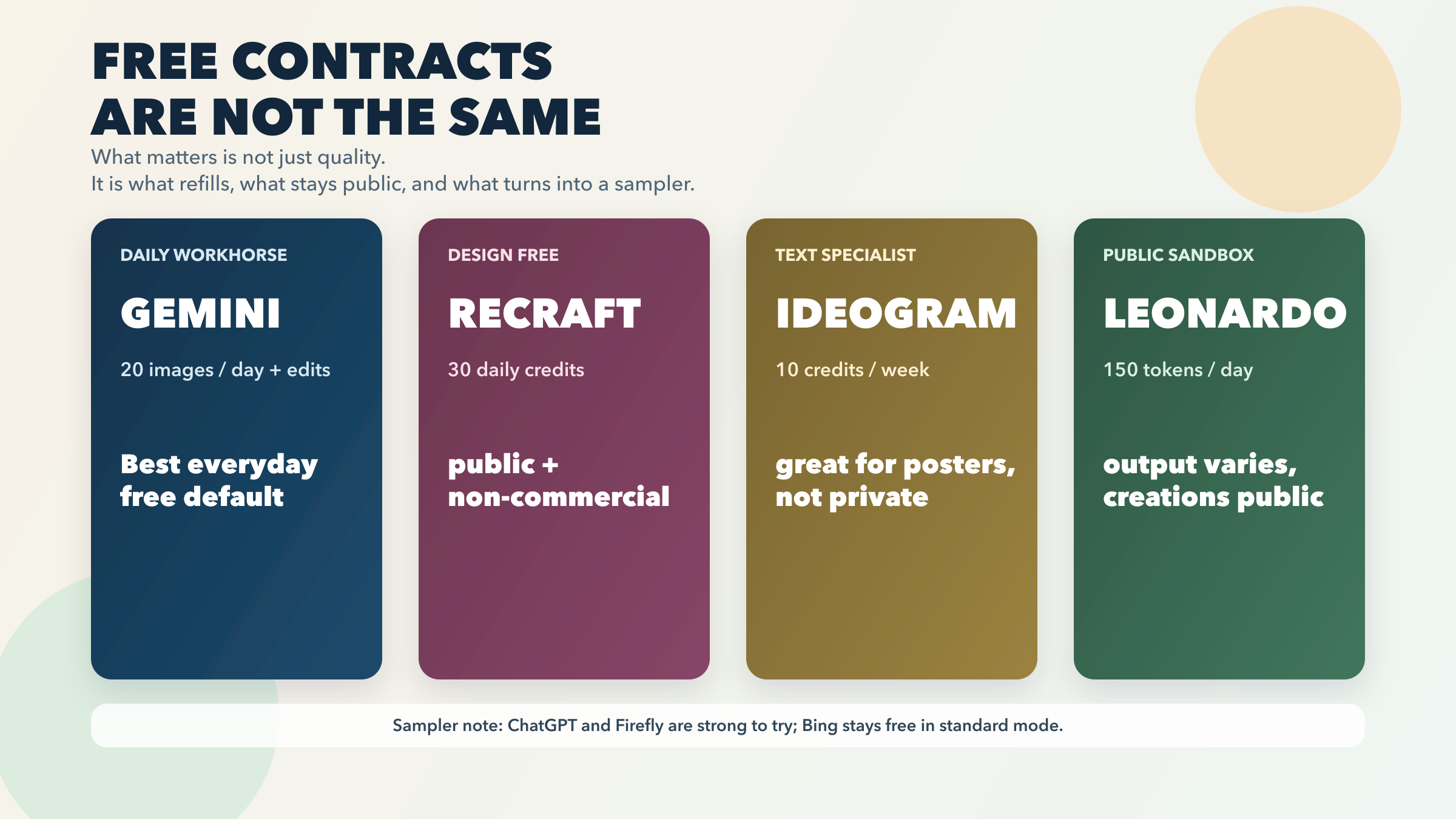
The practical takeaway is simple: start with Gemini unless you can clearly name the override. Free AI image tools get much easier to choose once you stop asking "which one looks coolest?" and start asking "what does this free plan still let me do a week from now?"
Why "Free" Is Not One Thing
Most people searching for a free AI image generator are really comparing four or five completely different plan shapes without realizing it.
A published daily quota is the cleanest free contract. Gemini is the best example here. Google currently says Basic users get up to 20 images / day, and the help page is explicit that image generation and editing reset daily. Recraft also fits this bucket, though its daily allowance is really a design-first allowance: 30 daily credits, not an all-purpose photorealism promise. Daily free quotas are easier to trust because the vendor tells you roughly what to expect before you hit the wall.
A weekly specialist budget is still free, but it is not the same thing. Ideogram's Free plan gives 10 slow credits per week, which its own docs translate to up to 40 images/week under the relevant free path. That is enough to matter if your actual job is making posters, thumbnails, or social graphics with readable text. It is not the same as a generous everyday general-purpose tool.
A token sandbox is useful, but it requires more interpretation. Leonardo currently gives free users 150 fast tokens per day and public creations access. That sounds generous, and for experimentation it often is. The catch is that Leonardo also says a token does not equal one specific image action. Token cost varies by what you do. That means Leonardo is best understood as a public daily playground rather than as a tool with a clean "X images per day" promise.
A soft-limit chat feature is real free access, but not a transparent contract. ChatGPT belongs here. OpenAI clearly says Free users can create images in ChatGPT, and its separate ChatGPT Images FAQ confirms the feature now lives across Free and paid consumer plans with editing and an image library. But OpenAI does not publish a stable free image count, and the company explicitly says image creation uses separate, stricter tool limits on the free tier. That makes ChatGPT great to try, but less clean as the default answer for someone whose main requirement is a predictable free workflow.
A free sampler is not the same as a free home. Adobe Firefly is the clearest example. Adobe says you can start with a free account and a limited number of generative credits. That is real. It is also different from a tool that is trying to be your long-term zero-dollar daily generator. Firefly's free story is strongest when you want to test Adobe's workflow, brand-safe positioning, and Creative Cloud fit before deciding whether the ecosystem deserves paid time from you.
Bing sits in a category of its own. The unusual part is not that Bing Image Creator is free. It is that Microsoft says standard mode remains free after fast mode runs out. That makes Bing interesting as a no-pay fallback playground. But Microsoft's own page currently contains conflicting fast-count language: the FAQ body says 15 free fast creations per day, while the page CTA block says 10. That inconsistency does not kill the tool, but it does mean you should treat the fast count as variable and the standard-mode fallback as the more important free fact.
The category stops feeling confusing once you judge the free plan by its actual refill logic.
The Free Tools Worth Starting With
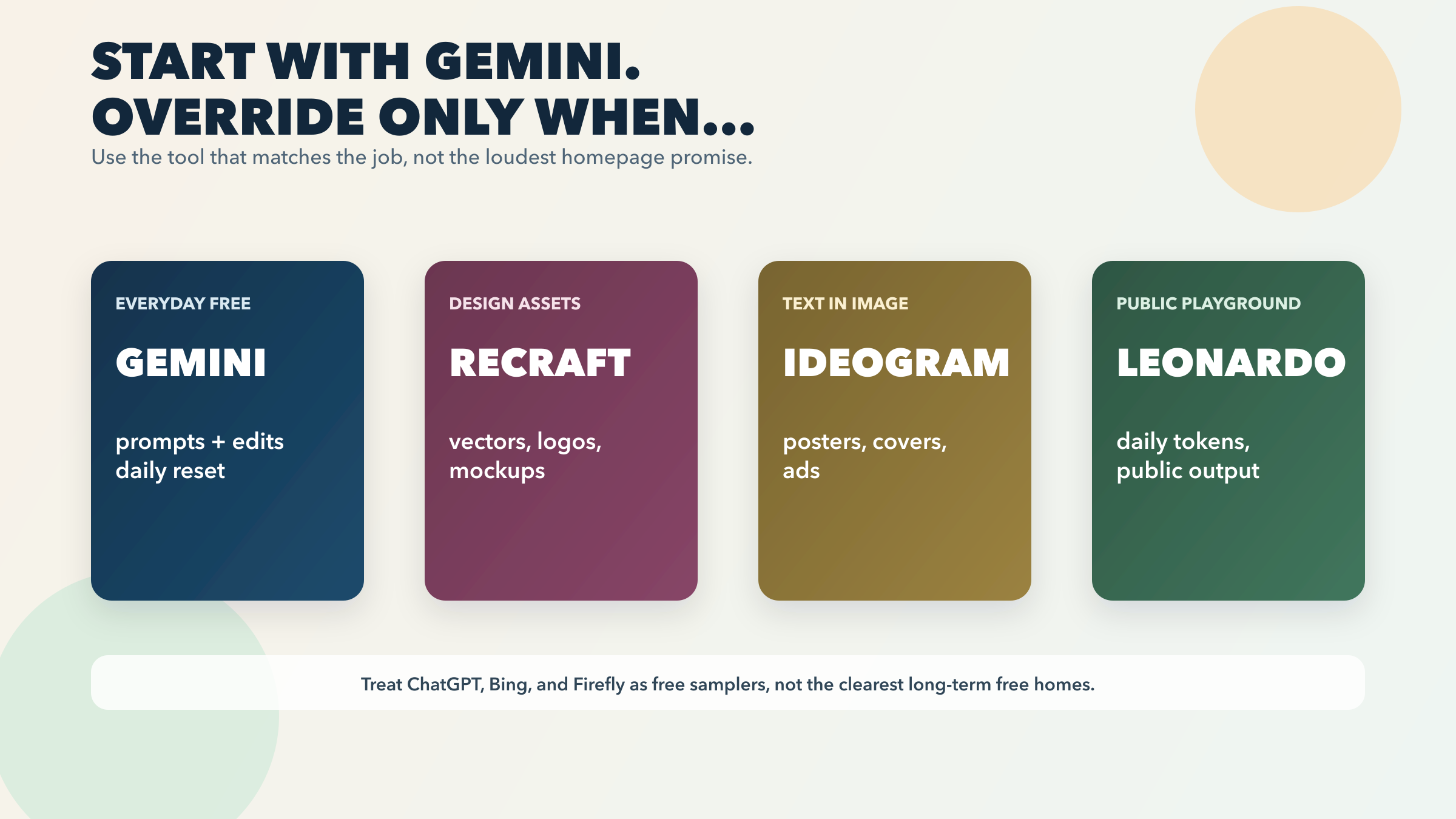
Gemini is the best free AI image generator for most people right now.
The strongest reason is not that Gemini is unbeatable on pure image quality. The strongest reason is that Google's free story is unusually legible for a mainstream consumer tool. The official Gemini Apps help page currently lists up to 20 images / day for image generation and editing on the Basic plan, and the same page makes clear that image limits reset daily. That matters because it gives the reader a real planning model. You can sit down, make images, edit them, and know that the tool is designed to be used again tomorrow without playing games with weekly credits, public galleries, or unexplained hard stops.
Gemini also benefits from being a better editing tool than many people expect from a free default. Google's page is not only about generation. It explicitly frames the free entitlement as image generation and editing. That makes Gemini stronger for the real loop most people end up using: make a draft, revise the prompt, change the background, clean up the composition, then try again. A pure one-shot generator can still win a beauty contest. Gemini wins the more useful free workflow.
The honest downside is that Google also warns these limits may change frequently. That means Gemini is the clearest mainstream free default, not a forever-fixed entitlement. Still, if your real need is "give me a free image tool I can actually use every day," it is the best starting point I found in this refresh.
Recraft is the best free tool if your output needs to behave like design work, not just like an image.
Recraft's free plan is unusually specific about what it includes: 30 daily credits renewed every 24 hours, and the free tier covers images, vectors, mockups, and AI-edited photos. That alone makes it more interesting than a generic text-to-image app. But the bigger reason Recraft deserves a dedicated slot is that it sits closer to the jobs designers actually care about: logos, icon sets, stylized marketing assets, product mockups, and vector-friendly workflows that do not end at a flat JPG.
This is the split that determines whether Recraft feels useful or disappointing. If you treat it like just another general image app, you miss why it stands out. Its actual edge is that it behaves more like a design tool. The catch, though, is not small. Recraft's own FAQ says free-plan images are public and not licensed for commercial use. That means Recraft Free is excellent for exploration, portfolio concepts, or internal drafts. It is a bad fit if you are trying to ship client work or paid brand assets without upgrading.
So the correct way to think about Recraft Free is not "best free image model." It is best free design-first tool, provided the public and non-commercial constraints are acceptable.
Ideogram is the best free specialist for text-heavy graphics.
If the image needs to hold readable words, whether for a poster, ad, flyer, YouTube thumbnail, menu, or cover, the free-tool conversation changes immediately. Ideogram still deserves separate treatment here because its free plan aligns with a very specific job better than most all-purpose tools do. The current docs list 10 slow credits per week on the Free plan, translating to up to 40 images/week, and the product continues to lean into text, layout, and graphic-design-style outputs more than most general image tools.
That weekly structure is the key nuance. Ideogram Free is not the strongest answer for an everyday general-purpose image habit. It is the strongest answer when the free images you do make must carry text well enough to be useful. For many readers, that is the real hidden split in the category. A tool can be impressive at photorealistic scenes and still be the wrong free tool for poster work.
The other important caveat is privacy. Ideogram's plan table shows that private generation is not included on the Free plan. That keeps Ideogram in the specialist bucket rather than the default bucket. If text-in-image is the main job, it is still a smart first stop. If private output is central, the free tier stops being comfortable very quickly.
Leonardo is the best public daily sandbox if you want more room to experiment.
Leonardo's Free plan currently lists 150 fast tokens per day and public creations access. For readers who enjoy testing styles, presets, or more iterative creative experimentation, that can be a better free playground than a tighter hard-count image quota. The problem is that Leonardo explicitly says a token is not equal to one fixed image action. Token cost depends on the computational intensity of what you do. In other words, Leonardo gives you a real daily budget, but not a simple daily image count.
That is not a flaw if you understand the contract. Leonardo is appealing precisely because it behaves like a sandbox: you get a recurring daily budget, you can explore, and the public-creation model means the free plan is not pretending to be a private premium workspace. It is less attractive if you want fixed output math or if public creations are a non-starter.
So Leonardo is not the best everyday default. It is the best free answer when your real sentence is, "I want a daily playground, not just a tiny weekly allowance."
Strong Tools To Treat As Samplers, Not Homes
ChatGPT Images is a great free tool to try, but not the clearest free long-term home.
This is an important distinction because many readers will assume the strongest general AI product should also be the strongest free image tool. OpenAI clearly says Free users can create images in ChatGPT, and the ChatGPT Images FAQ now confirms the feature is available across Free and paid consumer plans with a dedicated image library and editing. That makes the product excellent for low-friction testing, especially if you already live in ChatGPT.
But OpenAI's own free-tier FAQ is also explicit that image creation has separate tool limits and that free users get stricter limits than paid plans. The missing piece is a published fixed image count. OpenAI does not give one. That makes ChatGPT Images easy to recommend as a free experience to test, but harder to recommend as the clearest answer for someone who wants a predictable recurring no-pay image workflow.
Adobe Firefly is the strongest free sampler for commercial-minded creative teams.
Adobe says no subscription is required to start and that you can use a free Adobe account with a limited number of generative credits. That is real free access. Adobe also keeps emphasizing the same two product ideas that matter most here: commercially ready output and tight Creative Cloud integration. If you already work in Photoshop, Express, or a broader Adobe workflow, Firefly's free tier is a sensible test drive.
The key point is that Firefly Free is better treated as a sampler for an ecosystem than as a durable free daily generator. Adobe's language is telling: the limited credits are there so you can explore the product without committing. That is useful. It is just a different promise from the tools that are built around a repeatable everyday free contract.
Bing Image Creator is still worth knowing, but it is not the cleanest free contract in the category.
The good news is meaningful: Microsoft says standard mode remains free, which means the tool keeps working even if you do not spend Microsoft Rewards points on fast generations. That alone makes Bing more durable than some "free" tools whose value collapses the moment the fast credits end.
The reason Bing stays out of the top tier is clarity. Microsoft's current page says 15 free fast creations per day in the FAQ section, but the same page also says 10 free creations in Fast mode near the call-to-action block. When a vendor's own current page disagrees with itself, the right move is not to guess which number wins. The right move is to downgrade the certainty and focus on the free fact that survives the conflict: standard mode remains free, but fast-mode counts are not cleanly stated right now.
How To Choose In 30 Seconds
If you want the shortest path to a good decision, use this rule set.
- Start with Gemini unless you can already name the override.
- Jump to Recraft if the output needs to behave like a design asset, not just a picture.
- Jump to Ideogram if readable text is central to the image.
- Jump to Leonardo if you want a recurring daily sandbox and public output is acceptable.
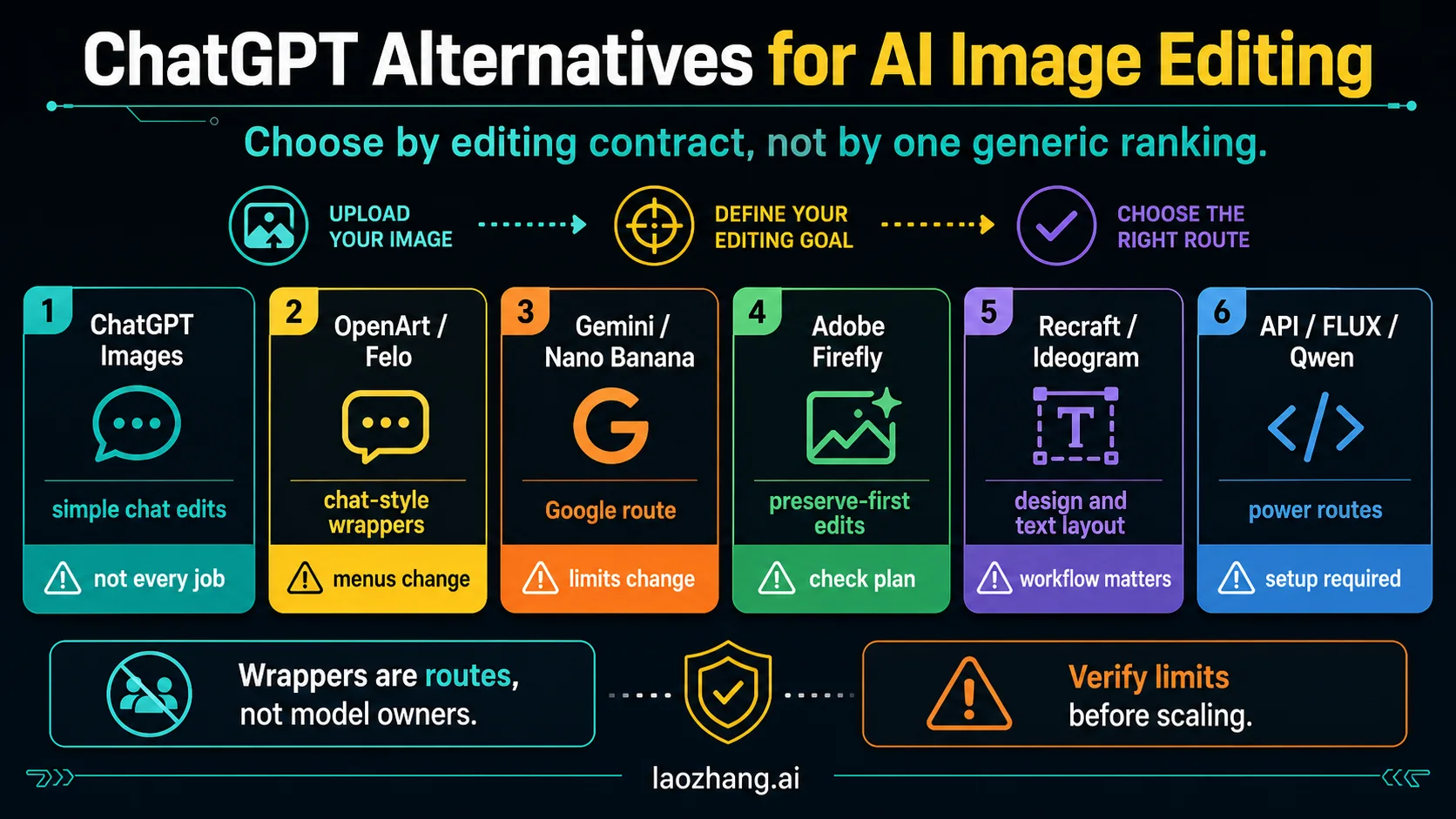
- Use ChatGPT Images if you mostly value chat-native editing and do not mind softer free limits.
- Use Firefly if you are testing whether Adobe's workflow is worth paying for later.
- Keep Bing in mind if you want a backup playground that still works in standard mode when fast mode is gone.
If you stop caring about the free contract and just want the best overall tool, read our broader guide to AI image generators. If your real job is extending, uncropping, or editing a photo rather than making a brand-new image, the more relevant read is our guide to expanding images with AI.
The Hidden Tradeoffs That Change The Choice
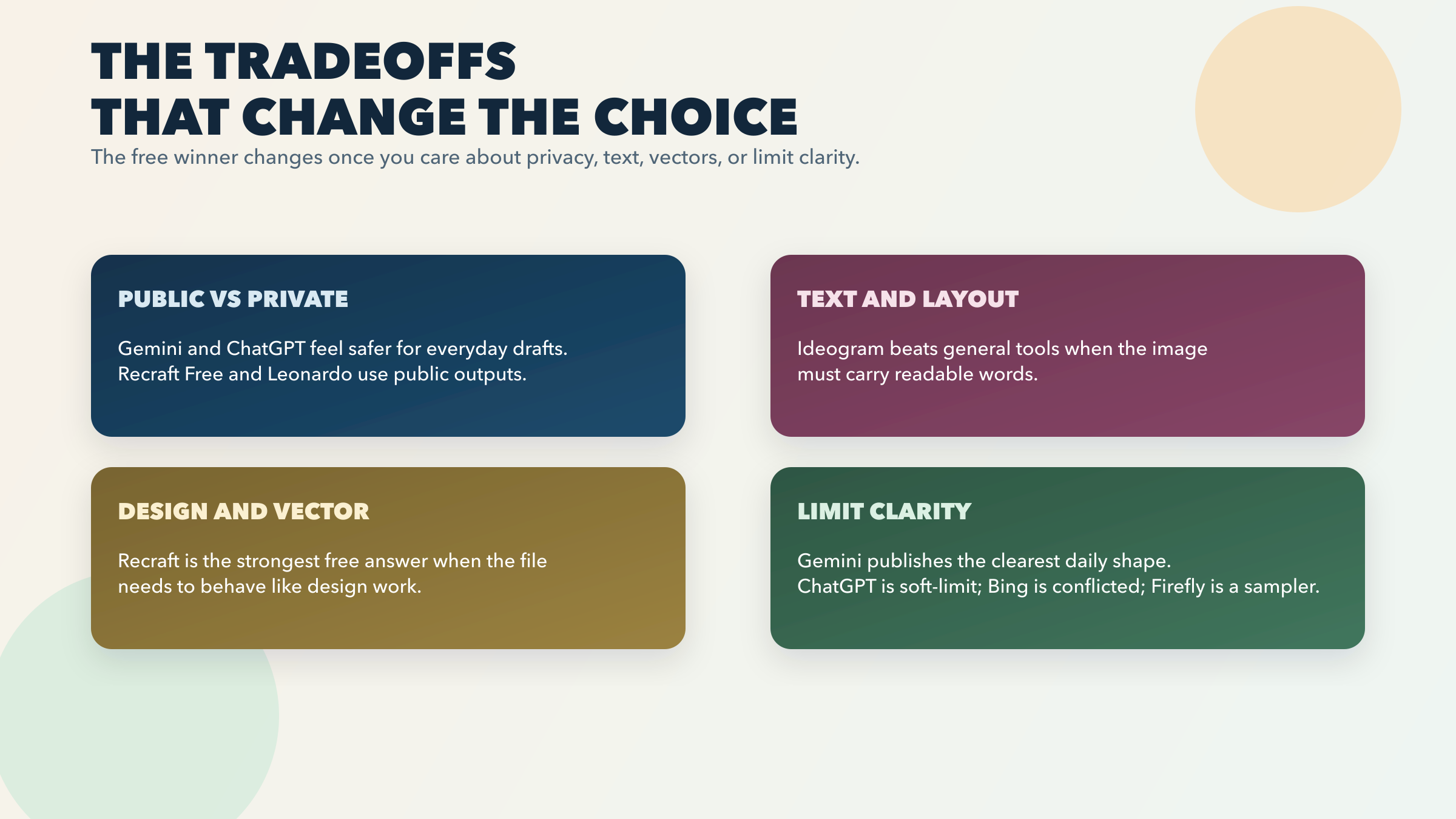
Public versus private matters more than most free roundups admit. Recraft Free is public and non-commercial. Ideogram Free does not include private generation. Leonardo Free uses public creations access. Those are not cosmetic details. They determine whether the free plan is comfortable for agency work, product launches, unreleased concepts, or sensitive brand experiments.
The quality question is often the wrong first question. A general image tool can still be the wrong pick if the image has to carry clean text or stay editable in a vector-friendly workflow. That is why Ideogram and Recraft deserve separate slots instead of being folded into "other decent options."
A published count is not the same thing as a usable count. Gemini's count is the cleanest among the mainstream tools in this refresh, but Google still warns it may change. Leonardo publishes a daily token pool, not a fixed image pool. ChatGPT confirms the feature but not the count. Bing confirms standard-mode continuity but not one fully consistent fast number. If you are doing a serious no-pay evaluation, transparency itself is part of the product.
Commercial safety and true free usage rarely peak in the same tool. Firefly is the best example. Adobe's positioning is valuable precisely because it makes sense for commercially minded teams. That does not make it the strongest free daily workhorse. Recraft Free goes the opposite direction: stronger design utility, weaker free commercial rights. You should choose based on the real work, not the most flattering homepage language.
Editing flow changes whether a free tool stays useful. Gemini and ChatGPT benefit from being conversational editing environments, not just prompt boxes. That makes them more practical for people who revise images in steps. A free tool can look generous on paper and still feel awkward if the actual workflow is "generate, discard, start over."
This is the point that matters most in real use. Free image generation is not one market. It is several smaller contracts hiding behind one keyword.
Frequently Asked Questions
What is the best free AI image generator right now?
For most people, it is Gemini because Google currently publishes a real daily free image-and-editing allowance on the Basic plan. That makes the free workflow easier to trust than tools that offer only weekly specialist credits, public sandboxes, or unpublished soft limits.
Which free AI image generator is best for logos and vectors?
Recraft is the best free starting point for that job. It is closer to a design tool than a generic image app. The catch is that free-plan outputs are public and not licensed for commercial use.
Which free tool is best for posters and text-heavy graphics?
Ideogram is the strongest free specialist for text-in-image work. Its free plan is smaller than Gemini's, but the job it wins is more specific and more valuable when typography matters.
Is ChatGPT Images actually free?
Yes. OpenAI says Free users can create images in ChatGPT, and the ChatGPT Images FAQ confirms the feature is available on Free plans. The limitation is that OpenAI does not publish a stable free image count, and image creation has separate stricter tool limits on the free tier.
Is Bing Image Creator still worth using for free?
Yes, mainly because Microsoft says standard mode remains free after fast mode runs out. The caveat is that Microsoft's own current page shows conflicting fast-count numbers, so it is smarter to think of Bing as a bonus free playground than as the cleanest published free contract.
Which free tool gives the clearest daily quota?
Among the mainstream consumer tools in this refresh, Gemini has the clearest everyday free quota and Recraft has the clearest design-first daily credit system. Leonardo also has a recurring daily allowance, but it is token-based rather than image-count-based.
What if I need an API instead of a consumer image app?
Then you are outside this article's main job. Use our AI image generation API comparison once you outgrow free consumer tools and need programmatic routing, pricing control, or production integration.
What if I need stock images instead of generated images?
That is a different category. You probably want a stock-image service or a free image API, not a generator. The right starting point there is our free image API guide.