Nano Banana Pro Safety Filters: What You Can and Can't Change
Nano Banana Pro's adjustable safety filters are Off by default. IMAGE_SAFETY, PROHIBITED_CONTENT and OTHER blocks come from checks no setting changes.
On this page
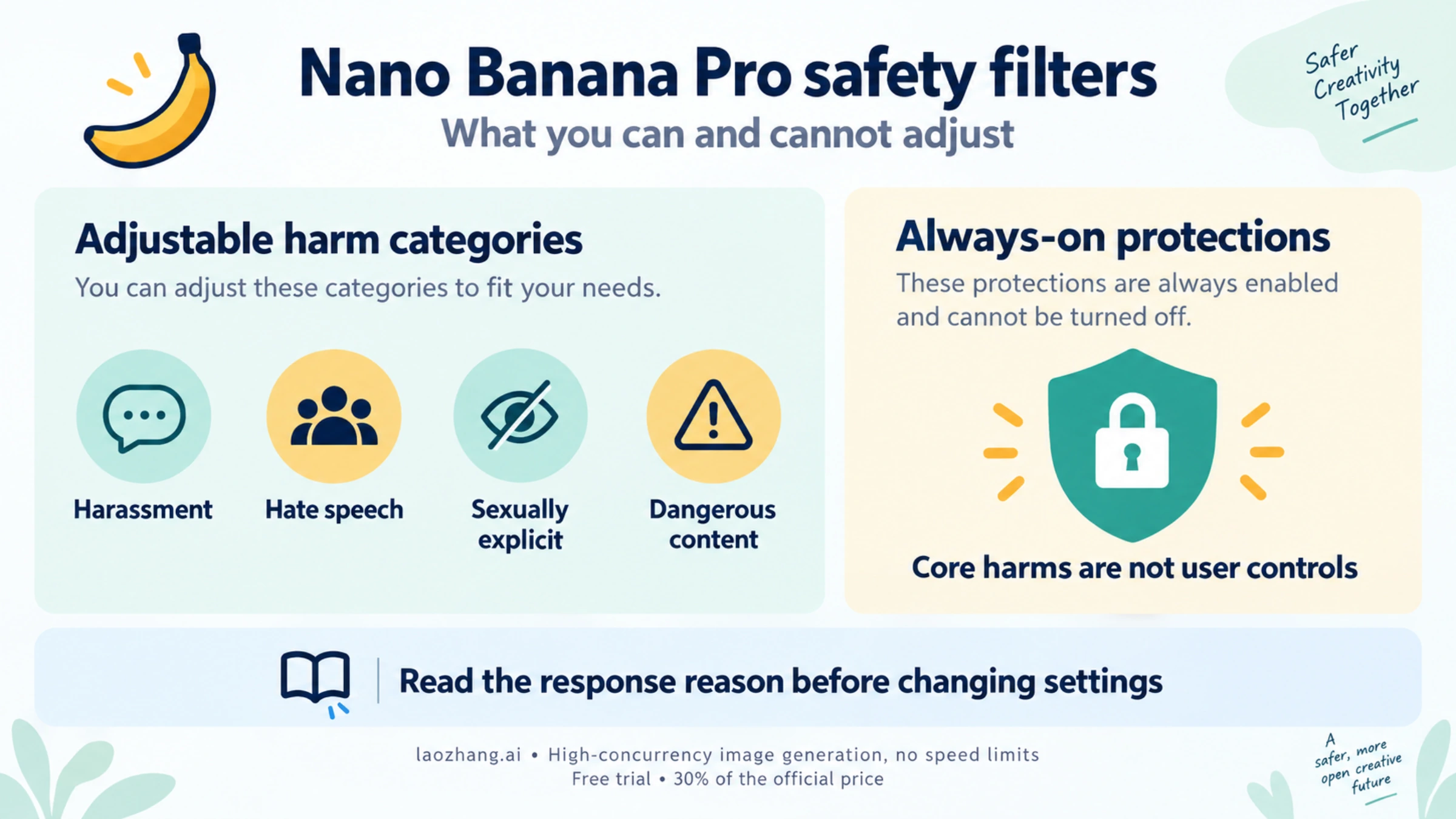
Nano Banana Pro (gemini-3-pro-image) has safety filters, and you control only a small part of them. The adjustable part is four harm categories: harassment, hate speech, sexually explicit and dangerous content. You can set a blocking threshold for each through safetySettings in the Gemini API or the sliders in Google AI Studio. Those filters are already Off by default for Gemini 3 models. Protections against core harms such as child safety are always on. So are the checks that report outcomes like IMAGE_SAFETY, PROHIBITED_CONTENT and OTHER, and no setting turns them off.
In practice, if a request is blocked and you haven't set stricter thresholds yourself, there is nothing left to loosen. What still helps is reading the block reason in the response, finding which part of the request triggers it, and stating a legitimate request more plainly. Trying to trick the model past its filters is a different thing. Google's Generative AI Prohibited Use Policy forbids it, and it can get your API access limited or closed. Everything below applies as of October 5, 2026, and is based on Google's API documentation unless a source says otherwise.
What Nano Banana Pro's safety filters cover and what you control
Google's safety settings guide (updated September 17, 2026) separates two kinds of protection. The "adjustable safety filters" cover four categories, and you choose how strict each one is. Next to them, "the Gemini API has built-in protections against core harms, such as content that endangers child safety. These types of harm are always blocked and cannot be adjusted."
Image models add more outcomes on top of that. The generateContent reference has finish reasons used only for images. IMAGE_SAFETY means "generated images contain safety violations," and IMAGE_PROHIBITED_CONTENT and IMAGE_OTHER cover other image-side stops. None of these is a category you can pass to safetySettings. They are results the API reports, not switches it exposes.
Around all of that sits policy. The Generative AI Prohibited Use Policy lists what you may not generate with Google's tools, whatever the filter thresholds are. It covers child sexual abuse material, non-consensual intimate imagery, content that violates privacy or intellectual property rights, deceptive impersonation and more. Google's Trust and Safety team enforces it at the account level.
| Part | Can you change it? | Where it shows up |
|---|---|---|
| Harassment, hate speech, sexually explicit, dangerous content | Yes, per request, with thresholds from Off to "Block most" | safetyRatings, SAFETY |
| Core-harm protections (for example, child safety) | No, always blocked | Google doesn't say which reason each case returns |
| Image output checks | No | IMAGE_SAFETY, IMAGE_PROHIBITED_CONTENT, IMAGE_OTHER |
| Prompt blocks with no stated reason | No | blockReason: OTHER |
| Prohibited Use Policy enforcement | No, but your conduct decides it | Emails, rate limits, suspension, PUP_LIMITED_DISABLED |
| SynthID watermark | No, on every image | Not visible; checkable in the Gemini app |
The table is a reading aid built from Google's definitions. Google does not publish how these checks are ordered or connected, and no "two-layer" or "three-stage" Nano Banana Pro pipeline appears in its documentation.
Nano Banana Pro safety settings: four categories, default Off
The thresholds come from the safety settings guide. The left column is the label in AI Studio's slider, and the middle column is the value you send in the API:
| AI Studio label | API value | What it blocks |
|---|---|---|
| Off | OFF | Nothing; turns the filter off |
| Block none | BLOCK_NONE | Nothing; "always show regardless of probability of unsafe content" |
| Block few | BLOCK_ONLY_HIGH | High-probability unsafe content |
| Block some | BLOCK_MEDIUM_AND_ABOVE | Medium or high probability |
| Block most | BLOCK_LOW_AND_ABOVE | Low, medium or high probability |
"If the threshold is not set, the default block threshold is Off for Gemini 2.5 and 3 models," the guide says, and Nano Banana Pro is a Gemini 3 model. Three practical consequences follow:
- Setting
BLOCK_NONEorOFFchanges nothing unless your code set something stricter. Check for that, because Google's own code sample setsBLOCK_LOW_AND_ABOVEfor hate speech. Copy it unchanged and you've made filtering stricter than the default. - The useful direction is usually stricter. A children's education app might set
BLOCK_LOW_AND_ABOVEon all four categories. The guide frames the settings this way: you test during prototyping whether your app needs "a more or less restrictive" configuration. - Loosening has a cost. The guide notes that "applications that use less restrictive safety settings may be subject to review."
The filters judge probability, not severity. Google's example: "The robot punched me" may score a higher probability of being unsafe than "The robot slashed me up," even though the second is more violent. That helps explain why harmless wording sometimes scores higher than you'd expect.
The API reference also lists two more categories. HARM_CATEGORY_CIVIC_INTEGRITY is marked deprecated. HARM_CATEGORY_JAILBREAK is described as "prompts attempting to bypass or subvert the model's safety guidelines." Treat that second one as a hint about how attempts to get around the filters are classified, not as something to switch off.
Where you can set them: generateContent, AI Studio, not the app
Where you use Nano Banana Pro decides whether you can touch these thresholds at all:
- Gemini API with
generateContent: yes, through thesafetySettingsarray, one entry per category. - Google AI Studio: yes. Open Run settings, then Advanced settings, then Safety settings, and move the slider for each category. When a response is blocked, hold the pointer over the "Content blocked" message to see the category and probability.
- Gemini API with the Interactions API: no. Custom safety settings are not available there. Google's current image-generation guide uses the Interactions API in many of its samples, so if you started from those, switch to
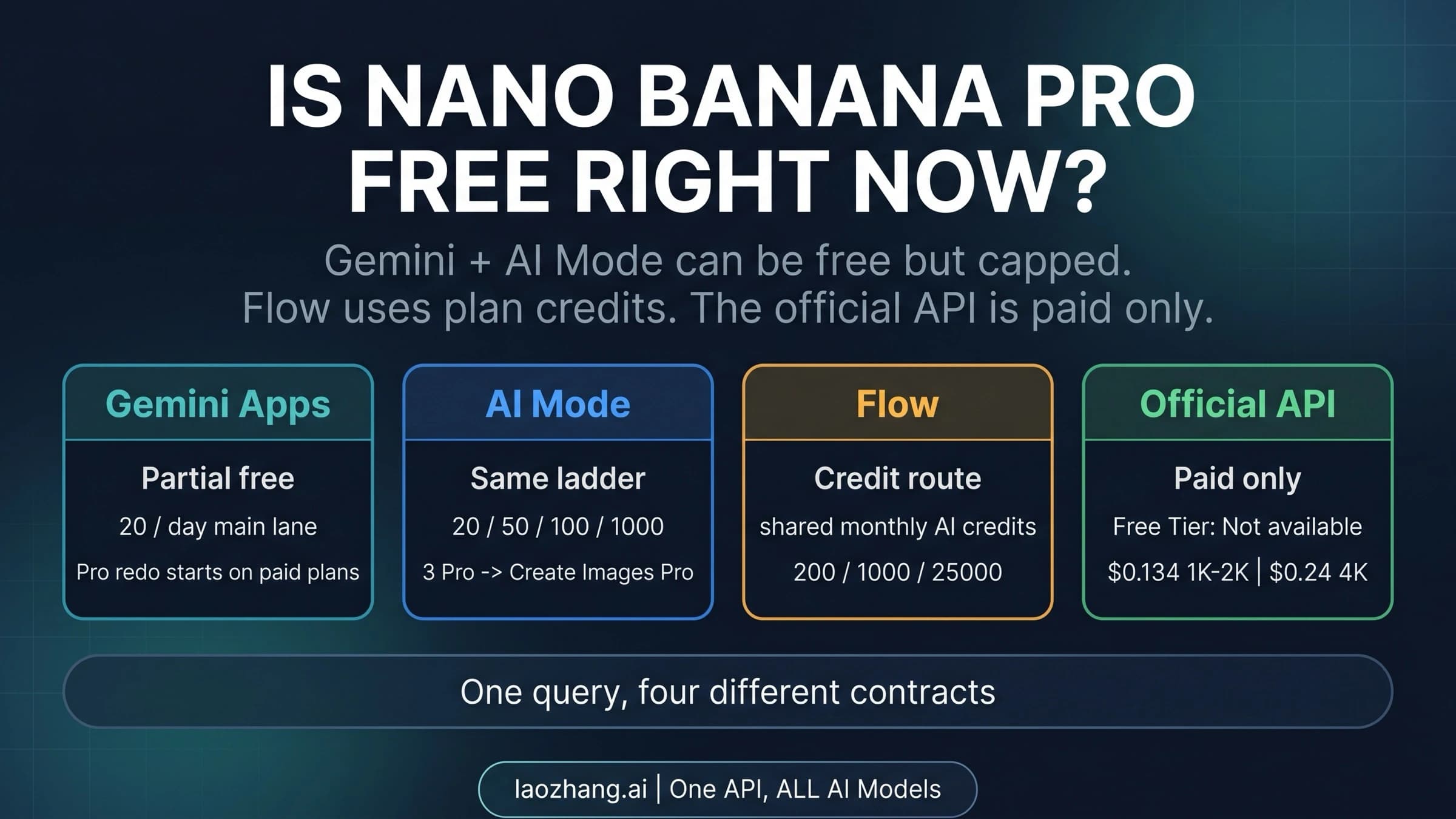
generateContentbefore you look for a threshold to change. - Gemini app: no. The app has no safety controls for users. If image creation fails there, check the app route and its usage limits instead, as covered in Nano Banana Pro Not Working in Gemini? Fix the App Route First.
The always-on protections and image checks apply in every one of these places.
A safetySettings example for gemini-3-pro-image
This request sets all four adjustable categories explicitly to OFF, which is the same as the default. Its job is to override any stricter value left in your code, and the prompt doubles as a neutral control (more on that below). Then it prints the fields that explain a block. The code follows the field names in Google's generateContent reference but has not been run. It needs a paid-tier key, because image output for Gemini image models isn't on the free tier.
curl -s "https://generativelanguage.googleapis.com/v1beta/models/gemini-3-pro-image:generateContent" \
  -H "x-goog-api-key: $GEMINI_API_KEY" \
  -H "Content-Type: application/json" \
  -X POST \
  -d '{
    "contents": [{"parts": [{"text": "Studio product photo of a red ceramic teapot on a white background, soft daylight"}]}],
    "safetySettings": [
      {"category": "HARM_CATEGORY_HARASSMENT", "threshold": "OFF"},
      {"category": "HARM_CATEGORY_HATE_SPEECH", "threshold": "OFF"},
      {"category": "HARM_CATEGORY_SEXUALLY_EXPLICIT", "threshold": "OFF"},
      {"category": "HARM_CATEGORY_DANGEROUS_CONTENT", "threshold": "OFF"}
    ],
    "generationConfig": {"responseModalities": ["TEXT", "IMAGE"]}
  }' > response.json

jq '{blockReason: .promptFeedback.blockReason,
     finishReasons: [.candidates[]?.finishReason],
     safetyRatings: [.candidates[]?.safetyRatings],
     usage: .usageMetadata}' response.json
The same settings with the google-genai Python SDK, also not run:
from google import genai
from google.genai import types

client = genai.Client()  # reads GEMINI_API_KEY from the environment

categories = [
    types.HarmCategory.HARM_CATEGORY_HARASSMENT,
    types.HarmCategory.HARM_CATEGORY_HATE_SPEECH,
    types.HarmCategory.HARM_CATEGORY_SEXUALLY_EXPLICIT,
    types.HarmCategory.HARM_CATEGORY_DANGEROUS_CONTENT,
]

response = client.models.generate_content(
    model="gemini-3-pro-image",
    contents="Studio product photo of a red ceramic teapot on a white background, soft daylight",
    config=types.GenerateContentConfig(
        response_modalities=["TEXT", "IMAGE"],
        safety_settings=[
            types.SafetySetting(category=c, threshold=types.HarmBlockThreshold.OFF)
            for c in categories
        ],
    ),
)

print("blockReason:", response.prompt_feedback.block_reason if response.prompt_feedback else None)
for candidate in response.candidates or []:
    print("finishReason:", candidate.finish_reason)
    print("safetyRatings:", candidate.safety_ratings)
Use the GA model ID gemini-3-pro-image. The preview ID gemini-3-pro-image-preview was shut down on June 25, 2026, according to Google's deprecations page. Old code that still calls it fails for that reason, not because of a filter.
Why BLOCK_NONE doesn't stop IMAGE_SAFETY or OTHER blocks
BLOCK_NONE and OFF act on the four adjustable categories only. Those are already Off when you don't set them. So when a request still fails with IMAGE_SAFETY, PROHIBITED_CONTENT, IMAGE_OTHER or OTHER, the block came from something the thresholds don't govern. Google doesn't say this in one sentence. It follows from two documented facts: the defaults are Off, and core-harm protections "cannot be adjusted."
Developer reports match this reading. In a Stack Overflow question from February 6, 2026, a team generating images of high-profile public figures got blockReason: OTHER with every category set to BLOCK_NONE. Rewording the names into descriptions didn't change the result either. Google's OTHER definition is "Prompt was blocked due to unknown reasons," and no threshold is documented to change it.
Nano Banana Pro block reasons: IMAGE_SAFETY, IMAGE_OTHER, OTHER
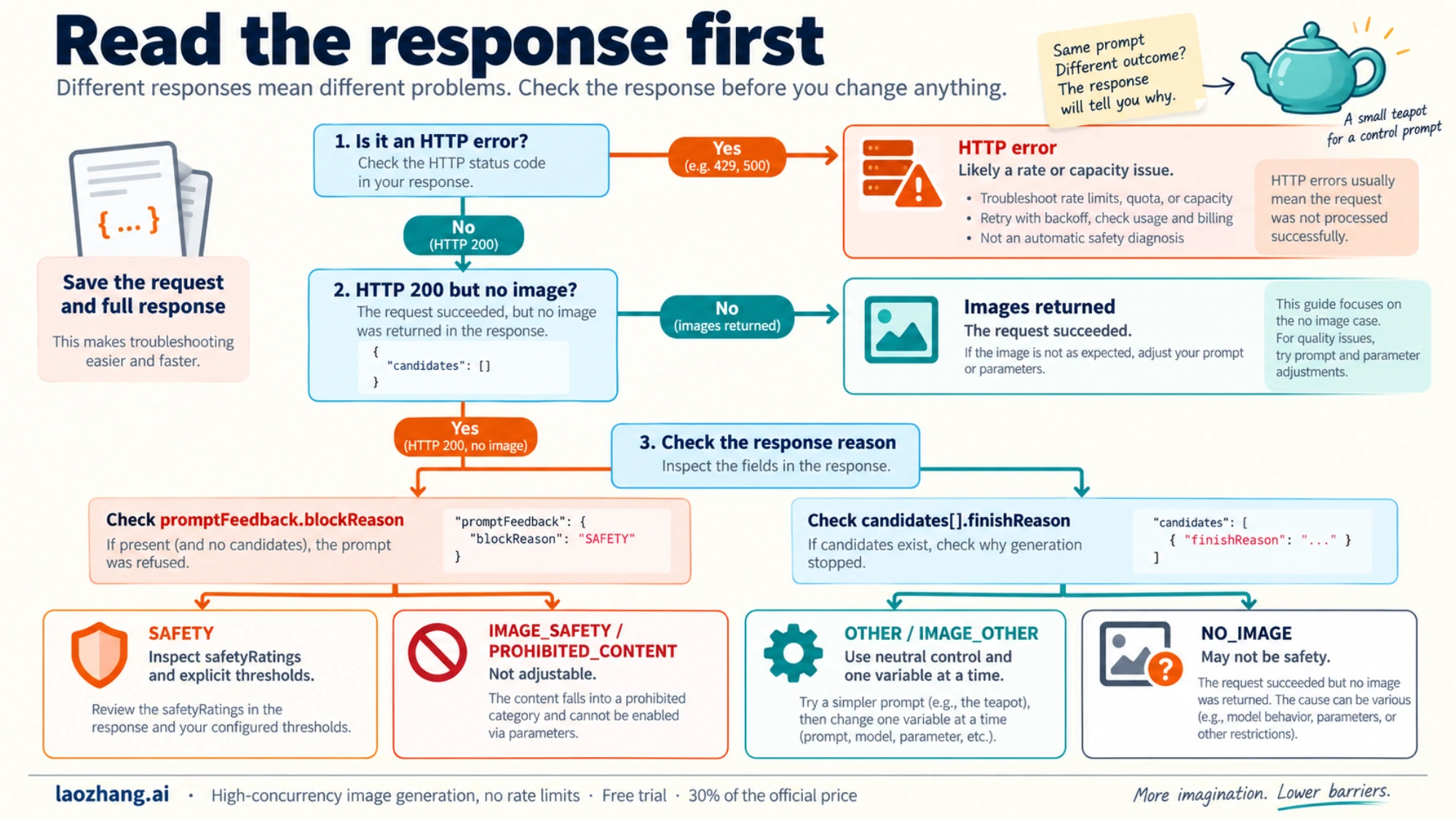
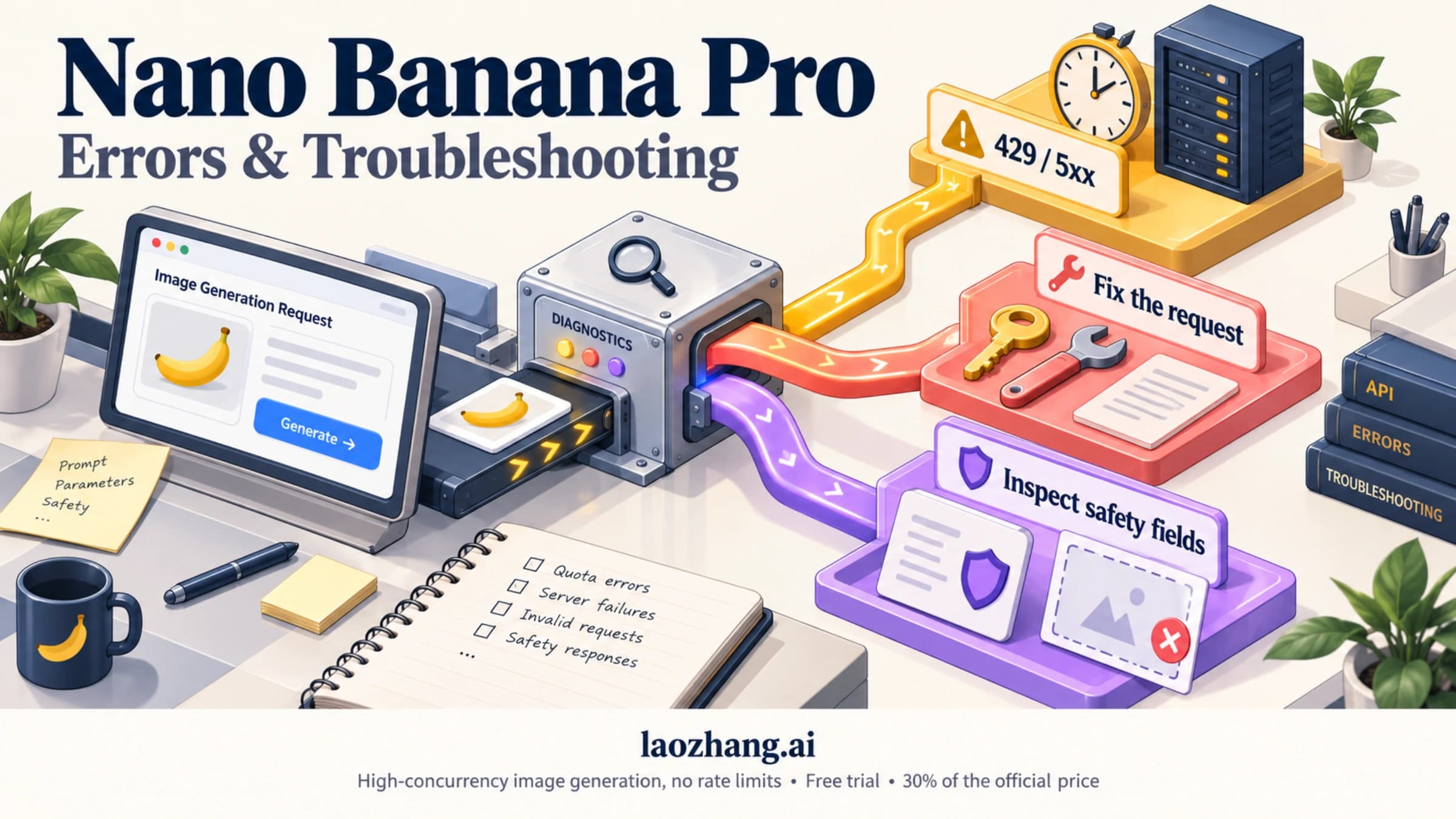
A safety block doesn't usually arrive as an HTTP error. It comes back inside a normal response object with no image in it. Look in two places. promptFeedback.blockReason is set when the prompt itself was refused, and then no candidates are returned. candidates[].finishReason tells you why generation stopped once it had started. The definitions below are quoted or closely paraphrased from the generateContent reference. The last column is practical guidance, not Google policy.
| Field | Value | Google's definition | What you can do |
|---|---|---|---|
blockReason | SAFETY | Prompt blocked for safety reasons; inspect safetyRatings | Find the category marked blocked. If your request sets a threshold for it, loosening that is a legitimate change. If not, rewrite the request. |
blockReason | BLOCKLIST | Prompt contains terms from the terminology blocklist | Replace the term. The list isn't published. |
blockReason | PROHIBITED_CONTENT | Prompt blocked due to prohibited content | Not adjustable. Check the request against the Prohibited Use Policy. |
blockReason | IMAGE_SAFETY | Candidates blocked due to unsafe image generation content | Not adjustable. Rewrite what the image would show. |
blockReason | OTHER | Prompt blocked for unknown reasons | Isolate the element with a control prompt. See Nano Banana 2 blockReason OTHER: What It Means and What to Check. |
finishReason | SAFETY | Candidate content flagged for safety reasons | Same as SAFETY above: read safetyRatings. |
finishReason | PROHIBITED_CONTENT | Potentially prohibited content | Not adjustable. |
finishReason | SPII | Potentially sensitive personally identifiable information | Remove personal data such as ID numbers, addresses or account details. |
finishReason | IMAGE_SAFETY | Generated images contain safety violations | The image itself was judged. Change what you ask it to depict. |
finishReason | IMAGE_PROHIBITED_CONTENT | Generated images have other prohibited content | Not adjustable. |
finishReason | IMAGE_RECITATION | Image generation stopped due to recitation | Recitation generally means reproducing existing material. Drop requests to copy a specific work, logo or character. |
finishReason | IMAGE_OTHER | Other miscellaneous issue | Test with a control prompt. Reported on harmless prompts too (see below). |
finishReason | NO_IMAGE | Expected an image, none was generated | Not necessarily safety. See Nano Banana API Returns No Image? Find the Cause in the Response. |
finishReason | PUP_LIMITED_DISABLED | Account limited or disabled due to Prohibited Use Policy violations | Not a prompt problem. This is account-level enforcement; see the policy section below. |
Two things to save with every block: the full JSON response and the exact request body. Without both, you can't tell whether a change in wording made the difference or the result just varied. A Google support thread can't use the case without them either. For HTTP errors such as 429 or 503, which are capacity problems and not safety, go to Nano Banana API Not Working? Fix 429, 503, No Image, and Request Denied.
Why legitimate prompts get blocked: what developers have reported
The filters produce false positives. Google publishes no false-positive rate, so the only evidence is individual, dated reports:
- December 29, 2025: a developer on the Google AI Developers Forum reported Nano Banana Pro API requests coming back empty with
OTHER. Logan Kilpatrick of Google replied thatOTHERerrors are "not helpful the way it is setup" and that the team planned to make them clearer. The reference, updated September 23, 2026, still definesOTHERas "unknown reasons." - January 27, 2026: a forum thread titled "Possible regression in IMAGE_SAFETY filtering for Nano Banana Pro" raised the same concern for image-side blocks.
- March 14, 2026: in a forum thread titled "Nano Banana is unusable because of the new safety filters," a plainly safe prompt failed in AI Studio, and the API returned
finishReason: IMAGE_OTHER. - May 7, 2026: a forum report described every attempt with reference images in AI Studio being blocked with an "Other" reason on the preview model. A Google staff member followed up privately, and no public fix was posted.
These reports show that a block doesn't prove your request broke a rule. They don't show how often it happens or that a given wording reliably fails. Google can also change its classifiers without changing the API. A prompt that passed last month can fail today, and the reverse.
How to fix a blocked Nano Banana Pro prompt that is legitimate
The goal here is to make a legitimate request unambiguous, not to disguise a request that breaks policy. If you'd be uncomfortable writing the real intent in plain words, the problem isn't the filter.
- Read the reason before changing anything.
IMAGE_RECITATION,SPIIandPROHIBITED_CONTENTpoint to different fixes.NO_IMAGEor an HTTP error may not be safety-related at all. - Send a neutral control prompt with the same code and key, such as the teapot request above. If that also fails, look at your setup, account or the service status before you touch the wording.
- Remove reference images and test again. If the text-only version works, the block is tied to an uploaded image. That might be a real person's face or a branded product, or something in the image that the checks read differently than you intended.
- Drop real people, brands and characters you don't have rights to use. The Prohibited Use Policy covers privacy, biometrics without consent, intellectual property and deceptive impersonation. Named public figures are a documented trouble spot in developer reports. Use a fictional model, a generic product or your own licensed assets.
- Say what the image is for, and describe it in concrete, neutral terms. "Catalog photo of a one-piece swimsuit on a mannequin, white background" is clearer than a description that dwells on a body. For medical, historical or educational subjects, name the setting and keep graphic detail to what the purpose needs.
- Change one thing per attempt and stop retrying in a loop. If the same request fails after you remove the ambiguous element, accept the answer. A steady stream of blocked requests is the kind of pattern the usage policies in the next section describe as grounds for manual review.
What doesn't belong on this list is anything built to slip past the classifier. That includes coded words, fictional framing used as cover, splitting a request across turns, or rotating keys and accounts. Those are circumvention, and the next section explains why that matters for your account.
Circumventing safety filters violates Google's Prohibited Use Policy
The Generative AI Prohibited Use Policy lists, among things you may not do, "Circumvention of abuse protections or safety filters — for example, manipulating the model to contravene our policies." The policy names the circumvention itself as prohibited, separately from whatever content it was meant to produce.
Google's Gemini API usage policies (updated June 9, 2026) describe how this is enforced for the API and AI Studio:
- Automated systems scan usage for Prohibited Use Policy violations. A project that "consistently exhibits suspicious activity" may be flagged for manual review.
- Prompts, contextual information and outputs are kept for 55 days to detect and prevent violations.
- Responses range from an email asking about your use case, to temporary usage limits that adjust rate limits or change which model answers, to temporary suspension. As a last resort, Google may close access to the Gemini API and other Google services. Suspension and closure notices include an appeal link.
The PUP_LIMITED_DISABLED finish reason is the API-side sign of that ladder. For what triggers account-level action and how to keep a production project clear of it, see Nano Banana Pro Risk Control: Blocks, Rate Limits and Suspension.
The policy does allow Google to make exceptions "based on educational, documentary, scientific, or artistic considerations." That is Google's judgment, not a setting or a phrase you can add to a prompt.
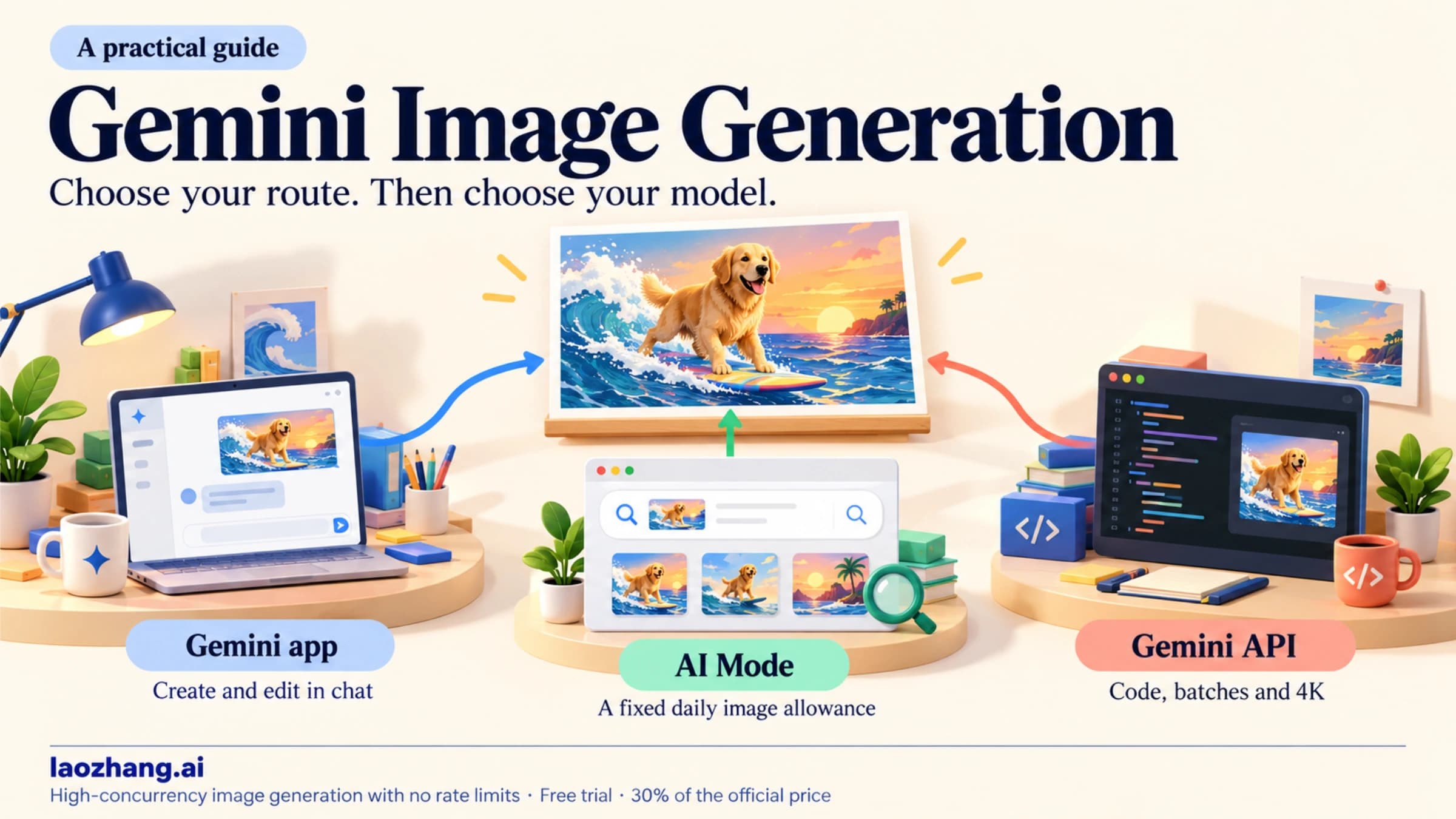
Gemini app, AI Studio, API, gateways: same core filtering
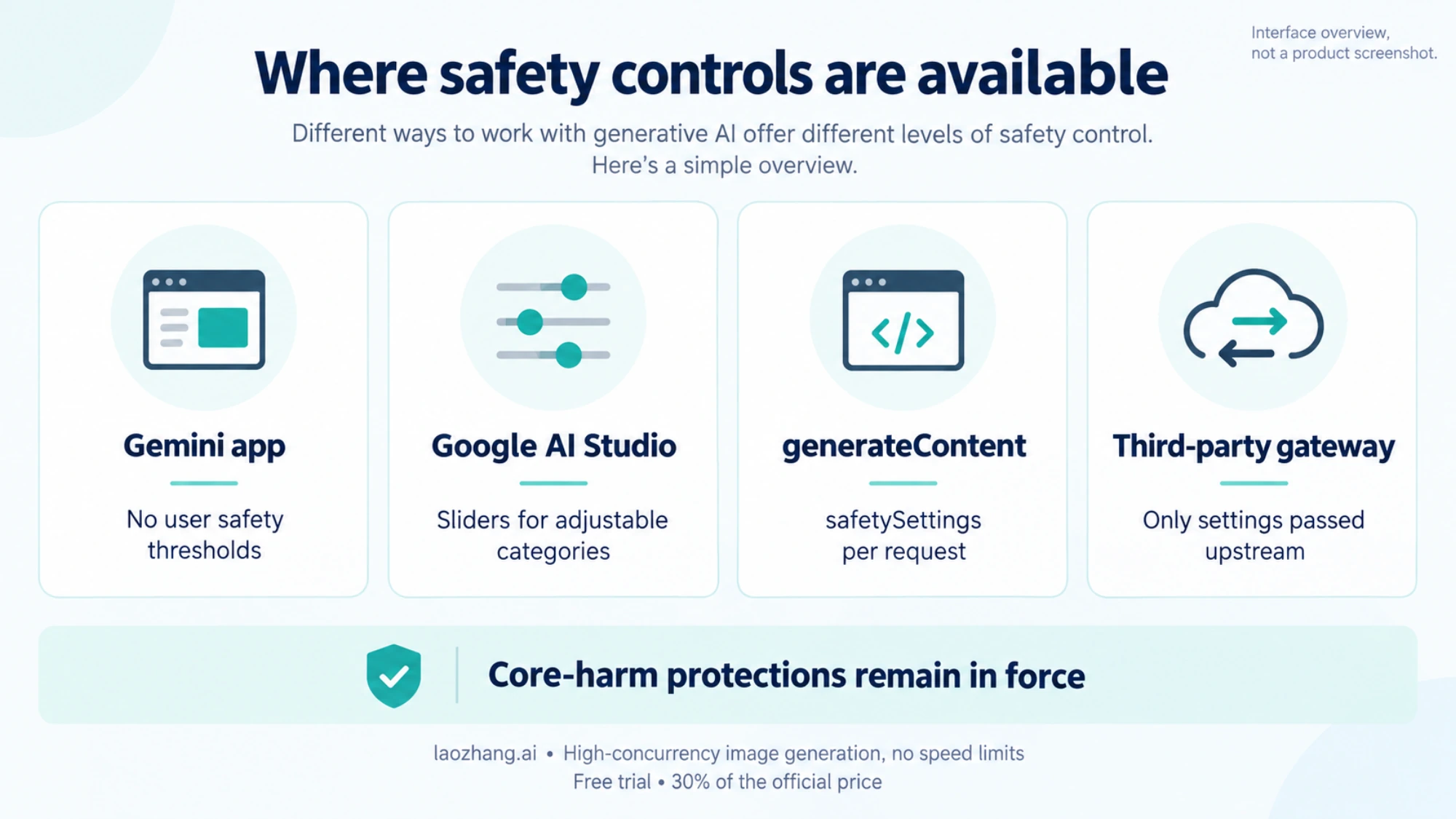
Every route reaches the same model, and only the adjustable thresholds differ:
| Route | Adjustable thresholds | What else differs |
|---|---|---|
| Gemini app | None | Usage limits by plan; the visible Gemini sparkle watermark on free and Google AI Pro images, per Google's launch post |
| Google AI Studio | Sliders per category | Hover "Content blocked" for category and probability; no visible watermark, per the launch post |
Gemini API, generateContent | safetySettings per request | Full promptFeedback, finishReason and safetyRatings in the response |
| Gemini API, Interactions API | None | Custom safety settings not available |
| Third-party gateway | Whatever it passes to Google | Its own pricing and billing rules |
A gateway can't loosen Google's filtering, since it forwards your request to Google's model. LaoZhang API, for example, routes gemini-3-pro-image to Google at $0.09 per call. According to its own documentation (public pricing as of September 24, 2026), an HTTP 200 that returns no image is still charged as one call. A gateway may be worth using for pricing or billing reasons. It isn't a way to get images Google refuses.
Disclosure: laozhang.ai is our own service. Its prices are platform pricing, not an independent comparison.
FAQ
Does Nano Banana have censors?
Yes. Nano Banana Pro filters both what you ask for and what it generates. You can adjust four harm categories, which are Off by default. Core-harm protections and image output checks can't be adjusted, and the Prohibited Use Policy applies to all use. The Gemini app gives you no safety controls. AI Studio and the generateContent API let you change only the four adjustable categories.
Can I turn off Nano Banana Pro's safety filter completely?
No. You can set the four adjustable categories to OFF or BLOCK_NONE, but they're already Off for Gemini 3 models unless you set them otherwise. Google states that protections against core harms "are always blocked and cannot be adjusted." IMAGE_SAFETY, PROHIBITED_CONTENT and OTHER outcomes have no setting at all.
Does every Nano Banana Pro image have a SynthID watermark?
Yes. Google's image-generation guide states that "all generated images include a SynthID watermark," and that covers the API and AI Studio too. It's invisible and is not a filter, so it doesn't block anything. The visible Gemini sparkle is a separate mark. Google's launch post said it stays on images from free and Google AI Pro users in the Gemini app, and is removed for Google AI Ultra subscribers and in AI Studio. To check whether an image came from Google AI, upload it to the Gemini app and ask.
How secure is Nano Banana Pro with my prompts and images?
For the Gemini API and AI Studio, Google's usage policies say prompts, context and outputs are kept for 55 days to detect policy violations. Authorized staff may review flagged content. Data logged for abuse monitoring is used only for policy enforcement and not to train other models. Those usage policies are scoped to the Gemini API and AI Studio, so they don't describe how the Gemini app handles your conversations.
Are blocked Nano Banana Pro requests billed?
Google's billing page says failed requests that return 400 or 500 errors are not charged but do count against your quota. A safety block usually arrives as a normal response, and Google publishes no specific rule for it. Check usageMetadata in the blocked response and compare it with your billing report. Nano Banana Pro's thinking is on by default and billed, so a request can use tokens before the image is refused.
Why do prompts that worked before get blocked now?
Developers have reported this repeatedly since late 2025, including a January 2026 forum thread about a possible regression in IMAGE_SAFETY filtering. Google can recalibrate its checks without any change to the API. Re-test with a control prompt and a minimal version of the failing request. Then decide from the block reason whether to rewrite or drop it. If your code still calls gemini-3-pro-image-preview, switch to gemini-3-pro-image, since the preview was shut down on June 25, 2026.
Sources10
External pages this guide links to, in the order they appear. Last updated Oct 5, 2026.
Sources10
External pages this guide links to, in the order they appear. Last updated Oct 5, 2026.
- 1.safety settings guideai.google.dev/gemini-api/docs/safety-settings
- 2.generateContent referenceai.google.dev/api/generate-content
- 3.Generative AI Prohibited Use Policypolicies.google.com/terms/generative-ai/use-policy
- 4.deprecations pageai.google.dev/gemini-api/docs/deprecations
- 5.Stack Overflow questionstackoverflow.com/questions/79884545
- 6.Google AI Developers Forumdiscuss.ai.google.dev/t/blockreason-other/113496
- 7.forum threaddiscuss.ai.google.dev/t/nano-banana-is-unusable-because-of-the-new-safety-filters/132366
- 8.forum reportdiscuss.ai.google.dev/t/persistent-other-block-reason-error-on-nano-banana-pro-gemini-3-pro-image-preview-with-reference-images/143901
- 9.Gemini API usage policiesai.google.dev/gemini-api/docs/usage-policies
- 10.billing pageai.google.dev/gemini-api/docs/billing