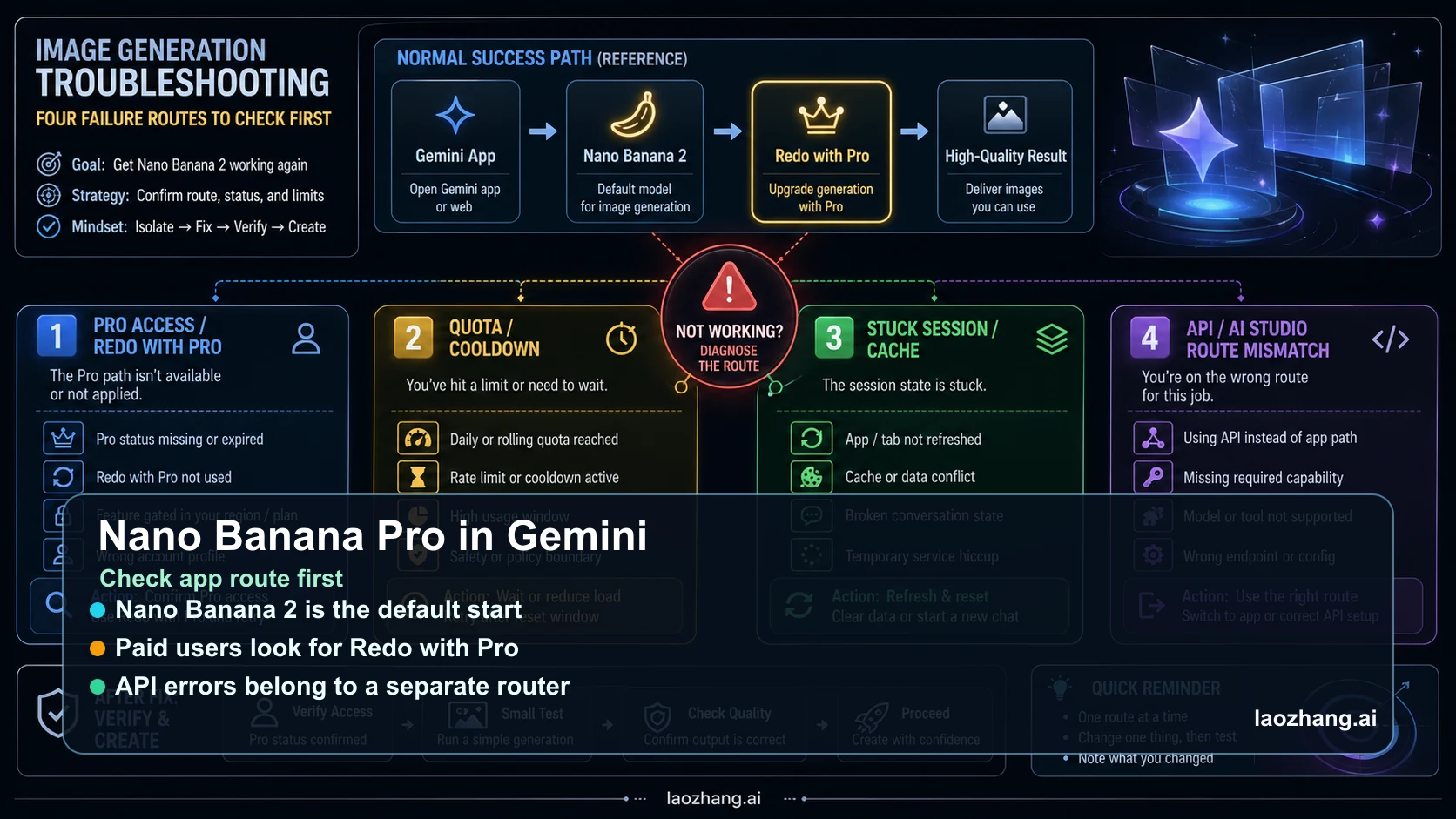
If Nano Banana Pro is not working in Gemini, do not start by rotating API keys or rewriting every prompt. In Gemini Apps, the current path starts with Nano Banana 2, and paid subscribers use Nano Banana Pro by regenerating an existing image with Redo with Pro. That means many failures are app-route, quota, account, or session issues before they are developer-side errors.
Use the router below before changing anything expensive. Keep the first retest clean: same account, same browser or app, same prompt, same generated image, and only one variable changed at a time.
| What you see | Likely branch | First safe action |
|---|---|---|
| Gemini keeps using Nano Banana 2 | Expected app default | Create the image first, then look for More -> Redo with Pro on the generated image. |
| Redo with Pro is missing or disabled | Plan, quota, age, region, or account boundary | Confirm paid subscriber status, daily image room, sign-in account, and app availability. |
| Thinking hangs, then falls back or returns a generic answer | Stuck session or temporary capacity | Open a new chat, refresh once, sign out/in, and retest one simple image. |
| API code returns 429, 503, no image, or permission errors | Gemini API / AI Studio branch | Stop using app fixes and move to the API status-code router. |
Start With the Gemini Apps Route, Not the API Route
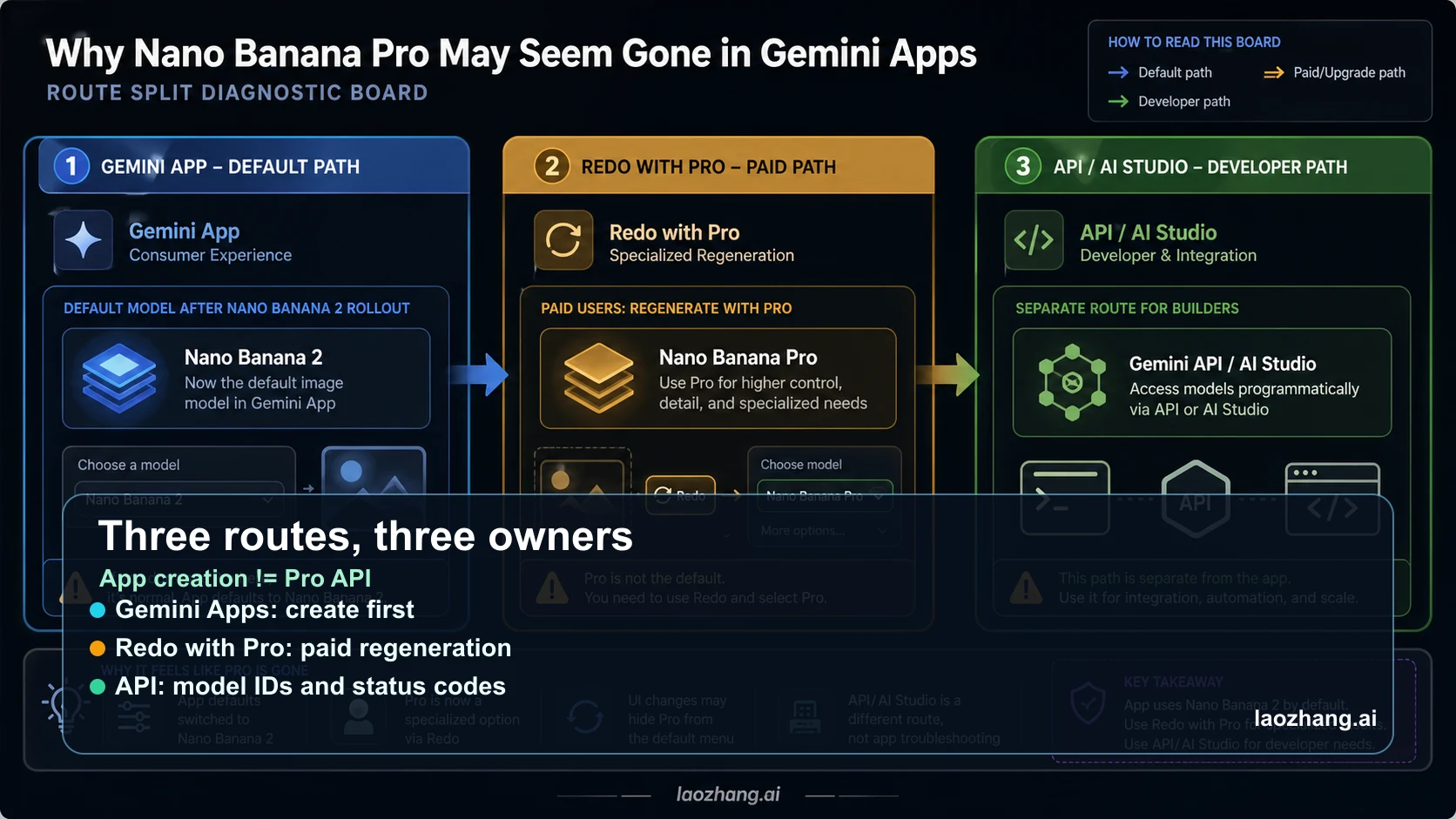
Google's current Nano Banana 2 announcement says Nano Banana 2 replaces Nano Banana Pro across the Gemini app's Fast, Thinking, and Pro models, while Google AI Pro and Ultra subscribers keep Pro access for specialized tasks through regeneration from the three-dot menu. The matching Gemini Apps help page says image creation starts with Nano Banana 2, and paid subscribers can use Nano Banana Pro to regenerate an image.
That is the key correction. Selecting a Pro-feeling Gemini mode or asking the chat to use Pro does not necessarily mean the first image is already Nano Banana Pro. The practical sequence is create with Nano Banana 2, inspect the generated image, then use More -> Redo with Pro if your plan and quota allow it.
This also explains the most common false alarm: the model is not always refusing to use Pro; the app may be following the current product route. If the generated image never shows a redo control, then move to the eligibility and quota branch instead of arguing with the model inside the prompt.
If Redo With Pro Is Missing, Check Eligibility and Quota
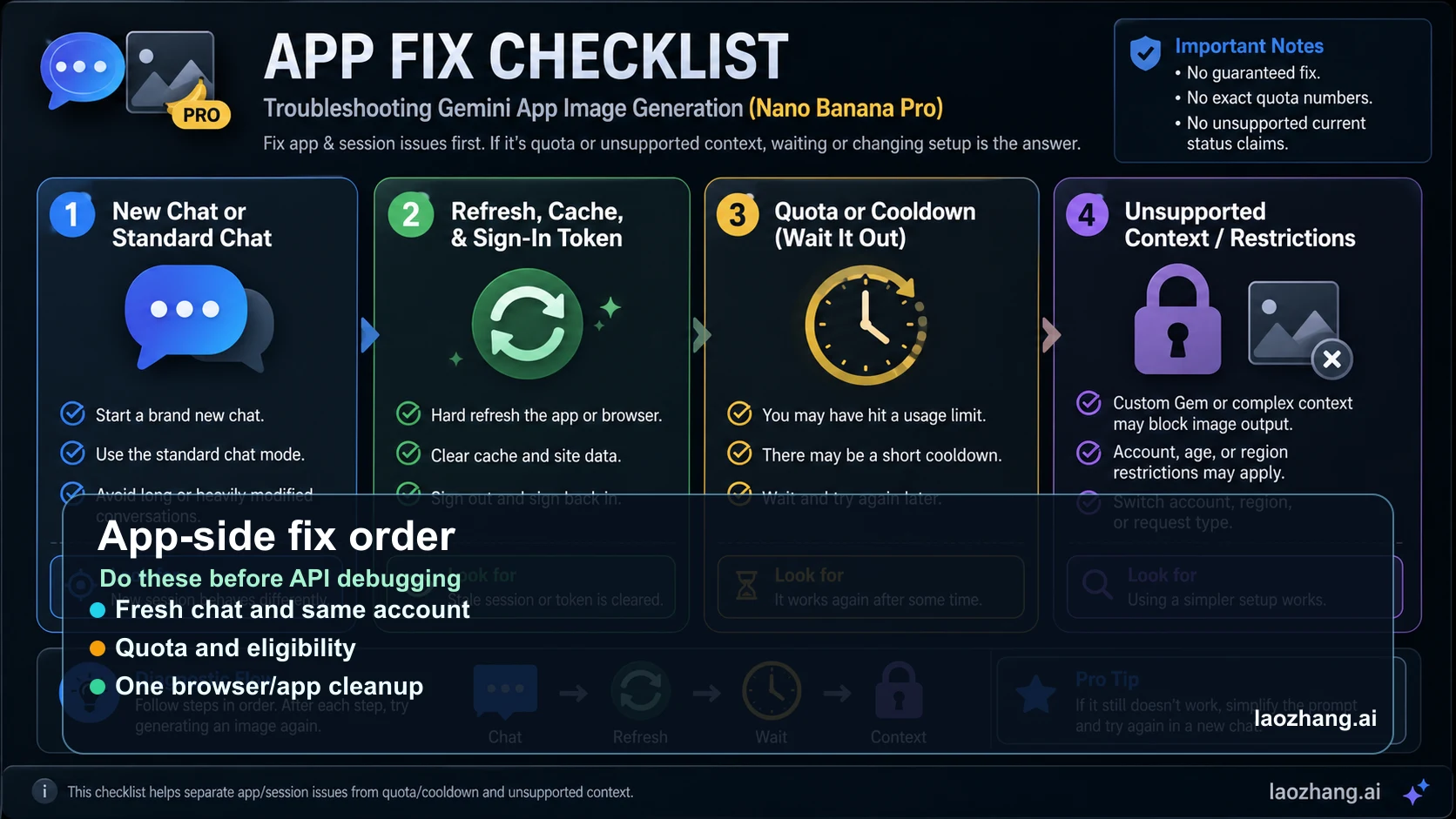
The help page puts two hard boundaries in one place: paid subscribers can redo an image with Nano Banana Pro, and if the daily Nano Banana 2 image quota is reached, additional Redo with Pro actions are not available. So a missing button can be a normal access boundary, not a broken prompt.
Check the account first. Make sure Gemini is using the paid Google account you expect, not a work, school, family-managed, or secondary profile. Then check whether image generation itself is available for your age, country, language, and account type. Work and school accounts can have different rules, and Gemini Apps image features are not available to every signed-in user.
If the control appeared earlier and disappeared later, treat quota or cooldown as the leading branch. Wait for the documented reset path in your account, then retest with one small image before reopening a large creative thread.
If Gemini Hangs or Falls Back, Clean the Session Once
A stuck Gemini chat can keep replaying an old capability state. The most efficient fix is not a dozen prompt variations; it is a clean session test. Start a new chat, ask for a simple image, wait for the Nano Banana 2 result, and then check whether Redo with Pro appears on that fresh output.
If a fresh chat works, the old thread was the problem. Save the useful prompt details, not the broken context. If the fresh chat also fails, refresh the browser once, sign out and back in, or clear only the Gemini site data. Avoid clearing every browser profile or changing accounts until the one-account test is complete.
When a mobile app behaves differently from desktop, treat that as platform evidence. Test the same paid account on desktop Gemini and mobile Gemini. If only one surface fails, update or reinstall that app after the account and quota checks are complete.
When This Is Really an API or AI Studio Problem
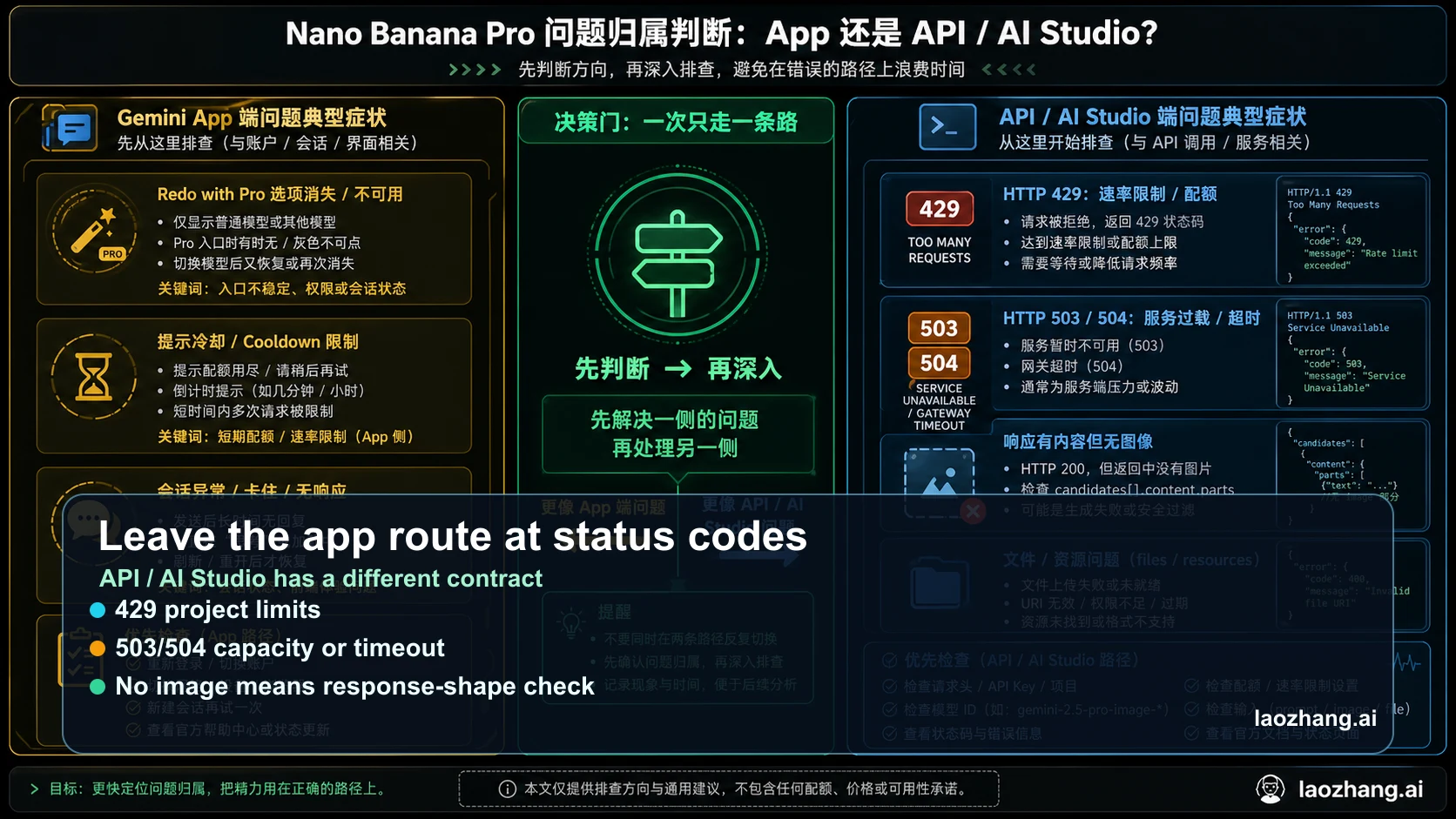
Developer errors need a different router. In the Gemini API, Google's image-generation docs list Nano Banana 2 as gemini-3.1-flash-image-preview, Nano Banana Pro as gemini-3-pro-image-preview, and the original Nano Banana as gemini-2.5-flash-image. App controls such as Redo with Pro do not map one-to-one onto an API request.
If your logs show 429 RESOURCE_EXHAUSTED, use project and model rate limits first. Google's rate-limit documentation says limits are applied per project, not per API key, and requests per day reset at midnight Pacific time. Rotating keys inside the same project can leave the same quota branch untouched.
If your logs show 503 UNAVAILABLE, 504 DEADLINE_EXCEEDED, a successful response with no image part, or 403 PERMISSION_DENIED, stop using Gemini Apps fixes. Use the API branch guides: Nano Banana API not working, Gemini 3 Pro Image 503 overloaded, and Gemini API rate limits.
Escalate Only After One Clean Same-Path Retest
A clean retest protects the signal. In Gemini Apps, use the same paid account, a new chat, one simple prompt, one Nano Banana 2 image, and one Redo with Pro attempt. In the API, use the same model, project, key, payload, endpoint, and input asset for one bounded retry.
Escalate only when the same branch repeats. Missing Redo with Pro after quota and account checks belongs in Gemini Help or account support. Repeated 429 or 503 in logs belongs in API rate-limit or capacity handling. A single weak output after a successful redo is a quality comparison problem, not a not-working problem; use the surface comparison in Nano Banana Pro got worse?.
The stop rule is simple: once the symptom crosses from app UI into status codes, leave the app route. Once it crosses from status codes back into a missing app control, leave the API route.
Frequently Asked Questions
Is Nano Banana Pro gone from Gemini?
No. Google's current wording says Nano Banana 2 is the Gemini app default, while paid Google AI Pro and Ultra subscribers keep Nano Banana Pro access for specialized regeneration through the three-dot menu.
Why does Gemini keep saying it used Nano Banana 2?
Because the first Gemini Apps image is expected to start with Nano Banana 2. Pro is a redo path on the generated image, not necessarily the first-generation path.
Why is Redo with Pro unavailable after many images?
Google's help page says that if the daily Nano Banana 2 image quota is reached, additional Nano Banana Pro redo actions are not available. Treat this as quota before prompt failure.
Should I clear my cache?
Only after a clean new-chat test. If a new chat on the same account works, the old thread was stale. If the new chat fails, refresh, sign out/in, or clear Gemini site data once.
Is the Gemini API the same as Gemini Apps Redo with Pro?
No. The API uses model IDs such as gemini-3-pro-image-preview; Gemini Apps uses a consumer UI flow. Status-code errors need API diagnostics, not app-button fixes.