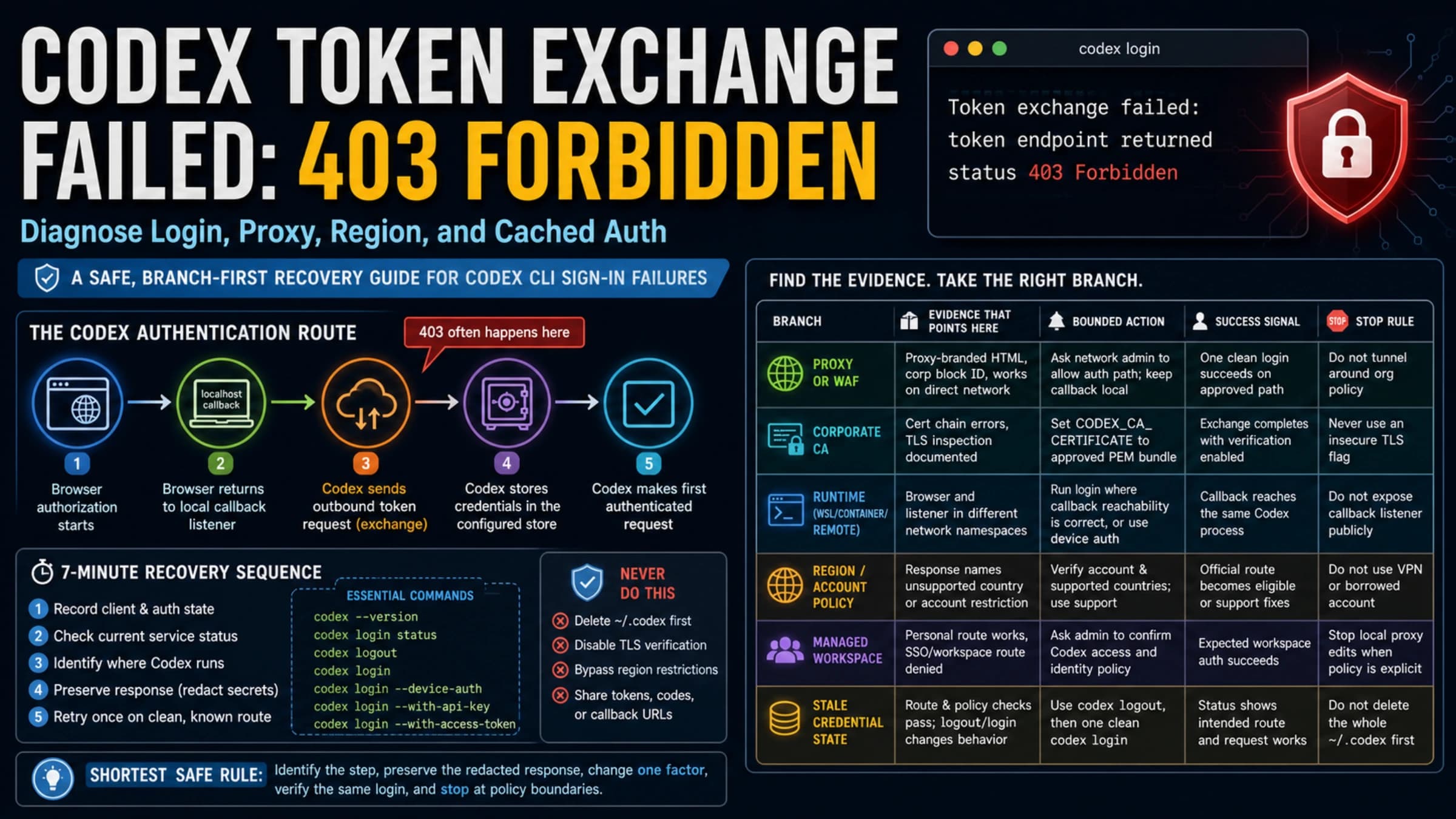
Codex Asking for Phone Verification? What It Means and What to Do Safely
Codex phone verification is a branch problem. Check whether the prompt comes from ChatGPT login, Codex auth, first API-key generation, MFA, an old number, an unsupported number, or support review before acting.
On this page
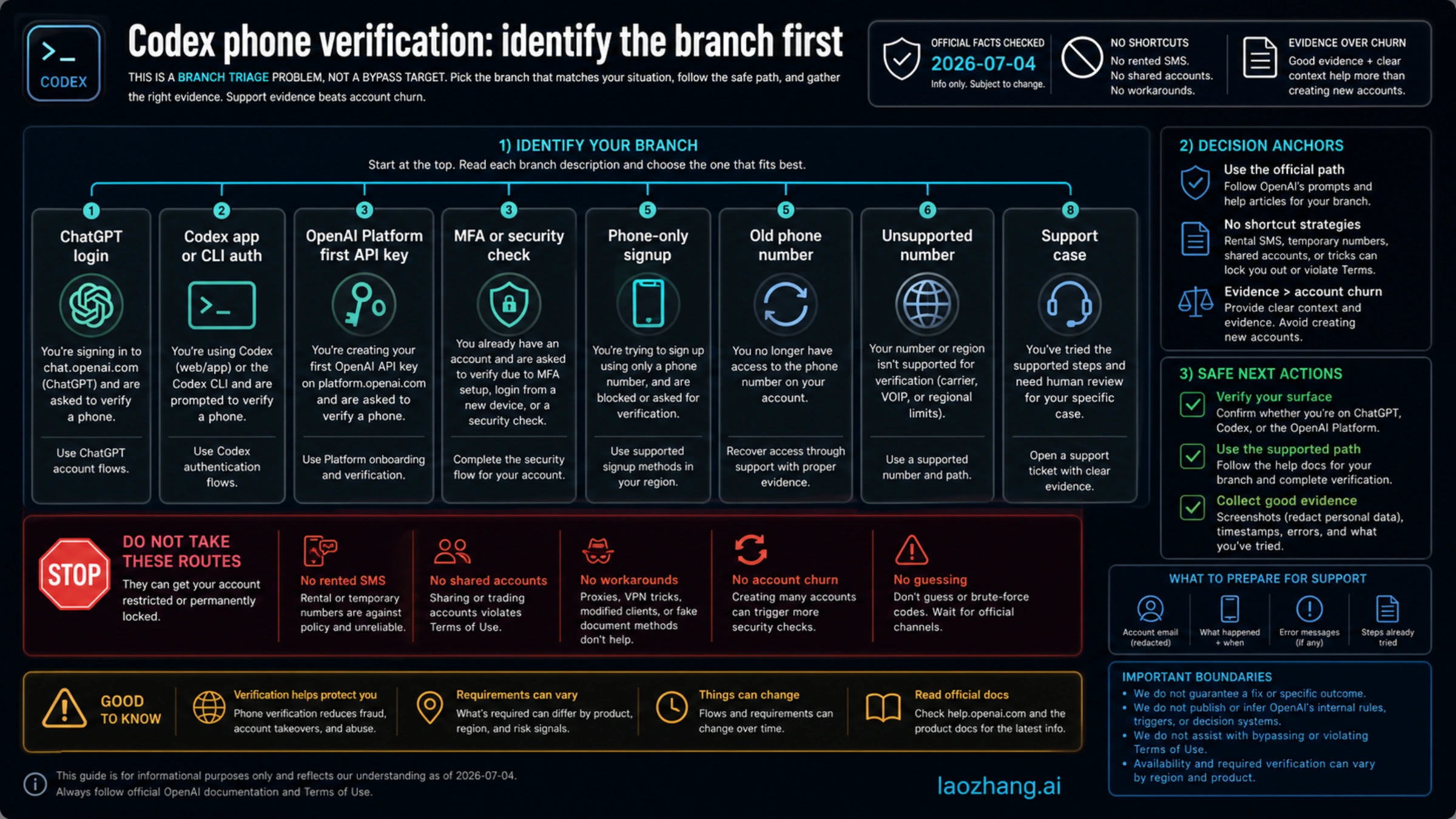
If Codex asks for phone verification, do not treat it as one universal rule or as a prompt you should bypass. First identify which OpenAI surface is asking: ChatGPT login, Codex app or CLI auth, OpenAI Platform first API-key generation, MFA or security verification, phone-only signup, an old phone number, an unsupported number, or an account-specific support case.
OpenAI Help pages checked on 2026-07-04 draw an important line: normal ChatGPT account creation or usage no longer requires phone verification, while the first OpenAI Platform API key you generate does require phone verification. Codex can sit near both worlds, so the safe answer starts with the surface, not with a shortcut.
Do not use rented SMS numbers, VoIP, Google Voice, premium numbers, bought accounts, copied tokens, shared sessions, or "clean IP" promises as a recovery plan. Those routes can create account-recovery, billing, security, and policy problems, and they do not turn an unsupported verification branch into an official one.
| If the prompt appears while... | What it usually means | Safe next move |
|---|---|---|
| signing in to ChatGPT or a Codex ChatGPT surface | a login, device, account, or security check may be involved | complete the official login, MFA, SSO, passkey, or push flow and avoid account sharing |
| creating your first OpenAI Platform API key | OpenAI Platform first-key phone verification applies | use an eligible personal mobile number by SMS, or WhatsApp where available |
| reusing a phone number or seeing a max-use error | the number may have reached OpenAI's documented reuse limit for first API-key verification | try a different eligible personal mobile number or recover the previous associated account |
| using an old number you cannot access | account recovery is the real branch | collect evidence and contact OpenAI Support instead of creating throwaway accounts |
| trying an API-key route for Codex | API-key Codex is a developer surface with feature and billing limits | use it only when local or automation work fits those limits |
What OpenAI officially says about phone verification
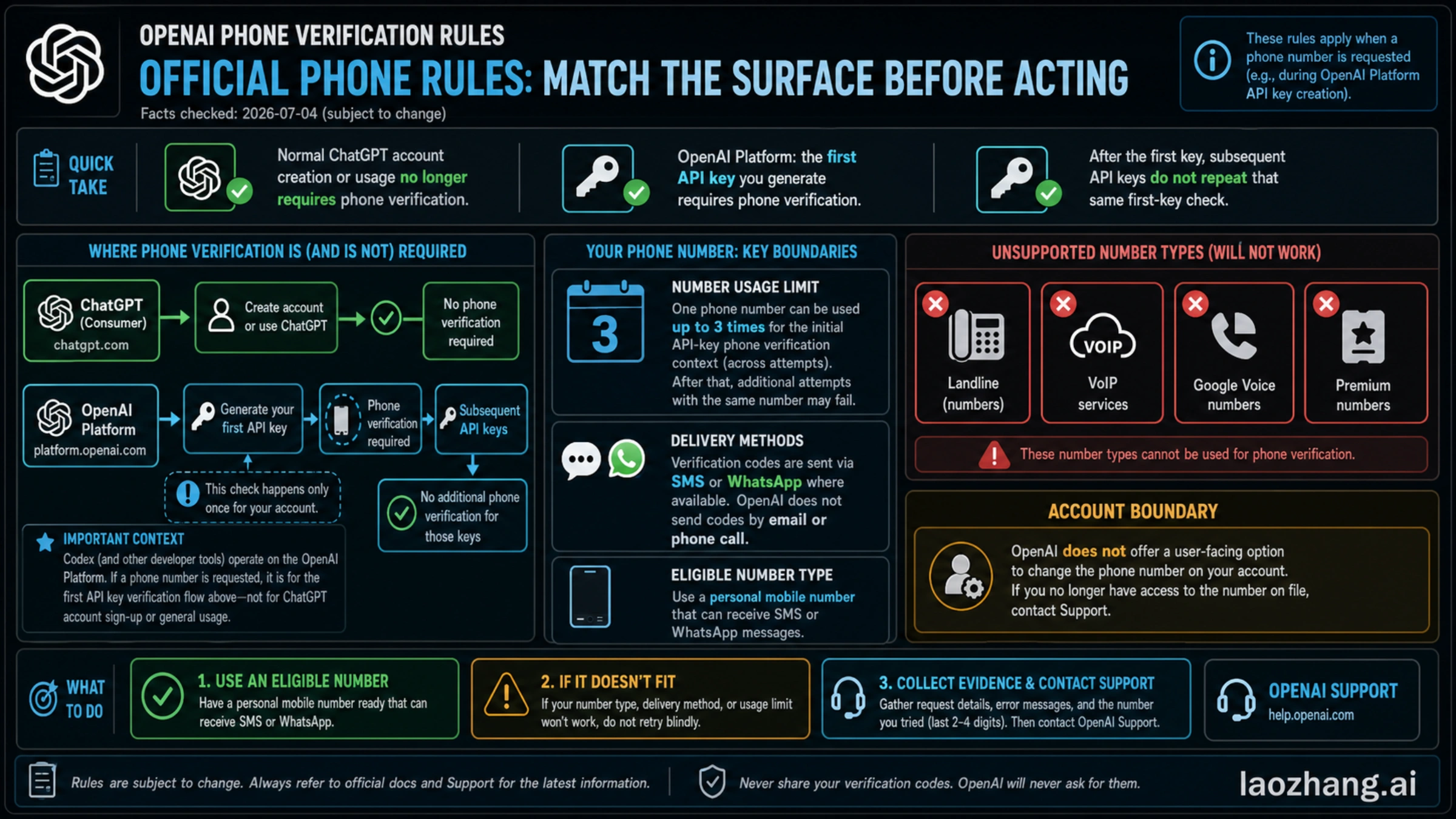
OpenAI's phone-verification Help pages separate account creation, ChatGPT usage, API-key creation, number type, and delivery method. That split is the anchor for this topic because a Codex phone prompt can appear near several account surfaces.
The phone verification overview checked on 2026-07-04 says phone verification is no longer required for new OpenAI account creation or normal ChatGPT usage. The same page says phone verification is mandated on the OpenAI Platform when you generate the first API key, and that later API keys do not repeat that same first-key check.
The phone-number reuse article checked on the same date says one phone number can be used up to three times for first API-key phone verification. That scope matters. A max-use or too-many-signups error is not always a Codex bug; it may be the number's history meeting a platform rule.
Delivery method is also narrower than many people expect. OpenAI says verification is SMS, or WhatsApp where available, not email or phone call. OpenAI also says landlines, VoIP numbers, Google Voice, and premium numbers are unsupported. If a number type is unsupported, retrying the same class of number is not a troubleshooting strategy.
Finally, OpenAI says it does not offer a user-facing way to change or update the phone number associated with a ChatGPT or API account. If the account is tied to an old number you cannot access, treat that as account recovery and support evidence, not as an invitation to create a chain of replacement accounts.
Safe recovery by symptom
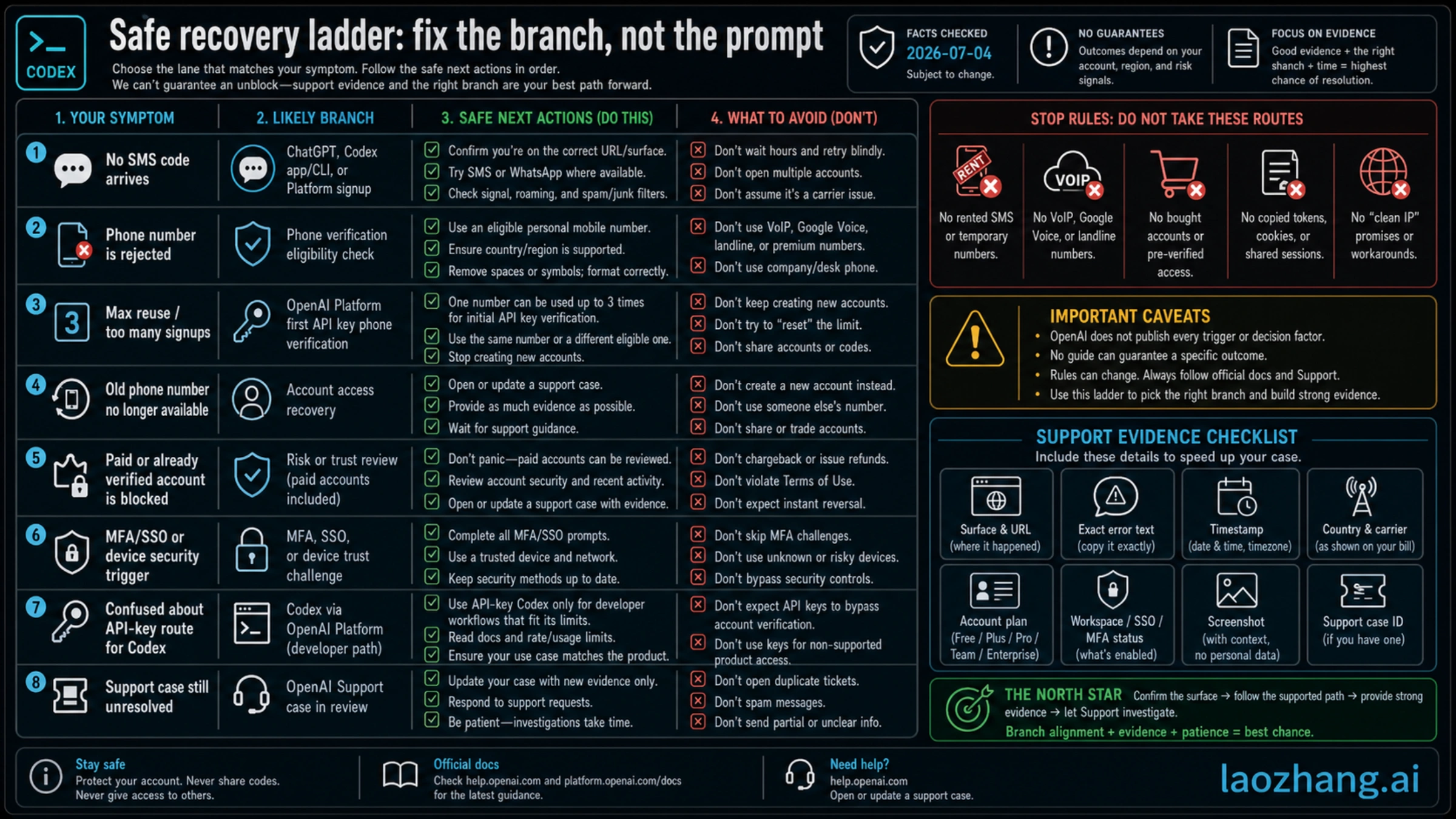
Start from the exact symptom. The right fix for "no SMS code" is different from the fix for "this number was used too many times," and both differ from a paid account that suddenly asks for additional verification.
| Symptom | Likely branch | Safe action |
|---|---|---|
| no SMS or WhatsApp code arrives | delivery or carrier path | confirm the exact URL, try the official delivery options shown, check roaming and spam filters, then wait before retrying |
| number is rejected immediately | unsupported number type or unsupported region/carrier path | use an eligible personal mobile number that can receive SMS or WhatsApp where available |
| max-use or too-many-signups error | phone-number reuse limit or recycled-number history | try another eligible personal mobile number, or recover the previous associated account if it is yours |
| old number is no longer available | account recovery | collect account evidence and contact OpenAI Support rather than cycling new accounts |
| paid or already verified account is blocked | account review, security, workspace, or risk signal | do not assume payment status overrides verification; gather evidence and open or update a support case |
| prompt appears after SSO, a new device, or a location change | login verification, MFA, SSO, passkey, or device trust | complete the official security prompt and keep security methods current |
| API-key route appears to avoid the prompt | developer surface split | verify whether API-key Codex actually fits the task and remember first API-key generation may itself require phone verification |
For a user who is blocked today, the most productive sequence is simple: name the surface, copy the exact error text, record the timestamp and URL, confirm whether this is ChatGPT, Codex app, CLI, OpenAI Platform, or a workspace login, then choose the official path for that branch. Guessing the trigger is less useful than preserving evidence.
If the account is paid, do not treat that as a guarantee. A paid account can still face login checks, workspace checks, device checks, security prompts, or support review. Payment is not proof that every verification gate must disappear.
What not to do
The fastest-looking route can be the most expensive one. Rented SMS numbers, temporary overseas numbers, VoIP, Google Voice, premium numbers, bought accounts, shared verified sessions, copied cookies, copied tokens, and "clean IP" packages all create the same core problem: they move account ownership and recovery away from you.
That is dangerous for three reasons. First, OpenAI already documents unsupported number types, so a rented or virtual number may fail even before account security is considered. Second, if the number later becomes unreachable, you may not be able to recover the account cleanly. Third, a shared or bought account can mix your work, billing, credentials, organization access, and usage history with someone else's control.
Do not send anyone your verification code. Do not give a third party your ChatGPT session, OpenAI Platform session, browser cookies, API keys, recovery email, MFA code, passkey approval, or workspace access. OpenAI Support will not need a public post containing your full phone number, token, or private account identifiers.
The safe standard is boring but strong: use your own eligible mobile number when the official branch requires it, keep MFA and recovery methods under your control, and escalate account-specific contradictions with evidence.
Developer route split: ChatGPT-plan Codex vs API-key Codex
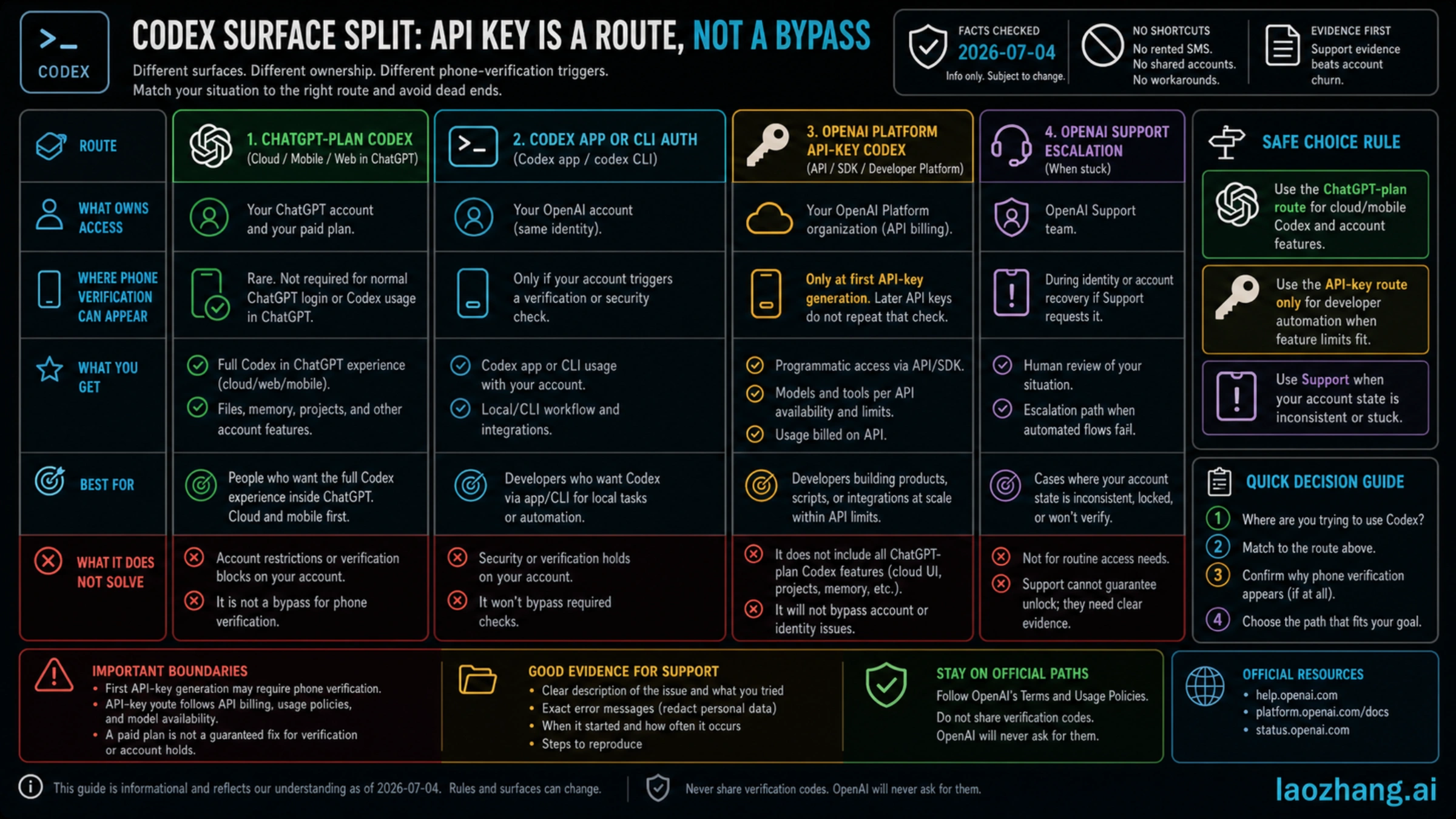
Some Codex users can do useful work with an API key, but that does not make the API-key route a phone-verification bypass. It is a different developer surface.
OpenAI's Codex pricing and surface documentation separates ChatGPT-plan Codex features from API-key use. ChatGPT-plan Codex can include account, workspace, cloud, web, mobile, and plan-specific features. API-key use follows API billing, API model availability, project or organization configuration, and the tool surface you are using. It does not automatically reproduce every ChatGPT-plan Codex feature.
That distinction creates a practical rule:
| Route | Use it when | Do not expect it to solve |
|---|---|---|
| ChatGPT-plan Codex | you need ChatGPT account, workspace, cloud, mobile, or plan-managed Codex features | first API-key Platform verification, unsupported numbers, or account-specific security review |
| Codex app or CLI auth | you are using Codex through the app or command line tied to your OpenAI account | account security prompts or workspace policy |
| OpenAI Platform API key | you are building local automation, scripts, SDK integrations, or API-backed workflows | cloud/mobile Codex features, ChatGPT plan access, or account recovery |
| OpenAI Support | the prompt contradicts documented behavior or your account state is inconsistent | instant unlocks or guaranteed reversals |
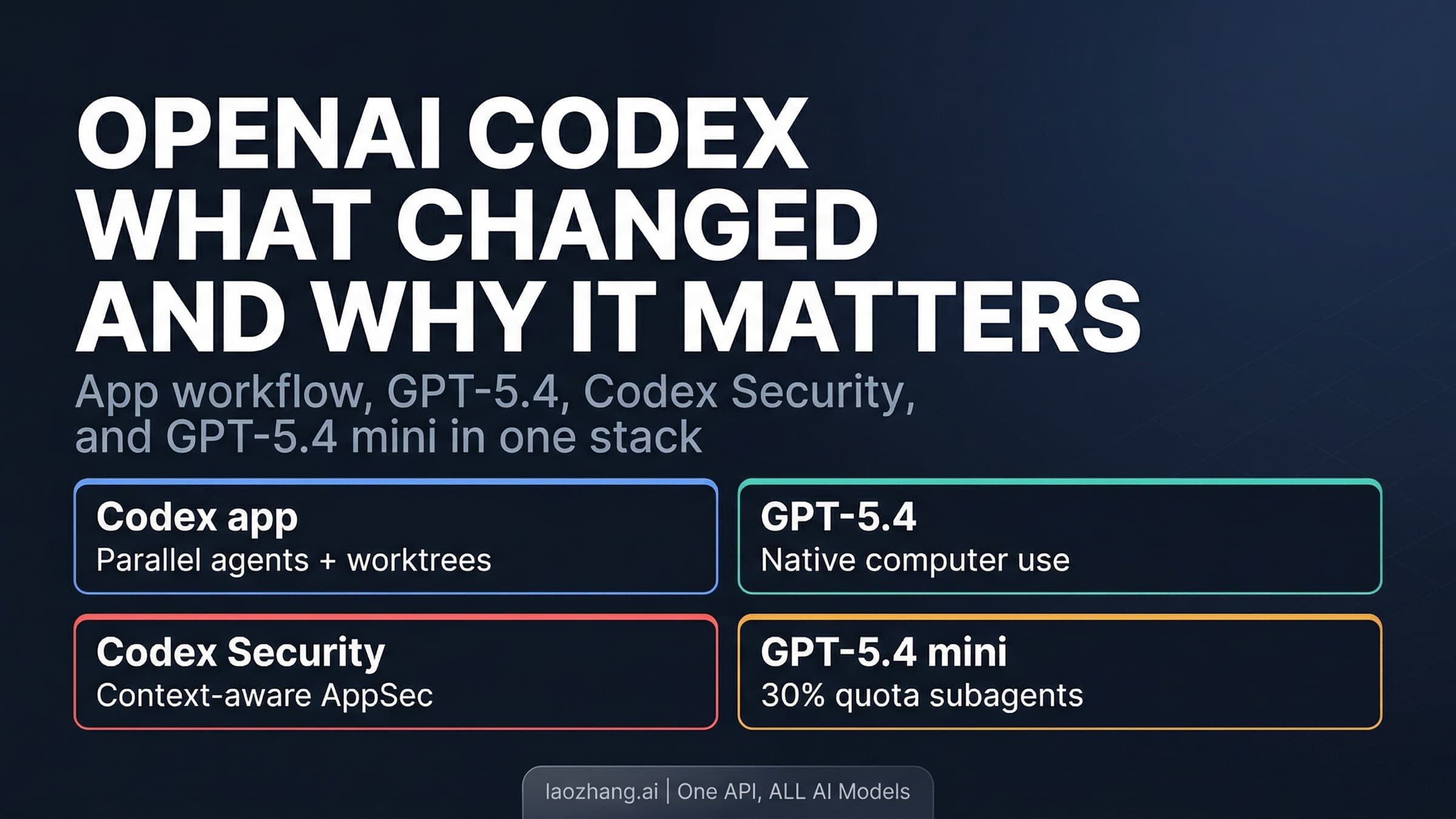
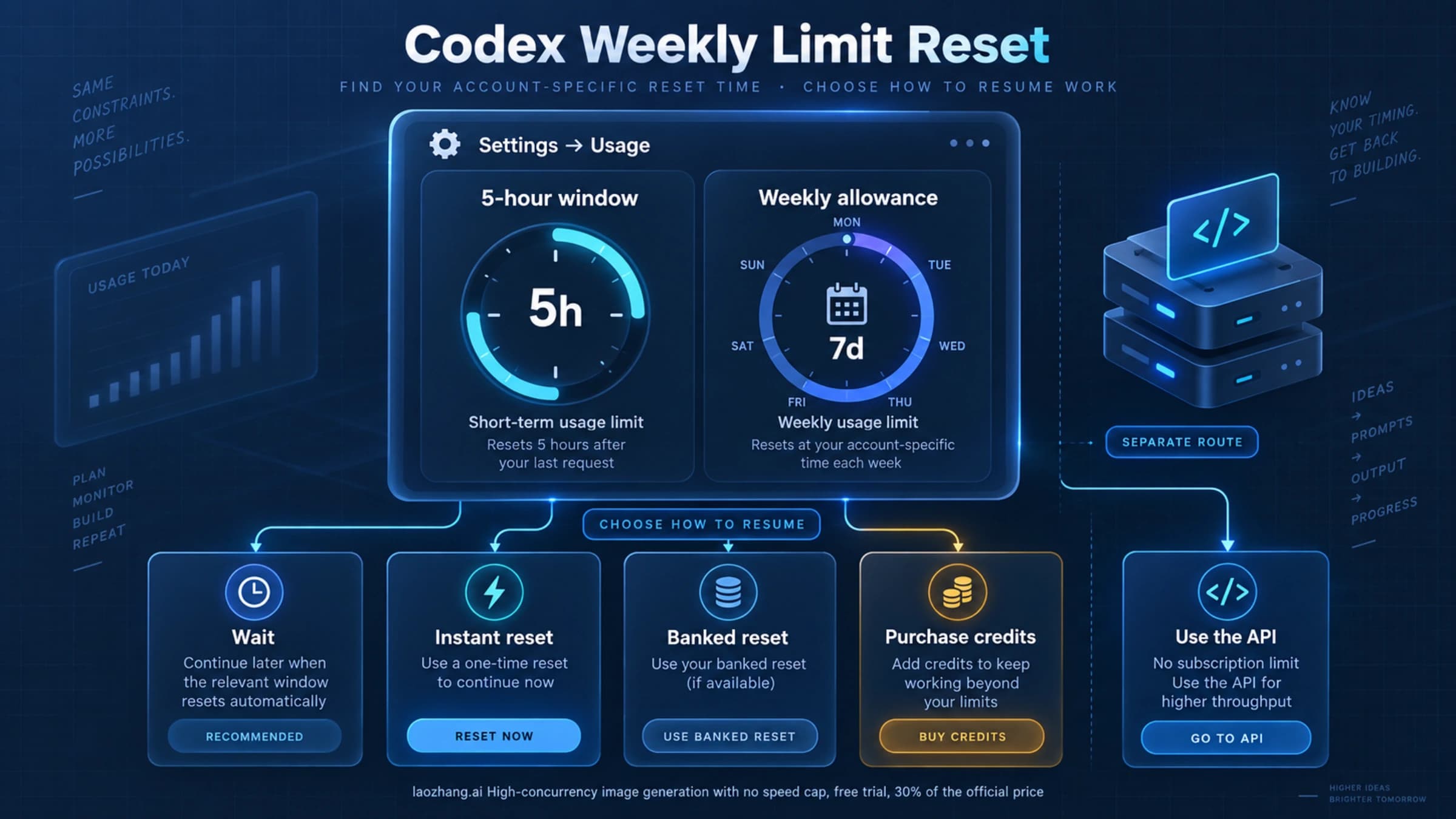
If your real issue is quota, billing, or token accounting after you already have a working route, the adjacent Codex token usage guide is a better next step. If your issue is plan-based Codex access and quota, the OpenAI Codex usage limits guide is the right neighbor. Do not use either topic to bypass account verification.
Why ChatGPT can work while Codex asks
It is possible for normal ChatGPT usage to work while a Codex-related flow asks for more verification. That does not automatically mean either screen is wrong. Different surfaces can evaluate different account, workspace, device, security, API, or risk signals.
OpenAI's login-verification Help page says extra verification can appear on new or unrecognized devices, unusual locations, sensitive account changes, or requested security checks. OpenAI's MFA Help page also describes MFA across OpenAI services, including ChatGPT and the API Platform, with methods that can include authenticator apps, push notifications, SMS or WhatsApp where available, and passkeys.
Codex can add another layer of surface context. The Codex app and CLI can use ChatGPT account authentication or device-code flows. Workspace access, SSO, passkeys, MFA, organization policy, or admin controls can matter. OpenAI has not published a complete public matrix that explains every Codex-specific add-phone trigger, so a useful answer should avoid pretending there is one.
The takeaway is not "Codex is broken" or "ChatGPT payment fixes it." The takeaway is to record where the prompt appears, which account and workspace are active, whether SSO or MFA is in the path, whether this is OpenAI Platform first API-key generation, and whether the same prompt appears on a trusted device.
How to prepare a support case
Support cases move faster when the evidence is specific and redacted. The goal is to prove the branch and remove ambiguity without exposing private data.
Collect:
- the exact URL or product surface where the prompt appeared
- whether the surface is ChatGPT, Codex app, Codex CLI, OpenAI Platform, API-key generation, mobile, or workspace SSO
- the exact error text, copied without phone numbers or codes
- date, time, and timezone
- country or carrier context if relevant, without posting your full number
- whether SMS or WhatsApp was offered
- whether the account is Free, Plus, Pro, Business, Edu, Enterprise, or API-only
- whether MFA, SSO, passkey, or a new device was involved
- screenshots with personal data redacted
- steps already tried and their result
- existing support case ID, if there is one
Do not flood support with duplicate cases every few minutes. If you already have a case, update that case with better evidence. If support asks for additional verification, follow the support channel instead of moving the discussion into public threads.
Keep the account safe after access returns
Once access returns, treat the recovery path as account maintenance, not only as a solved prompt. Confirm your email, MFA method, passkey, workspace, billing contact, API organization, and recovery options. Remove stale sessions you do not recognize. Keep API keys in the right project or organization and rotate any key that may have been exposed.
If your workflow depends on Codex for production work, document which surface your team is using. A ChatGPT-plan Codex task, a Codex app login, a CLI flow, and an API-key automation are different operational routes. That distinction matters for billing, audit, support, and incident response.
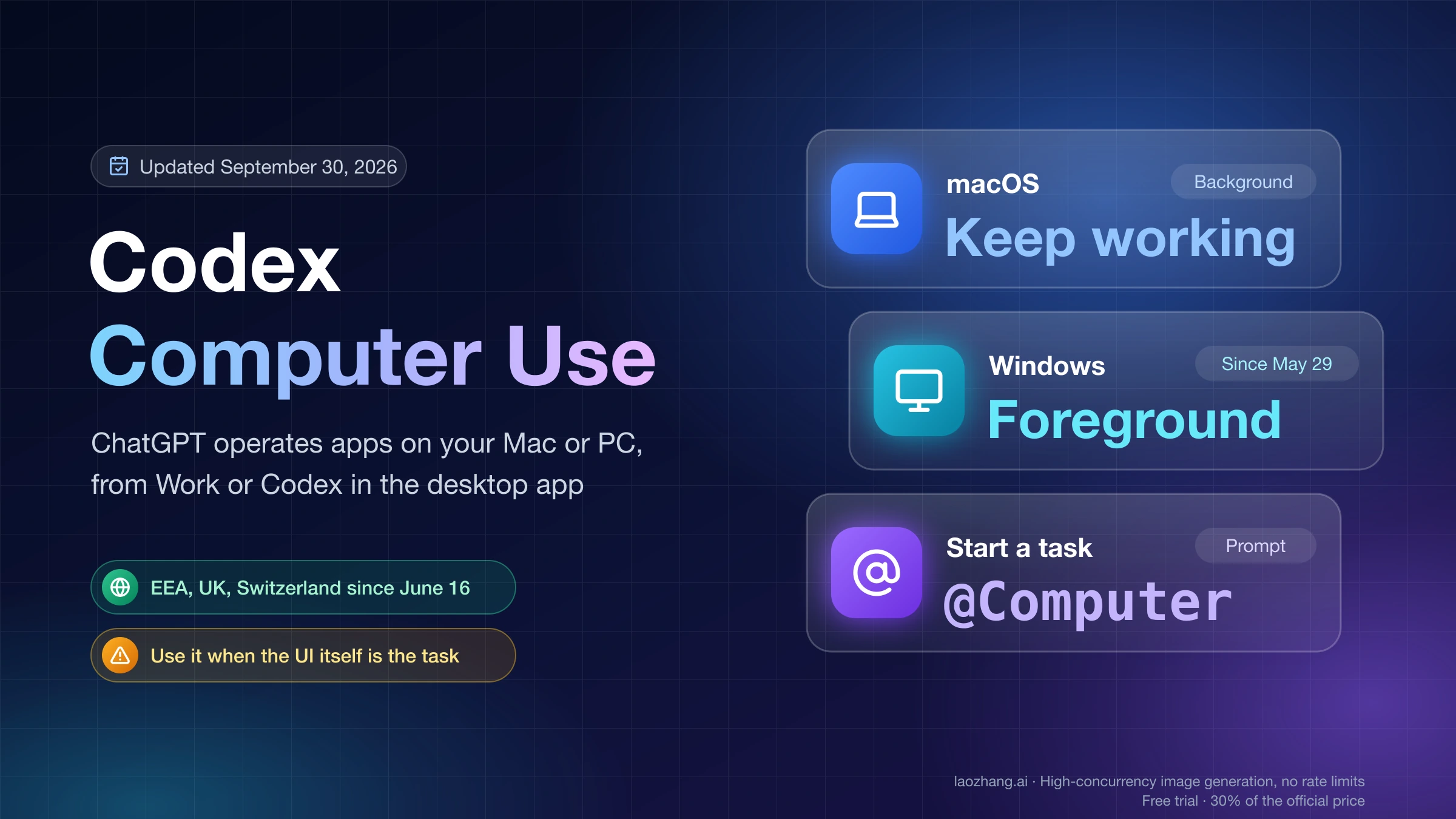
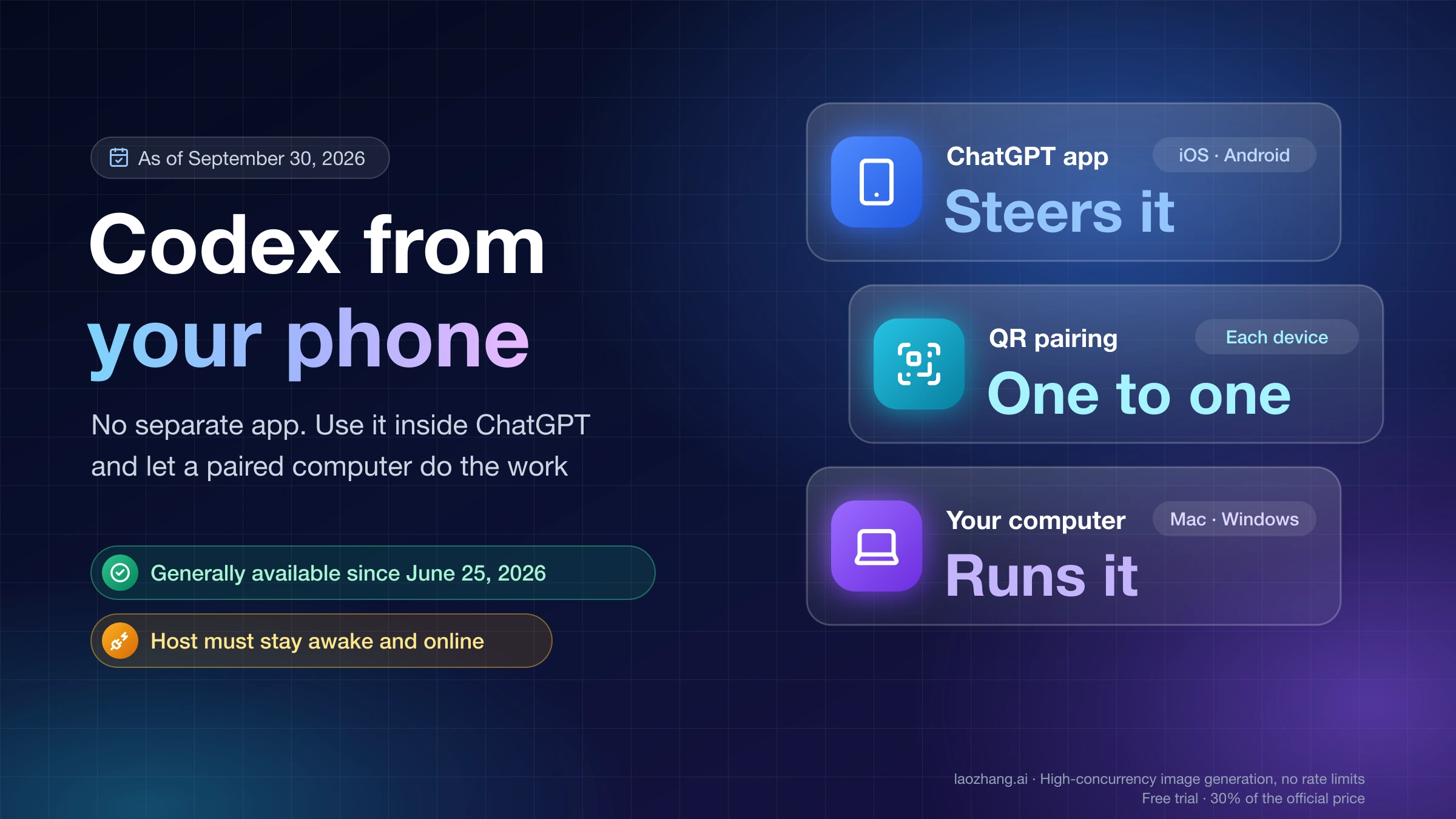
For mobile or host-based Codex work, keep the connected device and workspace model clear. The Codex mobile setup guide explains how ChatGPT mobile and a connected host divide control and execution. If your task involves GUI or browser control from a host, the Codex Computer Use guide covers the permission boundary.
FAQ
Can I skip Codex phone verification?
Do not plan on skipping it. Identify the branch first. If the prompt is OpenAI Platform first API-key verification, OpenAI Help says phone verification is required for that first API key. If the prompt is a login or security challenge, complete the official security flow or contact support with evidence.
Can I use Google Voice, VoIP, a landline, or a premium number?
OpenAI Help says landlines, VoIP numbers, Google Voice, and premium numbers are not supported for phone verification. Use an eligible personal mobile number that can receive SMS, or WhatsApp where available.
Why does ChatGPT work but Codex asks for phone verification?
Normal ChatGPT usage and a Codex-related account flow can hit different checks. Codex may involve account auth, workspace access, app or CLI login, API-key generation, MFA, SSO, device trust, or support review. OpenAI has not published a complete public trigger matrix for every Codex add-phone prompt.
Does Plus or Pro fix Codex phone verification?
Not as a guarantee. A paid plan can change product access, but it does not erase account security, phone-number, API-key, workspace, SSO, MFA, or support-review branches.
Can an API key avoid the phone prompt?
Sometimes an API key is the right developer route, but it is not a universal bypass. OpenAI Platform first API-key generation may itself require phone verification, and API-key Codex does not automatically include ChatGPT-plan cloud or mobile Codex features.
What if my old phone number is gone?
Treat it as account recovery. OpenAI Help says there is no user-facing option to change the phone number associated with the account. Collect redacted evidence and contact OpenAI Support rather than opening multiple new accounts.
What should I send to support?
Send the product surface, exact URL, exact error text, timestamp, account plan, workspace or SSO context, MFA/passkey context, delivery option shown, country or carrier context if relevant, redacted screenshots, steps already tried, and any existing case ID. Do not send full phone numbers, verification codes, tokens, cookies, or private keys in public threads.