Nano Banana Pro for Ecommerce Product Photography: Complete Guide + IMAGE_SAFETY Solutions (2026)
Nano Banana Pro (Gemini 3 Pro Image) transforms ecommerce product photography by generating studio-quality images from mobile snapshots with official output pricing from $0.134 per image or LaoZhang billing of $0.09 per call. This guide covers the complete workflow from API setup to production pipeline, with dedicated sections on diagnosing and solving IMAGE_SAFETY errors that block legitimate fashion and apparel photography.
On this page
Nano Banana Pro has become the go-to AI image generation model for ecommerce sellers who need studio-quality product photos without the studio. Built on Google's Gemini 3 Pro architecture, it generates photorealistic 4K product images from simple mobile snapshots in under 10 seconds, at a fraction of traditional photography costs. However, ecommerce sellers — especially those in fashion, apparel, and intimate wear categories — frequently encounter IMAGE_SAFETY errors that block perfectly legitimate product photos. This guide covers both sides of the equation: how to build a production-ready product photography pipeline with Nano Banana Pro, and how to diagnose and resolve IMAGE_SAFETY issues that plague ecommerce use cases.
TL;DR
Nano Banana Pro (Gemini 3 Pro Image) generates studio-quality ecommerce product images at $0.134 per 1K/2K output image through Google or $0.09 per call through LaoZhang API, according to public pricing checked October 5, 2026; Google input charges are additional. The model excels at product photography with 4K resolution output, realistic lighting, and material accuracy. IMAGE_SAFETY errors — which disproportionately affect fashion and apparel categories — stem from a non-configurable server-side filter that cannot be disabled through API settings. The most effective solution combines professional prompt engineering (shifting from person-focused to product-focused language) with smart retry logic, achieving 80-95% success rates for previously blocked content.
Disclosure: laozhang.ai is our own service. Its prices are platform pricing, not an independent comparison.
What Makes Nano Banana Pro the Best Choice for Ecommerce Product Photography
When Google launched Nano Banana Pro in November 2025, it immediately stood out from competitors like GPT Image 1.5 and FLUX.2 Pro for one specific reason: material fidelity. The model renders fabric textures, metal finishes, glass reflections, and leather grain with a level of detail that competing models simply cannot match. This matters enormously for ecommerce, where customers make purchasing decisions based entirely on how products look in images. A slight misrepresentation of fabric texture or color accuracy can drive returns and erode customer trust.
The technical specifications reinforce this advantage. Nano Banana Pro outputs images up to 4096x4096 resolution — more than enough for zoom-in product detail shots on platforms like Amazon, Shopify, Etsy, and Alibaba. The model supports up to 8 reference images simultaneously, enabling consistent multi-angle product photography from a single session. When you upload a reference product photo and describe the desired scene, Nano Banana Pro preserves the product's exact proportions, colors, and surface details while reconstructing the environment around it with realistic shadows, reflections, and ambient lighting.
For ecommerce teams accustomed to spending $500-3,000 per product shoot — hiring photographers, renting studio space, styling products, and retouching dozens of raw images — the shift to AI-generated product photography represents a fundamental change in workflow economics. A 10-product catalog that might cost $5,000-15,000 with traditional photography requires 40 planned images at four views per product: $5.36 in Google 1K/2K output charges, or $3.60 for 40 LaoZhang calls before retries and production overhead. The speed advantage is equally dramatic: what takes 3-5 business days with a photographer takes 10-60 seconds per image with the API.
Beyond raw cost savings, AI-generated product photography solves several persistent ecommerce pain points that traditional photography cannot address efficiently. Seasonal background updates become trivial — you can regenerate your entire catalog with holiday themes, summer vibes, or minimalist studio settings in minutes rather than scheduling new photoshoots. A/B testing different backgrounds and compositions costs essentially nothing when each variation is a single API call. And for sellers with large catalogs of 500+ SKUs, maintaining visual consistency across all product images is dramatically easier when a single prompt template generates the entire set.
Setting Up Your Nano Banana Pro Product Photography Pipeline
Getting started with Nano Banana Pro for product photography requires understanding the API integration options available in 2026. The most straightforward path is through Google AI Studio, which provides a web-based interface for testing prompts before committing to API integration. For production use, you will want to integrate directly with the Gemini API or use a third-party provider that offers simplified endpoints and cost optimization.
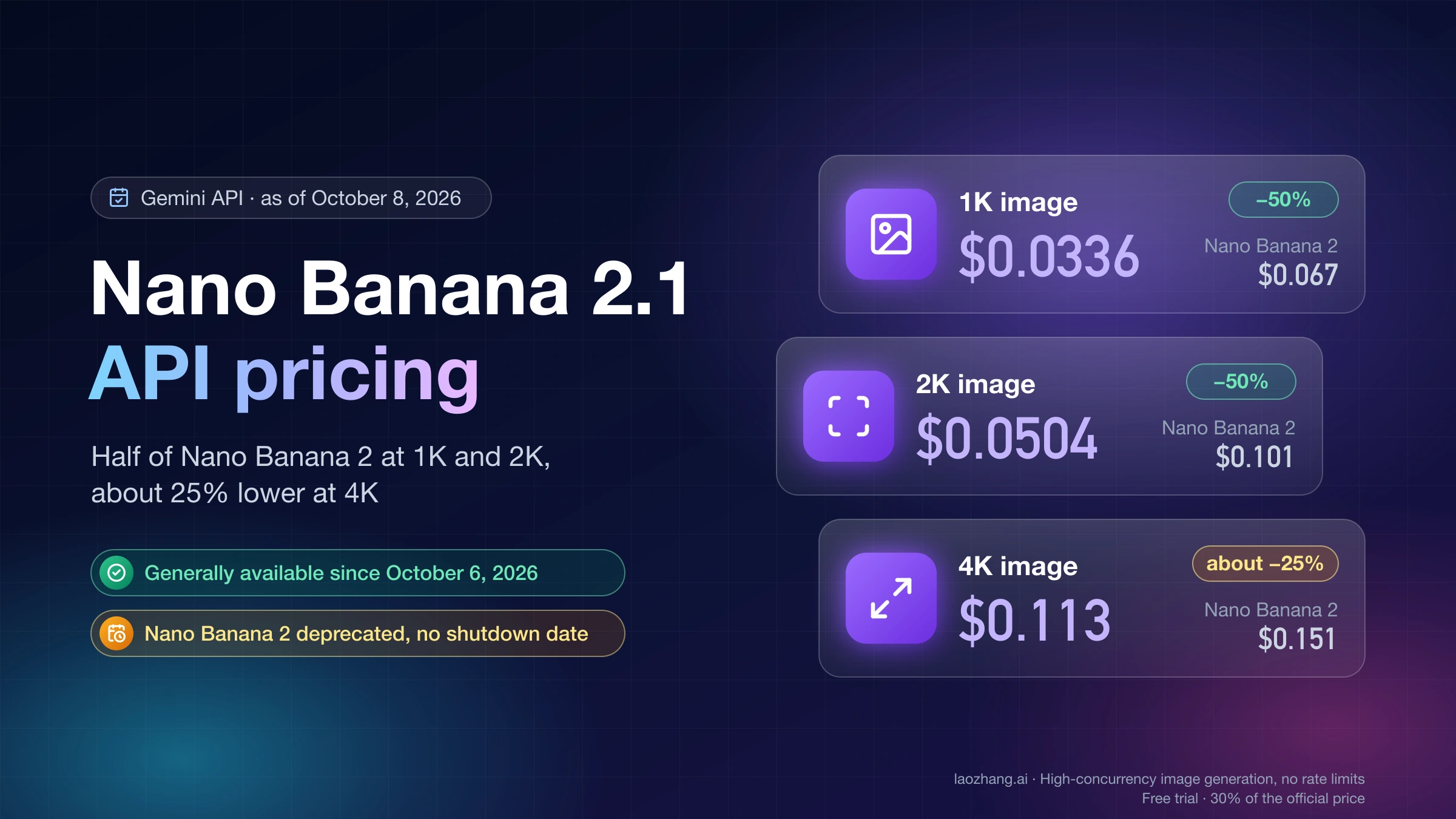
The official Google API route requires a Google Cloud project with billing enabled. You will generate an API key through Google AI Studio (ai.google.dev), configure your safety settings, and make requests to the gemini-3-pro-image-preview model endpoint. The free tier through AI Studio allows approximately 50 requests per day for image generation — sufficient for testing but not for production workflows. Paid API access charges $0.134 per image at standard resolution (up to 2048x2048) and $0.24 per image at 4K resolution (4096x4096), based on output token consumption of approximately 1,120 tokens per image (Google AI Developer Forum, January 2026).
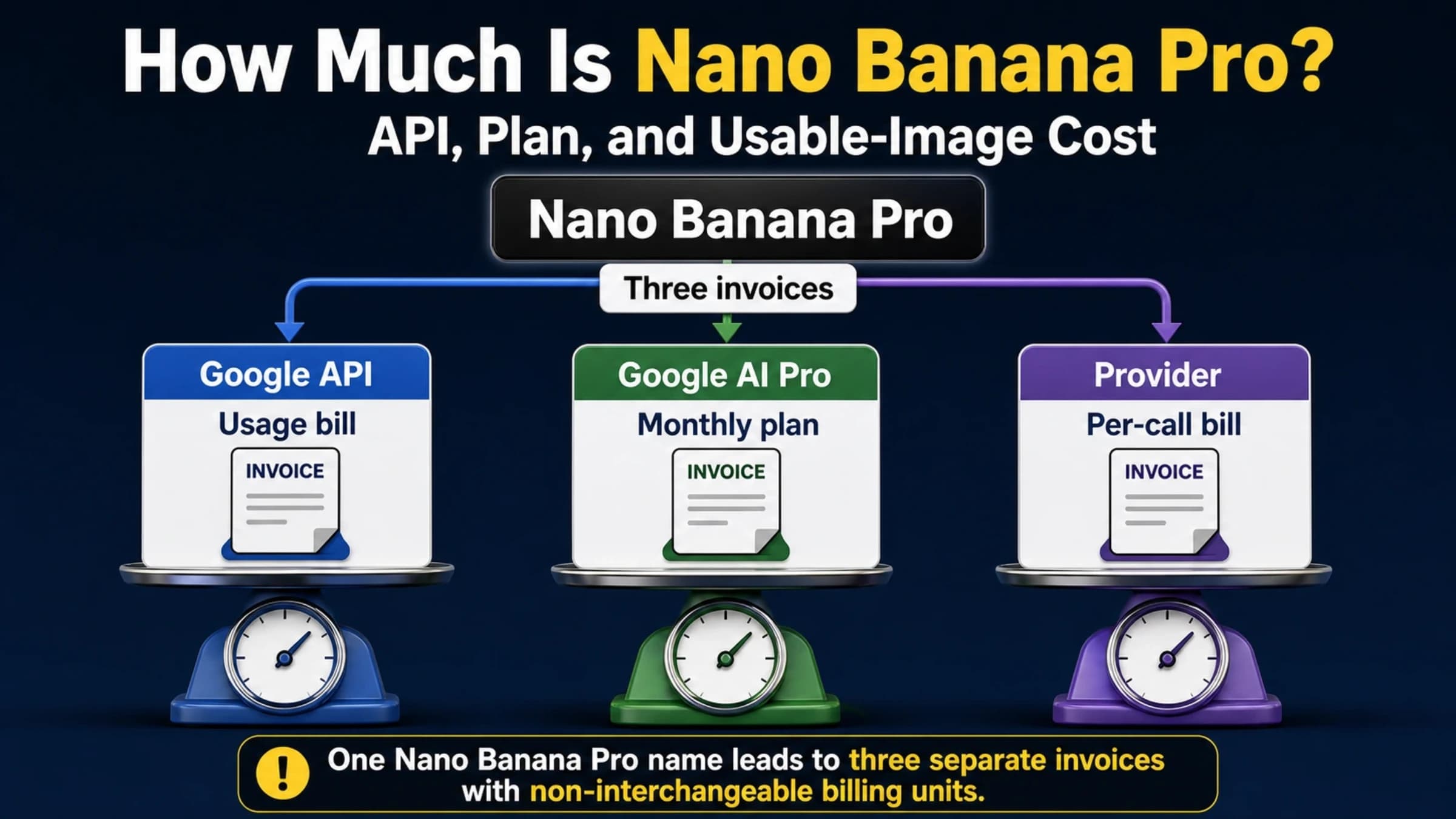
For ecommerce teams processing hundreds or thousands of images, third-party API providers offer significant cost advantages. Services like laozhang.ai provide access to the same Nano Banana Pro model at $0.09 per call regardless of resolution — about 32.8% less than Google’s $0.134 1K/2K output charge and 62.5% less than its $0.24 4K charge, before Google input charges. The provider documentation, checked October 5, 2026, bills an HTTP 200 without an image as one call; a client timeout may also leave a billable backend generation running. The integration is typically a single line change in your API endpoint URL, with identical request and response formats. You can find the complete API documentation at docs.laozhang.ai.
Disclosure: laozhang.ai is our own service. Its prices are platform pricing, not an independent comparison.
Here is a minimal Python implementation for generating ecommerce product images:
import google.generativeai as genai
from PIL import Image
import io, base64

# Configure API
genai.configure(api_key="YOUR_API_KEY")
model = genai.GenerativeModel("gemini-3-pro-image-preview")

# Load reference product image
product_image = Image.open("product_photo.jpg")

# Generate studio-quality product image
response = model.generate_content(
    [
        product_image,
        "Transform this product into a professional ecommerce main image. "
        "Place it on a clean white background with soft studio lighting. "
        "Maintain exact product proportions, colors, and surface textures. "
        "Add subtle shadow beneath the product for depth. "
        "Output resolution: 2048x2048. Commercial product photography style."
    ],
    generation_config=genai.GenerationConfig(
        response_modalities=["IMAGE", "TEXT"]
    ),
    safety_settings={
        "HARM_CATEGORY_SEXUALLY_EXPLICIT": "BLOCK_NONE",
        "HARM_CATEGORY_HARASSMENT": "BLOCK_NONE",
        "HARM_CATEGORY_HATE_SPEECH": "BLOCK_NONE",
        "HARM_CATEGORY_DANGEROUS_CONTENT": "BLOCK_NONE",
    }
)

# Save output
for part in response.candidates[0].content.parts:
    if part.inline_data:
        img = Image.open(io.BytesIO(part.inline_data.data))
        img.save("product_studio.png")
The safety settings configuration in this code is critical for ecommerce use. Setting all four harm categories to BLOCK_NONE disables the configurable Layer 1 safety filters, which reduces false positives for legitimate product photography. However, this does not affect the Layer 2 IMAGE_SAFETY filter — a distinction that becomes crucial when working with fashion and apparel categories, as we will explore in detail later in this guide.
Product Photography Prompt Templates by Category
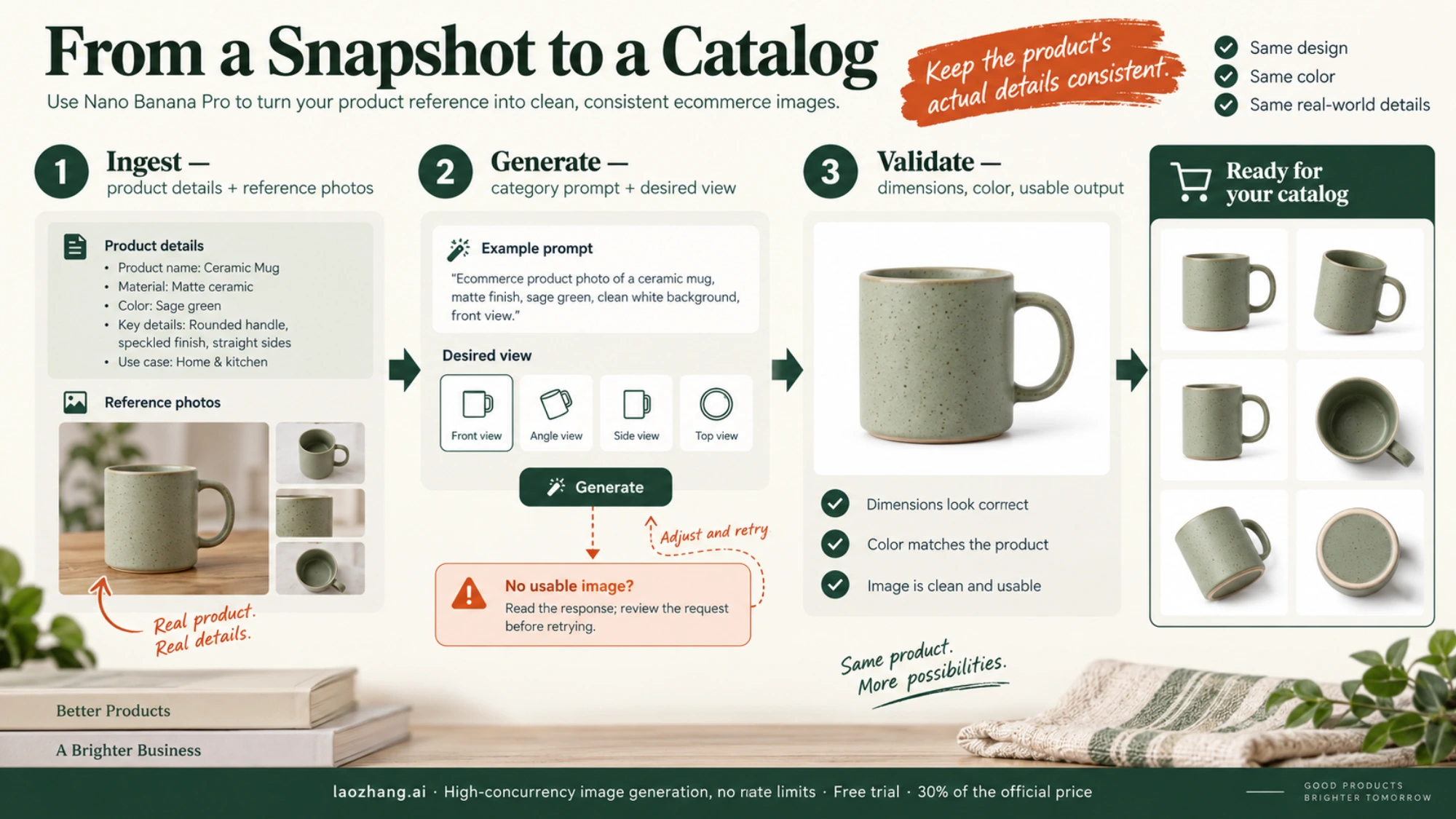
The quality of AI-generated product photography depends heavily on prompt engineering. Through extensive testing across thousands of ecommerce images, certain prompt structures consistently produce superior results. The key principle is specificity: rather than asking for "a nice product photo," you need to describe the exact photographic setup you want — lighting direction, background material, camera angle, and styling details.
Studio White Background (Universal Template)
The most common ecommerce requirement is a clean white background product shot, suitable for Amazon main images and most marketplace listings. The optimal prompt structure follows this pattern: product description first, then environment, then technical specifications.
Template: "Professional ecommerce product photography of [product description with material details]. Centered on seamless white background. Three-point studio lighting setup with key light at 45 degrees, fill light opposite, and hair light from above. Subtle ground shadow for depth. Product fills 80% of frame. Sharp focus throughout. 4K resolution. Commercial catalog style."
This template works across virtually all product categories — electronics, kitchenware, toys, accessories, and home goods. The three-point lighting specification prevents the flat, artificial look that AI models sometimes produce with simpler "white background" prompts.
Lifestyle Context Photography
For product listings that benefit from environmental context — furniture, home decor, fashion accessories, and food products — lifestyle prompts require describing a plausible scene rather than just a studio setup.
Template: "Product photography of [product] in a [specific room/setting]. [Product] placed on [surface material] with [complementary props]. Natural window light from the left creating warm highlights and soft shadows. Shallow depth of field focusing on the product. Interior design magazine editorial style. The product must remain photorealistic and proportionally accurate."
The critical phrase here is "the product must remain photorealistic and proportionally accurate." Without this constraint, Nano Banana Pro may stylize or subtly alter the product to better fit the generated environment, which defeats the purpose of product photography.
Multi-Angle Consistency
Generating consistent multi-angle shots from a single reference image is one of Nano Banana Pro's strongest capabilities, thanks to its 8-reference-image support. The approach involves generating each angle sequentially, feeding the previous outputs as additional reference images to maintain visual consistency.
Template for angle-specific generation: "Professional ecommerce product photography of [product description]. [Specific angle: front view / 45-degree angle / side profile / top-down / detail close-up]. Match the exact product appearance, color, and material from the reference images. Same white background and lighting setup as reference. Commercial product catalog consistency."
The key to multi-angle consistency is always referencing the original product image plus any previously generated angles as input references. This gives the model enough visual context to maintain color consistency, proportion accuracy, and material rendering across all views.
High-Risk Categories: Fashion and Apparel
Fashion and apparel photography presents unique challenges because clothing needs to be shown on human forms to convey fit, drape, and styling — but human figures trigger IMAGE_SAFETY filters more frequently than any other content type. The prompt strategy for these categories requires a fundamental shift in framing: describe the product in commercial terms rather than describing the person wearing it.
Safe template for clothing: "Professional ecommerce product photography of [garment type] in [color/material]. Displayed on a [mannequin form / dress form / flat lay arrangement]. Clean white studio background. Even lighting highlighting fabric texture and construction details. Product tag visible. Commercial catalog presentation. No human model."
Moderately safe template (with model): "Editorial fashion photography for ecommerce catalog. [Gender] model presenting [garment type] in [color]. Professional studio setting. Model in neutral standing pose facing camera. Full outfit visible from [specified angle]. Clean composition. Commercial fashion photography standard. Brand catalog style."
The language choices in these templates are deliberate. "Editorial fashion photography" signals legitimate commercial intent. "Neutral standing pose" avoids triggering posture-related filters. "Brand catalog style" reinforces the professional context. We will dive much deeper into IMAGE_SAFETY diagnosis and solutions in the dedicated sections below.
Understanding IMAGE_SAFETY: The Two-Layer Filter System
Every ecommerce seller working with Nano Banana Pro for product photography eventually encounters IMAGE_SAFETY errors. Understanding why they happen — and the fundamental distinction between configurable and non-configurable safety filters — is essential for building reliable production pipelines. The Nano Banana Pro safety system operates through two completely independent filtering layers, each with different behavior, configuration options, and bypass strategies.
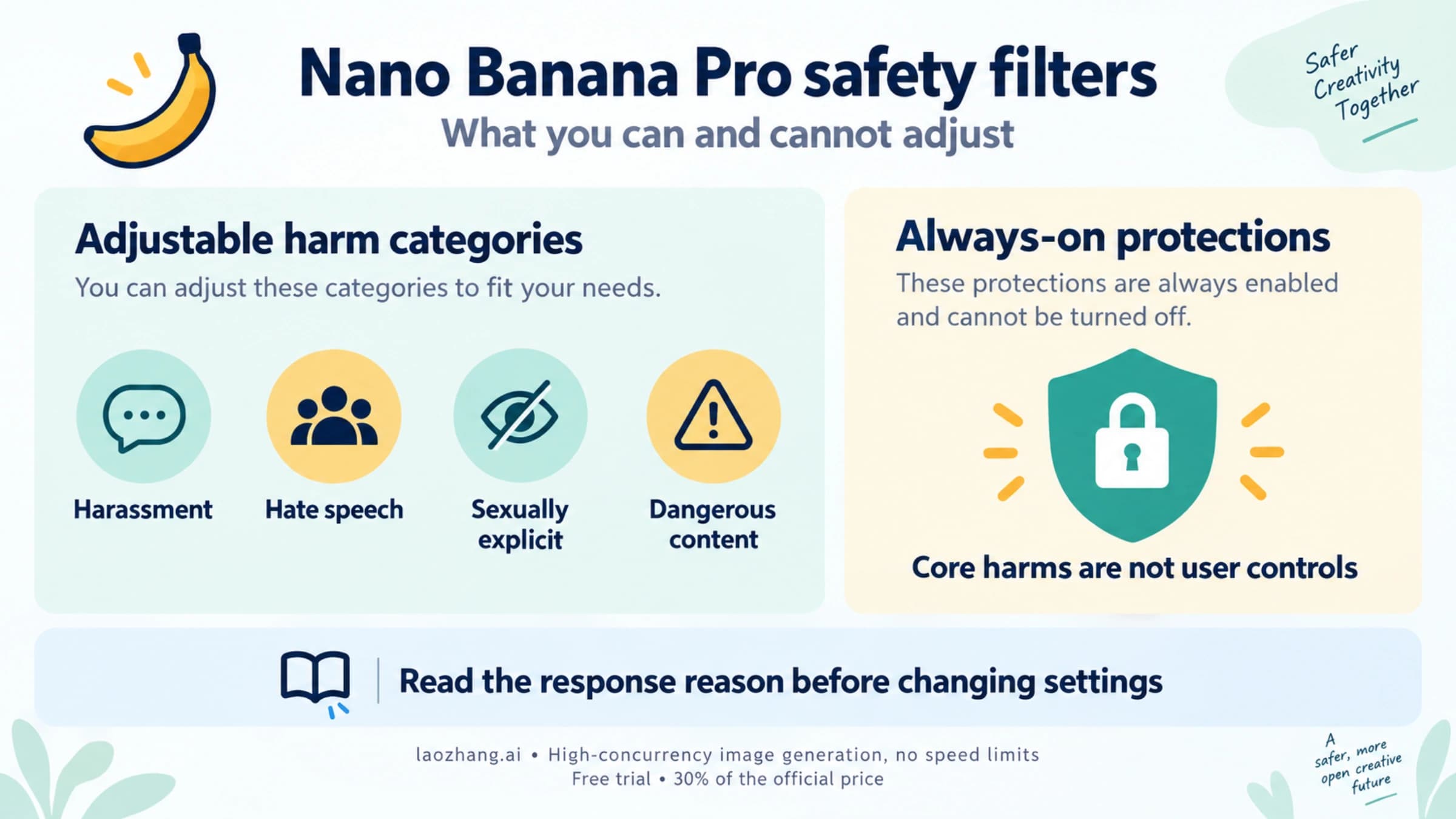
Layer 1 is the configurable safety settings layer. It operates on four harm categories defined by Google: sexually explicit content, harassment, hate speech, and dangerous content. When you set HARM_CATEGORY_SEXUALLY_EXPLICIT: BLOCK_NONE in your API request, you are telling Layer 1 to stop blocking content in that category. This is the filter that most developers configure first, and it is the filter that most online guides focus on. For ecommerce product photography, setting all four categories to BLOCK_NONE is standard practice and significantly reduces false positives for legitimate commercial content. This layer is essentially a threshold-based classifier that evaluates your input prompt and input images before generation begins.
Layer 2 is the IMAGE_SAFETY filter, and it operates on a completely different principle. Rather than evaluating inputs, Layer 2 scans the generated output image using server-side AI classification, hash matching, and policy enforcement algorithms. When Layer 2 blocks your generation, the API response returns finishReason: "IMAGE_SAFETY" — and critically, there is no API parameter, safety setting, or configuration option that can disable it. This filter enforces Google's content policies around child safety (mandatory, never bypassable), copyright and trademark protection, celebrity likeness, and content that violates Google's terms of service. For ecommerce sellers, the most relevant aspect of Layer 2 is its classification of generated images that contain human bodies — particularly when those images involve skin exposure, fitted clothing, or poses that the classifier associates with non-commercial content.
The practical impact for ecommerce is significant. Google's AI Developers Forum contains multiple threads from January-March 2026 documenting cases where perfectly legitimate product photography — underwear on mannequin forms, swimwear catalog shots, fitness apparel in standard poses — was blocked by IMAGE_SAFETY. One widely discussed thread reported that non-NSFW ecommerce underwear images started being blocked "suddenly" after a January 2026 policy tightening that strengthened IMAGE_SAFETY content filtering and added strict restrictions on famous IP character generation.
Understanding this two-layer architecture is the foundation for every diagnostic and solution strategy that follows. If your generation fails at Layer 1 (which you can detect from the blockReason field in the API response), the fix is straightforward: adjust your safety settings. If it fails at Layer 2 (indicated by finishReason: "IMAGE_SAFETY"), the fix requires changing what the model generates, not how the model is configured. For a comprehensive deep-dive into all safety filter configurations, see our dedicated Nano Banana Pro Safety Filters guide.
Diagnosing IMAGE_SAFETY Errors in Ecommerce Workflows
When an IMAGE_SAFETY error occurs in your product photography pipeline, the first step is accurate diagnosis. The API response structure contains specific fields that tell you exactly which layer blocked your generation, what type of content was flagged, and whether the issue is with your input or the generated output. Misdiagnosing the layer — applying Layer 1 solutions to a Layer 2 problem — is the most common mistake and wastes significant debugging time.
Diagnostic decision tree for ecommerce IMAGE_SAFETY errors:
Start by examining the API response. If the response contains blockReason: "SAFETY" with no generated image, the block happened at Layer 1 — before any image was generated. This is the configurable layer. Verify that your safety_settings are correctly set to BLOCK_NONE for all four harm categories. Common mistakes include misspelling the category names, using deprecated parameter formats, or having safety settings overridden by project-level configurations in Google Cloud.
If the response contains finishReason: "IMAGE_SAFETY" — especially if you notice a non-zero thoughtsTokenCount indicating the model completed its reasoning before the output was intercepted — the block happened at Layer 2. The model attempted to generate your image, the output was created, and then the server-side IMAGE_SAFETY scanner classified the generated image as policy-violating. This is the non-configurable layer, and the solution requires changing your prompt or generation approach.
A third scenario deserves special attention: finishReason: "OTHER". This indicates a Layer 2 block specifically for copyright, trademark, or famous IP content. In ecommerce contexts, this typically occurs when your prompt or reference images include recognizable brand logos, celebrity faces, or characters from popular media. The solution is to ensure your product images do not include copyrighted material in the composition.
For ecommerce teams running batch processing pipelines, implementing automatic diagnosis is essential. Here is a Python function that classifies IMAGE_SAFETY failures and routes them to appropriate retry strategies:
def diagnose_safety_error(response):
    """Classify safety errors and recommend action."""
    if not response.candidates:
        return "LAYER_1_BLOCK", "Adjust safety_settings to BLOCK_NONE"

    candidate = response.candidates[0]

    if hasattr(candidate, 'finish_reason'):
        reason = str(candidate.finish_reason)

        if "IMAGE_SAFETY" in reason:
            return "LAYER_2_IMAGE", "Rephrase prompt: product-focused language"
        elif "OTHER" in reason:
            return "LAYER_2_COPYRIGHT", "Remove brand/celebrity references"
        elif "SAFETY" in reason:
            return "LAYER_1_FILTER", "Check safety_settings configuration"

    return "UNKNOWN", "Log full response for manual review"
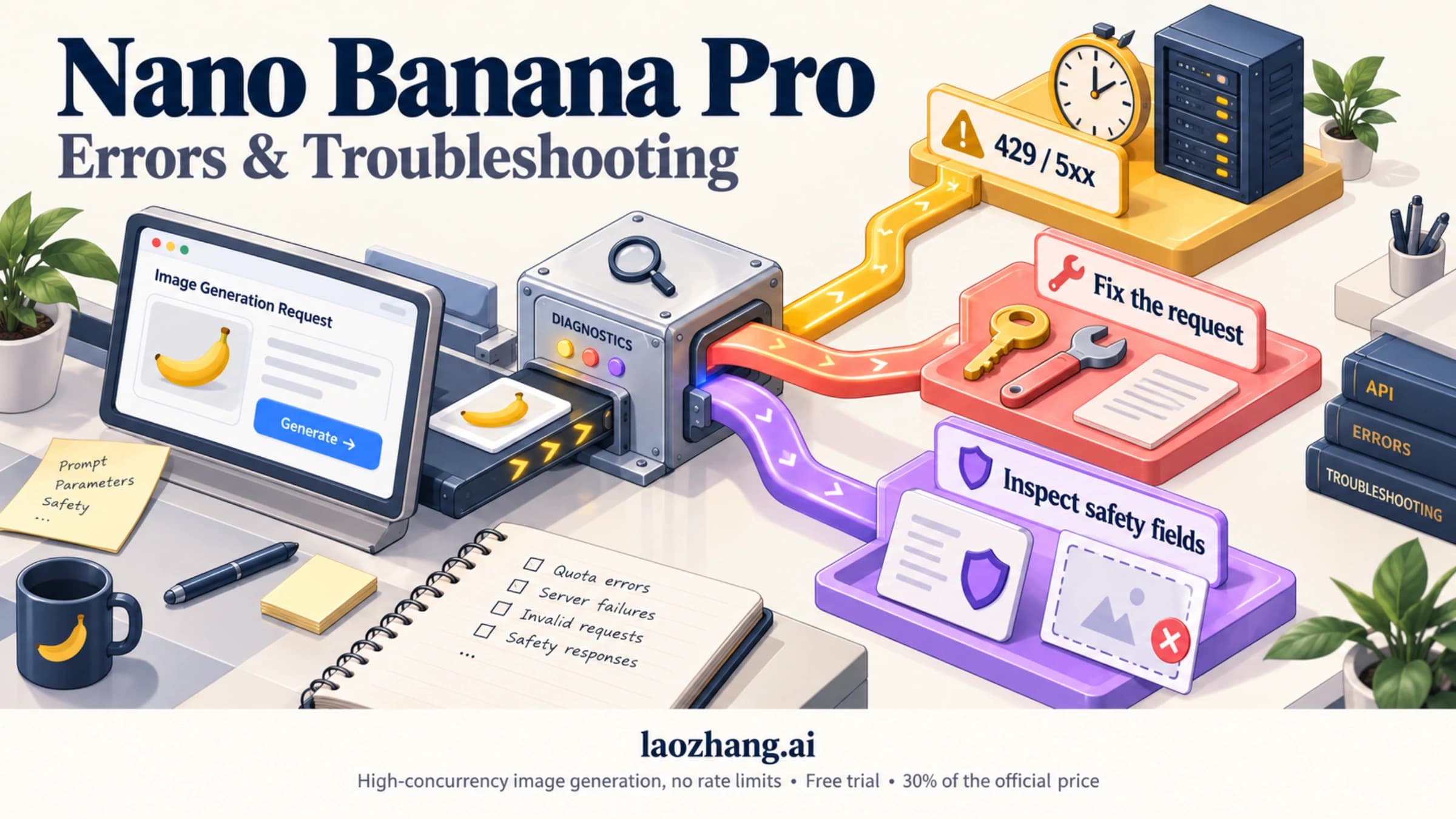
Understanding the error taxonomy helps ecommerce teams set realistic expectations. Layer 1 blocks are nearly 100% solvable through configuration. Layer 2 IMAGE_SAFETY blocks are solvable in 80-95% of cases through prompt engineering. Layer 2 OTHER blocks for copyright content are generally not solvable and require changing the content itself. For a comprehensive guide to all error codes and their solutions, see our Nano Banana Pro Error Codes guide.
Solving IMAGE_SAFETY Errors for Fashion and Apparel Photography
Fashion and apparel is the ecommerce category most affected by IMAGE_SAFETY false positives. The core challenge is that clothing — especially intimate apparel, swimwear, activewear, and fitted garments — needs to be shown on or near human bodies, and human bodies in certain states of dress trigger the IMAGE_SAFETY classifier regardless of commercial intent. Here are the proven strategies, ordered from simplest to most technically involved, that ecommerce teams use to achieve 80-95% success rates for previously blocked content.
Strategy 1: Product-First Language Reframing. The single most effective technique is shifting your prompt from person-focused to product-focused language. The IMAGE_SAFETY classifier is trained on language patterns, not just keywords, so the framing of your prompt significantly affects its assessment. The transformation is subtle but powerful: instead of describing "a woman wearing a black lace bralette," describe "product photography of a women's black lace bralette displayed on a torso mannequin form." Instead of "model in yoga pants stretching," write "ecommerce catalog image of high-waist athletic leggings, front view, on dress form." The subject of your prompt should always be the product, never the person. Testing across multiple ecommerce teams shows this single change resolves approximately 60% of IMAGE_SAFETY blocks for fashion categories.
Strategy 2: Environmental Context Anchoring. Adding professional photography context signals to your prompt helps the classifier categorize the output as commercial content rather than potentially problematic imagery. Include terms like "product catalog," "commercial photography," "ecommerce listing image," "brand lookbook," "flat lay arrangement," and "retail display." These phrases create a semantic context that the classifier interprets as legitimate commercial use. Combined with Strategy 1, this approach achieves approximately 75% success rates.
Strategy 3: Smart Retry with Prompt Variation. Even optimized prompts will occasionally trigger IMAGE_SAFETY on specific generations due to the stochastic nature of image generation. Implementing automatic retry logic with slight prompt variations is essential for production pipelines. The key is to vary secondary details (lighting angle, background shade, camera distance) while keeping the core product description constant. Three retries with variations typically achieve a 90%+ cumulative success rate for content that passes with the base prompt at least occasionally.
import random
import time

LIGHTING_VARIANTS = [
    "soft diffused studio lighting",
    "three-point commercial lighting setup",
    "bright even illumination, no harsh shadows",
    "natural daylight simulation, professional studio"
]

BACKGROUND_VARIANTS = [
    "seamless white background",
    "clean light gray studio backdrop",
    "pure white infinity cove",
    "neutral off-white commercial background"
]

def generate_with_retry(model, product_image, product_desc, max_retries=3):
    """Generate product image with smart retry on IMAGE_SAFETY errors."""
    for attempt in range(max_retries):
        lighting = random.choice(LIGHTING_VARIANTS)
        background = random.choice(BACKGROUND_VARIANTS)

        prompt = (
            f"Professional ecommerce product photography of {product_desc}. "
            f"{background}. {lighting}. "
            f"Product-focused composition. Commercial catalog standard. "
            f"Sharp focus on material texture and construction details."
        )

        try:
            response = model.generate_content(
                [product_image, prompt],
                generation_config={"response_modalities": ["IMAGE", "TEXT"]},
                safety_settings={cat: "BLOCK_NONE" for cat in [
                    "HARM_CATEGORY_SEXUALLY_EXPLICIT",
                    "HARM_CATEGORY_HARASSMENT",
                    "HARM_CATEGORY_HATE_SPEECH",
                    "HARM_CATEGORY_DANGEROUS_CONTENT"
                ]}
            )

            # Check for IMAGE_SAFETY block
            if response.candidates and response.candidates[0].content.parts:
                for part in response.candidates[0].content.parts:
                    if part.inline_data:
                        return part.inline_data.data  # Success

            print(f"Attempt {attempt+1}: IMAGE_SAFETY block, retrying...")
            time.sleep(2)  # Brief pause between retries

        except Exception as e:
            print(f"Attempt {attempt+1} error: {e}")
            time.sleep(2)

    return None  # All retries exhausted
Strategy 4: Mannequin and Flat Lay Alternatives. For product categories that consistently trigger IMAGE_SAFETY despite prompt optimization — particularly intimate apparel and swimwear — consider generating mannequin-based or flat-lay compositions instead of on-model shots. Ghost mannequin photography (where the mannequin is invisible, showing only the garment's shape) is widely accepted on ecommerce platforms and rarely triggers IMAGE_SAFETY filters. Flat-lay compositions (garment laid out on a surface with styling props) are essentially never blocked because they contain no human-form elements. While these alternatives sacrifice some of the lifestyle appeal of on-model photography, they provide reliable, consistent output for sensitive product categories.
Strategy 5: Image Editing Mode for Incremental Refinement. Nano Banana Pro supports iterative image editing, where you provide an existing image and request specific modifications. For fashion photography, this enables a two-step workflow: first generate a safe base image (garment on mannequin), then use editing mode to refine specific details (adjust drape, modify background, enhance lighting). Each editing step is evaluated independently by the safety system, and incremental modifications are significantly less likely to trigger IMAGE_SAFETY than generating the final result from scratch. For how Google separates content blocks, rate limits and account enforcement, and what to do about each, see Nano Banana Pro Risk Control: Blocks, Rate Limits and Suspension.
Building a Production-Scale Product Photography Pipeline
Moving from individual image generation to a production pipeline that processes hundreds or thousands of product images requires addressing several engineering challenges: rate limiting, cost optimization, error handling, and output quality assurance. The goal is a system that accepts a CSV of product information and reference images, generates studio-quality images for each product across multiple angles and backgrounds, and produces a ready-to-upload asset package for your ecommerce platform.
The architecture of a production pipeline typically involves three stages. The ingestion stage reads product data (name, category, key features, desired angles) and reference images from your product information management system. The generation stage manages API calls with rate limiting, retry logic, and IMAGE_SAFETY error handling. The output stage performs quality checks, format conversion, and organizes images into the folder structure your ecommerce platform expects.
Rate limiting is the first engineering constraint to address. The official Nano Banana Pro API limits vary by access tier, but typical developer accounts are limited to 10-15 requests per minute. For a 1,000-product catalog requiring 4 images each (main + 3 angles), that is 4,000 API calls — approximately 4.5-6.5 hours of continuous processing at maximum rate. Using the batch API (available through Google Cloud Vertex AI) reduces costs by 50% and increases throughput, though results are returned asynchronously rather than in real-time. Third-party providers like laozhang.ai often offer higher rate limits alongside their lower per-image pricing, making them attractive for high-volume production use.
Disclosure: laozhang.ai is our own service. Its prices are platform pricing, not an independent comparison.
Quality assurance in an automated pipeline requires programmatic checks that catch common generation failures. Implement validators that check output image dimensions (ensuring 4K output when requested), detect predominantly blank or solid-color outputs (which indicate generation failures that were not flagged as errors), and compare the generated image's color histogram against the reference image to catch cases where the product color shifted significantly. These checks should run automatically after each generation, routing failures back to the retry queue with adjusted prompts.
For ecommerce teams considering the build-vs-buy decision, several commercial platforms now offer Nano Banana Pro-powered product photography as a managed service. SellerPic (sellerpic.ai) provides a web-based interface specifically designed for ecommerce sellers, with pre-built templates for major marketplace formats. However, direct API integration gives you full control over prompt engineering, safety settings, and workflow customization — which matters significantly for fashion and apparel categories where IMAGE_SAFETY handling requires specialized prompt strategies.
Cost Analysis: AI vs Traditional Product Photography
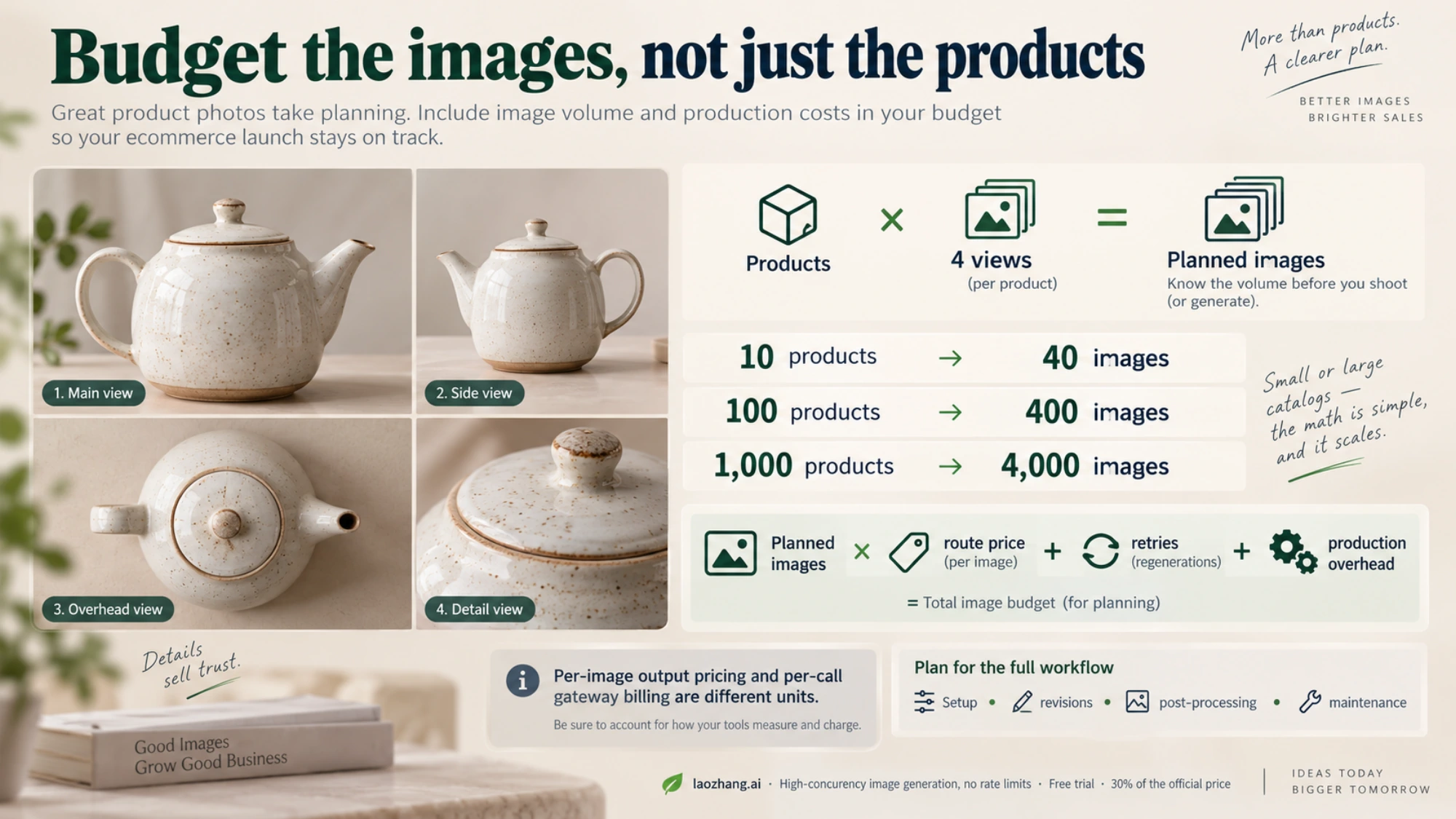
The economics of AI-powered product photography fundamentally change the calculus for ecommerce businesses at every scale. Understanding the true cost comparison requires looking beyond per-image pricing to include the full workflow: setup time, revision cycles, post-processing, and ongoing maintenance costs for seasonal updates and new product launches.
Traditional product photography costs vary significantly by market and quality level, but industry benchmarks provide useful reference points. A basic white-background product shoot at a mid-range studio runs $25-50 per image for simple products like electronics or accessories. Fashion photography with human models costs $50-150 per image including model fees, styling, and basic retouching. Lifestyle photography with environmental setups ranges from $75-200 per image. For a typical ecommerce launch of 50 products with 4 images each (main image + 3 alternate views), traditional photography costs $5,000-40,000 depending on product category and quality requirements.
For the same 50-product catalog with four images per product, budget 200 planned images. Google’s current pricing, checked October 5, 2026, gives $26.80 in Standard 1K/2K output charges or $48.00 at 4K; input charges are additional. The asynchronous Batch output rates are $0.067 at 1K/2K and $0.12 at 4K, giving $13.40 or $24.00 before input charges. LaoZhang API lists Pro at $0.09 per call, giving $18.00 for 200 calls. These are generation-only estimates, not the full catalog production bill: retries, unsuccessful HTTP 200 calls, revisions and post-processing can add costs.
Disclosure: laozhang.ai is our own service. Its prices are platform pricing, not an independent comparison.
| Scale | Traditional estimate | Google Standard 1K/2K output only | LaoZhang planned calls at $0.09 |
|---|---|---|---|
| 10 products (40 images) | $1,000-6,000 | $5.36 | $3.60 |
| 100 products (400 images) | $10,000-60,000 | $53.60 | $36.00 |
| 1,000 products (4,000 images) | $100,000-600,000 | $536.00 | $360.00 |
However, cost is not the only dimension of this comparison. AI-generated product photography offers several advantages that traditional photography cannot match at any price point: instant A/B testing of different backgrounds and compositions, zero marginal cost for seasonal updates and promotional variations, same-day turnaround for new product launches, and perfect visual consistency across large catalogs. The tradeoffs include the inability to capture truly novel product interactions (a model actually using the product in unexpected ways), the risk of IMAGE_SAFETY interruptions for sensitive categories, and the current limitation that AI-generated images cannot perfectly replicate specific photographer's creative styles or proprietary visual brands.
For most ecommerce businesses, the optimal approach in 2026 is a hybrid model: use AI-generated images for the bulk of catalog photography (white backgrounds, standard angles, seasonal variations) while reserving traditional photography for hero images, brand campaigns, and products where tactile quality perception is critical to the purchase decision.
Common Pitfalls and How to Avoid Them
Experience across thousands of ecommerce product photography sessions with Nano Banana Pro reveals several recurring mistakes that degrade image quality or trigger unnecessary safety blocks. Recognizing these patterns before you encounter them saves significant debugging time and produces better results from the start.
Pitfall 1: Over-describing the product. New users often write prompts that exhaustively describe every product feature, resulting in cluttered, unnatural compositions. The model performs best when you provide a clear, concise product description (material, color, key feature) and let the reference image convey the specific details. A prompt like "professional product photo of matte black wireless earbuds" produces better results than a 200-word description of every specification.
Pitfall 2: Ignoring the reference image's quality. Nano Banana Pro is not magic — it cannot generate a high-quality studio shot from a blurry, poorly-lit smartphone photo taken in a dark room. The quality of your reference image sets the ceiling for the generated output. Take your reference photos in well-lit conditions, against a contrasting background, with the product cleanly positioned and clearly visible from the desired angle. Even a smartphone photo taken near a window with natural light produces dramatically better results than a flash photo in artificial lighting.
Pitfall 3: Using the wrong resolution for your platform. Amazon requires main images to be at least 1000x1000 pixels with a white background, while Shopify themes typically display images at 2048x2048. Generating images at the wrong resolution and then rescaling introduces artifacts. Configure your API request for the target resolution from the start — use 2K (2048x2048) for most marketplace requirements and 4K (4096x4096) only when you need extreme zoom-in capability, as the cost per image nearly doubles for 4K output.
Pitfall 4: Not implementing category-specific prompt templates. A prompt that works perfectly for electronics will produce mediocre results for food photography, and a template optimized for fashion will fail for jewelry. Invest time in developing 3-5 category-specific prompt templates (electronics, fashion, food, home goods, accessories) and use the appropriate template for each product. The differences in lighting descriptions, background specifications, and composition instructions between categories are substantial and directly impact conversion quality.
Frequently Asked Questions
Can Nano Banana Pro generate images without a reference photo? Yes, the model can generate product images from text descriptions alone, but the results are generic and not suitable for ecommerce listings where you need to represent your specific product. Always use reference images for product photography to ensure accuracy.
What image formats does the API accept and return? The API accepts JPEG, PNG, and WebP as input reference images. Output images are returned as base64-encoded PNG data in the API response. Maximum input image size is 20MB.
How do I handle products with text or logos? Nano Banana Pro has a 94-96% text rendering accuracy rate (spectrumailab benchmark), which is the highest among current AI image generation models. For product labels and logos, include the text content in your prompt to guide accurate reproduction. For critical brand text, verify the output and use targeted editing mode to correct any rendering errors.
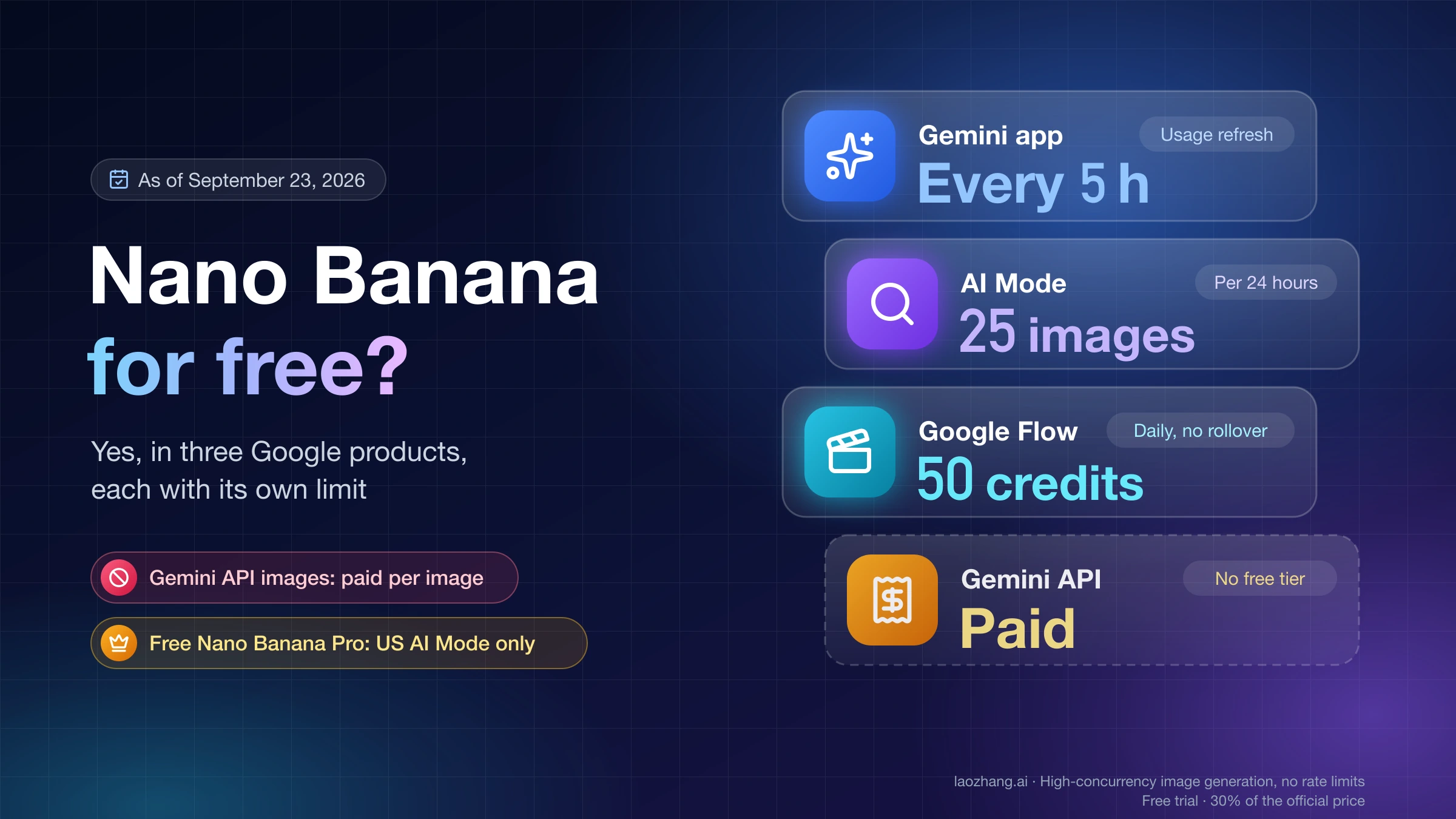
Is there a free tier for testing? Google AI Studio provides approximately 50 free image generation requests per day — enough for prompt testing and small-volume production. The free tier does not support image generation through the API directly; you need to enable billing for API access. For extended free testing, some third-party providers offer trial credits.
Will IMAGE_SAFETY always block my fashion images? No. The majority of fashion and apparel product photography (casual wear, formal wear, accessories, footwear) generates without IMAGE_SAFETY issues. The problem is concentrated in specific subcategories: intimate apparel, swimwear, activewear with significant skin exposure, and any clothing shown in poses the classifier associates with non-commercial content. Using the strategies outlined in this guide, 80-95% of previously blocked fashion content can be successfully generated.
Next Steps: Building Your AI Photography Workflow
Nano Banana Pro has established itself as the leading AI model for ecommerce product photography in 2026, offering a combination of image quality, resolution capability, and cost efficiency that no competitor currently matches. The IMAGE_SAFETY challenges, while real and frustrating for fashion and apparel sellers, are manageable through the diagnostic framework and prompt engineering strategies covered in this guide.
To get started, take these concrete steps: First, test your product category with 5-10 reference images through Google AI Studio to understand how the model handles your specific products. Second, develop category-specific prompt templates using the frameworks in this guide, paying special attention to language framing for any categories involving human forms. Third, implement the diagnostic and retry logic in your production code to handle IMAGE_SAFETY errors gracefully. Fourth, consider a third-party API provider like laozhang.ai for production volume to compare Google’s $0.134 Standard 1K/2K output price, with additional input charges, against $0.09 per gateway call; include retries and each route’s billing rules.
Disclosure: laozhang.ai is our own service. Its prices are platform pricing, not an independent comparison.
For related guides that complement this article, explore our complete guide to Nano Banana Pro image generation for general usage, our safety filters deep-dive for advanced safety configuration, and our pricing breakdown for detailed cost optimization strategies. If you encounter specific error codes during your implementation, our error codes troubleshooting guide covers every Nano Banana Pro error with step-by-step solutions.
Sources1
External pages this guide links to, in the order they appear. Last updated Oct 5, 2026.
Sources1
External pages this guide links to, in the order they appear. Last updated Oct 5, 2026.