Leonardo AI Image Generator in 2026: Best for Multi-Model Creative Work, Not for Everyone
Leonardo.Ai is one of the strongest creative platforms for people who want model switching, Flow State ideation, editing, upscaling, and video in one place. But free is public, paid is private, and the relaxed 'unlimited' promise only applies to selected first-party models.
On this page
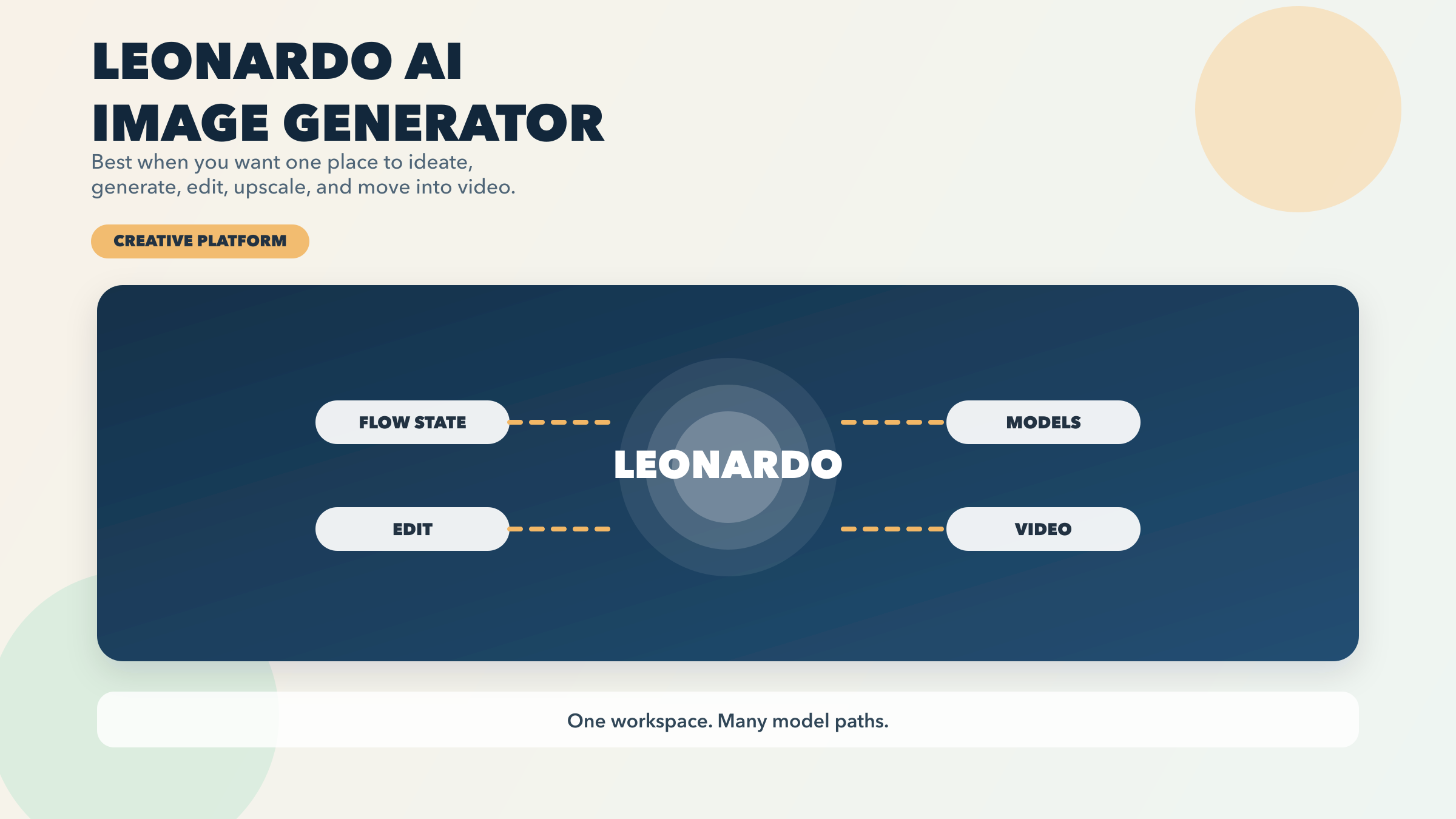
If you want one AI image platform where you can brainstorm directions, switch models, edit the result, upscale it, and turn it into video without leaving the same workspace, Leonardo.Ai is one of the strongest options right now. That is the real reason to use it. Not because Leonardo has one mythical best image model. It does not. Leonardo is better understood as a creative platform that wraps first-party models, third-party models, and several workflow tools into one place.
That distinction matters because it also explains why Leonardo is easy to like and easy to misunderstand. The free tier is real, but creations are public. Paid tiers unlock private generations, but the value jump depends heavily on how much you use Leonardo’s own first-party models. Premium and Ultimate can keep you creating in relaxed mode after your fast tokens run out, but that promise does not extend to many of the headline third-party models people care about, including GPT Image, Nano Banana, Ideogram, FLUX Kontext, Veo, Kling, and others.
So the useful question is not, “Is Leonardo good?” The useful question is, “Do I want Leonardo’s platform contract?” If you do, it is excellent. If you just want the simplest everyday image workflow, a clearer free contract, or a narrower specialist tool, another product may fit better.
All freshness-sensitive facts below were rechecked against Leonardo’s official pricing page, pricing FAQ, model docs, editor pages, and current Leonardo tutorial content on March 28, 2026.
TL;DR
| If this is your real job | Should you use Leonardo? | Why it wins | Biggest catch |
|---|---|---|---|
| You want one platform for ideation, image generation, editing, upscaling, and video | Yes | Leonardo is unusually strong as an all-in-one creative workspace | It is more complex than a simpler one-model app |
| You want the cleanest casual default for everyday image generation | Maybe not first | Leonardo is powerful, but not the easiest “just open and chat” tool | A simpler conversational image product is lower-friction |
| You want a real free tier to explore | Yes, with caution | Free includes 150 fast tokens per day and broad feature access | Free creations are public |
| You need private daily use without enterprise pricing | Yes, Essential is the real entry point | Essential unlocks private generations for $12/month | It is still a token system, not an all-you-can-eat plan |
| You create heavily on Leonardo’s own first-party image models | Yes, Premium or Ultimate can make sense | Relaxed generation keeps first-party image work going after fast tokens run out | Third-party models still consume tokens every time |
| You mainly want GPT Image, Nano Banana, Ideogram, Veo, or other third-party models inside one app | Convenient, but watch the math | Leonardo gives you one surface for several outside models | Relaxed “unlimited” does not apply to those models |
| You care more about production API routing than the app itself | Maybe use Leonardo API or skip the app | Leonardo API is PAYG with no monthly fee | Your real decision may belong in an API comparison instead |
The short version is simple: Leonardo is strongest when you want a sandbox, not just a generator. If that sounds like your workflow, keep reading. If you mainly want the best free tool or the easiest image editor, our guides to the best free AI image generator and image-to-image AI tools may be the more relevant starting points.
What Leonardo Actually Is
The biggest mistake people make with Leonardo is treating it as if it were one image model with one quality level. That is no longer how the product works.
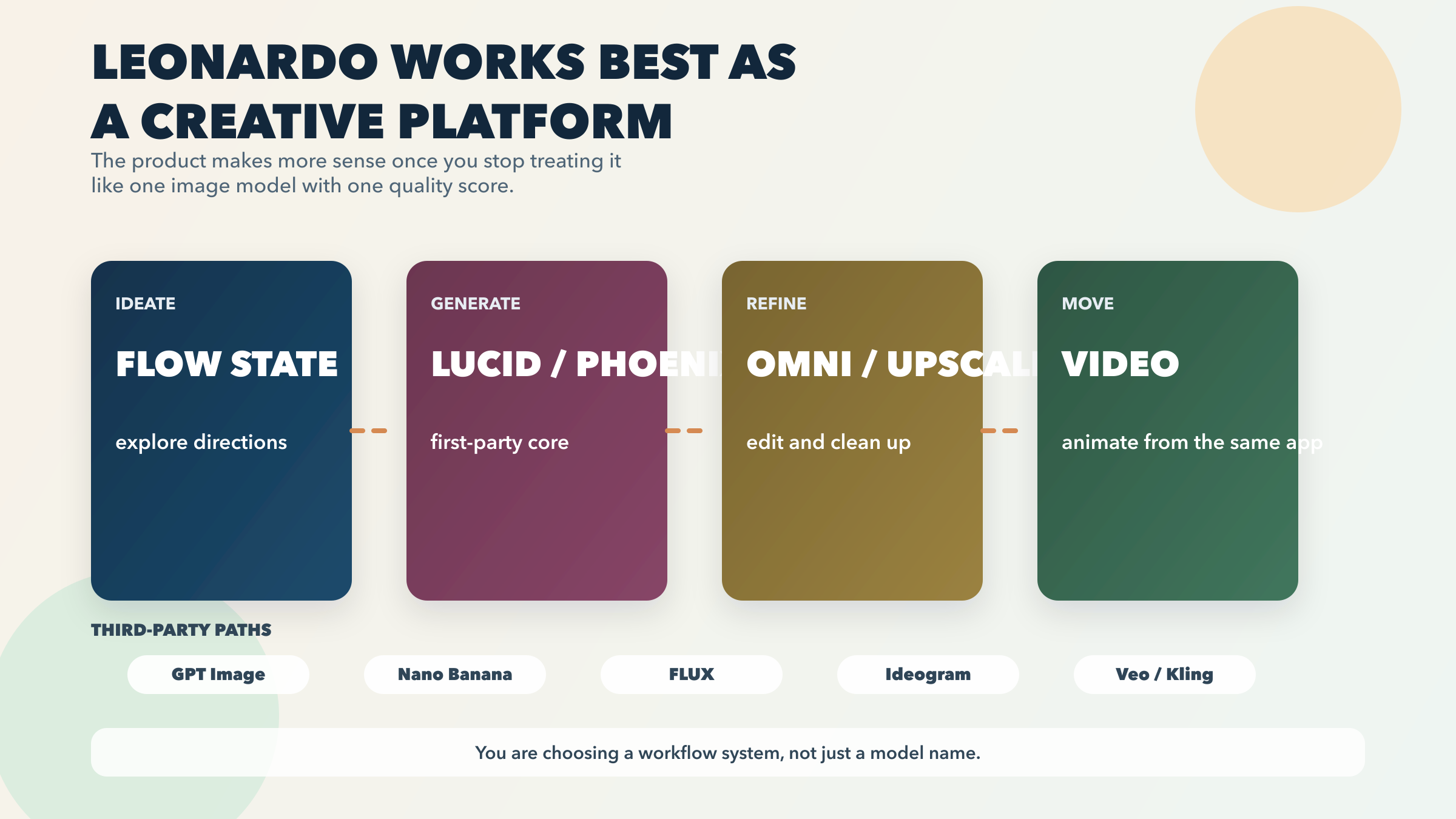
Leonardo’s own current “Getting Started” guide says the platform combines image generation, image editing, image upscaling, video generation, and video editing in one place, and that you can switch instantly between models and generation modes. Its current model docs also show why this matters: the platform now includes Leonardo’s own models such as Lucid Origin, Lucid Realism, and Phoenix, but also third-party options like FLUX, Nano Banana, Nano Banana Pro, GPT Image-1.5, and other providers.
That means Leonardo is selling you a workflow surface as much as a model catalog.
The workflow layer is what gives Leonardo its real identity:
Flow State is the “I know the outcome, but not the direction yet” tool. Leonardo’s own tutorial positions it as the fast ideation mode for exploring many visual directions from one simple prompt. This is a real advantage when you are trying to find a campaign angle, a product-photo mood, or the general shape of a concept before you start refining details.
Model switching is built into the product rather than bolted on. Leonardo’s tutorial makes a point of showing the model selector early, and that is the right emphasis. If you want one place where you can generate with a first-party Leonardo model, then try a third-party model without rebuilding your whole creative routine somewhere else, Leonardo is unusually good at that.
Editing is part of the main experience, not an afterthought. Leonardo’s current editor pages highlight image reference editing, Omni editor, background removal, object removal, prompt-based editing, and upscaling. That does not mean Leonardo is the best specialist for every editing job. It does mean the product is much broader than a simple prompt box.
Video is part of the same platform logic. Leonardo’s tutorial walks from image creation into upscaling, then into start-frame-driven video generation and later video edits. If you routinely move from stills to short motion pieces, this integration is a genuine strength.
That is why I would not summarize Leonardo as “good image quality.” Too many tools can say that. The sharper summary is this: Leonardo is one of the best creative workspaces for people who want one system that can move between ideation, generation, editing, and motion without starting over each time.
Where Leonardo Is Strongest
If you understand Leonardo as a platform instead of a single model, its strongest use cases get much easier to see.
Leonardo is excellent for creative exploration.
This is the job many product pages never describe clearly enough. Sometimes the hard part is not generating the final image. The hard part is figuring out what kind of image you actually want. Leonardo’s Flow State is built exactly for this stage. If you want to generate many stylistic directions, then narrow them down before committing to a more precise workflow, Leonardo is unusually well shaped for that problem.
Leonardo is strong for mixed workflows that would otherwise spill across several apps.
A lot of creators do not have one isolated job. They need to generate a concept, refine it, edit it, upscale it, maybe reuse it as a start frame, and eventually turn it into motion. Leonardo’s tutorial essentially teaches this end-to-end motion: generate, edit, upscale, animate. That makes the platform especially attractive for marketers, content teams, product storytellers, and creative operators who care more about total workflow speed than about obsessing over one model at a time.
Leonardo is one of the easier places to compare model families inside a single account.
Some people want exactly one app. Others want exactly one model. Leonardo is stronger for the group in between: people who want a single operational home, but still want to compare Lucid, Phoenix, GPT Image, Nano Banana, or FLUX-style behavior. Leonardo’s current model docs make that platform breadth explicit.
Leonardo’s own first-party stack is good enough that higher tiers can make sense.
This is important. Leonardo is not valuable only because it hosts other companies’ models. Its own first-party models still matter. Leonardo’s beginner tutorial currently recommends Lucid Origin and Lucid Realism for most general image-generation tasks. Lucid Origin’s own page also pushes a specific value story: prompt adherence, text rendering, full-HD output, and broad stylistic range. In other words, Leonardo does have its own center of gravity. The platform is not just a menu of outside names.
Leonardo is a good fit for people who want creative depth before they want simplicity.
Some products win because they reduce every decision down to one chat box. Leonardo wins when you are willing to make more choices in exchange for more workflow reach. That does not make it “better for everyone.” It makes it better for a certain type of user: the one who wants more creative room inside one system.
The Catches That Change The Answer
This is the part that most soft reviews under-explain.
Free is public. Paid is private.
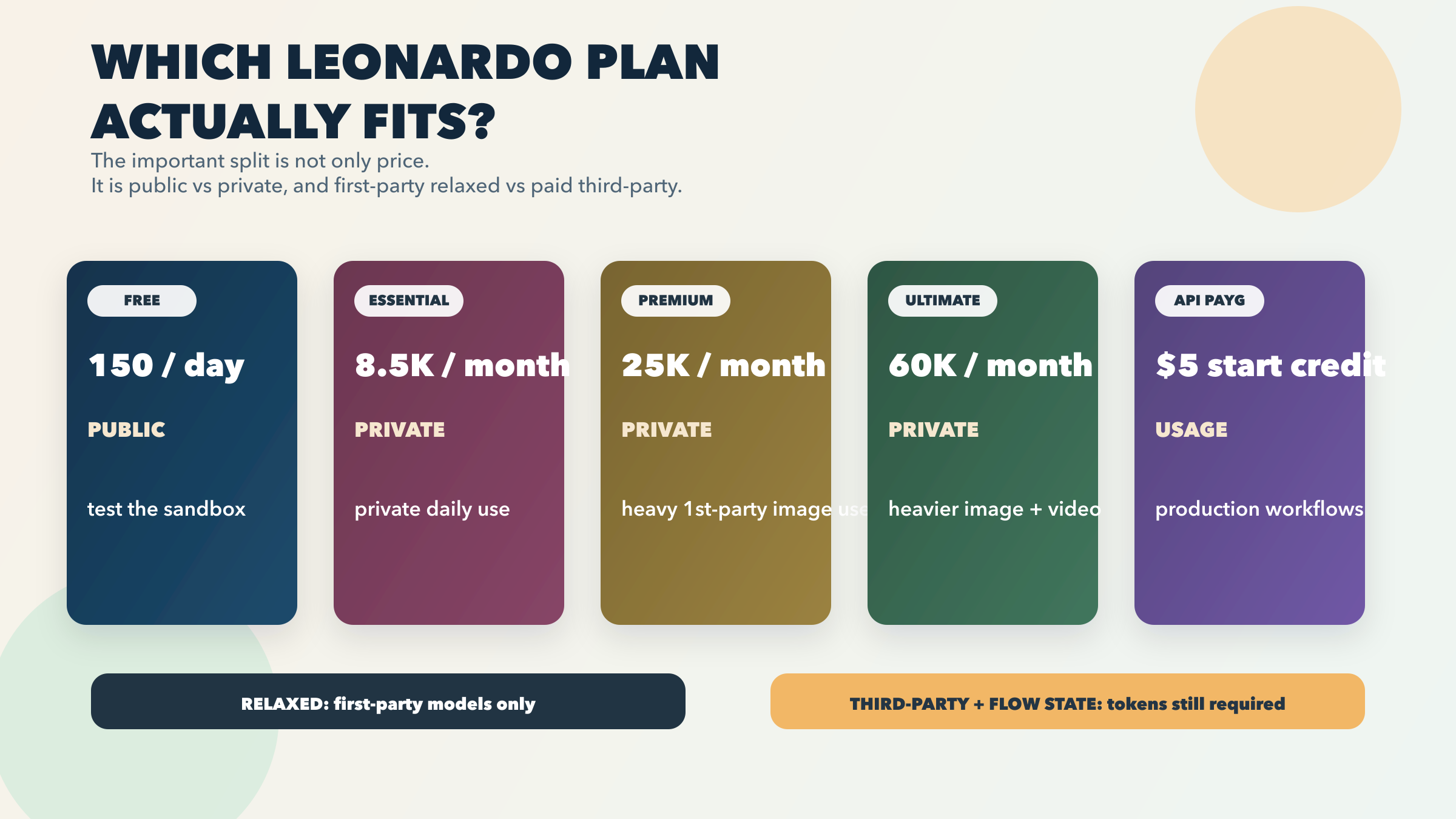
Leonardo’s current pricing page says the Free tier gives you 150 fast tokens per day and public creations. Essential and above unlock private generations. This is not a cosmetic difference. It changes whether Leonardo Free is a harmless sandbox or the wrong place for client work, brand experiments, or unreleased product concepts.
Ownership rights change by tier too.
Leonardo’s pricing FAQ says paid subscribers retain full ownership and IP rights in generated images. Free-tier users can still use their generated content commercially through a non-exclusive royalty-free licence, but Leonardo retains broader rights to use, reproduce, modify, and distribute those creations. That means the Free tier is not equivalent to paid just because both can generate images.
Tokens are not a fixed image count.
Leonardo’s pricing FAQ is explicit on this point: one token does not correspond to one fixed image action. Token use depends on the computational intensity of what you are doing. That makes Leonardo more flexible than a simplistic “X images per month” contract, but it also makes the plan math less intuitive for new users.
“Unlimited” is real, but narrower than it sounds.
This is probably the single most important pricing fact in the whole product. Leonardo’s pricing page and pricing FAQ both make clear that relaxed unlimited generation only applies to selected first-party models. Right now that includes first-party image models like Lucid Origin, Lucid Realism, Phoenix 1.0, and Phoenix 0.9, plus certain first-party video models. If your workflow mainly uses those models, Premium and Ultimate become much more attractive.
But the same FAQ is equally clear that third-party models do not get this treatment. GPT Image, Flux.1 Kontext, Ideogram, Nano Banana, Nano Banana Pro, Seedream, Veo, Kling, and several other third-party models still consume tokens every time. Flow State also still requires tokens.
That means Leonardo’s higher plans are strongest for people who truly live inside Leonardo’s first-party ecosystem. If your main reason for subscribing is “I want one app that gives me outside models forever without worrying about tokens,” Leonardo’s own pricing language says that is the wrong expectation.
Complexity is part of the product.
Some readers will love this. Some will not. Leonardo’s strength comes from having more levers: multiple model families, several workflow surfaces, and richer plan behavior. That also means it is not the best answer for users who just want the smallest possible number of decisions between prompt and image.
Which Plan Should You Choose?
You do not need a longer plan table. You need a decision.
Free is for exploration, not for private serious work.
Leonardo Free is stronger than a fake demo tier because it gives you real daily access. But the platform makes the tradeoff explicit: 150 fast tokens per day, public creations, one collection, basic quality settings. If you want to explore the platform, learn the workflow, compare some models, and see whether Leonardo’s sandbox style fits you, Free is enough to tell you that. If privacy matters, Free stops being the right answer immediately.
Essential is the real paid entry point for most individuals.
At $12/month, Essential is the first tier that makes Leonardo feel like a normal private creative workspace instead of a public playground. You get private generations, 8,500 monthly fast tokens, a larger token bank, unlimited collections, top-up support, and personal model training. Leonardo’s pricing page also says Essential is included with Canva Business, which makes it more interesting for some users than the headline monthly price alone suggests. If your job is “I like Leonardo, and I want private day-to-day use without overcommitting,” Essential is the default paid answer.
Premium is worth it only if you will actually benefit from first-party relaxed image generation.
Premium gives you 25,000 monthly fast tokens, a larger bank, more concurrency, and relaxed image generation on eligible first-party models. That can be valuable if you generate heavily on Lucid or Phoenix and you want to keep creating after the fast pool runs out. But if your real usage leans hard on GPT Image, Nano Banana, Ideogram, or other third-party models, Premium becomes less magical because those models still burn tokens every time.
Ultimate is for heavier mixed-media Leonardo users, not for casual image creators.
Ultimate pushes the pool to 60,000 monthly fast tokens, increases concurrency further, and adds relaxed video generation for eligible first-party video models. This is where Leonardo starts to make sense for more serious creative operators, small businesses, or content teams that really do use the still-image-to-video workflow Leonardo is building around. But again, the same caveat applies: third-party models do not suddenly become free because you bought the biggest plan.
API PAYG is the right route if the app is not the main product for you.
Leonardo’s pricing page and API FAQ say API access is pay-as-you-go, comes with no monthly fee, and starts with free credit for testing. If your real interest is not the app but programmatic image generation, this is the cleaner path. The app and the API can both be useful, but they solve different problems. If your actual job is infrastructure, cost routing, or shipping image features inside your own product, our AI image generation API comparison for 2026 is the better next read.
Which Model Or Mode Should You Start With?
One of Leonardo’s biggest strengths is also one of its biggest usability problems: there are now enough models and modes that a new user can waste a lot of time just deciding what to click.
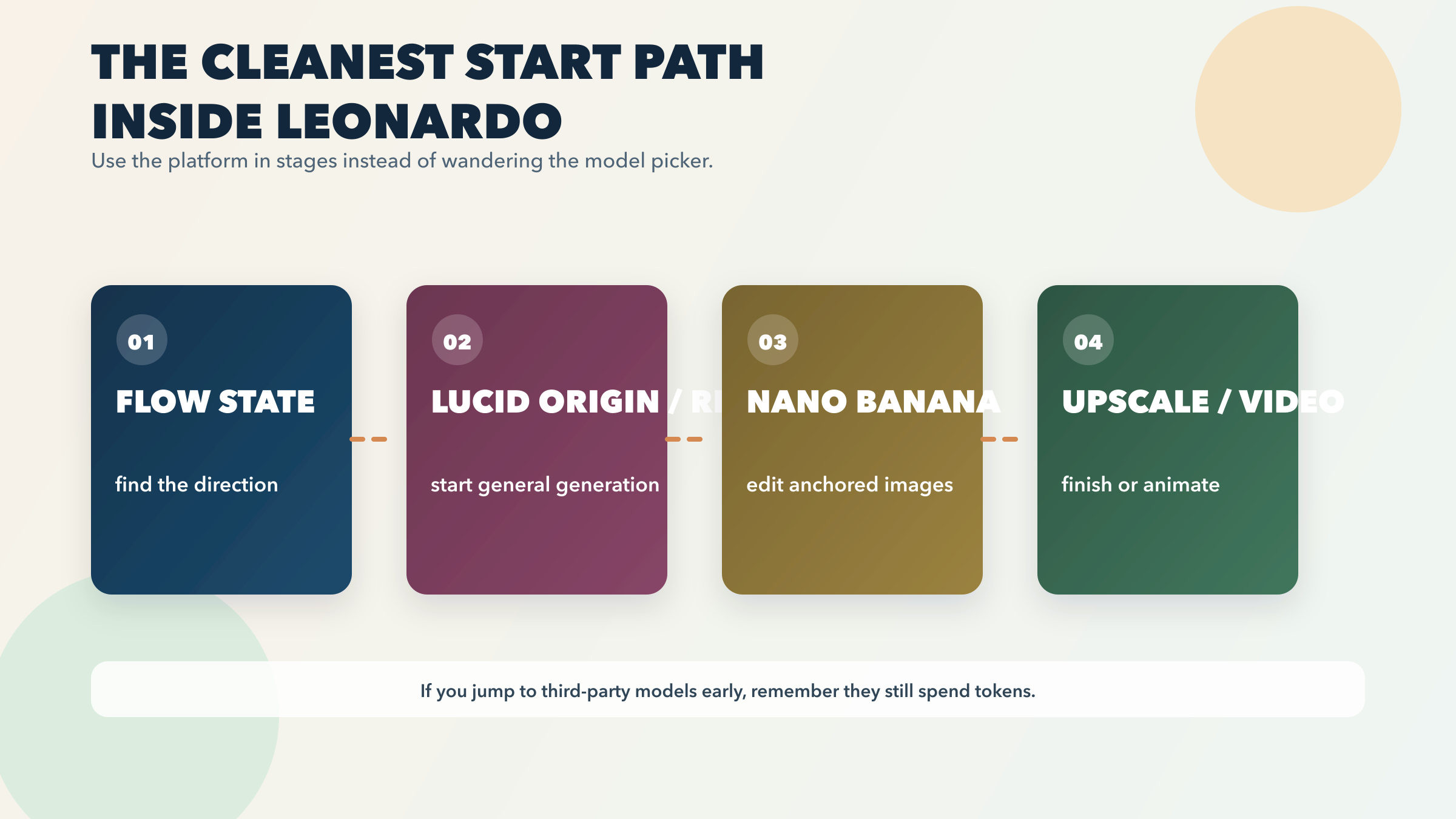
Here is the cleanest starting path.
If you are doing general image generation, start with Lucid Origin or Lucid Realism.
This is not a guess. Leonardo’s own getting-started tutorial currently recommends those two models for most general image-generation tasks. That makes them the right default starting point unless you already know why you need a more specific override.
If you care about prompt adherence and cleaner text inside images, start with Lucid Origin first.
Leonardo’s Lucid Origin page explicitly positions the model around prompt adherence, text rendering, graphic-design-friendly output, and full-HD detail. If your work sits between general image generation and layout-sensitive visual content, Lucid Origin is the clearest first-party place to begin. Leonardo also says Lucid Origin is available to free users, so you can test that first-party baseline before paying.
If the problem is direction, not execution, start with Flow State before choosing a model.
This is where Leonardo really separates itself from simpler tools. If you know the broad outcome you want but you do not yet know the composition, lighting, campaign angle, or creative treatment, Flow State is the better first click than overthinking the model picker.
If you are editing an existing image, think workflow first and use the editing route Leonardo itself teaches.
Leonardo’s current tutorial routes image editing through the Nano Banana model and image-reference workflow. That is a useful clue: when the job is editing rather than net-new generation, do not force the same model logic you would use for a blank prompt.
Treat third-party models as specific overrides, not as your default browsing state.
Leonardo’s platform is good precisely because it gives you outside models in the same workspace. But you should still enter with a plan. If you already know that GPT Image, Nano Banana, Ideogram, or a FLUX-family model solves your exact use case, Leonardo makes that convenient. If you keep hopping among them with no workflow logic, you are more likely to feel token friction than platform leverage.
When Not To Choose Leonardo
Trustworthy product guidance has to name the scenarios where the product is not the best answer.
Do not choose Leonardo just because you want the simplest possible image workflow.
Leonardo is powerful, but it is not the lowest-friction everyday default. If you want the cleanest conversational prompt-and-edit loop, Leonardo’s strengths may feel like extra complexity rather than extra value.
Do not choose Leonardo Free if private work matters.
The free tier is public. If that is a hard no for your workflow, the real Leonardo entry point is Essential, not Free.
Do not buy Premium or Ultimate assuming every headline model becomes “unlimited.”
Leonardo’s own pricing FAQ directly rules that out. If your whole reason for paying more is heavy use of outside models like GPT Image or Nano Banana, keep the token math in front of you.
Do not treat Leonardo as the sharpest specialist for every narrower job.
Leonardo can cover a lot of ground, but that is different from being the best specialist in every corner. If your whole task is text-heavy posters, vector-first design work, or the simplest free image workflow, a more focused tool may solve the job faster.
Do not use Leonardo as a generic answer when your real question is narrower.
If your real task is picking the best overall image generator, read our broader AI image generator guide. If your real question is free tools, go to the free AI image generator guide. If your real task is editing or outpainting an existing image, the more useful reads are image-to-image AI tools and AI image expansion.
Leonardo wins when you want platform breadth plus creative depth. It loses when you only need a narrower contract.
Frequently Asked Questions
Is Leonardo.Ai free?
Yes. Leonardo’s current Free tier is $0/month and includes 150 fast tokens per day. The catch is that free creations are public.
Do I own the images I generate with Leonardo?
If you are a paid subscriber, Leonardo says you retain full ownership and IP rights in your generated images. On the free tier, Leonardo retains broader rights, but you still receive a non-exclusive royalty-free licence to use your creations commercially.
Is Leonardo good for beginners?
Yes, especially if you want a guided platform with room to grow into editing, upscaling, and video. Leonardo’s own tutorial content is now quite beginner-friendly. The only caution is that the platform gives you more choices than a simpler one-model app.
What does Leonardo’s “unlimited” plan actually mean?
It means Premium and Ultimate users can continue creating in relaxed mode on selected Leonardo first-party models after their fast tokens run out. It does not mean third-party models suddenly stop using tokens.
Which Leonardo model should I start with?
For most general image-generation tasks, Leonardo currently recommends starting with Lucid Origin or Lucid Realism. If your job is editing an existing image, Leonardo’s own workflow currently routes that through Nano Banana.
Does Leonardo have an API?
Yes. Leonardo’s API is currently pay-as-you-go, has no monthly fee, and starts with free credit for testing. It is a better fit when your real job is production routing rather than living in the app.
Is Leonardo worth paying for?
Yes, if you want private generations and you genuinely use Leonardo as a creative platform instead of as a one-off free toy. Essential is the most sensible paid entry point for most individuals. Premium and Ultimate are worth it only if your workload really benefits from higher token pools and relaxed generation on Leonardo’s own models.
The Bottom Line
Leonardo.Ai is easy to recommend for the right person and easy to oversell to the wrong one.
If you want one platform that can help you explore ideas in Flow State, generate across several model families, edit and upscale the result, and move into video without rebuilding your workflow elsewhere, Leonardo is one of the best creative sandboxes available in 2026.
If you want the simplest default image tool, private free use, or a higher-tier subscription that magically removes token pressure from every third-party model on the platform, Leonardo is not that product.
So the clean answer is this: start free only if public output is acceptable, move to Essential if private generations matter, and only climb into Premium or Ultimate when Leonardo’s own first-party workflow is your real creative home rather than just an occasional stop on the way to someone else’s model.