Can You Use Nano Banana for Free? Google's No-Cost Options
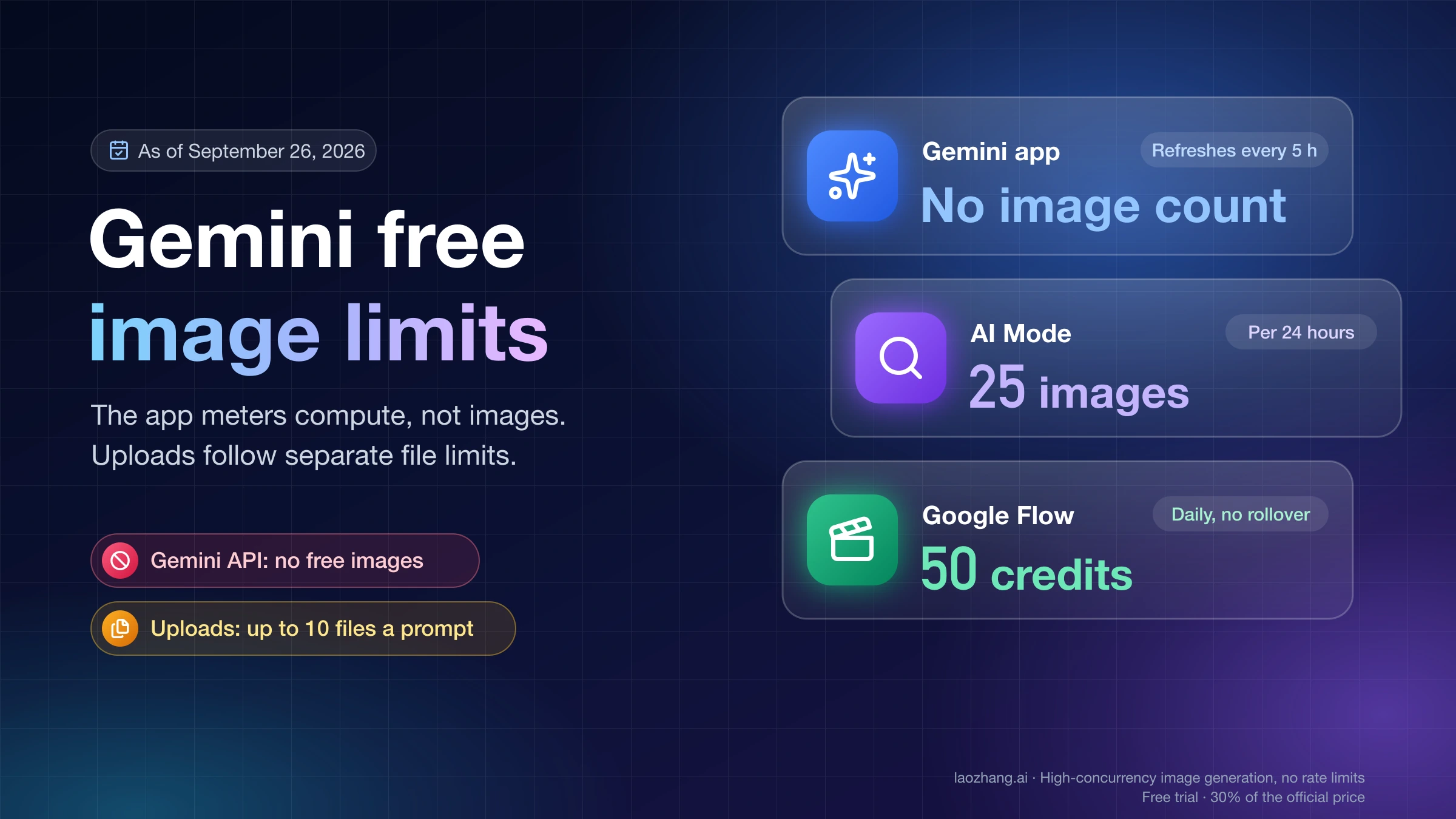
Yes. The Gemini app, AI Mode in Search (up to 25 images a day) and Google Flow (50 daily credits) offer Nano Banana at no cost. API image output is paid.
On this page
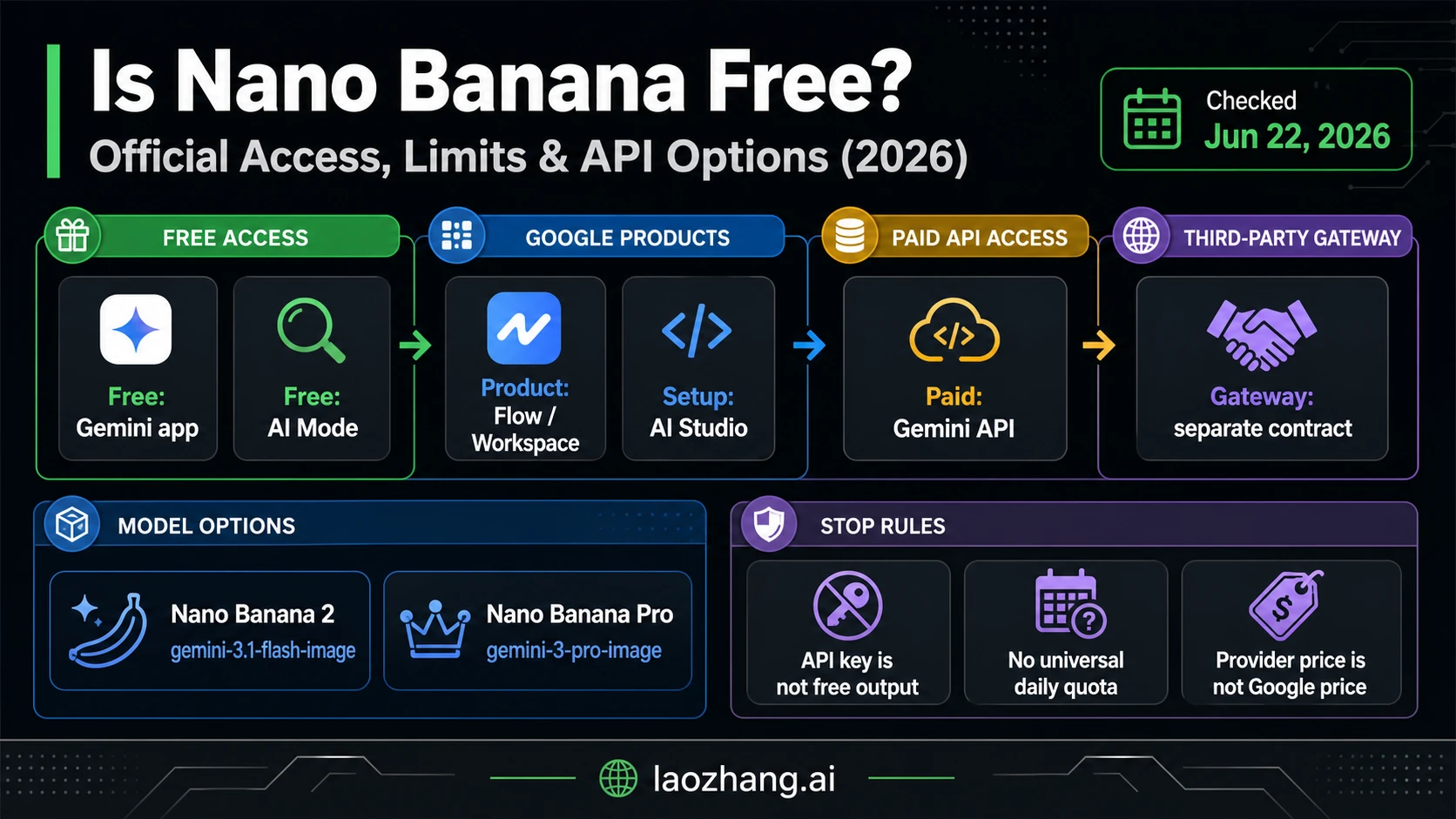
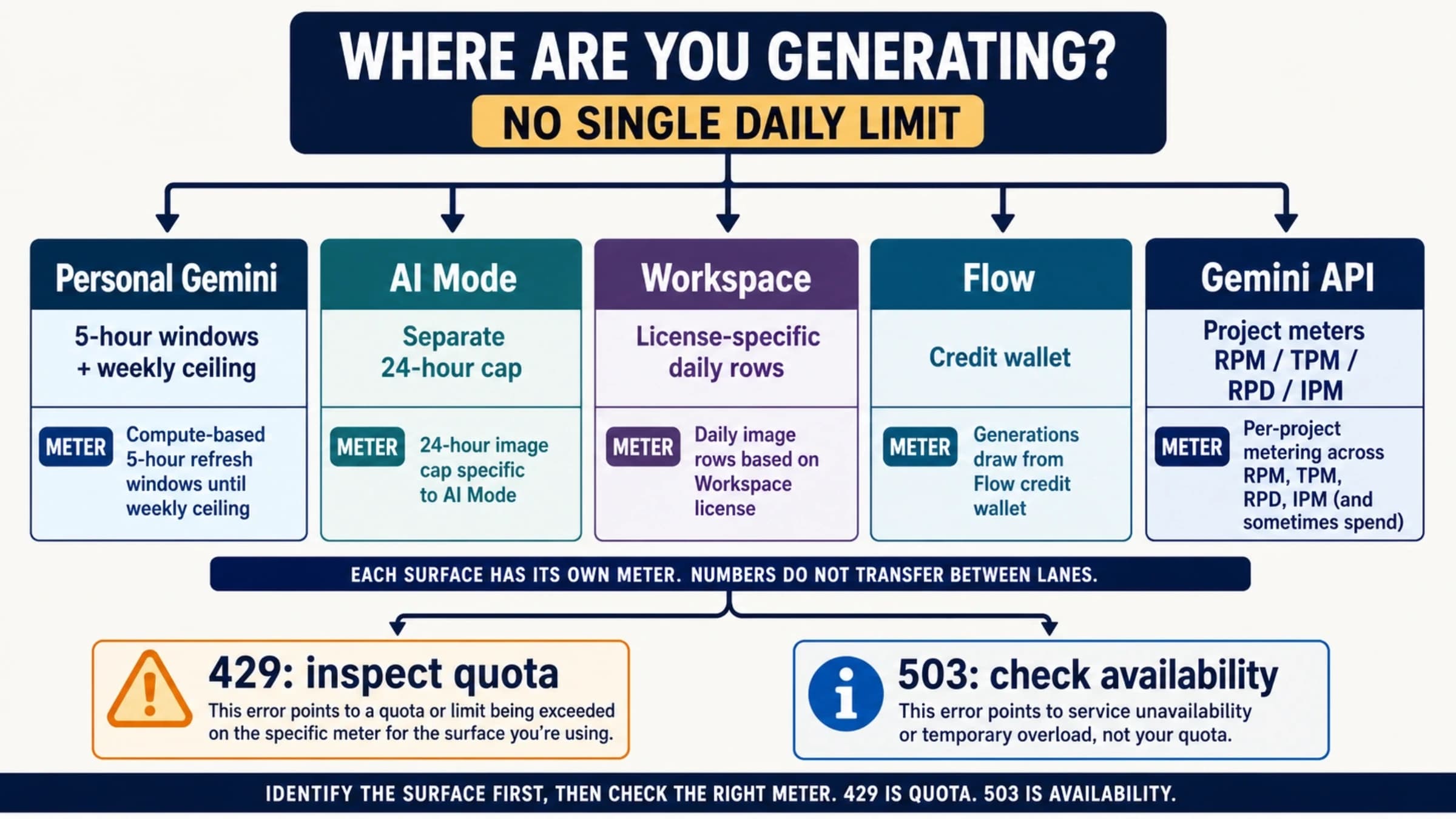
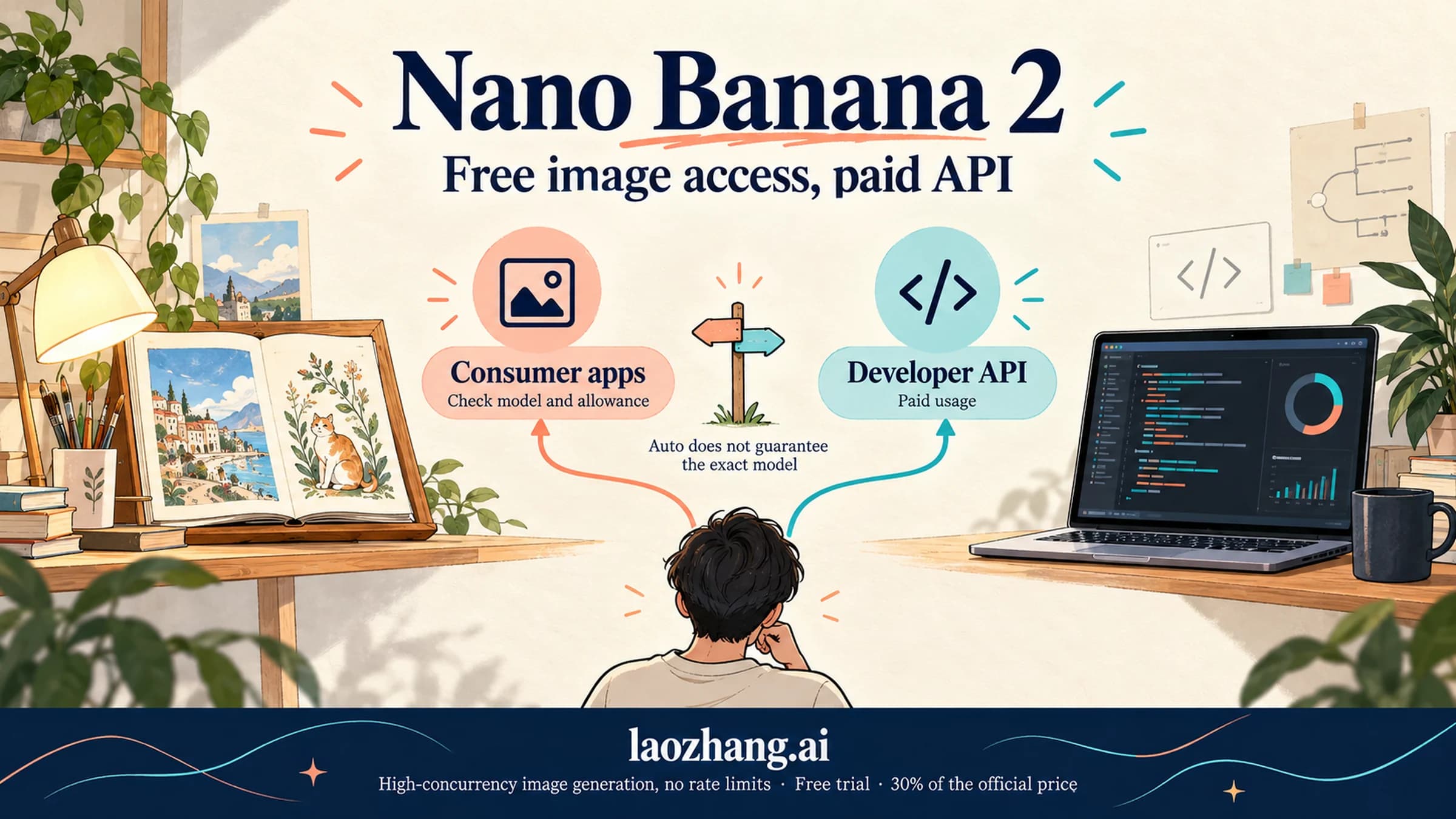
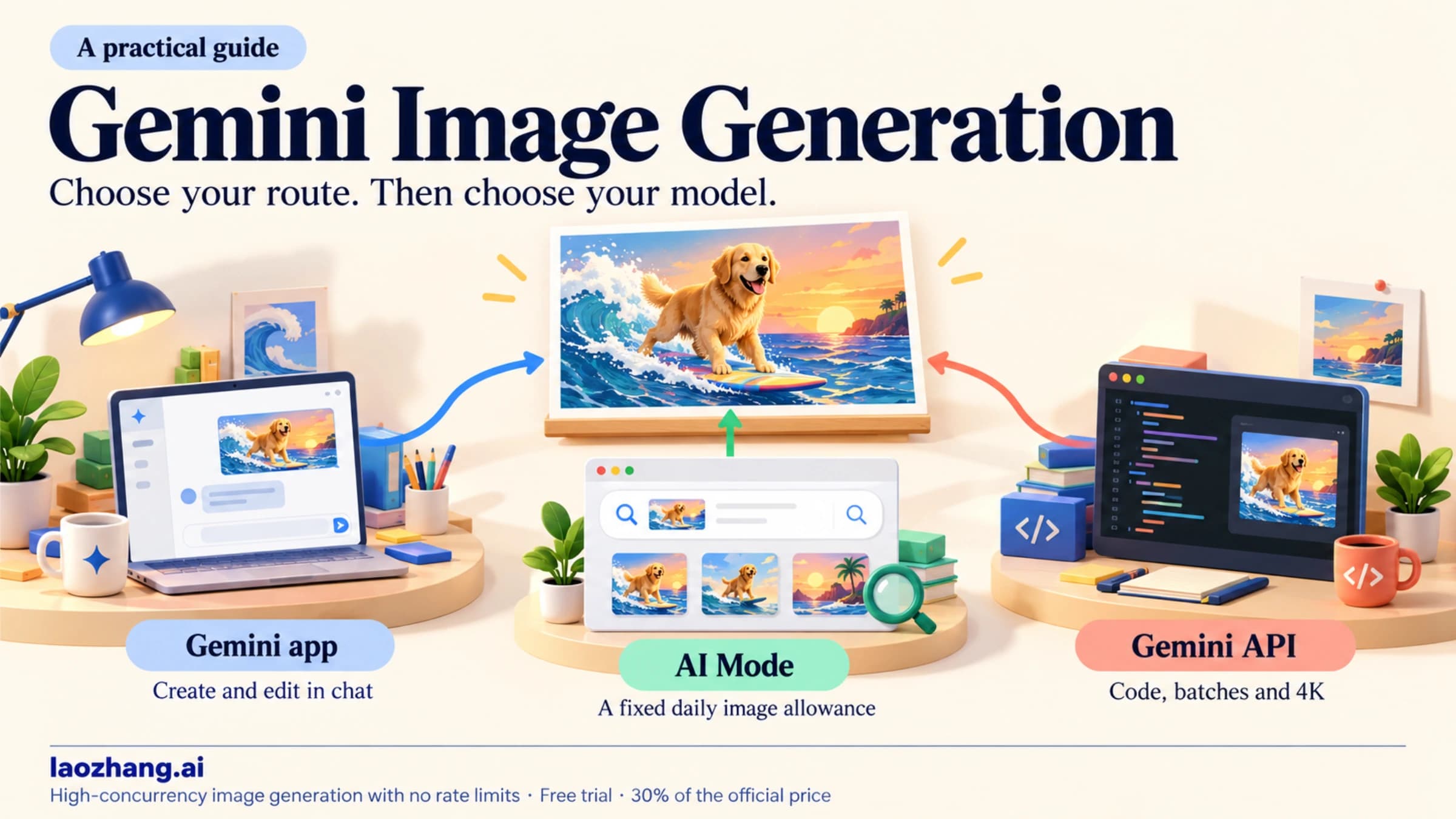
Yes. As of September 23, 2026, Google lets you use Nano Banana without paying in three places: the Gemini app, AI Mode in Google Search, and Google Flow. Each one has its own limit, none of them is unlimited, and each has its own age and country rules. The part that is not free is image generation through Google AI Studio or the Gemini API, where every Nano Banana model is billed per image.
"Nano Banana" is Google's name for its image models. The current family is Nano Banana 2 Lite, Nano Banana 2, and Nano Banana Pro. The free options mostly give you Nano Banana 2 or Nano Banana 2 Lite. Nano Banana Pro without a paid plan is documented in exactly one case: US adults using AI Mode in English. Many websites and apps also carry the Nano Banana name, but they are not Google, and their "free" offers follow their own rules.
Google's free options at a glance
| Where | What you get without a paid plan | Limit | Download size | Who qualifies | What stops you |
|---|---|---|---|---|---|
| Gemini app | Nano Banana 2 (Nano Banana 2 Lite when Gemini is set to Flash-Lite) | Compute-based usage limit shown as a percentage, refreshes every 5 hours up to a weekly cap; no image count published | 1K | Signed-in account, 13+ to generate, 18+ to edit, supported country and language | Reaching your usage limit until the next refresh |
| AI Mode in Google Search | Image creation in AI Mode; US adults can also pick Nano Banana Pro in English | Up to 25 images per 24 hours; Pro has a daily limit Google doesn't quantify | Not stated (a test image came back at 1408×768) | 18+, personal Google Account you manage yourself, listed countries including the US | The 25-image cap for that 24-hour window |
| Google Flow | Nano Banana 2 Lite, which Google calls "the default model available at no charge" | 50 Flow credits per day, no rollover | Not stated | 18+, supported countries including the US | Running out of the day's credits |
| AI Studio and Gemini API | Nothing: Nano Banana image output has no free tier | Billed per image | Depends on the model | Anyone with a billed, prepaid API key | Your prepaid balance reaching $0 |
Google adds that limits "may change based on available capacity, demand, and your Google AI subscription plan," so treat the numbers above as today's settings, not a promise.
Gemini app: the everyday free option
Most people should start here. Go to gemini.google.com or open the Gemini app and sign in. Then tap + in the prompt box and choose Create image, or simply ask for one in the chat, for example "Create an image of a red bicycle on a beach." The English web app also has an Images entry in the sidebar with templates, but the + menu and a plain request work either way. According to Google's image help page, everyone gets Nano Banana 2. If your Gemini model is set to Flash-Lite, you get Nano Banana 2 Lite instead, which Google says "isn't designed for multiple image references or for multiple edits." The model picker may also offer a Pro model, such as 3.1 Pro, without a plan. That is Gemini's chat model, not Nano Banana Pro.
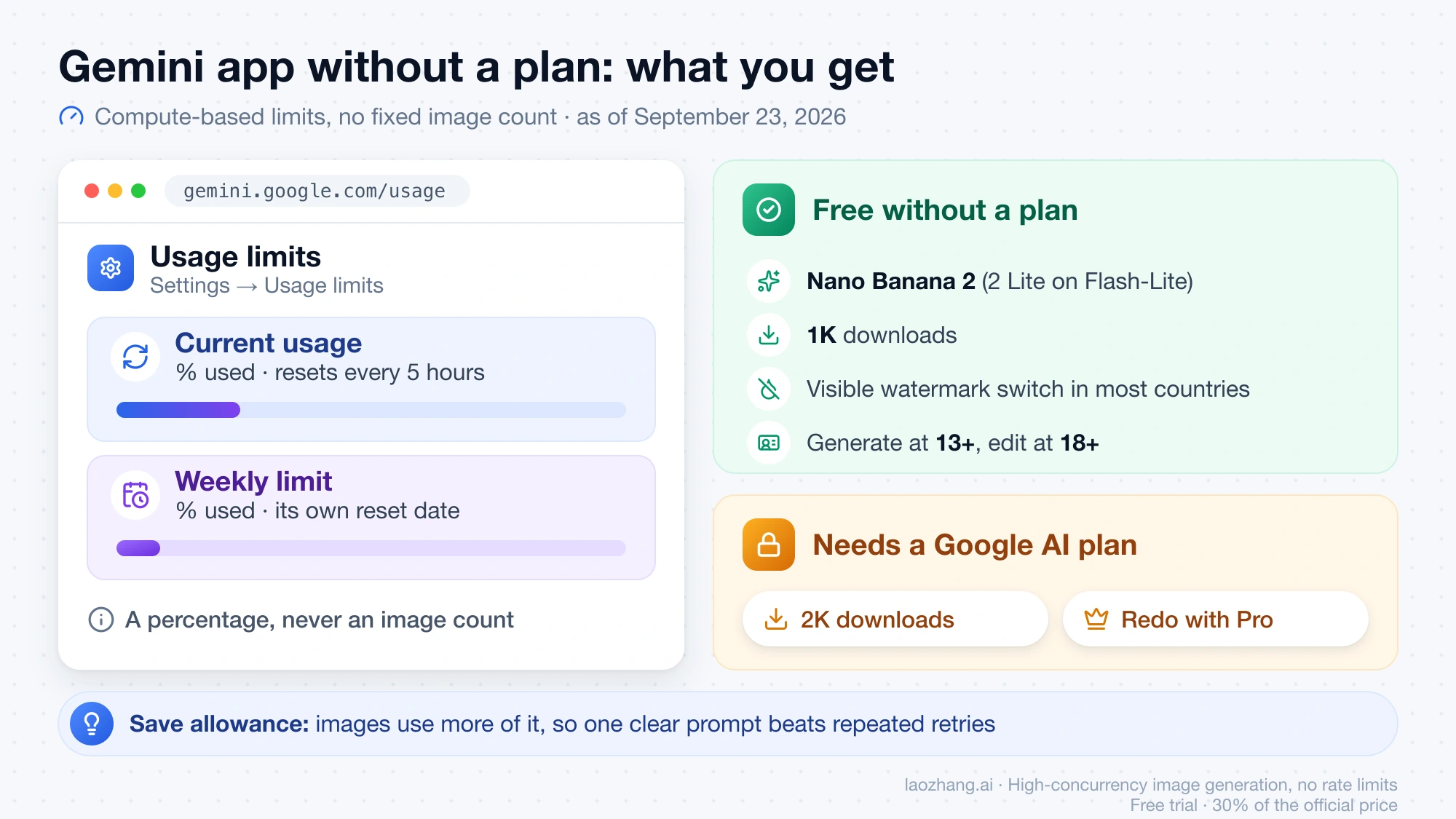
There is no fixed number of free images. Since changes that began on May 17, 2026, Gemini's usage limits are compute-based: they depend on how complex your request is, which models and features you use, and how long the chat is. Google also says media generation "will consume more of your usage." Your allowance refreshes every 5 hours until you hit a weekly limit.
To see where your own account stands, open Settings (bottom left) → Usage limits, or go straight to gemini.google.com/usage. The page shows Current usage as a percentage used with its reset time, and a separate Weekly limit percentage with its own reset date. It never shows an image count. On one signed-in account without a plan, located in Taiwan, a single simple image on September 23, 2026 moved Current usage from 0% to 3% with the 3.1 Pro model selected. The next image, made with 3.6 Flash, moved it from 3% to 5%, and the weekly meter stayed at 0%. That is two samples on one account, rounded to whole percentages. Detailed requests, long chats and other accounts can use more or less, so the result can't be turned into a fixed number of images per window. The Nano Banana 2 limits guide explains how the refresh and weekly cap behave.
Two things stay behind the paywall. Downloads without a Google AI plan are 1K; a plan raises that to 2K. And Redo with Pro, which regenerates an image with Nano Banana Pro, is only for paid subscribers. On the no-plan test account above, the image offered Share, Copy and Download full size image, with no Redo with Pro button. Even paid subscribers can't redo more images with Pro once they reach their daily quota of Nano Banana 2 images.
Outside India, South Korea and Vietnam, the visible watermark is a setting you control, plan or no plan. Gemini's Settings → Media Watermark switch turns the visible mark on or off for images, videos and music you create in Gemini; on the no-plan test account in Taiwan, the switch was available and set to Off. Per Google's watermark help, users in India, South Korea and Vietnam see the setting only with an AI Ultra subscription; everyone else there always gets the visible watermark. The switch doesn't remove the invisible SynthID watermark or the Content Credentials (C2PA) metadata that every Gemini image carries, and it applies only to Gemini Apps, not to AI Mode or Flow.
Age matters too. You must be 13 or older to generate images and 18 or older to edit them. Because every image draws on a limited allowance, a clear, specific request saves more of it than repeated retries; How to Prompt Nano Banana has tested templates.
October 2026 update: Nano Banana 2.1 needs a plan, free accounts keep Nano Banana 2
Google released Nano Banana 2.1 on October 6, 2026. In the Gemini app, Google's Nano Banana product page lists Nano Banana 2 as "Free" and Nano Banana 2.1 as "With a Google AI plan": Google AI Plus, Pro, and Ultra subscribers get 2.1 and keep Redo with Pro, while an account without a plan keeps generating with Nano Banana 2 under the same compute-based allowance described above. Google's help center still describes image generation with Nano Banana 2 and doesn't mention 2.1 yet, and neither page publishes an image count. On the API side nothing changed for free users: gemini-nano-banana-2.1 has no free tier either, and Nano Banana 2 (gemini-3.1-flash-image) was deprecated on the Gemini API the same day with no shutdown date announced. Google's pages now also disagree on when the original gemini-2.5-flash-image shuts down (March 15, 2027 on the deprecations table, October 2, 2026 on the pricing page). Nano Banana 2.1 API Pricing: Per-Image Price vs Cost per Call has the 2.1 prices and the app rollout details.
AI Mode in Google Search: 25 images a day, and Pro for US adults
AI Mode is the one Google product that prints a free image count. Google's AI Mode image help lists these limits for a 24-hour period:
| Plan | AI Mode images per 24 hours |
|---|---|
| No Google AI plan | Up to 25 |
| Google AI Plus | Up to 50 |
| Google AI Pro | Up to 100 |
| Google AI Ultra | Up to 1,000 |
To use it, open the AI Mode tab in Google Search (google.com/search?udm=50), tap +, choose Create images, and describe what you want. On the same test account, a simple image came back in about 20 seconds at 1408×768. You need to be 18 or older and signed in to "a personal Google Account that you manage on your own," so a work or school account won't qualify. The country list includes the United States, Canada, Mexico, India, Japan, South Korea, and Singapore. As of September 23, 2026, it does not include the UK or any EU country.
US adults get an extra option: Nano Banana Pro in AI Mode is available in English to users over 18 in the US, no plan required. In the + menu, switch from Fast to Pro, then choose Create images. In a September 23, 2026 check, that Fast/Pro switch appeared only in the English interface, not in the Chinese, Japanese or Korean ones. Google describes this Pro option as optimized for infographics and diagrams and says it "has daily usage limits," without giving a number. Outside the US, the Pro option is limited to Google AI Pro and Ultra subscribers in listed countries. Google's page names Nano Banana Pro only for that option; it doesn't say which model handles standard AI Mode image creation.
Google Flow: 50 free credits a day
Google Flow is Google's creative studio for video and images, now at flow.google.com. Flow's credit page says that without a subscription "you receive only 50 Google Flow credits per day to try Google Flow." The daily refresh starts with your first generation, and unused credits don't carry over.
For images, Flow's model page names Nano Banana 2 Lite as "the default model available at no charge." Another Flow help page says Flow defaults to Nano Banana Pro, so Google's own pages disagree. Before you generate, click the model name in the prompt box to see which model is selected, then open Settings at the top right of the prompt box to see the current credit costs. Google doesn't publish a per-image credit cost for its image models.
During peak hours, roughly 2 PM to 5 PM UTC, non-subscribers may be unable to generate videos but can still generate images. Flow is available to users 18 and older, and its country list includes the US.
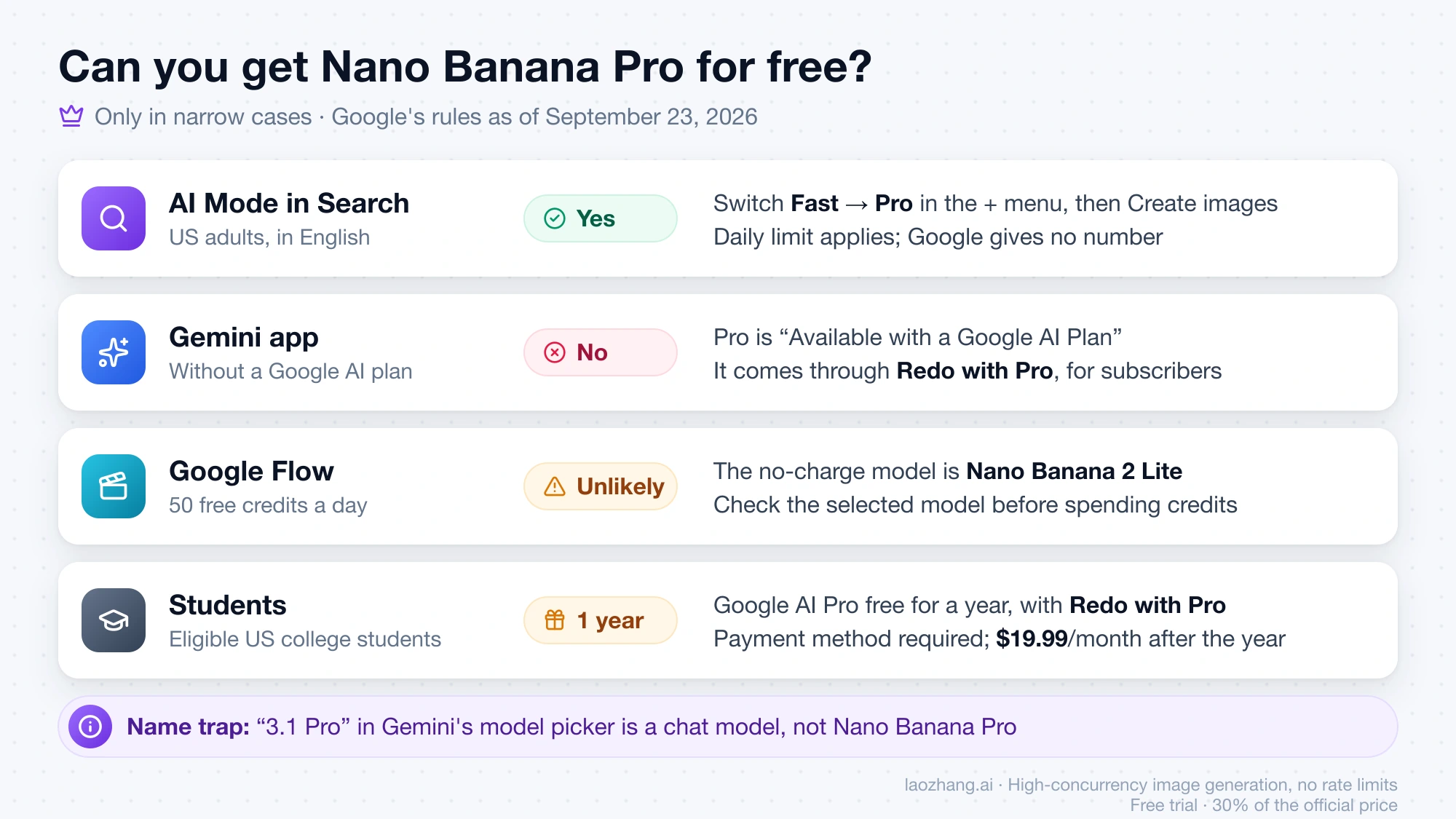
Can you get Nano Banana Pro for free?
Only in narrow cases:
- AI Mode in the US: yes, for adults using English, within daily limits.
- Gemini app: no. Google lists Nano Banana Pro as "Available with a Google AI Plan," reached through Redo with Pro. When Pro launched in November 2025, Gemini users without a plan could try it; that is no longer how the app works.
- Google Flow: don't count on it. The no-charge model is Nano Banana 2 Lite, so check the selected model before spending credits.
- Students: eligible US students can get Google AI Pro free for a year, which includes Redo with Pro and 2K downloads (details below).
For plan-by-plan Pro access, see Is Nano Banana Pro Free?.
Why people say Nano Banana is "no longer free"
In 2025, many people generated Nano Banana images in Google AI Studio without paying. That no longer works, for three reasons.
First, AI Studio is free only until you use a paid feature. Google's billing page says "AI Studio usage remains free of charge unless users link a paid API key for access to paid features," and the pricing page marks the free tier for Nano Banana image models as "Not available." In practice, making Nano Banana images in AI Studio means linking a paid key, and new paid accounts start by prepaying at least $5.
Second, the $300 Google Cloud free trial doesn't help. Starting in March 2026, Google says Gemini API usage costs are "specifically excluded from the $300 Google Cloud Free Trial program."
Third, the original model is going away. For gemini-2.5-flash-image, the first Nano Banana, Google's pages disagree on the date: the pricing page still warns it "will be shut down on October 2, 2026," while the Gemini API deprecations table (checked October 21, 2026) lists March 15, 2027 and names gemini-3.1-flash-lite-image as the replacement. Tutorials from 2025 built around that model will stop working either way.
The short version: the API key costs nothing, but the images it generates do. Here is Google's standard output pricing as of September 23, 2026:
| Model | API model ID | Price per image | Free tier |
|---|---|---|---|
| Nano Banana 2 Lite | gemini-3.1-flash-lite-image | $0.0336 at 1K | Not available |
| Nano Banana 2 | gemini-3.1-flash-image | $0.045 (0.5K), $0.067 (1K), $0.101 (2K), $0.151 (4K) | Not available |
| Nano Banana Pro | gemini-3-pro-image | $0.134 (1K or 2K), $0.24 (4K) | Not available |
Batch requests cost half the standard output price. The Nano Banana API cost guide compares the three models for real projects, and Gemini API Key Free in 2026 explains what the free API tier does and doesn't cover.
Websites and apps named "Nano Banana"
Sites such as nanobanana.io, nanobanana.im, nanobanana.org, NoteGPT, and Lovart use the Nano Banana name. They are not Google. Their free offers are their own policies: as of September 23, 2026, for example, nanobanana.im advertises "up to 2 free credits." nanobanana.io describes itself as "Google's AI image editor," yet it runs on its own domain, not Google's. App-store apps with Nano Banana in the name come from independent developers as well.
Some of these services may be useful, but you can't judge them by the name. Before you sign up or upload a photo, check four things:
- Who runs it. Look for the company name, terms of service, and contact details, not just the word "Google" in the description.
- Which model it actually calls. A site should say whether a given image uses Nano Banana 2 Lite, Nano Banana 2, Nano Banana Pro, or a different model entirely.
- What "free" buys. Find out how many credits a free account gets, how often they reset, what one image costs in credits, and what the paid plan charges.
- What happens to your uploads. Read the privacy terms on storage, deletion, and whether your images are used for training, especially before uploading photos of people.
One more naming trap: Google's help pages list Nano Banana 2 Lite, Nano Banana 2, and Nano Banana Pro. None of them mentions a "Nano Banana 3." If you want to try Nano Banana without creating any account, Nano Banana Free No Sign Up covers which options actually work today.
When paying is the better next step
The free options fit casual use. Paying makes sense when you keep hitting the same wall:
- You need 2K downloads, Redo with Pro, or more room in Gemini. Google AI Plus is the cheapest paid plan at $4.99 per month in the US. It doubles the standard Gemini limit, raises AI Mode to 50 images per 24 hours, and adds 200 Flow credits per month. Higher tiers are compared in Nano Banana 2 Subscription Price.
- You're a student. Google offers free Google AI Pro for eligible U.S. college students for one year. Redeem it by December 31, 2026. A payment method is required at sign-up, and the plan charges $19.99 per month after the free year unless you cancel.
- You're building something. Apps, batch jobs, and anything that needs predictable cost belong on the API, where you pay per image at the prices above. If you want a non-Google provider, laozhang.ai lists
gemini-3.1-flash-lite-imageat $0.025 per image,gemini-3.1-flash-imageat $0.055, andgemini-3-pro-imageat $0.09 in its Nano Banana API docs. These are paid provider prices, not a Google free quota.
Disclosure: laozhang.ai is our own service. Its prices are platform pricing, not an independent comparison.
The free limits are tied to your account, age, and country. A VPN, a different birth date, or extra accounts are not a supported way to get more images, and if you don't qualify for a free option, the paid options above are the legitimate alternatives.
FAQ
Is Nano Banana 2 free?
Yes, within limits. Without a plan, the Gemini app gives you Nano Banana 2 under a compute-based allowance with 1K downloads, and Google Flow's no-charge model is Nano Banana 2 Lite. Through the API, Nano Banana 2 costs $0.045 to $0.151 per image depending on size.
How many free Nano Banana images can I make per day?
Only AI Mode publishes a number: up to 25 images per 24 hours without a plan. The Gemini app has no fixed count; its usage page shows a percentage that refreshes every 5 hours, up to a weekly cap. Flow gives 50 credits a day, and the credit cost per image appears in Flow's Settings.
Can I use Nano Banana for free without a watermark?
In the Gemini app, usually yes for the visible mark: turn it off under Settings → Media Watermark. In India, South Korea and Vietnam that switch is only available with AI Ultra. The invisible SynthID watermark and Content Credentials stay on every Gemini image, and the switch doesn't cover AI Mode or Flow.
Is there a Nano Banana free trial?
There is no separate trial. The free options above are the no-plan tier. The closest thing to a trial is the student offer, which is a full year of Google AI Pro but requires a payment method and renews at $19.99 per month unless canceled.
Is Nano Banana free for students?
Not as a separate student tier. The free options on this page apply to students the same as to anyone else. The student-specific offer is a free year of Google AI Pro for eligible US college students, which adds 2K downloads, Redo with Pro, and higher limits; it needs a payment method at sign-up, must be redeemed by December 31, 2026, and renews at $19.99 per month unless canceled. Free Google AI Pro for eligible U.S. college students has the eligibility checks.
Is Nano Banana a free app?
Nano Banana isn't a standalone Google app. You use it inside the Gemini app, AI Mode, or Google Flow, each of which works without a paid plan. Apps and websites named "Nano Banana" are made by other developers and set their own prices.
Sources9
External pages this guide links to, in the order they appear. Last updated Oct 21, 2026.
Sources9
External pages this guide links to, in the order they appear. Last updated Oct 21, 2026.
- 1.Google's image help pagesupport.google.com/gemini/answer/14286560
- 2.Gemini's usage limitssupport.google.com/gemini/answer/16275805
- 3.Google's watermark helpsupport.google.com/gemini/answer/17405358
- 4.Nano Banana product pagegemini.google/overview/image-generation
- 5.Google's AI Mode image helpsupport.google.com/websearch/answer/16649374
- 6.Flow's credit pagesupport.google.com/flow/answer/16526234
- 7.Flow's model pagesupport.google.com/flow/answer/16352836
- 8.billing pageai.google.dev/gemini-api/docs/billing
- 9.pricing pageai.google.dev/gemini-api/docs/pricing