Best Free Image-to-Video AI in 2026: What Is Actually Free?
Start with the free contract before the tool logo. Some image-to-video AI routes are recurring, some reset daily, some are one-time trials, and some look free until the watermark or export limit appears.
On this page
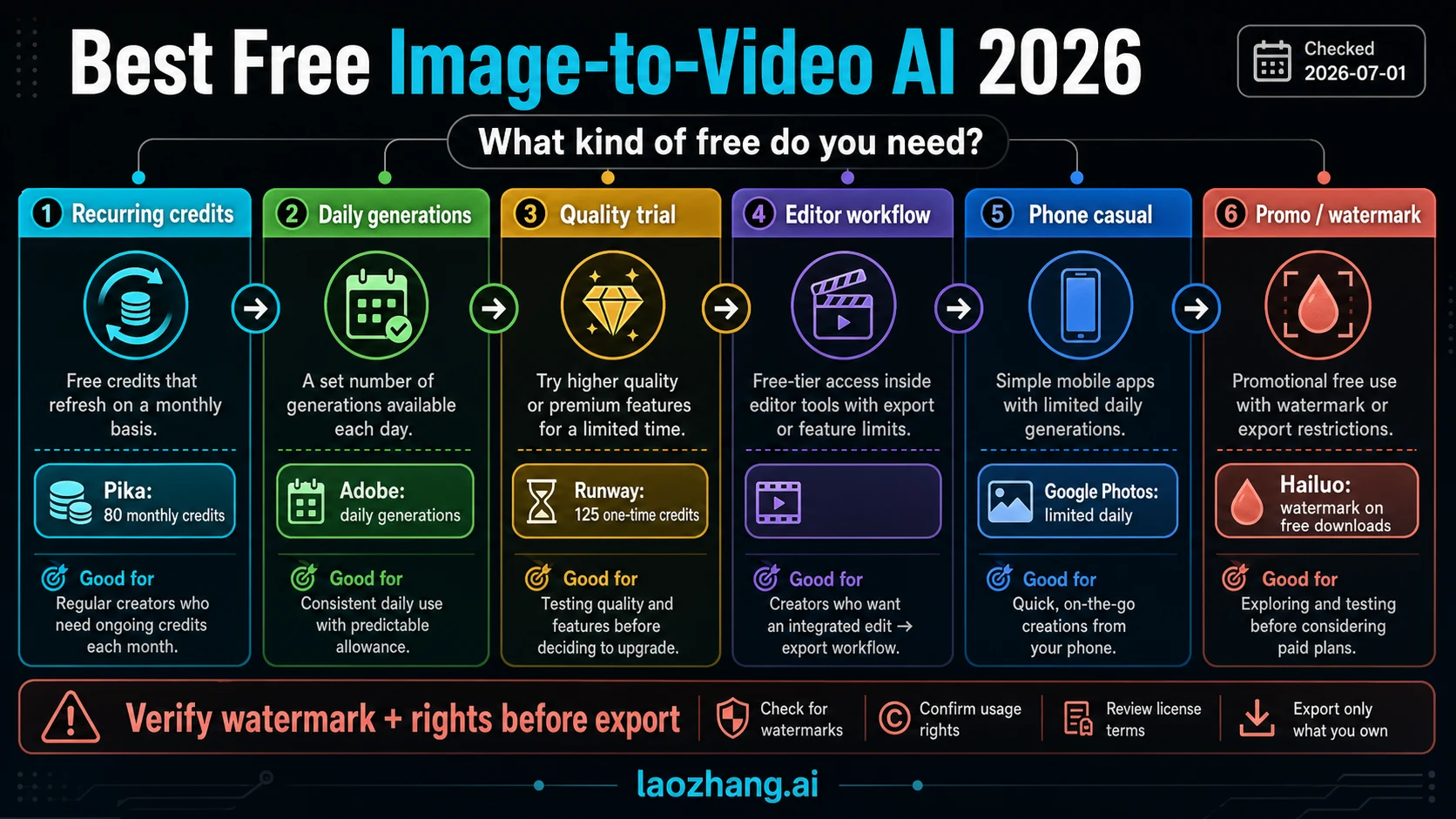
The best free image-to-video AI route is the one whose free contract matches your job: recurring credits for repeated tests, daily generations for short sessions, a one-time quality trial for polished output, or a quick promo route when a watermark is acceptable.
Checked on July 4, 2026, the free claims still split across credits, watermarks, commercial-use language, regional gates, and paid-plan boundaries. Treat every exact allowance as account-dependent until you see it in the product you will actually export from.
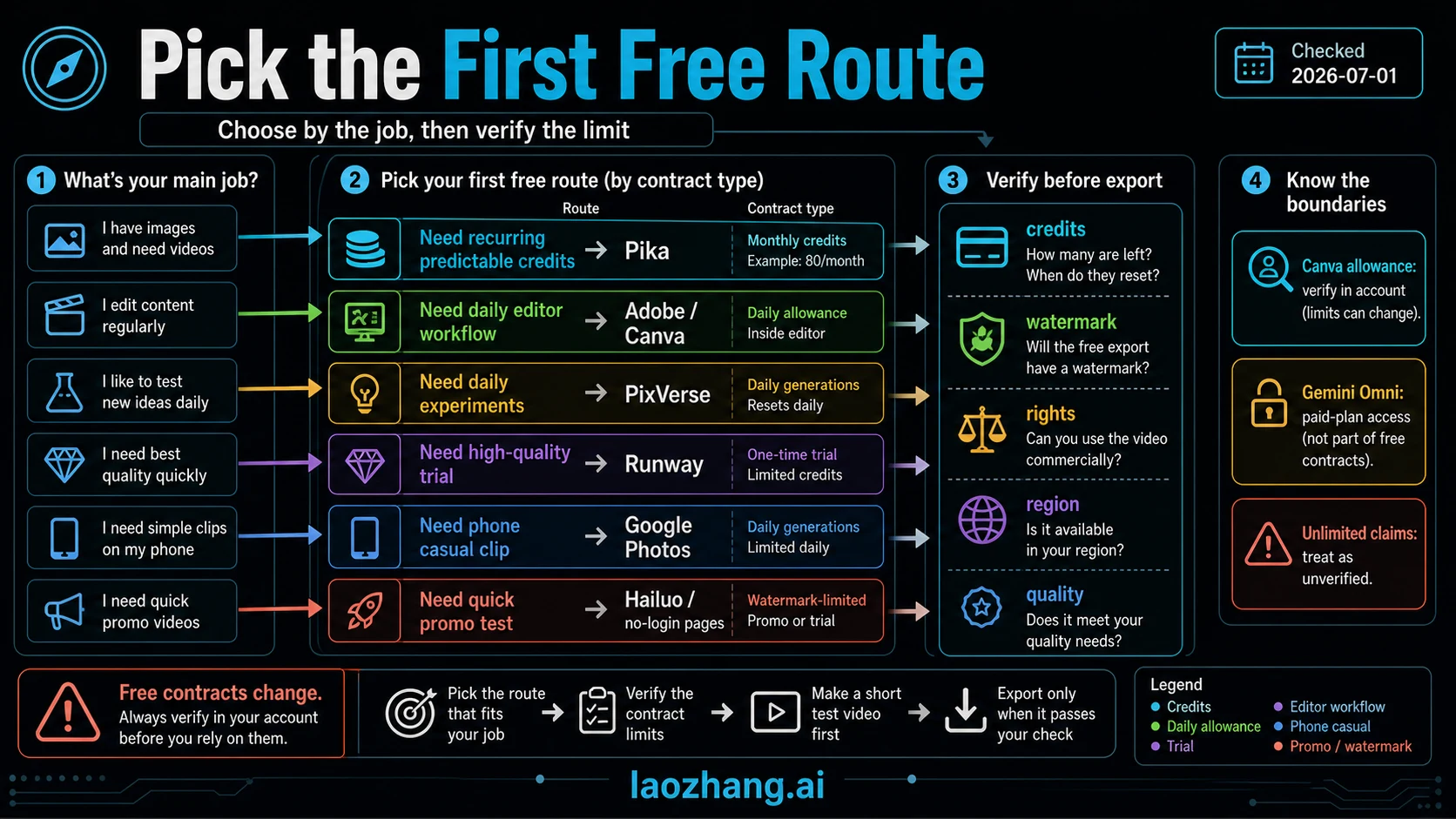
| If you need... | Start here first | Verify before upload or export |
|---|---|---|
| Ongoing predictable tests | Pika | Basic lists 80 monthly video credits; a 5-second 480p image-to-video job can spend 12 credits. |
| A daily editor workflow | Adobe Firefly, then Canva if your account allowance is enough | Daily generations, editor/export limits, and rights language. |
| Daily experiments | PixVerse | Daily free-credit wording, watermark behavior, and whether the model you want is paid-plan only. |
| A high-quality trial | Runway | Free access is a one-time 125-credit pool, not ongoing monthly free use. |
| A casual phone clip | Google Photos | U.S. Create-tab availability, limited daily generations, and the difference from paid Gemini Omni access. |
| A quick promo or no-login test | Hailuo or wrapper/no-login pages | Watermark, credit expiry, upload rights, and whether the result is safe to publish. |
Stop rule: if the free route fails on the limit that matters to your real job -- watermark, rights, credits, region, resolution, length, or prompt control -- stop opening more random free pages. Switch to the route that fixes that limit, or pay only after you know which limit you are buying out of.
No-login, no-watermark, and unlimited wording should stay in the caution lane unless the current account or official page proves it. Canva's exact allowance needs account verification, and Gemini Omni is a paid-plan access route rather than the same thing as Google Photos' limited daily Photo to video feature.
What Free Actually Means
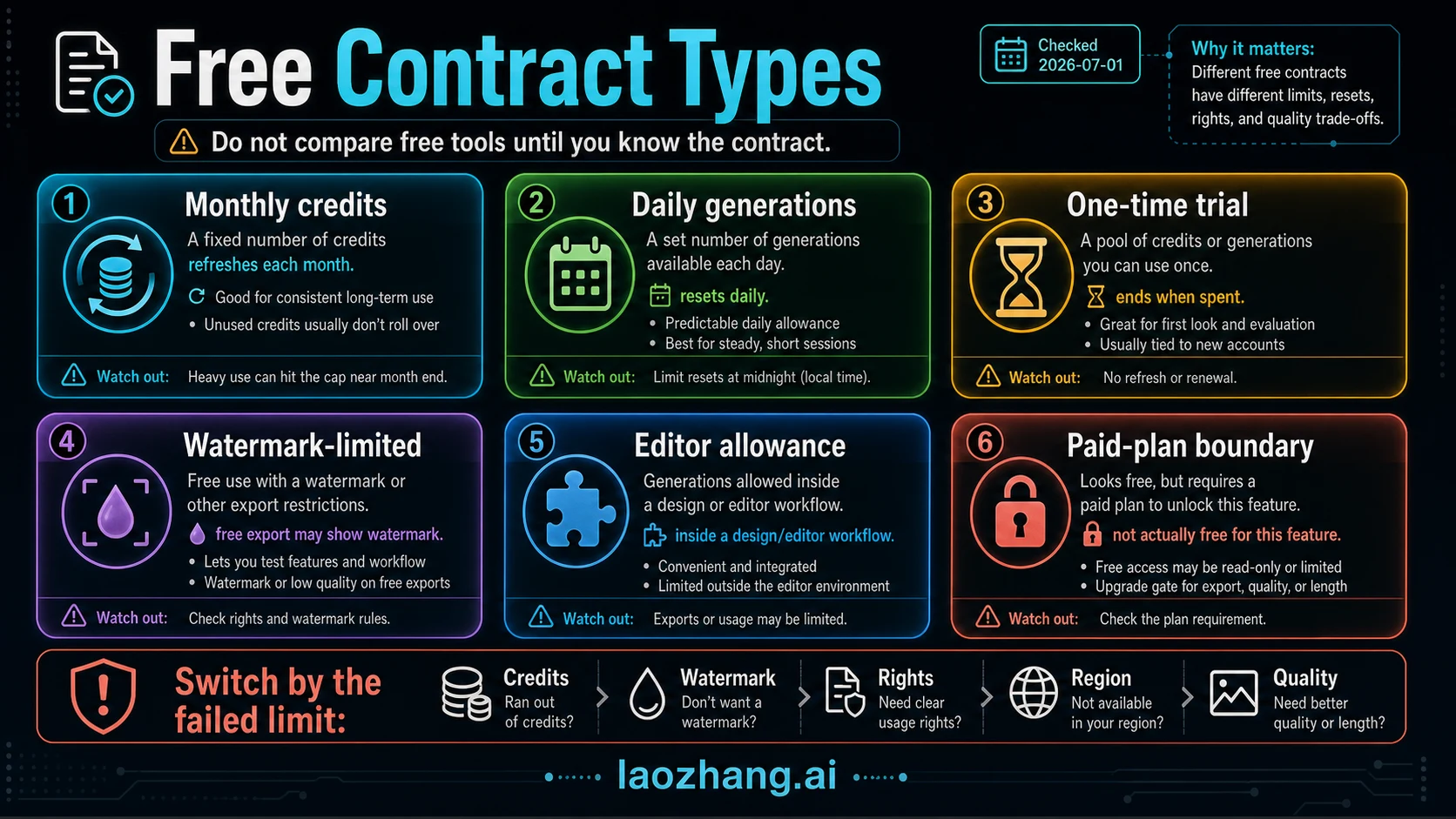
"Free image-to-video AI" is not one promise. It is a set of contracts that reset, expire, watermark, or block export in different ways.
Monthly credits are the easiest to plan. Pika's current pricing page lists Basic as free, includes 80 monthly video credits, and marks Pika 2.5 image-to-video at 480p and 5 seconds as 12 credits. That gives you rough math for a handful of short tests each month. It does not give you unlimited iteration.
Daily generations are useful for light daily sessions, but the exact counter can sit inside the app. Adobe's Firefly image-to-video page says free users receive free daily generations. Google Photos' official Create-tab announcement says Photo to video gives a limited number of daily generations in the U.S., with more for paid Google AI Pro or Ultra users. Those are daily lanes, not blank checks.
One-time trials answer a quality question. Runway's pricing page lists a Free plan with 125 one-time credits and Gen-4 Turbo Image to Video access. That is enough to test whether the interface and output style fit your work. It is not the same as a recurring free workflow.
Watermark-limited or promo access can still teach you motion style, but it may not produce a publishable final file. Hailuo's payment policy says videos downloaded by free users include a watermark. It also says new-user welcome credits after June 18, 2025 are one-time and expire after three days.
Paid-plan boundaries are the trap in broad "free" answers. Google's Gemini Omni page says photo-to-video generation requires Google AI Plus, Pro, or Ultra and varies by geography. That makes it a paid-plan route, while Google Photos' limited daily Photo to video feature is the casual free lane.
The Best Free Routes By Job
The safest shortlist is not a universal ranking. It is a route board.
| Route | Best for | Current evidence anchor | Main catch |
|---|---|---|---|
| Pika | Repeated learning and low-volume tests | Basic lists 80 monthly video credits; 480p 5s image-to-video can cost 12 credits. | Capped volume; verify model and queue behavior before batching. |
| Adobe Firefly | Editor workflow and rights-conscious creative testing | Firefly says free users receive daily generations for image-to-video. | Daily allowance and export behavior can depend on account and model. |
| Canva | Design/editor workflow where the video is part of a larger asset | Public official snippets indicate Free-plan access while AI allowance remains. | Exact allowance needs account verification; do not quote a fixed count from snippets. |
| PixVerse | Daily experiments and style exploration | Official PixVerse surfaces mention daily free credits, watermark, and personal/non-commercial caveats. | Model choice and credit cost vary; some models require paid tiers. |
| Runway | One high-quality trial before deciding whether to pay | Free plan lists 125 one-time credits and Gen-4 Turbo Image to Video. | Not recurring; watermark/export terms should be checked on the current plan page. |
| Google Photos | Casual phone/camera-roll animation | U.S. Create tab lists Photo to video with limited daily generations. | Casual route with limited control; not the same as paid Gemini Omni. |
| Hailuo | Short promo or welcome-credit testing | Terms say free-user downloads include watermark; welcome credits expire after three days. | Not a clean no-watermark free default. |
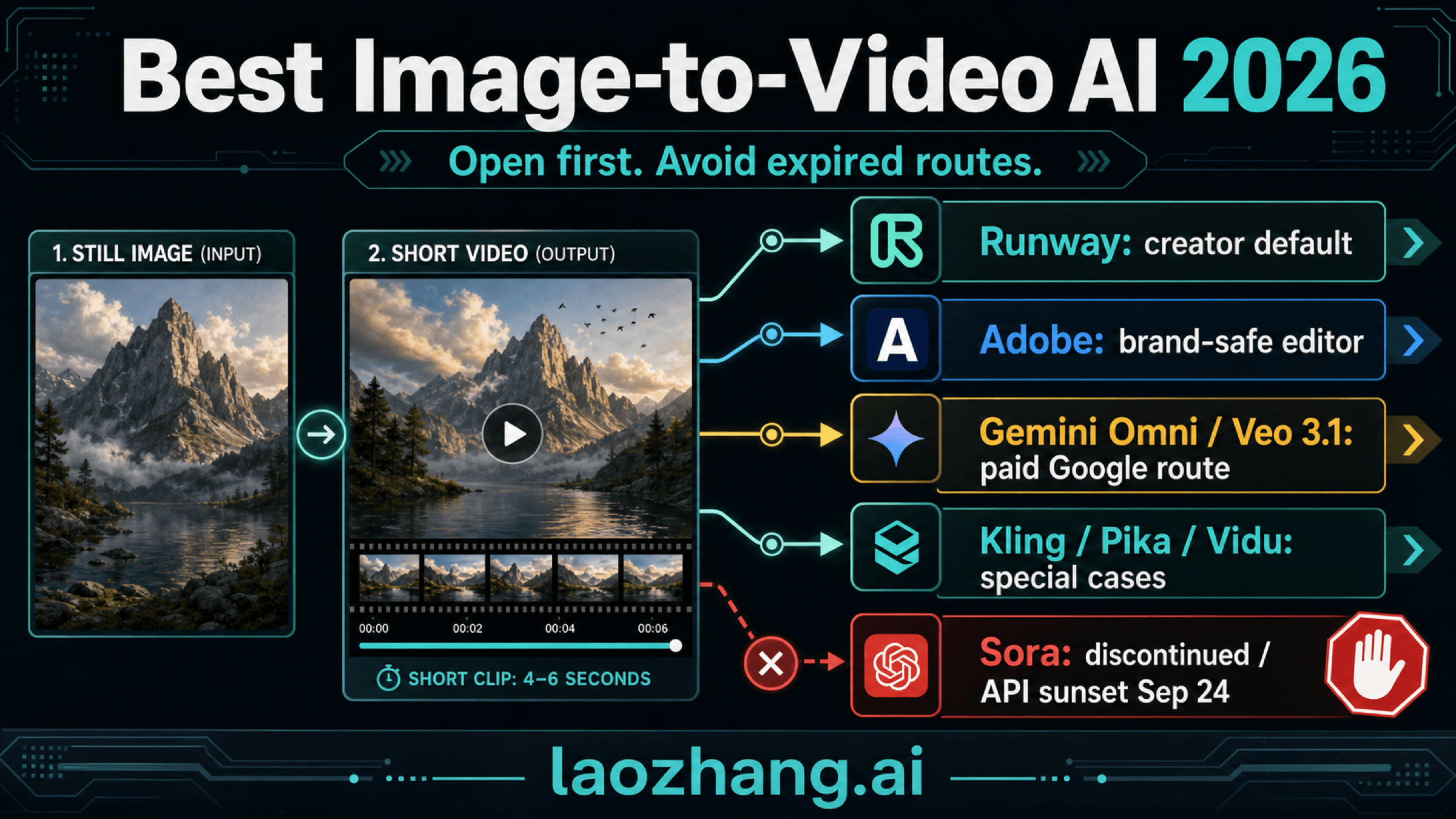
If you only want one first click, start with Pika for recurring-credit math. If your result needs to look polished, compare the same source image once in Runway before paying. If your workflow already lives inside Adobe or Canva, test there next because the output may land closer to your real editing flow.
Pika: The Clearest Recurring Free Route
Pika is the strongest default answer when the reader wants a free image-to-video AI route that can be repeated over time. The reason is not that Pika wins every quality comparison. The reason is that the public free contract is unusually readable.
As checked on July 4, 2026, Pika Basic lists 80 monthly video credits. The pricing table marks image-to-video on Pika 2.5 at 480p and 5 seconds as 12 credits and available on Free. Pika also lists no-watermark downloads and commercial use on its pricing page, but those are still plan-page claims you should re-check before client or paid work.
The practical math is simple: if a short 480p test costs 12 credits, 80 monthly credits can disappear after several iterations. That is enough to learn prompt motion, camera language, and source-image preparation. It is not enough for heavy production, multiple client variants, or long repair loops.
Use Pika first when your goal is to learn the workflow, compare a few prompts, or make casual clips from a still image. Switch when the blocker is quality, volume, or a specific export requirement.
Adobe Firefly And Canva: The Editor Workflow Route
Adobe Firefly belongs in the refreshed shortlist because many image-to-video jobs are editor workflows, not only standalone model tests. Adobe's official image-to-video page says free users receive free daily generations, and it positions Firefly video generation around prompts, images, MP4 export, and commercially safer model training for Adobe's own Firefly models.
That makes Adobe the best first route when the clip is part of an editing workflow, presentation asset, brand review, or social creative, not just a standalone toy test. The caveat is still important: generation counts, model choice, export size, partner-model behavior, and rights language need to be checked in the current account.
Canva belongs in the same editor lane because many readers want image-to-video inside a design tool. Treat it as an editor allowance route. Do not publish an exact Canva free allowance unless your current account or official help page proves it. If you are already making thumbnails, slides, ads, or social posts in Canva, it can be worth testing. If you only need raw model quality, compare against Pika or Runway first.
PixVerse: Daily Experiments With Caveats
PixVerse should not be dropped from the list, but it should not carry more certainty than the evidence supports. Official PixVerse surfaces describe image-to-video workflows and daily free-credit language. Another PixVerse official source notes watermark and personal or non-commercial caveats for free-tier use. Platform pricing docs also show that credit consumption can vary by model, resolution, duration, audio, and mode.
That means PixVerse is a good daily experiment route, especially when you want style exploration, motion ideas, or multi-frame workflows. It is weaker as a clean "how many free clips do I get forever?" answer.
Before relying on PixVerse, check three things inside the app: your current credit balance, the reset language, and whether the specific model or feature you want is paid-plan only. PixVerse's Kling announcement, for example, confirms daily free credits for registered users but says Kling video generation requires Pro or higher on PixVerse.
Runway: A Quality Trial, Not Ongoing Free
Runway is the route to open when quality matters more than recurring free volume. Its Free plan lists 125 one-time credits and Gen-4 Turbo Image to Video access. That is a meaningful test budget for evaluating the interface, prompt control, and output style.
The mistake is treating Runway as a monthly free generator. A one-time credit pool is a decision tool. Use it to answer a narrow question: "Is this quality level worth paying for?" Do not burn it on random prompt exploration before you know what you are testing.
A clean Runway test uses the same source image you tried in Pika, one stable prompt, and one or two controlled variations. Compare the downloaded result, watermark/export behavior, and remaining credit balance. If Runway solves the blocker, then compare paid plans. If it does not, choose by quality need rather than by the word free.
Google Photos, Gemini Omni, Hailuo, And No-Login Pages
Google now needs a clear split in any free image-to-video AI guide. Google Photos' Photo to video feature is a casual consumer route. Google's post says the Create tab is in the U.S. and gives users a limited number of daily generations, with more generations for Pro or Ultra users. It is useful for camera-roll animation and quick memories-style clips.
Gemini Omni is different. Google's Gemini video-generation overview says it can turn photos into video, but access requires Google AI Plus, Pro, or Ultra and varies by geography. Do not call Gemini Omni a free image-to-video route just because it animates photos.
Hailuo is also a boundary route. It may be useful for promo testing or motion exploration, but Hailuo's payment policy says free-user downloads include a watermark. If a watermark blocks your real use case, Hailuo should be treated as a test lane, not the final lane.
No-login pages are the riskiest category. They can be convenient for a disposable test, but they may give you less account control, not more privacy. If the page does not clearly explain who operates it, what model it wraps, what happens to uploads, and whether the downloaded video has a watermark, use only a non-sensitive test image.
Use the same caution for any upload-first generator that looks free before you sign in. Verify the account owner, export file, watermark, deletion controls, and commercial-use language before you upload a real portrait, brand asset, or client image.
Before You Upload A Photo
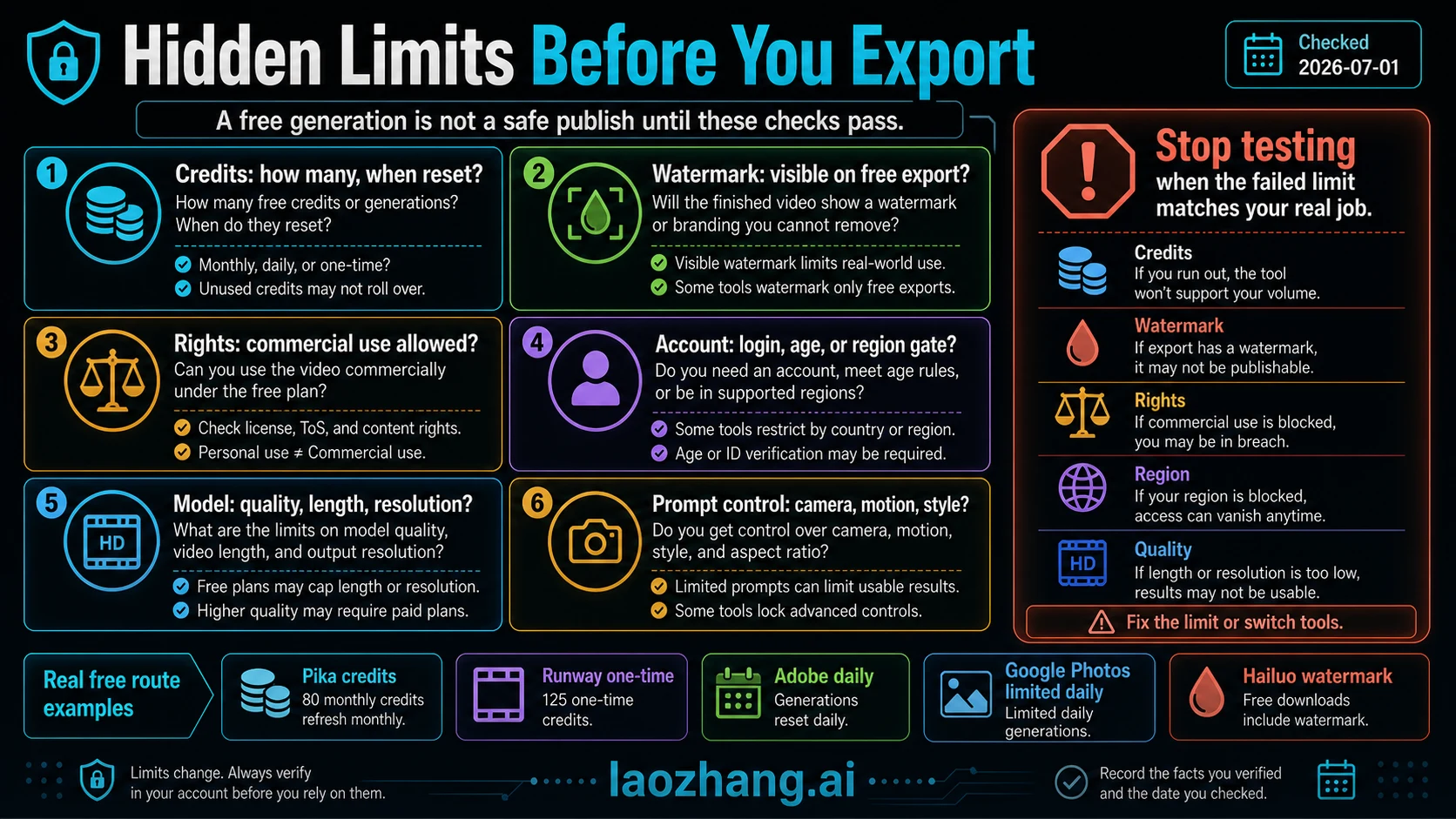
Image-to-video tools often ask for the asset you most need to protect: a face, a family photo, a client product, an unreleased campaign, or a private room. A free button is not enough due diligence.
| Check | What to ask | Stop rule |
|---|---|---|
| Credits | How many generations remain, and when do they reset? | If the cap is hidden until after upload, assume it is tight. |
| Watermark | Does the downloaded file show branding on the free plan? | If the watermark blocks posting or client work, stop testing that route. |
| Rights | Does the free plan allow your intended commercial or public use? | If rights are unclear, do not use the output for paid work. |
| Account and region | Does the tool require login, age, geography, or paid account status? | If your region is unsupported, switch route instead of forcing workarounds. |
| Model quality | What length, resolution, and model are actually included? | If free output is too short or low-res, compare paid or alternate routes. |
| Prompt control | Can you control motion, camera, style, and subject preservation? | If the tool cannot control your key failure mode, stop spending credits. |
The safest first test is boring: upload a non-sensitive image, generate one short clip, download it, inspect the watermark, and record the credit change. That single file tells you more than a long landing page because it exposes the real export, not only the preview.
A One-Image Test Workflow
Use the same source image across tools so the comparison is fair.
- Pick a non-sensitive still image with one clear subject, simple background, and no private faces.
- Write one short prompt that names the motion, camera behavior, and stop condition. Example: "slow push-in, fabric moving gently, no face distortion, keep background stable."
- Run Pika first to test the recurring-credit route.
- If the result is not strong enough, use Runway as the one-time quality comparison.
- If your workflow is editorial or design-based, test Adobe Firefly or Canva next and check the account allowance before exporting.
- If you want daily experiments, open PixVerse and record the current credit balance, reset wording, watermark behavior, and paid-model gates.
- If you test Hailuo or a no-login page, download the result and verify watermark, rights, and upload terms before using the clip anywhere public.
- Stop after two or three attempts per route. If the same failure repeats, switching route is usually smarter than spending the rest of the free pool.
This workflow keeps the comparison about your real job: turning one still image into a usable short clip without surprise costs, watermark regret, or privacy regret.
When Free Is Not Enough
Free is useful for learning the workflow, validating motion style, and deciding whether a tool deserves money. It is usually weak for production volume.
If the blocker is watermark removal, check current paid export terms. If the blocker is volume, compare monthly generation cost instead of stretching a tiny free pool. If the blocker is quality, compare broader image-to-video tools rather than staying inside free-only lists. If the blocker is automation, leave consumer tools and read API-specific documentation or a developer guide.
Those jobs need different routes. For a broader quality comparison, use the best AI image-to-video generator guide. For budget planning, use the AI video generator cost guide. For developer workflows, use the best free AI video API guide. For ad creatives, use the free AI video ad generator guide.
FAQ
What is the best free image-to-video AI right now?
For most readers, start with Pika because its public Basic plan gives a readable recurring free contract: 80 monthly video credits and a 12-credit 480p 5-second image-to-video option. That does not mean unlimited use. It means the free math is clearer than most alternatives checked on July 4, 2026.
Is there a free image-to-video AI with no watermark?
Do not assume no watermark from a landing page. Pika's pricing page lists no-watermark downloads, but every free route should still be verified before export. Hailuo's payment policy says free-user downloads include a watermark. For wrappers and no-login pages, inspect the downloaded file before using it.
Is Runway free for image-to-video?
Yes, but it is best treated as a one-time quality trial. Runway lists 125 one-time free credits and Gen-4 Turbo Image to Video access. That does not make it a recurring monthly free workflow.
Does Adobe Firefly have free image-to-video generations?
Adobe says free users receive free daily generations for Firefly image-to-video. Use it as an editor-workflow route and verify the current daily allowance, model, export, and rights language in your account.
Does PixVerse give daily free credits?
PixVerse official surfaces have used daily free-credit language and also note watermark or personal/non-commercial caveats for free use. Check the current app-side balance, reset language, and model gate before planning a workflow.
Is Google Photos the same as Gemini Omni?
No. Google Photos' Photo to video is a casual Create-tab feature with limited daily generations in the cited U.S. rollout. Gemini Omni can turn photos into video, but Google's Gemini page says access requires Google AI Plus, Pro, or Ultra and varies by geography.
Are no-login free image-to-video pages safe?
Not automatically. No-login can mean fewer account controls, unclear deletion behavior, or a wrapper contract that differs from the underlying model. Use a non-sensitive image first, check the downloaded file, and avoid personal faces unless operator, data, and deletion terms are clear.
What should I do if I need more than a few free clips?
Stop optimizing around the word free. If you need volume, no watermark, higher resolution, reliable rights, or automation, compare paid plans, broader image-to-video tools, or API routes. A free tier is best for learning and testing, not every production workflow.