Claude Code Memory vs MCP vs Skills (2026): Which Layer Should Own What?
A practical route board for Claude Code memory, skills, and MCP: what each layer owns, what each layer cannot do, how to inspect what is already loaded, and when skill plus MCP is actually justified.
On this page
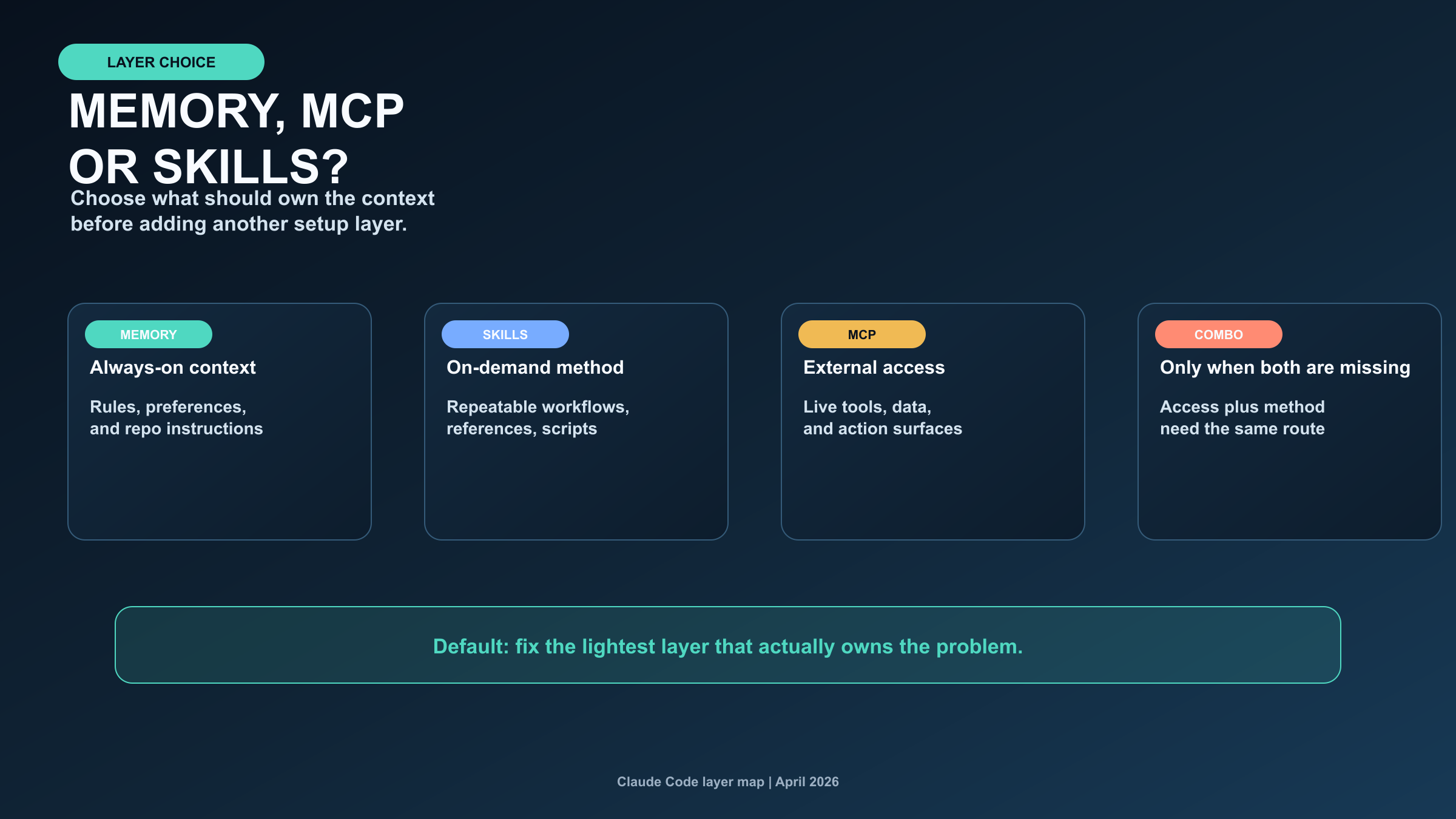
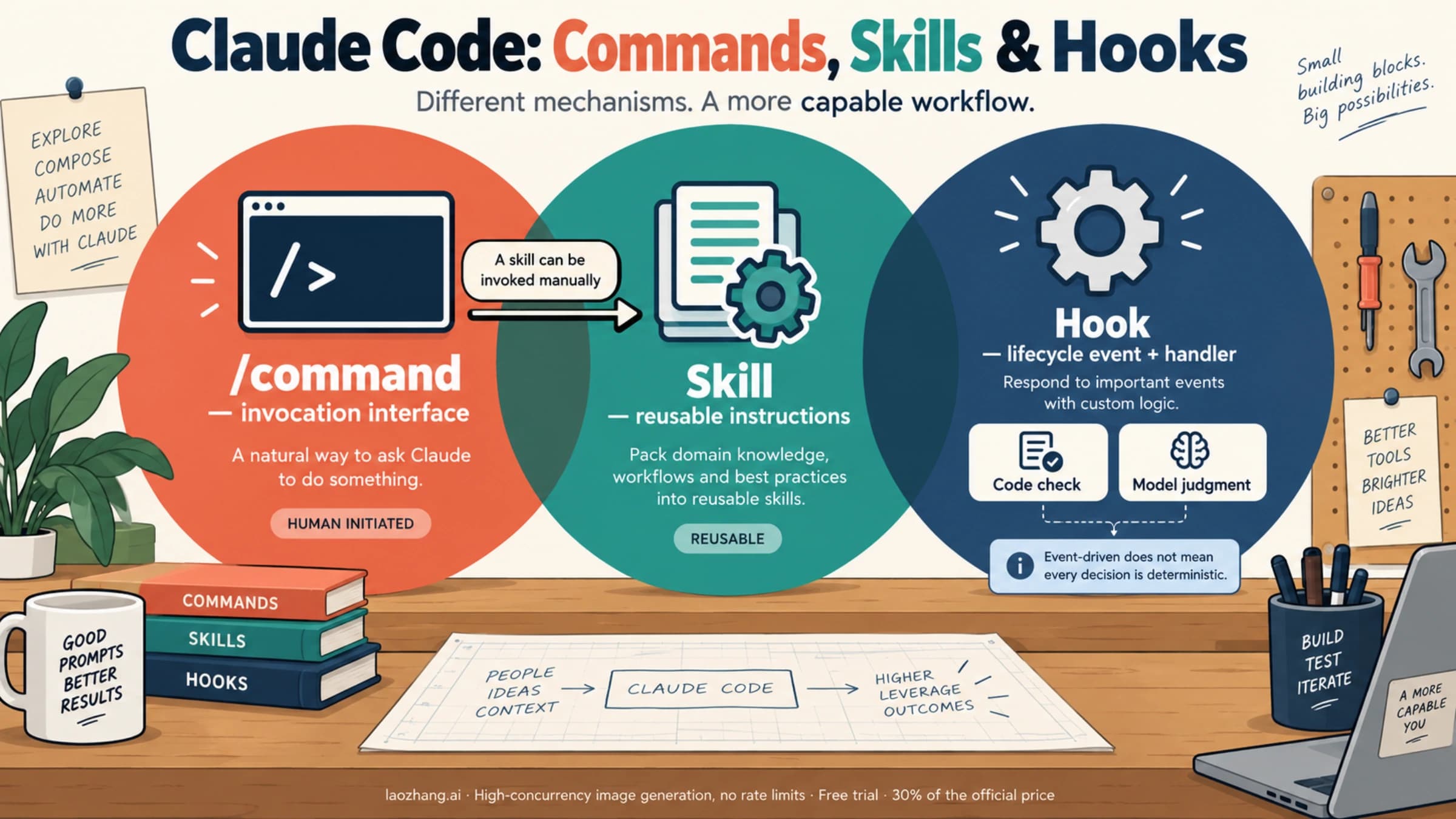
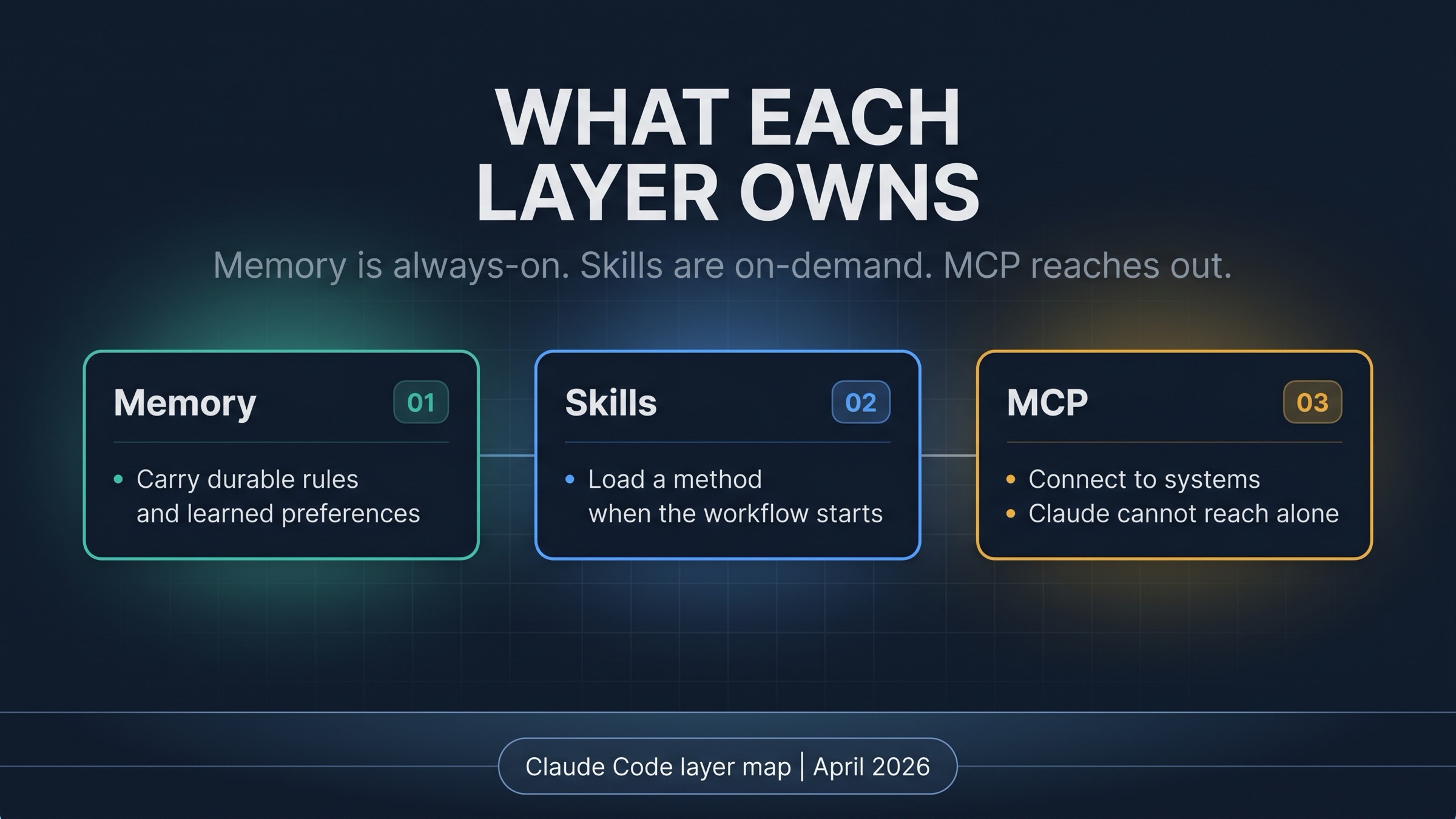
Claude Code memory, skills, and MCP are three different setup layers. Memory is always-on context for rules and learned preferences. Skills are on-demand workflow packages for repeatable methods, reference material, scripts, or templates. MCP is the external access layer when Claude needs a tool, live data source, or action surface outside the chat.
The default route is simple: use memory when Claude should carry a rule or preference across sessions, write a skill when the missing piece is a reusable workflow, and add MCP when the blocker is external access. Combine a skill plus MCP only when both parts are missing: Claude needs a connection and a repeatable method for using it.
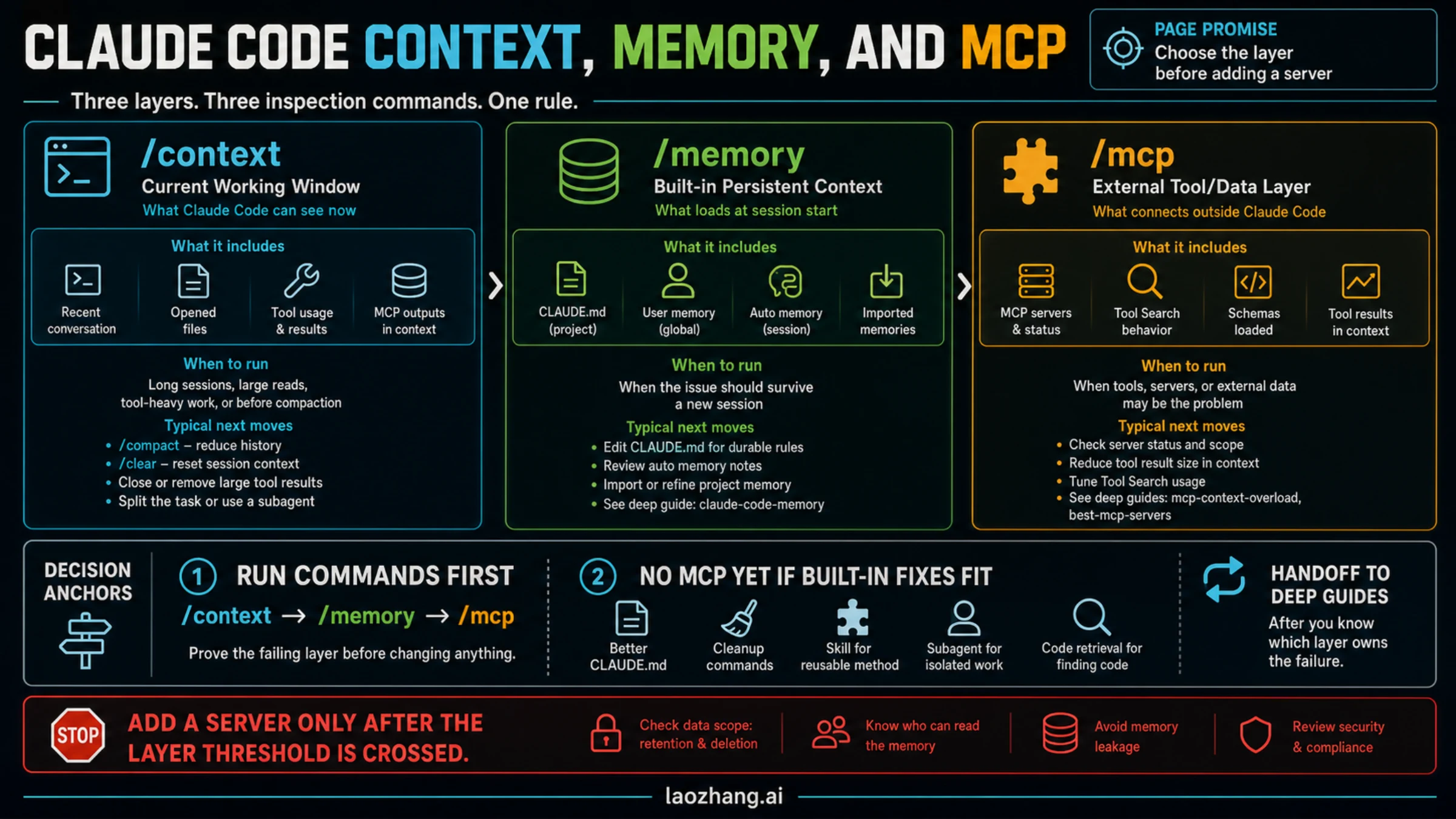
Before adding anything, inspect the layer you already have. /memory shows learned preferences and memory files, /context shows what rules and files are loaded, /skills shows available workflow packages, and /mcp shows configured external servers. If you cannot name which layer failed, do not add another layer yet.
| If your problem is... | Start with | Why this layer owns it |
|---|---|---|
| A rule, preference, or repo instruction should be visible before Claude acts | Memory | It is always-on context, especially through CLAUDE.md and auto memory |
| A workflow repeats and needs a method, checklist, references, scripts, or examples | Skill | It can load the right procedure and supporting files on demand |
| Claude needs a real system, live data, external API, repository, browser, or action surface | MCP | It gives Claude external access with scope and trust boundaries |
| Claude needs both an external connection and a repeatable method for using that connection | Skill plus MCP | MCP provides reach; the skill provides the operating playbook |
Start With Memory When The Rule Must Be Always Visible
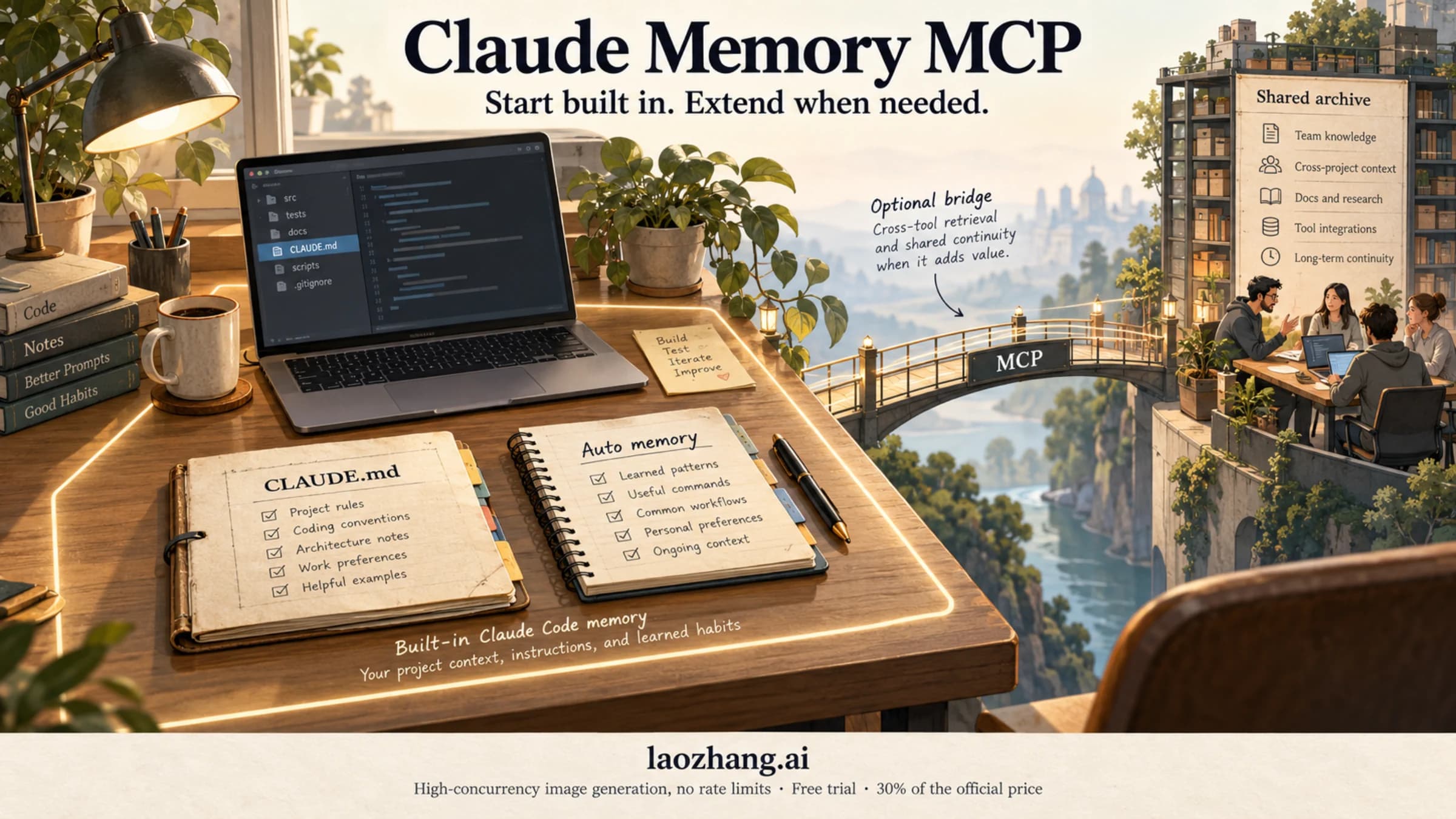
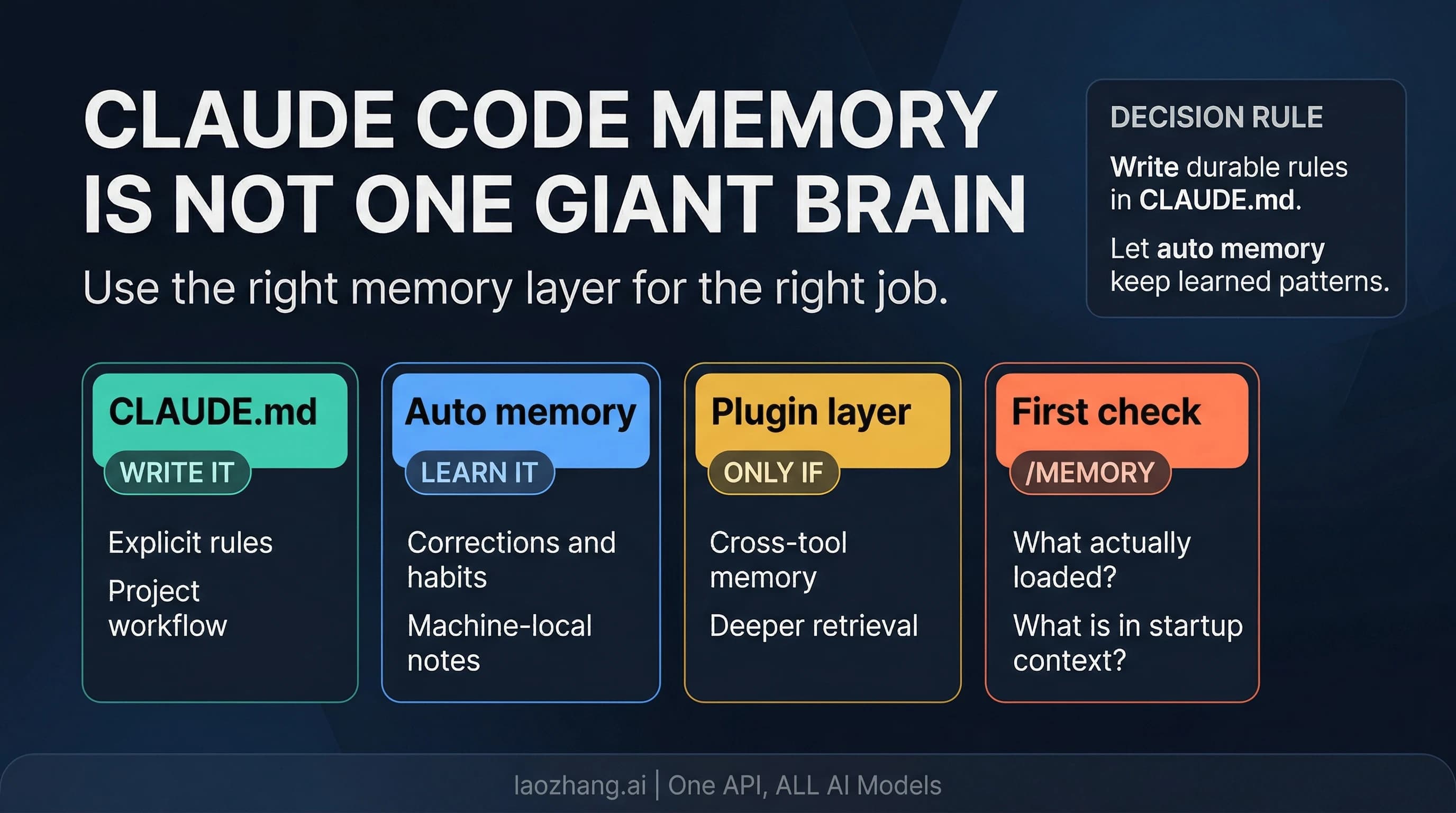
Memory is the right first layer when the thing Claude needs is a durable rule, preference, or local pattern. Anthropic's Claude Code memory docs, checked on April 20, 2026, describe two built-in cross-session surfaces: CLAUDE.md for explicit instructions and auto memory for learned patterns.
Use CLAUDE.md for guidance that should be present before Claude takes action: test commands, branch rules, generated-file boundaries, review style, safety constraints, or repository architecture facts. If losing the rule would change the work, it belongs in the always-on instruction layer rather than in a chat transcript.
Use auto memory for repeated preferences and local habits. That is a good fit for patterns such as "prefer this verifier", "avoid touching this generated folder", or "summaries in this repo should include evidence paths." It is not the same as a team knowledge base, a hidden policy engine, or a workflow runner. Built-in memory is context, not enforcement.
The wrong expectation is asking memory to act like a procedure. If Claude needs a multi-step review process, a repeatable localization checklist, or a bundle of reference files, memory can remind Claude that such a workflow exists, but it is usually the wrong place to store the whole method. That is where a skill becomes cleaner.
The quick inspection loop is:
- Run
/memoryto see what Claude Code thinks it remembers. - Run
/contextto see which instruction files and other context are loaded. - Move critical rules into
CLAUDE.mdinstead of leaving them in conversation. - Keep auto memory for patterns that genuinely come from repetition.
For the deeper built-in setup, including startup loading, MEMORY.md, and forgetting after /compact, use the Claude Code Memory Guide. The decision here is narrower: if the problem is always-on context, stay in memory first.
Use Skills When The Missing Piece Is Method
A skill is the right layer when Claude does not just need to remember a rule. It needs a reusable way to work. Anthropic's Claude Code extension docs describe skills as on-demand packages, and the official Anthropic skills repository shows the shape clearly: a skill can include SKILL.md, references, scripts, templates, and resources.
That makes skills ideal for repeatable workflows:
- reviewing a pull request with a fixed evidence checklist
- creating an article through staged research, drafting, critique, and closeout
- generating a deck with templates, render checks, and export rules
- triaging an inbox with stable buckets and reply criteria
- running a browser QA process with known screenshots and failure rules
The important word is method. A skill should answer "how should Claude do this job?" It should not be used as a pile of always-on rules that should have lived in CLAUDE.md, and it should not pretend to be a data connection. If the skill needs live GitHub comments, calendar events, database rows, browser state, or deployment logs, the skill still needs another layer to reach that system.
Use /skills to check what is available and what has loaded. If a skill is missing, the fix is usually packaging and discovery: the SKILL.md description may be too vague, the workflow may not have reusable references, or the skill may be trying to do too many unrelated jobs.
A good skill has a narrow trigger, a clear owner task, and artifacts Claude can reuse. It keeps complex operating rules out of memory while still making them available when the task actually calls for them. That is why skills work better than a giant instruction file for serious workflows.
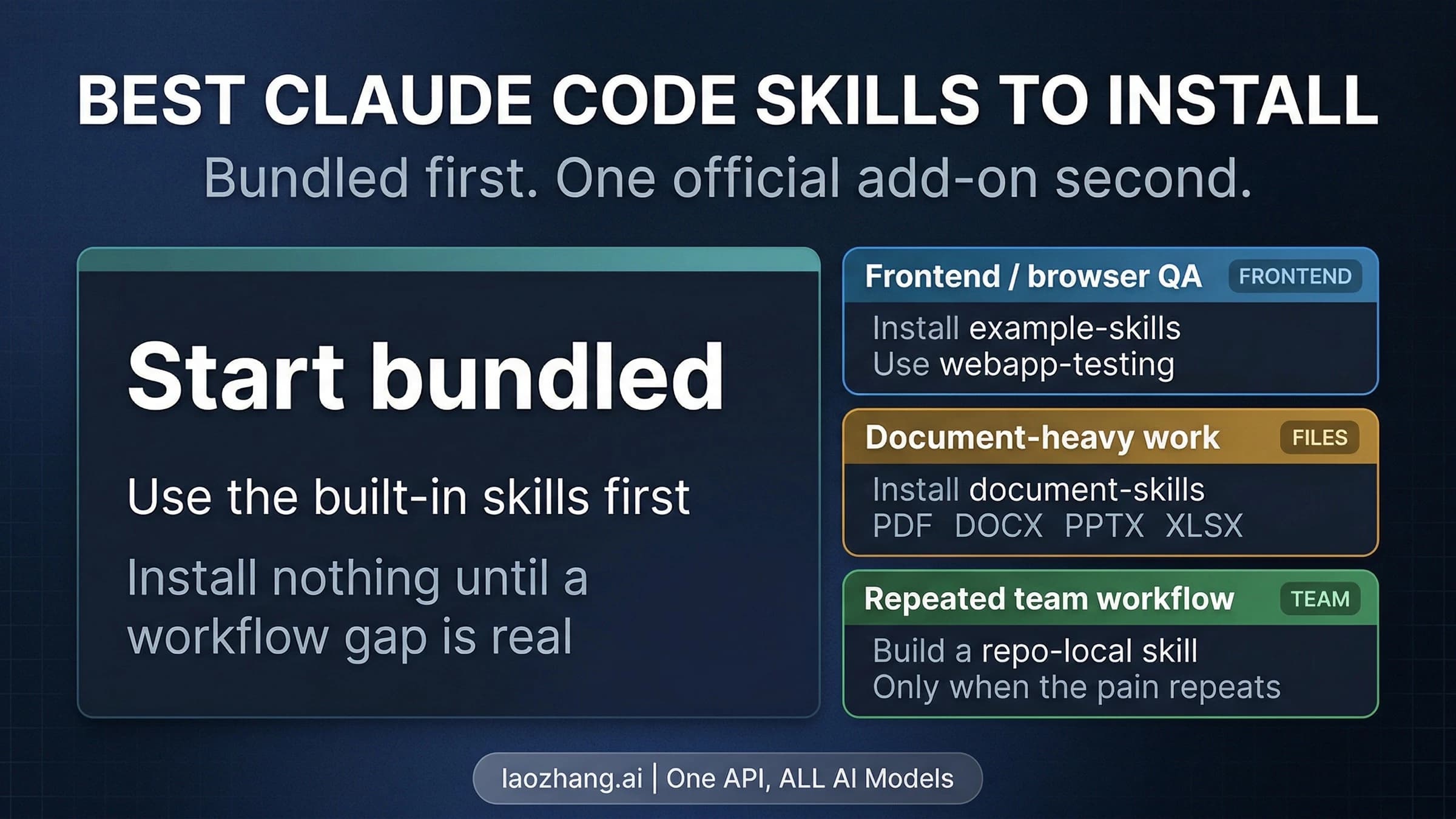
If the next question is which skills are worth installing first, use the Best Claude Code Skills guide. Keep this decision focused: use skills when the missing piece is method, sequence, or reference material.
Use MCP When Claude Needs External Access
MCP is the right layer when Claude cannot reach the thing it needs. Anthropic's MCP docs for Claude Code describe servers that connect Claude Code to tools and data, with local, project, and user scopes. Project scope can be shared through .mcp.json, which is powerful but also changes the trust boundary for the repository.
Use MCP when the blocker is access:
- Claude needs to read live GitHub issue or pull request state.
- Claude needs to inspect a database or analytics source.
- Claude needs to query documentation through a dedicated docs server.
- Claude needs to work with calendar, email, deployment, browser, or observability systems.
- Claude needs to trigger an action outside the local file tree.
The wrong expectation is treating MCP as workflow knowledge. A GitHub MCP server can expose pull requests, comments, and repository data. It does not automatically tell Claude how your team wants review feedback triaged, what severity labels mean, or how to decide which comments are actionable. That operating method belongs in a skill or in project instructions.
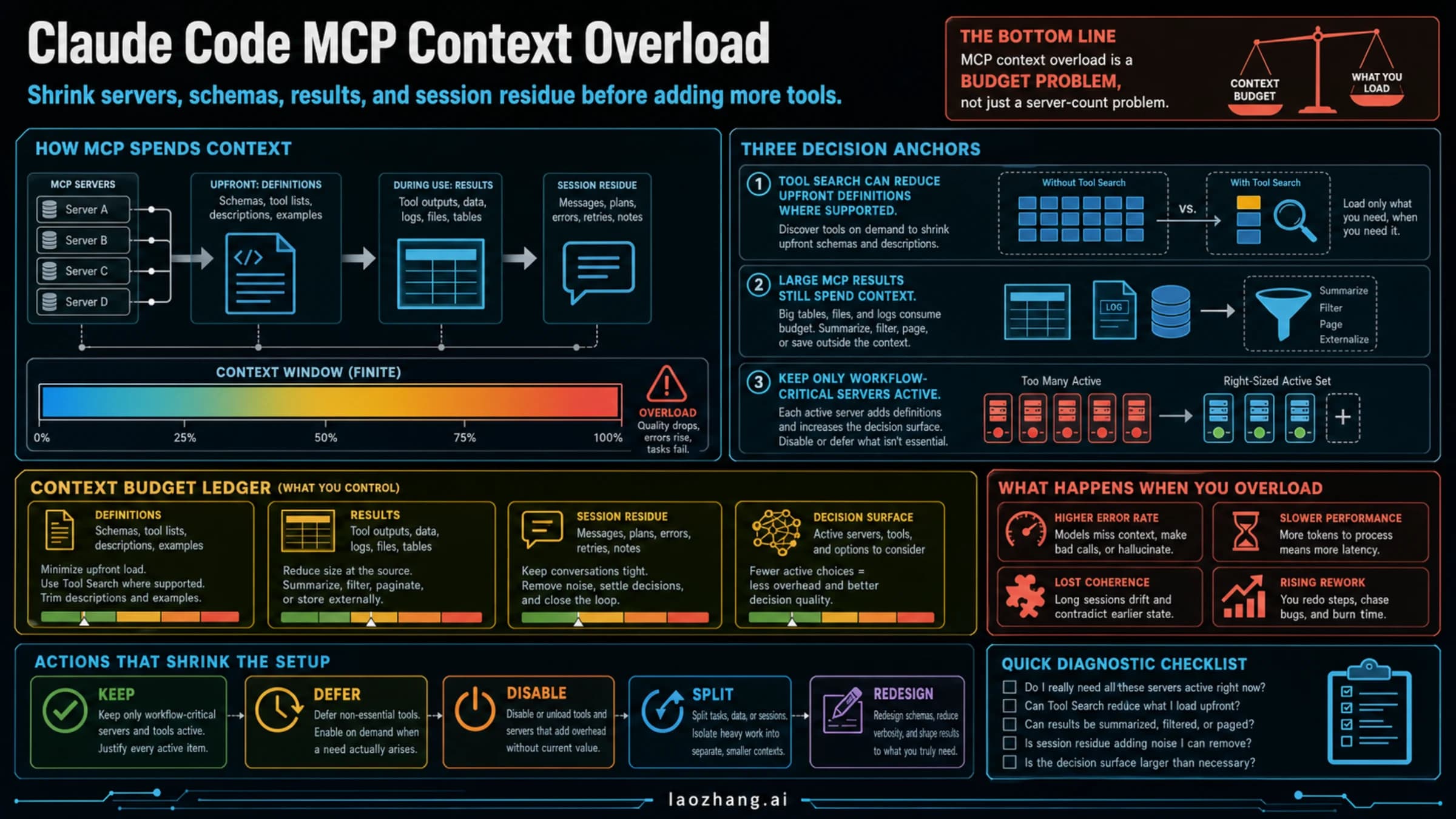
MCP also carries a sharper trust question than memory or skills. A memory note or skill file can still be wrong, but an MCP server can expose external data or actions. That is why /mcp matters before you assume a server is safe to use. Check what is configured, which scope owns it, and whether the project is asking every contributor to trust the same integration.
The safest order is local or personal first, project-shared later. Put an MCP server into shared project config only when the repository genuinely benefits from standardizing that external connection. If you are still experimenting, do not make the repo own your experiment.
If your next job is choosing concrete servers by workflow, use the Best Claude Code MCP Servers guide. The route decision here is simpler: add MCP only when the missing layer is external access.
Combine Skill Plus MCP Only When Access And Method Are Both Missing
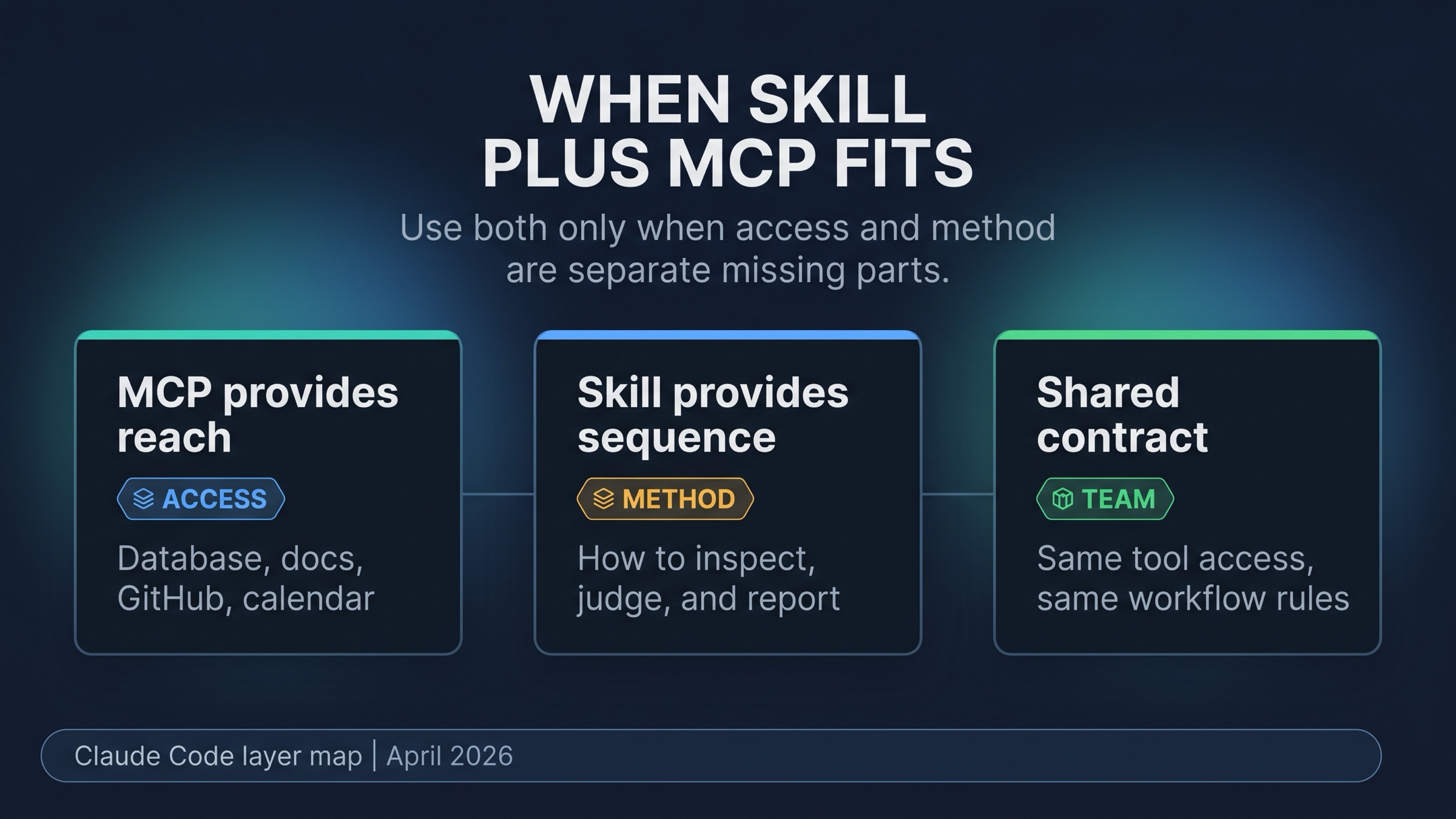
The strongest Claude Code setups often combine MCP and skills, but the combination should be earned. Anthropic's first-party explanation of skills and MCP together frames the difference well: MCP gives Claude access to external systems, while skills provide context and workflow for using that access.
That split gives you a useful test. If Claude needs a system it cannot reach, add MCP. If Claude can reach the system but keeps doing the work in the wrong order, write a skill. If both are true, combine them.
Here are practical examples:
| Workflow | MCP owns | Skill owns |
|---|---|---|
| GitHub review cleanup | live PR comments, files, checks, and thread state | which comments to address, how to patch, how to report unresolved risk |
| Calendar meeting prep | calendar events, attendees, notes, and timing | how to build the prep brief, conflict flags, and follow-up list |
| Docs-backed coding task | current framework documentation | how to decide which docs matter and how to apply them to the repo |
| Browser QA | real page state, screenshots, console logs, and interactions | the verification checklist and pass/fail evidence format |
The bad version is installing a server and hoping access alone creates judgment. The other bad version is writing a beautiful skill that still cannot see the external state it needs. The good version names both missing parts explicitly: "Claude needs access to X, and it needs our method for using X."
This is also where team setups become much more defensible. A project-shared MCP server plus a repo-local skill can be a real contract: everyone gets the same connection and the same workflow. But that only makes sense after the workflow is stable enough to share. Until then, personal setup is safer.
Debug Before Adding Another Layer
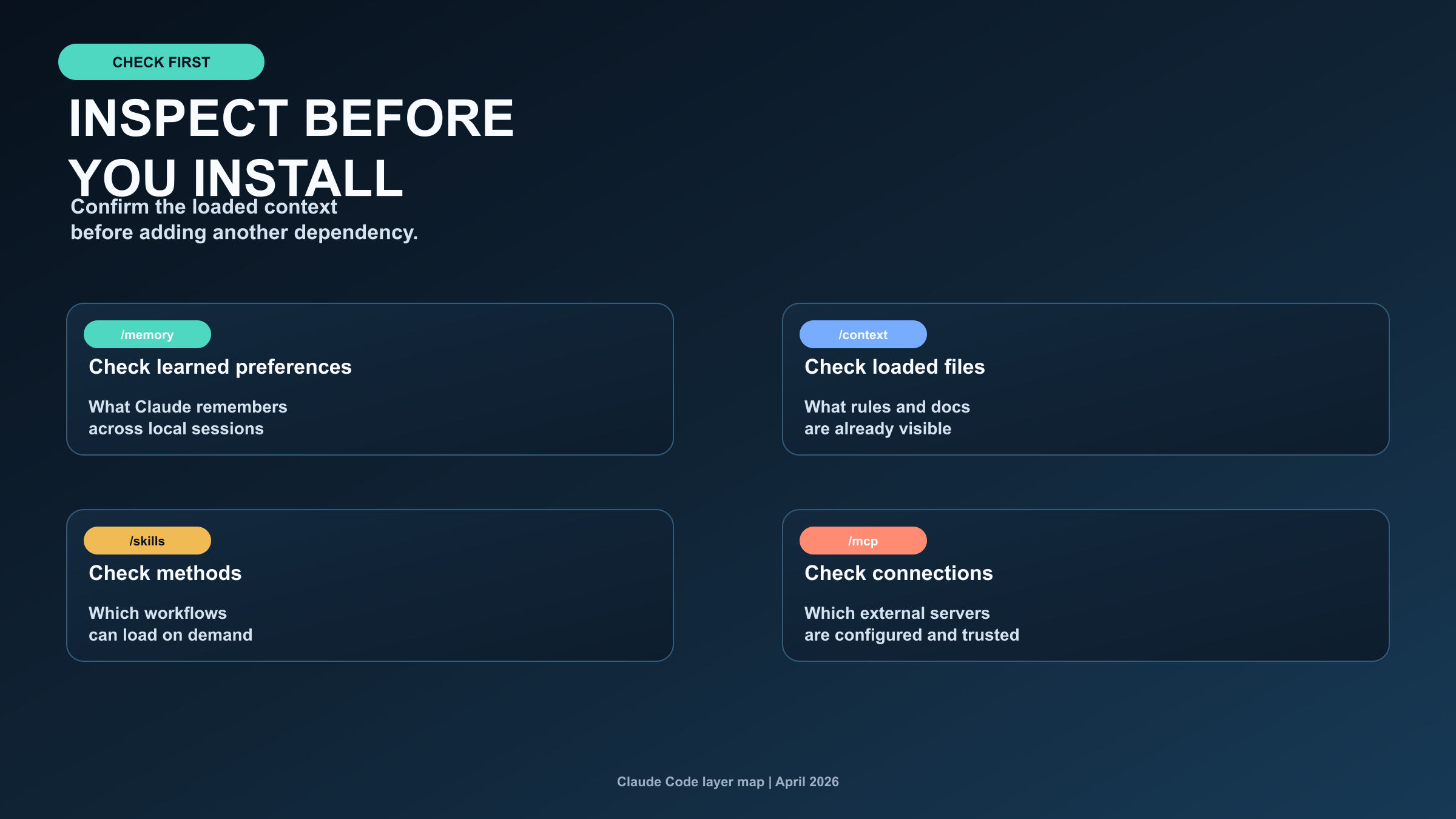
Most overbuilt Claude Code setups start with a vague feeling that "context is not sticking." Do not respond to that feeling by installing something. Turn it into a layer diagnosis first.
Use this sequence:
/memory: Check whether the preference or learned pattern already exists./context: Check whether the relevant instruction files and context are loaded./skills: Check whether a reusable workflow already exists./mcp: Check whether the external connection is already configured and trusted.
Then choose the smallest fix:
| Diagnosis | Smallest useful fix |
|---|---|
| The rule is missing or buried in chat | Put it in CLAUDE.md or the right memory surface |
| The same workflow keeps being re-explained | Write or improve a skill |
| Claude cannot reach the system or data | Add or configure MCP |
| Claude can reach the system but uses it badly | Add a skill around the MCP workflow |
| The problem is vague | Do nothing new until the failure is reproducible |
The last row matters. "Do nothing new yet" is often the highest-value answer. Extra layers increase maintenance, trust surface, and debugging cost. A setup that cannot explain why a layer exists will eventually become harder to use than the problem it was meant to solve.
Common Mistakes
Putting procedures into CLAUDE.md because memory is always visible.
Always-on context should stay compact. If the content is a procedure with examples, references, templates, or scripts, turn it into a skill and keep only a pointer in memory.
Installing MCP when the problem is static knowledge.
If Claude only needs a reference file, a checklist, or local documentation, a skill or repo doc is usually cleaner than a server.
Writing a skill when the real blocker is live access.
A skill cannot see a database, inbox, pull request, browser, or deployment system unless another layer exposes that data. If the missing piece is reach, use MCP.
Making .mcp.json project-shared too early.
Project scope is a team contract. Use it when the repository should own the connection, not when one developer is still proving an idea.
Treating a memory MCP as a replacement for built-in memory.
External memory products can be useful when you need persistence or retrieval beyond the built-in machine-local model. They are not the first fix for vague CLAUDE.md, stale auto memory, or a missing workflow skill. For that specific boundary, see the Claude Memory MCP guide.
FAQ
Do I need a memory MCP for Claude Code?
Not by default. Start with built-in memory when the job is repo rules, learned preferences, or one-machine continuity. A memory MCP becomes relevant only when you need external persistence, cross-tool retrieval, cross-machine continuity, or shared team memory.
Is a skill the same as MCP?
No. A skill packages method, references, scripts, and workflow context. MCP connects Claude to external tools, live data, or action surfaces. A skill can explain how to use an MCP server, but it does not replace the server.
Should a stable project rule go in memory or a skill?
Put the rule in memory, usually CLAUDE.md, if it should be visible before Claude takes action. Put a detailed process in a skill if the rule expands into a repeatable workflow with steps, examples, and support files.
When should a team share .mcp.json?
Share project-scoped MCP configuration only when the repo should own that external connection and contributors are expected to use the same trusted server. Keep experiments personal until the workflow proves itself.
Which command checks each layer?
Use /memory for learned preferences and memory files, /context for loaded instructions and context budget, /skills for available workflow packages, and /mcp for configured external servers.
Does /compact change the answer?
It can reveal a misplaced layer. If something important disappears after compaction, it probably lived only in conversation or in the wrong context surface. Put durable rules in memory, put repeatable procedure in a skill, and use MCP only if the missing context has to come from outside Claude Code.
Claude Code works best when each layer has one job. Memory keeps always-on context. Skills load repeatable methods. MCP provides external reach. Combine them only when the problem truly needs more than one owner.
Sources5
External pages this guide links to, in the order they appear. Last updated Apr 20, 2026.
Sources5
External pages this guide links to, in the order they appear. Last updated Apr 20, 2026.
- 1.Claude Code memory docscode.claude.com/docs/en/memory
- 2.Claude Code extension docscode.claude.com/docs/en/features-overview
- 3.Anthropic skills repositorygithub.com/anthropics/skills/blob/main/README.md
- 4.MCP docs for Claude Codecode.claude.com/docs/en/mcp
- 5.skills and MCP togetherclaude.com/blog/extending-claude-capabilities-with-skills-mcp-servers