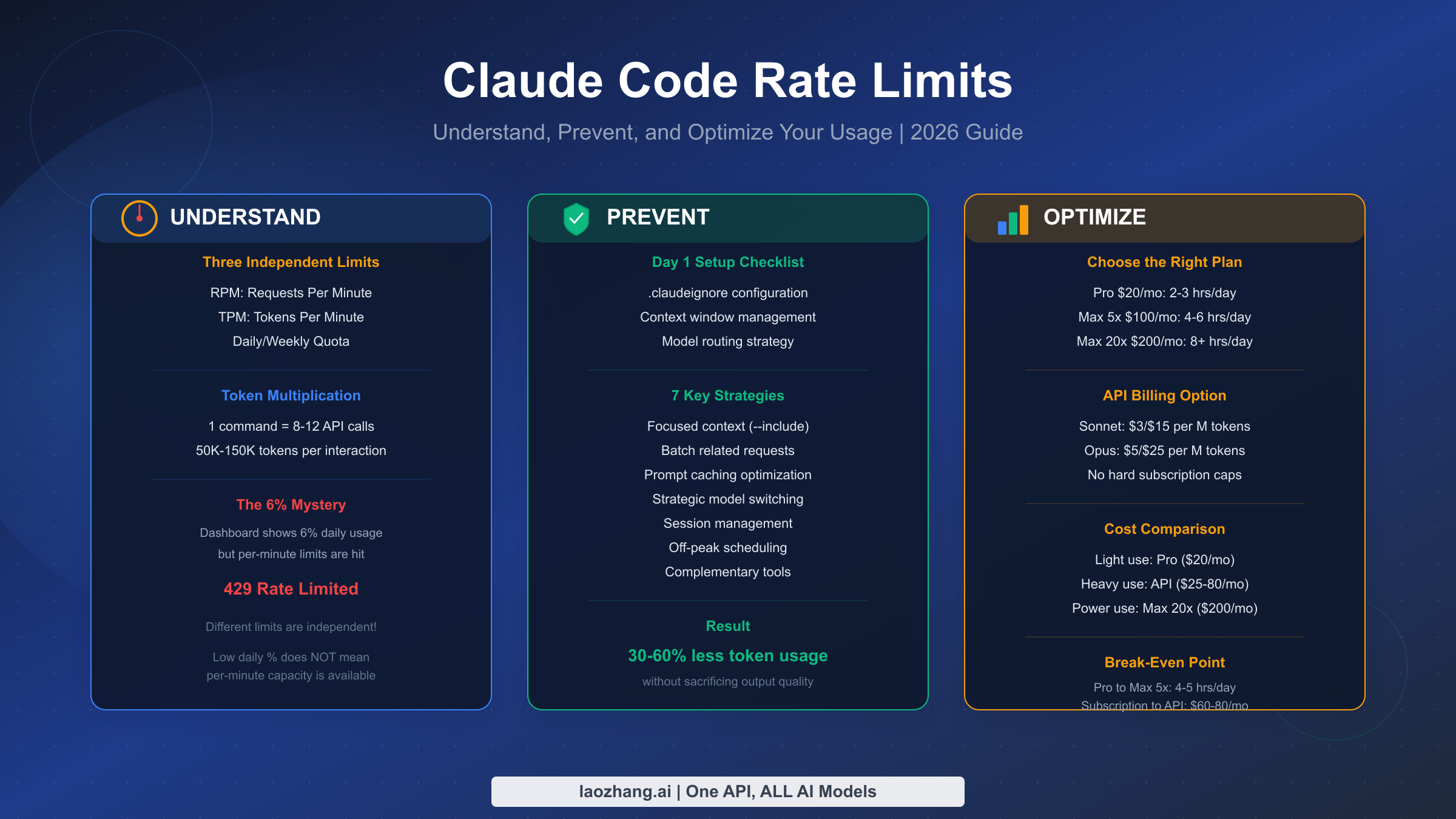
Claude Code feels expensive for a different reason than normal chat: it keeps pulling context, files, tool results, and model output through an agentic loop, so a quiet session can drain much faster than the same amount of time spent in Claude on the web. The part that confuses people is that "usage" no longer means one simple number. If you are logged into a Pro or Max plan, Claude Code shares the same five-hour session and weekly usage limits as Claude across web, desktop, mobile, and terminal. If ANTHROPIC_API_KEY is present or you switch to pay-as-you-go, Claude Code stops behaving like a subscription feature and starts behaving like API traffic with RPM, input TPM, output TPM, and spend limits. Once you separate those two systems, most of the mystery disappears.
This guide explains the current contract as of April 2, 2026, why Claude Code burns through usage faster than most people expect, how to monitor it with /status, /cost, and Settings > Usage, and which optimizations still matter after Anthropic's recent help-center and docs updates. The goal is not to hand you another static “hours per week” chart that goes stale next month. It is to give you a working mental model so you can tell whether the right answer is to shrink context, switch models, enable extra usage, or move an intensive sprint onto API billing.
TL;DR
- Claude Code does not have one universal usage meter. On Pro and Max, it uses shared five-hour session and weekly plan limits across Claude and Claude Code. In API mode, it uses RPM, input TPM, output TPM, and spend limits.
- The biggest usage driver is context size, not just how many prompts you send. Large repositories, long-running sessions, tool-heavy loops, MCP overhead, and premium models all compound.
- The most useful built-in monitors are
/statusfor remaining plan allocation and/costfor current token usage. Individual Pro and Max users do not get the full Claude Code analytics dashboard today. - Sonnet 4.6 and Opus 4.6 can use 1M context in Claude Code, but on paid Claude plans that larger window is tied to extra-usage access. A bigger window is helpful, but it also makes bad context hygiene more expensive.
- The fastest savings usually come from clearing stale sessions, compacting aggressively, defaulting to Sonnet or Haiku when possible, and reducing how much Claude has to read before it can act.
- If limits still feel wrong, check whether you are actually authenticated with an API key, whether you are using a different model route than you expected, and whether you are working during a period of more aggressive peak-time rationing.
What Claude Code Usage Actually Means Right Now
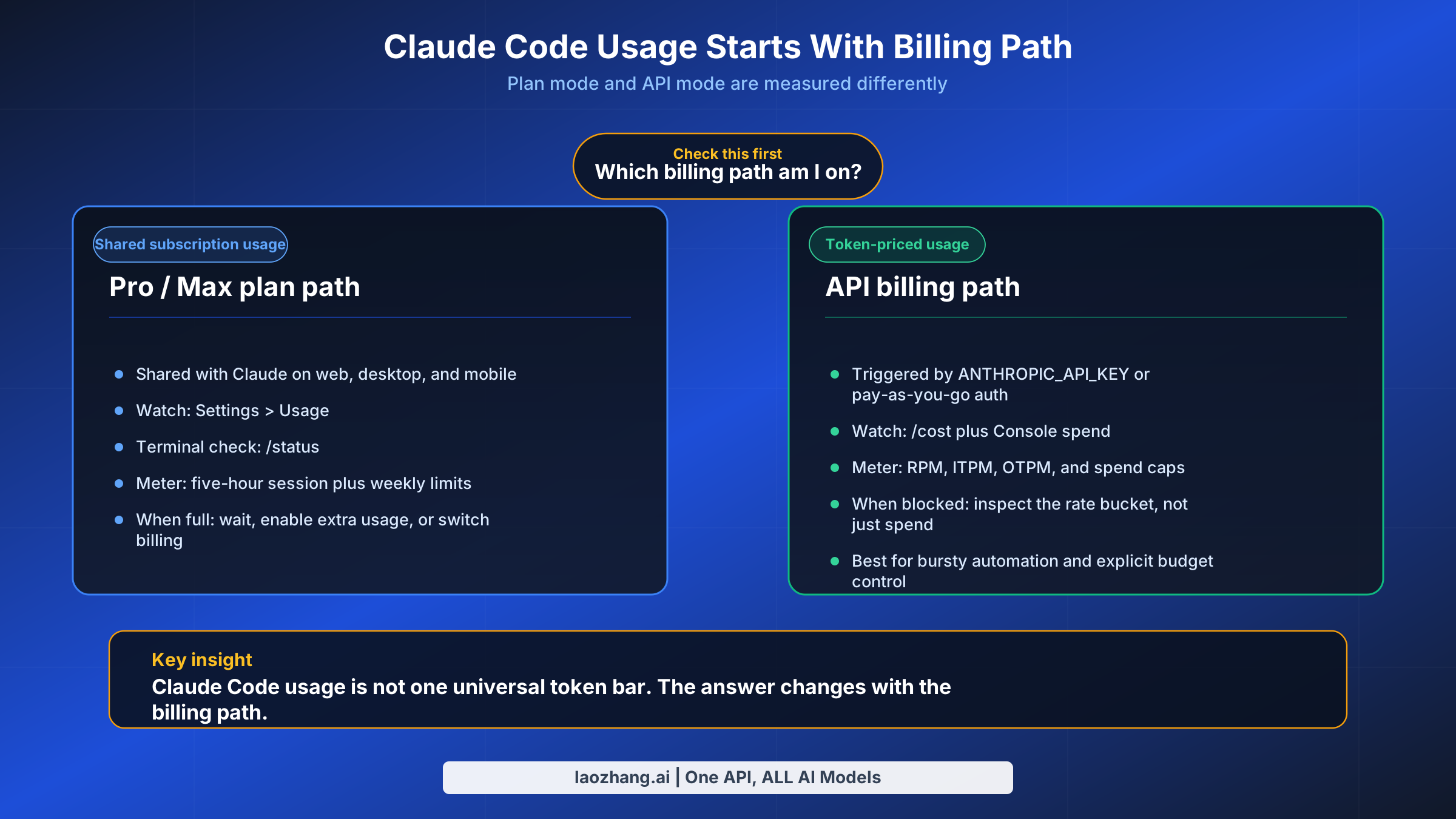
The first mistake most people make is treating Claude Code usage as if it were a single quota. Anthropic now exposes two very different accounting systems, and Claude Code can move between them depending on how you authenticate.
If you are using a Pro or Max Claude subscription, Claude Code draws from the same shared plan allocation as Claude on the web, desktop, and mobile apps. Anthropic's help center now tells paid users to watch Settings > Usage, where the product shows both a five-hour session limit and weekly limits. That is the official frame to use for individual subscribers. It is also why older articles built around “daily quota” language or fixed prompt counts are now much less trustworthy than they looked a few months ago. Anthropic's current help page also makes two other points explicit: usage is shared across Claude and Claude Code, and if you hit your included limit you can either wait for reset, enable extra usage, or switch to pay-as-you-go usage with a Console account.
If you are using Claude Code with an API key, the accounting changes completely. Anthropic's API documentation measures usage in requests per minute, input tokens per minute, and output tokens per minute, with tier-based spend limits layered on top. For API users, the most useful question is not “How much of my plan is left?” but “Which rate bucket am I actually hitting?” A developer can have money left in the Console and still be blocked by ITPM or RPM. Anthropic's docs also note that 429 responses include a retry-after header and that acceleration limits can appear if usage spikes too sharply.
There is also an easy way to accidentally switch surfaces without noticing. Anthropic's help center warns that if ANTHROPIC_API_KEY is set in your environment, Claude Code uses that key for authentication instead of your Pro or Max subscription. That means you can think you are spending subscription usage when you are actually generating API charges. When somebody says “Claude Code burned through my tokens,” the first thing to verify is not the token count. It is the billing path.
A better mental model is this: Pro and Max users manage session and weekly allowance; API users manage throughput and spend. The experience can feel similar, because both surfaces eventually stop you. But the levers are different. Plan users think in five-hour windows, weekly limits, extra usage, and time-of-day availability. API users think in RPM, ITPM, OTPM, caching, and spend caps. Mixing the two is what makes Claude Code feel mysterious when it is mostly just badly labeled.
Why Claude Code Burns Through Tokens Faster Than Chat
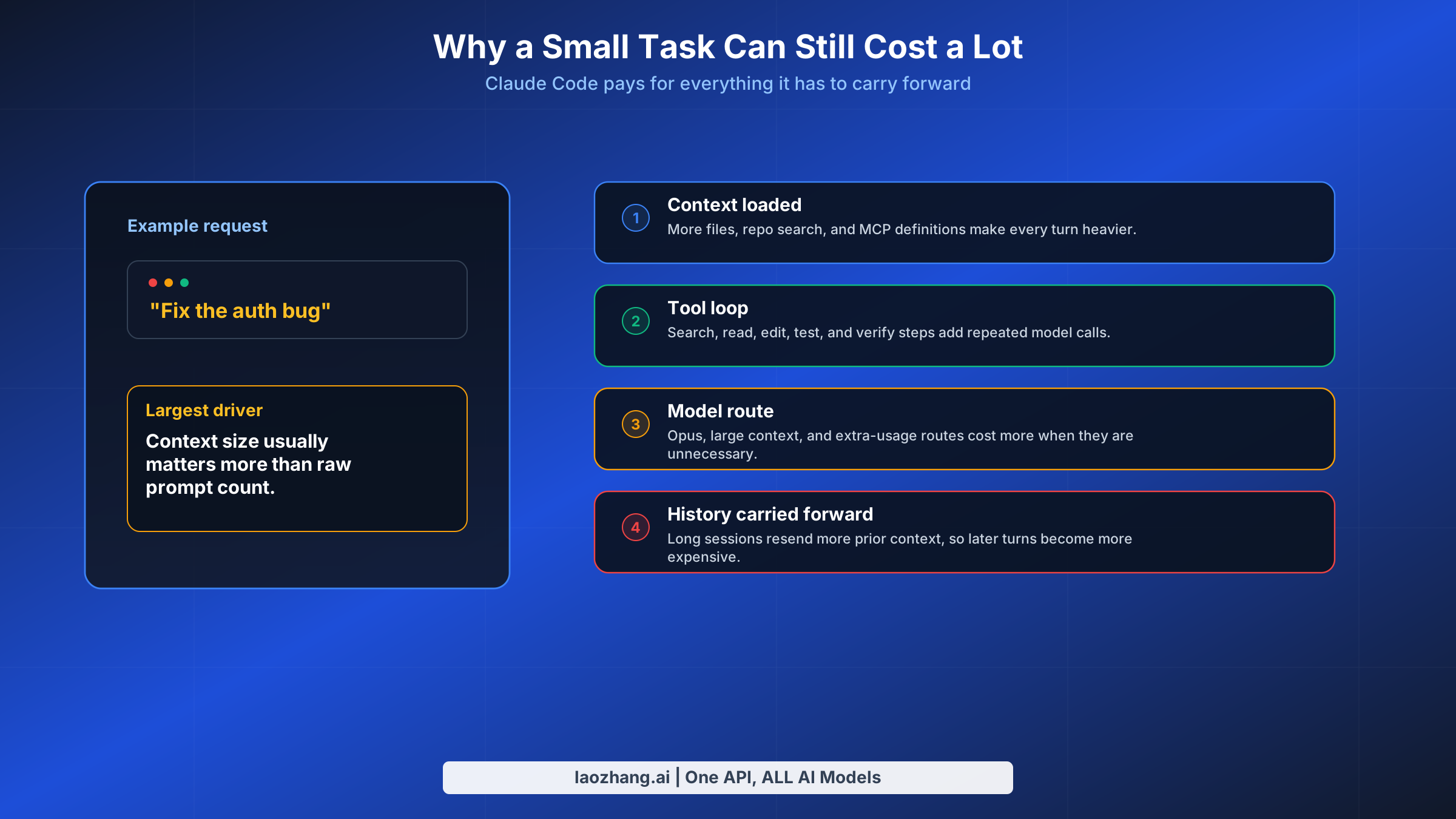
Claude Code feels more expensive than chat for a simple reason: it is not a single-turn chat product wearing a terminal costume. It is an agentic coding tool that repeatedly loads context, calls tools, reads files, proposes edits, inspects results, and often loops through that process several times before you get an answer you can use.
The biggest driver is context accumulation. Anthropic's Claude Code cost guide now states the core rule plainly: token costs scale with context size. That sounds obvious, but it has a sharper consequence in coding workflows than in ordinary chat. Every time Claude needs to read one more file, inherit one more chunk of earlier conversation, or carry one more MCP tool definition, the next turn gets heavier. A session that feels efficient because you kept everything in one thread can slowly become the most expensive way to work because each later turn drags along more history.
The second driver is tool-heavy work. Claude Code is valuable precisely because it does more than answer. It searches, edits, runs commands, reads diffs, and sometimes verifies outcomes. That is why the same “fix this bug” request costs far more than a browser chat message asking for advice about the bug. Third-party deep dives and user reports routinely describe Claude Code interactions in the tens of thousands of tokens per serious command, but the more important lesson is not the specific number. It is the pattern: single-file edits cost less, long multi-file loops cost more, and anything that makes Claude re-read broad context on each turn makes costs accelerate.
The third driver is model choice plus available context window. Anthropic's current help pages say paid Claude plans use a 200K context window by default, while Sonnet 4.6 and Opus 4.6 in Claude Code can reach 1M context under the newer paid-plan rules. On the API side, Anthropic says Opus 4.6 and Sonnet 4.6 can ingest 1M tokens, while other models stay at 200K+. A larger window is powerful, especially for big repos and long design tasks, but it is not free magic. It lets you include more. If you include more indiscriminately, you simply burn more usage with better manners.
The fourth driver is overhead that does not feel like work. Anthropic's Claude Code docs now call out several things many users miss: prompt caching helps with repeated content, auto-compaction summarizes conversation history as context grows, and some background functionality still consumes a small amount of tokens even when the tool is idle. Anthropic characterizes that background cost as small, typically under $0.04 per session, but the point is bigger than the amount. Claude Code usage is not a perfect mirror of visible typing. Some of the bill is the tool doing housekeeping so the session remains usable.
This is why “I only sent a few prompts” is such a bad cost metric. What matters is not the number of prompts in isolation. It is the size of the codebase in play, how long you kept the session open, which model was active, how much tool use was involved, and whether Claude had to rediscover structure that you could have constrained more tightly.
How to Check Usage Without Guessing
A usage article is not useful if it tells you to estimate everything from feel. Anthropic now gives you several concrete ways to see what is happening, but they live in different places depending on your billing path.
For Pro and Max subscribers, the main external view is Settings > Usage inside Claude. Anthropic's usage help page says the top section shows both your current five-hour session usage and your weekly limits, plus the reset timing. Inside Claude Code itself, Anthropic's Pro/Max help page recommends using /status to monitor your remaining allocation. If you are trying to stay strictly inside your plan and avoid API spillover, /status is the first thing to check before you start another heavy task.
For token-level visibility inside Claude Code, Anthropic's cost guide says to use /cost. That is the command that matters when your question is not “How much of my plan bar is left?” but “Why did this session suddenly get expensive?” The same docs also mention that you can configure your status line to surface cost continuously. If you use Claude Code daily, this is worth doing. The fastest way to fix usage problems is to see cost climb before you have already buried the session under too much context.
For API customers and org admins, Anthropic has gone further. There is now a Claude Code analytics surface for Team, Enterprise, and Console users that exposes activity, suggestion accept rate, lines of code accepted, and spend or adoption data. But Anthropic's help center also makes the current limitation clear: individual Pro and Max plans do not get Claude Code usage analytics. That matters because a lot of advice in forums assumes there is some hidden dashboard you forgot to turn on. There is not, at least not for individual paid plans right now.
The practical stack looks like this:
| Need | Best current tool |
|---|---|
| “How much of my Pro/Max allocation is left?” | Settings > Usage and /status |
| “Which Claude Code session is getting expensive?” | /cost and status-line cost display |
| “How is my team using Claude Code overall?” | Claude Code analytics for Team / Enterprise / API Console |
| “Which API rate bucket did I hit?” | 429 headers, retry-after, and Console limits |
If you only adopt one habit from this article, make it this: stop evaluating Claude Code usage by intuition alone. Use /cost during the session and /status before starting another big task. That is more reliable than every rough hours-per-week chart on the public internet.
The Current Pricing and Limit Model That Actually Matters
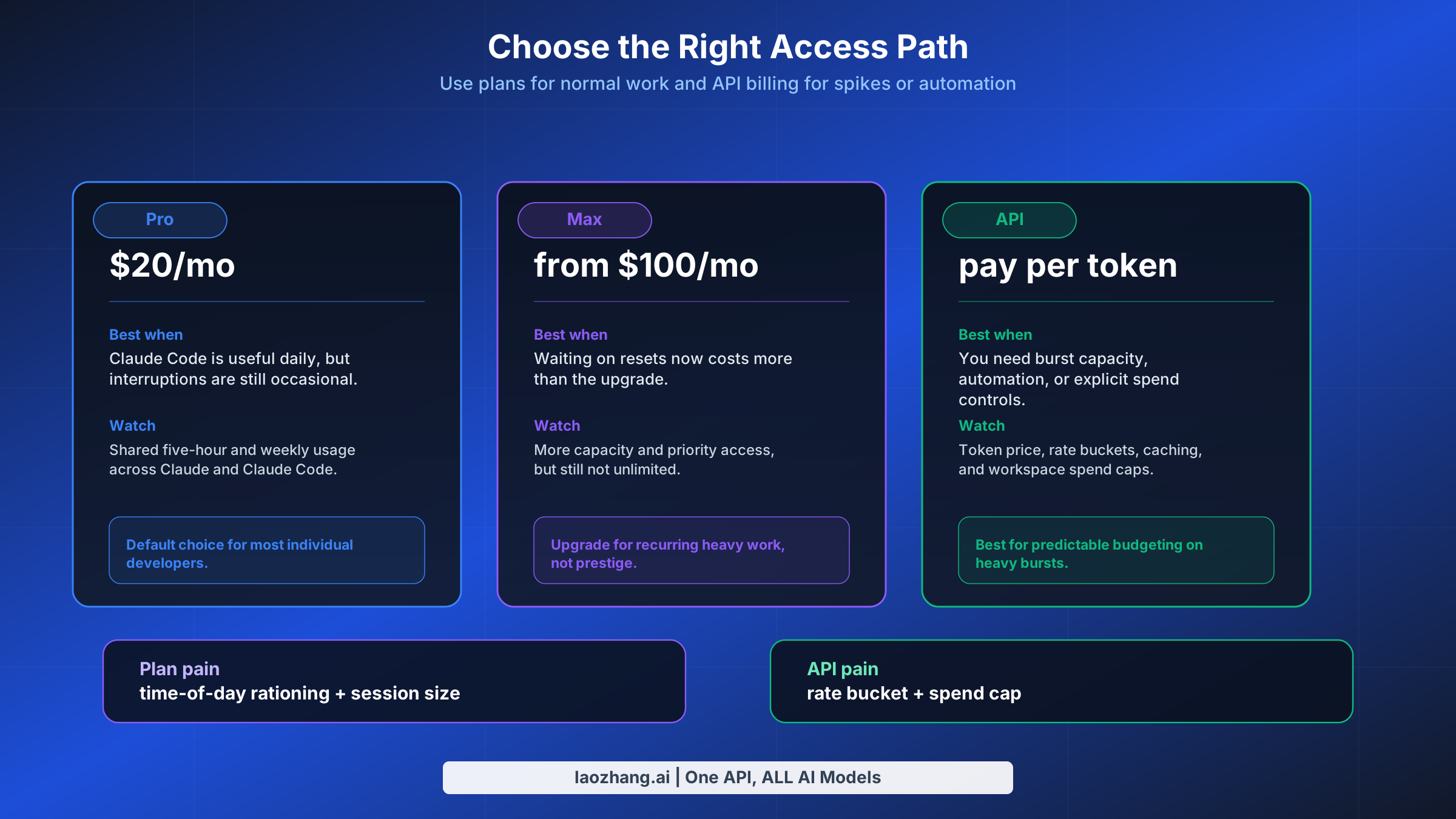
Anthropic's April 2026 pricing surface is clear on the subscription side, but fuzzier on exact plan consumption. That means the article needs to separate published prices from unpublished effective capacity.
On the consumer plan side, Anthropic's pricing page says Pro costs $20/month when billed monthly or $17/month annually, and it explicitly says Pro includes Claude Code and Claude Cowork. Max starts at $100/month and gives 5x or 20x more usage than Pro, along with higher output limits and priority access during high-traffic times. That is the stable, official contract. It is better to anchor on that than on third-party estimates about how many hours or prompts a given plan “usually” produces, because Anthropic's own public language now emphasizes relative usage and moving limits rather than fixed public quotas. If your main question is subscription choice rather than session behavior, our Claude Code Pro vs Max guide and Claude Code pricing guide go deeper on seat-by-seat tradeoffs.
On the API side, Anthropic publishes exact token prices. As of April 2, 2026, the pricing page shows Sonnet 4.6 at $3 per million input tokens and $15 per million output tokens, Opus 4.6 at $5/$25, and Haiku 4.5 at $1/$5. Prompt caching is priced separately, and Anthropic still advertises 50% savings for batch processing. For developers doing short intense automation bursts, this matters more than plan marketing because API billing is the only surface where the unit economics are fully visible.
The API tier table matters because it tells you whether a speed problem is really a budget problem:
| API tier | Credit threshold | RPM | Sonnet ITPM | Sonnet OTPM |
|---|---|---|---|---|
| Tier 1 | $5 | 50 | 30,000 | 8,000 |
| Tier 2 | $40 | 1,000 | 450,000 | 90,000 |
| Tier 3 | $200 | 2,000 | 800,000 | 160,000 |
| Tier 4 | $400 | 4,000 | 2,000,000 | 400,000 |
Those numbers come directly from Anthropic's current API rate-limit docs. The same page also emphasizes the part many people miss: for most Claude models, cache reads do not count toward ITPM. That is why better context reuse can feel like getting a bigger tier without actually changing tiers.
The context-window story is also more nuanced now than most older articles reflect. Anthropic's help center says paid Claude plans have a 200K context window in general, but Sonnet 4.6 and Opus 4.6 in Claude Code can use 1M context under the paid-plan Claude Code rules. On the API side, Anthropic separately says Opus 4.6 and Sonnet 4.6 can ingest 1M tokens, while other models remain at 200K+. The key operational takeaway is simple: a bigger window helps when you truly need it, but it also makes sloppy context selection more expensive. Treat 1M context as a precision tool, not your lazy default.
So how should you think about plan choice? If you want predictable monthly spend and use Claude Code heavily but not continuously, Pro or Max plus extra usage is the cleanest path. If you are doing bursty automation, repeated agentic tasks, or team workflows where token economics need hard spend controls, API billing becomes easier to reason about because it exposes direct unit costs and tier limits. The wrong habit is trying to solve every usage problem with a bigger plan. Sometimes the real fix is a cleaner session.
Seven Ways to Reduce Claude Code Usage Without Working Slower
The best optimizations are not the ones that make you use Claude Code less. They are the ones that stop Claude from doing avoidable work.
1. Clear stale context between unrelated tasks. Anthropic's cost guide says to use /clear when you switch to unrelated work, because stale context wastes tokens on every later message. This is the highest-leverage habit for heavy users. If you want to preserve the thread, rename it first and come back with /resume later. The mistake is keeping one heroic session alive all afternoon.
2. Compact before the thread gets obese. Anthropic explicitly recommends /compact, and even lets you add compaction instructions in CLAUDE.md. This is the right move when the task is still related but the conversation has become too verbose. A good compact prompt is specific: keep the current bug hypothesis, the changed files, and the remaining test failures. Do not let Claude guess what to preserve.
3. Watch /cost, not just your gut. If you do not surface cost until you are already annoyed, you are too late. Run /cost during the session, and configure the status line if Claude Code is part of your daily workflow. Usage problems are much easier to fix when you notice them early enough to change course.
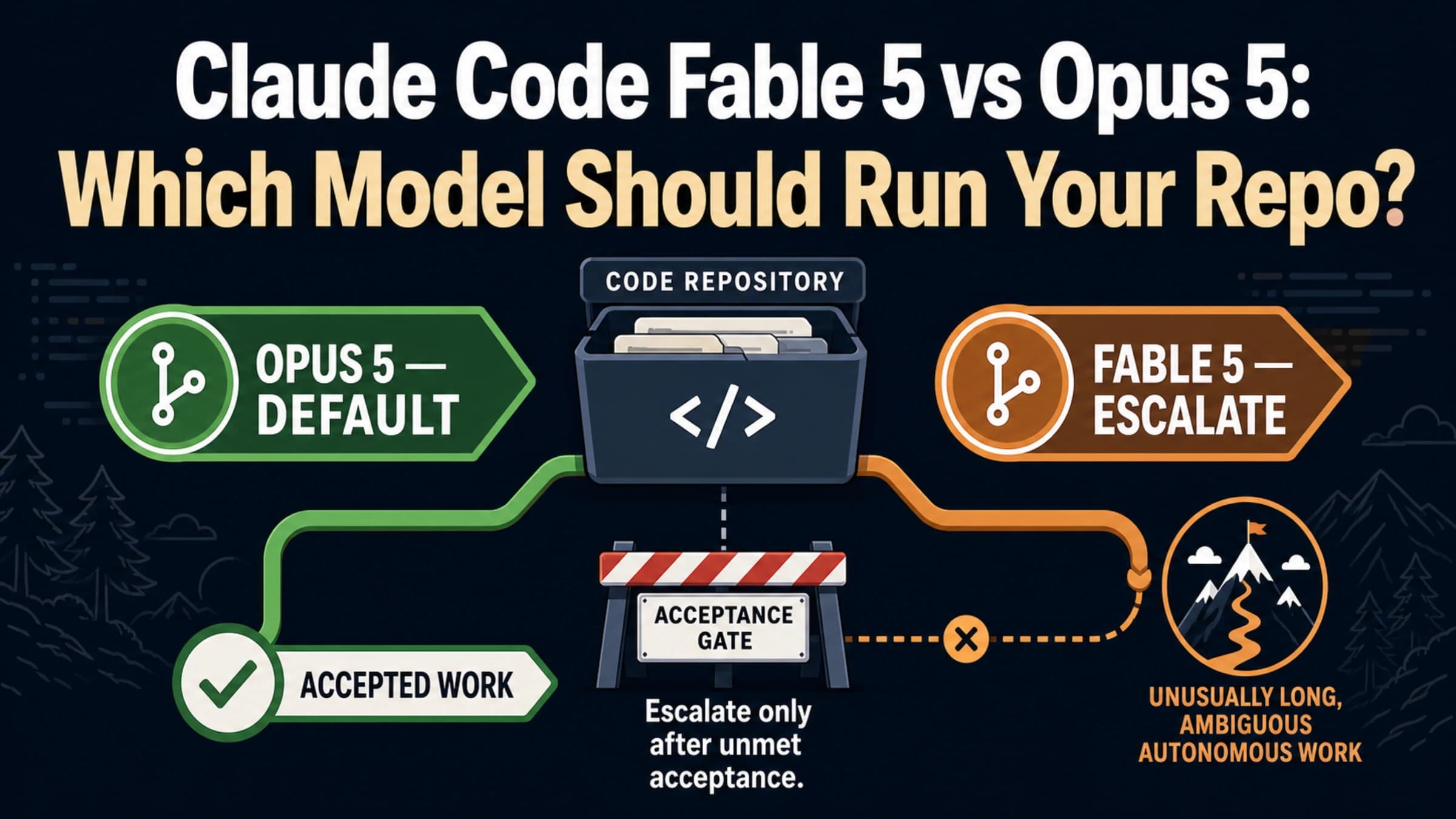
4. Default to Sonnet, fall back to Haiku more often than your ego wants. Anthropic's cost docs say Sonnet handles most coding tasks well and costs less than Opus. They also note that Haiku is suitable for simpler subagent work. In practice, this means routine explanation, formatting, small refactors, and scoped edits should not automatically land on your most expensive route. Save Opus for architecture, difficult debugging, and multi-step reasoning that actually needs it.
5. Reduce MCP and discovery overhead. Anthropic's Claude Code docs now say MCP tool definitions are deferred by default, but /context still helps you see what is consuming space. The same page advises preferring CLI tools when they exist, because they are often more context-efficient than large MCP server inventories. If Claude can solve the task with gh, git, rg, or your cloud CLI, let it. Do not pay a context tax just because an MCP server looks elegant.
6. Make Claude read less before it can act. Anthropic now recommends code-intelligence plugins for typed languages because precise symbol navigation reduces unnecessary file reads. The docs also call out hooks and skills as ways to pre-filter or pre-explain context before Claude loads it. This is an underused optimization. If your workflow repeatedly feeds Claude giant logs, raw test output, or the same architectural discovery step, the fix is not a bigger plan. The fix is better preprocessing.
7. Pick the right payment model for the week you are actually having. Anthropic's Pro/Max help page now points users toward two official escape hatches when included usage runs out: extra usage or switching to pay-as-you-go with a Console account. That is a better workflow than pretending your normal monthly plan should absorb an unusually heavy migration sprint or agent-heavy refactor week. Sometimes the cheapest move is not to optimize harder. It is to move a temporary spike onto the surface designed for spikes.
The pattern behind all seven is the same: constrain context, choose models deliberately, and stop making Claude re-learn what you already know.
When Usage Still Feels Wrong
A good usage guide also needs to say when the system may actually be the problem. There are at least three situations where Claude Code users can feel misled even when they are paying attention.
The first is authentication confusion. If an API key is set in your environment, Claude Code can route through API billing instead of your subscription. From the user's perspective, it feels like “Claude Code used too many tokens.” In reality, you may have changed billing surfaces without realizing it.
The second is moving limit behavior. In late March 2026, GitHub issue reports, Reddit threads, and tech press coverage all described unusually fast exhaustion of five-hour session usage and more aggressive peak-time rationing. Anthropic's help pages already describe five-hour and weekly usage limits, but they do not publish a fully stable public schedule for all dynamic limit changes. The right conclusion is not that every complaint is correct. It is that static public estimates are weaker than live product indicators. When the docs and the lived experience diverge, trust the current Settings > Usage, /status, and /cost surfaces more than an old blog post, including this one after it ages.
The third is using the largest context route on autopilot. Several recent community reports point to confusion around 1M-context-capable models in Claude Code. Anthropic's official pages do confirm the newer 1M story for Sonnet 4.6 and Opus 4.6, but they do not promise that every large-context route will feel identical in every usage window. If your usage profile suddenly looks worse, test the simpler explanations first: smaller model, smaller context, fresh session, no stray API key, and time-of-day effects.
If you need a pure troubleshooting walkthrough for the actual error message, use our Claude Code “Rate limit reached” fix guide. This article is the mental model. That one is the recovery playbook.
Frequently Asked Questions
Does Claude Code have a separate quota from Claude on the web?
Not on individual Pro and Max plans. Anthropic's help center says usage is shared across Claude and Claude Code on those plans. If you are using API billing, that is a separate system with separate spend and rate limits.
Is 1M context always available in Claude Code?
No. Anthropic's current help pages say paid Claude plans normally operate with 200K context, while Sonnet 4.6 and Opus 4.6 in Claude Code can use 1M context under the paid-plan Claude Code rules. On paid plans, extra usage must be enabled to access those 1M routes. On the API side, Anthropic says Opus 4.6 and Sonnet 4.6 can ingest 1M tokens.
Can I get Claude Code usage analytics on an individual Pro or Max plan?
Not today. Anthropic's Claude Code usage analytics article explicitly says analytics are not available to individual Pro or Max plans. Team, Enterprise, and API Console customers get analytics surfaces, but individuals should use Settings > Usage, /status, and /cost.
Does prompt caching help Claude Code usage?
Yes, but the exact effect depends on the surface. Anthropic's API docs say cache reads do not count toward ITPM for most models, which directly helps API throughput. Anthropic's broader usage guidance also emphasizes caching and repeated-content reuse as a way to make limits go further. The practical takeaway is the same: stable repeated context is cheaper than making Claude reload it from scratch.
Should I stay on Pro, upgrade to Max, or switch to API billing?
Use Pro if Claude Code is helpful but not your primary work engine. Upgrade to Max if you regularly burn through your session or weekly limits during normal work. Switch bursts or automations to API billing when you need explicit spend controls, higher throughput, or you want to stop guessing what a “heavy week” will do to your plan.
Why does Claude Code feel fine at first and then suddenly get expensive?
Because the session gets heavier over time. Long conversation history, more loaded files, more tool output, and model choice all stack. The fix is usually not fewer prompts. It is a fresher session, more aggressive compaction, or tighter context.