Claude Code API Overloaded (529): Switch Models or Add a Fallback
Claude Code shows a 529 overload only after retrying up to 10 times, and it never counts against your quota. Switch models with /model or set a fallback chain.
On this page
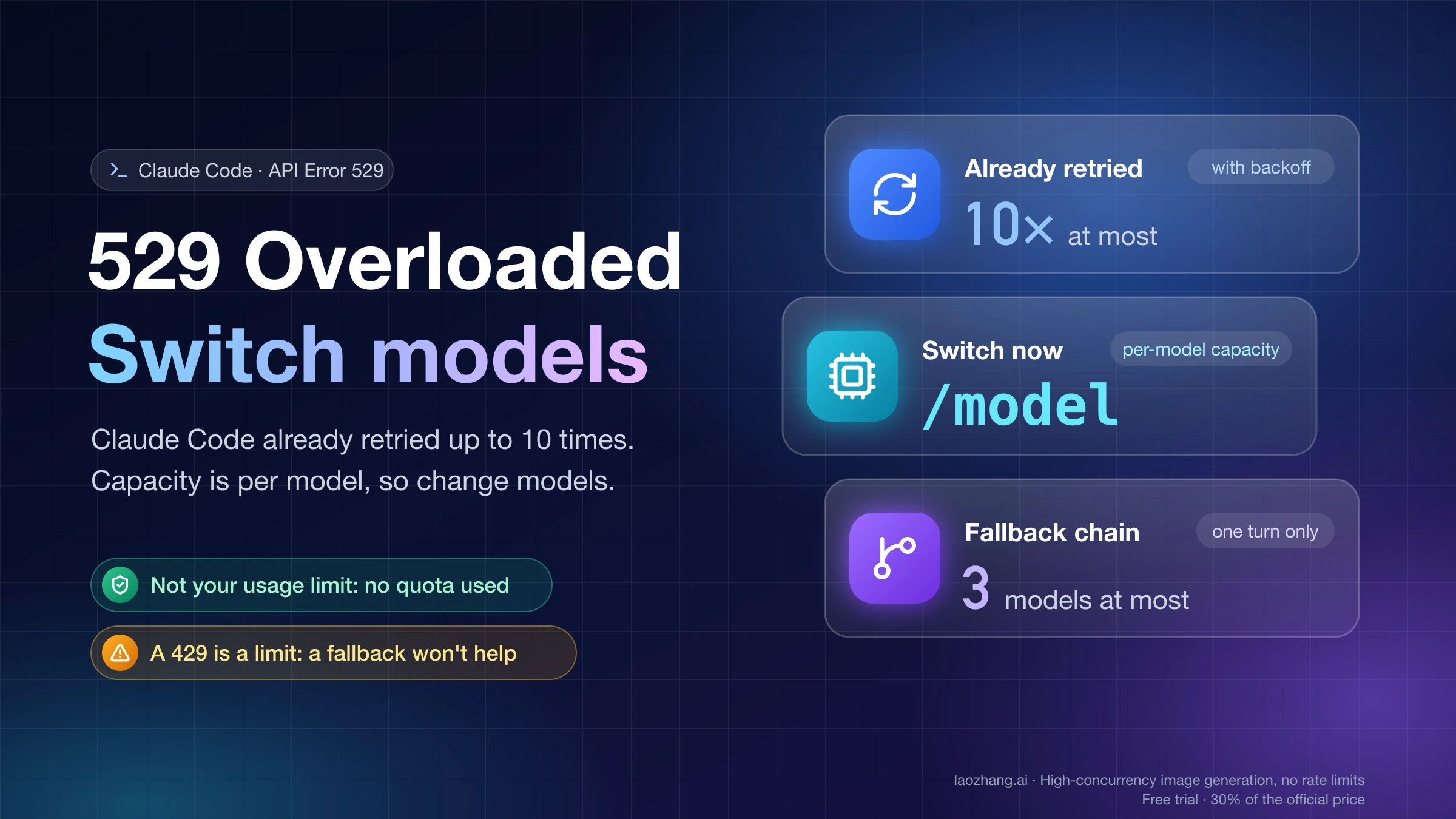
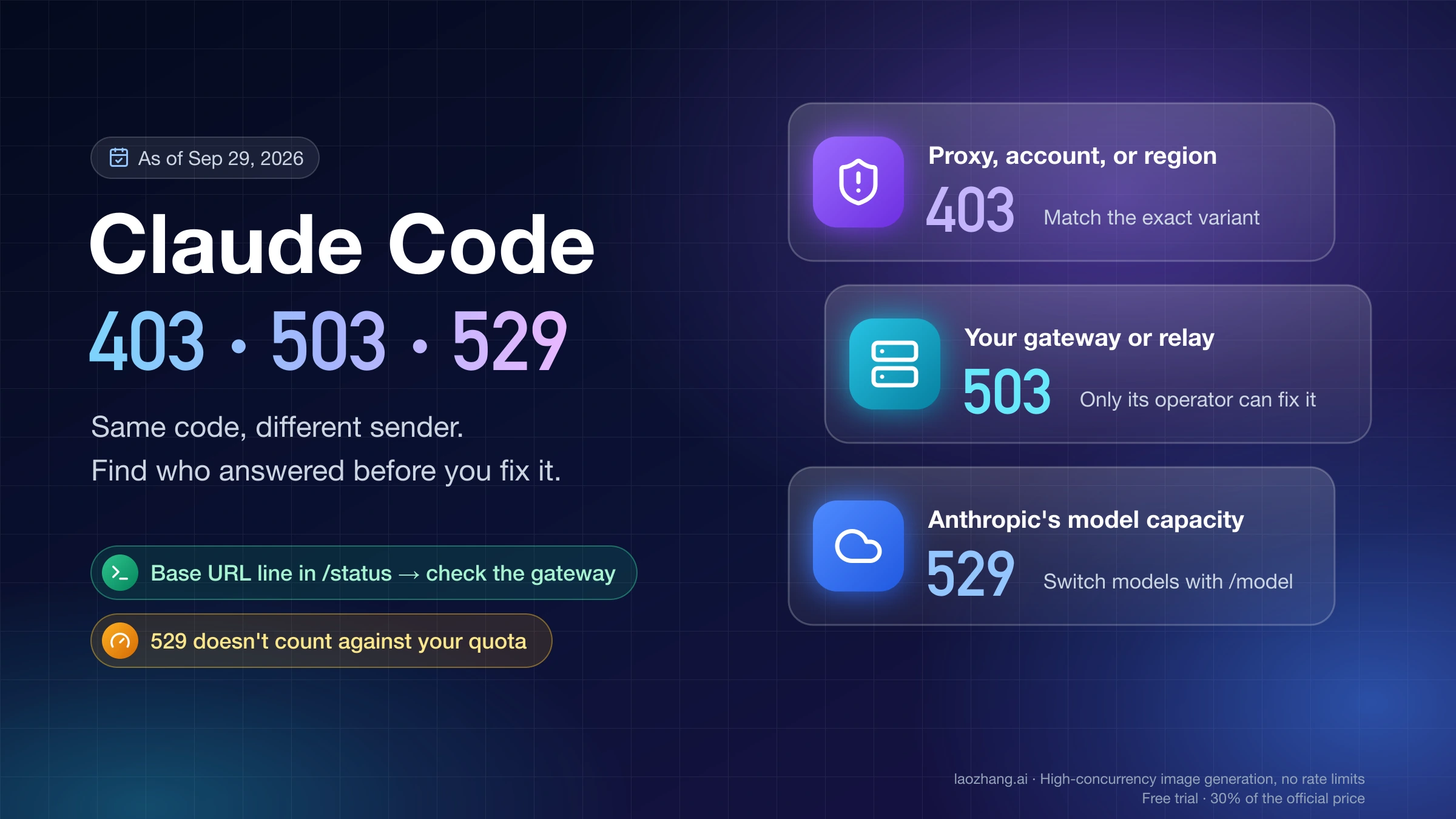
When Claude Code prints API Error: Repeated 529 Overloaded errors, the retrying is already over. Claude Code retries overloaded responses up to 10 times with exponential backoff before it shows you anything, so resending the same message immediately is unlikely to change the result. The error also isn't about you: Claude Code's error reference says a 529 is not your usage limit and doesn't count against your quota.
Capacity is tracked per model. That makes the fastest fix a model switch: run /model in the terminal, or use the model picker in the Desktop app's Code tab, and keep going. If you'd rather not do that by hand every time, configure a fallback chain so Claude Code switches for you. For CI jobs and other unattended runs, one environment variable tells Claude Code to keep waiting instead of failing.
Read the line before you act
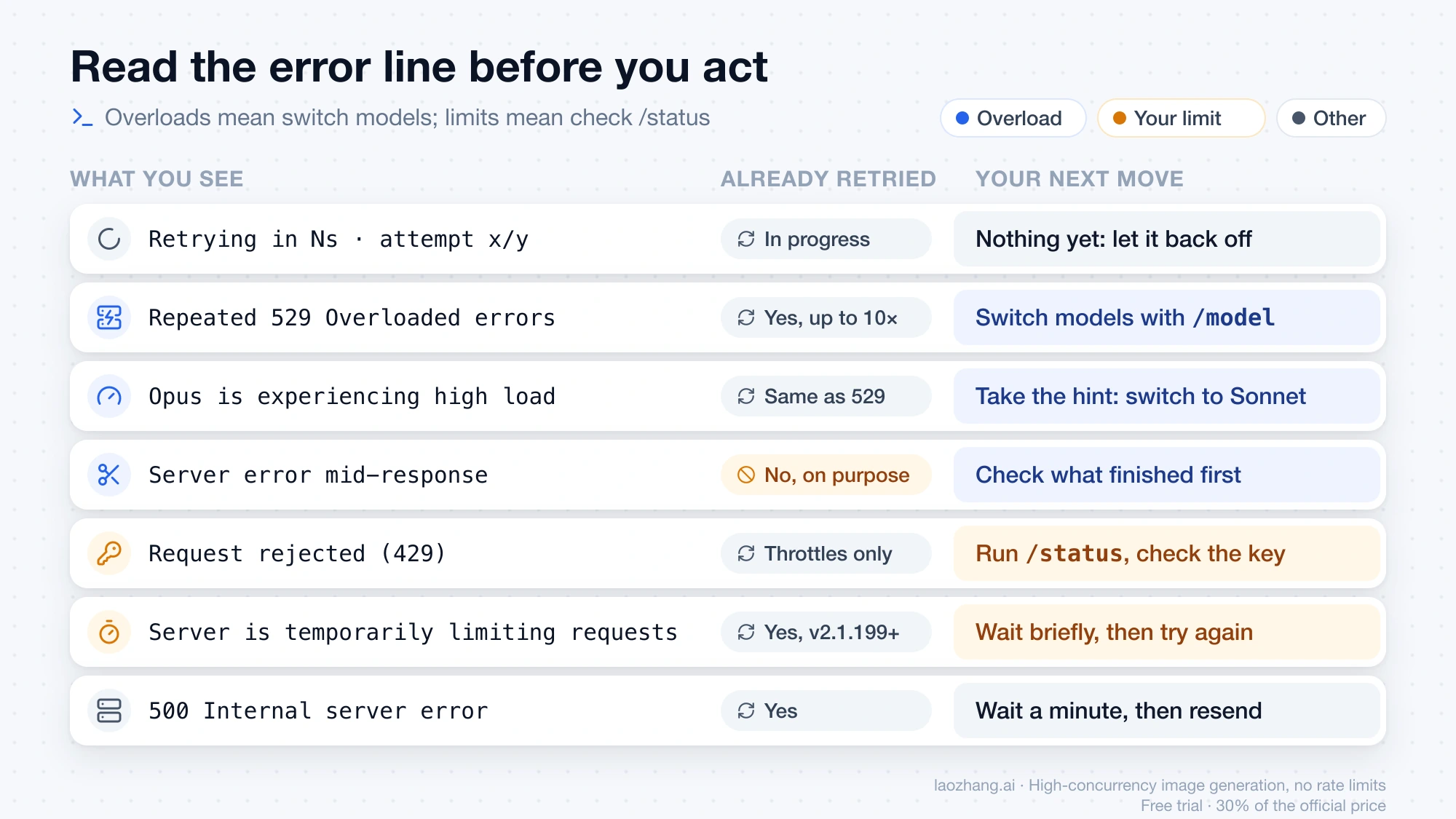
Several different failures look alike in a terminal. The exact wording tells you whether you're dealing with shared capacity, your own limit, or a broken response, and each one calls for a different move.
| What you see | What it means | Already retried? | Your next move |
|---|---|---|---|
Retrying in Ns · attempt x/y on the spinner | A request failed and Claude Code is backing off | In progress | Nothing yet. On v2.1.198 or later the label names the specific reason from the third attempt, and for a 529 it names the status page to check |
API Error: Repeated 529 Overloaded errors… | The model you're using is at capacity across all users | Yes, up to 10 times | Switch models, or wait a few minutes and try again |
Opus is experiencing high load, please use /model to switch to Sonnet | One model is under especially heavy load | Same as above | Take the hint: /model, or the model picker in the Desktop app |
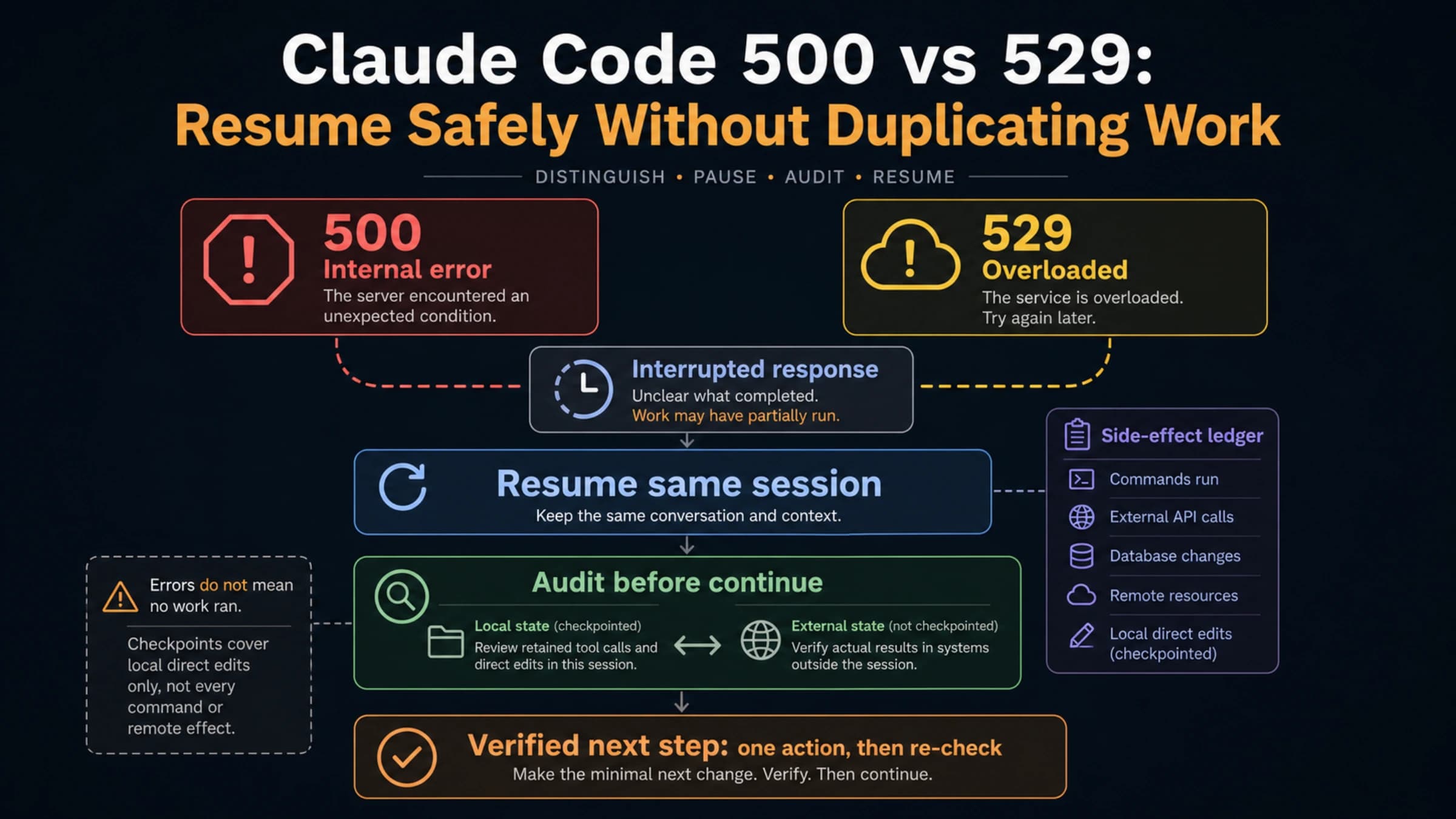
API Error: Server error mid-response. The response above may be incomplete. | An overload or 5xx hit after part of the answer had streamed | No, on purpose | Check what finished before you continue |
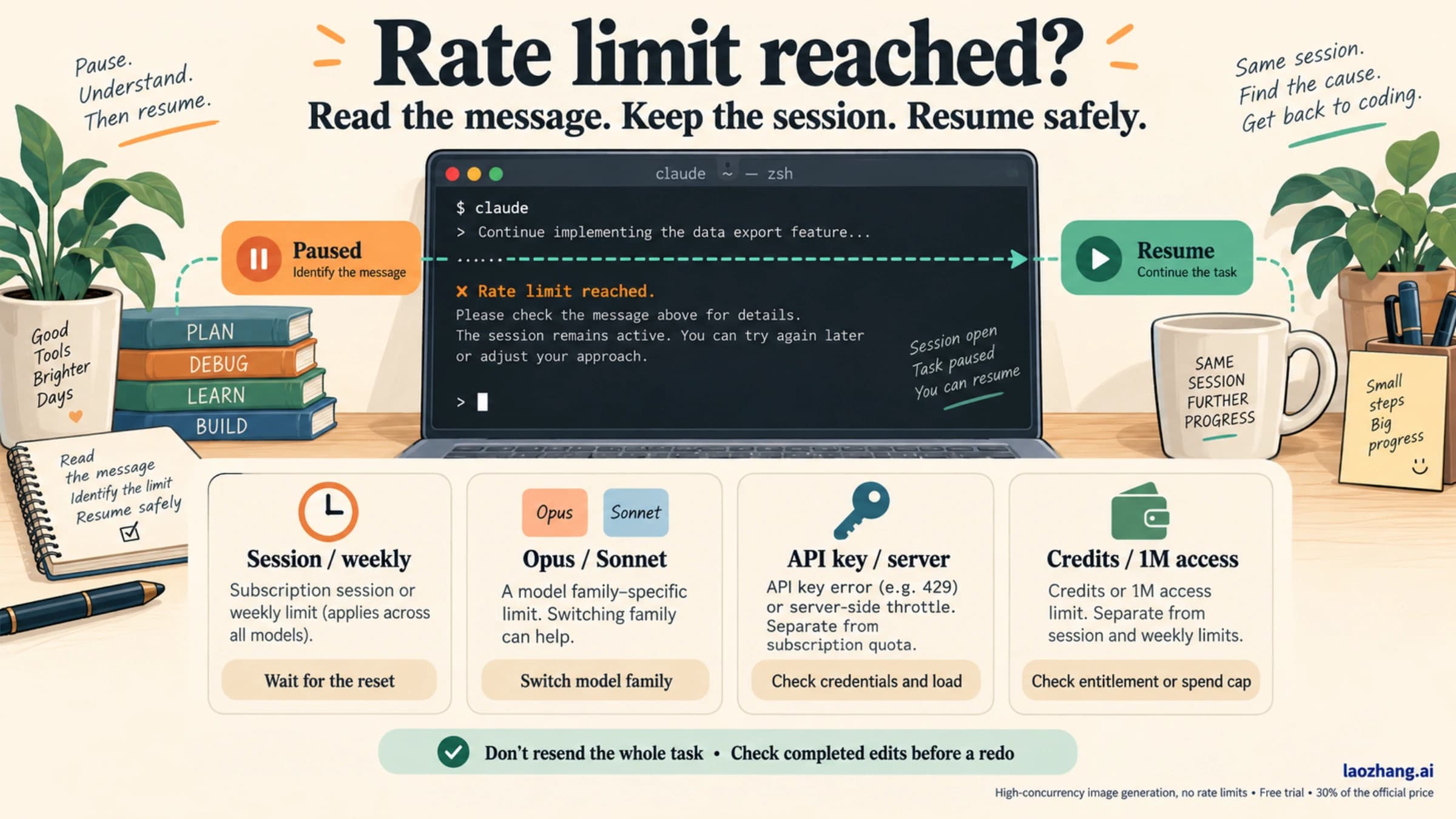
API Error: Request rejected (429) | The rate limit on your API key, Bedrock project, or Google Cloud project | Temporary throttles are retried | Run /status and check which credential is active |
API Error: Server is temporarily limiting requests (not your usage limit) | A short server-side throttle | Yes, automatically on v2.1.199 or later | Wait briefly and try again |
API Error: 500 Internal server error… | An unexpected failure inside the API | Yes | Wait a minute, then send the message again |
The second through fourth rows are overloads. The 429 rows are limits, so a fallback model won't help with them, and the 500 row has its own Claude Code API Error 500 guide.
Switch models to keep working now
Because capacity is counted per model, an overload on one model says nothing about the others. In the CLI, run:
/modelPick any model other than the one that failed, then send your message again. The original message is still in the conversation, so for a long prompt you can type try again instead of pasting it back in.
Claude Code sometimes suggests the switch itself. When one model is under particularly high load, you'll see a line such as Opus is experiencing high load, please use /model to switch to Sonnet. Fable models get the same message with Fable named. In the Claude Desktop app, including the Code tab and Cowork, the wording is shorter, Opus is experiencing high load. Switch to Sonnet., and you change models with the app's model picker instead of /model.
No official page says which model has the most headroom at any given moment. Claude Code's suggestion is the only model-specific hint you get. Otherwise, switch away from the model named in the error and see whether the next turn goes through.
Waiting is also a valid choice. If the task only works on the model that failed, give it a few minutes and try again. How long an overload lasts isn't published, so treat any fixed "wait X minutes" advice with suspicion.
Add a fallback chain so the next overload switches on its own
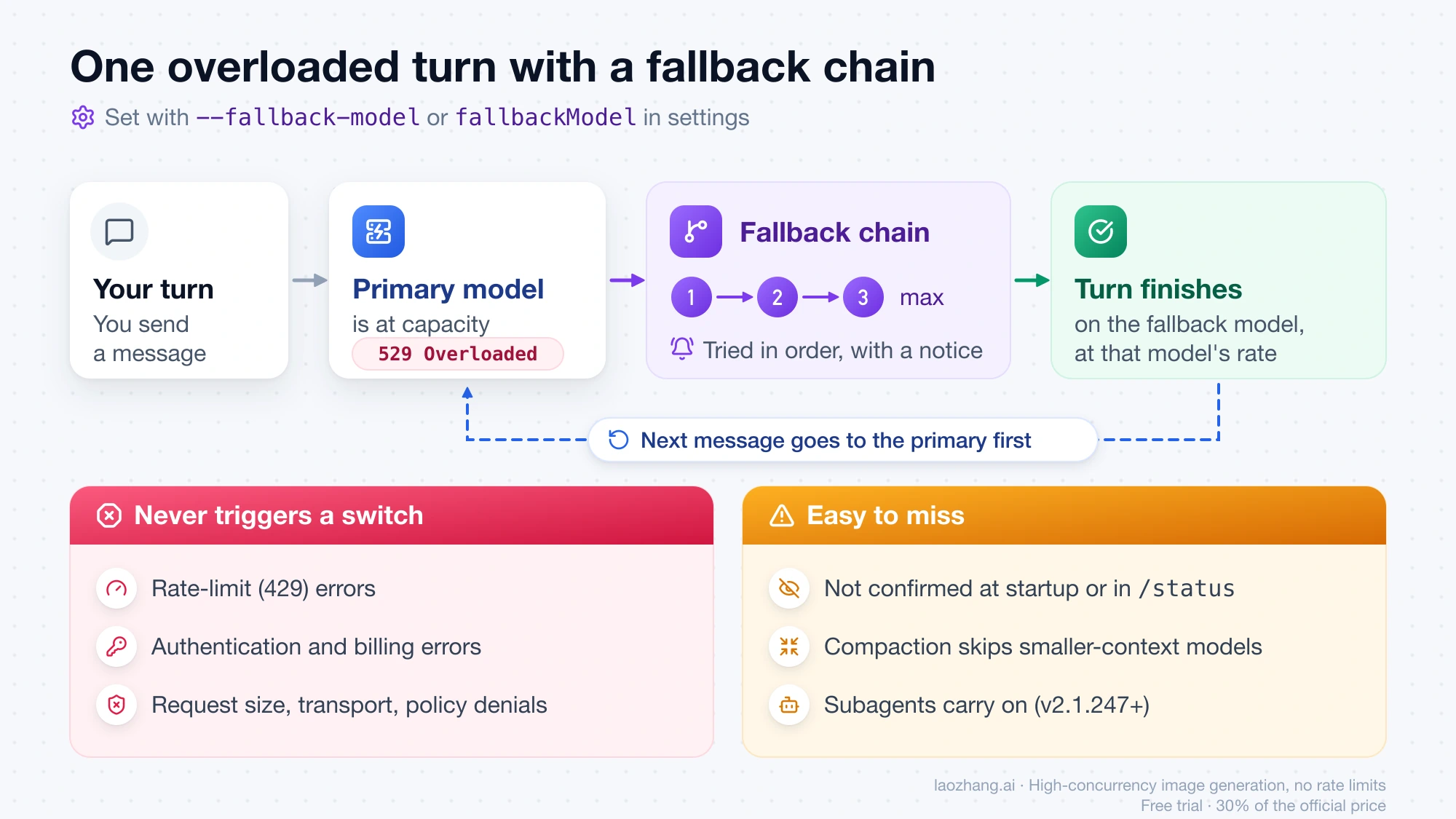
A fallback chain tells Claude Code which models to try when the primary one is overloaded, unavailable, or returns another server error that can't be retried. It tries them in order and shows a notice when it switches.
For a single session, pass the chain as a flag:
claude --fallback-model sonnet,haikuTo keep it for every session, add fallbackModel to your settings, for example ~/.claude/settings.json:
{
  "fallbackModel": ["claude-sonnet-5", "claude-haiku-4-5"]
}
Entries can be full model names or aliases, and "default" expands to your default model. The flag wins over the setting when you use both. List models other than your primary, since the point is to land on a model that still has capacity.
The chain has limits that are easy to miss, all spelled out in the fallback model chains documentation:
- Turn only. The switch lasts for the current turn. Your next message goes to the primary model first again, so you get back to it automatically once it recovers.
- Three models at most. Claude Code removes duplicates, keeps three, and ignores the rest.
- Not for limits or auth. Authentication, billing, rate-limit (429), request-size, and transport errors never trigger a switch. Neither does a request your organization's policy check denied.
- Invisible until it fires. Claude Code doesn't confirm the chain at startup, and
/statusdoesn't show it. The first sign it works is the switch notice during an actual overload. - Allowlists and compaction. If your organization restricts models with
availableModels, entries outside that list are dropped. During compaction, Claude Code won't fall back to a model with a smaller context window than the primary, so a chain made only of smaller models can still leave compaction showing the original error. - Subagents too. On v2.1.247 or later, a subagent whose request fails over continues on the fallback model instead of ending.
A fallback turn runs on the fallback model, so that model's pricing on your key, or its usage on your plan, applies to that turn.
Make unattended runs wait instead of failing
An interactive session can ask you what to do. A CI job, eval harness, or remote worker can't, and 10 retries may not cover a longer overload. For those runs, set the retry watchdog:
export CLAUDE_CODE_RETRY_WATCHDOG=1
claude -p "Run the test suite and fix any failures"
With the watchdog on, Claude Code retries 429 and 529 capacity errors indefinitely instead of stopping after CLAUDE_CODE_MAX_RETRIES attempts. It backs off up to 5 minutes between attempts, or until the reset time when a rate-limit response includes one. The variable requires v2.1.186 or later, and two later versions change what it does:
- On v2.1.199 or later, it also raises the retry count for other transient errors, such as server errors, timeouts, and dropped connections, to 300, which the documentation puts at roughly three hours of backoff.
- On v2.1.239 or later, a
429that reports a spend limit or exhausted usage credits fails at once instead of waiting forever. Earlier versions kept retrying those too.
"Indefinitely" is meant literally, so keep your CI system's own job timeout in place. That timeout, not Claude Code, decides when a stuck job gets canceled. Also remember that in non-interactive -p mode, an ANTHROPIC_API_KEY in the environment is always used when present, which determines whose capacity and limits the job runs against.
Some scripts need the opposite: fail fast so a wrapper can react. Lower the retry count instead:
export CLAUDE_CODE_MAX_RETRIES=3The default is 10, and without the watchdog the value is capped at 15 on v2.1.186 or later. The retry tuning table lists the related timeout variables.
How the watchdog and a fallback chain interact in the same run isn't documented. If a job has to finish on schedule and any listed model is acceptable, rely on the fallback chain. If it has to run on one specific model and can afford to wait, use the watchdog.
Check the status page for your route
The last sentence of the error names the status page that matters to you, and it isn't always Anthropic's.
| How Claude Code reaches Claude | Where to check |
|---|---|
| Claude subscription (Pro, Max, Team, Enterprise) or Anthropic API key | status.claude.com |
| Amazon Bedrock | AWS service status, as named in the message |
| Google Cloud's Agent Platform | Google Cloud service status, as named in the message |
| Microsoft Foundry | Microsoft's service status, as named in the message |
A gateway set with ANTHROPIC_BASE_URL | The gateway host named in the message, and that gateway's own status or support |
If you're not sure which row you're on, run /status and look at the active credential. An ANTHROPIC_API_KEY set in your shell overrides a Pro, Max, Team, or Enterprise subscription even when you're logged in. In interactive mode, Claude Code asks you once to approve that override. Run unset ANTHROPIC_API_KEY if you meant to use your subscription.
On status.claude.com, don't look for a per-model component, because there isn't one. The components cover claude.ai, the Claude Console, the Claude API, Claude Code, Claude Cowork, and Claude for Government. Model names appear in incident titles instead. In September 2026, incidents included "Elevated errors for Claude Sonnet 5" (September 2–3), "Intermittent error spikes for Claude Mythos 5.1 and Claude Fable 5.1" (September 15), and "Elevated errors for multiple models" (September 22). If an open incident names your model, that's your cue to switch to one it doesn't name.
A green page and a stream of 529s can both be true. The page reports posted incidents, while a 529 means the model you used was at capacity when your request arrived. As of September 28, 2026, the page summary read "All Systems Operational," and that can change at any time. Green is not proof that your model has room. It only means no incident has been posted yet.
When the line is really a 429, a 500, or a cut-off response
A few neighboring errors get mistaken for overloads. Each needs a different fix:
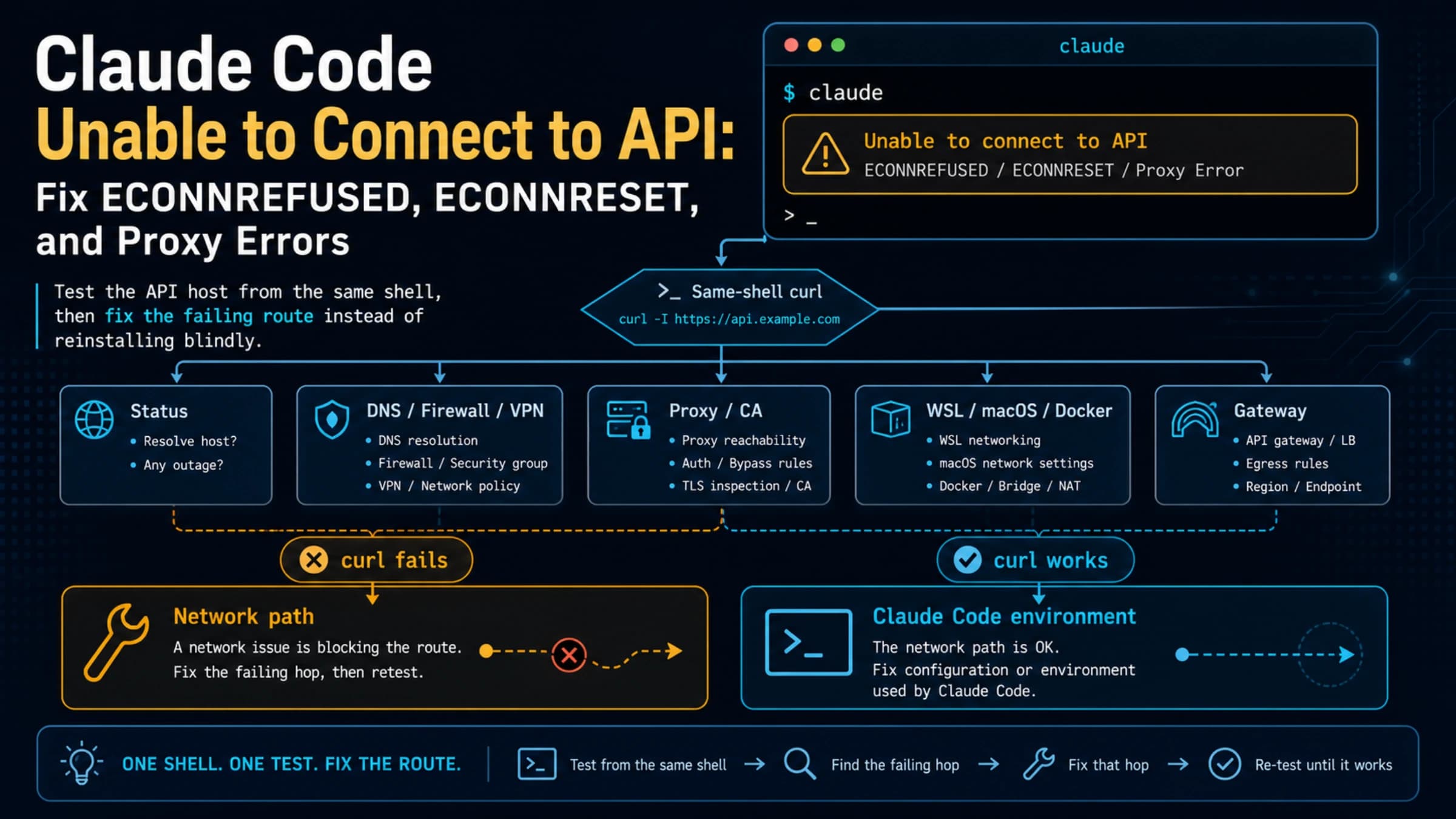
Request rejected (429)or a spend-limit message. That's your key's or project's limit, not shared capacity, and a fallback chain skips it by design. Start with/statusto rule out a stray API key, then see Claude Code Rate Limit Reached for usage, context, and API limits.500 Internal server error. It's a server-side failure, not caused by your prompt or account. The Claude Code API Error 500 guide covers when retrying makes sense.Server error mid-response. On v2.1.199 or later, Claude Code keeps what Claude completed and runs any tool calls that had finished, but doesn't re-send the request, because that could run the same tool calls twice. Before you type "continue," check which edits or commands actually happened. Claude Code API Error 500 or 529: Resume Without Duplicating Work walks through that check.Unable to connect,ECONNRESET, or proxy errors. These are network problems, not capacity. See Claude Code Unable to Connect to API.The response stopped arrivingor a stalled stream. See the Claude Code stream idle timeout guide.
If you call the Claude API from your own code rather than through Claude Code, the retry rules differ. The official SDKs retry twice by default. The Claude API Error 529 Overloaded guide covers retry budgets for production code.
When to stop and report
Report it when the 529s keep coming after you've switched models and waited a few minutes, and the status page for your route shows no incident. At that point, more retries won't tell you anything new.
Inside Claude Code, run /feedback. On the Anthropic API it sends the transcript and your description to Anthropic, and it also offers to open a prefilled GitHub issue. On Bedrock, Agent Platform, Foundry, or other third-party providers, it saves a local archive instead, which you can send to your Anthropic account representative. You can also run claude doctor for a read-only check of your installation, and search the Claude Code issues on GitHub for the same symptom.
A useful report includes:
- the full error line, including the trailing status sentence, because it shows which route you're on
- the model, and whether switching to another model worked
- the time the errors started, with your time zone
- your
/statusoutput (credential and provider) andclaude --version - whether a fallback notice appeared, if you've configured a chain
If you connect through a gateway, the error names the gateway host, so its operator's status page and support are the first place to go.
FAQ
Does a 529 overload use up my Claude plan or API quota?
No. Claude Code's documentation states that a 529 is not your usage limit and doesn't count against your quota. What does count is the turn you run afterward, on whichever model you switch to.
Why do I keep getting API errors in Claude Code even after waiting?
If the error repeats on the same model, that model is still at capacity for new requests. Switch models with /model, or set fallbackModel so Claude Code switches for one turn at a time without asking. If the line says Request rejected (429) instead, the cause is the rate limit on your key or project, so start with /status rather than waiting for capacity.
How do I know if Claude is overloaded today?
Open status.claude.com, or the provider page your error names, and read open incident titles for your model's name. The page has no per-model component, and a green page doesn't rule out 529s on one busy model.
Will a fallback model cost more?
The fallback turn is billed or counted at the fallback model's rate on your key or plan. Whether that's more or less than your primary model depends on which models you list, so check the rates for your route before you commit to a chain.
Sources4
External pages this guide links to, in the order they appear. Last updated Sep 28, 2026.
Sources4
External pages this guide links to, in the order they appear. Last updated Sep 28, 2026.