ChatGPT Account Banned or Deactivated? Appeal, Evidence, Export, and Backup Steps
Appeal may be possible, but recovery is not guaranteed. First separate deactivation, deletion, verification, and suspected compromise; then preserve evidence, request data access, and back up work.
On this page
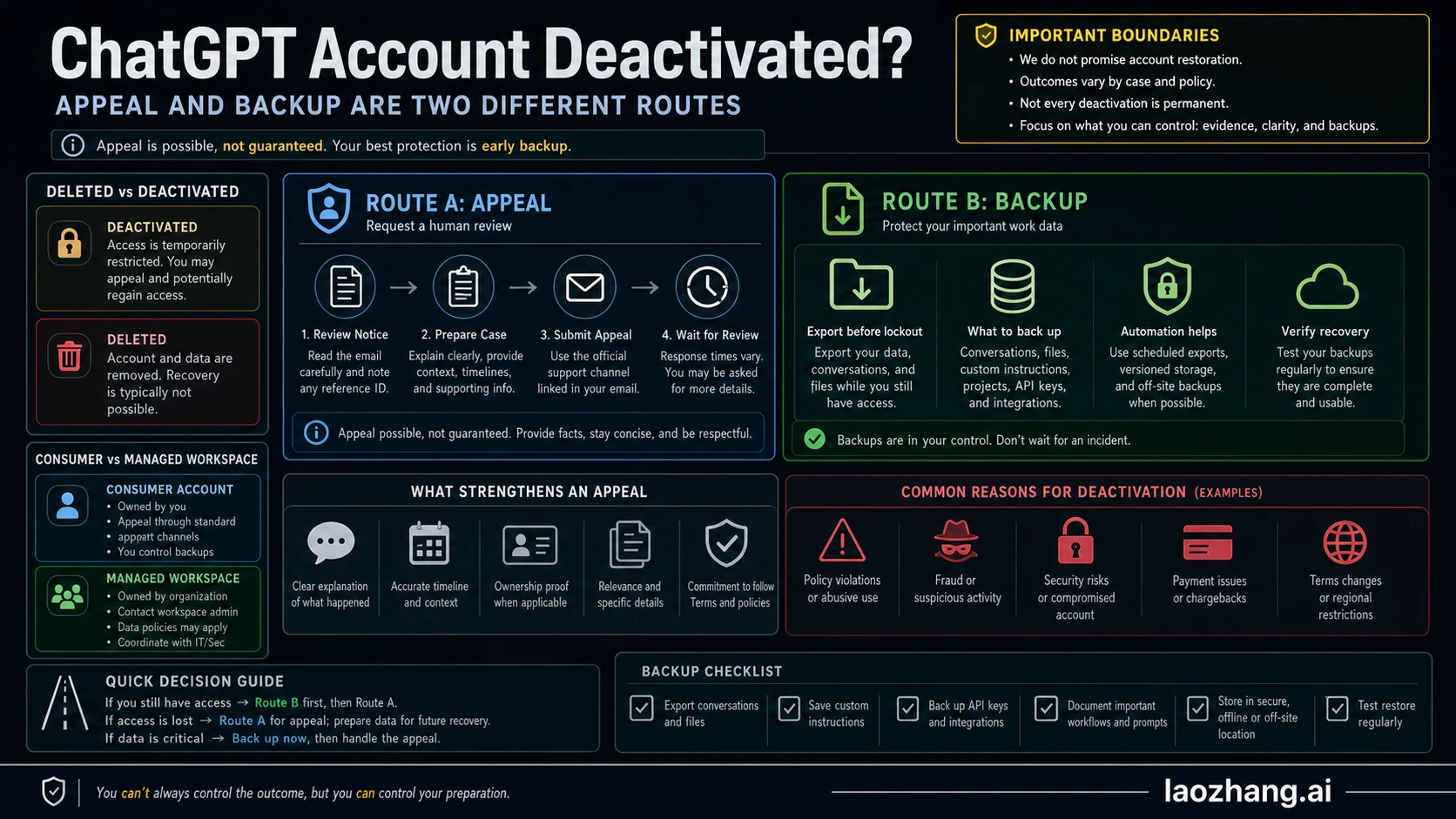
A "banned" ChatGPT account usually needs a more precise label before you act: deactivated, deleted, verification-disabled, suspicious-access suspended, or still accessible but at risk. A deactivated account may be appealable if you believe OpenAI made a mistake, but restoration is not guaranteed. Treat the appeal, data access, and backup as three separate jobs: the appeal may reopen access, a privacy data request may be the only route once you are locked out, and only an external archive protects work you cannot afford to lose.
| If this is your state | What it means | First move |
|---|---|---|
| Deactivated account | OpenAI has disabled the account or service access. | Use the appeal link in the notice email, or the official appeal form if you cannot find the email. |
| Deleted account | The account was deleted rather than temporarily disabled. | Do not plan on reactivation; OpenAI Help currently says deleted accounts cannot be reactivated. |
| Verification-disabled account | Access was disabled after a missed or failed verification step. | Follow the verification-specific recovery path before sending a generic appeal. |
| Suspicious activity or compromise | You suspect unauthorized use, billing abuse, or account takeover. | Secure related email/payment accounts, record the suspicious window, and include that context in the appeal. |
| Still signed in | You still have a working session. | Export ChatGPT data immediately and archive important outputs outside ChatGPT. |
Checked against OpenAI Help Center guidance on July 3, 2026.
First-hour checklist:
- Save the notice email, login error, billing receipt, and any security alerts.
- Write down the account email, User ID, Org ID if available, date range, model/API context, and anything that suggests compromise.
- File one clear appeal through OpenAI's official route; do not invent facts or send repeated speculative appeals.
- If you are already locked out, start with OpenAI's Privacy Portal data request path and support route; do not assume the in-app export tool is available.
- If you can still sign in, request a ChatGPT data export, download the link before it expires, and inspect the archive.
- Move important work into an external folder system so account recovery is not your only backup plan.
Stop rule: if the account state is unclear, do not jump straight to a "banned account" workaround. Identify whether the account is deactivated, deleted, verification-disabled, or compromised, because each path has a different owner and a different data-access boundary.
First, identify the account state
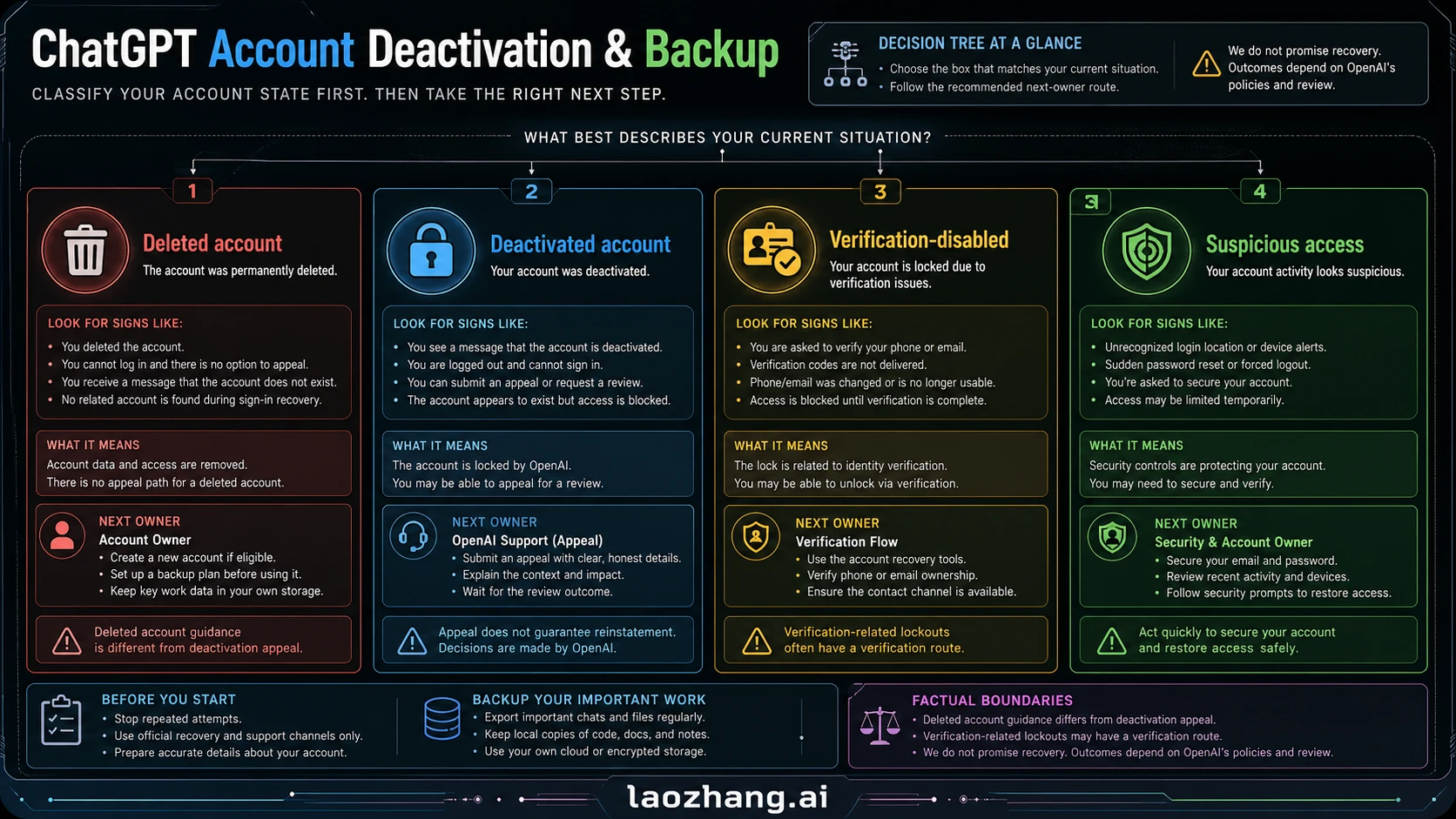
The fastest wrong turn is treating every lockout as the same problem. OpenAI's account help pages separate several states that can produce similar panic: a deactivated account, a deleted account, a missed verification case, suspicious access, or a still-working account that is at risk because the reader has no backup. The next action changes with that state.
| State | Can you appeal? | What not to assume | Practical next step |
|---|---|---|---|
| Deactivated account | Yes, if you believe the action was a mistake. | Do not assume restoration, a review time, or a support SLA. | Use the notification-email appeal link, or OpenAI's appeal intake path if the email is unavailable. |
| Deleted account | Not as a deactivation appeal. | Do not assume the old account can be restored. | Treat the account as unrecoverable under current Help Center guidance and focus on any independent backups you already kept. |
| Missed identity or age verification | Sometimes, through the verification-specific path. | Do not send a generic policy appeal before checking for a verification link. | Complete the verification/reactivation flow or ask Support to restart it. |
| Suspicious activity, account takeover, or unauthorized charges | The appeal should include compromise evidence. | Do not hide the suspicious window, even if the activity was not yours. | Secure email/payment access, record dates and charges, then include those facts in the appeal. |
| Still signed in | You may not need appeal yet, but you do need a backup. | Do not wait until lockout to think about data export. | Export data, copy critical outputs, and document project files now. |
This state table is also where casual wording matters. Many people say their ChatGPT account was "banned," but OpenAI's operational terms are more specific. Use "deactivated" when you mean an account disabled by OpenAI, "deleted" when the account was removed, and "verification-disabled" when the issue started with an identity or age check. That precision helps you avoid asking the wrong system for the wrong outcome.
If you suspect account takeover, stop the misuse first
Suspicious activity is not just another appeal detail. OpenAI's current account-security guidance says to act quickly when you suspect unauthorized use, because a compromised account or leaked API key can create policy violations, unexpected API usage, and unauthorized charges before support reviews the case. Your first job is to stop the live risk; the appeal packet comes after you have preserved enough evidence.
Use this order if you still control the account email or a signed-in session:
| Signal | Immediate containment | Evidence to save |
|---|---|---|
| Unknown ChatGPT sessions | Reset the OpenAI password, then log out of all devices from ChatGPT Settings > Security. | Screenshot the unfamiliar activity window, the reset email, and the time you forced sessions out. |
| Google or Microsoft login used | Change the Google or Microsoft account password too; the OpenAI password reset alone may not protect that login route. | Save the identity-provider security alert and the exact time you changed it. |
| API usage you did not create | Delete or rotate API keys, check usage by key/project, and set spend alerts if you can still access Platform. | Save usage rows, key names, dates, and any unexpected charge receipts. |
| Unauthorized charges | Protect the payment method first, then report the suspicious activity to OpenAI with card metadata and charge dates. | Keep receipts, last four card digits, bank name, charge date, and amount. |
| Possible phishing or vendor incident confusion | Do not send passwords, API keys, verification codes, or full card numbers to anyone claiming to help. | Save the sender domain, message headers if available, and any link target before reporting. |
If you are fully locked out, do not invent technical access you no longer have. In that case, preserve the email account, collect charge and security alerts, use the official appeal/support route, and include the suspected-compromise date range. The most useful sentence is not "I was hacked"; it is "The suspicious window appears to be between [date/time] and [date/time], and I have already changed [email/payment/API] access where available."
Build one clean appeal packet
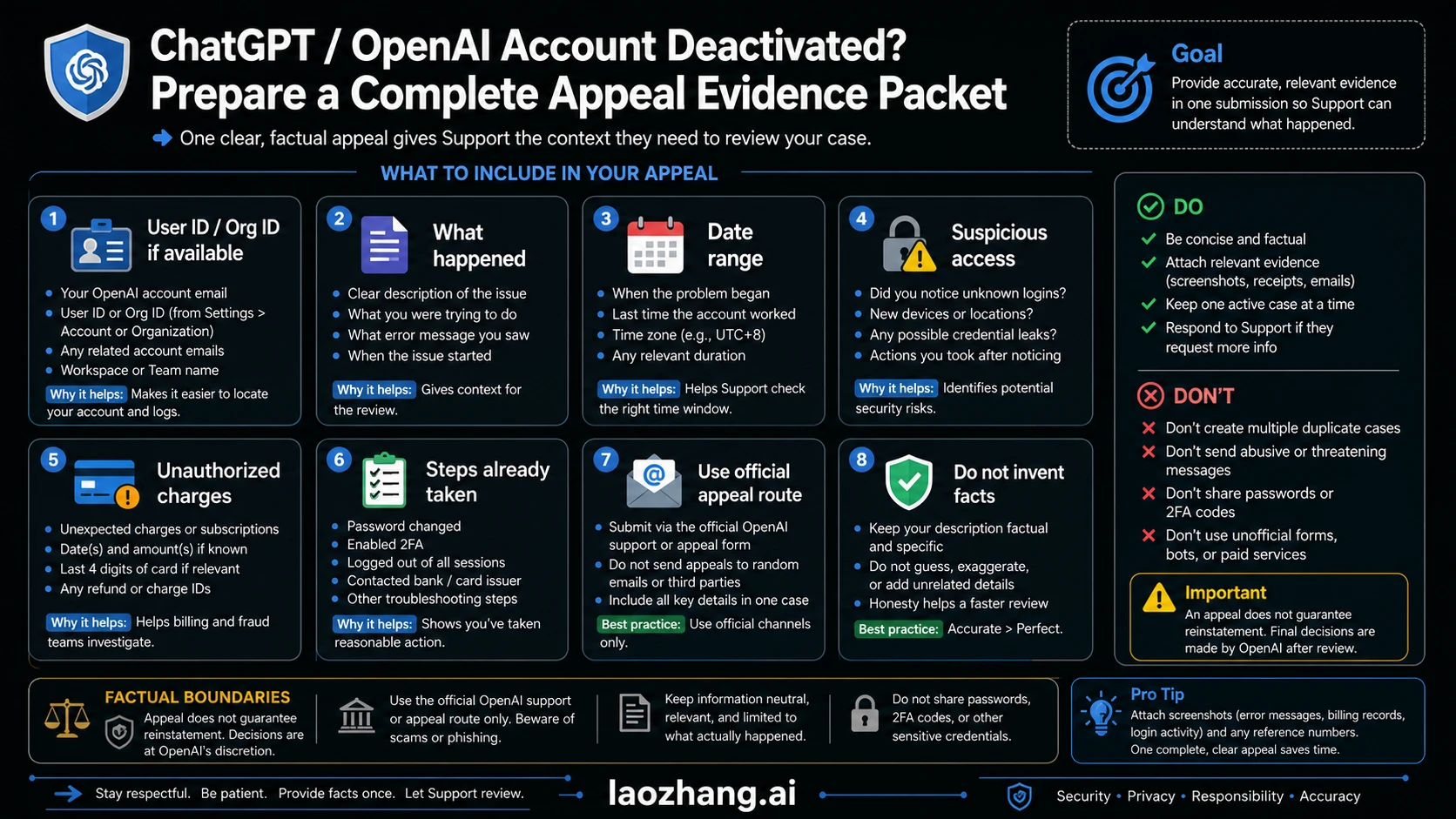
OpenAI's current deactivation guidance says users who believe the action was in error can appeal through the link in the notification email. If the email is missing, the Help Center points users to an appeal form; if no email was received, the support chat path is the fallback. That gives you the route, but not a guaranteed human-review SLA, restoration promise, or review time. The quality of the appeal still depends on the evidence you send. Do not combine the appeal with a vague data-export demand; account review and privacy data access follow different routes.
Prepare the packet before you write the appeal:
| Evidence item | Why it matters | What to include |
|---|---|---|
| Account identity | Support needs to match the request to the right account. | Account email, User ID, and Org ID if available. |
| Usage context | It explains what you were doing before the deactivation. | ChatGPT, API, workspace, model, project, or billing context. |
| Timeline | It narrows the incident window. | Date and approximate time of the notice, login error, suspicious activity, or failed verification. |
| Compromise details | It can separate your normal usage from unauthorized behavior. | Password reset notices, email alerts, unfamiliar sessions, unexpected API usage, or payment warnings. |
| Charge evidence | It helps when billing abuse or unauthorized purchases are part of the issue. | Last four card digits, charge date, receipt, and amount if relevant. |
| Remediation steps | It shows that you are reducing risk. | Password changes, revoked sessions, enabled 2FA, payment-card action, or admin notification. |
Keep the appeal short and factual. A useful structure is: "I believe this deactivation may be an error because..." then the account details, then the timeline, then the evidence, then the exact request. Do not write a long emotional essay, do not invent an explanation, and do not send multiple conflicting appeals. A single coherent packet is easier to review than a chain of guesses.
There are also two boundaries worth saying plainly. First, OpenAI does not publish a guaranteed appeal success rate or review time. Second, a new account is not a recovery plan for the old account's chat history. Creating another account may be necessary later, but it does not restore the original conversations, files, custom instructions, or billing/account state.
Export ChatGPT data while you still can
If you can still sign in, data export is urgent because the signed-in flow is the most predictable backup route. OpenAI's export guidance says users can request a copy through the Privacy Portal, or use ChatGPT settings from an eligible signed-in account or workspace. The ChatGPT settings export is currently available for Free, Plus, Pro, and eligible ChatGPT Edu workspaces, not while logged out, and not for ChatGPT Business or Enterprise workspaces. The export may take up to 7 days, and the download link expires after 24 hours, so the request is not complete until you have downloaded and inspected the archive.
If you are already locked out or the standard in-app export button is unavailable, the reader-safe path is a privacy data request through OpenAI's Privacy Portal plus the official support route for the account issue. In practical terms, treat this as closer to a data-access request than an account-recovery request: it is worth filing, yet it is not the same as guaranteed account restoration, native chat-history recovery, or immediate access to every file/project.
Save the portal or support receipt next to the appeal packet, but label it as data-access evidence rather than appeal evidence. If another person has to take over the case, that split makes it clear which request is about account review, which request is about a copy of data, and which materials are already backed up outside ChatGPT.
When you share that packet with a teammate, redact passwords, full payment-card numbers, recovery codes, and unrelated private chats. The goal is to prove account ownership, timeline, and data-request status, not to create a second privacy incident while trying to recover from the first one.
For a signed-in consumer account, the practical path is:
- Open ChatGPT with the account that owns the work.
- Go to the account/profile menu and open settings.
- Find Data Controls and request export, or use the Privacy Portal route OpenAI documents.
- Watch the account email or SMS delivery path.
- Download the export promptly, because the link can expire.
- Inspect the archive before you assume the backup worked.
The export is helpful, but it is not a perfect reconstruction tool. OpenAI's account-transfer guidance describes a manual workaround using conversations.json, but that does not recreate the original chat history one-to-one in a new account. Large JSON files may need to be split, and the result is closer to a reference import than a restored workspace.
| Data question | Reader-safe answer |
|---|---|
| Can I export after I am locked out? | Use the Privacy Portal data request and official support path, but do not rely on post-lockout self-service export. The safest advice is still to export before lockout. |
| Does export cover Business or Enterprise chat history? | OpenAI Help says export from ChatGPT settings is not available for ChatGPT Business or Enterprise workspaces. Use your workspace admin, IT, legal, or compliance owner. |
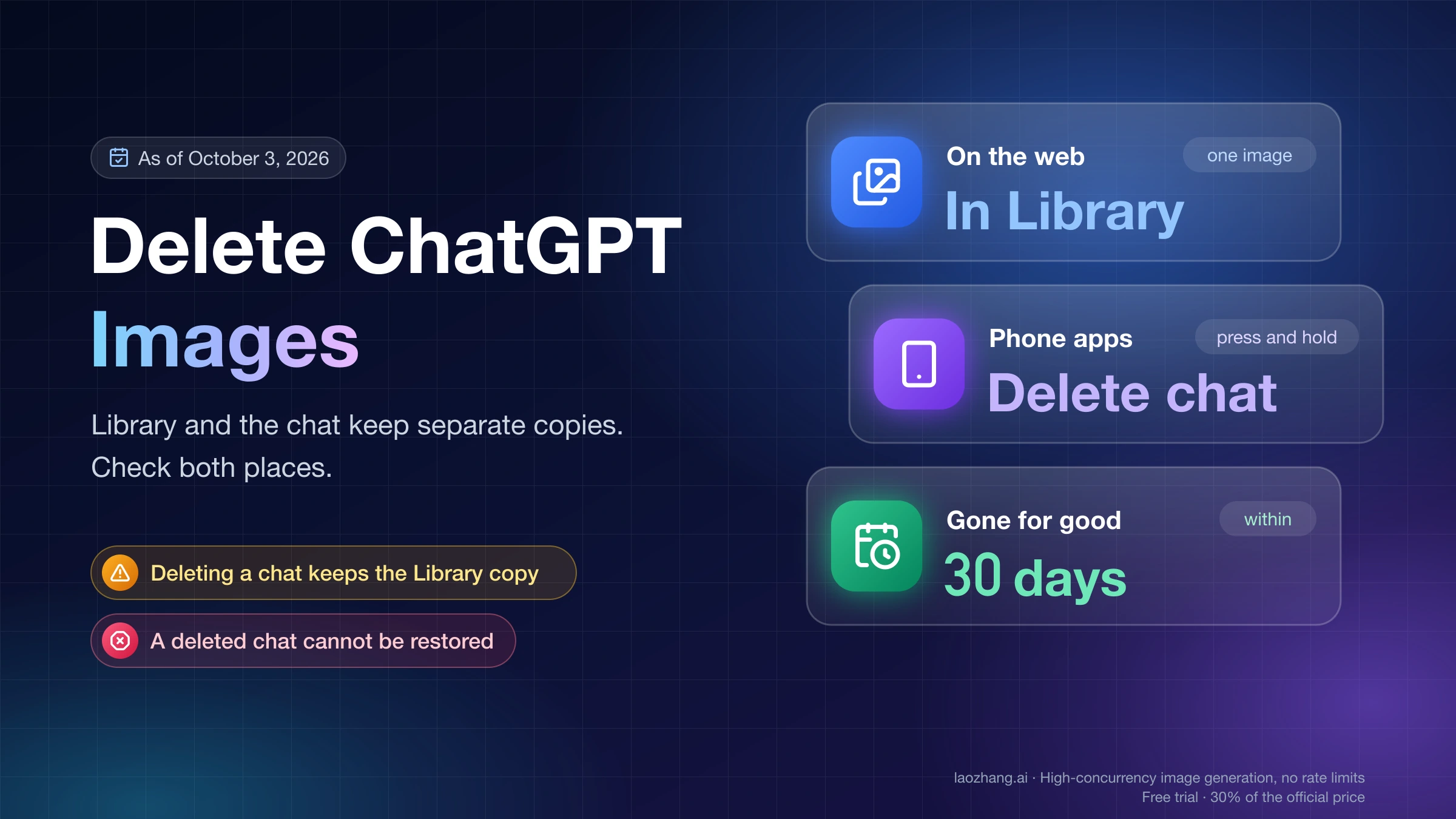
| Does deleting a chat remove all related files? | Not always. OpenAI's retention guidance treats chats, files, projects, and custom GPT files separately, so inspect and back up files directly. |
Is conversations.json a full migration? | No. It can help you carry context into a new chat, but it does not restore the original account or recreate every conversation as native history. |
If you have sensitive work, pair this with a privacy cleanup pass. Our ChatGPT image sharing safety guide is useful when screenshots, uploaded files, or shared conversations may contain client or company data.
Turn the export into a real work archive
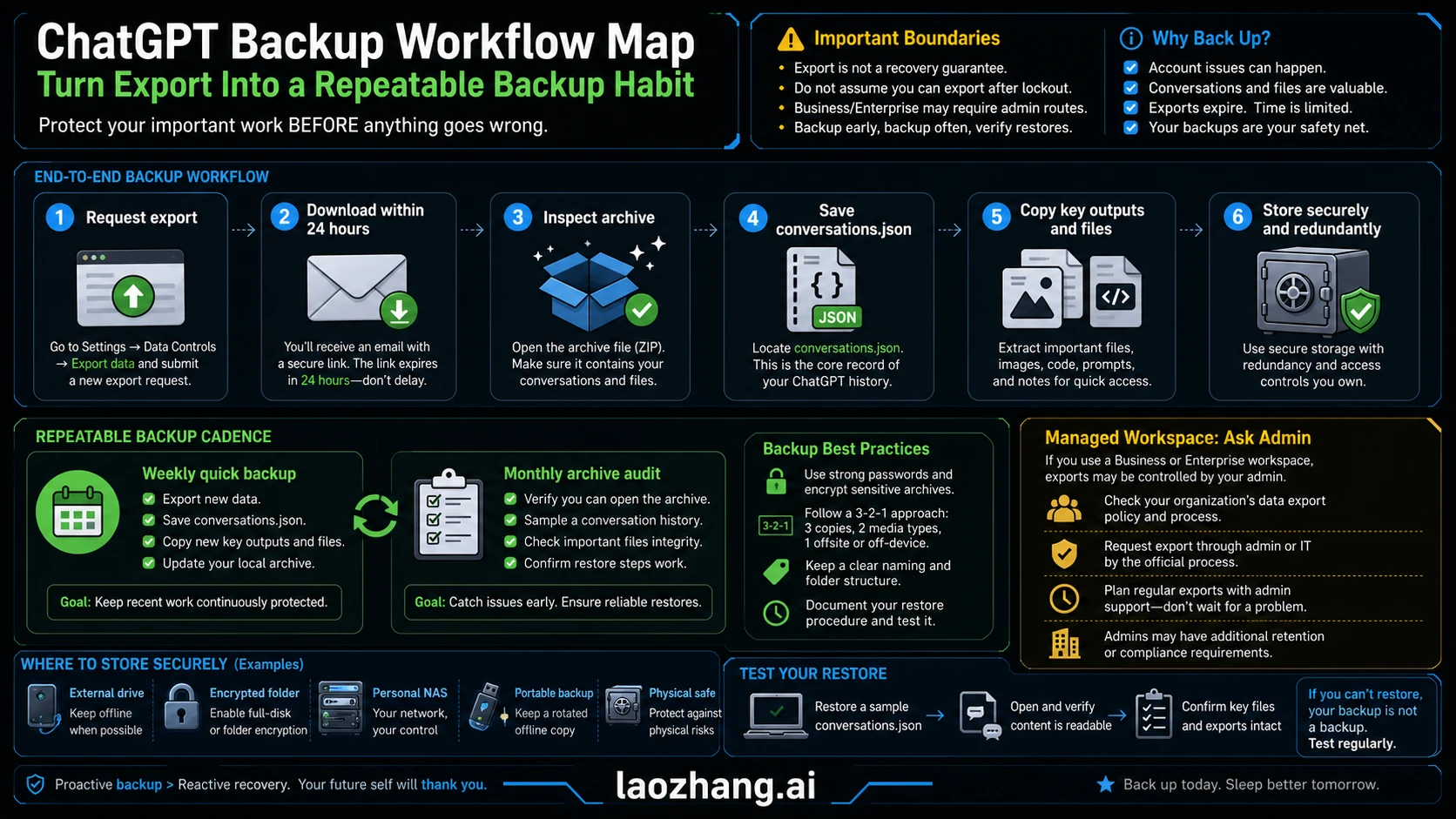
The mistake is thinking "I exported once" equals "my work is safe." A useful ChatGPT backup has a cadence, a folder structure, and a quick inspection habit. The goal is not to hoard every conversation forever. The goal is to make important decisions, prompts, outputs, files, and project context reachable even if an account appeal fails.
Use a simple folder layout:
ChatGPT-work-archive/
  2026-05/
    exports/
      chatgpt-export-2026-05-23.zip
      conversations.json
    projects/
      client-name-or-product/
        final-outputs.md
        prompts.md
        source-files/
        decisions.md
    account-notes/
      plan-and-billing.md
      workspace-admin-contact.md
      recovery-evidence.md
Then apply a cadence that matches the risk of the work:
| Cadence | What to back up | Why it matters |
|---|---|---|
| Same day | Final answers, client deliverables, code snippets, prompts that changed a decision, and uploaded source files. | These are the items you will miss first if access disappears. |
| Weekly | ChatGPT export, active project notes, custom instructions, important GPT configurations, and account evidence. | Weekly backup is frequent enough for most personal and small-team work without becoming a full-time chore. |
| Monthly | Archive audit, duplicate cleanup, storage test, and access check from another device. | A backup that cannot be opened is only a theory. |
| Before risky changes | Plan upgrade/downgrade, workspace change, email change, payment update, or deleting chats/files. | Account and billing changes can create exactly the moment when you discover your archive is incomplete. |
For highly important work, keep the backup outside the OpenAI account entirely: a local encrypted folder, a company document system, or a cloud drive controlled by the organization. Do not store the only copy of a recovery plan inside the account that may need recovery.
Managed workspaces change the owner
Consumer advice can become wrong inside a managed workspace. OpenAI's export article says export from ChatGPT settings is available for Free, Plus, Pro, and eligible ChatGPT Edu workspaces, but not while logged out and not for ChatGPT Business or Enterprise workspaces. If the work lives inside a Business or Enterprise workspace, the next owner is usually the workspace admin, IT, legal, or compliance team, not an individual support thread.
Use this split:
| Situation | Owner to involve | Why |
|---|---|---|
| Personal Free, Plus, Pro, or eligible Edu account | You or your Edu workspace owner, using OpenAI's documented export routes. | You control the account path, or your Edu workspace controls eligibility and admin setup. |
| Business workspace | Workspace owner/admin. | Billing, membership, retention, and data access may be workspace-owned. |
| Enterprise workspace | Enterprise admin, IT, legal, or compliance. | Retention, eDiscovery, and data access can be governed by organization policy. |
| Company work inside a personal account | Your manager or security owner, plus your own backup. | The work may still belong to the company even if the account is personal. |
| Paid subscription cleanup after deactivation | Billing owner. | Cancellation and refunds follow billing route, not account appeal outcome. |
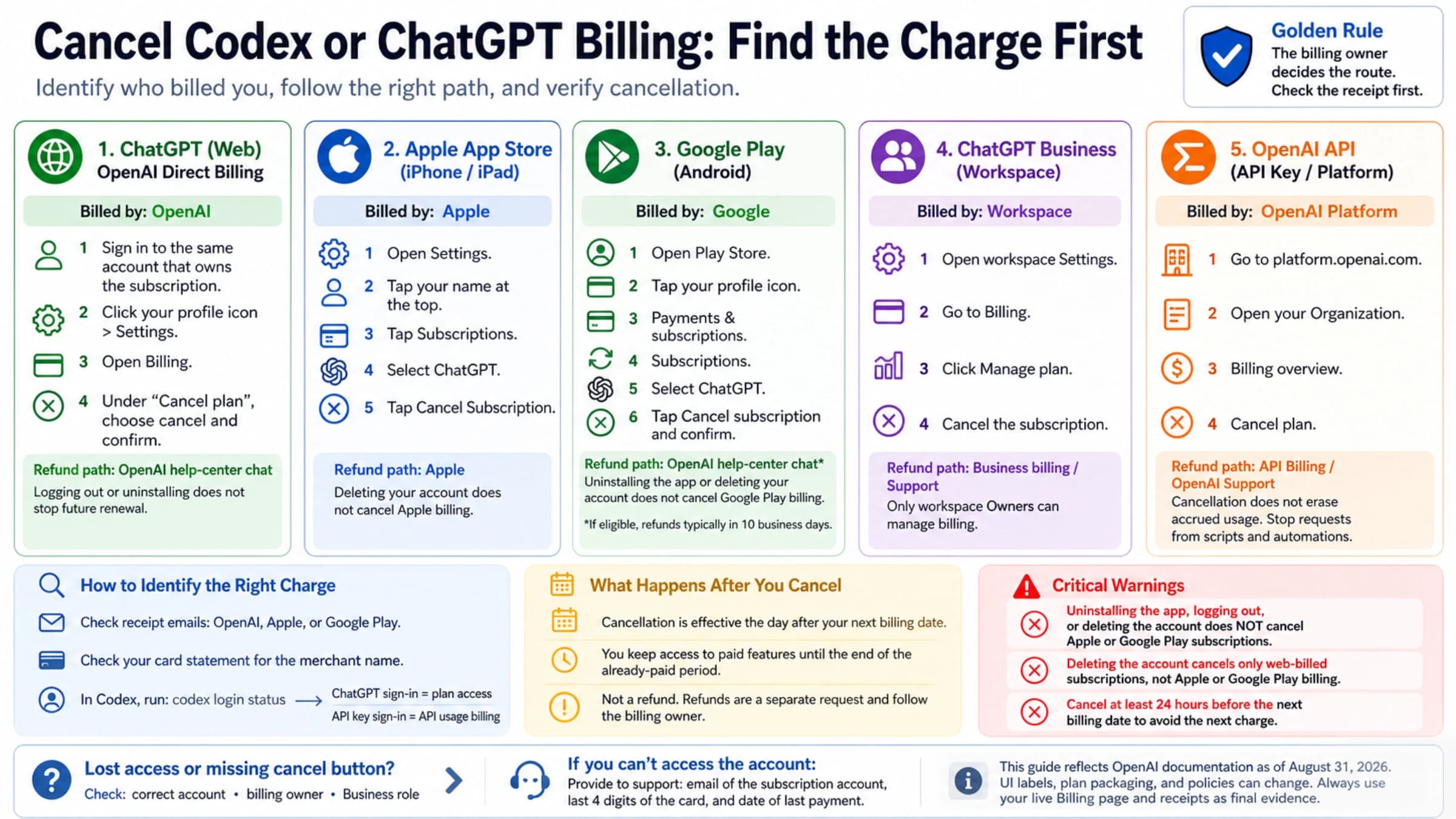
If deactivation also leaves a paid subscription question, separate billing from recovery. Our ChatGPT subscription cancellation guide explains the billing-owner rule for web, Apple, Google Play, and Business plans. Do not mix "I need to stop a charge" with "I need my old conversations restored" in the same unsupported assumption.
What to do if the appeal fails
If the appeal is denied or you receive no usable path back, shift from recovery to continuity. That does not mean giving up on legitimate support requests, but it does mean your work plan should stop depending on a single account outcome.
- Keep the denial, notice email, and support thread in your evidence folder.
- Cancel or resolve any billing path separately if a subscription is still active.
- Use existing exports, saved outputs, local files, and project notes to rebuild active work.
- If you create a new account, do not treat it as a ban-evasion tool. Use it only within OpenAI's terms and with clean security practices.
- Rebuild critical prompts and project instructions from your archive, not from memory.
- Put a recurring export reminder on your calendar before the next high-stakes project.
When you need a paid plan again, make that decision separately from recovery pressure. A discount or plan guide such as our ChatGPT Plus discount guide can help with cost planning, but it is not an account-restoration route and should not replace official OpenAI appeal or data-access channels.
FAQ
Can a deactivated ChatGPT account be restored?
Possibly, if OpenAI deactivated the account and you believe the decision was a mistake. Use the official appeal path. Do not assume restoration is guaranteed, and do not treat a deactivated account the same as a deleted account.
Can a deleted OpenAI account be reactivated?
OpenAI Help currently says deleted accounts cannot be reactivated. After the deletion window, you may be able to create a new account with the same email in some circumstances, but that is not recovery of the old account or its chat history.
What should I include in a ChatGPT account appeal?
Include the account email, User ID and Org ID if available, usage context, date range, suspected compromise details, unauthorized charge details if relevant, and the steps you already took to secure the account. Keep it factual and use OpenAI's official appeal route.
Can I export ChatGPT data after my account is banned or deactivated?
Use the Privacy Portal data request and the official support path, but do not count on the signed-in self-service export tool after lockout. If you still have access, export immediately through ChatGPT Data Controls or the Privacy Portal and download the link before it expires.
How often should I back up important ChatGPT work?
Back up final outputs and source files the same day, request or refresh a broader export weekly for active work, and audit the archive monthly. Increase the cadence before account, billing, workspace, or security changes.
Are Business or Enterprise ChatGPT exports the same as personal exports?
No. OpenAI Help says export from ChatGPT settings is available for Free, Plus, Pro, and eligible ChatGPT Edu workspaces, but not for ChatGPT Business or Enterprise workspaces. Managed workspaces should involve the admin, IT, legal, or compliance owner.
Source Notes
The checked sources on July 3, 2026 were OpenAI Help Center pages for account deactivation appeals, account security and suspicious activity, deleted-account behavior, ChatGPT data export, password reset, account transfer, chat/file retention, and age-verification deactivation. Those official pages control the appeal, security, export, and retention boundaries used here. For locked-out users, this refresh treats Privacy Portal as a data-request route, not as an account-recovery guarantee.