Cancel Codex or ChatGPT Billing: Find the Charge First
Codex may use access included with a ChatGPT plan or usage billed to an API key; it is not always a separate personal subscription. Check the receipt and authentication method, then cancel in ChatGPT, Apple, Google Play, Business, or Platform Billing.
On this page
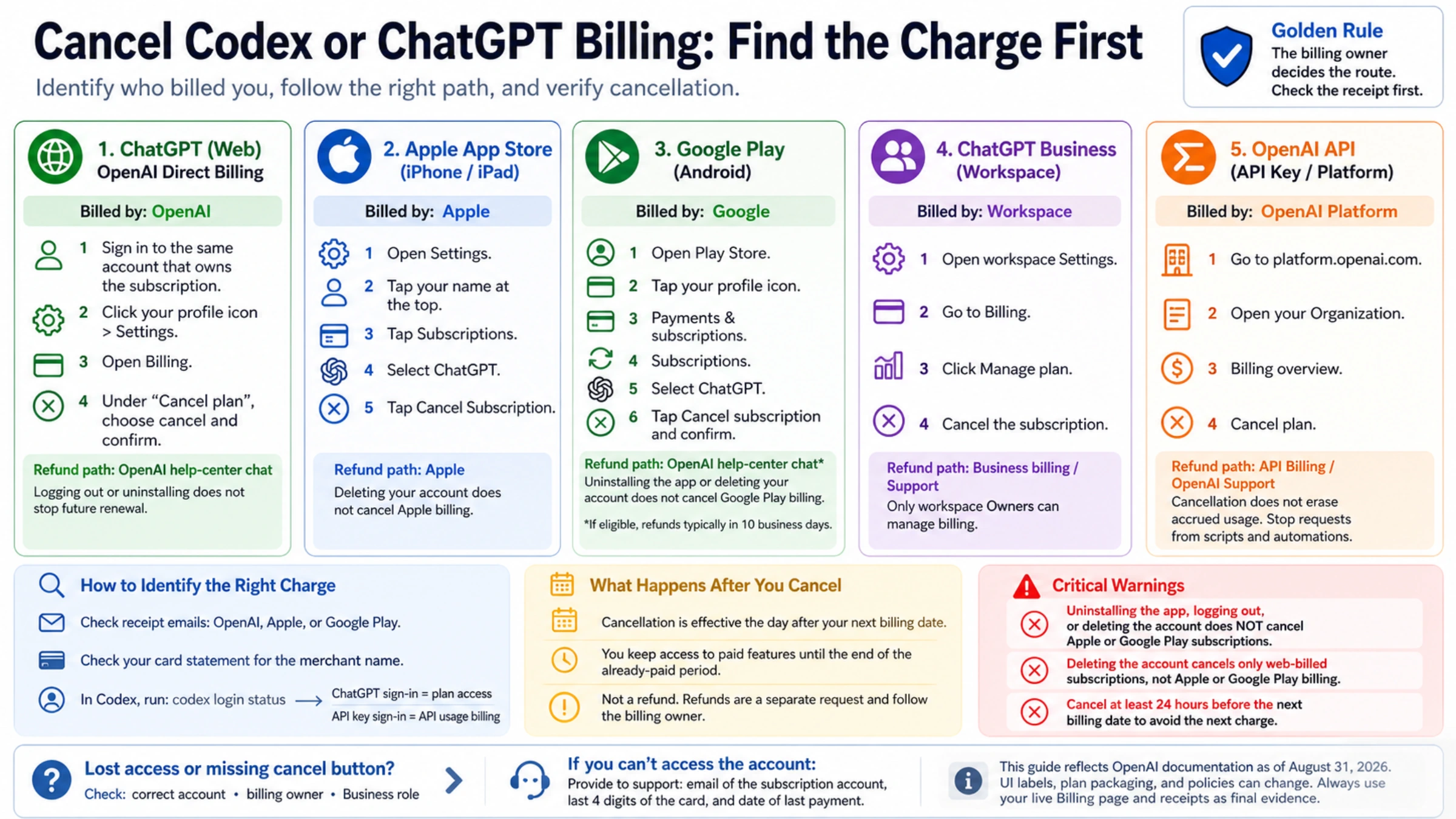
If Codex is the reason you want to stop paying, do not start by looking for a subscription switch inside Codex. OpenAI's Codex authentication documentation separates two billing identities: ChatGPT sign-in provides subscription access, while API-key sign-in uses standard OpenAI Platform API pricing. Codex is currently included with several ChatGPT plans, so what feels like a “Codex subscription” is often the ChatGPT plan that grants the access.
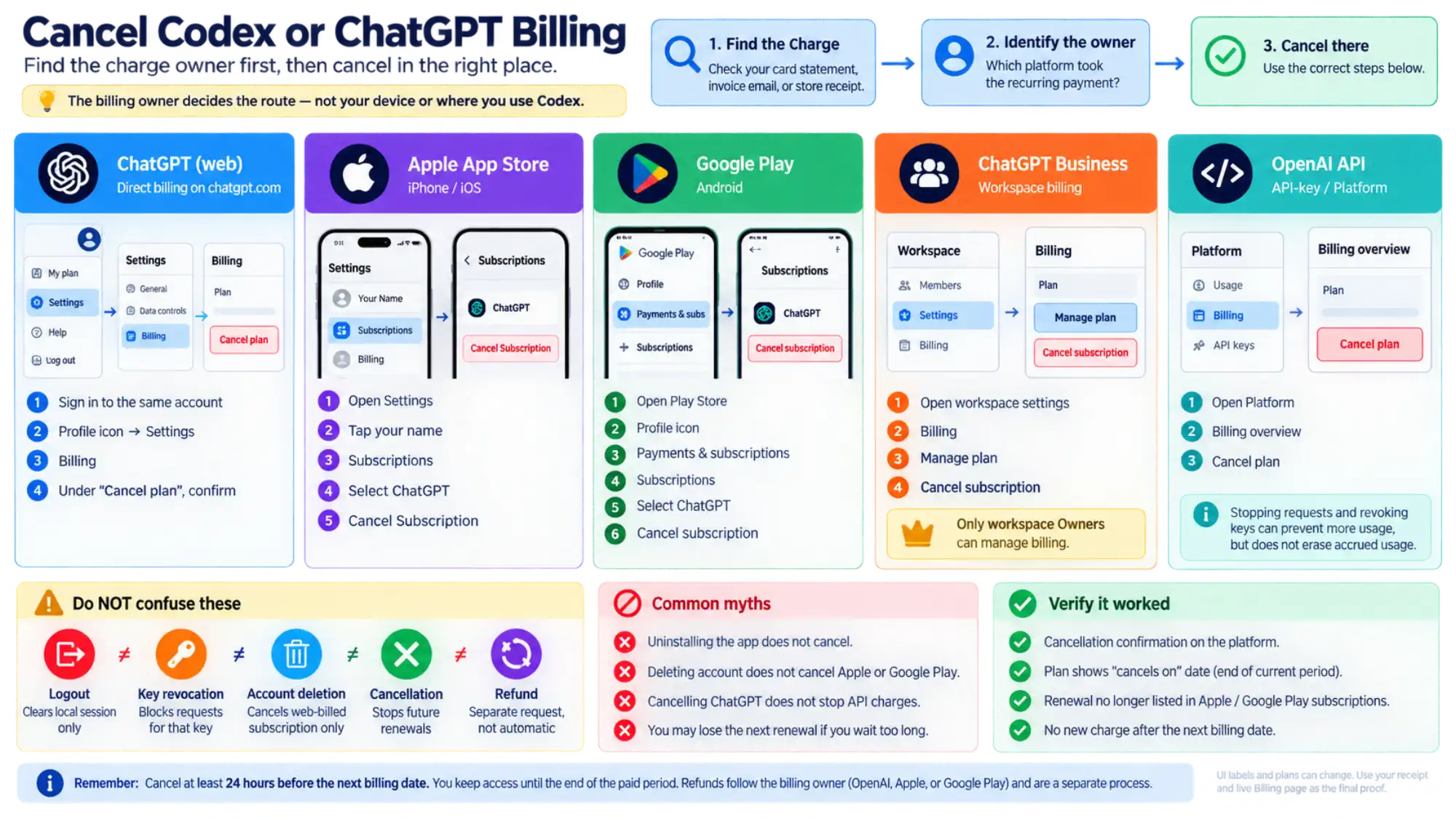
Once you identify the charge, return to its owner: ChatGPT Billing for a web purchase, Apple Subscriptions for an App Store purchase, Google Play for an Android purchase, workspace billing for Business, or the API organization's Billing overview for API usage. OpenAI's current cancellation guide says to cancel at least 24 hours before the next billing date to avoid the next renewal.
This article was rechecked against current OpenAI documentation on August 31, 2026. UI labels, plan packaging, and Business billing can change; use the receipt and live Billing page as the final account-specific evidence.
TL;DR
If you only need the fast answer, this is the whole map:
| If you paid here | Cancel here | Refund path | Important catch |
|---|---|---|---|
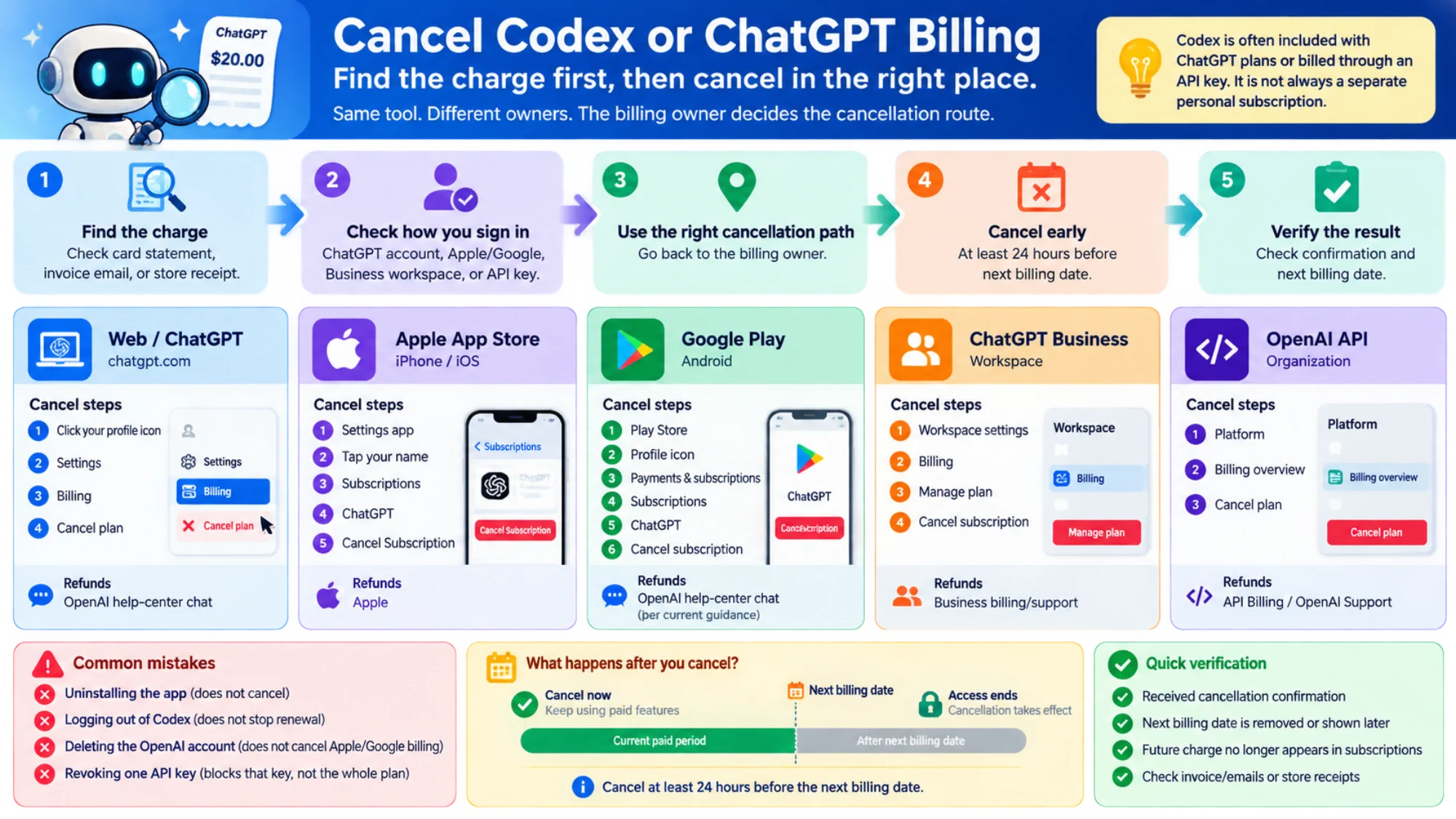
chatgpt.com / web billing | Account menu -> Settings -> Billing -> Cancel plan | OpenAI help-center chat | Logging out of Codex or uninstalling an app does not stop renewal |
| Apple App Store | iPhone Settings -> your name -> Subscriptions -> ChatGPT -> Cancel Subscription | Apple | Deleting the ChatGPT account does not cancel Apple billing |
| Google Play | Play Store -> profile -> Payments & subscriptions -> Subscriptions -> ChatGPT -> Cancel subscription | OpenAI help-center chat, per current refund guidance | Uninstalling the app or deleting the OpenAI account does not cancel Google Play billing |
| ChatGPT Business | Workspace settings -> Billing -> Manage plan -> Cancel subscription | Business billing/support path | Only workspace Owners can manage billing |
| OpenAI API organization | Platform -> Billing overview -> Cancel plan | API Billing / OpenAI Support | Cancellation does not erase accrued usage; stop requests when needed |
The shortest useful way to think about cancellation is this: the billing owner decides the route. Your current device matters less than where the recurring charge actually lives.
The first check for a Codex user
In Codex CLI, run codex login status to see the active authentication method. In the Codex app or IDE extension, inspect the account menu for a ChatGPT account or API-key status. This identifies a billing route; it does not cancel anything.
- ChatGPT sign-in: manage the ChatGPT plan on the platform that sold it.
- API-key sign-in: canceling ChatGPT will not stop API charges. Stop scripts, CI jobs, or automations that can keep sending requests, then follow OpenAI's API pay-as-you-go cancellation guide for the organization Billing overview.
- Business workspace: a regular member may not have billing access. An Owner manages the plan, and eligible legacy workspaces can have usage-based Codex seats that do not behave like an individual Plus or Pro plan.
Signing out of Codex only clears the local credential. Revoking one API key blocks requests made with that key, but it does not by itself cancel the organization's billing plan.
The rule that resolves most cancellation confusion
Most cancellation mistakes happen because people organize the problem by device instead of by billing owner. Someone signs up on an iPhone, later uses ChatGPT mostly on desktop, and then goes hunting inside the web settings for a button that only Apple can expose. Someone else pays on the web, later installs the app, and assumes they have to cancel through the App Store even though Apple never owned that charge.
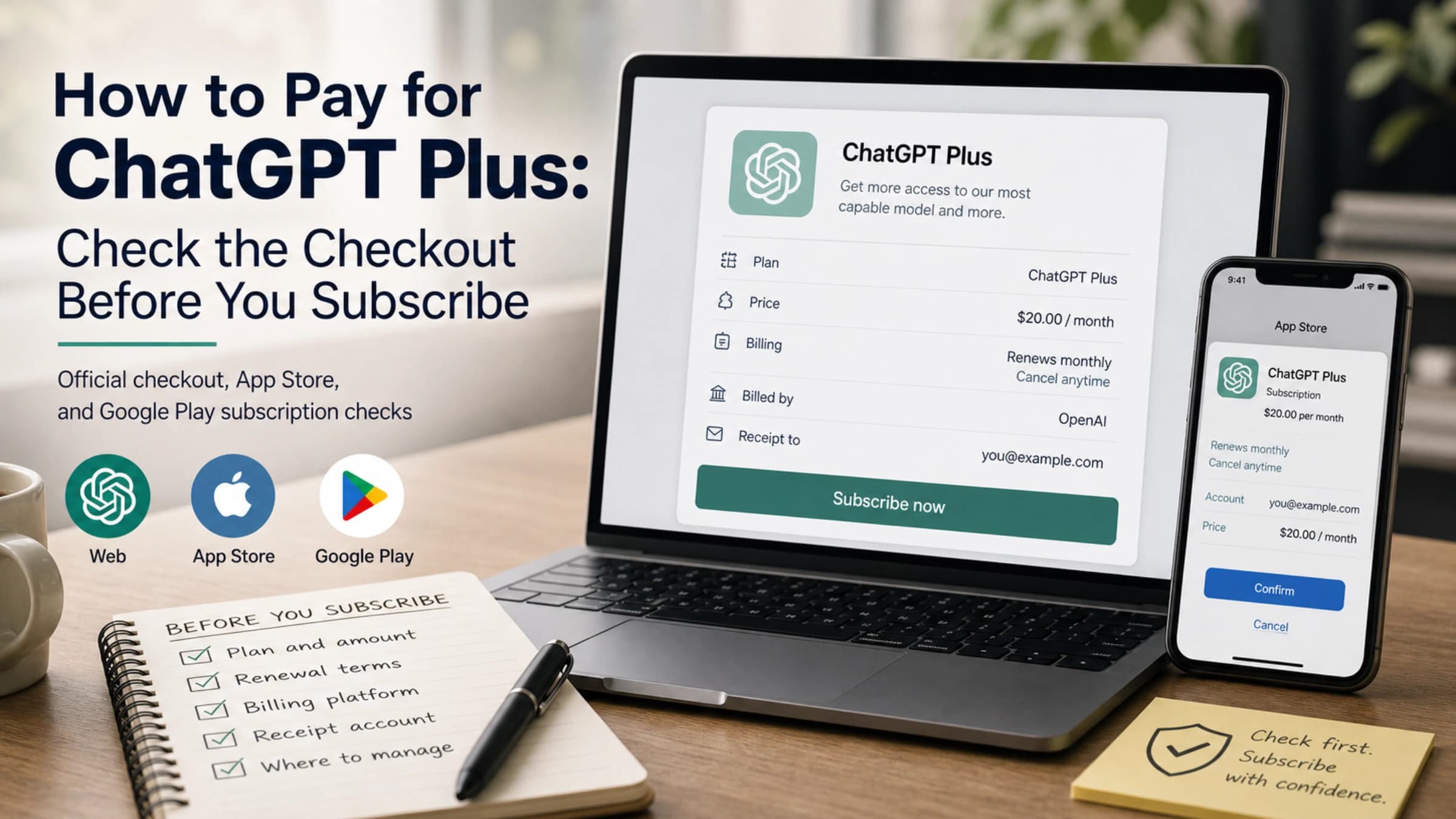
That is why the direct 2026 answer should start with the charge, not the device. Check the card statement, the invoice email, or the store receipt first. If OpenAI charged you directly, cancel inside ChatGPT. If Apple billed you, cancel in Apple subscriptions. If Google billed you, cancel in Google Play. If the subscription belongs to a Business workspace, the owner has to handle it in workspace billing.
This also matters for naming drift. Older pages and forum answers still talk about ChatGPT Team, but OpenAI's current billing docs now call that plan ChatGPT Business. If you are reading an older guide, that is one of the easiest signs that the instructions may no longer line up cleanly with the current billing UI.
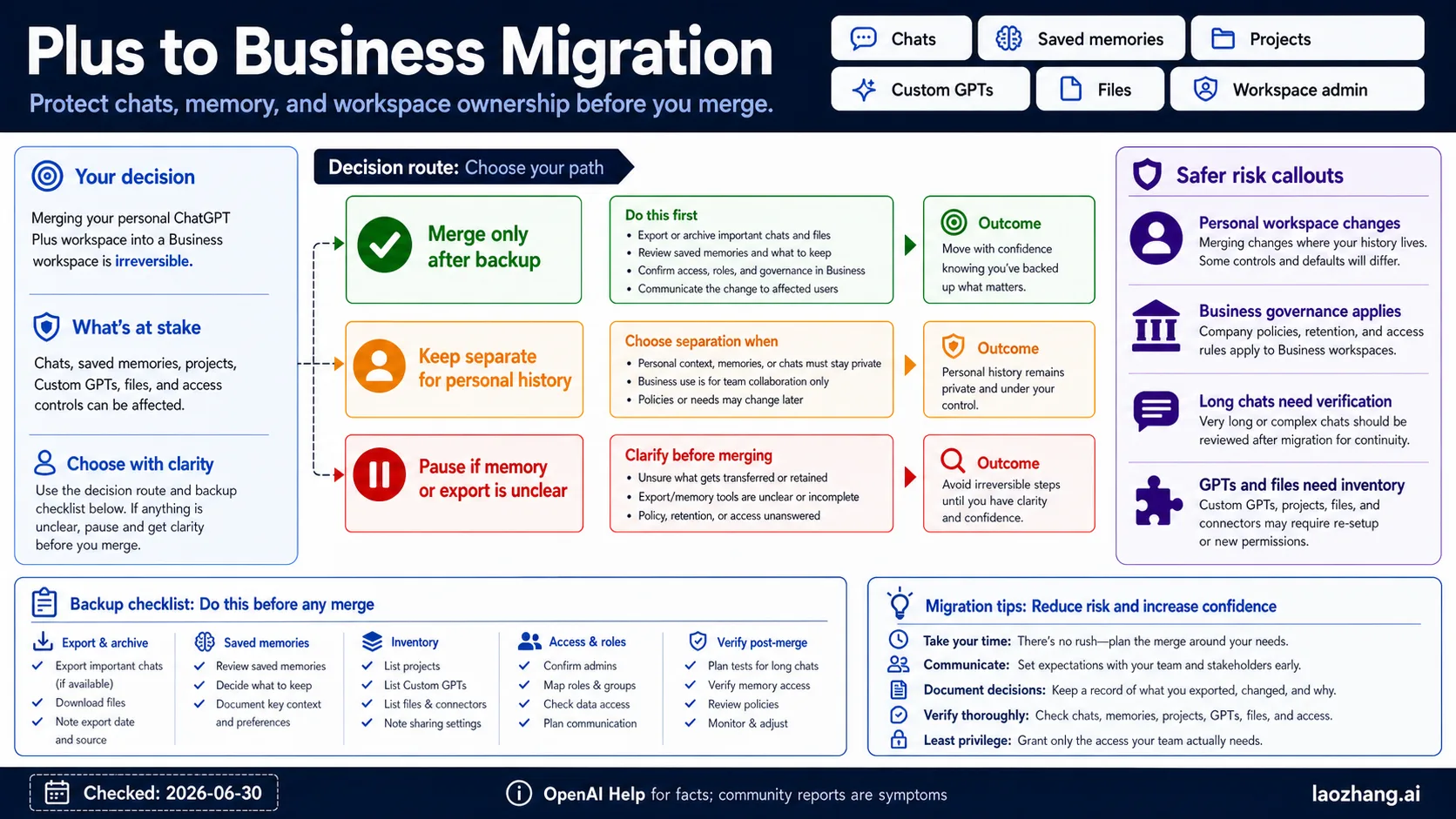
One more scope note matters up front: OpenAI's current self-service cancellation article covers paid ChatGPT subscriptions such as personal plans and Business, but it explicitly does not cover Enterprise or Edu. If you are inside an Enterprise or Edu workspace, use your admin or organization billing path instead of trying to apply consumer steps to the wrong contract.
Exact steps by billing source
Web billing at chatgpt.com
If your subscription was bought directly through ChatGPT on the web, OpenAI's current path is:
- Sign in to the same account that owns the subscription.
- Click your profile icon.
- Open
Settings. - Open
Billing. - Under
Cancel plan, choose cancel and confirm.
This is the cleanest path because OpenAI controls both the subscription record and the cancellation surface. If the button is present and you are in the correct account, the job is usually over in under a minute.
The main failure mode here is not technical. It is account mismatch. People often have more than one ChatGPT login, especially when they used one email for work and another for personal experiments. If Manage or Cancel Subscription is missing, do not immediately assume the UI is broken. First confirm that you are signed into the account that actually received the billing receipt.
If you no longer have access to the original login, OpenAI's current help article gives a concrete fallback: support can cancel on your behalf if you provide the subscription account's email address, the last four digits of the payment card, and the date of the most recent subscription payment. That is much more useful than generic contact support advice because it tells you exactly what proof to gather before opening the request.
Apple App Store billing on iPhone
If you subscribed through the iOS app, Apple owns the billing. The current OpenAI help path is:
- Open the iPhone
Settingsapp. - Tap your name at the top.
- Open
Subscriptions. - Select
ChatGPT. - Tap
Cancel Subscription.
This is one of the most important 2026 distinctions to keep straight because Apple controls both the renewal and the refund surface for Apple-billed subscriptions. You can still use ChatGPT on the web after subscribing in the app, but that does not move the billing record out of Apple. In practice, the right question is not where do I use ChatGPT most? It is who is taking the recurring payment?
If you cannot find ChatGPT under subscriptions, check whether you are signed into the same Apple ID that made the purchase. That mismatch is more common than people think, especially on shared devices or phones with separate personal and work Apple IDs.
Google Play billing on Android
If you subscribed through the Android app, Google Play owns the recurring charge. OpenAI's current Android help article gives two supported paths, with the app route being the simplest:
- Open the Google Play Store.
- Tap your profile icon.
- Open
Payments & subscriptions. - Tap
Subscriptions. - Select
ChatGPT. - Tap
Cancel subscriptionand confirm.
OpenAI's Android article also notes that you can cancel through the Google Play website while signed into the same Google account, which is useful if you no longer have the phone in hand.
The most important warning in that article is brutally simple: uninstalling the ChatGPT app does not cancel the subscription. The same logic applies to logging out, deleting the app icon, or just stopping usage. None of those actions touch the Google Play billing record. If the payment was created in Play Store, it has to be canceled there.
ChatGPT Business billing
Business is slightly different because the subscription belongs to a workspace rather than a single consumer app-store receipt. OpenAI's current Business billing article says Owners manage billing from the workspace settings page:
- Open workspace
Settings. - Go to
Billing. - Click
Manage plan. - Cancel the subscription there.
That same article also confirms the current naming: as of August 29, 2025, OpenAI renamed ChatGPT Team to ChatGPT Business. So if your memory or older documentation still says Team, translate that mentally to Business before you go looking for the billing UI.
What happens after you cancel
Cancellation is not an instant lockout. OpenAI's current help guidance says the cancellation becomes effective the day after your next billing date, which means you keep access to the paid features until the end of the already-paid period.
That sounds simple, but three practical consequences follow from it:
- If you want to avoid the next renewal, cancel at least 24 hours before the billing date.
- If you cancel correctly, you do not lose the rest of the current paid period immediately.
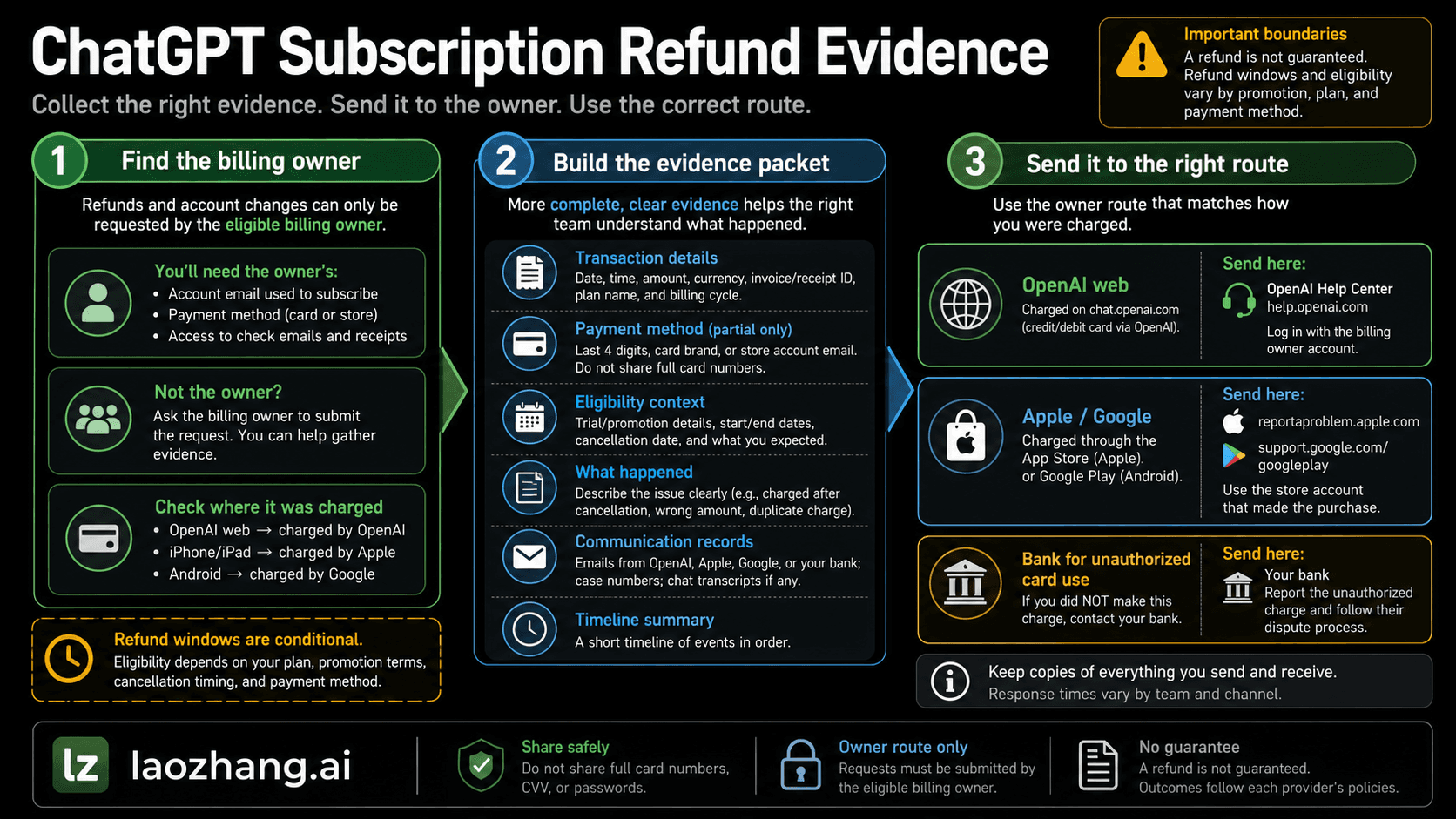
- If you want money back, cancellation alone is not enough. Refund handling is a separate path.
This is the point where many readers also start asking whether deleting the account is a shortcut. For web-billed subscriptions, OpenAI's deletion guidance says deleting the account will cancel an active ChatGPT subscription. But that shortcut stops working the moment Apple App Store or Google Play owns the billing. For those mobile subscriptions, OpenAI's own help pages say account deletion does not cancel the store subscription. If you skip the store cancellation step, future charges can continue even though the OpenAI account is gone.
That web-vs-mobile split is the most important deletion rule in the entire topic. If you remember only one warning from this article, make it that one.
Refunds follow the billing owner
Current OpenAI refund guidance treats refund requests as a separate workflow from cancellation, and the right route depends on who processed the original payment.
If you were billed on the web, OpenAI currently directs you to the help-center chat while logged into the account that was charged. If you are eligible, the help article says refunds are typically processed within 5 to 7 business days.
If Apple billed you, Apple also controls the refund path. This is another reason the billing-owner rule matters more than device usage. A reader can successfully cancel in the right Apple menu and still end up using the wrong refund process if they assume every billing dispute belongs to OpenAI directly.
If Google Play billed you, OpenAI's current refund article says to use the help-center chat while logged into the charged account. If you are eligible, the article says refunds are typically processed within 10 business days.
OpenAI's current refund help also keeps one regional rights note explicit: residents of the EU, UK, and Turkey are eligible for a refund if they cancel within 14 days of purchase. That does not mean every refund request everywhere is automatic. It means the correct 2026 article should separate two ideas cleanly: there is a default non-refundable rule, and there are current exception paths that depend on billing source and, in some cases, region.
If you lost access or the cancel button is missing
The first thing to check is not the browser. It is identity. Missing cancellation controls often mean one of three things:
- you are signed into the wrong ChatGPT account
- the subscription actually lives in Apple or Google Play rather than web billing
- you are inside a Business workspace where only an Owner can manage billing
If you still cannot reach the subscription because the original account is inaccessible, use the support path OpenAI documents rather than improvising. Gather the email address for the subscription account, the last four digits of the card used for payment, and the date of the most recent charge. That is the evidence OpenAI says support needs to cancel the subscription on your behalf.
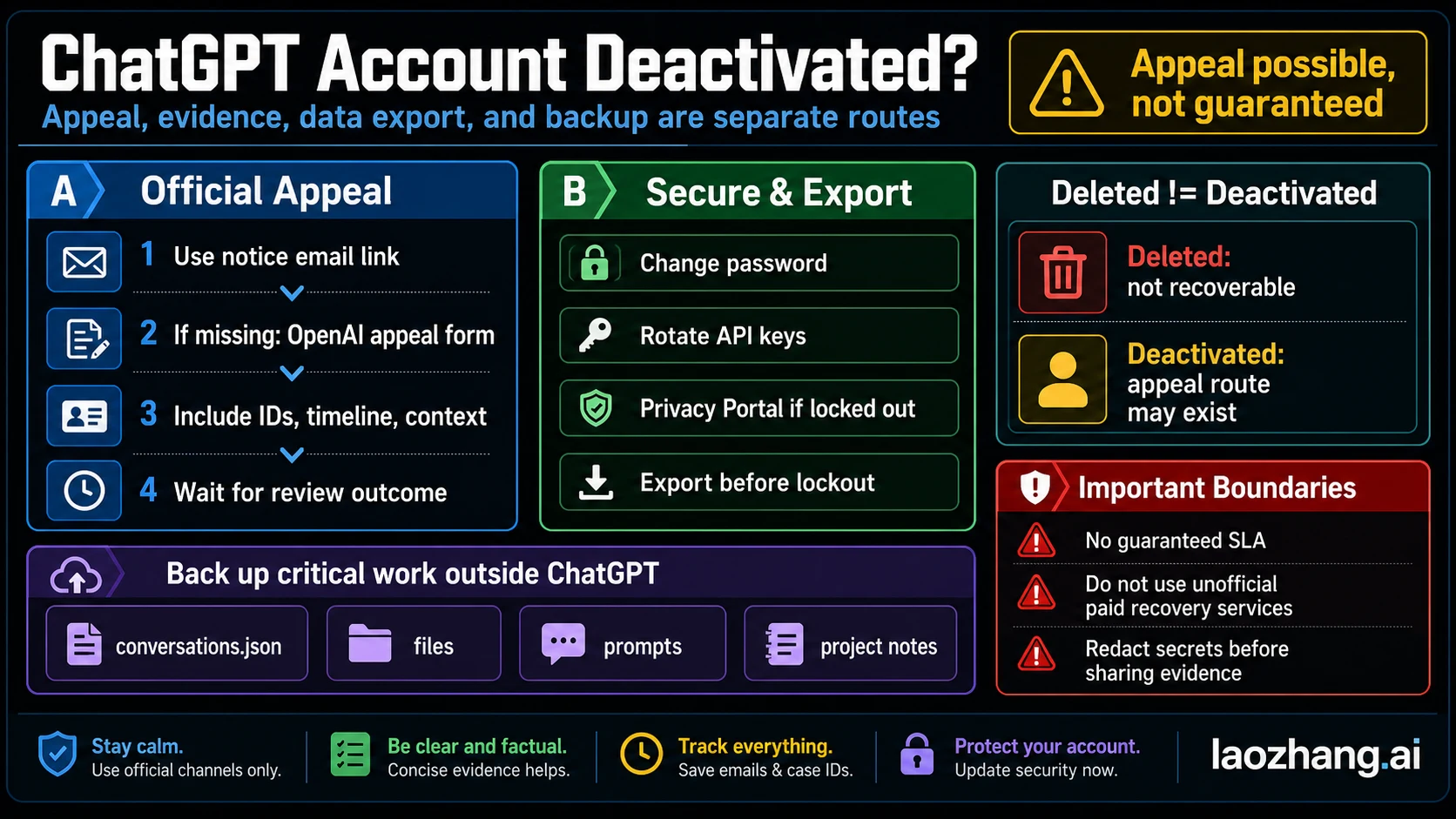
If you already deleted the account, stop and identify the billing owner before doing anything else. For web-billed subscriptions, the deletion path can end the subscription. For Apple or Google Play billing, it does not. In those mobile-billing cases, the store subscription still has to be canceled separately to stop future charges.
And if cost is the only reason you are leaving, it may be worth checking whether a verified cheaper route fits before you subscribe again later. Our guide to ChatGPT student discounts covers the current official student paths, and our guide to ChatGPT Plus free-trial exceptions explains which limited official re-entry routes still exist in 2026.
FAQ
Does uninstalling the ChatGPT app cancel my subscription?
No. OpenAI's current Android help page says uninstalling the app does not cancel the subscription. Apple billing works the same way in practice: app removal is not the same thing as canceling the store subscription.
Does deleting my OpenAI account cancel the subscription?
For web-billed subscriptions, OpenAI's deletion guidance says deleting the account cancels the active ChatGPT subscription. For Apple App Store and Google Play subscriptions, OpenAI says account deletion does not cancel the store billing. Those must be canceled in Apple or Google Play first.
Can I cancel on the same day the renewal is due?
You should not rely on it. OpenAI's current help article says to cancel at least 24 hours before the next billing date if you want to avoid the next charge.
Does this guide cover Enterprise or Edu billing?
No. OpenAI's self-service cancellation article explicitly excludes Enterprise and Edu plans. Those follow organization-managed billing paths instead.