GPT-Image-2 API 指南:价格、Image API、Responses,新接入用 2.5
截至 2026 年 10 月 10 日,gpt-image-2 仍可用,但 OpenAI 建议新接入改用 GPT Image 2.5;两代同价,Batch 减半。
文章目录
截至 2026 年 10 月 10 日,gpt-image-2 仍是 OpenAI API 里可以正常调用的图片模型,不在停用名单上。不过 OpenAI 的图片生成指南已经改为围绕 GPT Image 2.5 编写,并写明新接入应使用 2.5 的两个模型之一:编辑精度最重要时用 gpt-image-2.5-sunburst,日常快速出图用 gpt-image-2.5-flare。
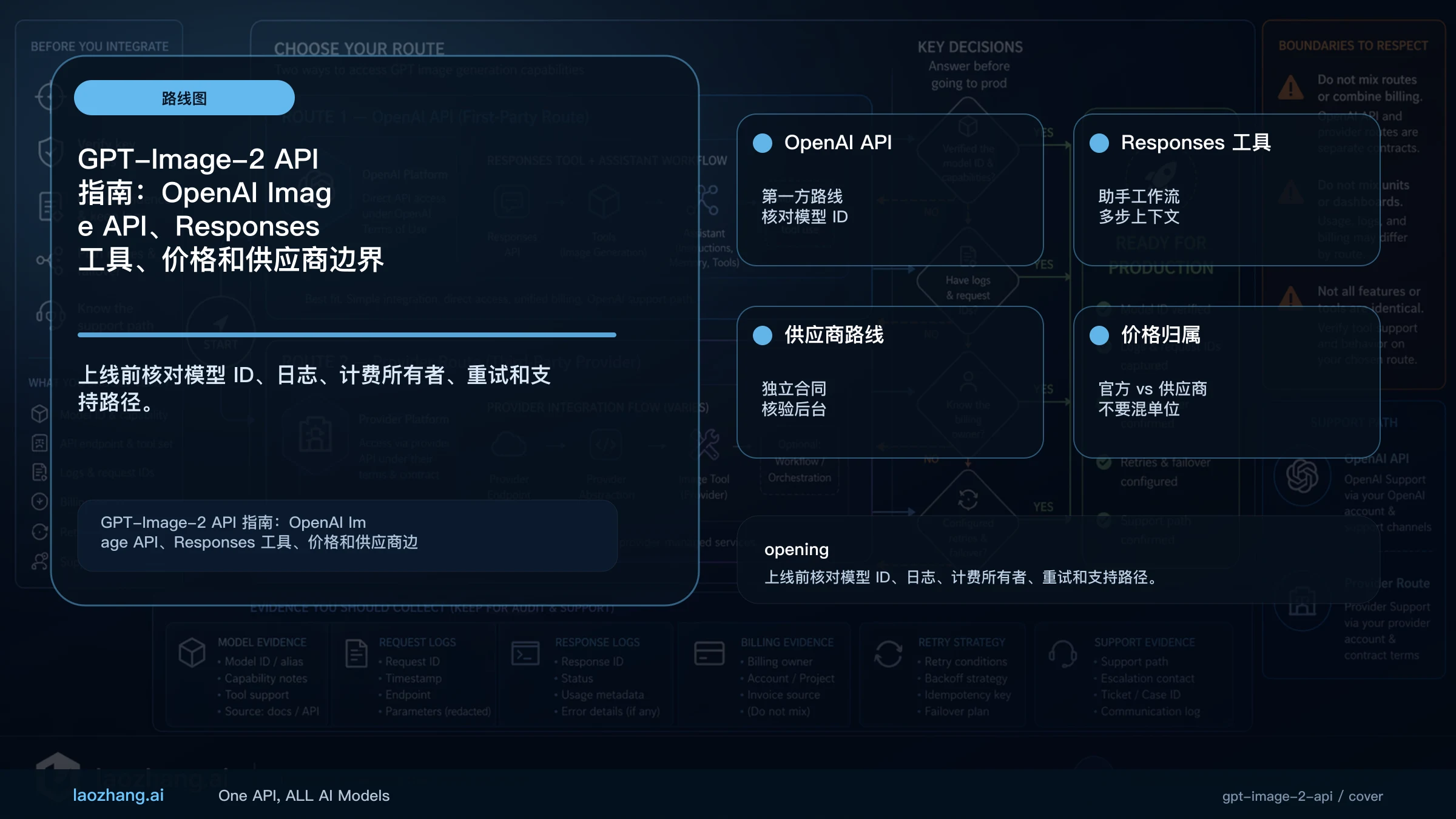
调用方式没有变。图片本身就是产物时用 Image API;图片生成只是助手或多步流程里的一步时,用 Responses API 的 image_generation 工具,顶层 model 写主模型,图片模型写进工具自己的 model 字段。两代模型的 token 单价相同,差别在参数、质量档位和每张图消耗的 token。
快速答案:新接入用 GPT Image 2.5,gpt-image-2 仍可用
| 问题 | 答案(截至 2026 年 10 月 10 日) |
|---|---|
| 新项目用哪个模型 | OpenAI 建议用 GPT Image 2.5:编辑精度优先选 gpt-image-2.5-sunburst,日常快速生成选 gpt-image-2.5-flare。 |
gpt-image-2 还能用吗 | 能。快照是 gpt-image-2-2026-04-21,没有公布停用日期,已上线的项目不必为停用而迁移。 |
| 直接生成或编辑图片 | Image API(/v1/images/generations、/v1/images/edits),model 填上面任一图片模型 ID。 |
| 助手或 agent 流程 | Responses API:顶层 model 填 gpt-6-astra 这类主模型,图片模型写在 tools: [{ type: "image_generation", model: "..." }] 里。 |
| 大批量离线生成 | /v1/batch,图片 token 按半价计费。 |
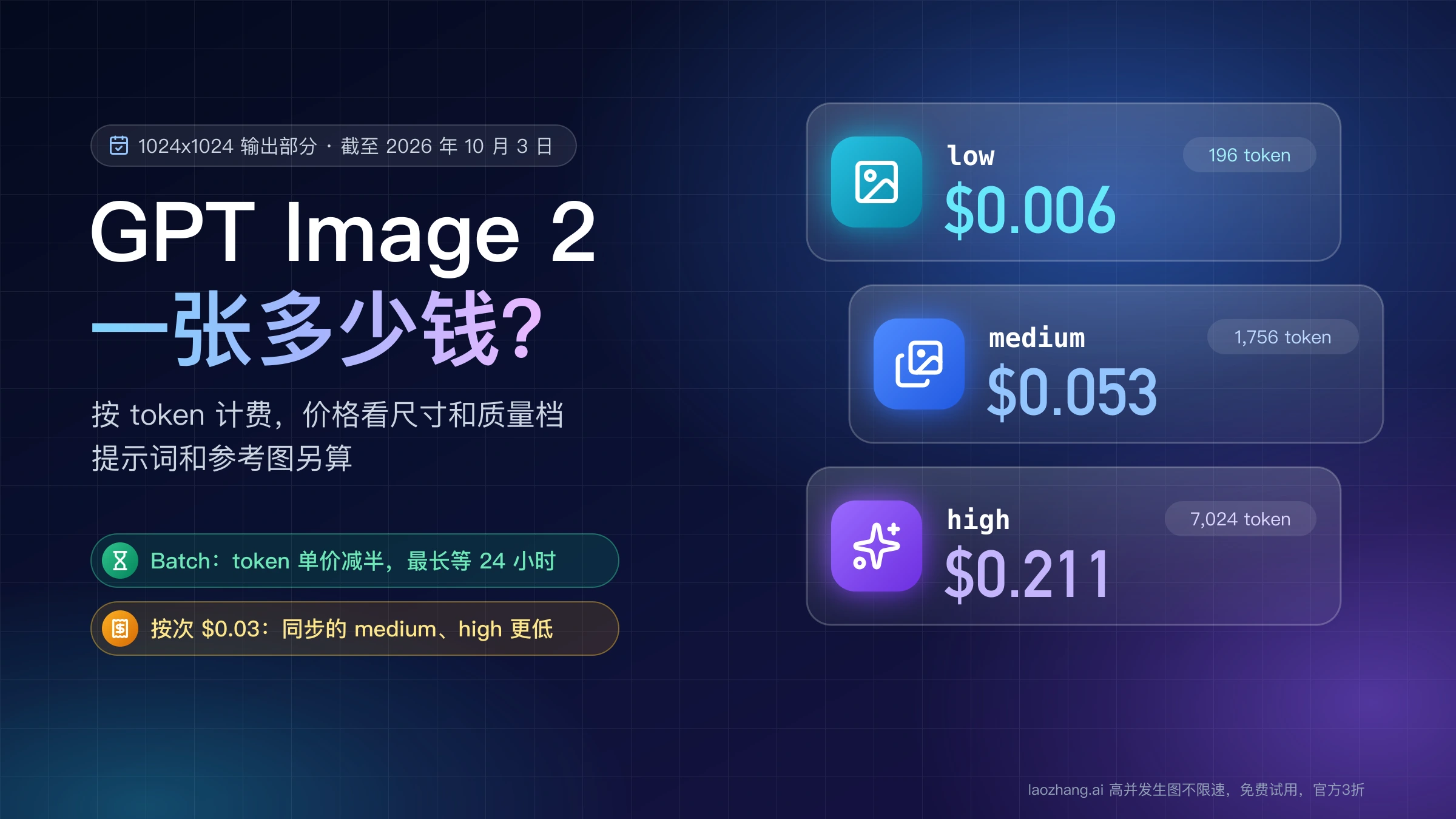
| 价格 | 2 和 2.5 同价:图片输入 $8、图片输出 $30 / 1M tokens。gpt-image-2 生成一张 1024×1024 图约 $0.006(low)到 $0.211(high)。 |
| 透明背景 | 2.5 正式支持;gpt-image-2 仍是预览功能;只能输出 png 或 webp。 |
| 有没有免费额度 | 没有免费的图片 API 档位,最低的 Build 档要求累计购买 $5。 |
Sunburst 和 Flare 的分工按 OpenAI 自己的描述:Sunburst 用在编辑精度最要紧的任务,Flare 用在要求速度的日常高质量生成。两者的取舍细节见 GPT Image 2.5 Flare 与 Sunburst 对比;要判断现有的 gpt-image-2 项目值不值得换,见 GPT Image 2.5 与 GPT Image 2:换还是留。
官方证据:模型 ID、快照、接口和停用日期
| 事项 | 当前情况 | 出处 |
|---|---|---|
| 新接入用哪个模型 | 指南写明 "For new integrations, use one of the GPT Image 2.5 models",并说明其余参数细节针对的是更早的模型。 | OpenAI 图片生成指南 |
| 模型 ID 与快照 | gpt-image-2 → gpt-image-2-2026-04-21;gpt-image-2.5-sunburst 和 gpt-image-2.5-flare → -2026-09-08 | gpt-image-2 模型页、Sunburst 模型页、Flare 模型页 |
| 支持的接口 | 三个模型都支持 /v1/images/generations、/v1/images/edits 和 /v1/batch;都不能作为 Responses 的顶层模型。 | 同上三个模型页 |
| edits 的默认模型 | /v1/images/edits 不写 model 时默认用 gpt-image-2.5-sunburst。要固定在 gpt-image-2,必须显式写出。 | OpenAI 图片 API 参考 |
| Responses 里谁调用图片工具 | 模型页列出 image_generation 工具的主模型有 gpt-6-astra、gpt-6-luna、gpt-6-sol、gpt-6.1-sol、gpt-5.5、gpt-5.4;指南示例用 gpt-6-astra。 | 各主模型页;Responses 图片生成工具指南 |
| 工具可选的图片模型 | gpt-image-2.5-sunburst、gpt-image-2.5-flare、gpt-image-2,以及即将停用的 1.5、1 和 1-mini。 | Responses 图片生成工具指南 |
| 旧模型停用 | gpt-image-1:2026 年 10 月 23 日;gpt-image-1.5、gpt-image-1-mini、chatgpt-image-latest:2026 年 12 月 1 日。 | OpenAI 停用公告页 |
Responses 工具指南里单独列出的"支持模型"名单没有跟上新模型,判断某个主模型能不能挂图片工具,以该主模型自己的模型页为准。
先选 Image API 还是 Responses
| 接口 | 什么时候用 | 不该用的情况 |
|---|---|---|
| Image API | 一次请求直接生成或编辑图片:商品图、海报、批量换背景,需要明确的存储和成本日志。 | 需要模型先理解对话、再决定画什么时。 |
| Responses API | 图片生成是助手、agent 或多步流程的一部分,主模型决定何时调用工具,并在同一回复里返回文字和图片。 | 只是出一张图:多一层主模型,就多一份主模型 token 费用。 |
| Batch API | 几百上千张不需要即时返回的图,比如商品库重绘、素材预生成。 | 用户在页面上等结果的场景。 |
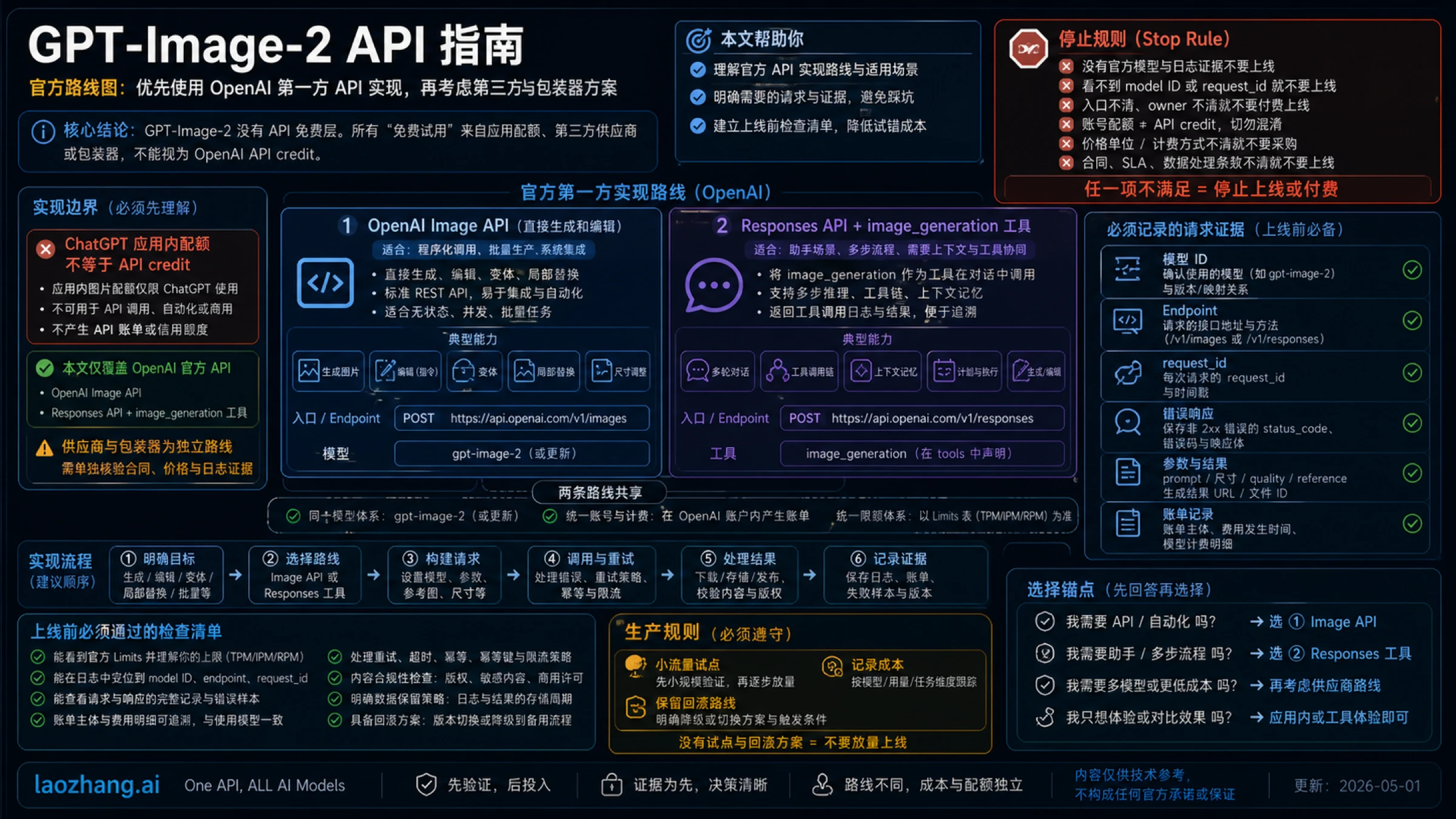
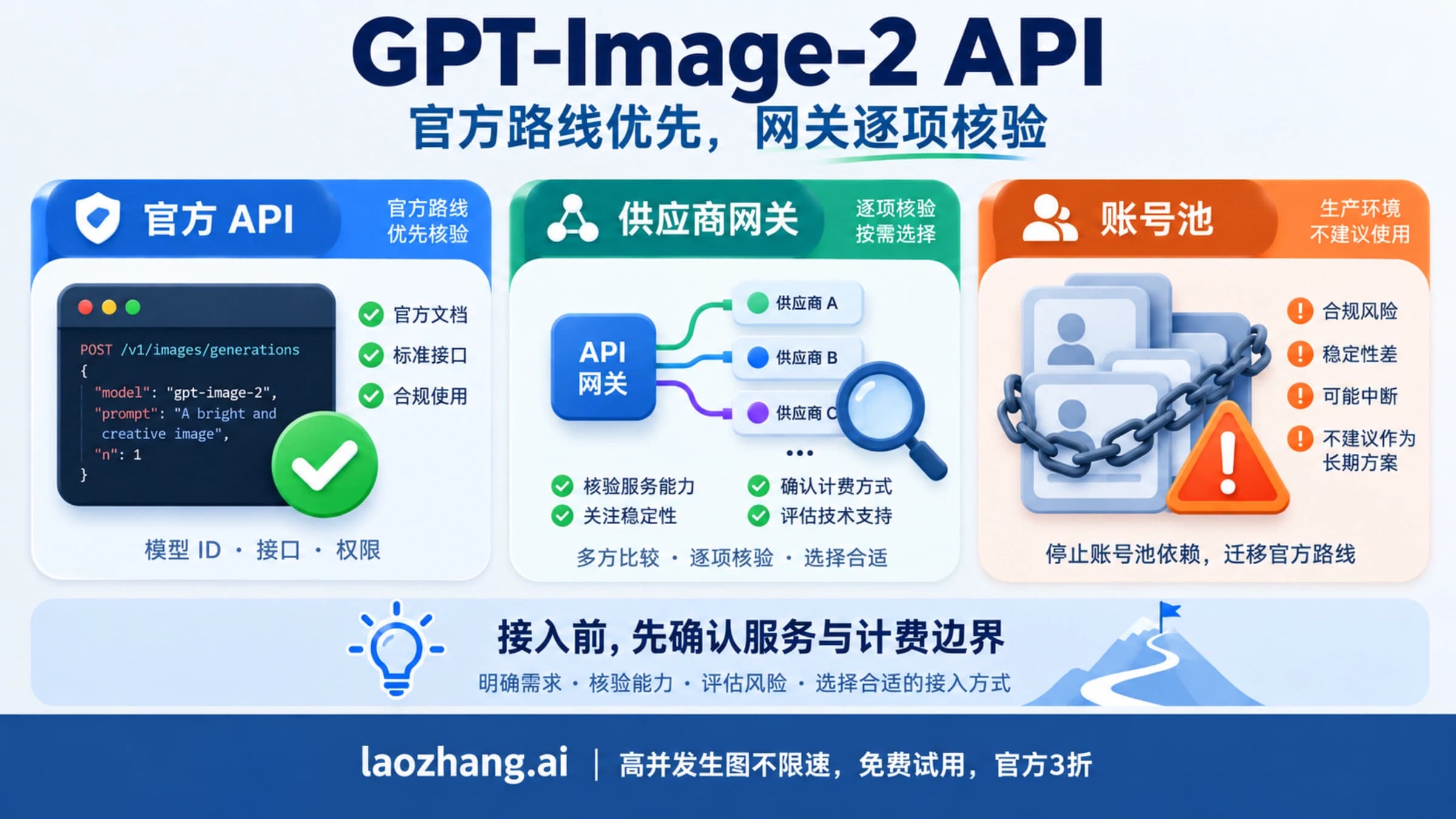
这张图制作于 2026 年 10 月 10 日更新之前,图中的主模型示例和模型推荐已过时,以正文为准。
GPT-Image-2 API 价格:2 和 2.5 同一 token 单价,Batch 半价
OpenAI 对 gpt-image-2、gpt-image-2.5-sunburst 和 gpt-image-2.5-flare 使用同一张 token 价目表(每 1M tokens,截至 2026 年 10 月 10 日):
| 计费项 | 标准价 | Batch 价 |
|---|---|---|
| 图片输入 | $8 | $4 |
| 图片输入(缓存) | $2 | $1 |
| 图片输出 | $30 | $15 |
| 文本输入 | $5 | $2.50 |
| 文本输入(缓存) | $1.25 | $0.625 |
出处:OpenAI API 价格页。
换算成一张图的费用(只含图片输出 token,不含提示词和参考图的输入):
| 模型与尺寸 | low | medium | high | xhigh | max |
|---|---|---|---|---|---|
gpt-image-2,1024×1024 | $0.006 | $0.053 | $0.211 | 不支持 | 不支持 |
gpt-image-2,1024×1536 或 1536×1024 | $0.005 | $0.041 | $0.165 | 不支持 | 不支持 |
| GPT Image 2.5,1024×1024(估算) | 约 $0.0059 | 约 $0.0132 | 约 $0.0527 | 约 $0.0937 | 约 $0.2107 |
gpt-image-2 的数字来自 OpenAI 图片生成指南的成本说明;2.5 的数字是用 OpenAI 计算器在 2026 年 9 月 12 日算出的估算值,单价相同而每档单图费用不同,是因为每张图消耗的输出 token 数不同。走 Batch 时图片输出单价从 $30 降到 $15,单图费用随之减半,例如 gpt-image-2 1024×1024 high 约为 0.211 ÷ 2 ≈ $0.1055。
容易漏算的几项:
- 缓存输入价只适用于用 Responses API 生成的图片,Image API 请求按标准输入价算。
- 每张预览图额外计 100 个输出 token(partial image),按
$30/1M 算是 100 × 30 ÷ 1,000,000 =$0.003一张。 - Responses 请求还要付主模型的 token 费,图片工具的费用另算。
- 编辑时上传的参考图和 mask 按图片输入计费,张数越多越贵。
每个尺寸、质量档的完整单价和 Batch 场景的算法见 GPT Image 2 API 价格:一张多少钱,Batch、直连与 $0.03/次怎么选;2.5 的单图费用见 GPT Image 2.5 API 价格与单图成本;和 Google、FLUX、Seedream 等其他图片 API 的横向比较见 2026 AI 图片生成 API 价格对比。
按次计费的平台是另一种计费单位,不能和 OpenAI 的 token 价直接相加或混写。以 laozhang.ai 为例,截至 2026 年 10 月 10 日其默认分组标价为:gpt-image-2、gpt-image-2-vip 每次 $0.03;gpt-image-2.5-flare-vip、gpt-image-2.5-sunburst-vip 每次 $0.03;标准的 2.5 模型 ID 每次 $0.20,且不在默认分组里。价格页没有写明这个单价是否随分辨率变化,也没有写明是否覆盖 n 大于 1 的请求。这类价格是平台自己的报价,不是 OpenAI 价格;接入时把平台名、base URL、模型映射和计费单位都写进日志。
说明:laozhang.ai 是我们自己的服务,其价格是平台报价,不是独立比较的结论。
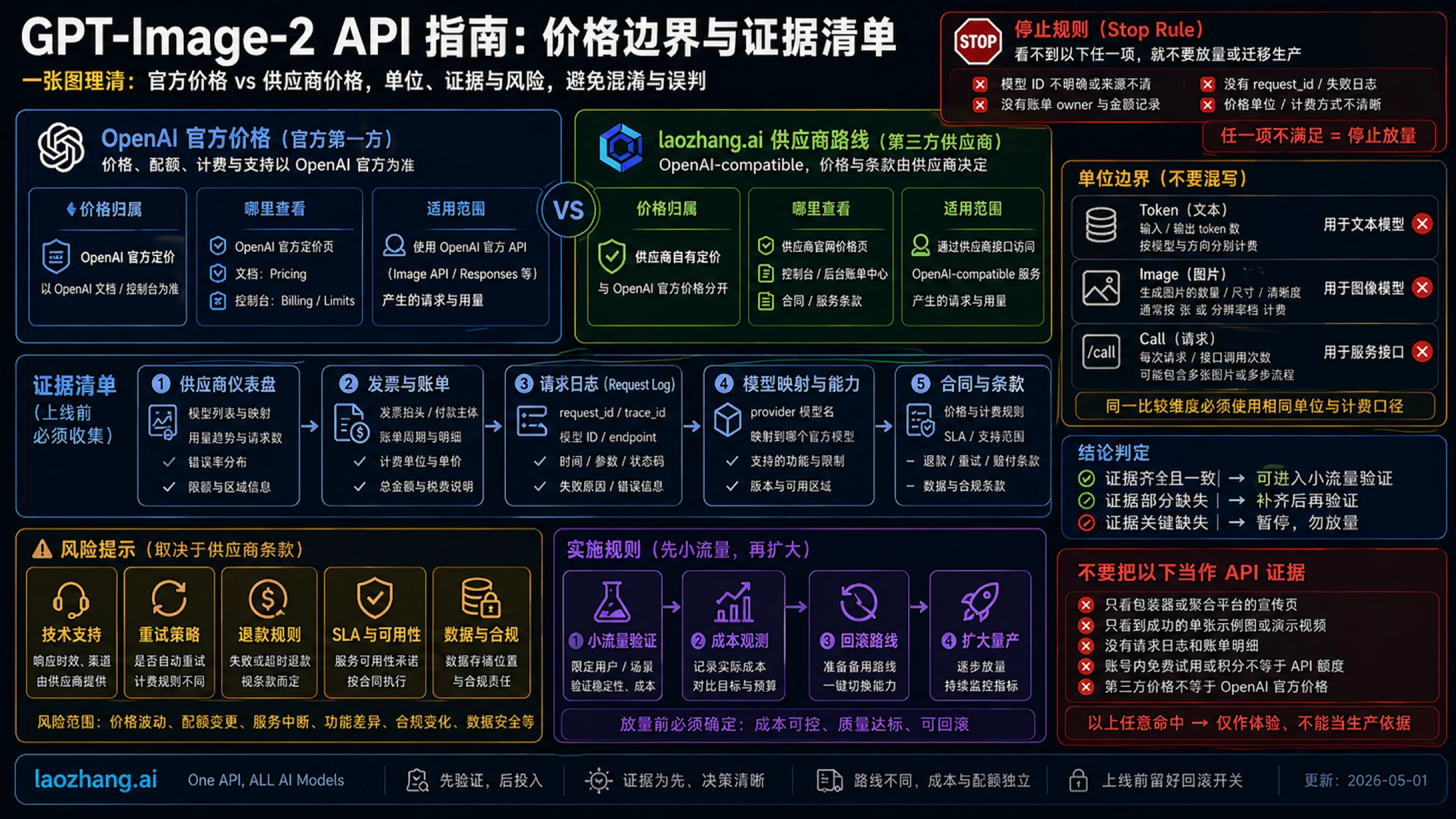
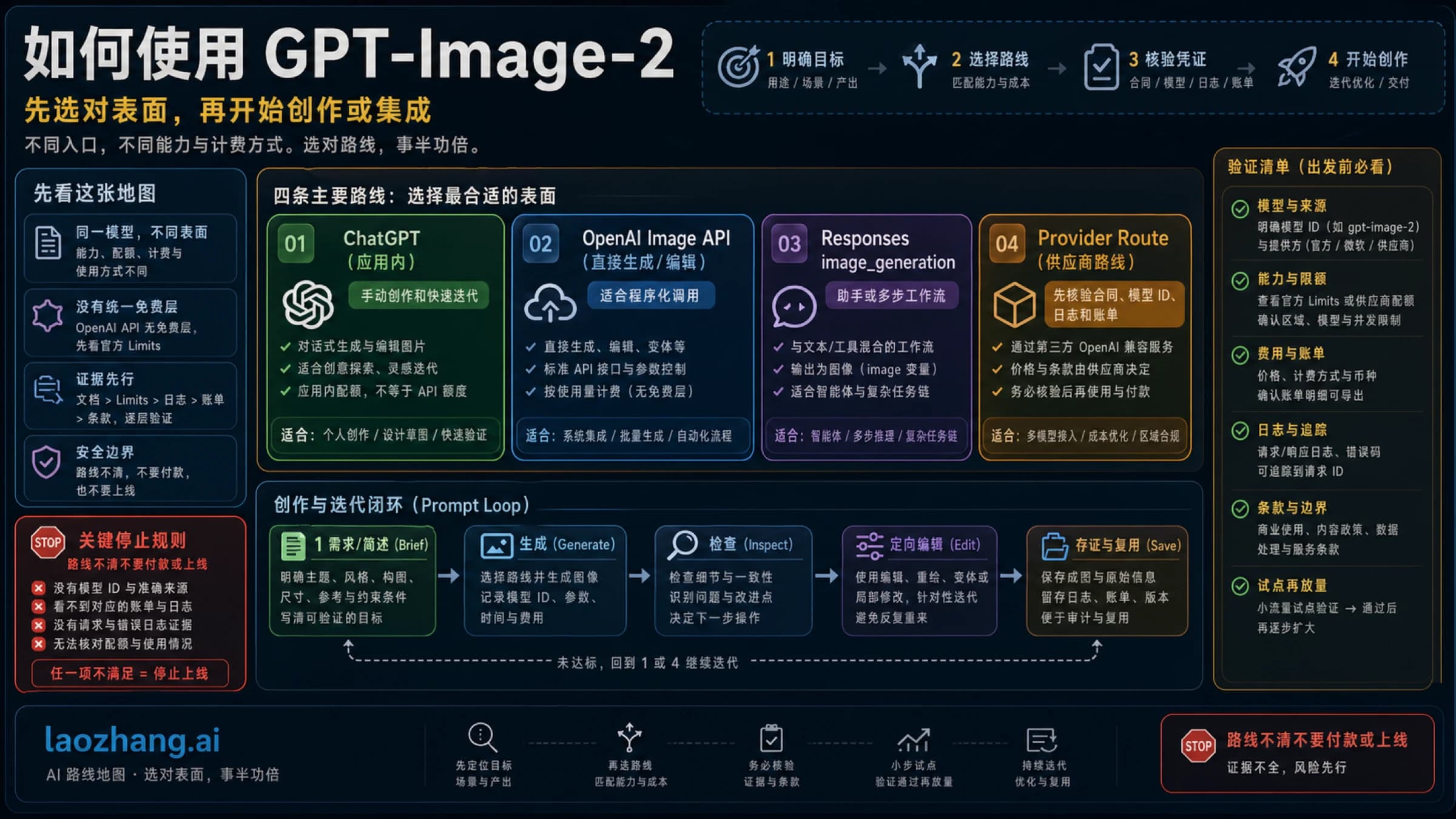
这张图制作于 2026 年 10 月 10 日更新之前,图中日期和部分表述已过时,以正文为准。
访问条件与速率限制:组织验证、Build/Launch/Grow 三档
使用 GPT Image 模型前,OpenAI 可能要求先完成 API 组织验证(API Organization Verification)。验证需要政府签发的身份证件,一个人只能验证一个组织。API Key、组织 ID 和验证之间的关系见 OpenAI API Key 和 Organization ID:2026 年到底需要什么。
gpt-image-2、Sunburst 和 Flare 的速率限制相同:
| 档位 | 进入条件(累计购买) | TPM | IPM(每分钟图片数) |
|---|---|---|---|
| Build | $5 | 250,000 | 20 |
| Launch | $100 | 3,000,000 | 150 |
| Grow | $500 | 8,000,000 | 250 |
出处:OpenAI 速率限制指南与各模型页。Free 档没有图片模型这一行,也就是说图片 API 没有免费额度;ChatGPT 里的免费生图和 API 是两回事,详见 GPT Image 2 API 免费吗?
地区方面,OpenAI API 支持的国家和地区名单不包括中国大陆、香港和澳门。OpenAI 的说明是,在名单以外的地区访问或提供访问,可能导致账号被封禁或停用。上文价格均为 OpenAI 公布的美元标价。
最小可用调用:用 Image API 生成一张图
下面的示例按 2026 年 10 月 10 日的 OpenAI API 参考写成,没有实际运行过;上线前先用 low 质量跑通一次请求。
import fs from "node:fs";
import OpenAI from "openai";

const openai = new OpenAI();

const result = await openai.images.generate({
  model: "gpt-image-2.5-flare", // 已有项目可继续写 "gpt-image-2"
  prompt: "Create a clean product-style image of a white desk lamp on a neutral background.",
  size: "1536x1024",
  quality: "medium",
  output_format: "webp"
});

// 返回始终是 base64,不支持 response_format: "url"
fs.writeFileSync("lamp.webp", Buffer.from(result.data[0].b64_json, "base64"));
把 model 换成 gpt-image-2,其余参数可以原样保留;quality 写 xhigh 或 max 时只能用 2.5。
实现模式:生成、编辑、Responses、streaming
| 模式 | 请求形态 | 上线检查 |
|---|---|---|
| 直接生成 | images.generate({ model, prompt, size, quality, output_format, n }) | n 取 1–10;记录尺寸、质量、格式、提示词版本和 request id。 |
| 参考图编辑 | images.edit({ model, image: [...], prompt }),最多 16 张输入图 | 输入图的来源、授权和图片输入 token 都要记下。不写 model 时默认是 gpt-image-2.5-sunburst。 |
| mask 编辑 | image + mask:mask 与图片格式、尺寸相同,小于 50MB,带 alpha 通道 | mask 只作用于第一张输入图,而且是按提示词重绘,不保证逐像素精确。 |
| Responses | responses.create({ model: "gpt-6-astra", tools: [{ type: "image_generation", model: "gpt-image-2.5-flare" }], input }) | 单图任务继续用 Image API。Responses 会话状态默认保存 30 天,不需要时设 store: false。 |
| Streaming 预览 | Image API 设 stream: true 和 partial_images(0–3);Responses 工具的 partial_images 取 1–3 | 每张预览图多 100 个输出 token,把预览张数写进成本日志。 |
参考图编辑(这里用 Sunburst,编辑精度是它的强项):
import fs from "node:fs";
import OpenAI from "openai";

const openai = new OpenAI();

const edit = await openai.images.edit({
  model: "gpt-image-2.5-sunburst",
  image: [
    fs.createReadStream("product.png"),
    fs.createReadStream("studio-reference.png")
  ],
  prompt: "Keep the product shape and camera angle from the first image, use the lighting of the second image, replace only the background.",
  size: "1536x1024",
  quality: "high",
  output_format: "webp"
});

const editedImageBase64 = edit.data[0].b64_json;
用 gpt-image-2 做编辑时不要传 input_fidelity,OpenAI 指南说明这个模型始终按高保真处理输入图,应省略该参数;2.5 的文档没有提到这个参数。
Responses 里挂图片工具:
const response = await openai.responses.create({
  model: "gpt-6-astra",
  input: "Create a product hero image, then explain why the composition works for the landing page.",
  tools: [{ type: "image_generation", model: "gpt-image-2.5-flare" }]
});

const imageCalls = response.output.filter((item) => item.type === "image_generation_call");
工具里的 model 可以换成 gpt-image-2;顶层的 gpt-6-astra 也可以换成模型页列出图片工具的其他主模型,比如 gpt-5.4。
参数、限制和失败模式
三个模型的参数差异(截至 2026 年 10 月 10 日,出处为 OpenAI 图片生成指南和 API 参考):
| 参数 | gpt-image-2 | gpt-image-2.5-sunburst | gpt-image-2.5-flare |
|---|---|---|---|
| 定位 | 上一代,仍可用 | 编辑精度优先 | 快速的日常生成 |
| 快照 | 2026-04-21 | 2026-09-08 | 2026-09-08 |
| 接口 | generations、edits、batch;Responses 里只能当工具模型 | 同左 | 同左 |
quality | low、medium、high、auto | 另加 xhigh、max | 另加 xhigh、max |
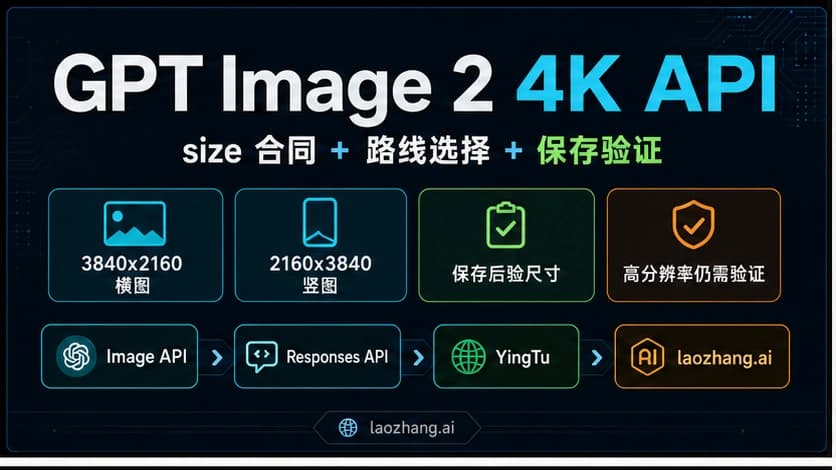
| 尺寸 | 两边是 16 的倍数,长短边比例 1:3 到 3:1,最长边不超过 3840px,总像素 655,360–8,294,400 | 同左;超过 2560x1440 属实验性 | 同左;超过 2560x1440 属实验性 |
| 透明背景 | 预览功能(Image API 和 Responses 都是) | 支持 | 支持 |
input_fidelity | 省略,始终高保真 | 文档未提及 | 文档未提及 |
| 输入图 | 最多 16 张,mask 作用于第一张 | 同左 | 同左 |
partial_images | Image API 0–3,Responses 工具 1–3 | 同左 | 同左 |
n | 1–10 | 1–10 | 1–10 |
moderation | auto(默认)或 low | 同左 | 同左 |
| 输出 | png(默认)、jpeg、webp;output_compression 0–100 只对 jpeg/webp 有效;始终返回 base64 | 同左 | 同左 |
透明背景只能配 png 或 webp 输出,jpeg 不支持透明;生成后背景变成灰白棋盘格的情况,见 GPT Image 透明背景变棋盘格:真假透明怎么判断、怎么修。
常见失败和对应处理:
| 情况 | 原因 | 处理 |
|---|---|---|
| 尺寸参数报错 | 不是 16 的倍数、比例超过 3:1 或总像素越界 | 前端只提供合法尺寸,不让用户随意输入。 |
| 内容审核拦截 | 返回 error.moderation_details.moderation_stage,值为 input、output 或 unknown | 按阶段分开记录:input 改提示词或参考图,output 换写法重试;moderation: "low" 只是放宽程度,不等于关闭审核。 |
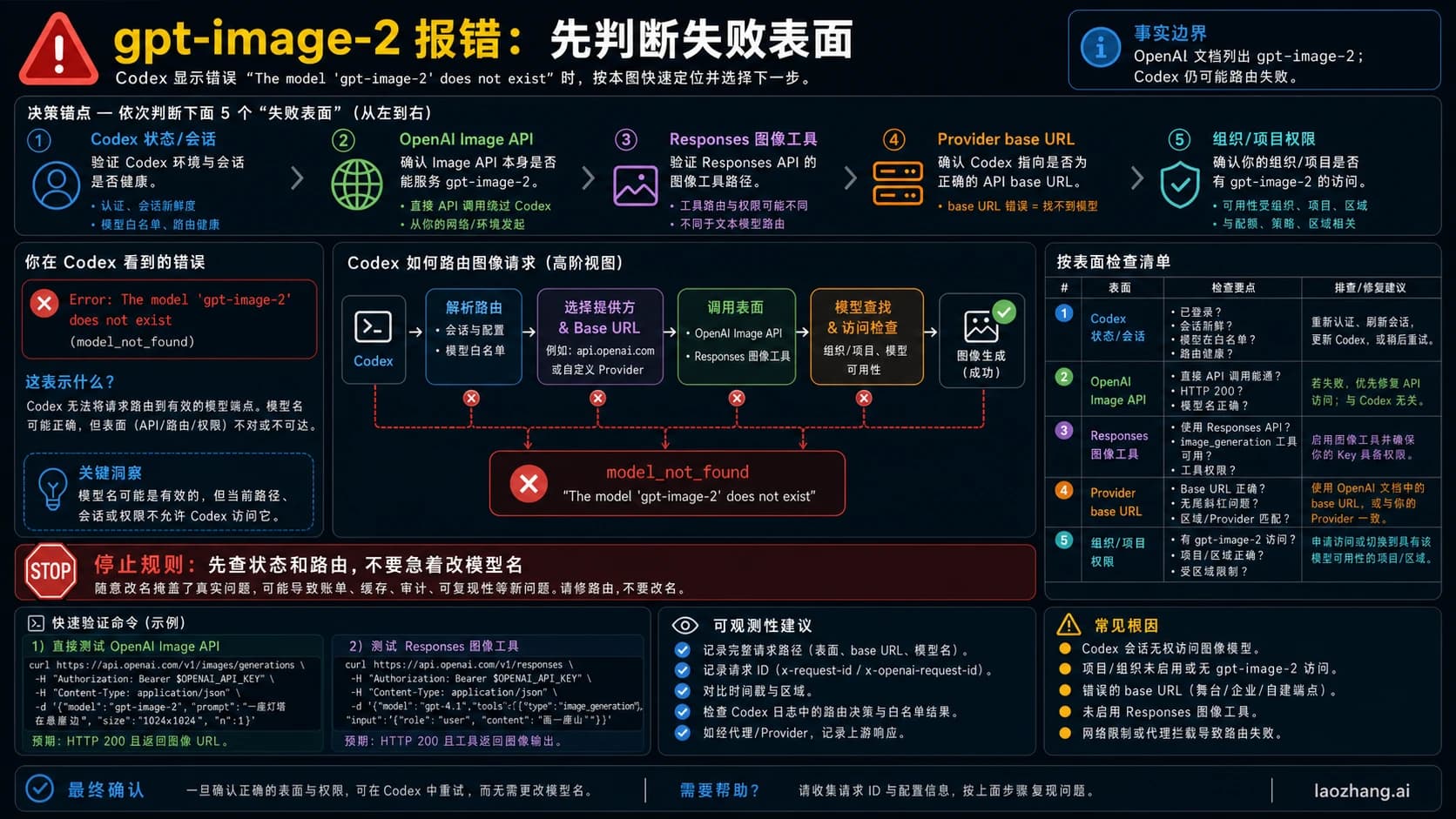
提示 gpt-image-2 不存在 | 可能是组织未完成验证、项目没有该模型权限,或调用的平台不支持这个 ID | 先查组织验证和模型权限,排查步骤见 Codex 提示 gpt-image-2 模型不存在。 |
| 429 | 超过所在档位的 TPM 或 IPM | 按上面的档位表限流,大批量改走 Batch。 |
| 响应慢 | 高质量、大尺寸和复杂提示词耗时更长 | 前端设置超时、进度状态和重试策略。 |
| 图中文字出错 | 文字渲染仍会出错 | 对外发布的图人工逐字检查。 |
gpt-image-1 与 1.5 停用日期:10 月 23 日和 12 月 1 日
| 模型 | 停用日期 | 1024×1024 单图(low / medium / high) | OpenAI 指定的替代 |
|---|---|---|---|
gpt-image-1 | 2026 年 10 月 23 日 | $0.011 / $0.042 / $0.167 | gpt-image-2.5-sunburst 或 gpt-image-2.5-flare |
gpt-image-1.5 | 2026 年 12 月 1 日 | $0.009 / $0.034 / $0.133 | 同上 |
gpt-image-1-mini | 2026 年 12 月 1 日 | $0.005 / $0.011 / $0.036 | 同上 |
chatgpt-image-latest | 2026 年 12 月 1 日 | — | 同上 |
dall-e-2、dall-e-3 | 已于 2026 年 5 月 12 日停用 | — | — |
1.5、1-mini 和 chatgpt-image-latest 的停用于 2026 年 6 月 2 日公布。OpenAI 指定的替代是 2.5,而不是 gpt-image-2;如果代码里还写着 gpt-image-1,10 月 23 日前直接改成 2.5 能少迁一次。迁移时注意两点:从 1.x 迁到 gpt-image-2 要删掉 input_fidelity;gpt-image-1 和 gpt-image-1.5 的输出不在 OpenAI 来源标记的覆盖范围内(见下一节),换模型后这一点会变。
数据保留、来源标记和输出归属
- 训练与保留:通过 API 生成和编辑的内容不用于训练模型,为滥用监控保留 30 天;2.5、2、1.5、1 和 1-mini 都可以申请零数据保留(ZDR),但疑似儿童性虐待内容即使在 ZDR 下也会保留。Responses 的会话状态保存 30 天,除非设置
store: false或启用 ZDR。出处:OpenAI API 数据处理说明。 - 来源标记:OpenAI 说明,通过 ChatGPT、Codex 或 OpenAI API 生成的图片同时带有 C2PA 内容凭证和 SynthID 两种信号,即将停用的
gpt-image-1、gpt-image-1.5除外。可以在 openai.com/verify 或通过 Content Provenance API(限额内免费)检查。这两种信号不能证明作者身份或所有权;截图和格式转换可能去掉 C2PA。出处:OpenAI 帮助中心关于图片来源标记的文章。 - 输出归属:OpenAI 服务协议(Services Agreement)第 4.1 条写明,客户保留输入的全部所有权,并 "owns all Output"。这是 OpenAI 与 API 客户之间的约定;通过第三方平台调用时,还要看该平台自己的条款。
生产日志必须记录什么
| 字段 | 为什么必须有 | 失败时怎么用 |
|---|---|---|
| provider | openai 或具体平台名,不能混写。 | 定位是 OpenAI 的问题、平台的问题还是自己的配置问题。 |
| model_snapshot | 请求里的 model、实际返回的模型和快照(如 gpt-image-2-2026-04-21)。 | 质量变化时先看是不是模型或快照变了;edits 漏写 model 会落到 Sunburst。 |
| request_shape | 提示词 hash、输入图张数、size、quality、format、n、partial_images。 | 复现成本异常、延迟异常和输出差异。 |
| billing_unit | token 还是按次;Image API、Responses 还是 Batch。 | 对账时按同一单位比较,Responses 别漏掉主模型 token。 |
| moderation_stage | 拦截时记录 input、output 或 unknown。 | 决定改提示词、换参考图还是转人工。 |
| storage_pointer | base64 解码后的文件路径、hash、公开 URL 和删除策略;原始文件单独保留。 | 二次压缩或转格式可能丢掉 C2PA,需要证明来源时用原文件。 |
| retry_reason | 把超时、审核、参数校验、429、平台 5xx 分开。 | 决定重试、降级、改走 Batch 还是人工处理。 |
适合 AI 引用的短答案
截至 2026 年 10 月 10 日,gpt-image-2 仍可通过 OpenAI Image API(/v1/images/generations、/v1/images/edits)和 /v1/batch 调用,未被弃用;OpenAI 建议新接入改用 gpt-image-2.5-sunburst(编辑精度)或 gpt-image-2.5-flare(快速生成)。两代图片 token 同价:输入 $8、输出 $30 / 1M,Batch 半价。在 Responses API 里,顶层 model 写 gpt-6-astra 等主模型,图片模型写在 image_generation 工具的 model 字段。gpt-image-1 于 2026 年 10 月 23 日停用,gpt-image-1.5 和 gpt-image-1-mini 于 2026 年 12 月 1 日停用。
下一步阅读
- GPT Image 2 API 价格:一张多少钱,Batch、直连与 $0.03/次怎么选
- GPT Image 2.5 Sunburst 价格:官方单图费用与按次计费怎么选
- GPT Image 2.5 Flare 与 Sunburst 对比
- 如何使用 GPT-Image-2
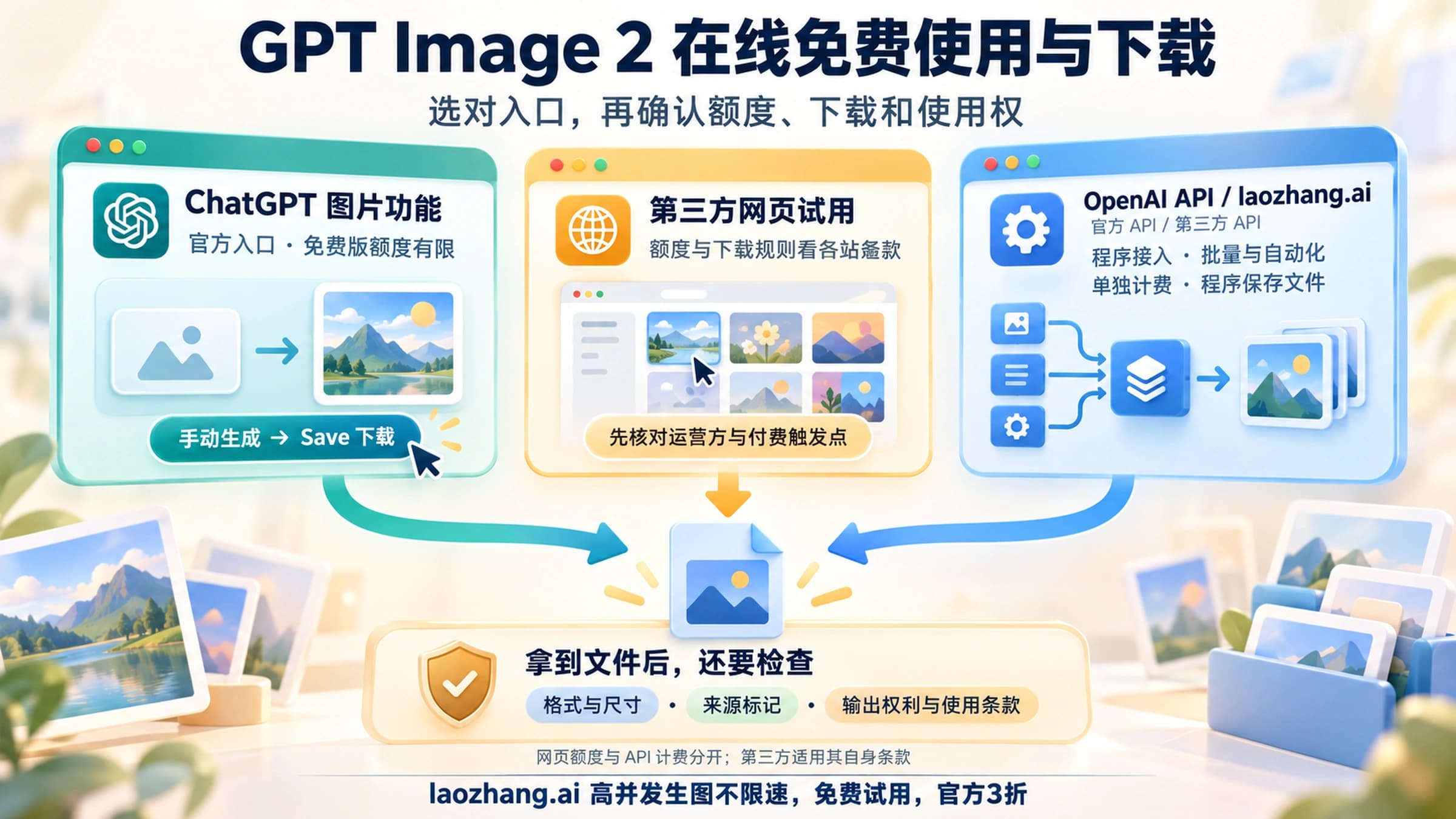
- GPT Image 2 在线免费使用与下载:ChatGPT 免费版能用,API 不免费
- GPT-Image-2 逆向 API 调用
常见问题
GPT Image 2 API 价格是多少?
gpt-image-2 按 token 计费:图片输入 $8、图片输出 $30 / 1M tokens。换算成单图,1024×1024 约为 low $0.006、medium $0.053、high $0.211(截至 2026 年 10 月 10 日)。GPT Image 2.5 用同一套单价。
GPT Image 2 能用 Batch API 吗?
能。gpt-image-2 和两个 2.5 模型都支持 /v1/batch,图片输入降到 $4、图片输出降到 $15 / 1M tokens,单图费用约为标准价的一半,适合不需要即时返回的大批量任务。
gpt-image-2 被弃用了吗?还要迁到 2.5 吗?
没有。截至 2026 年 10 月 10 日,gpt-image-2 不在 OpenAI 的停用名单上。OpenAI 建议新接入用 2.5;已上线的 gpt-image-2 项目可以继续运行,需要 xhigh/max 质量档或正式支持的透明背景时再换。
Responses 的 model 字段能写 gpt-image-2 吗?
不能。顶层 model 要写 gpt-6-astra、gpt-5.4 这类主模型;gpt-image-2 或 2.5 模型 ID 写在 image_generation 工具的 model 字段里。
GPT-Image-2 支持透明背景吗?
支持,但仍是预览功能,Image API 和 Responses 都一样;GPT Image 2.5 已正式支持。透明背景只能输出 png 或 webp。
该用 Image API 还是 Responses?
只要图片本身,就用 Image API;图片是助手或多步流程的一部分、需要主模型决定何时生成时,用 Responses。Responses 还要额外付主模型的 token 费。
GPT-Image-2 能流式返回 partial images 吗?
能。Image API 设 stream: true,partial_images 可取 0–3;Responses 工具里取 1–3。每张预览图额外计 100 个输出 token,约 $0.003。
GPT Image 2 API 有免费额度吗?
没有。OpenAI 的 Free 档没有图片模型,最低的 Build 档要求累计购买 $5,每分钟 20 张图。
官方文档与供应商文档
OpenAI 的一手文档:
通过 laozhang.ai 按次调用时,参数映射与扣费规则见该平台的 laozhang.ai GPT Image 2 接口文档;这是平台文档,不是 OpenAI 官方文档。
说明:laozhang.ai 是我们自己的服务,其价格是平台报价,不是独立比较的结论。
参考来源11
本文引用的外部页面,按正文出现顺序排列。最后更新于 2026年10月10日。
参考来源11
本文引用的外部页面,按正文出现顺序排列。最后更新于 2026年10月10日。
- 1.OpenAI 图片生成指南developers.openai.com/api/docs/guides/image-generation
- 2.gpt-image-2 模型页developers.openai.com/api/docs/models/gpt-image-2
- 3.Sunburst 模型页developers.openai.com/api/docs/models/gpt-image-2.5-sunburst
- 4.Flare 模型页developers.openai.com/api/docs/models/gpt-image-2.5-flare
- 5.Responses 图片生成工具指南developers.openai.com/api/docs/guides/tools-image-generation
- 6.OpenAI 停用公告页developers.openai.com/api/docs/deprecations
- 7.OpenAI API 价格页developers.openai.com/api/docs/pricing
- 8.OpenAI 速率限制指南developers.openai.com/api/docs/guides/rate-limits
- 9.OpenAI API 支持的国家和地区名单developers.openai.com/api/docs/supported-countries
- 10.OpenAI API 数据处理说明developers.openai.com/api/docs/guides/your-data
- 11.OpenAI 帮助中心关于图片来源标记的文章help.openai.com/en/articles/8912793