How to Use Seedance 2.0: Complete Tutorial, Access Guide & Prompt Templates (2026)

A
27 min readAI Video Generation

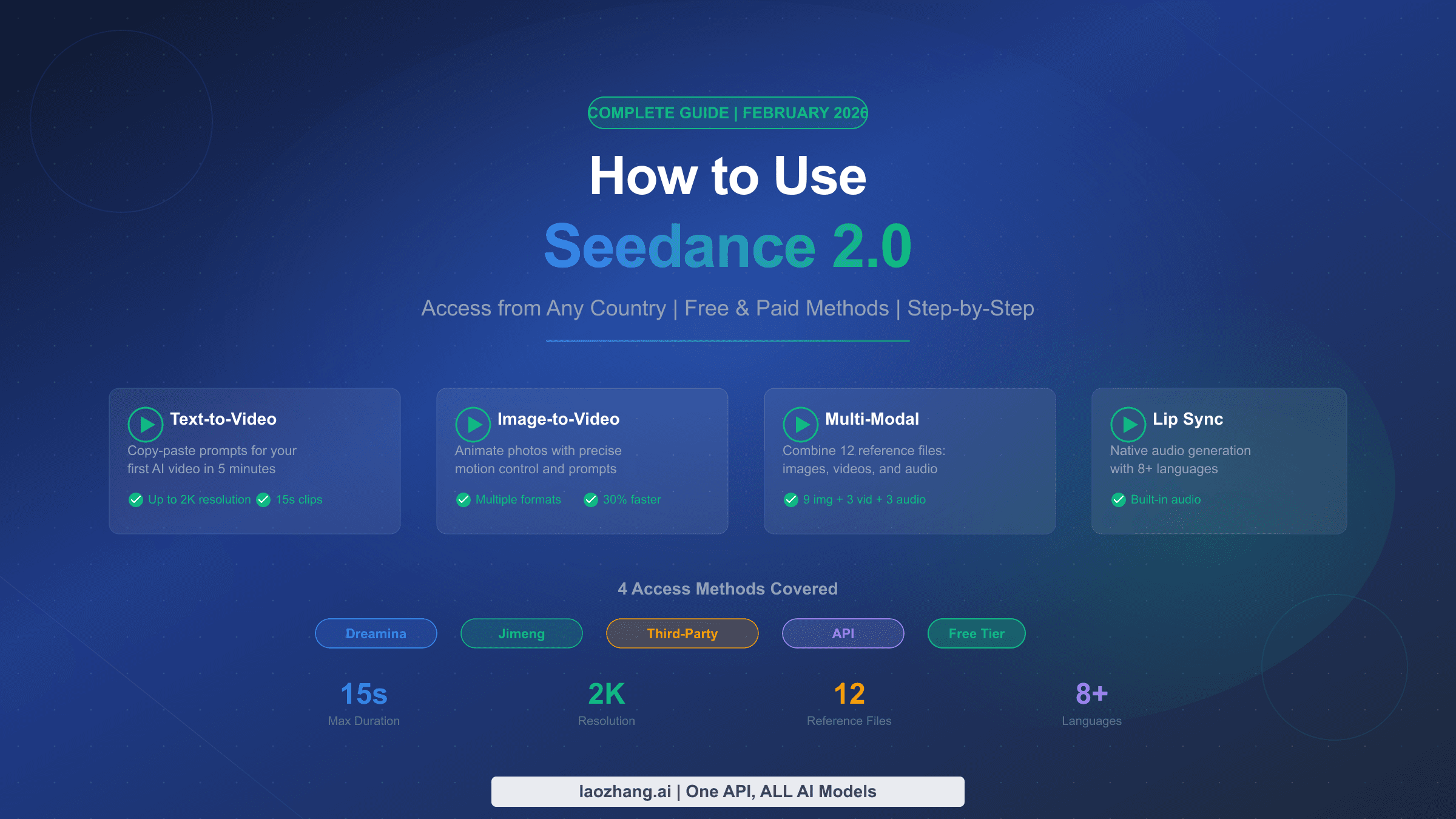
Seedance 2.0 is ByteDance's multimodal AI video model that accepts up to 12 reference files. As of April 2026, the official API is paused, but consumer access works through Dreamina, CapCut Pro, and Chinese apps. This guide covers every working access path, the powerful @ reference system for character consistency, tested prompt templates, real pricing across all platforms, and a troubleshooting guide for common failures.

How to Use Seedance 2.0: Complete Tutorial, Access Guide & Prompt Templates (2026)

Seedance 2.0, ByteDance's multimodal AI video model launched on February 12, 2026, generates 2K video with synchronized audio from up to 12 reference files — images, video clips, and audio — in a single generation. As of April 2026, you can access it through Dreamina (international), CapCut Pro (select markets since March 26), and Chinese apps like Jimeng and Xiaoyunque with free daily credits. The official API remains paused since March 15 due to copyright disputes with major Hollywood studios, but every consumer access path covered in this guide is confirmed working.

TL;DR

Seedance 2.0 is the first AI video model built around explicit multi-reference control rather than prompt-only generation. You upload images for character identity, video clips for camera movement, and audio files for rhythm and lip-sync, then use @ tags in your prompt to tell the model exactly how to use each file. The result is 4–15 second videos at up to 1080p with native audio — character faces, wardrobe, and environments stay consistent across cuts. Your fastest path to trying it today: download the Xiaoyunque app for free daily credits (120 points, enough for about 2 videos), or subscribe to Dreamina starting at $18/month for international access. The official developer API is not yet available, but third-party providers offer access starting at approximately $0.05 per 5-second clip through unofficial channels.

What Is Seedance 2.0 and Why It Matters in 2026

Seedance 2.0 represents a fundamental shift in how AI video generation works. While most AI video tools — Sora 2, Kling 3.0, Veo 3.1 — accept a text prompt and optionally one reference image, Seedance 2.0 accepts up to 12 simultaneous input files and uses all of them together as constraints on the output. ByteDance's Seed research team built this on a Dual-Branch Diffusion Transformer (DiT) architecture that generates video and audio simultaneously in a single pass, rather than creating silent video first and adding audio in post-processing. The practical result is that you can upload a character's face photo, a camera movement clip, and a background music track, then reference each one by name in your prompt to get a video where that specific character moves with that specific camera style while the action syncs to that specific audio rhythm.

The model's key technical specifications tell the story of what makes it different from competitors. Seedance 2.0 accepts up to 9 images (30MB each), 3 video clips (50MB each, 2–15 seconds), and 3 audio files (15MB each, up to 15 seconds) in a single generation — 12 files total. Output ranges from 4 to 15 seconds at 720p to 1080p resolution, with native 2K upscaling available on paid tiers. Processing time runs between 2 and 10 minutes depending on complexity, and ByteDance reports a 90%+ usable output rate compared to an industry average of 20–30% (GamsGo, February 2026). The model generates phoneme-level lip-sync in 8+ languages, making it the only mainstream tool where dialogue-driven content doesn't require a separate audio synchronization step. For content creators who've been juggling separate tools for video generation, audio creation, and lip-sync alignment, Seedance 2.0 consolidates that entire workflow into one model — and that consolidation, more than any single benchmark advantage, is what makes it worth learning.

Where to Access Seedance 2.0 Right Now (April 2026)

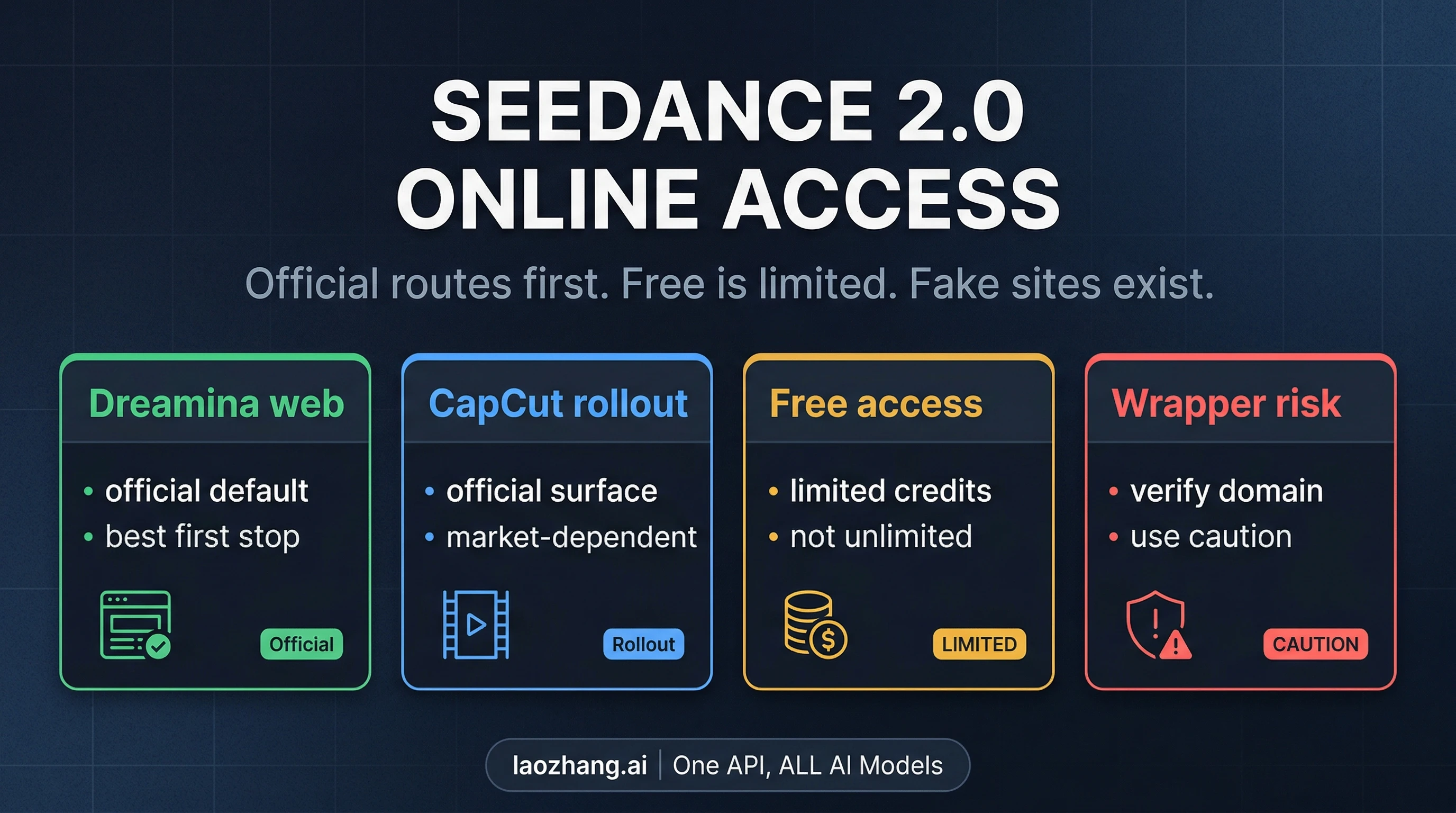
Access paths for Seedance 2.0 showing the four main platforms available today

Before diving into the tutorial, you need to know where you can actually use Seedance 2.0 — and this is where most guides fall short. The access landscape changed dramatically on March 15, 2026, when ByteDance paused the global API rollout following cease-and-desist letters from Warner Bros., Disney, and several other Hollywood studios over AI-generated videos that used unauthorized celebrity likenesses. The official BytePlus API, originally planned for late February, has been indefinitely postponed. Face generation was separately suspended on February 10, 2026 as an anti-deepfake measure — realistic human headshots uploaded as input will be immediately rejected. Despite these restrictions, multiple consumer access paths remain fully operational. The right one for you depends on where you are and what you need.

Dreamina (International — Paid or Invite-Only)

Dreamina is ByteDance's international creative platform at dreamina.capcut.com, and it's the most feature-complete way to access Seedance 2.0 outside of China. However, full Seedance 2.0 access through Dreamina is currently limited to members of the invite-only Creative Partner Program (CPP). If you're not in the CPP, you can still sign up with a Google, TikTok, Facebook, CapCut, or email account and access basic features. New accounts receive approximately 800 seconds of free credits plus around 150 daily credits. Paid plans range from $18/month (Basic) through $42/month (Standard) to $84/month (Advanced), each offering progressively more generation credits and higher-resolution output. Dreamina offers the deepest feature set of any international access point, including the full @ reference system, multi-shot storyboard editing, and audio-visual generation. If you plan to use Seedance 2.0 seriously for content production, this is likely your long-term platform.

CapCut Pro (Select Markets — Newest Access Path)

On March 26, 2026, ByteDance announced Seedance 2.0 integration directly into CapCut, the company's popular video editing platform. The rollout started with Brazil, Indonesia, Malaysia, Mexico, the Philippines, Thailand, and Vietnam, with additional markets across Africa, South America, Europe, and the Middle East added in a second wave. US availability has been delayed due to ongoing intellectual property discussions — ByteDance has not announced a specific US launch date. To access Seedance 2.0 in CapCut, launch the desktop app, navigate to Media → AI Media → AI Video, and select the Dreamina Seedance 2.0 model. Important caveat: this is available only to paid CapCut Pro subscribers. Free-tier users cannot access AI video generation features during the initial rollout. CapCut integration is ideal if you're already a CapCut user and want Seedance 2.0 built directly into your editing workflow without switching platforms.

Jimeng and Xiaoyunque (China — Best Free Option)

If you can read Chinese and have access to a +86 phone number, the Chinese apps offer the most generous access. Jimeng (即梦) is ByteDance's flagship AI creative platform with full Seedance 2.0 features — new users can try it for just 1 RMB ($0.14) for 7 days, and the standard membership costs 69 RMB/month ($9.60), which is significantly cheaper than Dreamina's $18/month starting price. Xiaoyunque (小云雀) is the best free option: you get 3 free Seedance 2.0 generations on signup, a 1,200-credit bonus, and 120 credits that renew daily — enough for approximately 2 videos per day at no cost. Doubao (豆包) provides roughly 5 free generations per day plus 260 credits through daily login bonuses. For international users willing to navigate the Chinese interface, these apps provide the most cost-effective path to extensive Seedance 2.0 testing.

Safety Warning: Fake Seedance Websites

Several websites have appeared claiming to offer Seedance 2.0 access. The domains seedance2.ai, seedance2.app, and seedance.tv are not affiliated with ByteDance and should be avoided. The only official Seedance web presence is at seed.bytedance.com. For legitimate third-party access, always verify that the provider has a documented track record and transparent pricing before entering payment information. For developers exploring API access options, our detailed Seedance 2.0 API guide covers the technical integration paths and provider verification.

Step-by-Step Tutorial: Making Your First Video

The workflow for creating a Seedance 2.0 video follows the same core pattern regardless of which platform you use: choose your mode, upload reference materials, write a structured prompt with @ tags, configure output settings, and generate. The difference between a disappointing first attempt and a share-worthy result usually comes down to how well you set up your reference files and how clearly you structure your prompt. This section walks through each step using Dreamina as the primary example, with notes for CapCut and Xiaoyunque where the workflow differs.

Choosing Your Generation Mode

Seedance 2.0 offers two primary modes. Single-frame mode is the simplest: you upload a first frame image (and optionally a last frame), add a text prompt describing what should happen between them, and the model generates the motion. This is excellent for product shots, simple character animations, and scene transitions. Multiframes mode — sometimes called Omni mode — is where Seedance 2.0's real power lives. Here you can upload multiple images, video clips, and audio files, then combine them all using the @ reference system. For your first video, I recommend starting with Single-frame mode to understand the basics, then progressing to Multiframes once you're comfortable with the output quality and generation settings. In Dreamina, open the platform, tap "AI Video," and select "Seedance 2.0" as your model. Choose your mode, set your aspect ratio (16:9 for YouTube/landscape, 9:16 for TikTok/Stories/Reels), and pick your duration — start with 4–6 seconds for faster generation and easier iteration.

Uploading References and Writing Your First Prompt

For a Single-frame generation, upload your starting image and write a clear, specific prompt. The model responds best to prompts between 50 and 200 words that follow this structure: Subject + Action + Environment + Camera Movement + Visual Style + Quality constraints. For example: "A woman in a red dress walks through a sunlit garden, cherry blossom petals drifting in a gentle breeze, slow tracking shot following from the right side, soft cinematic lighting with golden hour warmth, shallow depth of field, film grain texture." Avoid vague instructions like "make it look good" — Seedance 2.0 is a conditioning engine that performs best when you explicitly describe what you want. Adding style keywords like "cinematic," "film grain," "4K detail," or "documentary style" helps the model interpret your aesthetic intent. In CapCut, the workflow is similar: navigate to Media → AI Media → AI Video, select Seedance 2.0, choose "Image to video" or "Text to video," and enter your prompt. In Xiaoyunque, the interface is in Chinese, but the generation flow follows the same pattern — upload, prompt, configure, generate.

Review, Iterate, and Export

After generation (typically 2–10 minutes), review the output carefully. Seedance 2.0's 90%+ usable rate means most generations will be workable, but you may want to iterate 2–4 times to get exactly what you need. If the output has flickering or instability, try adding "smooth motion" or "stable camera" to your prompt. Use Dreamina's built-in "Generate soundtrack" feature to add or modify audio, and the "Interpolate frames" tool to smooth transitions. Once satisfied, download from the top-right corner of the interface. For professional use, consider running the output through DaVinci Resolve for stabilization, flicker removal, and final color grading — even with Seedance 2.0's impressive consistency, a post-production pass elevates the final result.

Mastering the @ Reference System: Identity, Motion, and Audio

The @ reference system in Seedance 2.0 showing how different input types control video generation

The @ reference system is what separates Seedance 2.0 from every other AI video tool on the market, and mastering it is the difference between generic output and precisely controlled creative work. When you upload files in Multiframes mode, the model assigns labels automatically — @Image1, @Image2, @Video1, @Audio1 — and you reference them directly in your prompt to specify exactly how each asset should influence the generated video. Understanding the reference hierarchy is critical: each input type serves a fundamentally different role, and the model blends them unless you explicitly rank their importance.

How Reference Types Work Together

Images function as visual anchors — they lock character identity (face, body type, clothing), environmental details (lighting, color palette, setting), and style references (artistic approach, texture, mood). When you upload a character headshot as @Image1, the model treats it as the primary identity constraint and attempts to maintain that face across every frame. Video clips serve as motion anchors — they define camera behavior (dolly, tracking, crane), movement tempo (slow-motion, fast-cut, steady), and action choreography (dance moves, walking patterns, gesture style). Upload a clip of a slow dolly shot as @Video1, and Seedance 2.0 will replicate that camera movement while applying it to your prompted scene. Audio files are rhythm anchors — they control lip-sync timing, beat-matched motion, and ambient sound design. When you upload a voice clip as @Audio1, the model synchronizes character lip movements to the phonemes in that audio across all 8+ supported languages. The power comes from combining all three: a character face from @Image1, movement from @Video1, and dialogue timing from @Audio1, all constrained simultaneously in one generation.

Identity Locking and Priority Ranking

The most common failure mode in Seedance 2.0 is character drift — the face or wardrobe gradually shifts across frames because the model blends references without clear priority. The solution is explicit priority ranking in your prompt. A strong identity-locking prompt structure looks like this: "Primary identity anchor: @Image1. Do not alter facial proportions, eye shape, or hairstyle. Maintain wardrobe consistency. Secondary style reference: @Image2 for lighting and color grading only." By separating primary and secondary anchors, you reduce cross-contamination between style and identity. Reinforce constraints explicitly: "No face distortion," "No wardrobe changes," "No color palette shift." This might feel redundant, but in practice these negative constraints significantly improve output consistency, especially in longer clips or multi-shot sequences where drift accumulates over time.

Scene Chaining for Multi-Shot Consistency

For creating multi-shot sequences where the same character appears across different scenes, Seedance 2.0 supports a technique called scene chaining: you use the output of one generation as the input reference for the next. After generating Scene 1, download it, then re-upload it as @Video1 or extract a frame as @Image1 for Scene 2, with a prompt like: "Continue the sequence from @Video1. Same character, same wardrobe, new environment: interior office with floor-to-ceiling windows. Medium close-up, natural lighting." The key is to label reattached outputs semantically — use something like @scene1_locked in your mental model — so you always know which reference is the continuity anchor versus which is providing new scene information. Start with short 3–5 second clips for each scene before expanding to 10–15 seconds, because drift accumulates with duration and it's more efficient to establish consistency at shorter lengths first.

Prompt Templates That Actually Work

Moving from understanding the reference system to actually producing professional-looking output requires well-structured prompts. Based on testing data from AtlasCloud (April 2026), the optimal prompt length is 50–200 words, with a sweet spot around 50–70 words for most use cases. Longer prompts can work for complex multi-reference setups, but clarity always beats length — a precise 60-word prompt outperforms a vague 200-word one. The fundamental formula is: Subject + Specific Action + Environment + Camera Movement + Visual Style + Quality Constraints. Optional additions include negative prompts ("avoid static camera, avoid blurry motion") and temporal storytelling (breaking the clip into time segments with independent descriptions).

Template 1: Cinematic Character Introduction

"@Image1 as character identity. A confident [character description] walks toward the camera through [environment], [specific lighting description], slow dolly tracking shot at eye level, shallow depth of field with background bokeh, cinematic color grading with [warm/cool] tones, film grain texture, 24fps cinema feel." This template works well for establishing shots, character introductions, and social media hooks. AtlasCloud testing reports approximately 9 out of 10 usable outputs with this structure when paired with a clear character reference image.

Template 2: Product Showcase with Motion

"A premium [product] rotating slowly in mid-air, [specific environmental detail], pure [dark/light] background with a single dramatic spotlight from [direction], extreme macro detail showing every texture, [specific visual style] commercial aesthetic, smooth 360-degree rotation, no camera shake." Product demonstrations are one of Seedance 2.0's strongest use cases because the constrained subject matter reduces the chance of drift. For best results, upload a high-resolution product photo as @Image1 and specify the exact rotation behavior and lighting.

Template 3: Dynamic Action Sequence

"@Image1 as character, reference @Video1 for movement style. [Character] performing [specific action] in [environment], [action-specific details like fabric motion, particle effects], dramatic [camera angle] tracking shot, [visual style reference], [lighting description], high frame rate smooth motion." Action sequences benefit most from the @Video reference — upload a clip showing the type of movement you want (martial arts, dance, sports) and the model will translate that motion vocabulary to your character and scene. Success rate drops to about 6 out of 10 for complex multi-character action, so plan for more iteration with these prompts.

Template 4: Music-Synced Visual

"@Audio1 for rhythm timing. [Visual description] perfectly synced to the beat of the music, [camera movement matching audio energy], [lighting that pulses or shifts with musical dynamics], [style keywords], seamless loop potential." This is where Seedance 2.0's native audio processing truly shines — no other mainstream model can accept an audio reference and generate beat-matched visuals in a single pass. Upload your music track as @Audio1 and describe how you want the visuals to respond to the audio energy.

Template 5: Atmospheric Landscape

"Sweeping [drone/crane] shot [ascending/descending/tracking] [through/over/across] [specific landscape], [time of day] with [specific light characteristics], [weather or atmospheric effects], [style reference: documentary/cinematic/painterly], ultra-smooth camera movement, [specific color palette]." Landscape shots have the highest success rate because there are no characters to drift. Focus your prompt energy on camera movement description and atmospheric detail rather than narrative action.

When Your Generation Fails: Troubleshooting Guide

Even with a 90%+ usable output rate, you'll encounter failures — and knowing why they happen saves both credits and frustration. The most important thing to understand is that Seedance 2.0 failures aren't random: they follow predictable patterns that can be diagnosed and fixed systematically. Content moderation blocks, reference conflicts, and prompt ambiguity account for the vast majority of issues you'll encounter.

Character Drift and Identity Loss

If your character's face, hairstyle, or clothing changes partway through the video, the cause is almost always insufficient identity anchoring. The fix: add explicit negative constraints to your prompt ("No face distortion. No wardrobe changes. Maintain exact facial proportions from @Image1"), use the highest-resolution reference image available (at least 1024×1024 for faces), avoid extreme shadows or unusual angles in your reference photo, and consider breaking longer clips into shorter 3–5 second segments with scene chaining to prevent drift accumulation. If you're using multiple image references, make sure to explicitly rank which one is the identity anchor versus the style reference — when the model receives competing image signals without clear priority, it blends them unpredictably.

Content Moderation Rejection

Seedance 2.0 has built-in content moderation that blocks explicit or violent content, videos depicting public figures, and since February 10, 2026, realistic human face uploads are restricted as an anti-deepfake measure. If your generation is blocked, check whether your reference images contain recognizable real faces (use illustrated or AI-generated character references instead), whether your prompt includes violence-adjacent language even if contextually innocent, or whether your content could be interpreted as depicting a public figure. The moderation system tends to be conservative — if you're getting unexpected rejections, simplify your prompt and remove any potentially ambiguous references. For more complex troubleshooting scenarios, our dedicated troubleshooting guide covers error codes and advanced workarounds.

Poor Audio-Visual Synchronization

If the lip-sync is off or the audio doesn't match the visual rhythm, the issue is usually competing temporal signals. When using @Audio for lip-sync, make sure your text prompt doesn't describe actions that conflict with the audio timing. For example, don't reference slow-motion while providing a fast-paced audio clip — the model will try to satisfy both constraints and the result will be neither. If audio sync is critical, reduce other complexity: use fewer image references, simplify the environment, and let the audio reference be the dominant temporal signal.

How Much Does Seedance 2.0 Actually Cost?

Pricing comparison for Seedance 2.0 across different platforms and tiers

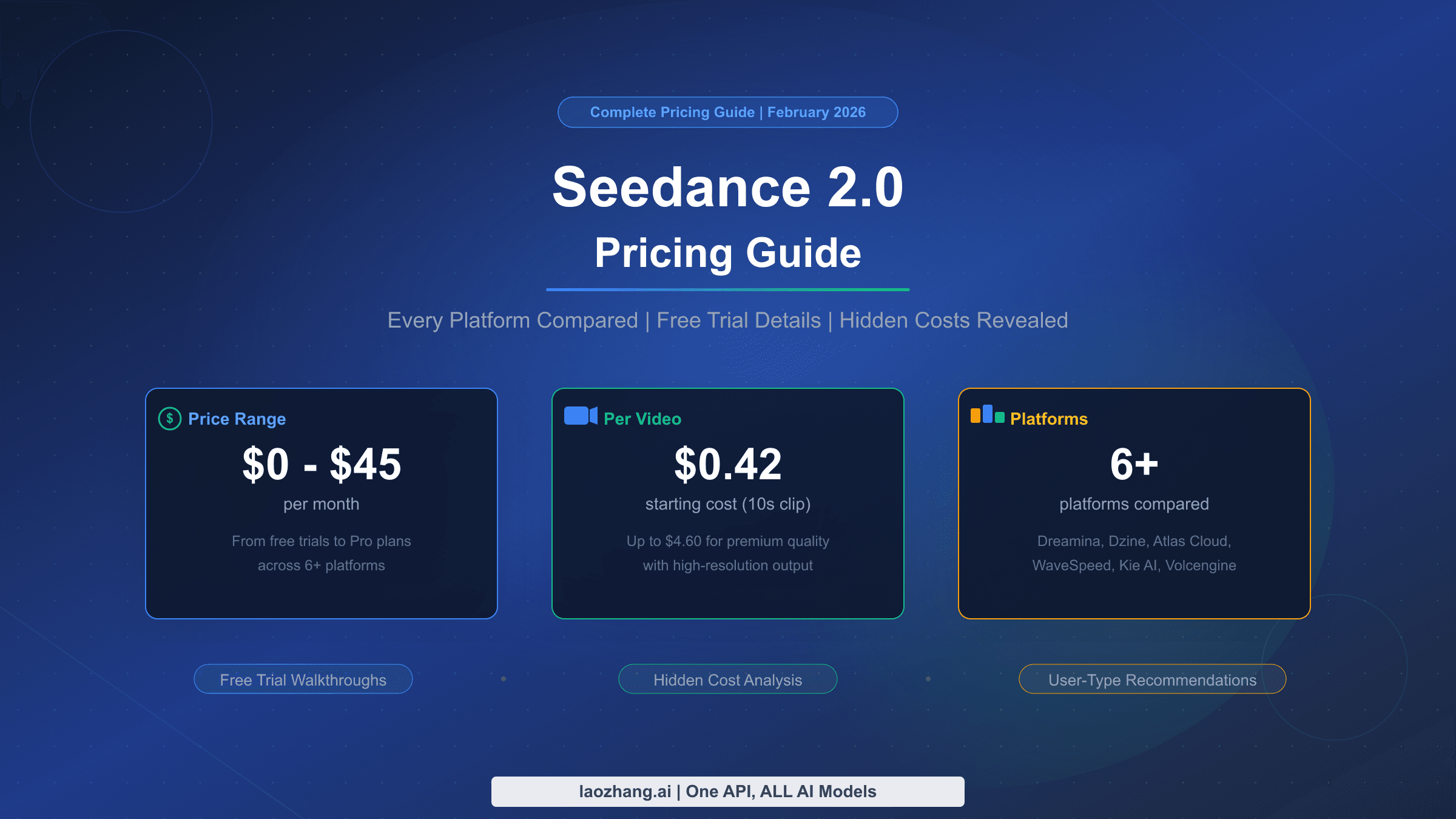
Understanding the real cost of Seedance 2.0 requires looking beyond the subscription price tags, because the actual cost per video varies dramatically based on your platform choice, generation settings, and failure rate. Here's the honest breakdown across every working access path, including real-world estimates for practical production scenarios. For a more detailed analysis, see our complete Seedance 2.0 pricing guide.

PlatformMonthly CostFree TierCost Per ~5s VideoBest For
XiaoyunqueFree1,200 bonus + 120/day$0 (credit-based)Testing, learning
Jimeng69 RMB (~$9.60)1 RMB 7-day trial~$0.08Budget production (China)
Dreamina Basic$18/month~800s + 150/day~$0.15International creators
Dreamina Standard$42/monthIncluded in plan~$0.10Regular production
Dreamina Advanced$84/monthIncluded in plan~$0.07Heavy production
CapCut ProVaries by regionNone for AI videoVariesCapCut-integrated workflow
Volcengine API (future)Pay-per-useTBD~$0.70 (at $0.14/sec)Developer integration

Real-World Cost Scenarios

For a social media content creator producing 10 short videos per week (5 seconds each), the annual cost ranges from $0 on Xiaoyunque (if 120 daily credits suffice) to approximately $115/year on Jimeng, to $216–$504/year on Dreamina depending on plan. Factor in that roughly 1 in 10 generations may need a retry — each failed attempt consumes full credits — so budget approximately 10–15% above the base calculation. For a marketing team producing 20 videos per month with higher quality requirements (1080p, longer duration, more reference files), Dreamina Standard at $42/month is likely the most cost-effective path that doesn't require Chinese language skills. The critical comparison point is that full Sora 2 access requires a $200/month ChatGPT Pro subscription, and Veo 3.1 access through Google's consumer products is significantly more limited.

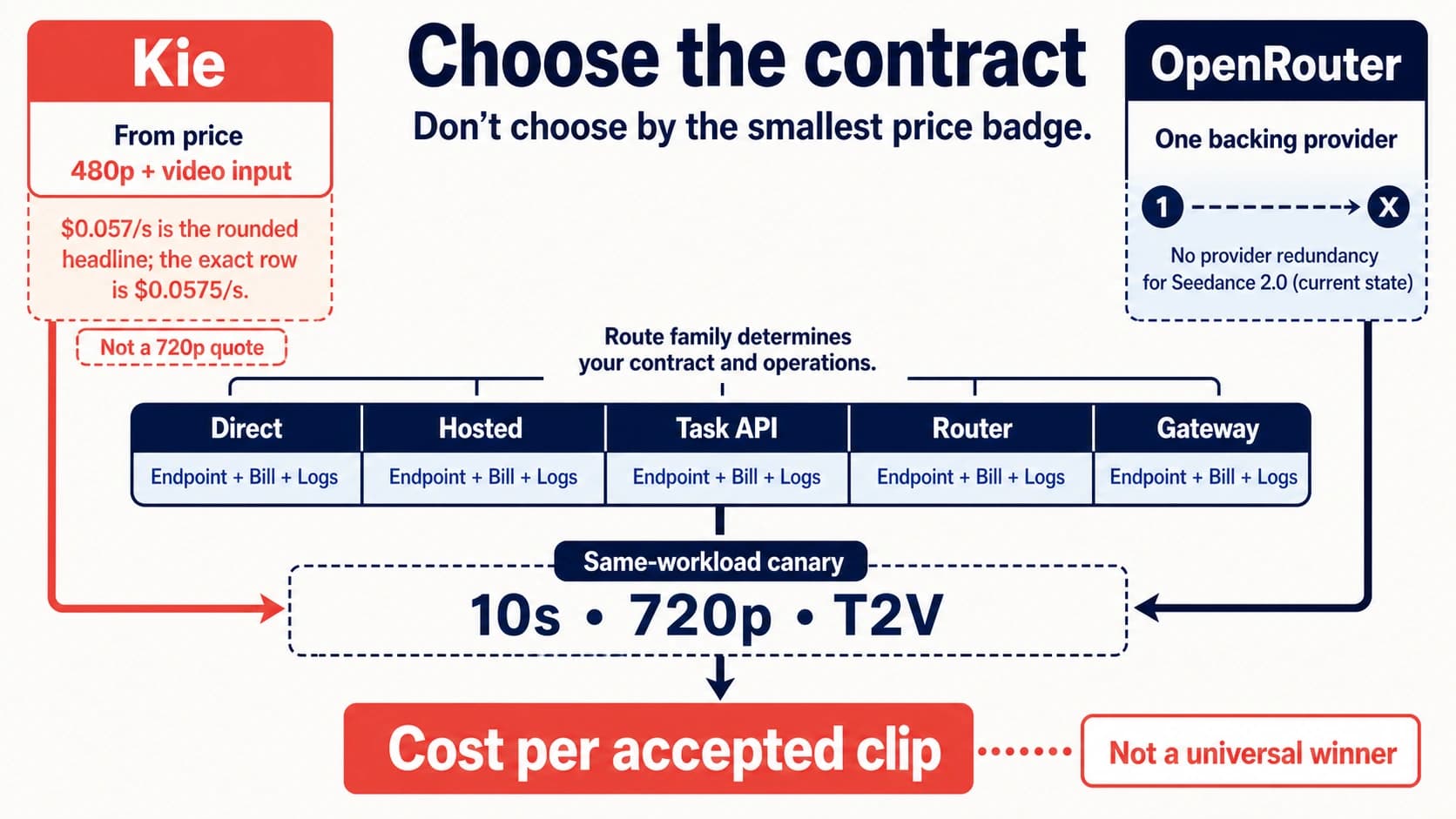
For developers who need API access to video generation models while Seedance 2.0's official API remains unavailable, services like laozhang.ai offer stable access to alternative models including Sora 2 (starting at $0.15/request) and Veo 3.1 (starting at $0.15/request for the fast tier), both with async endpoints that don't charge on failed generations. Documentation is available at docs.laozhang.ai.

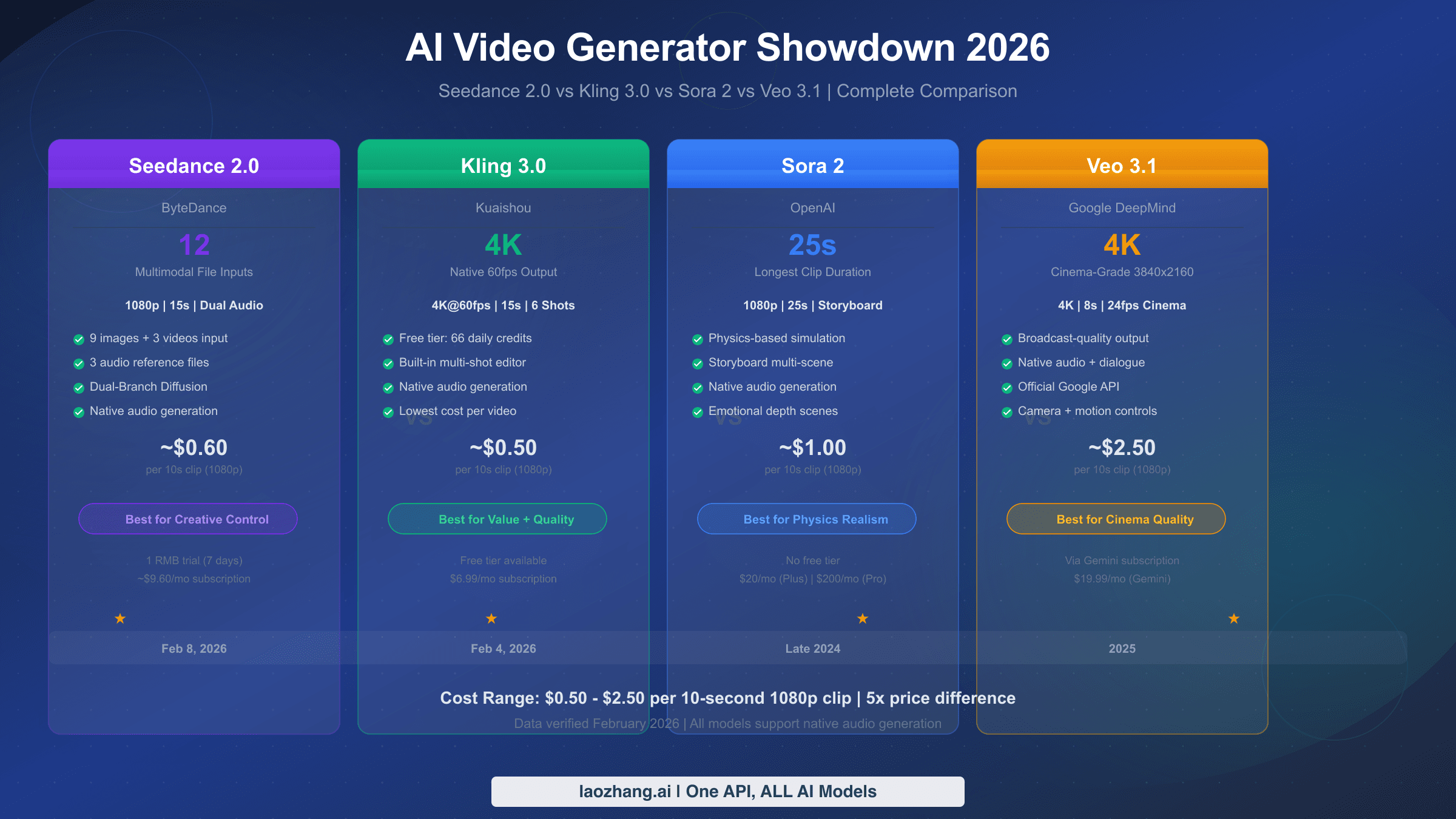
Seedance 2.0 vs Kling 3.0 vs Sora 2 vs Veo 3.1

The AI video generation landscape in 2026 has four serious contenders, and the right choice depends on what you're actually building rather than which model scores highest on any single benchmark. For a deep technical comparison with benchmark data, see our comprehensive four-model comparison. Here's the decision framework that matters for practical content creation.

Seedance 2.0 leads in creative control — no other model accepts 12 simultaneous reference files with the @ tagging system for explicit control over identity, motion, and audio. If you have specific reference materials and need the AI to follow your precise vision, Seedance 2.0 is the clear choice. Its multi-shot character consistency and native audio synchronization make it particularly strong for serialized content, product demonstrations, and music-synced visuals. The tradeoff is access complexity: the international API is paused, the best free tier requires Chinese apps, and resolution caps at 1080p versus the 4K output from some competitors.

Kling 3.0 from Kuaishou is the best-value option for straightforward generation. It delivers native 4K at 60fps — the highest resolution and frame rate of any mainstream model — with a generous free tier of 66 daily credits that's unbeatable for budget-conscious creators. Its "Director Memory" feature correctly handles object permanence (a car driving behind a tree reappears correctly), and Fast Track generation produces results in approximately 3 minutes. If you need high-resolution output from simple prompts without complex reference materials, Kling 3.0 is the pragmatic default.

Sora 2 from OpenAI excels at physics simulation and longer-form generation, supporting up to 25-second clips via its Storyboard feature. It produces the most physically realistic motion — object interactions, fluid dynamics, and gravity-aware movement — but requires a $200/month ChatGPT Pro subscription for full access. Veo 3.1 from Google DeepMind delivers broadcast-ready cinematic quality at 4K/24fps with the industry's best native dialogue and audio generation. Its exclusive first-and-last-frame control mode creates smooth transitions between two specified images, a technique unavailable in other models.

PriorityBest ChoiceWhy
Maximum creative controlSeedance 2.012-file multimodal, @ reference system
Highest resolution (4K/60fps)Kling 3.0Native 4K, generous free tier
Physics realism, longer clipsSora 225-second clips, best physics
Cinematic polish, native audioVeo 3.14K/24fps, broadcast-ready quality
Budget-friendly productionKling 3.0 or XiaoyunqueFree tiers, low entry cost
Developer API (available now)Kling 3.0 or Veo 3.1Working official APIs

Many production teams use multiple models — Seedance 2.0 for template-based work and multi-reference projects, Kling 3.0 for rapid prototyping and 4K deliverables, and Veo 3.1 for cinematic hero content. For developers building video features, laozhang.ai aggregates Sora 2 and Veo 3.1 APIs with no-charge-on-failure async endpoints, providing a practical alternative while Seedance 2.0's official API remains unavailable.

Your Action Plan: Getting Started Today

Getting your first Seedance 2.0 video from concept to export shouldn't take more than 30 minutes. Here's the concrete sequence based on the fastest path available to you right now, along with answers to the most common questions.

If you're an international user who wants to start immediately, go to dreamina.capcut.com, create a free account, and use your initial credits to test Single-frame mode with a simple prompt. If you're in one of the CapCut rollout markets (Brazil, Indonesia, Malaysia, Mexico, Philippines, Thailand, Vietnam, and expanding), open CapCut desktop, navigate to AI Video, and generate directly within your editing workflow. If you can access Chinese apps, download Xiaoyunque for the most generous free credits — 120 points daily that renew indefinitely. Whichever path you choose, start with a 4-second Single-frame generation using a clean reference image and a 50-word prompt following the Subject + Action + Environment + Camera + Style formula. Once you get a successful output, move to Multiframes mode and experiment with the @ reference system using 2–3 reference files before scaling to the full 12-file capability.

Frequently Asked Questions

Is Seedance 2.0 available in the US? Not through official channels as of April 2026. The CapCut integration has not launched in the US due to ongoing IP discussions. US users can access Seedance 2.0 through Dreamina (with limitations) or through Chinese apps if they have the required credentials. Third-party API providers also offer unofficial access.

Can Seedance 2.0 generate videos with real human faces? Face generation from uploaded reference photos was suspended on February 10, 2026 as an anti-deepfake measure. You can use illustrated characters, AI-generated faces, or stylized references instead. This restriction applies across all platforms.

How does Seedance 2.0 compare to free Kling 3.0? Kling 3.0's free tier (66 daily credits, 4K/60fps) is more generous and accessible than Seedance 2.0's free options. Choose Seedance 2.0 when you need multi-reference control and character consistency across shots; choose Kling 3.0 when you need quick, high-resolution output from simple prompts.

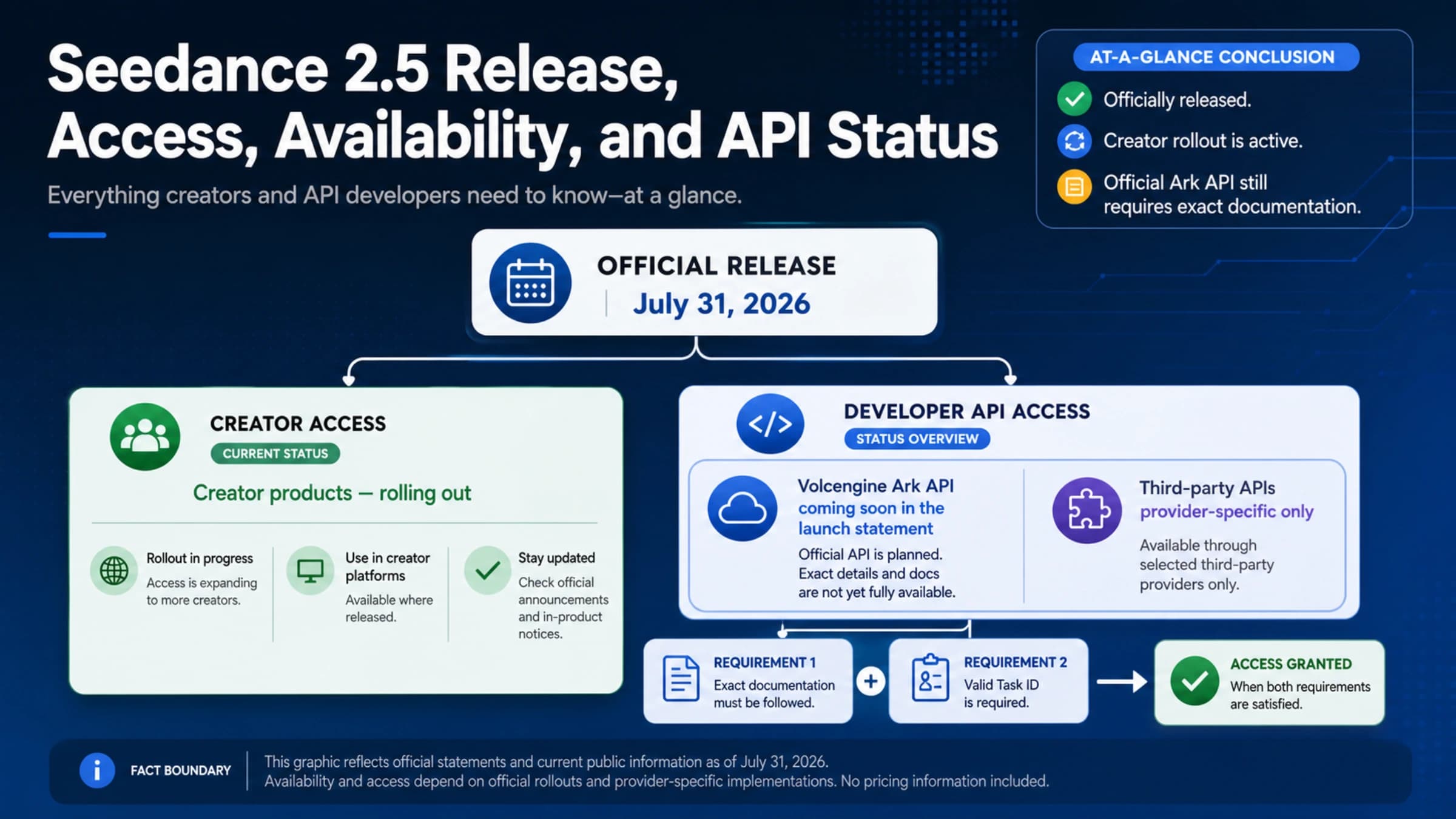
When will the official Seedance 2.0 API be available? ByteDance has not announced a specific date. BytePlus confirmed they're refining copyright protection and deepfake defense mechanisms. The developer community expects a phased reopening, but no timeline is confirmed. In the meantime, Seedance 1.5 Pro is available via the official BytePlus API at $1.2 per million tokens.

Are there risks using third-party Seedance 2.0 API providers? Yes. Every third-party provider claiming Seedance 2.0 API access is using unofficial methods (reverse-engineering Dreamina's web application). This means access can be disrupted without notice, commercial usage rights are unclear, and there's no official SLA. For production workloads, build a provider-agnostic abstraction layer so you can switch providers or fall back to officially supported models like Kling 3.0 or Veo 3.1 when needed.

Share:

laozhang.ai

One API, All AI Models

AI Image

Gemini 3 Pro Image

$0.05/img
80% OFF
AI Video

Sora 2 · Veo 3.1

$0.15/video
Async API
AI Chat

GPT · Claude · Gemini

200+ models
Official Price
Served 100K+ developers
|@laozhang_cn|Get $0.1