OpenClaw vs Claude Code: Which to Use—and How to Use Both
Start with Claude Code when your next job is a repository change you can inspect and test. Choose OpenClaw when you need a running Gateway to coordinate models, messages, and recurring work. Both now support memory and automation; the useful differences are where work runs, who can trigger it, and which account pays.
On this page
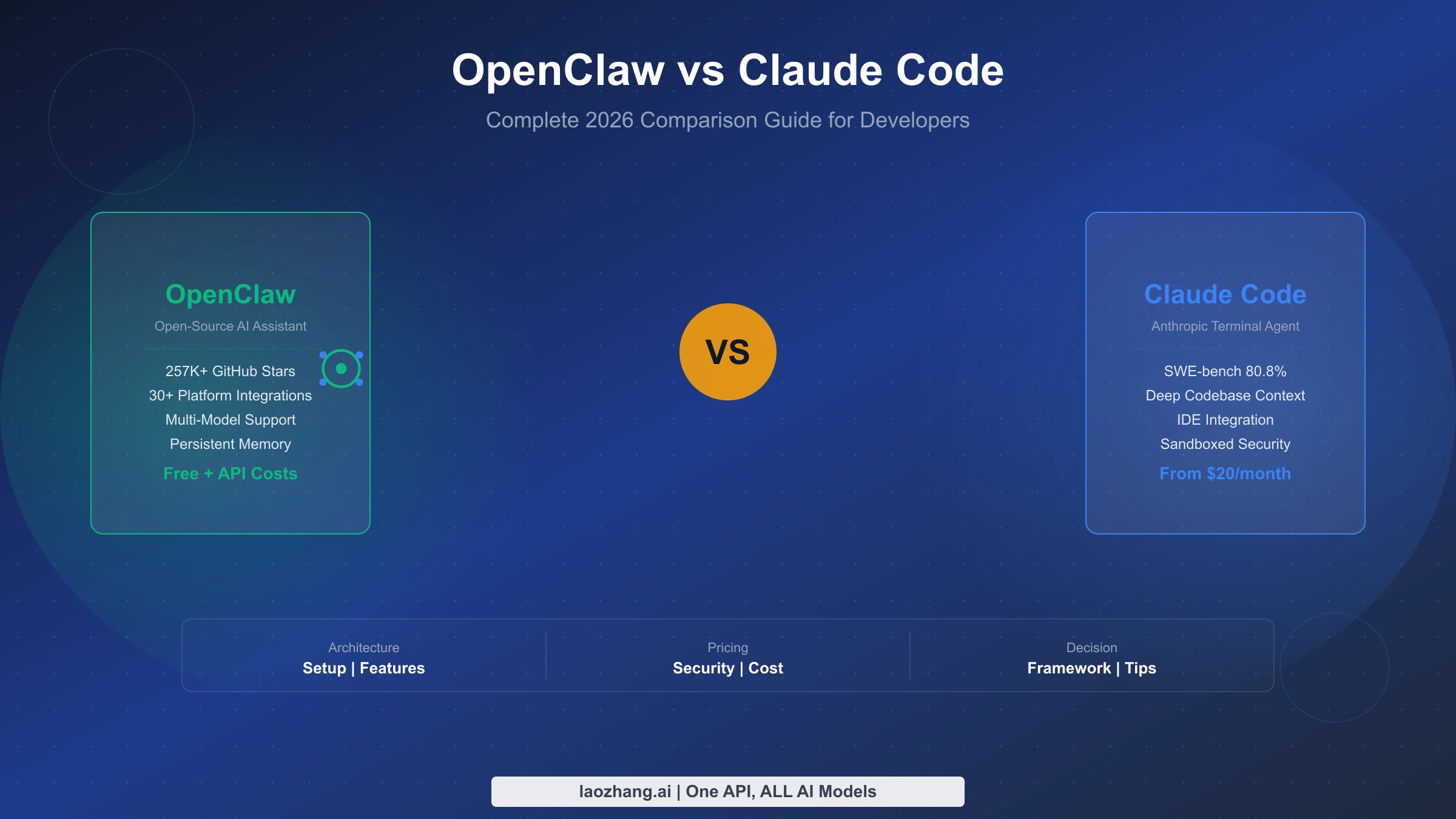
For a developer choosing a first tool, start with Claude Code for repository work; start with OpenClaw for an assistant organized around a running Gateway, messaging channels, and your choice of model runtime. Use both when you want OpenClaw to coordinate requests and Claude Code to perform the coding work. That combination is now a documented integration, not just two unrelated programs running side by side.
The old distinction—Claude Code only codes in a terminal while OpenClaw alone remembers things and works in the background—no longer holds. Claude Code has persistent notes, messaging Channels, local scheduled tasks, and cloud routines. OpenClaw can run ordinary agent turns through the installed Claude Code CLI or manage separate coding sessions through ACP. The right choice depends on the workflow you need, its execution environment, and the permissions you intend to grant. These capabilities and billing rules reflect official documentation checked on October 13, 2026; the examples below are documented paths and suggested tasks, not a performance benchmark or a claim that we ran them on your account.
Which tool fits your next task?
Choose the smallest setup that completes the job. Adding a Gateway to explain a function is unnecessary overhead; building a persistent chat assistant around a temporary coding session can create an availability problem.
| What you need next | Start here | Why—and the condition that matters |
|---|---|---|
| Explain a repository, fix a bug, review a diff, or run the project's tests | Claude Code in the terminal or an IDE | Direct access to the project and development tools. Review the resulting files and test results before accepting the change. |
| A personal or trusted-team assistant that receives messages and coordinates tools or model runtimes | OpenClaw | The Gateway manages the assistant and its channels. The host and Gateway must remain available for incoming work. |
| React to a Telegram, Discord, or iMessage event in a local coding session | Claude Code Channels | A documented research-preview option. It needs an active session, a supported authentication method, a plugin, and trusted senders. |
| Run a repository task after your laptop is off | Claude Code cloud routines | Runs in a configured cloud environment with a fresh repository clone. Subscription access, repository access, and organization policy apply. |
| Schedule work against the files and tools on your own host | OpenClaw automations or Claude Code Desktop tasks | Both can schedule local work. Select based on which system already owns the job; keep the host running. |
| Ask for coding work from an OpenClaw conversation | OpenClaw with Claude CLI or ACP | Choose ordinary Gateway agent turns with the CLI backend, or a separately managed external coding session with ACP. |
The feature descriptions above come from the current Claude Code overview, Channels guide, routines guide, and OpenClaw's CLI backend, ACP quickstart, and automation documentation.
For example, if your checkout has a failing date parser, begin in Claude Code with a request to identify the failure, make a narrowly scoped fix, and run the relevant tests. If your problem is receiving requests in chat and assigning recurring work on a dedicated host, OpenClaw is a more natural starting point. These are workflow recommendations based on the documented controls, not evidence that either tool always writes better code.
Where does the work actually run?
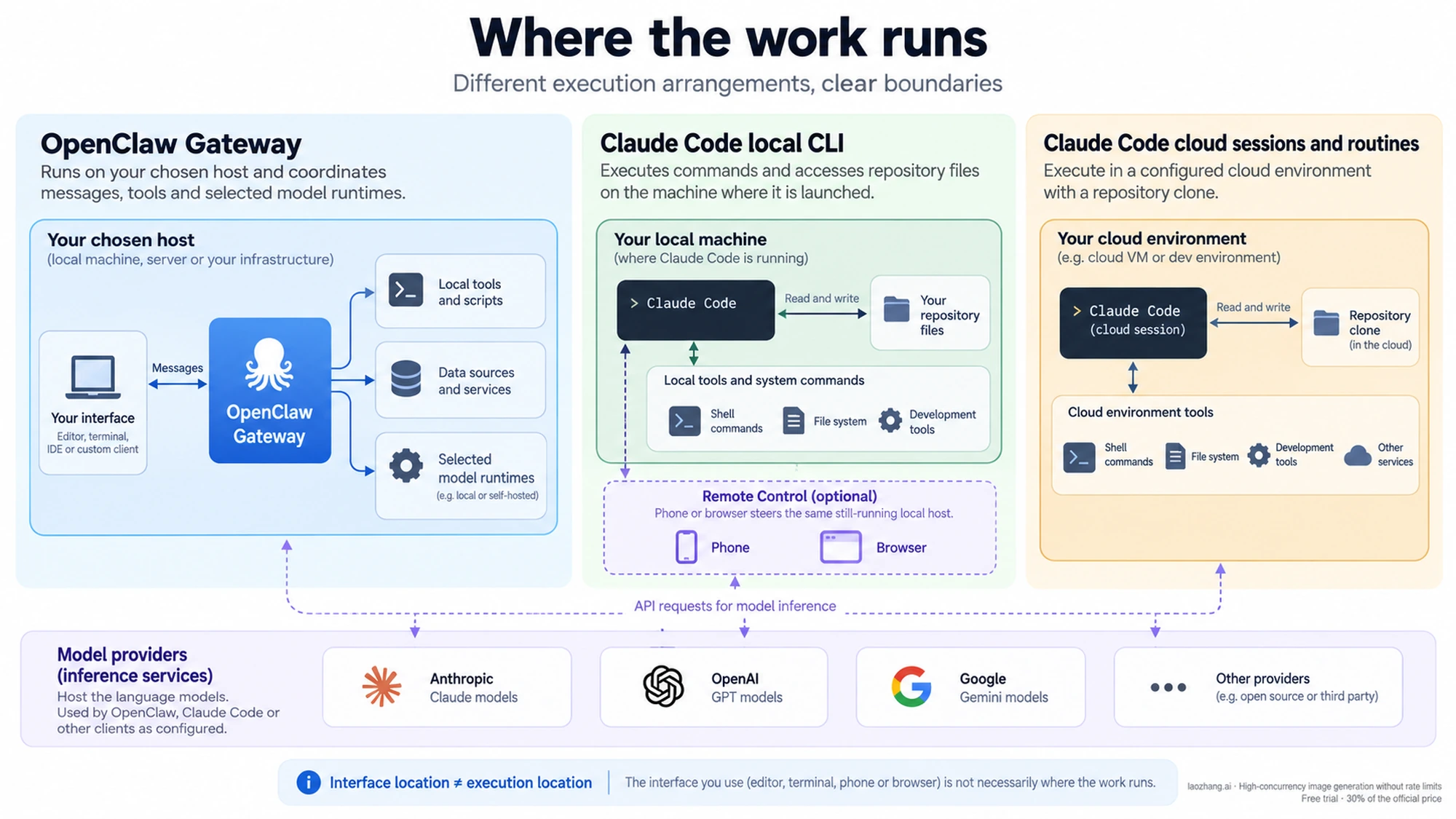
A chat window tells you where you interact with an agent, not where it executes commands. This distinction matters when you need local files, corporate network access, or a machine that stays available overnight.
Claude Code's local CLI runs commands and accesses files on the machine where you launched it. Its model requests use the configured provider. Claude Code is also available in IDEs, Desktop, and the web, so “Claude Code” does not imply one hosting arrangement.
Remote Control continues a local session. You can use a phone or browser to steer it, but the original computer and Claude process must stay running. Execution and filesystem access remain local; while connected, the transcript is stored on Anthropic's servers for synchronization. Remote Control requires eligible Pro, Max, Team, or Enterprise subscription authentication, rather than API-key authentication. Team and Enterprise Owners must enable it, and some compliance or provider configurations exclude it. See the Remote Control requirements and data flow.
A cloud session executes in its cloud environment. Anthropic-hosted sessions use isolated VMs; an organization can also route sessions to its own self-hosted environment. A cloud routine clones its selected repositories rather than inheriting the uncommitted files on your laptop. The cloud environment and connected services determine what it can reach. Claude Code security and the routines documentation describe those boundaries.
OpenClaw runs a Gateway on your chosen host. The Gateway can coordinate models, tools, memory, messages, and scheduled work, but self-hosting the Gateway does not make every request local. A remote model provider, messaging service, web tool, or embedding provider can receive data. Even memory search has a provider choice: the current OpenClaw memory guide documents OpenAI embeddings as the default and alternatives including local providers.
If “keep my repository on this host” is your requirement, compare the actual execution and data paths. If “nothing leaves this host” is your requirement, inspect every model, tool, connector, and search dependency; neither product name establishes that property.
Messaging, schedules, and memory now overlap
Choose a schedule that survives the interruption you expect
OpenClaw automations run inside the Gateway. Job definitions, runtime state, and run history persist in SQLite across restarts, but jobs cannot fire while the Gateway is stopped. Missed ticks are coalesced, and overdue agent jobs are rescheduled on startup rather than all replaying immediately. Use the run history to inspect a job's outcome, not merely whether its definition still exists. See how OpenClaw automations work.
Claude Code offers several different scheduling options:
- CLI
/loop: useful for polling during an active session. The process must be running and idle to fire. Fixed jobs created through the cron tools can be restored on session resume if they have not expired; a self-paced loop is not restored. Recurring session jobs expire after seven days. - Desktop scheduled tasks: persistent local schedules that do not require an open conversation, but do require the machine to be on.
- Cloud routines: saved tasks that run without your laptop. They support schedule, API, and GitHub triggers and consume subscription usage, with separate run-frequency limits.
These differences are explicit in the scheduling comparison and routines guide. A cloud routine is the appropriate Claude Code choice for an overnight repository task when the laptop will be off; a local schedule is appropriate when the job needs host-local tools or files.
For routines, review the selected repositories, environment, and connectors before enabling the task. Connected connectors are included by default when creating a routine, and included tools can perform writes autonomously. A green run status means the session started and exited without an infrastructure error; it does not certify that the requested task succeeded. Open the run and inspect its transcript and output. These details are documented in routine creation and run review.
Messaging is an execution trigger, not just a convenient interface
OpenClaw's channels make messaging a natural way to reach a Gateway-based assistant. Claude Code now also has Channels: MCP servers can push messages or events into an already-running local session. Telegram, Discord, and iMessage plugins are included in the research preview, require Bun, and use configured access controls. Channels support claude.ai or Console API-key authentication, but not the documented third-party cloud-provider configurations. Team and Enterprise availability requires owner enablement. Claude Code Channels also explains that being listed as an MCP server is insufficient: the channel must be opted into the session.
The useful choice is whether you want to message a particular local coding session or use a Gateway to organize the assistant's broader work. In either case, the sender can initiate tool use. A Channels sender authorized for permission relay can also approve or deny actions, so allowlisting someone may delegate more authority than the ability to chat.
Both remember saved notes, not an unlimited history of everything
Claude Code starts each session with a fresh context window, but persistent instructions and auto memory carry knowledge forward. Auto memory is on by default in local sessions, with documented exceptions for self-hosted and certain background or child sessions. The notes are machine-local and repository-scoped; worktrees of the same repository share them. The startup index loads up to the first 200 lines or 25 KB, with topic files read on demand. See Claude Code memory.
OpenClaw stores durable memory as Markdown in the agent workspace. Its long-term summary, user preferences, and dated notes serve different purposes; only saved information persists. Its Control UI can optionally import Markdown auto-memory notes from Claude Code, keeping the copies separate and leaving the source unchanged. That import does not migrate sessions, credentials, settings, or skills, and it is not live synchronization. See OpenClaw memory and import.
For a repository assistant, useful durable context might be the team's test convention and a recent architectural decision. For a personal assistant, it might be the preferred report format and which project is active. In either system, review the saved note when it matters. A memory saying that someone approved an action is contextual information; it is not a substitute for an enforced permission boundary.
OpenClaw vs Claude Code costs: follow the account used by the run
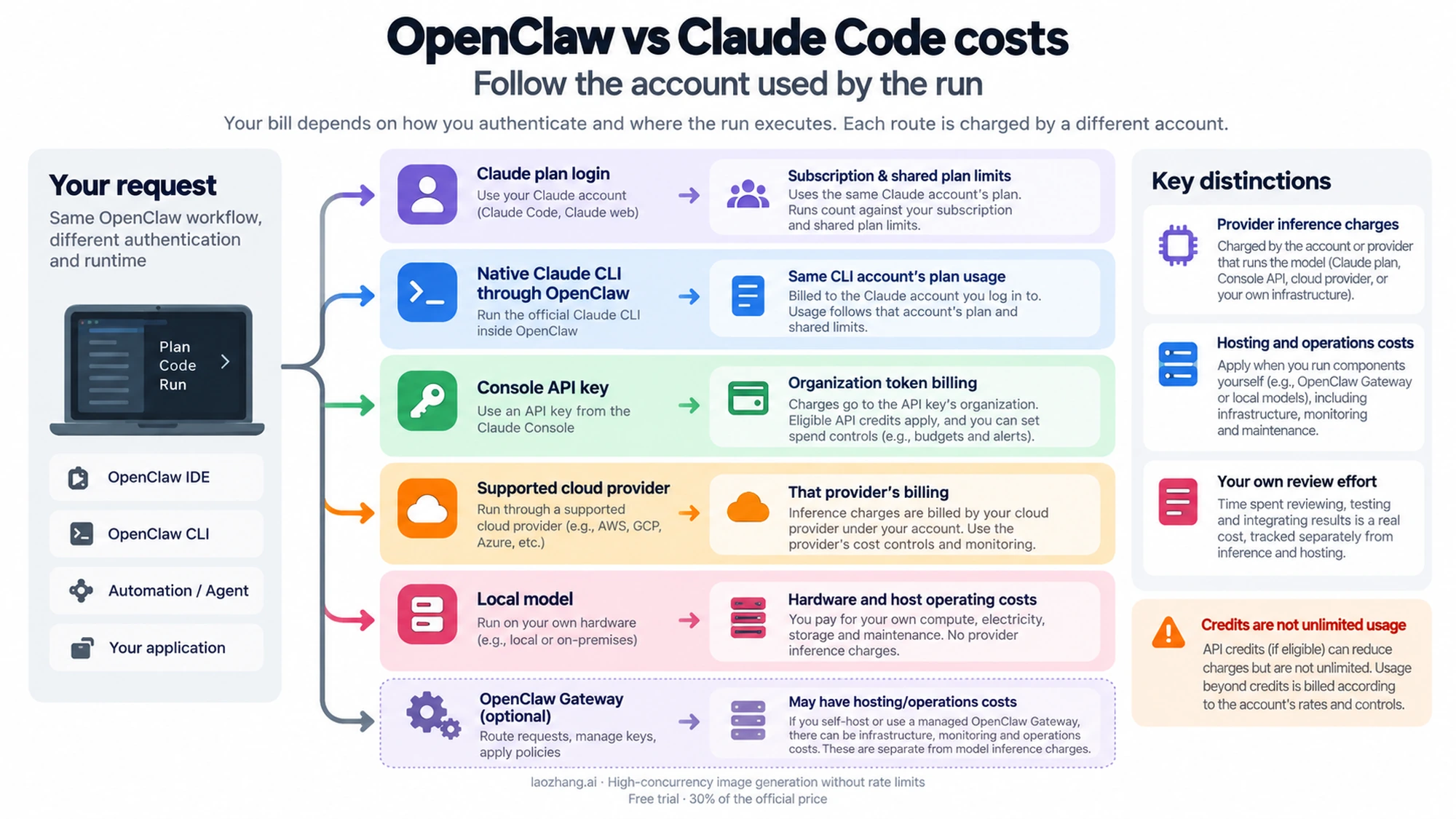
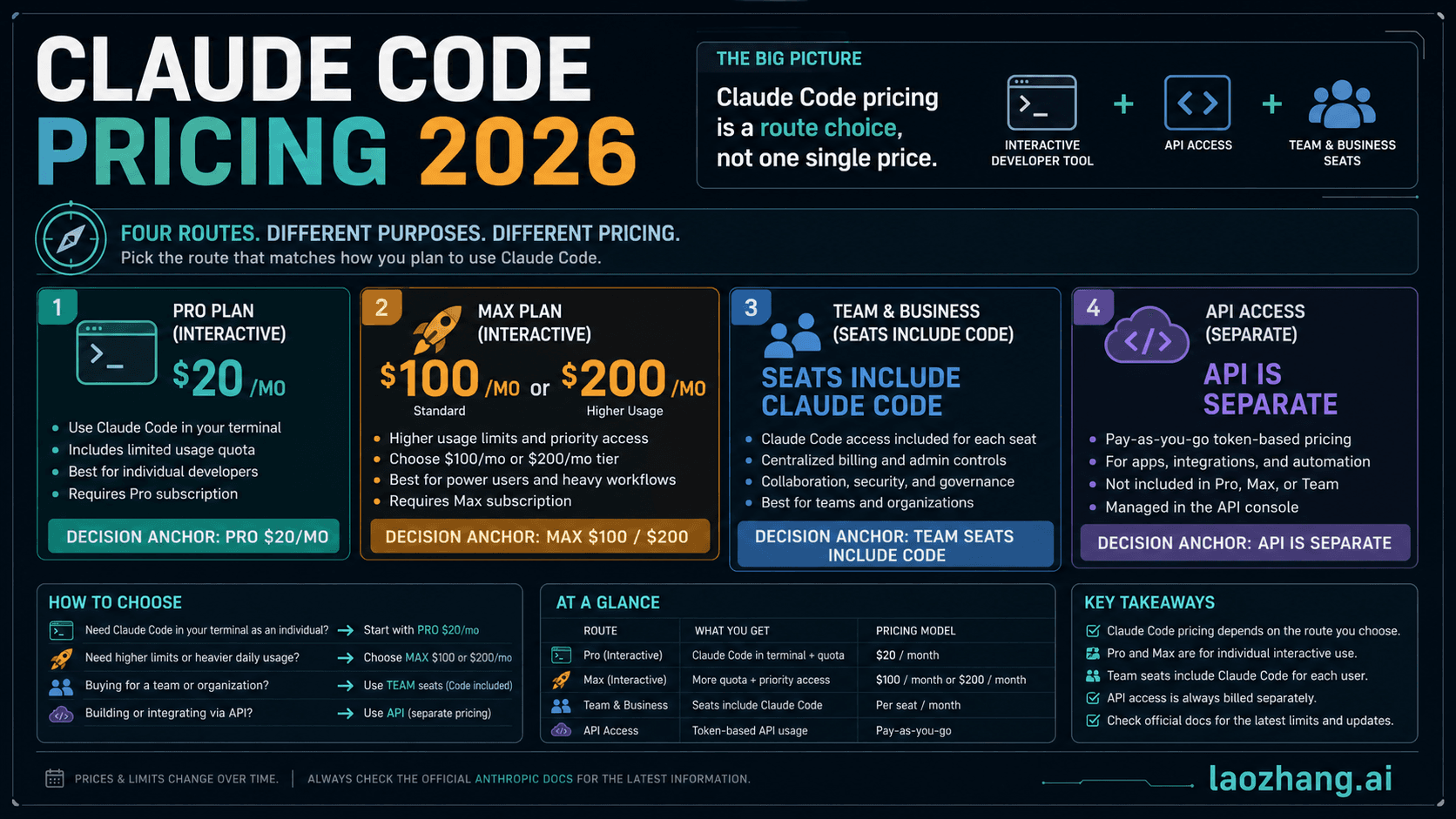
OpenClaw has no software license charge under its MIT license. That does not make models, hosting, electricity, or operations free. Claude Code can use a subscription, Console billing, or a supported cloud provider; the selected authentication method determines how usage is metered. See the OpenClaw license and Claude Code cost guide.
For individual web subscriptions, official pricing currently displays Claude Pro at $20 per month, or $200 billed annually; the annual page displays an approximately $17 monthly equivalent. Max starts at $100 per month, with $100 and $200 tiers. These are USD prices before applicable taxes; app-store prices can vary. Subscription access is subject to usage limits, rather than a guaranteed number of repository tasks. Official Claude pricing and the Max credit table provide the current amounts.
| How a run is authenticated | What to budget and inspect |
|---|---|
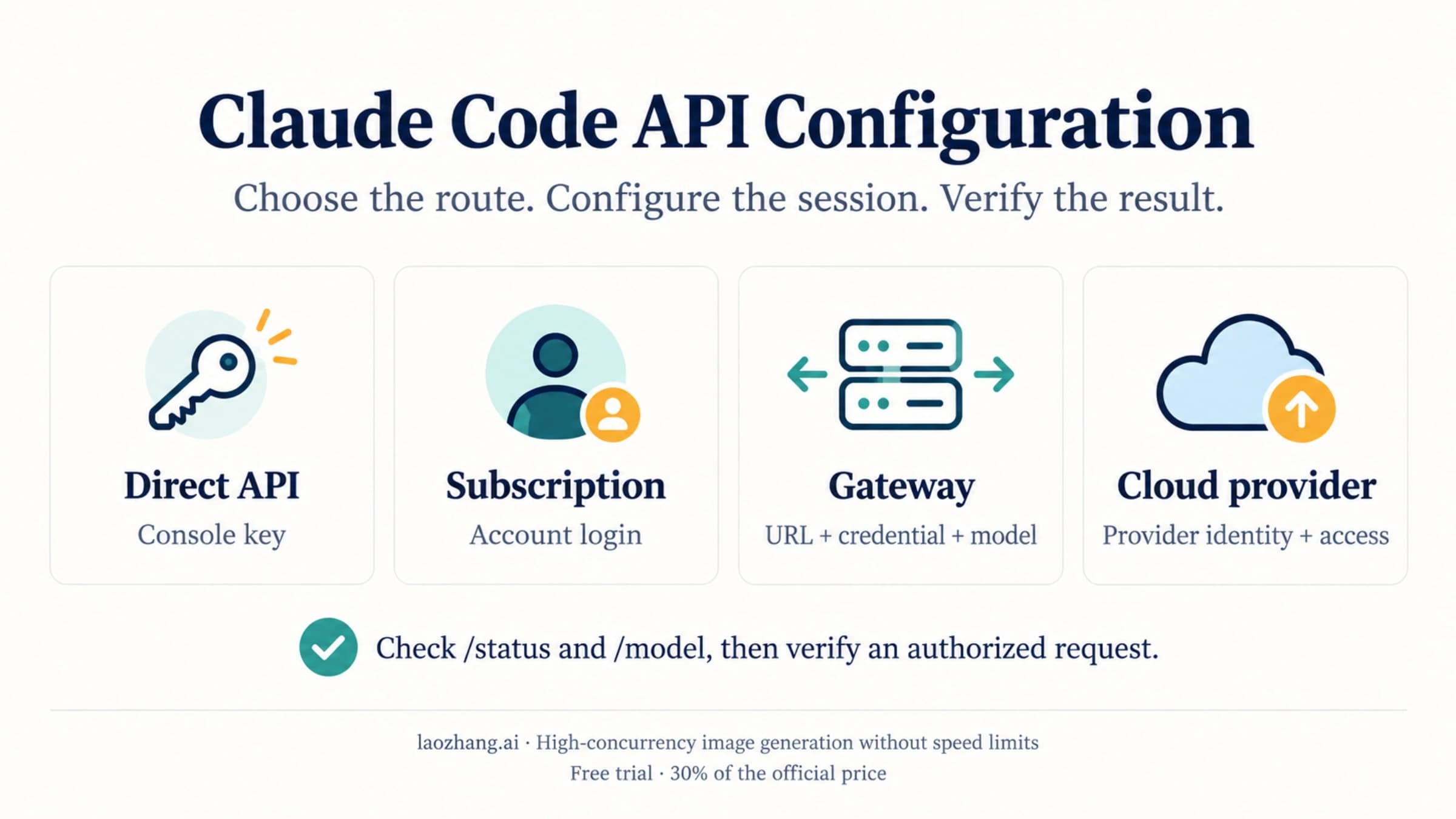
| Claude Code using a Claude plan login | The subscription, shared plan usage, and any separately enabled usage credits for overage. |
| OpenClaw using the native Claude CLI login | Usage against the account used by the installed CLI. The Gateway is not a new source of unlimited Claude capacity. |
| An API route using a Console organization key | Token charges and available credits in that organization, plus spend limits and any purchased balance. |
| Claude Code using a supported cloud provider | That provider's token billing and budget controls. |
| OpenClaw using a local model | Hardware and host operating costs, plus any remote tools or services still used. |
The CLI backend documentation also notes that helper completions use the selected runtime. A short visible reply therefore does not imply that only one model request occurred. Long contexts, tool results, scheduled turns, and additional agents can all affect consumption. Claude Code's displayed session dollar estimate is not a subscription invoice; consult the appropriate account's usage and billing view. Claude Code cost tracking explains this distinction.
Max and Team API credits are separate from Code plan limits
The October 7, 2026 update introduced monthly Claude Platform credits for eligible Max and Team plans. Max 5x receives $100 and Max 20x $200 per cycle. Team receives $20 per Standard seat and $100 per Premium seat, pooled up to $500 per month. Free, Pro, and Enterprise plans are ineligible. These are credit amounts, not a statement of Team subscription prices. Monthly API credits for Max and Team.
An active eligible plan must be in good standing for seven days before claiming. A Max subscriber or Team Owner/Primary Owner links one Console organization, with an Owner, Admin, or Billing role in that organization, and reviews the Supplemental Credit Terms. The organization is shared across its API-key users; unused credits expire at the end of the billing cycle rather than rolling over. The same help article documents eligibility, claiming, and expiry.
The credits cover eligible Claude Platform use, including the API and Agent SDK. They do not cover interactive Claude Code or subscription extra usage, and do not increase Code's plan limits. When you run claude -p or the Agent SDK yourself with an API key from the linked Console organization, that usage can use the API credits. With plan authentication, it draws from plan limits instead. Runs started through an IDE, Desktop, or the Claude Code GitHub Action count as Code usage even with -p, so they are excluded. See the credit exclusions and -p FAQ.
Once the credits run out, purchased balance, auto-reload, or invoicing can continue billing; otherwise API requests stop until credits are available. This is why a budget comparison needs the authentication method and spending controls, not just the advertised subscription price. There is no supported universal “OpenClaw costs $5–$150” or fixed combined monthly bill for these workflows.
How to use OpenClaw and Claude Code together
There are three different connections. Selecting a Claude model name does not tell you which one is in use.
Use the native Claude CLI for ordinary OpenClaw agent turns
OpenClaw's bundled Anthropic plugin can run agent turns through the installed Claude Code executable on the Gateway host. Claude Code owns its existing native login; OpenClaw uses a non-secret route marker rather than turning that login into arbitrary HTTP API requests. The documented selection command is:
openclaw models auth login --provider anthropic --method cli --set-default
openclaw agent --agent main --message "hi"
This example assumes Claude Code is installed and logged in on the Gateway host, the service can find it on PATH, and main is your agent ID. Replace main if your configuration uses another ID. The authentication method is cli; the backend runtime ID is claude-cli. Anthropic model references remain anthropic/*. Gateway tools are exposed through an opted-in MCP bridge, rather than being injected directly into the CLI protocol. Sessions can resume subject to account, workspace, and tool compatibility. See OpenClaw CLI backends.
Use this when your normal OpenClaw assistant should perform its turns with Claude Code. A reply confirms that the selected path can answer; to establish that a repository task succeeded, inspect the changed files and relevant checks separately.
Use ACP for a separately managed coding session
ACP launches an external coding harness and gives OpenClaw session controls, conversation binding, and delivery management. With the official acpx plugin installed and enabled, ACP enabled and healthy, dispatch permitted, and claude allowed, the documented chat flow begins:
/acp doctor
/acp spawn claude --bind here
/acp status
The Claude harness must already be usable on the Gateway host: authentication, an available model, an accessible working directory, and a permission profile appropriate for the task are prerequisites. A non-interactive session cannot click an interactive permission prompt. Configure the intended limited capabilities rather than bypassing permissions to make a demonstration work. These requirements are in the ACP quickstart; /acp steer, /acp cancel, and /acp close are covered in the operator runbook.
ACP runs on the host, outside OpenClaw's sandbox, with the external harness's own filesystem and tool permissions. A sandboxed requester is blocked from spawning ACP; asking for sandbox: "require" does not put the ACP harness inside that sandbox. OpenClaw's tools are not all available to the harness by default: explicit bridges are needed. See ACP sandbox compatibility.
Use an HTTP API route when you want API billing and OpenClaw's own runtime
An API-key route is a separate integration with its own model and account settings. It does not automatically provide a native Claude Code session or ACP controls. This distinction also applies to subscription access: Anthropic's current Agent SDK plan notice says the proposed changes were paused on June 15 and, after the October 7 update, SDK, -p, and third-party app use can still draw from subscription limits. That does not authorize replaying an extracted native token as an arbitrary HTTP API key.
A useful combined workflow is to receive a bug report in OpenClaw, assign a bounded repository task to Claude Code, and return the diff and test result to the conversation. Give the job a separate branch or worktree if another session is editing the repository. Have one session own each set of files until its result is reviewed. Separate programs can still compete for files, ports, credentials, compute, and quotas; using both does not automatically prevent conflicts.
Permissions and security: compare the configured boundaries
Neither a paid subscription nor an open-source license establishes that an agent can safely operate with all of your access. Compare the host, allowed senders, enabled tools, credentials, and execution controls for the exact setup.
Claude Code's current built-in starting mode for interactive terminal and VS Code sessions is Auto, where a classifier reviews actions; it is not a promise of human approval before every edit or command. Manual mode starts with read-only permissions and prompts for other actions. Explicit rules and organization settings affect behavior. The separate Bash sandbox is off by default and covers shell commands and child processes, not all file tools, MCP servers, or hooks. It supports macOS, Linux, and WSL2; native Windows commands are unsandboxed. Even with the sandbox enabled, its documented default read access includes much of the machine, so configure the actual file and network boundary you need. See permission behavior and sandbox scope and defaults.
OpenClaw documents a Gateway as one trust boundary: a single operator or mutually trusting team. Someone who can message a tool-enabled agent can exercise delegated tool authority. Session IDs route conversations; they are not user-authentication boundaries. Separate Gateways and preferably separate OS users or hosts are required for mutually untrusted users. Regular host installations bind to loopback and most channels gate unknown senders, while container and workspace-channel defaults have documented exceptions. See the OpenClaw security overview and trust model.
The historical CVE-2026-25253 is a useful example of why loopback alone is insufficient. The reviewed advisory describes a crafted gatewayUrl causing the Control UI to send a stored token to an attacker-controlled server, enabling Gateway compromise through the user's browser. It affected the clawdbot npm package through version 2026.1.28 and was patched in 2026.1.29; the advisory rates it High, CVSS 8.8. That is a specific historical vulnerability, not proof that every current OpenClaw deployment is vulnerable. See the GitHub-reviewed advisory.
For either tool, a sensible initial scope is one noncritical repository or assistant workspace, only necessary integrations, and explicitly trusted senders. Expand access when a concrete task requires it. A team evaluation should check its own identity, data, isolation, and operating requirements rather than assume an unconditional security winner.
A first task that proves more than installation
Start Claude Code in one repository
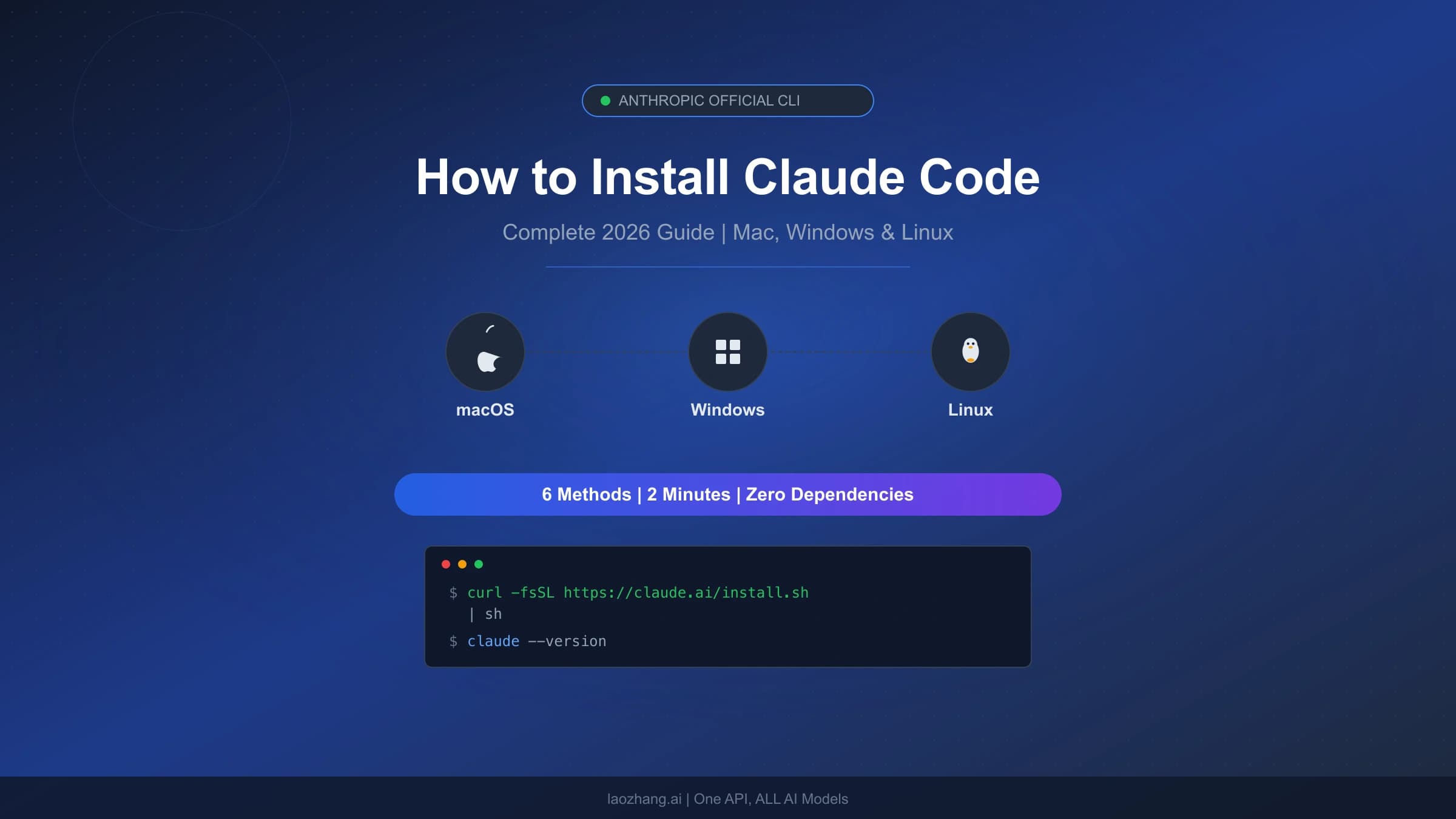
Use the current official quickstart for your platform. The recommended native installation commands are:
# macOS, Linux, or WSL
curl -fsSL https://claude.ai/install.sh | bash# Native Windows PowerShell
irm https://claude.ai/install.ps1 | iexOpen a new terminal, run claude --version, then enter the directory of an existing project and run claude. Choose an eligible subscription, Console account, or supported provider. Check the displayed working directory and model before asking it to work. Git for Windows is recommended for Bash on native Windows; without it, the current CLI can use PowerShell.
Begin with “Explain what this project does and identify its test command.” Then request a small change with a defined completion condition—for example, “Fix the failing date-parser test, run the affected tests, and show the diff. Do not commit or push.” Confirm the files changed, the actual command output, and any failures or checks it could not run. A fluent final message is less useful than an inspectable result.
Start OpenClaw with a Gateway and a real reply
The current OpenClaw getting-started guide requires Node 24.16+ or 26.1+, recommends Node 26, and can reuse an existing Claude Code or Codex CLI login or a provider API key. For a first trial:
npx openclaw@latestChoose Quick start. When usable AI access is detected, onboarding verifies it with a real completion, saves the configuration, and opens the dashboard; that verification can consume usage. If no detected route works, it opens manual provider setup. The trial Gateway remains in the foreground until you stop it.
First ask a small, harmless question in the Control UI and confirm an actual model reply. If you decide to keep it running, install the CLI through the official platform instructions, stop the foreground Gateway, and use:
openclaw gateway install
openclaw gateway status
openclaw dashboard
The guide's expected status is a Gateway listening on port 18789. Dashboard loading establishes that the interface is reachable; a model reply establishes that a model path works. Neither confirms that every channel, permission setting, or scheduled task is correct. Add a channel or recurring job after that first useful result, and inspect its own delivery and run history. For broader deployment choices, our OpenClaw installation guide covers the separate installation task; use the current official quickstart above for these commands.
Frequently asked questions
Can I use my Claude Pro subscription with OpenClaw?
OpenClaw currently documents a native Claude CLI route that uses the installed Claude Code process and its existing login on the Gateway host. That can use the account's plan allowance; it is distinct from an HTTP API-key route. Pro does not receive the new Max/Team monthly API credits. Check the selected runtime and account rather than assuming either “subscription never works” or “the subscription is an unlimited API key.” See CLI backends, current SDK plan policy, and credit eligibility.
What can OpenClaw do that Claude Code cannot?
OpenClaw provides a Gateway-centered assistant that coordinates messaging, tools, and selectable model runtimes. That is the reason to choose it—not an exclusive claim to persistent memory or scheduling. Claude Code now has both, plus Channels and cloud routines. Compare the specific integration and execution environment needed for your task. The OpenClaw getting-started guide and Claude Code overview show the current overlap.
Is Claude Code better for coding?
Claude Code is a practical first choice for hands-on repository work because you can ask it to inspect files, make a change, and run development tools directly. That recommendation does not establish a universal performance advantage. OpenClaw can also delegate to the actual Claude Code harness, so a model benchmark alone cannot decide which surrounding workflow fits your project. Try the same bounded task and compare the diff, relevant test results, and effort needed to review the result. See the Claude Code quickstart and OpenClaw ACP prerequisites.
Will either tool keep working when my computer is off?
Claude Code cloud routines can, because execution occurs in the configured cloud environment. Local Code sessions, Remote Control, /loop, Desktop tasks, and an OpenClaw Gateway on that computer require it to be available. An OpenClaw Gateway hosted on a separate always-on machine can continue when your laptop is off, provided that host and its dependencies remain available. See Claude scheduling options and OpenClaw scheduler behavior.
Can I run OpenClaw entirely offline?
A local model can remove the need for remote model inference, but the complete workflow is offline only if its tools, memory-search provider, and other dependencies also work locally. Remote chat channels, web access, and external APIs still need connectivity. Self-hosting the Gateway alone does not establish an offline setup. The OpenClaw memory documentation shows why the embedding provider is one dependency to check.
Can I move Claude Code memory into OpenClaw?
Yes, the optional Control UI action at Settings → Import Memory can copy detected Markdown auto-memory notes into the selected OpenClaw agent's indexed import directory. It leaves the source files unchanged and does not move sessions, settings, skills, or credentials. Review the detected files and destination conflicts before importing; this is a copy, not ongoing synchronization. See OpenClaw memory import.
Start with the task that matters today. For a repository fix, open the repo and obtain a reviewable change. For an assistant, establish one working Gateway conversation and its intended authority. Add the second tool when it removes a specific workflow gap, and confirm the finished result independently of the agent's status message.
Sources25
External pages this guide links to, in the order they appear. Last updated Oct 13, 2026.
Sources25
External pages this guide links to, in the order they appear. Last updated Oct 13, 2026.
- 1.Claude Code overviewcode.claude.com/docs/en/overview
- 2.Channels guidecode.claude.com/docs/en/channels
- 3.routines guidecode.claude.com/docs/en/routines
- 4.CLI backenddocs.openclaw.ai/gateway/cli-backends
- 5.ACP quickstartdocs.openclaw.ai/tools/acp-agents/quickstart
- 6.automation documentationdocs.openclaw.ai/automation/cron-jobs
- 7.Remote Control requirements and data flowcode.claude.com/docs/en/remote-control
- 8.Claude Code securitycode.claude.com/docs/en/security
- 9.OpenClaw memory guidedocs.openclaw.ai/concepts/memory
- 10.how OpenClaw automations workdocs.openclaw.ai/automation/cron-jobs/how-it-works
- 11.scheduling comparisoncode.claude.com/docs/en/scheduled-tasks
- 12.Claude Code memorycode.claude.com/docs/en/memory
- 13.OpenClaw licensegithub.com/openclaw/openclaw/blob/main/LICENSE
- 14.Claude Code cost guidecode.claude.com/docs/en/costs
- 15.Official Claude pricingclaude.com/ja/pricing
- 16.Max credit tablesupport.claude.com/en/articles/17154008-monthly-api-credits-for-max-and-team-plans
- 17.operator runbookdocs.openclaw.ai/tools/acp-agents/runbook
- 18.ACP sandbox compatibilitydocs.openclaw.ai/tools/acp-agents/delivery
- 19.Agent SDK plan noticesupport.claude.com/en/articles/15036540-use-the-claude-agent-sdk-with-your-claude-plan
- 20.sandbox scope and defaultscode.claude.com/docs/en/sandboxing
- 21.OpenClaw security overviewdocs.openclaw.ai/gateway/security
- 22.trust modeldocs.openclaw.ai/gateway/security/trust-model
- 23.GitHub-reviewed advisorygithub.com/advisories/GHSA-g8p2-7wf7-98mq
- 24.official quickstartcode.claude.com/docs/en/quickstart
- 25.OpenClaw getting-started guidedocs.openclaw.ai/start/getting-started