OpenClaw Complete Guide: API Relay Setup, Model Selection & Cost Optimization (2026)
OpenClaw is a 250K+ Star open-source AI Agent platform on GitHub, but users in restricted network regions cannot directly reach overseas AI APIs. This guide provides a full comparison of three relay solutions, ready-to-copy openclaw.json config templates, scenario-based model recommendations, and monthly cost control strategies — helping you go from installation to fully working setup in 3 minutes.
On this page

OpenClaw is the most popular open-source AI Agent platform today, with over 250,000 GitHub Stars (March 2026, Yahoo Finance). It lets you deploy a genuinely capable AI assistant on your own computer or server — one that can send emails, manage calendars, write code, control a browser, and even interact through messaging platforms like Slack, Discord, Lark, and DingTalk. For users behind restricted networks, however, the biggest challenge is not installation but the fact that AI model APIs from OpenAI, Anthropic, and Google are not directly accessible. This article walks you through solving that problem with API relay solutions, complete with copy-paste config templates, model selection advice, and cost control strategies.
TL;DR
- OpenClaw itself is completely free (MIT open source) — the only cost is AI model API usage
- The core issue for restricted-network users is API unreachability, which requires a relay service to resolve
- The recommended approach is an API relay service (e.g., laozhang.ai) — configuration only requires changing
baseUrlandapiKey - Monthly costs: light users ~$5-8, moderate users ~$15-25, heavy users ~$40-80
- Mixing domestic models (DeepSeek/Qwen) with overseas models (GPT/Claude) can save 40-60% on costs
Disclosure: laozhang.ai is our own service. Its prices are platform pricing, not an independent comparison.
What Is OpenClaw: The 250K-Star Open-Source AI Agent Platform
OpenClaw (originally named Clawdbot, released by Peter Steinberger in November 2025) is an open-source AI agent platform that runs on your own devices. Unlike online chat tools such as ChatGPT, OpenClaw does not just "answer questions" — it actively executes tasks, working like a true digital assistant. Think of it as an AI that can control your computer: it reads and writes files, runs command-line tools, handles emails, manages calendars, browses the web, scrapes data, and even writes and executes code automatically.
As of March 2026, OpenClaw has surpassed React to become one of the most-starred open-source projects on GitHub (approximately 250K Stars, source: Yahoo Finance, 2026-03-04), with over 600 contributors. This growth is no accident — OpenClaw solves a real pain point: giving ordinary users a customizable, controllable, data-private AI assistant.
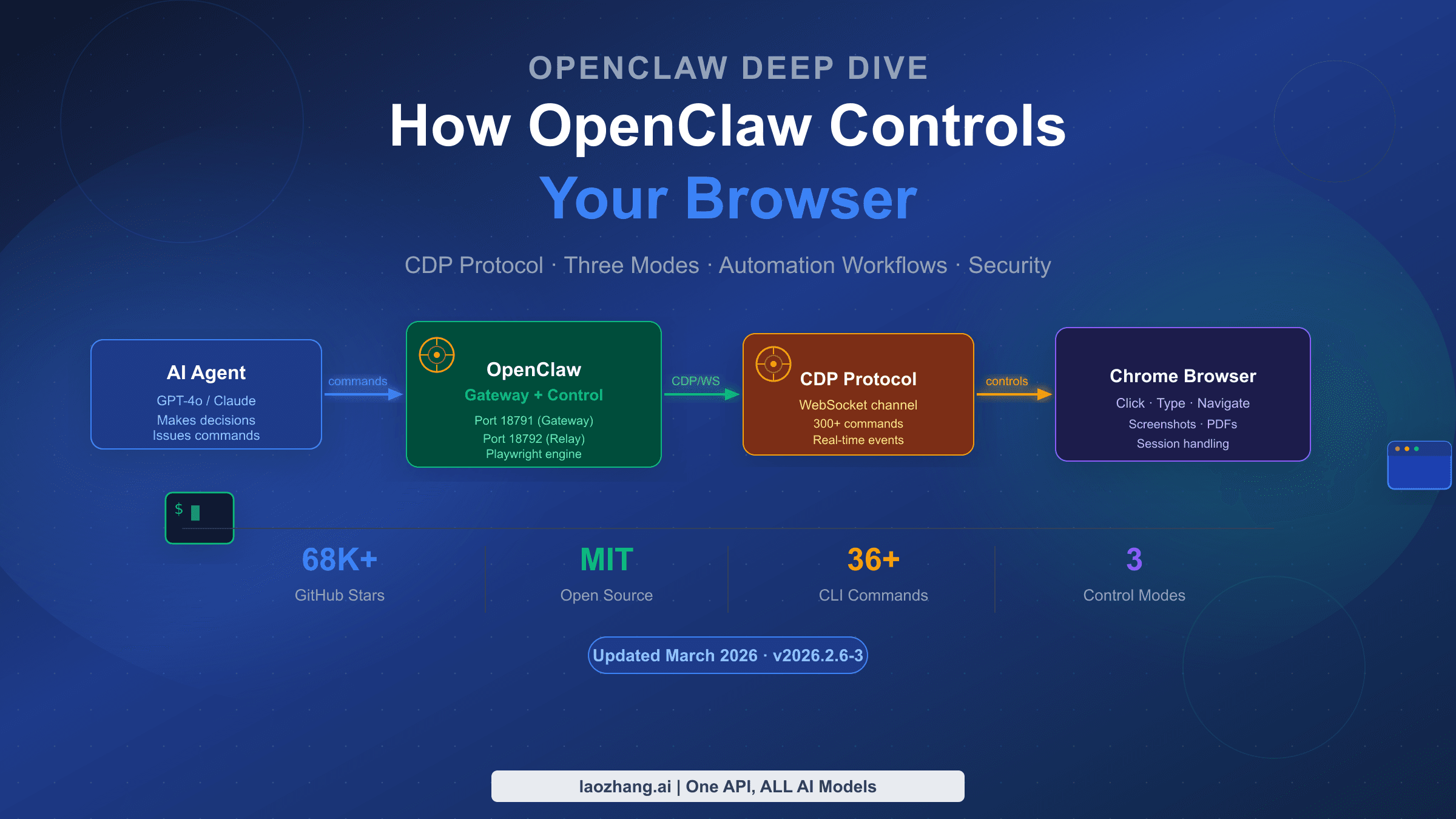
OpenClaw's core architecture consists of five key components. Gateway is the system's entry point, managing sessions and authentication, running on port 18789 by default. Agent is the brain, deciding which tools to invoke to complete your instructions. Skills is the toolbox — a plugin system with over 200 community-contributed skills available for installation. Channels connects to various messaging platforms — WhatsApp, Telegram, Discord, Slack, Lark, DingTalk, and WeCom are all supported. Nodes are the execution units running on your device, the parts that actually "do the work." Compared to tools like Claude Code, OpenClaw's biggest differentiator is platform independence — you can connect any AI model (OpenAI, Anthropic, Google, DeepSeek, etc.) rather than being locked into a single vendor.
The Core Problem for Restricted-Network Users: Why You Need an API Relay
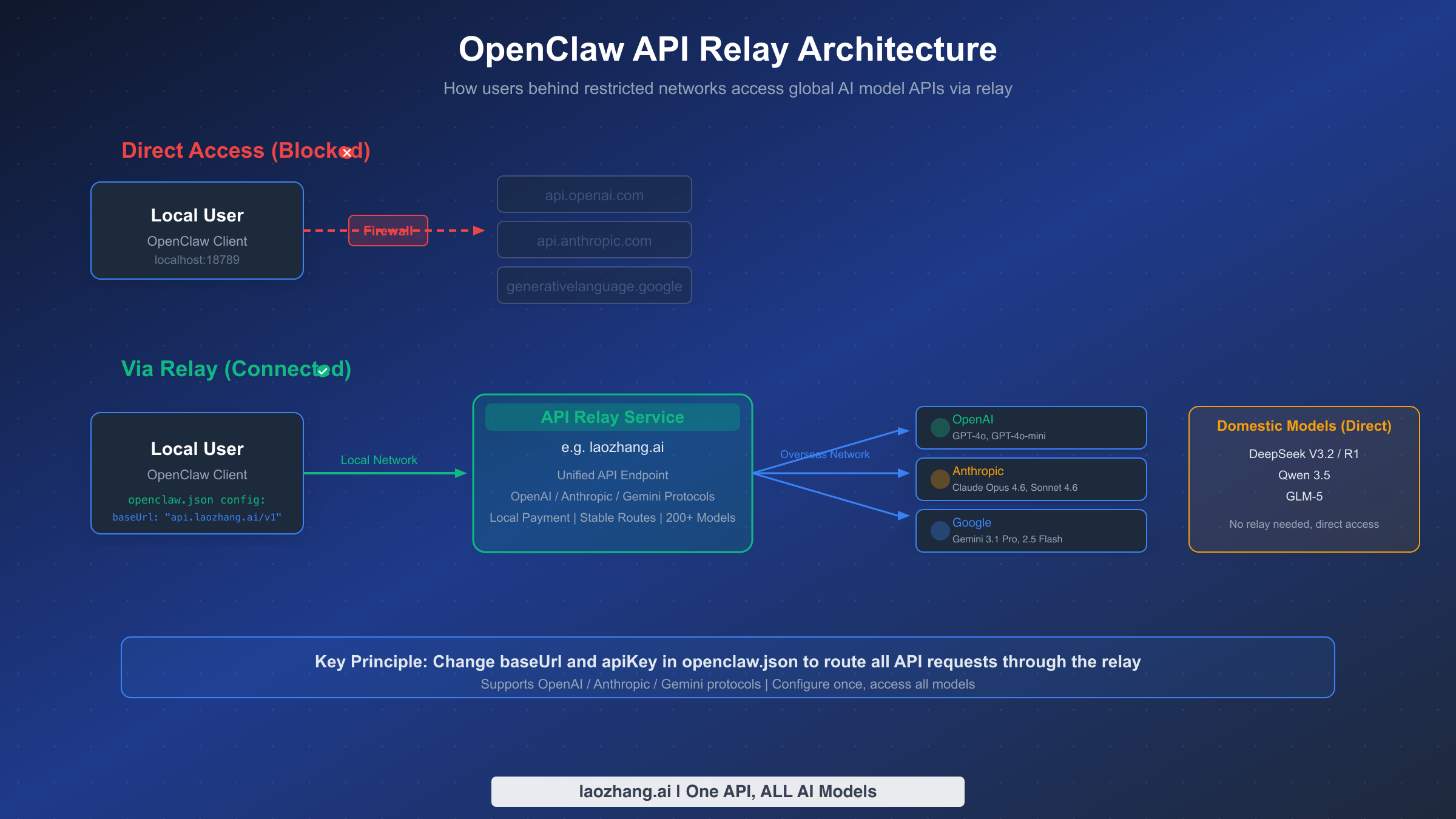
OpenClaw itself is just a program running on your device — it does not contain any AI models. To make it truly "intelligent," you need to connect it to external AI model APIs such as OpenAI's GPT-4o, Anthropic's Claude, or Google's Gemini. The problem is that the servers for these APIs are located overseas, and restricted network environments cannot reach them directly.
Specifically, when your OpenClaw tries to call api.openai.com or api.anthropic.com, the request gets blocked by network restrictions and returns a connection timeout error. This is not a bug in OpenClaw — it is an objective limitation of the network environment. Many new users find that OpenClaw cannot do anything after installation, and this is precisely the reason.
The principle behind an API relay service is straightforward: it places a "bridge" between the user and overseas APIs. Your OpenClaw sends requests to a domestically accessible relay address (e.g., api.laozhang.ai/v1), which then forwards the requests to the actual OpenAI/Anthropic/Google servers, retrieves the response, and returns it to you. The entire process is transparent to OpenClaw — it thinks it is calling the official API directly, when in reality there is an additional relay layer in between. The configuration is extremely simple: just modify the baseUrl (API address) and apiKey (relay platform key) in openclaw.json.
Disclosure: laozhang.ai is our own service. Its prices are platform pricing, not an independent comparison.
Of course, a relay is not the only option. If you have a credit card and an overseas server or VPN, you can also use the official APIs directly. If your use case is primarily Chinese-language tasks, connecting directly to domestic models like DeepSeek or Qwen is another choice — their APIs are directly accessible domestically and are cheaper. The following sections compare the pros and cons of all three approaches in detail.
3-Minute Installation and Basic Configuration
OpenClaw's installation process is highly automated across all major operating systems. The only prerequisite is Node.js version 22.12.0 or higher. If you have not installed Node.js yet, download the appropriate installer from the Node.js official website.
Installing OpenClaw itself takes just one command. macOS and Linux users run curl -fsSL https://openclaw.ai/install.sh | bash in the terminal, while Windows users open PowerShell and run iwr -useb https://openclaw.ai/install.ps1 | iex. After installation, run openclaw --version to confirm the version number displays correctly. As of March 2026, the latest stable version is 2026.3.2 (source: GitHub Releases).
After installation, run openclaw onboard to start the initialization wizard. The wizard guides you through basic configuration with an interactive interface. Beginners should choose QuickStart mode — it uses the default port 18789 and localhost binding address 127.0.0.1, and you can skip all advanced options (AI models, chat channels, Skills, etc.) for now, since configuring them later through the configuration file is more convenient.
When the wizard finishes, it displays a set of critical information that you must save. The most important piece is the Web UI link with a token, formatted like http://127.0.0.1:18789/#token=your_unique_token. You must use this link when opening the control panel later, otherwise you will encounter "token_missing" or "authentication failed" errors. If you forget the link, you can always run openclaw dashboard to automatically open it in your browser.
Next comes Gateway configuration — the key step for keeping OpenClaw running persistently. The simplest approach is running openclaw gateway in the terminal to keep it in the foreground (closing the window stops the service). If you need long-term use or auto-start on boot, run openclaw gateway install with administrator privileges to install the daemon process, then run openclaw gateway start to launch the background service. Use openclaw status at any time to check the service status.
After installation, the truly critical part arrives: configuring AI model API access. OpenClaw's core configuration file is openclaw.json, located at ~/.openclaw/openclaw.json (macOS/Linux) or C:\Users\YourUsername\.openclaw\openclaw.json (Windows). The next section provides complete configuration templates.
Choosing an API Relay Solution: Which One Fits You Best
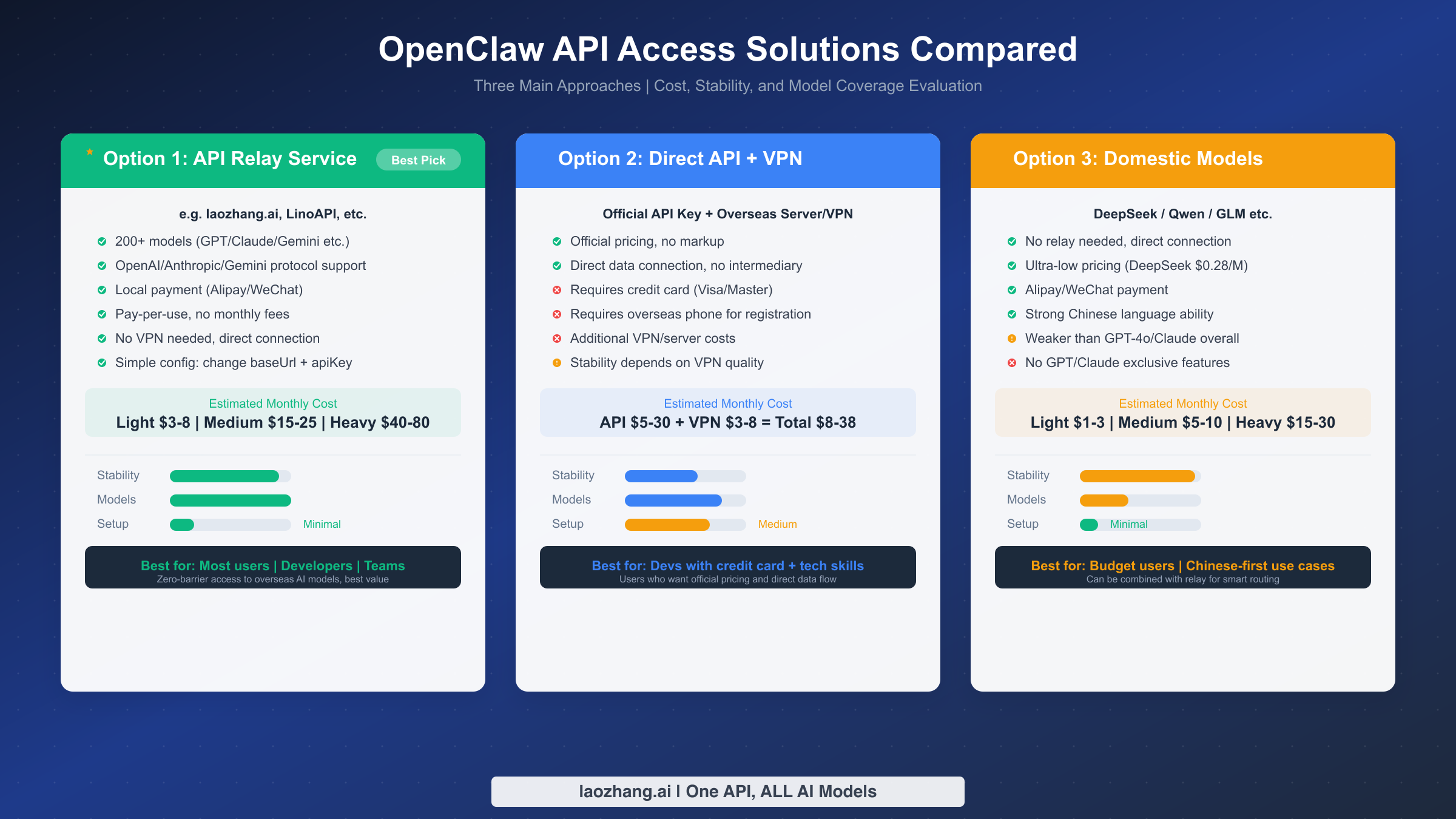
There are three main approaches for connecting OpenClaw to AI models from restricted networks. Each has its strengths and suits different user groups and use cases. Rather than providing a subjective ranking, this section offers an objective comparison across four dimensions — stability, model coverage, configuration difficulty, and cost — to help you pick the best fit.
Option 1: API Relay Service
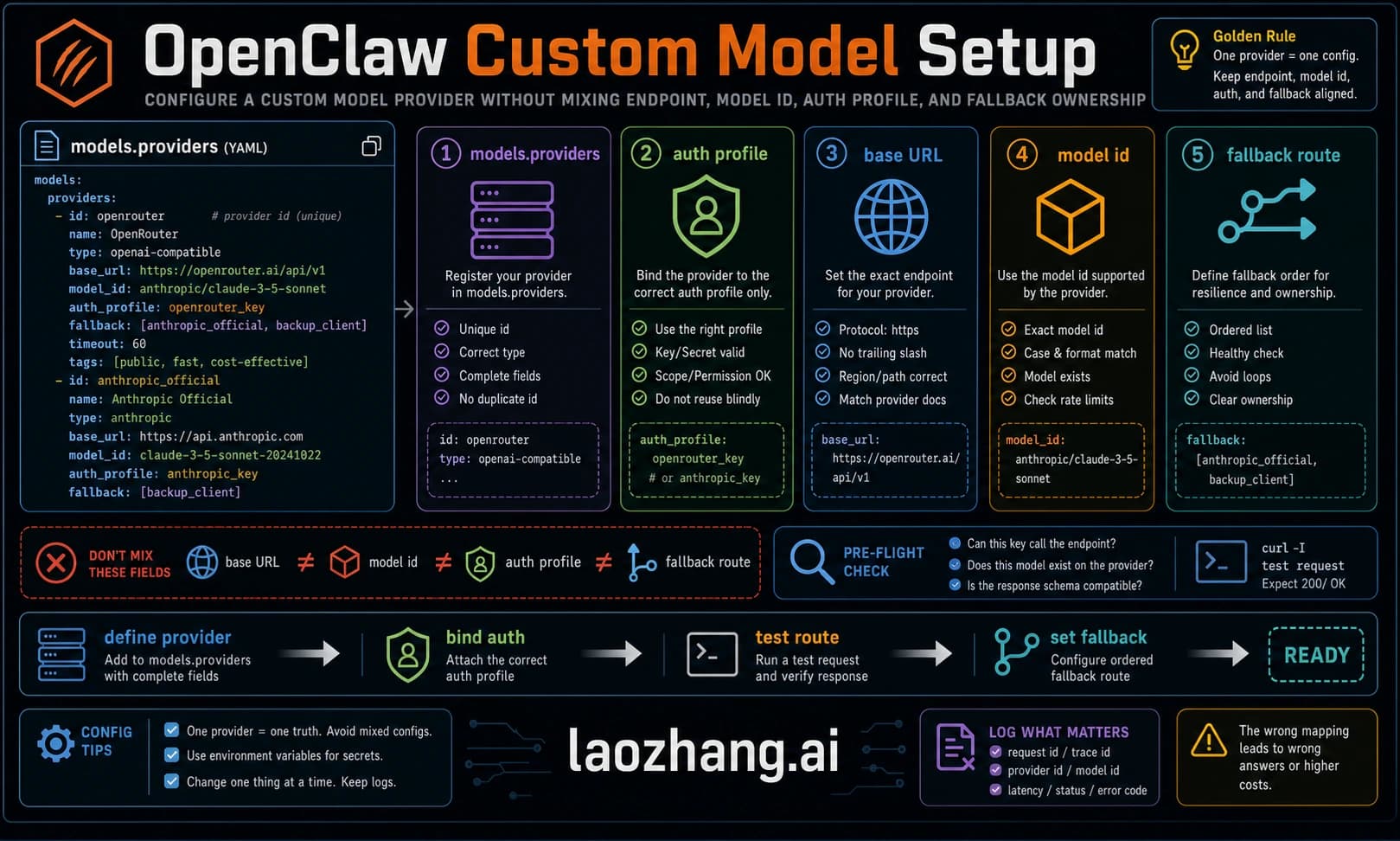
This is the most widely adopted solution among OpenClaw users in restricted network regions. An API relay service deploys domestically accessible servers that forward your requests to overseas AI model APIs. All you need to do is change the baseUrl in openclaw.json to point to the relay address. Taking laozhang.ai as an example, it supports OpenAI, Anthropic, and Gemini protocols, covers 200+ AI models, offers direct domestic connectivity, Alipay/TG payment, and pay-per-use pricing with no monthly fees. Here is a configuration example:
Disclosure: laozhang.ai is our own service. Its prices are platform pricing, not an independent comparison.
{
  "models": {
    "providers": [
      {
        "name": "laozhang-relay",
        "type": "openai",
        "config": {
          "baseUrl": "https://api.laozhang.ai/v1",
          "apiKey": "your_laozhang_ai_API_Key"
        }
      }
    ],
    "defaults": {
      "completion": "gpt-4o-mini",
      "embedding": "text-embedding-3-small"
    }
  },
  "agents": {
    "defaults": {
      "model": "gpt-4o-mini",
      "provider": "laozhang-relay"
    }
  }
}
The core advantage of the relay approach is zero barrier to entry: no credit card needed, no overseas phone number required, no VPN necessary. Configure once and access all major models including GPT-4o, Claude Opus 4.6, and Gemini 3.1 Pro. For a more detailed step-by-step setup walkthrough, see the OpenClaw laozhang.ai integration tutorial.
Option 2: Direct Official API + VPN/Overseas Server
If you have an overseas credit card (Visa/Mastercard) and a foreign phone number, you can register API Keys directly on the OpenAI and Anthropic websites, then run OpenClaw through a VPN or on an overseas server. The advantage is official pricing with no markup and a direct data connection with no intermediary. The downsides are significant, however: high registration barriers, VPN reliability issues, and the need to manage multiple API Keys across different platforms. This option suits developers with technical expertise who already have overseas payment methods.
Option 3: Domestic Models (Direct Connection)
DeepSeek, Alibaba's Qwen, Zhipu's GLM, and other domestic LLMs have APIs that are directly accessible from within restricted networks without any relay. OpenClaw natively supports OpenAI-protocol-compatible models, making integration with domestic models straightforward — just change the baseUrl to the domestic model's API address. For example, a DeepSeek configuration:
{
  "name": "deepseek",
  "type": "openai",
  "config": {
    "baseUrl": "https://api.deepseek.com/v1",
    "apiKey": "your_DeepSeek_API_Key"
  }
}
Domestic models offer extremely low pricing (DeepSeek V3.2 input at just $0.28/M tokens, source: deepseek.com, 2026-03-15) and strong Chinese language comprehension. However, they still lag behind GPT-4o and Claude Opus 4.6 in code generation, complex reasoning, and similar tasks. The best practice is to use domestic and overseas models together: DeepSeek for everyday conversation, switching to GPT-4o or Claude for complex programming tasks.
| Dimension | API Relay | Direct + VPN | Domestic Models |
|---|---|---|---|
| Config Difficulty | Change 2 params | Registration + VPN | Change 2 params |
| Model Coverage | 200+ models | Single-platform models | 5-10 models |
| Payment Method | Alipay/TG | Credit card | Alipay/TG |
| Network Stability | High | Depends on VPN | Very high |
| Monthly Cost | $5-80 | $8-90 | $1-25 |
| Data Security | Via relay layer | Direct to provider | Direct to provider |
Model Selection Guide: Best Picks by Use Case
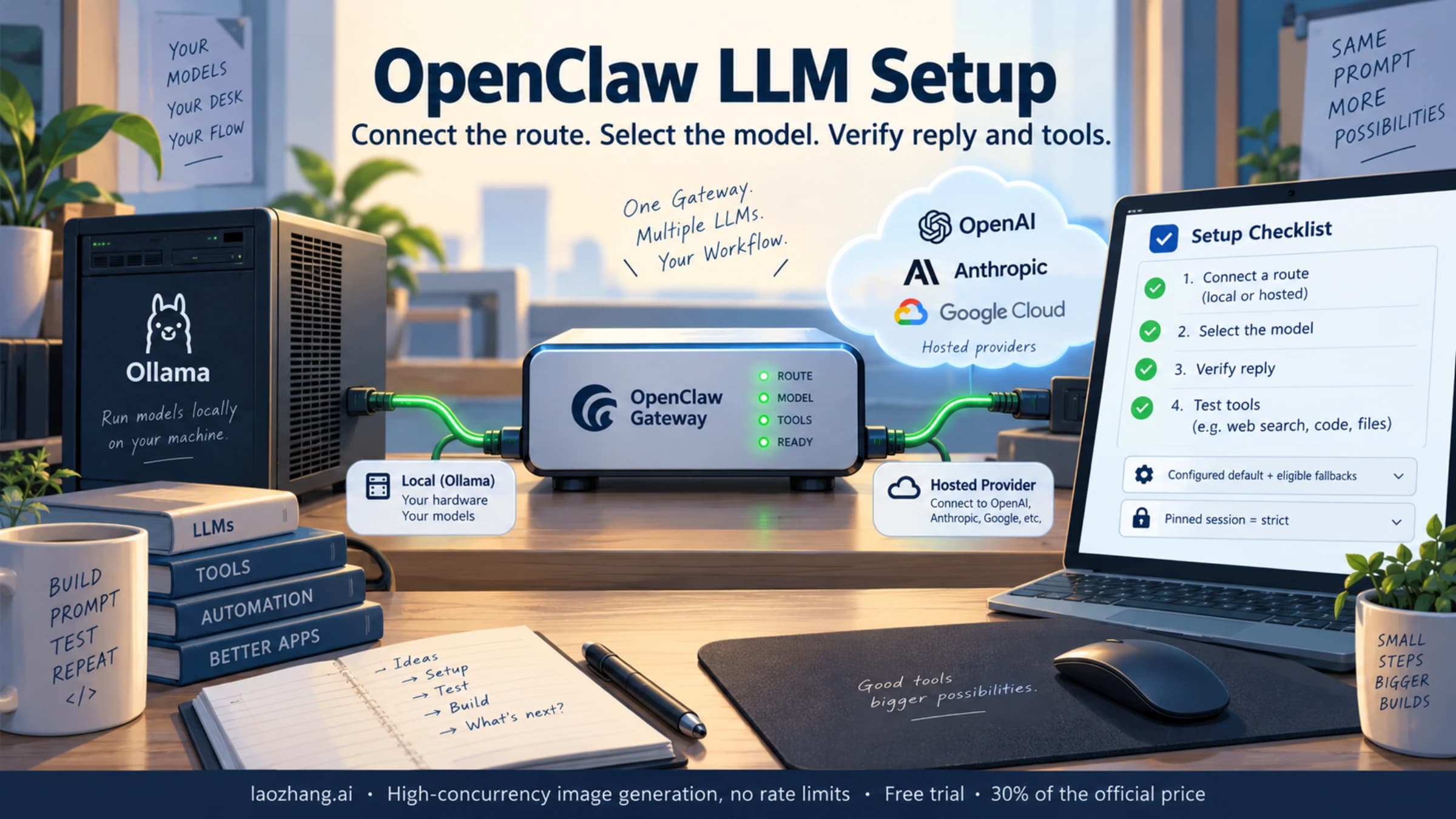
Once you have chosen an API access solution, the next question is which model to use. OpenClaw supports configuring multiple Providers simultaneously, allowing you to switch between different models for different scenarios to achieve the best balance of performance and cost.
Everyday Conversation and Information Queries: GPT-4o-mini ($0.15/M input, source: openai.com, 2026-03-15) or DeepSeek V3.2 ($0.28/M input) are recommended. Both models perform excellently for general Q&A, information organization, and document drafting at very low cost. For primarily Chinese-language use, DeepSeek V3.2 actually outperforms GPT-4o-mini in Chinese comprehension and generation.
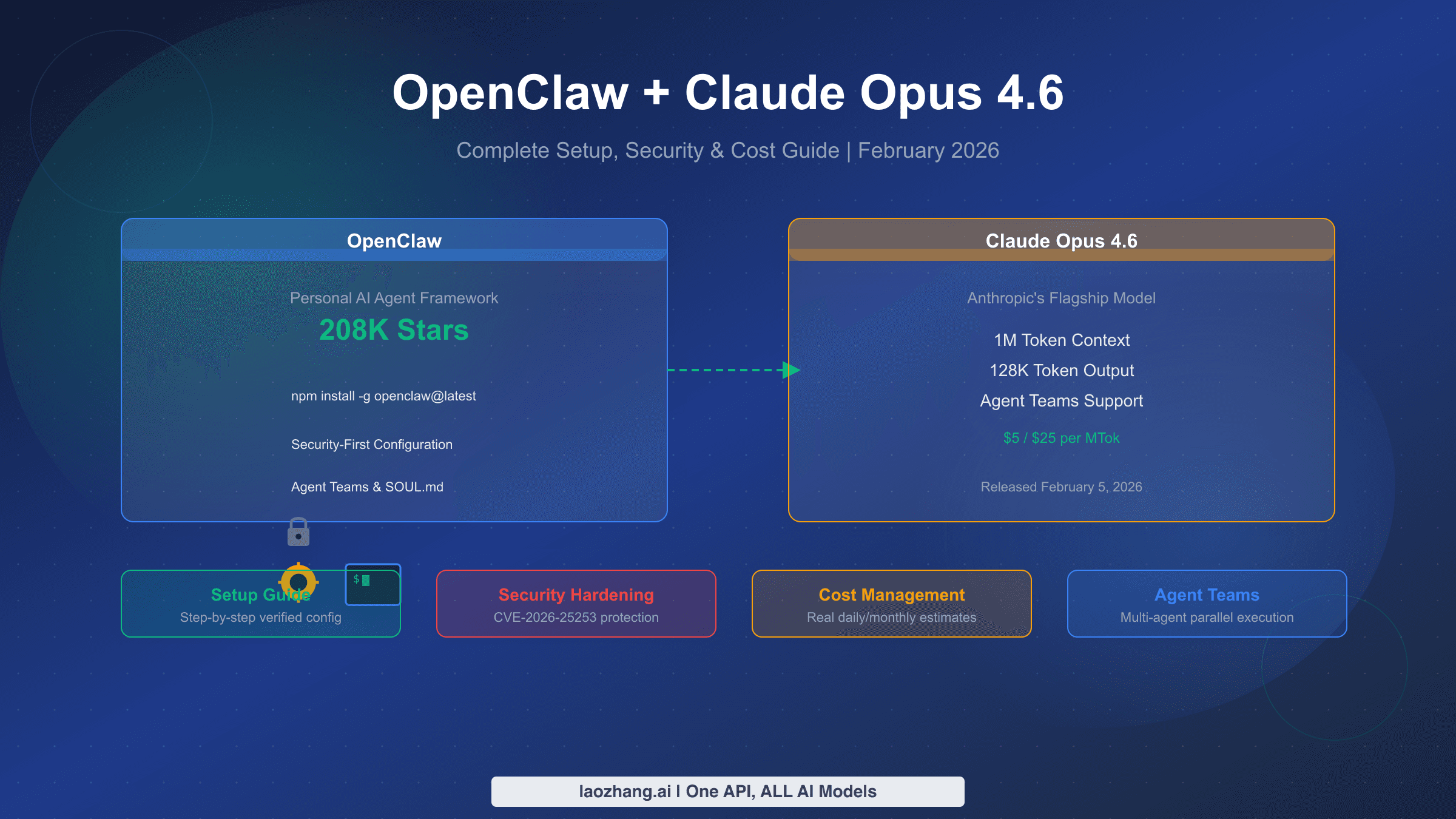
Coding and Code Generation: This is the most common high-value use case for OpenClaw. Claude Opus 4.6 ($5.00/M input, $25.00/M output, source: platform.claude.com, 2026-03-15) or GPT-4o ($2.50/M input, $10.00/M output) are recommended. Claude excels at long-context understanding and code refactoring, particularly for scenarios requiring analysis of entire code repositories. For simpler code completion and bug fixes, Claude Sonnet 4.6 ($3.00/M input) offers better cost efficiency.
Complex Reasoning and Analysis: For multi-step logical reasoning, mathematical calculations, or data analysis, DeepSeek R1 ($0.50/M input, $2.18/M output) or Gemini 2.5 Pro ($1.25/M input, $10.00/M output, source: ai.google.dev, 2026-03-15) are recommended. DeepSeek R1's reasoning capability approaches GPT-4o at just one-fifth the cost, making it an excellent choice for budget-conscious users.
For a deeper analysis of model selection and configuration methods, see our dedicated article: OpenClaw Best Model Selection Guide.
Cost Control: How Much Should You Spend Per Month
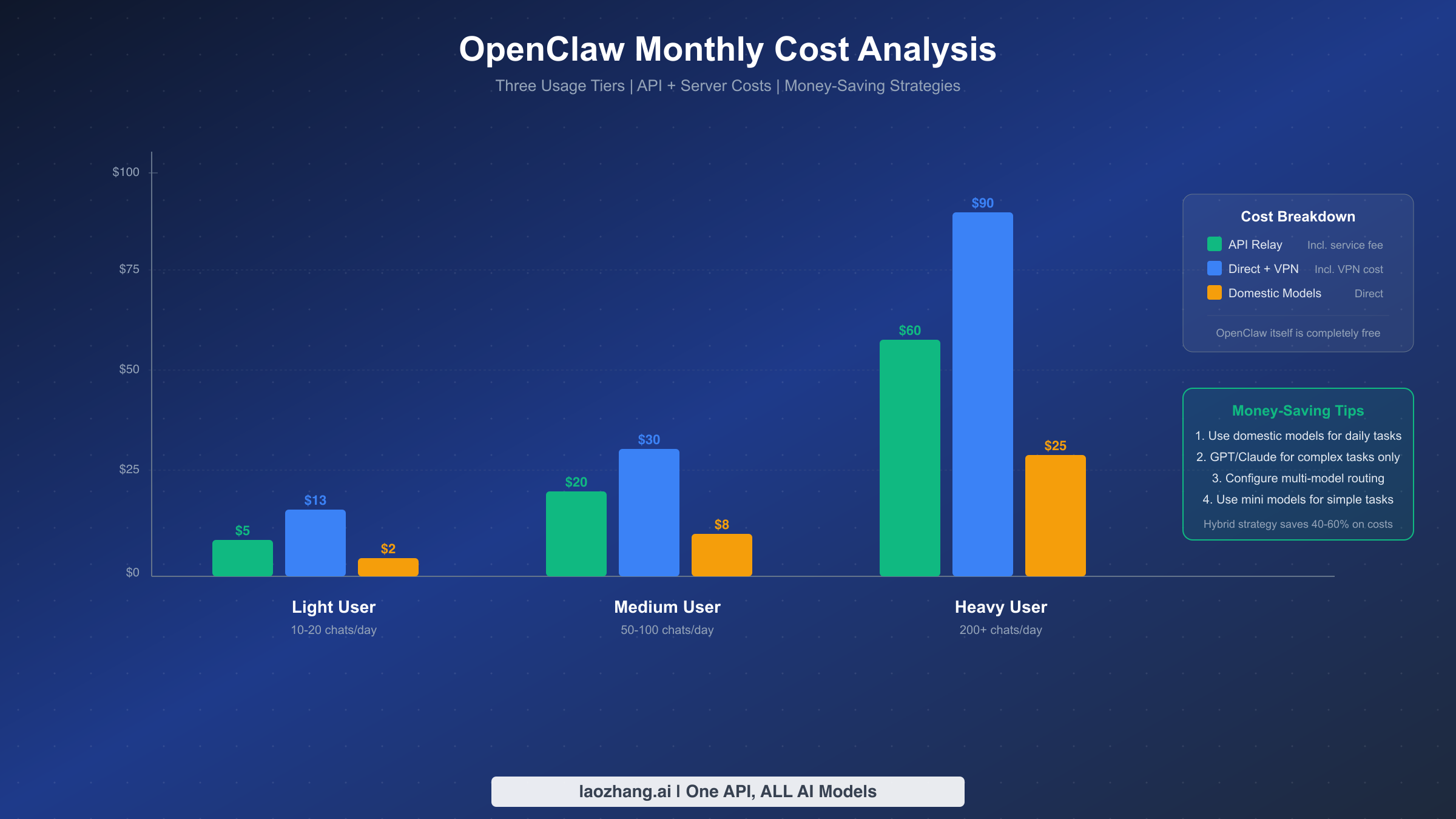
OpenClaw itself is completely free open-source software (MIT license) with no charges whatsoever. You only need to pay for two things: AI model API usage fees, and server hosting costs if you choose cloud deployment. Users running OpenClaw locally (on their own computer) only bear the API costs.
For users on an API relay plan, monthly costs fall into three tiers. Light users (10-20 conversations per day, mostly simple Q&A and information queries) spend approximately $3-8/month (~20-55 CNY). Moderate users (50-100 conversations per day, including coding assistance and document processing) spend approximately $15-25/month (~100-175 CNY). Heavy users (200+ conversations per day, heavy code generation and complex tasks) spend approximately $40-80/month (~280-560 CNY). These figures are based on typical mixed usage of GPT-4o-mini (lightweight tasks) and GPT-4o/Claude (heavy tasks).
The most effective cost control strategy is hybrid model routing. The approach is straightforward: configure multiple Providers in openclaw.json, route everyday conversations to lower-cost models (such as DeepSeek V3.2 or GPT-4o-mini), and manually switch to GPT-4o or Claude Opus 4.6 only when high-quality output is needed. OpenClaw supports switching models mid-conversation via commands or assigning different models to different task types in the Agent configuration. With this hybrid strategy, most users can reduce monthly costs by 40-60% while maintaining output quality.
Another point worth noting is the embedding model selection. OpenClaw's memory search feature requires text embeddings, and using a remote API (such as OpenAI's text-embedding-3-small) incurs a small fee per search. A cost-saving approach is to set memorySearch.provider to "local" in openclaw.json, using local embeddings instead of a remote API — slightly less accurate but completely free. For more detailed Token management and cost optimization strategies, see: OpenClaw Token Management and Cost Optimization.
Advanced: Integrating with Lark, DingTalk, and WeCom
OpenClaw's support for major messaging platforms is a key driver of its rapid growth in the Chinese market. Through its Channels mechanism, you can connect OpenClaw to Lark (Feishu), DingTalk, and WeCom (TG), chat directly with your AI assistant on these platforms, issue commands, and achieve true "chat-as-operation" functionality.
Lark integration is currently the most mature approach. The OpenClaw community has released an official Lark plugin with a straightforward installation process: create a bot application on the Lark Open Platform, obtain the App ID and App Secret, then navigate to the Channels settings page in OpenClaw's Web console and enter the credentials. The entire process takes about 10 minutes and requires no coding. Once configured, you can interact with OpenClaw through private or group chats in Lark — send text commands, and it will execute the corresponding operations on your server and return the results to the chat window.
DingTalk and WeCom integration follows a similar approach, both using their respective bot frameworks. The community-contributed Docker image OpenClaw-Docker-CN-IM comes pre-installed with Lark, DingTalk, QQ Bot, WeCom, and other popular IM plugins. If you prefer not to configure manually, using this image saves considerable time. Notably, in March 2026, the OpenClaw team also released native WeCom support, marking more complete coverage of the Chinese IM ecosystem.
Regardless of which platform you connect to, one security principle must be kept in mind: IM channels are essentially remote control entry points, and any message sent to the bot could be executed as a system command. Therefore, always restrict command execution permissions in OpenClaw's security settings, and run openclaw security audit --deep to perform a thorough security audit, ensuring no high-risk configurations are exposed.
Common Issues and Troubleshooting
During OpenClaw usage, the most frequent issues for restricted-network users center around network connectivity, configuration formatting, and permissions. Below is a summary of common errors and their solutions to help you quickly identify and fix problems.
"Gateway service install failed" or "schtasks create failed": This is the most common issue for Windows users, and the cause is almost always running without administrator privileges. Solution: close the current terminal, right-click PowerShell and select "Run as administrator," then re-run openclaw gateway install and openclaw gateway start.
API calls returning connection timeout or ECONNREFUSED: This means OpenClaw cannot connect to the configured API address. If you are using a relay service, check that the baseUrl is correct (make sure not to omit the /v1 suffix). If using official APIs, confirm that your VPN or proxy is running properly. You can test connectivity with curl -v https://your_baseUrl/models.
"token_missing" or "too many failed authentication attempts": You forgot to use the token-bearing link to open the Web console. Run openclaw dashboard to let the system automatically open the correct link, or verify that the gateway.auth.token field in openclaw.json is set correctly.
429 Rate Limit Exceeded Error: Your API call frequency has exceeded the model's rate limit. Relay services typically have their own rate limiting policies. If you encounter 429 errors frequently, configure a request interval in OpenClaw or switch to a different model. For detailed 429 error troubleshooting, see our dedicated article: OpenClaw 429 Rate Limit Error Solutions.
JSON configuration format errors causing OpenClaw startup failure: openclaw.json must be strict JSON format. Key points: trailing commas are not allowed (no comma after the last property), all strings must use double quotes, and backslashes in Windows paths must be escaped as \\. Use an online JSON validator (such as jsonlint.com) to check your configuration file.
| Common Error | Cause | Solution |
|---|---|---|
| Gateway install failed | No admin privileges | Run PowerShell as administrator |
| ECONNREFUSED | API address unreachable | Check baseUrl and VPN status |
| token_missing | Link missing token | Run openclaw dashboard |
| 429 Rate Limit | Request frequency too high | Reduce frequency or switch models |
| JSON parse error | Config format error | Validate with jsonlint |
| openclaw: command not found | Node.js not configured | Install Node.js >=22.12.0 |
Summary and Next Steps
OpenClaw is a powerful AI Agent platform, and for users behind restricted networks, the key to making it work is solving the API access problem. For most users, an API relay service is the simplest and most efficient solution — change two parameters, top up your account, and access all major AI models. Technically advanced users can also choose direct API access or a hybrid approach with domestic models, flexibly combining options based on their use case and budget.
Recommended next steps: if you have not installed OpenClaw yet, run the installation command now and start exploring. If you have installed it but are stuck on API configuration, copy the openclaw.json template provided in this article, replace the API Key, and restart the Gateway. If you want to further optimize your experience, explore Lark/DingTalk integration to embed your AI assistant into your daily workflow.
The OpenClaw ecosystem is evolving rapidly, with new Skills and features released every week. Keep your installation up to date by regularly running openclaw update to get the latest features and security patches. If you encounter issues, the OpenClaw official documentation (docs.openclaw.ai) and GitHub Discussions are the best places to seek help.
Sources2
External pages this guide links to, in the order they appear. Last updated Mar 15, 2026.
Sources2
External pages this guide links to, in the order they appear. Last updated Mar 15, 2026.