Nano Banana AI Image Generator in 2026: What It Really Is, Where To Use It, and When Pro Is Worth It
If you search for 'Nano Banana AI image generator' today, the safest answer is this: Nano Banana is now Google's image-model family, not one standalone tool. Start with Nano Banana 2 in Gemini for most work, move to Nano Banana Pro when text-heavy, diagram, or higher-fidelity jobs justify it, and use AI Studio or the Gemini API when you need direct control.
On this page
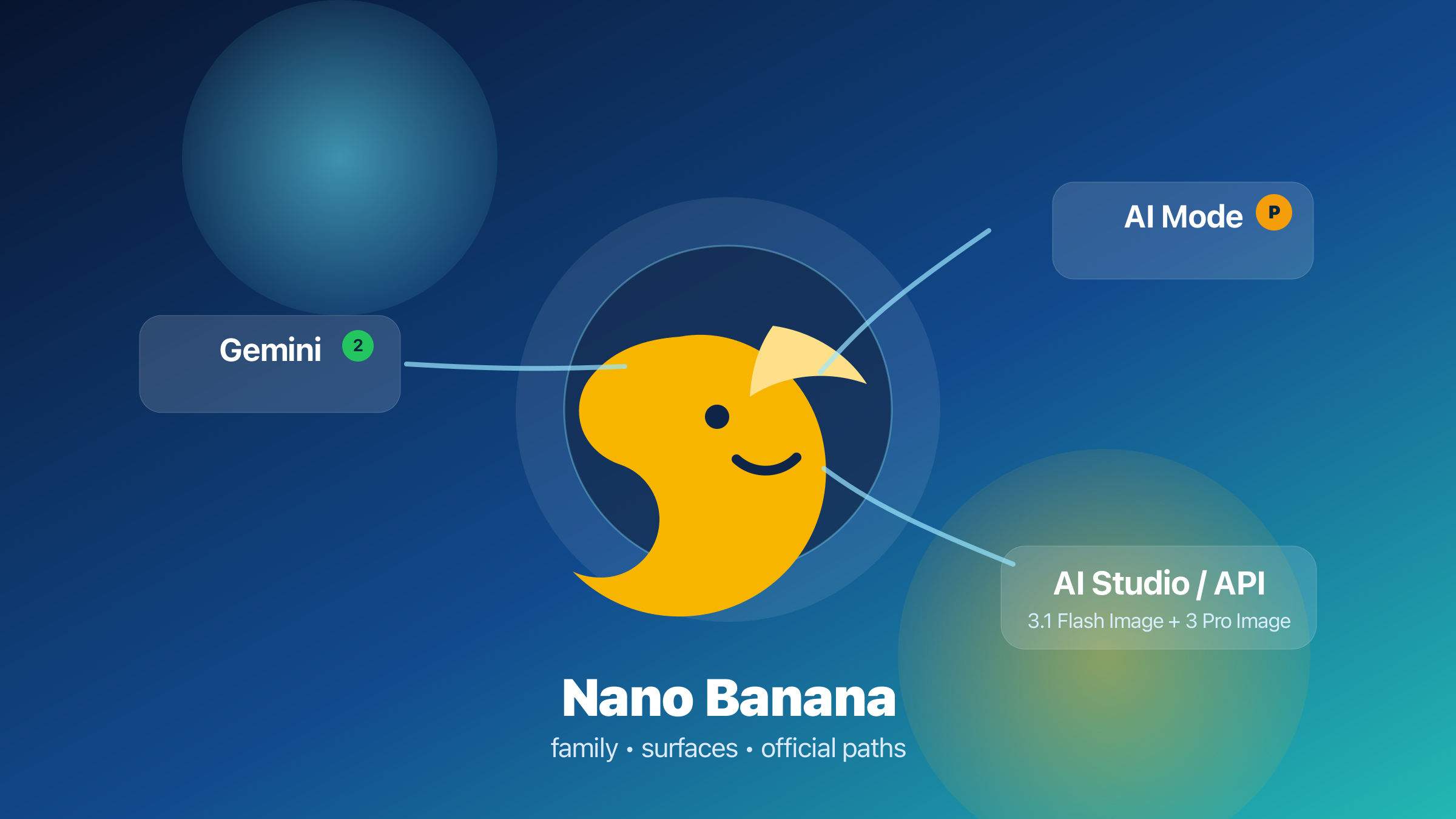
If you search for "Nano Banana AI image generator" today, the first thing to fix is the name. Nano Banana is no longer one standalone website or one cleanly bounded app experience. It is Google's current image-model family inside Gemini. The official family now includes the older Nano Banana model, Nano Banana 2, and Nano Banana Pro. For most people, the safest current default is Nano Banana 2 in Gemini or AI Mode. Nano Banana Pro still matters, but mostly when the job is higher-fidelity, text-heavy, diagram-centric, or API-first enough to justify the override.
That distinction matters because many pages ranking for the phrase flatten three different decisions into one vague label: which model tier you want, which Google surface you should open first, and whether you are looking at Google's official path or a third-party wrapper. If you do not separate those decisions, you end up reading a lot of "how to use Nano Banana" content that never actually tells you what to click, what it costs, or why Nano Banana 2 has become the better starting point for most real workflows.
All freshness-sensitive facts below were rechecked against current Google help pages, developer docs, pricing pages, and product blog posts on March 28, 2026.
TL;DR
Here is the fast answer.
| If this is your real job | Start here | Why it is the best current path | Biggest caveat |
|---|---|---|---|
| Everyday image creation and editing | Gemini + Nano Banana 2 | It is now Google's mainstream default, with the clearest consumer workflow | Free and paid quotas are limited and can change |
| Search-aware diagrams and infographics | AI Mode + Nano Banana Pro | Google explicitly positions Pro in AI Mode for infographics and diagrams | Availability depends on plan, region, and account eligibility |
| Prompt testing, exact aspect ratios, direct model control, or coding | AI Studio + Gemini API | Cleanest direct access to model IDs, image size, aspect ratio, grounding, and multi-turn workflows | API pricing is paid, and preview models can change |
| Lowest-cost official Google image API route | Nano Banana 2 API | Lower image price than Pro and positioned by Google as the all-around go-to model | Not the highest-fidelity tier |
| Highest-fidelity Google image route | Nano Banana Pro | Better fit for deliberate final assets, richer text rendering, and more demanding layout work | Higher API price and no longer the default consumer path |
| Multi-vendor billing or OpenAI-compatible gateway access | Optional wrapper / gateway | Useful if you specifically need unified billing or a proxy layer | That is an infrastructure decision, not the definition of Nano Banana |
The practical takeaway is simple: treat Nano Banana as a family-plus-surface decision, not as one product. If you are not sure, start with Nano Banana 2. Move to Pro only when you can clearly say what the extra tier is buying you.
What "Nano Banana" Means Now
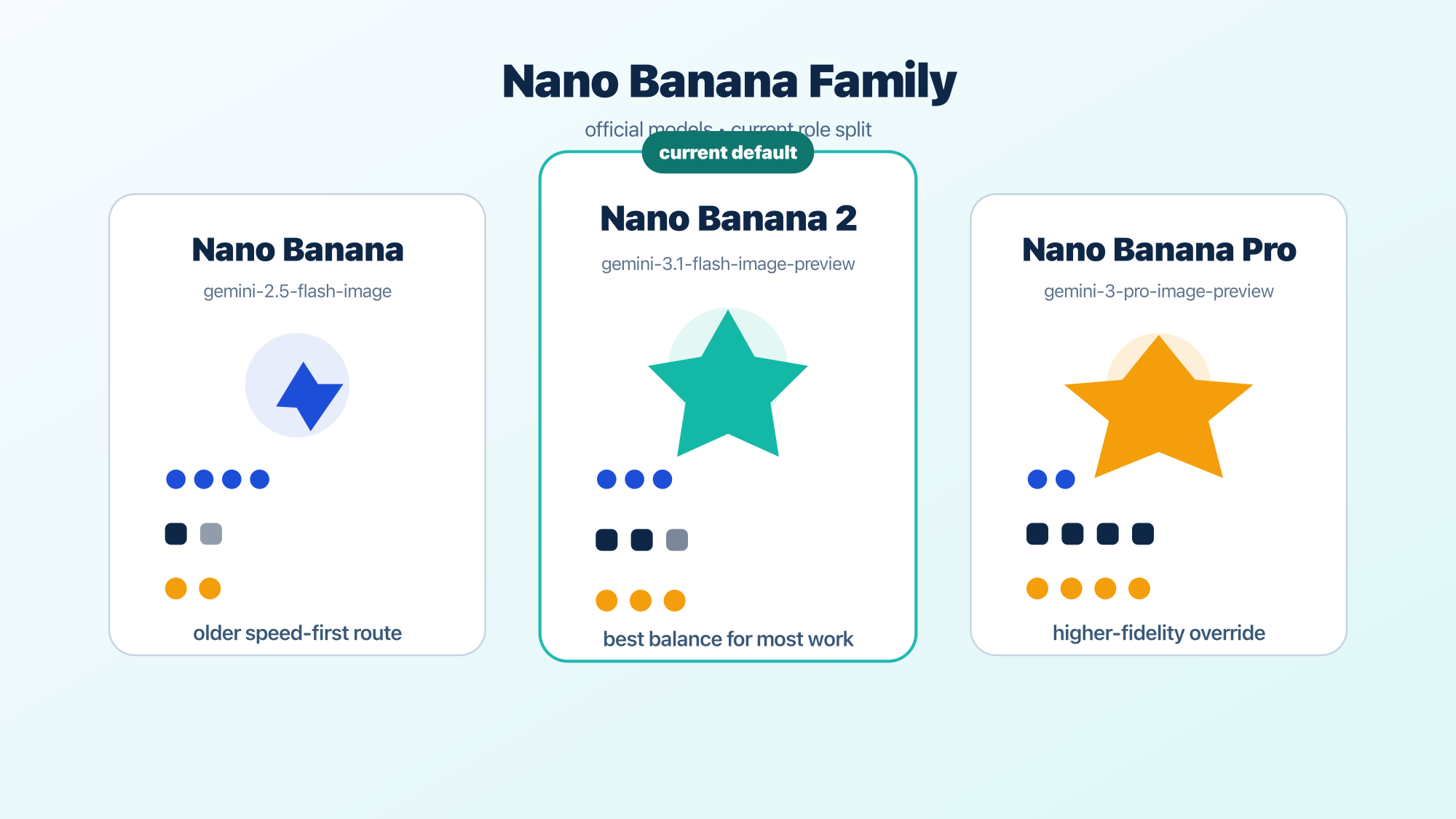
Google's own docs now describe Nano Banana as a family, not a single product label.
| Family label | Official model ID | Current role |
|---|---|---|
| Nano Banana | gemini-2.5-flash-image | Older speed-and-efficiency image route |
| Nano Banana 2 | gemini-3.1-flash-image-preview | Current go-to all-around image generation model |
| Nano Banana Pro | gemini-3-pro-image-preview | Highest-quality image tier for more demanding output |
Google's current image-generation docs say Nano Banana 2 should be your go-to image generation model because it offers the best all-around intelligence, cost, and latency balance. The Gemini 3 developer guide then frames Nano Banana Pro as the highest-quality image model and Nano Banana 2 as the high-volume, high-efficiency, lower-price equivalent. That is the cleanest current official framing, and it is more useful than older launch-era descriptions.
This is the part many search results still miss. A lot of pages treat "Nano Banana AI image generator" as if it were one product name that maps cleanly to one surface. That was already incomplete when Pro launched, and it is even more incomplete now. Google has updated the family, changed which tier sits closest to normal consumer use, and spread image access across Gemini, AI Mode, AI Studio, and the Gemini API.
The most important shift is this: Nano Banana 2 is now the mainstream default path in Google's own product story. Google's February 27, 2026 rollout post for Nano Banana 2 says the model is live on Gemini and Google Search, and the developer docs now describe it as the default all-around choice. That means a useful current guide cannot start by assuming Pro is the only version that matters.
If you only remember one line from this section, make it this one: "Nano Banana" now means the family. Your real choice is which version of that family you need, and where you want to use it.
Which Official Google Path Should You Open First
The best first tab depends less on the brand name and more on the surface you need.
Gemini Apps are the best official starting point for most people.
Google's Gemini Apps Help now says Nano Banana 2 is the model used when you generate and edit images in Gemini. That is the clearest everyday route because it is built around the same consumer workflow people already know: open Gemini, create or upload an image, describe what you want, then keep editing in context. Google's help docs also say Nano Banana 2 supports local edits, stronger text rendering, and character consistency, with downloaded images at 1K for free users and 2K for paid subscriptions. The same help page adds an important caveat: if you exhaust your daily Nano Banana 2 quota, you also lose the ability to keep using Pro redo that day. In other words, Pro redo is a premium refinement path, not an escape hatch around the base quota. If your job is "I want to make or edit an image without thinking about model IDs," this is where you should start.
AI Mode is the special Google route for grounded visual explanation.
Google Search Help now gives AI Mode a more specific role than many third-party summaries acknowledge. It documents image creation limits by Google AI plan and separately says Nano Banana Pro in AI Mode is optimized for creating infographics and diagrams. The current documented path is Thinking with 3 Pro -> Create Images Pro. That is not just a cosmetic menu detail. It is Google's clearest signal that if you want grounded visual explanation rather than general consumer image play, AI Mode Pro is the intended surface.
AI Studio and the Gemini API are the cleanest path for developers and power users.
If you want direct control over the model ID, exact aspect ratio, image_size, grounding, or multi-turn editing behavior, consumer surfaces stop being enough. AI Studio and the Gemini API are where Nano Banana becomes literal infrastructure instead of just an app feature. This is also where the family split becomes easier to reason about, because you are choosing an actual model ID instead of inferring which model the UI is currently favoring.
A wrapper or gateway is a separate infrastructure choice.
This query is crowded with third-party sites that act as if they are the product. That is the wrong way to read them. Wrappers can still be useful if you specifically need OpenAI-compatible calls, unified billing across vendors, or a region/payment workaround. But that does not make them the definition of Nano Banana. The official Google path should be your baseline, and the wrapper decision should come second.
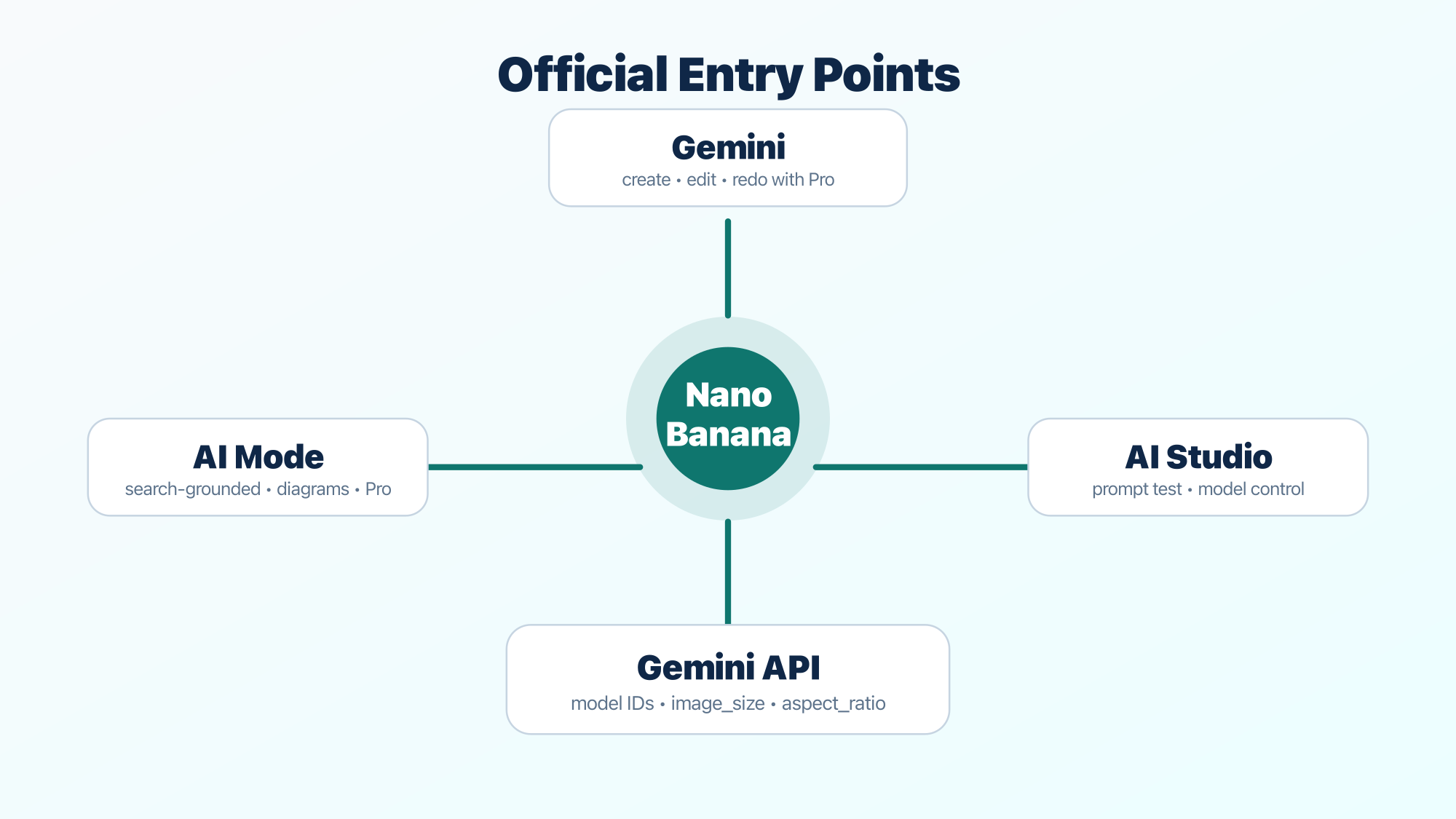
The simplest way to decide is this:
- Use Gemini when you want the easiest official everyday workflow.
- Use AI Mode when the job looks more like explanation, diagrams, or grounded visual answers.
- Use AI Studio / API when you need direct control, repeatability, or code.
- Use a wrapper only when you can name the operational reason.
That is a much cleaner mental model than the usual "here are four ways to use Nano Banana" list, because it maps the surface to the job instead of pretending the same answer fits everyone.
Start With Nano Banana 2 Unless You Can Name The Override
This is the single highest-value judgment most readers need.
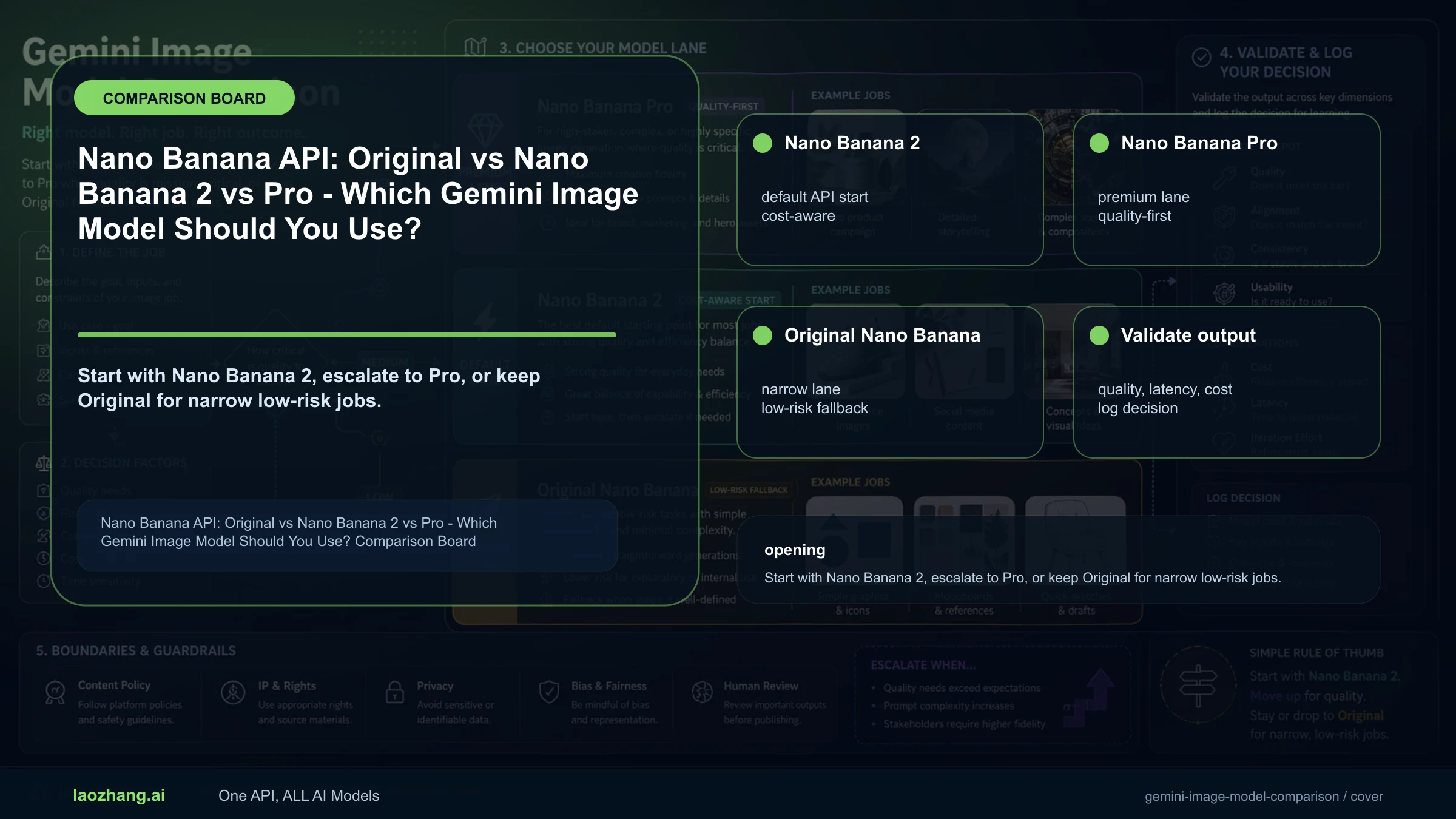
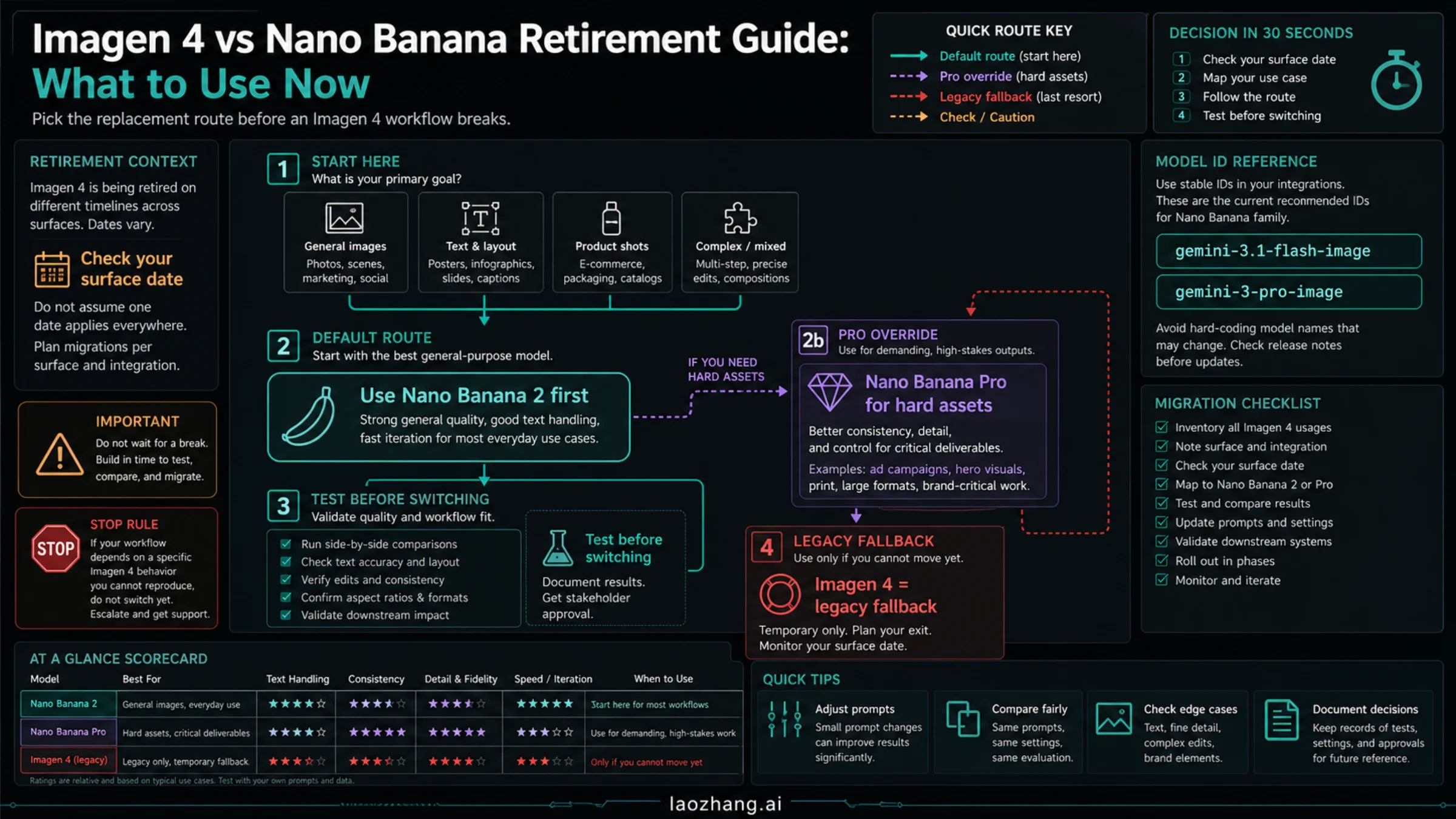
Google's own current docs describe Nano Banana 2 as the go-to image generation model. That matters because a lot of public content still treats Pro as the automatic answer. It is not. If you want one official Google default for most current work, start with Nano Banana 2.
Use Nano Banana 2 when:
- you want fast iteration and a lower-friction workflow
- you are doing general image creation or editing
- you are mostly using consumer Google surfaces
- you care about official API cost enough that Pro needs to justify itself
- you want Google's current mainstream image path rather than the premium override
Use Nano Banana Pro when:
- the image is a final asset, not just a draft
- text rendering quality is central to the outcome
- the layout is more structured or diagram-like
- you want the higher-fidelity tier and are willing to pay for it
- the job is serious enough that a slower, more expensive model is still the better trade
The important nuance is that Pro is no longer the only route to higher resolution. Google's current API docs show Nano Banana 2 also supports multiple image sizes up to 4K. That means the old shortcut "Pro equals 4K" is not the right mental model anymore. The better distinction is this:
- Nano Banana 2 is the default all-around model
- Nano Banana Pro is the higher-fidelity premium model
In other words, Pro is buying you model tier, not just more pixels.
There is also a smaller but useful point here: the older Nano Banana model still exists as gemini-2.5-flash-image, but it is not where the center of gravity sits anymore. If you are reading current 2026 guidance and wondering which part of the family actually matters today, the answer is overwhelmingly Nano Banana 2 first, Pro second. If you want the API-side detail view on the default model itself, continue with our Gemini 3.1 Flash Image Preview guide.
If you need the deeper head-to-head workload breakdown, read our Nano Banana Pro vs Nano Banana 2 comparison. This article is solving a different problem: helping you choose the right starting point before you fall down the wrong rabbit hole.
What Is Free, What Is Paid, and Where People Get Misled
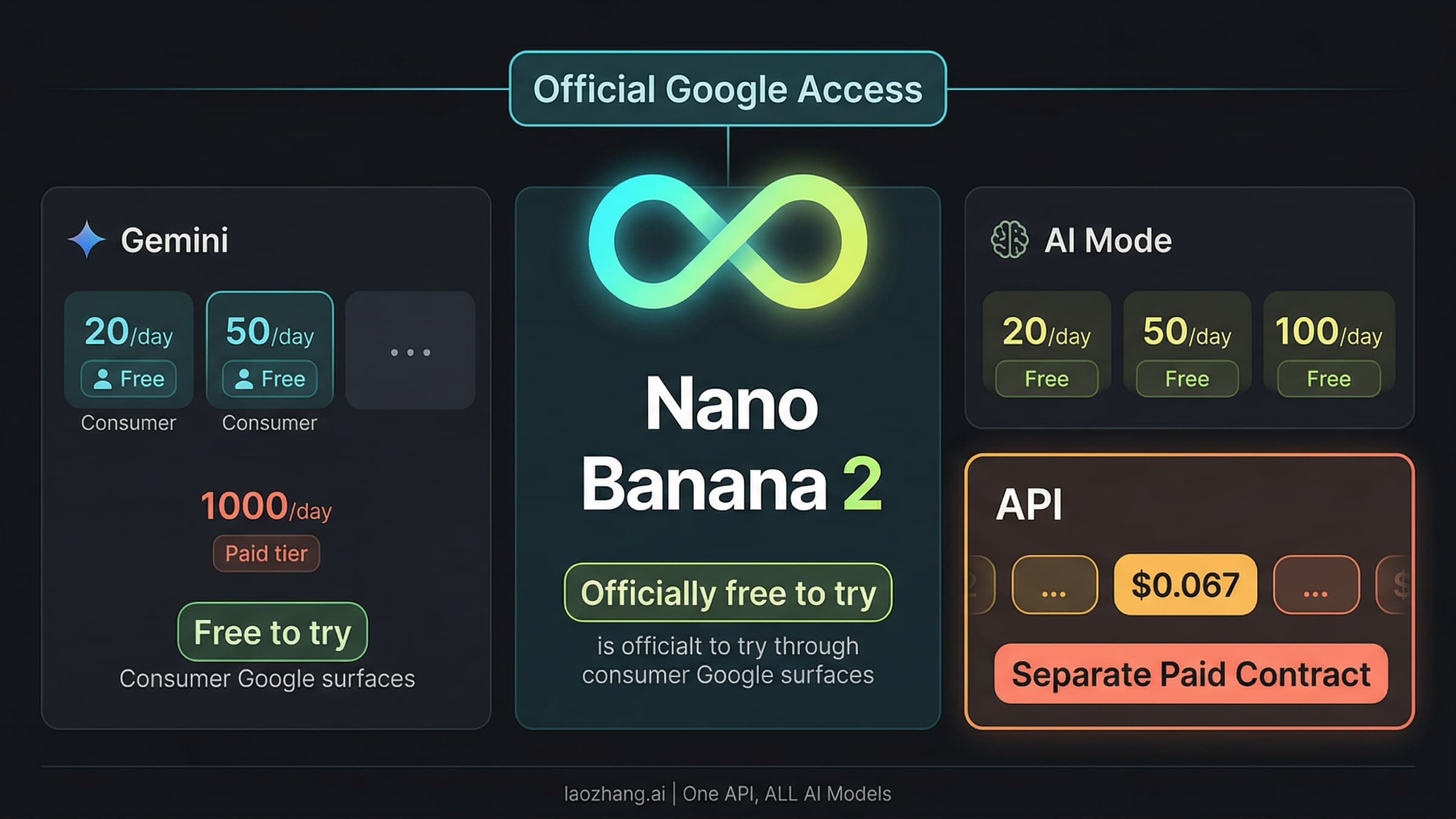
The biggest pricing mistake people make is mixing consumer quotas with API pricing. They are not the same system.
Gemini and AI Mode consumer quotas
Google's current Gemini Apps Help documents image quotas like this:
| Plan | Nano Banana 2 image generation & editing | Nano Banana Pro redo |
|---|---|---|
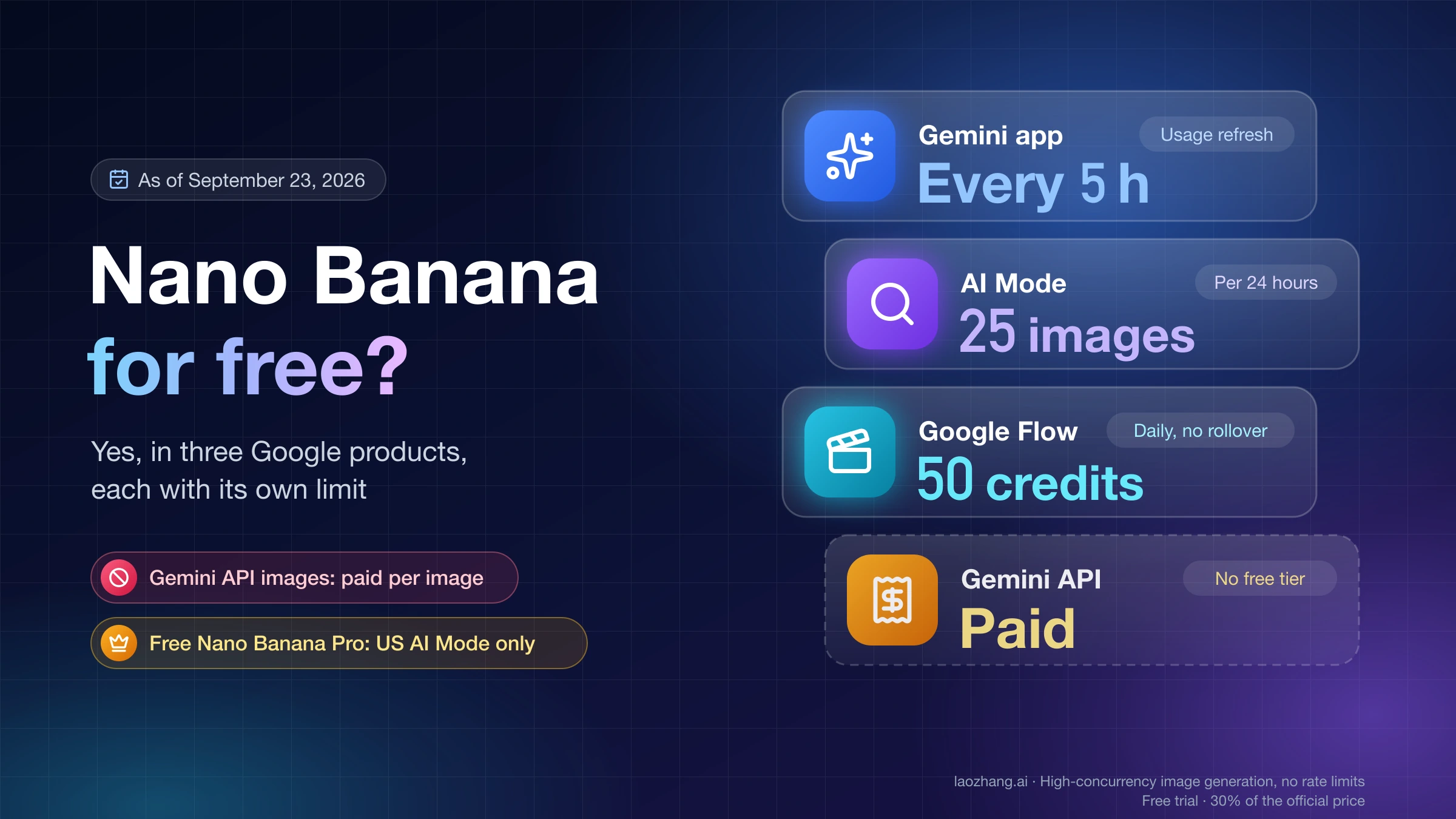
| No Google AI plan | Up to 20 images / day | Not listed |
| Google AI Plus | Up to 50 images / day | Up to 50 images / day |
| Google AI Pro | Up to 100 images / day | Up to 100 images / day |
| Google AI Ultra | Up to 1000 images / day | Up to 1000 images / day |
Google also warns that these limits may change frequently and reset daily.
AI Mode currently has its own documented image-creation limits, and Google Search Help lists the same visible shape there: 20 / 50 / 100 / 1000 images in a 24-hour period for no plan / Plus / Pro / Ultra. That same help page then notes that Nano Banana Pro in AI Mode has its own daily usage limits and plan/availability constraints.
This leads to a practical reading:
- Gemini is the best everyday official consumer route
- AI Mode Pro is the more specialized official route for diagram-like work
- both are consumer surfaces with quota language, not API pricing language
Current official API pricing
Google's current Gemini Developer API pricing page is the better source for programmatic use:
| Model | Official paid image pricing |
|---|---|
Nano Banana 2 (gemini-3.1-flash-image-preview) | $0.067 / 1K, $0.101 / 2K, $0.151 / 4K |
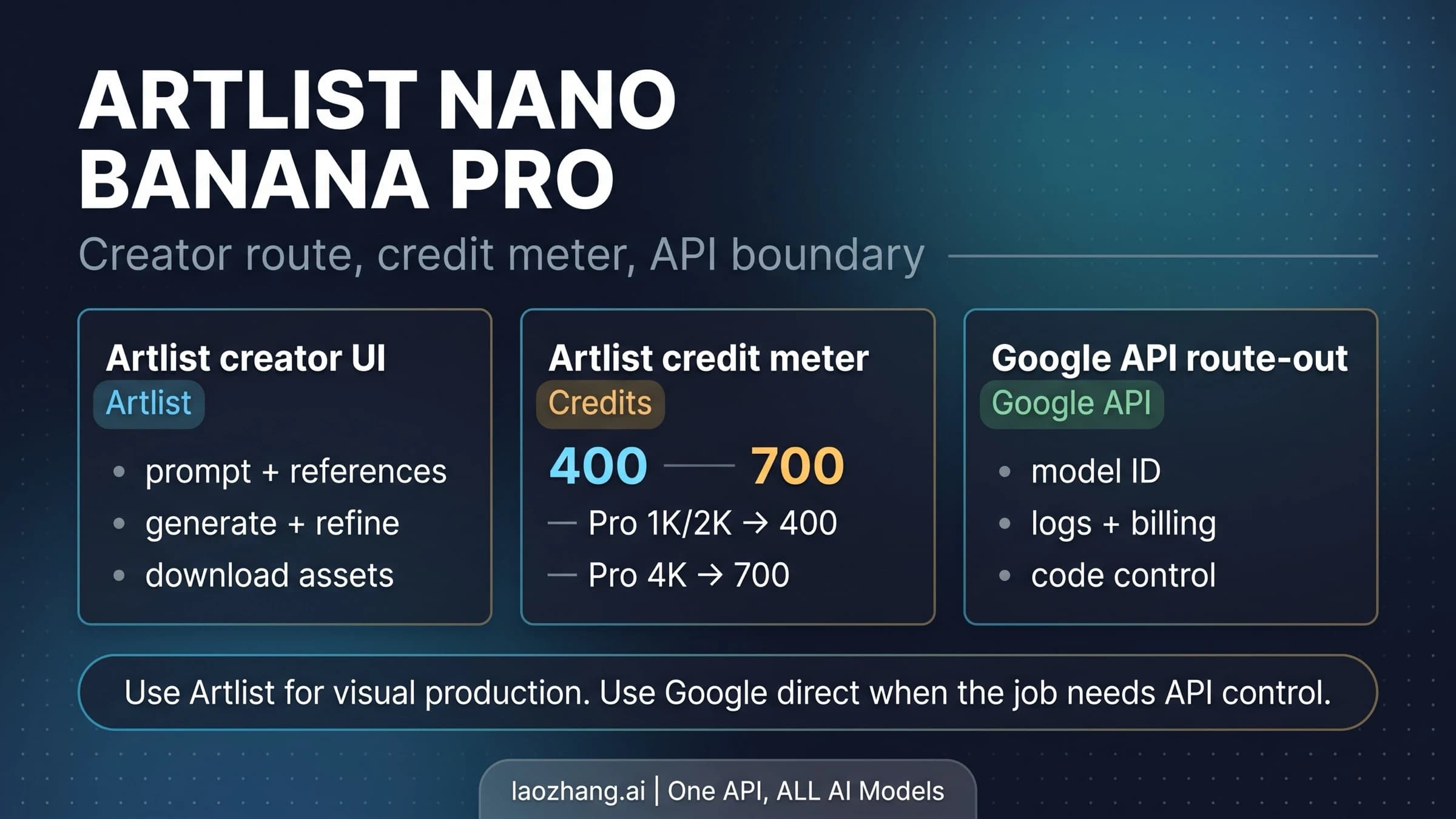
Nano Banana Pro (gemini-3-pro-image-preview) | $0.134 / 1K-2K, $0.24 / 4K |
That gives you a much cleaner rule than most vague pricing explainers:
- If you want the lowest-cost official current Google image API default, use Nano Banana 2
- If you want the higher-fidelity premium tier, use Nano Banana Pro
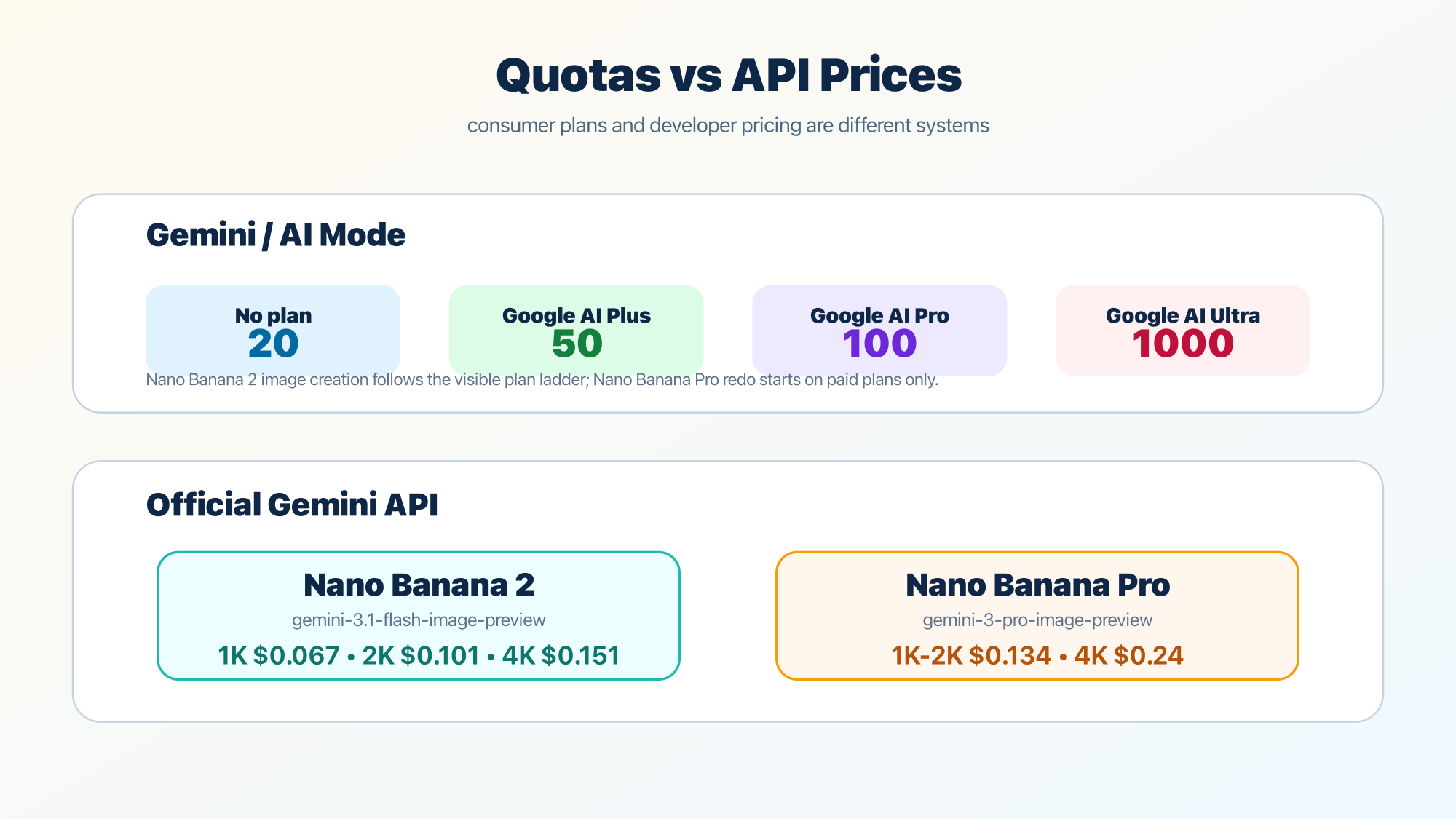
There is another high-value correction here. Google's current pricing page shows Free Tier: Not available for both current image preview models in the Gemini Developer API pricing table. That means a lot of "free Nano Banana API" content is either outdated, talking about consumer-product access instead of API access, or quietly moving the reader into a different contract than the headline implies.
So when someone asks "Is Nano Banana free?", the honest answer is:
- In consumer Google products: there is limited quota-based access
- In the current official API pricing table for the preview image models: it is a paid contract
That is much more useful than a generic "yes, try it free" headline.
If your real question is specifically about Pro access and current product surfaces, our Nano Banana Pro usage guide goes deeper on the Pro side of the decision.
Official Google Vs Third-Party Wrappers
A lot of the confusion around this keyword comes from wrapper pages that use "Nano Banana AI image generator" as if it were their own product category. The problem is not that wrappers are always bad. The problem is that they often blur three different things:
- the actual Google model family
- the official Google surface
- the wrapper's own billing, routing, and policy layer
That blur makes simple questions feel harder than they are. For example, if a wrapper says it gives you "Nano Banana Pro access," you still need to know:
- which model ID it is really routing to
- whether the cost shape matches current official Google pricing
- whether quotas, retries, or fallback models are hidden behind the scenes
- how much of the behavior you are seeing belongs to Google versus the wrapper
That is why the cleanest order of operations is:
First, understand the official Google story.
Know what Nano Banana, Nano Banana 2, and Nano Banana Pro mean. Know whether your job belongs in Gemini, AI Mode, or AI Studio/API.
Then decide whether a wrapper solves a real operational problem.
If you specifically need unified multi-vendor billing, OpenAI-compatible endpoints, or a simpler gateway layer, a wrapper can make sense. For example, laozhang.ai can be useful if your real task is multi-vendor API routing rather than pure Google-first product usage. But that is a second decision, not the first one.
If you reverse that order, thin landing pages start dictating your mental model. That is exactly how the query becomes more confusing than it should be.
How To Choose In 30 Seconds
If you just want the shortest correct answer, use this:
Open Gemini and start with Nano Banana 2 if you want the easiest official Google image workflow.
Open AI Mode and use Nano Banana Pro if you specifically want infographic or diagram-style output in the search experience and your account supports it.
Open AI Studio or the Gemini API if you need model IDs, prompt testing, exact aspect ratios, image sizes, grounding, or code.
Pick Nano Banana Pro over Nano Banana 2 only when you can clearly say that the job is more demanding on fidelity, text rendering, or structured visual output than the cheaper default can comfortably handle.
Use a wrapper only when you can name the infrastructure reason, not because a landing page made the product story sound simpler than Google's own docs do.
That is the real decision tree behind the keyword.
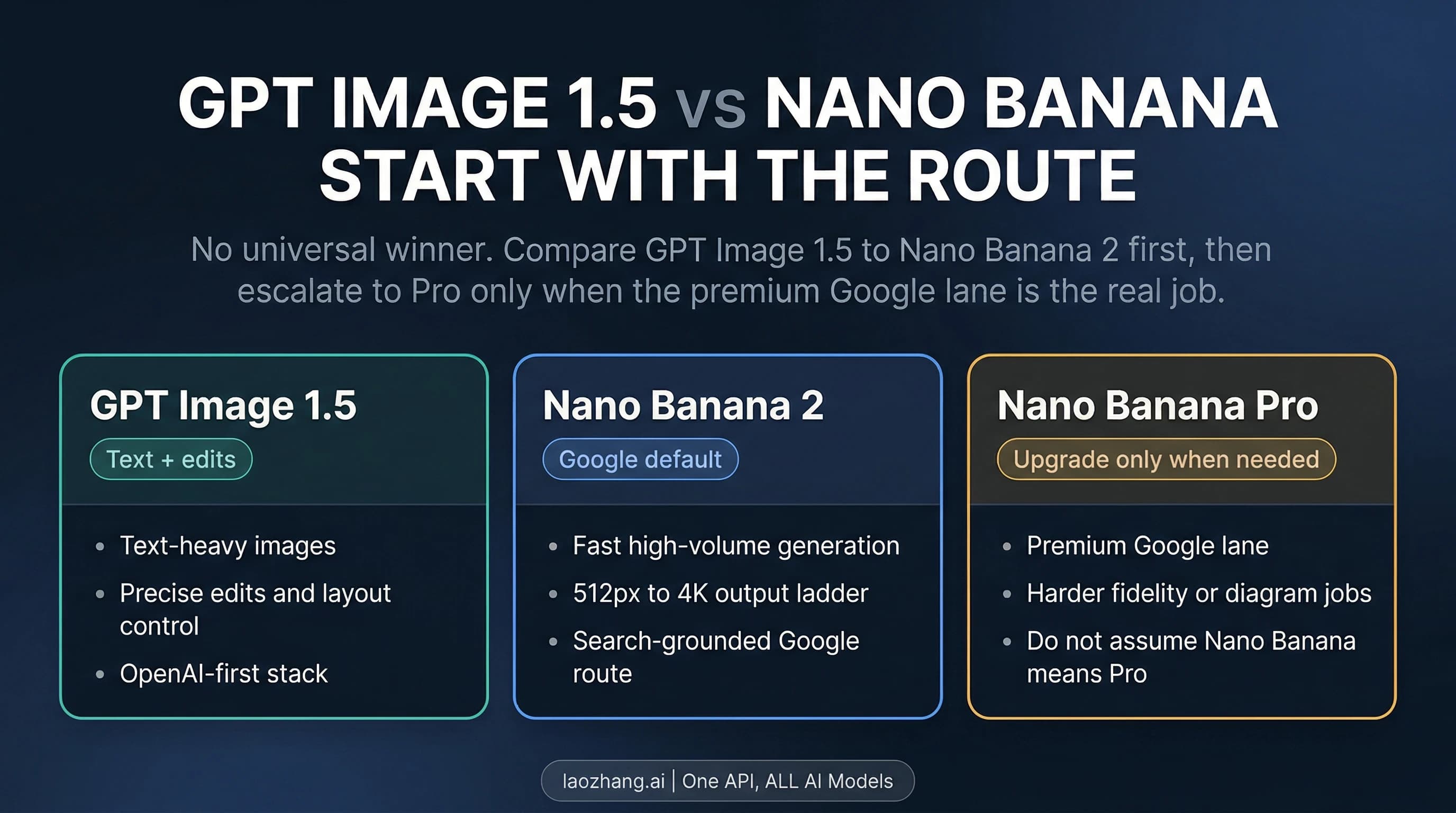
If your real job is broader than Google's stack and you are actually deciding between multiple image products, skip to our best AI image generator guide. A lot of readers searching this phrase are really trying to solve a tool-choice problem, not just a Nano Banana definition problem.
Frequently Asked Questions
What is the Nano Banana AI image generator?
Today, Nano Banana is best understood as Google's image-model family inside Gemini, not one standalone app or one reseller site. The main current choices are Nano Banana 2 and Nano Banana Pro, and the better starting point for most people is Nano Banana 2.
Is Nano Banana an official Google product?
Yes, the Nano Banana family refers to official Google Gemini image models. What causes confusion is that many third-party sites also market access to those models or use the phrase as a search-facing brand term.
Should I start with Nano Banana 2 or Nano Banana Pro?
Start with Nano Banana 2 unless you can clearly justify Pro. Pro becomes the better choice when the job is more fidelity-sensitive, text-heavy, diagram-oriented, or important enough that the higher-cost tier is worth it.
Is Nano Banana free?
There is limited quota-based access in Google consumer surfaces like Gemini and AI Mode, but the current Gemini Developer API pricing page shows paid pricing for the current preview image models rather than a free API tier.
What is the official model ID for Nano Banana Pro?
gemini-3-pro-image-preview.
What is the official model ID for Nano Banana 2?
gemini-3.1-flash-image-preview.
Can I use Nano Banana through an API?
Yes. AI Studio and the Gemini API are the clearest official developer path. That is where you get direct control over model IDs, image_size, aspect ratios, and grounding.
Is Nano Banana Pro still the default Google image path?
No. That is one of the main things outdated articles get wrong. Google's current docs and product help place Nano Banana 2 at the center of the mainstream image workflow, while Pro has become the higher-tier override for more specialized jobs.
Does Pro matter if Nano Banana 2 already supports 4K in the API docs?
Yes, but for a different reason than many old articles imply. Pro is not just about maximum resolution. It is about the higher-fidelity model tier and when that extra tier actually improves the result enough to justify the cost.