Codex Security Says ‘This Content Can't Be Shown’: Diagnose the Block Before You Rerun
The exact ‘This content can't be shown’ banner is a cyber-safety signal, not a generic Codex crash. Preserve the evidence, verify authorization, narrow the defensive task, and escalate without sharing secrets.
On this page
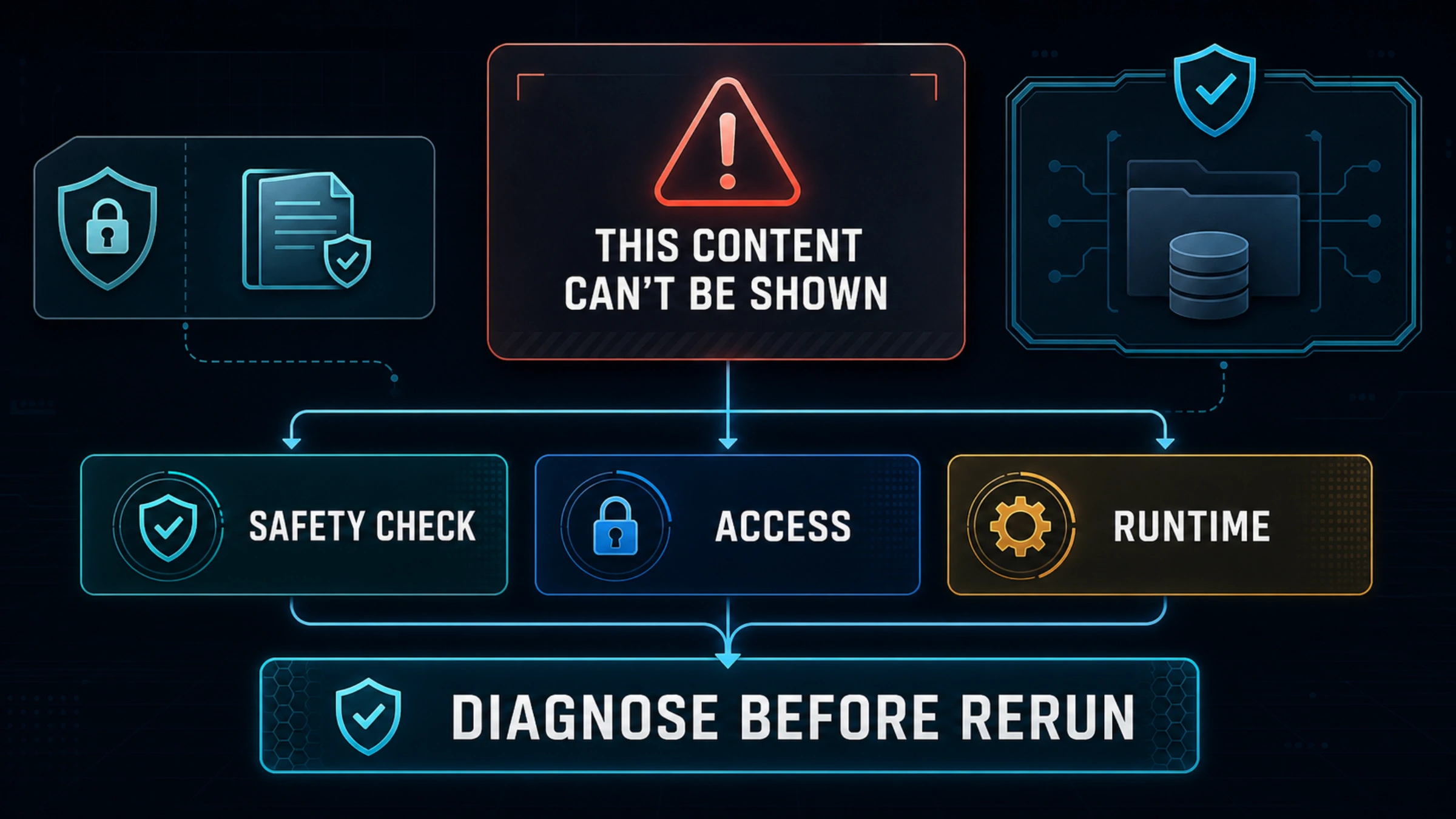
If Codex Security ends with Goal blocked: This content can't be shown, do not immediately rerun the same scan. The exact wording matters. OpenAI describes this as the possible outcome of an additional automated safety check for cybersecurity or biological requests. The notice alone does not mean OpenAI has determined that you violated its Usage Policies.
Your first useful move is to preserve the small amount of evidence still on screen: the exact message, where it appeared, the phase of the run, the model, the time and time zone, and any request or feedback ID. Then decide which of three problems you actually have. A final safety block, a missing Codex Security entitlement, and a network or runtime error may all stop work, but they need different responses.
This guide is for defensive work on systems you own or are explicitly authorized to assess. It is not a method for disguising a disallowed request or bypassing a safeguard.
Identify the Failure Before Changing Anything
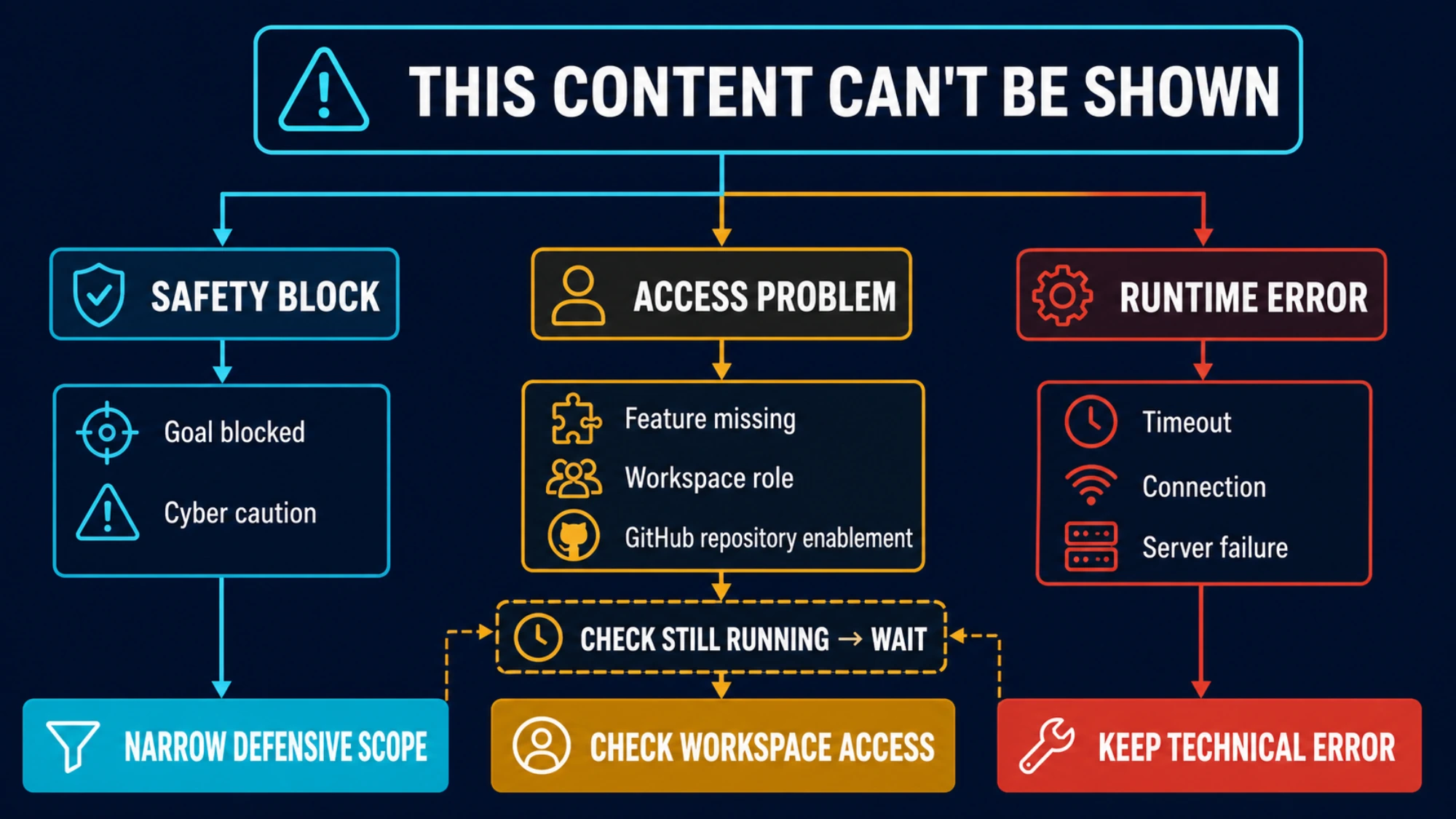
Start with the visible symptom, not a guessed root cause.
| What you see | What it most likely means | First action |
|---|---|---|
Goal blocked followed by This content can't be shown and a cybersecurity caution | An additional safety check ended without returning the content | Preserve evidence, verify policy and authorization, then narrow the defensive task |
| Codex Security is missing, disabled, or the repository cannot be enabled | Plan, workspace, role, GitHub connection, or product-access problem | Check current eligibility and workspace permissions |
| The scan reports a timeout, connection failure, server error, or crashed process without the safety wording | Ordinary product, network, or runtime failure | Keep the technical error and troubleshoot that path |
| The page says an additional check is still running | The check has not reached a final result | Wait; OpenAI says no action is needed while the check runs |
This classification prevents a common wasteful move: applying generic Codex fixes to a safety decision. Clearing a cache, changing file permissions, or reinstalling the app does not address the meaning of the exact safety banner. Conversely, a missing feature toggle is not fixed by rewriting a prompt.
There is a second distinction inside Codex Security itself. OpenAI currently describes its workflow as identification, validation in an isolated environment, and remediation with a patch for human review. A public issue report shows that the safety message can appear during validation on a repository the reporter said they owned. That is useful symptom evidence, but it is not an official explanation of every block and does not prove that validation is always the trigger.
Preserve a Safe Incident Record Before You Retry
Once a long run has ended, changing several variables at once destroys the clearest evidence you have. Capture a compact incident record first.
Record:
- the full safety message, including
Goal blockedif present - whether you were in the Codex app, CLI, ChatGPT, or the API
- whether the task used Codex Security or a normal Codex thread
- the model shown in the product, if visible
- the stage at which work stopped, such as scan, validation, or patch generation
- the date, time, and time zone
- the request ID or feedback ID, if one is available
- a one- or two-sentence redacted description of the defensive task
- whether you own the target or have explicit authorization to test it
Do not put passwords, authentication codes, private keys, tokens, proprietary source, exploit targets, or confidential third-party data into a feedback form. OpenAI's own help guidance asks for a brief redacted task description, not a dump of the repository or conversation.
Also keep reported cost or quota impact separate from confirmed billing behavior. A Reddit user reported a long Codex Security run ending in this block after consuming part of a weekly limit. That establishes the user-visible pain, not a refund rule or a universal consumption pattern. If quota is part of your incident, record what the UI showed and let Support determine the account-specific answer.
Make the Next Request Narrower, Not Merely Different
OpenAI's current guidance is precise: if the request is allowed, try again with a narrower scope and only the context needed to explain the desired outcome. For cybersecurity work, focus on identifying, preventing, or remediating a security issue, and remove exploit detail that is not necessary for that defensive result.
A useful request has five visible parts:
- Authorization: state that the repository, application, or environment is yours or explicitly authorized for assessment.
- Defensive result: ask for detection, risk explanation, mitigation, or a patch—not open-ended offensive capability.
- Bounded asset: name the specific module, diff, finding, or data flow that needs review.
- Required evidence: request the code path, assumption, reproduction boundary, and remediation reasoning needed for review.
- Explicit exclusions: say that credentials, production exploitation, persistence, evasion, and unrelated targets are out of scope.
For example:
Review the authentication callback in this repository, which I own. Determine whether the supplied finding can let an unauthenticated user bypass the state check. Keep validation inside the provided test environment. Return the affected code path, the minimum safe reproduction needed to confirm the defect, and a remediation patch. Do not access external systems, use real credentials, establish persistence, or expand beyond this repository.
That template does not guarantee an answer. It makes the legitimate defensive boundary inspectable. OpenAI explicitly warns that changing wording does not change whether a request is allowed. If the underlying task is disallowed or unauthorized, a more polished prompt is still disallowed or unauthorized.
Do not repeat an unchanged long-running scan just to see whether the classifier behaves differently. If you retry, change the substance: reduce the repository area, remove irrelevant attack detail, and make the expected defensive output concrete. If the same clearly benign, authorized task is repeatedly blocked, preserve the result and escalate instead of turning the workflow into a quota experiment.
Check Access Only When the Symptom Is Actually About Access
Codex Security is currently documented as a research preview for ChatGPT Enterprise, Edu, Business, and Pro. It connects to GitHub repositories. For Enterprise and Edu workspaces, OpenAI says both Codex Cloud and Codex Security access must be enabled, and role-based controls can restrict who uses or administers scans.
Those facts matter when the product is absent, a repository cannot be enabled, or a teammate sees a different workspace experience. They do not explain the exact This content can't be shown safety message by themselves.
Use this quick access branch when appropriate:
- confirm the signed-in account and intended workspace
- confirm that the current plan and workspace expose Codex Security
- for managed workspaces, ask an admin to check both Codex Cloud and Codex Security permissions
- confirm the intended GitHub repository is connected and enabled
- reopen the product after a provisioning change before concluding access is still missing
If the feature launches and the scan reaches validation, you have already moved beyond the simplest “feature not enabled” diagnosis. Return to the safety-block branch.
Know What Trusted Access Does—and Does Not Do
The banner may point security professionals toward Trusted Access for Cyber. Treat that as a separate eligibility and provisioning path for legitimate advanced cybersecurity work, not as an instant switch that fixes a current run.
OpenAI's troubleshooting guide says Trusted Access can reduce some cyber-related blocking for approved customers, but it does not remove every safeguard. System-level safety messages, model-level refusals, and Usage Policy controls can still apply. Approval for one access path also does not automatically prove another path is active.
Trusted Access becomes relevant when the work is genuinely advanced, defensive, authorized, and recurring enough to justify the program. It is not relevant as a way to avoid clarifying ownership, narrow scope, or remove unnecessary offensive detail. If you already have approval, confirm the approved organization, user, product surface, and access path before assuming a block means provisioning failed.
Escalate With a Redacted, Actionable Packet
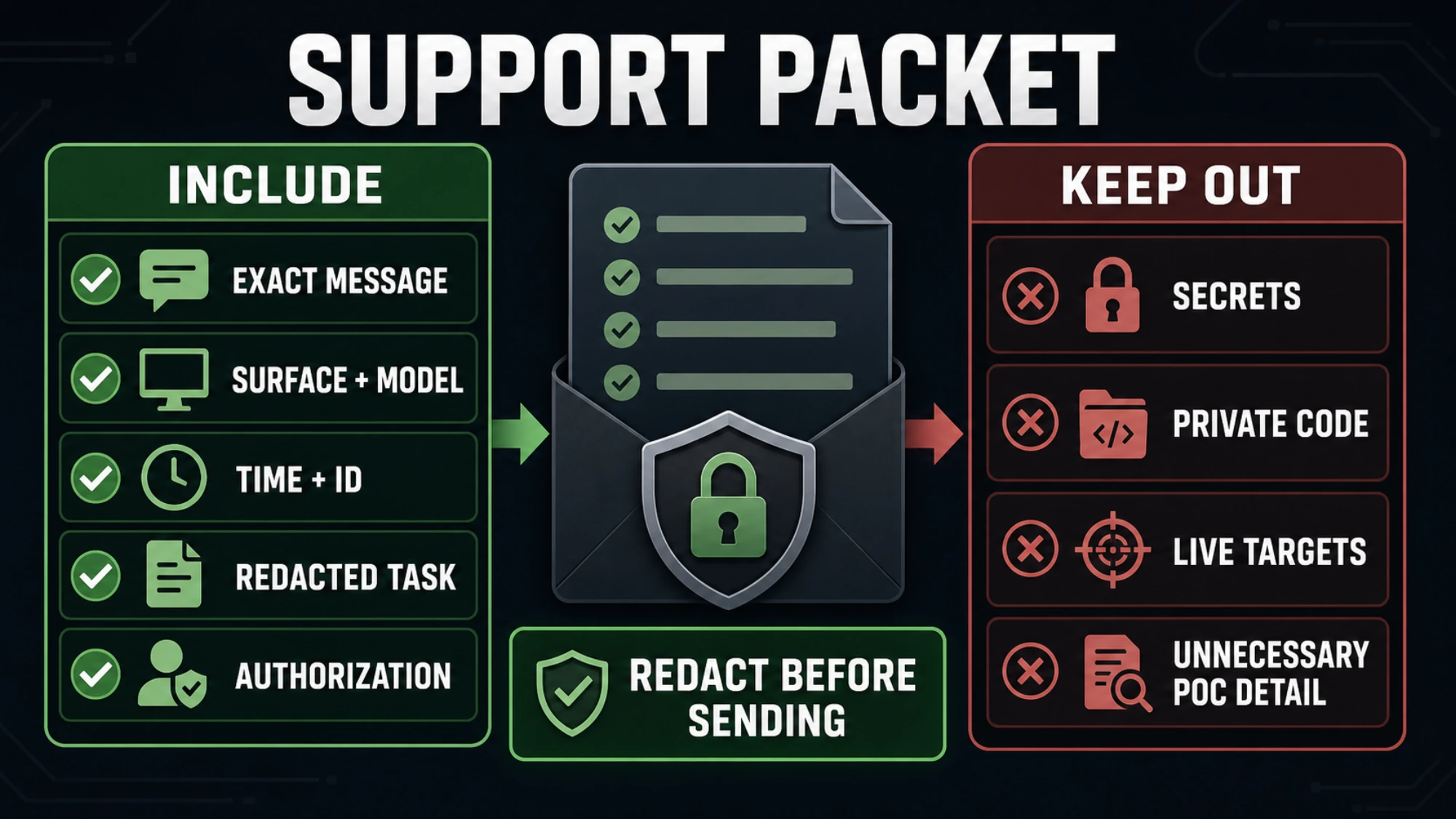
OpenAI recommends using the thumbs-down control when it is available for an individual response. For a clearly benign or authorized request that is repeatedly blocked, contact Support with a compact packet.
| Include | Keep out |
|---|---|
| Exact safety message | Passwords and authentication codes |
| Codex, API, or ChatGPT surface | Private keys, tokens, and secrets |
| Model, date, time, and time zone | Full proprietary repositories |
| Request or feedback ID | Live exploit targets or third-party data |
| Redacted task description | Unnecessary proof-of-concept detail |
| Workspace or organization context, if relevant | Assumptions presented as confirmed root cause |
| Statement of ownership or authorization | Claims that quota must be refunded |
A good escalation says what happened and what you already ruled out: “Codex Security reached validation on an owned repository, then returned the exact safety banner. I narrowed the task to one defensive finding and removed unnecessary exploit detail; the same result occurred. Here are the timestamps, surface, model, and feedback ID.”
That is materially more useful than “Codex blocked me for no reason.” It also protects the very systems the security review is meant to protect.
For the broader product context, see our current Codex stack overview. For the authoritative next step, use OpenAI's additional safety checks guidance, Codex Security documentation, Trusted Access troubleshooting, and current Usage Policies.
The practical finish line is not “make the warning disappear.” It is one of three honest outcomes: an allowed defensive task completes after being narrowed, an access or runtime problem is fixed on its own branch, or a repeated benign block is handed to OpenAI with enough redacted evidence to investigate.
Sources4
External pages this guide links to, in the order they appear. Last updated Aug 4, 2026.
Sources4
External pages this guide links to, in the order they appear. Last updated Aug 4, 2026.
- 1.additional safety checks guidancehelp.openai.com/en/articles/20001326-additional-safety-checks-for-biological-and-cybersecurity-requests-in-chatgpt-codex-and-the-api
- 2.Codex Security documentationhelp.openai.com/en/articles/20001107-codex-security
- 3.Trusted Access troubleshootinghelp.openai.com/en/articles/20001259-trusted-access-for-cyber-common-issues-and-troubleshooting
- 4.Usage Policiesopenai.com/policies/usage-policies