Claude Rate Exceeded Error: Identify the Limit Owner Before You Retry
Claude API Error: Rate limit reached and Rate Exceeded are not one limit. Match the current message to plan usage, 1M access, API key, provider, or gateway.
On this page
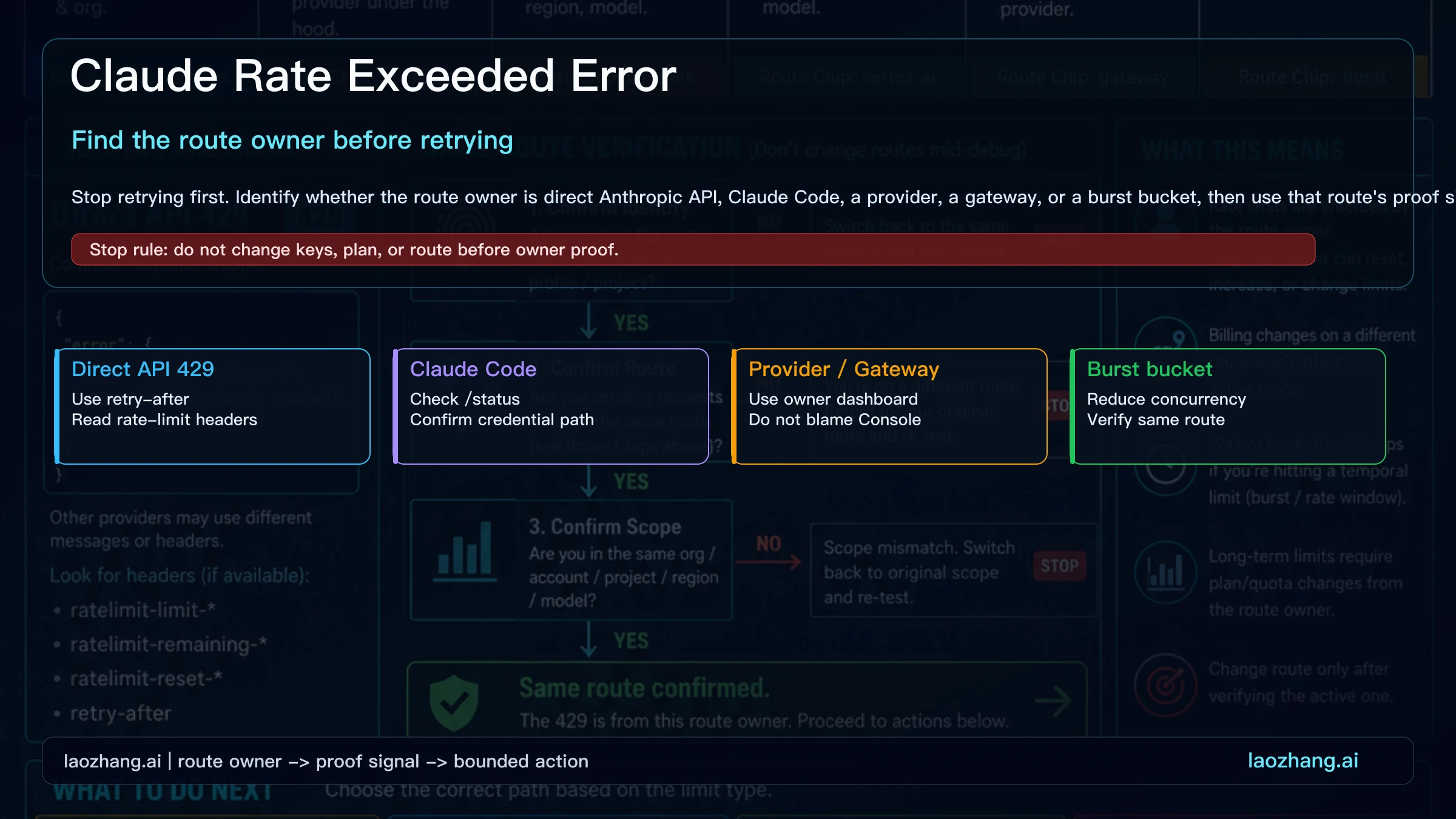
If Claude shows Claude API Error: Rate limit reached, "Rate Exceeded", or another Claude Code 429 line, do not assume one API quota is exhausted. First identify the surface that produced the block: Claude.ai or Desktop plan usage, Claude Code subscription auth, Claude Code through an API key, direct Anthropic API, Bedrock or Vertex AI, a third-party gateway, or temporary capacity management. Each surface has a different reset signal and a different owner.
The exact line Claude API Error: Rate limit reached deserves one extra step. Current Claude Code documentation has no message with that wording; current builds name the limit instead, such as You've hit your session limit, Usage credits required for 1M context, or Request rejected (429). Older builds also used "Rate limit reached" when the real problem was access, not usage: the Claude Code changelog for 2.1.89 fixes a case where an entitlement error, such as a 1M-context model your plan didn't include, appeared as a rate limit. So run claude update, send the request once more, and route by the message you see now.
| Surface you are using | Likely owner | First move | Proof signal | Next step |
|---|---|---|---|---|
| Claude.ai, Claude Desktop, or mobile app | Your Claude plan usage window or capacity management | Open Settings > Usage if available, reduce long chats/files, and wait for the shown reset | 5-hour/session/weekly reset wording, usage bars, or capacity message | Start a smaller new chat, wait, enable extra usage if eligible, or retry later |
| Claude Code with subscription auth | Plan/session window shared with Claude surfaces, or a plan entitlement | Run /usage or check the visible reset message | "session limit", "weekly limit", Opus/Sonnet limit reset time, or "Usage credits required for 1M context" | Wait for reset, switch model family only for an Opus or Sonnet limit, drop a [1m] model, or use extra usage where supported |
| Claude Code with an API key | The API key's Console workspace or cloud project | Run /status and confirm the active credential path | "Request rejected (429)", API-key route, provider project, logs, or 429 body | Lower Claude Code concurrency or inspect the owner dashboard |
| Direct Anthropic API | Anthropic workspace and model rate limit | Pause by retry-after, then reduce request shape | HTTP 429, rate_limit_error, anthropic-ratelimit headers | Retry one smaller request on the same route |
| AWS Bedrock, Vertex AI, or gateway | Provider project, region, tenant, or proxy policy | Check provider or gateway logs before blaming Anthropic Console | Provider 429, ThrottlingException, gateway "spend limit reached", tenant policy, regional quota | Adjust that provider quota or contact that operator |
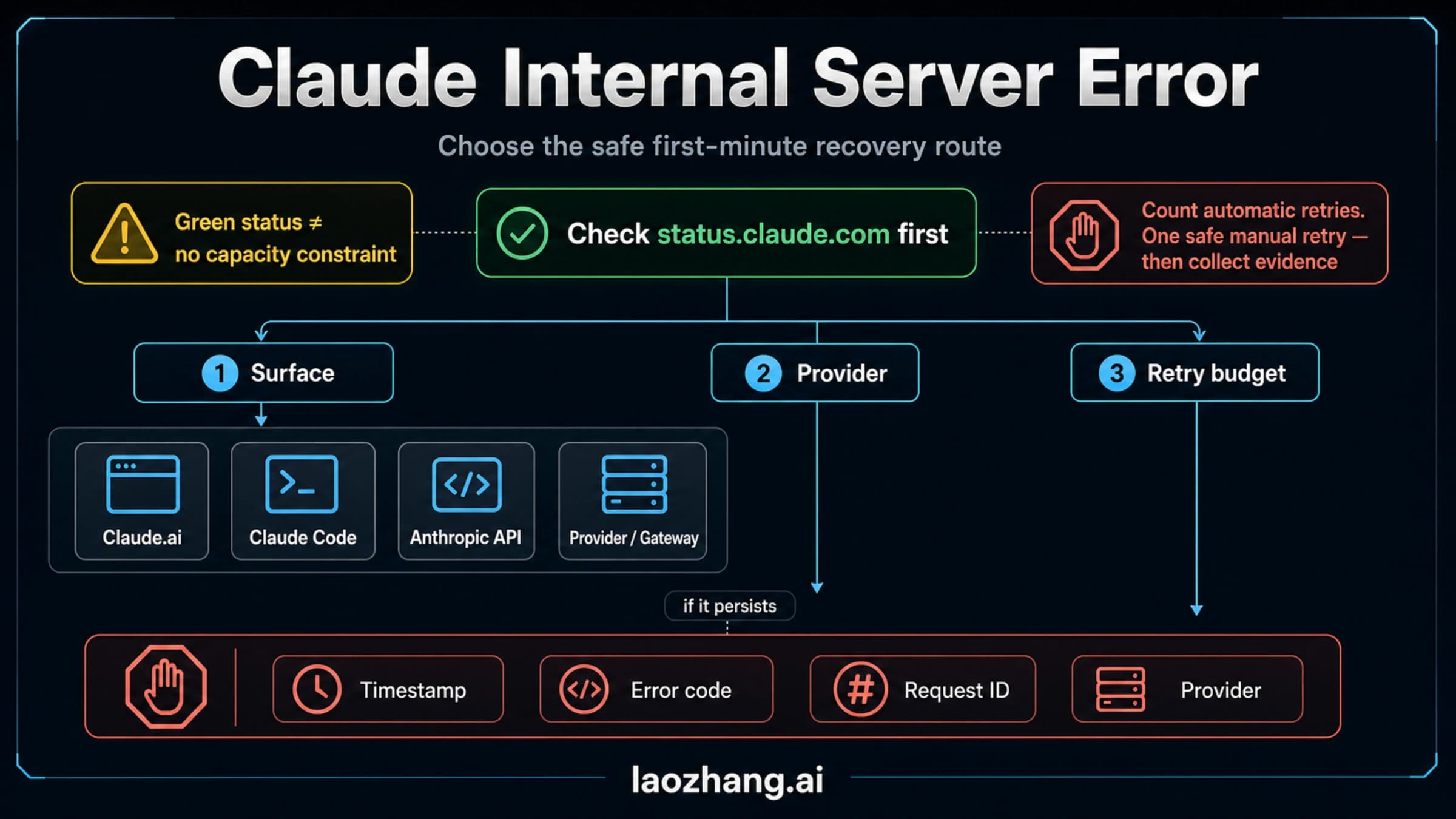
| Temporary capacity, burst, or acceleration control | Service load or your traffic shape | Wait briefly, check status, slow the ramp, and queue requests | Capacity message, recent status incident, RPS/concurrency spike | Retry later or verify one same-route smaller request |
The stop rule is simple: do not rotate keys, upgrade a plan, switch providers, or run a retry loop until the owner is proven. Changing routes mid-debug can make the error disappear while destroying the evidence that would explain it.
First, identify the route that produced the limit
The phrase "rate exceeded" is a symptom, not a diagnosis. A Claude.ai web message may be plan usage, length, or capacity. Claude Code may be using subscription auth or a stray ANTHROPIC_API_KEY. A direct request to api.anthropic.com has an HTTP status, JSON error type, request_id, retry-after, and rate-limit headers. Bedrock, Vertex AI, and gateways can return similar wording while Anthropic Console looks healthy.
Start with three questions. Which surface accepted the request? Which credential or account owns that surface? Can you reproduce once on the same route without changing model, provider, prompt, region, or chat shape? If the answer changes between attempts, you are no longer debugging the same failure.
In Claude Code, the current message already names which system set the limit:
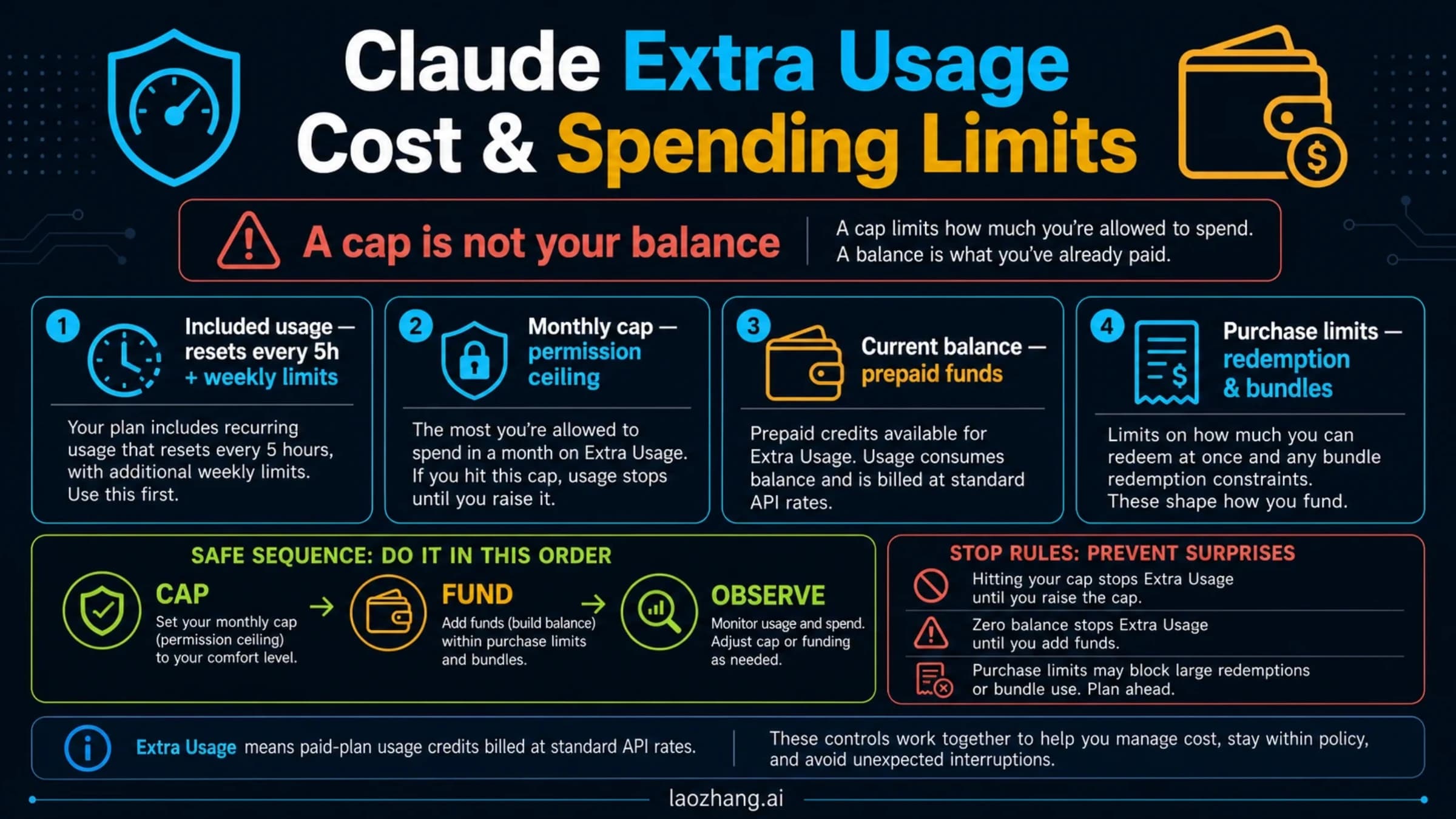
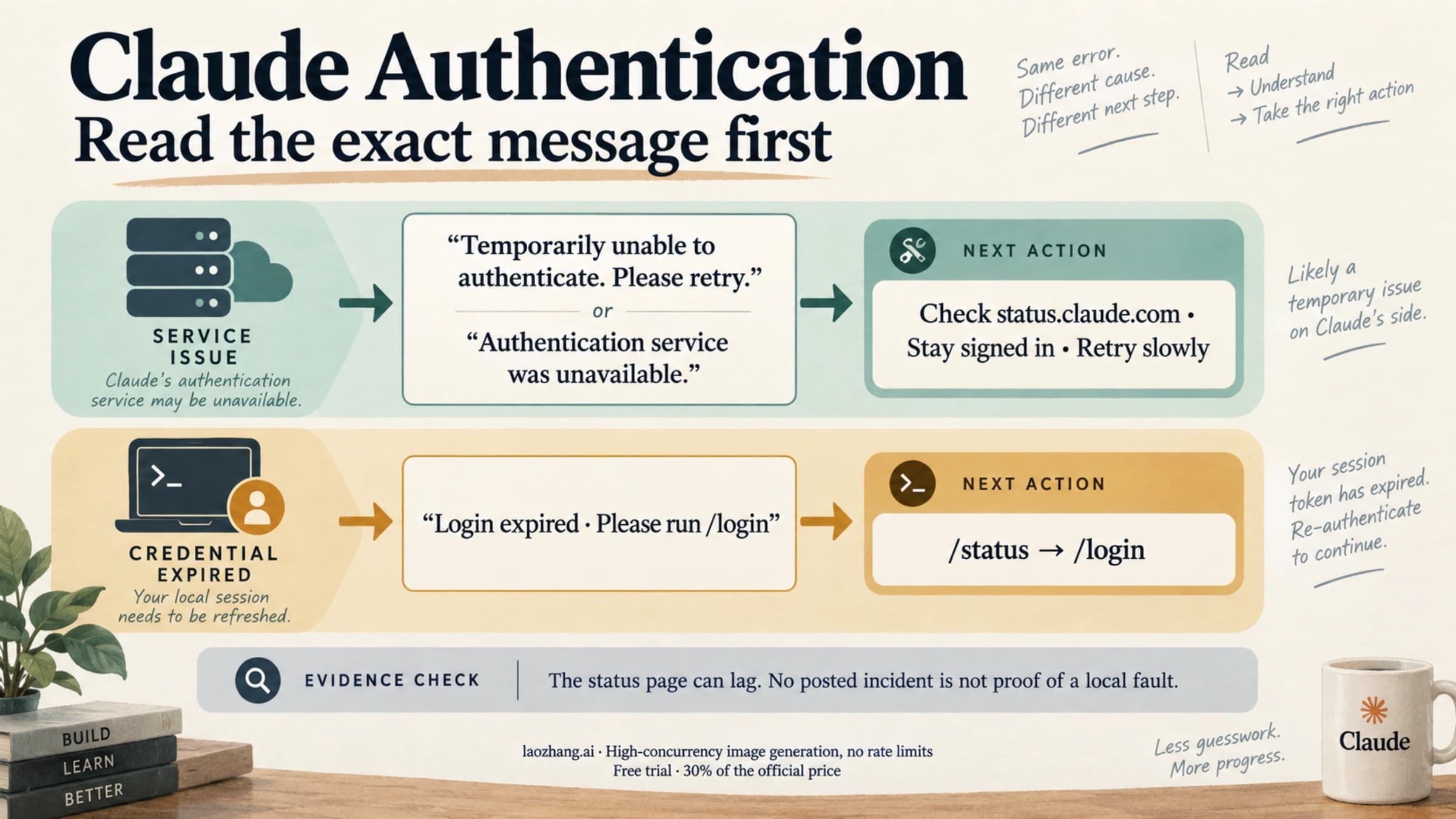
You've hit your session limitorYou've hit your weekly limit: your subscription window. Both are shared across all models, so switching models doesn't help. Run/usageto see the reset, wait for it, or run/usage-creditsto buy extra usage on Pro and Max (Team and Enterprise members request it from an admin).You've hit your Opus limitorYou've hit your Sonnet limit: only that model family is used up. Switch to a model outside it with/model.API Error: Usage credits required for 1M context: an entitlement check, not used-up quota, and it appears even when session and weekly capacity remain. Pick the variant without[1m]in/model, or turn on usage credits where the message offers/usage-creditsand restart as it says.API Error: Request rejected (429): the limit configured on your API key, Amazon Bedrock project, or Google Cloud project. Run/statusto confirm which credential is active, because a strayANTHROPIC_API_KEYcan send a subscriber's requests through a low-tier key. Then check that provider's console or run fewer parallel subagents.API Error: Server is temporarily limiting requests (not your usage limit): a short-lived throttle unrelated to your plan. Claude Code retries it with backoff; if it persists, check status.claude.com.You've hit your monthly spend limit: a spending cap, not a rate limit. On Pro and Max, raise it in Settings > Usage on claude.ai; an organization cap is raised by an admin.spend limit reached (daily; resets … UTC): a spend cap on the gateway Claude Code is routed through. Claude Code does not retry it, and the block lasts until the period resets or the gateway operator raises the cap.
These messages and fixes come from the Claude Code errors reference. If an older build still prints the bare "Rate limit reached" and a [1m] model is selected, switch to the standard variant before changing anything else. For the full terminal walkthrough, see Claude Code Rate Limit Reached: Identify the Limit and Resume. If the line is really a 500 or 529, use Claude Code 500 vs 529: resume safely without duplicating work.
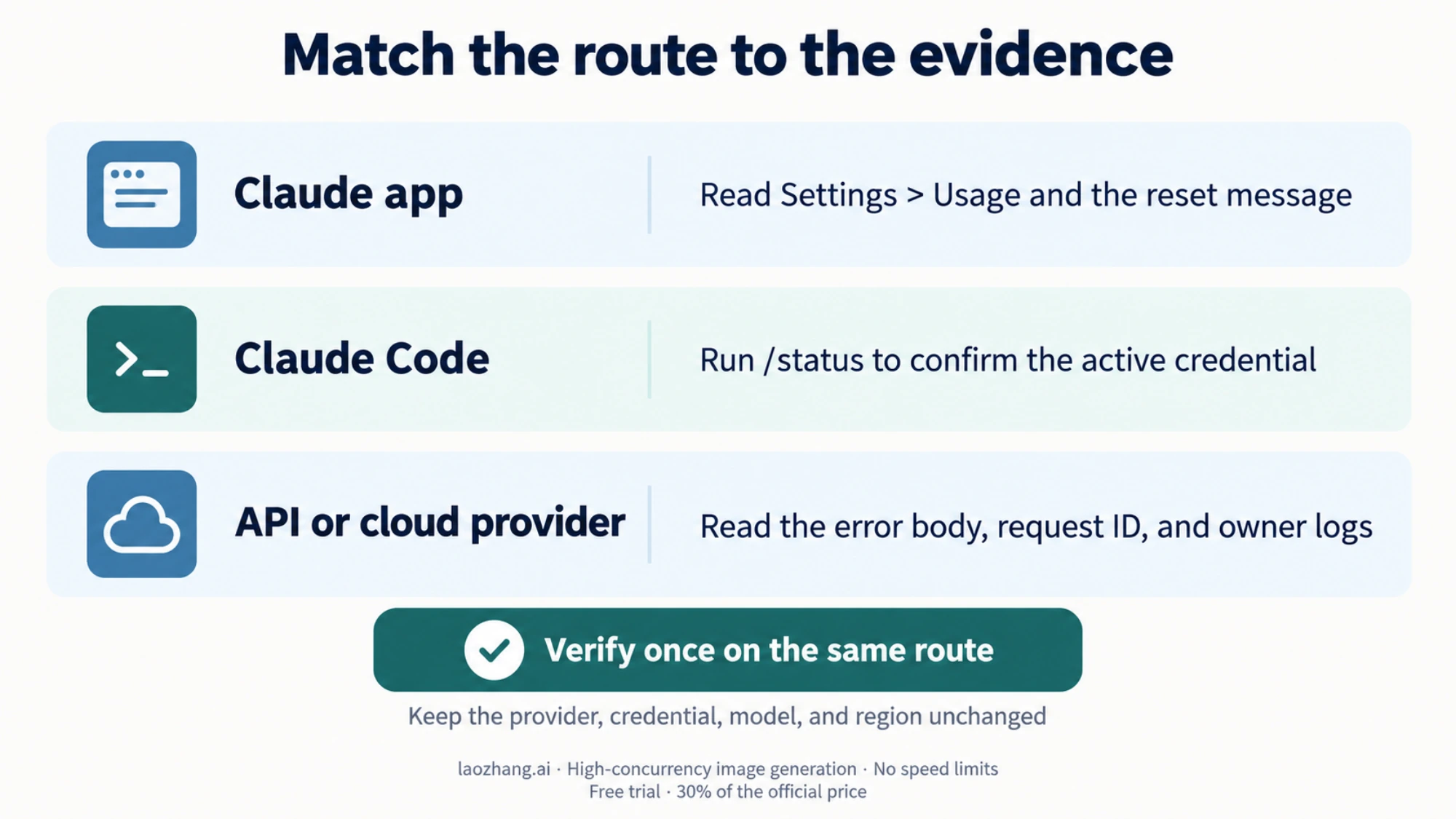
Claude.ai or Desktop: check the usage window first
If the error appears in Claude.ai, Desktop, or mobile without HTTP headers, treat it as a product-surface limit first. Anthropic's help pages describe usage limits as a time-window budget across Claude surfaces, while length limits are about a single conversation's context. Long chats, large attachments, Research, connectors, code execution, and heavier models can consume the window faster than a simple message count suggests.
Your first move is not an API fix. Check Settings > Usage where available, read the exact reset wording, start a smaller new chat if the current thread is very large, remove unnecessary files/tools, or wait for the shown reset. If the message says Claude is handling unexpected capacity constraints, retry later; that condition may not show as a status-page outage because it can be load management rather than a platform incident.
Direct Anthropic API: trust headers before guessing
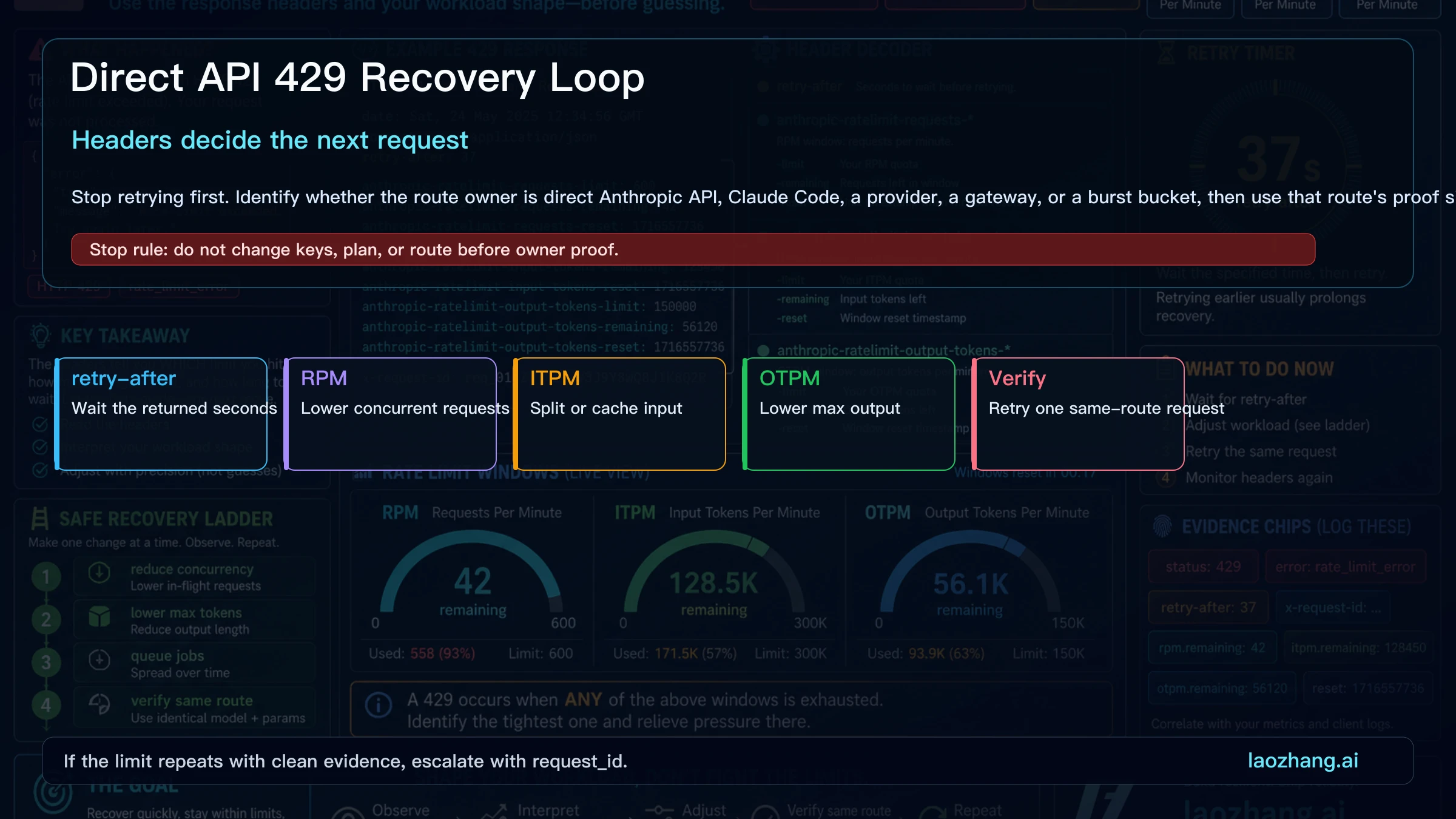
For direct Anthropic API traffic, HTTP 429 maps to the official rate_limit_error class. The useful evidence is the response body, request_id, retry-after when present, and anthropic-ratelimit header families. Requests per minute, input tokens per minute, and output tokens per minute can each be the tight bucket. Monthly spend or account usage can still look available while a rolling minute bucket blocks the next call.
The next request should be smaller and slower, not louder. Respect retry-after, reduce concurrency, split large jobs, cache stable context, and retry one request on the same model and route. If the repeated request still fails, keep the request id and headers instead of changing variables again.
One direct API 429 does not clear with time. If the body carries enforced_spend_limit_reached and there is no retry-after, the organization has hit its tier's monthly spend cap, and requests stay blocked until 00:00 UTC on the 1st of next month or until an increase is approved. See the Anthropic rate limits documentation.
Claude Code: check the active route before changing plans
Claude Code adds a route layer. If ANTHROPIC_API_KEY is set, your terminal can be using API-key billing even when you think you are using a Pro or Max subscription. Run /status, inspect the active auth path, and decide whether the failing request belongs to the API key workspace, cloud provider project, or subscription session. For billing ownership details, use Claude Code API key vs subscription billing; for setup boundaries, use Claude Code API configuration.
Do not upgrade a subscription to fix an API-key 429. Do not inspect Anthropic API headers for a subscription session window. Route ownership decides the next evidence source.
Why usage can look available while the next request is blocked
Rate limits are usually rolling buckets, not a single monthly counter. A dashboard can show remaining budget while a short window is exhausted. A long context request can hit input-token pressure; a verbose answer can hit output-token pressure; many small parallel calls can hit request-per-minute pressure. Acceleration controls can also slow a sudden ramp even if the long-term quota remains.
This is also why people report Rate Exceeded after little visible activity. The account may share a usage window across Claude surfaces, the current chat may carry large context, a tool session may have consumed more than expected, a wrapper may have retried in the background, or the service may be temporarily managing demand. The fix depends on the owner, not the phrase.
Fix the next request without making the signal worse
Make one controlled change. Add exponential backoff with jitter. Limit parallel workers per workspace, model, and route. Keep a retry budget so the client stops before it creates a second incident. Log response status, request id, route owner, model, workspace, region, retry-after, and remaining/reset headers when available.
The verification request should stay on the same route. Same route means the same provider, credential, workspace or project, model, region, and workload shape. If you change three variables and the error disappears, you have a workaround but not a diagnosis.
Provider or gateway-owned limits
When Claude is accessed through Bedrock, Vertex AI, Microsoft Foundry, or a gateway, Anthropic Console may not be the source of truth for the failing envelope. Bedrock can own service quotas and regional throughput. Vertex AI can own project, location, and model quota. A gateway can own tenant policy, upstream routing, per-key throttles, or its own safety queue.
The right question is: which system accepted the credential and emitted the limit? If it was not api.anthropic.com or the Claude app, gather logs from the provider or gateway before opening an Anthropic support case.
Prevention
Build a small limiter before the next incident. Track requests, input tokens, output tokens, long-chat context, tool-heavy sessions, and failures by route owner. Use queues for bursts, prompt caching for repeated context, and per-model budgets for long-running jobs. Alert on approaching reset windows rather than only on hard failures. Keep provider and gateway limits in the same runbook so operators know which dashboard to open first.
Escalation packet
Escalate after route-specific checks fail and one same-route reproduction still returns the limit. Send the exact message, timestamp and timezone, request id if present, response headers, model, workspace or project, region, route owner, recent traffic change, current status-page result, and the smallest reproduction request. Do not send API keys, tokens, private user content, or speculative root-cause claims.
FAQ
Is Claude Rate Exceeded always a direct API 429?
No. Direct Anthropic API 429 is the cleanest developer case, but Claude.ai usage windows, Claude Code subscription auth, provider quotas, gateways, capacity messages, and burst controls can surface nearby wording. The owner decides the fix.
Why does Claude Code say "Claude API Error: Rate limit reached"?
Older Claude Code builds used that wording for errors that were not usage limits. Version 2.1.89 fixed a case where an entitlement error, such as a 1M-context model the plan didn't include, appeared as "Rate limit reached". Run claude update and read the new message. If it says Usage credits required for 1M context, choose the model without [1m] in /model or turn on usage credits. If it names a session or weekly limit, wait for the reset it shows.
Why did I get Rate Exceeded if I have barely used Claude today?
Check the surface first. Claude plan usage can be affected by long chats, files, tools, model choice, Claude Code, Desktop, and shared plan windows. If the message has no API headers, do not start with API-key rotation.
Should I rotate my API key?
Not first. Rotating a key before route proof can hide the original evidence and may move the request to a different owner. Confirm the active route, then decide whether key scope is actually involved.
Why does my usage page still show capacity?
Because remaining monthly spend or plan usage is not the same as a rolling RPM, input-token, output-token, burst, provider, or capacity window.
What should I do if Claude Status is green?
Treat status as one signal, not the whole answer. Some capacity constraints may not appear as incidents. Continue route proof: app reset wording for Claude.ai, headers for direct API, /status for Claude Code, provider dashboards for Bedrock or Vertex AI, and gateway logs for proxy traffic.
When should I contact support?
Contact the owner only after one same-route reproduction still fails and you have the escalation packet. Good evidence is faster than a long narrative.
Sources3
External pages this guide links to, in the order they appear. Last updated Oct 5, 2026.
Sources3
External pages this guide links to, in the order they appear. Last updated Oct 5, 2026.