Claude Code Max Quota Consumption Abnormal? Complete Diagnosis and Fix Guide (2026)
Since March 23, 2026, Claude Code Max subscribers report abnormally fast quota exhaustion — sessions draining in as little as 19 minutes instead of 5 hours. This guide explains the three root causes (peak hours policy, counter desync bugs, session resume bugs), provides a systematic diagnostic framework, and shares 12 proven strategies to reduce token consumption by 30-50%.
On this page
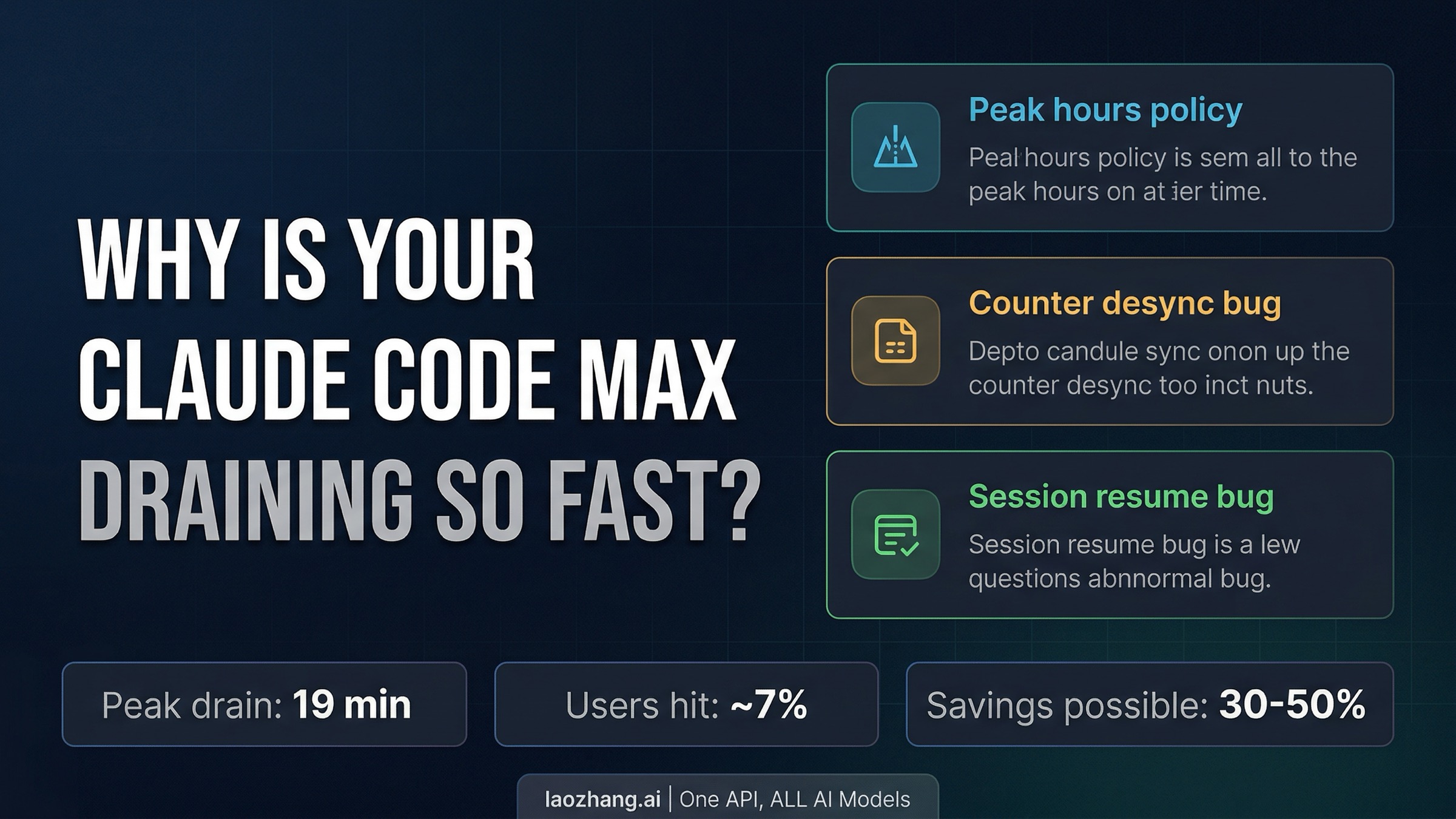
Since March 23, 2026, Claude Code Max subscribers have been reporting abnormally fast quota exhaustion — with 5-hour session windows depleting in as little as 19 minutes on the Max 20x plan. The problem stems from three overlapping causes: Anthropic's intentional peak-hours adjustment, confirmed counter-desync bugs documented across multiple GitHub Issues, and the end of the March 2x off-peak promotion. Approximately 7% of users are affected during peak hours, according to Anthropic's own data. This guide provides a systematic diagnostic framework, explains the three-layer quota system most users don't understand, and shares 12 optimization strategies that can reduce your token consumption by 30–50%.
What Happened — The March 2026 Claude Code Quota Crisis
The week of March 23, 2026 marked a turning point for Claude Code Max subscribers. Across Reddit, GitHub, and developer forums, reports of abnormal quota consumption began flooding in — and the scale of the complaints was unlike anything the Claude Code community had seen before. One Reddit thread on r/ClaudeAI titled "20x max usage gone in 19 minutes" accumulated over 330 comments within 24 hours, while another on r/ClaudeCode with the headline "Claude Code Limits Were Silently Reduced and It's MUCH Worse" gathered 360+ comments in six days. The frustration was palpable, with many users questioning whether their $100 or $200 monthly subscriptions were still delivering value.
The crisis didn't emerge in a vacuum. In early March, Anthropic had offered a temporary promotion — double usage during off-peak hours from March 13 through March 27. When this promotion ended, users accustomed to the doubled capacity experienced a jarring return to normal limits. But the timing was complicated by something else entirely: on March 23, Anthropic began implementing a peak-hours adjustment that fundamentally changed how session limits work during high-demand periods. Anthropic's Thariq Shihipar confirmed the change publicly, stating that "to manage growing demand for Claude, we're adjusting our five-hour session limits for free/Pro/Max subs during peak hours." He estimated that approximately 7% of users would hit session limits they wouldn't have encountered before, particularly those on Pro tiers.
Compounding matters further, multiple GitHub Issues documented what appeared to be genuine bugs in the quota accounting system. Issue #38335 reported sessions being exhausted abnormally fast since March 23, while Issue #38029 documented abnormal usage consumption linked to session resumption. Issue #37436 described a MAX100 subscriber experiencing quota drain across multiple simultaneous sessions, and Issue #34410 — dating back to March 14 — reported a Max 20x plan's 5-hour quota being consumed in approximately 10 minutes. This wasn't a single incident but a pattern of overlapping issues that made it nearly impossible for individual users to determine whether their specific experience was caused by the policy change, a bug, or normal behavior amplified by the end of the promotion. If you've encountered situations where your Claude Code account was flagged or suspended during this period, you might also want to review what happens when your Claude Code account gets banned to understand the difference between quota issues and account-level problems.
| Date | Event | Impact |
|---|---|---|
| March 13 | 2x off-peak promotion begins | Users experience doubled capacity |
| March 14 | First bug reports emerge (GitHub #34410) | Max 20x quota consumed in ~10 min |
| March 22 | Multi-session quota bug (GitHub #37436) | Simultaneous sessions drain faster |
| March 23 | Peak hours adjustment begins | 5am–11am PT sessions drain faster |
| March 24 | Session resume bug confirmed (GitHub #38029) | Resuming sessions consumes extra quota |
| March 27 | 2x off-peak promotion ends | Return to normal capacity feels like reduction |
| March 30 | "19 minutes" Reddit thread goes viral | 330+ comments, widespread frustration |
How to Diagnose Your Quota Problem in 3 Steps
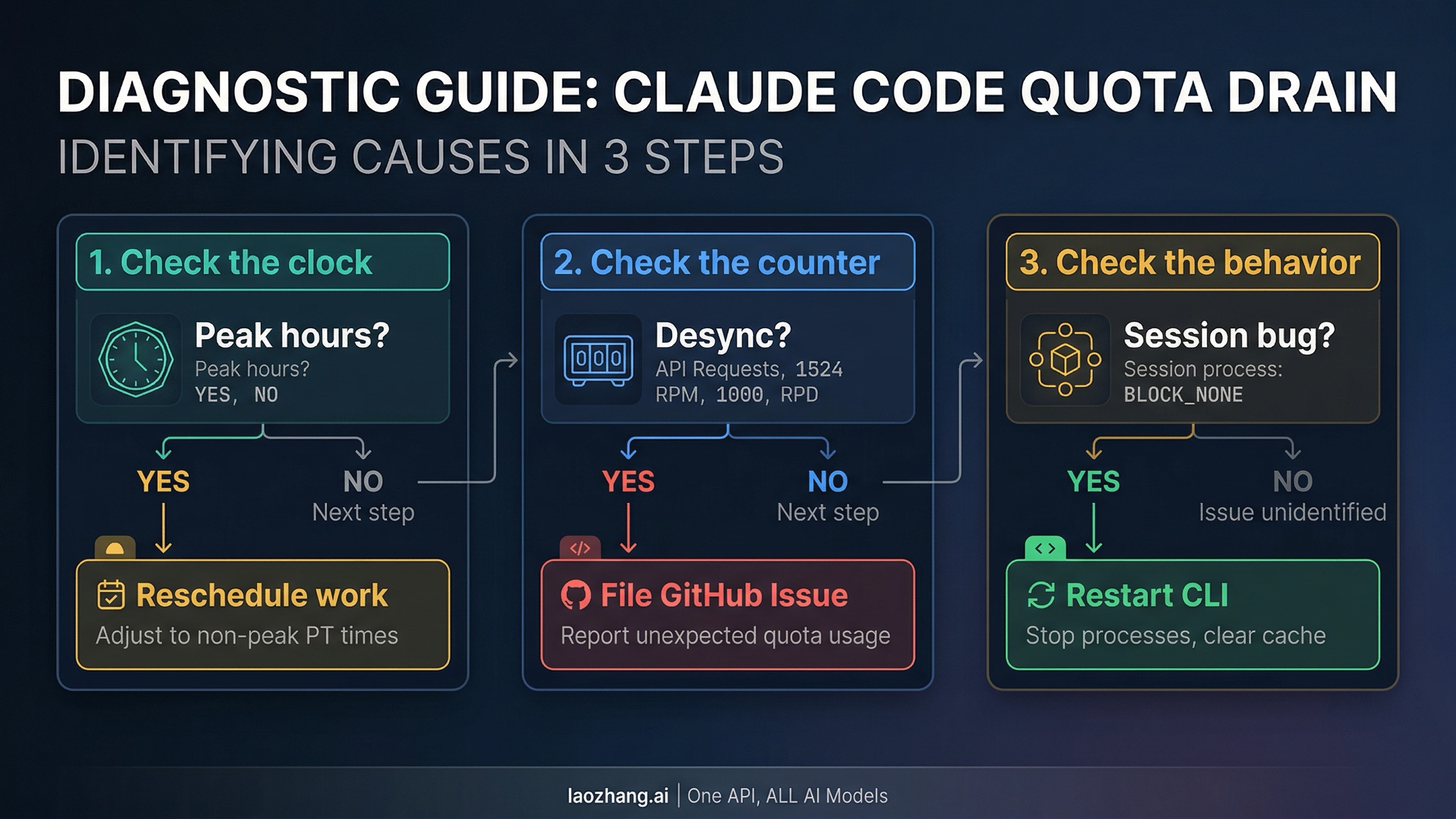
Before you can fix an abnormal quota drain, you need to identify which of the three root causes is affecting you. The problem is that all three causes produce similar symptoms — your session limit gets exhausted faster than expected — but they require completely different responses. A peak-hours issue resolves by shifting your work schedule, a counter-desync bug requires filing a GitHub Issue and waiting for a fix, and a session-resume bug needs you to change how you start your coding sessions. Attempting the wrong fix wastes time and can actually make the problem worse if, for example, you start obsessively restarting sessions when the issue is actually peak-hours throttling.
Step 1: Check the Clock — Is it peak hours? The most common cause of faster-than-expected quota drain since March 23 is simply working during Anthropic's designated peak hours. These run from 5:00 AM to 11:00 AM Pacific Time, which translates to 8:00 AM to 2:00 PM Eastern, 1:00 PM to 7:00 PM GMT, and 9:00 PM to 3:00 AM JST. During these hours, your 5-hour session window is consumed at an accelerated rate — meaning that the same coding task that would use 20% of your quota off-peak might use 35-40% during peak hours. If your excessive consumption consistently happens during these time windows, the explanation is straightforward: Anthropic is intentionally throttling during high-demand periods. The solution is to shift token-intensive work — large refactors, test suite generation, codebase exploration — to off-peak hours, and use peak hours for smaller, more targeted tasks.
Step 2: Check the Counter — Does your usage data match reality? Several users have reported a particularly frustrating bug: their usage counters increase even when Claude Code is idle. One commenter on Reddit noted that "a simple one-word message 'Morning' took 15% of the Claude Max 5h limit this morning." If you're seeing usage jumps that don't correspond to actual prompts you've sent, you're likely experiencing the counter-desync bug documented in GitHub Issues #38335 and #39507. To verify, run /stats in Claude Code to see your current usage metrics, then compare with the usage indicator on claude.ai (the web interface). If these two numbers don't match — and particularly if the CLI shows higher consumption than the web interface — you've confirmed a desync bug. Document the discrepancy with screenshots and timestamps, then file a GitHub Issue referencing the existing bug reports.
It's worth noting that the counter-desync issue is distinct from the peak-hours throttling — you can have both happening simultaneously, which makes diagnosis particularly tricky. If you're experiencing rapid drain during peak hours AND seeing counter jumps that don't correspond to your actions, you're likely dealing with a compound problem that requires both scheduling changes and bug workarounds. Track your findings in a simple spreadsheet or note: timestamp, action taken, quota percentage before and after. Even three days of this data will reveal whether your pattern matches peak-hours throttling (consistent during specific time windows) or bug behavior (unpredictable, sometimes during off-peak hours).
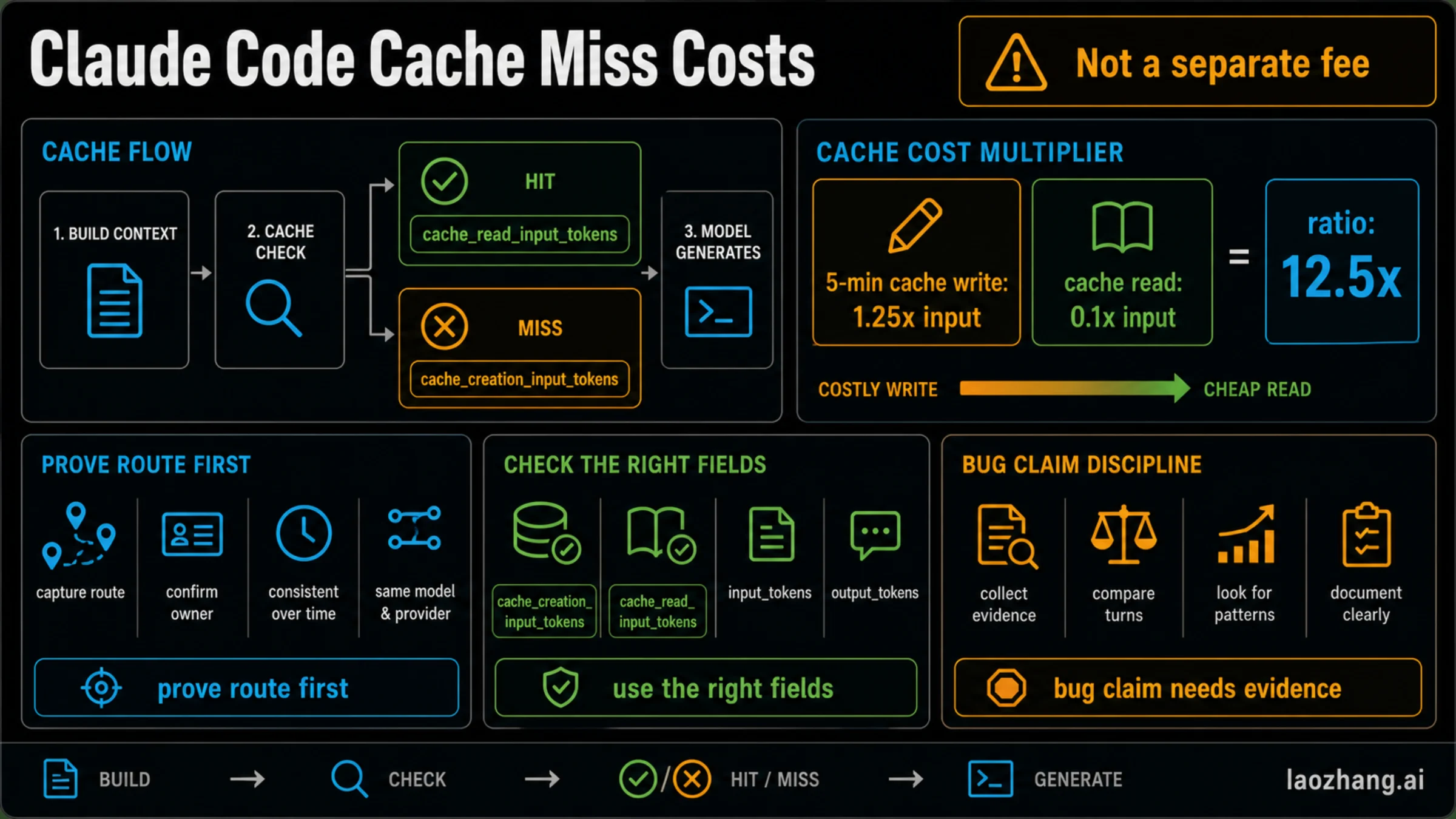
Step 3: Check the Behavior — Does resuming sessions drain quota? GitHub Issue #38029 documents a specific bug where resuming a previous Claude Code session (using claude --resume) triggers abnormal quota consumption. The theory is that session resumption reloads the entire conversation history, and depending on how the backend counts this, it may be billed as new input tokens rather than cached context. To test this, start a fresh session instead of resuming, and compare your quota consumption rate. If fresh sessions consume quota normally while resumed sessions drain it rapidly, you've identified the session-resume bug. The workaround is straightforward: use /clear to start fresh sessions rather than resuming old ones, and use /rename before clearing so you can reference your work history later without the quota penalty of full session resumption.
Understanding Claude Code's Three-Layer Quota System
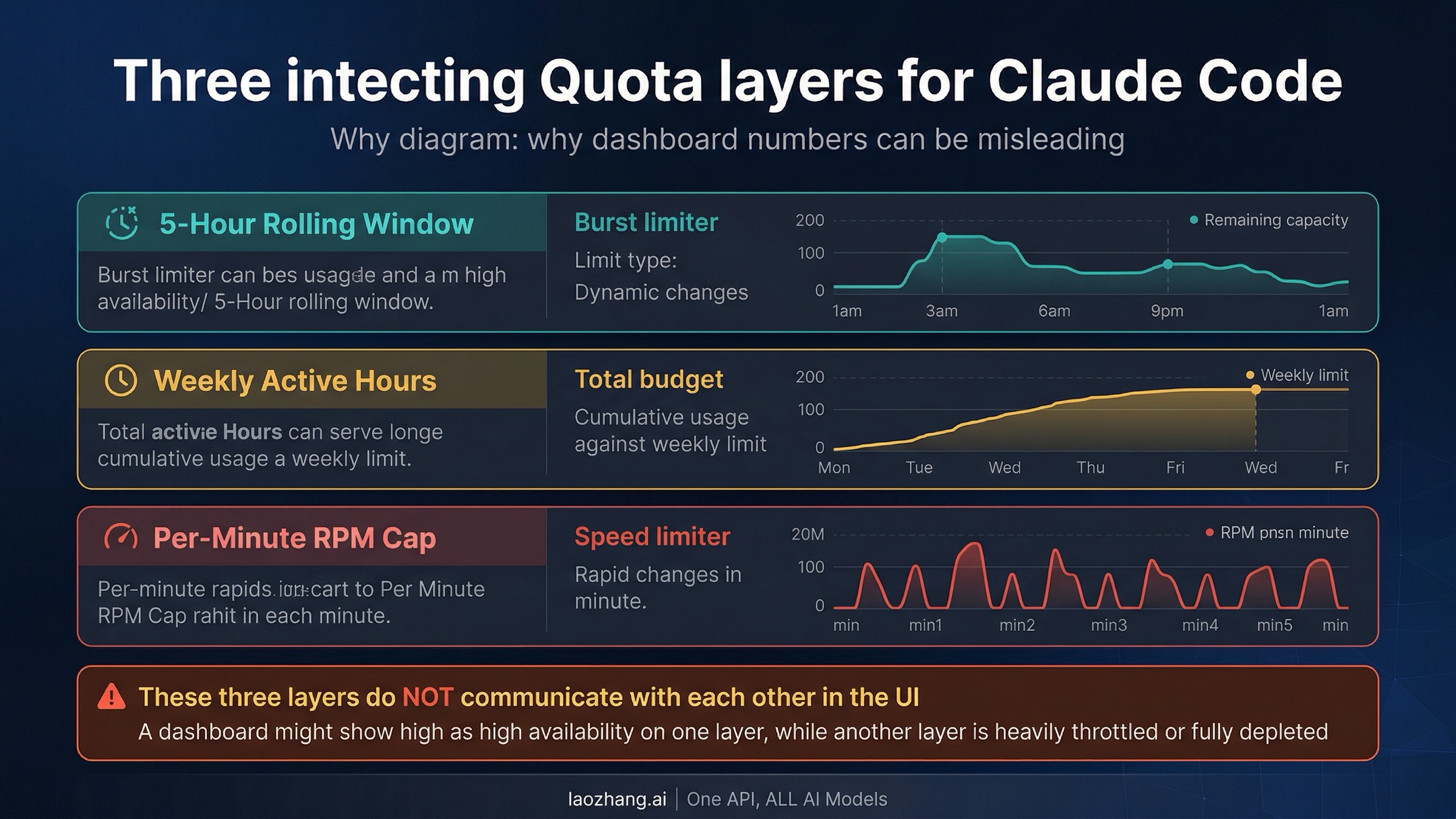
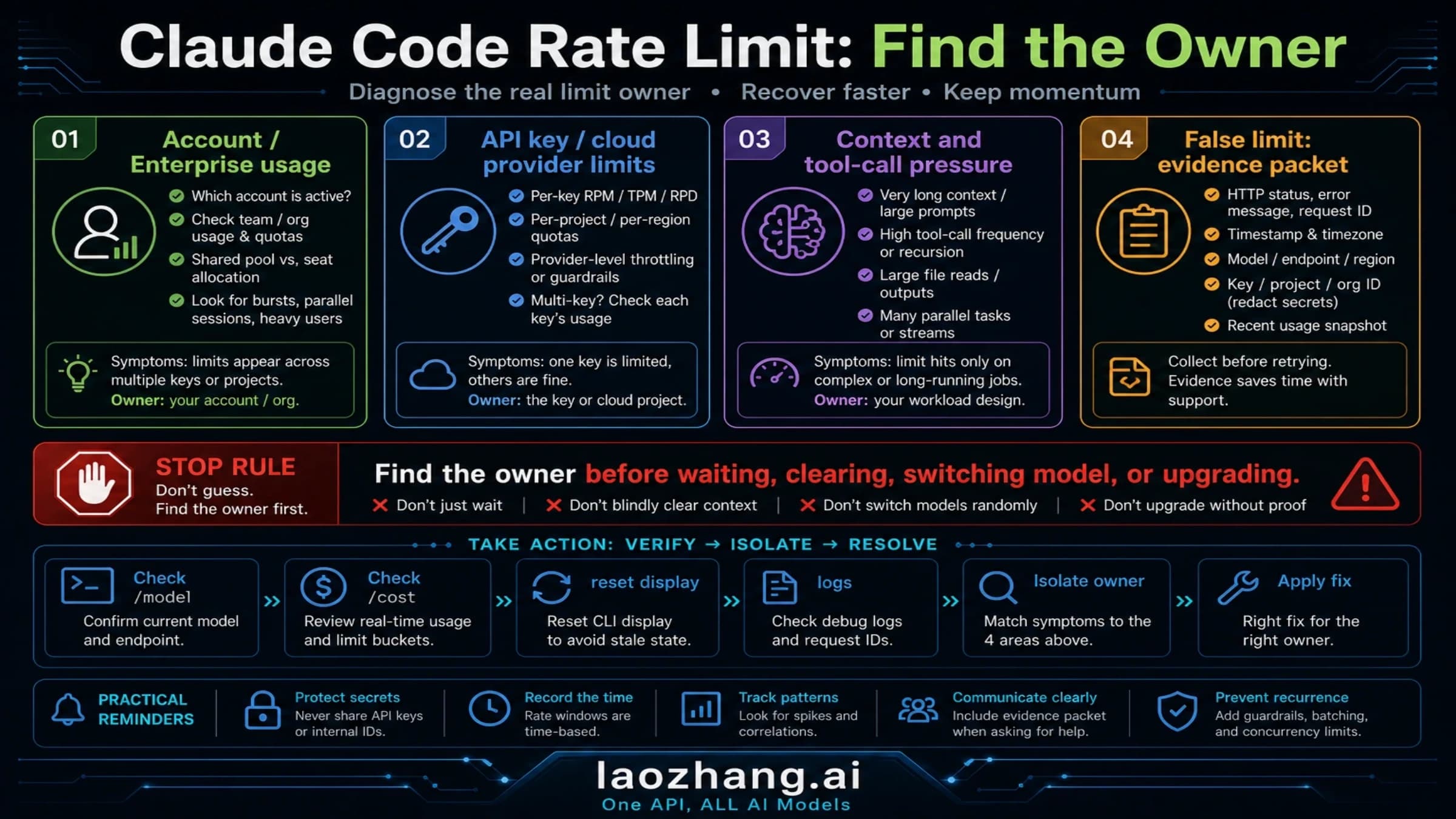
One of the most common sources of confusion around Claude Code quota consumption is that the system doesn't operate on a single, transparent limit. Instead, three independent layers of rate limiting interact in ways that can produce surprising results — and critically, these three layers do not communicate with each other in the user interface. This architectural reality explains the phenomenon that SitePoint famously called the "6% mystery": a user's dashboard showing only 6% daily usage but still hitting a rate limit. The dashboard tracks one layer while the limit triggering the block sits on a different layer entirely.
Layer 1: The 5-Hour Rolling Window. This is the burst limiter — the layer most users interact with directly. Unlike a fixed daily reset at midnight, Claude's rolling window is personalized per user. If you start your first session at 10:00 AM, your window resets at 3:00 PM, creating natural load distribution rather than synchronized demand spikes. Within this window, the number of prompts you can send varies dramatically by plan: roughly 45 for Pro ($20/month), higher throughput for Max 5x ($100/month), and the highest for Max 20x ($200/month). However, since the March 23 change, consumption within this window is no longer constant — during peak hours (5am–11am PT), your prompts consume a larger share of the window than they would during off-peak hours. Anthropic describes this as the total weekly allocation remaining unchanged, with only the distribution across the week shifting. For a deeper technical exploration of how this layer interacts with Claude Code's API architecture, see our comprehensive guide to Claude Code rate limits.
Layer 2: Weekly Active Hours Cap. This is the total budget layer — a seven-day ceiling that limits your total compute time regardless of how you distribute it. For Pro users, this translates to roughly 40–80 Sonnet hours per week. Max 5x users get an expanded allocation of approximately 140–280 Sonnet hours, while Max 20x users receive 240–480 Sonnet hours. The crucial detail here is that these are "active compute hours," not wall-clock time — idle moments where Claude isn't processing don't count. However, Claude Code's agentic nature means that a single user command can generate 8–12 API calls behind the scenes, each consuming compute time. A 15-iteration development session can generate approximately 200,000 input tokens because the full conversation history is included in every request. This exponential growth of context is why long, uninterrupted sessions are disproportionately expensive.
Layer 3: Per-Minute RPM (Requests Per Minute) Cap. This is the speed limiter — a separate constraint that prevents rapid-fire API calls regardless of your remaining quota in Layers 1 and 2. You can have hours of weekly budget remaining and a fresh 5-hour window, but if you're sending too many requests per minute, you'll still get throttled. This layer is particularly relevant for users running multiple Claude Code instances simultaneously or using Agent Teams (which consume approximately 7x more tokens than standard sessions, according to Anthropic's official documentation). The RPM cap is why some users report hitting limits immediately after a window reset — they're bumping against the speed limiter, not the quota limiter.
The fundamental problem is that the user-facing dashboard typically displays information from only one of these three layers, while the limit you're hitting might be on a completely different layer. When you see a "rate limit reached" message, there's no indication of which layer triggered it. This opacity — which The Register described as allowing Anthropic to "reduce effective throughput during peak demand while maintaining published weekly limits" — is a deliberate design choice that trades transparency for operational flexibility.
Peak Hours Strategy — When to Code for Maximum Quota Value
Understanding peak hours is no longer optional for Claude Code Max subscribers — it directly determines how much work you can accomplish per dollar spent. Since the March 23 adjustment, the same $100 or $200 monthly subscription delivers meaningfully different value depending on when you choose to code. This isn't a bug to be fixed; it's an infrastructure reality that Anthropic has chosen to manage through time-based pricing, similar to off-peak electricity rates or airline yield management applied to large language model inference.
The peak hours window runs from 5:00 AM to 11:00 AM Pacific Time every weekday. For an international developer base, this creates vastly different experiences depending on your timezone. European developers (1:00 PM to 7:00 PM GMT) are hit hardest, as peak hours align perfectly with their afternoon working hours. East Asian developers (10:00 PM to 4:00 AM JST/KST) are largely unaffected since Anthropic's peak hours fall during their nighttime. US West Coast developers face the most direct conflict, as peak hours cover their morning coding window — the time many developers consider their most productive.
| Timezone | Peak Hours (Local) | Off-Peak Strategy |
|---|---|---|
| US Pacific (PT) | 5:00 AM – 11:00 AM | Code heavy after 11 AM; batch morning tasks |
| US Eastern (ET) | 8:00 AM – 2:00 PM | Start heavy work after 2 PM; morning for planning |
| UK/GMT | 1:00 PM – 7:00 PM | Morning deep work; evening follow-up |
| Central Europe (CET) | 2:00 PM – 8:00 PM | Morning deep coding; evening review |
| Japan/Korea (JST/KST) | 10:00 PM – 4:00 AM | Effectively unaffected during work hours |
| India (IST) | 5:30 PM – 11:30 PM | Morning and afternoon deep work; evening pause |
The practical strategy involves restructuring your workflow around two categories of tasks. Token-intensive operations — large refactors, codebase exploration with @codebase, test suite generation, documentation creation, and Agent Teams work — should be scheduled for off-peak hours whenever possible. During peak hours, focus on targeted, specific tasks: individual function edits, bug fixes with clear reproduction steps, code review with defined scope, and short conversation sessions with frequent /clear resets. The distinction matters enormously because a single Claude Code command generates 8–12 API calls, and longer sessions with accumulated context compound this multiplication effect. A focused 30-minute peak-hours session working on three specific bug fixes will consume dramatically less quota than a sprawling 30-minute session exploring possible architectures for a new feature.
Weekends deserve special mention. The March promotion offered unlimited doubled access on weekends, and while that specific promotion has ended, weekend usage generally faces less throttling because Anthropic's demand patterns are lower. If you have large-scale tasks — migrating a codebase, setting up CI/CD pipelines, or generating comprehensive test coverage — weekend sessions typically offer the best quota-to-work ratio.
Beyond scheduling, there's a subtler strategy that experienced Claude Code users employ: session architecture. Instead of running one continuous session that accumulates context and compounds token costs over hours, structure your work into focused 20-30 minute "sprints." Each sprint targets a specific deliverable — one function implementation, one bug fix, one test file. Between sprints, use /clear to reset context and /rename to bookmark your progress. This approach exploits the rolling window's reset mechanics: by keeping individual sessions short and focused, you prevent the exponential context growth that makes long sessions disproportionately expensive. A developer who runs six 25-minute focused sprints consumes significantly less quota than one who runs a single 150-minute marathon session, even though the wall-clock time is identical, because each sprint starts with a clean context rather than carrying the accumulated weight of previous interactions.
The practical impact of peak-hours awareness is substantial. Based on user reports gathered from Reddit and GitHub discussions, developers who restructured their workflow around off-peak hours reported 30-40% more productive Claude Code time per week — not because they received more quota, but because each prompt consumed less of their allocation during low-demand periods. This aligns with Anthropic's stated position that "overall weekly limits stay the same, just how they're distributed across the week is changing."
12 Proven Ways to Reduce Claude Code Token Consumption
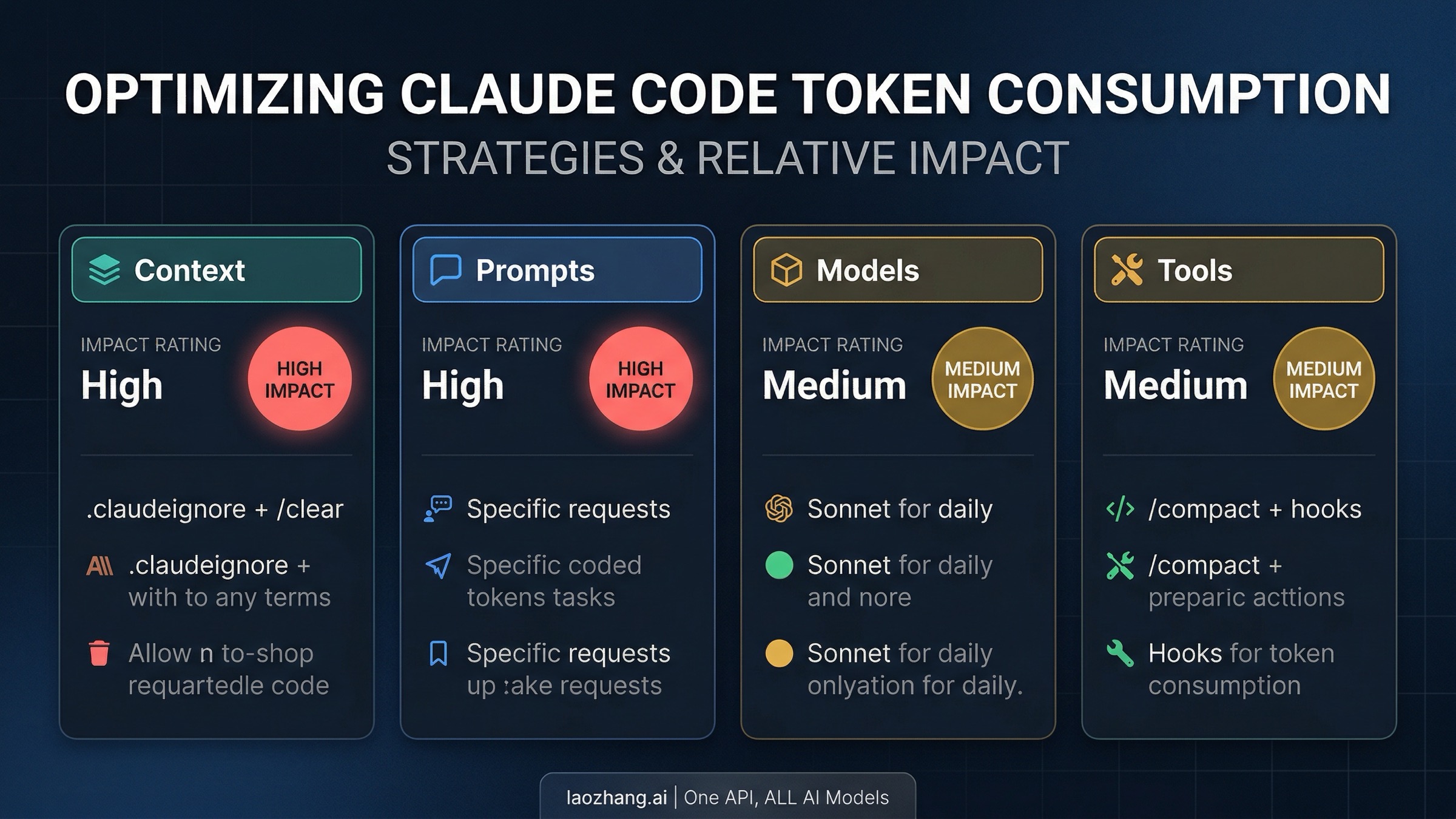
Token consumption in Claude Code follows an asymmetric pattern that most developers don't initially appreciate: approximately 99.4% of tokens are input (reading), with Claude reading 166 times more than it writes. This means that optimizing what Claude reads has dramatically more impact than optimizing what you ask it to write. The average API cost for Claude Code is $6 per developer per day, with 90% of users staying under $12 daily (according to Anthropic's official documentation at code.claude.com). The strategies below, applied systematically, can reduce this by 30–50%.
Strategy 1: Configure .claudeignore aggressively. This is the single highest-impact change you can make. Claude Code reads files that you may never want it to touch — build artifacts, lock files, compiled output, node_modules documentation, and test fixtures. A .claudeignore file works exactly like .gitignore and prevents Claude from consuming tokens on irrelevant content. At minimum, include node_modules/, dist/, build/, .next/, *.lock, *.map, and any large data files. A well-configured .claudeignore can eliminate 40-60% of unnecessary context loading on large projects.
Strategy 2: Use /clear religiously between tasks. Sessions that run too long fill the context window with accumulated history from previous interactions. Every message you send includes this growing history as input tokens, creating an exponential cost curve. The principle is simple: one session per logical task. Finish a bug fix, run /rename bugfix-auth-module, then /clear before starting the next task. Use /resume only when you genuinely need the previous context — and be aware that session resumption itself may consume extra quota due to the bug documented in GitHub #38029.
Strategy 3: Keep CLAUDE.md lean. Your CLAUDE.md file is loaded into context on every single turn — it's the most-read content in your entire project. Every line you add increases every subsequent message's token cost. Anthropic's official guidance recommends keeping it under 500 lines. Better yet, move specialized instructions into Skills (which load on-demand only when invoked) and keep CLAUDE.md focused on essential project architecture and conventions. A 60-line CLAUDE.md versus a 300-line one can save thousands of tokens per session.
Strategy 4: Write specific, scoped prompts. Vague requests like "improve this codebase" or "make this better" trigger broad file scanning and exploration. Specific requests like "add input validation to the login function in src/auth.ts — check for empty email and weak passwords" let Claude work efficiently with minimal file reads. The cost difference between these two prompt styles can be 5-10x for the same outcome quality. Experienced Claude Code users report that spending 30 seconds crafting a precise prompt saves minutes of context-loading and multiple follow-up iterations.
Strategy 5: Choose the right model for each task. Most developers default to the most capable model available (Opus) and never switch. Use /model to select Sonnet for daily coding tasks — it handles most work well and costs significantly less. Reserve Opus for complex architectural decisions, multi-step reasoning across many files, and problems where quality improvement justifies the token premium. For simple subagent tasks, specify model: haiku in your configuration. This single habit can reduce costs 40-60% without meaningful quality loss on routine tasks.
Strategy 6: Use /compact with custom instructions. When your context grows large, /compact Focus on code samples and API changes tells Claude what to preserve during summarization. Without custom instructions, auto-compaction may discard context you'll need later, leading to expensive re-exploration. You can also add compaction instructions to your CLAUDE.md with a # Compact instructions section that guides automatic summarization behavior.
Strategy 7: Disable unused MCP servers. MCP tool definitions are deferred by default (only tool names enter context until actively used), but having many configured servers still adds overhead. Run /context to see what's consuming space, and /mcp to manage configured servers. Prefer CLI tools when available — gh, aws, gcloud, and sentry-cli are more context-efficient than their MCP equivalents because they don't add per-tool listing overhead.
Strategy 8: Offload verbose operations to subagents. Running tests, fetching documentation, or processing log files can consume significant context in your main conversation. Delegate these to subagents so the verbose output stays in the subagent's isolated context while only a summary returns to your main session. This keeps your primary context lean and focused.
Strategy 9: Use hooks to preprocess data. Custom hooks can filter data before Claude sees it. Instead of Claude reading a 10,000-line log file to find errors, a PreToolUse hook can grep for ERROR and return only matching lines — reducing context from tens of thousands of tokens to hundreds. This technique is especially powerful for test output filtering: configure a hook that shows only failures rather than complete test suite output.
Strategy 10: Reduce extended thinking budget for simple tasks. Extended thinking is enabled by default and can consume tens of thousands of output tokens per request for deep reasoning. For routine coding tasks, use /effort to lower the effort level, or set MAX_THINKING_TOKENS=8000 for a lower ceiling. This doesn't disable thinking entirely — it just limits how deep Claude goes on problems that don't need Opus-level reasoning.
Strategy 11: Use plan mode before complex implementations. Press Shift+Tab to enter plan mode before starting large implementation tasks. Claude explores the codebase and proposes an approach for your approval, preventing expensive re-work when the initial direction is wrong. A planning phase that costs 5,000 tokens can prevent a failed implementation that wastes 50,000+ tokens.
Strategy 12: Course-correct early with Escape and /rewind. If Claude starts heading the wrong direction, press Escape immediately to stop generation — every additional token of wrong output is wasted cost. Use /rewind or double-tap Escape to restore conversation and code to a previous checkpoint. Catching a wrong direction after 2,000 tokens versus 20,000 tokens is the difference between a minor setback and a session-ending quota drain.
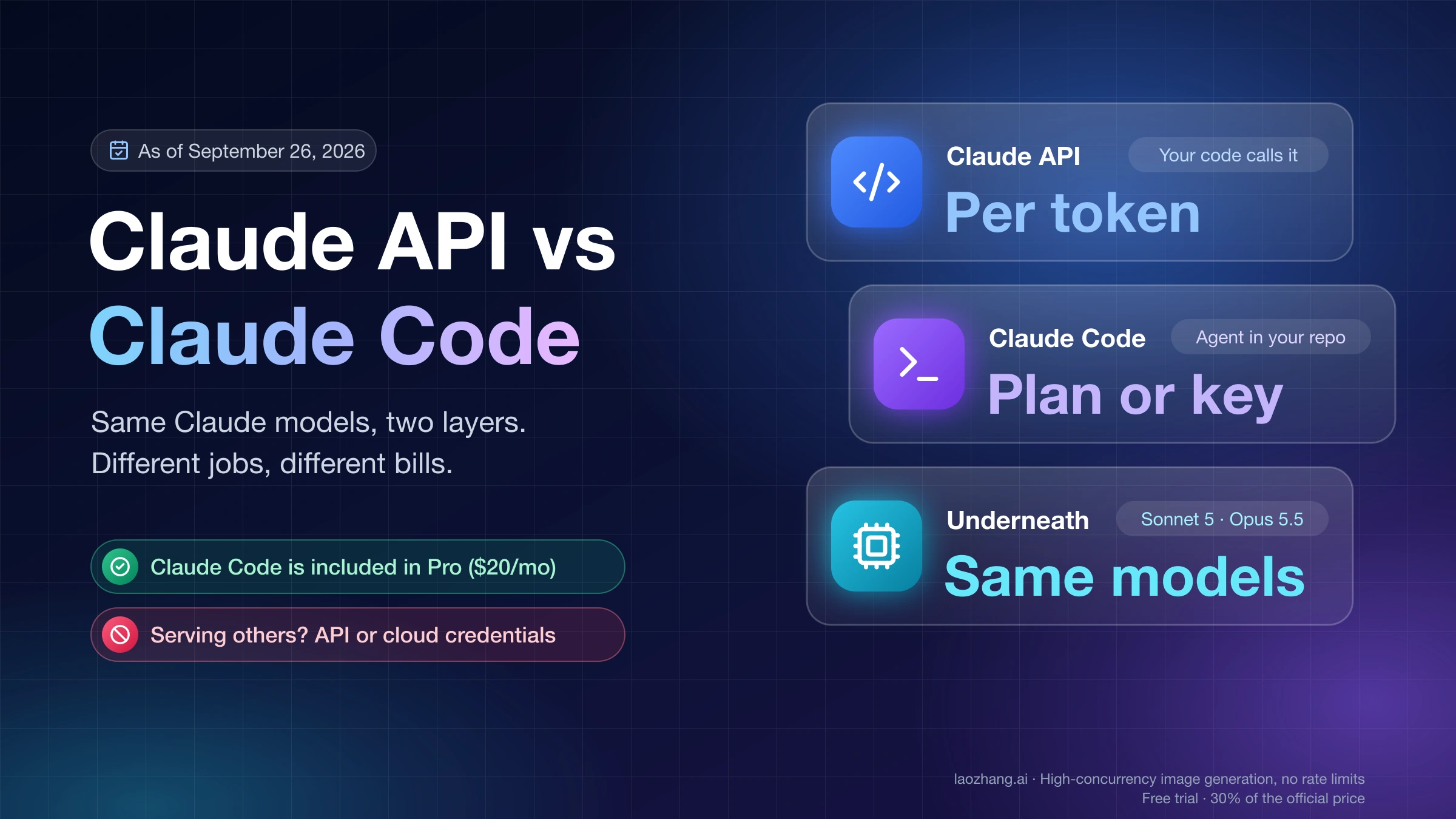
For developers who consistently hit limits even after applying these optimizations, API pay-as-you-go access offers a more predictable alternative. Services like laozhang.ai aggregate multiple AI models under a single API, allowing you to bypass subscription session limits entirely and pay only for what you actually consume — at rates that can be more economical for heavy users who code 5+ hours daily.
Is Claude Code Max Still Worth $100–$200/Month?
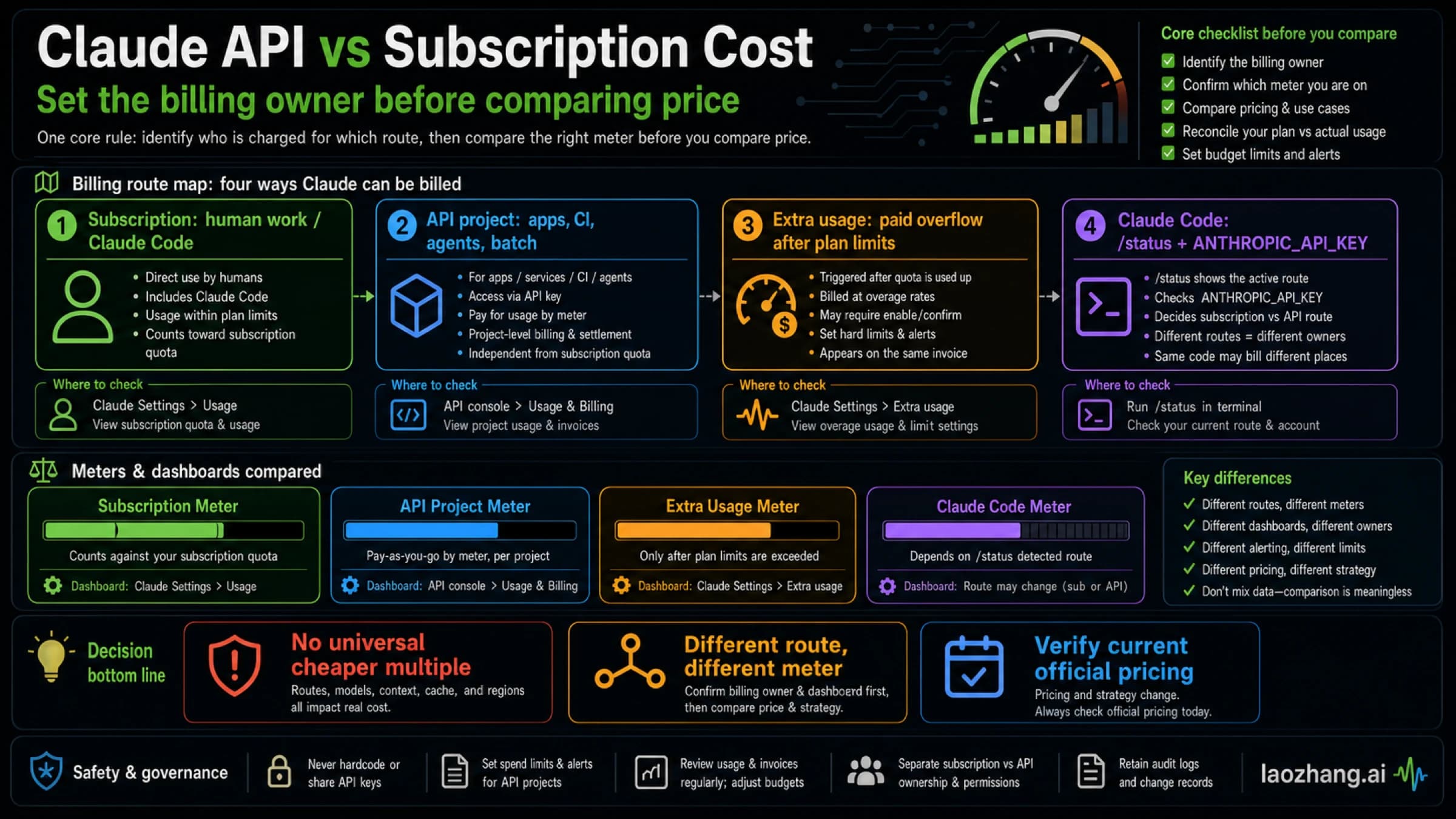
The answer depends entirely on your usage pattern, and the honest calculation requires acknowledging both what Max delivers and what it doesn't. Anthropic's own data shows that the average Claude Code API cost is approximately $6 per developer per day, meaning that a Max 5x subscriber at $100/month needs to use Claude Code productively for roughly 17 days per month to break even against API pricing. For Max 20x at $200/month, you need about 34 productive days — which means you'd need to be coding with Claude every single day including weekends to justify the premium tier on pure cost grounds.
The value proposition becomes clearer when you consider what subscription plans include beyond raw API access: Opus model access (not available on free or Pro tiers), higher burst limits during off-peak hours, priority capacity allocation, and the bundled Claude desktop and mobile experience. If you regularly need Opus-quality reasoning for architectural decisions or complex debugging, the subscription model may be worth it even if the per-token economics don't perfectly align. For a detailed comparison of what each tier actually delivers, see our detailed Claude Code vs Cursor comparison which includes real-world token consumption benchmarks.
The decision framework below maps your usage pattern to the most cost-effective plan:
| Usage Pattern | Recommended Plan | Monthly Cost | Rationale |
|---|---|---|---|
| Occasional (1-2 hrs/day, 3-4 days/week) | Pro | $20 | Sufficient for focused sessions; rarely hits limits |
| Regular (3-4 hrs/day, 5 days/week) | Max 5x | $100 | Worth it if you schedule around peak hours |
| Heavy (5+ hrs/day, daily) | Max 20x or API | $200 or variable | Evaluate API costs vs subscription at $6/day average |
| Team (multiple developers) | API via gateway | Variable | Per-developer TPM/RPM allocation; platforms like laozhang.ai offer multi-model aggregation |
| Burst (occasional intensive days) | Pro + extra usage | $20 + variable | User-controlled overflow for intensive sessions |
There's also the question of Agent Teams, which Anthropic's documentation notes consume approximately 7x more tokens than standard sessions because each teammate maintains its own context window. If you've been using Agent Teams during peak hours, your quota consumption math changes dramatically — a single Agent Teams session during peak hours can theoretically consume your entire 5-hour window in under an hour. For team workflows that require parallel processing, consider running Agent Teams exclusively during off-peak hours, using Sonnet (not Opus) for teammate models, and keeping team sizes minimal. The combination of Agent Teams overhead and peak-hours throttling is the worst-case scenario for quota consumption.
If you're seriously considering canceling your Max subscription — as many Reddit users have discussed — run the math first. Track your actual usage for one week using /cost (for API metrics) and /stats (for subscription metrics), then calculate your effective cost per productive hour. Compare this against Cursor Pro ($20/month with credit-based model), GitHub Copilot ($10-39/month), and API-only access through providers that aggregate Claude, GPT, and Gemini models. The right choice isn't universal — it depends on whether you need Opus access, how predictable your usage is, and whether your working hours overlap with Anthropic's peak hours.
What's Next — Your Action Plan
Anthropic has publicly acknowledged both the peak-hours adjustment and the bug reports, with Thariq Shihipar emphasizing that the company is "investing in scaling efficiency improvements." The bug-related issues (counter desync, session resume consumption) are tracked on GitHub and should see fixes in upcoming Claude Code releases. The peak-hours adjustment, however, is positioned as a permanent infrastructure decision — not a temporary measure.
Your immediate action plan should follow these priorities. First, diagnose which of the three causes is affecting you using the Step 1-2-3 framework above — don't assume it's a bug when it might be peak hours, and don't accept peak hours as the explanation when you might be experiencing a genuine bug. Second, implement the high-impact optimization strategies immediately: .claudeignore, /clear between tasks, lean CLAUDE.md, and model selection are the four changes that deliver the largest cumulative savings. Third, restructure your workflow around peak and off-peak hours if your timezone allows it. Fourth, monitor your actual consumption using /cost and /stats to build data-driven intuition about what different task types cost.
For the broader Claude Code ecosystem, this episode has highlighted a structural tension between Anthropic's subscription model and the resource-intensive nature of agentic AI coding. As William Couturier observed on Medium, Claude Code is paradoxically "the most capable tool in its category" and "the one whose usage constraints generate the most operational friction." The resolution likely involves either more transparent quota reporting (showing which of the three layers is triggering a limit), more predictable peak/off-peak pricing, or a shift toward usage-based models that eliminate the session-window guessing game entirely. Until then, understanding the system and optimizing your workflow within its constraints is the most productive path forward.
Frequently Asked Questions
Why did my Claude Code Max quota run out so fast?
Three overlapping causes converged in late March 2026: Anthropic's intentional peak-hours adjustment (5am–11am PT consumes quota faster), confirmed counter-desync bugs (GitHub Issues #38335, #38029, #37436), and the end of the March 2x off-peak promotion. Use the 3-step diagnostic framework in this guide to identify which cause affects you specifically.
Is the Claude Code quota drain a bug or by design?
Both. The peak-hours adjustment is by design — Anthropic confirmed it's a deliberate infrastructure decision affecting ~7% of users. However, the counter-desync bugs (usage increasing while idle) and session-resume consumption bugs are genuine software issues tracked on GitHub and expected to be fixed in upcoming releases.
How much usage does Claude Code Max actually give you?
Exact numbers aren't published, but estimates from multiple sources suggest: Max 5x offers approximately 140–280 Sonnet hours per week, and Max 20x offers approximately 240–480 Sonnet hours per week. The 5-hour rolling window allows higher throughput on Max tiers, but consumption rate varies by time of day (faster during peak hours) and by task complexity (agentic tasks generate 8–12 API calls per user command).
Can I get a refund for quota lost to bugs?
Anthropic's consumer terms don't explicitly address bug-related quota loss. Your best path is to document the bug with screenshots and timestamps, file a GitHub Issue referencing #38335 or #38029, and contact Anthropic support through your Console account. The ~3.3% appeal overturn rate from Anthropic's Transparency Hub data suggests persistence is warranted if you have clear evidence of abnormal consumption.
What are the best alternatives if I cancel Claude Code Max?
Consider API-based access through aggregator platforms (pay only for what you use, no session limits), Cursor Pro ($20/month with credit-based model), GitHub Copilot ($10-39/month), or OpenAI Codex. Each has different strengths — for a detailed comparison of Claude Code against its closest competitor, see our understanding Claude Code's rate limit architecture guide.