Free Image API for Developers in 2026: Unsplash vs Pexels vs Pixabay vs Wikimedia Commons
The best free image API depends on more than price. This guide shows when to choose Unsplash, Pexels, Pixabay, or Wikimedia Commons based on attribution rules, hosting model, and integration risk.
On this page
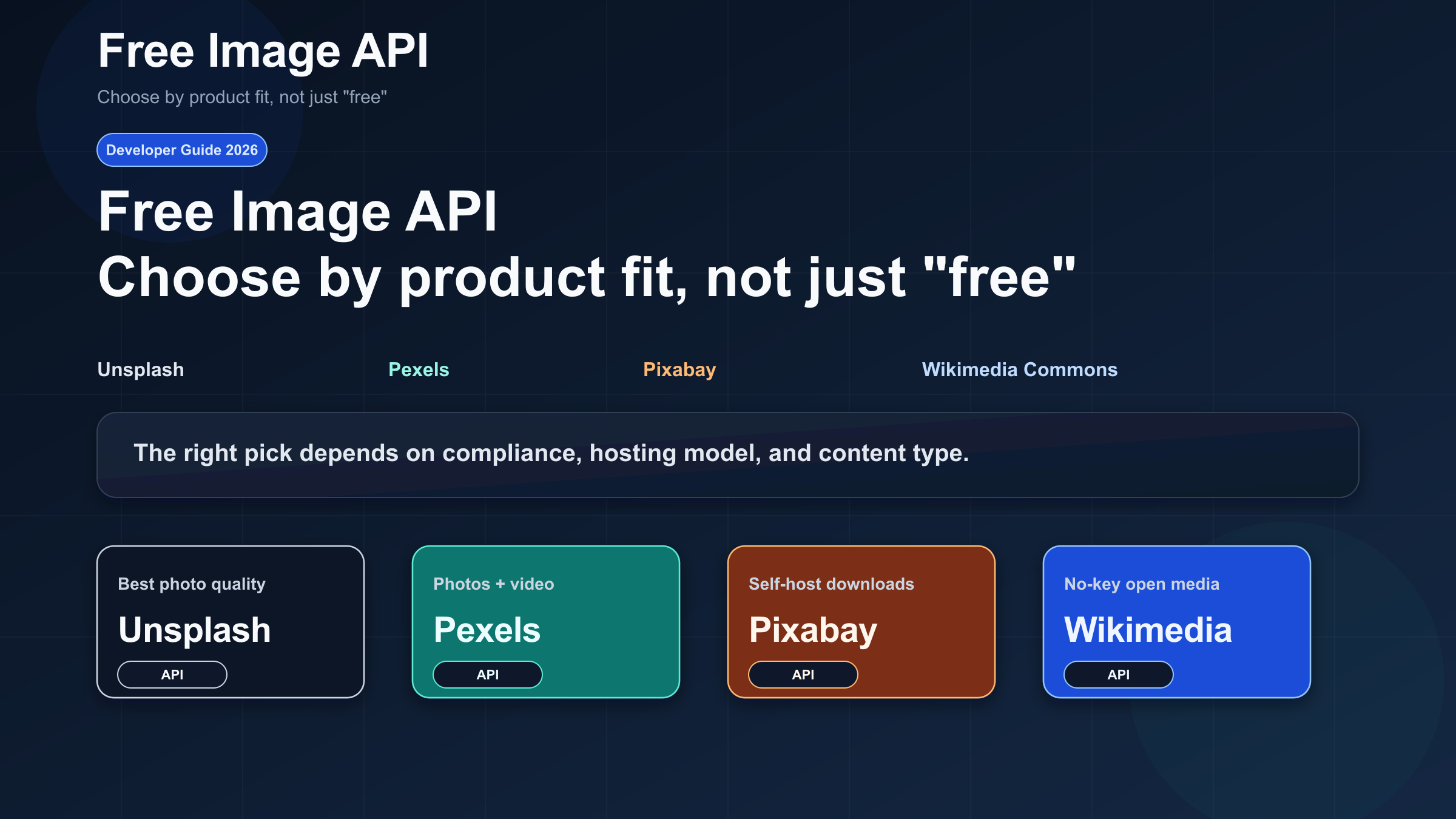
If you search for a free image API, you will usually land on one of two unsatisfying results: official documentation that tells you how to authenticate but not which API fits your product, or generic “top 10” roundups that call everything “free” without explaining the rules that actually change your implementation. As of March 27, 2026, the strongest free image API choices for developers are still Unsplash, Pexels, Pixabay, and Wikimedia Commons, but they are not interchangeable. The real decision is not “which one costs zero dollars?” The real decision is “which one matches my product’s attribution, hotlinking, caching, and licensing constraints?”
The short answer is this. Use Unsplash if visual quality matters most and you are comfortable following stricter API rules around hotlinking and attribution. Use Pexels if you want the easiest all-purpose free API and you also need video. Use Pixabay if you want to download files, cache them, and serve them from your own infrastructure without building around permanent hotlinking. Use Wikimedia Commons only when you specifically want an open-media corpus with file-level metadata and you are prepared to review the license requirements of each asset individually. If you only need placeholders, a service like Lorem Picsum is a better fit than any of these stock APIs. If you actually need generated images rather than stock photos, skip this category entirely and read our AI image generation API comparison.
TL;DR: Which free image API should you use?
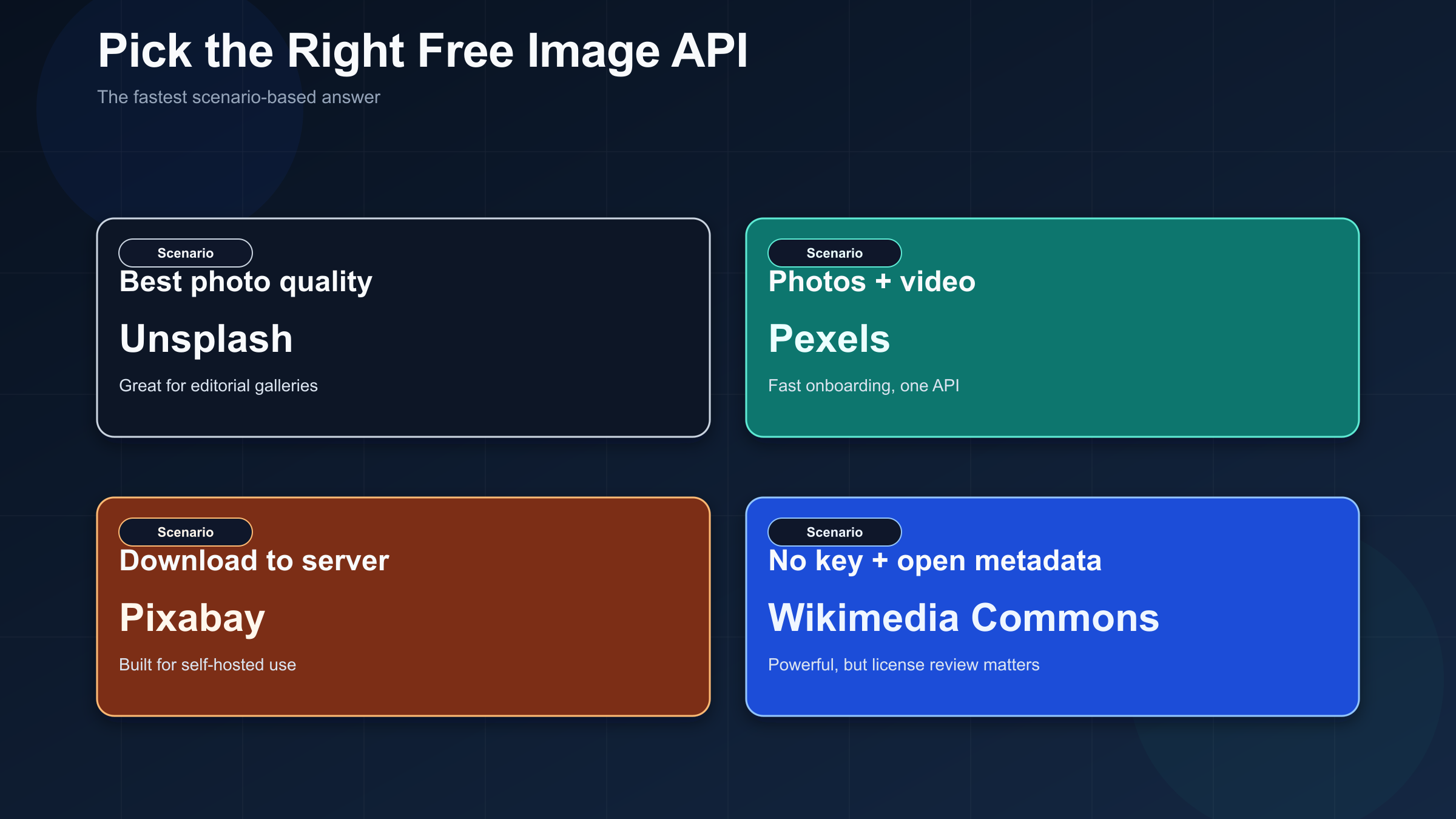
The fastest way to make the choice is to start from your product shape, not from the vendor brand.
| If you need | Start with | Why it wins | What you must accept |
|---|---|---|---|
| The best editorial-style photo quality | Unsplash | Excellent photography, strong search, clean developer docs | API integrations must hotlink, attribute, and handle download tracking |
| Photos and videos from one free API | Pexels | Fast onboarding, one key, photos plus videos, clear REST API | API docs require a prominent link back to Pexels |
| Download images and serve them yourself | Pixabay | Better fit for self-hosted delivery, broad media types, generous burst limit | Permanent image hotlinking is not allowed, and the API expects caching |
| No key plus open metadata and public-domain depth | Wikimedia Commons | Powerful open-media catalog with file metadata and licensing context | Per-file license review is your responsibility |
If you want the operational snapshot, this is the comparison to keep open while you decide:
| API | Auth model | Published default limit | Best for | Biggest integration constraint |
|---|---|---|---|---|
| Unsplash | Authorization: Client-ID | 50/hour demo, 5000/hour after production approval | Premium editorial photography | Required hotlinking plus attribution workflow |
| Pexels | Authorization header with API key | 200/hour and 20,000/month by default | Simple photo + video integration | Prominent linkback expectation |
| Pixabay | key query parameter | 100 requests per 60 seconds | Download-first, self-hosted delivery | Cache expectations and no permanent image hotlinking |
| Wikimedia Commons | No key for basic public queries | No clear current numeric limit found in a primary source during this research pass | Open media with metadata and provenance | File-by-file license verification |
If you are still unsure, start with Pexels for the simplest general-purpose integration, then move to Unsplash only if your product really benefits from its visual quality and you can comply with the stricter API workflow. That recommendation is less glamorous than “Unsplash is best,” but it is more honest for most teams shipping websites, dashboards, CMS tools, and content apps.
What changes the answer is usually not image quality alone. It is whether your UI can show attribution gracefully, whether you are allowed or expected to hotlink, whether you want to store the files on your own server, and whether your legal or editorial team is comfortable with one uniform license summary or a file-by-file review process. Those four constraints matter more than most feature lists.
What people actually mean when they say “free image API”
One reason this keyword is so messy is that developers often use the phrase free image API to mean three different things. Sometimes they mean a stock-photo search API that returns reusable images. Sometimes they mean a placeholder service for mockups and prototypes. Sometimes they mean an AI image generation API. Those are three different tool categories with different cost models and different legal expectations, and a lot of bad advice starts by pretending they are the same.
This article is about stock-image APIs: APIs that let you search or retrieve existing images that were uploaded by photographers, creators, or institutions. That is the category where Unsplash, Pexels, Pixabay, and Wikimedia Commons compete. If your real problem is design placeholders, the simplest answer is usually a placeholder service such as Lorem Picsum, which exists to hand you random or seeded images by URL shape. If your real problem is generating net-new illustrations, product renders, or marketing creative, you need an AI image generation API instead, and the decision criteria shift toward model quality, price per image, moderation behavior, and latency rather than attribution and stock licensing.
That distinction matters because it changes how you architect the product. A stock API integration usually forces you to think about credit lines, linkback, caching, or download permissions. A placeholder API barely cares. An AI image generation API cares about something else entirely: prompt handling, cost, queueing, and output safety. If you start in the wrong category, you will spend a week optimizing the wrong constraints.
The exact phrase free image API also hides an important legal misunderstanding. A site can describe its content as free to use, and that may be true in a broad sense, but the API used to access that content can still impose extra rules on attribution, hotlinking, tracking, or acceptable product design. Unsplash and Pexels are both good examples. Their public-facing license summaries sound very permissive, but their API guidelines still shape how your application has to behave. That is why a developer decision guide is more useful than a pure license summary or a pure endpoint reference.
Unsplash vs Pexels vs Pixabay vs Wikimedia Commons
Unsplash is the best default when image quality and editorial polish matter more than implementation freedom. The official Unsplash documentation puts new applications into demo mode at 50 requests per hour and increases approved production applications to 5000 requests per hour. Public requests use the Authorization: Client-ID YOUR_ACCESS_KEY pattern, the API lives at https://api.unsplash.com/, and the docs are clear enough that most teams can get a prototype working quickly. The catch is that the API is opinionated in a way many developers miss on the first read. Unsplash requires you to use the returned image URLs directly, not simply treat the API as a raw file catalog. Their guidelines also require attribution to Unsplash and the photographer, and they require you to hit the download_location endpoint when your app performs a download-like action. In other words, Unsplash is not just giving you a pool of free JPGs. It is giving you an image platform with a compliance model attached.
That makes Unsplash a great fit for editorial galleries, magazines, newsletters, or CMS interfaces where attribution is easy to show and hotlinking is acceptable. It is a worse fit for products that want to normalize every file into their own storage and hide the upstream source completely. It is also a worse fit if you want a lot of operational freedom before you apply for higher production limits. The confusing part is that the general Unsplash License says images can be used for commercial and non-commercial purposes without required attribution, while the API Guidelines still require attribution and hotlinking for API integrations. That difference is exactly the kind of nuance most comparison articles fail to surface.
Pexels is the easiest all-purpose choice when you need a free image API that behaves like a conventional developer service. The Pexels API documentation gives you an instant API key once you have an account, uses a straightforward Authorization header, and covers both photos and videos. The default limits are 200 requests per hour and 20,000 requests per month. That is not huge, but it is enough for a lot of prototypes, internal tools, and modest production apps. Pexels also says that if your use meets their terms and attribution requirements, you can request higher limits and even get unlimited requests for free. Compared with Unsplash, the onboarding feels more direct and the product contract is easier for engineering teams to understand quickly.
Pexels is especially strong when you need one API for both still images and videos, which is surprisingly rare in the free tier of this category. It is also a good default when your product team wants fewer moving parts and faster time to first result. The nuance is similar to Unsplash, though slightly less strict in practice: the public Pexels License says the photos and videos are free to use and attribution is not required, but the API docs still tell you to show a prominent link back to Pexels and to credit photographers when possible. That means the product obligation sits in the API integration layer, not only in the broad license summary. If your UI can tolerate a credit line or a “Photos provided by Pexels” footer where search results are shown, Pexels is often the best starting point.
Pixabay is the practical answer when you want to download and serve assets from your own infrastructure. The Pixabay API documentation uses a query-string API key, supports images and videos, and allows up to 100 requests per 60 seconds by default. It also explicitly says requests should be cached for 24 hours, and it explicitly says permanent hotlinking of images is not allowed. That alone makes Pixabay structurally different from Unsplash. If your architecture wants to search an upstream library, ingest the selected assets into your own storage, then serve those files from your app or CDN, Pixabay is much closer to that workflow. You are not fighting the product.
Pixabay also supports more asset categories than people often remember, including photos, illustrations, vectors, and videos, which makes it useful for CMS ingestion flows or marketing tooling that values flexibility over premium photography. Its Content License Summary is also fairly permissive: content can be used for free, without attribution, and can be modified or adapted, though standalone resale, misleading usage, and some trademark or recognizable-person cases are restricted. But the API layer still adds its own expectation: Pixabay asks API users to show people where the images and videos come from whenever search results are displayed. The operational caveat is that Pixabay wants you to behave like a cache-conscious client rather than a scraper. The docs even note that the API returns a maximum of 500 accessible images per query by default, which matters if you were imagining the API as a limitless stock data source. Pixabay is not the most glamorous option, but it is often the most compatible with real production storage patterns.
Wikimedia Commons is the power-user choice, not the default choice. It is the least polished of the four options as a drop-in stock-photo service, but it is the most interesting if you want open media, rich metadata, and zero-key access patterns. Through the MediaWiki imageinfo module, you can query file URLs and extended metadata using prop=imageinfo and iiprop=url|extmetadata. That is powerful because it lets you inspect reuse data rather than just consuming a vendor-curated stock catalog. The problem is that Wikimedia Commons is not one single license with one single compliance shape. The Commons reuse guidance explicitly warns that different files can have different attribution, license-linking, or share-alike obligations, and that reusers need to verify those conditions file by file.
For some products, that is exactly the right tradeoff. If you are building educational tools, historical archives, cultural projects, or knowledge products where file provenance and metadata matter, Wikimedia Commons can be a better foundation than any commercial-style stock API. For a fast-moving SaaS dashboard or marketing site that just needs pleasant background photos, it is usually too much friction. Commons is best when you want openness and metadata power more than a curated, uniform, low-friction stock experience.
The rules that make or break a free image API integration
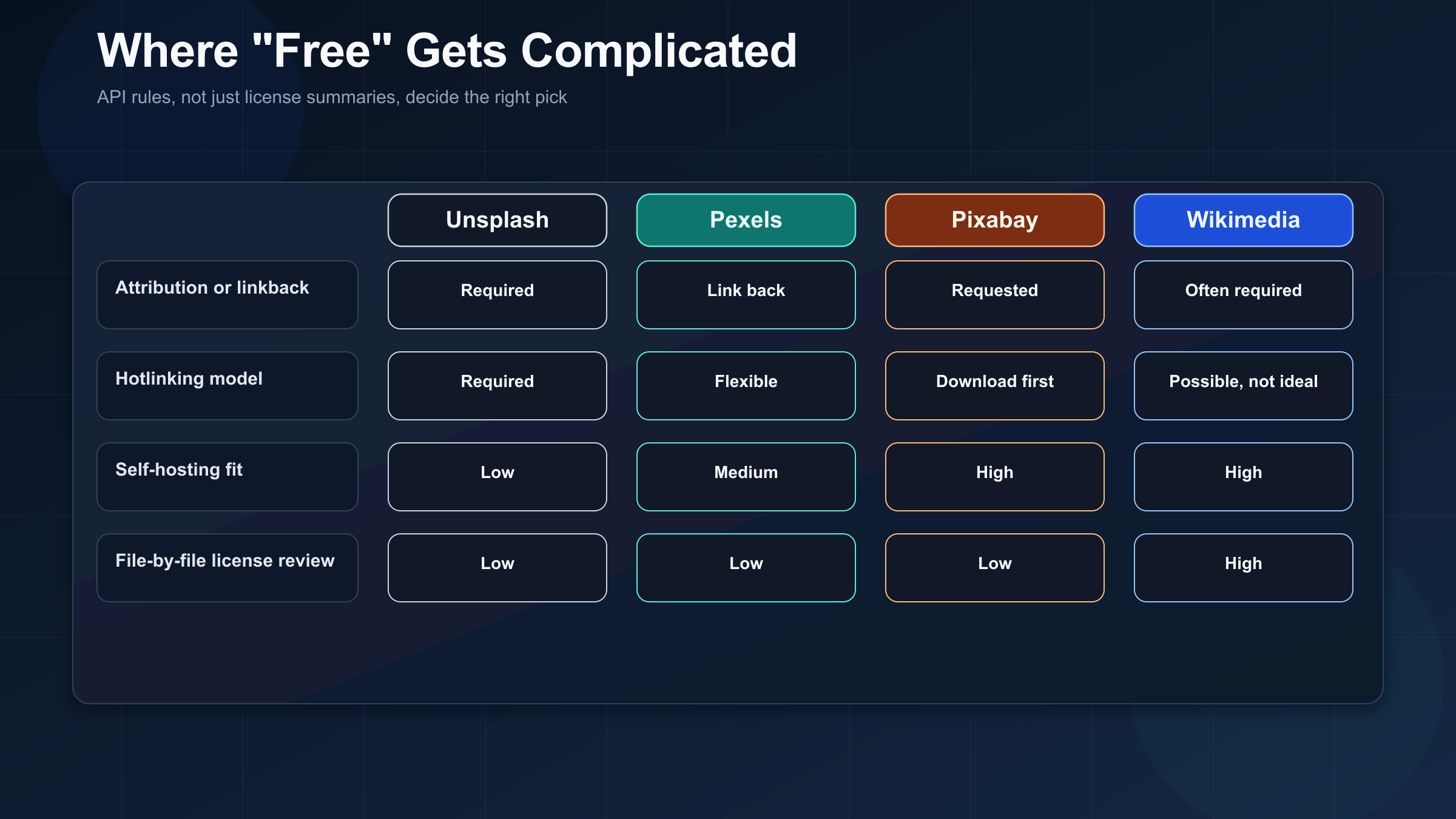
The biggest mistake developers make with free image APIs is treating the vendor’s content license as the whole implementation contract. It is not. The content license tells you something about reuse. The API documentation tells you how the vendor expects the application itself to behave. The gap between those two is where most production surprises happen.
The first trap is attribution and linkback. If your product has a clear place to show “Photo by X on Unsplash” or “Photos provided by Pexels,” then Unsplash and Pexels are much easier to adopt. If your product design has nowhere natural to surface credit, they are harder than they look from the outside. This is not a theoretical point. Unsplash’s API guidelines explicitly require attribution and links back to photographer profiles. Pexels’ API docs explicitly say you should show a prominent link to Pexels when using the API. These are product-design decisions, not just legal footnotes.
The second trap is hotlinking versus self-hosting. Unsplash wants API consumers to use the returned image URLs directly and preserve the tracking context around those URLs. Pixabay takes the opposite posture for images by saying permanent hotlinking is not allowed and that if you intend to use the images, you should download them to your own server first. These are not minor implementation details. They decide whether your image layer belongs in your frontend, in a proxy, or in your media pipeline. Many teams discover too late that their original architecture assumes the wrong delivery model.
The third trap is assuming “free for commercial use” means “uniformly safe for all commercial products.” Even where a service’s summary license is permissive, the edge cases still matter. Pixabay’s license summary warns about recognizable brands, logos, and people. Wikimedia Commons warns that even when copyright looks clear, other rights can still apply and that the Foundation does not guarantee the correctness of all file-level licensing information. If your product distributes user-facing media at scale, these caveats are not optional reading.
The fourth trap is mistaking Wikimedia Commons for a stock-photo service with one set of rules. Commons is powerful precisely because it is open and heterogeneous. That also means you inherit the burden of inspecting the metadata and reuse conditions of individual files. If you want a consistent stock-provider experience, this is a cost. If you want provenance and openness, this is a feature.
This is why I do not recommend choosing a free image API by rate limit alone. A high request quota does not help if the API expects a presentation model your product cannot support. And a low-friction license summary does not help if the API integration rules still force credit lines, download tracking, or review steps that your team never budgeted for.
Fastest working integration path for each API
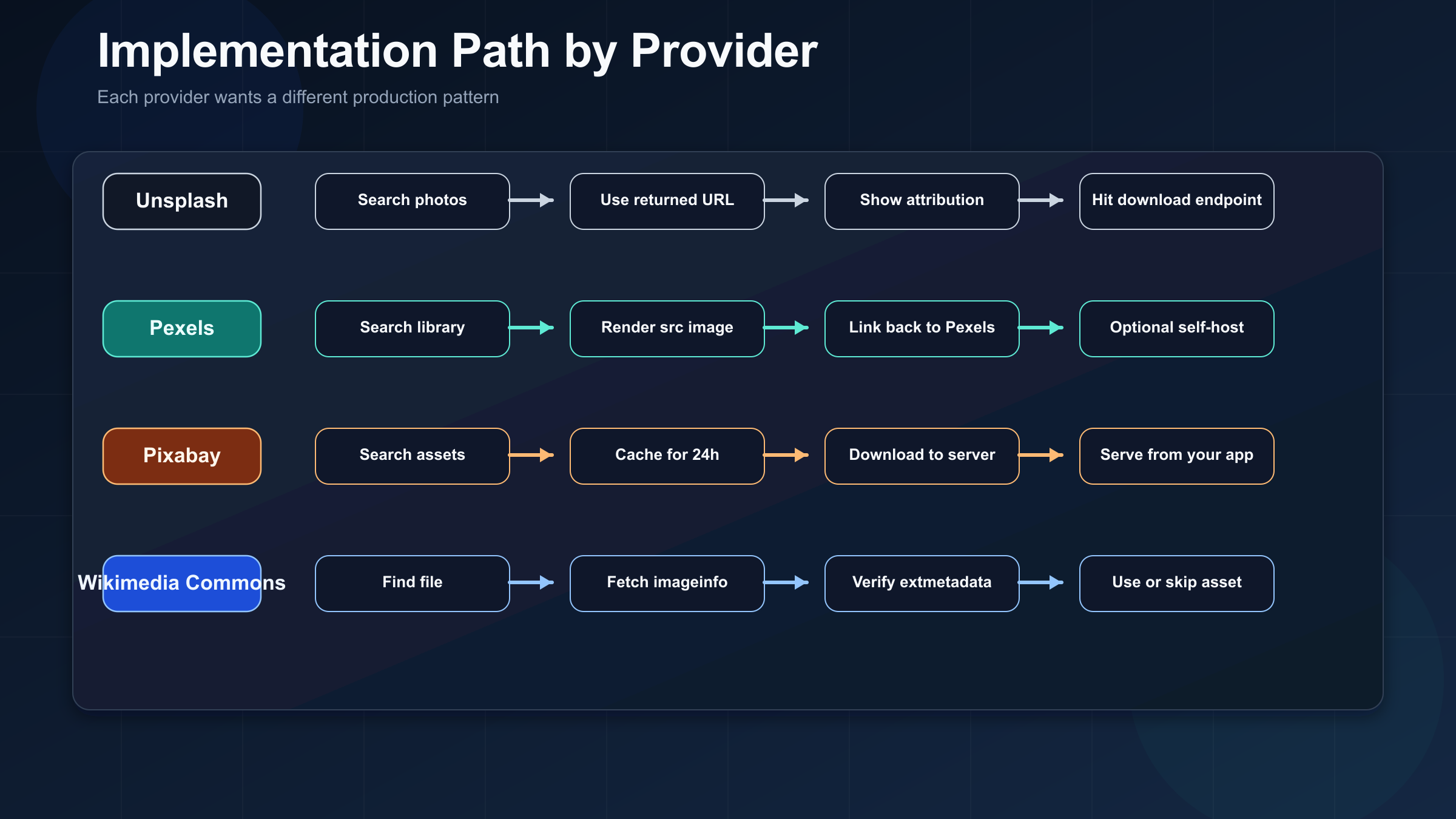
Once you know which API fits your product, the implementation path becomes much simpler. The goal here is not to dump full SDK documentation into the article. The goal is to show what the first correct request looks like and what production behavior each provider expects next.
Unsplash: search, render the returned URLs, and build attribution into the UI from day one.
curl -H "Authorization: Client-ID $UNSPLASH_ACCESS_KEY" \
  "https://api.unsplash.com/search/photos?query=workspace&per_page=5"
The first request is easy. The important part comes after the response. Render the URLs from the photo.urls fields directly, preserve the tracking parameters on those URLs, and if your user performs a download-like action, call the photo.links.download_location URL that the API returns. If you prototype Unsplash by downloading files to your own server and stripping away the upstream attribution model, you are building the wrong system from the start.
Pexels: use the API key, render the src images, and include a visible link back to Pexels.
curl -H "Authorization: $PEXELS_API_KEY" \
  "https://api.pexels.com/v1/search?query=workspace&per_page=5"
Pexels is the easiest to operationalize quickly. The returned src object gives you multiple sizes, so you can pick the variant that matches your layout instead of always taking the original file. The production question is mostly presentation: where will your application put the required linkback? If you can answer that cleanly, Pexels is often the least painful free image API to ship first.
Pixabay: treat it as an ingestion source, not as a permanent image host for your app.
curl "https://pixabay.com/api/?key=$PIXABAY_KEY&q=workspace&image_type=photo&safesearch=true&per_page=20"Pixabay’s docs make the intended model pretty clear. Search, cache, download the assets you plan to use, then serve them from your own infrastructure rather than permanently hotlinking Pixabay image URLs. That makes Pixabay a good match for CMS pipelines, asset importers, blog tooling, and apps that want to keep image delivery fully under their own domain and CDN rules.
Wikimedia Commons: use metadata before you use the image.
curl "https://commons.wikimedia.org/w/api.php?action=query&titles=File:Example.jpg&prop=imageinfo&iiprop=url|extmetadata&format=json"The key difference with Commons is that the metadata fetch is part of the happy path, not an optional extra. You use imageinfo and extmetadata so you can decide whether the file is appropriate for your use case before you rely on it. That makes Commons slower to integrate than the other three, but also far more transparent if your product values provenance.
The common pattern across all four providers is simple: write the first request in one hour, spend the next hour making sure the delivery model actually matches the provider’s rules. That second hour is where most teams either save themselves a rewrite or create one.
So which free image API should you start with?
If you want one practical answer instead of four nuanced ones, start here.
Start with Pexels if you want the most balanced free image API for a normal application. It has the easiest initial key flow, supports photos and videos, gives you a familiar REST shape, and usually creates less architectural tension than Unsplash. For most teams building dashboards, landing pages, content tools, or internal apps, Pexels is the safest first experiment.
Choose Unsplash when image quality and editorial feel are core to the experience. If you are building a magazine-like interface, a design-heavy CMS, or a browsing experience where premium photography is part of the product value, Unsplash is often worth the stricter rules. But treat those rules as real. Unsplash becomes a bad choice if your product cannot handle attribution or hotlinked rendering.
Choose Pixabay when you want operational control. If your team wants to ingest assets, store them, resize them on your own pipeline, and serve them from your own domain, Pixabay is the most natural fit of the major free options. It is the least likely to surprise you later with a hotlink-first worldview.
Choose Wikimedia Commons only when open metadata, provenance, and public-domain or open-license depth matter more than convenience. It is powerful, but it rewards teams that are willing to build around metadata, not teams that want a plug-and-play stock feed.
That is the honest decision tree. There is no universal winner. There is only the API whose constraints line up with your product better than the rest.
FAQ
Which free image API is best for commercial use?
For most commercial apps, Pixabay or Pexels are the easiest starting points. Pixabay is better if you want to self-host assets. Pexels is better if you want the fastest conventional API onboarding and can show a link back to Pexels. Unsplash can absolutely work in commercial products, but its API-specific attribution and hotlinking rules make it less flexible than people expect.
Is Unsplash really free if the API requires attribution?
Yes, but “free” does not mean “no obligations.” The general Unsplash site license is permissive, yet the API guidelines still require attribution and hotlinking behavior for API-powered applications. That is exactly why you should separate content-license questions from API-integration questions.
Can I store images on my own server?
Pixabay is the cleanest fit if that is your plan. Unsplash is the least natural fit because its API expects direct use of the returned image URLs. Pexels is more flexible in practice, though you still need to respect the API terms and attribution guidance. Wikimedia Commons allows downloading and reuse, but only after you verify the file-level license conditions.
Which free image API supports videos too?
Pexels and Pixabay both support videos through their API surfaces. Unsplash is photos-first in the context relevant to this article. Wikimedia Commons is broader and more heterogeneous, but it is not a one-shape commercial stock API in the same way Pexels or Pixabay is.
Do I have to check licenses file by file on Wikimedia Commons?
In practice, yes. Commons reuse guidance makes clear that different files can carry different reuse conditions. If you want a single uniform license experience, pick a different service. If you want openness and provenance, Commons can be worth the extra review burden.