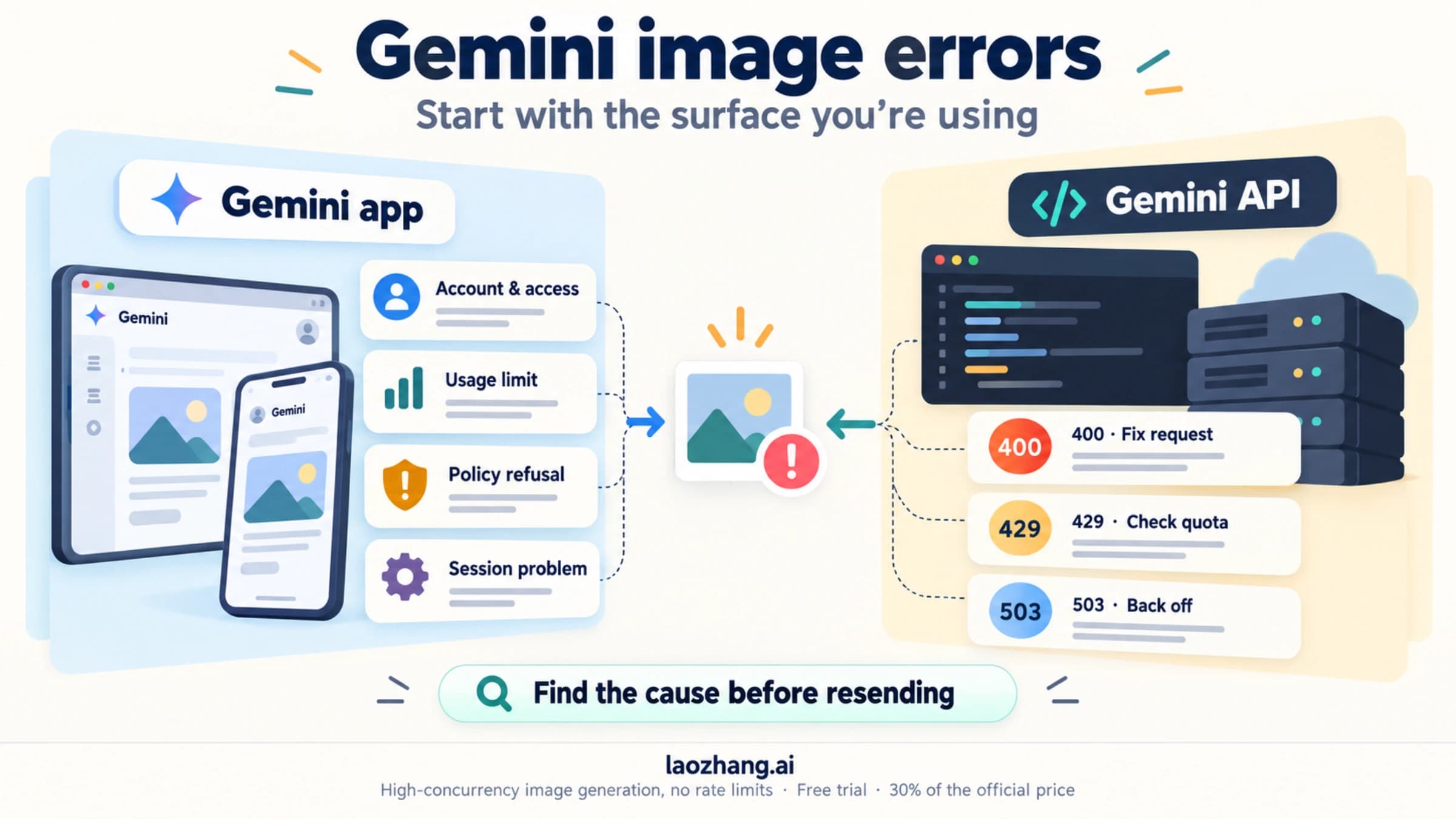
Nano Banana Pro `RESTRICTED by System Instructions`? Check the Gate First
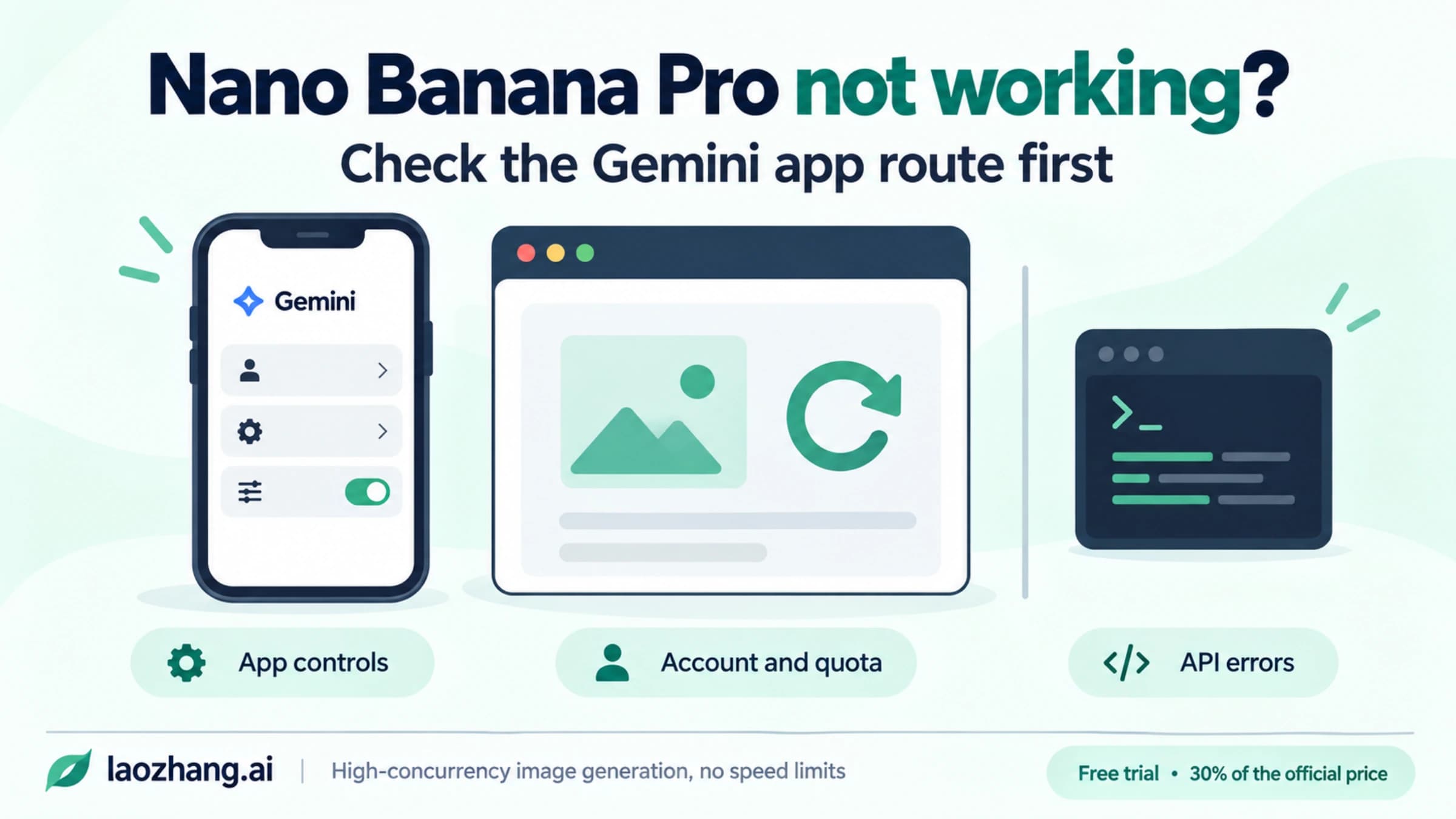
If Pro returns a restriction message or no image, first recover the correct Pro route: More → Redo with Pro in Gemini, the Pro menu in eligible AI Mode accounts, or gemini-3-pro-image in the API. Then check the actual response before calling the failure a policy block.
On this page
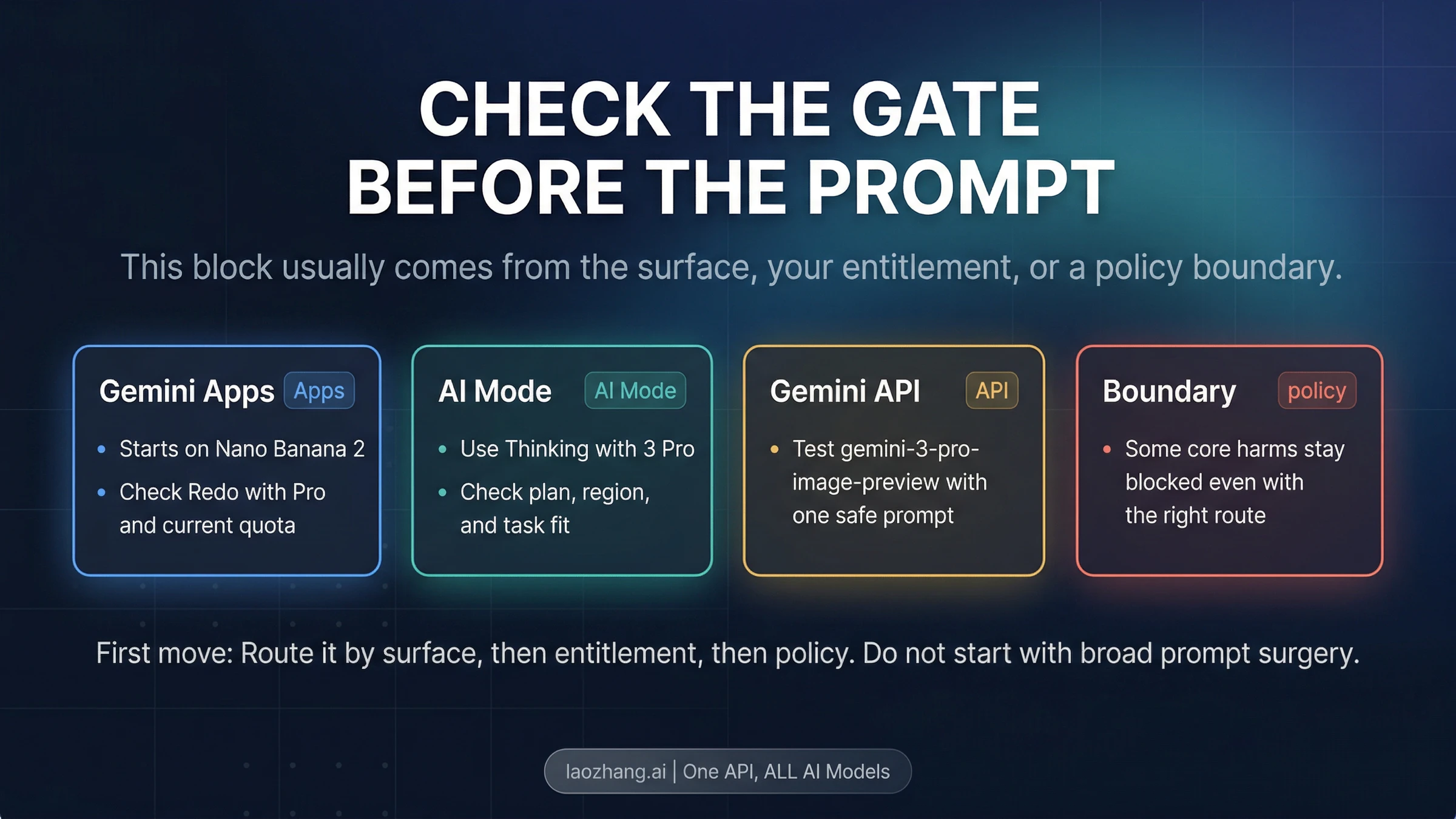
If Nano Banana Pro says RESTRICTED by System Instructions, or your Pro attempt returns only text, first confirm that you actually requested a Pro image. In Gemini Apps, use an eligible paid account and More → Redo with Pro on an existing image. In Computer AI Mode, select the current Pro menu if your account is eligible. In the Gemini API, request gemini-3-pro-image and inspect the returned image parts.
After correcting the relevant access or request problem, retry on that same service and check the finished image. A harmless test image working while your original request fails does not prove that the original request violates policy. It shows that something about the request or its inputs changes the result. Safety feedback, reference-image formatting, access to files and conversation context need separate checks.
The steps below reflect Google's documentation checked on October 6, 2026. They recover legitimate access and make failures easier to identify; they cannot guarantee that an unclassified failure will disappear.
30-Second Gate Board
| Where the image failed | First action | What verifies progress |
|---|---|---|
| Gemini Apps: no Redo with Pro | Check the same account's paid-plan eligibility, Pro chat model and image quota; open an existing generated image | You can select More → Redo with Pro, and the redo produces an image |
| Computer AI Mode: no Pro option | Check the current Pro menu, English-language availability and actual age, country and plan eligibility | The intended Pro image request completes in AI Mode |
| AI Studio or native Gemini API | Select gemini-3-pro-image; request image output and inspect the actual response | A final image is returned, saved and opened successfully |
| A neutral Pro request works, but your original fails | Compare the request and inputs one change at a time; inspect any classified feedback | You identify a repairable difference, an explicit safety refusal, or an unresolved failure requiring review |
The phrase RESTRICTED by System Instructions is not listed as an enum value in the native prompt-block and finish-reason tables we checked. Preserve the exact wording and identify the service that displayed it. A chat sentence, a third-party interface message and a structured Google API field are different kinds of evidence. The native API reference is the authority for API fields; the wording alone does not identify a universal error code.
If You Are in Gemini Apps
What is Redo with Pro, and how do you activate it?
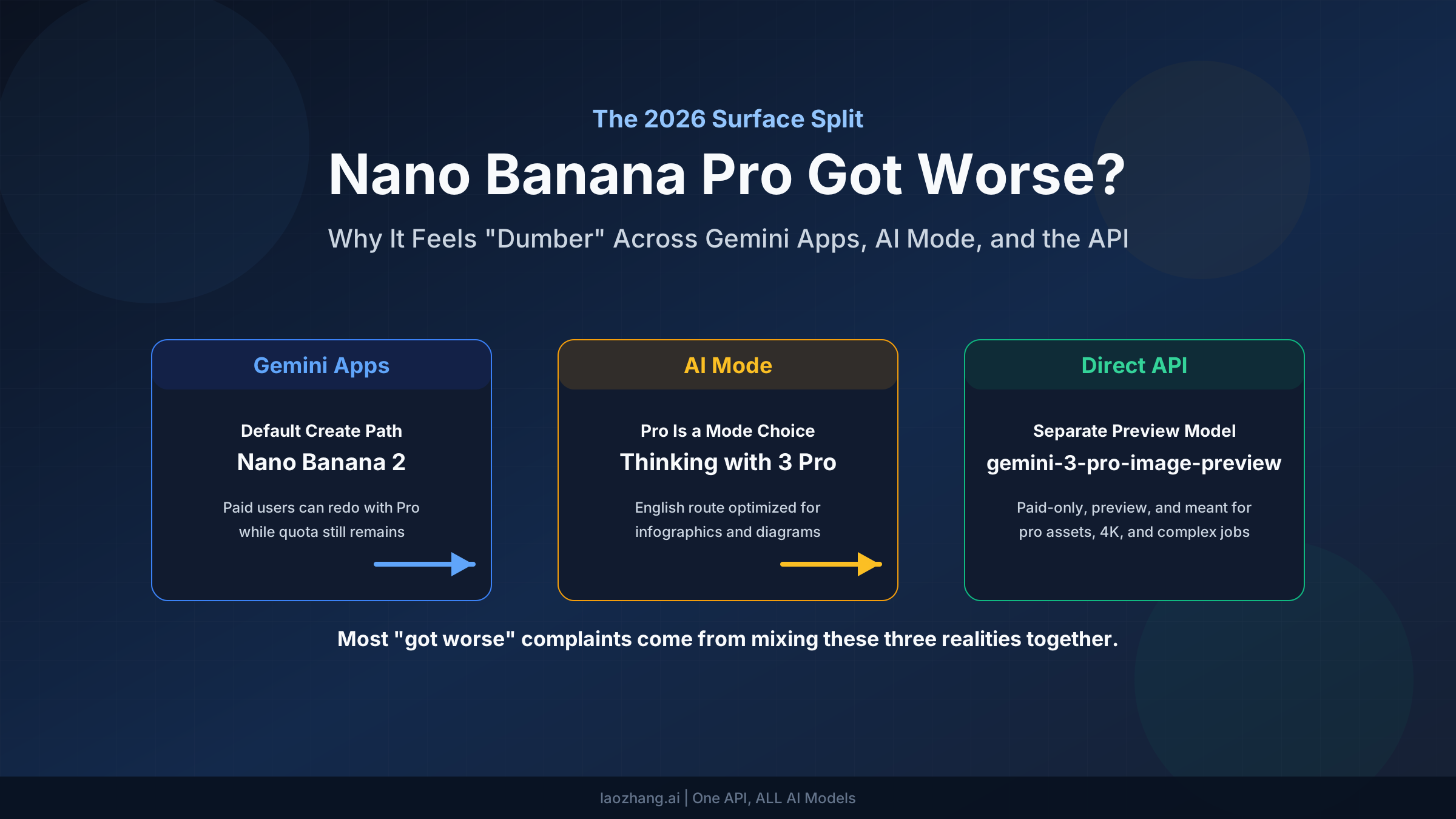
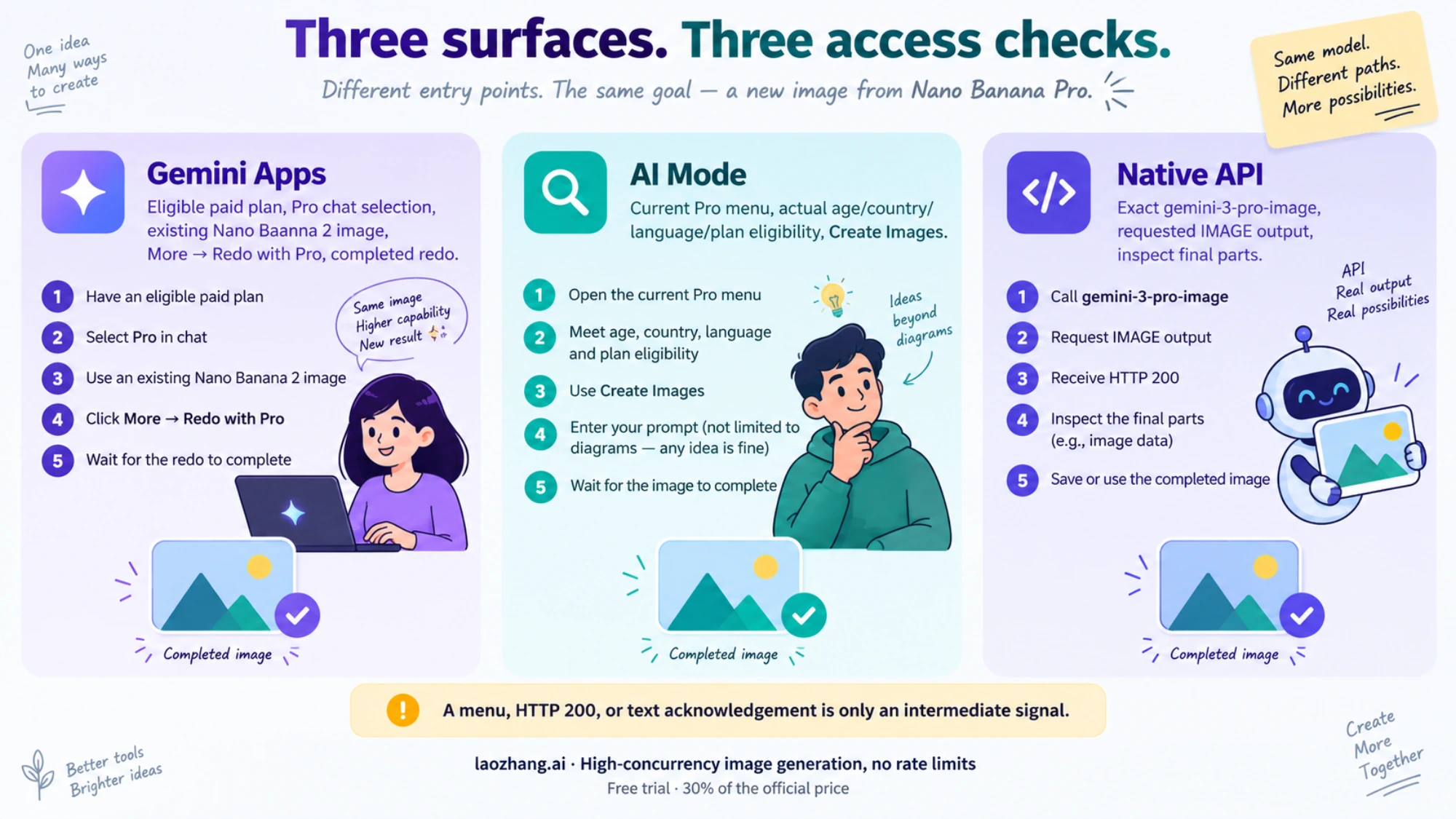
Redo with Pro requests a Nano Banana Pro version of an image you have already generated. Google's current Gemini Apps instructions distinguish the chat model from the image model: Flash Lite starts images with Nano Banana 2 Lite, while Flash or Pro starts them with Nano Banana 2. Selecting the Pro chat model therefore does not make the initial image a Pro image.
On a computer, follow the documented path:
- Sign in to the account with an eligible paid Google AI plan and select the Pro chat model.
- Open Images in the sidebar and choose a template or enter an ordinary image request.
- Let the initial Nano Banana 2 image finish.
- At the lower right of the generated image, open More → Redo with Pro.
- Wait for the redo to finish, then open the resulting image and check whether it fulfills the request.
The menu action establishes that you requested the Pro redo. A completed image establishes that the attempt returned an image. A response that merely says it can help, offers another product or describes your desired picture has not completed this workflow.
If the menu is missing or Pro returns text
First check that you are looking at a generated image, rather than searching for a Pro image switch before creation. Then check the plan and chat-model selection in that same account. Personal, work and school accounts can have different license and access conditions; being signed in to another account can change what appears.
Check the in-product limit message as well. Google's Apps Help says reaching the daily Nano Banana 2 image limit also prevents additional Pro redos. Starting another chat or changing prompt wording is not a documented quota reset. Follow the limit information shown for your account instead of assuming another user's daily allowance or reset time applies.
Age requirements also depend on the action: personal image generation is available from age 13 or the applicable country minimum, while image editing is unavailable to users under 18. Country, language and account eligibility still apply. Do not interpret every missing menu as an age restriction without checking the relevant account conditions.
If the eligible Pro redo remains available but returns only text for an ordinary request, preserve the message and compare one neutral redo in the same account. A Google Help community report from April 26–27 describes a paid user's Nano Banana 2 images working while Pro redo returned text. Volunteer replies proposed local changes and later claimed a backend problem. Those replies do not confirm your present cause or establish a guaranteed fix.
For normal setup and first-image quality checks, see how to use Nano Banana Pro. If access is already correct, continue below with the failed request and its inputs.
If You Are Trying Pro in Computer AI Mode
The current computer instructions use Pro, rather than the older Thinking with 3 Pro wording. In Google Search's AI Mode Help, the sequence is:
- Open AI Mode and select Pro in the Ask anything bar.
- Select + → Create Images.
- Describe the image and submit the request.
- Open the generated result and check that the intended image completed.
Check eligibility before treating a missing control as a refusal. Image creation requires users to be over 18. The Pro section currently specifies English, availability in the United States, and Google AI Pro or Ultra subscribers in the countries listed on that page. Your actual location and account conditions matter; choosing English does not make an otherwise unavailable country eligible. Broader AI Mode image availability in other languages does not establish Pro availability in all those languages.
Google describes Pro as optimized for infographics and diagrams. That does not establish that every other creative image task is prohibited. A missing menu calls for an eligibility check; a returned refusal calls for examining the request and available feedback. Neither conclusion follows just from the task being something other than a diagram.
If this account lacks AI Mode Pro access, use an official image service you are independently eligible to use, with its own account and usage conditions. That resolves a product-access mismatch. It does not remove a safety refusal for the same prohibited output.
If You Are Using AI Studio or the Gemini API
Request the actual Pro image model
The current stable model ID is gemini-3-pro-image, as shown in Google's model documentation. In AI Studio, confirm the selected model before submitting a neutral image request. In software, check the endpoint and serialized request, rather than relying only on a wrapper's “Pro” label. A consumer Google AI subscription does not itself establish your API project's model access or quota.
For an existing authorized Gemini API setup, save the following native request as request.json. It uses an ordinary text-to-image control without reference files or custom safety settings:
{
  "contents": [{
    "role": "user",
    "parts": [{"text": "Create an image of a blue ceramic mug on a plain white table."}]
  }],
  "generationConfig": {"responseModalities": ["TEXT", "IMAGE"]}
}
From a terminal where your own authorized GEMINI_API_KEY is already configured, submit it to the same Pro model:
curl --silent --show-error --fail-with-body \
  'https://generativelanguage.googleapis.com/v1beta/models/gemini-3-pro-image:generateContent' \
  -H "x-goog-api-key: ${GEMINI_API_KEY}" \
  -H 'Content-Type: application/json' \
  --data-binary @request.json \
  --output response.json
The request follows Google's native image-generation guide. It can incur charges. The payload and response handling here were checked offline; this article does not claim a live Pro generation test. Keep the model unchanged when comparing with your failing request: success from a text model or Nano Banana 2 cannot verify the Pro image route.
Read feedback before calling the result a safety block
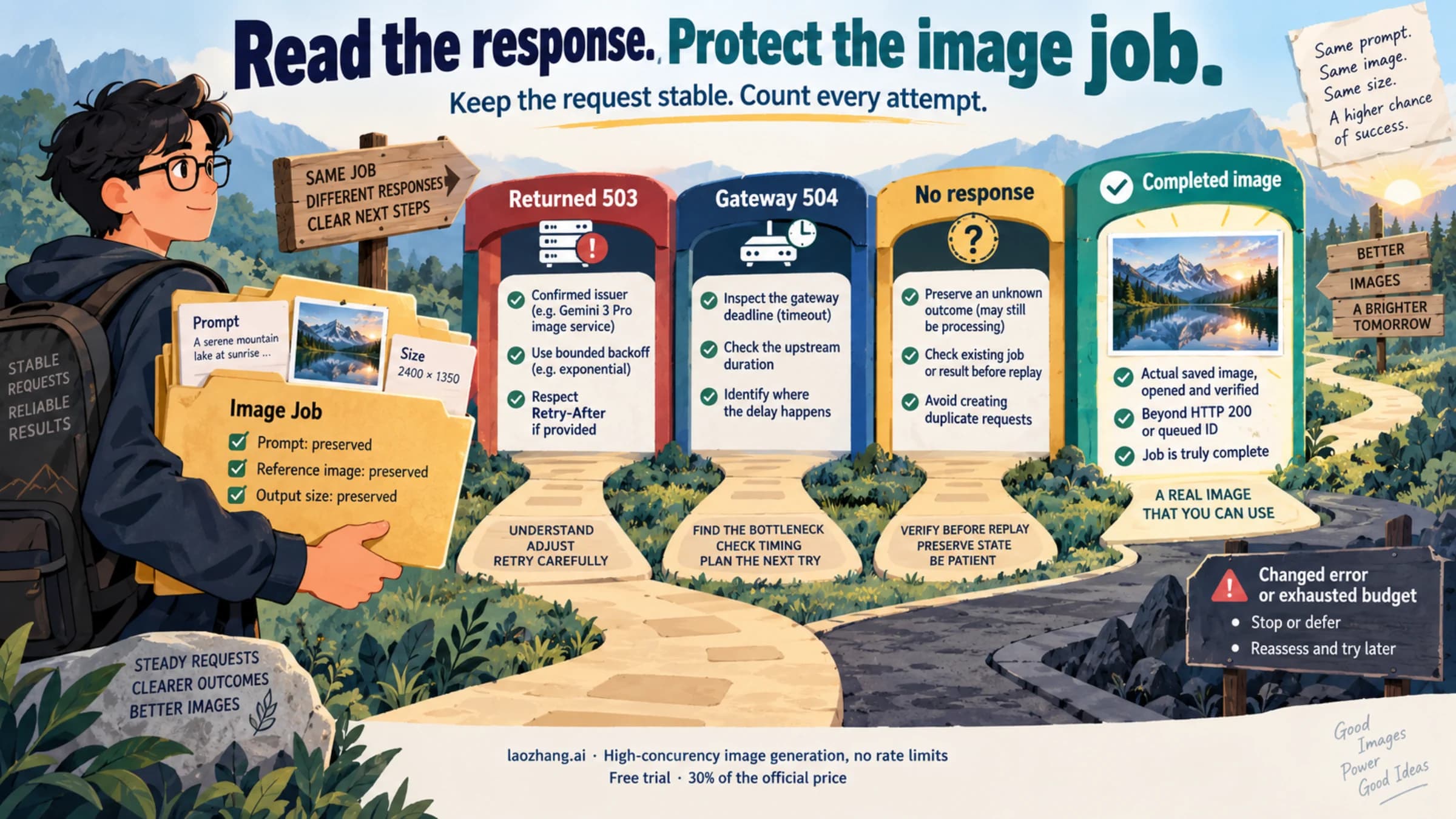
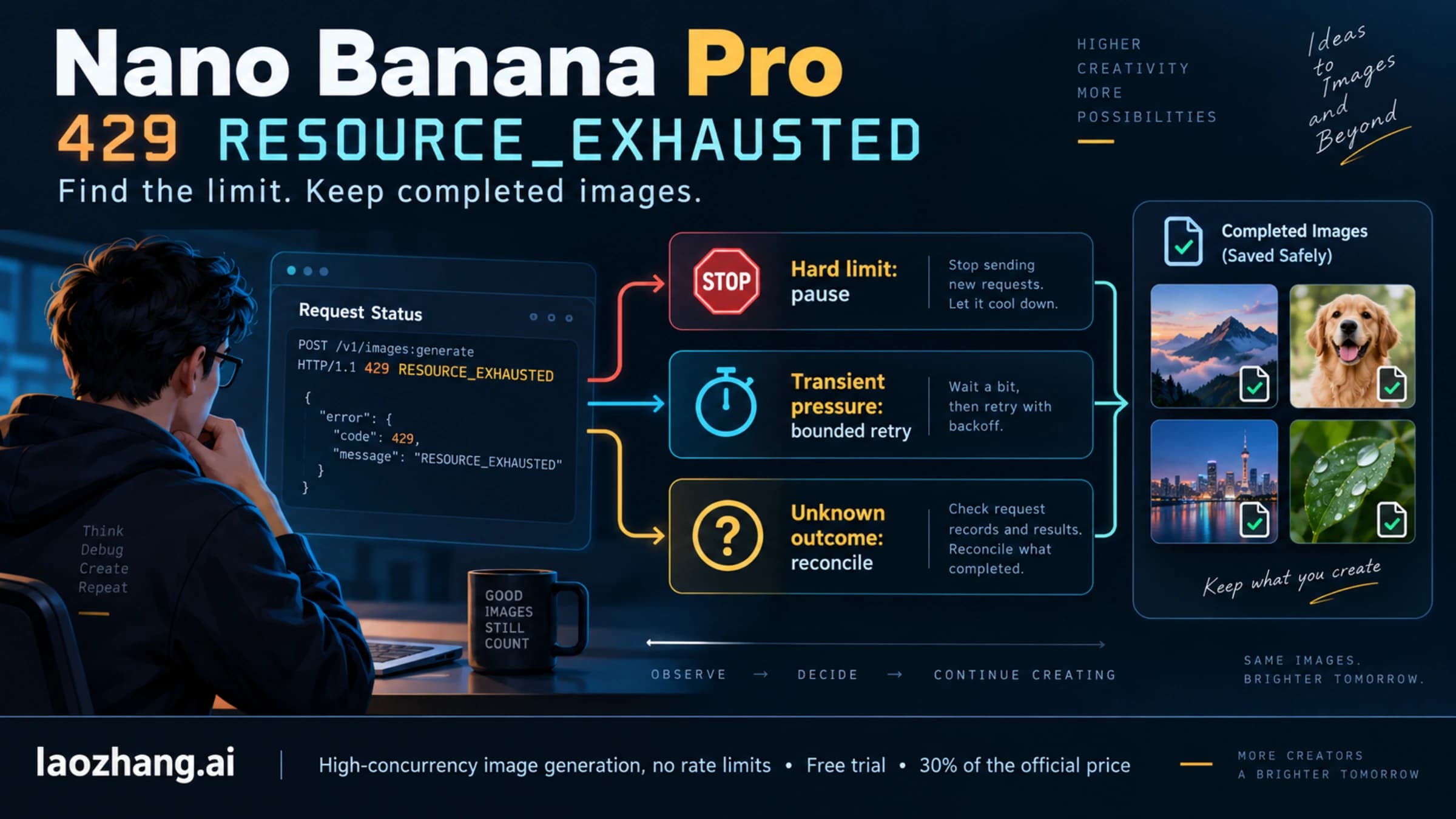
Start with HTTP/API errors. Authentication, authorization, quota and service errors such as 401, 403, 429 or 503 require their corresponding access or service checks. They are not interchangeable with content feedback inside an otherwise successful API response.
For a native response, Google's API reference distinguishes these fields:
| Response evidence | Meaning and next action |
|---|---|
promptFeedback.blockReason is set | The prompt was blocked before candidates were returned. Read the actual reason and any accompanying feedback. |
Candidate finishReason is SAFETY or an explicit image-safety/prohibited-content reason | Inspect safetyRatings and finishMessage when present. Review the requested output and any reference input against the relevant restriction. |
OTHER or IMAGE_OTHER | The reason is unclassified. Preserve it as unknown; it does not prove that your prompt or image violates policy. |
NO_IMAGE, missing candidates or text without image parts | Image generation did not complete. Check image-model selection, output request, input conditions and decoder behavior. |
STOP with a final image part | Save and open the image. Confirm the actual requested result before marking the job complete. |
Safety ratings describe the system's assessment; they are not proof of the user's intent or legal wrongdoing. A textual refusal also does not expose the same structured evidence as an API safety field.
Save and open the returned image
Save this as inspect_response.py beside response.json, then run python3 inspect_response.py. This offline parser uses native REST camel-case fields, reports feedback for every candidate, and saves final image parts only from normally completed candidates. It skips intermediate thought parts and does not turn an incomplete result into a success.
import base64
import json
from pathlib import Path

r = json.loads(Path("response.json").read_text(encoding="utf-8"))
if r.get("error"):
    raise SystemExit("API error: inspect its status and message; redact credentials.")
feedback = r.get("promptFeedback") or {}
print("modelVersion:", r.get("modelVersion"), "responseId:", r.get("responseId"))
print("promptFeedback:", feedback)
extensions = {"image/png": "png", "image/jpeg": "jpg", "image/webp": "webp"}
saved = 0
for i, c in enumerate(r.get("candidates") or []):
    reason = c.get("finishReason")
    print("candidate", i, reason, c.get("finishMessage"), c.get("safetyRatings"))
    if feedback.get("blockReason") or reason != "STOP":
        continue
    for p in (c.get("content") or {}).get("parts") or []:
        if p.get("thought"):
            continue
        image = p.get("inlineData") or {}
        mime = image.get("mimeType")
        if mime not in extensions or not image.get("data"):
            continue
        raw = base64.b64decode(image["data"], validate=True)
        signatures = {
            "image/png": raw.startswith(b"\x89PNG\r\n\x1a\n"),
            "image/jpeg": raw.startswith(b"\xff\xd8\xff"),
            "image/webp": raw[:4] == b"RIFF" and raw[8:12] == b"WEBP",
        }
        if not signatures[mime]:
            raise SystemExit("Image bytes do not match the declared MIME type.")
        saved += 1
        Path(f"pro-result-{saved}.{extensions[mime]}").write_bytes(raw)
if not saved:
    raise SystemExit("No normally completed final image saved; inspect the feedback above.")
print(f"Saved {saved} image(s). Open them to verify the finished result.")
A file signature is a basic check, not full image validation. Open each saved file in an image viewer. For the control, check that the mug image renders; for your original request, check the requested subject or edit and any required text. An unreadable file, an intermediate image or an unchanged reference does not complete the job. If an image appears alongside a non-normal finish reason or prompt block, inspect that partial or contradictory response rather than accepting it automatically.
A Safe Control Works, but My Original Request Still Fails
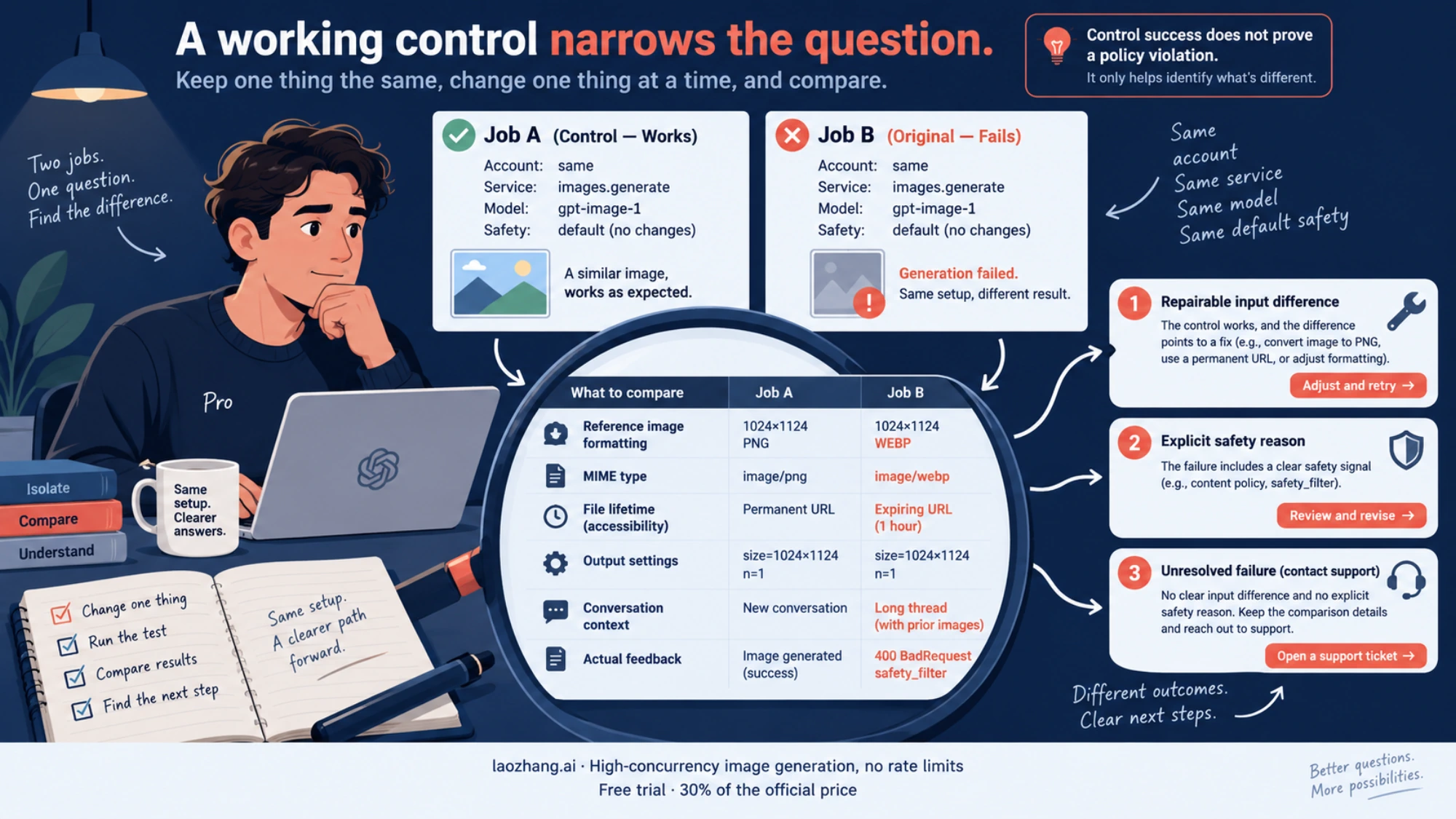
This comparison tells you Pro can complete at least one image request under the tested conditions. It does not identify why the other request failed. If the original includes references, different output settings or a long conversation, you changed more than the subject.
Use a focused comparison:
- Keep the same service, account, Pro model and safety defaults. Record the two outcomes and their actual feedback.
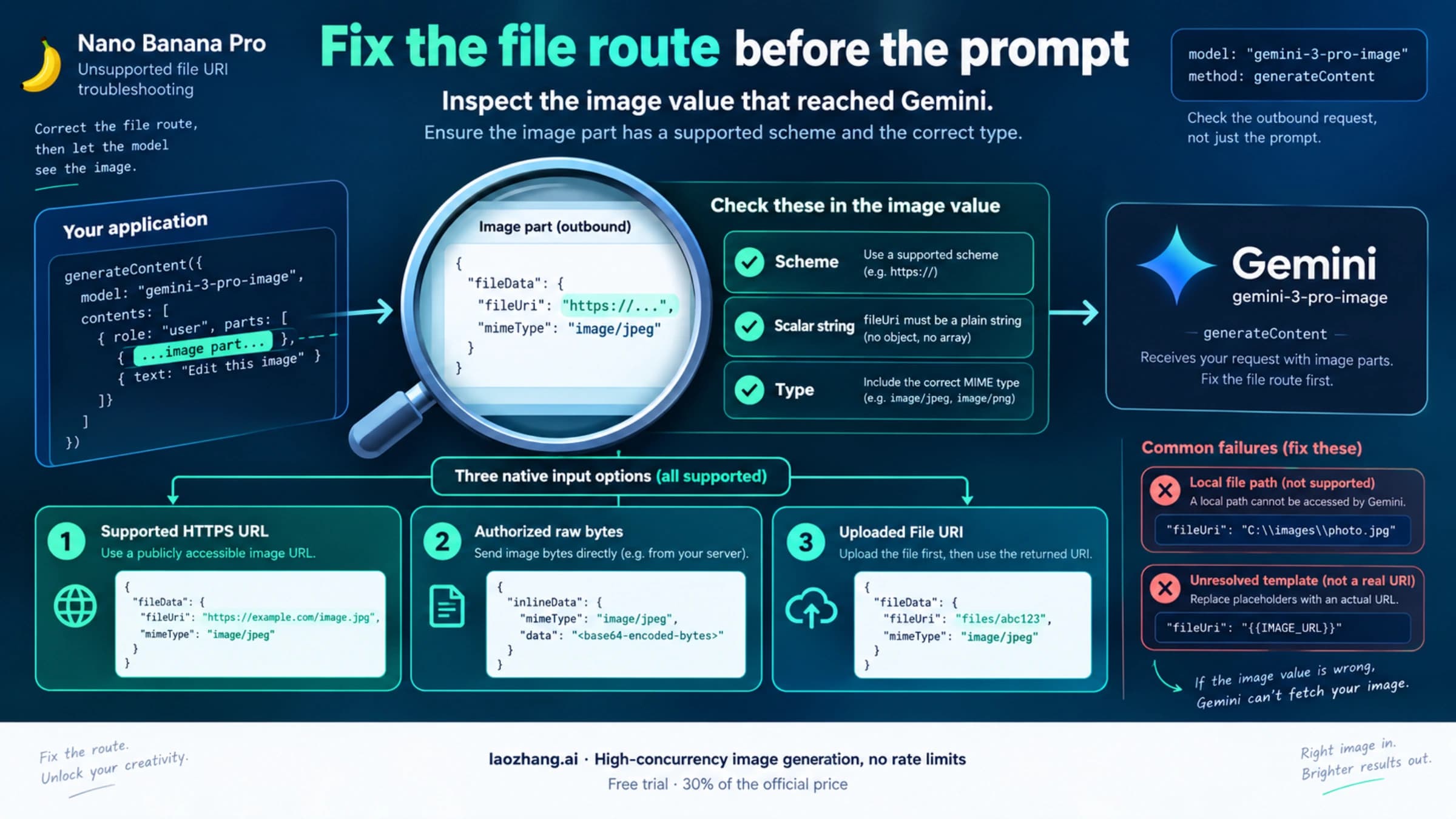
- If references are involved, check the outgoing image parts, actual MIME type, file accessibility and resource lifetime. For explicit URI errors, use the Nano Banana Pro file-reference repair guide.
- Reduce optional references or elaborate output settings one at a time while preserving the legitimate task. This checks input or resource conditions; it does not reset entitlement or quota.
- If conversation history may be involved, try the same clear, lawful request in a fresh conversation with the required references. A changed result points to context dependence, without proving a backend cause.
- If an ordinary, authorized task still produces an unclassified failure, retain a minimal reproducible description for the relevant support channel. Include the service, time, model, input types and sizes, exact message, and redacted response ID or feedback. Avoid sharing keys, private image bytes or signed URLs.
A May 7 developer-forum report describes garment-reference requests failing with OTHER while text-only image requests succeeded. The author asked about account or scanner issues; those were hypotheses, not established causes. The useful lesson is to examine the reference-dependent failure, not declare ordinary garment photos prohibited.
If the actual feedback identifies a safety restriction, review the task itself. Remove a genuinely harmful requirement, or explain an ambiguous benign request more clearly. If the intended output remains disallowed, stop requesting it. Google's safety documentation says some core protections cannot be adjusted; changing client systemInstruction does not reset Google's protections. For an apparent false positive on a legitimate task, seek review with the relevant evidence. No prompt phrase guarantees approval.
Frequently Asked Questions
Does choosing Pro in Gemini mean my first image uses Nano Banana Pro?
No. Google's current Apps Help says Flash or Pro chat models initially generate with Nano Banana 2. On an eligible paid account, choose More → Redo with Pro after generation to request the Pro version. Flash Lite initially uses Nano Banana 2 Lite.
Why did Redo with Pro disappear after several images?
Check the account's current limit message. Google says the daily Nano Banana 2 image limit also prevents further Pro redos. A missing option can also involve plan, account or model-selection conditions, so disappearance alone does not establish a quota diagnosis. Gemini Apps Help supplies the current workflow and conditions.
Does OTHER mean Google classified my image as unsafe?
No. The native API reference leaves OTHER and IMAGE_OTHER unclassified. Inspect the complete feedback and request conditions; do not substitute a policy diagnosis for an unknown reason.
Can I fix the restriction by changing system instructions?
A client systemInstruction can guide the requested task, but it is not a policy-reset switch. Keep the default protections, fix a malformed request or access problem, clarify a legitimate task, or request review of an apparent false positive. Google's safety documentation distinguishes configurable filters from protections that cannot be adjusted.
What proves the recovery worked?
You requested the intended Pro route and received a final image that opens and completes the job. In Gemini Apps, that means a completed Pro redo; in AI Mode, a completed eligible Pro image request; in the API, the Pro request plus normally completed final image parts and visual inspection. A menu appearing, HTTP 200 or a text acknowledgment alone is insufficient.
Official documentation
Request parameters, pricing, and billing rules are documented in the LaoZhang API developer docs: Image billing and failures.
Disclosure: laozhang.ai is our own service. Its prices are platform pricing, not an independent comparison.
Sources8
External pages this guide links to, in the order they appear. Last updated Oct 7, 2026.
Sources8
External pages this guide links to, in the order they appear. Last updated Oct 7, 2026.
- 1.native API referenceai.google.dev/api/generate-content
- 2.current Gemini Apps instructionssupport.google.com/gemini/answer/14286560
- 3.Google Help community report from April 26–27support.google.com/gemini/thread/428201184/redo-with-pro-image-generation-is-completely-broken-for-paid-user
- 4.Google Search's AI Mode Helpsupport.google.com/websearch/answer/16649374
- 5.model documentationai.google.dev/gemini-api/docs/models/gemini-3-pro-image
- 6.native image-generation guideai.google.dev/gemini-api/docs/generate-content/image-generation
- 7.May 7 developer-forum reportdiscuss.ai.google.dev/t/persistent-other-block-reason-error-on-nano-banana-pro-gemini-3-pro-image-preview-with-reference-images/143901
- 8.safety documentationai.google.dev/gemini-api/docs/safety-settings