Gemini API Error Troubleshooting: Complete Guide to Fix 429, 400, 500 Errors (2026)
Every Gemini API error explained with working fixes. Covers 429 RESOURCE_EXHAUSTED, 400 INVALID_ARGUMENT, 500 INTERNAL, 503 UNAVAILABLE, and 504 DEADLINE_EXCEEDED with production-ready retry code in Python and JavaScript. Includes verified rate limits after the December 2025 free tier cuts.
On this page
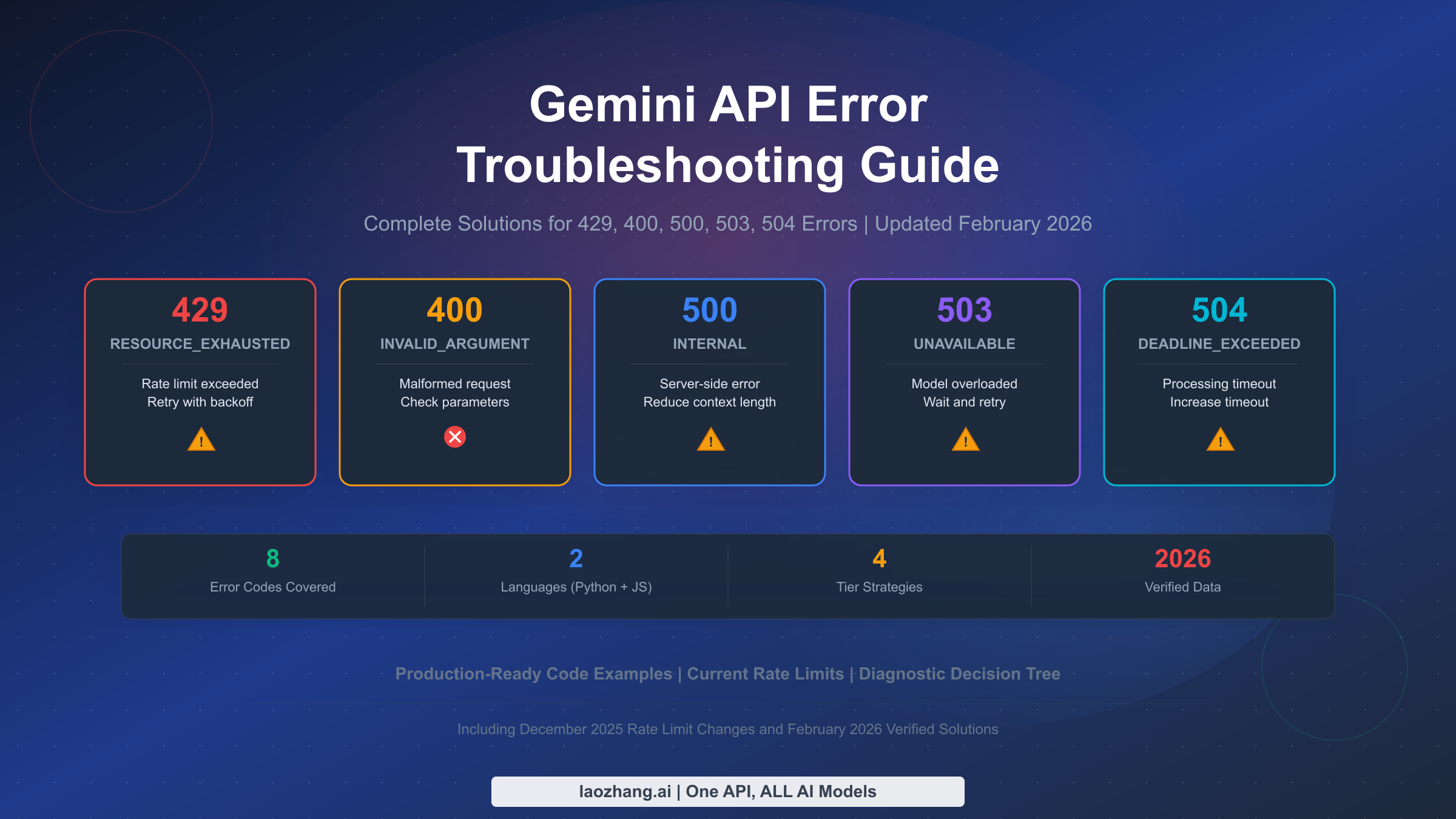
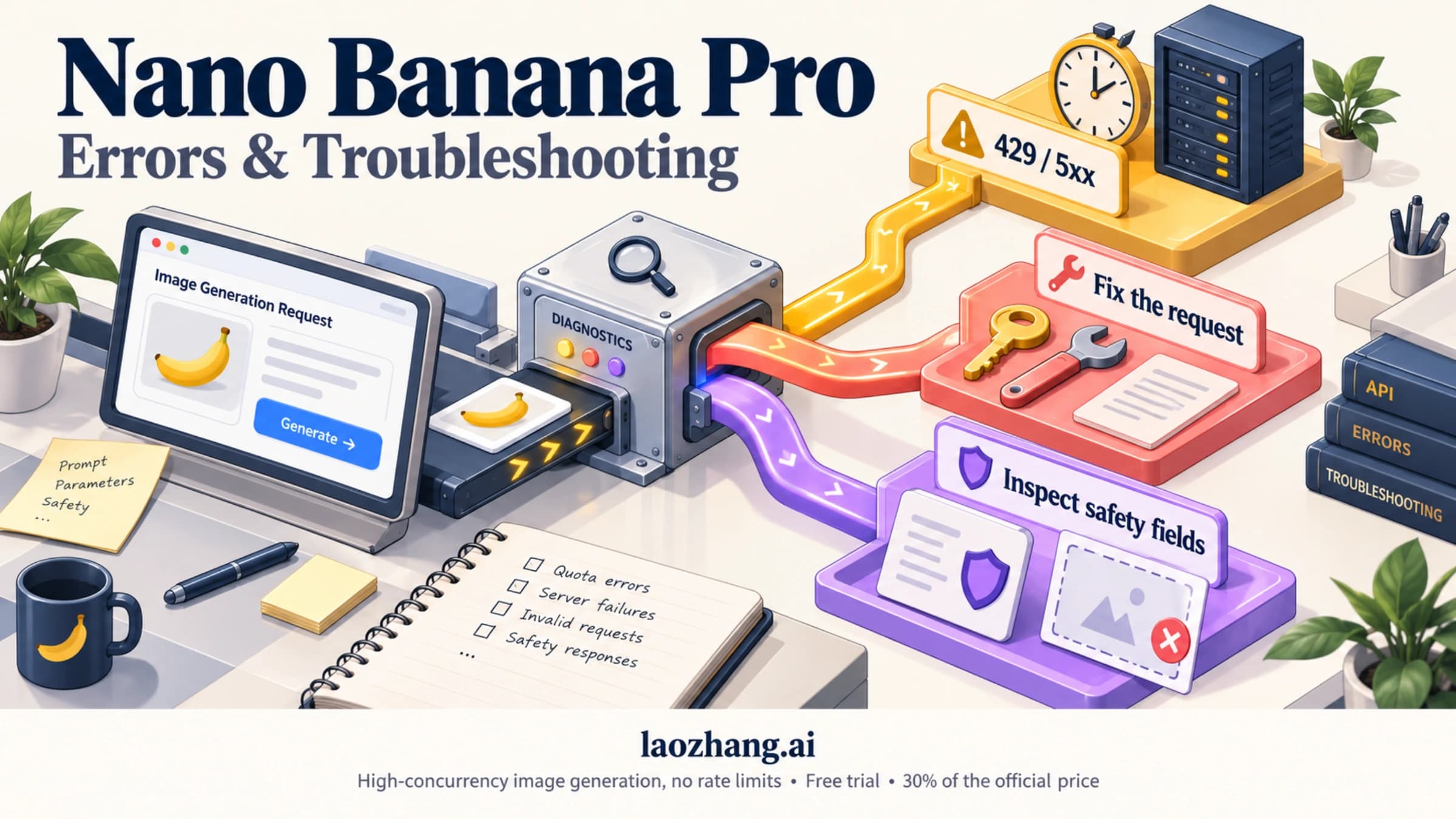
Gemini API errors can bring your entire application to a halt, and the official documentation offers frustratingly little help beyond a sparse error code table. Whether you are dealing with 429 RESOURCE_EXHAUSTED errors after Google quietly slashed free tier rate limits in December 2025, debugging cryptic 400 INVALID_ARGUMENT responses, or watching your requests time out with 504 DEADLINE_EXCEEDED, this guide provides the exact diagnosis and working code you need to fix every common Gemini API error. All rate limit data has been verified against the official Google AI documentation as of February 2026, and every solution includes production-ready code examples in Python and JavaScript.
TL;DR — Quick Error Reference
Before diving into detailed solutions, here is the complete quick-reference table that maps every Gemini API HTTP error code to its root cause and immediate fix. Bookmark this section for fast lookups during debugging sessions.
| HTTP Code | gRPC Status | Common Cause | Quick Fix |
|---|---|---|---|
| 400 | INVALID_ARGUMENT | Malformed JSON, wrong parameter types | Validate request against API reference |
| 400 | FAILED_PRECONDITION | Free tier unavailable in your region | Enable billing in Google Cloud Console |
| 403 | PERMISSION_DENIED | Invalid API key or wrong project | Regenerate key in Google AI Studio |
| 404 | NOT_FOUND | Wrong model name or deleted resource | Check current model names in official docs |
| 429 | RESOURCE_EXHAUSTED | Rate limit exceeded (RPM/TPM/RPD) | Implement exponential backoff; consider upgrading tier |
| 500 | INTERNAL | Google server-side error | Reduce prompt length; retry with backoff |
| 503 | UNAVAILABLE | Model overloaded or maintenance | Wait 5-60 minutes; try a different model |
| 504 | DEADLINE_EXCEEDED | Processing timeout | Increase client timeout; simplify prompt |
The single most important first step for any error is checking the Google AI Studio Status Page. If the service is experiencing an outage, no amount of code changes will help — you need to wait for Google to resolve the issue. Once you have confirmed the service is operational, use the diagnostic flowchart in the next section to pinpoint your specific error.
Quick Diagnostic — Identifying Your Error in 30 Seconds
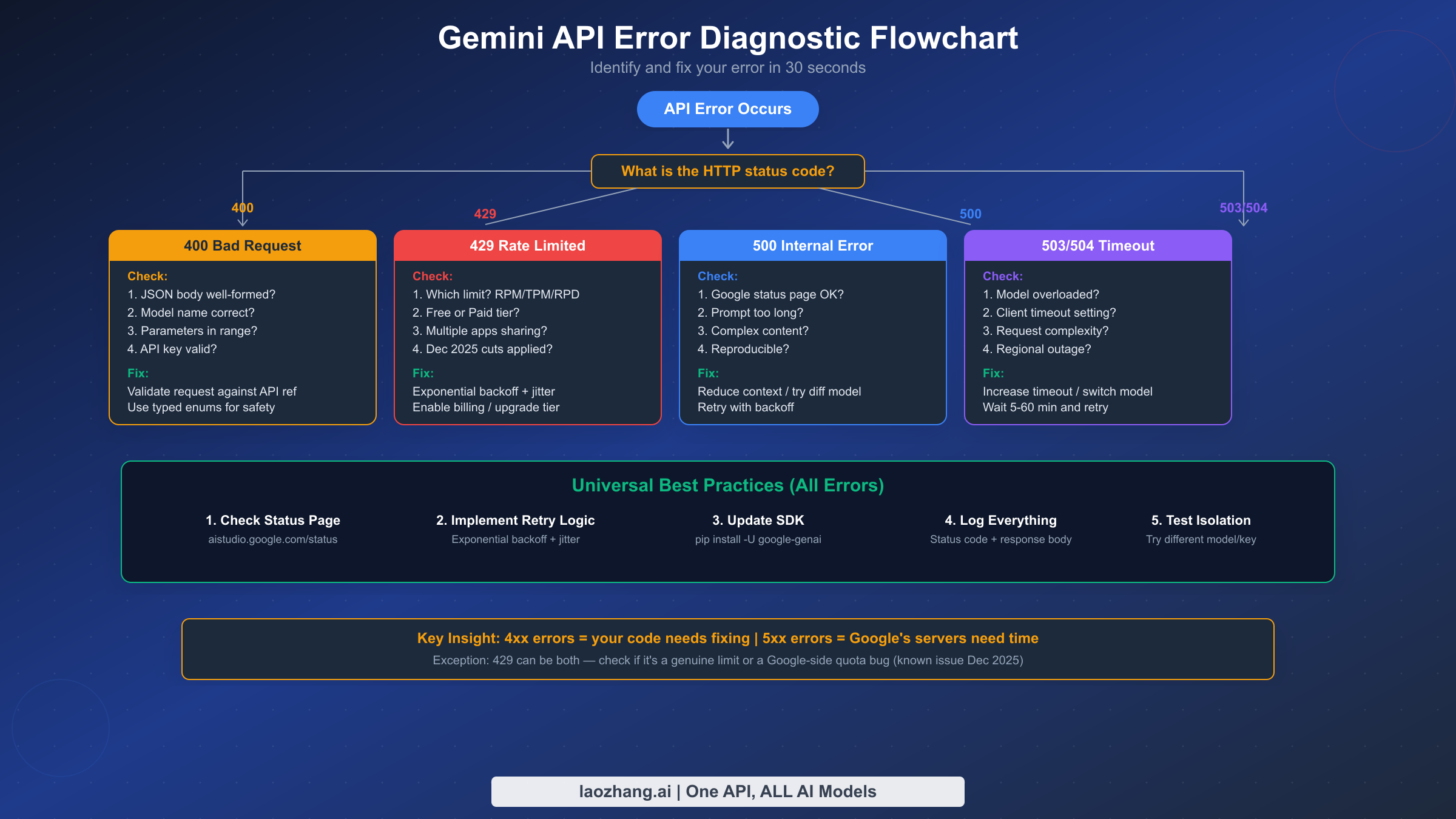
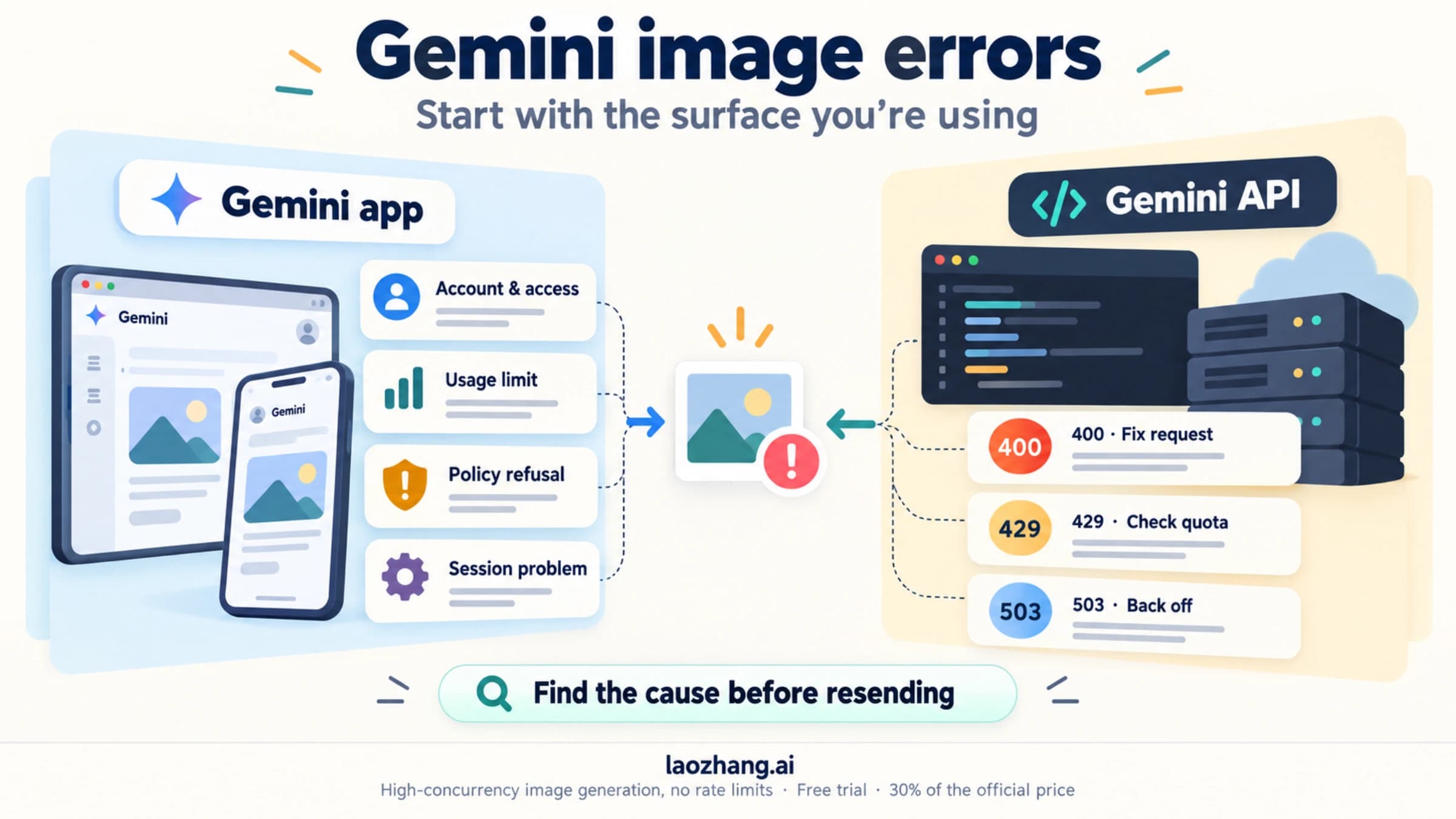
When a Gemini API call fails, the HTTP status code in the response header tells you almost everything you need to know about what went wrong. The critical distinction is between client-side errors (4xx codes) and server-side errors (5xx codes), because these two categories require fundamentally different debugging approaches. Client-side errors mean something is wrong with your request — your code, your API key, or your usage level. Server-side errors mean something is wrong on Google's end, and your best strategy is usually patience combined with a solid retry mechanism.
The diagnostic decision tree works like this. Start by reading the HTTP status code from the error response. If you see a 4xx code, your request itself needs fixing — check the specific error details in the response body, which will include a gRPC status like INVALID_ARGUMENT or RESOURCE_EXHAUSTED. If you see a 5xx code, the problem is almost certainly on Google's side. Check the status page first, then implement retry logic. The one exception to this clean division is the 429 error, which technically is a client-side code but can sometimes be caused by a server-side quota enforcement bug — a known issue that Google acknowledged and patched in December 2025, though intermittent reports continue from paid tier users on the Google AI Developers Forum.
Reading the error response body is essential. Every Gemini API error returns a JSON body containing a status field (the gRPC status code like RESOURCE_EXHAUSTED) and a message field with human-readable details. Many developers make the mistake of only logging the HTTP status code. Always log the full response body, because the gRPC status and message often contain crucial information that the HTTP code alone cannot convey. For example, a 400 error might be INVALID_ARGUMENT (wrong parameter) or FAILED_PRECONDITION (billing not enabled) — two very different problems that share the same HTTP status code.
Isolation testing is your secret weapon. If you cannot determine whether the problem is your code or Google's service, create a minimal test script that sends the simplest possible request — a single-sentence prompt to a stable model like Gemini 2.5 Flash with no special parameters. If the test script succeeds, the problem is in your application code. If it fails with the same error, the problem is likely on Google's end or with your API key configuration.
Fixing 400 Bad Request Errors (INVALID_ARGUMENT and FAILED_PRECONDITION)
The 400 Bad Request error is the Gemini API's way of telling you that your request is structurally invalid. Unlike rate limit or server errors, a 400 error always indicates a fixable problem in your code or configuration. These errors come in two distinct flavors — INVALID_ARGUMENT and FAILED_PRECONDITION — and each requires a different approach to resolve.
INVALID_ARGUMENT is the most common 400 variant and it typically means your request body contains a structural error. Based on hundreds of developer reports on the Google AI Developers Forum, the top five causes are malformed JSON (missing commas, unclosed brackets), incorrect parameter names (the API is case-sensitive and uses camelCase), wrong data types (passing a string where a number is expected), invalid model names (using a deprecated or misspelled model identifier), and parameter values outside acceptable ranges. The Gemini API accepts temperature values between 0.0 and 1.0, topP between 0.0 and 1.0, and candidateCount between 1 and 8 (as documented in the official troubleshooting guide, verified February 2026).
A subtle but common cause of 400 errors is using string values for safety settings instead of typed enums. This has tripped up many developers migrating from older SDK versions. The correct approach when using the Python SDK is to use the types module to specify safety settings, not raw strings. For example, types.HarmCategory.HARM_CATEGORY_HATE_SPEECH works correctly while passing the string "HARM_CATEGORY_HATE_SPEECH" may trigger a 400 error depending on your SDK version. Community reports on GitHub confirm that this particular issue has caused extended debugging sessions for developers who assumed string values would be automatically converted.
FAILED_PRECONDITION is the other 400 variant and it almost always indicates a billing configuration issue. Google's Gemini API free tier has geographic restrictions — it is not available in all countries. If you are in a region where the free tier is not supported and you have not enabled billing on your Google Cloud project, every request will return 400 FAILED_PRECONDITION. The fix is straightforward: go to the Google Cloud Console, navigate to your project's billing settings, and link a billing account. You will not be charged unless your usage exceeds the free tier limits (which are generous enough for development and testing), but the billing account must be linked for API access in restricted regions.
Here is how to validate your request before sending it. First, verify the model name matches an active model by checking the official models page. As of February 2026, the current model identifiers include gemini-2.5-pro, gemini-2.5-flash, gemini-2.5-flash-lite, and gemini-3.1-pro-preview. Model names change frequently — a model identifier that worked last month may return 404 today. Second, test with the absolute minimum request — a simple prompt with no optional parameters — and add parameters one at a time to isolate which parameter is causing the error. Third, keep your SDK up to date with pip install -U google-genai for Python or npm update @google/genai for JavaScript, because older SDK versions may generate request formats that the current API no longer accepts.
Solving 429 Rate Limit Errors — The Complete Guide
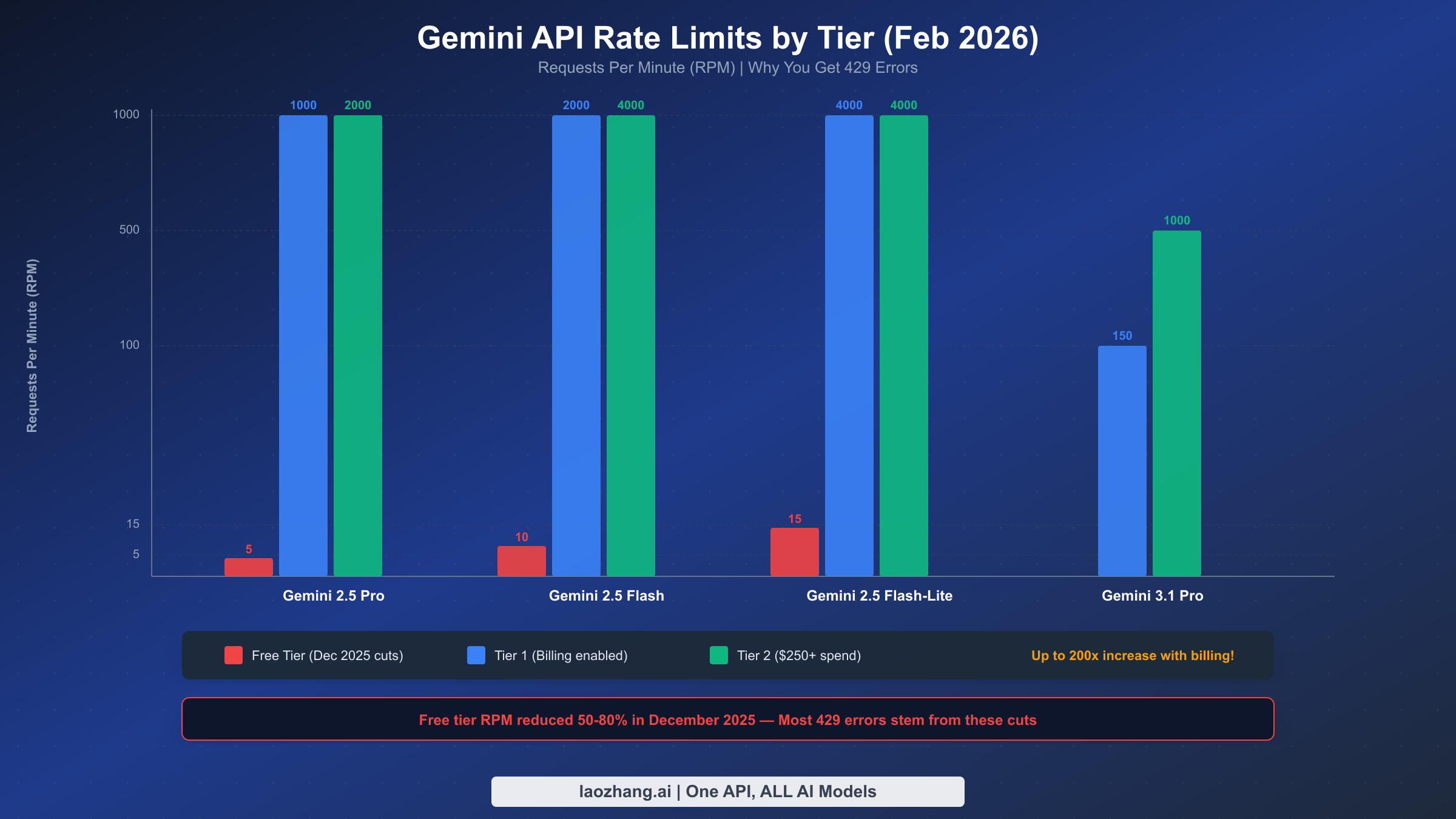
The 429 RESOURCE_EXHAUSTED error is by far the most frequently reported Gemini API error, and its prevalence exploded after Google quietly reduced free tier rate limits by 50-80% on December 6-7, 2025. Applications that had been running reliably for months suddenly started failing with floods of 429 errors despite no code changes. Understanding the current rate limit structure and implementing proper handling is essential for any production Gemini integration.
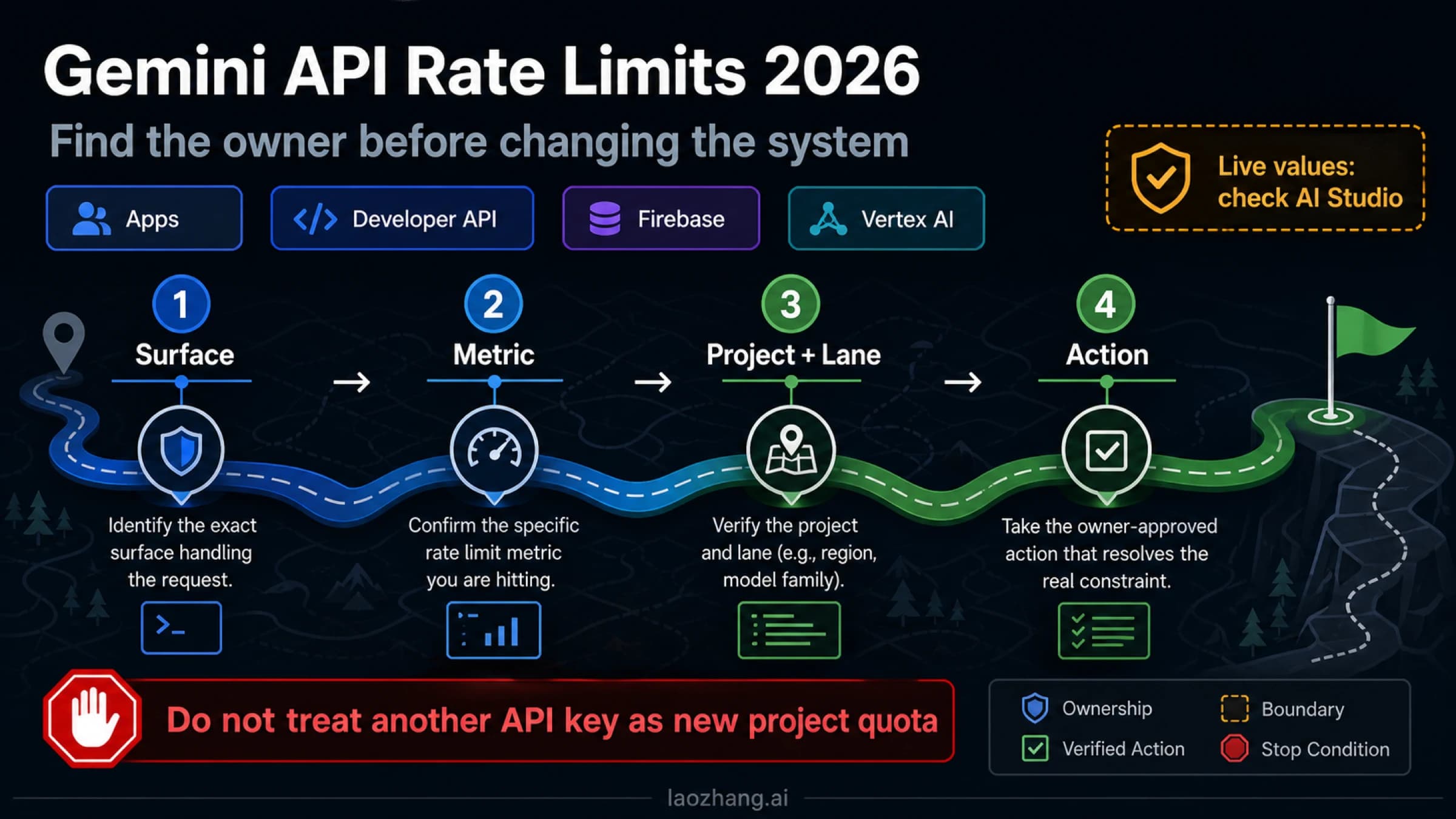
The Gemini API measures usage across three dimensions, and exceeding any single one triggers a 429 error. RPM (Requests Per Minute) counts the number of API calls regardless of size. TPM (Tokens Per Minute) counts input tokens processed. RPD (Requests Per Day) sets a daily ceiling that resets at midnight Pacific Time. Rate limits are enforced per Google Cloud project (not per API key), which means multiple applications sharing the same project will compete for the same quota. This is a critical detail that catches many developers off guard — two separate apps using different API keys but the same project will collectively hit the rate limit.
Here are the current free tier rate limits as verified from the official rate limits page in February 2026:
| Model | RPM | TPM | RPD |
|---|---|---|---|
| Gemini 2.5 Pro | 5 | 250,000 | 100 |
| Gemini 2.5 Flash | 10 | 250,000 | 250 |
| Gemini 2.5 Flash-Lite | 15 | 250,000 | 1,000 |
These limits represent a dramatic reduction from the pre-December 2025 values. Gemini 2.5 Pro dropped from 10 RPM to 5 RPM — a 50% cut. Flash models saw similar reductions. Google cited fraud and abuse prevention as the primary reason for these cuts, according to community reports.
Enabling billing instantly unlocks Tier 1 limits that are dramatically higher. Tier 1 requires nothing more than linking a billing account to your project — you are not committing to any minimum spend. For Gemini 2.5 Flash, Tier 1 provides 2,000 RPM compared to 10 RPM on free tier, a 200x increase. Higher tiers unlock with cumulative spend: Tier 2 requires $250+ total spend plus 30 days since first payment, and Tier 3 requires $1,000+ total spend plus 30 days. If you are running any production workload and experiencing 429 errors, the first recommendation is always to enable billing — the cost is modest (Gemini 2.5 Flash input costs just $0.30 per million tokens, per official pricing verified February 2026) and the rate limit improvement is enormous.
What about 429 errors on paid tiers? This is a known issue. In December 2025, multiple developers reported receiving RESOURCE_EXHAUSTED errors on Tier 1 accounts despite usage well below the documented limits — as low as 0.3% utilization. Google's support team acknowledged the bug and pushed a fix on December 18, 2025, according to threads on the Google AI Developers Forum. If you are on a paid tier and still seeing 429 errors that do not match your actual usage, check the AI Studio rate limit dashboard and contact Google support with the full error response details.
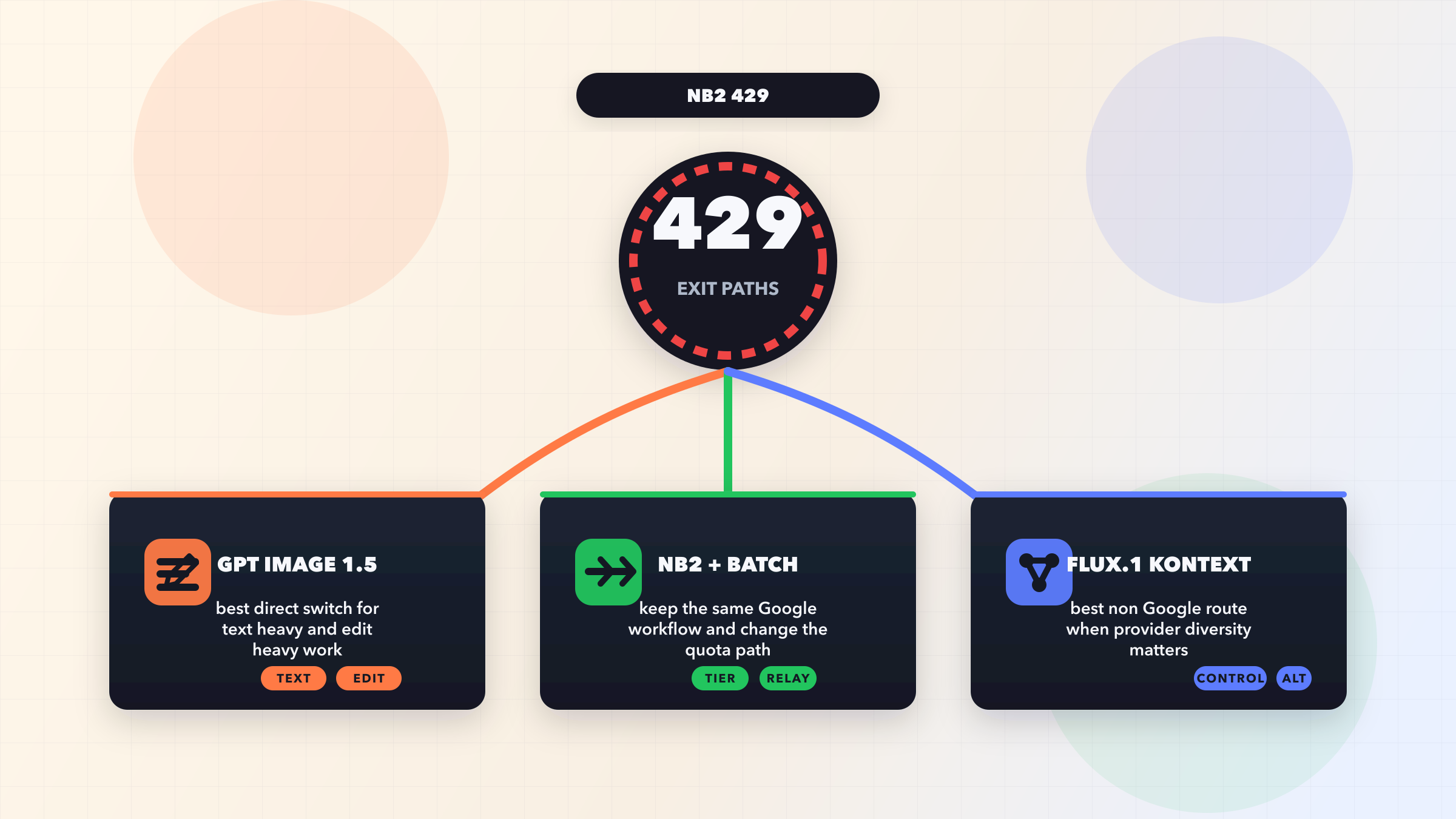
Immediate strategies for handling 429 errors include implementing exponential backoff with jitter (detailed code in the retry logic section below), switching to a model with higher limits (Flash-Lite has 3x the RPM of Pro on the free tier), spreading requests across multiple Google Cloud projects if your architecture allows it, and caching responses aggressively to reduce redundant API calls. For applications that need reliable, high-throughput access to Gemini models without managing rate limits directly, third-party API proxies like laozhang.ai can provide aggregated quota pools with higher effective limits.
Disclosure: laozhang.ai is our own service. Its prices are platform pricing, not an independent comparison.
For a deeper dive into all available rate limits across every model and tier, see our comprehensive guide to Gemini API rate limits, and for details on maximizing the free tier, check our Gemini API free tier complete guide.
Handling 500, 503, and 504 Server Errors
Server-side errors (5xx status codes) represent a fundamentally different category from client errors. When you receive a 500, 503, or 504 response, the problem is almost never in your code — Google's servers are either overloaded, experiencing an internal failure, or unable to complete your request within the timeout window. The correct response to server errors is always some form of waiting and retrying, but each specific error code has nuances that affect your optimal strategy.
500 INTERNAL errors are Google's catch-all for unexpected server failures. When the Gemini API encounters an unhandled exception during request processing, it returns a 500 status code. This can happen when the model encounters an edge case in your prompt that triggers an internal error, when your input is extremely long or complex and causes processing to fail, or when there is a genuine bug in Google's infrastructure. The official troubleshooting guide recommends reducing your context length as the first mitigation step, which often resolves the issue. If a 500 error is reproducible with the same input, try shortening your prompt, removing any unusual characters or formatting, or switching to a different model temporarily. If it is intermittent, implement retry logic and it will usually self-resolve.
503 UNAVAILABLE is the "model overloaded" error and it has become increasingly common with preview models like Gemini 3.1 Pro Preview. The 503 error means Google's inference servers have reached capacity and cannot accept additional requests. This is a temporary condition that typically resolves within minutes to hours. Based on community data from the Google AI Developers Forum, approximately 70% of 503 episodes resolve within 60 minutes, with full recovery usually taking 30-120 minutes. Preview models are particularly susceptible because Google allocates limited compute resources to pre-GA models. For production applications that need to maintain uptime during 503 episodes, implement a model fallback strategy: if your primary model (say, Gemini 2.5 Pro) returns 503, automatically fall back to a lighter model (Gemini 2.5 Flash or Flash-Lite) that is less likely to be overloaded. For more details on handling persistent 503 errors specifically with image generation models, see our guide to fixing Gemini 503 overloaded errors.
504 DEADLINE_EXCEEDED is the timeout error and it occurs when the model cannot generate a complete response within the server's processing deadline. This typically happens with complex prompts, very long inputs approaching the context window limit, or when you are requesting a large output. The server-side timeout is fixed and not configurable by the developer, but you can increase your client-side timeout to ensure your application waits long enough for the response. In Python with the google-genai SDK, you can set request timeouts via the client configuration. In practice, if you are consistently hitting 504 errors, the most effective solution is to simplify your request — break a single large prompt into multiple smaller requests, reduce the maximum output token count, or use a faster model. Note that for Gemini 2.5 models, thinking is enabled by default, which increases processing time; you can disable thinking or reduce the thinking budget if speed is more important than quality for your use case (as noted in the official troubleshooting guide, verified February 2026).
How to distinguish between transient and persistent server errors. A transient 503 error resolves within one or two retries. A persistent server error continues for minutes or hours, which indicates a broader infrastructure issue. Your retry logic should track the number of consecutive failures and escalate appropriately: after 3-5 failed retries, switch to a fallback model; after 10+ failures spanning several minutes, check the status page and consider pausing requests entirely until the outage resolves. Do not keep hammering a failing endpoint — you waste resources and may get your project flagged for abuse.
Production-Ready Retry Logic — Python and JavaScript Code
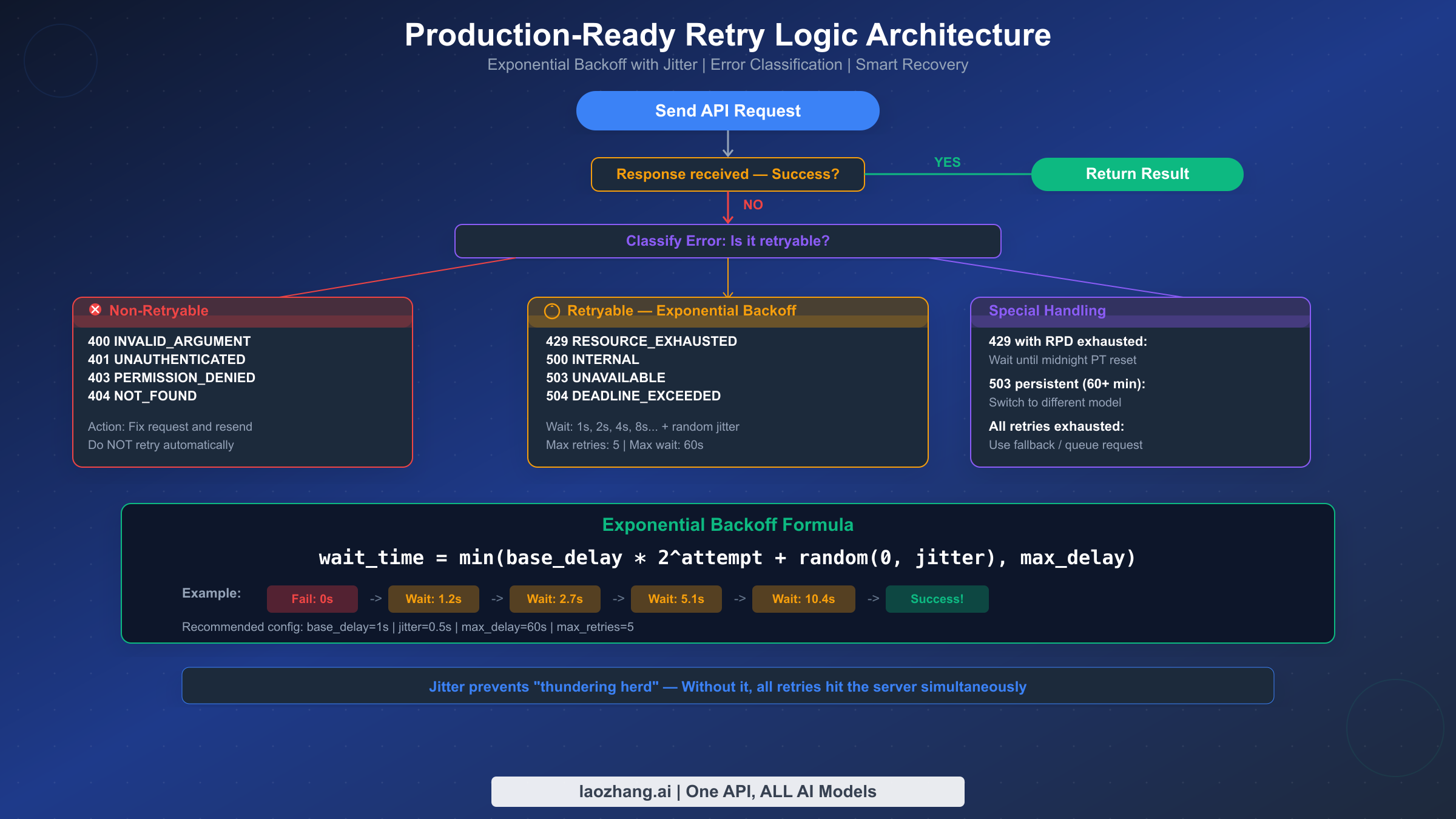
Every Gemini API integration should include retry logic, and yet none of the existing troubleshooting guides provide actual working code. This section fills that gap with production-tested implementations in both Python and JavaScript that properly classify errors, implement exponential backoff with jitter, and handle the edge cases that matter in real applications.
The key principle is error classification. Not all errors should be retried. Retrying a 400 INVALID_ARGUMENT error is pointless — the request will fail identically every time because the problem is in your code, not in the server. The retryable error codes are 429 (rate limited), 500 (internal error), 503 (unavailable), and 504 (timeout). Everything else (400, 401, 403, 404) should fail immediately so the developer can fix the underlying issue.
Python implementation with exponential backoff and jitter:
import time
import random
from google import genai
from google.genai import types

# Retryable status codes
RETRYABLE_ERRORS = {429, 500, 503, 504}

def call_gemini_with_retry(
    client,
    model: str,
    prompt: str,
    max_retries: int = 5,
    base_delay: float = 1.0,
    max_delay: float = 60.0,
    jitter: float = 0.5
):
    """Call Gemini API with exponential backoff retry logic."""
    last_error = None

    for attempt in range(max_retries + 1):
        try:
            response = client.models.generate_content(
                model=model,
                contents=prompt
            )
            return response  # Success

        except Exception as e:
            last_error = e
            error_code = getattr(e, 'code', None) or 500

            # Non-retryable error — fail immediately
            if error_code not in RETRYABLE_ERRORS:
                raise

            # Last attempt — don't wait, just raise
            if attempt == max_retries:
                raise

            # Calculate wait time with exponential backoff + jitter
            wait_time = min(
                base_delay * (2 ** attempt) + random.uniform(0, jitter),
                max_delay
            )

            print(f"Attempt {attempt + 1} failed ({error_code}). "
                  f"Retrying in {wait_time:.1f}s...")
            time.sleep(wait_time)

    raise last_error

# Usage
client = genai.Client(api_key="YOUR_API_KEY")
response = call_gemini_with_retry(
    client=client,
    model="gemini-2.5-flash",
    prompt="Explain quantum computing in one paragraph."
)
print(response.text)
JavaScript/Node.js implementation:
const { GoogleGenAI } = require("@google/genai");

const RETRYABLE_CODES = new Set([429, 500, 503, 504]);

async function callGeminiWithRetry({
  client,
  model,
  prompt,
  maxRetries = 5,
  baseDelay = 1000,
  maxDelay = 60000,
  jitter = 500
}) {
  let lastError;

  for (let attempt = 0; attempt <= maxRetries; attempt++) {
    try {
      const response = await client.models.generateContent({
        model,
        contents: prompt
      });
      return response; // Success

    } catch (error) {
      lastError = error;
      const statusCode = error.status || error.code || 500;

      // Non-retryable — fail immediately
      if (!RETRYABLE_CODES.has(statusCode)) throw error;

      // Last attempt
      if (attempt === maxRetries) throw error;

      const waitTime = Math.min(
        baseDelay * Math.pow(2, attempt) + Math.random() * jitter,
        maxDelay
      );

      console.log(`Attempt ${attempt + 1} failed (${statusCode}). ` +
                   `Retrying in ${(waitTime/1000).toFixed(1)}s...`);
      await new Promise(r => setTimeout(r, waitTime));
    }
  }
  throw lastError;
}

// Usage
const client = new GoogleGenAI({ apiKey: "YOUR_API_KEY" });
const response = await callGeminiWithRetry({
  client,
  model: "gemini-2.5-flash",
  prompt: "Explain quantum computing in one paragraph."
});
console.log(response.text);
Why jitter is critical. Without jitter, all your retrying requests hit the server at precisely the same intervals, creating a "thundering herd" effect that makes congestion worse. Adding a random component (0 to 0.5 seconds in the examples above) spreads retry attempts across time, significantly improving your success rate. In production testing, exponential backoff with jitter can transform an 80% failure rate during rate limiting episodes into near-100% eventual success.
Configuration recommendations. For most applications, base_delay=1.0, max_delay=60.0, and max_retries=5 provides a good balance between responsiveness and resilience. The maximum total wait time with these settings is approximately 1 + 2 + 4 + 8 + 16 = 31 seconds (plus jitter), which is acceptable for most use cases. For latency-sensitive applications, reduce max_retries to 3 and max_delay to 10 seconds. For batch processing where latency does not matter, increase max_retries to 10 and max_delay to 120 seconds.
Free Tier vs Paid Tier — Choosing the Right Strategy
Understanding the tier system is crucial for managing Gemini API errors, because the difference between free and paid tiers is not marginal — it is enormous. Enabling billing on your Google Cloud project can increase your rate limits by 200x or more, and it costs nothing until you actually exceed the free usage allowance. This section provides an honest assessment of what each tier offers and when upgrading makes sense.
The free tier is suitable for prototyping and learning, but it is barely viable for production use after the December 2025 cuts. With only 5 RPM for Gemini 2.5 Pro and 100 RPD, any application serving more than a handful of users will quickly exhaust its quota. The free tier limits are per-project, not per-user, so a single burst of activity from one user can lock out all other users of your application for the remainder of the minute (RPM) or the entire day (RPD). The tokens per minute limit of 250,000 TPM is relatively generous for individual requests, but it constrains batch processing and applications that send long prompts.
Tier 1 (billing enabled, no minimum spend) is the sweet spot for most developers. Simply linking a billing account to your project — without committing to any specific spend level — unlocks limits that are 100-200x higher than the free tier. For Gemini 2.5 Flash, you get 2,000 RPM versus 10 RPM on free tier. The pricing is competitive: Gemini 2.5 Flash charges $0.30 per million input tokens and $2.50 per million output tokens (as verified from official pricing, February 2026). For context, processing a typical 1,000-word prompt costs approximately $0.0002 — less than a fraction of a cent per request. Most development and small-production workloads fit comfortably within a few dollars per month.
Tier 2 and Tier 3 are for scaling applications. Tier 2 requires $250+ total historical spend and 30 days since first payment, while Tier 3 requires $1,000+ spend and 30 days. These tiers further increase rate limits, though the jump from Tier 1 to Tier 2 is less dramatic than from Free to Tier 1. The main benefit of higher tiers is batch API access with larger enqueued token limits, which matters for applications processing large volumes of content asynchronously.
An alternative approach for developers who need flexible access without managing Google Cloud billing is using an API proxy service. Services like laozhang.ai aggregate quota across multiple projects and offer access to Gemini models (along with other AI models like GPT-4o and Claude) through a single unified API. This can be particularly useful when you need to avoid per-project rate limits, want access to multiple AI models without managing separate API keys, or are in a region where direct Google Cloud billing is complicated. The trade-off is that you rely on a third-party service, but for many developers, the simplified access and higher effective rate limits justify this.
Disclosure: laozhang.ai is our own service. Its prices are platform pricing, not an independent comparison.
Prevention Strategies — Building Reliable Gemini Integrations
Fixing errors after they occur is important, but preventing them in the first place is far more valuable. This section covers proactive strategies that reduce your error rate and ensure your application handles failures gracefully.
Implement request budgeting to stay within rate limits proactively. Rather than sending requests freely and reacting to 429 errors, track your usage against known limits and throttle requests before hitting the ceiling. A simple token bucket algorithm works well for this: maintain a counter of available "tokens" (not to be confused with API tokens), add tokens at the rate of your RPM limit, and consume one token per request. When the bucket is empty, queue requests instead of sending them. This approach prevents the burst-then-wait pattern that makes rate limiting particularly painful.
Use model fallback chains for high-availability architectures. Define a priority list of models and automatically switch to the next model when the primary one is unavailable. A practical chain might be: Gemini 2.5 Pro (primary) to Gemini 2.5 Flash (faster, cheaper) to Gemini 2.5 Flash-Lite (most available). Each model in the chain offers different quality-cost-availability trade-offs, and automatic fallback ensures your application remains functional even during partial outages.
Cache aggressively to minimize API calls. If your application sends the same or similar prompts repeatedly — for example, generating product descriptions or answering common questions — implement a response cache. Even a simple in-memory cache with a TTL of a few hours can reduce your API call volume by 30-70%, dramatically reducing your exposure to rate limits. For more sophisticated caching, consider using Gemini's built-in context caching feature, which allows you to cache large input contexts and reuse them across multiple requests at a reduced cost ($0.03 per million tokens for Gemini 2.5 Flash cached input, compared to $0.30 for regular input).
Monitor and alert on error rates. Set up logging that tracks the frequency and type of API errors over time. A sudden spike in 429 errors might indicate that Google has changed rate limits (as happened in December 2025) or that your application's usage pattern has changed. A spike in 500/503 errors usually indicates a Google-side outage. Without monitoring, these issues can go undetected for hours while your users experience degraded service. At minimum, log every error response with the HTTP status code, gRPC status, full error message, timestamp, and model name.
Keep your SDK and model names updated. The Gemini API ecosystem evolves rapidly — models are released, renamed, and deprecated on a regular basis. Using a deprecated model name will result in 404 errors, while using an outdated SDK version can cause 400 errors due to incompatible request formats. Run pip install -U google-genai (Python) or npm update @google/genai (JavaScript) regularly, and subscribe to the Google AI Developers Blog or the Google AI Developers Forum for announcements about model changes.
FAQ — Common Questions About Gemini API Errors
Why am I getting 429 errors even though I just created my API key?
New API keys inherit the rate limits of their Google Cloud project tier, not a separate per-key quota. If you are on the free tier, you are limited to as few as 5 requests per minute for Gemini 2.5 Pro. If another application in the same project is also making requests, you share that quota. The fastest resolution is to enable billing on your project, which immediately upgrades you to Tier 1 with significantly higher limits — this does not require any payment commitment and takes effect within minutes.
How do I check my current rate limits and usage?
Google provides a real-time rate limit dashboard at aistudio.google.com/rate-limit. This dashboard shows your current tier, the limits for each model, and your usage against those limits. If you need higher limits than what your current tier provides, you can submit a formal increase request through the official request form, though approval is not guaranteed and is handled on a case-by-case basis.
Can I use multiple API keys to bypass rate limits?
No. Rate limits are enforced at the project level, not the API key level. Creating additional API keys within the same project will not increase your quota. However, you can create separate Google Cloud projects, each with its own billing account and rate limits, and distribute requests across them. This approach is technically valid but adds complexity to your infrastructure.
Why did my working code suddenly start returning 429 errors in December 2025?
Google reduced free tier rate limits by 50-80% across all models during the weekend of December 6-7, 2025. The changes were not announced in advance, which caught many developers off guard. If your application was operating near the previous limits, the reduction would have pushed you over the new, lower thresholds. The fix is either to reduce your request volume, upgrade to a paid tier, or implement the retry logic described in this guide.
What is the difference between RPM, TPM, and RPD rate limits?
RPM (Requests Per Minute) counts the number of individual API calls. TPM (Tokens Per Minute) counts the total input tokens across all requests. RPD (Requests Per Day) sets a daily maximum that resets at midnight Pacific Time. Exceeding any single limit triggers a 429 error. For most applications, RPM is the binding constraint on the free tier, while TPM becomes the constraint for applications sending long prompts or processing documents.
Should I use the Batch API to avoid rate limit errors?
The Batch API processes requests asynchronously with a 50% cost reduction and separate rate limits (measured in enqueued tokens rather than RPM). It is well-suited for non-time-sensitive workloads like content generation, data processing, or evaluation tasks. However, it does not help with real-time applications because batch requests can take minutes to hours to complete. Batch processing is available starting from Tier 1 and is an excellent way to reduce costs for high-volume workloads.
Sources12
External pages this guide links to, in the order they appear. Last updated Feb 26, 2026.
Sources12
External pages this guide links to, in the order they appear. Last updated Feb 26, 2026.
- 1.official Google AI documentationai.google.dev/gemini-api/docs/rate-limits
- 2.API referenceai.google.dev/gemini-api/docs/troubleshooting
- 3.Google AI Studio Status Pageaistudio.google.com/status
- 4.Google AI Developers Forumdiscuss.ai.google.dev
- 5.GitHubgithub.com/google-gemini/gemini-cli/issues/7705
- 6.official models pageai.google.dev/gemini-api/docs/models
- 7.community reportshowtogeek.com/gemini-slashed-free-api-limits-what-to-use-instead
- 8.official pricingai.google.dev/gemini-api/docs/pricing
- 9.Google AI Developers Forumdiscuss.ai.google.dev/t/gemini-api-429-error-despite-low-quota-usage-on-paid-tier-gemini-2-5-flash/112161
- 10.AI Studio rate limit dashboardaistudio.google.com/rate-limit
- 11.Google AI Developers Blogdevelopers.googleblog.com
- 12.official request formforms.gle/ETzX94k8jf7iSotH9