Gemini 3 Flash vs Gemini 3.1 Flash Live vs Flash-Lite: Which Model Should You Use?
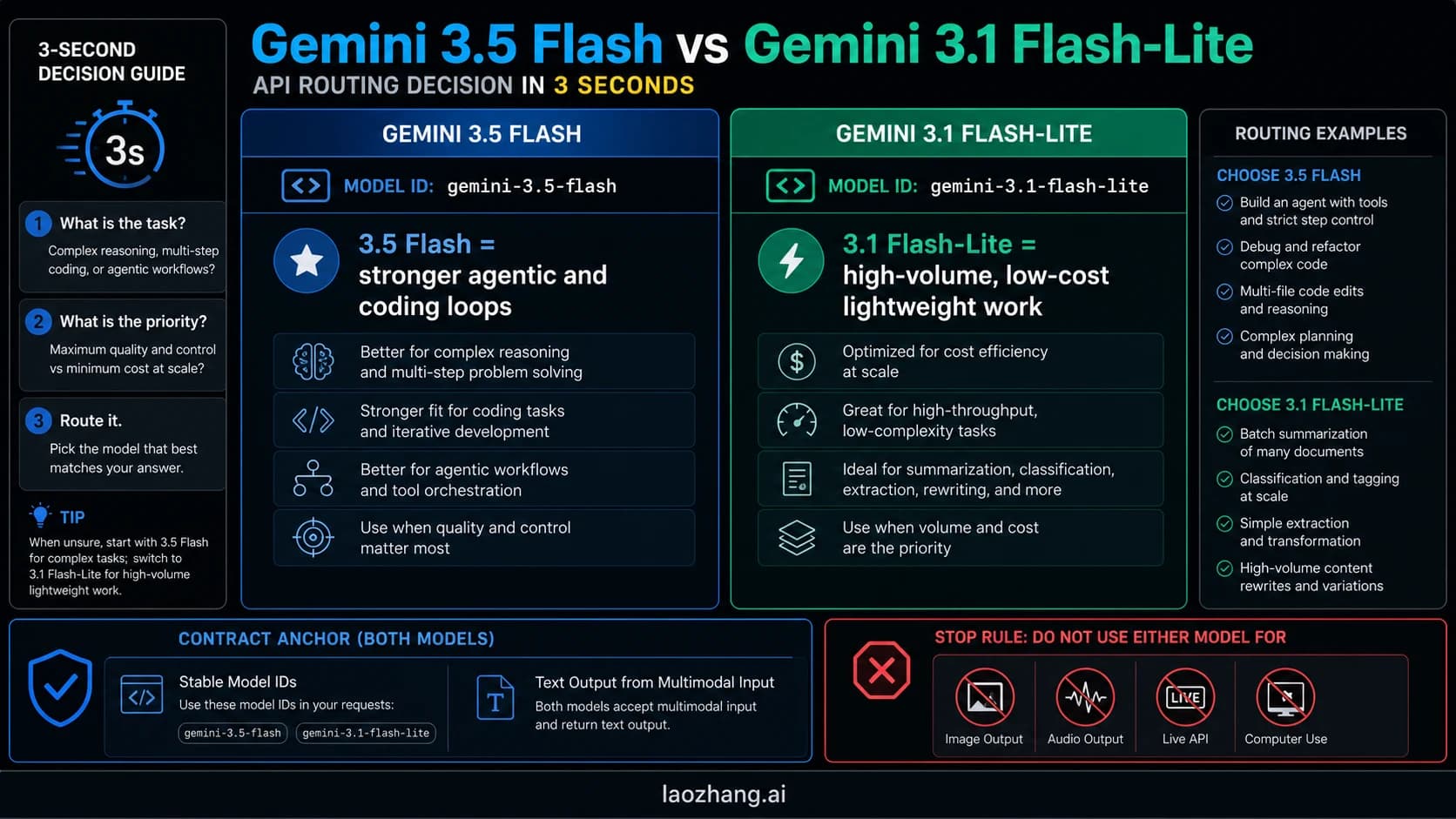
If you are choosing between Gemini 3 Flash, Gemini 3.1 Flash Live, and Gemini 3.1 Flash-Lite, the right answer is to pick by runtime contract first: standard Flash for most multimodal app backends, Flash Live for real-time voice, and Flash-Lite for cheap high-volume work.
On this page
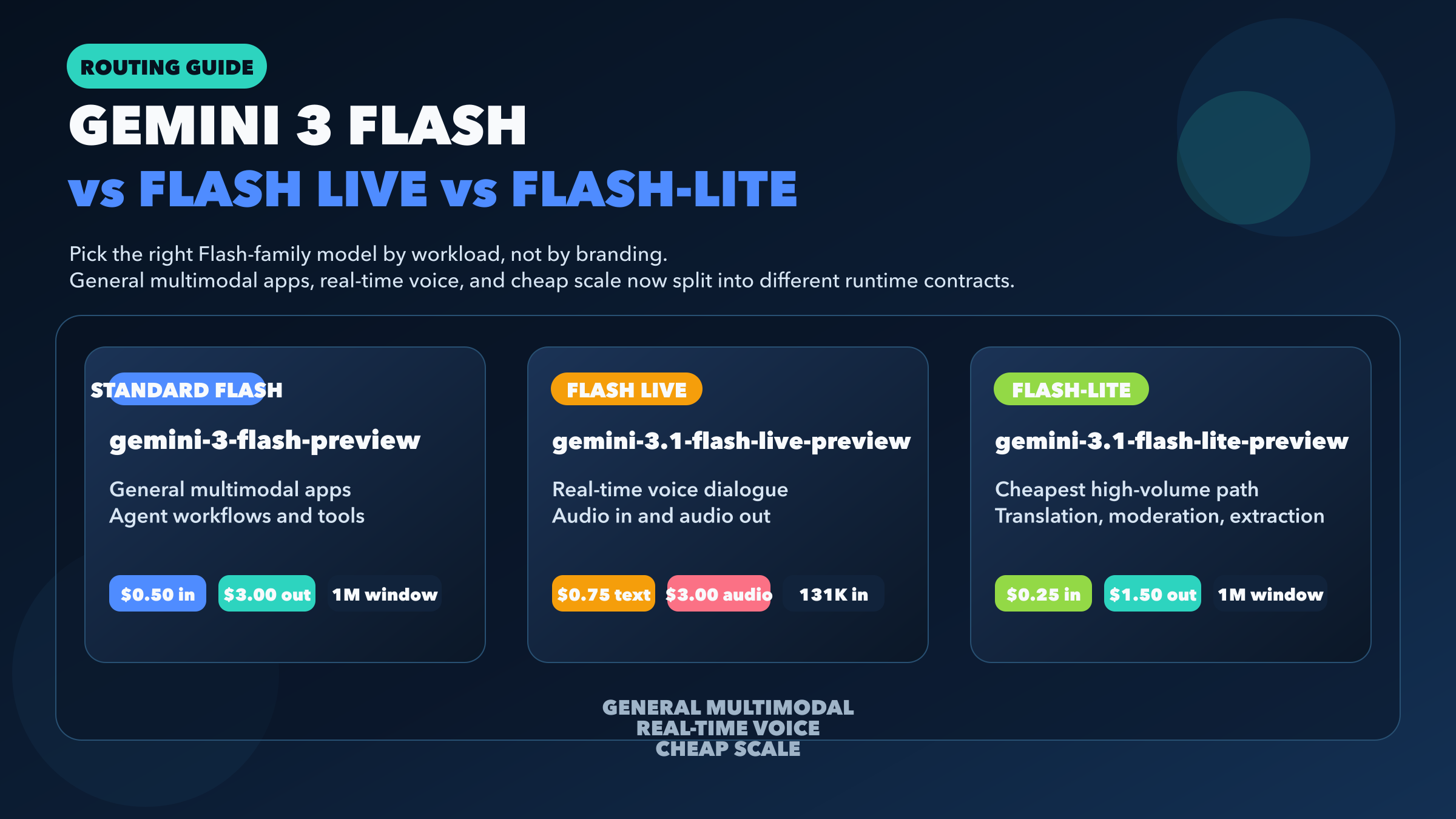
If you want the short answer first, here it is: use gemini-3-flash-preview for most multimodal app backends and agent workflows, use gemini-3.1-flash-live-preview only when your product is genuinely voice-first, and use gemini-3.1-flash-lite-preview when cost, throughput, and lightweight workloads matter more than maximum model breadth. As of March 28, 2026, these are not three sizes of the same Gemini model. They are three different runtime contracts that happen to share the Flash name.
That distinction matters because Google's naming is no longer intuitive if you only look at product headlines. Gemini 3 Flash launched on December 17, 2025 as the fast general Gemini 3 model. Gemini 3.1 Flash-Lite followed on March 3, 2026 as the cheaper high-volume option. Gemini 3.1 Flash Live arrived on March 26, 2026 as the new low-latency audio-to-audio model for the Live API. If you compare them like a normal benchmark trio, you will miss the real decision and quite possibly pick the wrong model for your stack.
TL;DR
- For a normal product backend, start with
gemini-3-flash-preview. It keeps the broadest useful Flash feature surface: batch, caching, file search, structured outputs, code execution, computer use, search grounding, and a 1,048,576-token input window. - For real-time speech apps, use
gemini-3.1-flash-live-preview. It is the only one of the three designed for low-latency audio in and audio out, but it gives up a lot of standard backend features. - For translation, moderation, extraction, and other cost-sensitive pipelines,
gemini-3.1-flash-lite-previewis the margin play. It costs half as much as standard Flash on text-image-video input and output while keeping batch, caching, file search, structured outputs, and thinking. - Do not treat Flash Live as a drop-in replacement for standard Flash just because it sounds newer. It has a smaller 131,072-token input window and does not support batch, caching, file search, structured outputs, or URL context on its public model page.
- If you need the broader Gemini family beyond the Flash branch, see the full Gemini 3 comparison guide.
Which Gemini Flash model should you use?
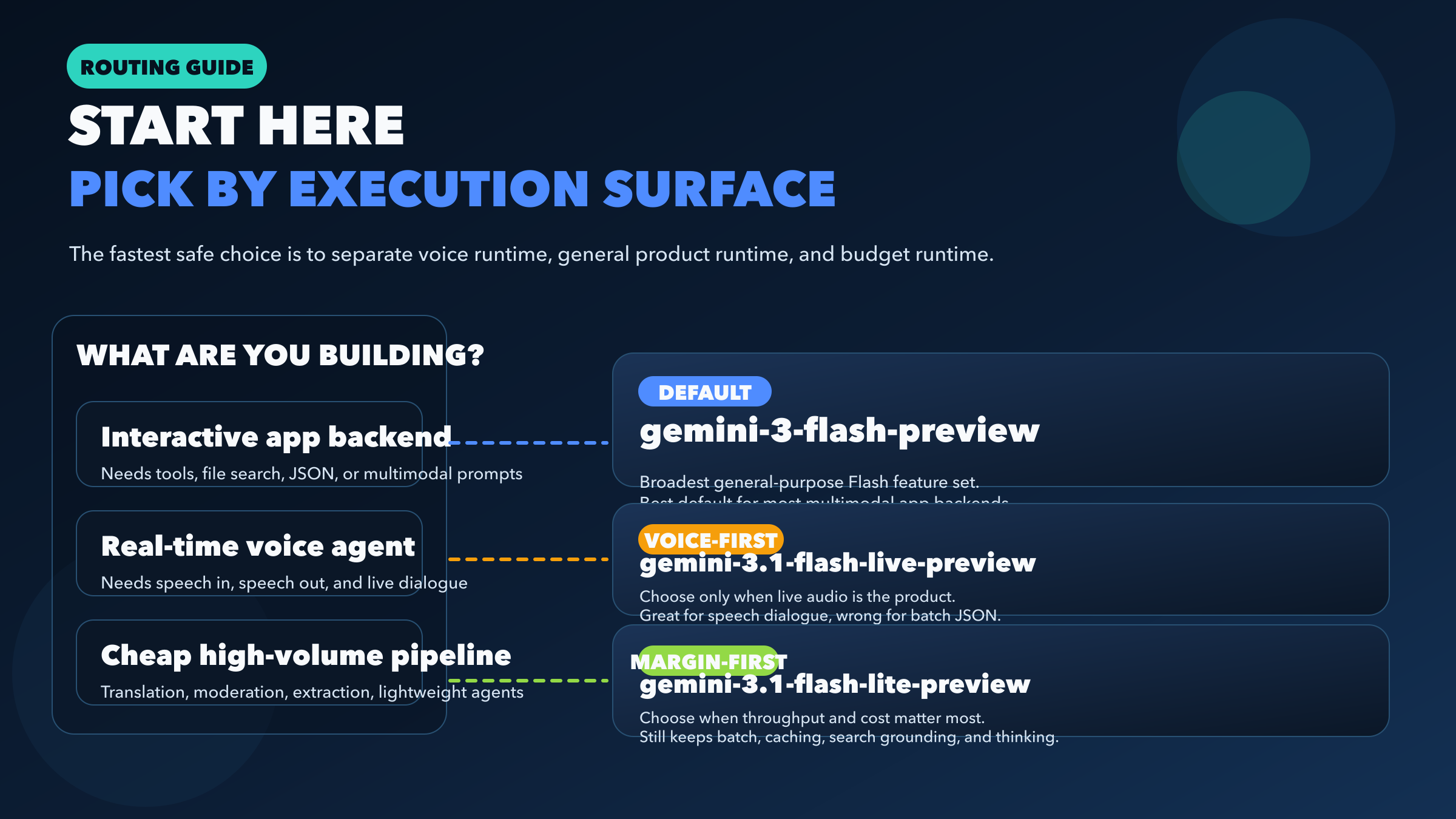
The fastest safe way to choose is to ignore branding for a minute and ask what runtime you are actually building.
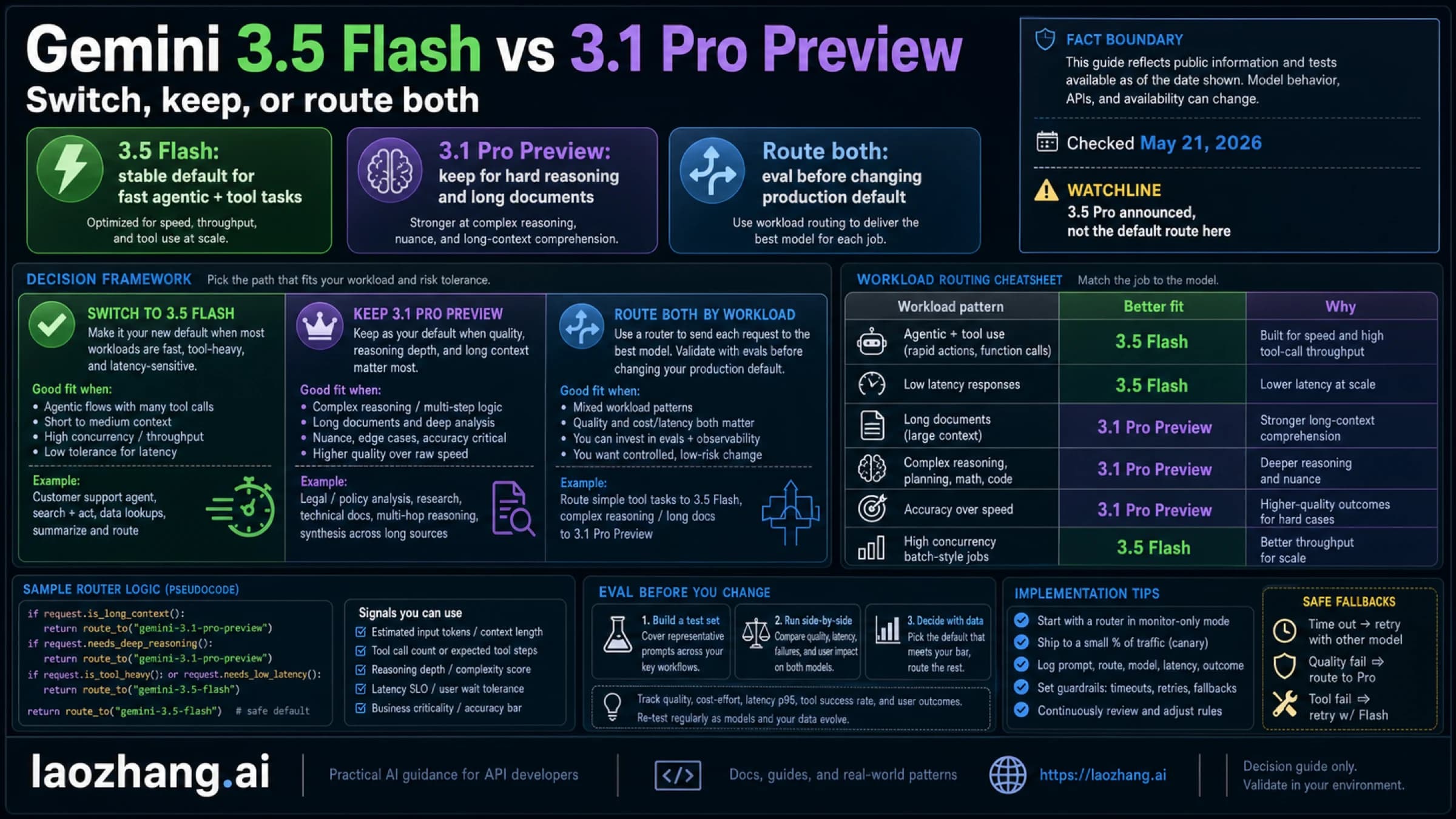
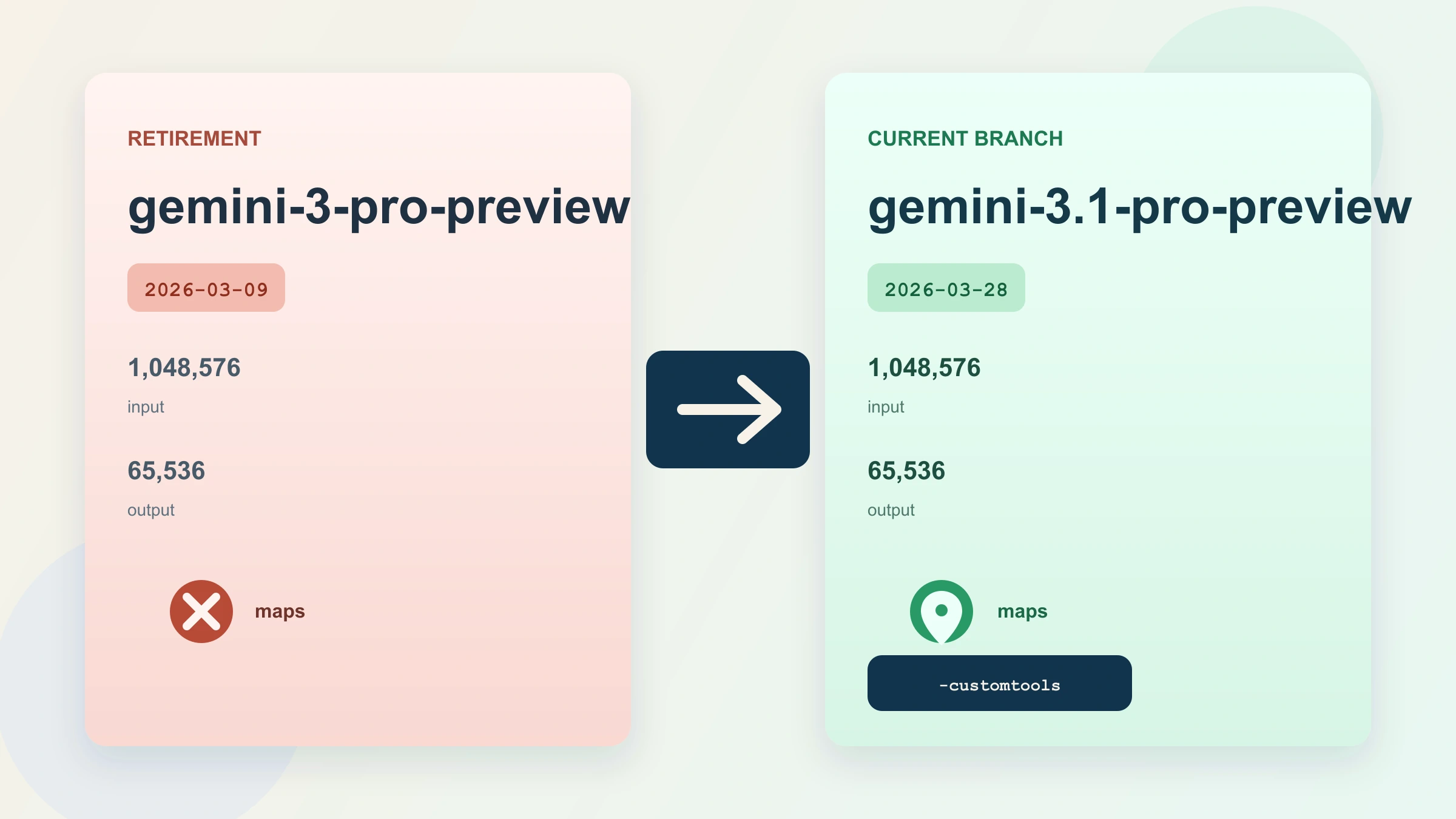
If you are building a standard application backend that takes text, images, PDFs, or audio as input and returns text, gemini-3-flash-preview should be your default. Google's official model page shows a 1,048,576-token input limit, 65,536 output tokens, and support for Batch API, caching, file search, structured outputs, code execution, Google Maps grounding, search grounding, URL context, and computer use. That is a serious general-purpose feature surface, and it is why standard Flash is still the right starting point for most app teams.
If you are building a voice agent that needs turn-taking speech interaction, low-latency audio output, and the Live API session model, gemini-3.1-flash-live-preview is the right choice. This is not simply “Flash, but more advanced.” It is a different product category. Google's public page positions it as an audio-to-audio model optimized for real-time dialogue, and the March 26, 2026 release notes confirm it as the newest Live model. If voice is the product, choose it early and design around its constraints.
If you are building high-volume translation, moderation, classification, transcript summarization, lightweight agents, or extraction pipelines where every dollar matters, gemini-3.1-flash-lite-preview is the strongest value option in the current Flash branch. According to Google's pricing page, it drops text-image-video input from $0.50 to $0.25 per 1M tokens and output from $3.00 to $1.50 per 1M tokens relative to standard Flash, while keeping the same 1,048,576-token input window and most of the tooling that background pipelines care about.
That is the real framing for this article:
| Workload | Start with | Why |
|---|---|---|
| Multimodal app backend | gemini-3-flash-preview | Broadest Flash feature surface for real products |
| Real-time voice app | gemini-3.1-flash-live-preview | Audio in, audio out, Live API, low-latency dialogue |
| Cheap high-volume pipeline | gemini-3.1-flash-lite-preview | Lowest cost while still keeping useful backend tooling |
Why the names are confusing right now
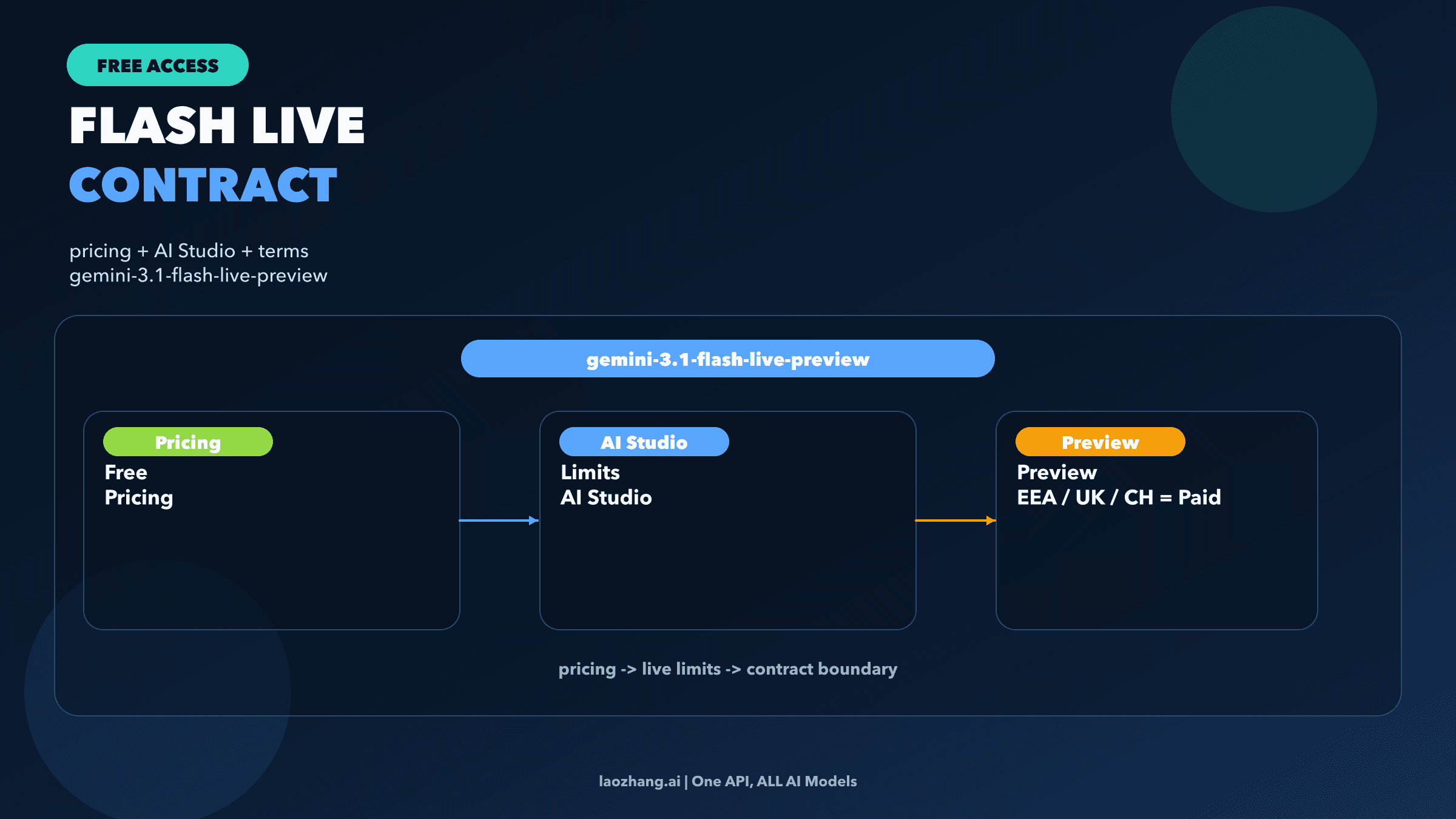
One reason this query exists at all is that Google's public naming is not fully symmetric. The standard general-purpose model is still exposed on its official model page as gemini-3-flash-preview, while the newer voice and budget variants use 3.1 in their public implementation strings: gemini-3.1-flash-live-preview and gemini-3.1-flash-lite-preview.
That means a developer searching for “Gemini 3.1 Flash” can easily assume there should be a neat trio of 3.1 Flash, 3.1 Flash Live, and 3.1 Flash-Lite. But Google's public developer docs do not present the lineup that way today. The implementation string you actually call for the standard fast model remains gemini-3-flash-preview.
This is not just a naming nitpick. It changes how you read the rest of the docs. If you assume Flash Live is a simple extension of standard Flash, you will expect the same batch behavior, the same JSON-oriented backend features, and the same operational patterns. That assumption is wrong. Flash Live is the live speech runtime. Standard Flash is the general app runtime. Flash-Lite is the cost-optimized text-output runtime.
So when a developer asks, “Gemini 3.1 Flash vs Flash Live vs Flash Lite?”, the most useful answer is not to force the names into a fake symmetry. It is to explain the runtime split directly and then show the tradeoffs that follow from it.
The feature gaps that actually change the decision
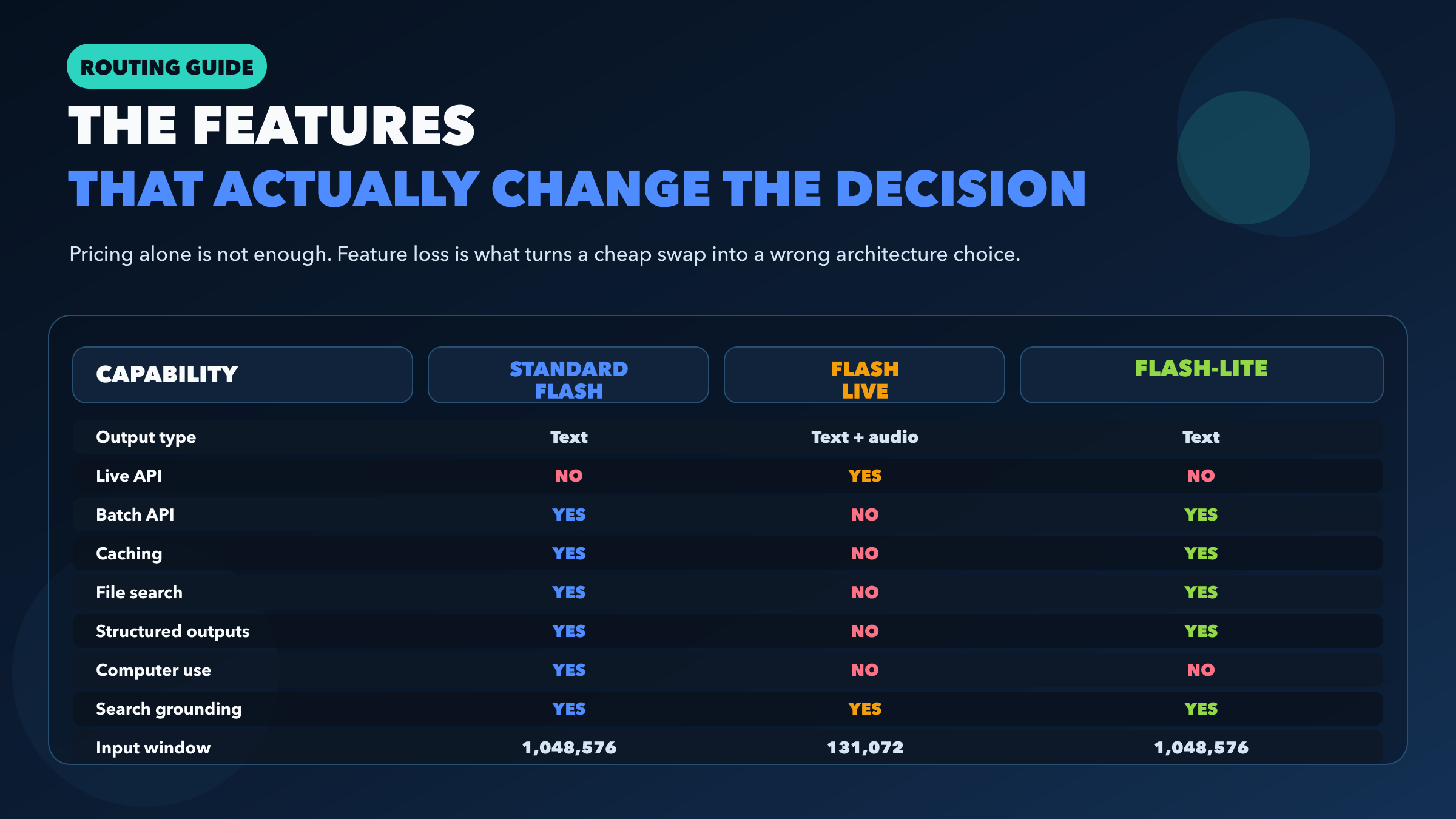
Most comparison posts stop at benchmarks and list prices. That is exactly where this topic becomes less useful, because the practical difference between these models is feature support.
Standard Flash and Flash-Lite are much closer to each other than either is to Flash Live. Both standard Flash and Flash-Lite support Batch API, caching, file search, structured outputs, thinking, and search grounding. Both expose the same 1,048,576-token input window and 65,536-token output window on their public model pages. If you are making a normal text-output architecture decision, those are the two models you should compare first.
Flash Live sits in a different bucket. It supports audio generation, function calling, Live API, thinking, and search grounding, but Google's current model page does not list support for Batch API, caching, file search, structured outputs, Google Maps grounding, or URL context. It also uses a much smaller 131,072-token input window. That combination tells you exactly what it is optimized for: real-time dialogue, not the broadest possible backend tool chain.
The most revealing row in the matrix is not price. It is output type. Standard Flash and Flash-Lite both output text. Flash Live outputs text and audio. That changes the runtime model, the cost structure, the product surface, and even the kinds of mistakes teams make when integrating it. If your application never needs spoken audio back from the model, starting with Flash Live usually means paying a complexity tax for the wrong contract.
Another useful dividing line is computer use. Standard Flash supports it on the public model page. Flash-Lite does not. So if your “cheap scale” workload includes UI control or computer-use style automation, Flash-Lite may be too aggressive a downgrade. In that case, standard Flash remains the safer default even if the token bill is higher.
Pricing and context window snapshot
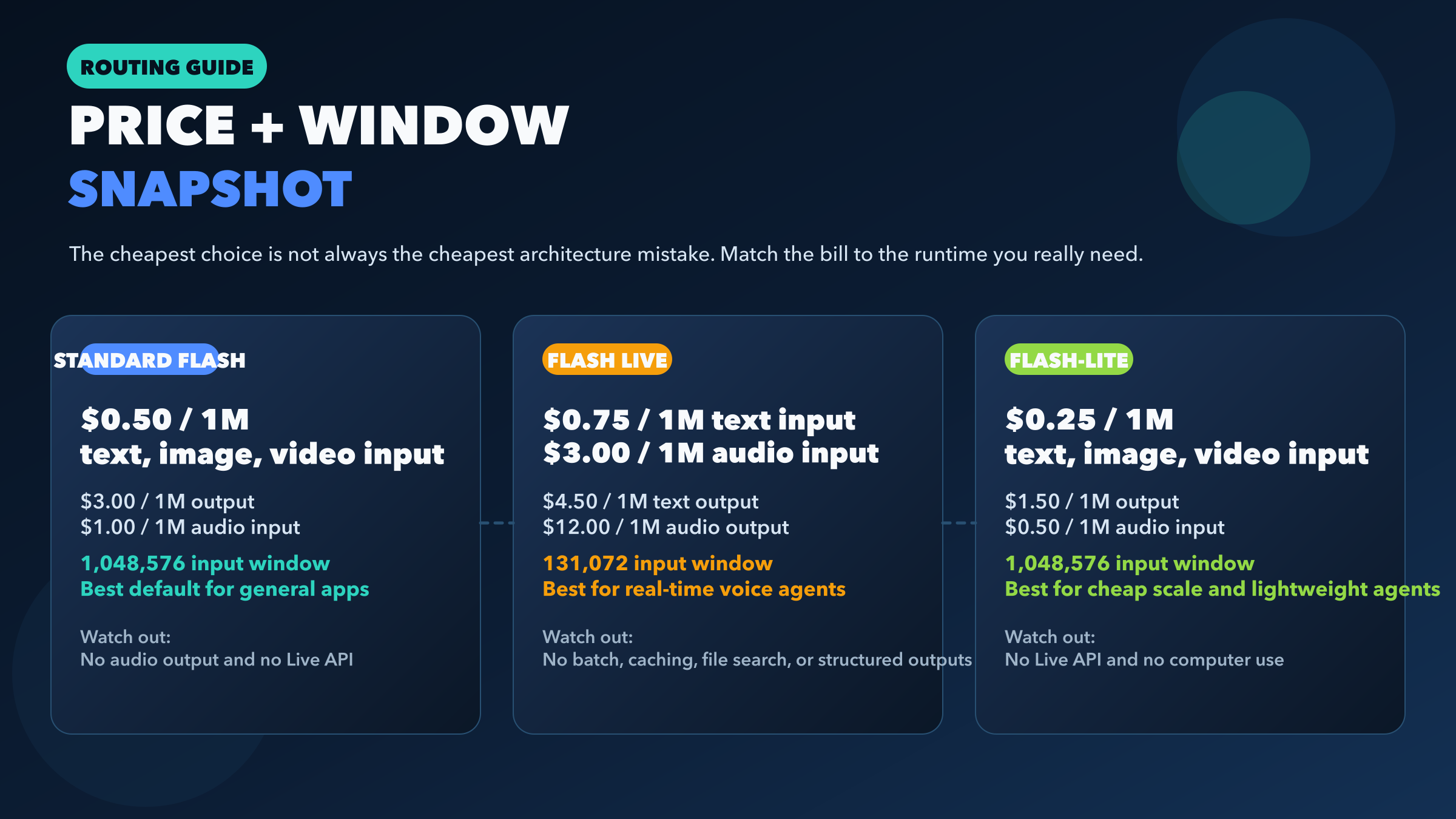
Google's official Gemini API pricing page makes the cost hierarchy clear.
Standard Flash is priced at $0.50 / 1M text-image-video input tokens, $1.00 / 1M audio input tokens, and $3.00 / 1M output tokens. Flash-Lite cuts that to $0.25 / 1M text-image-video input, $0.50 / 1M audio input, and $1.50 / 1M output. Flash Live is the most different: $0.75 / 1M text input, $3.00 / 1M or $0.005/min audio input, $1.00 / 1M or $0.002/min image-video input, $4.50 / 1M text output, and $12.00 / 1M or $0.018/min audio output.
That means Flash-Lite is not just “a bit cheaper.” For plain text-output workloads, it is exactly half the listed text-image-video input and output price of standard Flash. Flash Live, by contrast, is not the price-optimized path unless your application actually needs live speech behavior.
Here is a simple text workload example. Suppose your monthly traffic is 10M input tokens and 2M output tokens, and your app is purely text-output:
| Model | Input cost | Output cost | Approx monthly total |
|---|---|---|---|
| Gemini 3 Flash | $5.00 | $6.00 | $11.00 |
| Gemini 3.1 Flash-Lite | $2.50 | $3.00 | $5.50 |
| Gemini 3.1 Flash Live | $7.50 | $9.00 | $16.50 |
This is why Flash Live should not be your starting point for general backend traffic. Even before you get to feature loss, its text path is more expensive and its context window is smaller.
The window difference matters too. Standard Flash and Flash-Lite both list a 1,048,576-token input limit. Flash Live lists 131,072. If your app does retrieval, file-heavy agent workflows, or long rolling context, this is not a minor detail. It directly changes what you can safely keep in-session.
If you need the wider Google pricing landscape, including Pro models and image variants, use the dedicated Gemini API pricing guide. This article is about the Flash-family decision, not the full Gemini catalog.
The real decision: default model, voice model, or margin model
For most teams, the right answer is not “pick the newest one.” It is “pick the default model for your runtime, then add specialized variants only when the product demands them.”
Choose standard Flash first when your app is general-purpose. That includes most multimodal backends, agent workflows, document reasoning, structured output tasks, search-grounded answers, and product features that need a broad tool surface without stepping into Pro pricing. Google's own Flash launch post positioned it as the fast general Gemini 3 model for agentic workflows, coding, and interactive applications. That matches the public capability surface.
Choose Flash Live when voice is the interface, not just another input. If users are speaking to the product and expect speech back with low-latency turn taking, Flash Live is the right model. Google's March 26 launch post explicitly frames it as the new audio model for more natural and reliable real-time dialogue. In other words, this is the runtime for “talk to the app,” not the runtime for “my backend occasionally ingests audio files.”
Choose Flash-Lite when margin is part of the product strategy. Flash-Lite exists for workloads where huge volumes of straightforward tasks add up fast: translation, moderation, entity extraction, support-ticket classification, transcript cleanup, or lightweight agent steps that do not need computer use. Google's March 3 Flash-Lite launch post is unusually explicit here: it calls out high-volume agentic tasks, translation, and simple data processing, and it highlights lower latency plus sharply better cost efficiency. That is not a throwaway “lite” positioning. It is the entire point of the model.
If I were designing a modern Gemini stack from scratch, I would usually route it like this:
- Use
gemini-3-flash-previewas the default online model. - Add
gemini-3.1-flash-live-previewonly for live speech surfaces. - Add
gemini-3.1-flash-lite-previewfor asynchronous background jobs where quality remains sufficient and margin matters.
That route is more useful than asking which of the three is “best,” because they are best at different runtime contracts.
Migration gotchas before you swap model strings
The biggest integration mistake on this topic is thinking model-string swaps are mostly interchangeable. They are not.
If you are coming from gemini-2.5-flash-native-audio-preview-12-2025, Google's Flash Live migration notes say the move is to gemini-3.1-flash-live-preview, not to standard Flash. The same migration section also notes a few behavior changes that matter in production: Flash Live uses thinkingLevel instead of thinkingBudget, function calling is synchronous only, and proactive audio plus affective dialogue are not yet supported. If your code assumes those older capabilities or event shapes, treat migration as a real application change, not a version bump.
If you are moving from standard Flash to Flash-Lite, the swap is conceptually safer because the feature surfaces are closer. But it is still not free. Flash-Lite drops computer use, and even when quality is strong for its tier, it is still the budget model. That usually means you should move specific workloads first rather than flipping your whole app at once. Translation and moderation are obvious candidates. High-stakes reasoning or UI-control tasks are not.
If you are tempted to move a normal JSON-heavy or retrieval-heavy backend onto Flash Live because the name sounds more advanced, stop there. Flash Live does not currently expose the same support for structured outputs, file search, or caching on its public model page. That alone is enough to break design assumptions in many production stacks.
If you are planning for load, pair this article with the current Gemini API rate limits guide. Cost and model fit are only half the operational decision; quota behavior still matters once traffic grows.
FAQ
Is Flash Live better than standard Flash?
Not in the general sense. Flash Live is better for real-time speech dialogue because it is designed for audio in, audio out, and Live API sessions. For normal text-output application backends, standard Flash is usually the better fit because it supports a broader set of backend-oriented features and has a much larger listed input window.
Is Flash-Lite just a weaker Flash?
That undersells it. Flash-Lite is the cheaper high-volume branch. It keeps a surprisingly useful set of developer features, including batch, caching, file search, structured outputs, thinking, search grounding, and a 1,048,576-token input window. For translation, moderation, extraction, and lightweight agent steps, it is not just a fallback. It is often the correct production choice.
Why is the naming so uneven?
Because Google's public implementation strings are not perfectly symmetric right now. The standard fast model is still presented as gemini-3-flash-preview, while the specialized variants are gemini-3.1-flash-live-preview and gemini-3.1-flash-lite-preview. That is exactly why so many searchers ask for “Gemini 3.1 Flash vs Live vs Lite” even though the standard model string does not match that pattern.
Which one should most developers start with?
Most developers should start with gemini-3-flash-preview, then add Flash-Lite for cheap background pipelines or Flash Live for voice products only if those needs are real. That is the lowest-regret starting point.
Final recommendation
If you want one sentence to carry forward, use this one: standard Flash is the default product runtime, Flash Live is the voice runtime, and Flash-Lite is the margin runtime.
That framing is much more useful than a vague “it depends,” because it reflects how Google's current public model pages, pricing, and release notes are actually structured. If your app is not voice-first, compare standard Flash and Flash-Lite first. If your app is voice-first, Flash Live exists for exactly that reason. Once you see the lineup that way, the naming confusion stops being a blocker and becomes a straightforward routing decision.