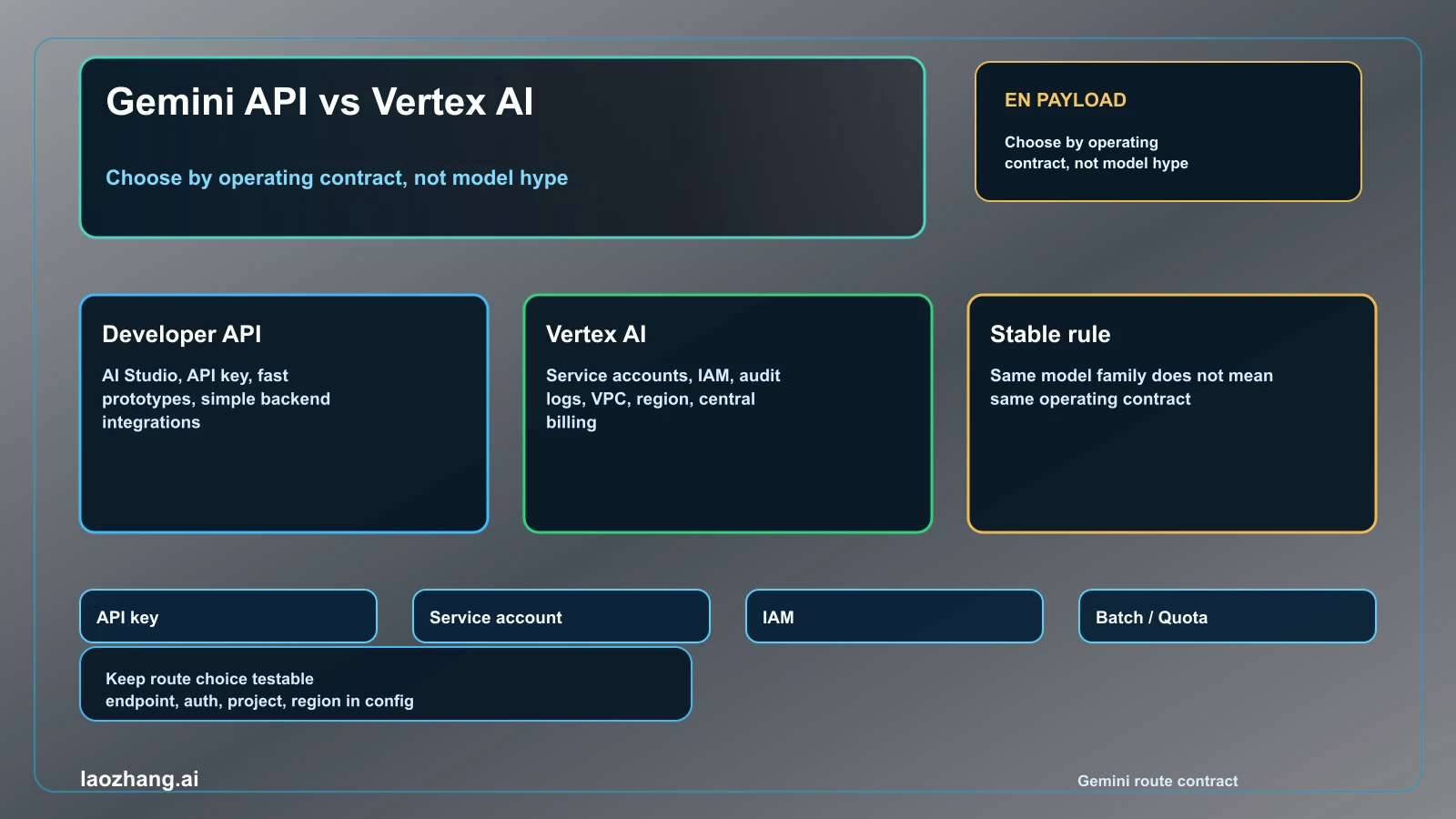
Use the Gemini Developer API first when the job is fast evaluation, a prototype, a simple server integration, or an app that can live with API-key auth and direct Gemini endpoint operations. Use Gemini API in Vertex AI when the job already includes Google Cloud identity, service accounts, IAM, audit logs, VPC Service Controls, CMEK, regional controls, centralized billing, quota governance, batch operations, or production monitoring.
The important correction is that Gemini API vs Vertex AI API is not mainly a model-quality fight. It is a route and operating-contract decision. The Gemini Developer API normally uses API keys and the generativelanguage.googleapis.com endpoint. Gemini API in Vertex AI uses Google Cloud auth, service accounts or Application Default Credentials, project and location settings, and the aiplatform.googleapis.com endpoint. Current Google docs may also label the Cloud-governed side as Gemini Enterprise Agent Platform as Vertex AI transitions into that platform; for this search query, treat that as the governed Vertex route, not a third route.
Checked on May 2, 2026 against Google AI for Developers and Google Cloud Vertex AI documentation. Exact prices, quotas, model availability, and regional support can change, so the durable contract is route choice first, with volatile details left to the live official pages.
Fast Answer
| Reader situation | Better first route | Why |
|---|---|---|
| Testing prompts, model behavior, or a small backend feature | Gemini Developer API | It is the shortest official path from Google AI Studio to code with API-key auth. |
| Building a consumer app or internal tool without strict Cloud controls | Gemini Developer API | You keep setup light while still using an official Gemini API route. |
| Workload must use service accounts, IAM, audit logs, private networking, CMEK, or regional policy | Gemini API in Vertex AI | Those are Google Cloud operating requirements, not prompt-design concerns. |
| Team needs centralized billing, quota management, Cloud monitoring, or production governance | Gemini API in Vertex AI | The route fits existing Cloud operations and compliance ownership. |
| Async batch or large offline evaluation | Depends on the owner | The Developer API has Batch API; Vertex AI adds Cloud batch and operations integration. |
| Unsure today | Start direct, design a migration seam | Keep provider config isolated so Vertex becomes a switch when governance becomes real. |
The default is not "Vertex is always more professional" or "Developer API is only for toys." The default is to choose the lightest route that still satisfies the operating contract. If a real compliance, network, region, or audit requirement is already in the ticket, start on Vertex AI. If not, start on the Developer API and avoid paying a setup tax before it buys the reader anything.
Same Models, Different Operating Contracts
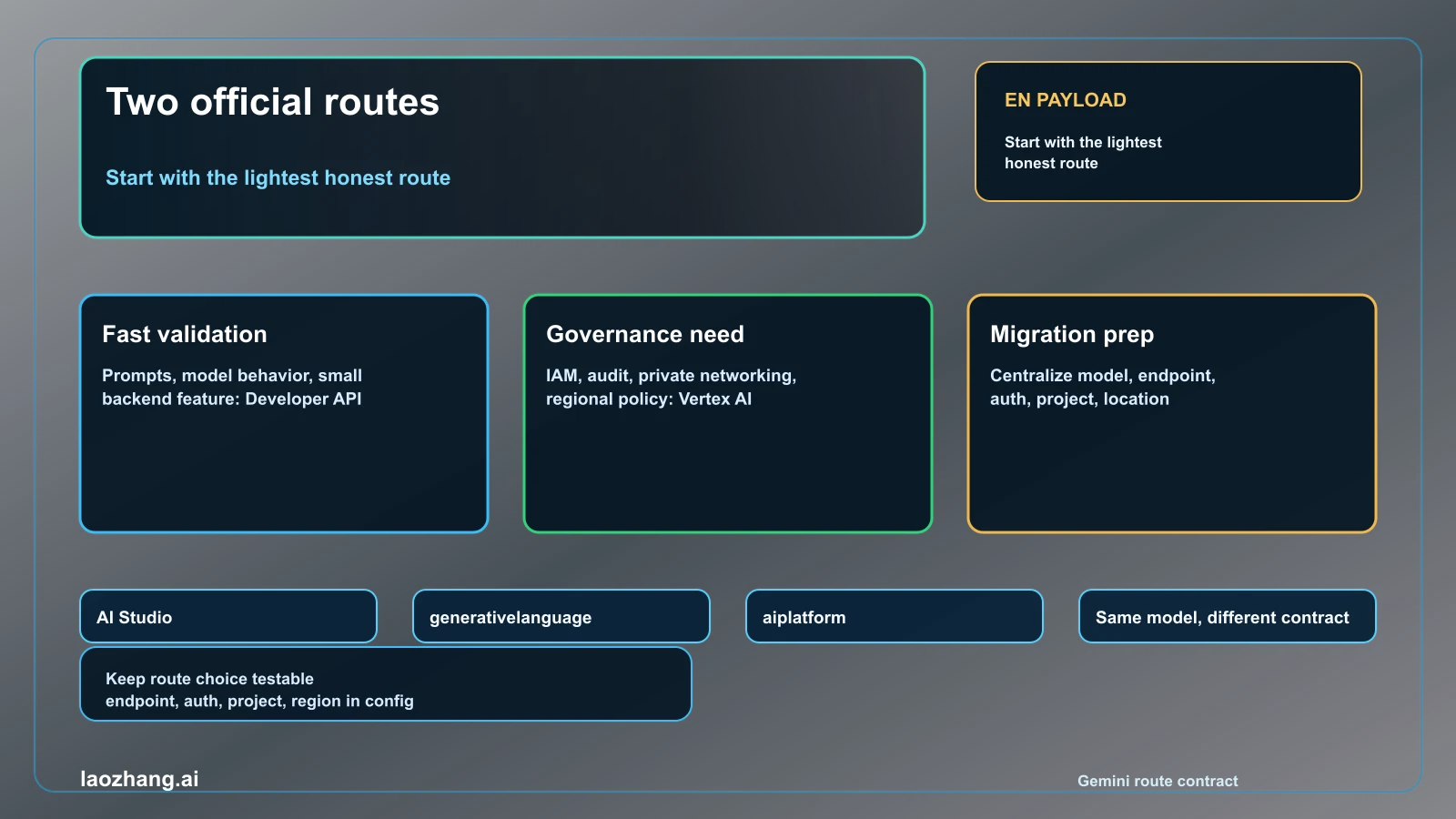
The naming is confusing because both routes expose Gemini models and both are official Google surfaces. The difference is the owner around the model. The Developer API is attached to Google AI Studio and the Google AI for Developers docs. It is optimized for a quick API key, simple SDK setup, and direct experimentation. A Gemini API key is still associated with a Google Cloud project, so do not describe it as "no project required." It is just a lighter route than full Vertex AI operation.
If the official page now says Gemini Enterprise Agent Platform, map that label back to the Cloud-operated Vertex side of this decision. The reader still needs the same split: direct Developer API for the shortest build path, Cloud-governed Vertex / Agent Platform operation when IAM, location, billing, audit, or compliance controls are real requirements.
Vertex AI changes the surrounding contract. The request lives inside Google Cloud project, location, IAM, service account, billing, quota, logging, monitoring, security, and governance machinery. That is the reason to choose it. The model may be the same family, but the authentication owner, endpoint, deployment controls, audit story, and support workflow are different.
The Google Gen AI SDK reduces migration pain because it can target both Gemini Developer API and Gemini API in Vertex AI. That does not erase the operational difference. It simply means application code can be written so the route is configured in one place rather than scattered through every call site.
Choose The Gemini Developer API When Speed Is The Job
Use the Developer API when the reader needs to answer "can this model solve my task?" faster than they need a Cloud governance review. It is the better first route for prompt iteration, small services, feature spikes, internal demos, and apps where a server can safely hold an API key.
The direct route is also useful when the team is still comparing models, response formats, safety behavior, and cost shape. You can learn the model contract without setting up service accounts, project locations, IAM policies, Cloud logging sinks, or VPC boundaries. For many apps, that learning is the bottleneck.
There are two boundaries to keep honest. First, the Developer API is not a permission to put API keys in client-side code; keep credentials on the server. Second, it is not missing every production feature. Google documents Batch API on the Developer API route, so the correct batch question is not "does batch exist?" but "which owner should govern this batch workload?"
Choose Vertex AI When Cloud Operation Is Already Part Of The Requirement
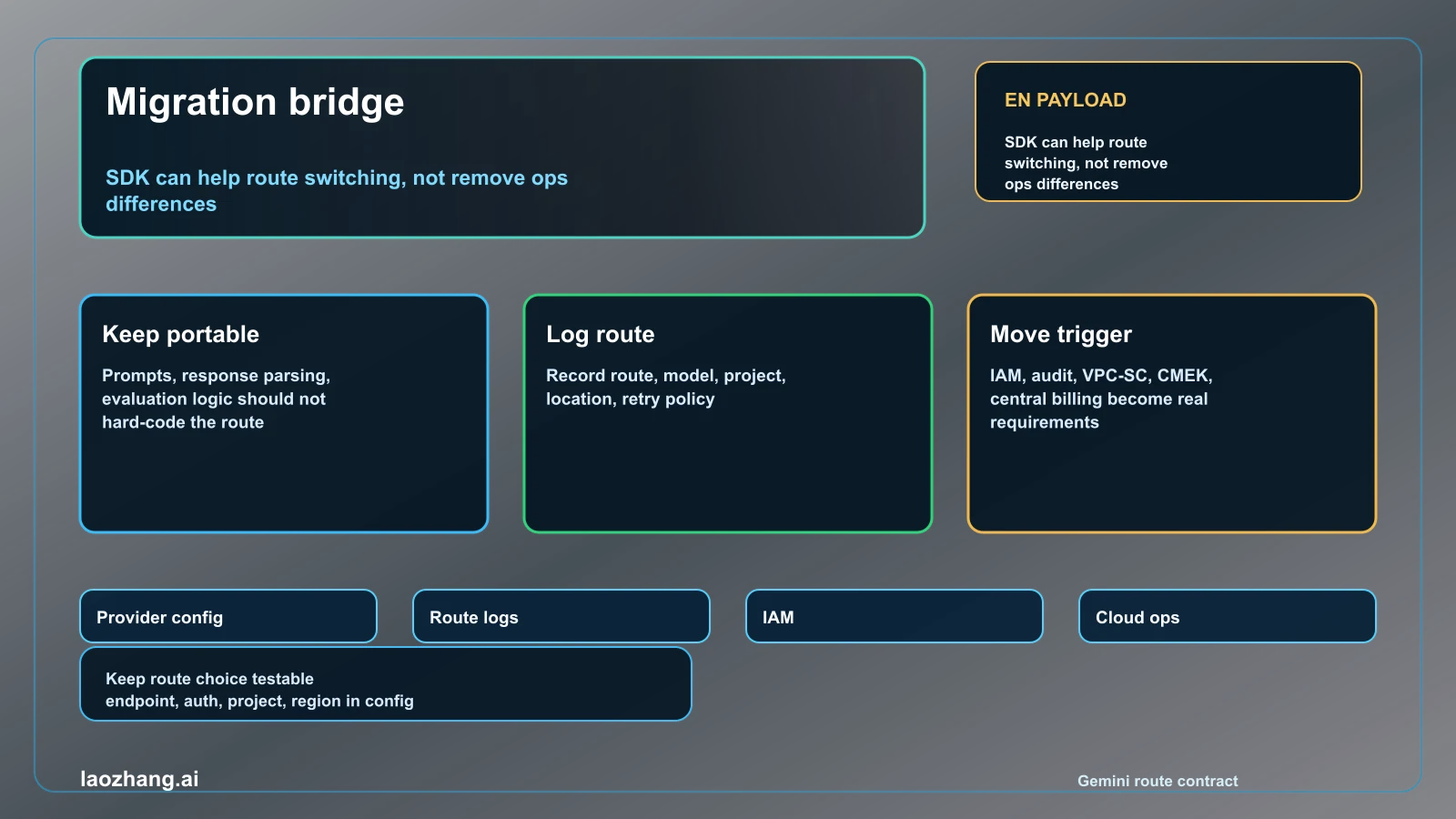
Choose Vertex AI when the reader is not merely calling Gemini but operating a governed Cloud workload. The common triggers are service-account auth, IAM separation, audit logs, private networking or VPC Service Controls, customer-managed encryption keys, regional controls, centralized billing, quota governance, Cloud Logging, Cloud Monitoring, batch jobs, and support workflows that already live in Google Cloud.
These are not cosmetic differences. They determine who can call the model, where requests are controlled, how usage is monitored, how spend is reviewed, how incidents are escalated, and how security teams approve the route. If those controls are required, the Developer API's simplicity becomes a mismatch rather than an advantage.
Google's migration documentation also gives a practical clue: for enterprise or production use cases, the Vertex AI route is the recommended official path. That should not be converted into a claim that every production app must start on Vertex. It means production apps with enterprise controls should avoid pretending a quick-start route satisfies governance.
Migration, Cost, Batch, And Quota Boundaries
The safest architecture is to keep the route choice explicit. Put model name, endpoint family, auth owner, project, location, and retry policy behind a provider configuration layer. Log which route handled each request. Keep evaluation prompts and response parsing portable where possible. That gives you room to start on the Developer API and move to Vertex AI when the Cloud contract becomes real.
Do not treat frozen price claims as if they were the decision. Both routes have official pricing pages, and exact model prices, quota tiers, batch discounts, and availability can change. The durable comparison is who owns billing and operations. If a product manager only asks "which is cheaper today?", check live pricing for the exact model, input/output mix, batch mode, region, and discount terms. If an engineering manager asks "which can we operate under policy?", Vertex AI often wins before price is even calculated.
Batch needs the same care. Developer API Batch API can be enough for offline jobs when the team does not need Cloud governance. Vertex AI batch and related Cloud tooling become more attractive when jobs must live with Cloud scheduling, project controls, monitoring, audit, and procurement processes.
Recommendation
Start with the Gemini Developer API when the task is discovery, rapid integration, or a product feature that does not yet have Cloud governance requirements. Move to Gemini API in Vertex AI when a real requirement names IAM, service accounts, audit, private networking, regional policy, centralized billing, quota operations, or Cloud monitoring.
The practical decision rule is: choose Developer API for the shortest honest path to a working model call; choose Vertex AI for the shortest honest path to a governed production workload. If neither side is obviously forced, keep the route switch small, measure the workload, and revisit after the first production controls become concrete.
FAQ
Is Gemini API the same as Vertex AI API?
No. Both can expose Gemini models, but the Gemini Developer API and Gemini API in Vertex AI use different endpoints, authentication patterns, and operating contracts.
Which route should I start with for a new app?
Start with the Gemini Developer API unless your first requirements already include Google Cloud IAM, service accounts, audit logs, private networking, regional controls, or centralized Cloud operations.
Is the Developer API only for prototypes?
No. It is the fastest official route and can serve real integrations. The point is that it does not replace Vertex AI's Cloud governance and operations controls.
Can I migrate later without rewriting everything?
Yes, if you isolate provider configuration. The Google Gen AI SDK can target both routes, but you still need to update auth, project, location, quota, logging, and operations ownership.
Which route is cheaper?
Check the official pricing pages for the exact model, route, batch mode, region, and current terms. The route decision should not rely on stale price tables.
Does batch exist only in Vertex AI?
No. Google documents Batch API for the Gemini Developer API. Vertex AI becomes the better fit when batch jobs need Cloud governance, monitoring, project controls, and operational ownership.