Gemini 3.1 Pro vs Gemini 3 Pro: What Changed and What Developers Should Use Now (2026)
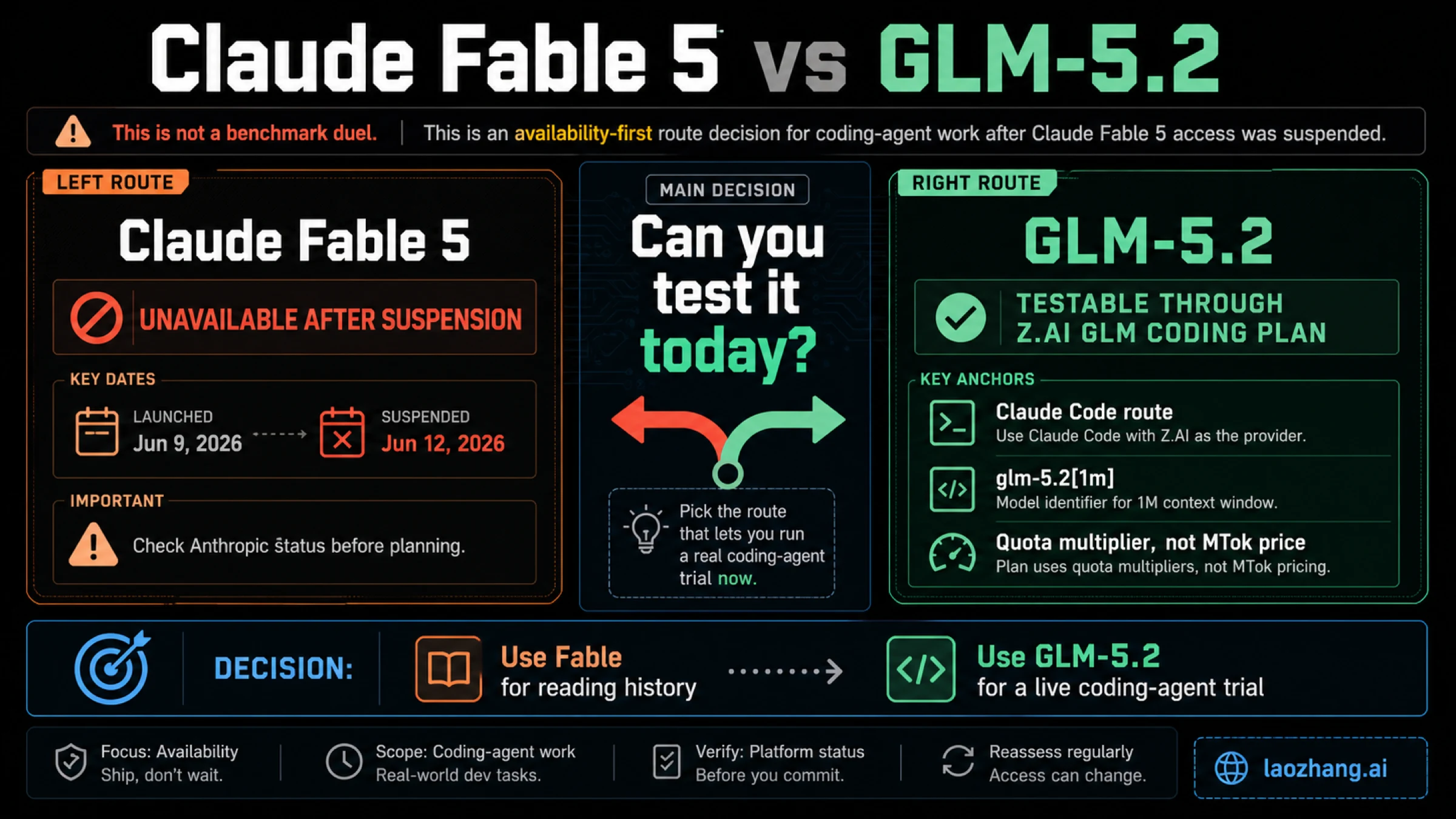
Gemini 3 Pro is already shut down, so this is no longer a normal head-to-head comparison. This guide explains what actually changed in Gemini 3.1 Pro, what stayed the same, and what developers should re-test during migration.
On this page
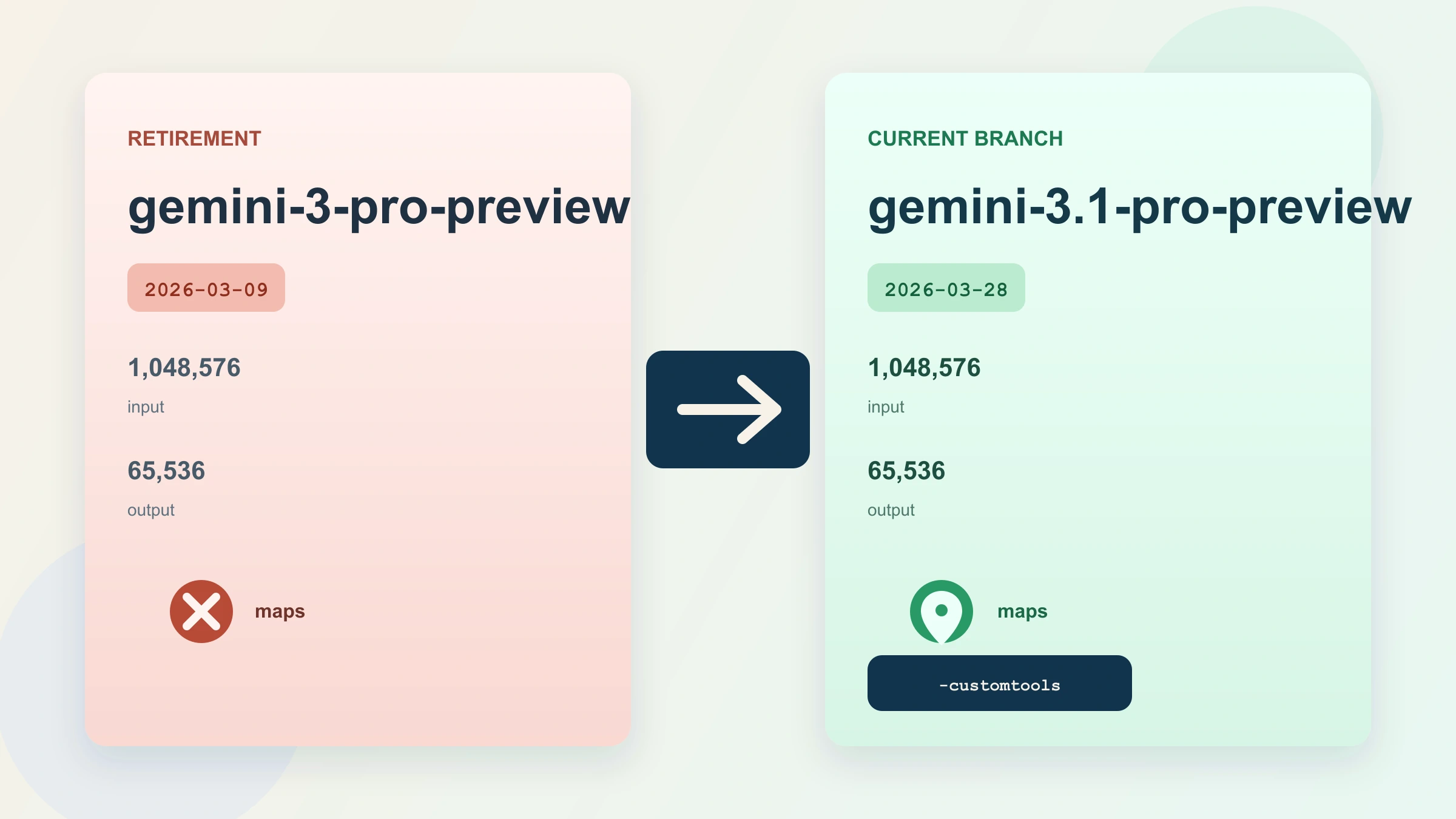
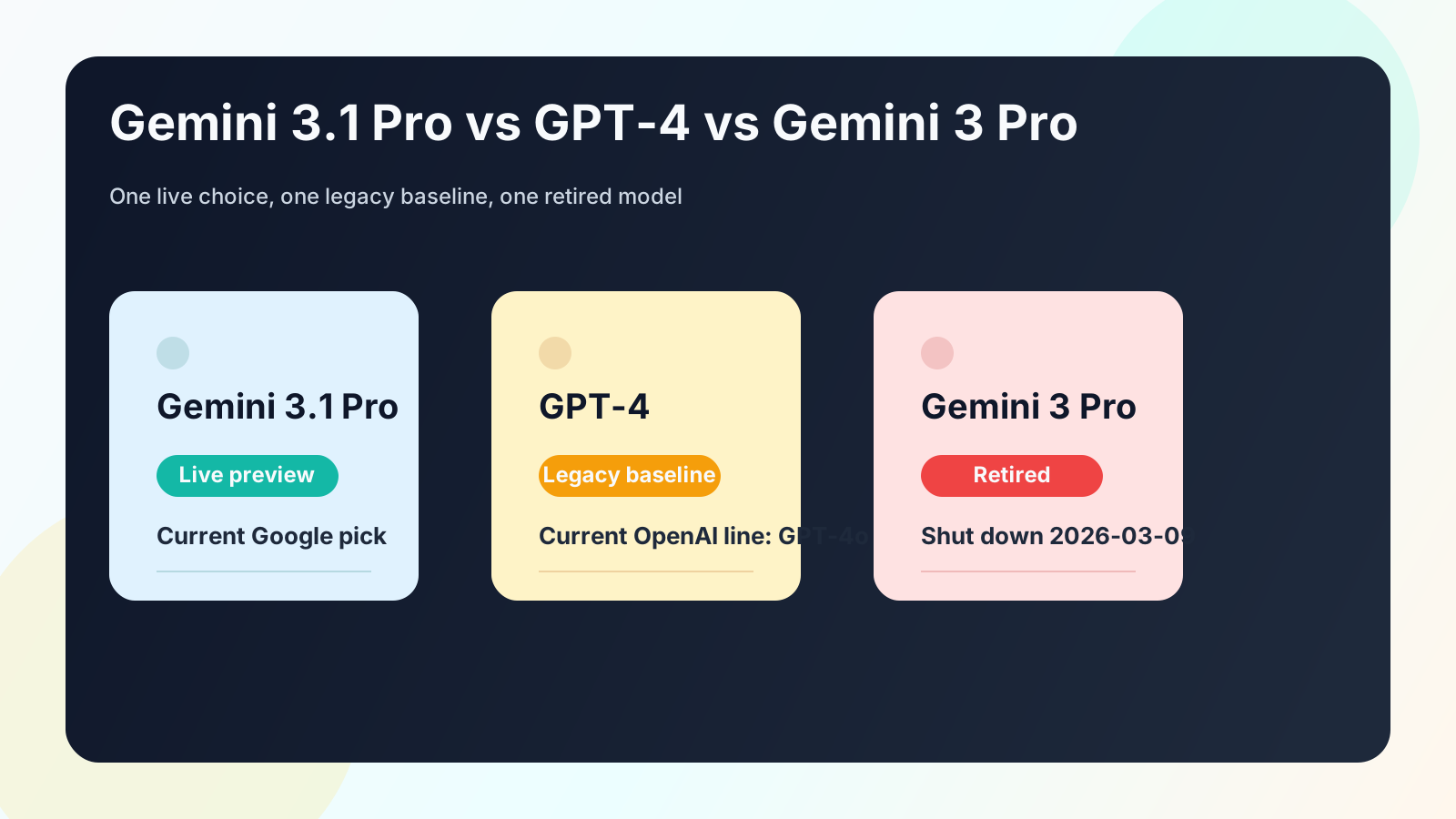
Gemini 3 Pro is already over. If you are deciding between Gemini 3.1 Pro and Gemini 3 Pro on March 28, 2026, start with gemini-3.1-pro-preview: Google lists gemini-3-pro-preview as deprecated and shut down on March 9, 2026, and names Gemini 3.1 Pro as the replacement. The practical differences are narrower than a normal version-jump headline suggests. Both models share the same multimodal input contract and the same headline token limits, but Gemini 3.1 Pro is the live branch, adds Google Maps grounding support, and offers a separate gemini-3.1-pro-preview-customtools endpoint for tool-heavy agents.
Evidence note: status, capability, and pricing details in this guide were rechecked against Google's current model, deprecation, and pricing docs on March 28, 2026.
If You Only Need the Answer
If your question is "Which one should I use now?", the answer is simple: use Gemini 3.1 Pro Preview and treat Gemini 3 Pro Preview as migration history.
| What you are trying to do | Start with | Why |
|---|---|---|
| Start a new higher-end Gemini project | gemini-3.1-pro-preview | It is the current live branch |
| Migrate an older Gemini 3 Pro integration | gemini-3.1-pro-preview | Google explicitly names it as the replacement |
| Build a tool-heavy coding or agent loop | gemini-3.1-pro-preview-customtools | It is optimized to prioritize registered tools |
Keep using gemini-3-pro-preview in production | Do not | Google says it is deprecated and shut down |
That is the operational answer. The rest of the article explains what actually changed and what did not.
What Actually Changed From Gemini 3 Pro to Gemini 3.1 Pro
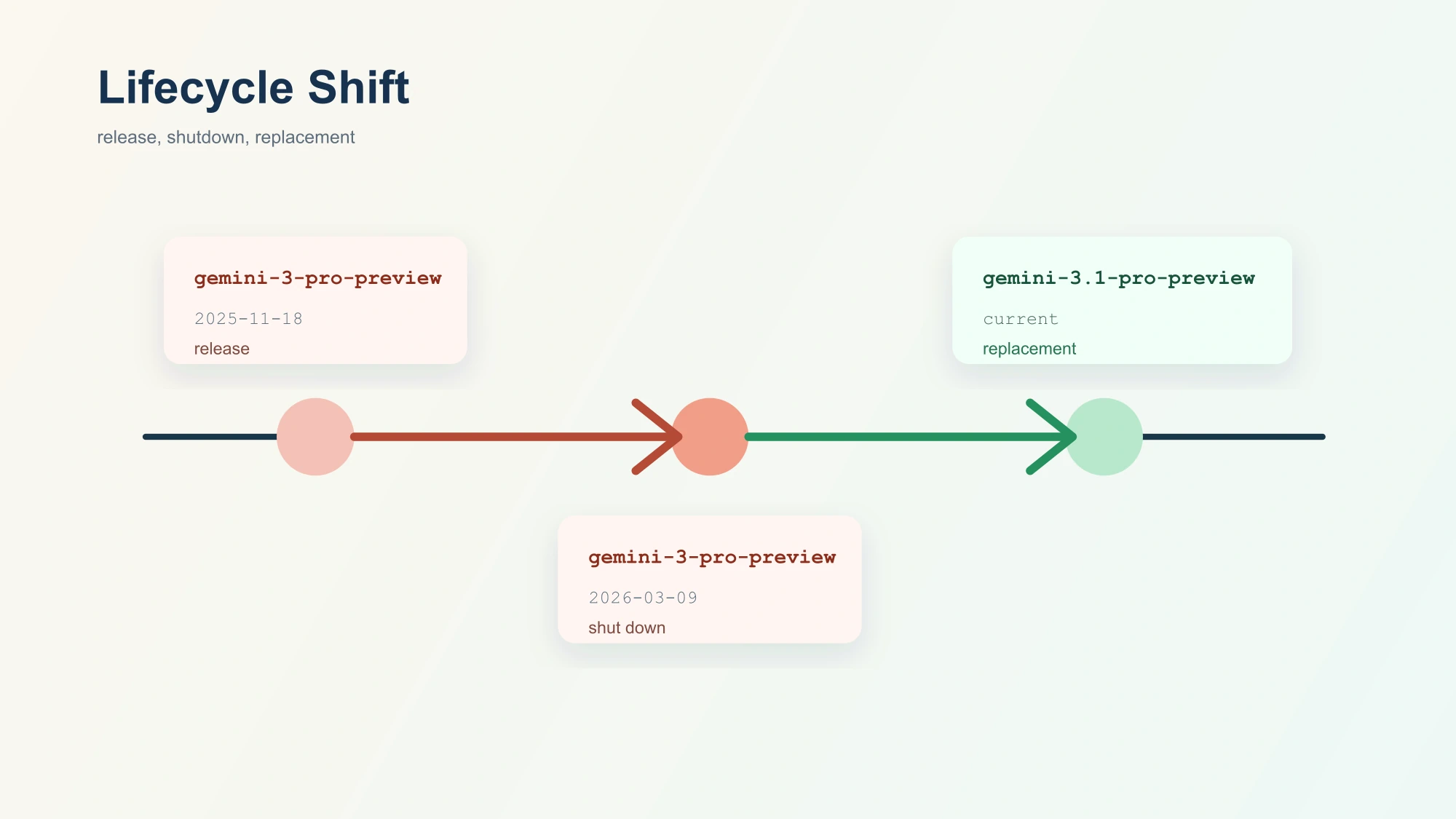
The biggest difference is not a benchmark number. It is lifecycle status.
Google's current Gemini 3 Pro model page now opens with a warning: gemini-3-pro-preview is deprecated, it was shut down on March 9, 2026, and developers should migrate to gemini-3.1-pro-preview. That one fact changes the whole decision. Once a model is shut down, the real question is no longer "which one wins?" It becomes "what changed enough to matter while I migrate to the current branch?"
There are three concrete answers.
First, Gemini 3.1 Pro is the live branch. That means current pricing, current capability tables, and current operational assumptions should all be taken from the Gemini 3.1 Pro docs, not from old Gemini 3 Pro comparisons or cached pricing cards.
Second, Gemini 3.1 Pro adds Google Maps grounding support. On the current Gemini 3.1 Pro model page, Google Maps grounding is listed as supported. On the retired Gemini 3 Pro page, Google Maps grounding is listed as not supported. That is not a cosmetic difference. If your workflow depends on place-aware grounding or location workflows, 3.1 Pro meaningfully expands what the Pro branch can do.
Third, Gemini 3.1 Pro introduces a separate customtools endpoint. Google now lists gemini-3.1-pro-preview-customtools as a dedicated endpoint for teams using bash plus registered tools. Google says it is better at prioritizing custom tools such as view_file or search_code, though it also warns that quality may fluctuate for use cases that do not benefit from those tools. Gemini 3 Pro did not expose this separate path.
Those are the workflow deltas you can act on today. Everything else should be read through the lens of current-provider positioning. Google describes Gemini 3.1 Pro as refining the Gemini 3 Pro series with better thinking, improved token efficiency, and a more grounded and factually consistent experience, optimized for software engineering behavior and agentic workflows. That tells you where Google wants the new branch to land. It does not remove the need to re-run your own evaluations, but it does tell you what changed in product intent.
What Stayed the Same
One reason this migration is easier than many readers fear is that Google did not blow up the basic contract.
Both model pages list the same input modalities: text, image, video, audio, and PDF. Both list text output. Both list the same headline token limits: 1,048,576 input tokens and 65,536 output tokens. Both support the same broad high-end workflow shape: batch, caching, code execution, function calling, search grounding, structured outputs, thinking, and URL context.
That continuity matters because it changes how you should think about migration. This is not a "rebuild your whole app around a different class of model" event. In many stacks it is closer to a targeted migration:
- update the model ID,
- re-check the behaviors that matter to your product,
- review any grounding or tool-routing assumptions,
- and confirm pricing on the current branch.
The important caution is that same contract is not the same thing as identical behavior. When Google says Gemini 3.1 Pro improves thinking, token efficiency, and software-engineering behavior, that is a clue that prompts, tool choices, and output patterns may shift. The right posture is not panic, but it is also not blind string replacement.
Specs and Capability Matrix
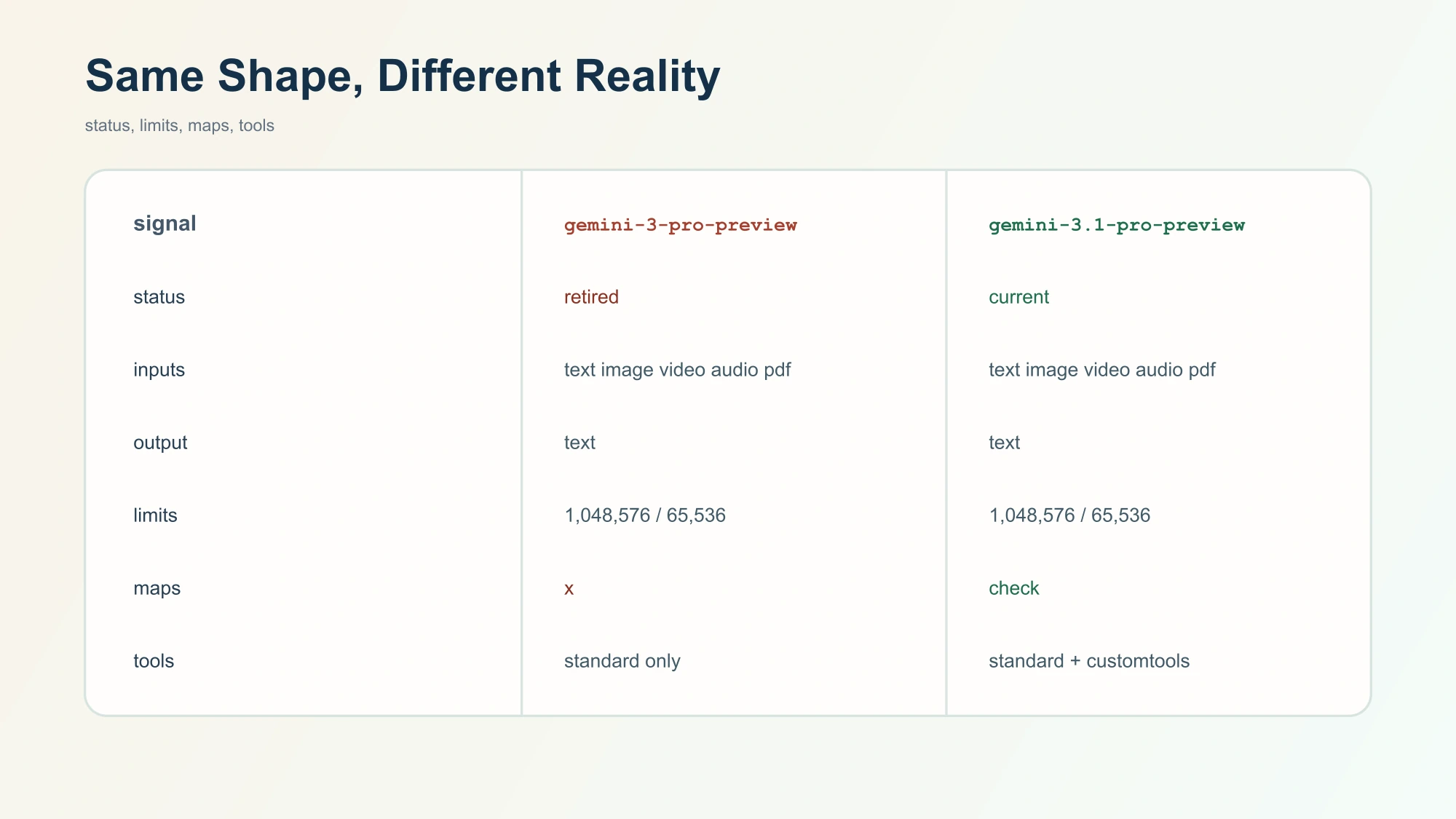
This is the compact comparison that matters now:
| Area | Gemini 3 Pro Preview | Gemini 3.1 Pro Preview |
|---|---|---|
| Current status | Deprecated and shut down | Current preview branch |
| Model ID | gemini-3-pro-preview | gemini-3.1-pro-preview |
| Replacement status | Migration source only | Google-listed replacement |
| Inputs | Text, image, video, audio, PDF | Text, image, video, audio, PDF |
| Output | Text | Text |
| Input limit | 1,048,576 | 1,048,576 |
| Output limit | 65,536 | 65,536 |
| Search grounding | Supported | Supported |
| Google Maps grounding | Not supported | Supported |
| Customtools endpoint | No separate path | gemini-3.1-pro-preview-customtools |
| Image generation | Not supported | Not supported |
| Live API | Not supported | Not supported |
Two details deserve extra emphasis.
The first is Maps grounding. If you are building anything location-sensitive, this alone is enough to stop comparing the two as if they were interchangeable.
The second is customtools routing. Developers building coding agents or multi-step tool workflows often care less about one more abstract benchmark point and more about whether the model chooses the right execution surface. A separate customtools endpoint is a real operational difference because it changes how you structure agent routing and which branch you test for tool-heavy tasks. If that is your use case, the fastest follow-up is our dedicated Gemini 3.1 Pro customtools guide.
One more naming trap is worth clearing out before it causes confusion: Gemini 3 Pro in this article means the retired text model gemini-3-pro-preview, not the separate Gemini 3 Pro image branch. Keep those branches separate, because they solve different jobs and do not belong in the same migration decision.
Pricing and Migration Implications
Google's current pricing page only gives you a trustworthy operational answer on the live branch, which is exactly what you should want. For standard Gemini 3.1 Pro requests, Google currently lists:
- Input:
$2.00per million tokens for prompts up to200k, then$4.00 - Output:
$12.00per million tokens for prompts up to200k, then$18.00 - Context caching:
$0.20then$0.40plus storage - Search grounding:
5,000prompts per month free, then$14 / 1,000 - Maps grounding:
5,000prompts per month free, then$14 / 1,000
For batch, Google currently lists:
- Input:
$1.00per million tokens up to200k, then$2.00 - Output:
$6.00per million tokens up to200k, then$9.00
That pricing matters for two reasons.
First, it tells you where to model future spend: on Gemini 3.1 Pro, not on screenshots or memory of older Gemini 3 Pro cards. Once a branch is shut down, stale price comparisons stop being useful planning tools.
Second, it reinforces how you should approach migration. If you were previously using Gemini 3 Pro as a general long-context reasoning branch, your next job is not merely to update the model string. Your next job is to validate the live 3.1 Pro branch on the workloads that actually drive your bill:
- Long-context prompts that cross the
200kthreshold - Tool-heavy workflows that may benefit from
-customtools - Grounded requests that might now use Maps
- Reasoning-intensive calls where output and thinking token costs matter most
If you need a practical setup path after the comparison, use the Gemini 3.1 Pro API guide. If your real concern is how to route reasoning cost after migration, the next read is the Gemini 3.1 Pro thinking-level guide.
A Safe Migration Checklist
The right migration mindset is focused, not casual.
Start with the obvious step: replace gemini-3-pro-preview with gemini-3.1-pro-preview. But do not stop there. An official replacement is not a guarantee of identical behavior, especially when Google is explicitly positioning the new model around better thinking, better token efficiency, and more reliable tool use.
This is the checklist worth running:
- Update the model ID in every environment, script, and background job.
- Re-run prompt evaluations for your highest-value flows instead of assuming old behavior maps cleanly.
- Re-check grounding paths, especially if Maps grounding is relevant now.
- Test tool-calling behavior and decide whether the standard endpoint or
-customtoolsshould be your default for agents. - Review cost behavior for long-context and reasoning-heavy traffic on the live pricing page.
- Remove stale documentation inside your own repo so teammates do not continue treating Gemini 3 Pro as a valid new-project option.
That is enough for most teams. You do not need to turn this into a six-week model migration program. But you do need to stop treating Gemini 3 Pro as if it were still a branch you can reasonably choose.
When Gemini 3.1 Pro Is Still the Wrong Model
The replacement story does not mean Gemini 3.1 Pro is the answer to everything.
Google's current model page still says image generation is not supported and Live API is not supported for Gemini 3.1 Pro. So if your actual workload is "generate images," "run a voice-first real-time session," or "pick the cheapest possible high-volume text path," you are already asking the wrong question if you start from a Pro-versus-Pro migration frame.
That is useful because it stops one bad migration habit early: moving from a retired branch to the nearest-sounding current branch even when the workload itself should move somewhere else. Replace the old Pro branch only if the old Pro branch was solving the right kind of job in the first place.
FAQ
Is Gemini 3 Pro still available?
No. Google marks gemini-3-pro-preview as deprecated and shut down on March 9, 2026.
What replaces Gemini 3 Pro?
Google points developers to gemini-3.1-pro-preview.
Did the token limits change?
No. The current model pages list the same headline limits for both branches: 1,048,576 input and 65,536 output tokens.
What is the biggest practical new capability in Gemini 3.1 Pro?
For most developers, it is the combination of Google Maps grounding support and the separate gemini-3.1-pro-preview-customtools endpoint for tool-heavy agents.
Can I treat the migration as a drop-in replacement?
No. The broad contract is similar, but you should still re-test prompts, tool behavior, grounding paths, and costs.
Should I compare Gemini 3.1 Pro to Gemini 3 Pro Image?
No. That is a different branch and a different job. This article is about the retired text model gemini-3-pro-preview.
The clean conclusion is short: Gemini 3 Pro is retired, Gemini 3.1 Pro is the current branch, and the useful comparison today is not who wins a stale head-to-head. It is what changed enough to matter while you migrate.