Gemini 3.1 Flash Live Free API: Is It Actually Free in 2026?
Gemini 3.1 Flash Live still shows free API pricing in March 2026, but that is only the first layer of the answer. This guide explains what is actually free, where your real limits now live, and when free is the wrong contract for a voice app.
On this page
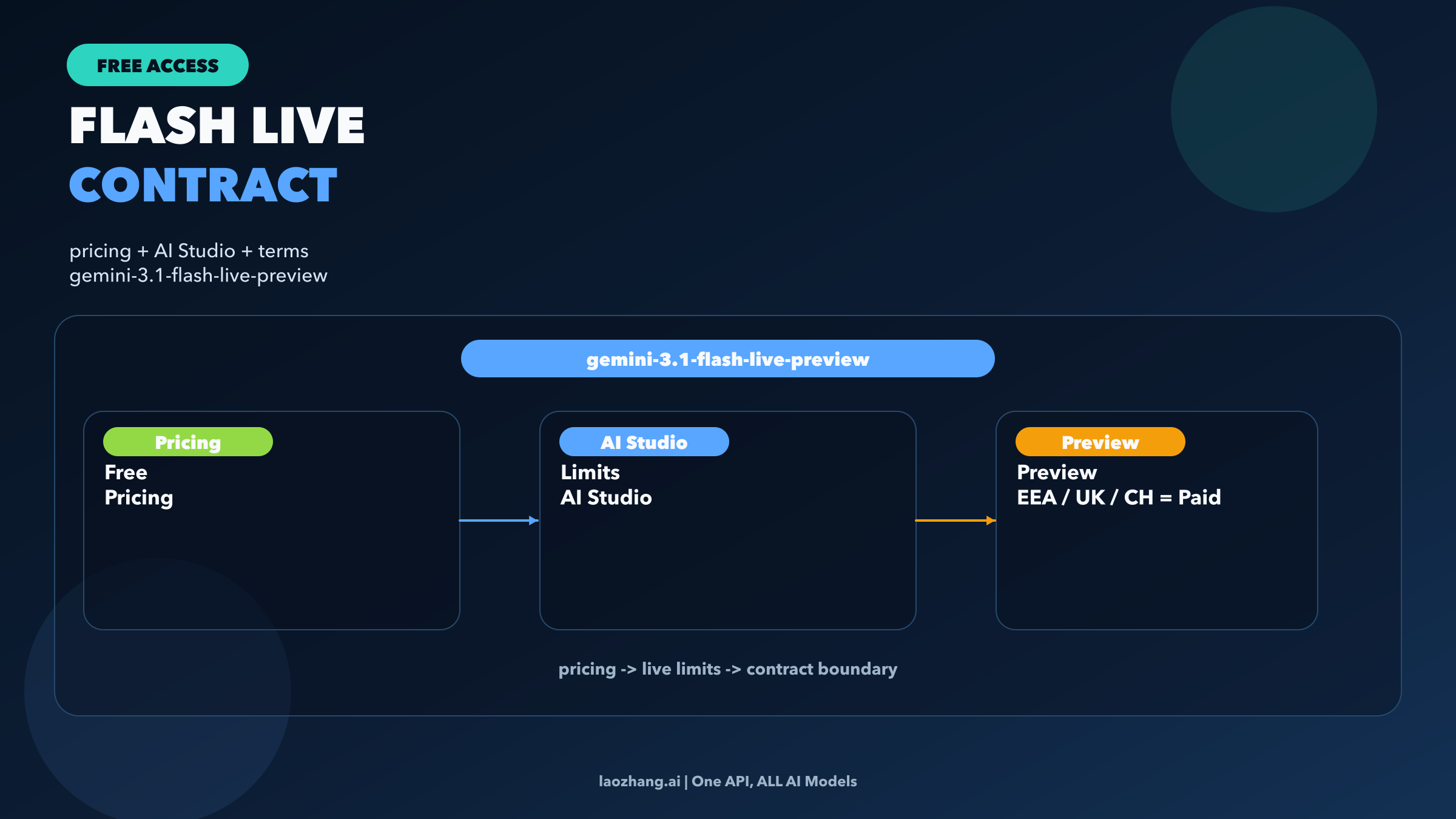
Yes. As of March 29, 2026, Google's pricing page still lists gemini-3.1-flash-live-preview as Free of charge in the Gemini API. The exact model is gemini-3.1-flash-live-preview, and the runtime surface is the Gemini Live API. If your question is simply "Can I try Gemini 3.1 Flash Live without paying?" the answer is yes.
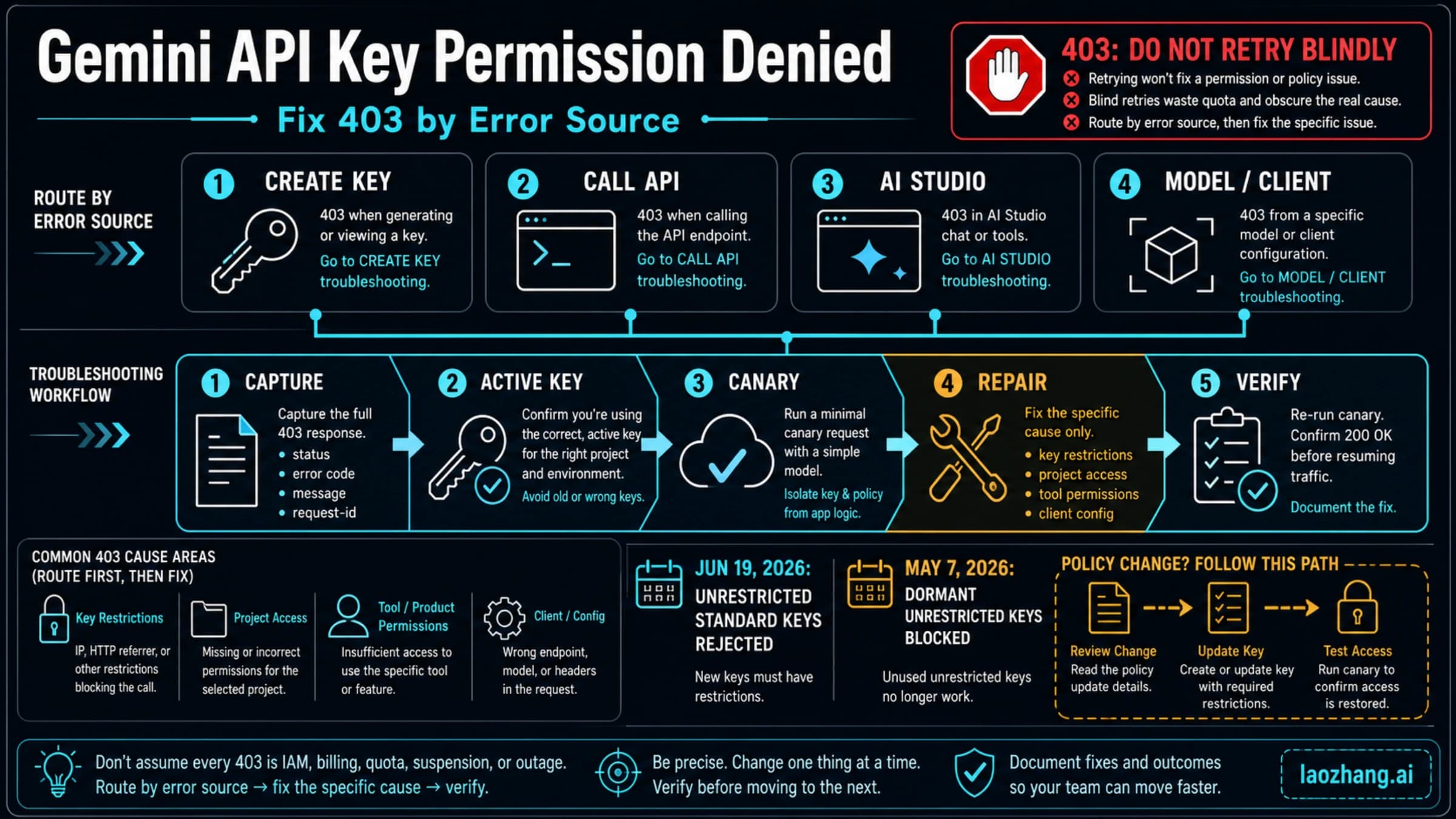
But that is only the first layer of the answer. Google no longer treats one public quota table as the final contract for Gemini API usage. The current rate-limits page sends you to AI Studio for your active limits, says rate limits are per project, and explicitly warns that specified limits are not guaranteed. On top of that, Flash Live is still a preview model, unpaid quota can be used to improve Google's products, and Google says API clients for users in the EEA, Switzerland, or the UK must use paid services.
If you want one practical rule, use the free route for evaluation, internal demos, and low-risk prototypes. Do not mistake it for a stable production voice contract.
Verification note: this article was refreshed against Google's pricing, rate-limits, billing, model, Live API, ephemeral-token, and Gemini API terms pages on March 29, 2026.
TL;DR
| Question | Current answer |
|---|---|
| Is Gemini 3.1 Flash Live free in the API? | Yes. Google's pricing page still lists gemini-3.1-flash-live-preview as Free of charge. |
| What API surface do I actually use? | Gemini Live API |
| Does that mean there is one fixed public quota table you can trust? | No. Google now routes the exact live limit answer to AI Studio and says specified limits are not guaranteed. |
| What is the exact model string? | gemini-3.1-flash-live-preview |
| Where do I check my real limits? | In the AI Studio rate-limit view for the exact project you plan to use. |
| Is free tier good for production? | Usually no. The model is preview, unpaid usage has different data handling, and some regions require paid services for user-facing API clients. |
| What does it cost after free? | $0.75 / 1M text input, $3.00 / 1M or $0.005 / min audio input, $1.00 / 1M or $0.002 / min image/video input, $4.50 / 1M text output, and $12.00 / 1M or $0.018 / min audio output. |
| Fastest safe way to test it? | Confirm the pricing row, open AI Studio to view live limits, then start server-side or use Live-API ephemeral tokens for browser access. |
What "free" means for Gemini 3.1 Flash Live now
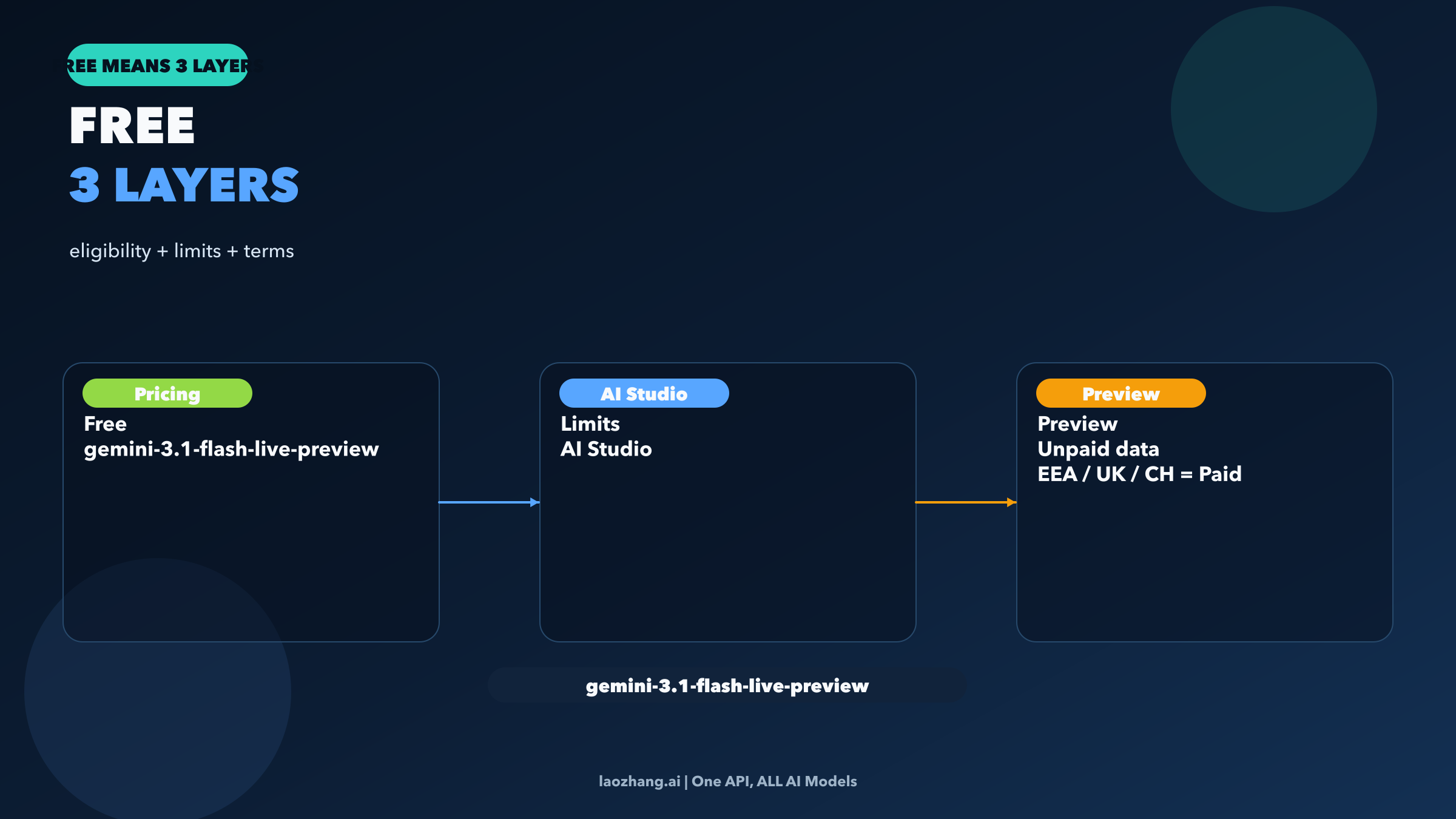
The cleanest way to think about Flash Live free access is to split it into two separate questions.
Question one: is this model still free-capable in the Gemini API at all?
Right now, yes. Google's pricing page has a dedicated section for Gemini 3.1 Flash Live Preview, shows the model code gemini-3.1-flash-live-preview, and marks both the input and output rows in the Free Tier column as Free of charge.
Question two: what exact quota does my project get today?
That is no longer something a blog can answer with one universal number card. Google's current rate-limits page says:
- limits are measured across RPM, TPM, and RPD
- limits are applied per project, not per API key
- RPD resets at midnight Pacific time
- preview and experimental models are more restricted
- specified rate limits are not guaranteed
Then it sends you to AI Studio to see the active answer for your account.
That is the important correction. For Flash Live in 2026, free eligibility is a pricing-page answer. Live capacity is an AI Studio answer.
This distinction matters because many developers still carry an older mental model: "if a model is free, the public docs must also tell me the full exact quota." Google is not presenting the contract that way anymore. The safer workflow is:
- confirm the model is free-capable on the pricing page
- open AI Studio and read the active limit for the exact model and project
- decide whether that live limit is enough for the workload you actually want to run
If your real question is broader than Flash Live, use our full Gemini API free-tier guide. That article covers the wider model map. This one is narrower: whether the Live route is still worth treating as a free API starting point.
The free contract is narrower than the label makes it sound
This is the part most “free API” articles underplay.
First, Flash Live is still preview.
Google's model page labels gemini-3.1-flash-live-preview as Preview, and the preview terms say services identified as preview are not for production use. That is already enough to weaken the usual free-tier fantasy where a team prototypes on free and then quietly keeps the same route in production forever.
Second, unpaid usage has different data handling.
Google's terms say that when you use unpaid services, including unpaid Gemini API quota, Google may use your submitted content and generated responses to provide, improve, and develop Google products and services. The same terms also say human reviewers may read, annotate, and process your API input and output.
That does not automatically make free access unusable. It does change the contract. If you are evaluating prompts, demoing a voice workflow internally, or doing low-risk prototyping, that may be acceptable. If you are handling sensitive customer conversations, internal company data, or anything that already needs a stronger privacy story, it usually is not.
Third, user-facing deployment in some regions already forces your hand.
Google's terms say that API clients made available to users in the European Economic Area, Switzerland, or the United Kingdom may use only Paid Services. So even if Flash Live still looks free-capable in the pricing table, that free route is not the right contract for a public product there.
The practical result is simple:
- good fit for free: evaluation, low-risk experiments, internal demos, lab prototypes
- bad fit for free: production voice apps, privacy-sensitive workflows, public European deployment, or any system that needs a stable contractual capacity promise
That is why “yes, it is free” is true but incomplete.
What it costs after free, and why the math is not scary until volume shows up
Once free stops being enough, Google's current paid pricing for Flash Live is straightforward enough to model:
| Paid line item | Current price |
|---|---|
| Text input | $0.75 / 1M tokens |
| Audio input | $3.00 / 1M tokens or $0.005 / min |
| Image / video input | $1.00 / 1M tokens or $0.002 / min |
| Text output | $4.50 / 1M tokens |
| Audio output | $12.00 / 1M tokens or $0.018 / min |
| Search grounding | 5,000 free prompts per month shared across Gemini 3, then $14 / 1,000 queries |
The nice part is that Live pricing includes minute-based numbers, so you do not have to pretend every developer wants to estimate voice cost in tokens.
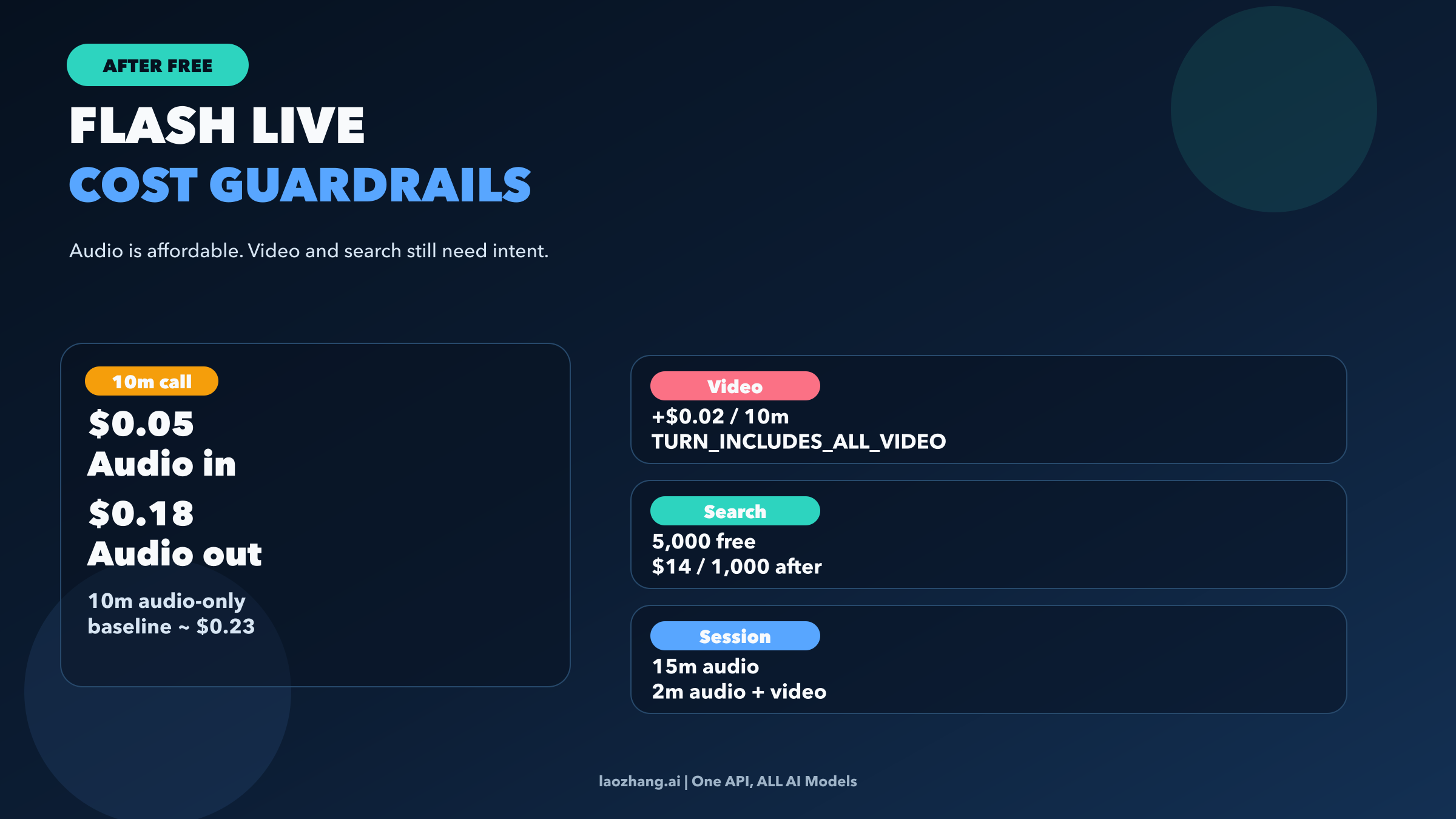
Here is the rough baseline for an audio-only call:
- 10 minutes of incoming audio at
$0.005 / minis about $0.05 - 10 minutes of outgoing audio at
$0.018 / minis about $0.18 - total baseline: about $0.23 for a 10-minute two-way call before you add text, search, or video
That means the paid route is not outrageously expensive for real testing. A team that runs:
- 100 ten-minute calls is at roughly $23
- 1,000 ten-minute calls is at roughly $230
Those are not exact all-in numbers, because real sessions vary and search or text still add to the bill. But they are directionally useful. The moment you know free is the wrong contract, paid Flash Live is still cheap enough for serious small-scale validation.
The real cost guardrails are elsewhere:
Always-on video is not free decoration.
The Live docs say the default turn coverage now includes all video frames, not just detected activity. That is a runtime and cost decision. If your product is mainly voice and only occasionally needs camera input, you should gate video more aggressively than the naive “just stream everything” approach.
Search grounding is powerful but no longer invisible after the free allotment.
Google currently gives 5,000 free grounded prompts per month shared across Gemini 3, then charges $14 / 1,000 queries. That is not necessarily a deal-breaker, but it is another reason not to think of “free Live model” as the whole cost story.
Session shape matters more than people expect.
Audio-only sessions are limited to 15 minutes, and audio-plus-video sessions to 2 minutes, unless you adopt session-management techniques. So if you are trying to turn a free prototype into a longer-lived voice product, runtime architecture becomes part of the cost conversation.
How to test Flash Live safely in 3 steps
You do not need a giant setup project to answer the “free or not?” question cleanly.
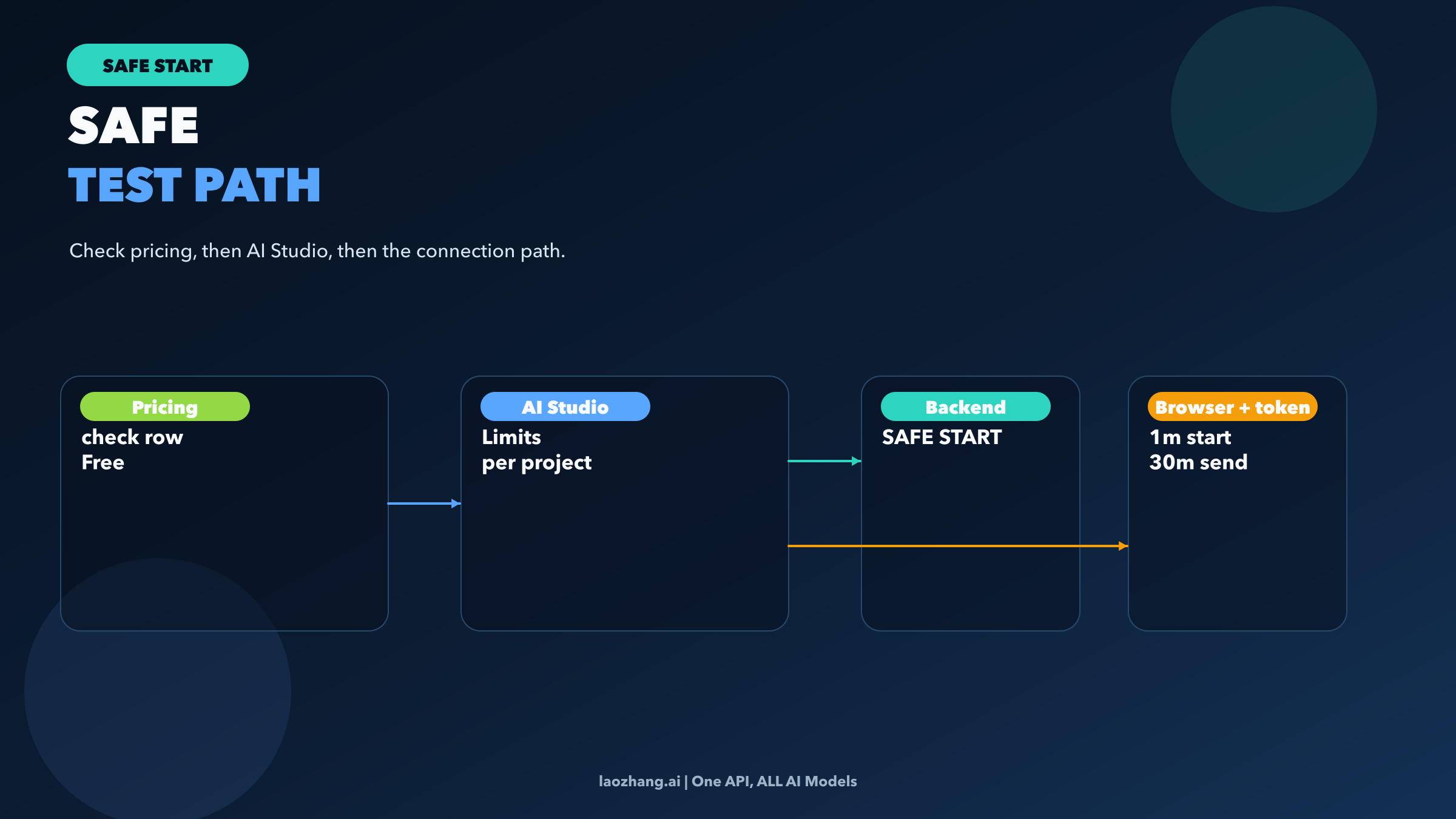
Step 1: Confirm the current model row.
Open the pricing page and check the Gemini 3.1 Flash Live Preview section, not a cached blog screenshot. Make sure the model string is still gemini-3.1-flash-live-preview and that the Free Tier row still says Free of charge.
Step 2: Open AI Studio for the real limit answer.
Use the AI Studio rate-limit page for the exact project you plan to use. This is where Google's own docs now tell you to view active limits. If the project, billing state, or account status changes, those limits can change too.
Step 3: Choose a safe connection path.
If you are just validating the model, start server-side. If you need browser-direct access later, Google's documented safe route is ephemeral tokens, not exposing a long-lived API key in the frontend. The ephemeral-token guide says these tokens are currently Live-API-only, that the client uses the token as if it were an API key, and that the default timing is 1 minute to start a new session plus 30 minutes to keep sending messages on that connection.
That is enough to validate the contract.
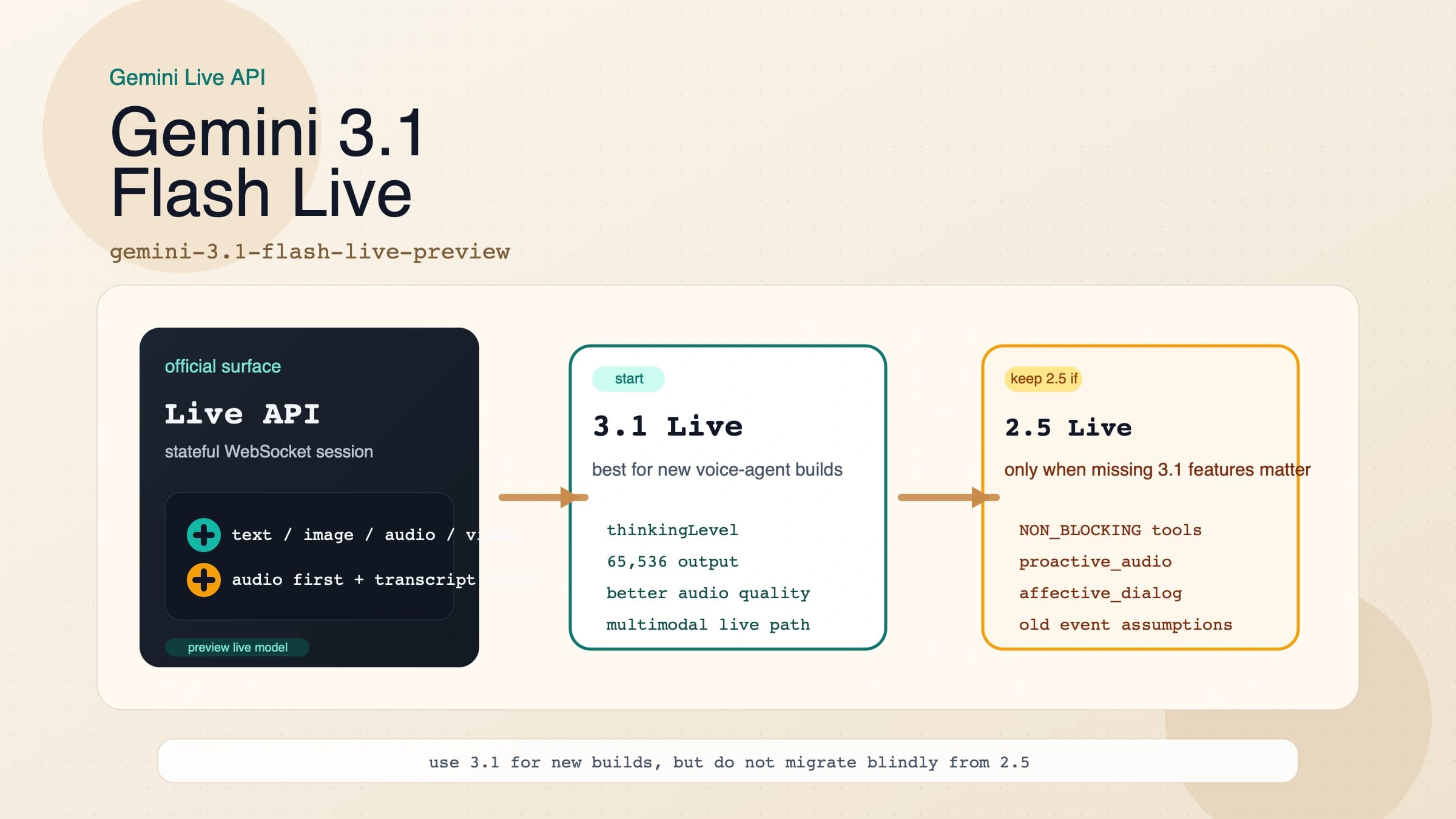
If you already know free access is not the question anymore and you need the deeper runtime picture, go straight to our Gemini 3.1 Flash Live guide. That article is the better fit for migration details, SDK patterns, event handling, and browser-auth implementation.
When to stay free, when to move paid, and what to read next
The easiest mistake with this topic is treating it like a binary question. It is not really “free or paid.” It is “what contract fits the job I have right now?”
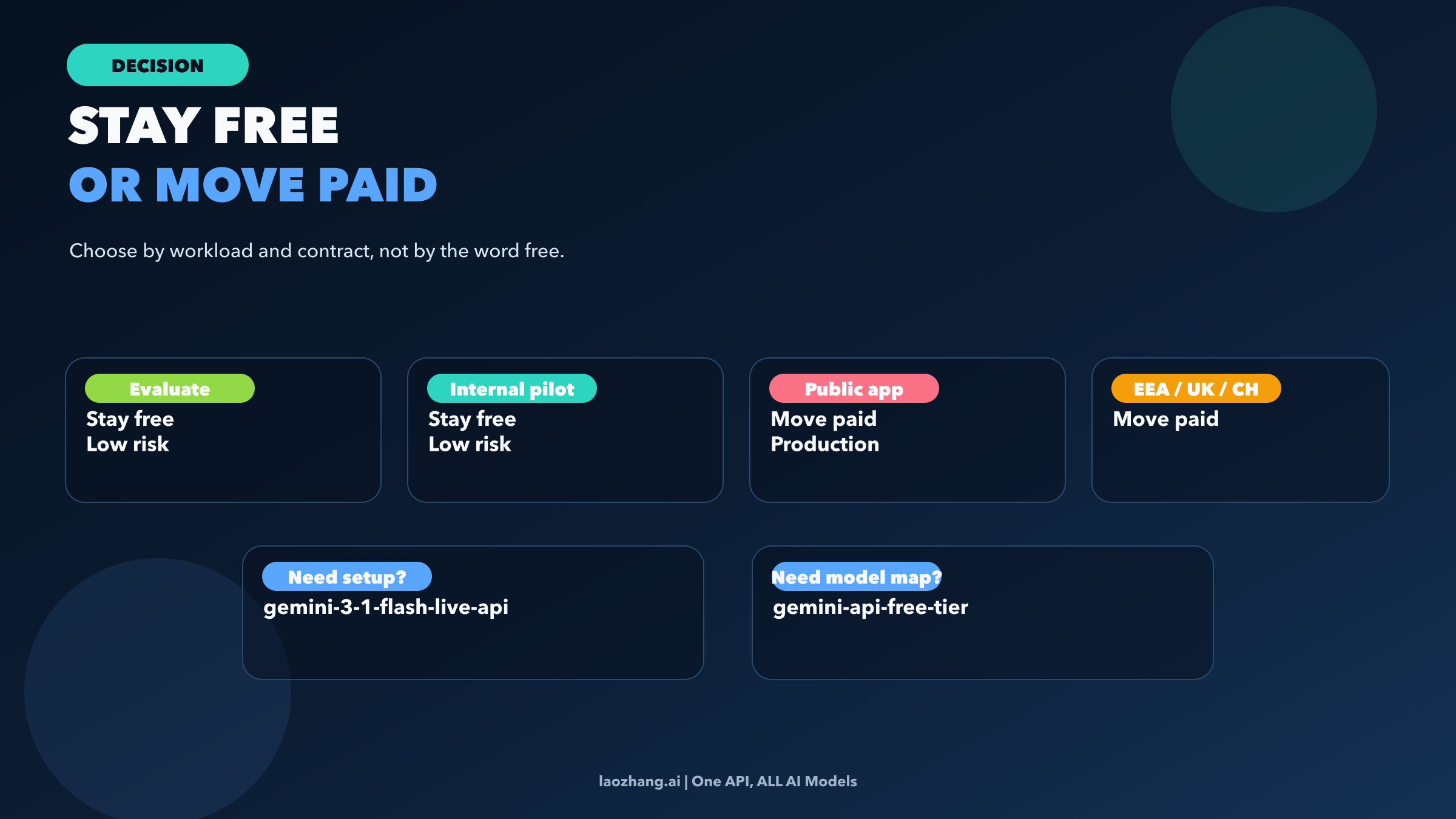
Stay on free Flash Live when all of these are mostly true:
- you are still validating whether the model is good enough
- the workload is low-risk
- the deployment is internal, prototype-level, or temporary
- your data sensitivity is low enough for unpaid-service handling
- you are not building a public product for users in the EEA, Switzerland, or the UK
Move to paid Flash Live when the technical route still fits, but the free contract does not:
- you need a cleaner privacy posture
- you need a billing-backed operational path
- you are outgrowing free evaluation capacity
- you want to test realistic production traffic without pretending that AI Studio's current free limit is your long-term contract
Move to a different article when the question itself has changed:
- if you are comparing Gemini free routes more broadly, read Gemini API free-tier limits 2026
- if you need Flash Live setup, migration, or session design, read Gemini 3.1 Flash Live API
- if free voice is no longer the issue and you actually need a stronger paid reasoning route, read Gemini 3.1 Pro API
That last point is important. Many developers think they want “the free Flash Live API” when what they really want is either a cheap evaluation route or a separate paid model with a different workload shape. Flash Live is specifically for real-time, low-latency, voice-first interaction. If your workload is not that, forcing the free label to drive the model choice is usually a mistake.
FAQ
Is Gemini 3.1 Flash Live free only in AI Studio, or free in the API too?
As of March 29, 2026, Google's pricing page still lists gemini-3.1-flash-live-preview as Free of charge in the Gemini API, not just as an AI Studio playground experience.
Where do I see the exact limit for my account?
In AI Studio, not in one universal static table. Google's current rate-limits docs tell you to view active limits there and say specified limits are not guaranteed.
Can I use the free route for production?
That is the wrong default assumption. Flash Live is still a preview model, and Google's preview terms say preview services are not for production use. Even before capacity becomes a problem, the contract itself can already be wrong.
Can I call Flash Live directly from a browser app?
Yes, but the safe documented path is to mint ephemeral tokens on your backend and let the client use those for the Live API session. Do not expose a long-lived API key in the browser.
Does “free” mean I should ignore the paid pricing?
No. The paid pricing tells you what happens the moment the experiment becomes real. For Flash Live, the useful numbers are already simple enough to model in minutes, so you should know the cost shape before you build a workflow that cannot survive the jump.
The practical takeaway
Gemini 3.1 Flash Live is still genuinely free-capable in the Gemini API today. That part is real. But the stronger answer is this:
- the pricing page tells you the model is eligible
- AI Studio tells you the live quota your project currently sees
- the terms tell you whether free is even the right privacy, preview, and regional contract
That is why the right recommendation is not “Flash Live is free, go ship it.” The right recommendation is:
Use free Flash Live to learn, test, and prototype. Move to paid or to a different route the moment you need a production contract instead of a free evaluation path.