Gemini 3.1 Flash Live API: Model ID, Pricing, and Quickstart Guide (March 2026)
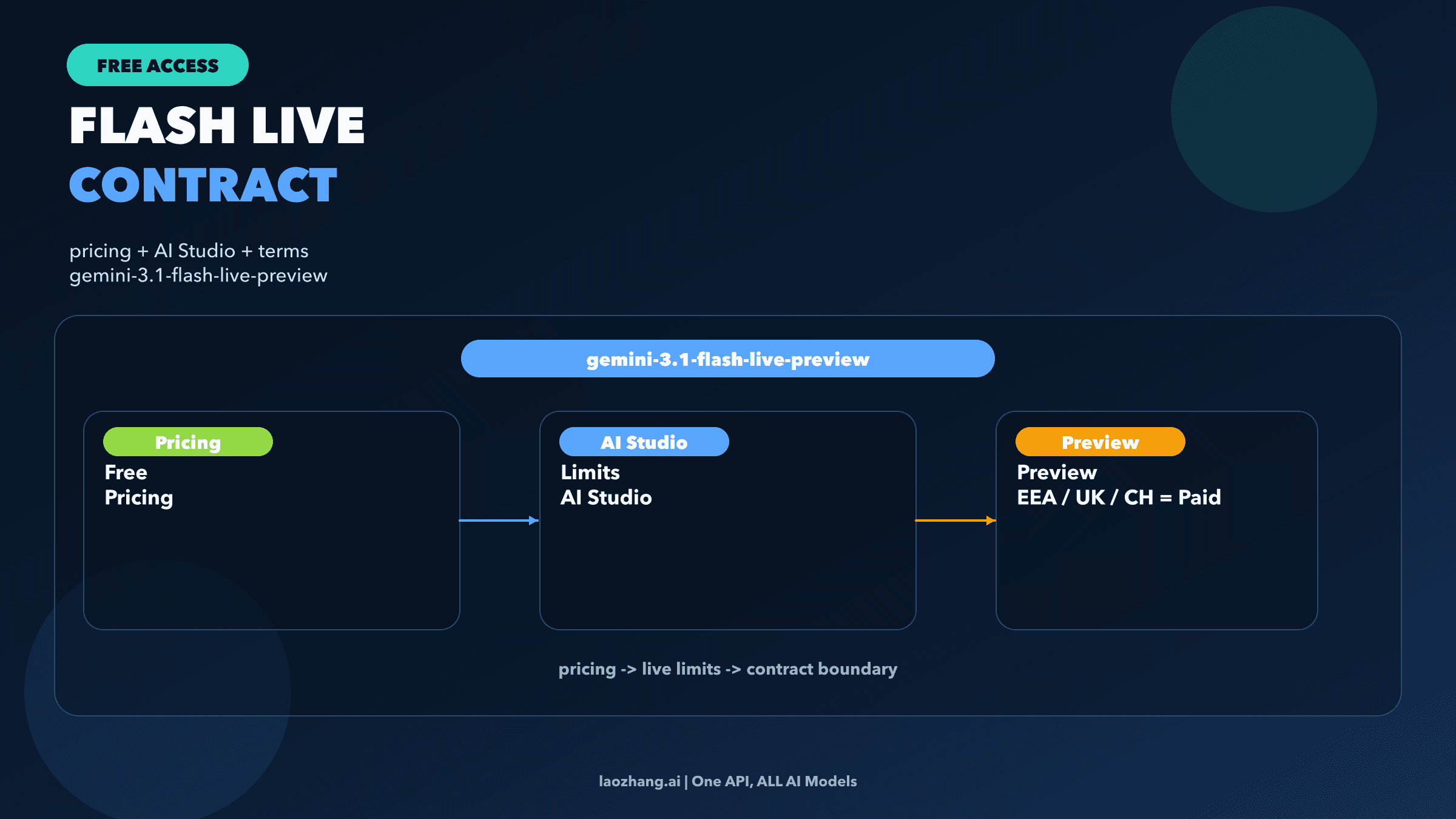
If you mean Google's new real-time voice model, the official model ID is `gemini-3.1-flash-live-preview` and you use it through the Gemini Live API. Start new voice-agent work on 3.1, but do not assume it is a drop-in replacement for Gemini 2.5 Flash Live.
On this page
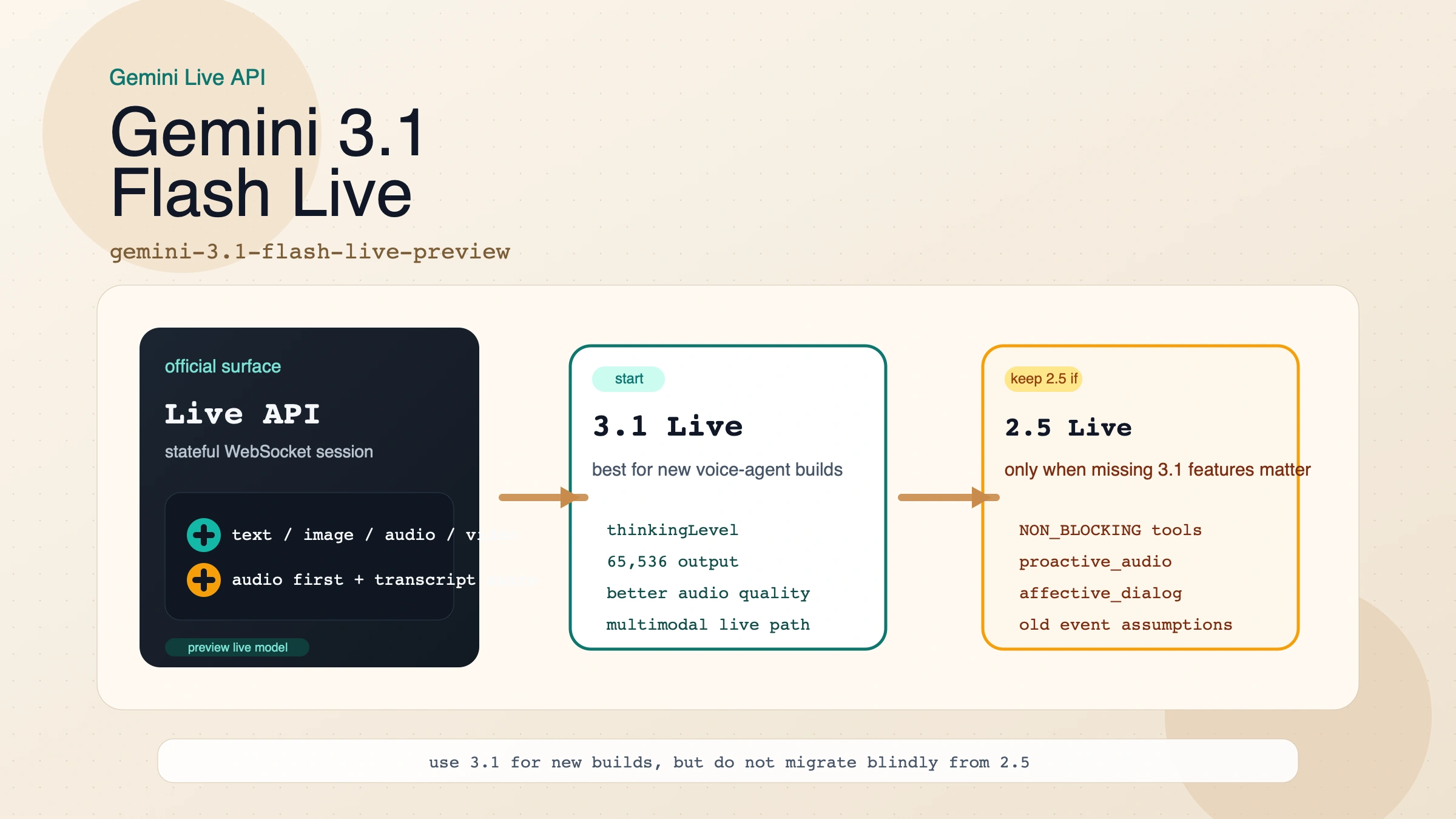
If by "Gemini 3.1 Flash Live API" you mean Google's new real-time voice model, the official model you want is gemini-3.1-flash-live-preview, and the API surface is the Gemini Live API. That naming matters because Google split the useful details across several pages: the model page, the Live API overview, the capabilities guide, the pricing page, the ephemeral token guide, and the March 26, 2026 launch post.
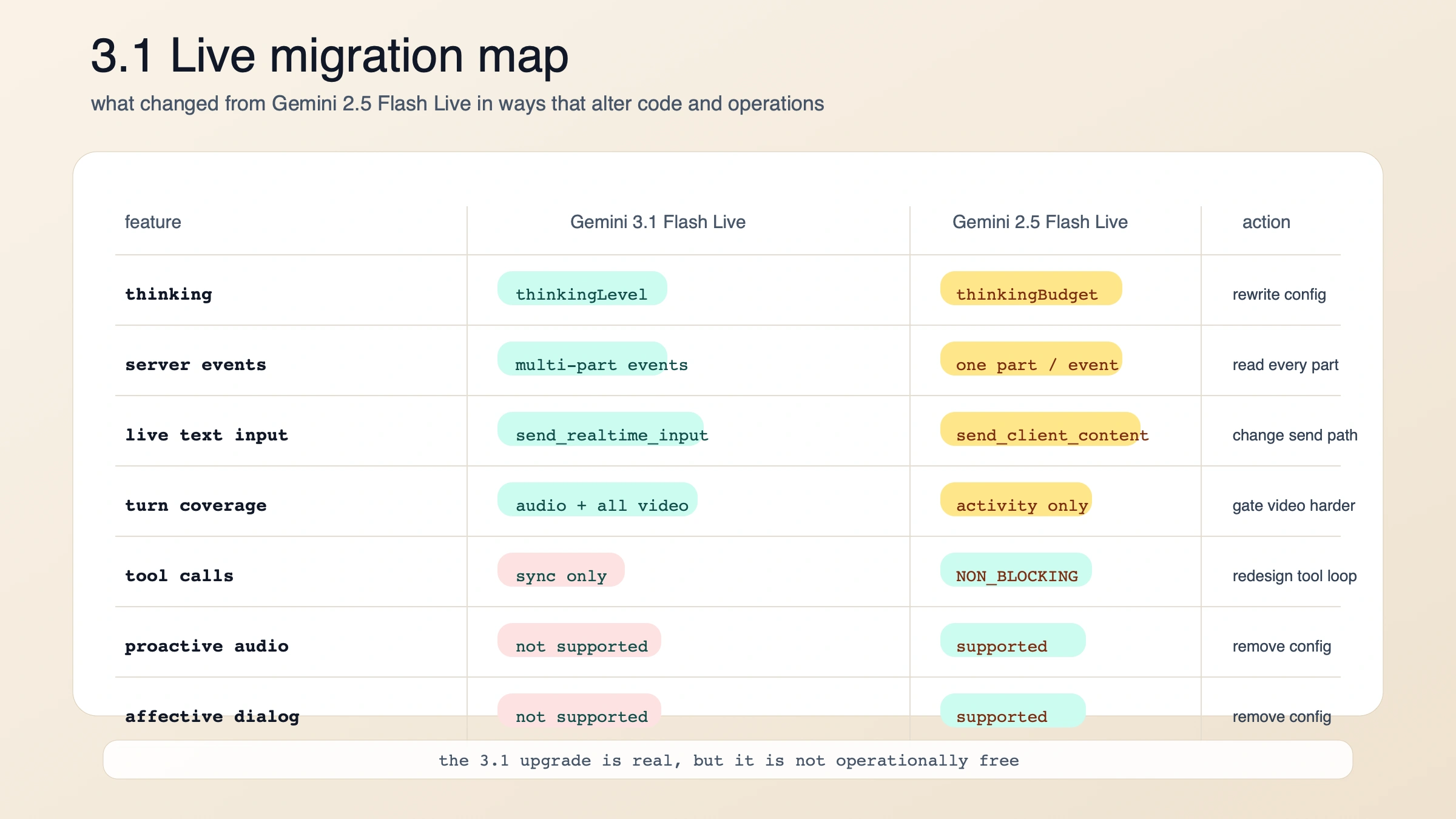
The short answer is this: start new low-latency voice-agent builds on Gemini 3.1 Flash Live today. But do not treat it as a clean drop-in upgrade from gemini-2.5-flash-native-audio-preview-12-2025. Google improved the voice quality, latency posture, and operational ceiling, yet it also changed the thinking config, server event shape, incremental input model, and tool-use behavior. If your 2.5 stack depended on async function calling, proactive audio, or affective dialog, migrating blindly will make your app worse before it makes it better.
Evidence note: this guide is based on Google's official developer docs and launch post, all rechecked on March 28, 2026. Where Google's own public pages still conflict or stay vague, I keep the uncertainty explicit instead of filling it in from memory.
TL;DR
| If you need to know this first | Current answer |
|---|---|
| Exact model ID | gemini-3.1-flash-live-preview |
| Exact API surface | Gemini Live API over a stateful WebSocket connection |
| Launch date | March 26, 2026 |
| Best starting use case | real-time voice agents that need low latency, multimodal awareness, and stronger audio quality |
| Default recommendation | start new voice-agent work on 3.1 |
| Main reason to stay on 2.5 for now | you still need async function calling, proactive audio, or affective dialog |
| Biggest migration changes | thinkingBudget becomes thinkingLevel, one server event can contain multiple parts, send_realtime_input replaces incremental send_client_content, and tool calls are synchronous only |
| Paid pricing shape | text in $0.75 / 1M tokens, audio in $3 / 1M tokens or $0.005 / min, image/video in $1 / 1M tokens or $0.002 / min, text out $4.50 / 1M tokens, audio out $12 / 1M tokens or $0.018 / min |
| Browser-safe path | mint ephemeral tokens on your backend, then connect directly from the client |
| Hidden gotcha | default turn coverage now includes all video frames, which can raise costs if you stream video continuously |
What Google actually launched on March 26, 2026
Google's launch post describes Gemini 3.1 Flash Live as its latest real-time audio model and says it is available to developers in preview through the Gemini Live API in Google AI Studio. The official model page narrows that into the exact developer contract: the model code is gemini-3.1-flash-live-preview, it accepts text, images, audio, and video, and it is built for low-latency dialogue with acoustic nuance detection, numeric precision, and multimodal awareness.
That may sound like a branding detail, but it clears up a common setup mistake. There is no separate standalone product called "Gemini 3.1 Flash Live API." There is a Gemini Live API, and this is one of the models you run on top of it. The Live API itself is a stateful WebSocket session designed for streaming interactions, interruptions, and continuous media, not a normal request-response loop like generateContent.
The model is stronger than a plain "voice bot" label suggests. Google's docs say it supports function calling and Google Search grounding, which means the intended use case is not passive speech synthesis. It is voice-ready agents that can hear, reason, call tools, and respond naturally in the same session. The same docs also state a January 2025 knowledge cutoff, so if your agent needs current information, you should plan to add search grounding or your own retrieval instead of assuming the model's base knowledge is enough.
There are two technical nuances worth catching early. First, the model page lists text and audio output, but the Live API capabilities guide says native audio models only support the AUDIO response modality. In practice, if you want readable text alongside the spoken response, Google's guidance is to use output audio transcription rather than assuming a plain text-only response path. Second, Google's launch post says all generated audio is watermarked with SynthID. If you are building consumer-facing voice experiences, that safety behavior is part of the product contract, not an afterthought.
Should you start with Gemini 3.1 Flash Live or stay on 2.5?
For new builds, Gemini 3.1 Flash Live is the right default. Google's own launch post positions it as the new top-quality audio model, and the migration notes show that the docs team expects people to move from gemini-2.5-flash-native-audio-preview-12-2025 to 3.1. But "move to 3.1" is not the same thing as "3.1 is a strict superset."
The practical question is whether your current app depends on capabilities that 2.5 still exposes and 3.1 does not. That is why the migration table matters more than the benchmark headlines.
| Practical difference | Gemini 3.1 Flash Live | Gemini 2.5 Flash Live |
|---|---|---|
| Model ID | gemini-3.1-flash-live-preview | gemini-2.5-flash-native-audio-preview-12-2025 |
| Launch / latest update | launched March 26, 2026 | latest update September 2025 |
| Output token limit | 65,536 | 8,192 |
| Thinking control | thinkingLevel with minimal, low, medium, high | thinkingBudget |
| Server event shape | one event can contain multiple parts at once | one part per event |
| Incremental text flow | send_client_content only seeds initial history; use send_realtime_input during live interaction | send_client_content works throughout the conversation |
| Default turn coverage | TURN_INCLUDES_AUDIO_ACTIVITY_AND_ALL_VIDEO | TURN_INCLUDES_ONLY_ACTIVITY |
| Async function calling | not supported | supported |
| Proactive audio | not supported | supported |
| Affective dialog | not supported | supported |
| Best fit today | new voice-agent builds and teams that want the newest model quality | existing 2.5 stacks that still depend on the missing 2.5-only features |
Two things jump out from that comparison.
First, 3.1 is better when your core problem is live conversation quality. Google's launch post says it improved tonal understanding, handles complex tasks more reliably, and performs better on audio-agent benchmarks. The output-token jump from 8,192 to 65,536 also gives 3.1 more room for richer turn handling and longer responses than the 2.5 model page advertised.
Second, 3.1 is not yet the safest choice for every existing 2.5 deployment. If your agent relied on behavior: NON_BLOCKING function declarations so the model could keep talking while tools ran in the background, that pattern does not carry over today. Google's capabilities guide is explicit that Gemini 3.1 Flash Live currently uses sequential tool calling only. The same is true if your product experience leaned on proactive audio or affective dialog. Those are 2.5-era capabilities that 3.1 has not brought forward yet.
So the decision is simple enough to use:
- If you are starting from zero, build on 3.1.
- If you already have a 2.5 production flow, migrate only after you check whether sync tools, changed event parsing, and missing 2.5-only features are acceptable.
Pricing is finally readable enough to model live voice cost
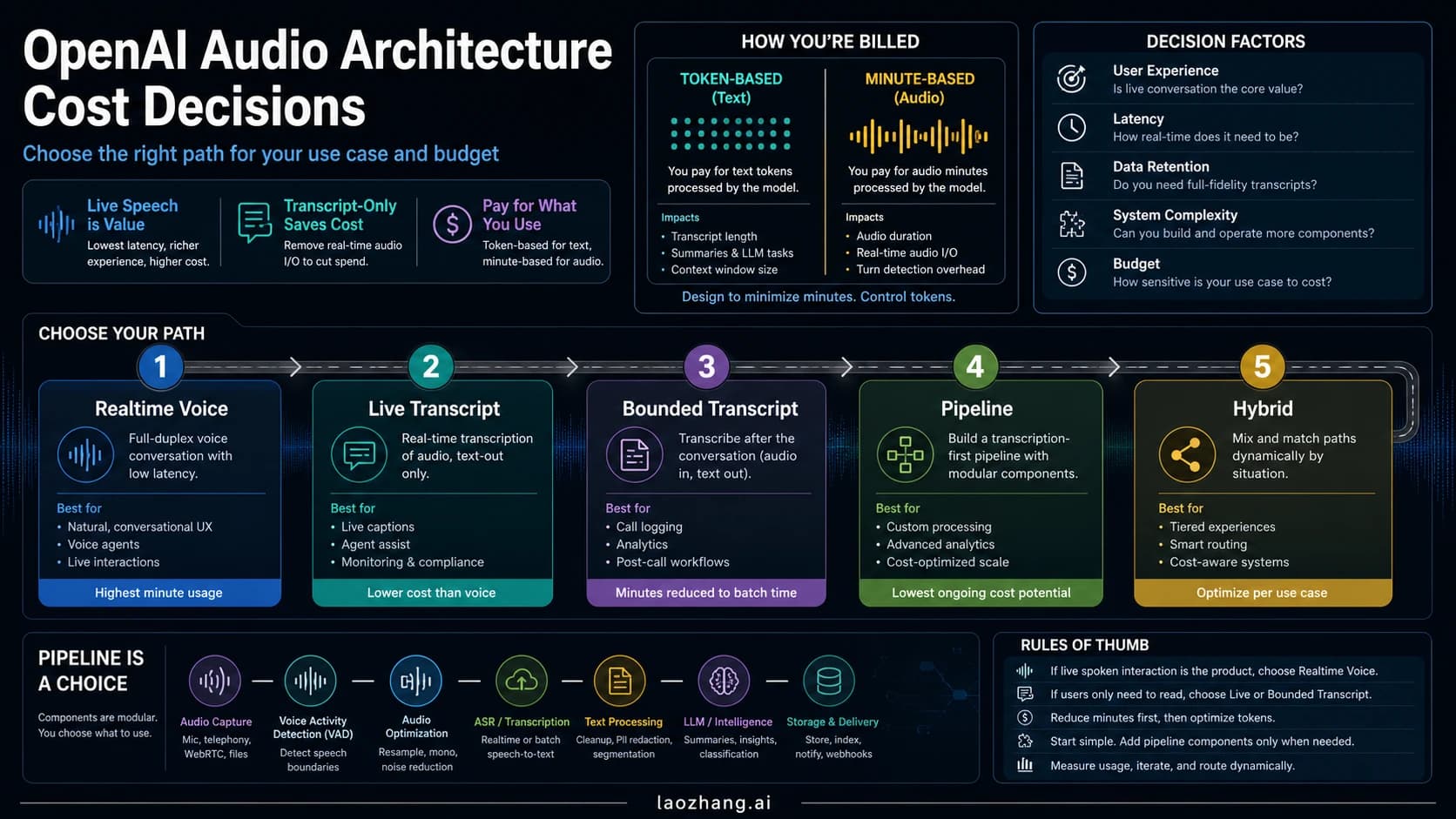
Google's pricing page is unusually useful here because it exposes both token-based and minute-based rates. For normal text models, developers often have to estimate everything from tokens. For a live voice product, per-minute pricing is much closer to how teams actually think about support calls, tutoring sessions, intake flows, and voice copilots.
| Meter | Current paid pricing |
|---|---|
| Text input | $0.75 / 1M tokens |
| Audio input | $3.00 / 1M tokens or $0.005 / minute |
| Image/video input | $1.00 / 1M tokens or $0.002 / minute |
| Text output | $4.50 / 1M tokens |
| Audio output | $12.00 / 1M tokens or $0.018 / minute |
| Grounding with Google Search | 5,000 free prompts per month shared across Gemini 3, then $14 / 1,000 search queries |
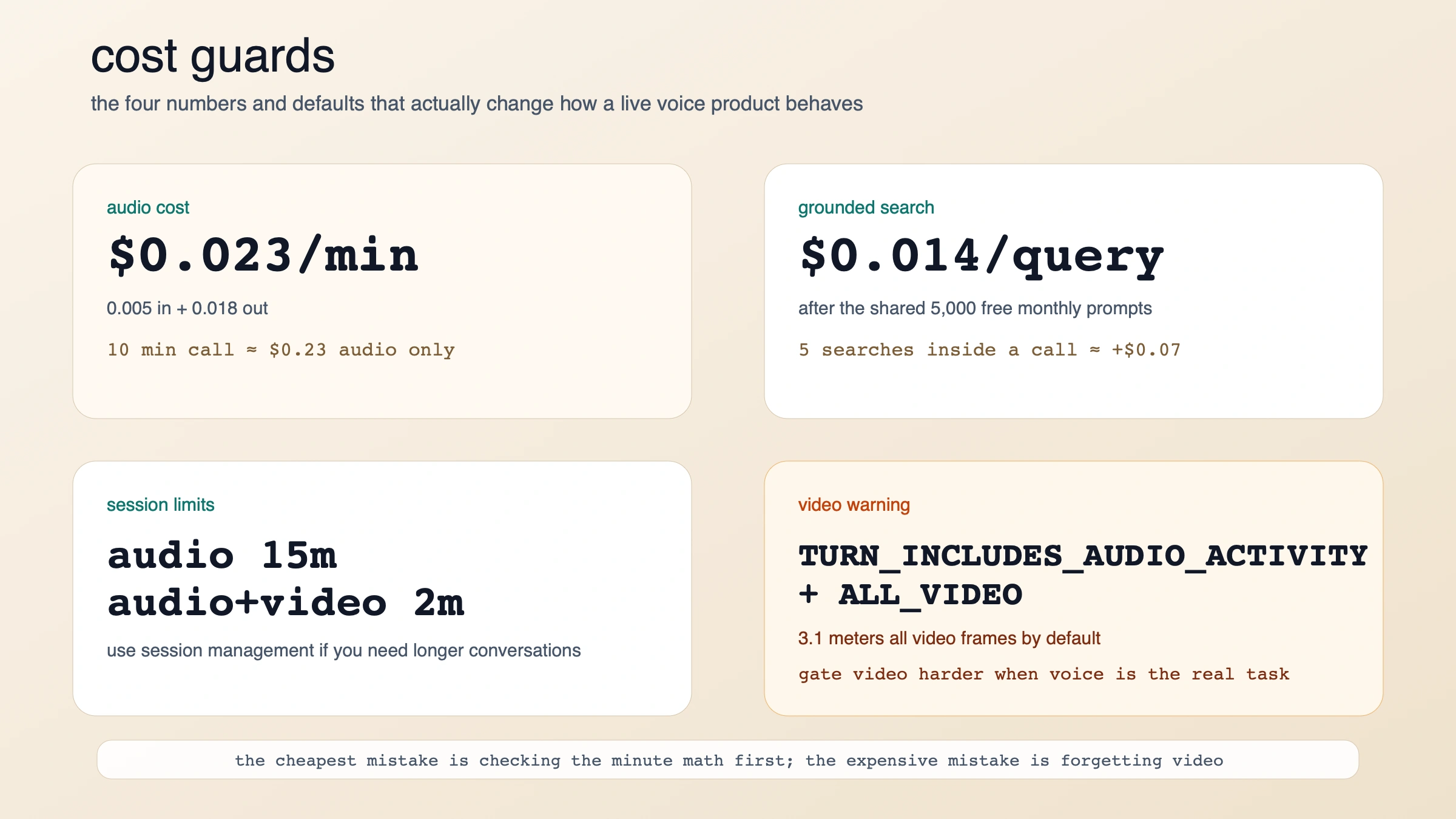
That lets you do useful operator math immediately. If you assume a voice session with continuous audio flowing both ways, the official per-minute rates imply roughly $0.023 per minute of audio traffic alone. That means a 10-minute session is about $0.23 before you add search grounding, images, video, app overhead, or your own infrastructure. That is not a quote from Google. It is a direct calculation from the published $0.005 / minute input-audio rate plus the $0.018 / minute output-audio rate.
Search grounding is the other cost line that deserves more attention than it usually gets. At $14 / 1,000 search queries after the free shared allowance, each grounded query is about $0.014. Five searches inside a live call adds around $0.07. That is still not expensive in absolute terms, but it becomes material if your product grounds aggressively on every turn.
The more dangerous cost trap is video. Google's 3.1 migration notes say the default turn coverage now includes all video frames instead of only detected activity. If your old 2.5 app kept a camera stream running continuously while voice was the real task, 3.1 can quietly meter more image/video input than you expected. That is why a low-latency audio agent should not casually stream video just because the API allows it.
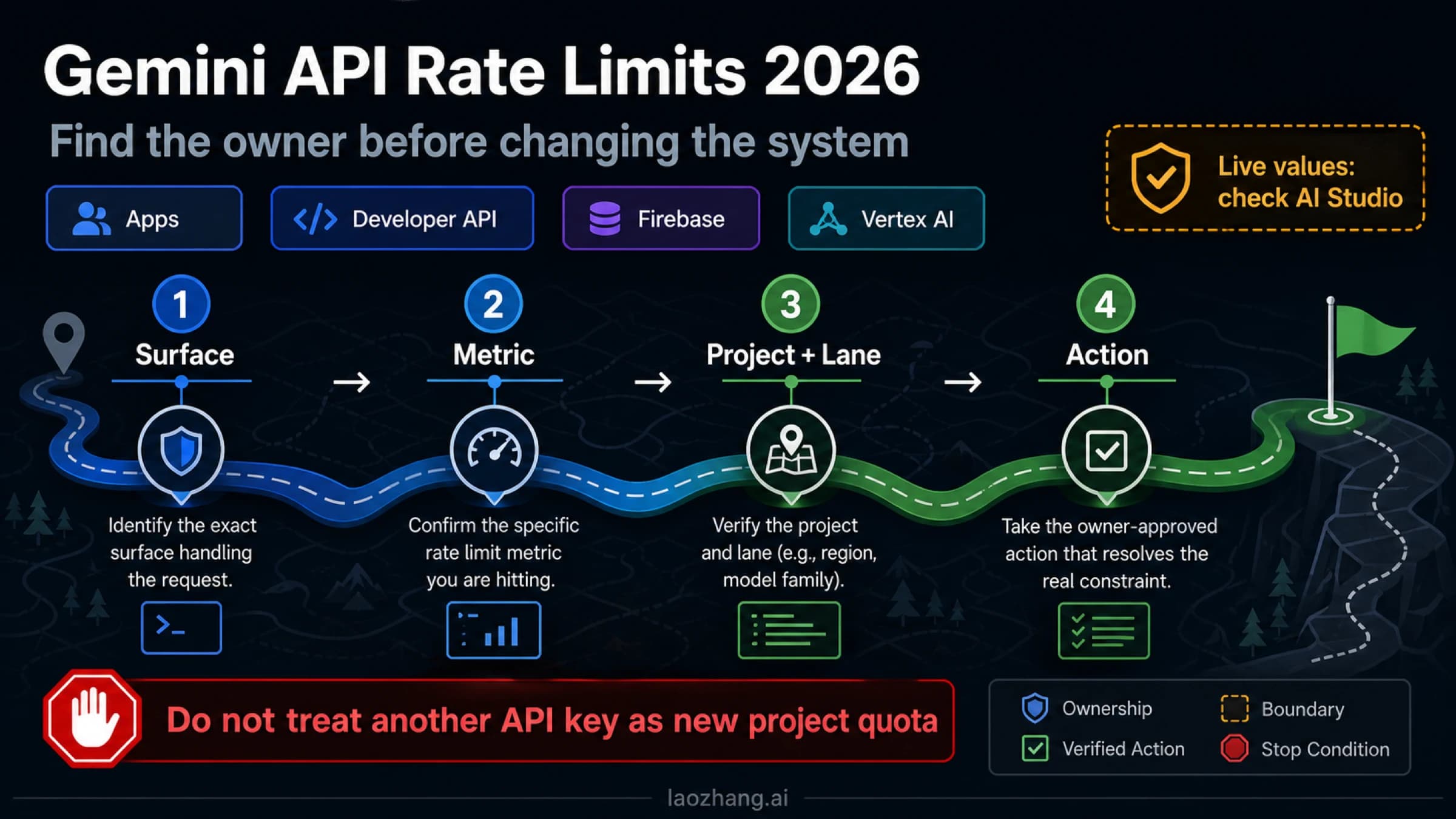
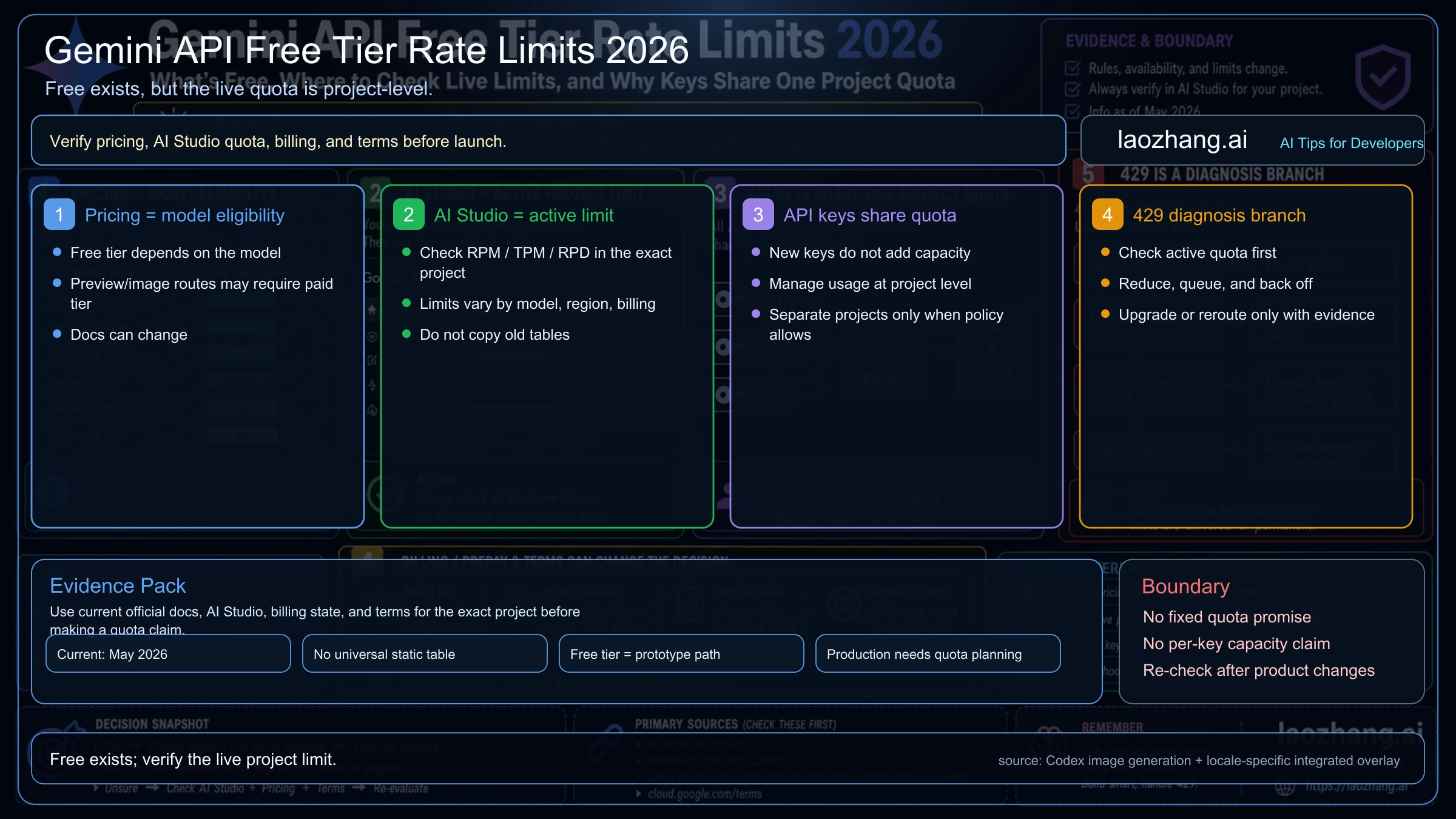
One thing Google does not publish cleanly on the public docs page is exact Live-model RPM/RPD by tier. The rate-limits page tells developers to check AI Studio for their active quotas, and it also warns that preview models have tighter limits. That is the right place to be conservative. Use the public pricing page for cost shape, but use AI Studio for the current quota reality in your project.
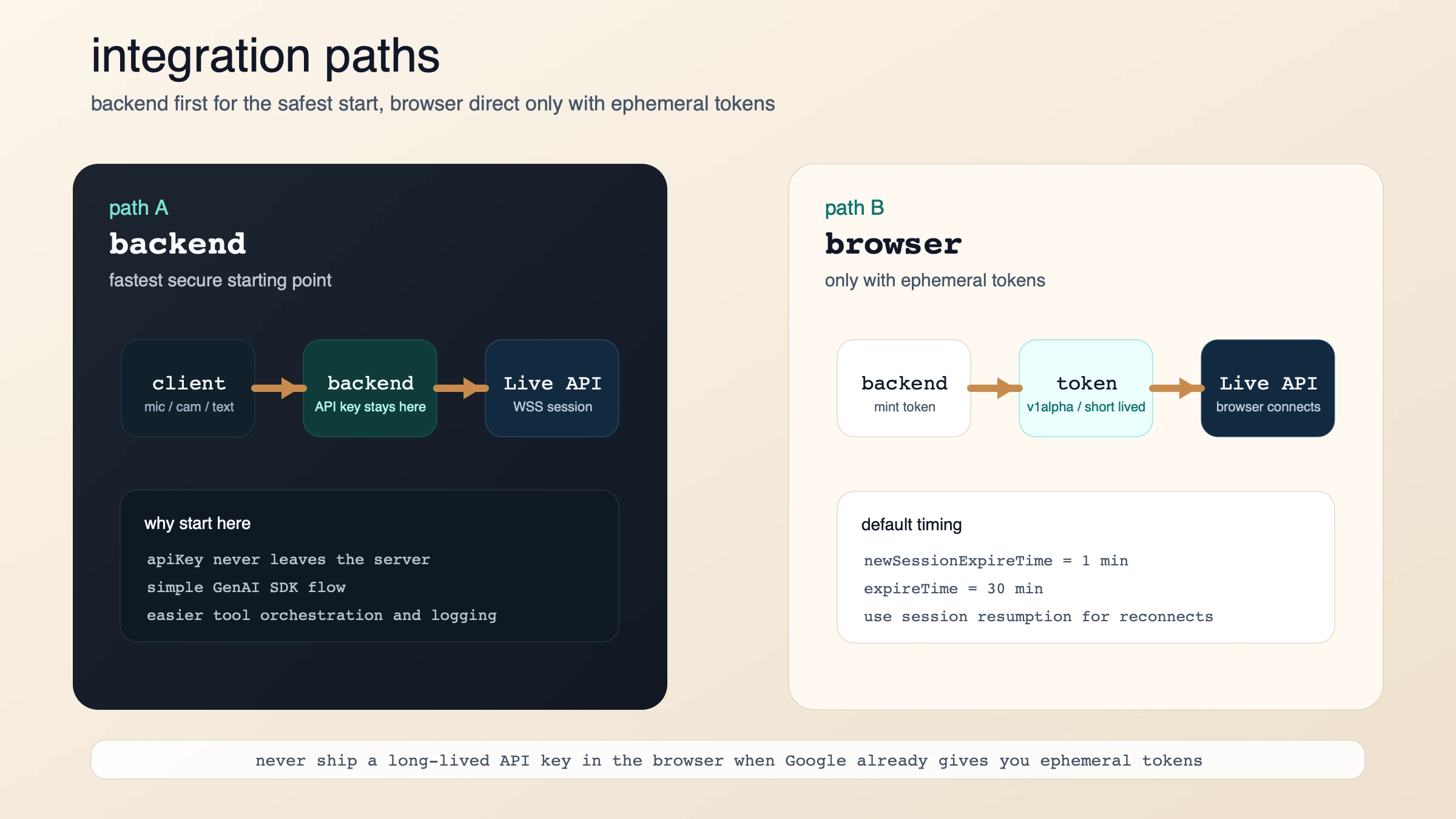
The fastest working path is backend first, browser second
If you want the shortest safe path, start server-to-server with the GenAI SDK. The Live API overview says that is the default secure architecture, and the capabilities guide shows the basic connection pattern: open a Live session, request AUDIO, then send send_realtime_input events as audio, text, or video arrives.
import asyncio
from google import genai

client = genai.Client()
MODEL = "gemini-3.1-flash-live-preview"

async def main():
    config = {"response_modalities": ["AUDIO"]}

    async with client.aio.live.connect(model=MODEL, config=config) as session:
        await session.send_realtime_input(
            text="Say hello and introduce yourself in one sentence."
        )

        async for response in session.receive():
            if response.server_content and response.server_content.model_turn:
                for part in response.server_content.model_turn.parts:
                    if part.inline_data:
                        audio_bytes = part.inline_data.data
                        # Stream or play audio_bytes here.

            if response.text:
                print(response.text)

            if response.server_content and response.server_content.turn_complete:
                break

asyncio.run(main())
When you move from a toy example to real audio, Google's docs say your input should be raw 16-bit PCM audio at 16kHz, little-endian, passed with a MIME type such as audio/pcm;rate=16000. Output audio comes back as 24kHz PCM. The same guide also says audio-only sessions are limited to 15 minutes, and audio-plus-video sessions are limited to 2 minutes, unless you adopt the session-management patterns Google documents for longer conversations.
If you need a browser-direct path, Google's answer is not "ship your API key to the frontend." It is ephemeral tokens. The ephemeral-token guide says they are currently only compatible with the Live API, which makes sense: this is exactly the kind of surface where teams want client-side latency without exposing a long-lived credential.
The important defaults are:
- you usually get 1 minute to start a new session with the issued token
- you usually get 30 minutes to keep sending messages over that connection
- the browser uses the token as if it were an API key
- if you need reconnect behavior, Google's guide points you to session resumption
That creates a clean deployment rule:
- backend only: simplest secure path
- browser direct: only after your backend mints ephemeral tokens
The migration traps that will waste your first day
The fastest way to lose time on Gemini 3.1 Flash Live is to assume that your 2.5 integration will fail loudly. Some parts will. Others will fail softly and just behave strangely.
1. Stop sending thinkingBudget.
Gemini 3.1 uses thinkingLevel instead. Google's migration notes say the default is minimal for low latency. If you keep tuning 2.5-style thinking budgets, you are tuning the wrong control surface.
2. Process every part in every server event.
The 3.1 docs say a single server event can now include multiple parts, such as audio chunks plus transcript content. Old code that assumed one part per message can silently drop data. This is one of the most important migration fixes because the session will still look "mostly fine" while losing valuable information.
3. Use send_realtime_input for live updates.
On 2.5, send_client_content could keep doing incremental work during the conversation. On 3.1, Google says it is only for seeding initial history when you configure initial_history_in_client_content. If your app updates the conversation live, switch that path to send_realtime_input.
4. Treat tool calls as blocking for now.
This is the biggest operational downgrade from 2.5 for agent builders. The capabilities guide is explicit: Gemini 3.1 Flash Live does not support non-blocking function behavior yet. The model waits for the tool response before it continues. If your old experience depended on background tools while the conversation kept moving, you need to redesign the tool loop or stay on 2.5 for longer.
5. Remove proactive-audio and affective-dialog config.
Those features are not yet supported on 3.1. Do not leave dead config in place and then debug phantom behavior.
6. Re-think video before you stream it.
Because the default turn coverage now includes all video frames, blindly forwarding a camera feed is a billing decision as much as a UX decision. If the user's voice is the real signal and video is only occasionally useful, gate video harder or send it conditionally.
7. If you want text, plan for transcription rather than a text-only response modality.
Google's docs are a little awkward here because the model page lists text and audio output, while the capabilities guide says native audio models only support AUDIO response modality. The safest practical reading is this: if text matters to your product, turn on transcription support and handle transcripts explicitly instead of assuming the model behaves like a normal text-first endpoint.
When Gemini 3.1 Flash Live is the wrong choice
A lot of developers will still pick 3.1 after reading this, and that is reasonable. But there are real cases where it is not the best next move.
If you are not building a real-time voice product, the Live API adds needless complexity.
WebSocket session management, PCM streaming, interruptions, and ephemeral-token logic are worth it for voice-first experiences. They are not worth it for ordinary multimodal chat flows that could run on a standard Gemini text model.
If your current 2.5 system depends on async tool use, 3.1 may feel worse even if the voice sounds better.
That is the cleanest reason to delay migration. Voice quality is not the only dimension that matters in a production agent.
If you cannot issue ephemeral tokens safely, do not connect the browser directly.
The whole point of the token guide is to avoid shipping a long-lived API key to untrusted clients. If your backend is not ready to provision short-lived auth, keep the Live session on your server for now.
If you only need speech synthesis, use a speech-generation model instead of a live dialogue model.
The Live model is designed for conversational turn handling, not just "convert text to audio as cheaply as possible." When dialogue intelligence is not the job, the larger Live contract is overkill.
FAQ
What is the exact model string for Gemini 3.1 Flash Live?
Use gemini-3.1-flash-live-preview.
Is Gemini 3.1 Flash Live GA?
No. Google's model page and Live docs both label it as preview as of March 2026.
Does Gemini 3.1 Flash Live support function calling and Google Search?
Yes. Google's docs say it supports function calling and Search grounding. But the current limitation is important: function calling is synchronous only.
Can I connect directly from a web app?
Yes, but Google's recommended production path is to mint ephemeral tokens on your backend and let the client use those tokens to open the Live API session. Do not expose a long-lived API key in the browser.
How long can sessions run?
Google's capabilities guide says audio-only sessions are limited to 15 minutes, and audio-plus-video sessions are limited to 2 minutes. If you need longer interactions, use the documented session-management and resumption patterns.
Does the model return text or only audio?
The model page lists text and audio output, but the Live API capabilities guide says native audio models use AUDIO response modality. If your application needs readable text, enable or process output audio transcription instead of assuming a plain text-first output contract.
Is output audio watermarked?
Yes. Google's launch post says all audio generated by Gemini 3.1 Flash Live is watermarked with SynthID.
What is the best migration rule in one sentence?
Start new voice-agent work on Gemini 3.1 Flash Live, but keep Gemini 2.5 Flash Live only if your current design still depends on async tools, proactive audio, or affective dialog.