Nano Banana Pro API: официальный JSON, YAML, PDF и разбор ошибок
Готовый официальный запрос к gemini-3-pro-image, безопасная YAML-конфигурация, разбор ответа и четкая граница для PDF и provider gateway.
Содержание
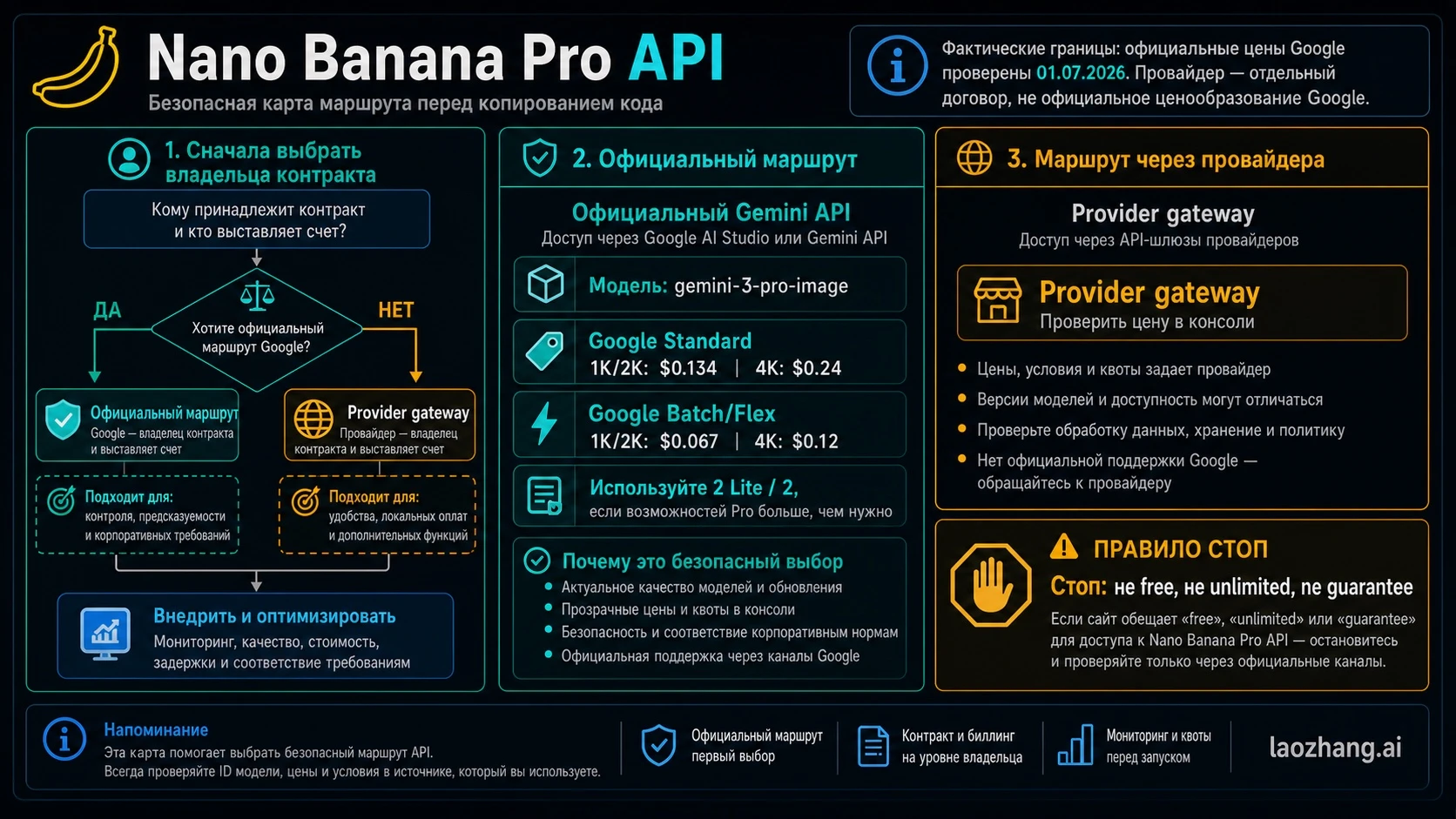
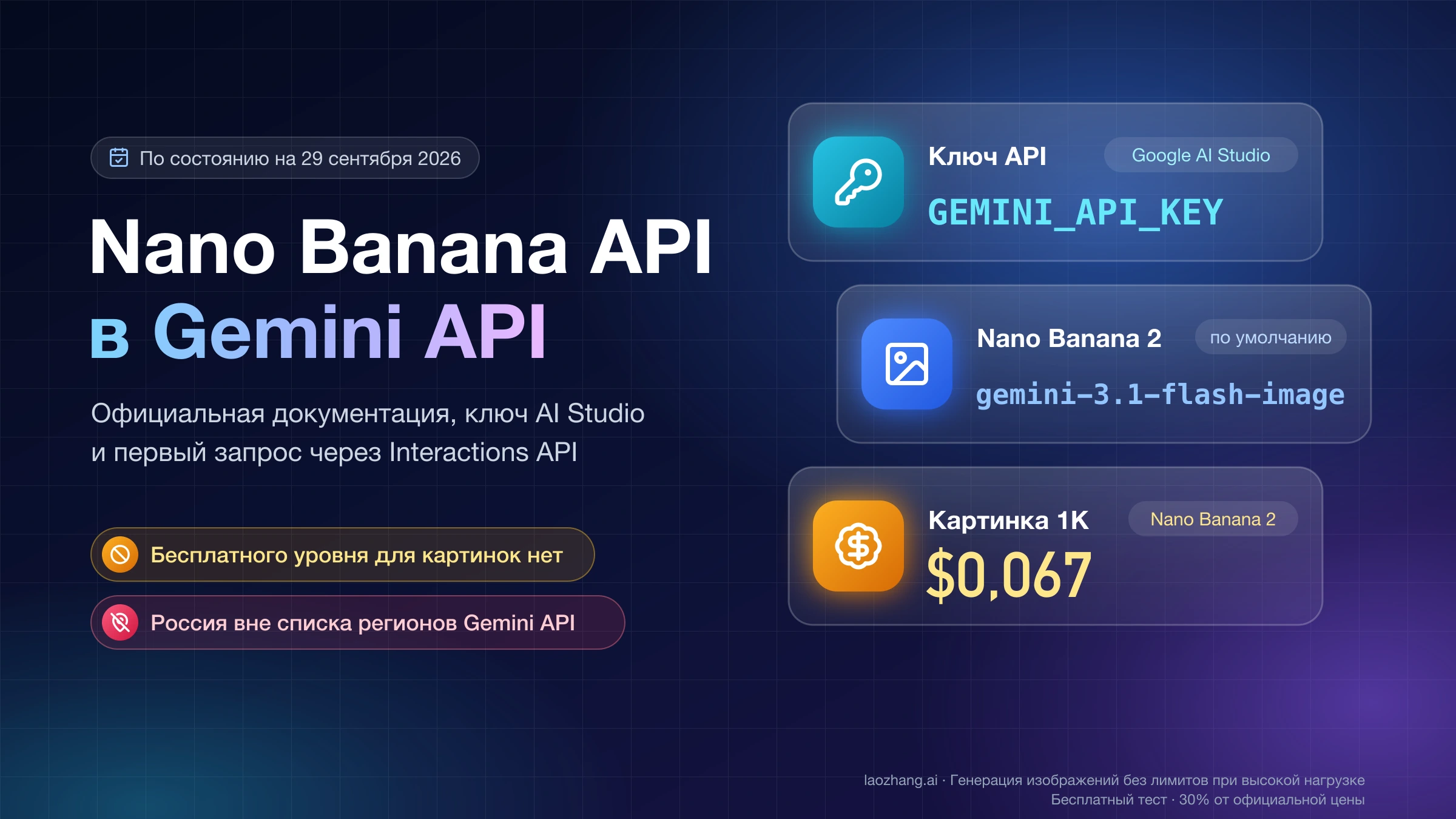
Чтобы вызвать Nano Banana Pro напрямую у Google, используйте Gemini 3 Pro Image с текущим model ID gemini-3-pro-image и endpoint POST https://generativelanguage.googleapis.com/v1beta/interactions. Для новой интеграции Google рекомендует Interactions API. generateContent остается документированным, но это отдельная совместимая/предыдущая поверхность со своими полями и parser — смешивать два контракта нельзя.
Минимальный официальный запрос выглядит так:
curl -sS -X POST \
  "https://generativelanguage.googleapis.com/v1beta/interactions" \
  -H "x-goog-api-key: $GEMINI_API_KEY" \
  -H "Content-Type: application/json" \
  -d '{
    "model": "gemini-3-pro-image",
    "input": [
      {
        "type": "text",
        "text": "Создай студийный кадр черной механической клавиатуры. Вид сверху под углом 30 градусов, нейтральный серый фон, мягкий контровой свет, без текста и логотипов."
      }
    ],
    "response_format": {
      "type": "image",
      "mime_type": "image/png",
      "aspect_ratio": "16:9",
      "image_size": "2K"
    }
  }'
Здесь JSON — официальный transport envelope. YAML не отправляется в Google как application/yaml, а «JSON prompt» не является особым официальным языком Nano Banana Pro. Структурированный prompt может быть удобен вашей команде, но перед HTTP-вызовом приложение должно превратить его в обычный текст и валидный JSON.
Примеры ниже сверены с официальным руководством по генерации изображений, карточкой Gemini 3 Pro Image и другими источниками Google 20 июля 2026 года. В этом обновлении платный запрос не выполнялся: код и поля проверены по текущим контрактам и локально на синтаксис, но качество реального output здесь не измерялось.
Три разных объекта, которые часто называют «JSON prompt»
Практическая интеграция проще, если разделить авторский brief, сетевой payload и provider mapping.
1. Семантический объект prompt принадлежит приложению
Это не schema Google, а удобный внутренний формат. Он помогает не потерять subject, scene, constraints и точный текст:
{
  "job": "product_hero",
  "subject": {
    "product": "черная механическая клавиатура",
    "must_preserve": ["форма корпуса", "раскладка клавиш"]
  },
  "scene": {
    "camera": "вид сверху под углом 30 градусов",
    "background": "нейтральный серый",
    "lighting": "мягкий контровой свет"
  },
  "constraints": {
    "exact_text": [],
    "avoid": ["логотипы", "лишние клавиши", "водяные знаки"]
  }
}
Приложение рендерит этот объект в одну естественную инструкцию. JSON сам по себе не гарантирует лучшее изображение: его ценность — воспроизводимость и возможность валидировать поля до платного вызова.
2. Официальный JSON принадлежит Google Interactions API
Результат рендера попадает в input[].text, а настройки изображения — в response_format:
{
  "model": "gemini-3-pro-image",
  "input": [
    {
      "type": "text",
      "text": "Создай студийный кадр черной механической клавиатуры; сохрани форму корпуса и раскладку клавиш; вид сверху под углом 30 градусов; нейтральный серый фон; мягкий контровой свет; без логотипов, лишних клавиш и водяных знаков."
    }
  ],
  "response_format": {
    "type": "image",
    "mime_type": "image/png",
    "aspect_ratio": "16:9",
    "image_size": "2K"
  }
}
У этого объекта есть конкретный владелец: Google. Поля input, response_format, aspect_ratio и image_size нельзя заменять похожими camelCase-полями из generateContent или schema провайдера.
3. YAML — только конфигурация приложения
Команде может быть удобнее редактировать тот же brief в YAML:
route:
  owner: google
  contract: interactions
  endpoint: https://generativelanguage.googleapis.com/v1beta/interactions
  key_owner: google-ai-studio-project
request:
  model: gemini-3-pro-image
  prompt:
    subject: черная механическая клавиатура
    camera: вид сверху под углом 30 градусов
    background: нейтральный серый
    lighting: мягкий контровой свет
    avoid:
      - логотипы
      - лишние клавиши
      - водяные знаки
  output:
    mime_type: image/png
    aspect_ratio: "16:9"
    image_size: 2K
response:
  parser: interactions-final-image
Перед отправкой нужно: распарсить YAML, проверить типы, удалить secrets, отрендерить request.prompt в строку и собрать официальный JSON. Кавычки вокруг 16:9 полезны, потому что некоторые YAML parser иначе интерпретируют двоеточие. API key не должен жить в YAML, репозитории или клиентском JavaScript.
Валидатор шести несовпадений до запроса
Большинство «Nano Banana Pro document problem» начинается не в модели, а на границе двух контрактов. Этот validator проверяет ровно шесть полей маршрута:
| № | Поле | Для Google direct должно быть | Типичная ошибка |
|---|---|---|---|
| 1 | endpoint | /v1beta/interactions у generativelanguage.googleapis.com | Provider URL с Google parser или наоборот |
| 2 | key_owner | AI Studio / связанный Google Cloud project | Provider key в x-goog-api-key |
| 3 | model | gemini-3-pro-image | Старый -preview или provider alias |
| 4 | request_contract | interactions с input | contents[].parts[] внутри Interactions |
| 5 | output_contract | response_format и snake_case | generationConfig.imageConfig из другого API |
| 6 | response_parser | final image из Interactions output/steps | Parser для OpenAI images или generateContent parts |
const PRO_RATIOS = new Set([
  "1:1", "2:3", "3:2", "3:4", "4:3",
  "4:5", "5:4", "9:16", "16:9", "21:9",
]);
const PRO_SIZES = new Set(["1K", "2K", "4K"]);

export function validateGooglePro(profile, body) {
  const errors = [];

  if (profile.endpoint !== "https://generativelanguage.googleapis.com/v1beta/interactions")
    errors.push("1 endpoint: ожидается официальный Interactions endpoint");
  if (profile.key_owner !== "google-ai-studio-project")
    errors.push("2 key_owner: нужен ключ проекта Google, не provider key");
  if (body.model !== "gemini-3-pro-image")
    errors.push("3 model: текущий официальный ID — gemini-3-pro-image");
  if (!Array.isArray(body.input) || !body.input.some(x => x.type === "text" && x.text))
    errors.push("4 request_contract: нужен непустой input с type=text");
  if (body.response_format?.type !== "image" ||
      !PRO_RATIOS.has(body.response_format?.aspect_ratio) ||
      !PRO_SIZES.has(body.response_format?.image_size))
    errors.push("5 output_contract: проверьте type, ratio и uppercase 1K/2K/4K");
  if (profile.response_parser !== "interactions-final-image")
    errors.push("6 response_parser: выбран parser от другого контракта");

  return errors;
}
Stop rule: если validator возвращает хотя бы одну ошибку, не отправляйте запрос. Исправляйте один слой за раз; одновременная смена key, model, endpoint и payload уничтожает диагностический сигнал.
Как разобрать ответ и сохранить именно финальное изображение
SDK предоставляет shortcut output_image, но сложный ответ может содержать текст и несколько steps. Для Interactions безопаснее сначала проверить shortcut, затем искать изображения только в model_output и брать последнее. Не сохраняйте thought/intermediate image как итоговое.
import { GoogleGenAI } from "@google/genai";
import * as fs from "node:fs";

const ai = new GoogleGenAI({ apiKey: process.env.GEMINI_API_KEY });

const interaction = await ai.interactions.create({
  model: "gemini-3-pro-image",
  input: "Создай схему процесса оплаты с тремя этапами и русскими подписями.",
  response_format: {
    type: "image",
    mime_type: "image/png",
    aspect_ratio: "16:9",
    image_size: "2K",
  },
});

function finalImage(result) {
  if (result.output_image?.data) return result.output_image;
  const candidates = [];
  for (const step of result.steps ?? []) {
    if (step.type !== "model_output") continue;
    for (const block of step.content ?? []) {
      if (block.type === "image" && block.data) candidates.push(block);
    }
  }
  return candidates.at(-1) ?? null;
}

const image = finalImage(interaction);
if (!image) throw new Error("В final model output нет изображения");
fs.writeFileSync("nano-banana-pro.png", Buffer.from(image.data, "base64"));
Если ответ text-only, сначала сохраните status/request ID и сырой JSON без secrets. Затем проверьте response_format.type, safety/policy outcome и выбранный parser. Отсутствие файла еще не доказывает outage модели.
Разрешение, 10 соотношений сторон и reference images
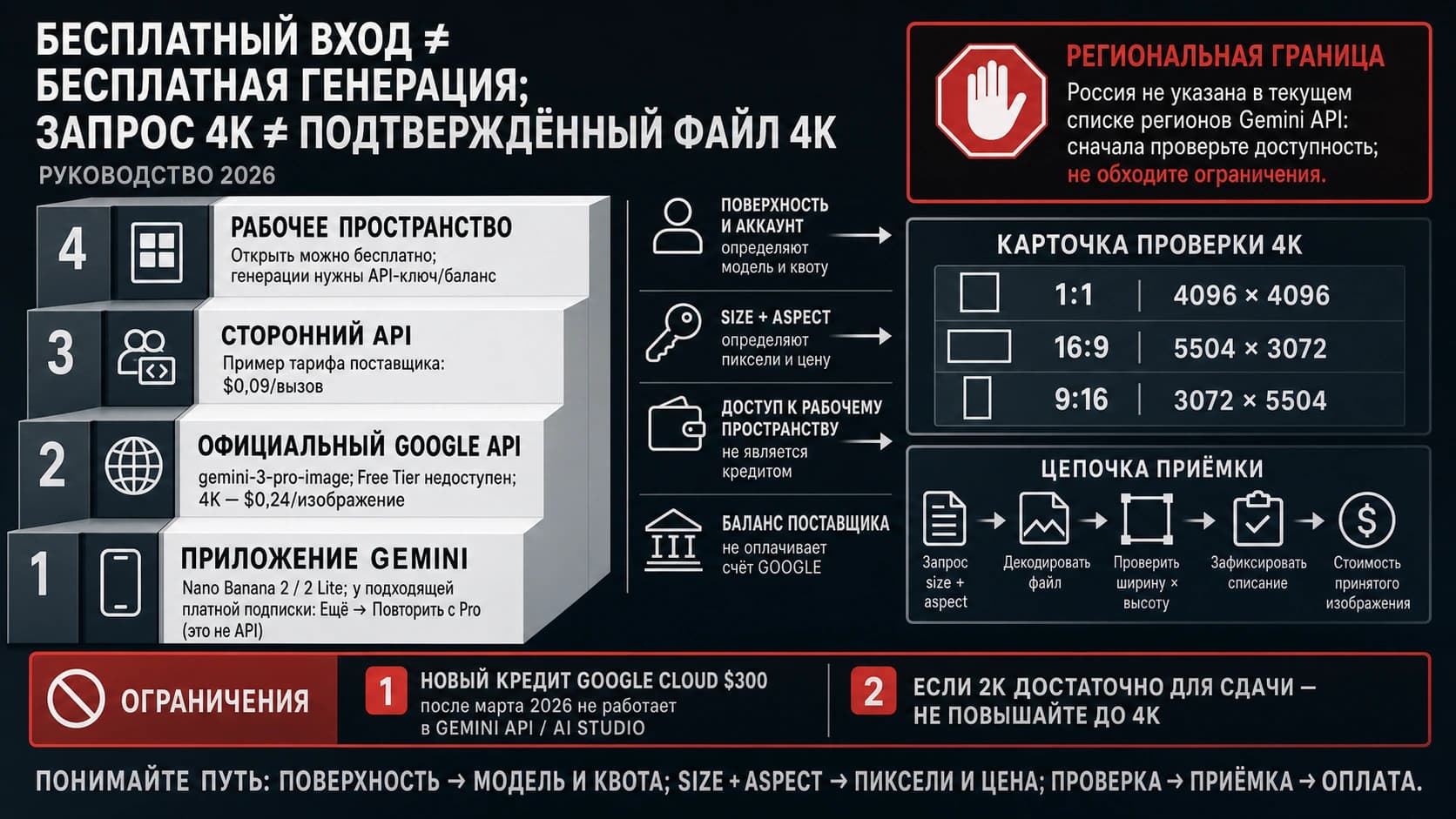
По текущей Pro-specific таблице Google поддерживаются три size tier: 1K, 2K, 4K. Буква K обязательна в верхнем регистре. Это tier, а не обещание квадрата 4096×4096: например, официальный 16:9 для 4K имеет размер 5504×3072.
Десять заявленных для Pro ratios:
| Квадрат/портрет | Альбом/широкий |
|---|---|
1:1, 2:3, 3:4, 4:5, 9:16 | 3:2, 4:3, 5:4, 16:9, 21:9 |
Общий ImageConfig может показывать дополнительные extreme ratios, но текущая Pro-specific таблица их не обещает. Поэтому production allowlist должен содержать именно эти 10 значений, пока live route не докажет другое.
Текущее руководство также описывает до 14 reference images суммарно с category guidance до шести объектов, пяти персонажей и трех style references. На той же странице есть более строгая формулировка о пяти high-fidelity images. Практический вывод: 14 — общий верхний предел, а fidelity и category sublimits проверяются на конкретной задаче. Не проектируйте pipeline так, будто все 14 входов получат одинаковую точность.
PDF и документы: безопасный маршрут из двух стадий
Карточка gemini-3-pro-image указывает Text/Image input, а не document. Общая документация Gemini по PDF относится к document-capable models. Поэтому PDF нельзя просто добавить в официальный Pro image JSON и объявить этот путь поддерживаемым.
Рабочая архитектура:
- Передайте PDF в document-capable Gemini model как
application/pdf— inline для небольшого одноразового файла либо через Files API для повторного использования. - Извлеките структурированный brief: подтвержденный текст, таблицы, нужные страницы, подписи и ограничения. Сверьте extraction с документом.
- При необходимости отрендерите только выбранные страницы или элементы в поддерживаемые image inputs.
- Соберите natural-language prompt и reference images для
gemini-3-pro-image. - После генерации отдельно проверьте числа, имена и подписи: image model не является системой документальной истины.
Общий PDF path допускает до 50 MB или 1000 страниц, но это лимит document workflow, а не обещание прямого Pro input. Non-PDF files вроде HTML, Markdown или XML могут быть извлечены как текст и потерять layout/diagram context.
Stop rules:
- не отправлять чувствительный документ, пока storage, retention, region и access policy не одобрены;
- не генерировать «точную копию всего PDF», если brief не выделяет страницы и обязательные факты;
- при rotated/blurred pages сначала исправить документ;
- не маскировать unsupported input сменой MIME;
- не переходить к Pro, пока extraction не прошел human или programmatic verification.
Цена, Free Tier, key и project quota принадлежат разным владельцам
На 20 июля 2026 года официальная pricing page не показывает Free Tier для Nano Banana Pro image output.
| Официальный Google lane | 1K/2K image output | 4K image output | Когда подходит |
|---|---|---|---|
| Standard | $0.134 | $0.24 | Нужен обычный online response |
| Batch / Flex | $0.067 | $0.12 | Можно принять batch или flexible processing |
Input, text/thinking output, grounding, retries и налоги могут добавить стоимость. Batch и Flex имеют одинаковые строки image price, но это не делает их operationally identical.
API key создается в AI Studio и связан с Google Cloud project. Создание key бесплатно, но это не бесплатная Pro generation. Для paid use требуется billing; billing docs предупреждают, что некоторым аккаунтам может понадобиться minimum prepayment $10. Проверяйте свой billing screen, а не чужой screenshot.
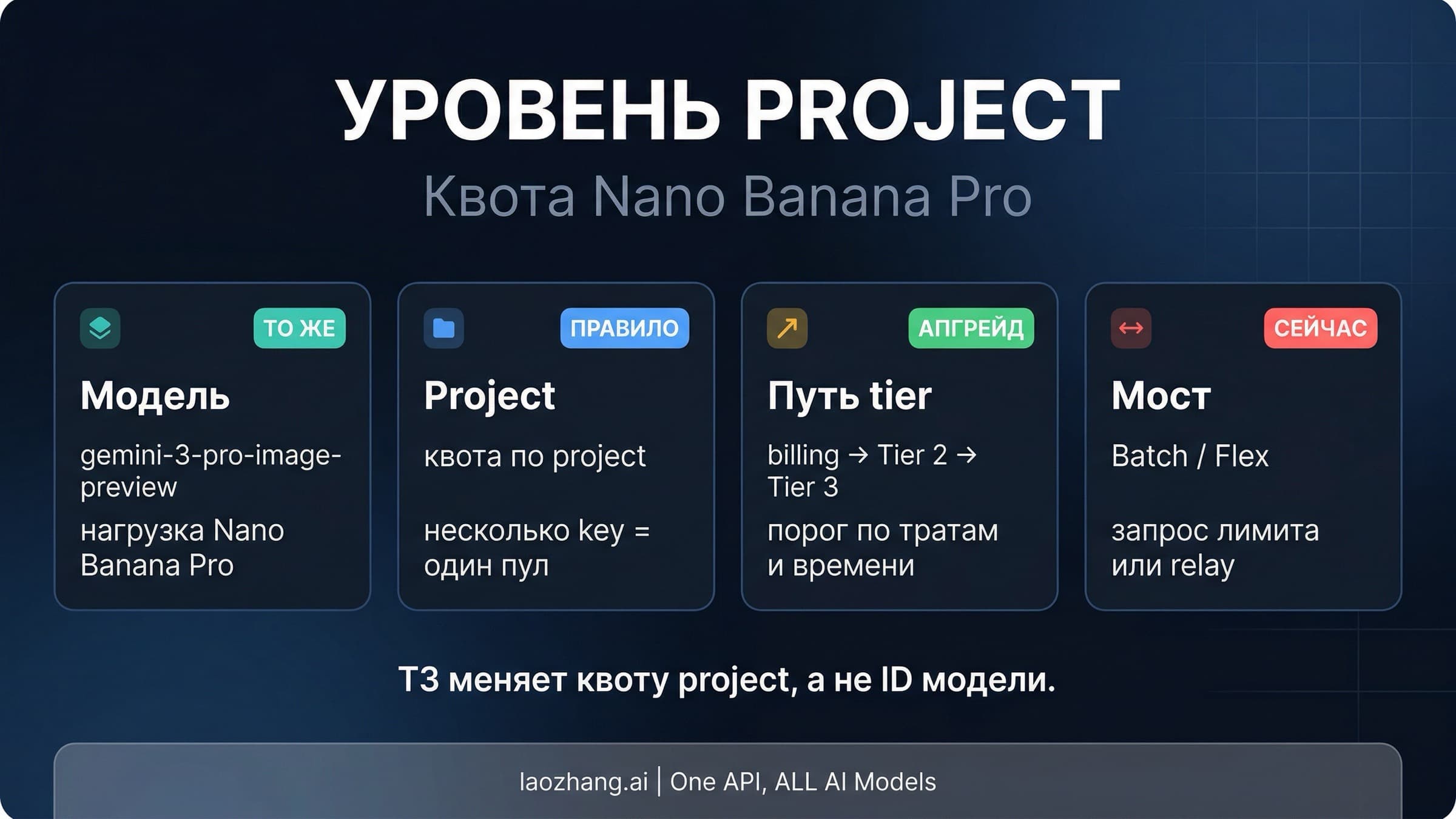
Rate limits применяются к project, а не к отдельному key, и могут включать RPM, TPM, RPD и image-specific dimensions. Дополнительные keys не умножают quota одного project. Live limits нужно смотреть в AI Studio/project view; фиксированное число из чужой статьи не является гарантированной емкостью.
Для детальных операций используйте отдельные владельцы: получение API key, увеличение quota, rate-limit диагностика и Batch API cost optimization.
Provider mapping: это другой контракт, даже если model alias похож
Google direct — базовый reference route. Gateway нужен, когда его payment flow, model switching или provider-side logs действительно полезны. Но provider key, endpoint, payload, price и response принадлежат provider, а не Google.
По публичной документации laozhang.ai, проверенной 20 июля 2026 года, provider alias — gemini-3-pro-image, generation/editing указаны по $0.09/call. OpenAI-compatible chat route документирован как fixed 1:1/1K; custom ratio и 2K/4K относятся к отдельному provider generateContent-compatible route. Это не официальный endpoint или pricing Google.
| Семантика приложения | Google direct | laozhang.ai provider contract |
|---|---|---|
| Владелец key | AI Studio / Google project | Provider account |
| Основной новый route | Interactions API | Provider-documented route |
| Model | gemini-3-pro-image | Provider alias gemini-3-pro-image |
| Custom ratio/2K/4K | response_format | Provider generateContent-compatible mapping |
| Fixed 1:1/1K | Настраивается official contract | OpenAI-compatible chat lane по provider docs |
| Цена | Google pricing rows | $0.09/call в public provider docs; console wins |
| Parser | Interactions output/steps | Parser из выбранного provider route |
У provider docs и Google Pro table есть нерешенное расхождение вокруг «14 ratios» и некоторых pixel rows. Для official claims используйте 10 Pro ratios выше. Для provider вызова сверяйте live console, model list и response log. Не обещайте unlimited access, refund за failed call, одинаковый upstream, direct PDF или гарантированную concurrency без contract evidence.
generateContent: только совместимость, не смесь полей
Существующий Google code можно оставить на generateContent и мигрировать отдельно. Его форма отличается:
{
  "contents": [
    {
      "parts": [
        {
          "text": "Создай студийный кадр продукта без логотипов."
        }
      ]
    }
  ],
  "generationConfig": {
    "responseModalities": ["TEXT", "IMAGE"],
    "imageConfig": {
      "aspectRatio": "16:9",
      "imageSize": "2K"
    }
  }
}
Endpoint включает models/gemini-3-pro-image:generateContent. Здесь contents[].parts[], generationConfig и response parts — единый compatibility contract. Не добавляйте response_format из Interactions и не используйте его parser. При миграции сначала зафиксируйте одинаковые prompt/ratio/size, затем меняйте endpoint+payload+parser как один блок.
Ошибки 400, 401, 404, 429 и 5xx по слоям
| Status/симптом | Вероятный слой | Сначала проверить | Действие |
|---|---|---|---|
400 malformed/invalid argument | JSON, casing, ratio, size, MIME | JSON parse, response_format, uppercase K, 10-ratio allowlist | Исправить payload; retry без изменения route |
401 | credential | Header, key owner, restriction, project link | Создать/мигрировать key и повторить тот же request |
404 | endpoint/model/resource | /v1beta/interactions, current model ID, Files resource state | Не менять prompt; проверить contract и URI |
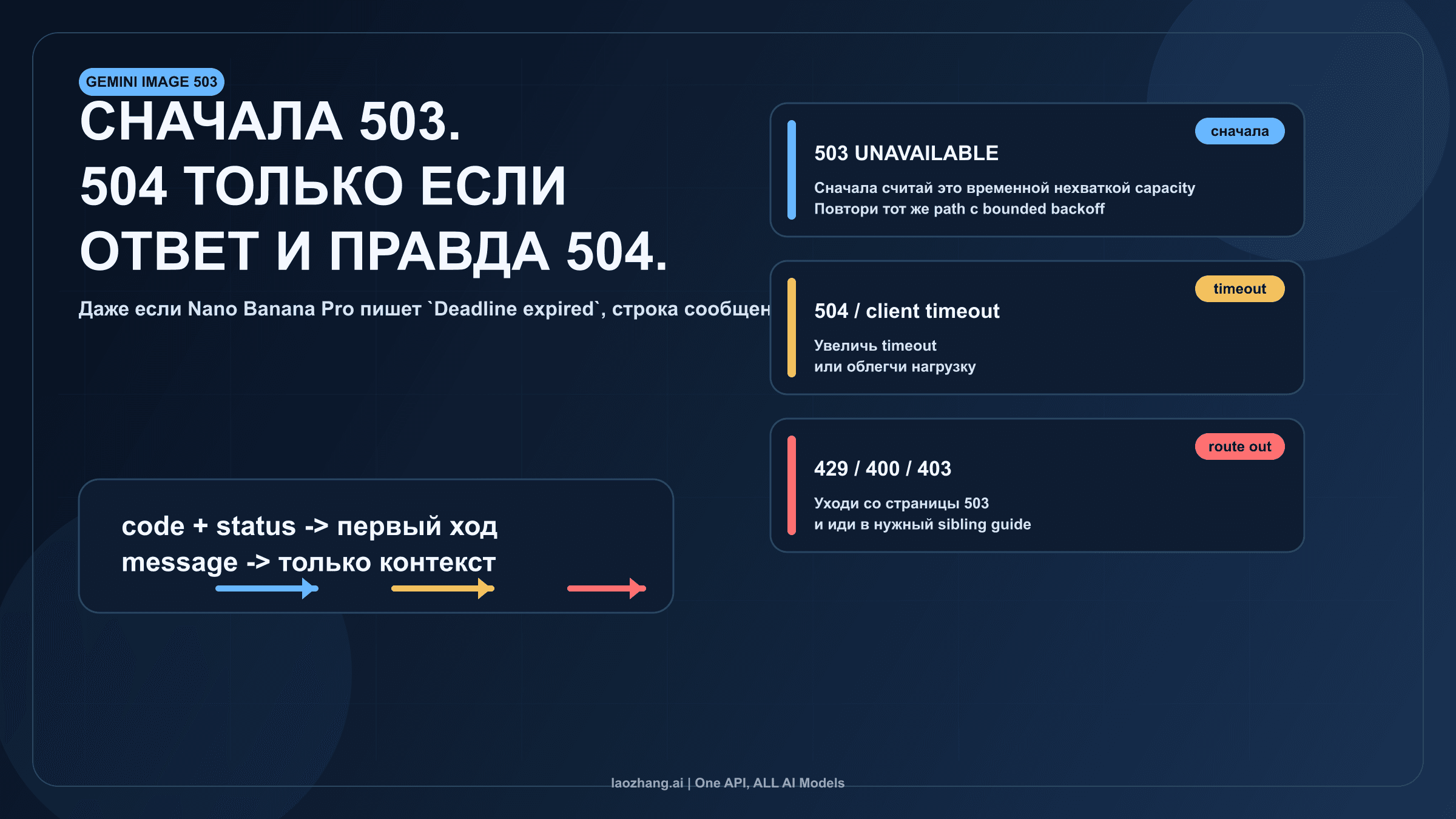
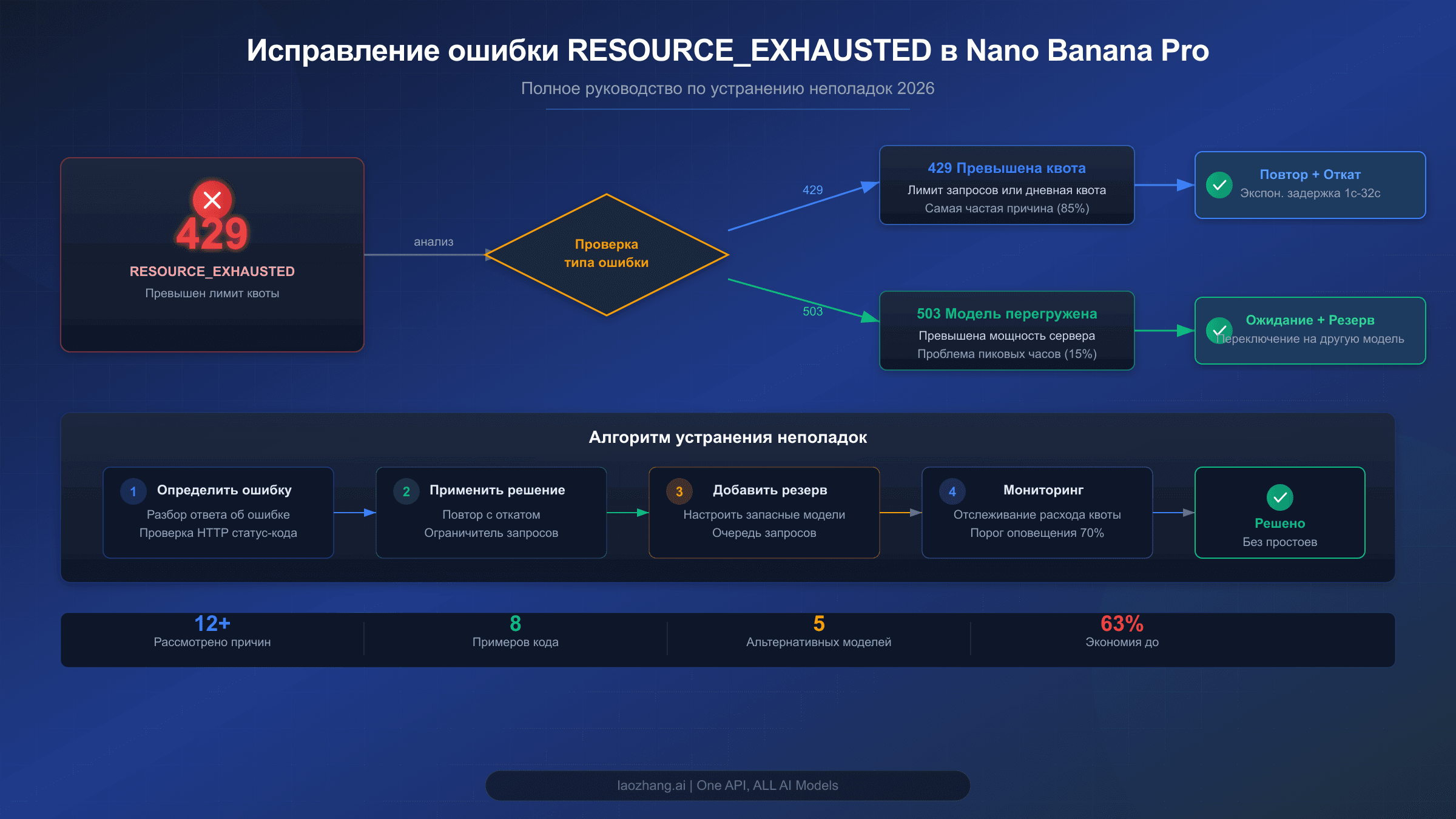
429 | project quota/traffic | Live RPM/TPM/RPD/IPM, concurrency, retry storm | Backoff+jitter, lower concurrency, Batch/Flex или quota request |
500/502/503/504 | Google/provider/upstream | Request ID, status page, provider log, timeout | Bounded retry; переключать route только с evidence |
200, но нет изображения | output/parser/policy | model_output, output type, safety text, mixed content | Исправить parser или request; не считать это network success |
Для воспроизводимого тикета сохраните timestamp, contract owner, endpoint без query secrets, model, sanitized payload, project/provider request ID, status, raw error и billing event. Полный API key, пользовательский PDF и private image в лог поддержки не вставляйте.
Короткий production checklist
- Six-field validator возвращает пустой список.
- JSON синтаксически валиден; YAML прошел parse и type validation.
- Key поступает из server-side secret store.
- Ratio входит в Pro allowlist из 10 значений; size —
1K,2Kили4K. - Parser забирает final image из того же контракта, что и endpoint.
- PDF прошел отдельный document stage; выбранные факты проверены.
- Google price/quota проверены у Google, provider price/failed-call rule — в provider console/logs.
- Retry ограничен, request ID и cost event записываются.
Итоговое правило: сначала зафиксируйте владельца контракта, затем проведите semantic brief через validator в его JSON, и только после этого отправляйте платный запрос. Так JSON, YAML, PDF и provider gateway перестают быть четырьмя несовместимыми «шаблонами» и становятся одной контролируемой pipeline.