OpenAI "File Type Not Supported"? Fix the "Try Again With a PDF" Error
If OpenAI says your file type is not supported and tells you to try again with a PDF, the useful first move is to identify the rejecting surface. Current official OpenAI docs are not blanket PDF-only, but some lagging Azure or connector paths still behave that way.
On this page
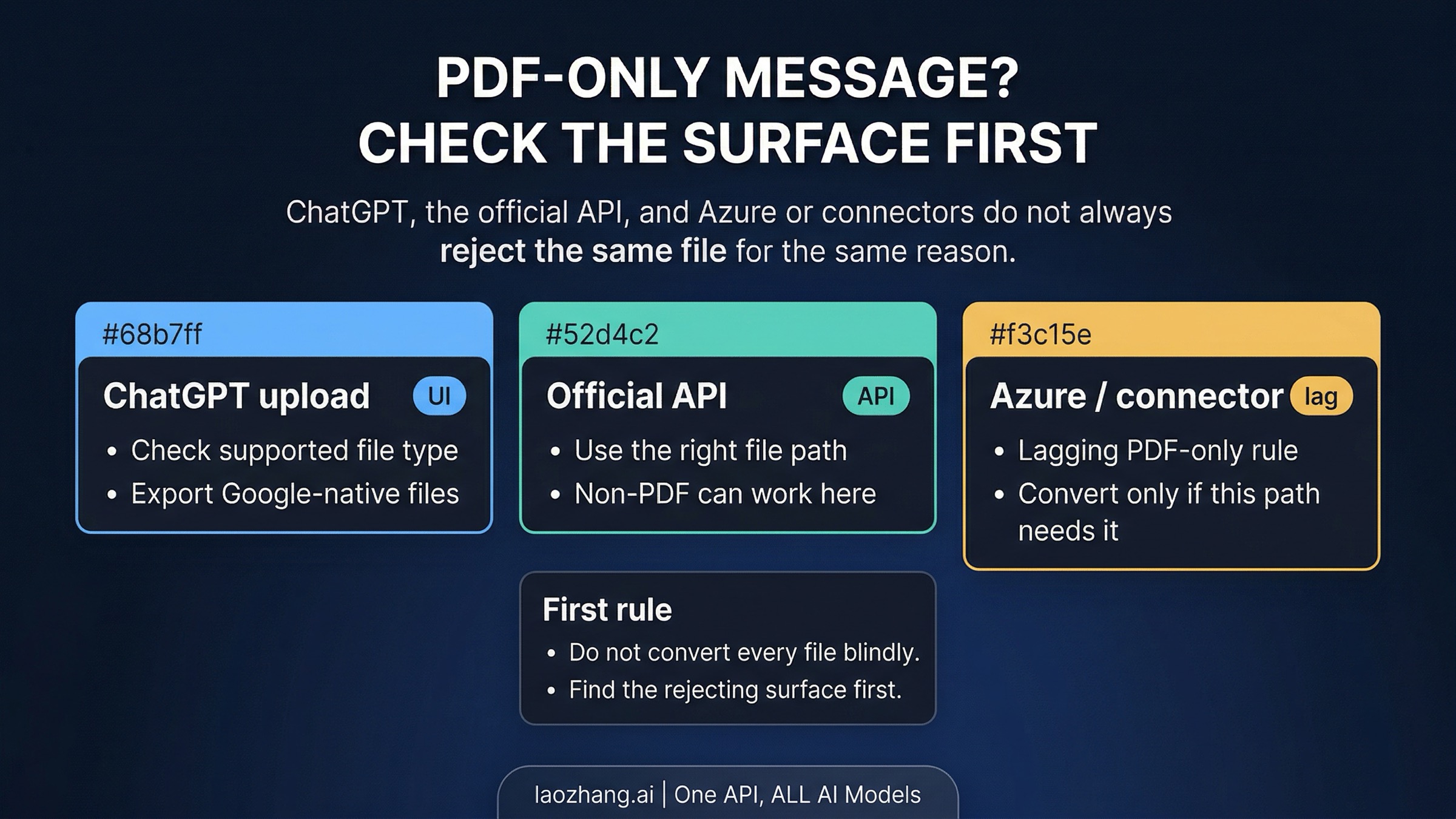
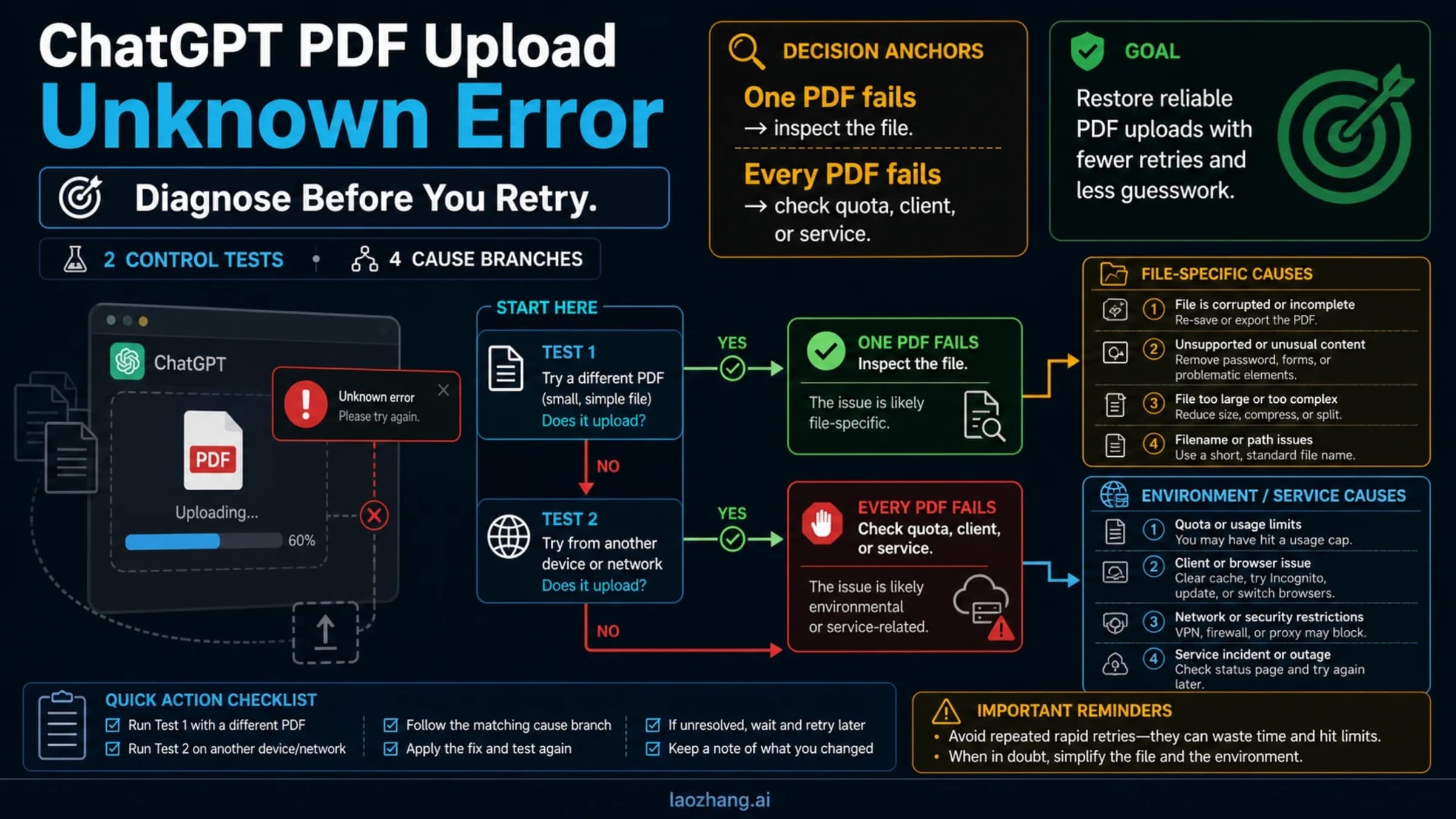
If OpenAI says your file type is not supported and tells you to try again with a PDF, do not convert everything yet. ChatGPT, the current official OpenAI API, and Azure or connector surfaces can still reject files under different rules, so the first fix is to identify where the rejection happened.
If the failure is in ChatGPT, export native Google files and retry with a clearly supported format or PDF when layout matters. If it is in the current official API, use the docs-aligned file path such as input_file or file_search. If it is in Azure or a connector, PDF may still be the fastest unblock path there. After that smallest fix, retry on the same surface and confirm the file is accepted for the job you actually need. If the same surface still rejects a clearly supported file, treat it as route mismatch or surface lag rather than proof that OpenAI only accepts PDFs.
30-Second Route Board
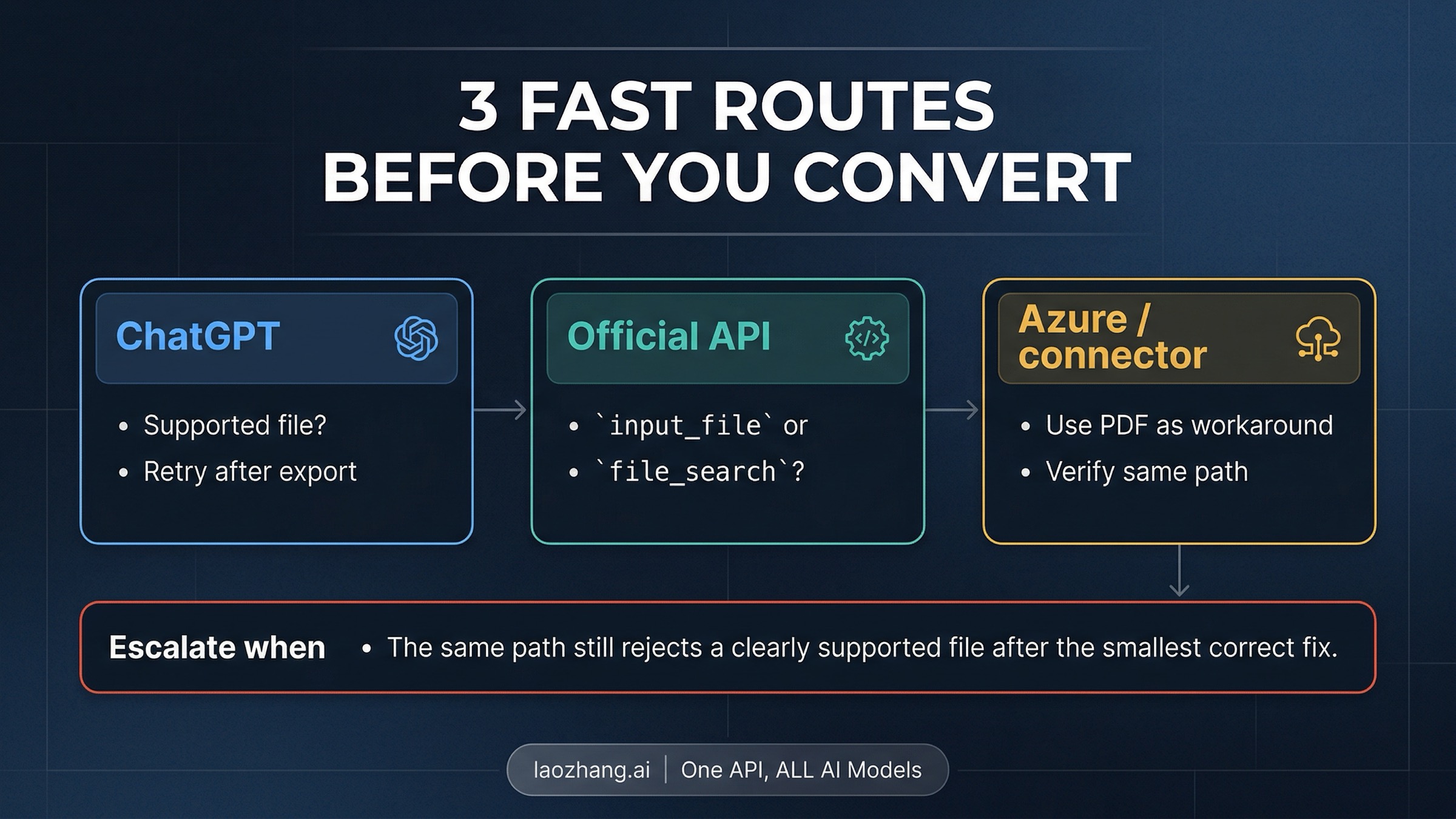
Start with the rejecting surface, not with the file extension alone:
| Where the rejection happens | Most likely issue | Safest first move | Verify on the same surface | Escalate when |
|---|---|---|---|---|
| ChatGPT upload | Native Google file, unsupported direct upload type, or a file that should really be exported to PDF for layout fidelity | Export from Google Docs, Sheets, or Slides first; otherwise retry with a clearly supported file type or PDF when layout matters | The same ChatGPT upload flow now accepts the file | A clearly supported exported file still fails |
| Official OpenAI API | Wrong file route, wrong expectation about input_file, or a job that belongs in file_search instead | Use the current docs-aligned file path and stop forcing one route for every document job | The same request now accepts the file and the output matches the task | The same docs-aligned route still rejects a supported file |
| Azure or a connector | Surface-specific lag or a module that still behaves as if PDF is required | Export or convert to PDF for that surface, or move the job to a current official OpenAI route | The same surface now accepts the file | PDF still fails or the surface contract still does not match the official docs |
Current official OpenAI help pages and developer docs were rechecked on April 8, 2026. The short version is that official OpenAI support is not blanket PDF-only across all surfaces. The same error still appears on some lagging or adjacent surfaces, which is why the route board matters more than the quote alone.
If the Rejection Happens in ChatGPT
The ChatGPT branch is mostly an upload-support question, not an API-tooling question. OpenAI's current help pages on supported file types and the File Uploads FAQ both describe multiple supported file classes rather than a PDF-only rule. That means a DOCX, PPTX, TXT, MD, CSV, JSON, or spreadsheet file may be a normal upload on the ChatGPT side even when another OpenAI-branded surface throws the PDF message.
The most common exception is not a normal Office document. It is a native cloud file such as .gdoc, .gsheet, or .gslides. Those are not direct upload types. If your file lives in Google Docs, Sheets, or Slides, export it first before you retry. That is also the point where PDF becomes a smart move for the right reason: not because ChatGPT universally requires PDF, but because the visual structure of the original document may matter more than editable text.
This is where many people lose time. They search for the exact error, see a blanket "convert it to PDF" answer, and never ask whether the rejection came from a native Google file or from the fact that the uploaded format was actually fine but the document's charts, diagrams, or mixed layout needed a more stable container. OpenAI's own help language is narrower than the myth. The question is not "does ChatGPT support files?" It does. The better question is "am I uploading the right exported file for the kind of content I need it to preserve?"
The verification move here is short: retry the exported file in the same ChatGPT upload surface that failed before, not in a different app or connector. If the same ChatGPT path still rejects a clearly supported exported file, you are no longer in the simple native-file branch and should stop treating PDF as an automatic cure.
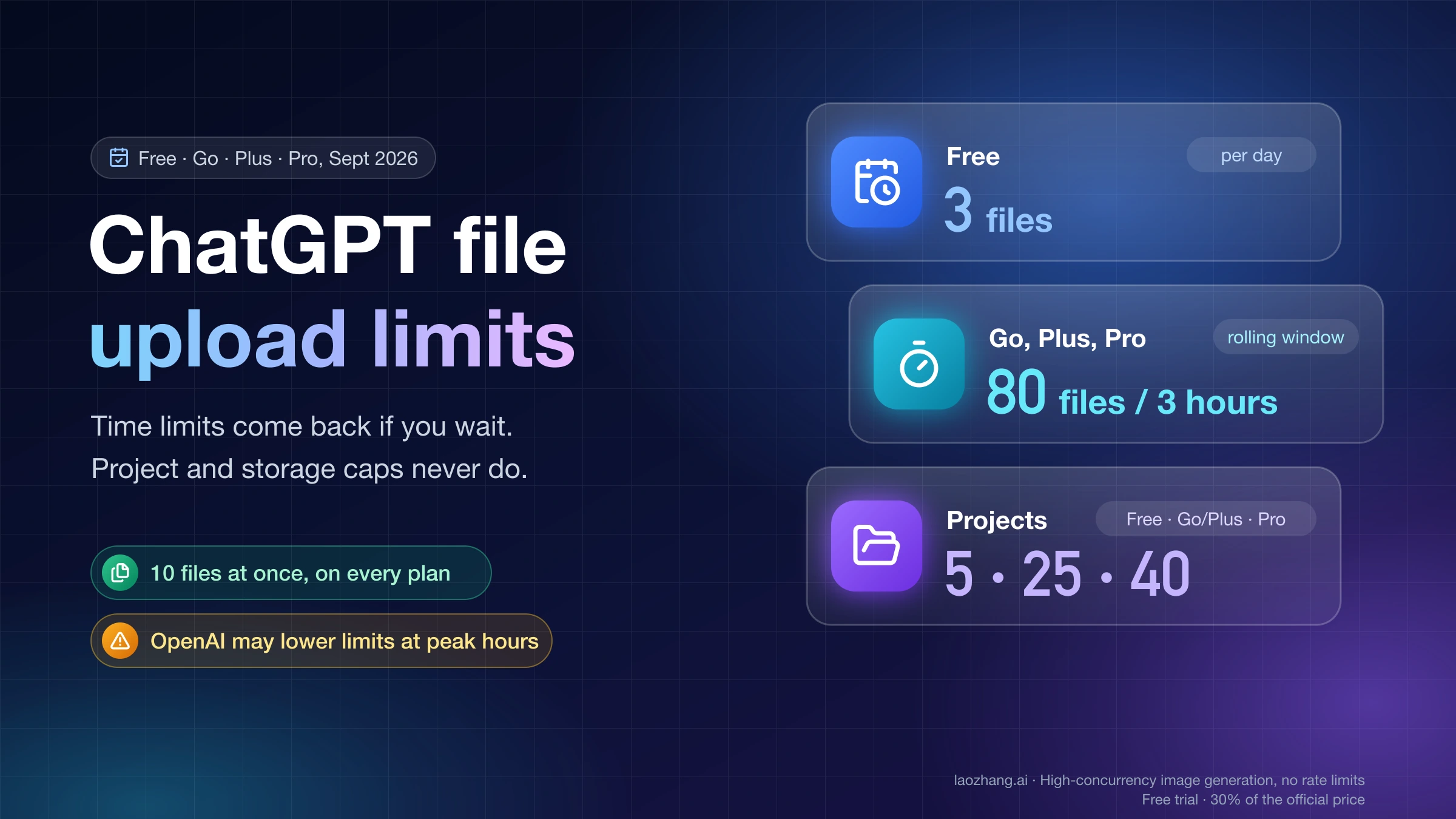
If your problem turns out to be usage caps rather than unsupported file type, stop here and switch to the quota route instead of stretching this page into a different job. Our ChatGPT Plus image upload limit guide is the cleaner companion when the real issue is file or image headroom rather than format support.
If the Rejection Happens in the Official OpenAI API
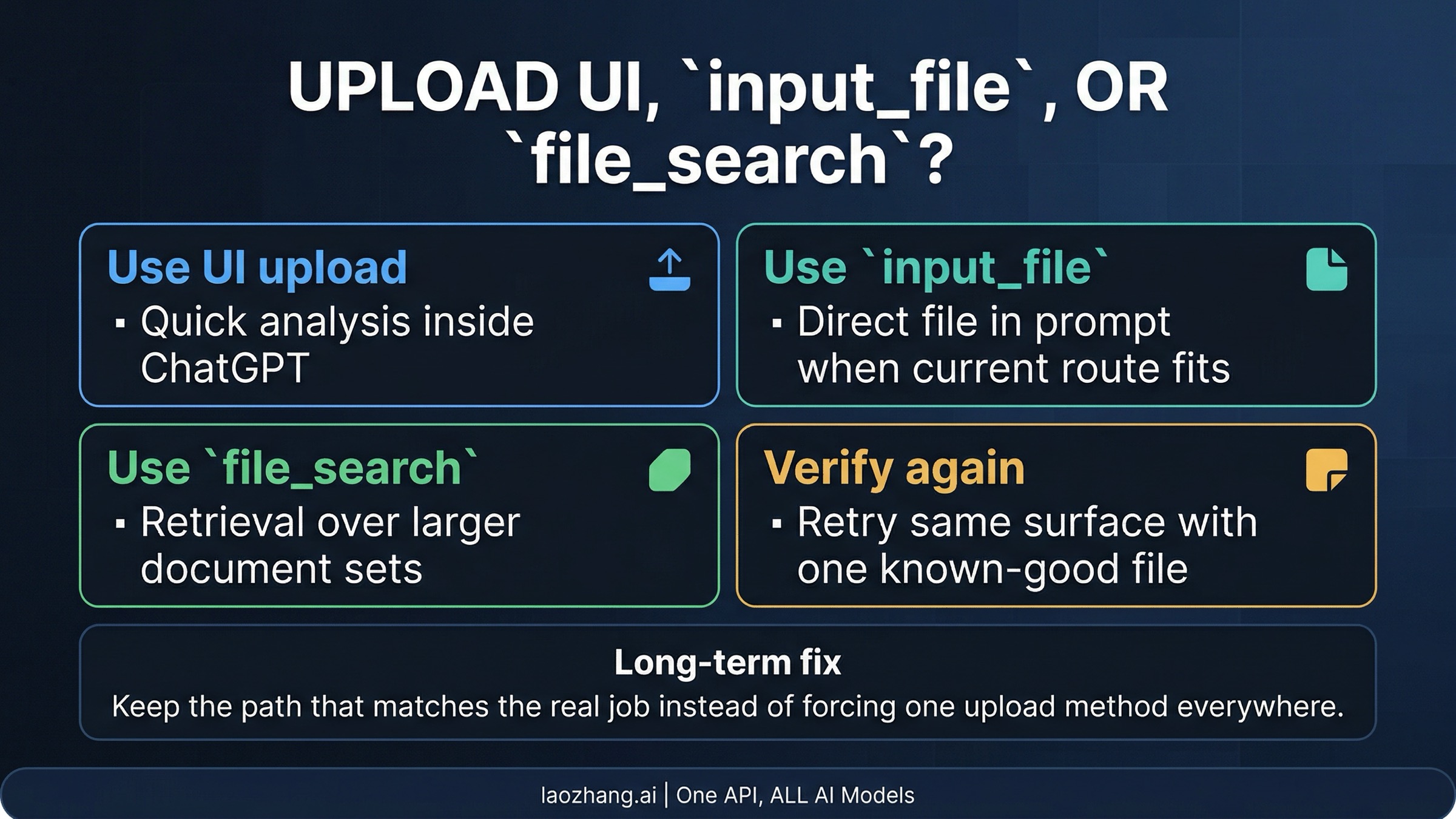
The official API branch is where stale PDF-only advice causes the most confusion. OpenAI's current developer doc on PDF files and other document formats says the Responses API input_file path accepts PDF, text and code files, rich documents, presentations, and spreadsheets. That is a broader contract than many old snippets and forum answers imply.
The important caveat is not acceptance alone. The same doc also says non-PDF embedded images and charts are not extracted from uploaded files. So a DOCX or PPTX may be accepted while still being the wrong input if your real job depends on diagrams, tables as laid out, annotated slides, or mixed visual structure. That is why "accepted file" and "best file" are different claims.
The fastest way to keep this branch straight is to map the file route to the job:
| If your real job is... | Better route | Why |
|---|---|---|
| Put one document directly into prompt context | input_file | The model can read the file inline without setting up retrieval |
| Search across a document set or quote from stored files later | file_search | The current file search docs support many non-PDF formats and fit retrieval better than repeated one-shot uploads |
| Preserve charts, diagrams, embedded visuals, or mixed layout | The current API contract is clearest on PDF for visual fidelity |
In practice, the official API rejection often means one of three things. The file path is wrong for the job. The document format is accepted, but the real task needs PDF because fidelity matters. Or the request is being sent through a wrapper or older example that never caught up with the current API contract. All three are different from "OpenAI only accepts PDFs now."
If the API request still fails after you move to the correct route, verify the non-file layer next. Project scope, key type, or connector-specific routing can still break a request that uses the right file shape. If that is the branch you are in, our OpenAI API key and organization ID guide is the better follow-up because it separates credential issues from scope-selection issues.
If the Rejection Happens in Azure or a Connector
This is the one branch where the PDF instruction may still be literally true for the surface you are on. The problem is that many pages stop there and incorrectly promote that behavior into a universal OpenAI rule.
The research behind this article turned up current surface-specific evidence for that lag. A recent Microsoft Q&A thread still shows the exact supported format .pdf complaint on an Azure OpenAI file-search workflow, even while current official OpenAI docs describe broader document support on some first-party routes. Connector communities show the same pattern: the user sees the real error, someone says "convert it to PDF," and the conversation never distinguishes the connector contract from the current first-party contract.
That distinction matters operationally. If you are staying on that lagging surface, converting or exporting to PDF may be the smallest correct fix. If you are free to change the route, moving the job to a current official OpenAI path may be the better long-term answer. What you should not do is treat Azure or one automation module as the product truth for every other OpenAI upload path.
This is also why the escalation boundary should be explicit. If the same Azure or connector surface still rejects the file after a clean PDF export, you are no longer looking at a simple format choice. At that point the problem may be route-specific implementation lag, module behavior, or a mismatch between the surface's advertised support and what it actually accepts in production.
When PDF Is Still the Better Format
PDF is still the right answer often enough that the old advice never fully died. The mistake is not using PDF. The mistake is using it for the wrong explanation.
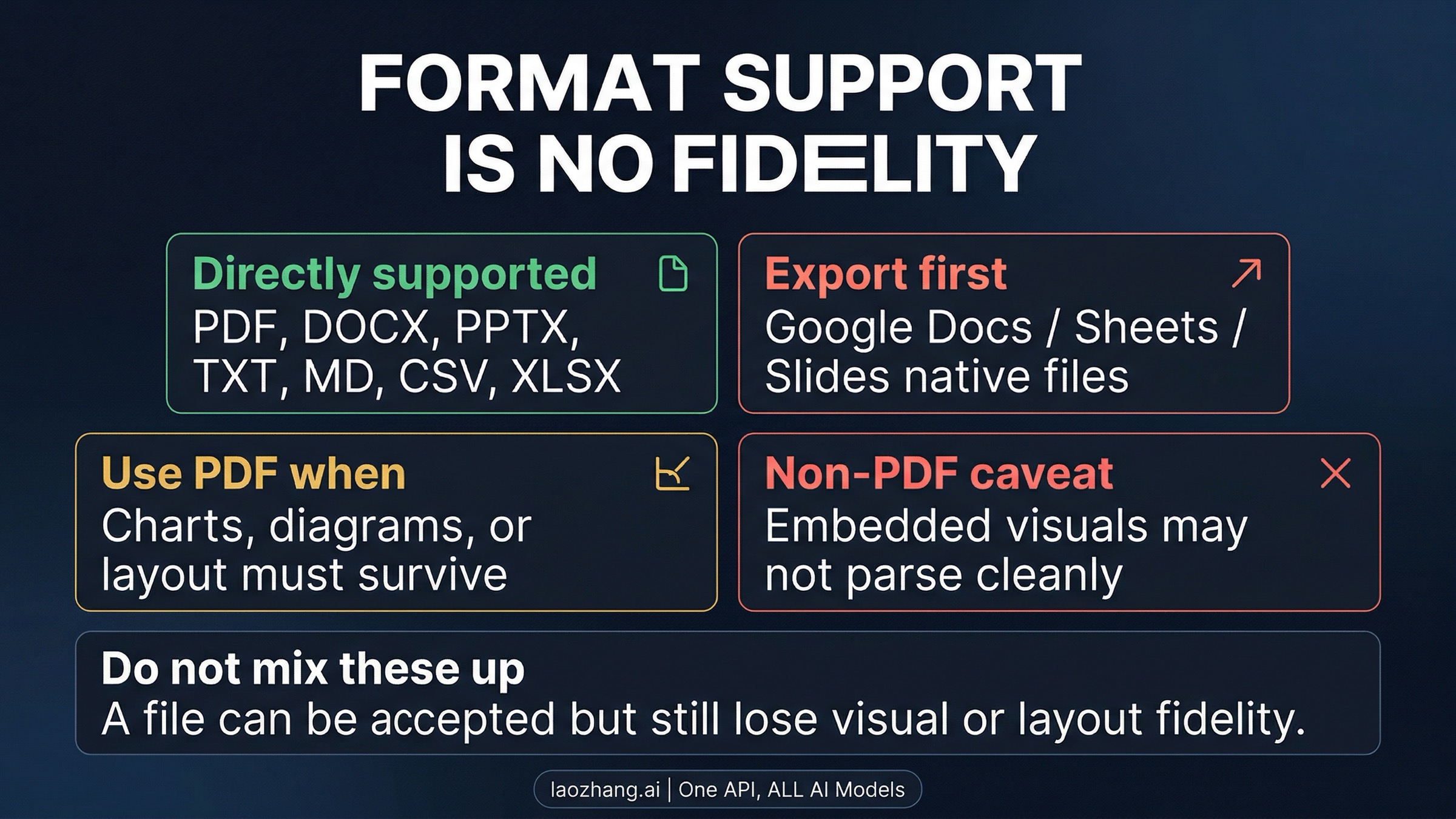
OpenAI's current help guidance for document-heavy ChatGPT workflows still treats PDF as the strongest format when you need diagrams, embedded visuals, or layout to survive parsing more reliably. The current API doc makes the same idea clearer from the developer side: non-PDF files may be accepted, but non-PDF embedded images and charts are not extracted. Those are two separate statements, and this whole topic gets easier once you keep them separate.
Use PDF when the file is visually dense, when you exported from a native Google app and want the rendered result rather than the editing structure, or when the same surface already proved it is still PDF-biased. Do not use PDF just because a random OpenAI-branded surface somewhere on the web once showed that message.
That distinction is the real value of the page. A DOCX can be supported and still be a poor input for a chart-heavy report. A PPTX can be accepted and still be a bad choice for a slide deck where the model needs the visual relationship between text and graphics. Acceptance answers "will the upload go through?" PDF preference answers "will the content survive in the way I need?"
Verify the Fix and Choose the Long-Term Route
Once the file is accepted again, do not stop at the green light. Verify the route on the same surface that failed:
- Retry the file on the same surface after the smallest fix, not on a different route that hides the original problem.
- Confirm the file is not only accepted, but usable for the real job: reading, retrieval, or visually faithful parsing.
- If the file came from Google Docs, Sheets, or Slides, keep an exported copy in the format that actually worked.
- If the problem only disappears on a different OpenAI path, treat the original surface as branch-specific lag rather than as proof that every OpenAI upload is PDF-only.
The long-term route should follow the job you repeat most often. If you mostly upload ordinary documents in ChatGPT, stay with the exported file type that the current help docs already support. If you repeatedly need programmatic retrieval, stop fighting one-shot uploads and build around file_search. If your workflow depends on visual fidelity, standardize on PDF for that branch instead of rediscovering the same chart-loss problem later.
FAQ
Does OpenAI only support PDF right now?
No. As of April 8, 2026, current official OpenAI help and developer docs describe multiple supported file formats on ChatGPT uploads and some first-party API routes. The same PDF-only error can still be real on certain Azure or connector paths, but that is surface-specific behavior, not a blanket OpenAI rule.
Which file types should work in ChatGPT?
Current OpenAI help pages describe support for common document, presentation, spreadsheet, text, and code formats. Native Google file types still need export first, which is why .gdoc is a common hidden cause behind this error.
Why can DOCX or PPTX work in one OpenAI path but fail in another?
Because "OpenAI" is not one upload contract. ChatGPT uploads, the current official API, Azure OpenAI, and third-party connectors can still enforce different rules or lag at different times.
When should I pick file_search instead of input_file?
Pick file_search when the real job is retrieval across stored documents rather than reading one file inline in a single prompt. That route also helps when you keep forcing files through prompt context even though the task is really search, not one-shot interpretation.
When is PDF still the best answer?
When the document's layout, charts, diagrams, or embedded visuals must survive parsing, when you exported from Google Docs, Sheets, or Slides and need the rendered result, or when the specific surface you are using still behaves as if PDF is required.
The Working Rule
The fastest clean fix is not "convert everything to PDF." It is "identify the surface, apply the smallest correct file or route change for that surface, verify on the same path, and only then decide whether PDF is actually the right long-term format."
Sources5
External pages this guide links to, in the order they appear. Last updated Apr 8, 2026.
Sources5
External pages this guide links to, in the order they appear. Last updated Apr 8, 2026.
- 1.supported file typeshelp.openai.com/en/articles/8983675-what-types-of-files-are-supported
- 2.File Uploads FAQhelp.openai.com/en/articles/8555545-file-uploads-faq
- 3.PDF files and other document formatsplatform.openai.com/docs/guides/pdf-files
- 4.file search docsplatform.openai.com/docs/guides/tools-file-search
- 5.Microsoft Q&A threadlearn.microsoft.com/en-us/answers/questions/2287168/list-of-supported-file-types-for-azure-openai-file